MTMS B1230R49 49.82-49.90 MHz WIRELESS REMOTE CONTROL TOY-RX User Manual Ignite jackal Instruction manual
Bear River International LLC 49.82-49.90 MHz WIRELESS REMOTE CONTROL TOY-RX Ignite jackal Instruction manual
MTMS >
User Manual
OFF
•
ON
CAUTION-ELECTRIC TOY
NOT RECOMMENDED FOR CHILDREN UNDER 8 YEARS OF
AGE. AS WITH ALL ELECTRIC PRODUCTS, PRECAUTIONS
SHOULD BE OBSERVED DURING HANDLING
AND USE TO PREVENT ELECTRIC SHOCK.
INPUT: AC 100~240V 50/60Hz 0.3A
OUTPUT: DC 9V 250mA
ITEM NO. B1230
PLEASE NOTE:
This equipment has been tested and found to comply with the limits for a Class B digital device, pursuant to part 15 of the
FCC Rules. These limits are designed to provide reasonable protection against harmful interference in a residential
installation. This equipment generates, uses and can radiate radio frequency energy and, if not installed and used in
accordance with the instructions, may cause harmful interference to radio communications. However, there is no guarantee
that interference will not occur in a particular installation. If this equipment does cause harmful interference to radio or
television reception, which can be determined by turning the equipment off and on, the user is encouraged to try to correct
the interference by one or more of the following measures:
• Reorient or relocate the receiving antenna.
• Increase the separation between the equipment and receiver.
• Connect the equipment into an outlet on a circuit different from
that to which the receiver is needed.
• Consult the dealer or an experienced radio/TV technician for help.
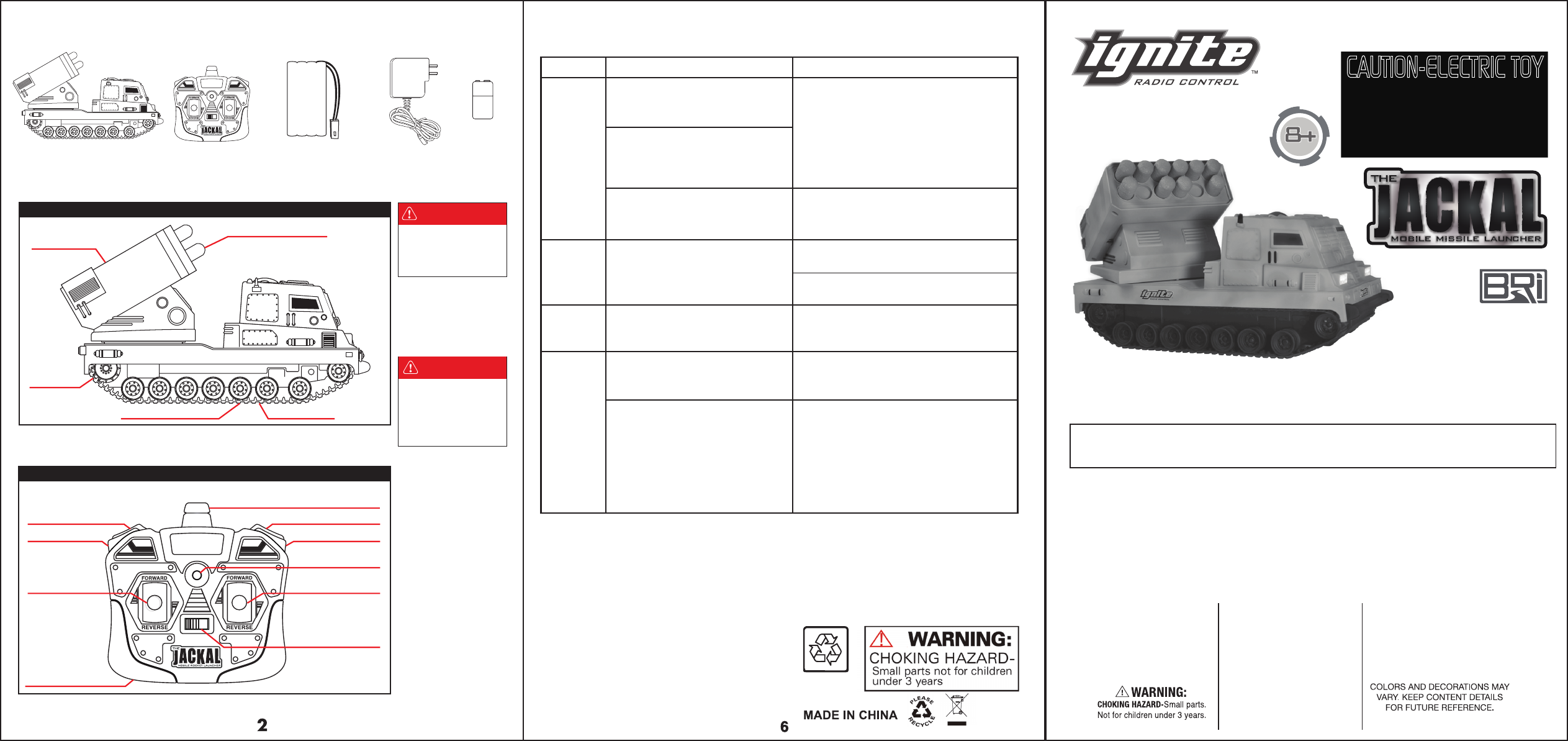
Controller 7.2V Ni-Cd Battery Pack Charger 9V BatteryJackal Missile Launcher
CONTENT LIST
infrared control transmitter
getting to know your jackal
Battery Compartment
Rotating Turret
Launching Foam Darts
Tank Track
On/Off Switch
Diagram #1
Diagram #2
THE INCLUDED 7.2V NI-CD
BATTERY PACK IS NOT
CHARGED PRIOR TO
SHIPMENT AND MUST BE
CHARGED BEFORE USE.
To prevent damage, the
contents of the package
that are listed have been
packed in the tray and
may be out of plain sight.
Please remove all contents
from the tray.
INSTRUCTION MANUAL
IF MISSILE LAUNCHER DOES NOT RESPOND PROPERLY, PLEASE
RECHARGE OR REPLACE THE 7.2V NI-CD BATTERY PACK IN THE
MISSILE LAUNCHER OR REPLACE THE 9V BATTERY IN THE CONTROLLER
FULL-FUNCTION 7.2V NI-CD RADIO CONTROL DART LAUNCHING VEHICLE
** NOTE: THE MANUFACTURER IS NOT RESPONSIBLE FOR ANY RADIO OR TV INTERFERENCE CAUSED BY
UNAUTHORIZED MODIFICATIONS TO THIS EQUIPMENT. SUCH MODIFICATIONS COULD VOID THE USER'S
AUTHORITY TO OPERATE THE EQUIPMENT.
*IMPORTANT:
WARNING:
Changes or modifications to this unit not expressly approved by the party responsible for compliance could void the
user's authority to operate the equipment.
This device complies with Part 15 of the FCC Rules. Operation is subject to the following two conditions:
1. This device may not cause harmful interference, and
2. This device must accept any interference received, including interference that may cause undesired operation.
Do not aim at eyes or face!
TO AVOID INJURY:
Use only darts designed for
this product. Do not modify
darts or dart turret.
Adult supervision is required!
CAUTION:
IMPORTANT
ignite-rc.com
Manufactured & Distributed by © 2012
Bear River International, LLC Frisco, TX 75034
All Rights Reserved
MADE IN CHINA
LED Power Indicator
Problems Reasons Solutions
TROUBLE SHOOTING
The battery inside the
radio controller is too weak.
There is a weak or low reception
to the radio controls.
Replace with new alkaline batteries.
The batteries inside the Jackal are
too weak.
Foam darts do not fire.
The vehicle’s tank track has an
obstruction in tread or axles.
The Jackal does not respond to the
radio control.
The radio control’s frequency is
disrupted by something around
the environment.
Recharge or replace with new batteries
inside the Jackal.
Make sure the Darts are inserted correctly,
push in until they click.
Mechanisms may be faulty, contact
customer service for assistance.
Use tweezers to remove obstruction.
Try playing at another location.
Running
Problems
Firing
Problems
Operating
Problems
Other
Some other equipment using the same
radio wave could disrupt the radio control.
Either play in another location or turn off
the other equipment. If you are planning to
race your vehicles with another friend,
purchase vehicles with two different
frequencies (49 MHz and 27 MHz) to
avoid disruption.
Dart Launcher Dart Launcher
Left Tank Track
ON/OFF Switch
Battery Compartment
Right Tank Track
Rotate Turret Left Rotate Turret Right
Antenna
PLEASE DO NOT
RETURN TO STORE
For more information please
contact Customer Services:
help@bearriver.net
(580)272-0022
7.2 V 600 mAh RE-CHARGEABLE
Ni-Cd BATTERY, 1-9V HEAVY DUTY
BATTERY AND 100~240V DIGITAL
CLASS 2 CHARGER INCLUDED
DO NOT MIX ALKALINE,
STANDARD (CARBON ZINC)
OR RECHARGEABLE
(NICKEL CADMIUM) BATTERIES.
DO NOT MIX OLD AND NEW
BATTERIES.
DO NOT DISPOSE OF BATTERIES
IN FIRE, BATTERIES MAY
EXPLODE OR LEAK.
Ni-Cd
OFF
•
ON
On/Off
Diagram #8
Diagram #7
1) To turn the turret use the bottom two buttons on
the top of the controller to turn the turret left and right.
2) Once the turret is angled in the desired position
press the top two buttons on the top of the
controller at the same time to fire the foam darts.
ATTENTION PARENTS: The battery charger and battery pack need to be periodically examined for potential hazards and
any potentially hazardous parts to be repaired or replaced.
1) Turn the battery cover dial away from
the cover.
2) Open the top cover to reveal battery
compartment.
3) Connect the battery cord to the cord
from the Jackal.
4) Place the connector and the battery
into the battery compartment.
5) Replace cover, and turn dial over the
battery cover.
3) For one dart at a time quickly press and release
both buttons together.
4) For rapid fire press buttons together and hold.
Foam darts can fire to about 16ft (5 meters).
5) To refill the turret, take the foam darts and place
them into the dart holes, pressing firmly until you
hear a click, then dart is secure.
Note that each joystick controls the
corresponding side of the tank tracks.
1) To go FORWARD press both joysticks
forward, to go BACKWARDS press both
joysticks backward.
2) To turn RIGHT, push the left joystick
forward, and the Right joystick backward.
3) To turn LEFT, push the right joystick
forward, and the Left joystick backward.
controller battery installation
Jackal MISSILE Launcher CONTROLS
Shooting your MISSILE Missile launcher
Jackal MISSILE launcher Preparations
Diagram #3
charging the Battery Pack
Diagram #4
PLEASE NOTE:
A) Make sure the batteries
have been inserted correctly
(+ or -) into the controller.
B) If the Jackal does not
respond properly, please
replace the alkaline batteries
in the controller or recharge
speed boat battery.
REMEMBER:
Before you recharge the
battery, wait 10-15 minutes
to let the battery cool down.
Never leave unattended while
charging.
Remember to take out all
the batteries from the
controller and Jackal if
the Missile Launcher will not
be used for a long time.
NOTE:
Operating multiple RC’s
with the same frequency in
close proximity will cause
interference and poor
performance. Two
frequency bands are available
to play two at the same time.
Works best away from electrical
hazards and large obstacles.
Insert the 9V battery (included) into
the controller. Replace battery cover.
(Use Alkaline Batteries for the longest battery life,
and best performance).
Open the battery door, and
remove the bottom cover.
To Charge Jackal Missile Launcher battery pack:
1) First, plug the Charger into a standard 100-240V
household electrical outlet.
2) Plug the battery connector into the charger.
3) Charge the battery pack for only 5 hours.
(Note: failure to disconnect the battery after 5
hours may cause battery damage).
4) Unplug battery pack, and allow the battery pack
to cool before placing inside Jackal.
NOTE: PLEASE ALLOW THE BATTERY PACK TO COOL PRIOR TO
RECHARGING. USING BEFORE DOING SO WILL GREATLY
REDUCE THE LIFE OF THE BATTERY.
DANGER!
NEVER INSERT ANY SHARP
OBJECTS, PINS OR SCREWS
INTO THE ROCKET LAUNCHER
AS THIS MAY PUNCTURE THE
VESSEL OR THE BATTERY!
DANGER!
NEVER TOUCH THE
TANK TRACKS AS
THEY ARE TURNING
Diagram #5
To use your Jackal:
1) Flip the On/Off switch to the “On” position
on the bottom of the Jackal.
2) Flip the On/Off switch to the “On” position
on the controller.
3) Place on the ground.
using your Jackal MISSILE launcher
Diagram #6
CAUTIONS AND WARNINGS:
• Don’t cover the antenna of the transmitter. No signal will be released while the lens is covered.
• Do not recharge the battery pack if it is warm to the touch. Allow the battery pack to cool before recharging.
• Recharging a warm battery pack will shorten the life of the battery pack.
• Recharging batteries should be done by an adult.
• Motor of Jackal will get hot, use caution in handling.
• Do not charge a damaged, leaking, hot or wet Battery Pack.
• When not in use, charger should be unplugged from the electrical outlet.
• Under no circumstance should the battery pack be disposed of in a fire. This may cause injury, leakage or explosion.
• Please dispose of Ni-Cd battery cells properly.
• Do not break, open or disassemble the battery pack.
• Do not use the battery pack or charger for any other reason than charging and running the remote control Jackal.
• Do not stall the motor during use.
1. Make sure you always use new or fully charged batteries in the controller.
2. Do not operate the Jackal if it becomes damaged in any way.
3. Check that the infrared signal from the controller is making a connection
with the Jackal before operating.
4. Try not to crash the Jackal as this may cause damage.
5. Check that the area is clear of all obstacles before you operate.
6. Adult supervision is always recommended.
7. Never operate near animals. Keep Missile Launcher away from your
fingers, hair, eyes and other body parts. Stay away from obstacles
and electrical hazards.
ONOFF
ONOFF
FRONT
ONOFF
FRONT
NOTE:
Do not put objects or fingers near the front or rear of the track while it is turning.
Tank can run on various terrain, be sure objects do not get obstructed in the tank track.
Avoid hard crashes.
Never give the Jackal or controller to any child under the age of 3, as is contains small parts.
When not in use, remove batteries from compartments (Jackal and controller).
Normal working distance is about 65 feet (20 meters).
OFF
•
ON