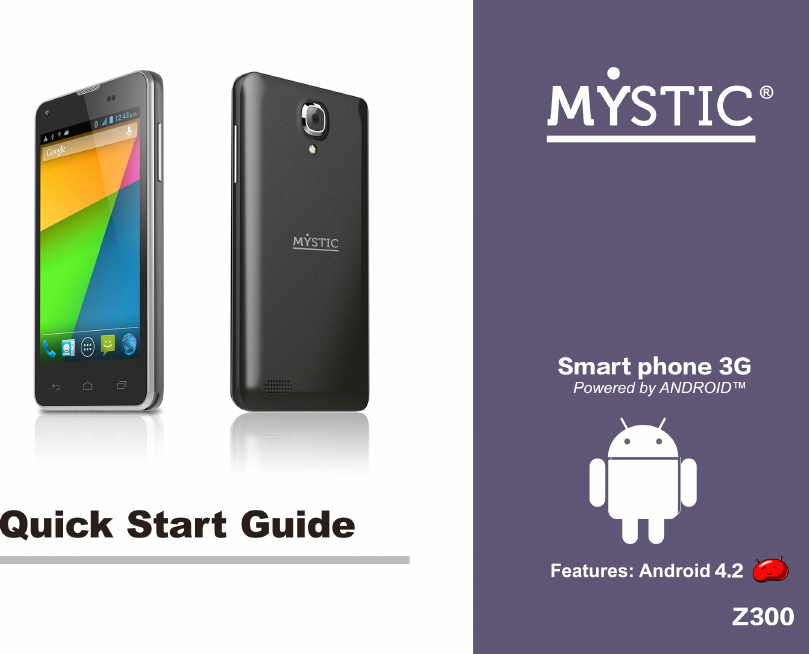
MYSTIC Z300 3G Mobile Phone User Manual Warranty Details

MYSTIC CORPORATION S.A. 3G Mobile Phone Warranty Details

Contents

Users Manual

Contents Contents Contents ContentsGeneral General General GeneralSafety Safety Safety SafetyInstructions Instructions Instructions Instructions……………………………………… ……………………………………… ……………………………………… ………………………………………4 444HandlingandMaintenance…………………………………………………..4UsageEnvironment…………………………………………………….4Safety…………………………………………………………………………4Accessories………………………………………………………………………5Usageconditionsandrestrictions…………………………5Abbreviations/Terminology………………………………………………….6Product Product Product ProductOverview Overview Overview Overview…………………………………………… …………………………………………… …………………………………………… …………………………………………….. .. .. ..7 777Getting Getting Getting GettingStared Stared Stared Stared…………………………………………… …………………………………………… …………………………………………… ……………………………………………8 888BeforeFirstUse……………………………………………………………….8MicroSDCard……………………………………………………………….8SIMCard(2G/3G)……………………………………………………………..8InsertingTheSIMCard(s)andBattery………………………8Charging……………………………………………………………………..9SwitchOn/Off……………………………………………………....................9TurnOn/OffTheScreen……………………………………………………….9Volume…………………………………………………………10LinkingWithYourGoogleAccount……………………………………...10SIMManagement………………………………………………………………10Operation Operation Operation Operation…………………………………………………… …………………………………………………… …………………………………………………… …………………………………………………….12 .12 .12 .12EnteringYourPIN……………………………………………………………12ScreenOperation………………………………………………12PhoneCalls……………………………………………………………13CallSettings……………………………………………………………….18Contacts…………………………………………………………………….18Messaging…………………………………………………………………….19ApplicationsandWidgets……………………………………………..20AddandManageDesktopIcons……………………………….21ConnectWithComputer……………………………………………….22Browser……………………………………………………………………………..23ScreenCompatibility………………………………………………….24BackgroundApplications………………………………………..24GetandInstallApplications…………………………………….24UninstallApplications……………………………………………..25PlayStoreandCalendarErrorMessages…………………………25Settings………………………………………………....................26WirelessandNetworks………………………………………………..26Bluetooth………………………………………………………………….28Device……………………………………………………………………28Personalization………………………………………………………………29System…………………………………………………………………..32Camera……………………………………………………………………..32DownloadFilesManagement………………………………………….33Radio………………………………………………33Specifications Specifications Specifications Specifications……………………………………… ……………………………………… ……………………………………… ………………………………………34 34 34 34Page2GeneralSafetyInstruction
General General General GeneralSafety Safety Safety SafetyInstructions Instructions Instructions InstructionsReadthismanualthoroughlybeforefirstuseandkeepitinasafeplaceforfuturereference,alongwiththecompletedwarrantycard,purchasereceiptPage3GeneralSafetyInstruction
andcarton.Thesafetyprecautionsenclosedhereinreducetheriskoffire,electricshockandinjurywhencorrectlyadheredto.Handling Handling Handling Handlingand and and andmaintenance maintenance maintenance maintenance�Water: Water: Water: Water:Ensurethatthisproductdoesnotgetwetandprotectitfromwatersplashes,rain,excessivehumidityandsweat.Contactwithwaterwillcausethephonetoshort-circuit,corrodeorcauseelectricshock.Donotuseitwhereitcanfallintowater(suchasnearapool,pond,bathetc.).Donotuseitwithwethands.Donotimmerseitinwater.Donotturnitonifitiswet.Donottrytodryitinamicrowaveoven.�Handling: Handling: Handling: Handling:Toavoiddamagingthephone,batteryorcharger,donotdropitorshakeitvigorouslyasthismaycausedeviceorbatteryfailure,fireorexplosion.�Repair: Repair: Repair: Repair:Thisdeviceisahighprecisionelectronicproduct.Itcontainsnouserserviceablepartsinside.Donottrytodismantle,modifyorrepairthedeviceorchargeryourself.AnymodificationscouldvoidyourwarrantyUsage Usage Usage Usageenvironment environment environment environment�Environment: Environment: Environment: Environment:Donotusethisproductwhereitisexcessivelyhotcold,dustyorhumid,orwhereitisexposedtostrongmagneticfieldorlongperiodsofsunshine.Exposuretoveryloworveryhightemperaturesmaycausedeviceorbatteryfailure,fireorexplosion.�Heat Heat Heat Heatsources: sources: sources: sources:Donotleavetheproductnearanyheatsources,stoves,ovensorotherappliances(includingamplifiers)thatproduceheat�Interference:Donotusethephonenearotherelectronicdevicesthatuseradiofrequencysignals.Avoidusingitwithina15cmrangeofapacemaker(ifyouhaveapacemaker,donotcarrythephoneinabreastpocket).Safety Safety Safety Safety�Road Road Road Roadsafety: safety: safety: safety:Obeyallocallawsandregulationsontheuseofmobiledeviceintheareawhereyoudrive.Payfullattentiontodrivingandtheroad.Keepyourhandsfreetooperatethevehicleatthetimes;usehand-freeoperationifphoneusageisrequired.�Health Health Health Healthfacilities: facilities: facilities: facilities:Observerelevantrulesorregulationsregardingmobilephoneuseinhealthfacilities.Turnoffthephoneinthevicinityofmedicaldevicesandwhereverdirectedtodosobypostedsigns.Mobilephoneradiationmayinterferewithpacemakers,hearingaidsandothermedicalequipment.�Aircraft: Aircraft: Aircraft: Aircraft:Turnoffthesmartphonewhenboardinganairplaneinordertoavoidinterferencewithaircraftradiosignals.Page4GeneralSafetyInstruction
�Magnetic Magnetic Magnetic Magneticequipment: equipment: equipment: equipment:Stayawayfrommagneticequipmenttoavoidtheriskofinterferingwithorerasingtheinformationstoredonthedevice.�Volume: Volume: Volume: Volume:Alwaysselecttheappropriatevolumewhenusingthemusicorvideofunction.Thevolumeshouldnotbetooloudwhenusingearphones.�Explosive Explosive Explosive Explosiveenvironments: environments: environments: environments:Turnoffthephoneinblastingareasandinanypotentiallyexplosiveenvironment(suchasatapetrolstationorotherrefuelingpoints).�Back-up: Back-up: Back-up: Back-up:Toavoidlossofdata,werecommendalwaysbackingupanyimportanttotheeyesofpeopleorpets.Accessories Accessories Accessories Accessories�Accessories: Accessories: Accessories: Accessories:OnlyusethedevicewiththemicroUSBcableandbatterychargersupplied.Useofotheraccessoriesnotrecommendedinthismanualmaycausedamagetotheunitandvoidyourwarranty.�Battery Battery Battery Batterycharger: charger: charger: charger:Onlyusethechargerprovided.Donotusethephonewhileitischarging.Donotdroporcauseanimpacttothecharger.�Battery Battery Battery Batteryhandling: handling: handling: handling:Donotexposethebatterytohightemperatures.Takecarewhenhandleachargedbattery,particularlywhenplacingitinsideyourpocket,purseorothercontainerwithmetalobjects.�Power Power Power Powercord: cord: cord: cord:Donotbendanddamagethecableofbatterycharger.�Damage: Damage: Damage: Damage:Donotusethechargerifthecableorplugisdamaged.Incaseofdamage,contacttheaftersalessupportlineforadvice.�Disconnect: Disconnect: Disconnect: Disconnect:Griptheplugwhendisconnectingthecharger;donotpullonthecord.�Memory Memory Memory Memorycard: card: card: card:Alwayshandlethephone’smemorycard(s)withcare.Protectthecard(s)fromstaticelectricityandstrongshocks.Usage Usage Usage Usageconditions conditions conditions conditionsand and and andrestrictions restrictions restrictions restrictions�Packaging: Packaging: Packaging: Packaging:Plasticpackagingmaterialscanpresentsuffocationhardforyoungchildrenandbabies.Keepallpackagingmaterialsoutofchildren’sreachtoensuretheydonotplaywiththese.�Personal Personal Personal Personalusage: usage: usage: usage:Donotusethisproductforanythingotherthanitsintendedpurpose,andonlyuseitasdescribedinthismanual.�Restricted Restricted Restricted Restrictedusage: usage: usage: usage:Theequipmentisnotintendedforusebypersons(includingchildren)withreducedphysical,sensoryormentalcapabilities,orlackofexperienceandknowledge,unlesstheyhavebeengivensupervisionorinstructionconcerninguseoftheequipmentbyapersonresponsiblefortheirsafety.�Children: Children: Children: Children:Thisphoneisnotatoy.Keepthephone,batteryandchargerawayfromyoungchildren.Superviseyoungchildrenwhenthephoneisgoingtobeusedbyornearyoungchildren.Page5GeneralSafetyInstruction
Wi-Fi Wi-Fi Wi-Fi Wi-FiWirelessFidelityBT BT BT BTBluetoothSD SD SD SDcard card card cardSecureDigitalFlashMemoryCardSIM SIM SIM SIMcard card card cardSubscriberIdentityModule(MobileServiceCard)�Cleaning: Cleaning: Cleaning: Cleaning:Cleanthehousingofthedevicelightlywithadrycottoncloth.Donotusealcohol,thinners,benzeneoranyotherchemicalcleaningsolutions.�Lost Lost Lost Lostphone: phone: phone: phone:WerecommendyouinformyourtelecommunicationsserviceprovidertoblockyourSIMcard(s)whenyourphoneislost.Youmayalsowanttoaskthemtoblockthephone’sIMEInumber(s),theseareprintedonalabelinsidethephoneunderneaththebattery.(Alternatively,thenumber(s)willbeincludedonalabelwiththepackaging.)Pleasenotedownthisnumberssoyouhavethemhandyincaseyourphoneislost.�Disposal: Disposal: Disposal: Disposal:Whendiscardingthisdevice,observelocalregulationsanddisposeofitappropriatelyforrecycling.Neverdisposeofthebatteryinafire.Contactyourlocalauthoritiesforadviceonfacilities.�Noncompliance: Noncompliance: Noncompliance: Noncompliance:Weacceptnoliabilityforanydamagecausedbynoncompliancewiththeseinstructionsoranyotherimproperuseormishandling.Abbreviations/Terminology Abbreviations/Terminology Abbreviations/Terminology Abbreviations/TerminologyPage6GeneralSafetyInstruction
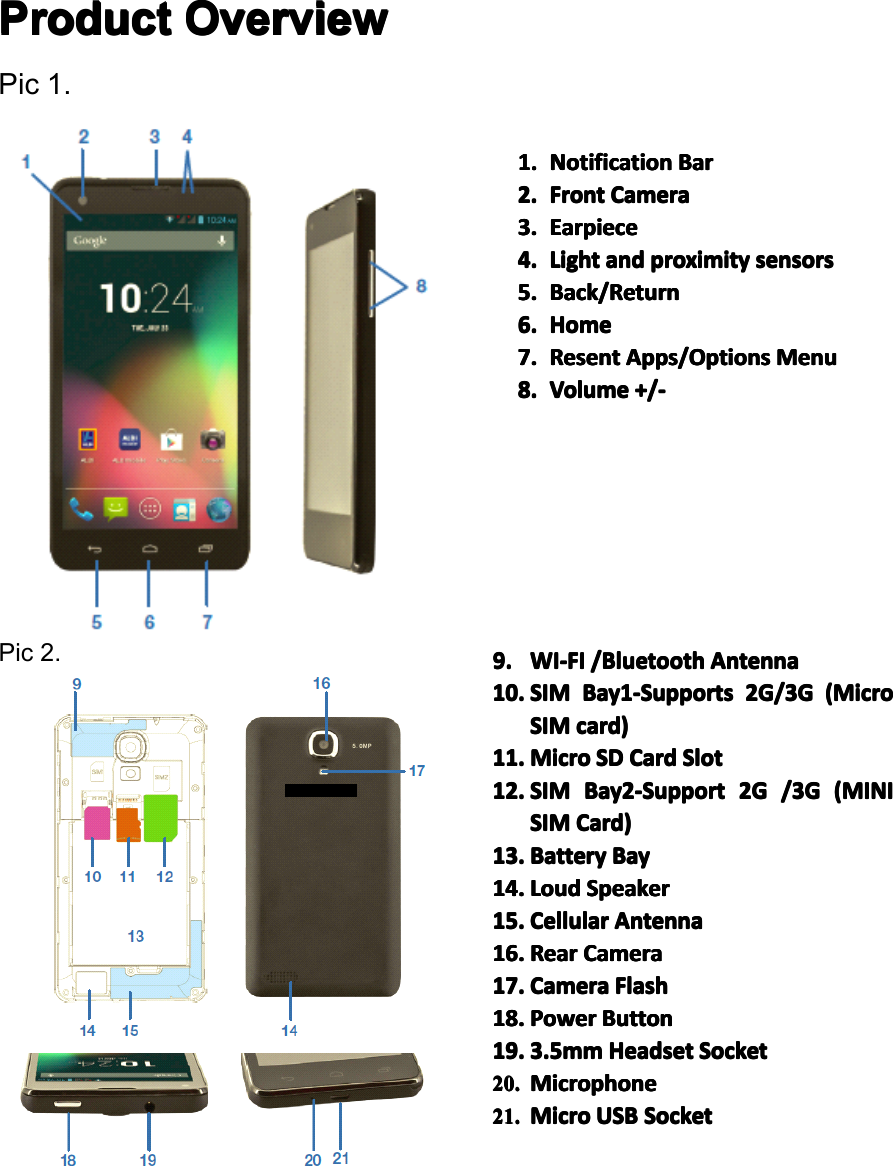
Product Product Product ProductOverview Overview Overview OverviewPic1.Pic2.1. 1. 1. 1.Notification Notification Notification NotificationBar Bar Bar Bar2. 2. 2. 2.Front Front Front FrontCamera Camera Camera Camera3. 3. 3. 3.Earpiece Earpiece Earpiece Earpiece4. 4.4. 4.Light Light Light Lightand and and andproximity proximity proximity proximitysensors sensors sensors sensors5. 5. 5. 5.Back/Return Back/Return Back/Return Back/Return6. 6.6. 6.Home Home Home Home7. 7. 7. 7.Resent Resent Resent ResentApps/Options Apps/Options Apps/Options Apps/OptionsMenu Menu Menu Menu8. 8. 8. 8.Volume Volume Volume Volume+/- +/- +/- +/-9. 9. 9. 9.WI-FI WI-FI WI-FI WI-FI/Bluetooth /Bluetooth /Bluetooth /BluetoothAntenna Antenna Antenna Antenna10. 10. 10. 10.S SSSIM IM IM IMBay1-Supports Bay1-Supports Bay1-Supports Bay1-Supports2G/3G 2G/3G 2G/3G 2G/3G(Micro (Micro (Micro (MicroSSSSIM IMIM IMcard) card) card) card)11. 11. 11. 11.Micro Micro Micro MicroSD SD SD SDCard Card Card CardSlot Slot Slot Slot12. 12. 12. 12.S SSSIM IM IM IMBay2-Support Bay2-Support Bay2-Support Bay2-Support2G 2G 2G 2G/3G /3G /3G /3G( (((MINI MINI MINI MINISSSSIM IMIM IMCard) Card) Card) Card)13. 13. 13. 13.Battery Battery Battery BatteryBay Bay Bay Bay14. 14. 14. 14.Loud Loud Loud LoudSpeaker Speaker Speaker Speaker15. 15. 15. 15.Cellular Cellular Cellular CellularAntenna Antenna Antenna Antenna16. 16. 16. 16.Rear Rear Rear RearCamera Camera Camera Camera17. 17. 17. 17.Camera Camera Camera CameraFlash Flash Flash Flash18. 18. 18. 18.Power Power Power PowerButton Button Button Button19. 19. 19. 19.3.5mm 3.5mm 3.5mm 3.5mmHeadset Headset Headset HeadsetSocket Socket Socket Socket20. 20. 20. 20.Microphone Microphone Microphone Microphone21. 21. 21. 21.Micro Micro Micro MicroUSB USB USB USBSocket Socket Socket SocketPage7ProductionOverview
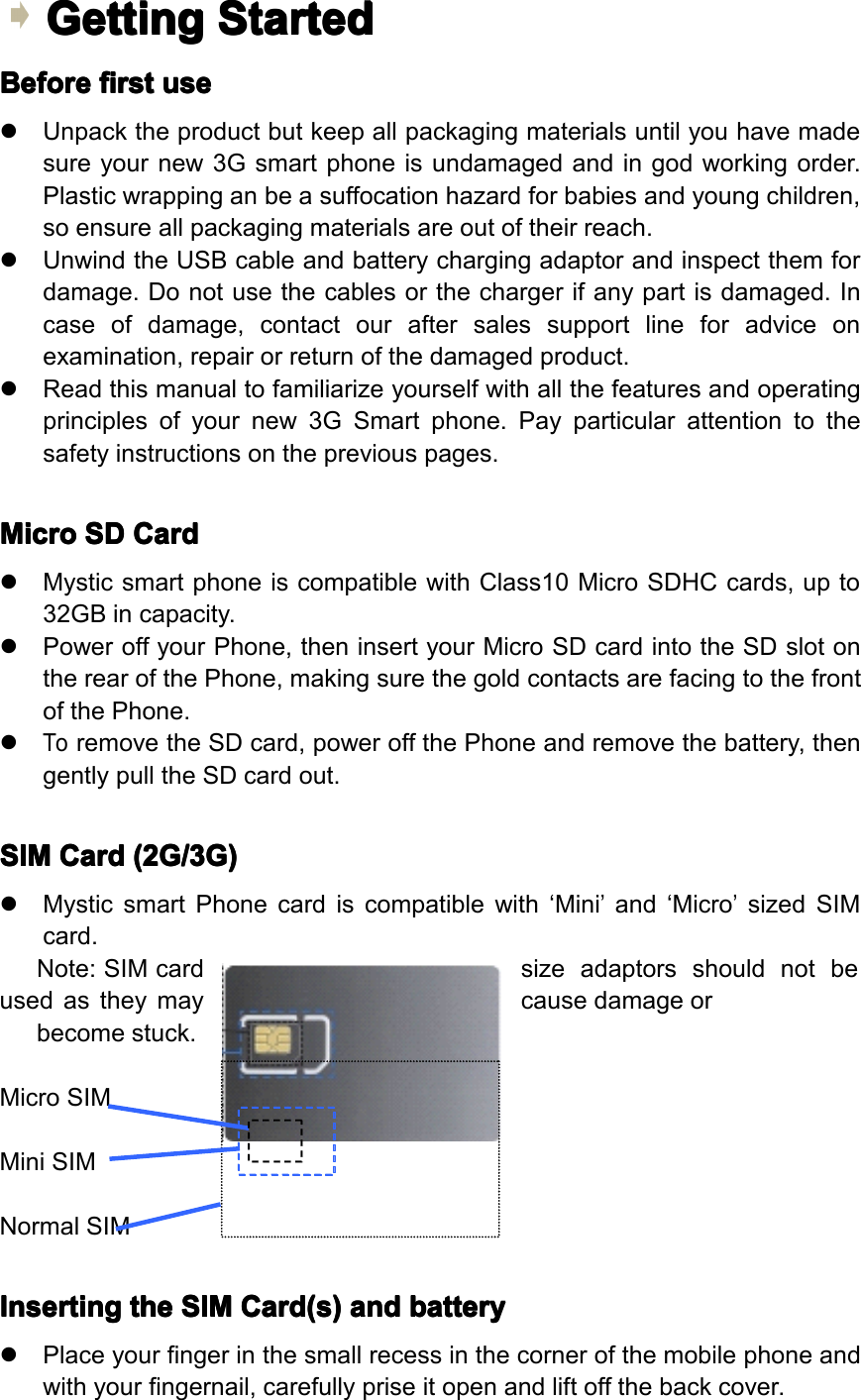
Getting Getting Getting GettingStarted Started Started StartedBefore Before Before Beforefirst first first firstuse use use use�Unpacktheproductbutkeepallpackagingmaterialsuntilyouhavemadesureyournew3Gsmartphoneisundamagedandingodworkingorder.Plasticwrappinganbeasuffocationhazardforbabiesandyoungchildren,soensureallpackagingmaterialsareoutoftheirreach.�UnwindtheUSBcableandbatterychargingadaptorandinspectthemfordamage.Donotusethecablesorthechargerifanypartisdamaged.Incaseofdamage,contactouraftersalessupportlineforadviceonexamination,repairorreturnofthedamagedproduct.�Readthismanualtofamiliarizeyourselfwithallthefeaturesandoperatingprinciplesofyournew3GSmartphone.Payparticularattentiontothesafetyinstructionsonthepreviouspages.Micro Micro Micro MicroSD SD SD SDCard Card Card Card�MysticsmartphoneiscompatiblewithClass10MicroSDHCcards,upto32GBincapacity.�PoweroffyourPhone,theninsertyourMicroSDcardintotheSDslotontherearofthePhone,makingsurethegoldcontactsarefacingtothefrontofthePhone.�ToremovetheSDcard,poweroffthePhoneandremovethebattery,thengentlypulltheSDcardout.SIM SIM SIM SIMCard Card Card Card(2G/3G) (2G/3G) (2G/3G) (2G/3G)�MysticsmartPhonecardiscompatiblewith‘Mini’and‘Micro’sizedSIMcard.Note:SIMcardsizeadaptorsshouldnotbeusedastheymaycausedamageorbecomestuck.MicroSIMMiniSIMNormalSIMInserting Inserting Inserting Insertingthe the the theSIM SIM SIM SIMCard(s) Card(s) Card(s) Card(s)and and and andbattery battery battery battery�Placeyourfingerinthesmallrecessinthecornerofthemobilephoneandwithyourfingernail,carefullypriseitopenandliftoffthebackcover.
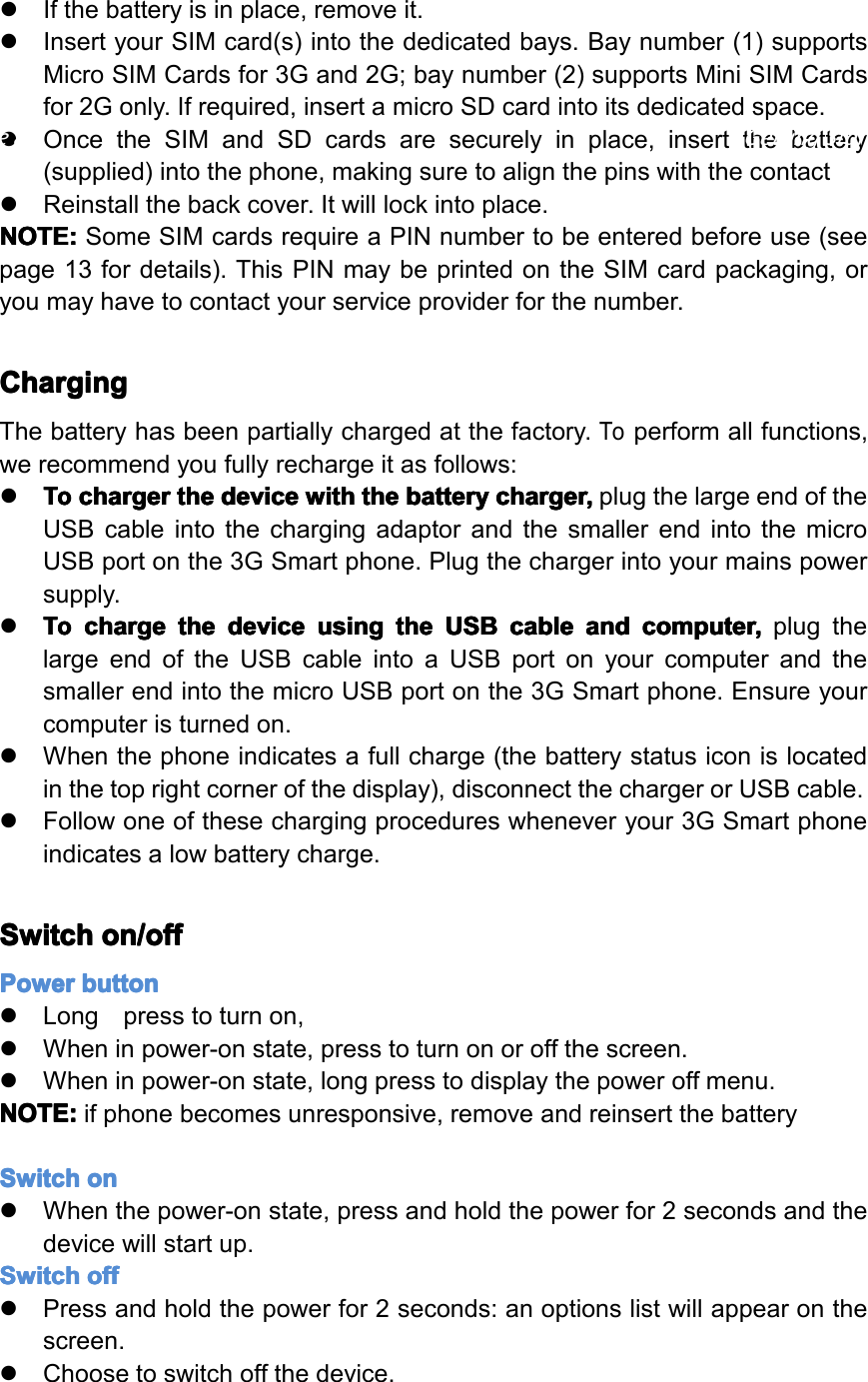
�Ifthebatteryisinplace,removeit.�InsertyourSIMcard(s)intothededicatedbays.Baynumber(1)supportsMicroSIMCardsfor3Gand2G;baynumber(2)supportsMiniSIMCardsfor2Gonly.Ifrequired,insertamicroSDcardintoitsdedicatedspace.�OncetheSIMandSDcardsaresecurelyinplace,insertthebattery(supplied)intothephone,makingsuretoalignthepinswiththecontact�Reinstallthebackcover.Itwilllockintoplace.NOTE: NOTE: NOTE: NOTE:SomeSIMcardsrequireaPINnumbertobeenteredbeforeuse(seepage13fordetails).ThisPINmaybeprintedontheSIMcardpackaging,oryoumayhavetocontactyourserviceproviderforthenumber.Charging Charging Charging ChargingThebatteryhasbeenpartiallychargedatthefactory.Toperformallfunctions,werecommendyoufullyrechargeitasfollows:�To ToTo Tocharger charger charger chargerthe the the thedevice device device devicewith with with withthe the the thebattery battery battery batterycharger, charger, charger, charger,plugthelargeendoftheUSBcableintothechargingadaptorandthesmallerendintothemicroUSBportonthe3GSmartphone.Plugthechargerintoyourmainspowersupply.�To ToTo Tocharge charge charge chargethe the the thedevice device device deviceusing using using usingthe the the theUSB USB USB USBcable cable cable cableand and and andcomputer, computer, computer, computer,plugthelargeendoftheUSBcableintoaUSBportonyourcomputerandthesmallerendintothemicroUSBportonthe3GSmartphone.Ensureyourcomputeristurnedon.�Whenthephoneindicatesafullcharge(thebatterystatusiconislocatedinthetoprightcornerofthedisplay),disconnectthechargerorUSBcable.�Followoneofthesechargingprocedureswheneveryour3GSmartphoneindicatesalowbatterycharge.Switch Switch Switch Switchon/off on/off on/off on/offPower Power Power Powerbutton button button button�Longpresstoturnon,�Wheninpower-onstate,presstoturnonoroffthescreen.�Wheninpower-onstate,longpresstodisplaythepoweroffmenu.NOTE: NOTE: NOTE: NOTE:ifphonebecomesunresponsive,removeandreinsertthebatterySwitch Switch Switch Switchon on on on�Whenthepower-onstate,pressandholdthepowerfor2secondsandthedevicewillstartup.Switch Switch Switch Switchoff off off off�Pressandholdthepowerfor2seconds:anoptionslistwillappearonthescreen.�Choosetoswitchoffthedevice.Page8GettingStarted
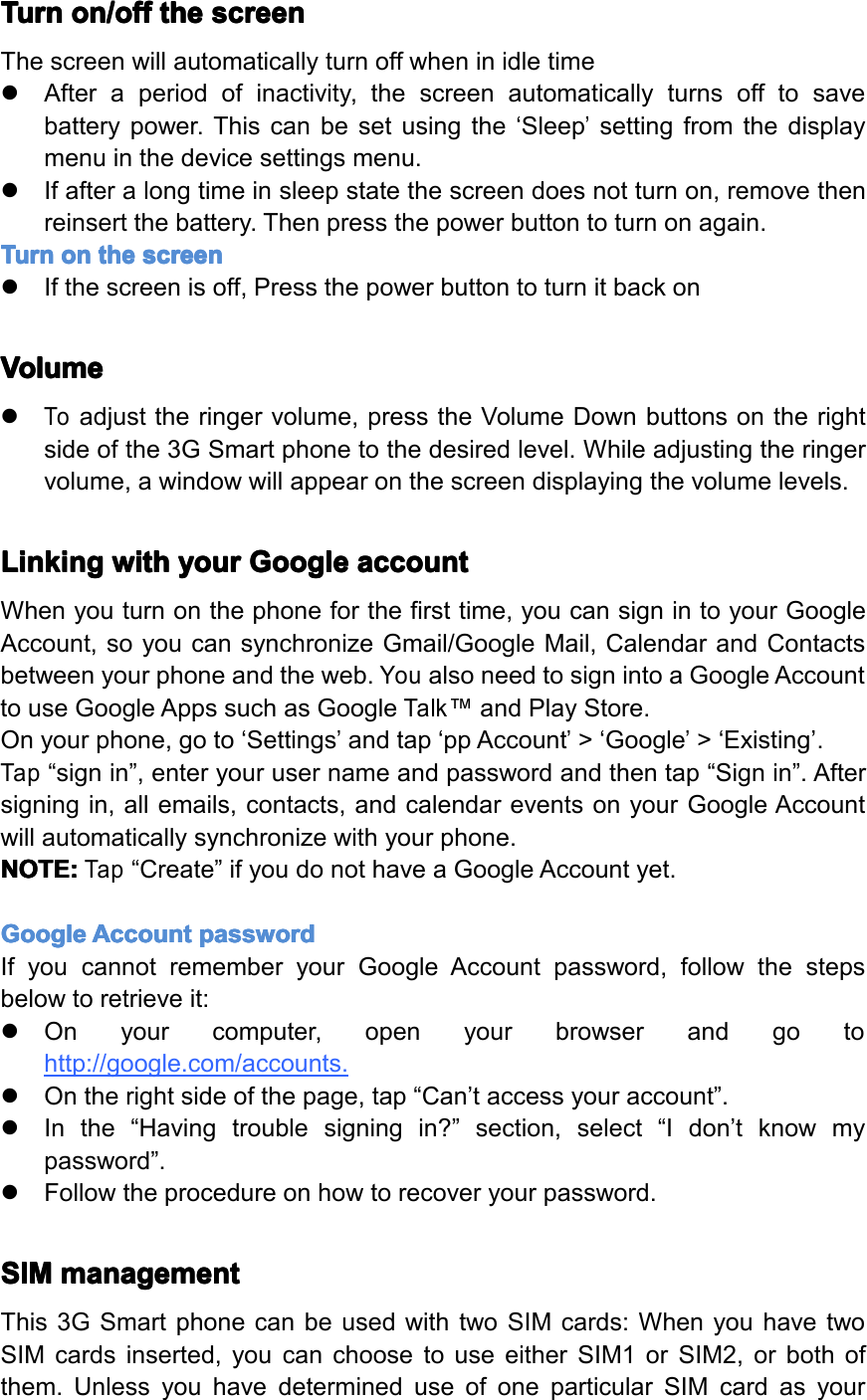
Turn Turn Turn Turnon/off on/off on/off on/offthe the the thescreen screen screen screenThescreenwillautomaticallyturnoffwheninidletime�Afteraperiodofinactivity,thescreenautomaticallyturnsofftosavebatterypower.Thiscanbesetusingthe‘Sleep’settingfromthedisplaymenuinthedevicesettingsmenu.�Ifafteralongtimeinsleepstatethescreendoesnotturnon,removethenreinsertthebattery.Thenpressthepowerbuttontoturnonagain.Turn Turn Turn Turnon on on onthe the the thescreen screen screen screen�Ifthescreenisoff,PressthepowerbuttontoturnitbackonVolume Volume Volume Volume�Toadjusttheringervolume,presstheVolumeDownbuttonsontherightsideofthe3GSmartphonetothedesiredlevel.Whileadjustingtheringervolume,awindowwillappearonthescreendisplayingthevolumelevels.Linking Linking Linking Linkingwith with with withyour your your yourGoogle Google Google Googleaccount account account accountWhenyouturnonthephoneforthefirsttime,youcansignintoyourGoogleAccount,soyoucansynchronizeGmail/GoogleMail,CalendarandContactsbetweenyourphoneandtheweb.YoualsoneedtosignintoaGoogleAccounttouseGoogleAppssuchasGoogleTalk™andPlayStore.Onyourphone,goto‘Settings’andtap‘ppAccount’>‘Google’>‘Existing’.Tap“signin”,enteryourusernameandpasswordandthentap“Signin”.Aftersigningin,allemails,contacts,andcalendareventsonyourGoogleAccountwillautomaticallysynchronizewithyourphone.NOTE: NOTE: NOTE: NOTE:Tap“Create”ifyoudonothaveaGoogleAccountyet.Google Google Google GoogleAccount Account Account Accountpassword password password passwordIfyoucannotrememberyourGoogleAccountpassword,followthestepsbelowtoretrieveit:�Onyourcomputer,openyourbrowserandgotohttp://google.com/accounts.�Ontherightsideofthepage,tap“Can’taccessyouraccount”.�Inthe“Havingtroublesigningin?”section,select“Idon’tknowmypassword”.�Followtheprocedureonhowtorecoveryourpassword.SIM SIM SIM SIMmanagement management management managementThis3GSmartphonecanbeusedwithtwoSIMcards:WhenyouhavetwoSIMcardsinserted,youcanchoosetouseeitherSIM1orSIM2,orbothofthem.UnlessyouhavedetermineduseofoneparticularSIMcardasyourPage9GettingStarted
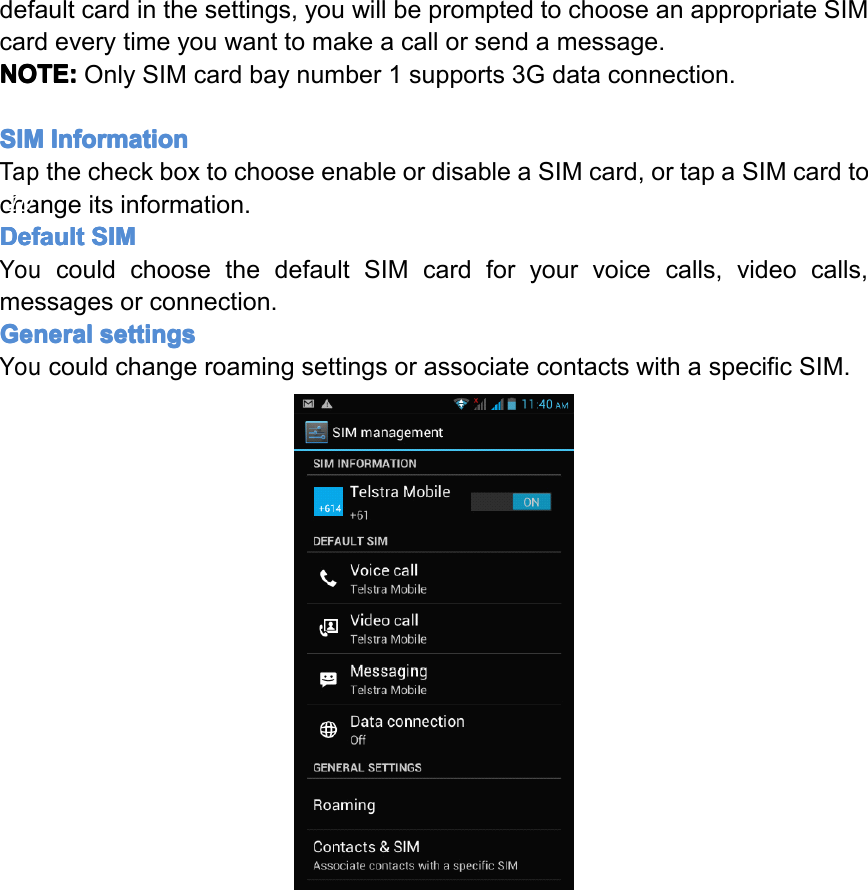
defaultcardinthesettings,youwillbepromptedtochooseanappropriateSIMcardeverytimeyouwanttomakeacallorsendamessage.NOTE: NOTE: NOTE: NOTE:OnlySIMcardbaynumber1supports3Gdataconnection.SIM SIM SIM SIMInformation Information Information InformationTapthecheckboxtochooseenableordisableaSIMcard,ortapaSIMcardtochangeitsinformation.Default Default Default DefaultSIM SIM SIM SIMYoucouldchoosethedefaultSIMcardforyourvoicecalls,videocalls,messagesorconnection.General General General Generalsettings settings settings settingsYoucouldchangeroamingsettingsorassociatecontactswithaspecificSIM.Page10GettingStarted
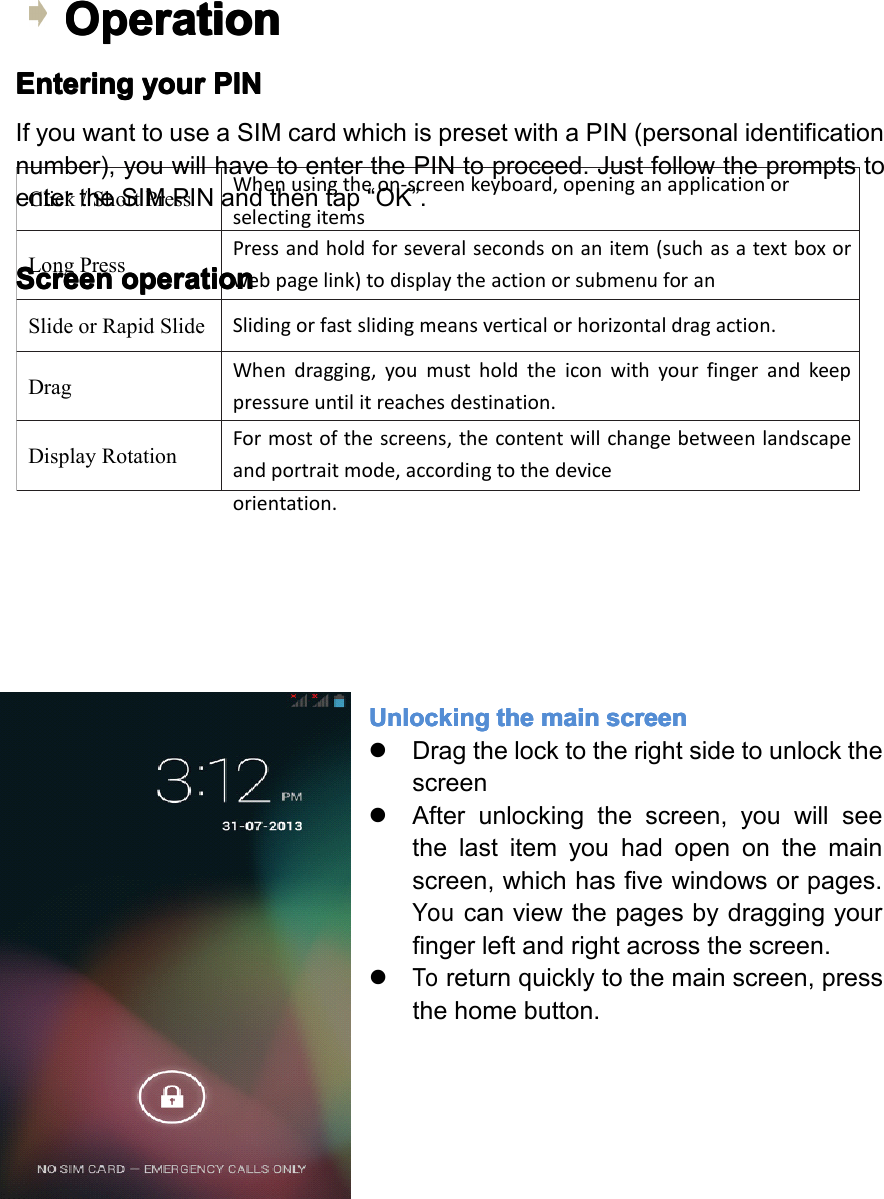
Click/ShortPressWhenusingtheon-screenkeyboard,openinganapplicationorselectingitemsLongPressPressandholdforseveralsecondsonanitem(suchasatextboxorwebpagelink)todisplaytheactionorsubmenuforanitem,ifavailable. SlideorRapidSlideSlidingorfastslidingmeansverticalorhorizontaldragaction.DragWhendragging,youmustholdtheiconwithyourfingerandkeeppressureuntilitreachesdestination.DisplayRotationFormostofthescreens,thecontentwillchangebetweenlandscapeandportraitmode,accordingtothedeviceorientation.Operation Operation Operation OperationEntering Entering Entering Enteringyour your your yourPIN PIN PIN PINIfyouwanttouseaSIMcardwhichispresetwithaPIN(personalidentificationnumber),youwillhavetoenterthePINtoproceed.JustfollowthepromptstoentertheSIMPINandthentap“OK”.Screen Screen Screen Screenoperation operation operation operationUnlocking Unlocking Unlocking Unlockingthe the the themain main main mainscreen screen screen screen�Dragthelocktotherightsidetounlockthescreen�Afterunlockingthescreen,youwillseethelastitemyouhadopenonthemainscreen,whichhasfivewindowsorpages.Youcanviewthepagesbydraggingyourfingerleftandrightacrossthescreen.�Toreturnquicklytothemainscreen,pressthehomebutton.Page11GettingStarted
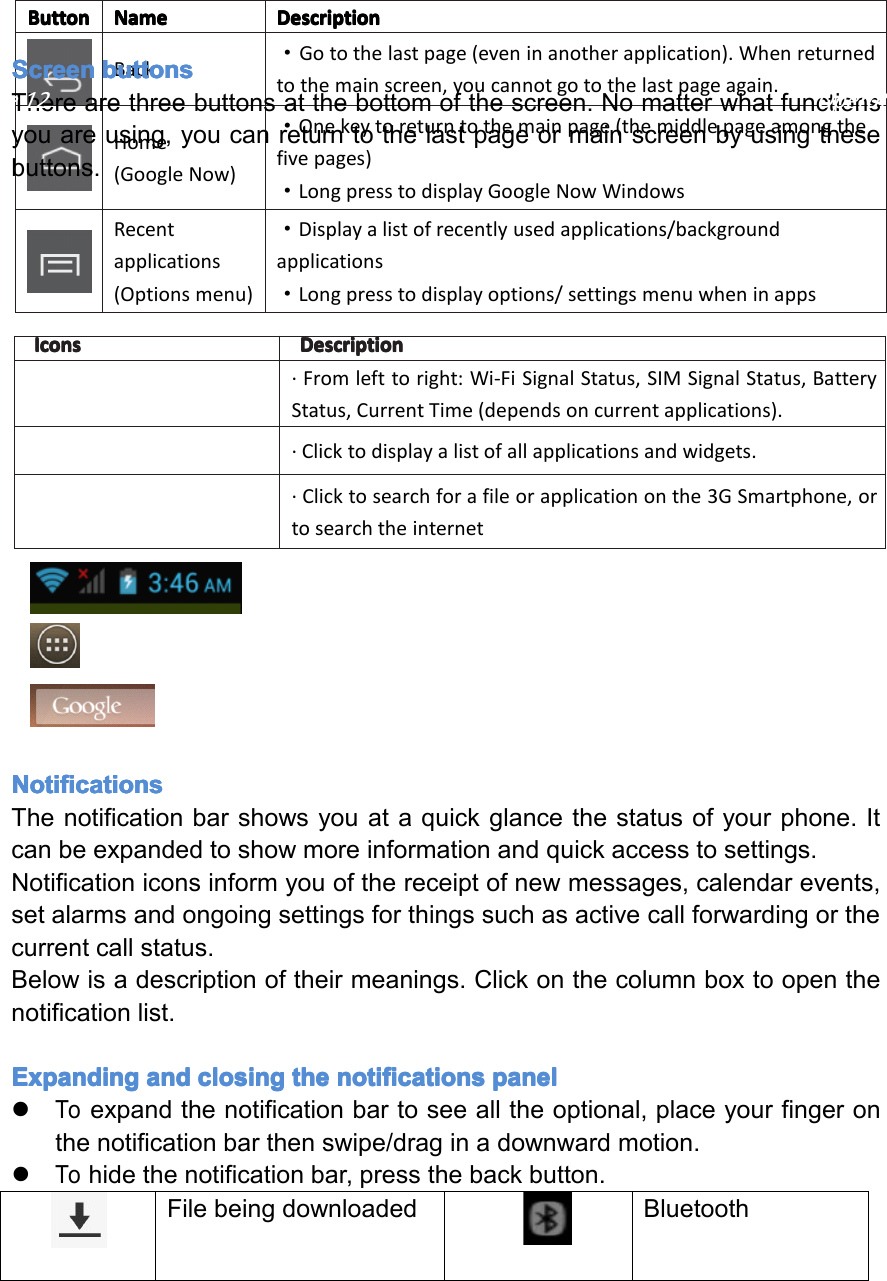
Icons Icons Icons IconsDescription Description Description Description·Fromlefttoright:Wi-FiSignalStatus,SIMSignalStatus,BatteryStatus,CurrentTime(dependsoncurrentapplications).·Clicktodisplayalistofallapplicationsandwidgets.·Clicktosearchforafileorapplicationonthe3GSmartphone,ortosearchtheinternetButton Button Button ButtonName Name Name NameDescription Description Description DescriptionBack·Gotothelastpage(eveninanotherapplication).Whenreturnedtothemainscreen,youcannotgotothelastpageagain.Home(GoogleNow)·Onekeytoreturntothemainpage(themiddlepageamongthefivepages)·LongpresstodisplayGoogleNowWindowsRecentapplications(Optionsmenu)·Displayalistofrecentlyusedapplications/backgroundapplications·Longpresstodisplayoptions/settingsmenuwheninappsScreen Screen Screen Screenbuttons buttons buttons buttonsTherearethreebuttonsatthebottomofthescreen.Nomatterwhatfunctionsyouareusing,youcanreturntothelastpageormainscreenbyusingthesebuttons.Notifications Notifications Notifications NotificationsThenotificationbarshowsyouataquickglancethestatusofyourphone.Itcanbeexpandedtoshowmoreinformationandquickaccesstosettings.Notificationiconsinformyouofthereceiptofnewmessages,calendarevents,setalarmsandongoingsettingsforthingssuchasactivecallforwardingorthecurrentcallstatus.Belowisadescriptionoftheirmeanings.Clickonthecolumnboxtoopenthenotificationlist.Expanding Expanding Expanding Expandingand and and andclosing closing closing closingthe the the thenotifications notifications notifications notificationspanel panel panel panel�Toexpandthenotificationbartoseealltheoptional,placeyourfingeronthenotificationbarthenswipe/draginadownwardmotion.�Tohidethenotificationbar,pressthebackbutton.FilebeingdownloadedBluetoothPage12Operation
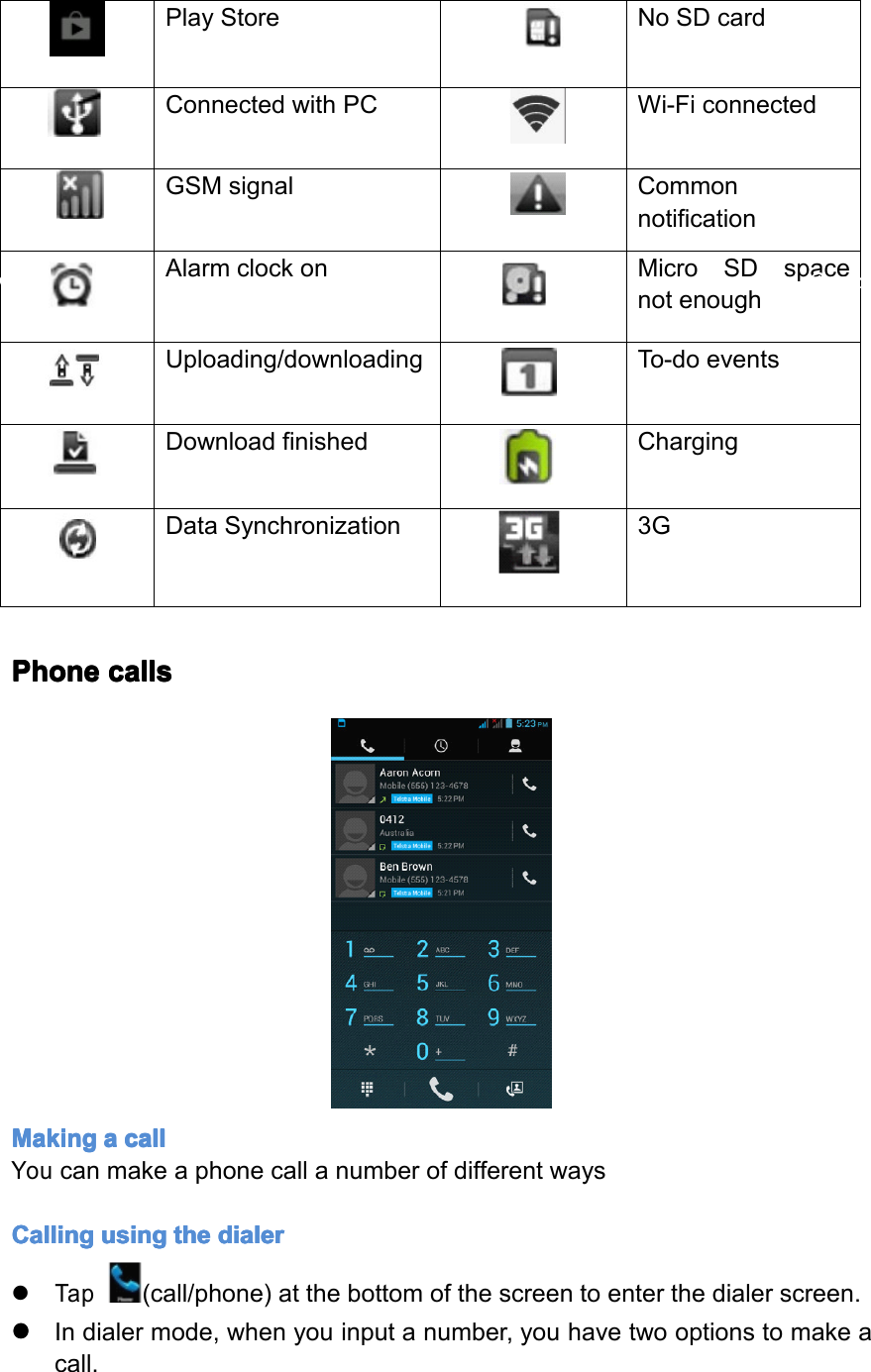
FilebeingdownloadBluetoothplaystoreNoSDcardConnectedwithPCWi-FiconnectedGMSsignalCommonnotificationAlarmclockonMicroSDspacenotenoughUploading/downloadingTo-doeventsDownloadingfinishedChargingDatasynchronization3GPlayStoreNoSDcardConnectedwithPCWi-FiconnectedGSMsignalCommonnotificationAlarmclockonMicroSDspacenotenoughUploading/downloadingTo-doeventsDownloadfinishedChargingDataSynchronization3GPhone Phone Phone Phonecalls calls calls callsMaking Making Making Makinga aaacall call call callYoucanmakeaphonecallanumberofdifferentwaysCalling Calling Calling Callingusing using using usingthe the the thedialer dialer dialer dialer�Tap(call/phone)atthebottomofthescreentoenterthedialerscreen.����Indialermode,whenyouinputanumber,youhavetwooptionstomakeacall.Page13Operation
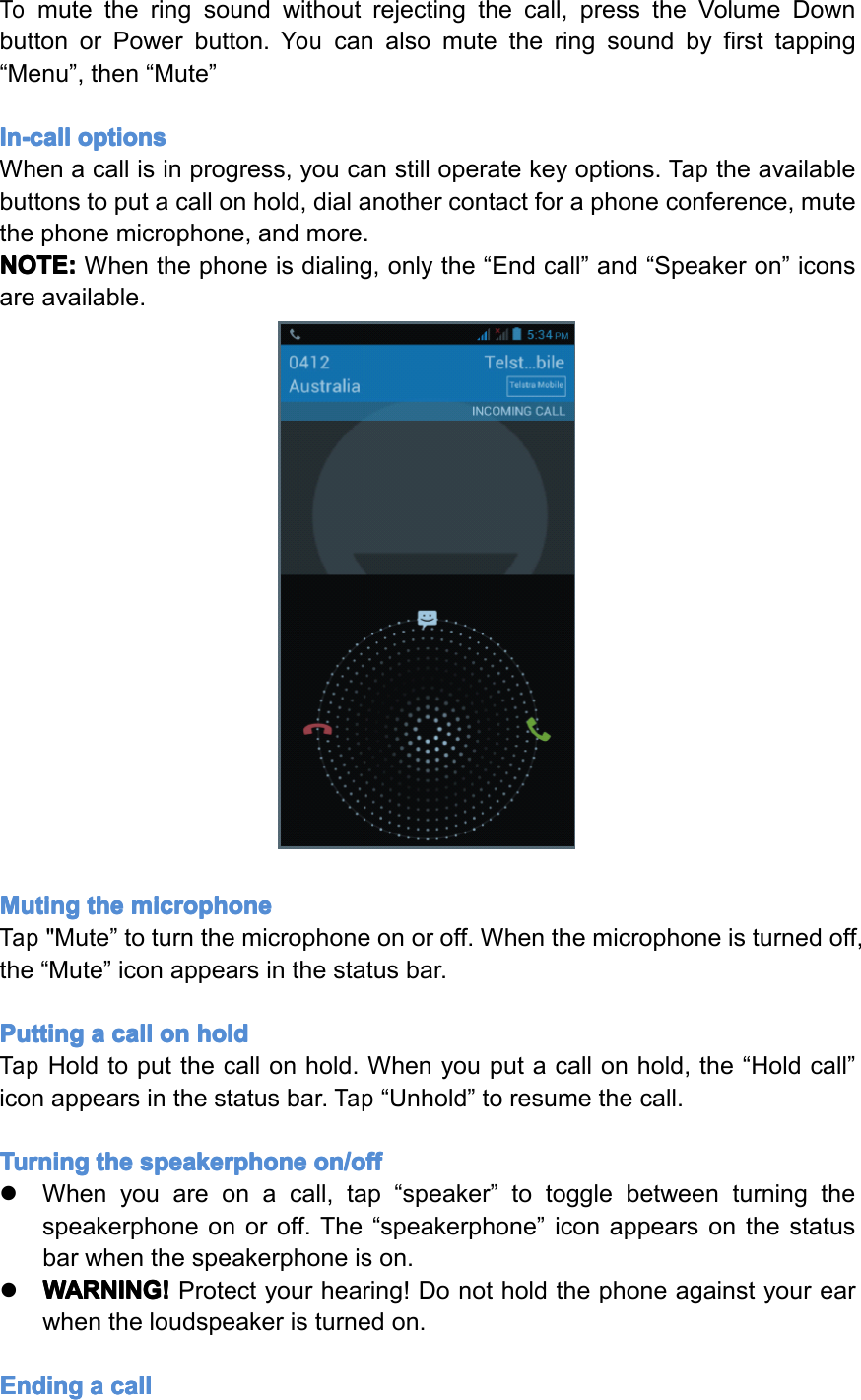
1.Directlytap“Call”onthekeyboardandthenchoosewhichSIMcardyouwanttouse(ifyouhavetwoSIMcardsinserted).2.Slidetotherighttochoosethenumberinyourcallhistory.NOTE: NOTE: NOTE: NOTE:*IfyouhaveonlyoneSIMcardinserted,youcannotuseanotherSIMcardtomakeacall.WhenoneSIMcardisusedforacall,theotheristemporarilyunavailable.Calling Calling Calling Callinga aaaphone phone phone phonenumber number number numberin in in ina aaatext text text textmessage message message messageWhileviewingatextmessage,youcanplaceacalltoanumberthatisinthebodyofthemessage.�Tapthemessagewiththephonenumber.�Tapthenumberyouwanttocallonthe“selectaction”screen.Thedialerscreenthenopenswiththephonenumberautomaticallyfilledinandreadytobedialed.�Toplacethecall,tap“Call”(andselecttheSIMcardyouwanttouse,ifappropriate).Calling Calling Calling Callinga aaaphone phone phone phonenumber number number numberin in in incontacts contacts contacts contactsTocallanumberfromyourcontacts,enterthecontactslistandselectthecontact,thentapthe‘call’iconbehindthenumberyouwanttocall.Making Making Making Makingan an an anemergency emergency emergency emergencycall call call call�Dialtheappreciatedemergencynumber(000or112inAustralia),andthentap“Call”.�Ifyourphoneislockedwithapasscode,youmaystillbeabletomakeanemergencycall.Onthe“Enterpasscode”screen,tap“Emergencycall”,thenentertheemergencynumberandtapthecallbutton.Incoming Incoming Incoming Incomingphone phone phone phonecalls calls calls calls�Receiving Receiving Receiving Receivinga aaaphone phone phone phonenumber number number numberfrom from from froma aaacontact contact contact contact:Whenyoureceiveaphonecallfromacontact,theincomingcallscreenappears,displayingthecallicon,nameandthephonenumberofthecallingparty.�When When When Whenyou you you youreceive receive receive receivea aaaphone phone phone phonecall call call callfrom from from fromsomeone someone someone someoneelse else else else(whosecontactdetailsarenotstoredinyourcontacts),onlythedefaultcallerIDiconandphonenumberwillappearontheincomingcallscreen.Answering Answering Answering Answeringa aaacall call call callSlidethe“Call”iconacrossthescreentoansweranincomingcall.Rejecting Rejecting Rejecting Rejectinga aaacall call call callSlidetothe“Endcall”icontoreject.Muting Muting Muting Mutingthe the the thering ring ring ringsound sound sound soundPage14Operation
Tomutetheringsoundwithoutrejectingthecall,presstheVolumeDownbuttonorPowerbutton.Youcanalsomutetheringsoundbyfirsttapping“Menu”,then“Mute”In-call In-call In-call In-calloptions options options optionsWhenacallisinprogress,youcanstilloperatekeyoptions.Taptheavailablebuttonstoputacallonhold,dialanothercontactforaphoneconference,mutethephonemicrophone,andmore.NOTE: NOTE: NOTE: NOTE:Whenthephoneisdialing,onlythe“Endcall”and“Speakeron”iconsareavailable.Muting Muting Muting Mutingthe the the themicrophone microphone microphone microphoneTap"Mute”toturnthemicrophoneonoroff.Whenthemicrophoneisturnedoff,the“Mute”iconappearsinthestatusbar.Putting Putting Putting Puttinga aaacall call call callon on on onhold hold hold holdTapHoldtoputthecallonhold.Whenyouputacallonhold,the“Holdcall”iconappearsinthestatusbar.Tap“Unhold”toresumethecall.Turning Turning Turning Turningthe the the thespeakerphone speakerphone speakerphone speakerphoneon/off on/off on/off on/off�Whenyouareonacall,tap“speaker”totogglebetweenturningthespeakerphoneonoroff.The“speakerphone”iconappearsonthestatusbarwhenthespeakerphoneison.�WARNING! WARNING! WARNING! WARNING!Protectyourhearing!Donotholdthephoneagainstyourearwhentheloudspeakeristurnedon.Ending Ending Ending Endinga aaacall call call callPage15Operation
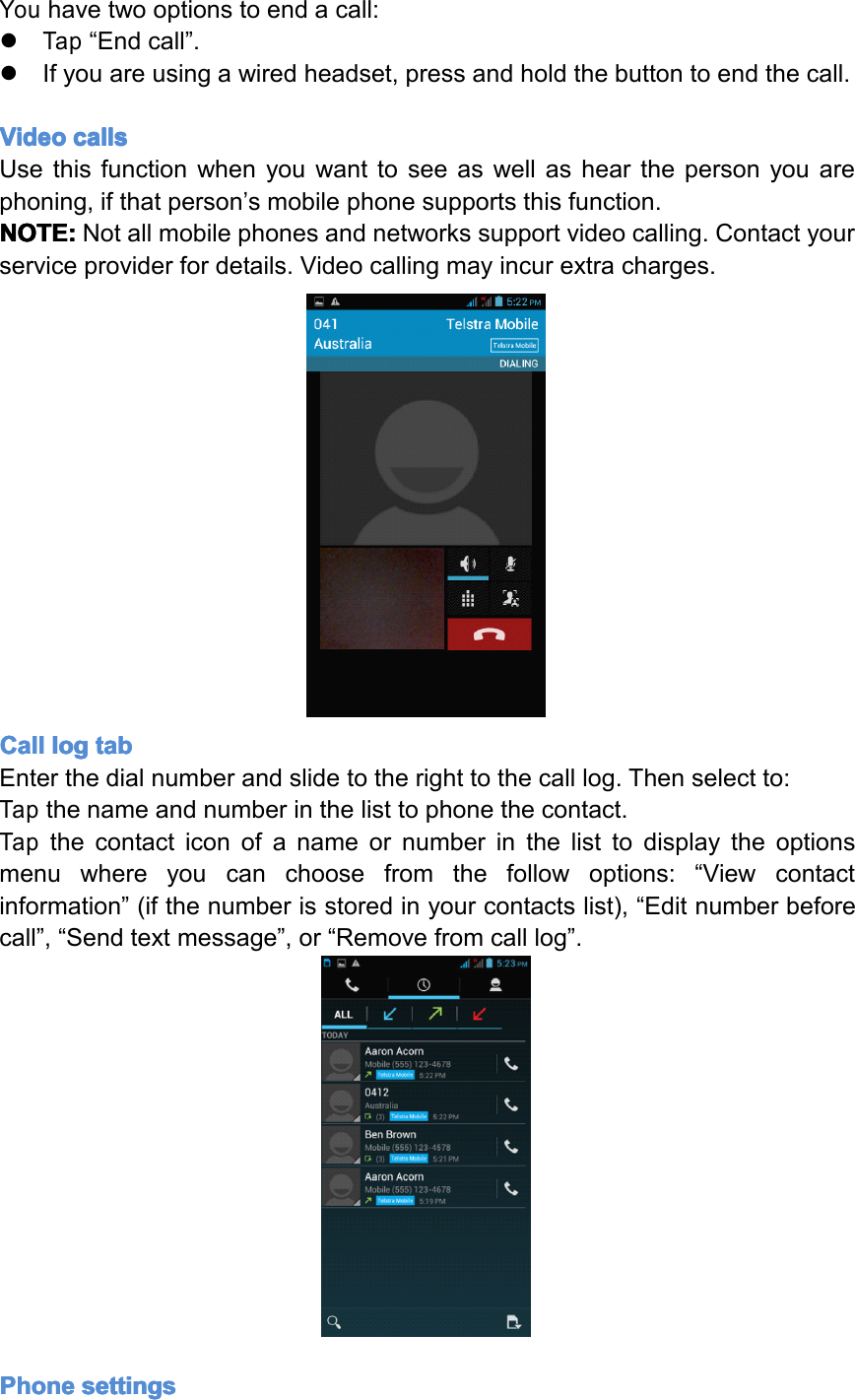
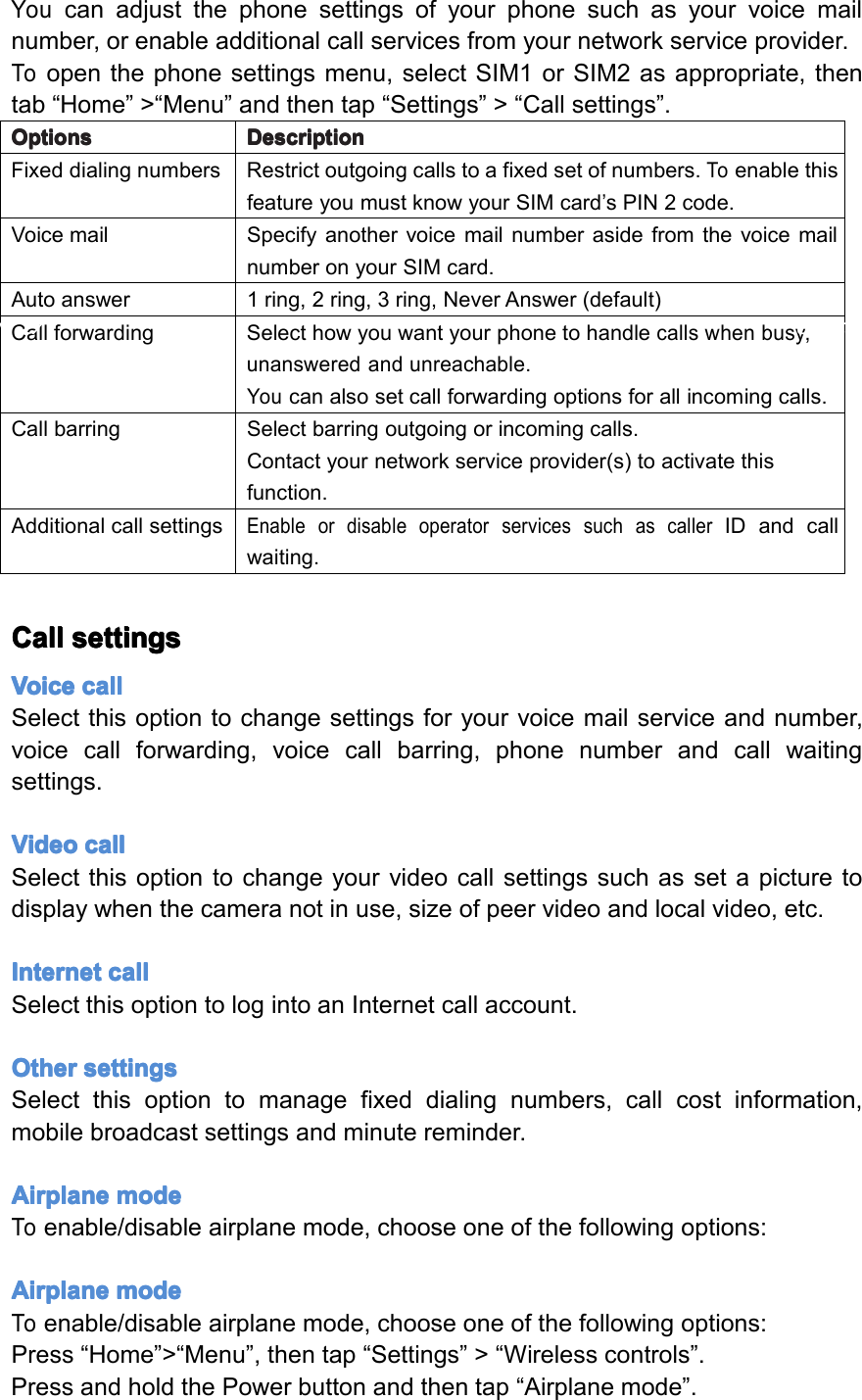
Youhavetwooptionstoendacall:�Tap“Endcall”.�Ifyouareusingawiredheadset,pressandholdthebuttontoendthecall.Video Video Video Videocalls calls calls callsUsethisfunctionwhenyouwanttoseeaswellashearthepersonyouarephoning,ifthatperson’smobilephonesupportsthisfunction.NOTE: NOTE: NOTE: NOTE:Notallmobilephonesandnetworkssupportvideocalling.Contactyourserviceproviderfordetails.Videocallingmayincurextracharges.Call Call Call Calllog log log logtab tab tab tabEnterthedialnumberandslidetotherighttothecalllog.Thenselectto:Tapthenameandnumberinthelisttophonethecontact.Tapthecontacticonofanameornumberinthelisttodisplaytheoptionsmenuwhereyoucanchoosefromthefollowoptions:“Viewcontactinformation”(ifthenumberisstoredinyourcontactslist),“Editnumberbeforecall”,“Sendtextmessage”,or“Removefromcalllog”.Phone Phone Phone Phonesettings settings settings settingsPage16Operation
Youcanadjustthephonesettingsofyourphonesuchasyourvoicemailnumber,orenableadditionalcallservicesfromyournetworkserviceprovider.Toopenthephonesettingsmenu,selectSIM1orSIM2asappropriate,thentab“Home”>“Menu”andthentap“Settings”>“Callsettings”.Options Options Options OptionsDescription Description Description DescriptionFixeddialingnumbersRestrictoutgoingcallstoafixedsetofnumbers.ToenablethisfeatureyoumustknowyourSIMcard’sPIN2code.VoicemailSpecifyanothervoicemailnumberasidefromthevoicemailnumberonyourSIMcard.Autoanswer1ring,2ring,3ring,NeverAnswer(default)CallforwardingSelecthowyouwantyourphonetohandlecallswhenbusy,unansweredandunreachable.Youcanalsosetcallforwardingoptionsforallincomingcalls.CallbarringSelectbarringoutgoingorincomingcalls.Contactyournetworkserviceprovider(s)toactivatethisfunction.AdditionalcallsettingsEnableordisableoperatorservicessuchascallerIDandcallwaiting.Call Call Call Callsettings settings settings settingsVoice Voice Voice Voicecall call call callSelectthisoptiontochangesettingsforyourvoicemailserviceandnumber,voicecallforwarding,voicecallbarring,phonenumberandcallwaitingsettings.Video Video Video Videocall call call callSelectthisoptiontochangeyourvideocallsettingssuchassetapicturetodisplaywhenthecameranotinuse,sizeofpeervideoandlocalvideo,etc.Internet Internet Internet Internetcall call call callSelectthisoptiontologintoanInternetcallaccount.Other Other Other Othersettings settings settings settingsSelectthisoptiontomanagefixeddialingnumbers,callcostinformation,mobilebroadcastsettingsandminutereminder.Airplane Airplane Airplane Airplanemode mode mode modeToenable/disableairplanemode,chooseoneofthefollowingoptions:Airplane Airplane Airplane Airplanemode mode mode modeToenable/disableairplanemode,chooseoneofthefollowingoptions:Press“Home”>“Menu”,thentap“Settings”>“Wirelesscontrols”.PressandholdthePowerbuttonandthentap“Airplanemode”.Page17Operation
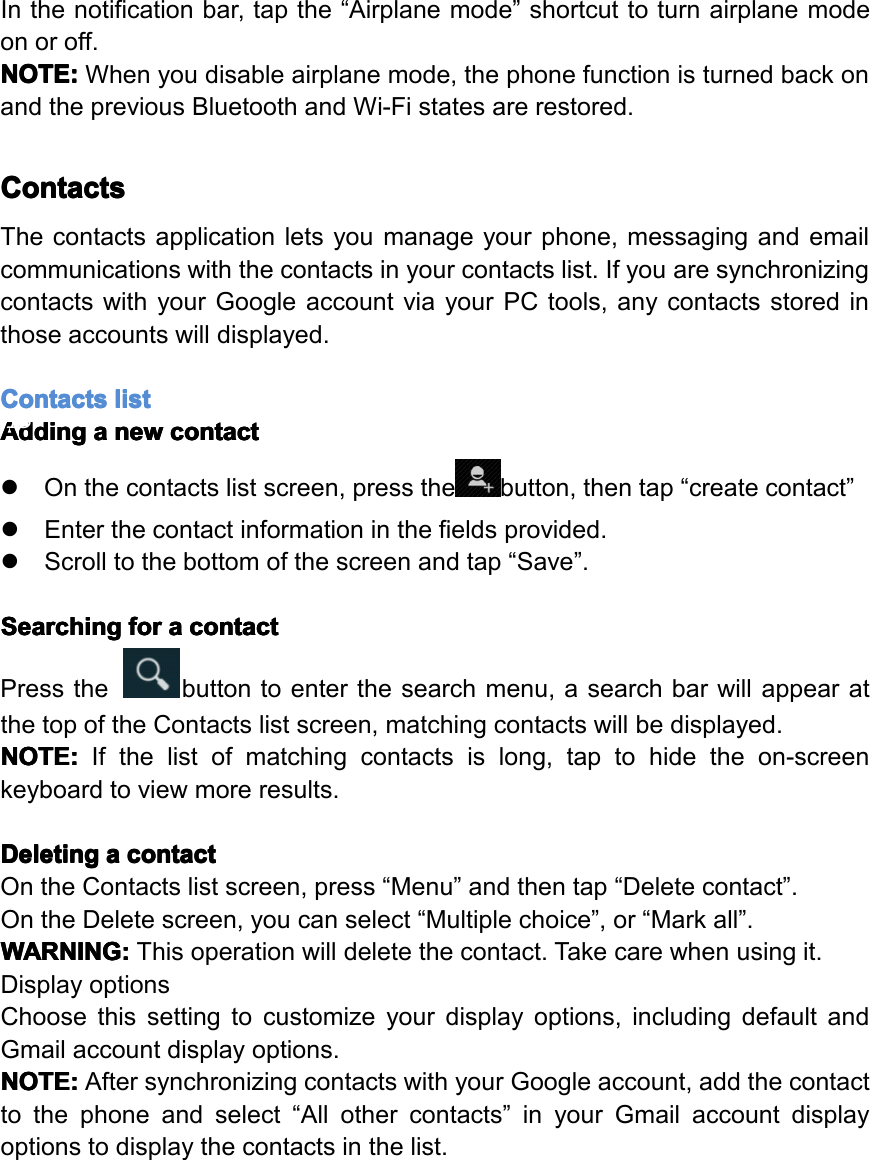
Inthenotificationbar,tapthe“Airplanemode”shortcuttoturnairplanemodeonoroff.NOTE: NOTE: NOTE: NOTE:Whenyoudisableairplanemode,thephonefunctionisturnedbackonandthepreviousBluetoothandWi-Fistatesarerestored.Contacts Contacts Contacts ContactsThecontactsapplicationletsyoumanageyourphone,messagingandemailcommunicationswiththecontactsinyourcontactslist.IfyouaresynchronizingcontactswithyourGoogleaccountviayourPCtools,anycontactsstoredinthoseaccountswilldisplayed.Contacts Contacts Contacts Contactslist list list listAdding Adding Adding Addinga aaanew new new newcontact contact contact contact�Onthecontactslistscreen,pressthebutton,thentap“createcontact”�Enterthecontactinformationinthefieldsprovided.�Scrolltothebottomofthescreenandtap“Save”.Searching Searching Searching Searchingfor for for fora aaacontact contact contact contactPressthebuttontoenterthesearchmenu,asearchbarwillappearatthetopoftheContactslistscreen,matchingcontactswillbedisplayed.NOTE: NOTE: NOTE: NOTE:Ifthelistofmatchingcontactsislong,taptohidetheon-screenkeyboardtoviewmoreresults.Deleting Deleting Deleting Deletinga aaacontact contact contact contactOntheContactslistscreen,press“Menu”andthentap“Deletecontact”.OntheDeletescreen,youcanselect“Multiplechoice”,or“Markall”.WARNING: WARNING: WARNING: WARNING:Thisoperationwilldeletethecontact.Takecarewhenusingit.DisplayoptionsChoosethissettingtocustomizeyourdisplayoptions,includingdefaultandGmailaccountdisplayoptions.NOTE: NOTE: NOTE: NOTE:AftersynchronizingcontactswithyourGoogleaccount,addthecontacttothephoneandselect“Allothercontacts”inyourGmailaccountdisplayoptionstodisplaythecontactsinthelist.Page18Operation
Messaging Messaging Messaging MessagingMessagingletsyoucomposeandsendtext(SMS)andmultimediamessages(MMS)toothermobilephones.Creating Creating Creating Creatingand and and andsending sending sending sendingSMS SMS SMS SMSand and and andMMS MMS MMS MMSmessages messages messages messages�Anytext(SMS)messagesyoucomposethatcontainupto160characterswillbedeliveredasonemessage.Ifyourmessagecontainsmorethan160characters,itwillstillbedeliveredasonebutitwillcountasmorethanonemessage.Yourserviceprovidermaychargeyouextraforsuchlinked(concatenated)messages.�Multimedia(MMS)messagescancontaintextandapicture,arecordedvoice,anaudioorvideofileorapictureslideshow.�Tocreateandsendatextmessage,tap“Create”ontheAllmessagesscreenandenterthephonenumberofthemessagerecipientintheTofieldontheComposescreen.Anymatchingcontactswillappearonthescreen.Taparecipientorcontinueenteringtherecipient’sphonenumber.Tapthetextboxthatcontainsthetext“Typemessage”,andthenstartcomposingyourmessage.Whendone,tap“Send”tosendthemessage.NOTE: NOTE: NOTE: NOTE:Page19Operation
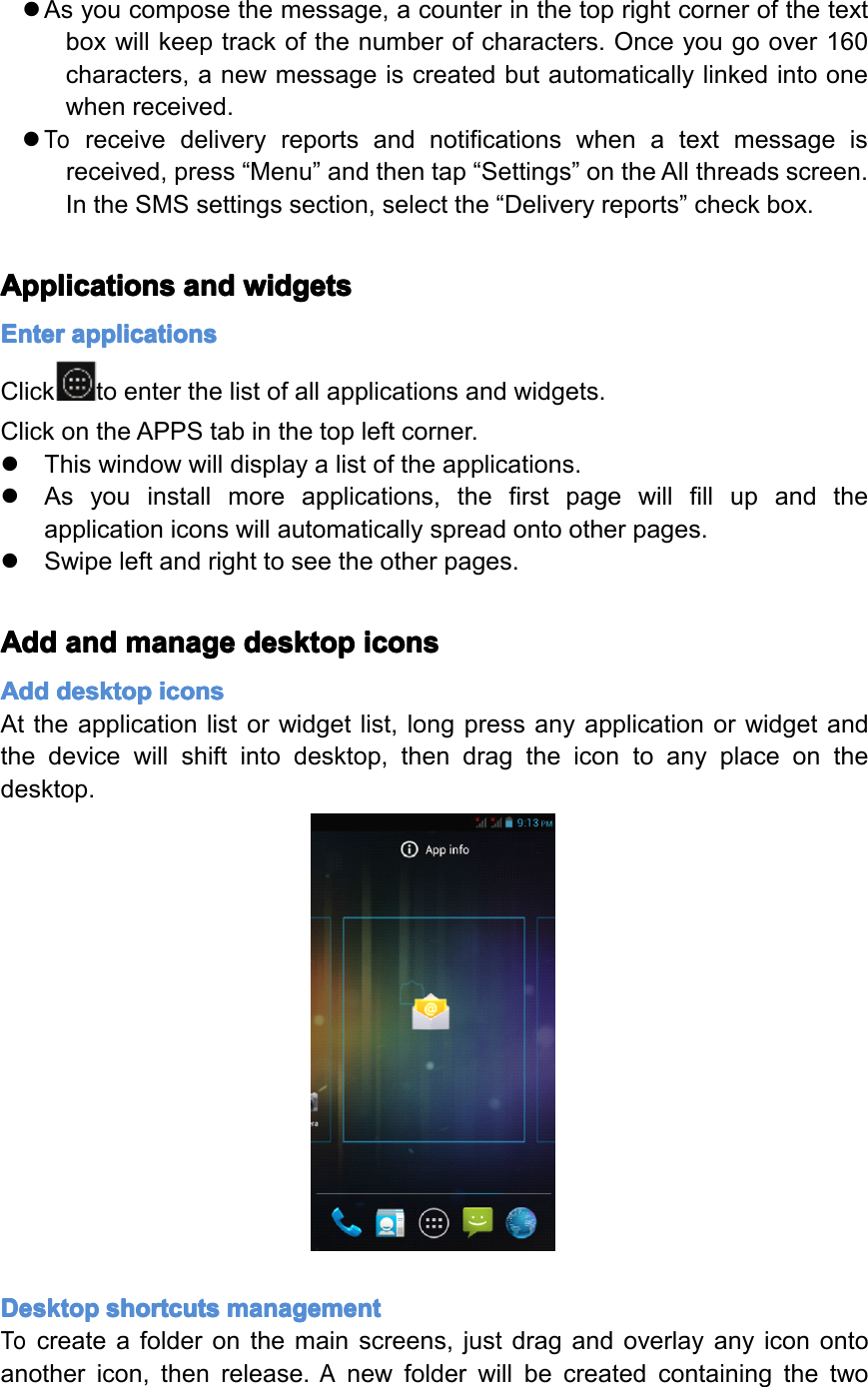
�Asyoucomposethemessage,acounterinthetoprightcornerofthetextboxwillkeeptrackofthenumberofcharacters.Onceyougoover160characters,anewmessageiscreatedbutautomaticallylinkedintoonewhenreceived.�Toreceivedeliveryreportsandnotificationswhenatextmessageisreceived,press“Menu”andthentap“Settings”ontheAllthreadsscreen.IntheSMSsettingssection,selectthe“Deliveryreports”checkbox.Applications Applications Applications Applicationsand and and andwidgets widgets widgets widgetsEnter Enter Enter Enterapplications applications applications applicationsClicktoenterthelistofallapplicationsandwidgets.ClickontheAPPStabinthetopleftcorner.�Thiswindowwilldisplayalistoftheapplications.�Asyouinstallmoreapplications,thefirstpagewillfillupandtheapplicationiconswillautomaticallyspreadontootherpages.�Swipeleftandrighttoseetheotherpages.Add Add Add Addand and and andmanage manage manage managedesktop desktop desktop desktopicons icons icons iconsAdd Add Add Adddesktop desktop desktop desktopicons icons icons iconsAttheapplicationlistorwidgetlist,longpressanyapplicationorwidgetandthedevicewillshiftintodesktop,thendragtheicontoanyplaceonthedesktop.Desktop Desktop Desktop Desktopshortcuts shortcuts shortcuts shortcutsmanagement management management managementTocreateafolderonthemainscreens,justdragandoverlayanyiconontoanothericon,thenrelease.AnewfolderwillbecreatedcontainingthetwoPage20Operation
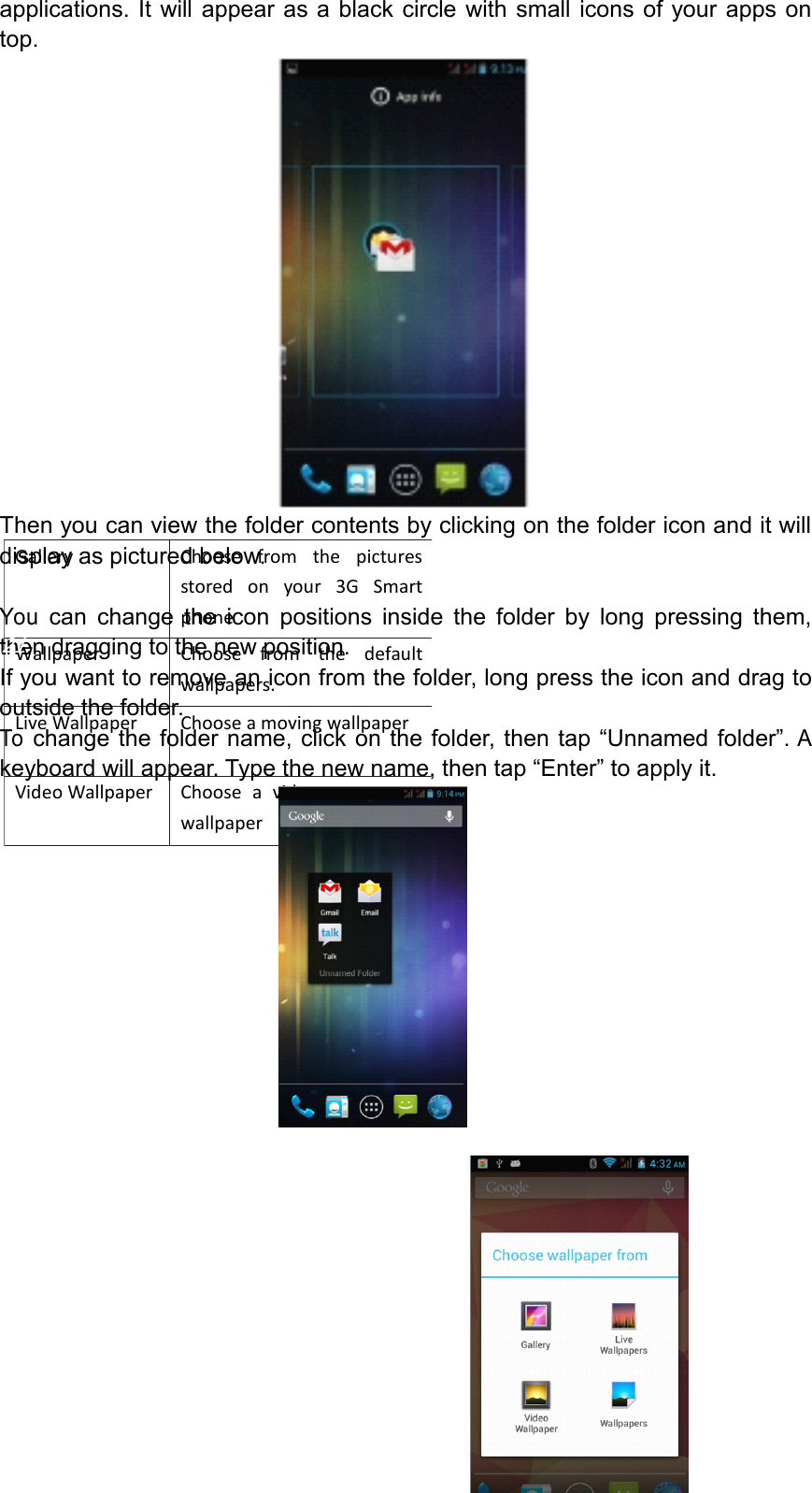
GalleryChoosefromthepicturesstoredonyour3GSmartphonecameragallery WallpaperChoosefromthedefaultwallpapers.LiveWallpaperChooseamovingwallpaperVideoWallpaperChooseavideotoasyourwallpaperapplications.Itwillappearasablackcirclewithsmalliconsofyourappsontop.Thenyoucanviewthefoldercontentsbyclickingonthefoldericonanditwilldisplayaspicturedbelow.Youcanchangetheiconpositionsinsidethefolderbylongpressingthem,thendraggingtothenewposition.Ifyouwanttoremoveaniconfromthefolder,longpresstheiconanddragtooutsidethefolder.Tochangethefoldername,clickonthefolder,thentap“Unnamedfolder”.Akeyboardwillappear.Typethenewname,thentap“Enter”toapplyit.Page21Operation
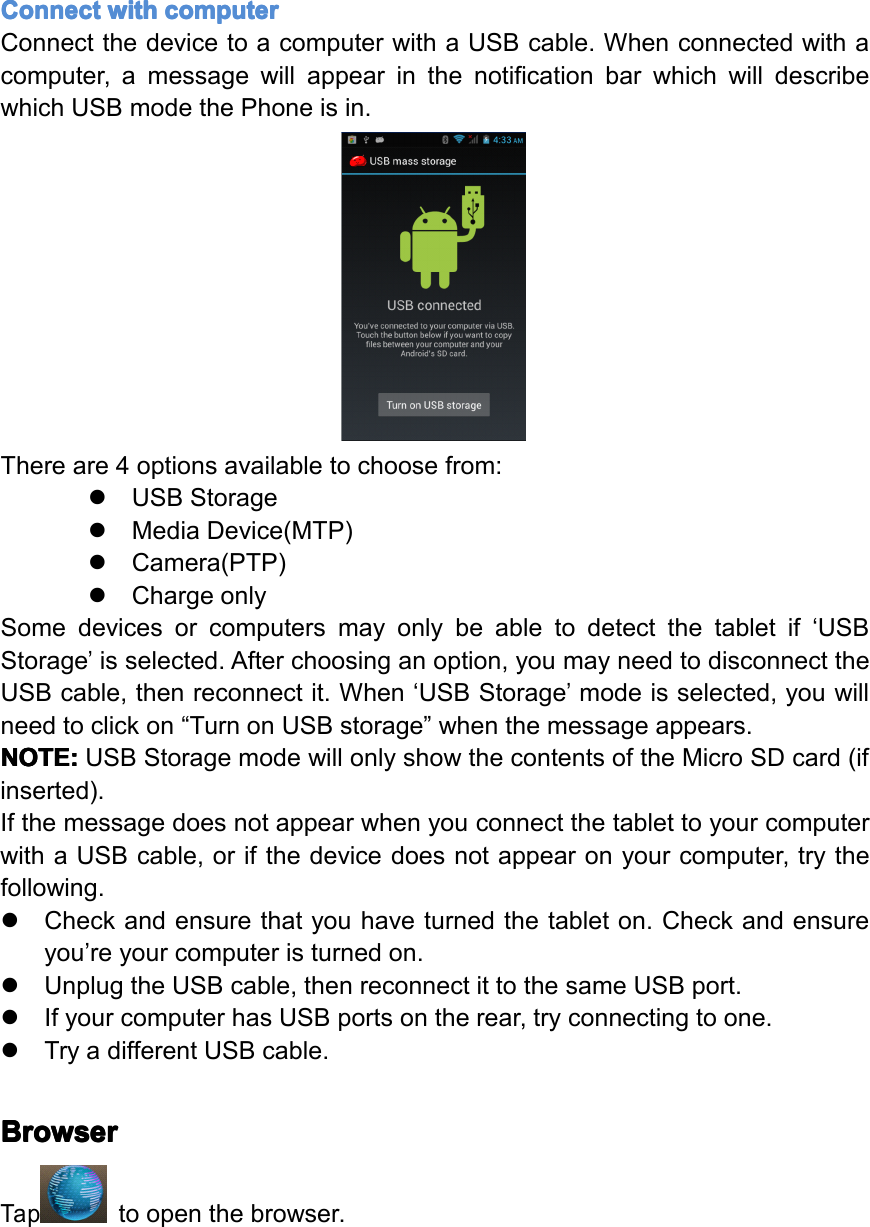
Connect Connect Connect Connectwith with with withcomputer computer computer computerConnectthedevicetoacomputerwithaUSBcable.Whenconnectedwithacomputer,amessagewillappearinthenotificationbarwhichwilldescribewhichUSBmodethePhoneisin.Thereare4optionsavailabletochoosefrom:�USBStorage�MediaDevice(MTP)�Camera(PTP)�ChargeonlySomedevicesorcomputersmayonlybeabletodetectthetabletif‘USBStorage’isselected.Afterchoosinganoption,youmayneedtodisconnecttheUSBcable,thenreconnectit.When‘USBStorage’modeisselected,youwillneedtoclickon“TurnonUSBstorage”whenthemessageappears.NOTE: NOTE: NOTE: NOTE:USBStoragemodewillonlyshowthecontentsoftheMicroSDcard(ifinserted).IfthemessagedoesnotappearwhenyouconnectthetablettoyourcomputerwithaUSBcable,orifthedevicedoesnotappearonyourcomputer,trythefollowing.�Checkandensurethatyouhaveturnedthetableton.Checkandensureyou’reyourcomputeristurnedon.�UnplugtheUSBcable,thenreconnectittothesameUSBport.�IfyourcomputerhasUSBportsontherear,tryconnectingtoone.�TryadifferentUSBcable.Browser Browser Browser BrowserTaptoopenthebrowser.Page22Operation
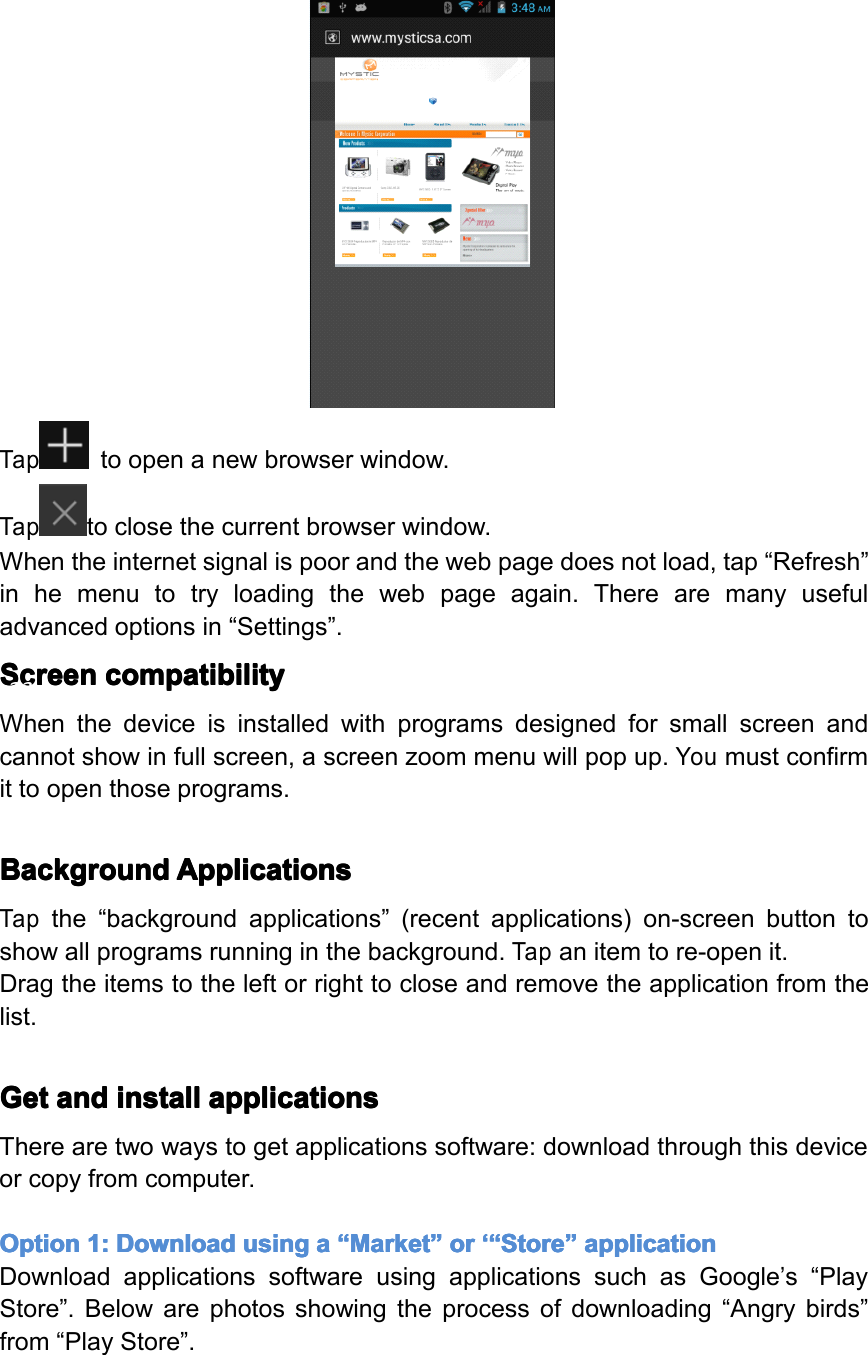
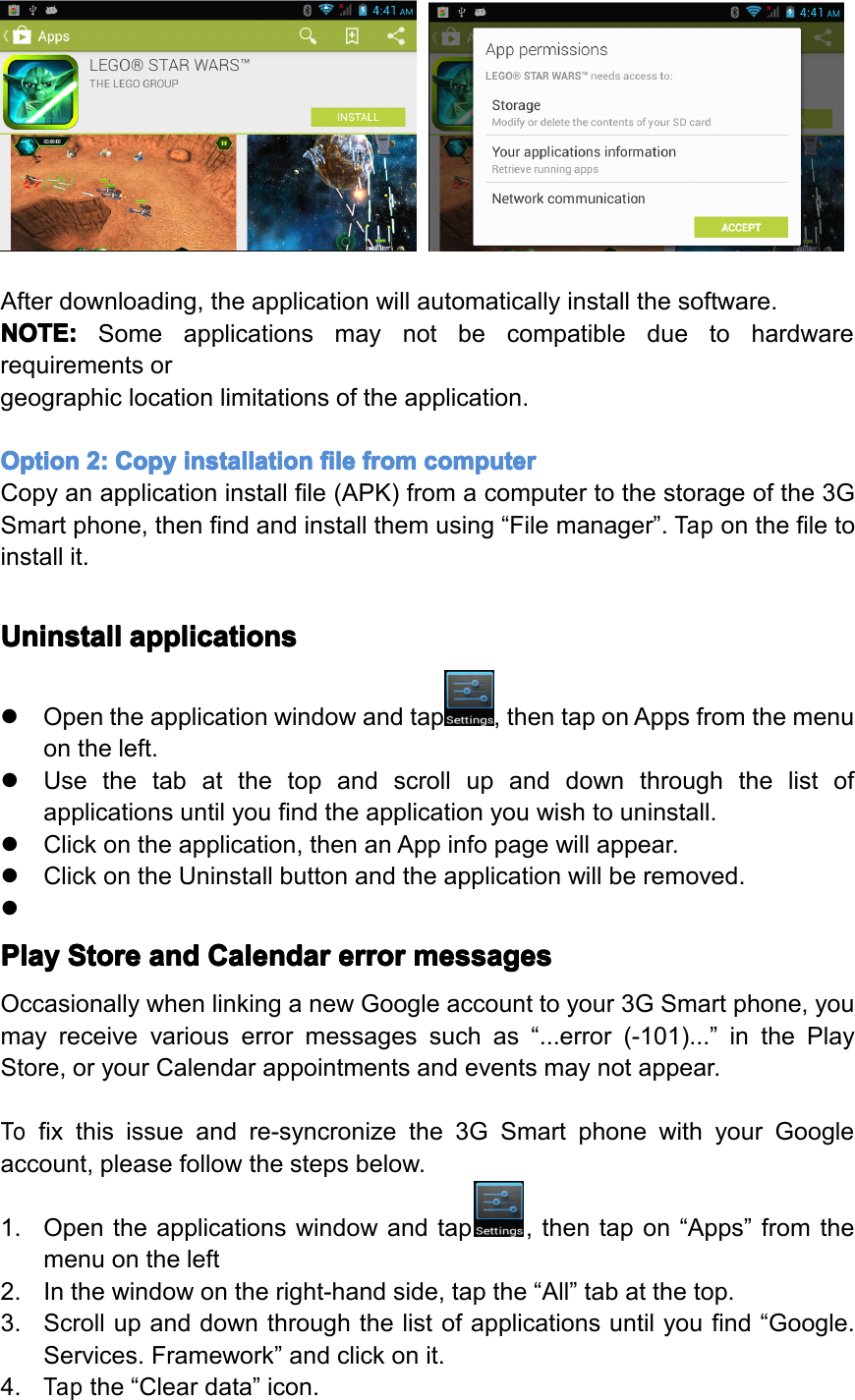
Taptoopenanewbrowserwindow.Taptoclosethecurrentbrowserwindow.Whentheinternetsignalispoorandthewebpagedoesnotload,tap“Refresh”inhemenutotryloadingthewebpageagain.Therearemanyusefuladvancedoptionsin“Settings”.Screen Screen Screen Screencompatibility compatibility compatibility compatibilityWhenthedeviceisinstalledwithprogramsdesignedforsmallscreenandcannotshowinfullscreen,ascreenzoommenuwillpopup.Youmustconfirmittoopenthoseprograms.Background Background Background BackgroundApplications Applications Applications ApplicationsTapthe“backgroundapplications”(recentapplications)on-screenbuttontoshowallprogramsrunninginthebackground.Tapanitemtore-openit.Dragtheitemstotheleftorrighttocloseandremovetheapplicationfromthelist.Get Get Get Getand and and andinstall install install installapplications applications applications applicationsTherearetwowaystogetapplicationssoftware:downloadthroughthisdeviceorcopyfromcomputer.Option Option Option Option1: 1: 1: 1:Download Download Download Downloadusing using using usinga aaa“ “““Market Market Market Market” ”””or or or or‘“ ‘“ ‘“ ‘“Store Store Store Store” ”””application application application applicationDownloadapplicationssoftwareusingapplicationssuchasGoogle’s“PlayStore”.Belowarephotosshowingtheprocessofdownloading“Angrybirds”from“PlayStore”.Page23Operation
Afterdownloading,theapplicationwillautomaticallyinstallthesoftware.NOTE: NOTE: NOTE: NOTE:Someapplicationsmaynotbecompatibleduetohardwarerequirementsorgeographiclocationlimitationsoftheapplication.Option Option Option Option2: 2: 2: 2:Copy Copy Copy Copyinstallation installation installation installationfile file file filefrom from from fromcomputer computer computer computerCopyanapplicationinstallfile(APK)fromacomputertothestorageofthe3GSmartphone,thenfindandinstallthemusing“Filemanager”.Taponthefiletoinstallit.Uninstall Uninstall Uninstall Uninstallapplications applications applications applications�Opentheapplicationwindowandtap,thentaponAppsfromthemenuontheleft.�Usethetabatthetopandscrollupanddownthroughthelistofapplicationsuntilyoufindtheapplicationyouwishtouninstall.�Clickontheapplication,thenanAppinfopagewillappear.�ClickontheUninstallbuttonandtheapplicationwillberemoved.�Play Play Play PlayStore Store Store Storeand and and andCalendar Calendar Calendar Calendarerror error error errormessages messages messages messagesOccasionallywhenlinkinganewGoogleaccounttoyour3GSmartphone,youmayreceivevariouserrormessagessuchas“...error(-101)...”inthePlayStore,oryourCalendarappointmentsandeventsmaynotappear.Tofixthisissueandre-syncronizethe3GSmartphonewithyourGoogleaccount,pleasefollowthestepsbelow.1.Opentheapplicationswindowandtap,thentapon“Apps”fromthemenuontheleft2.Inthewindowontheright-handside,tapthe“All”tabatthetop.3.Scrollupanddownthroughthelistofapplicationsuntilyoufind“Google.Services.Framework”andclickonit.4.Tapthe“Cleardata”icon.Page24Operation
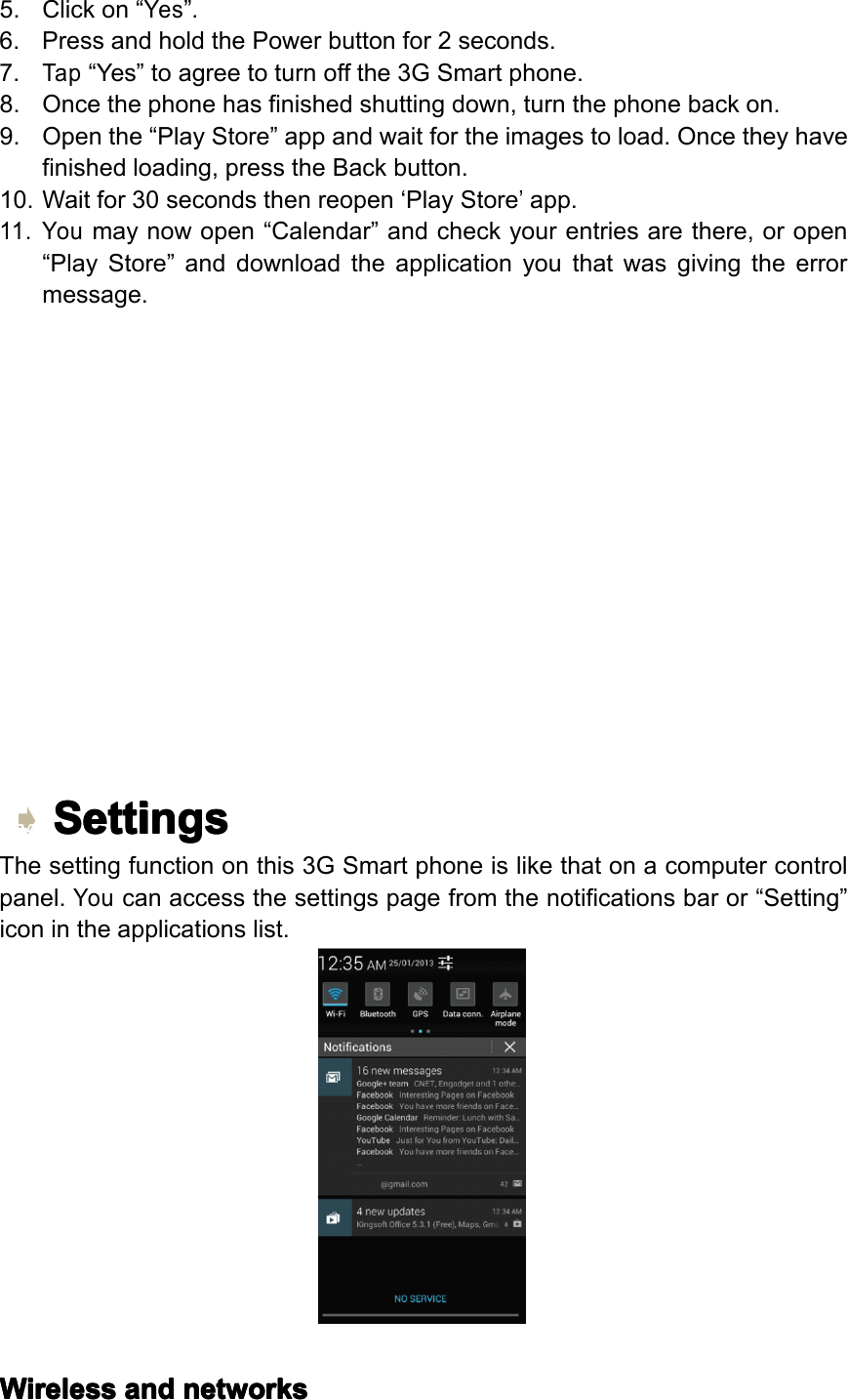
5.Clickon“Yes”.6.PressandholdthePowerbuttonfor2seconds.7.Tap“Yes”toagreetoturnoffthe3GSmartphone.8.Oncethephonehasfinishedshuttingdown,turnthephonebackon.9.Openthe“PlayStore”appandwaitfortheimagestoload.Oncetheyhavefinishedloading,presstheBackbutton.10.Waitfor30secondsthenreopen‘PlayStore’app.11.Youmaynowopen“Calendar”andcheckyourentriesarethere,oropen“PlayStore”anddownloadtheapplicationyouthatwasgivingtheerrormessage.Settings Settings Settings SettingsThesettingfunctiononthis3GSmartphoneislikethatonacomputercontrolpanel.Youcanaccessthesettingspagefromthenotificationsbaror“Setting”iconintheapplicationslist.Wireless Wireless Wireless Wirelessand and and andnetworks networks networks networksPage25Operation
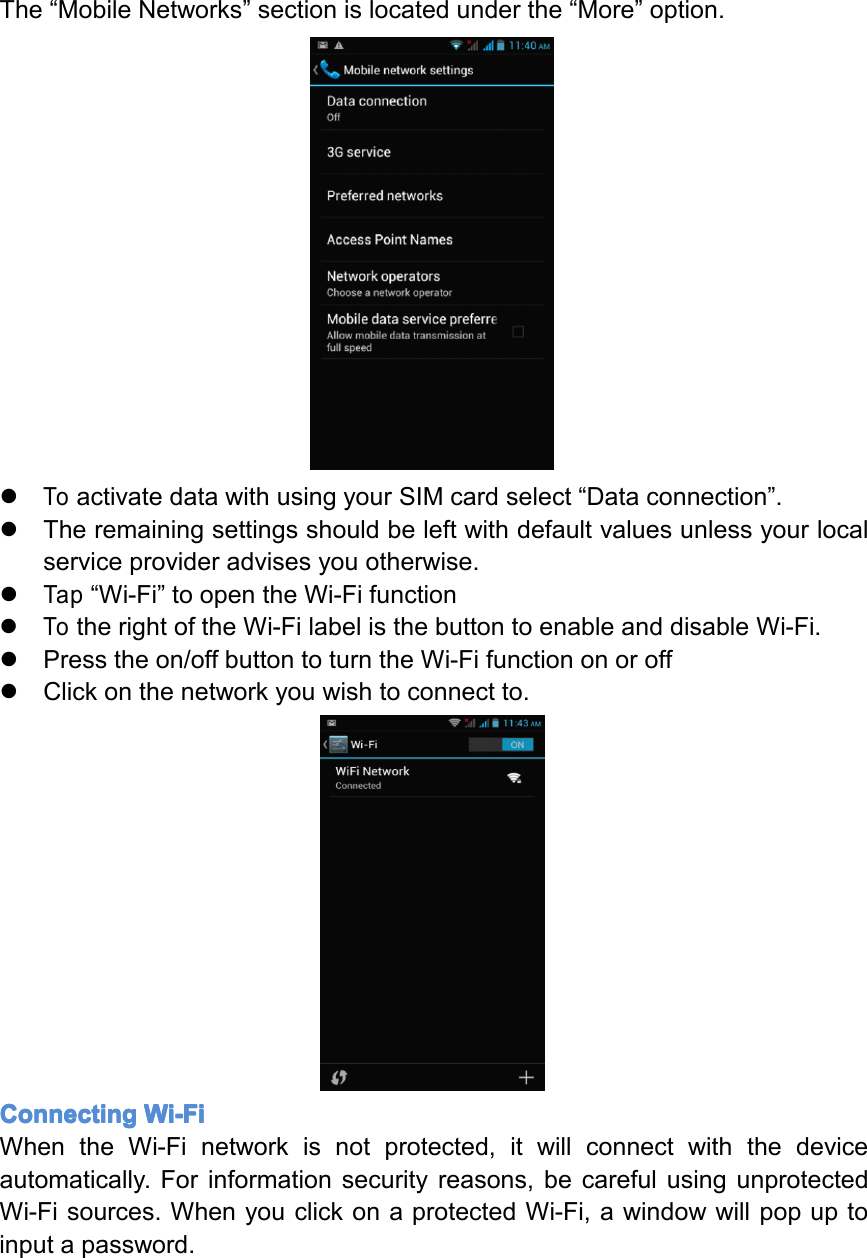
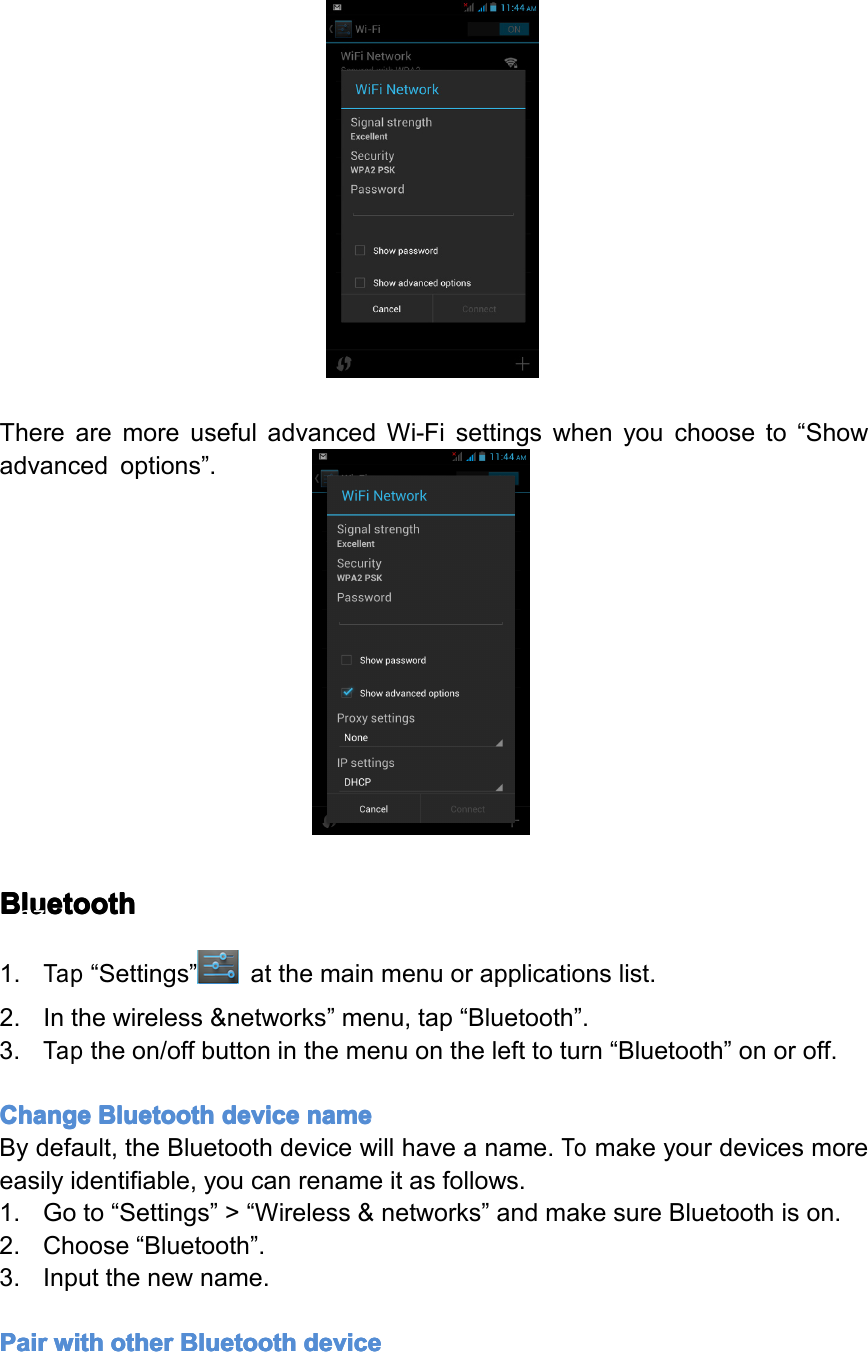
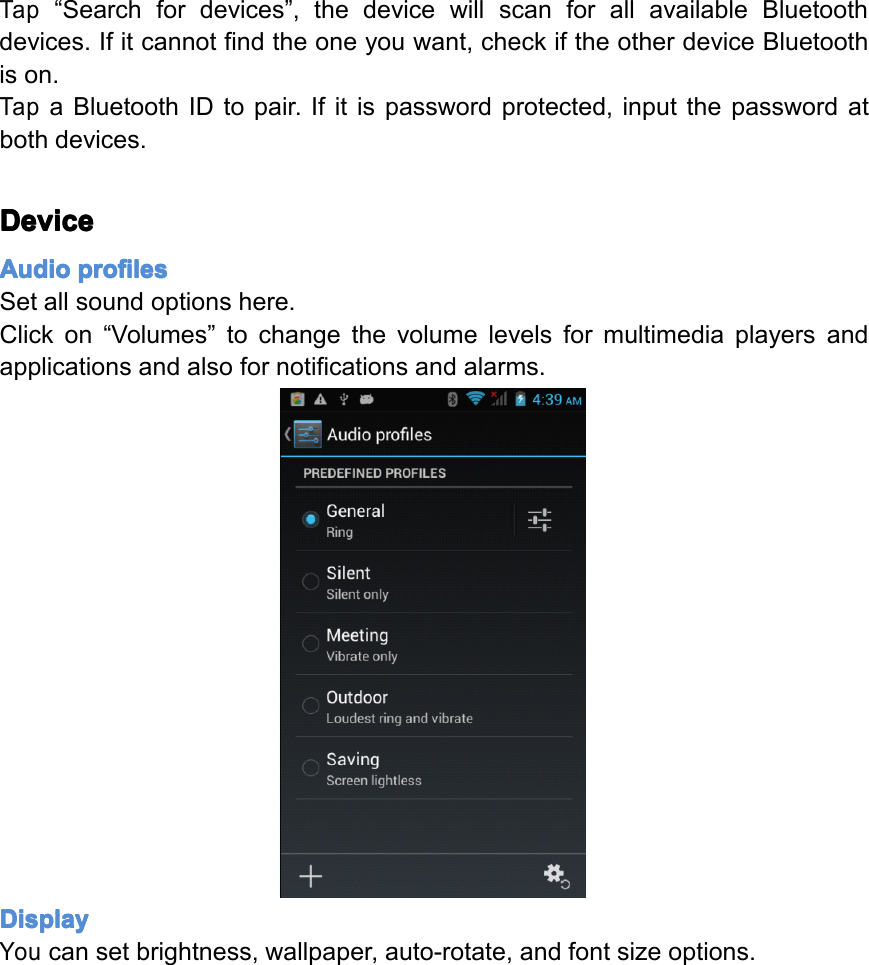
The“MobileNetworks”sectionislocatedunderthe“More”option.�ToactivatedatawithusingyourSIMcardselect“Dataconnection”.�Theremainingsettingsshouldbeleftwithdefaultvaluesunlessyourlocalserviceprovideradvisesyouotherwise.�Tap“Wi-Fi”toopentheWi-Fifunction�TotherightoftheWi-FilabelisthebuttontoenableanddisableWi-Fi.�Presstheon/offbuttontoturntheWi-Fifunctiononoroff�Clickonthenetworkyouwishtoconnectto.Connecting Connecting Connecting ConnectingWi-Fi Wi-Fi Wi-Fi Wi-FiWhentheWi-Finetworkisnotprotected,itwillconnectwiththedeviceautomatically.Forinformationsecurityreasons,becarefulusingunprotectedWi-Fisources.WhenyouclickonaprotectedWi-Fi,awindowwillpopuptoinputapassword.Page26Settings
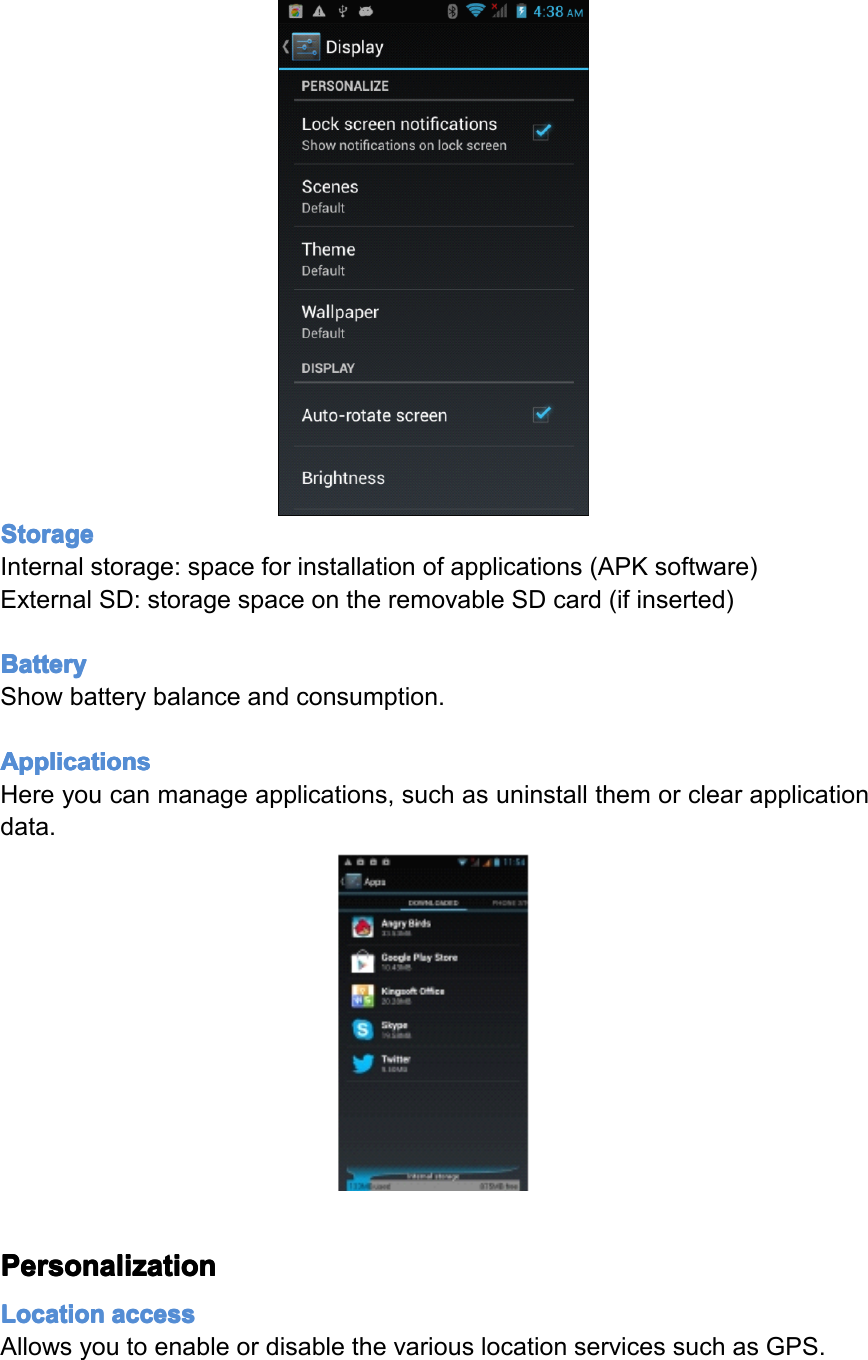
TherearemoreusefuladvancedWi-Fisettingswhenyouchooseto“Showadvancedoptions”.Bluetooth Bluetooth Bluetooth Bluetooth1.Tap“Settings”atthemainmenuorapplicationslist.2.Inthewireless&networks”menu,tap“Bluetooth”.3.Taptheon/offbuttoninthemenuonthelefttoturn“Bluetooth”onoroff.Change Change Change ChangeBluetooth Bluetooth Bluetooth Bluetoothdevice device device devicename name name nameBydefault,theBluetoothdevicewillhaveaname.Tomakeyourdevicesmoreeasilyidentifiable,youcanrenameitasfollows.1.Goto“Settings”>“Wireless&networks”andmakesureBluetoothison.2.Choose“Bluetooth”.3.Inputthenewname.Pair Pair Pair Pairwith with with withother other other otherBluetooth Bluetooth Bluetooth Bluetoothdevice device device devicePage27Settings
Tap“Searchfordevices”,thedevicewillscanforallavailableBluetoothdevices.Ifitcannotfindtheoneyouwant,checkiftheotherdeviceBluetoothison.TapaBluetoothIDtopair.Ifitispasswordprotected,inputthepasswordatbothdevices.Device Device Device DeviceAudio Audio Audio Audioprofiles profiles profiles profilesSetallsoundoptionshere.Clickon“Volumes”tochangethevolumelevelsformultimediaplayersandapplicationsandalsofornotificationsandalarms.Display Display Display DisplayYoucansetbrightness,wallpaper,auto-rotate,andfontsizeoptions.Page28Settings
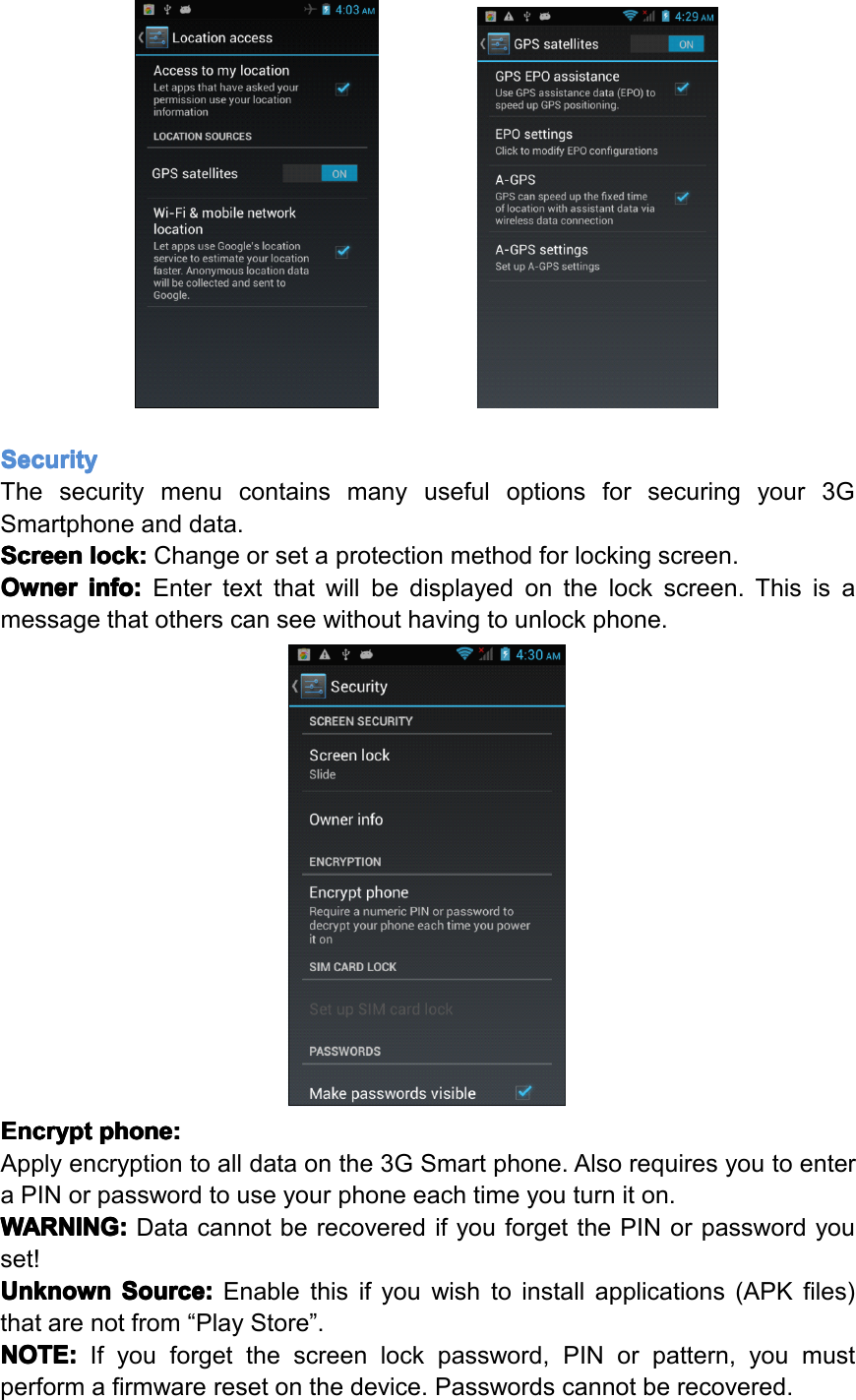
Storage Storage Storage StorageInternalstorage:spaceforinstallationofapplications(APKsoftware)ExternalSD:storagespaceontheremovableSDcard(ifinserted)Battery Battery Battery BatteryShowbatterybalanceandconsumption.Applications Applications Applications ApplicationsHereyoucanmanageapplications,suchasuninstallthemorclearapplicationdata.Personalization Personalization Personalization PersonalizationLocation Location Location Locationaccess access access accessAllowsyoutoenableordisablethevariouslocationservicessuchasGPS.Page29Settings
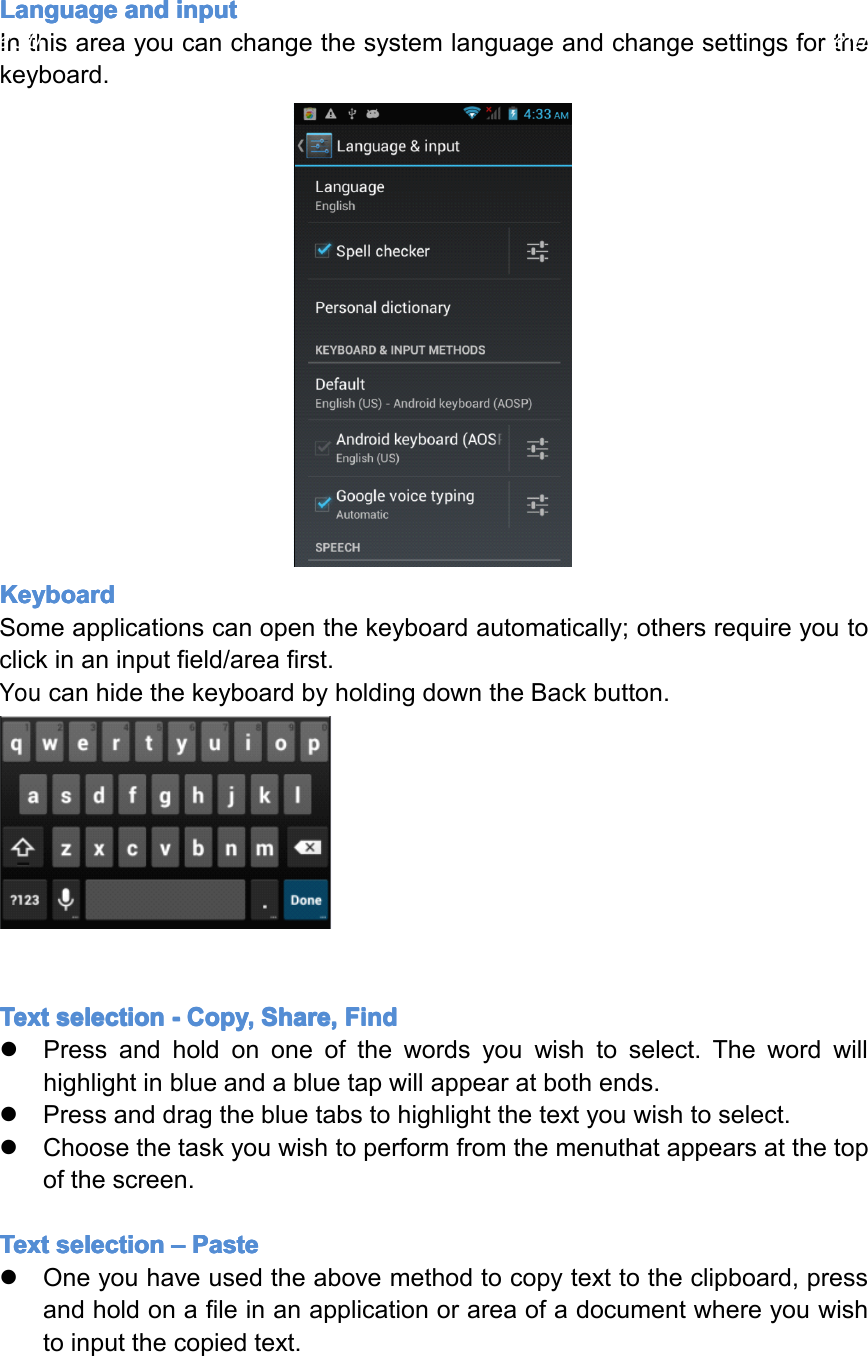
Security Security Security SecurityThesecuritymenucontainsmanyusefuloptionsforsecuringyour3GSmartphoneanddata.Screen Screen Screen Screenlock: lock: lock: lock:Changeorsetaprotectionmethodforlockingscreen.Owner Owner Owner Ownerinfo: info: info: info:Entertextthatwillbedisplayedonthelockscreen.Thisisamessagethatotherscanseewithouthavingtounlockphone.Encrypt Encrypt Encrypt Encryptphone: phone: phone: phone:Applyencryptiontoalldataonthe3GSmartphone.AlsorequiresyoutoenteraPINorpasswordtouseyourphoneeachtimeyouturniton.WARNING: WARNING: WARNING: WARNING:DatacannotberecoveredifyouforgetthePINorpasswordyouset!Unknown Unknown Unknown UnknownSource: Source: Source: Source:Enablethisifyouwishtoinstallapplications(APKfiles)thatarenotfrom“PlayStore”.NOTE: NOTE: NOTE: NOTE:Ifyouforgetthescreenlockpassword,PINorpattern,youmustperformafirmwareresetonthedevice.Passwordscannotberecovered.
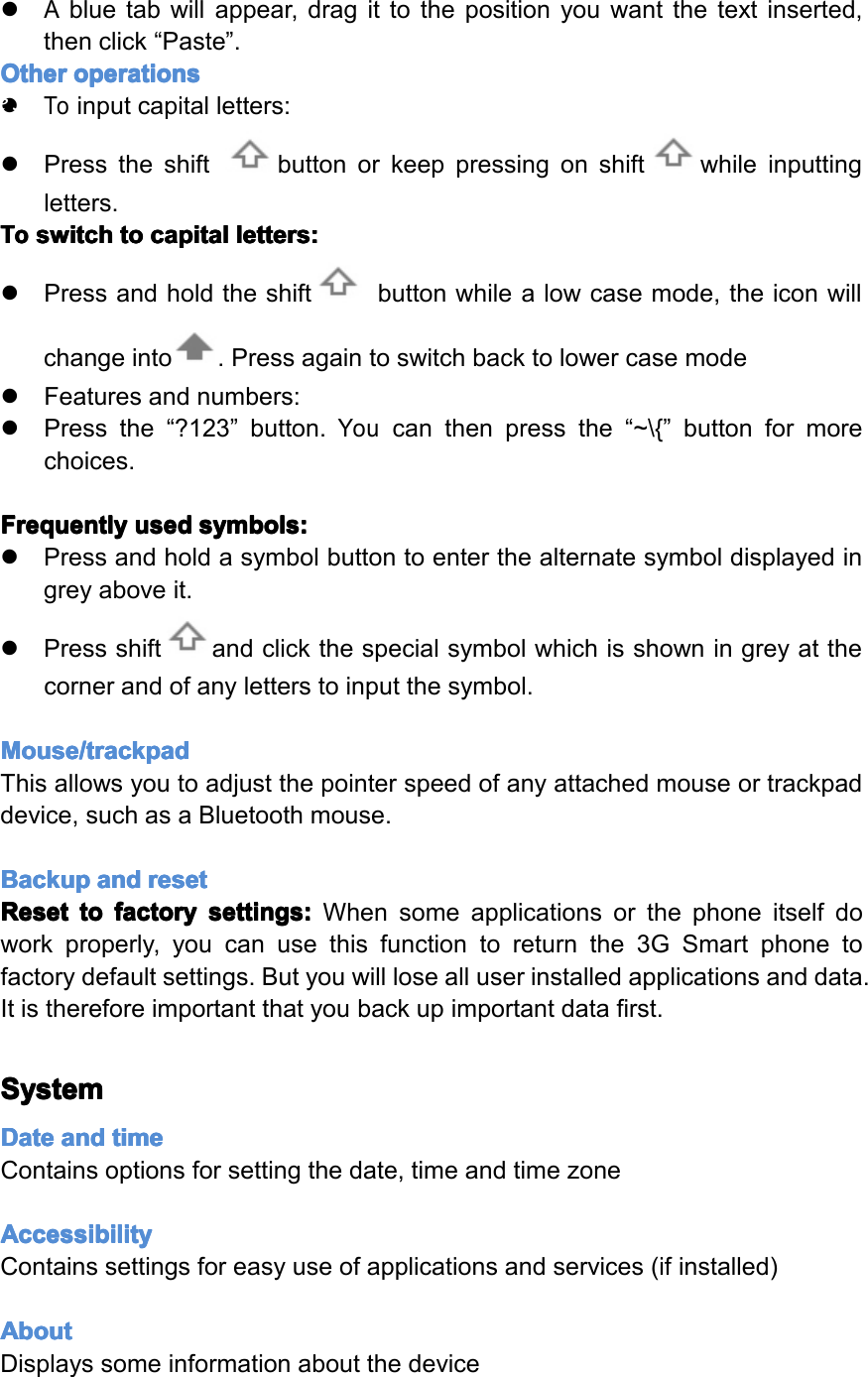
Language Language Language Languageand and and andinput input input inputInthisareayoucanchangethesystemlanguageandchangesettingsforthekeyboard.Keyboard Keyboard Keyboard KeyboardSomeapplicationscanopenthekeyboardautomatically;othersrequireyoutoclickinaninputfield/areafirst.YoucanhidethekeyboardbyholdingdowntheBackbutton.Text Text Text Textselection selection selection selection- ---Copy, Copy, Copy, Copy,Share, Share, Share, Share,Find Find Find Find�Pressandholdononeofthewordsyouwishtoselect.Thewordwillhighlightinblueandabluetapwillappearatbothends.�Pressanddragthebluetabstohighlightthetextyouwishtoselect.�Choosethetaskyouwishtoperformfromthemenuthatappearsatthetopofthescreen.Text Text Text Textselection selection selection selection– –––Paste Paste Paste Paste�Oneyouhaveusedtheabovemethodtocopytexttotheclipboard,pressandholdonafileinanapplicationorareaofadocumentwhereyouwishtoinputthecopiedtext.Page30Settings
�Abluetabwillappear,dragittothepositionyouwantthetextinserted,thenclick“Paste”.Other Other Other Otheroperations operations operations operations�Toinputcapitalletters:�Presstheshiftbuttonorkeeppressingonshiftwhileinputtingletters.To To To Toswitch switch switch switchto to to tocapital capital capital capitalletters: letters: letters: letters:�Pressandholdtheshiftbuttonwhilealowcasemode,theiconwillchangeinto.Pressagaintoswitchbacktolowercasemode�Featuresandnumbers:�Pressthe“?123”button.Youcanthenpressthe“~\{”buttonformorechoices.Frequently Frequently Frequently Frequentlyused used used usedsymbols: symbols: symbols: symbols:�Pressandholdasymbolbuttontoenterthealternatesymboldisplayedingreyaboveit.�Pressshiftandclickthespecialsymbolwhichisshowningreyatthecornerandofanyletterstoinputthesymbol.Mouse/trackpad Mouse/trackpad Mouse/trackpad Mouse/trackpadThisallowsyoutoadjustthepointerspeedofanyattachedmouseortrackpaddevice,suchasaBluetoothmouse.Backup Backup Backup Backupand and and andreset reset reset resetReset Reset Reset Resetto to to tofactory factory factory factorysettings: settings: settings: settings:Whensomeapplicationsorthephoneitselfdoworkproperly,youcanusethisfunctiontoreturnthe3GSmartphonetofactorydefaultsettings.Butyouwilllosealluserinstalledapplicationsanddata.Itisthereforeimportantthatyoubackupimportantdatafirst.System System System SystemDate Date Date Dateand and and andtime time time timeContainsoptionsforsettingthedate,timeandtimezoneAccessibility Accessibility Accessibility AccessibilityContainssettingsforeasyuseofapplicationsandservices(ifinstalled)About About About AboutDisplayssomeinformationaboutthedevicePage31Settings
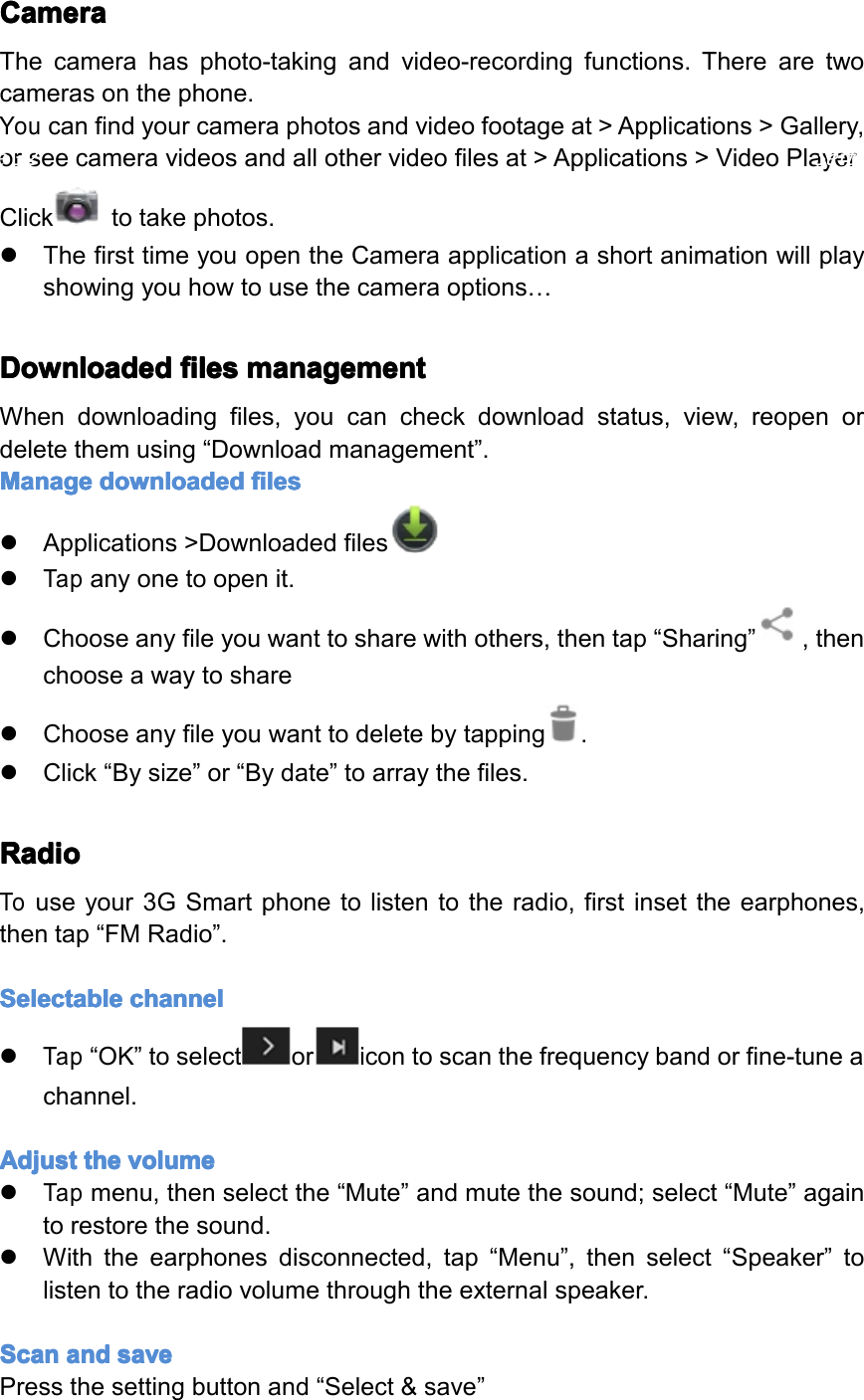
Camera Camera Camera CameraThecamerahasphoto-takingandvideo-recordingfunctions.Therearetwocamerasonthephone.Youcanfindyourcameraphotosandvideofootageat>Applications>Gallery,orseecameravideosandallothervideofilesat>Applications>VideoPlayerClicktotakephotos.�ThefirsttimeyouopentheCameraapplicationashortanimationwillplayshowingyouhowtousethecameraoptions…Downloaded Downloaded Downloaded Downloadedfiles files files filesmanagement management management managementWhendownloadingfiles,youcancheckdownloadstatus,view,reopenordeletethemusing“Downloadmanagement”.Manage Manage Manage Managedownloaded downloaded downloaded downloadedfiles files files files�Applications>Downloadedfiles�Tapanyonetoopenit.�Chooseanyfileyouwanttosharewithothers,thentap“Sharing”,thenchooseawaytoshare�Chooseanyfileyouwanttodeletebytapping.�Click“Bysize”or“Bydate”toarraythefiles.Radio Radio Radio RadioTouseyour3GSmartphonetolistentotheradio,firstinsettheearphones,thentap“FMRadio”.Selectable Selectable Selectable Selectablechannel channel channel channel�Tap“OK”toselectoricontoscanthefrequencybandorfine-tuneachannel.Adjust Adjust Adjust Adjustthe the the thevolume volume volume volume�Tapmenu,thenselectthe“Mute”andmutethesound;select“Mute”againtorestorethesound.�Withtheearphonesdisconnected,tap“Menu”,thenselect“Speaker”tolistentotheradiovolumethroughtheexternalspeaker.Scan Scan Scan Scanand and and andsave save save savePressthesettingbuttonand“Select&save”Page32Settings
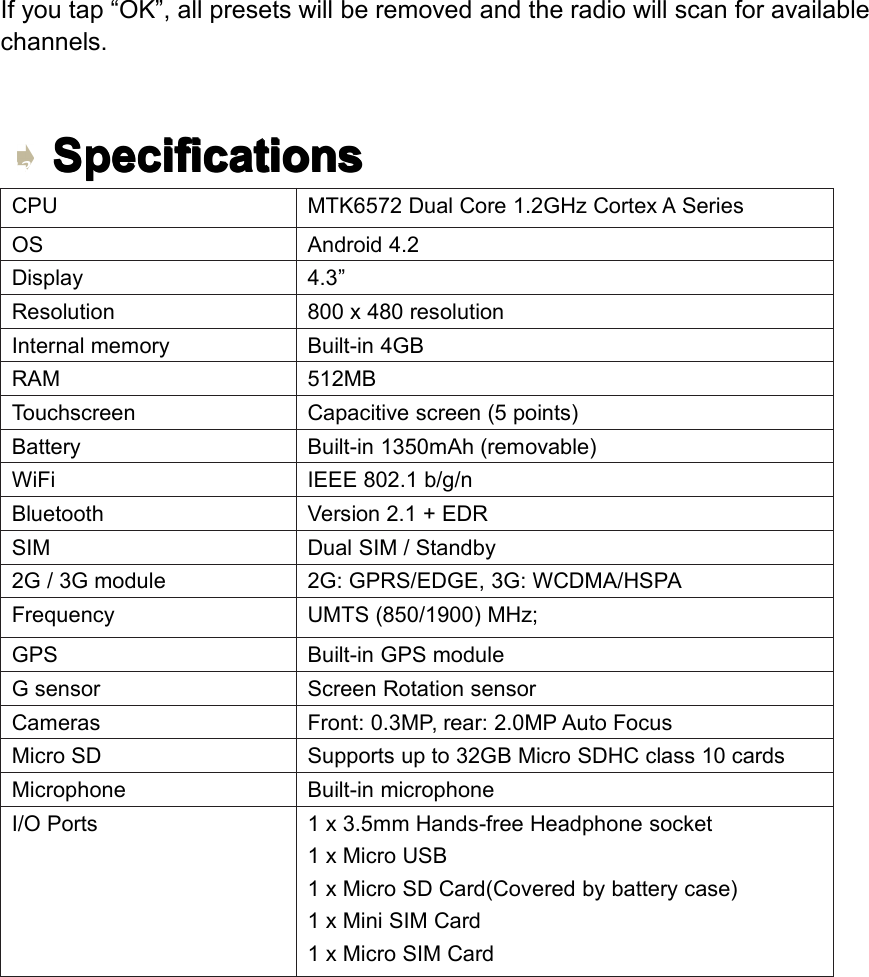
Ifyoutap“OK”,allpresetswillberemovedandtheradiowillscanforavailablechannels.Specifications Specifications Specifications SpecificationsCPUMTK6572DualCore1.2GHzCortexASeriesOSAndroid4.2Display4.3”Resolution800x480resolutionInternalmemoryBuilt-in4GBRAM512MBTouchscreenCapacitivescreen(5points)BatteryBuilt-in1350mAh(removable)WiFiIEEE802.1b/g/nBluetoothVersion2.1+EDRSIMDualSIM/Standby2G/3Gmodule2G:GPRS/EDGE,3G:WCDMA/HSPAFrequencyUMTS(850/1900)MHz;GPSBuilt-inGPSmoduleGsensorScreenRotationsensorCamerasFront:0.3MP,rear:2.0MPAutoFocusMicroSDSupportsupto32GBMicroSDHCclass10cardsMicrophoneBuilt-inmicrophoneI/OPorts1x3.5mmHands-freeHeadphonesocket1xMicroUSB1xMicroSDCard(Coveredbybatterycase)1xMiniSIMCard1xMicroSIMCardPage33Settings
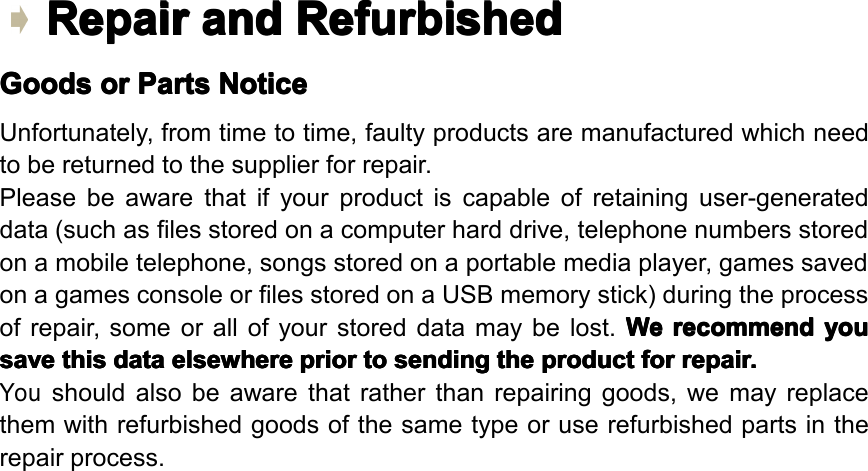
Repair Repair Repair Repairand and and andRefurbished Refurbished Refurbished RefurbishedGoods Goods Goods Goodsor or or orParts Parts Parts PartsNotice Notice Notice NoticeUnfortunately,fromtimetotime,faultyproductsaremanufacturedwhichneedtobereturnedtothesupplierforrepair.Pleasebeawarethatifyourproductiscapableofretaininguser-generateddata(suchasfilesstoredonacomputerharddrive,telephonenumbersstoredonamobiletelephone,songsstoredonaportablemediaplayer,gamessavedonagamesconsoleorfilesstoredonaUSBmemorystick)duringtheprocessofrepair,someorallofyourstoreddatamaybelost.We We We Werecommend recommend recommend recommendyou you you yousave save save savethis this this thisdata data data dataelsewhere elsewhere elsewhere elsewhereprior prior prior priorto to to tosending sending sending sendingthe the the theproduct product product productfor for for forrepair. repair. repair. repair.Youshouldalsobeawarethatratherthanrepairinggoods,wemayreplacethemwithrefurbishedgoodsofthesametypeoruserefurbishedpartsintherepairprocess.Page34Specifications
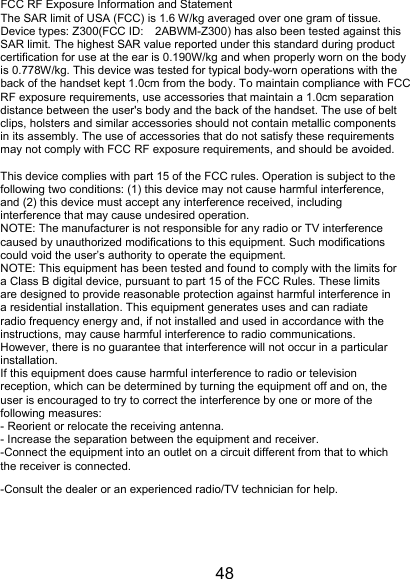
48 FCC RF Exposure Information and Statement The SAR limit of USA (FCC) is 1.6 W/kg averaged over one gram of tissue. Device types: Z300(FCC ID: 2ABWM-Z300) has also been tested against this SAR limit. The highest SAR value reported under this standard during product certification for use at the ear is 0.190W/kg and when properly worn on the body is 0.778W/kg. This device was tested for typical body-worn operations with the back of the handset kept 1.0cm from the body. To maintain compliance with FCC RF exposure requirements, use accessories that maintain a 1.0cm separation distance between the user's body and the back of the handset. The use of belt clips, holsters and similar accessories should not contain metallic components in its assembly. The use of accessories that do not satisfy these requirements may not comply with FCC RF exposure requirements, and should be avoided.  This device complies with part 15 of the FCC rules. Operation is subject to the following two conditions: (1) this device may not cause harmful interference, and (2) this device must accept any interference received, including interference that may cause undesired operation. NOTE: The manufacturer is not responsible for any radio or TV interference caused by unauthorized modifications to this equipment. Such modifications could void the user’s authority to operate the equipment. NOTE: This equipment has been tested and found to comply with the limits for a Class B digital device, pursuant to part 15 of the FCC Rules. These limits are designed to provide reasonable protection against harmful interference in a residential installation. This equipment generates uses and can radiate radio frequency energy and, if not installed and used in accordance with the instructions, may cause harmful interference to radio communications. However, there is no guarantee that interference will not occur in a particular installation. If this equipment does cause harmful interference to radio or television reception, which can be determined by turning the equipment off and on, the user is encouraged to try to correct the interference by one or more of the following measures: - Reorient or relocate the receiving antenna. - Increase the separation between the equipment and receiver. -Connect the equipment into an outlet on a circuit different from that to which the receiver is connected. -Consult the dealer or an experienced radio/TV technician for help.

Navigation menu