Hitachi W61h User Manual
User Manual: Manual Hitachi - Schematics & Service Manuals PDF
Open the PDF directly: View PDF  .
.
Page Count: 2
90
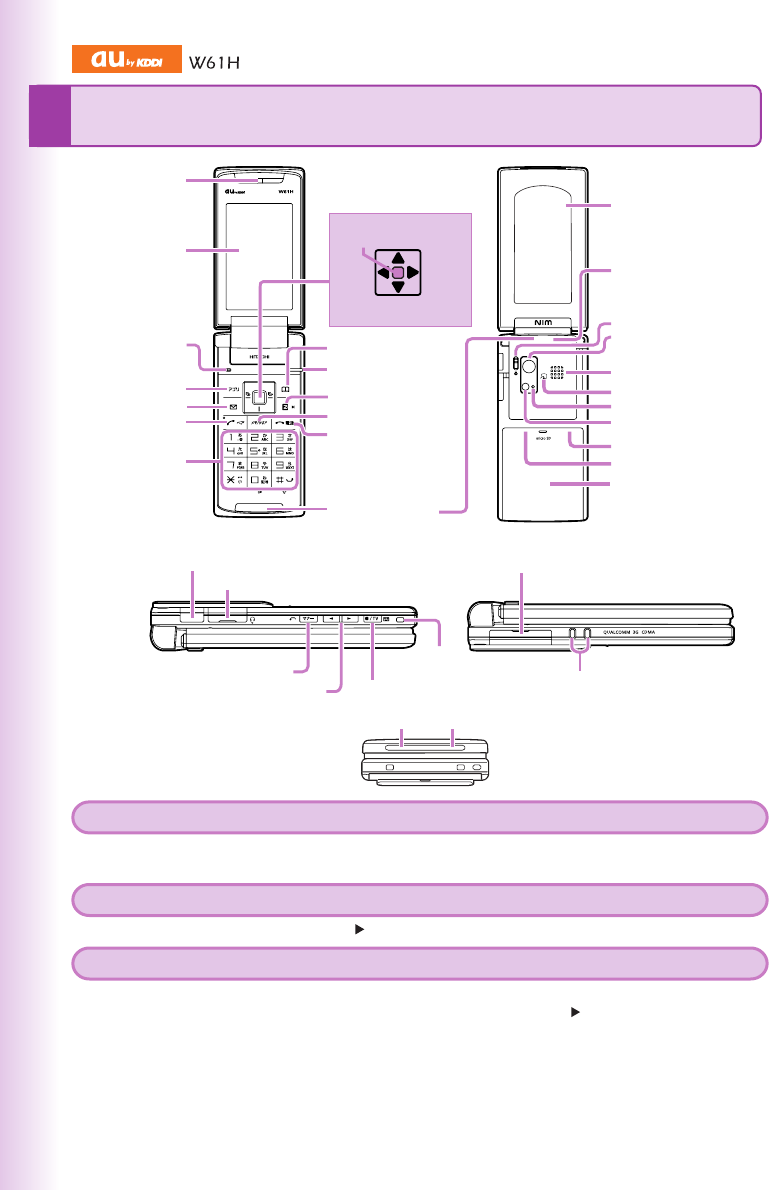
Earpiece
FeliCa mark
au IC-Card
Camera start indicator
Photo light/Standby light
Camera lens
Built-in TV antenna
Closeup switch
Speaker
Silhouette screen
Battery pack/cover
Memo/Clear key
EZ key
Optical sensor
Built-in antenna
Address book key
End/Power key
Microphone
Application key
Mail key
Answer/Pair key
Number keys
Display
microSD memory card slot
Left Right
Center
key
Down
Up
Charging terminals
External connection jack
Infrared port
Manner/Back key
Up/Down key (side) TV/Shutter/Center (side) key
Strap
eyelet
Charge indicator (LED)Incoming indicator (LED)
Flat-type earphone-microphone jack
EnglishSimpleManual(簡易英語版)
●Turning Power On and Off
●Turning Power On ●Turning Power Off
Hold down F for at least a few seconds. Hold down F for at least a few seconds.
●Checking Your Own Phone Number and E-mail Address
From the stand-by screen: Press c. Press 0.
●Making and Answering a Call
●Making a Call
From the stand-by screen: Enter the phone number you want to call. Press N.
To end a call: Press F.
●Answering a Call
When the phone starts ringing, press N.
To adjust the earpiece volume during a call: Use j.
91
EnglishSimpleManual
︵
簡
易
英
語
版
︶
For inquiries, please contact
au Customer Service Center (General Information)
●If you are calling from a landline phone: 0077-7-111 (toll free)
●If you are calling from an au mobile phone: 157 (toll free)
●Storing and Recalling an Address Book Data
●Storing Data
From the stand-by screen: Hold down & for at least one second.
Use j to select the Address Book record you want to edit. Press c [編集] (Edit).
Enter the data. Press & [登録] (Reg).
●Recalling Data
From the stand-by screen: Press & to display the Address Book screen.
Use s to select tab for the record you want.
Use jto select the name of the record.
Press c [表示](Disp) to view the record in detail.
●Using the Camera (Movie and Snapshot)
●Recording a Movie Clip
From the stand-by screen: Press c. Use a to select [アクセサリ] (Accessories).
Press 2 [カメラ機能] (Camera). Press 2 [ムービー] (Movie).
Press c [録画] (Rec) or v to start recording. Press c [終了] (End) to stop recording.
Press c [保存] (Save) to store the movie.
Press &(II) (Pause) during recording to pause recording.
Press % [フォト] (Photo) in the Movie mode to change to the Photo mode.
●Taking a Snapshot
From the stand-by screen: Press c. Use a to select [フォト] (Photo).
Press c [シャッター](Shutter) or v to take a snapshot.
Press c [保存](Save) to store the photo.
Press % [ムービー] (Movie) in the Photo mode to change to the Movie mode.
●Making an International Call
Ex: To call 212-123-△△△△ in the USA
005345
1 212
123
△△△△
N.
●English Voice Mail Answering Messages
You can configure Voice Mail to play operation instructions and answering messages in English.
From the stand-by screen: Press c. Press 6. Press 1. Press 6. Press N.
●Other Handy Features
●Manner Mode
From the stand-by screen: Hold down ( for at least one second.
Repeat the above operation to disable the Manner mode.
●Take A Message Feature (Voice Recording)
From the stand-by screen: Hold down C for at least one second.
Repeat the above operation to disable the Take A Message feature.
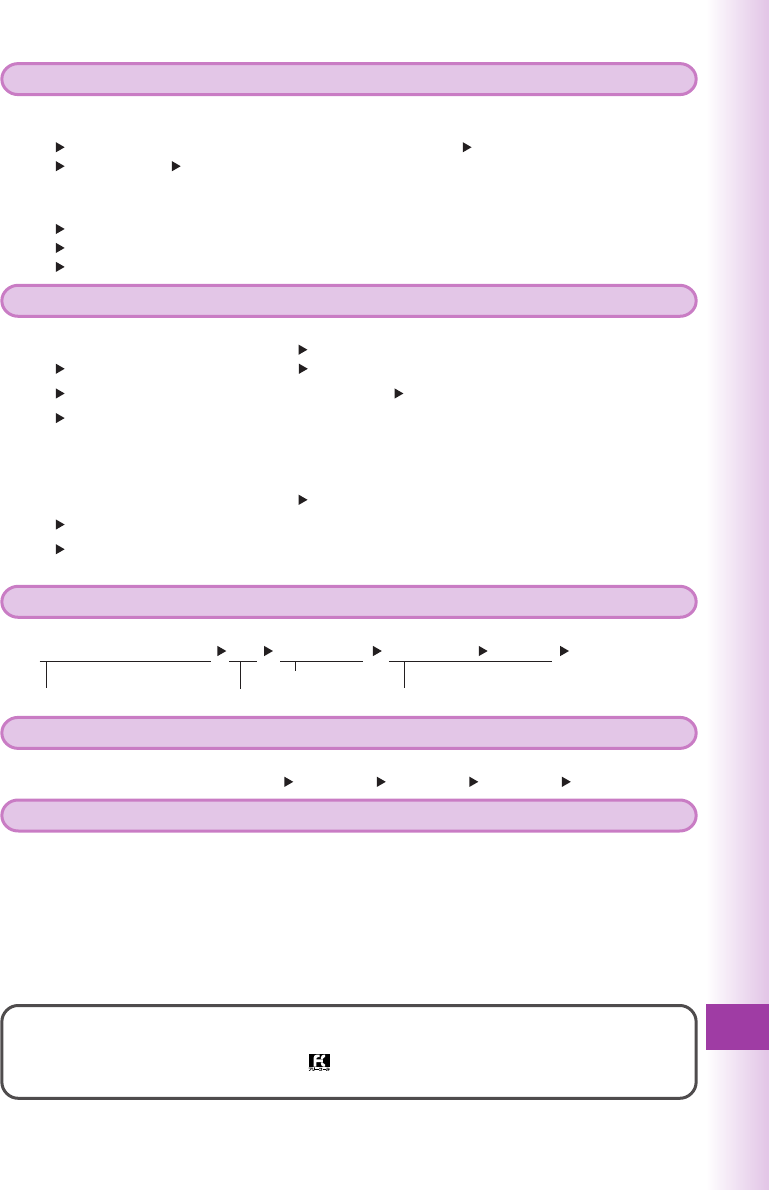
Country code (USA) Number you want to callInternational access code
Area code
※The operation step explanations are based on main unit color “Crystal White”.
