Sharp W61sh User Manual
User Manual: Manual User Manuals - Schematics & Service Manuals PDF
Open the PDF directly: View PDF  .
.
Page Count: 2
88
a●●●●●●●●●●●●●●●●●●●●●●●●●●
ユㄏㄈㄍㄊㄔㄉチヴㄊㄎㄑㄍㄆチヮㄏㄖㄍチ
X
English Simple Manual
(簡易英語版)
ヸプヒヴラ
▼Turning Power On
Hold down % for at least one second.
▼Turning Power Off
Hold down % for at least two seconds.
On the stand-by screen: Press A. ? Press 0.
▼Making a Call
On the stand-by screen: Enter the phone number you want to call. ? P r e s s &.
.To adjust the earpiece volume: Use F.
.To end a call: Press %.
▼Answering a Call
When the phone starts ringing, press &.
.To adjust the earpiece volume: Use F.
.To end a call: Press %.
JTurning Power On and Off K
J
Checking Your Own Phone Number and E-mail Address
K
JMaking and Answering a Call K
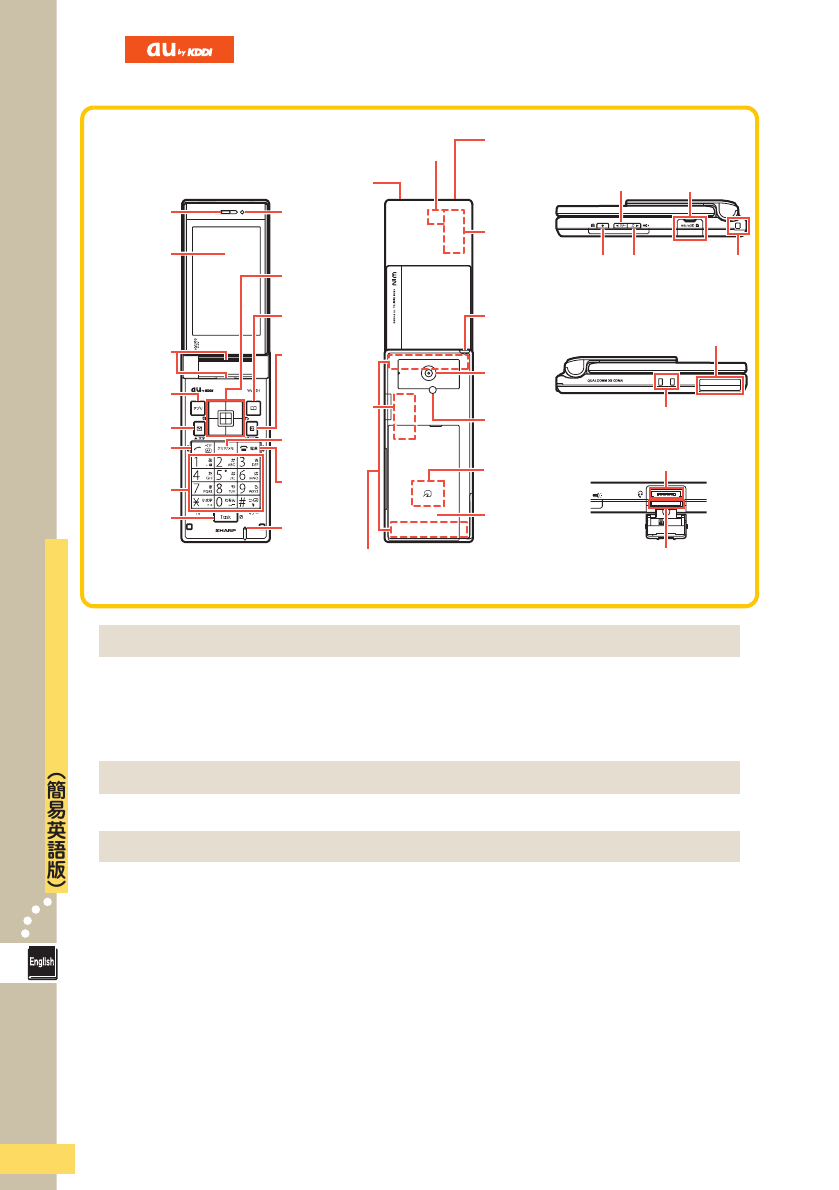
Light
sensor
Earpiece
Main
display
EZ key
Address
Book key
Center and
Cursor keys
Application
key
Mail/
Character key
Clear/
Memo key
Call/
Pair key
Number keys
Task key
Microphone
Power/
End key
Down key (side)
Shutter
key
External connection
jack/cover
Antenna
Up key
(side)
microSD memory
card slot
Speaker
Flat-type earphone-
microphone jack
Incoming/Charge indicator
LED
display
au IC card
(inside)
Strap
eyelet
Television
antenna
Camera
lens
Mobile light/
flash
Battery
pack/cover
Charging terminals
Slot/Jack
cover
Infrared port
FeliCa
mark
LED icons
89
●●●●●●●●●●●● English Simple Manual(簡易英語版) ●
ユㄏㄈㄍㄊㄔㄉチヴㄊㄎㄑㄍㄆチヮㄏㄖㄍチ
▼Storing Data
On the stand-by screen: Hold down a for at least one second. ? Us e F to
select the Memory Dial record you want to edit and press A. ? Ent er the d a t a.
? Press c when finished.
▼Recalling Data
On the stand-by screen: Press a. ? Use H to select the Memory Dial record
you want to recall. ? Press A.
▼Taking a Snapshot
On the stand-by screen: Press q. ? Use F to select フォト and press A. ?
Press A or q to t a k e a snap shot. ? P ress A to store the photo.
.To switch from Photo mode to Mo vie mode : Press c.
▼Recording a Movie
On the stand-by screen: Press q. ? Use F to select ムー ビー and press A. ?
Press A or q to start recording. ? Press A or q to stop recording. ?
Press A to store the movie.
.To pause recording : Press c.
.To switch from Mo vie mode to Photo mode : Press c.
You can configure Voice Mail to play operation instructions and an swering
messages in English.
On the stand-by screen: Press A. ? Pre s s 7. ? Press 1. ? Press 6. ?
Press &&.
▼Silent Mode
On the stand-by screen: Hold down # for at least one second.
.To disable Silent Mode: After the above operation, hold down # for at least one
second.
▼Eas y Voice Record ing
On the stand-by screen: Hold down ! for at least one second.
.To dis able Easy Voice Recor ding: Af ter the abo ve operation , hol d down ! for at
least one second.
JStoring and Recalling a Memory Dial Data K
JUsing the Camera K
JMaking an International Call K
JEnglish Voice Mail Answering Messages K
JOther Features K
For inquiries please contact
au Customer Service Center (General Information)
.If you are calling from a landline phone: 0077-7-111 (toll free)
.If you are calling from an au mobile phone: 157 (toll free)
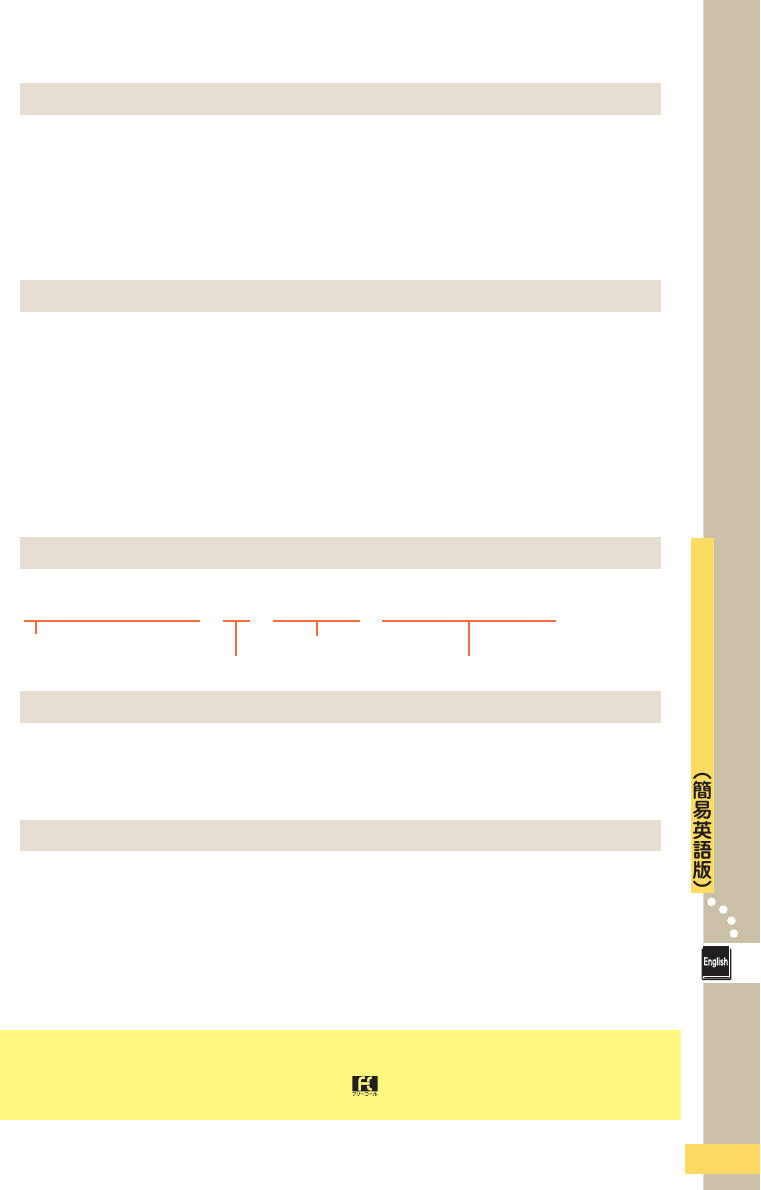
Ex. To Call 212-123-△△△△ in the USA
005345 ? 1 ? 212 ? 123 ? △△△△ ? &
Area code
Number you want to callCountry code (USA)
International access code
