MetroTel of Minnesota MT9100-BM Fuel Tank Monitoring System User Manual

MetroTel Corp of Minnesota Fuel Tank Monitoring System

User Manual

WESROC® RMS Mini-Base Unit – User ManualIndependent Technologies, Inc.Revision Orig.     June 30, 2009 Page 1WESROC® RMS Mini-Base UnitMT9100-BM Users Manual
WESROC® RMS Mini-Base Unit – User ManualIndependent Technologies, Inc.Revision Orig.     June 30, 2009 Page 2Table of ContentsWesroc® RMS Mini-Base Unit Overview .................................................................................................. 3Wesroc® RMS Mini-Base......................................................................................................................... 3Installation .................................................................................................................................................... 3Installing the Wesroc® RMS Tank Transmitter ........................................................................................ 3Installing the Wesroc® Mini-Base Unit .................................................................................................... 3Initialization.................................................................................................................................................. 4Initializing the Wesroc® Mini-Base Unit to the Tank Transmitter ........................................................... 4Configuration................................................................................................................................................ 5Configuring the Wesroc® Mini-Base Unit to the Host Computer ............................................................ 5Service Call ................................................................................................................................................... 6Performing a Wesroc® Mini-Base Service Call........................................................................................ 6Wesroc® RMS Mini-Base Unit Specifications........................................................................................... 7Mechanical ................................................................................................................................................ 7Electrical.................................................................................................................................................... 7Radio Frequency........................................................................................................................................ 7Wesroc® RMS ISM RF System ........................................................................................................... 7Warranty Information ................................................................................................................................. 8Radio Frequency Exposure Warning ......................................................................................................... 8Telecommunication Notice .......................................................................................................................... 9
WESROC® RMS Mini-Base Unit – User ManualIndependent Technologies, Inc.Revision Orig.     June 30, 2009 Page 3Wesroc® RMS Mini-Base Unit OverviewWesroc® RMS Mini-BaseThe Wesroc® Remote Monitoring System Mini-Base Unit is a reduced cost BaseUnit that is used to receive transmissions from a Wesroc® RMS TankTransmitter. It also uses the Public Switched Telephone Network to thencommunicate with the Wesroc® RMS Host Computer system. It functions justlike the Regular Base Unit with a few exceptions. Just like the regular Base Unit,the Mini-Base will only listen to Tank Transmitters. Additionally it can only beinitialized to one Tank Transmitter, unlike the Regular Base Unit which can beinitialized to up to six Tank Transmitters. For applications requiring other types ofWesroc® RMS transmitters like Temperature, Switch Closure and Gas MeterTransmitters, the Wesroc® RMS Deluxe Base Unit will be needed.InstallationInstalling the Wesroc® RMS Tank TransmitterFirst install the Wesroc® RMS Tank Transmitter on the tank to be monitored. Forcomplete installation instructions for the Tank Transmitter, please refer to theTank Transmitter manual.Once the Tank Transmitter has been installed, be sure to remove theprogramming magnet from the “Off” position and place the magnet on the “Init”position. This will cause the Tank Transmitter to transmit initialization packetsonce every 15 seconds for one hour. After one hour, the Tank Transmitter willreturn to normal operation even if the programming magnet is left in the “Init”position.Installing the Wesroc® Mini-Base UnitWith the Tank Transmitter installed and the programming magnet in the “Init”position, install the Wesroc® Mini-Base unit inside.Locate a position inside within reach of phone line connection. This location mustalso be close enough to the Tank Transmitter for the Mini-Base to receive anadequate radio frequency signal from the Tank Transmitter. It is recommended touse a Wesroc® RMS Portable Diagnostic Unit to first find a suitable location forthe MiniBase.
WESROC® RMS Mini-Base Unit – User ManualIndependent Technologies, Inc.Revision Orig.     June 30, 2009 Page 4Once a proper location has been found for the Mini-Base, connect the Mini-Baseto AC power using the attached wall-mounted power supply. Then connect theMini-Base to a phone line that has access to the Public Switched TelephoneNetwork. It is important to verify that power to the Mini-Base will be constant andreliable. It is an easy mistake to plug the Mini-Base into a switched outlet.The Mini-Base is capable of being wall-mounted or the Mini-Base can simply siton a counter top.InitializationInitializing the Wesroc® Mini-Base Unit to the Tank TransmitterA fresh, un-configured, Mini-Base will display two underscores “__”. To place theMini-Base in initialization mode, press and hold all three buttons at the sametime. This brings up the Mini-Base Menu. Press either the “Up” button or the“Down” button until the display shows “IN”. With the display showing “IN”, pressthe “Mode” button. This places the Mini-Base in initialization mode. While theMini-Base is in initialization mode, the display will show a dash on the left sideand up to three dashes on the right side. The three dashes on the right sidesequentially scroll up. This indicates that the Mini-Base is listening for a TankTransmitter initialization packet.When the Mini-Base receives an initialization packet from a Tank Transmitter, theleft side of the display will change from a dash “-“ to an asterisk “*”.It is recommended to always verify the signal strength of the Tank Transmittertransmission! To do this (once an initialization packet has been received, andwhile the Mini-Base is still in initialization mode), press the Mode button once.The display then shows an antenna on the left side and the signal strength on theright side. The signal strength range is from 0 to 9. More signal strength is alwaysbetter. The stronger the signal, the less prone the Mini-Base will be to missingtransmissions from the Tank Transmitter. We recommend that the signal strengthreading be at least 3 for reliable operation.Once the Mini-Base has been initialized to the Tank Transmitter, the Mini-Baseshould be removed from initialization mode. To do this, press and hold the Modebutton for 3 seconds. This will return the Mini-Base to normal operation. While innormal operation, the Mini-Base will continuously show the tank level as reportedby the Tank Transmitter. With no activity, the Mini-Base will return frominitialization mode to normal operation in ten minutes.
WESROC® RMS Mini-Base Unit – User ManualIndependent Technologies, Inc.Revision Orig.     June 30, 2009 Page 5ConfigurationConfiguring the Wesroc® Mini-Base Unit to the Host ComputerWith the completion of the initialization process, the Mini-Base must then beconfigured to the Host Computer system to which it will be reporting. In order forthe configuration to the Host Computer to be accepted, a record must be enteredinto the Host Computer for this particular Mini-Base. Additionally, this recordmust be set properly to allow configurations. Please contact your hostadministrator for these details and to receive the “Base ID” number. Theconfiguration cannot be completed unless the Host Computer has been properlyset up with the record for this Mini-Base.Again, using the menu in the Mini-Base, select the “CN” function. This isaccomplished by pressing all three buttons at the same time then scrolling up ordown until “CN” is displayed. Once “CN” is displayed, press the “Mode” buttononce. The Mini-Base will then display two question marks “??” while it verifiesthat a proper telephone line is connected. If it cannot verify that a phone line isconnected, it will display “NL” for No Line. If the phone line is okay, the displaywill change to “CF”. This indicates that it is okay to proceed with the configurationprocess. With the Mini-Base showing “CF”, go off-hook with a telephone that isconnected to the same phone line as the Mini-Base. The Mini-Base will thenshow “DL” for DiaL. Then dial the phone number for the Host Computer.Continue to listen. The Host Computer will then answer the call and have a briefinteraction with the Mini-Base to verify that it is ready for the configurationprocess. Upon making this verification, the Host Computer will say “Please enterthe Base ID now”. Following the verbal instruction, enter the Base ID provided bythe host administrator for this particular site. The host computer will verify theBase ID and then proceed with the configuration. Wait for the configuration tocomplete. The host will then announce that the configuration has either passedor failed. Also, the Mini-Base will show “OK” if the configuration passed or “ER”for ERror if the configuration failed. A successful configuration must occur beforethe system will operate for any particular site.Since, during the configuration, the connected phone line must remain off-hook, itis important to remember that ambient noise can be picked up by the microphonein the telephone. In a noisy environment, this can interfere with the configurationreport with the Host Computer. To minimize this, it is helpful to cover themicrophone during the configuration process.
WESROC® RMS Mini-Base Unit – User ManualIndependent Technologies, Inc.Revision Orig.     June 30, 2009 Page 6Service CallPerforming a Wesroc® Mini-Base Service CallWhile not absolutely necessary, it is important to perform a service call. Theconfiguration process sets up the needed information in the Mini-Base in orderfor it to perform its function. This includes tank level alarm thresholds, scheduledreporting information, etc… But, importantly, one of the things that the HostComputer sets up is the host phone numbers that the Mini-Base unit uses to callthe Host Computer. This is the phone number that is used regardless of thephone number dialed to reach the Host Computer during the configurationprocess. It is possible for a configuration to pass and a service call to fail due toan improper phone number sent by the Host Computer. A service call verifiesthat the Host Phone Number as sent by the Host Computer is correct.Use the Mini-Base menu to get to the service call function. Press all threebuttons then press the “Up” or “Down” button until the display shows “SC” forService Call. Then press the “Mode” button. This will start a service call.During the service call, the display will show rotating pointers in the left and rightside of the display. These show when information is being passed from the Mini-Base to the Host Computer and from the Host Computer to the Mini-Baserespectively. When the service call completes successfully, the display will show“OK”. If the service call fails for any reason, the display will blink “ER” for ERror.
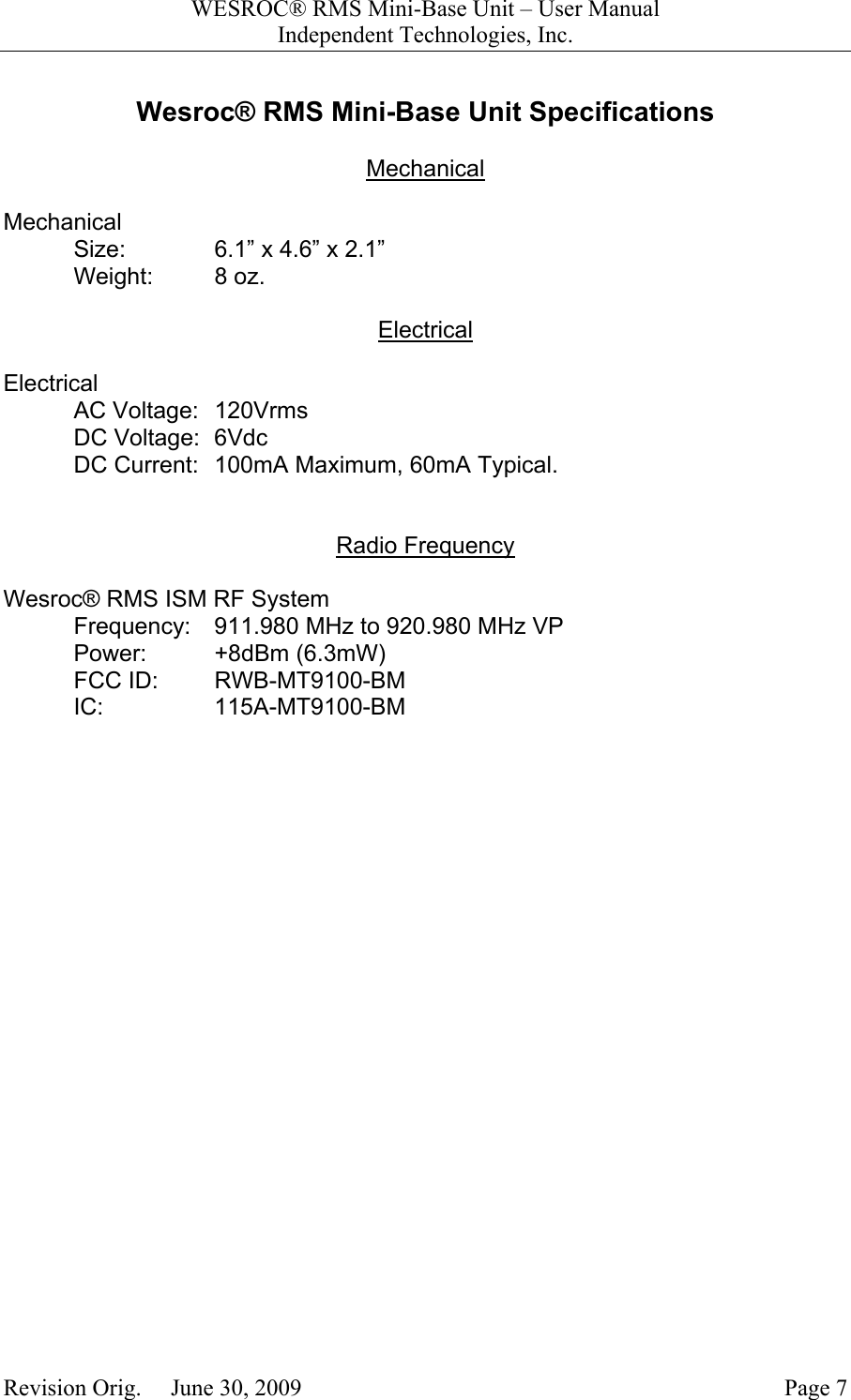
WESROC® RMS Mini-Base Unit – User ManualIndependent Technologies, Inc.Revision Orig.     June 30, 2009 Page 7Wesroc® RMS Mini-Base Unit SpecificationsMechanicalMechanicalSize: 6.1” x 4.6” x 2.1”Weight: 8 oz.ElectricalElectricalAC Voltage: 120VrmsDC Voltage: 6VdcDC Current: 100mA Maximum, 60mA Typical.Radio FrequencyWesroc® RMS ISM RF SystemFrequency: 911.980 MHz to 920.980 MHz VPPower: +8dBm (6.3mW)FCC ID: RWB-MT9100-BMIC: 115A-MT9100-BM
WESROC® RMS Mini-Base Unit – User ManualIndependent Technologies, Inc.Revision Orig.     June 30, 2009 Page 8Warranty InformationIndependent Technologies, Inc. (ITC) warrants the MT9100-BM WESROC® RMS Mini-BaseUnit against defects in materials or workmanship for a period of one year from date ofshipment to original purchaser.  All units deemed defective under this warranty will bereplaced or repaired at ITC’s option.  No other warranty is expressed or implied, nor willresponsibility for operation of this device be assumed by ITC.Radio Frequency Exposure WarningTo ensure that exposure to hazardous radio frequency radiation is prevented, this equipmentmust not be installed in a location where humans will be routinely within 20 centimeters of it.To ensure that FCC requirements are met regarding radio frequency exposure, Wesroc®RMS Mini-Base Units are not to be placed in operation where they will be collocated with otherWesroc® RMS Mini-Base Units. Collocation is considered to be where one operatingWesroc® RMS Mini-Base Unit is within 20 centimeters of another operating Wesroc® RMSMini-Base Unit.Radio InterferenceThis equipment (FCC ID number RWB-MT9100-BM and IC number 115A-MT9100-BM) hasbeen tested and found to comply with the limits for a Class B digital device, pursuant to part15 of the FCC Rules. These limits are designed to provide reasonable protection againstharmful interference in a residential installation.  This equipment generates, uses, and canradiate radio frequency energy and, if not installed and used in accordance with theinstructions may cause harmful interference to radio communications.  However, there is noguarantee that interference will not occur in a particular installation.  If this equipment doescause harmful interference to radio or television reception, which can be determined byturning the equipment off and on, the user is encouraged to try to correct the interference byone or more of the following measures:•  Reorient or relocate the receiving antenna.•  Increase the separation between the equipment and receiver.•  Connect the equipment into an outlet on a circuit different from that to which the receiveris connected.•  Consult the dealer or an experienced radio/TV technician for help.The Wesroc® RMS Mini-Base Unit contains no user serviceable parts. Any changes ormodifications to the Wesroc® RMS Mini-Base Unit that are not expressly approved by ITCcould void authorization to use the Wesroc® RMS Mini-Base Unit.
WESROC® RMS Mini-Base Unit – User ManualIndependent Technologies, Inc.Revision Orig.     June 30, 2009 Page 9Telecommunication NoticeThis equipment complies with Part 68 of the FCC rules.  Located on the equipment is a label thatcontains, among other information, the ACTA registration number and ringer equivalence number(REN.) If requested, this information must be provided to the telephone company.The REN is used to determine the quantity of devices which may be connected to the telephoneline.  Excessive REN’s on the telephone line may result in the devices not ringing in response toan incoming call.  In most, but not all areas, the sum of the REN’s should not exceed five (5.0).To be certain of the number of devices that may be connected to the line, as determined by thetotal REN’s contact the telephone company to determine the maximum REN for the calling area.This equipment cannot be used on the telephone company-provided coin service. Connection toParty Line Service is subject to State Tariffs.If this equipment causes harm to the telephone network, the telephone company will notify you inadvance that temporary discontinuance of service may be required.  If advance notice isn’tpractical, the telephone company will notify the customer as soon as possible.  Also, you will beadvised of your right the file a complaint with the FCC if you believe it is necessary.The telephone company may make changes in its facilities, equipment, operations, or proceduresthat could affect the operation of the equipment.  If this happens, the telephone company willprovide advance notice in order for you to make the necessary modifications in order to maintainuninterrupted service.If trouble is experienced with this equipment, please contact:Company Name:Independent Technologies26 First Avenue S.E.New London, MN. 56273Phone: 320-354-2929Fax: 320-354-5827If the trouble is causing harm to the telephone network, the telephone company may requestyou to remove the equipment from the network until the problem is resolved.This equipment uses the following USOC jacks: RJ11CIt is recommended that the customer install an AC surge arrester in the AC outlet to which thisdevice is connected.  This is to avoid damaging the equipment caused by local lightening strikesand other electrical surges.Copyright© 2009 – Independent Technologies, Inc. - Ph: 402-496-4700Do not reproduce without permission.

Navigation menu