Miller Edge MTF10 RF Link User Manual WPE Instuctions

Miller Edge, Inc. RF Link WPE Instuctions

Contents

aw14 manual

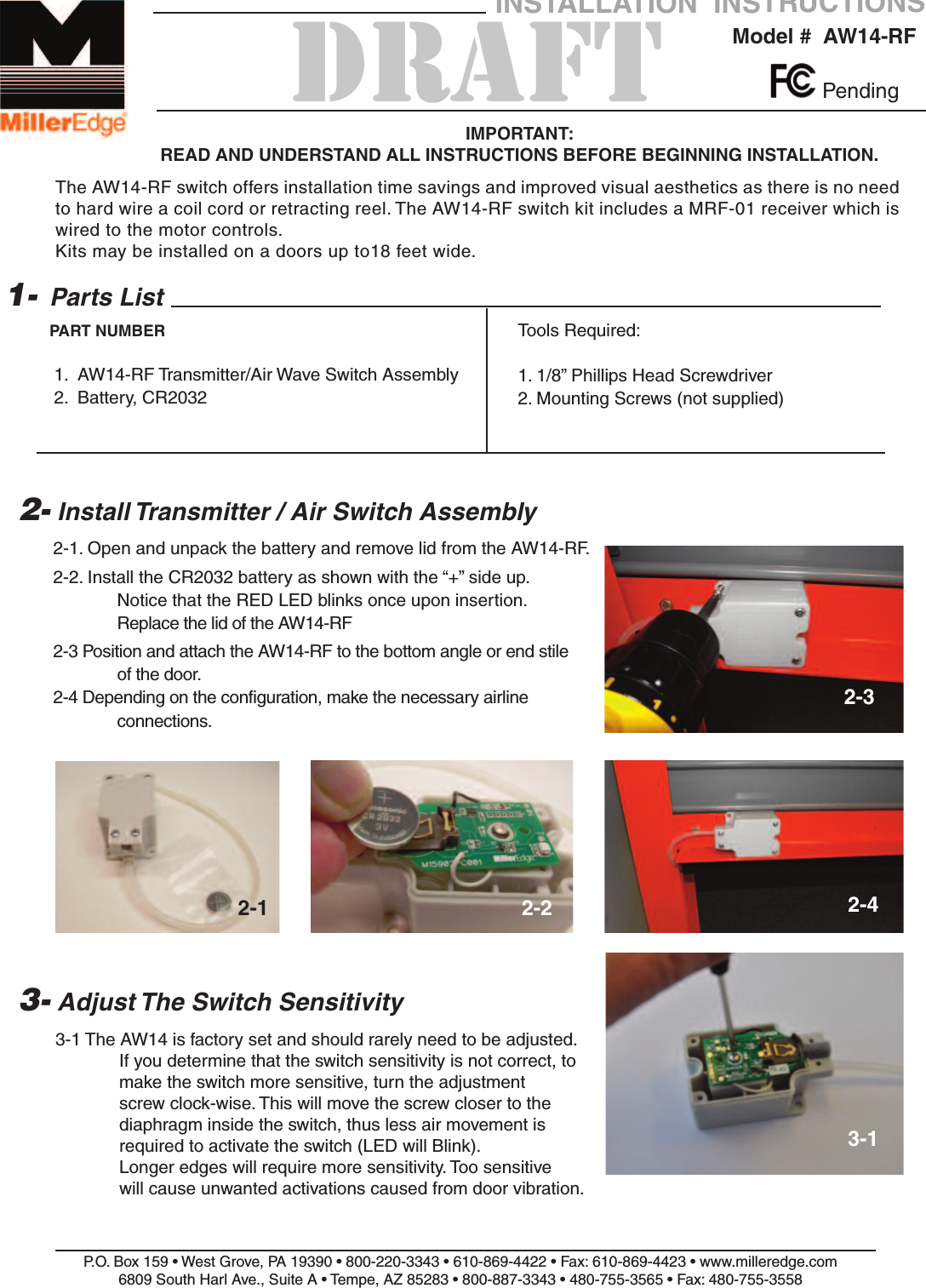
2-1. Open and unpack the battery and remove lid from the AW14-RF.2-2. Install the CR2032 battery as shown with the “+” side up.Notice that the RED LED blinks once upon insertion.Replace the lid of the AW14-RF2-3 Position and attach the AW14-RF to the bottom angle or end stile of the door.2-4 Depending on the configuration, make the necessary airline connections.P.O. Box 159 • West Grove, PA 19390 • 800-220-3343 • 610-869-4422 • Fax: 610-869-4423 • www.milleredge.com6809 South Harl Ave., Suite A • Tempe, AZ 85283 • 800-887-3343 • 480-755-3565 • Fax: 480-755-3558Model #  AW14-RFINSTALLATION  INSTRUCTIONSIMPORTANT: READ AND UNDERSTAND ALL INSTRUCTIONS BEFORE BEGINNING INSTALLATION.Parts List1.  AW14-RF Transmitter/Air Wave Switch Assembly2.  Battery, CR20321-PART NUMBER2- Install Transmitter / Air Switch AssemblyTools Required:1. 1/8” Phillips Head Screwdriver2. Mounting Screws (not supplied)Pending3- Adjust The Switch Sensitivity3-1 The AW14 is factory set and should rarely need to be adjusted.  If you determine that the switch sensitivity is not correct, to make the switch more sensitive, turn the adjustment screw clock-wise. This will move the screw closer to the diaphragm inside the switch, thus less air movement is required to activate the switch (LED will Blink). Longer edges will require more sensitivity. Too sensitive will cause unwanted activations caused from door vibration.2-1 2-22-32-43-1DRAFTThe AW14-RF switch offers installation time savings and improved visual aesthetics as there is no needto hard wire a coil cord or retracting reel. The AW14-RF switch kit includes a MRF-01 receiver which iswired to the motor controls.Kits may be installed on a doors up to18 feet wide.
5- Transmitter Specifications6- FCC ComplianceP.O. Box 159 • West Grove, PA 19390 • 800-220-3343 • 610-869-4422 • Fax: 610-869-4423 • www.milleredge.com6809 South Harl Ave., Suite A • Tempe, AZ 85283 • 800-887-3343 • 480-755-3565 • Fax: 480-755-3558Frequency: 915 MHz. FSK ModulationIndicator Light: Red LED. Blinks when data is sent.Power Source: CR2032 Coincell Battery  3.0VDC LithiumAntenna: Integral PCB loopResponse Time: Nominal 100 msec, Safety Edge Input to Receiver Relay Contact OutputOperating Distance: 50 feet minimum, Up to 100 feet depending on conditionsOperating Temperature: 14oF - 140oF (-10oC - + 60oC) (Battery Limit)TransmitterModel: AW14-RFFCC ID: OYE-MTF10THIS DEVICE COMPLIES WITH PART 15 OF THE FCC RULES.OPERATION IS SUBJECT TO THE FOLLOWING TWO CONDITIONS:1) THIS DEVICE MAY NOT CAUSE HARMFUL INTERFERENCE, AND2) THIS DEVICE MUST ACCEPT ANY INTERFERENCE RECEIVEDINCLUDING INTERFERENCE THAT MAY CAUSE UNDESIRED OPERATION.Changes or Modifications Not Expressly Approved By The Party Responsible For ComplianceCould Void The User Authority To Operate The Equipment.4- Test Safety Edge3-1 Ensure that the door stops/reverses when the sensing edge is activated during the close cycle.This equipment has been tested and found to comply with the limits for a Class B digital device, pursuant to Part15 of the FCC Rules.These limits are designed to provide reason-able protection against harmful interference in a residential installation. This equipmentgenerates, uses and can radiate radio frequency energy and, if not installed and used inaccordance with the instructions, may cause harmful interference to radio communications.However, there is no guarantee that interference will not occur in a particular installation.If this equipment does cause harmful interference to radio or television reception, whichmay be determined by turning the equipment off and on, the user is encouraged to try tocorrect the interference by one or more of the following measures:1- Re-orient or relocate the receiver antenna2- Increase the separation between the equipment and the receiver3- Connect the equipment into an outlet on a circuit different from that to which the receiver is connected.4- Consult the dealer or an experienced radio/TV technician for help

Navigation menu