Mitsubishi Electric Himeji works SKEA7A02 Smart Keyless System (Hand Unit) User Manual Short Term Confidential
Mitsubishi Electric Corporation Himeji works Smart Keyless System (Hand Unit) Short Term Confidential
(Short-Term Confidential) User Manual
Since this device is always used with vehicle, it is not sold to general end users separately.
Therefore there is no user manual of this device by alone.
This document is an excerpt from a user manual of vehicle.
FCC WARNING
Changes or modifications not expressly approved by the party responsible for compliance
could void the user’s authority to operate the equipment.
FCC/IC
This device complies with Part 15 of FCC Rules and Industry Canada licence-exempt RSS
standard(s). Operation is subject to the following two conditions:
(1) this device may not cause interference, and
(2) this device must accept any interference, including interference that may cause
undesired operation of this device.
Le présent appareil est conforme aux la Partie 15 des règles de la FCC et CNR d'Industrie
Canada applicables aux appareils radio exempts de licence. L'exploitation est autorisée aux
deux conditions suivantes:
(1) l'appareil ne doit pas produire de brouillage, et (2) l'utilisateur
(2) l'utilisateur de l'appareil doit accepter tout brouillage radioélectrique subi, même
si le brouillage est susceptible d'en compromettre le fonctionnement.
3-1
1
2
3
4
5
6
7
8
9
10
11
12
SMART KEY SYSTEM
EAU61660
Smart key system
The smart key system enables the fol-
lowing operations to be carried out
without using a mechanical key.
Power “ON/OFF”
Engine start and stop
Steering lock release and locking
Seat lock release
TIP
To preserve battery power, the smart
key will turn off automatically about a
week after the vehicle is last used. Turn
the smart key on before using the vehi-
cle again.
WARNING
EWA14703
Keep implanted pacemakers
and defibrillators, as well as oth-
er electric medical devices away
from the smart key system an-
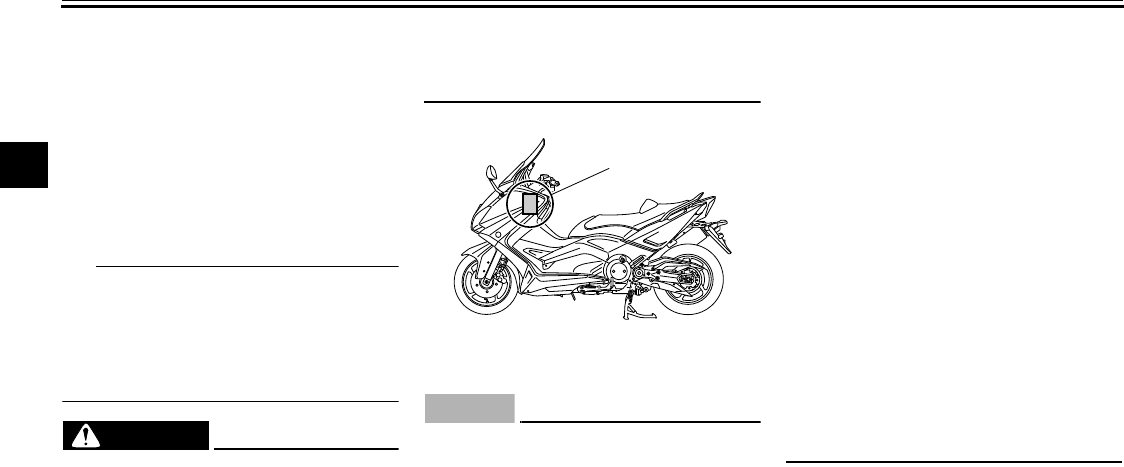
tenna (see illustration).
Radio waves transmitted by the
antenna may affect the opera-
tion of such devices when close
by.
If you have an electric medical
device, consult a doctor or the
device manufacturer about any
risk of possible interference be-
fore using this vehicle.
NOTICE
ECA15762
The smart key system uses weak ra-
dio waves. The smart key system
may not work normally in the follow-
ing situations.
When the smart key is placed in
a location exposed to strong ra-
dio waves or other electromag-
netic noise.
When there are facilities nearby
that are emitting strong radio
waves e.g. TV towers, power
plants, broadcasting stations,
airports etc.
When you are carrying or using
communication equipment
such as radios or mobile
phones in close proximity of the
smart key.
When the smart key is in contact
with or covered by metallic ob-
jects.
When other vehicles equipped
with a smart key system are
nearby.
In such situations, move the smart
key to another location and perform
the operation again. If it still does
not work, use the mechanical key to
carry out the operation in emergen-
cy mode (refer to Page 6-1).
1. Vehicle mounted antenna
1
SMART KEY SYSTEM
3-2
1
2
3
4
5
6
7
8
9
10
11
12
EAU61640
Handling of mechanical key
and smart key
WARNING
EWA17950
The smart key should be carried
by the driver. Do not store it on
the vehicle.
When the smart key is within op-
erating range, exercise due care
because other people not carry-
ing the smart key can also start
the engine or operate the vehi-
cle.
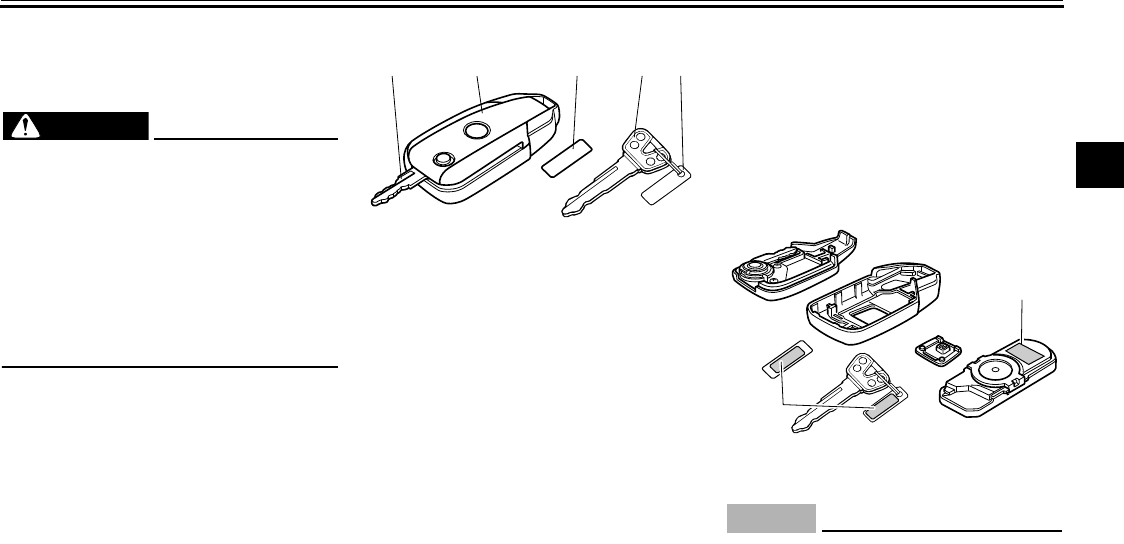
Included with the vehicle are one
smart key, one smart key identifi-
cation tag, one mechanical key
and one mechanical key identifica-
tion tag. Keep the mechanical key
and tag separate from the smart
key and tag. Should you lose the
smart key, the mechanical key will
serve as a back up. We also rec-
ommend that you note down the
identification number in a just in
case you lose the identification
tag.
If the smart key and tag are lost or
damaged, and there is no record of
the identification number, all the
parts of the smart key system will
need to be replaced.
The identification number of the
smart key is displayed on the in-
side of the smart key. The smart
key identification number (6 digits)
and mechanical key identification
number (1 letter + 4 digits) are dis-
played on the two respective iden-
tification tags as well. By inputting
the identification number of the
smart key in an emergency, the
engine can be started and the var-
ious locks can be released without
using the smart key. Please refer
to emergency mode on page 6-1
on how to operate the smart key
system in an emergency.
NOTICE
ECA21570
The smart key has precision elec-
tronic components. Observe the fol-
lowing precautions to prevent
possible malfunction or damage.
Do not drop,bend, or subject the
smart key to strong impacts.
Do not allow the smart key to
1. Mechanical key
2. Smart key
3. Smart key identification number tag
4. Mechanical key
5. Mechanical key identification number tag
12 345
1. ID number
1
1
SMART KEY SYSTEM
3-3
1
2
3
4
5
6
7
8
9
10
11
12
get wet.
Do not put heavy objects on top
of the smart key.
Do not leave the smart key in a
place exposed to direct sun-
light, high temperature, or high
humidity.
Do not cut, drill, or attempt to
modify the smart key.
Keep the smart key away from
strong magnetic fields and mag-
netic objects such as key hold-
ers, TVs, and computers.
Keep the smart key away from
electric medical equipment.
Do not allow oils, polishing
agents, fuel, or any strong
chemicals to come in contact
with the smart key. The smart
key body may become discol-
ored or crack.
TIP
The expected battery life is ap-
proximately 2 years, but this may
vary according to operating condi-
tions.
The smart key uses battery power
even when it is away from the ve-
hicle.
If the smart key continually re-
ceives radio waves, the battery will
discharge quickly in reaction to
this. (For example, when placed in
the vicinity of electrical products
such as televisions, radios, or
computers.)
Replace the battery when the
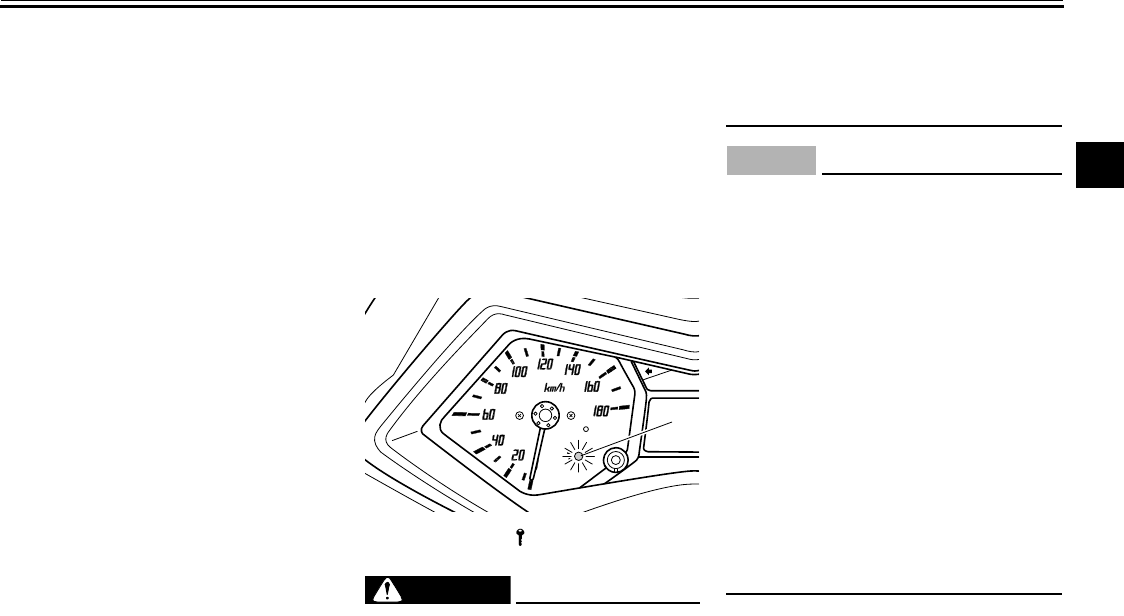
smart key system indicator light
flashes for 20 seconds when the
power of the vehicle is turned on.
(Refer to page 3-4 on how to re-
place the battery)
If the smart key system indicator
light does not come on when you
press the lock / unlock switch, the
smart key battery may be dis-
charged or the smart key may be
faulty. After replacing the battery,
contact your Yamaha dealer if the
smart key system does not oper-
ate normally.
You can register up to six smart
keys for the same vehicle. Please
contact your Yamaha dealer re-
garding spare smart keys.
EAU61670
Smart key
This model is equipped with a smart
key system. When the smart key is ac-
tivated and brought within range, the
smart key system allows you to operate
the vehicle without having to physically
insert or remove the key.
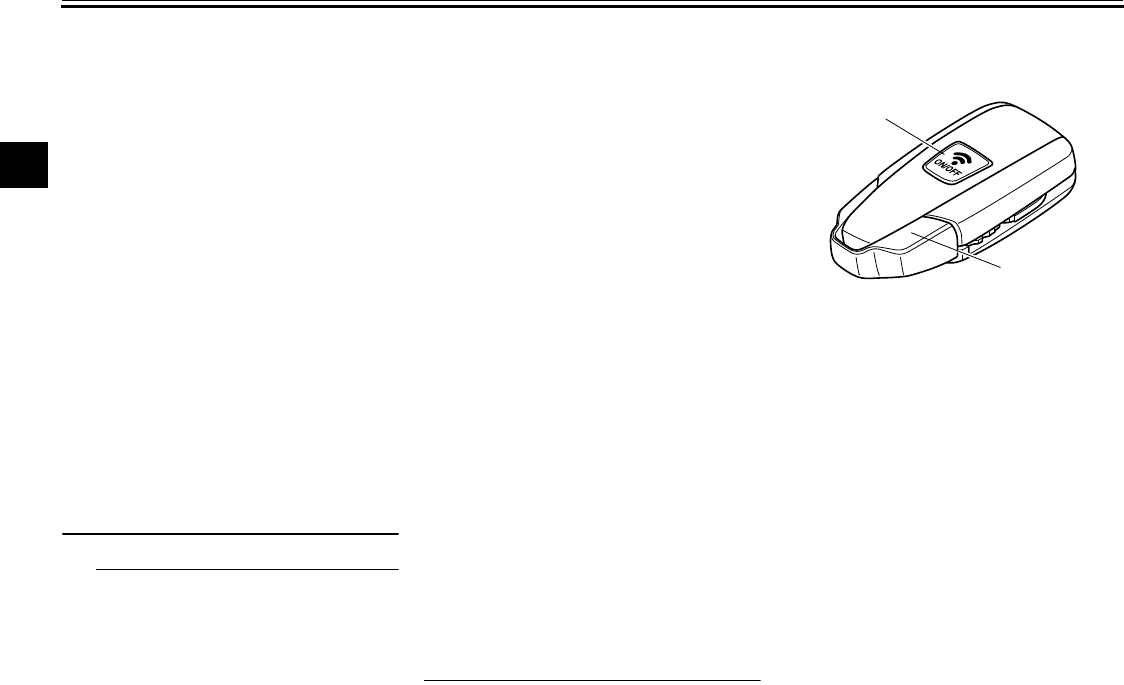
To activate or deactivate the smart
key
To activate or deactivate the smart key,
press and hold the smart key button for
approximately one secondto switch the
smart key from on to off. When the
smart key is turned off (deactivated),
the vehicle cannot be operated even if
1. Lock/unlock switch
2. Smart key system indicator light
1
2
SMART KEY SYSTEM
3-4
1
2
3
4
5
6
7
8
9
10
11
12
the smart key is brought within range of
the vehicle. Turn the key on (activate it)
and bring it within range to operate the
vehicle.
EAU61600
How to replace the battery of
the smart key
Please replace the battery with in the
following situations.
The key signal light flashes for
about 20 seconds when the power
of the vehicle is turned ON.
When the smart key system does
not receive signals sent from the
smart key.
WARNING
EWA14722
The battery and other remov-
able parts may cause injury if
swallowed. Keep the battery
and other removable parts away
from children.
Do not expose the battery to di-
rect sunlight or other heat
sources.
NOTICE
ECA15782
Use a cloth when disassembling
with a screwdriver etc. Direct
contact with hard objects may
damage or scratch the key.
Make sure you install the battery
with the poles in the correct po-
sitions.
Take precautions to prevent the
waterproof seal from being
damaged or contaminated by
dirt.
Do not touch the internal cir-
cuits and terminals. This may
result in malfunctions.
Do not apply excessive force to
the smart key when replacing
the battery.
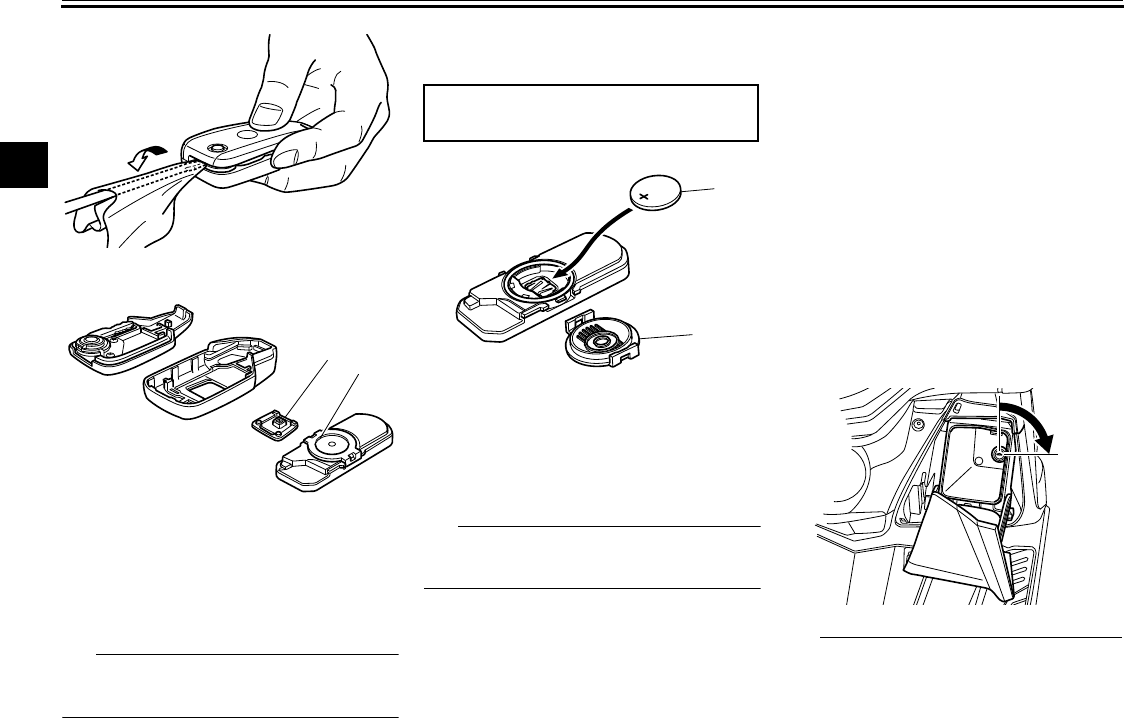
How to replace the battery
1. Open the case of the smart key.
1. Key signal light “ ”
1
SMART KEY SYSTEM
3-5
1
2
3
4
5
6
7
8
9
10
11
12
2. Remove the cover of the battery.
3. Note the polarity of the battery.
4. Remove the battery.
TIP
Dispose of the removed battery in ac-
cordance with local regulations.
5. Replace the battery with a new
one.
6. Attach the cover of the battery.
7. Re-assemble the smart key.
TIP
Take note of the assembly direction of
the switch plate.
EAU61570
Mechanical key
The mechanical key can be used when
the smart key is lost or its battery is dis-
charged, or whenever the smart key
system is not operating normally. The
seat lock can be released, the cargo
can be removed, and the vehicle bat-
tery can be replaced using the mechan-
ical key.
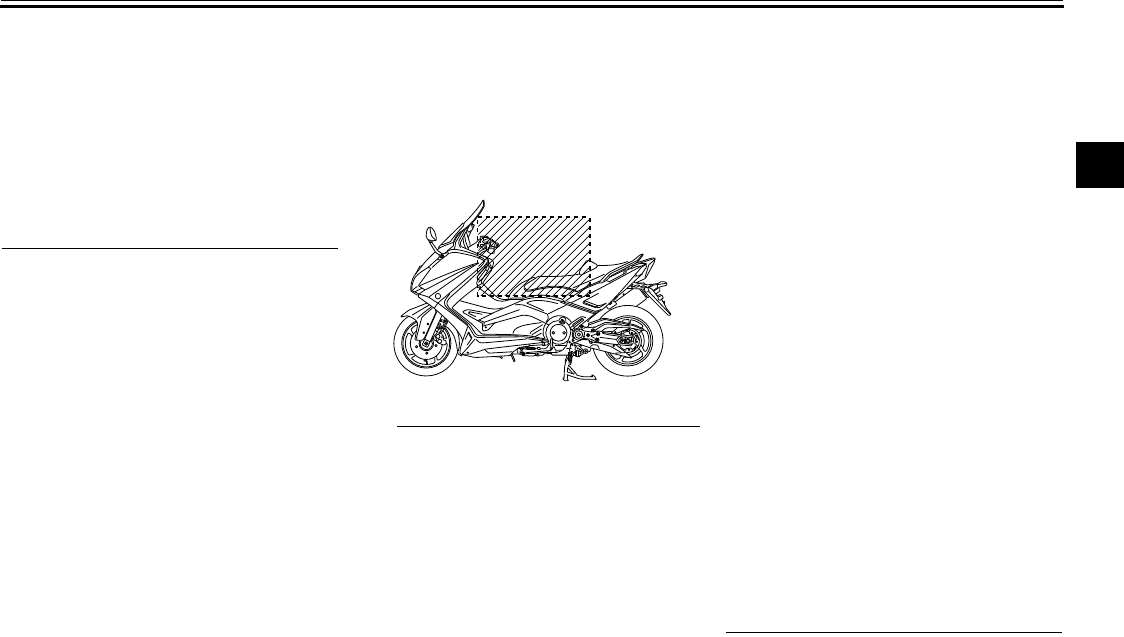
To release the seat lock
Inserti the mechanical key into the lock
inside front storage compartment B and
turn it clockwise.
TIP
Be sure that the seat is properly
secured before starting off.
Do not store the mechanical key in
1. Switch plate
2. Battery cover
12
Battery used:
Button battery CR2025 × 1 unit
1. Battery cover
2. Battery
1
2
SMART KEY SYSTEM
3-6
1
2
3
4
5
6
7
8
9
10
11
12
the rear storage compartment or
lock it in front storage compart-
ment B. In the event of an emer-
gency, you will need the
mechanical key to unlock the seat
lock, access the rear storage com-
partment, and operate the vehicle
in emergency mode (see page
6-1).
EAU61580
Operating range of the smart
key system
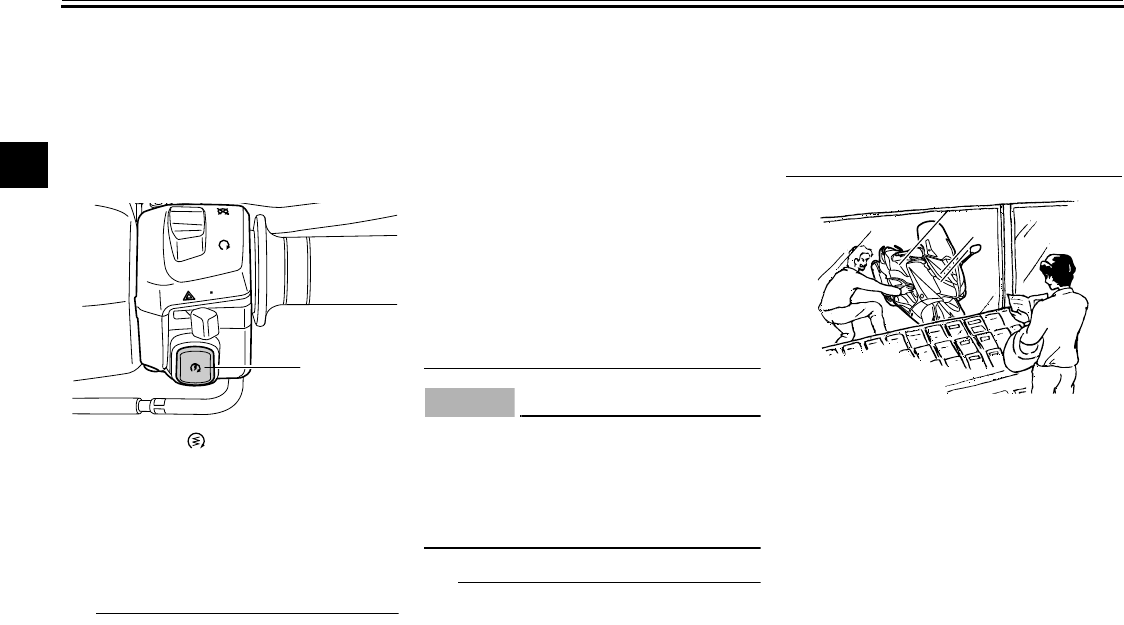
The operating range of the smart key
system is about 0.8 m (3.15 in.) from
the center of the handlebars.
TIP
As the smart key system uses
weak radio waves, the operating
range may be affectedby the sur-
rounding situation.
When the battery of the smart key
is discharged, the smart key may
not work, or its operating range be-
come very small.
The smart key may not work when
it is muchhigher than the vehicle or
close to the ground.
If the smart key is in a locked state,
the smart key system will not work
even if you carry the smart key
with you. If the smart key system
does not work, check the lock/un-
lock state of the smart key.
If you continuously operate the
start switch, OFF/steering lock
switch, or seat open/parking
switch when the smart key is out of
range or cannot communicate with
the vehicle, all switches will be
temporarily disabled.
The interior of the front trunk and
rear trunk may block communica-
tion between the smart key and ve-
hicle. If the rear trunk is locked with
the smart key inside, the smart key
system may be disabled. The
smart key must always be carried
by the driver.
When leaving the vehicle, make
sure you apply the steering and
carry the smart key with you. It is
recommended that you keep the
smart key in a locked state.
SMART KEY SYSTEM
3-7
1
2
3
4
5
6
7
8
9
10
11
12
EAU61630
Vehicle power ON and
steering lock release
1. With the smart key in operating
range and the vehicle in the un-
locked state, press the start switch
for at least one second.
2. Upon authentication of the smart
key, the system will sound twice,
the key signal light will come on
and the steering lock will release
automatically.
TIP
The key signal light will flash if the
steering lock cannot automatically
release itself. Try moving the han-
dlebars gently to the left or right
and then operate the steering un-
lock function again.
If the steering continues to be
locked and will not release, the key
signal light will flash 16 times and
the steering lock release operation
will stop midway. Move the handle-
bar gently to the left and right to
help release the steering lock and
then operate the steering unlock
function again.
The power of the vehicle will not be
turned on if the steering lock is not
released completely.
NOTICE
ECA15823
If the steering lock will not release
and the key signal light on the meter
is flashing, consult your Yamaha
dealer about a possible malfunction
in the smart key system.
TIP
Even when the vehicle is parked in a lo-
cation partitioned by a fence ot the
glass window of a shop, if the vehicle is
in the operating range of the smart key
system, other people who do not have
a smart key will be able to start the en-
gine, lock the seat, or release the steer-
ing lock. Please keep the smart key
system in a locked state in such situa-
tions. (Refer to page 3-3 on how to lock/
unlock the smart key.)
3. The power of the vehicle is turned
ON once the steering lock is com-
pletely released. In this case, the
key signal light will go off and the
display will return to normal.
1. Start switch “ ”
1

SMART KEY SYSTEM
3-8
1
2
3
4
5
6
7
8
9
10
11
12
EAU61690
Powering off the vehicle
To turn the vehicle off, have the smart
key unlocked (on) and within operating
range, press the OFF/steering lock
switch. The smart key system will
sound once to confirm that the vehicle
has been successfully turned off.
If the smart key is not within operating
range or cannot communicate with the
vehicle when you press the OFF/steer-
ing lock switch, the power of the vehicle
will not be turned off and the smart key
system will sound for three seconds
(smart key system indicator light will
also flash) to alert you that the power
was not successfully turned off. Con-
firm the location and condition of the
smart key and try powering off the vehi-
cle again.
TIP
The driver must turn off the power
of the vehicle manually.
The power of the vehicle will not
turn off automatically even if the
smart key is moved out of operat-
ing range of the smart key system.
The power of the vehicle cannot be
turned off when the vehicle is run-
ning. Be sure to stop the vehicle in
a safe place when turning off the
power.
Even if there is no smart key, the
power supply can be turned OFF if
the power OFF operation is carried
out again while the key signal light
on the meter is flashing.
Please refer to the emergency
mode in Page 6-1 on how to turn
ON the power without a smart key.
1. OFF/steering lock switch
1
SMART KEY SYSTEM
3-9
1
2
3
4
5
6
7
8
9
10
11
12
EAU61610
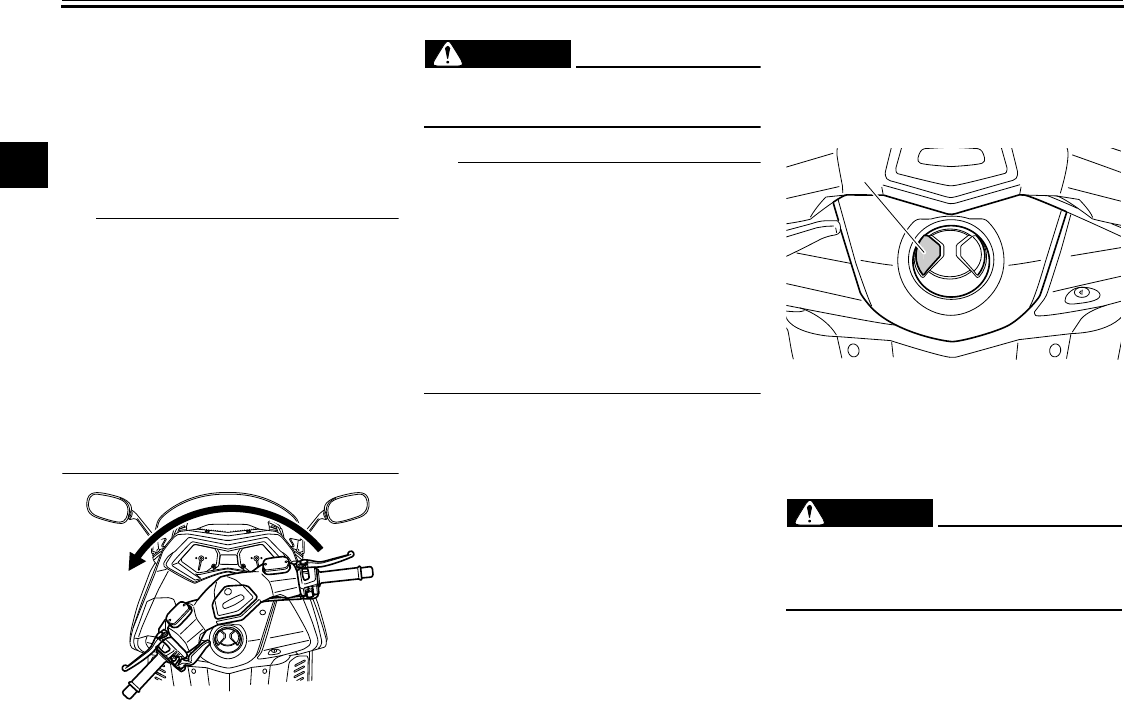
How to steering lock
After turning OFF the power of the ve-
hicle, move the vehicle to a safe park-
ing place. Turn the handlebars fully to
the left and then press the OFF/steer-
ing lock switch for at least one second.
TIP
If the steering lock function locks
as normal, the system will sounds
once.
If the steering lock function does
not lock correctly, the system will
sound for three seconds and the
key signal light will flash. Turn the
handlebar fully to the left one more
time and try locking the steering
again.
WARNING
EWA14742
Do not operate the steering lock
while the vehicle is moving.
TIP
The handlebars must be turned
manually. The steering lock func-
tion will not turn the handlebars for
you.
Before leaving the vehicle, make
sure you’ve applied the steering
lock and have the smart key. It is
recommended that you keep the
smart key system in a locked state.
EAU61680
Seat opening and closing
1. With the smart key in operating
range, press the seat open/park-
ing switch.
2. The seat lock will be released
upon authentication of the smart
key.
WARNING
EWA17940
Do not operate the seat open/park-
ing switch while the vehicle is mov-
ing.
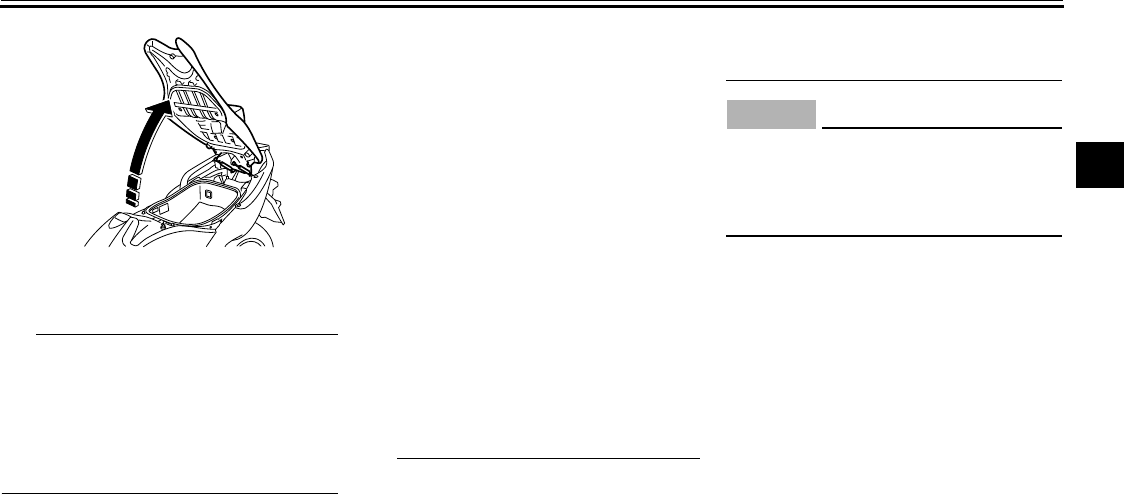
3. Lift up the front part of the seat to
open the seat.
1. Seat open/parking switch
1
SMART KEY SYSTEM
3-10
1
2
3
4
5
6
7
8
9
10
11
12
To close the seat, lower the seat and
push it down to lock it in place.
TIP
Make sure the seat is properly
closed before starting off.
The seat can be opened mechani-
cally in the event of an emergency.
See emergency mode on page 6-1
for more information.
EAU61590
Parking mode
The steering is locked, and the hazard
lights and turn signal lights can be
turned on, but all other electrical sys-
tems are off.
To use the parking mode
1. Lock the steering. (Refer to Page
3-9)
2. Press and hold the seat open/
parking switch for at least one sec-
ond.
3. When the smart key is authenticat-
ed, the smart key system mode will
change to parking mode and
sound twice.
TIP
If you try to enter parking mode
without locking the steering first,
the smart key system will sound
three times and the smart key sys-
tem light will flash.
The hazard switch and turn signal
indicator lights can be operated in
parking mode.
The key signal light will come on
while in the parking mode.
The seat cannot be opened or
closed while in parking mode.
NOTICE
ECA10062
Do not use the hazard lights for an
extended length of time with the en-
gine not running, otherwise the bat-
tery may discharge.
To exit parking mode
Press and hold the seat open/parking
switch. Upon authentication of the
smart key, parking mode is cancelled
and the system will sound once.