Motic China Group MOTICAMBTW Digital Camera User Manual
Motic China Group Co.,Ltd Digital Camera
User Manual
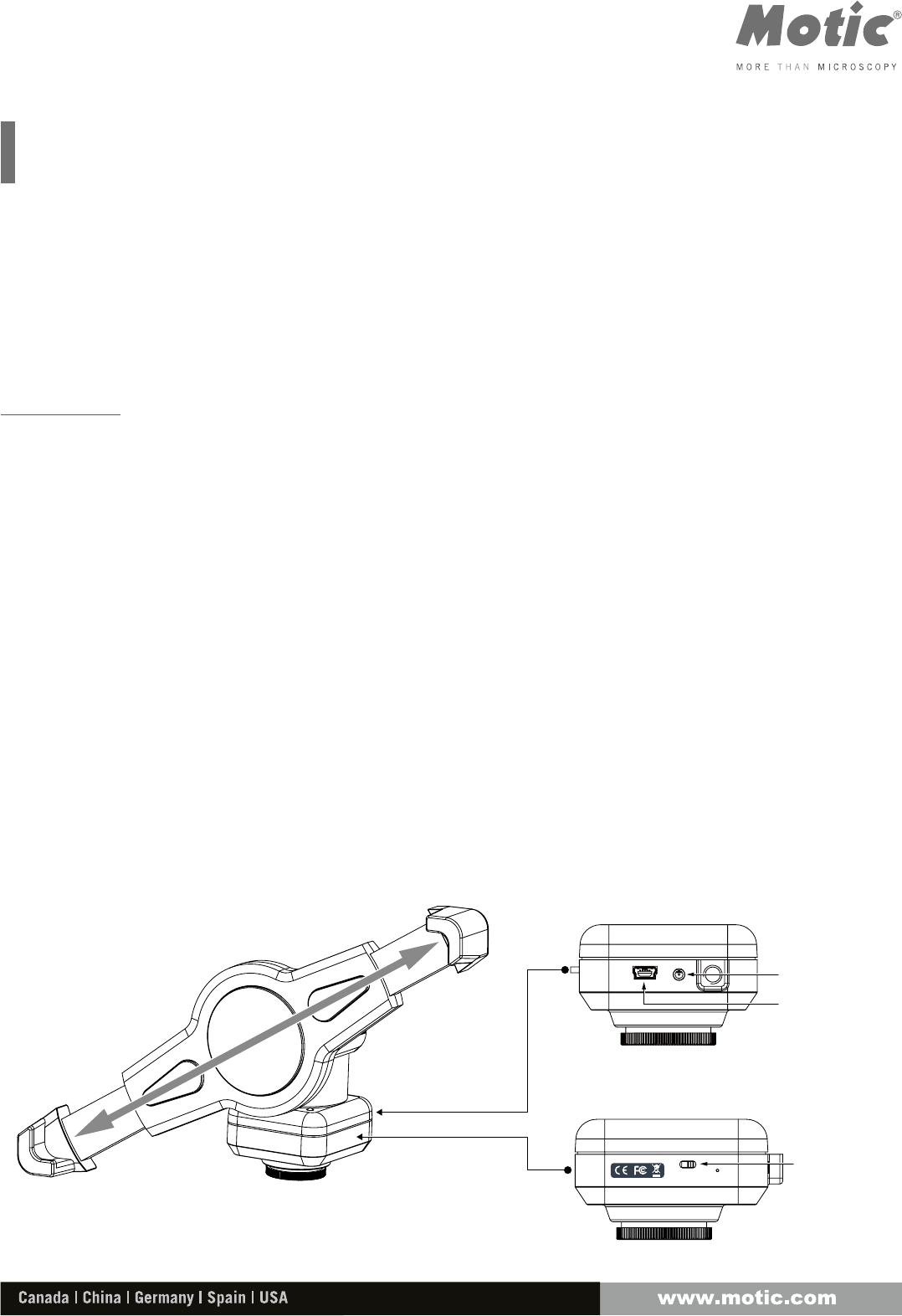
Moticam BTW Assembly
Introduction
Thank you for purchasing a Motic BTW product. This solution was designed and manufactured under strict
quality supervision and should be used only in the manner it is designed.
At Motic, we stand behind all our products. Should you encounter any difficulties or problems during
normal operation, please do not hesitate to contact one of our customer services agents or visit our website
www.motic.com for follow-up.
BTW / BTW8 / BTW10
The BTW solution provides a method to attach a camera to a c-mount of any c-mount trinocular microscope
using a 0.5x c-mount adapter. The image from the microscope can be viewed on a tablet or a computer
through either a USB output or a WiFi connection.
The camera portion of the BTW houses a 5MP CMOS live view sensor, a USB output as well as a WiFi
transmission antenna. The user may switch between either the USB output which can be connected to a
computer or the Android tablets provided; or the user can switch the camera to WiFi transmission mode
which allows any WiFi enabled device to view, measure and annotate the microscope image through the
available MotiConnect application. The MotiConnect app can be downloaded through Google’s PlayStore or
Apple’s AppStore.
The BTW solution also consists of a spring loaded bracket which can house a tablet up to 10” in diameter. For
BTW8 and BTW10, an 8” or 10” tablet is provided in the package.
Moticam BTW
DC Port
USB Port
Wifi/USB switch
SAP:xxxxxxxUpdated: 18.09.2015
Operation for BTW8 and BTW10
1. Mount the BTW camera part onto your trinocular microscope using a 0.5x c-mount adapter. The
c-mount adapter is a specific part of your microscope and should be purchased from your microscope
supplier.
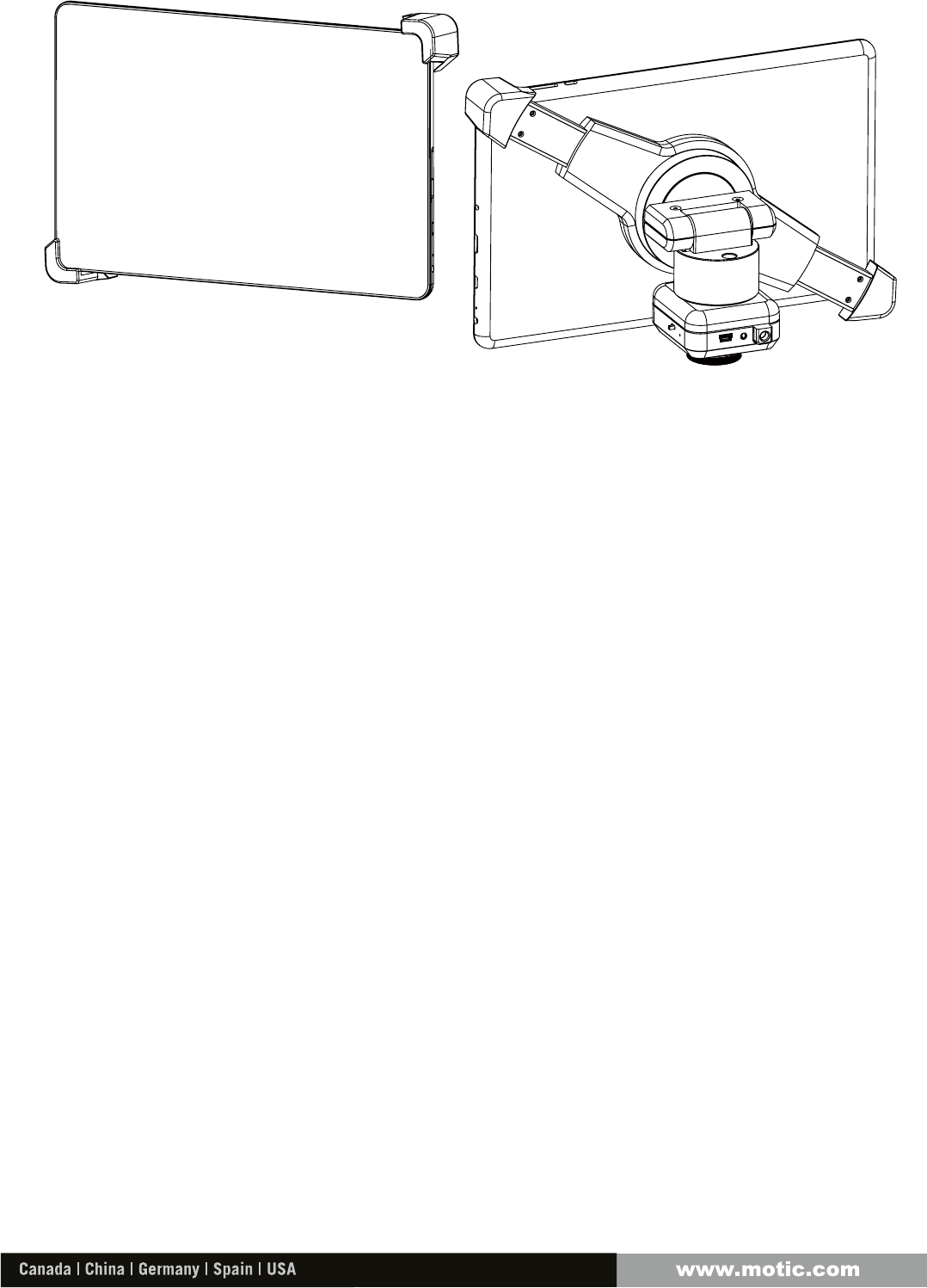
2. Mount the provided tablet onto the spring loaded clamp situated on top of the camera part taking
care not to drop the tablet. Ensure that the tablet is securely held on its diagonal corners so that
there is no movement of the tablet within the clamp
3. Connect the camera and the tablet to a power source using the provided power adapters
4. Connect the provided USB cable between the camera and the tablet
5. Switch on the tablet and launch the MoticConnect application from the tablet’s main screen
6. Ensure that your microscope is turned on, and if your microscope has a beamsplitter, ensure that it is
switched to a trinocular position so that there is light passing to the camera on the trinocular tube.
Moticam BTW8/10
8” or 10” tablet
This device complies with Part 15 of the FCC Rules. Operation is subject to the following two
conditions: (1) this device may not cause harmful interference, and (2) this device must accept any
interference received, including interference that may cause undesired operation.
Changes or modifications not expressly approved by the party responsible for compliance could
void the user's authority to operate the equipment.
NOTE: This equipment has been tested and found to comply with the limits for a Class B digital
device, pursuant to Part 15 of the FCC Rules. These limits are designed to provide reasonable
protection against harmful interference in a residential installation. This equipment generates, uses
instructions, may cause harmful interference to radio communications. However, there is no
guarantee that interference will not occur in a particular installation. If this equipment does cause
harmful interference to radio or television reception, which can be determined by turning the
equipment off and on, the user is encouraged to try to correct the interference by one or more of
the following measures:
-- Reorient or relocate the receiving antenna.
-- Increase the separation between the equipment and receiver.
-- Connect the equipment into an outlet on a circuit different from that to which the receiver is
connected.
-- Consult the dealer or an experienced radio/TV technician for help.
The distance between user and products should be no less than 50cm
The distance between user and products should be no less than 20cm