Multak Technology MIIC-STAR WIRELESS MICROPHONE User Manual MS61 User Manul Transmitter
Shanghai Multak Technology Co., LTD. WIRELESS MICROPHONE MS61 User Manul Transmitter
USERS MANUAL
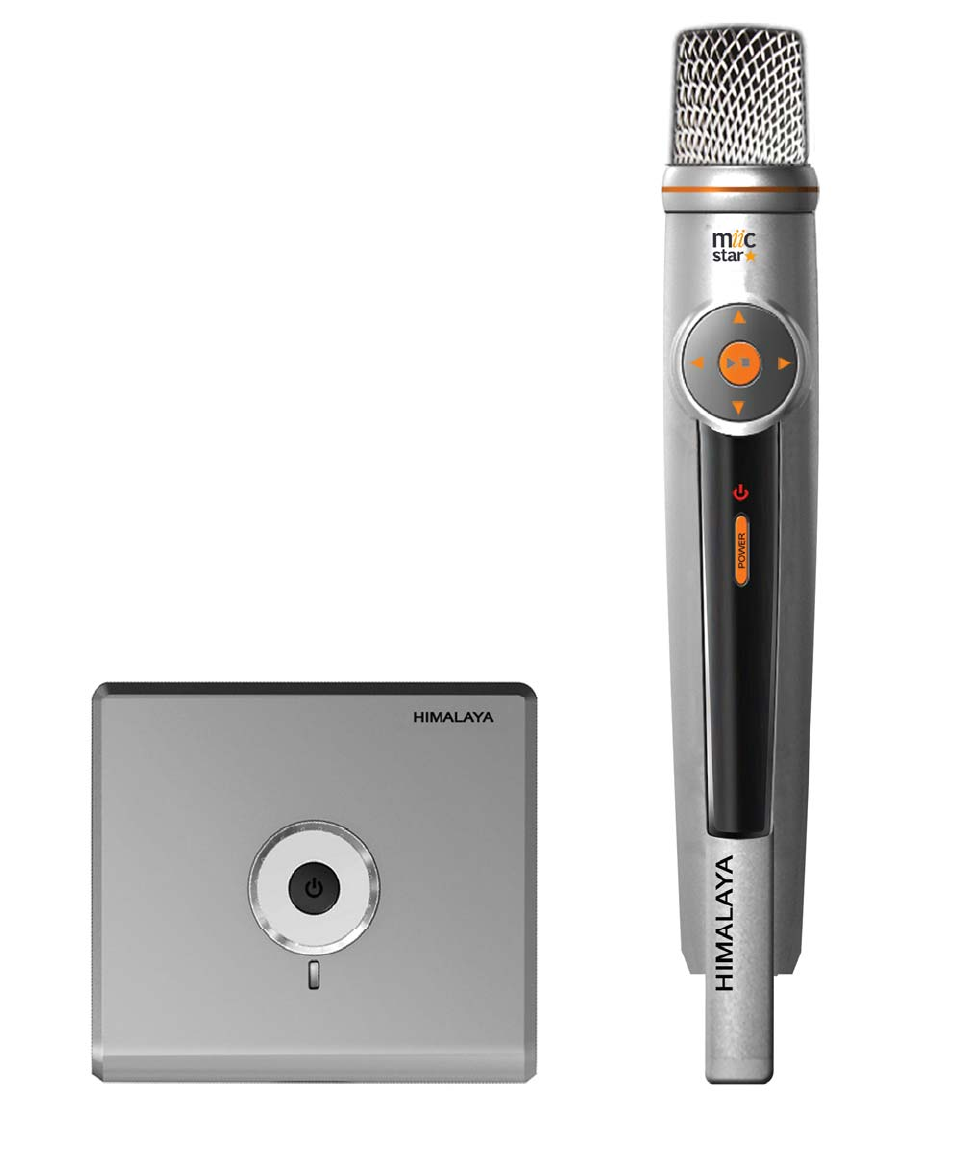

Receiver operation
Power On / Off
1. Press to turn on the system. “Song List” menu will be displayed. (The loading picture will
remain for 10 seconds).
2. After turning on the system, hold by 2 seconds, to switch system off.
Microphone operation
1. Power On / Off
1.1 Press to turn on the system.
1.2 After turning on the system, hold by 2 seconds, to switch system off.
2. Song List
2.1 On the “Song List” screen, use to select a song.
2.2 Press to navigate to the previous/next page.
2.3 Press to play music.
2.4 On the “Song List” screen, hold or by 3 seconds, to browse the song list quickly.
2.5 On the “Song List” screen, double click to enter “Record List”. Double click to return to
“Song List”.
3. Playing
3.1 iFUN Function
iFUN is a powerful scoring system. Find the score at the top left corner and real time pitch display on the
playing screen.
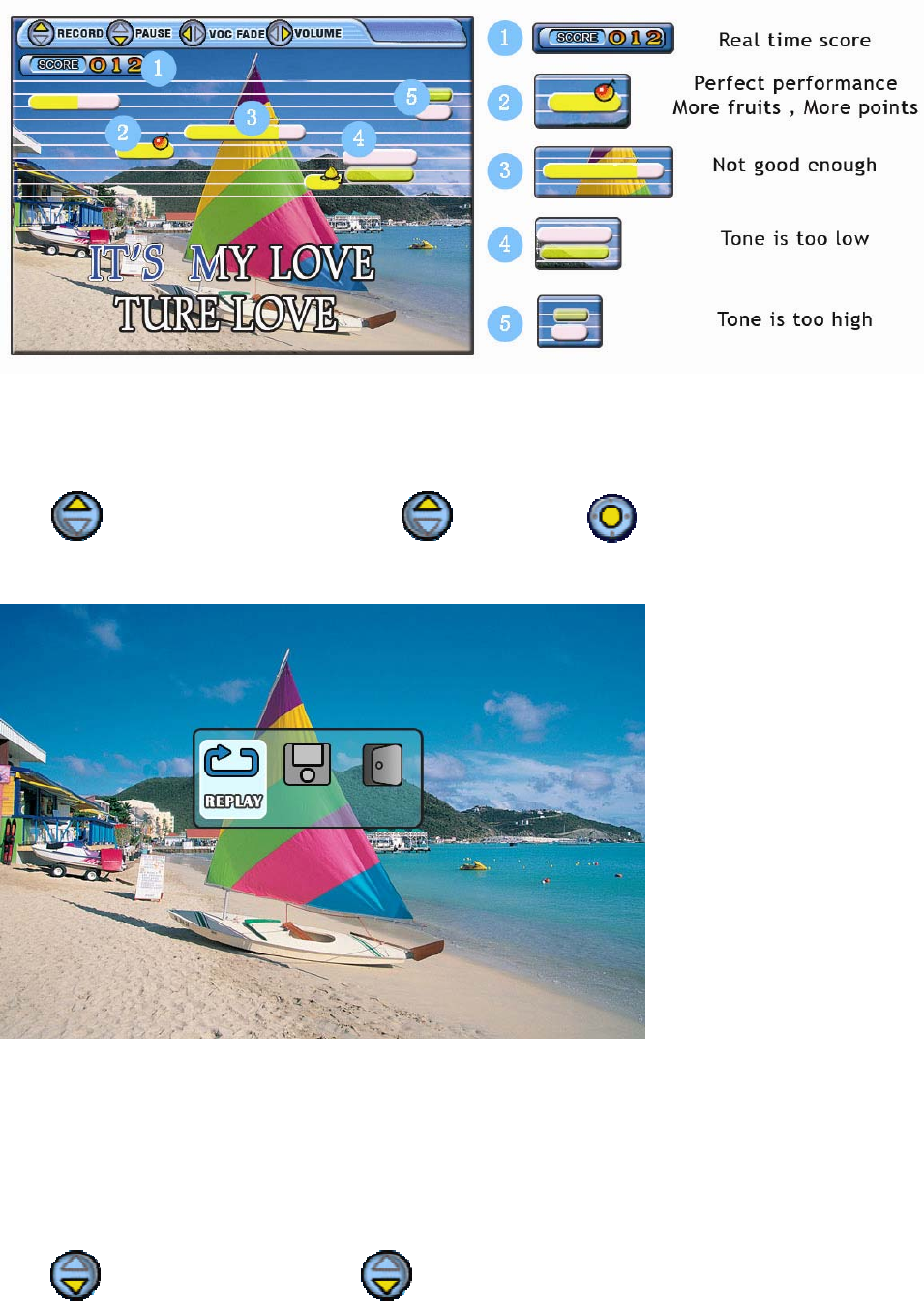
3.2 When playing a karaoke song, you can perform the following actions.
3.2.1 Record
Press to enter “Record” function, press again or press to exit.
After recording, you can choose “Replay”, “Save”, or “Exit”.
Replay: Play back the recorded song.
Save: Save into the “Record List” in SD card (default path). Remained space must be over 5MByte.
Totally can accept 20pcs.
Exit: Return to “Song List” without saving the recorded song.
3.2.2 Pause
Press to pause the song and press again to resume.
3.2.3 Vocal fade

Press to switch on/off the vocal fade function.
3.2.4 Adjust Volume
Press to enter volume adjust menu.
Press to select “MIC VOL”, “MUSIC VOL”, “ECHO”, or “KEY”.
MIC VOL: Volume of microphone.
MUSIC VOL: Volume of music.
ECHO: Volume of echo.
KEY: Key or pitch of the music.
Press to adjust.
It will auto exit after 5 seconds without any operation or press to exit immediately.
4. Record list
4.1 On the “Song list” screen, double click to enter “Record List”.
4.2 Press to select the recorded song and press to play.
4.3 Press to enter “Record Menu”.
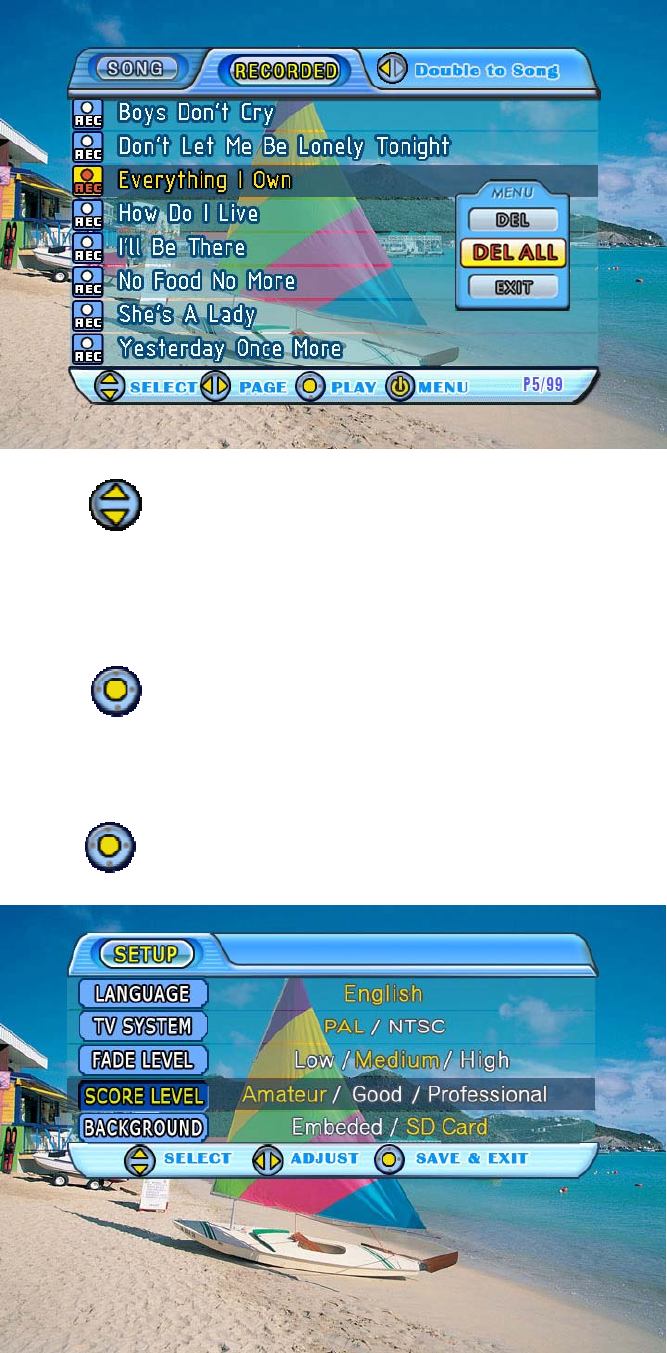
4.4 Press to select “Delete”, “Delete All”, or “Exit”.
Delete: Delete selected song.
Delete All: Delete all recorded songs.
Exit: Return to “Record List”.
4.5 Press to confirm.
5. Setup
5.1 Hold by 3 seconds to enter “Setup” menu.
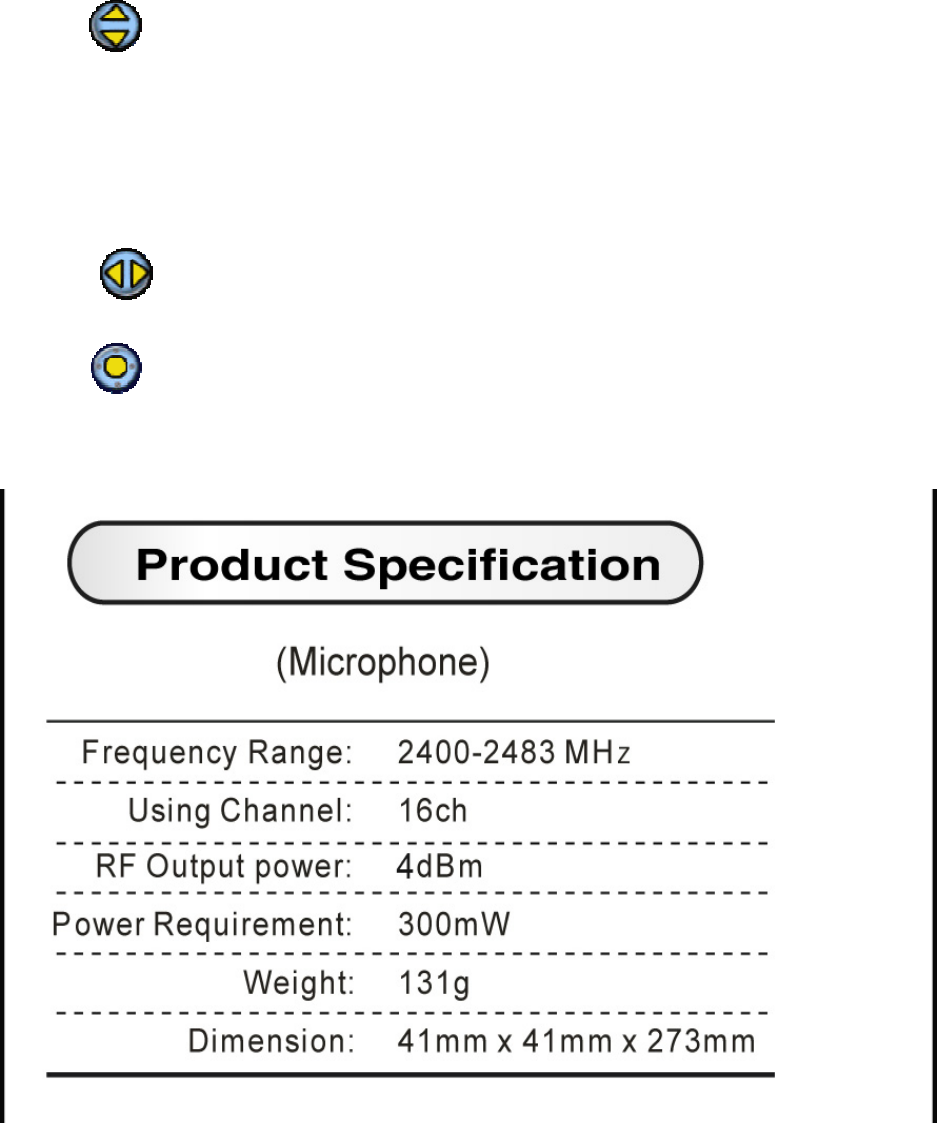
5.2 Press to select setup item.
LANGUAGE: Choose different menu language.
TV SYSTEM: Choose PAL or NTSC.
FADE LEVEL: Change the level of vocal fade.
SCORE LEVEL: Change score level.
BACKGROUND: Choose background from SD card or embedded pictures.
5.3 Press to adjust.
5.4 Press to return to “Song List” screen.
FCC WARNING
This device complies with Part 15 of the FCC Rules. Operation is subject to the following
two conditions: (1) this device may not cause harmful interference, and (2) this device must
accept any interference received, including interference that may cause undesired
operation.
The antenna provided is a unique antenna. By installation of unauthorized antenna to this
equipment. Such unauthorized installation could void the user's authority to opearte the
equipment.
NOTE: The manufacturer is not responsible for and radio or TV interference caused by
unauthorized modifications to this equipment. Such modifications could void the user's
authority to operate the equipment.