NBS Payment Solutions NOIRE510C Point of Sale Terminal User Manual

NBS Payment Solutions Inc. Point of Sale Terminal

User Manual

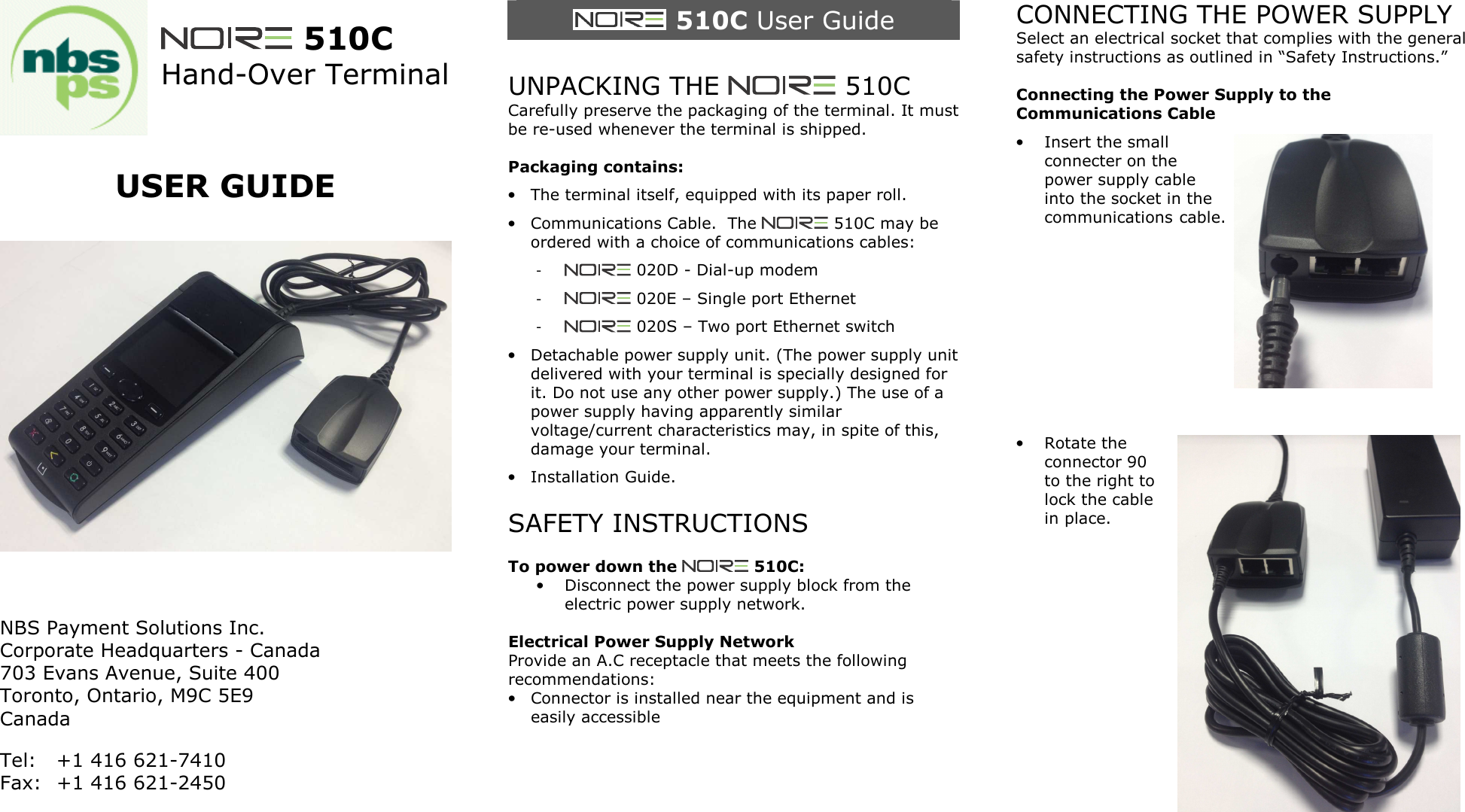
  510C Hand-Over Terminal   USER GUIDE      NBS Payment Solutions Inc. Corporate Headquarters - Canada 703 Evans Avenue, Suite 400  Toronto, Ontario, M9C 5E9 Canada Tel:  +1 416 621-7410 Fax:  +1 416 621-2450    510C User Guide  UNPACKING THE   510C Carefully preserve the packaging of the terminal. It must be re-used whenever the terminal is shipped.  Packaging contains: • The terminal itself, equipped with its paper roll. • Communications Cable.  The   510C may be ordered with a choice of communications cables: -   020D - Dial-up modem -   020E – Single port Ethernet -   020S – Two port Ethernet switch • Detachable power supply unit. (The power supply unit delivered with your terminal is specially designed for it. Do not use any other power supply.) The use of a power supply having apparently similar voltage/current characteristics may, in spite of this, damage your terminal. • Installation Guide.  SAFETY INSTRUCTIONS  To power down the   510C: • Disconnect the power supply block from the electric power supply network.  Electrical Power Supply Network Provide an A.C receptacle that meets the following recommendations: • Connector is installed near the equipment and is easily accessible     CONNECTING THE POWER SUPPLY Select an electrical socket that complies with the general safety instructions as outlined in “Safety Instructions.”  Connecting the Power Supply to the Communications Cable • Insert the small connecter on the power supply cable into the socket in the communications cable.        • Rotate the connector 90 to the right to lock the cable in place.
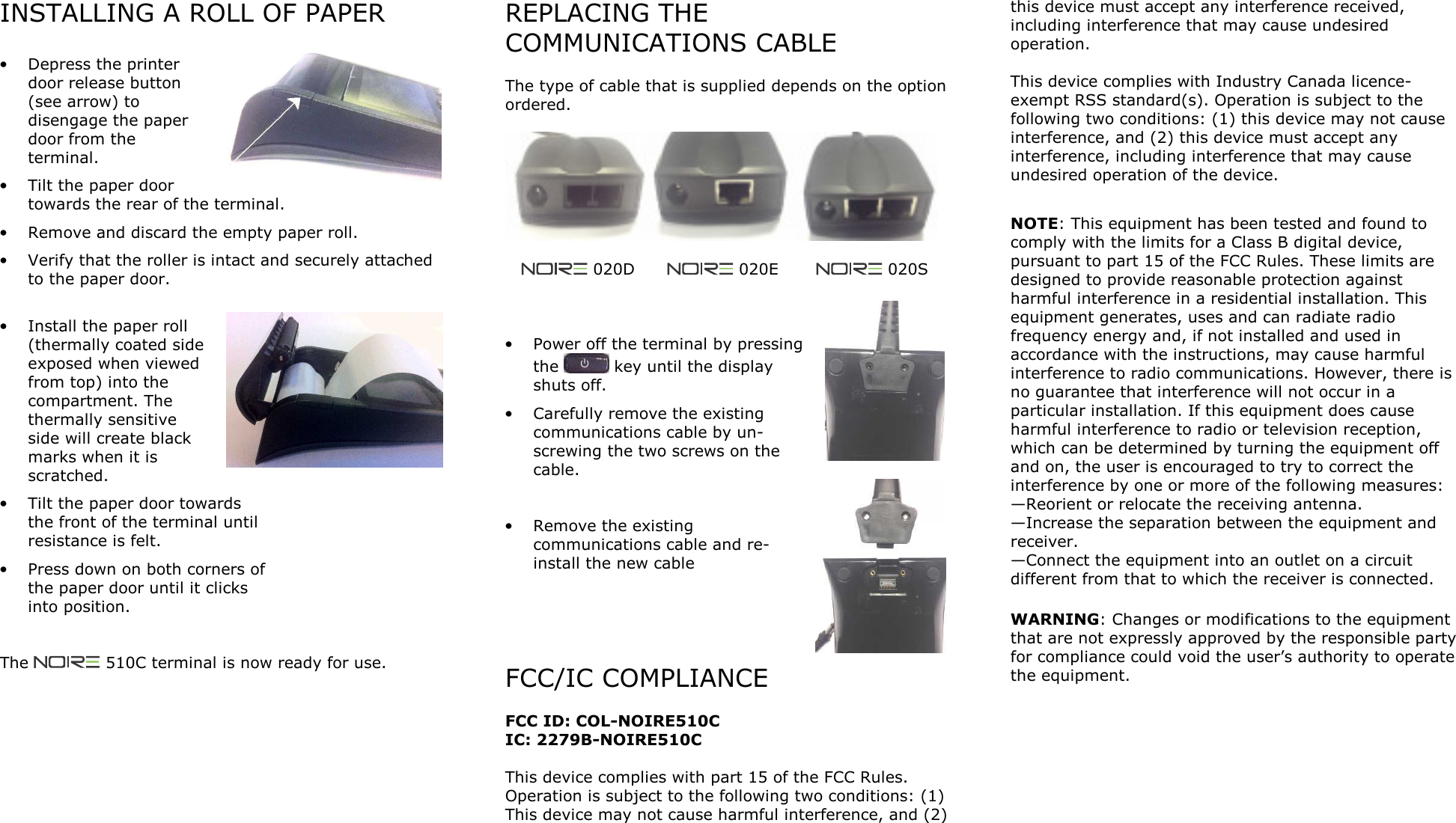
INSTALLING A ROLL OF PAPER  • Depress the printer door release button (see arrow) to disengage the paper door from the terminal. • Tilt the paper door towards the rear of the terminal. • Remove and discard the empty paper roll. • Verify that the roller is intact and securely attached to the paper door.  • Install the paper roll (thermally coated side exposed when viewed from top) into the compartment. The thermally sensitive side will create black marks when it is scratched. • Tilt the paper door towards the front of the terminal until resistance is felt. • Press down on both corners of the paper door until it clicks into position.   The   510C terminal is now ready for use.   REPLACING THE COMMUNICATIONS CABLE  The type of cable that is supplied depends on the option ordered.           020D        020E         020S    • Power off the terminal by pressing the   key until the display shuts off. • Carefully remove the existing communications cable by un-screwing the two screws on the cable.  • Remove the existing communications cable and re-install the new cable     FCC/IC COMPLIANCE  FCC ID: COL-NOIRE510C IC: 2279B-NOIRE510C  This device complies with part 15 of the FCC Rules. Operation is subject to the following two conditions: (1) This device may not cause harmful interference, and (2) this device must accept any interference received, including interference that may cause undesired operation.  This device complies with Industry Canada licence-exempt RSS standard(s). Operation is subject to the following two conditions: (1) this device may not cause interference, and (2) this device must accept any interference, including interference that may cause undesired operation of the device.  NOTE: This equipment has been tested and found to comply with the limits for a Class B digital device, pursuant to part 15 of the FCC Rules. These limits are designed to provide reasonable protection against harmful interference in a residential installation. This equipment generates, uses and can radiate radio frequency energy and, if not installed and used in accordance with the instructions, may cause harmful interference to radio communications. However, there is no guarantee that interference will not occur in a particular installation. If this equipment does cause harmful interference to radio or television reception, which can be determined by turning the equipment off and on, the user is encouraged to try to correct the interference by one or more of the following measures: —Reorient or relocate the receiving antenna. —Increase the separation between the equipment and receiver. —Connect the equipment into an outlet on a circuit different from that to which the receiver is connected.   WARNING: Changes or modifications to the equipment that are not expressly approved by the responsible party for compliance could void the user’s authority to operate the equipment.

Navigation menu