NSM Technology COMPASS Wireless PBX User Manual Revised

NSM Technology Limited Wireless PBX Revised

Contents

Revised User Manual

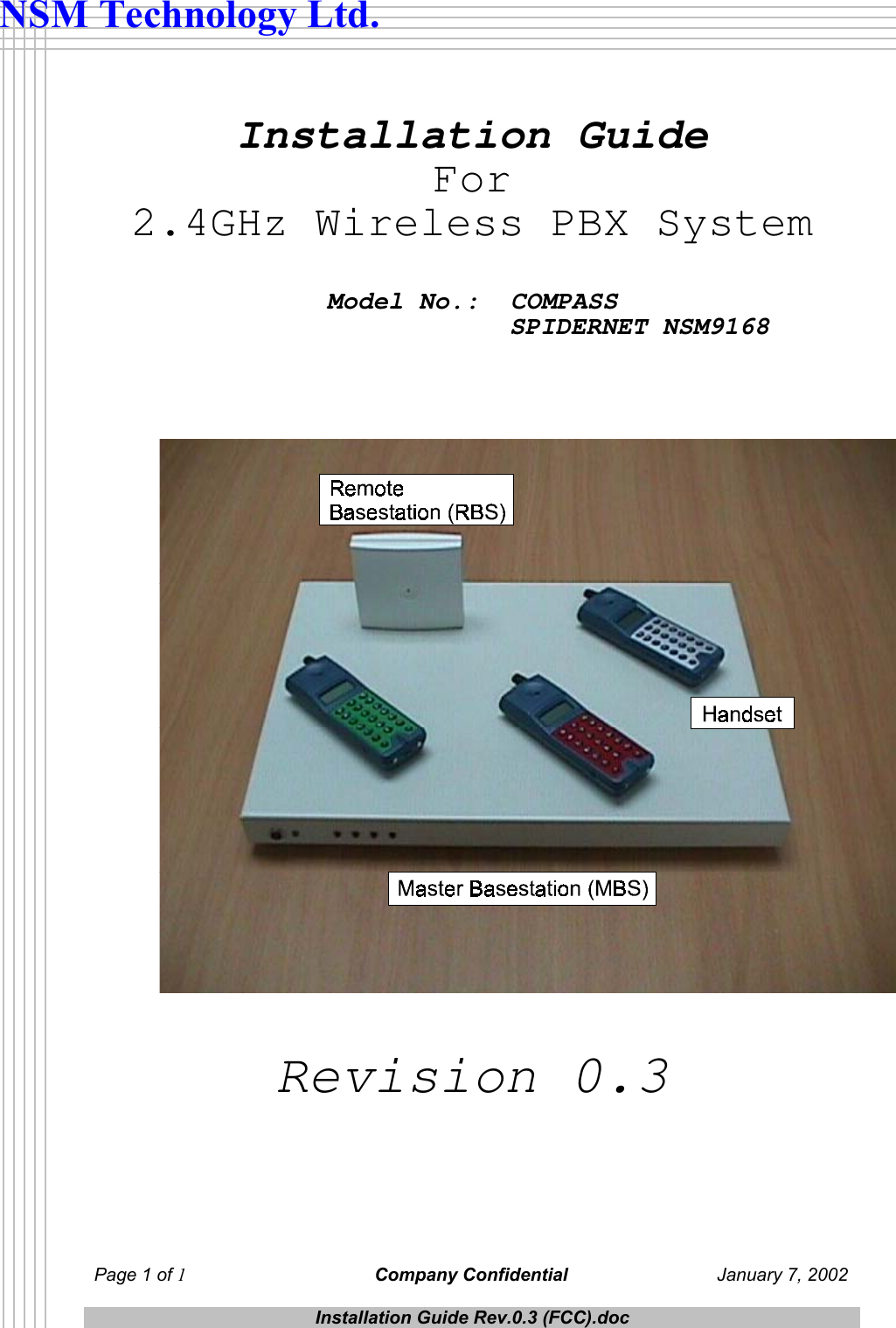
 Page 1 of 1 Company Confidential  January 7, 2002  Installation Guide Rev.0.3 (FCC).doc  NSM Technology Ltd.   Installation Guide For 2.4GHz Wireless PBX System   Model No.:  COMPASS                SPIDERNET NSM9168    Revision 0.3
 Page 2 of 2 Company Confidential  January 7, 2002  Installation Guide Rev.0.3 (FCC).doc  NSM Technology Ltd. FCC Statement   This equipment has been tested and found to comply with the limits for a Class A digital device, pursuant to Part 15 of the FCC Rules.  These limits are designed to provide reasonable protection against harmful interference when the equipment is operated in a commercial environment.  This equipment generates, uses, and can radiate radio frequency energy and, if not installed and used in accordance with the instruction manual, may cause harmful interference to radio communications.  Operation of this equipment in a residential area is likely to cause harmful interference in which case the user shall be required to correct the interference at his own expense.  To assure compliance with FCC RF safety guidelines, the user should not operate any other transmitter, such as a cellular handset or remote control, near this device while it is operating.               * * * * *   This equipment complies with Part 68 of the FCC Rules.  On the bottom of the Master Basestation and the Handset is a label that contains, among other information the FCC registration number for this equipment.  If requested, provide this information to your telephone company.  The registration jack USOC for the equipment is RJ11C.  An FCC compliant telephone cord and modular plug is provided with this equipment.  This equipment is designed to be connected to the telephone network or premises wiring using a compatible modular jack which is Part 68 compliant.  See installation instructions for details.  The REN is useful to determine the quantity of devices that may be connected to the telephone line.  Excessive RENs on the telephone line may result in the devices not ringing in response to an incoming call.  In most, but not all areas, the sum of RENs of all devices should not exceed five (5).  To be certain of the number of devices that may be connected to a line, as determined by the total RENs, contact the local telephone company.  If your telephone equipment causes harm to the telephone network, the telephone company will notify you in advance that temporary discontinuance of service may be required.  But if advance notice isn’t practical, you will be notified as soon as possible.  You will be advised of your right to file a complaint with the FCC if you believe it is necessary.  Your telephone company may make changes in its facilities, equipments, operations, or procedures that could affect the operation of your equipment.  If they do, you will be given advance notice so as to give you an opportunity to maintain uninterrupted service.  If you experience trouble with this equipment, please contact Cortelco Kellogg, Mr. Ken Martin, phone number is +1 (662) 287-5281 Ext. 175 for repair/warranty information.  If your equipment is causing harm to the telephone network, the telephone company may request that you disconnect the equipment until the problem is resolved.  This equipment may not be used on public coin service provided by the telephone company.  Connection to party lines is subject to state tariffs.  (Contact your state public utility commission or corporation commission for information.)
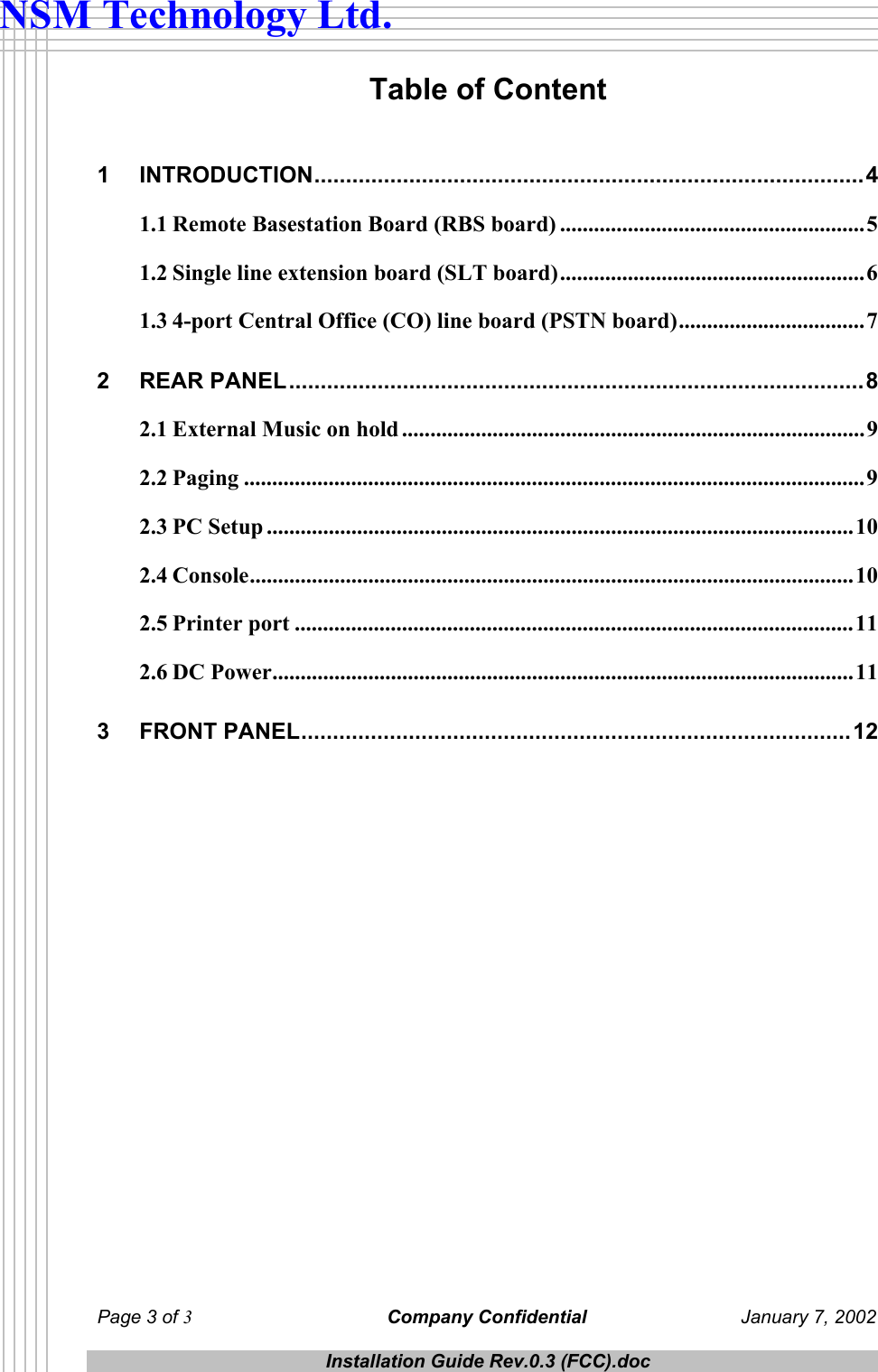
 Page 3 of 3 Company Confidential  January 7, 2002  Installation Guide Rev.0.3 (FCC).doc  NSM Technology Ltd. Table of Content  1 INTRODUCTION.......................................................................................4 1.1 Remote Basestation Board (RBS board) ......................................................5 1.2 Single line extension board (SLT board)......................................................6 1.3 4-port Central Office (CO) line board (PSTN board).................................7 2 REAR PANEL...........................................................................................8 2.1 External Music on hold ..................................................................................9 2.2 Paging ..............................................................................................................9 2.3 PC Setup ........................................................................................................10 2.4 Console...........................................................................................................10 2.5 Printer port ...................................................................................................11 2.6 DC Power.......................................................................................................11 3 FRONT PANEL.......................................................................................12
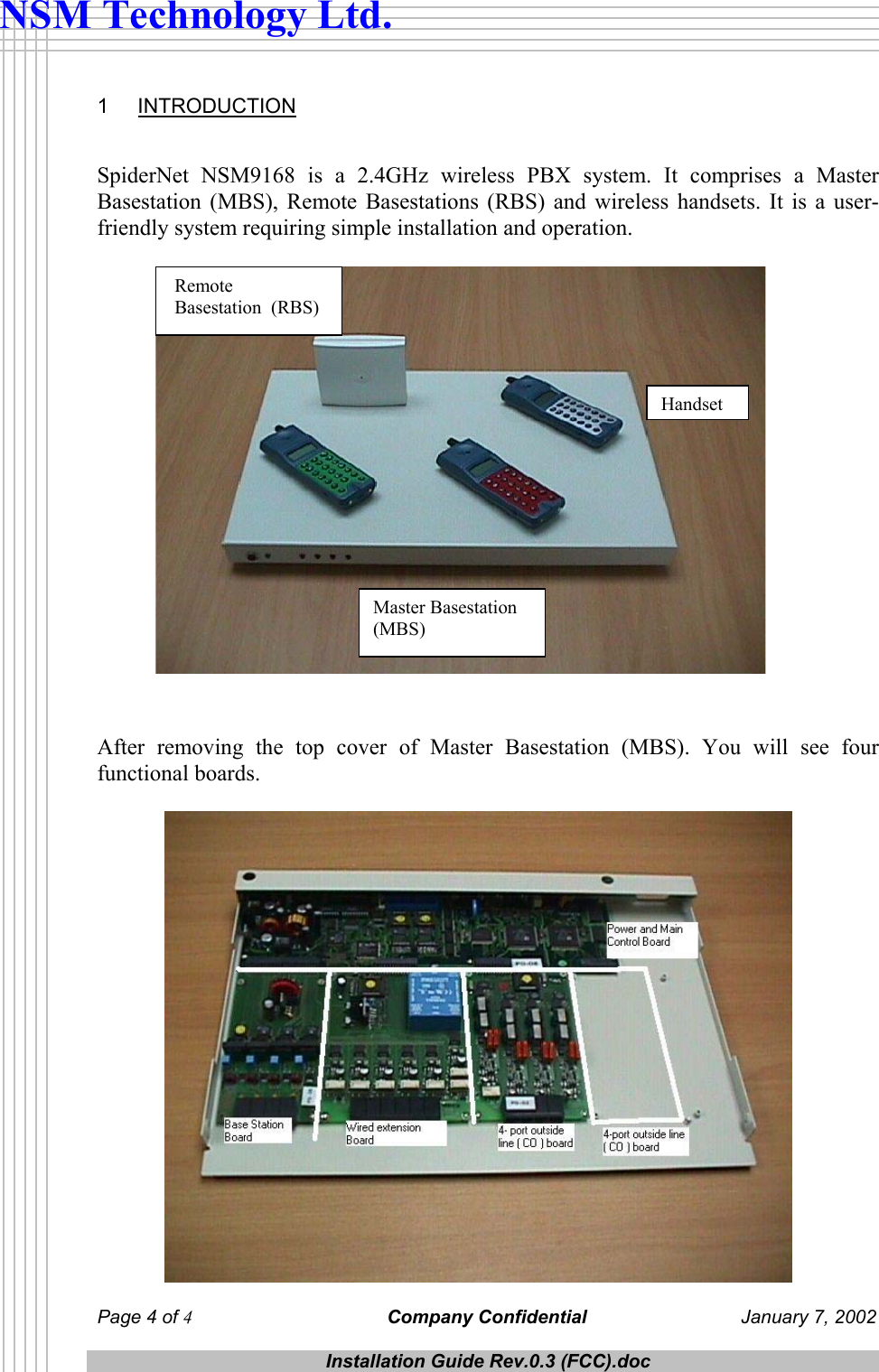
 Page 4 of 4 Company Confidential  January 7, 2002  Installation Guide Rev.0.3 (FCC).doc  NSM Technology Ltd. 1 INTRODUCTION   SpiderNet NSM9168 is a 2.4GHz wireless PBX system. It comprises a Master Basestation (MBS), Remote Basestations (RBS) and wireless handsets. It is a user-friendly system requiring simple installation and operation.                     After removing the top cover of Master Basestation (MBS). You will see four functional boards.     Remote  Basestation  (RBS) Handset Master Basestation (MBS)
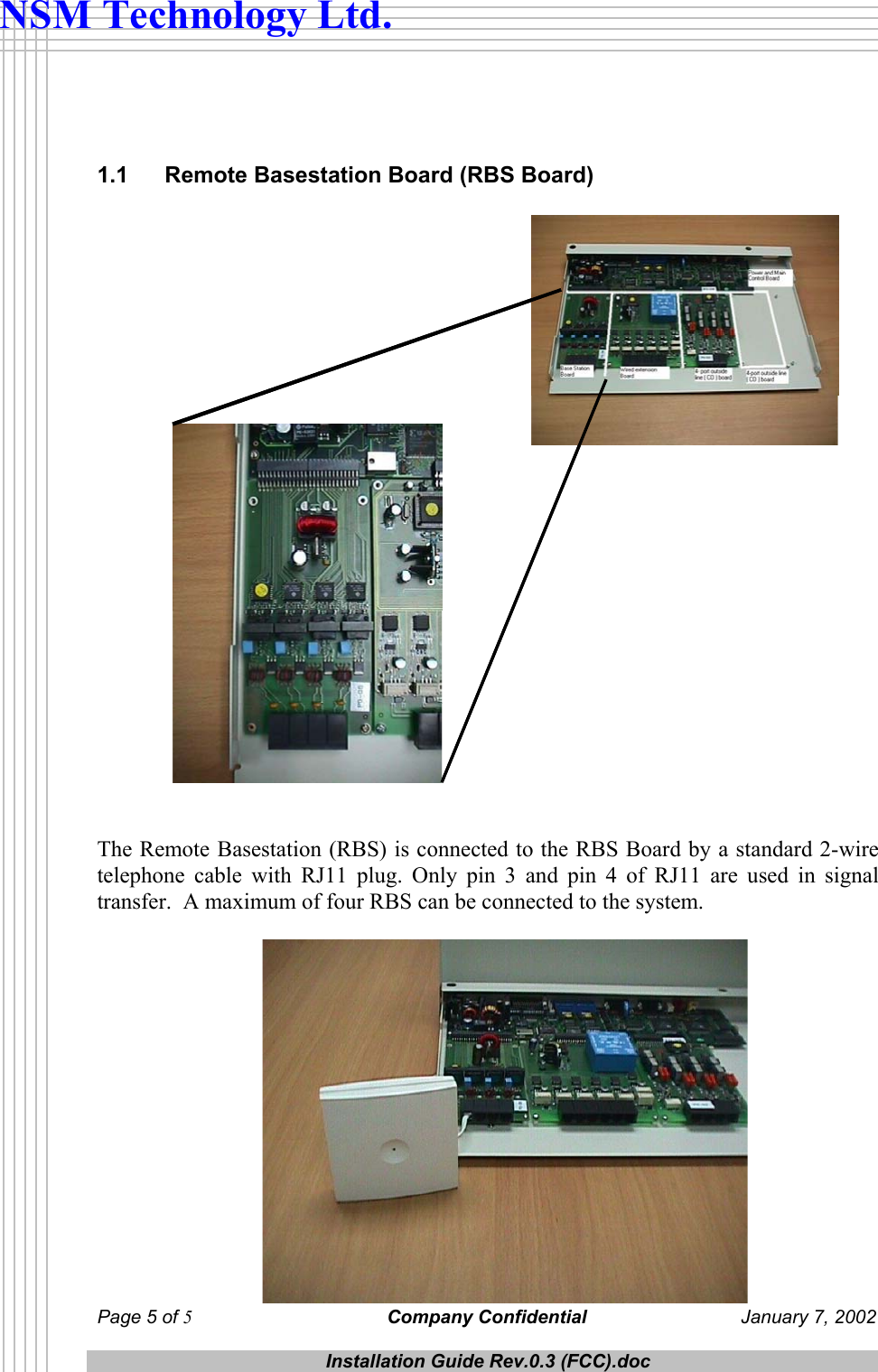
 Page 5 of 5 Company Confidential  January 7, 2002  Installation Guide Rev.0.3 (FCC).doc  NSM Technology Ltd.   1.1  Remote Basestation Board (RBS Board)    The Remote Basestation (RBS) is connected to the RBS Board by a standard 2-wire telephone cable with RJ11 plug. Only pin 3 and pin 4 of RJ11 are used in signal transfer.  A maximum of four RBS can be connected to the system.
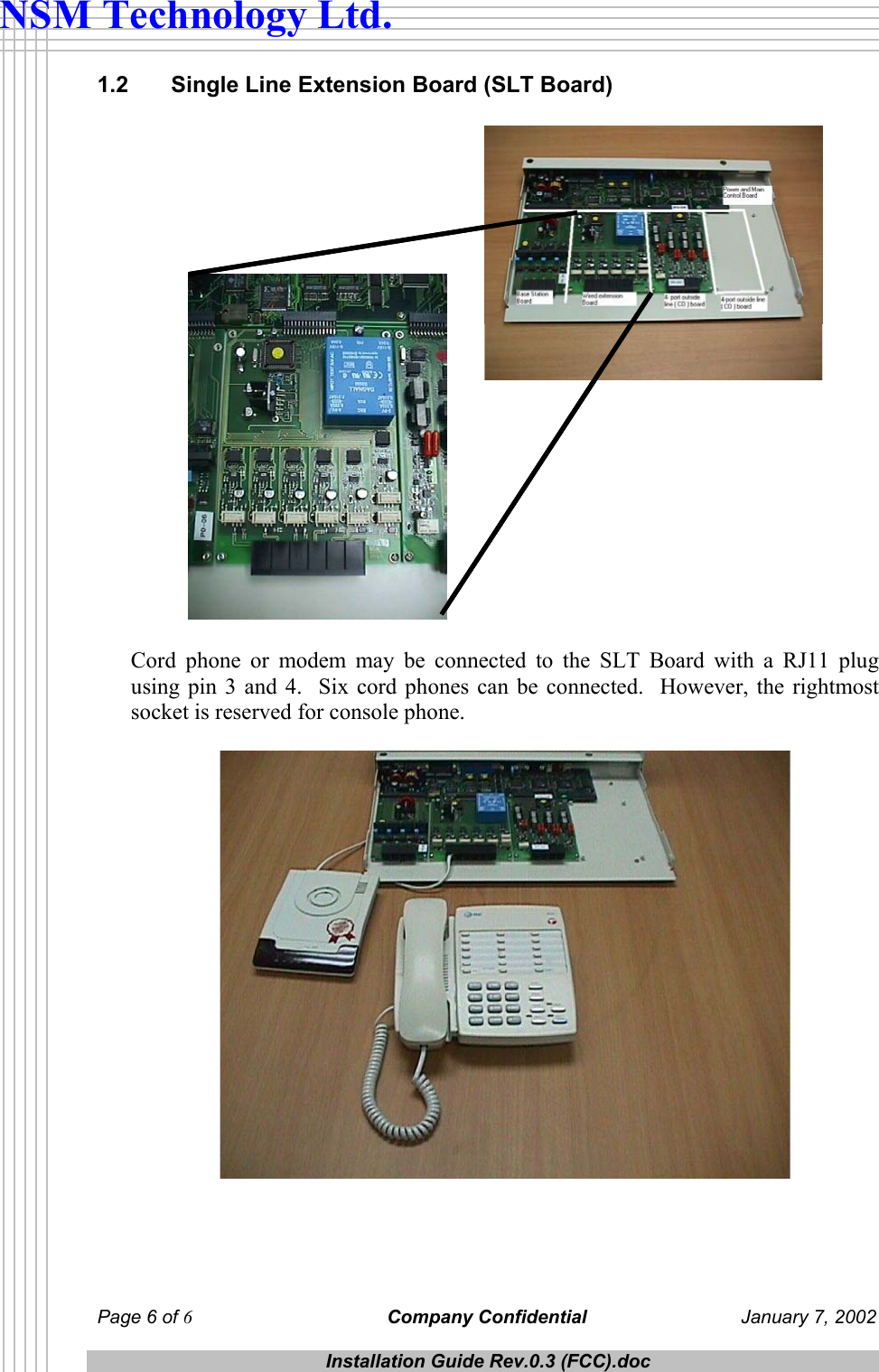
 Page 6 of 6 Company Confidential  January 7, 2002  Installation Guide Rev.0.3 (FCC).doc  NSM Technology Ltd. 1.2   Single Line Extension Board (SLT Board)   Cord phone or modem may be connected to the SLT Board with a RJ11 plug using pin 3 and 4.  Six cord phones can be connected.  However, the rightmost socket is reserved for console phone.
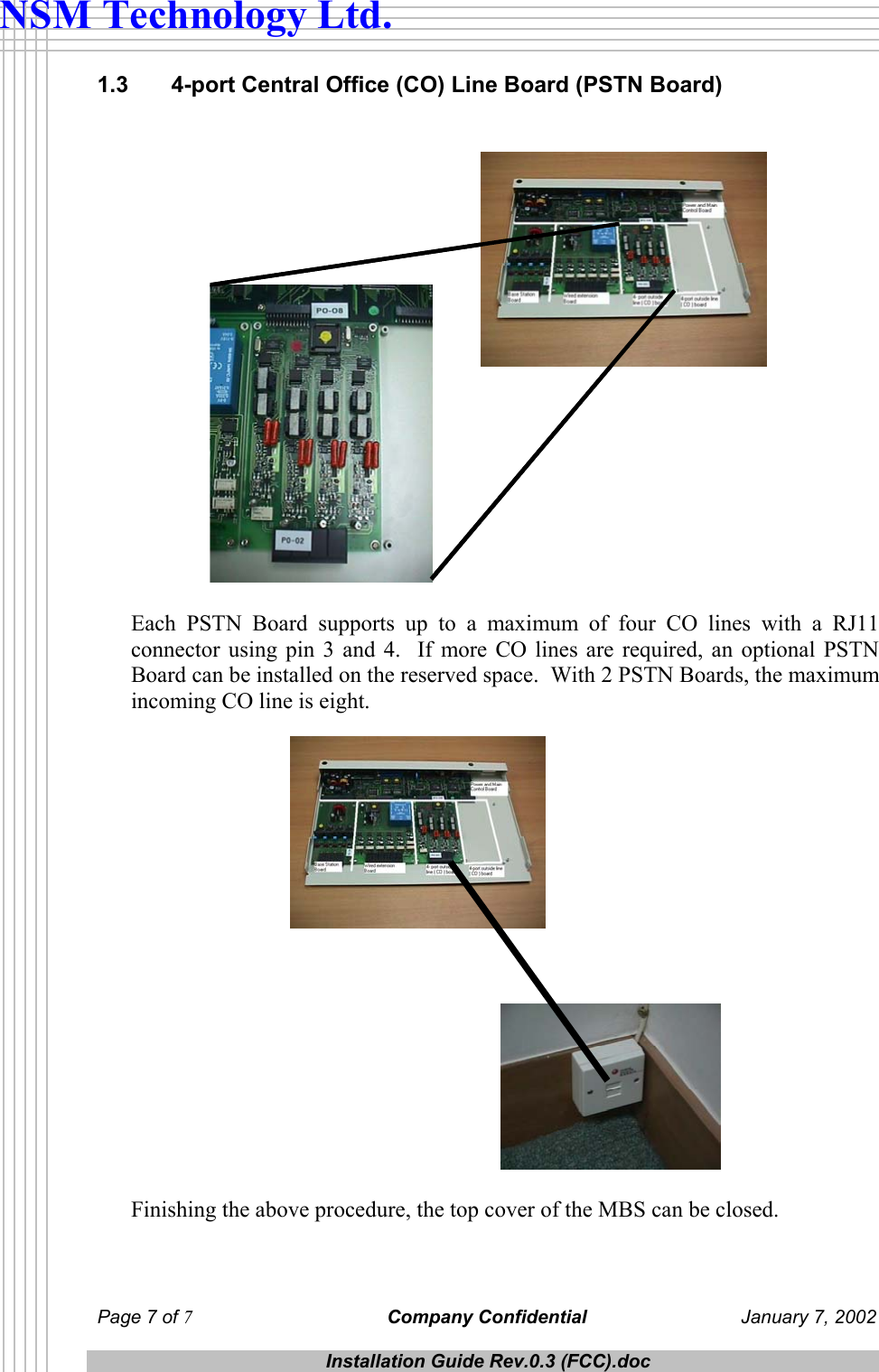
 Page 7 of 7 Company Confidential  January 7, 2002  Installation Guide Rev.0.3 (FCC).doc  NSM Technology Ltd. 1.3   4-port Central Office (CO) Line Board (PSTN Board)    Each PSTN Board supports up to a maximum of four CO lines with a RJ11 connector using pin 3 and 4.  If more CO lines are required, an optional PSTN Board can be installed on the reserved space.  With 2 PSTN Boards, the maximum incoming CO line is eight.    Finishing the above procedure, the top cover of the MBS can be closed.
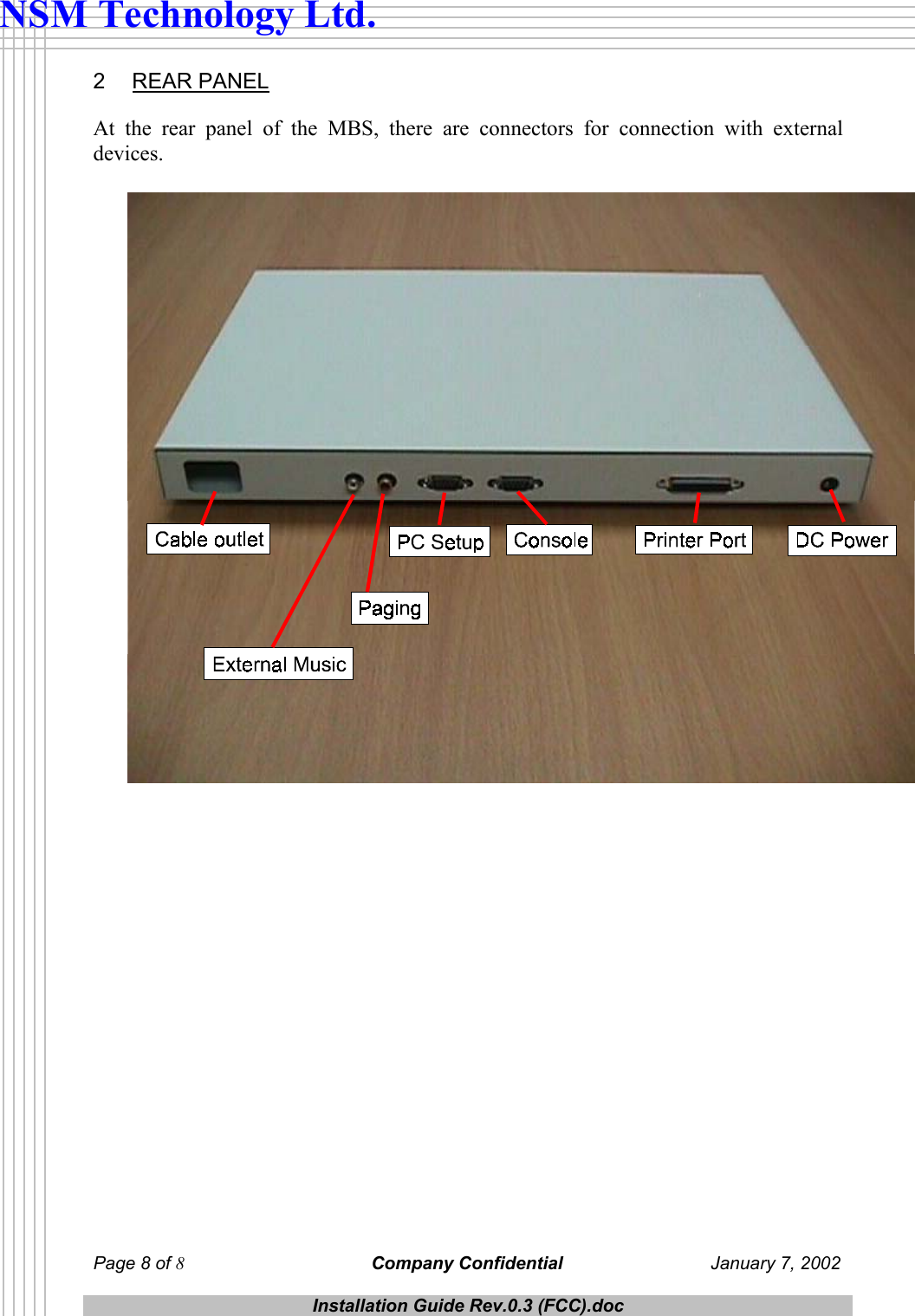
 Page 8 of 8 Company Confidential  January 7, 2002  Installation Guide Rev.0.3 (FCC).doc  NSM Technology Ltd. 2 REAR PANEL At the rear panel of the MBS, there are connectors for connection with external devices.
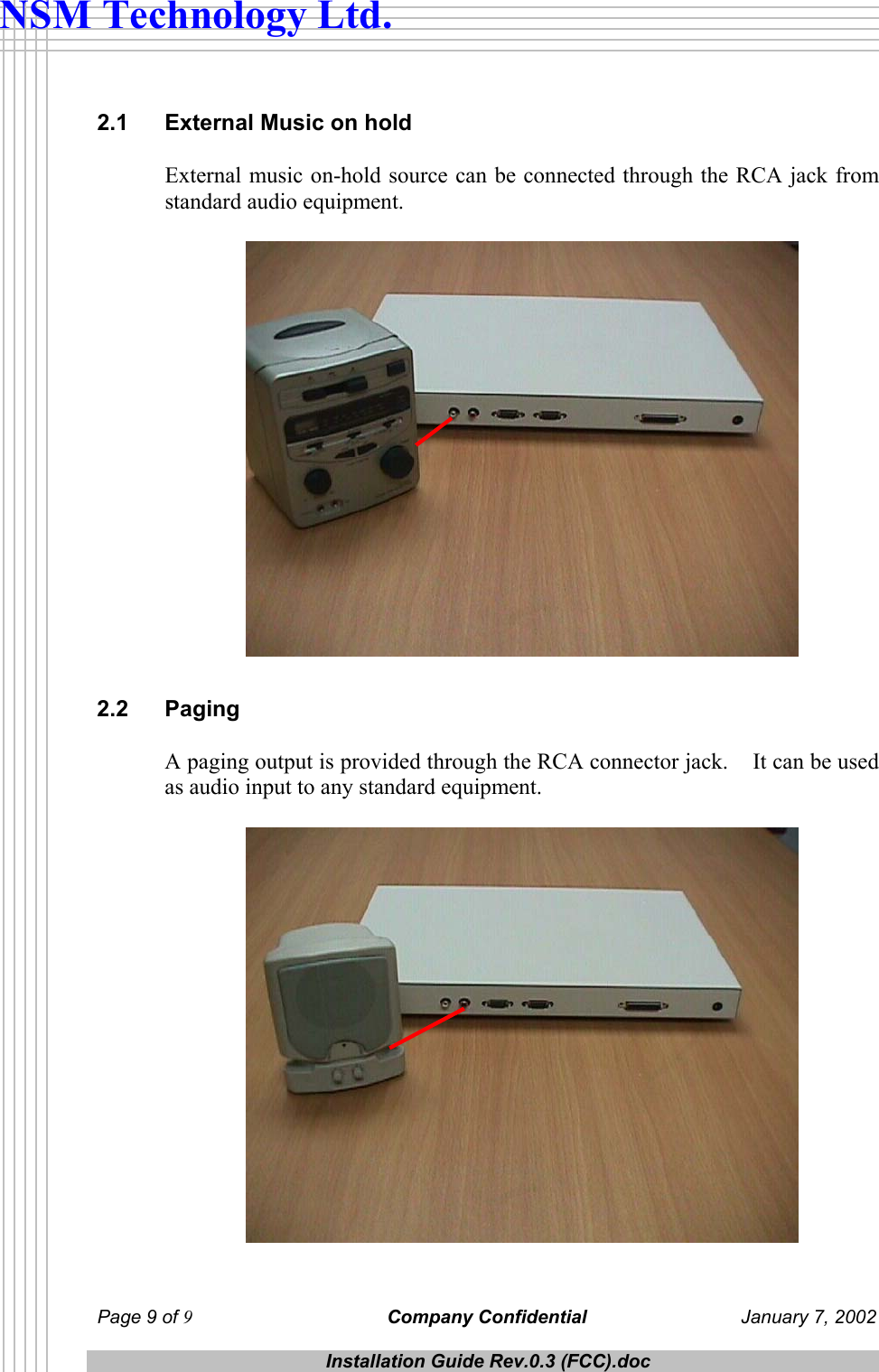
 Page 9 of 9 Company Confidential  January 7, 2002  Installation Guide Rev.0.3 (FCC).doc  NSM Technology Ltd. 2.1  External Music on hold External music on-hold source can be connected through the RCA jack from standard audio equipment.   2.2 Paging A paging output is provided through the RCA connector jack.    It can be used as audio input to any standard equipment.
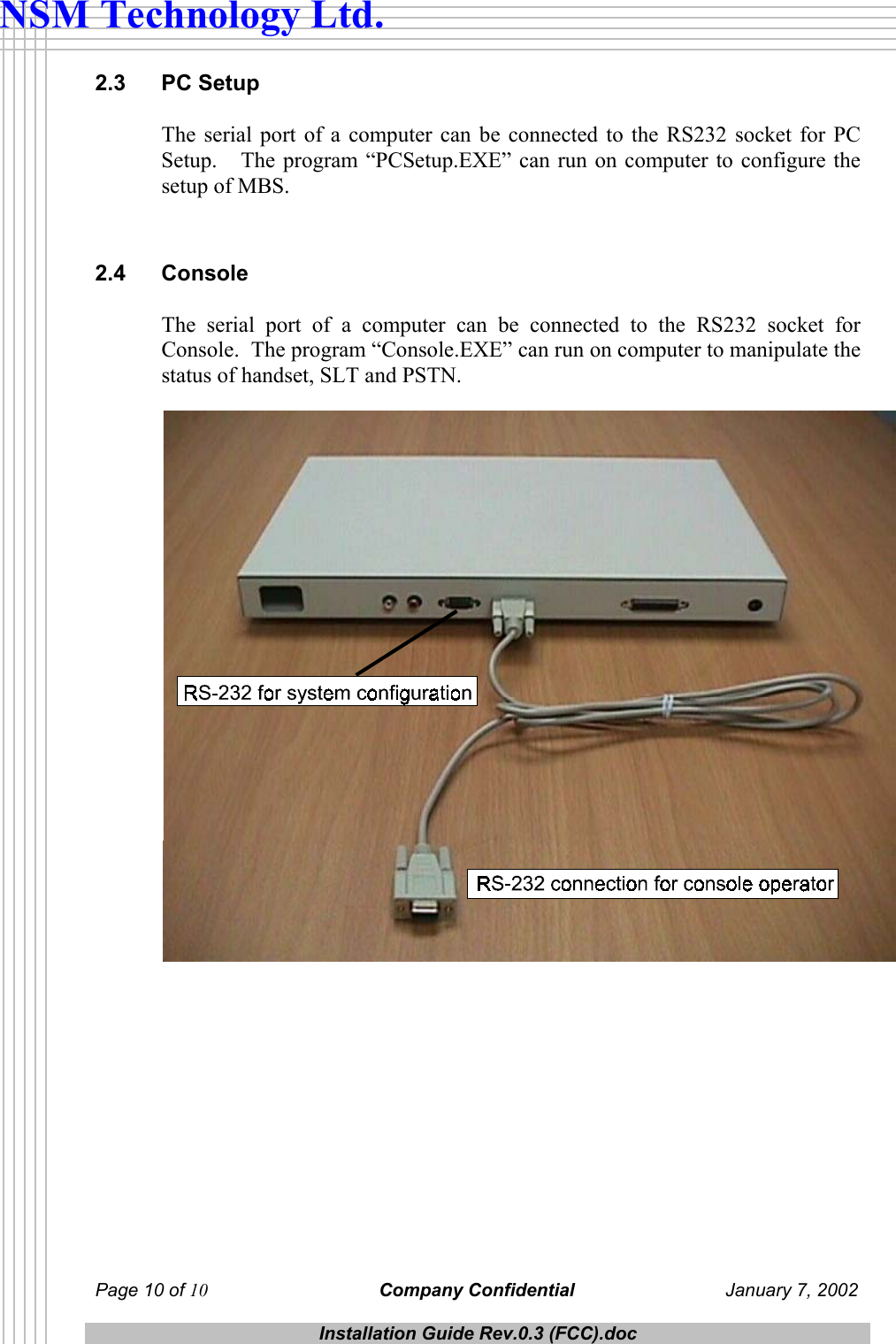
 Page 10 of 10 Company Confidential  January 7, 2002  Installation Guide Rev.0.3 (FCC).doc  NSM Technology Ltd. 2.3 PC Setup The serial port of a computer can be connected to the RS232 socket for PC Setup.   The program “PCSetup.EXE” can run on computer to configure the setup of MBS.  2.4 Console The serial port of a computer can be connected to the RS232 socket for Console.  The program “Console.EXE” can run on computer to manipulate the status of handset, SLT and PSTN.
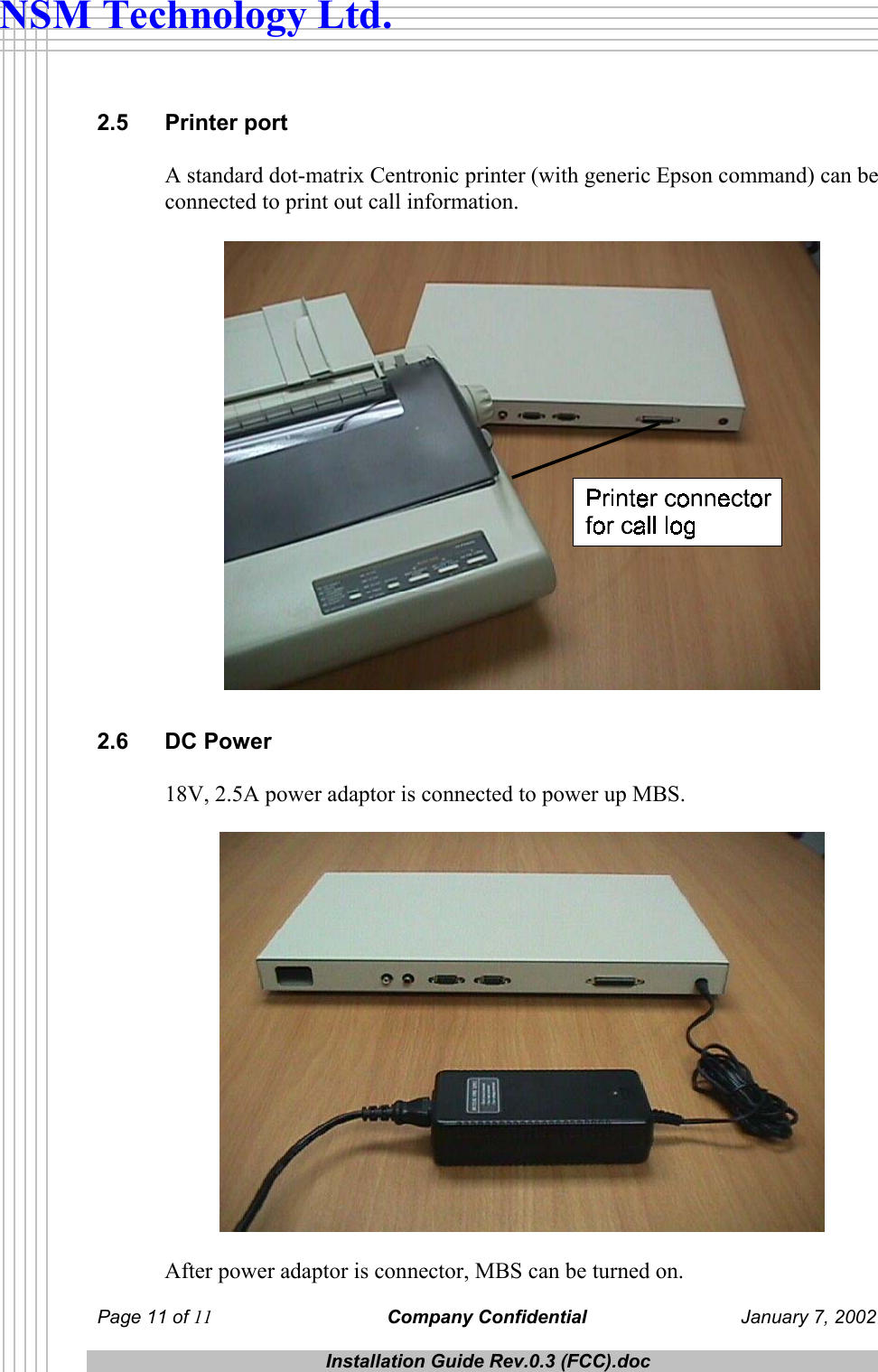
 Page 11 of 11 Company Confidential  January 7, 2002  Installation Guide Rev.0.3 (FCC).doc  NSM Technology Ltd. 2.5 Printer port A standard dot-matrix Centronic printer (with generic Epson command) can be connected to print out call information.   2.6 DC Power 18V, 2.5A power adaptor is connected to power up MBS.    After power adaptor is connector, MBS can be turned on.
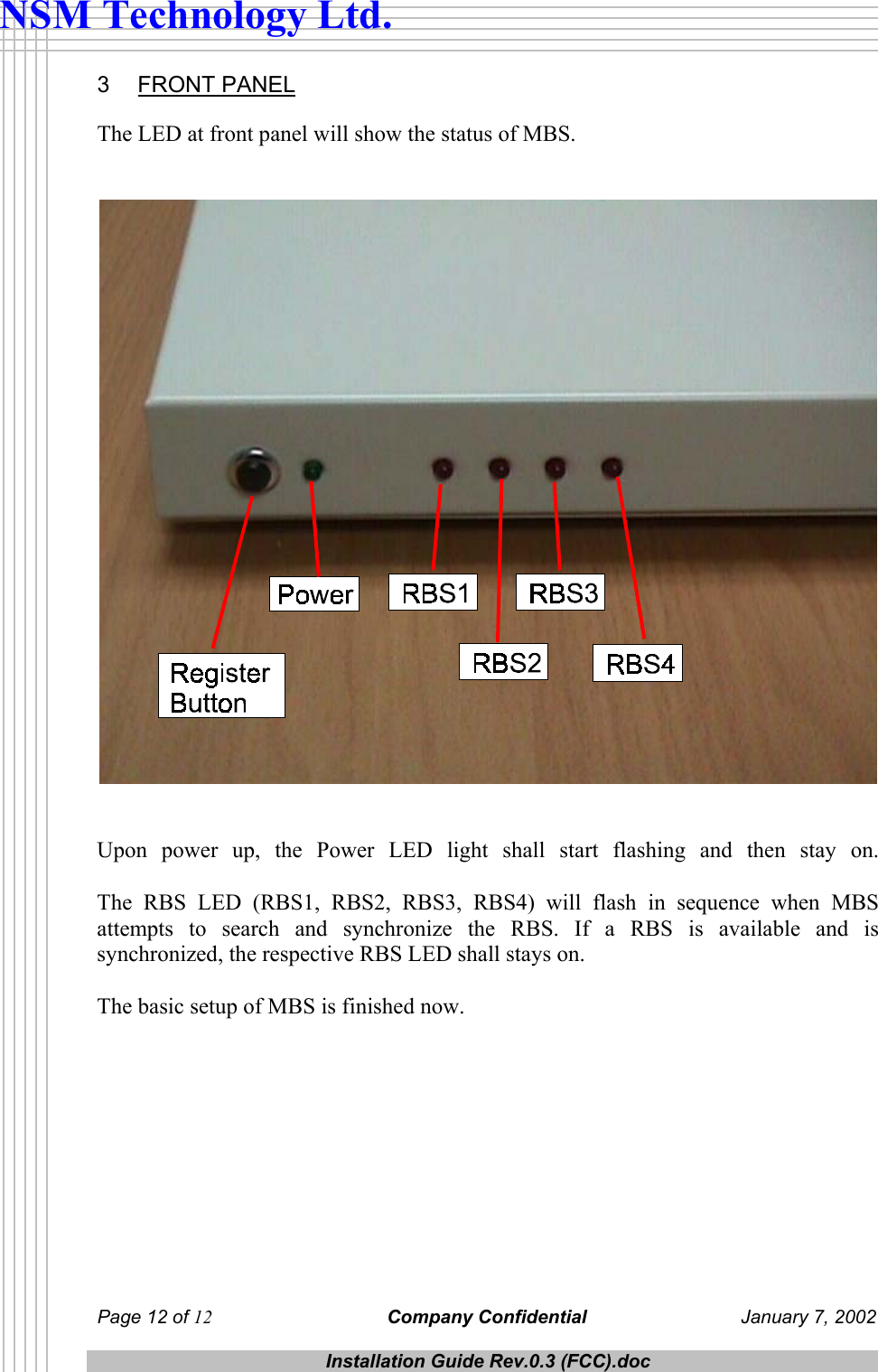
 Page 12 of 12 Company Confidential  January 7, 2002  Installation Guide Rev.0.3 (FCC).doc  NSM Technology Ltd. 3 FRONT PANEL The LED at front panel will show the status of MBS.      Upon power up, the Power LED light shall start flashing and then stay on.  The RBS LED (RBS1, RBS2, RBS3, RBS4) will flash in sequence when MBS attempts to search and synchronize the RBS. If a RBS is available and is synchronized, the respective RBS LED shall stays on.   The basic setup of MBS is finished now.

Navigation menu