Nanjing Magewell Electronics ENCODER Ultra Stream Encoder User Manual

Nanjing Magewell Electronics Co., Ltd. Ultra Stream Encoder

User manual

1 Interfaces and Indicators2 Download the Ultra Stream App3 Connect the Device to yourSmartphone4 Record Video to a USB Flash Drive5 Record Video to Your Phone6 Live Streaming7 SpecificationTABLE OF CONTENTS2
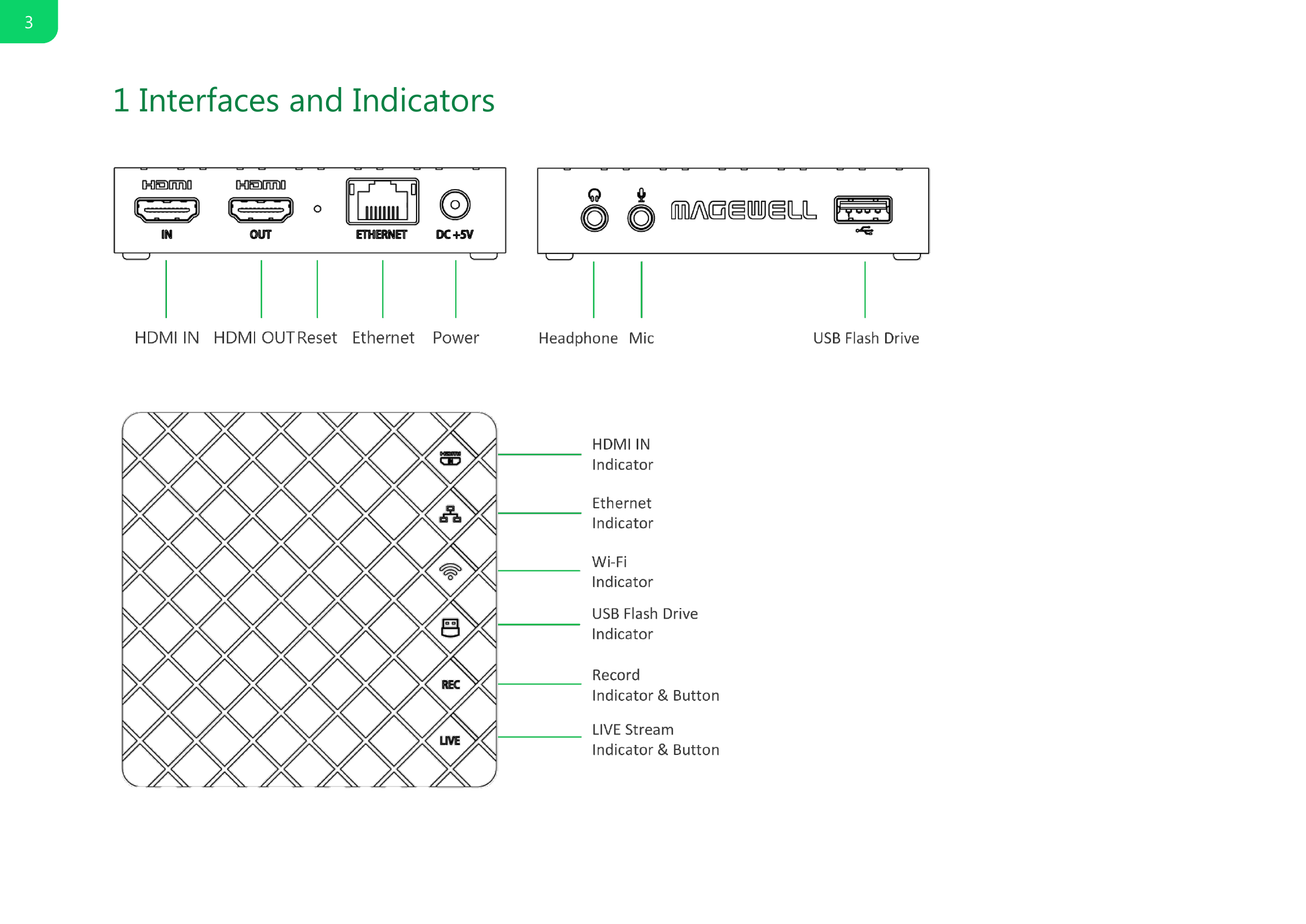
1 Interfaces and Indicators3
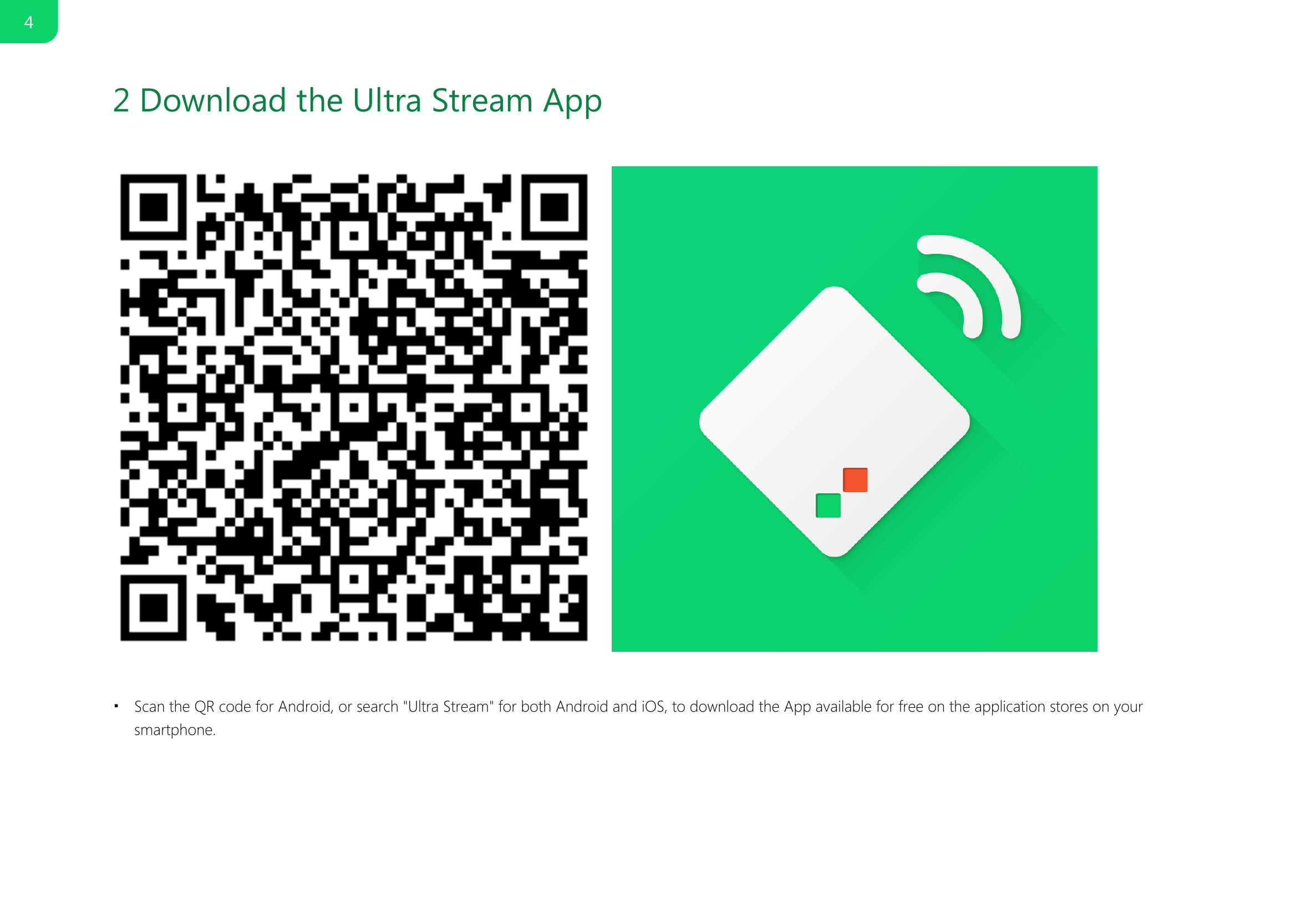
2 Download the Ultra Stream App Scan the QR code for Android, or search "Ultra Stream" for both Android and iOS, to download the App available for free on the application stores on yoursmartphone.■4
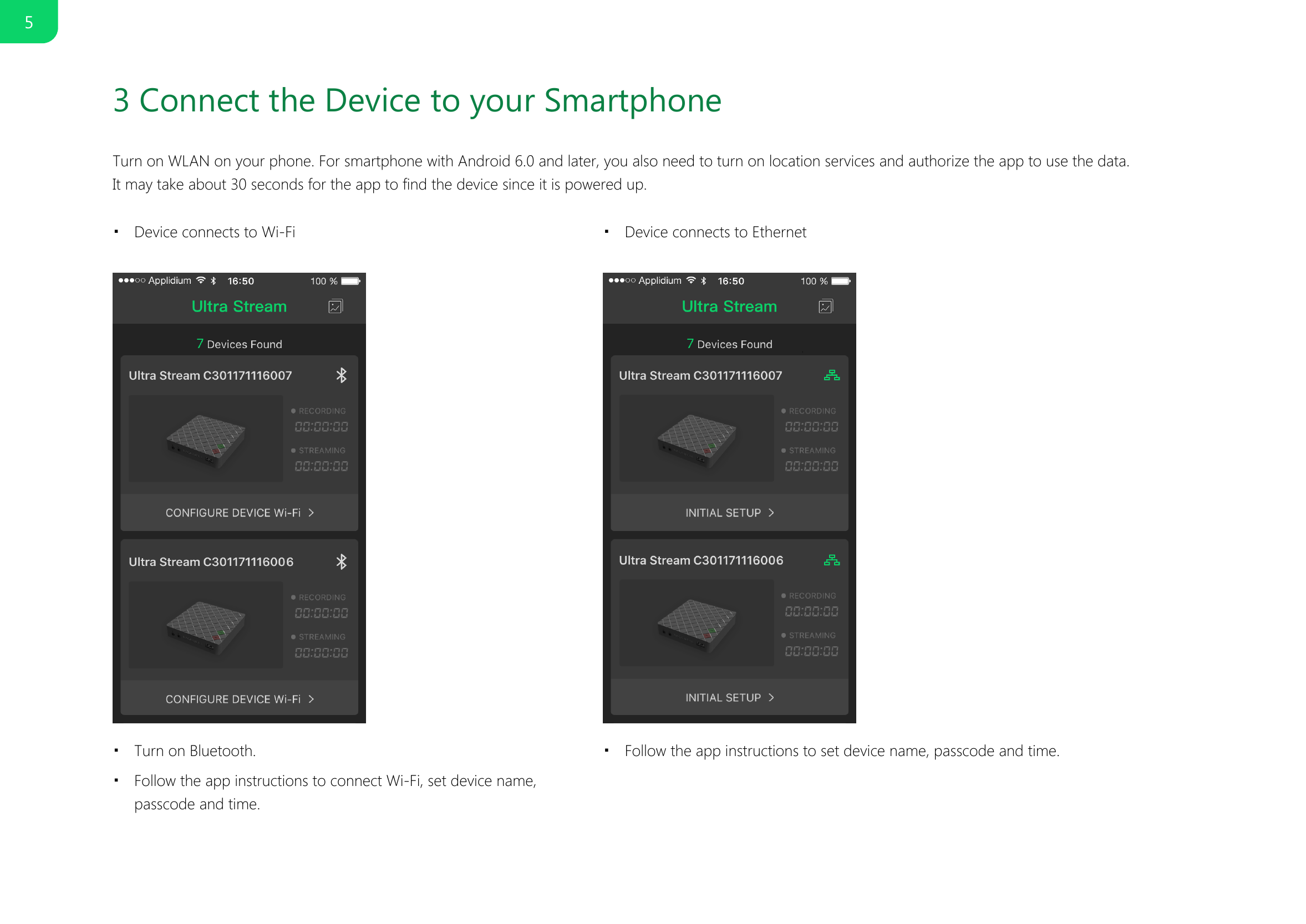
3 Connect the Device to your SmartphoneTurn on WLAN on your phone. For smartphone with Android 6.0 and later, you also need to turn on location services and authorize the app to use the data. It may take about 30 seconds for the app to find the device since it is powered up.    Device connects to Wi-Fi■Device connects to Ethernet■Turn on Bluetooth.■Follow the app instructions to connect Wi-Fi, set device name,passcode and time.■Follow the app instructions to set device name, passcode and time.■5
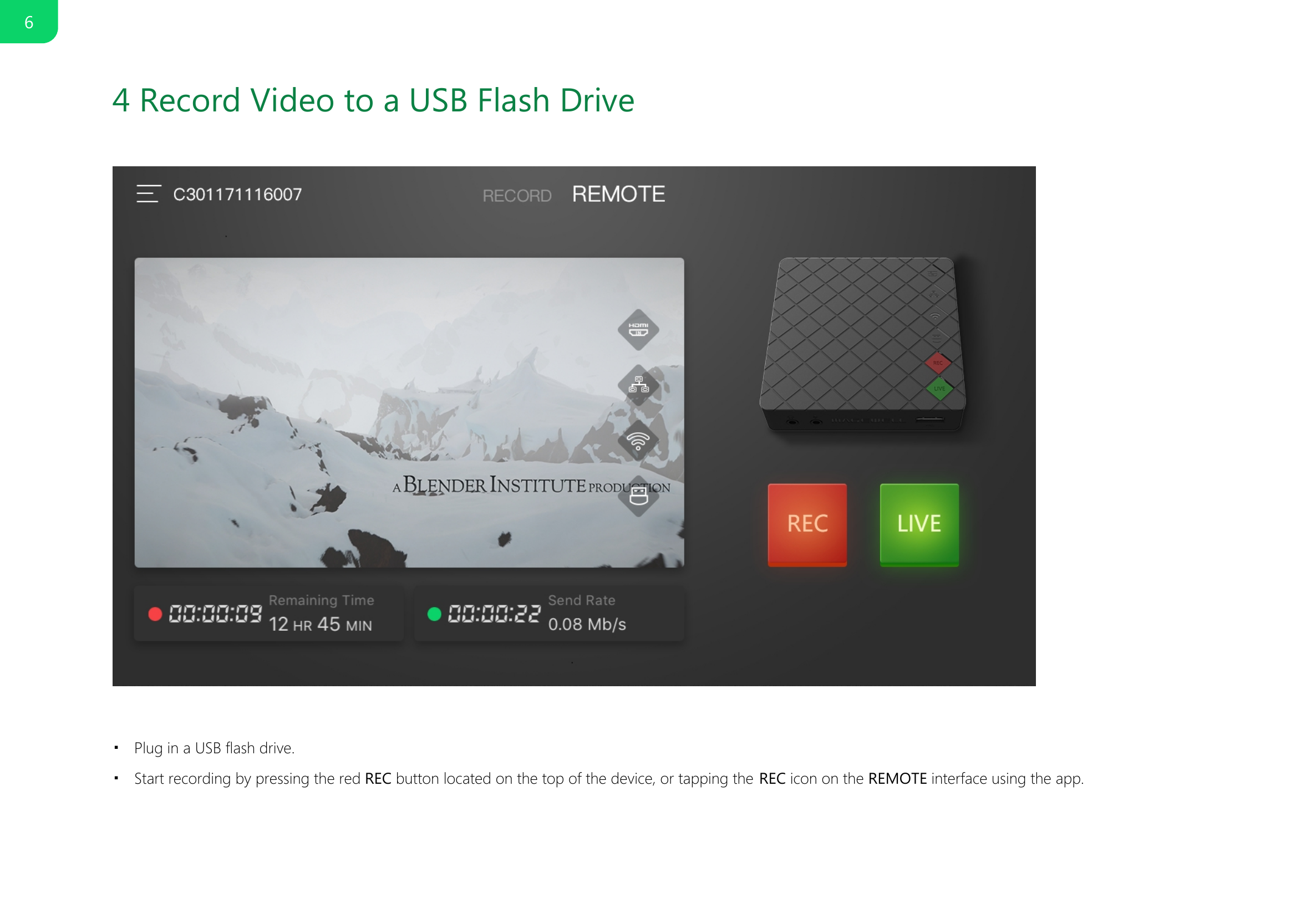
4 Record Video to a USB Flash DrivePlug in a USB flash drive.■Start recording by pressing the red REC button located on the top of the device, or tapping the REC icon on the REMOTE interface using the app.■6
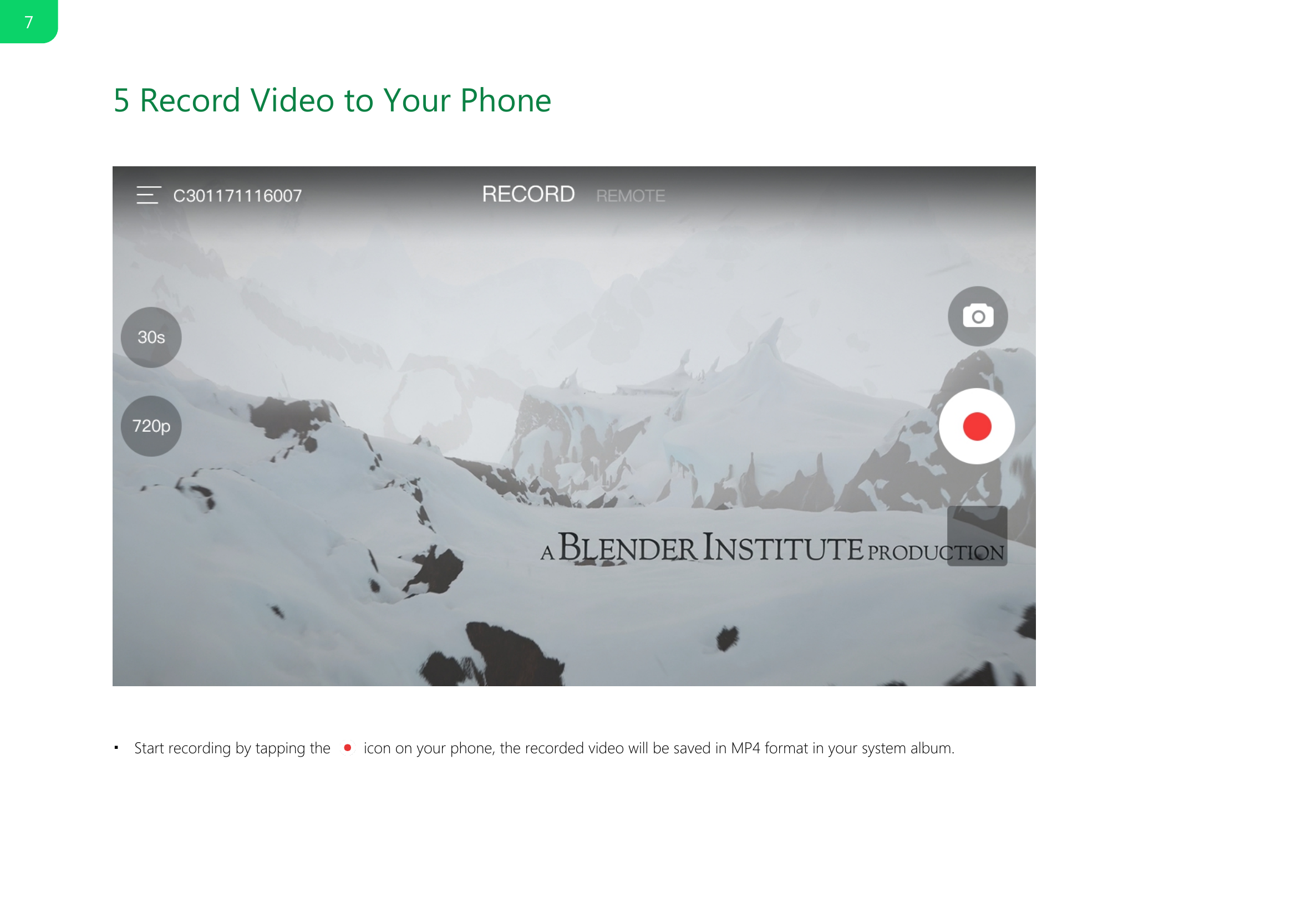
5 Record Video to Your PhoneStart recording by tapping the   icon on your phone, the recorded video will be saved in MP4 format in your system album.■7
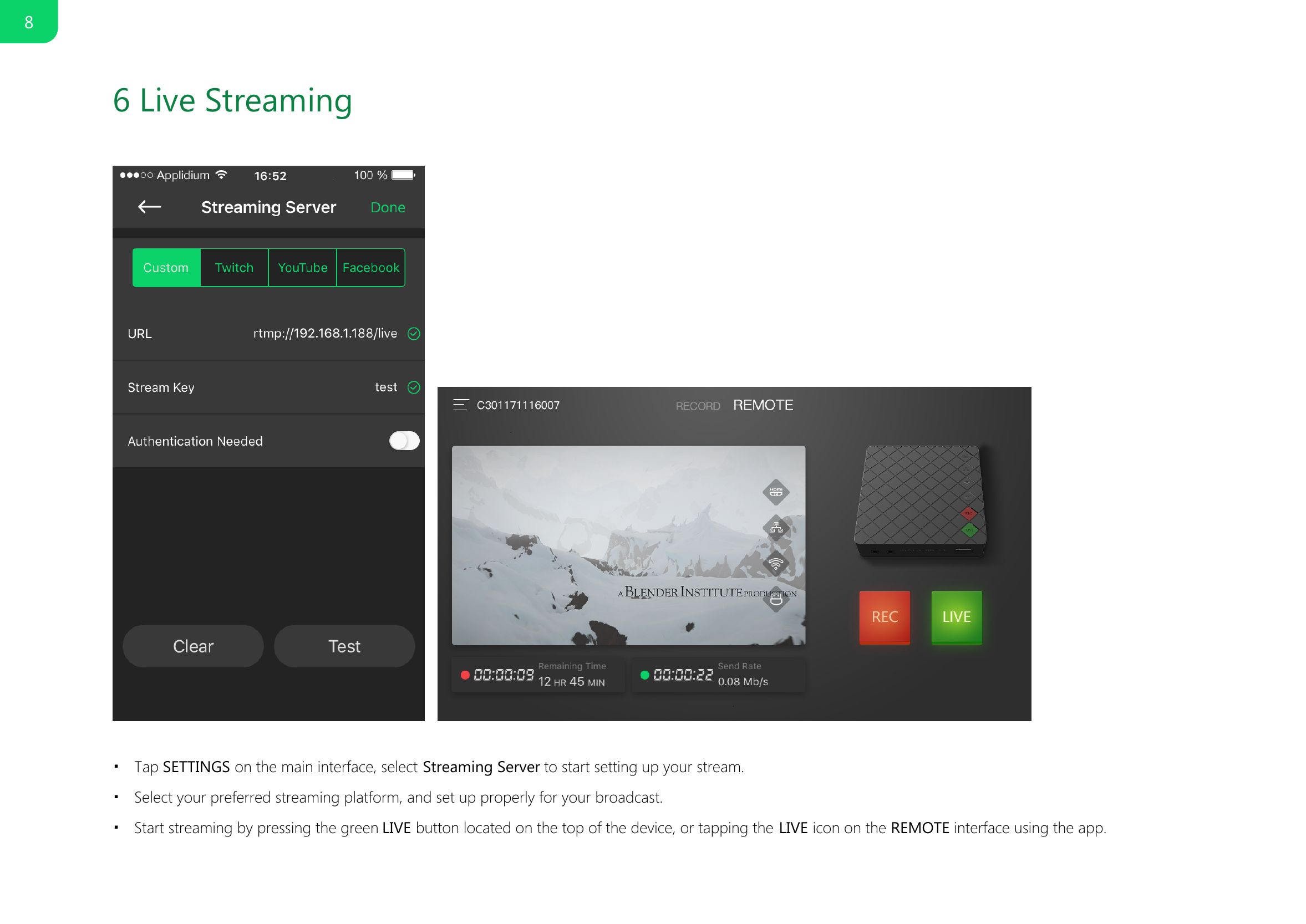
6 Live Streaming Tap SETTINGS on the main interface, select Streaming Server to start setting up your stream.■Select your preferred streaming platform, and set up properly for your broadcast.■Start streaming by pressing the green LIVE button located on the top of the device, or tapping the LIVE icon on the REMOTE interface using the app.■8
7 SpecificationHDMI Specific FeaturesUSB Flash Drive RecordingLive Video StreamingSmart Phone OSPower PortSupport for capture signal up to 4096x2160 4:4:4/4:2:2 30fps or 4096x2160 4:2:0 60fps■Support for 8/10/12-bit color depths■Support for 60p, 60i, 50p, 50i, 30p, 25p signal■Support for encoding audio/video at H.264 High Profile/AAC High Quality■Support for 1920x1080, 1600x1400, 1440x900, 1280x1024, 1280x800, 1280x720, 1024x768, 720x576, 720x480, and 640x480 resolutions■Support for 60 FPS、30 FPS、25 FPS、24 FPS、15 FPS frame rates■Support for RTMP protocols■Compatible with Flash Media Server, Wowza, Red5, Nginx■Support for live streaming to Twitch, Youtube and Facebook■Android (Android 5.0 and above)■iOS (iOS 9.0 and above)■5V/2A■9
8 FCC Statement1This device complies with Part 15 of the FCC rules. Operation is subject to the following two conditions: 1) this device may not cause harmful interference, and 2) this device must accept any interference received, including interference that may cause undesired operation.Note: This equipment has been tested and found to comply with the limits for a ClassB digital device, pursuant to part 15 of the FCC Rules. These limits are designed toprovide reasonable protection against harmful interference in a residential installation.This equipment generates uses and can radiate radio frequency energy and, if not installed and used in accordance with the instructions, may cause harmful interference to radio communications. However, there is no guarantee that interference will not occur in particular installation. If this equipment does cause harmful interference to radio or television reception, which can be determined by turning the equipment off and on, the user is encouraged to try to correct the interference by one or more of the following measures:--Reorient or relocate the receiving antenna.--Increase the separation between the equipment and receiver.--Connect the equipment into an outlet on a circuit different from that to which the receiver is connected.--Consult the dealer or an experienced radio/TV technician for help.Changes or modifications not expressly approved by the party responsible for compliance could void the user’s authority to operate the equipment.FCC Radiation Exposure StatementThis device complies with FCC RF radiation exposure limits set forth for an uncontrolled environment. This transmitter must not be co-located or operating in conjunction with any other antenna or transmitter.This device must operate with a minimum distance of20 cm between the radiator and user body.

Navigation menu