NantWorks 1001011 HBox (200-HBV-PDL) User Manual

NantWorks HBox (200-HBV-PDL)

User Manual

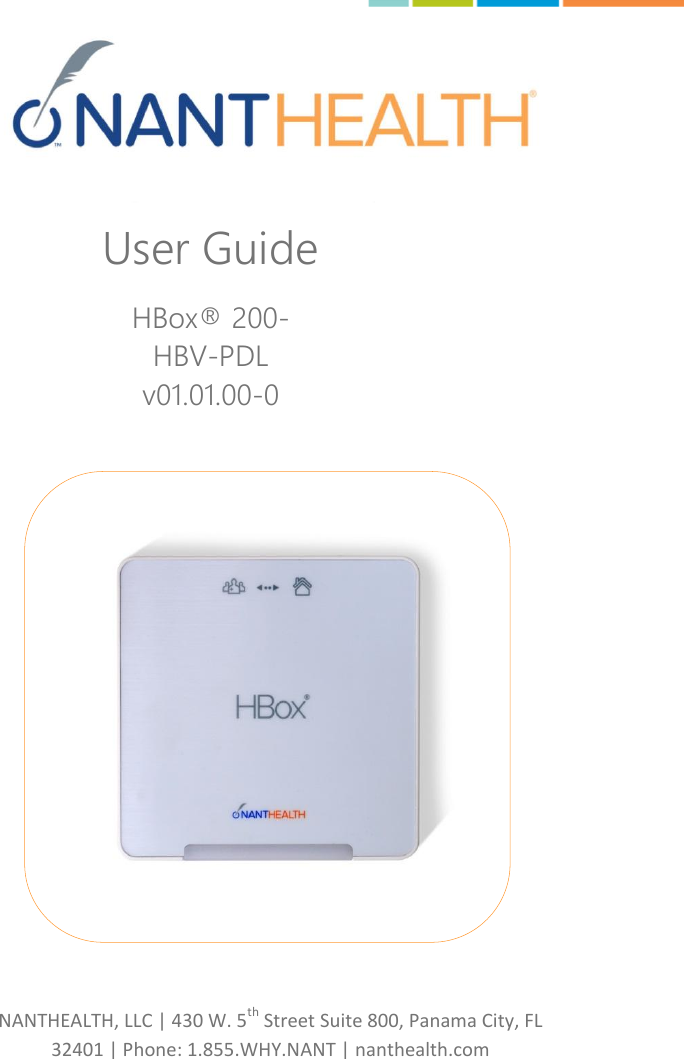
 NANTHEALTH, LLC | 430 W. 5th Street Suite 800, Panama City, FL 32401 | Phone: 1.855.WHY.NANT | nanthealth.com     User Guide HBox® 200-HBV-PDL v01.01.00-0
HBV-v01.01.00-0_UserManual_R01                                                          1    Page 1 of 17 Table of Contents Table of Contents ..................................................................................... 1 General Description ................................................................................. 3 Indications for Use ................................................................................... 3 Intended Audience .............................................................................. 3 Client Support Contact Information .................................................... 4 Included in the HBox Package .................................................................. 5 Safety Information ................................................................................... 5 Caution Statement ................................................................................... 6 HBox System Figures ................................................................................ 6 HBox Set Up ............................................................................................. 8 Connecting Power ................................................................................ 8 HBox Battery ........................................................................................ 9 Master Reset Button ............................................................................ 9 Indicator Lights ........................................................................................ 9 Power Indicator ................................................................................... 9 Connection to Server Indicator ............................................................ 9 Data Transmission Indicator ................................................................ 10 Cellular Signal Strength Indicator ........................................................ 10 Vitality ...................................................................................................... 10 Escalating Reminders ........................................................................... 10 Cloud Connected ................................................................................. 10 Remotely Programmable ..................................................................... 11 General Handling Instructions ................................................................. 11 General Cleaning .................................................................................. 11 IP Rating ............................................................................................... 11 HBox Specifications .................................................................................. 12 Regulatory information............................................................................ 13
HBV-v01.01.00-0_UserManual_R01                                                          2    Page 2 of 17 Federal Communications Commission (FCC) ....................................... 13 FCC Radiation Exposure Statement ..................................................... 14 Important Handling Information ..................................................... 14 Disposal and Recycling Information ......................................................... 14 Table of Figures ........................................................................................ 14 Manufacturer Contact ......................................................................... 15
HBV-v01.01.00-0_UserManual_R01                                                          3    Page 3 of 17 Thank you for selecting the NANTHEALTH HBox. This user guide is intended to serve as an aid in the proper set-up, installation, and operation of the HBox device. We ask that you read this user guide carefully before proceeding to work with the equipment for safe usage of this product. Please retain this user guide available for ready reference if needed. General Description HBox is a small, durable, medical-grade product platform supporting device connectivity.  It hosts NANTHEALTH’s software for sending data from a wide range of data generating in-home medical devices to a location accessible by the care team.  HBox extends NANTHEALTH connectivity to any location within Verizon Wireless 3G cellular coverage. Connection to a devices is supported via Bluetooth or USB for standalone devices to connect to HBox via a Device Escort serial-to-USB converter cable. Measurement data is thus delivered to the care team in near real-time.  Indications for Use The NANTHEALTH HBox is intended for use in connecting medical devices including Personal Health Devices (PHD) to a server for transferring measurement data. Intended Audience The intended audience for this guide is any individual utilizing HBox in the home for medical device connectivity. Target audiences are general consumers, patient care technicians and/or assistants, nurses, biomedical technicians and administrative IT personnel.
HBV-v01.01.00-0_UserManual_R01                                                          4    Page 4 of 17 Client Support Contact Information NantHealth Client Support contact information and hours of operation: The support line hours are 24/7.  The number is 866-202-2124 Support can be accessed online at  www.nanthealth.com/
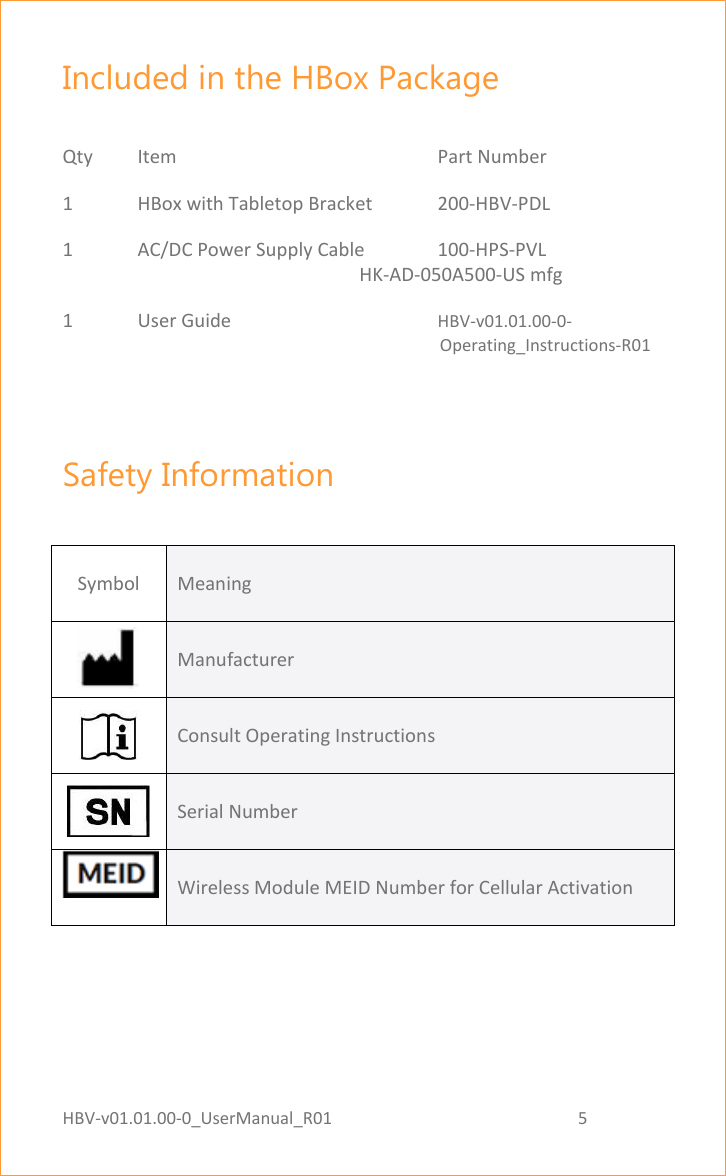
HBV-v01.01.00-0_UserManual_R01                                                          5    Page 5 of 17 Included in the HBox Package  Qty  Item        Part Number 1  HBox with Tabletop Bracket   200-HBV-PDL 1  AC/DC Power Supply Cable  100-HPS-PVL                                                                HK-AD-050A500-US mfg  1   User Guide      HBV-v01.01.00-0-                                                                                                   Operating_Instructions-R01  Safety Information  Symbol Meaning  Manufacturer   Consult Operating Instructions   Serial Number  Wireless Module MEID Number for Cellular Activation
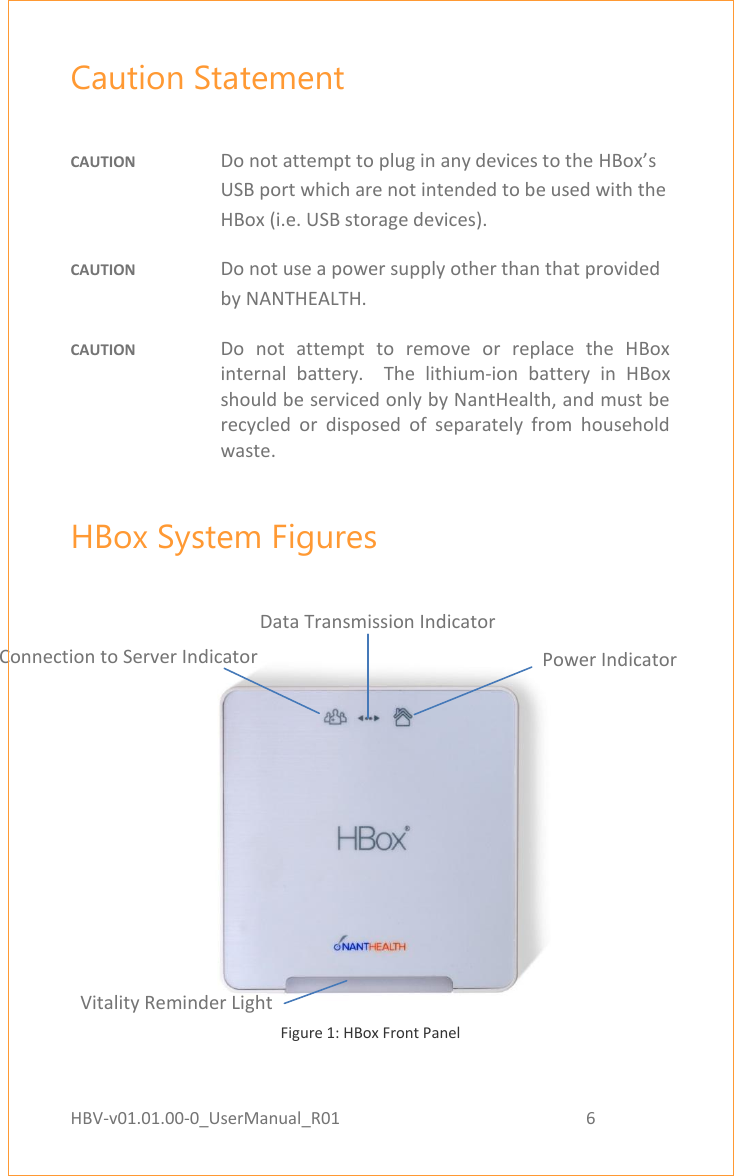
HBV-v01.01.00-0_UserManual_R01                                                          6    Page 6 of 17 Caution Statement  CAUTION  Do not attempt to plug in any devices to the HBox’s USB port which are not intended to be used with the HBox (i.e. USB storage devices).  CAUTION  Do not use a power supply other than that provided by NANTHEALTH. CAUTION  Do  not  attempt  to  remove  or  replace  the  HBox internal  battery.    The  lithium-ion  battery  in  HBox should be serviced only by NantHealth, and must be recycled  or  disposed  of  separately  from  household waste. HBox System Figures    Figure 1: HBox Front Panel   Reset Button Signal Strength Indicator Connection to Server Indicator Data Transmission Indicator Power Indicator Vitality Reminder Light
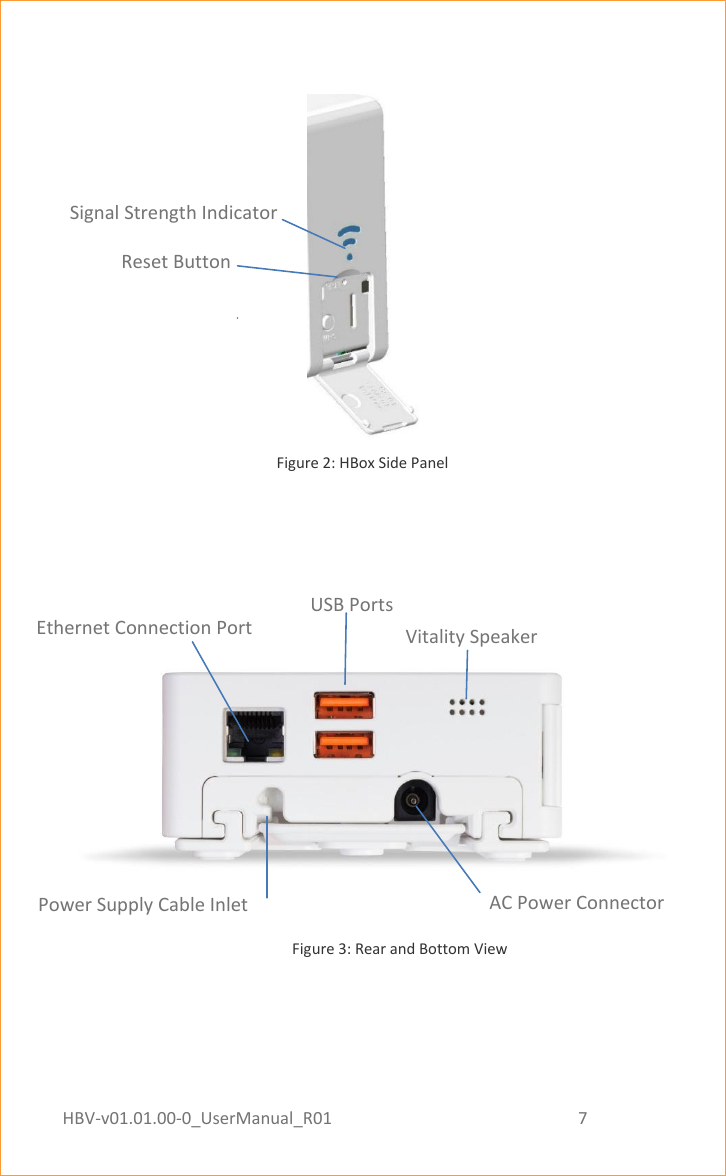
HBV-v01.01.00-0_UserManual_R01                                                          7    Page 7 of 17   Figure 2: HBox Side Panel                                                                                                                             Figure 3: Rear and Bottom View   Ethernet Indicator Light Reset Button Signal Strength Indicator Ethernet Indicator Light USB Ports AC Power Connector Vitality Speaker Ethernet Connection Port Power Supply Cable Inlet
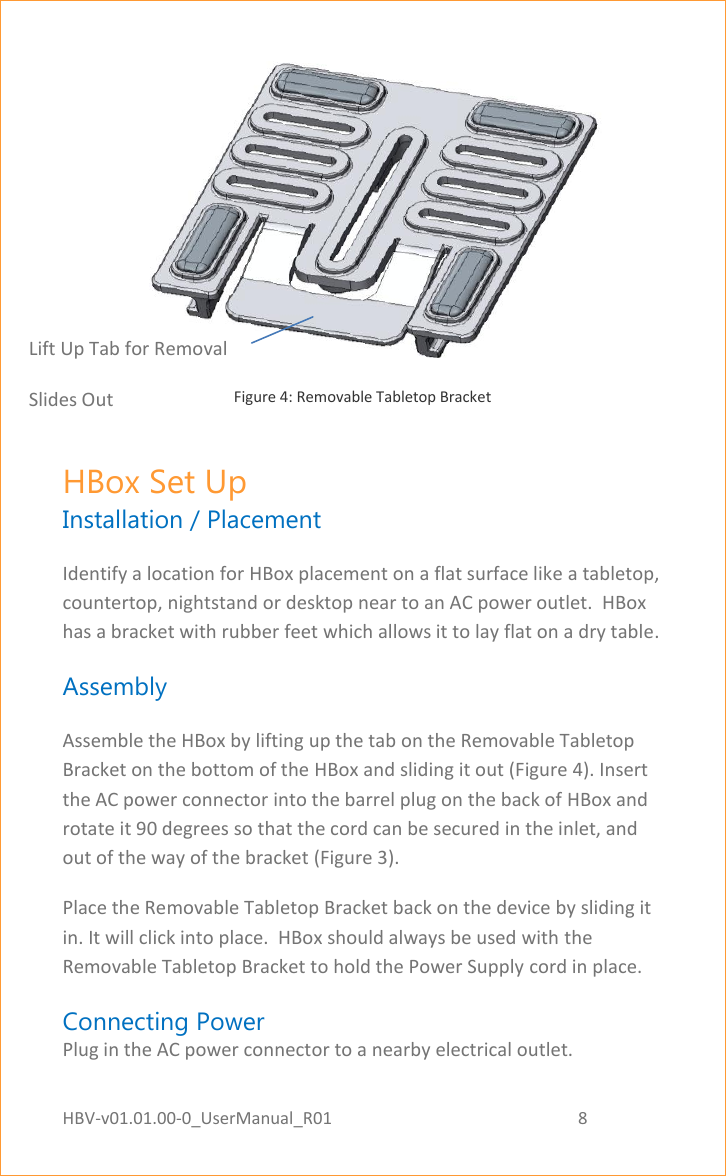
HBV-v01.01.00-0_UserManual_R01                                                          8    Page 8 of 17  Figure 4: Removable Tabletop Bracket HBox Set Up Installation / Placement Identify a location for HBox placement on a flat surface like a tabletop, countertop, nightstand or desktop near to an AC power outlet.  HBox has a bracket with rubber feet which allows it to lay flat on a dry table. Assembly Assemble the HBox by lifting up the tab on the Removable Tabletop Bracket on the bottom of the HBox and sliding it out (Figure 4). Insert the AC power connector into the barrel plug on the back of HBox and rotate it 90 degrees so that the cord can be secured in the inlet, and out of the way of the bracket (Figure 3).  Place the Removable Tabletop Bracket back on the device by sliding it in. It will click into place.  HBox should always be used with the Removable Tabletop Bracket to hold the Power Supply cord in place. Connecting Power Plug in the AC power connector to a nearby electrical outlet.  Lift Up Tab for Removal Slides Out
HBV-v01.01.00-0_UserManual_R01                                                          9    Page 9 of 17 HBox powers on and boots  up  automatically when it is plugged  in.  A power button is not required.  Once the HBox establishes connectivity, it is ready for use. Follow any included Quick Start Guide materials for setting up other devices to connect to HBox. HBox Battery The AC power should always remain connected. However, in the event that  AC  power  is  disconnected,  the  internal  lithium-ion  battery functions to assist in the safe shut down of the HBox and to finish any in-progress data transmission. Master Reset Button The master  reset button  is for  the  purpose of  rebooting  the  HBox  in the  event  it  becomes  unresponsive.  The  button  is  located  inside  the plastic door on the side of HBox. When the door is opened, the master reset button is accessible by paperclip or pin.  HBox will immediately power down when master reset button is pressed. There is no need to wait for several seconds, the reset happens right away.  HBox  will  begin  normal  startup  when  master  reset  button  is released (i.e. un-pressed).  Indicator Lights Power Indicator Once  powered  on,  and  while  in  the  process  of  booting,  the  power indicator  light  on  the  forward  face  panel  will  blink  green.    After  the boot  process  completes,  the  power  indicator  light  displays  as  solid green, visible from a distance of up to 5 feet. Connection to Server Indicator   Located  on  the  face  panel  is  a  light  that  indicates  server  connection status.  When  connected  to  the  server,  the  connection  to  server indicator displays as green
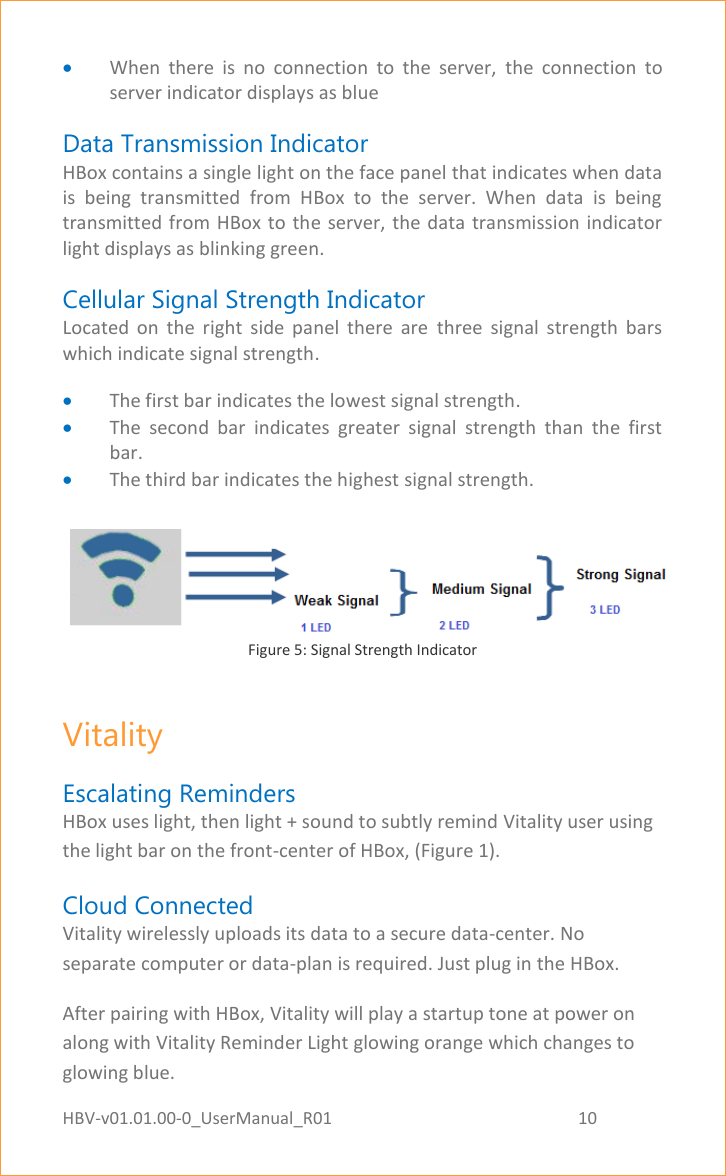
HBV-v01.01.00-0_UserManual_R01                                                          10    Page 10 of 17  When  there  is  no  connection  to  the  server,  the  connection  to server indicator displays as blue Data Transmission Indicator HBox contains a single light on the face panel that indicates when data is  being  transmitted  from  HBox  to  the  server.  When  data  is  being transmitted from HBox to the server, the data  transmission indicator light displays as blinking green. Cellular Signal Strength Indicator Located  on  the  right  side  panel  there  are  three  signal  strength  bars which indicate signal strength.  The first bar indicates the lowest signal strength.  The  second  bar  indicates  greater  signal  strength  than  the  first bar.  The third bar indicates the highest signal strength.      Figure 5: Signal Strength Indicator Vitality Escalating Reminders HBox uses light, then light + sound to subtly remind Vitality user using the light bar on the front-center of HBox, (Figure 1). Cloud Connected Vitality wirelessly uploads its data to a secure data-center. No separate computer or data-plan is required. Just plug in the HBox. After pairing with HBox, Vitality will play a startup tone at power on along with Vitality Reminder Light glowing orange which changes to glowing blue.
HBV-v01.01.00-0_UserManual_R01                                                          11    Page 11 of 17 Remotely Programmable During scheduled dosage window, Vitality Reminder Light will blink orange until medication is taken and the GlowCap or GlowPack is re-closed. General Handling Instructions  General Cleaning HBox is water resistant  and ingress protected  (IP) and  may be wiped down  or  sterilized  with  alcohol  or  liquid  cleaners  that  contain  up  to 10% bleach without degrading. IP Rating     HBox has an IP rating of IP52  Vertically  dripping  water  has  no  harmful  effect  when  HBox  is tilted at an angle of up to 15° from its upright position  Note: Ingress of dust is not entirely preventable but will not interfere with proper functioning of the device
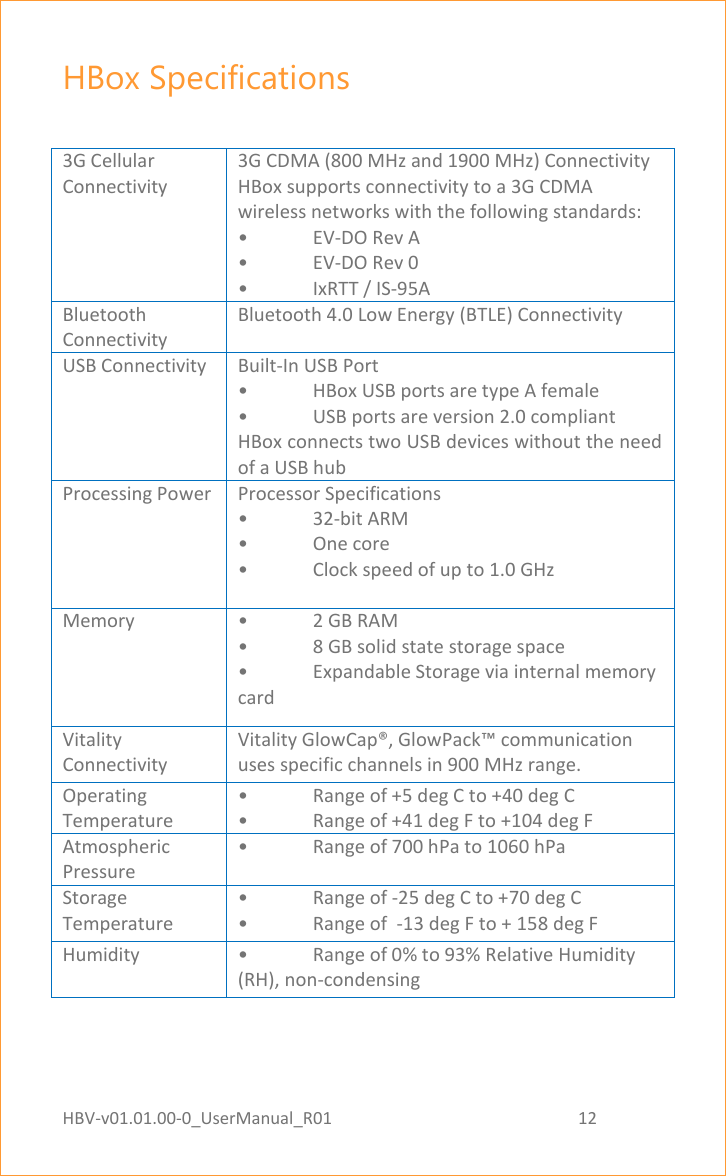
HBV-v01.01.00-0_UserManual_R01                                                          12    Page 12 of 17 HBox Specifications  3G Cellular Connectivity 3G CDMA (800 MHz and 1900 MHz) Connectivity HBox supports connectivity to a 3G CDMA wireless networks with the following standards:  • EV-DO Rev A  • EV-DO Rev 0  •  IxRTT / IS-95A Bluetooth Connectivity Bluetooth 4.0 Low Energy (BTLE) Connectivity USB Connectivity Built-In USB Port •  HBox USB ports are type A female •  USB ports are version 2.0 compliant HBox connects two USB devices without the need of a USB hub Processing Power Processor Specifications • 32-bit ARM •  One core •  Clock speed of up to 1.0 GHz  Memory •  2 GB RAM •  8 GB solid state storage space •  Expandable Storage via internal memory card Vitality Connectivity Vitality GlowCap®, GlowPack™ communication uses specific channels in 900 MHz range. Operating Temperature •  Range of +5 deg C to +40 deg C •  Range of +41 deg F to +104 deg F Atmospheric Pressure •  Range of 700 hPa to 1060 hPa Storage Temperature •  Range of -25 deg C to +70 deg C •  Range of  -13 deg F to + 158 deg F Humidity •  Range of 0% to 93% Relative Humidity (RH), non-condensing
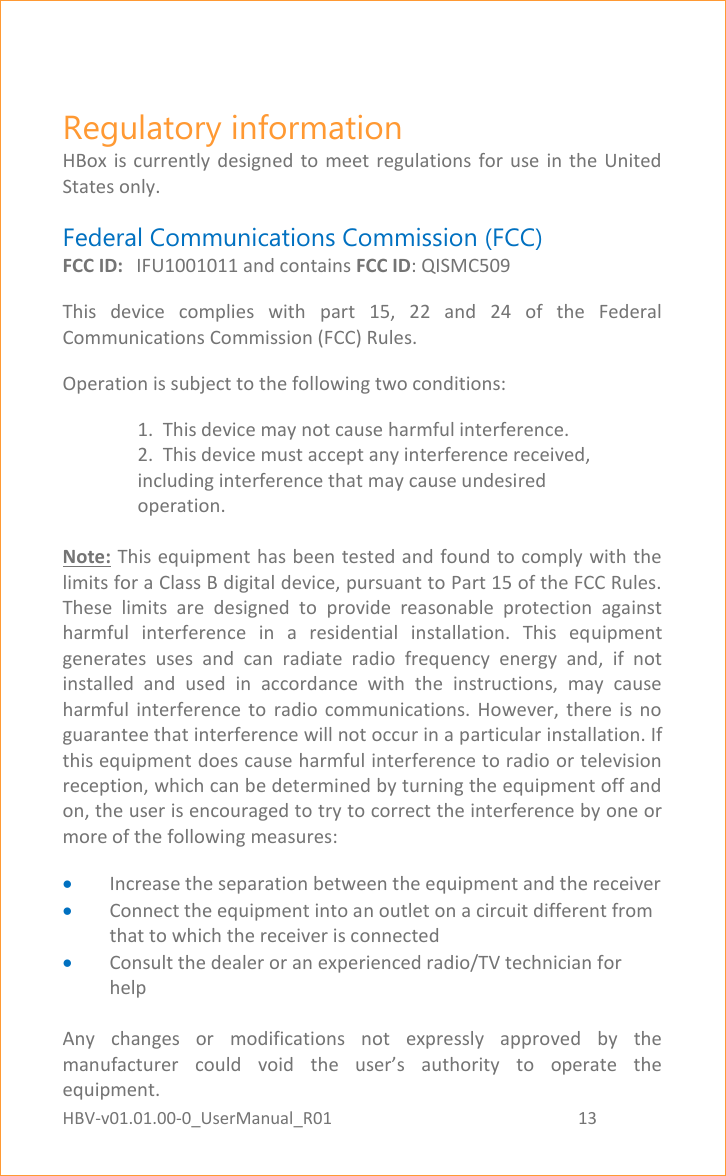
HBV-v01.01.00-0_UserManual_R01                                                          13    Page 13 of 17 Regulatory information HBox  is  currently  designed  to meet regulations  for  use  in  the  United States only. Federal Communications Commission (FCC) FCC ID:  IFU1001011 and contains FCC ID: QISMC509 This  device  complies  with  part  15,  22  and  24  of  the  Federal Communications Commission (FCC) Rules. Operation is subject to the following two conditions: 1.  This device may not cause harmful interference. 2.  This device must accept any interference received, including interference that may cause undesired operation.  Note: This equipment has been tested and found to comply with the limits for a Class B digital device, pursuant to Part 15 of the FCC Rules. These  limits  are  designed  to  provide  reasonable  protection  against harmful  interference  in  a  residential  installation.  This  equipment generates  uses  and  can  radiate  radio  frequency  energy  and,  if  not installed  and  used  in  accordance  with  the  instructions,  may  cause harmful  interference  to  radio  communications.  However,  there  is  no guarantee that interference will not occur in a particular installation. If this equipment does cause harmful interference to radio or television reception, which can be determined by turning the equipment off and on, the user is encouraged to try to correct the interference by one or more of the following measures:  Increase the separation between the equipment and the receiver  Connect the equipment into an outlet on a circuit different from that to which the receiver is connected  Consult the dealer or an experienced radio/TV technician for help  Any  changes  or  modifications  not  expressly  approved  by  the manufacturer  could  void  the  user’s  authority  to  operate  the equipment.
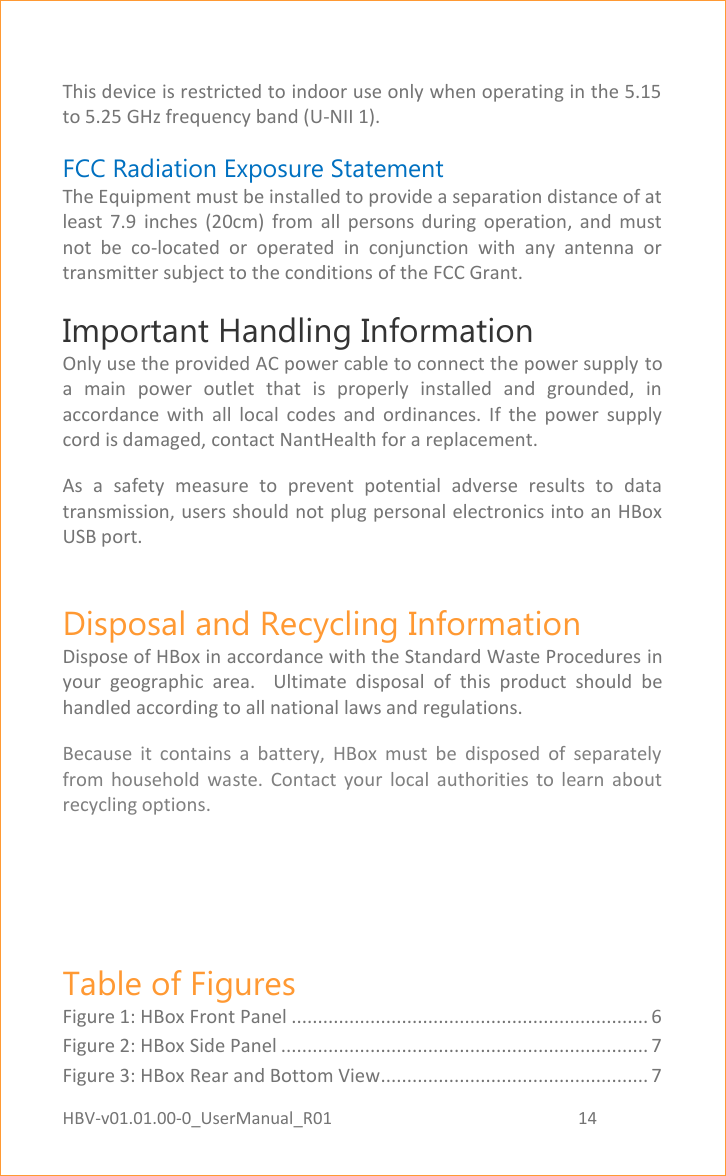
HBV-v01.01.00-0_UserManual_R01                                                          14    Page 14 of 17  This device is restricted to indoor use only when operating in the 5.15 to 5.25 GHz frequency band (U-NII 1). FCC Radiation Exposure Statement  The Equipment must be installed to provide a separation distance of at least  7.9  inches  (20cm)  from  all  persons  during  operation,  and  must not  be  co-located  or  operated  in  conjunction  with  any  antenna  or transmitter subject to the conditions of the FCC Grant. Important Handling Information  Only use the provided AC power cable to connect the power supply to a  main  power  outlet  that  is  properly  installed  and  grounded,  in accordance  with  all  local  codes  and  ordinances.  If  the  power  supply cord is damaged, contact NantHealth for a replacement. As  a  safety  measure  to  prevent  potential  adverse  results  to  data transmission, users should not plug personal electronics into an HBox USB port. Disposal and Recycling Information Dispose of HBox in accordance with the Standard Waste Procedures in your  geographic  area.    Ultimate  disposal  of  this  product  should  be handled according to all national laws and regulations. Because  it  contains  a  battery,  HBox  must  be  disposed  of  separately from  household  waste.  Contact  your  local  authorities  to  learn  about recycling options.   Table of Figures Figure 1: HBox Front Panel .................................................................... 6 Figure 2: HBox Side Panel ...................................................................... 7 Figure 3: HBox Rear and Bottom View................................................... 7
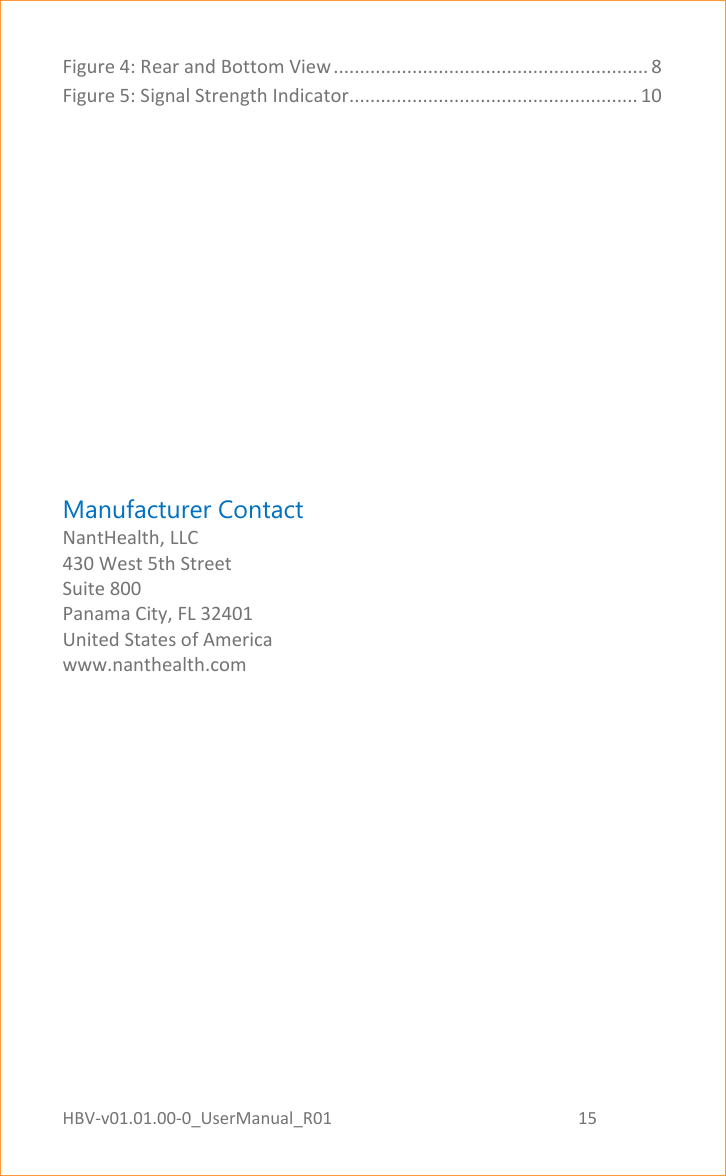
HBV-v01.01.00-0_UserManual_R01                                                          15    Page 15 of 17 Figure 4: Rear and Bottom View ............................................................ 8 Figure 5: Signal Strength Indicator....................................................... 10        Manufacturer Contact NantHealth, LLC 430 West 5th Street Suite 800 Panama City, FL 32401 United States of America www.nanthealth.com
HBV-v01.01.00-0_UserManual_R01                                                          16    Page 16 of 17

Navigation menu