Newidea Technology 106 Wireless keyboard User Manual

Shenzhen Newidea Technology Co., Limited Wireless keyboard

User Manual

      2.4GHz wireless keyboard    user manual
 This device complies with part 15 of the  FCC Rules. Operation is subject to the following two conditions: (1) This device may not cause harmful interference, and (2) This device must accept any interference received, including interference that may cause undesired operation. The manufacturer is not responsible for any radio or TV interference caused by unauthorized  modifications  to  this  equipment.  Such  modifications  could  void  the user’s authority to operate the equipment.   This equipment has been tested and found to comply with the limits for a Class B digital device, pursuant to Part 15 of the FCC Rules. These limits are designed to provide  reasonable  protection  against  harmful  interference  in  a  residential installation. This equipment generates, uses and can radiate ra dio frequency energy and, if not installed and used in accordance with the instructions, may cause harmful interference to radio communications. However, there is no guarantee  that interference will not occur in a particular installation. If this equipment does cause harmful interference to radio or television reception, which can be determined by turning  the  equipment  off  and  on,  the  user  is  encouraged  to  try  to  correct  the interference by one or more of the following measures:   - Reorient or relocate the receiving antenna.   - Increase the separation between the equipment and receiver.   - Connect the equipment into an outlet on a circuit different from that to which the receiver is connected.   - Consult the dealer or an experienced radio/TV technician for help.  FCC Part 15.21 Statement Changes or modifications not expressly approved by the party responsible  for compliance could void the user's authority to operate the equipment.
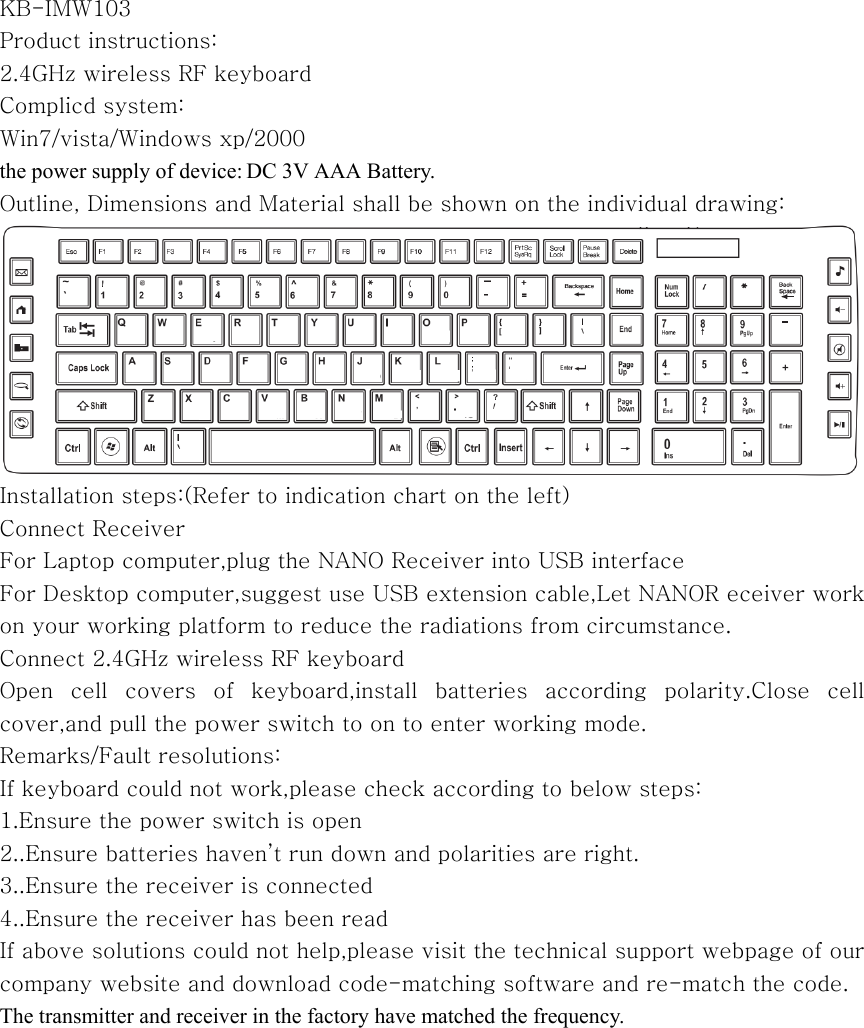
 KB-IMW103 Product instructions: 2.4GHz wireless RF keyboard Complicd system: Win7/vista/Windows xp/2000 the power supply of device: DC 3V AAA Battery.   Outline, Dimensions and Material shall be shown on the individual drawing:  Installation steps:(Refer to indication chart on the left) Connect Receiver For Laptop computer,plug the NANO Receiver into USB interface For Desktop computer,suggest use USB extension cable,Let NANOR eceiver work on your working platform to reduce the radiations from circumstance. Connect 2.4GHz wireless RF keyboard Open  cell  covers  of  keyboard,install  batteries  according  polarity.Close  cell cover,and pull the power switch to on to enter working mode. Remarks/Fault resolutions: If keyboard could not work,please check according to below steps: 1.Ensure the power switch is open 2..Ensure batteries haven’t run down and polarities are right. 3..Ensure the receiver is connected 4..Ensure the receiver has been read If above solutions could not help,please visit the technical support webpage of our company website and download code-matching software and re-match the code. The transmitter and receiver in the factory have matched the frequency.

Navigation menu