Nielsen Audio XT101A In-Car Beacon User Manual Model XT101A Users Guide Draft

Nielsen Audio Inc In-Car Beacon Model XT101A Users Guide Draft

Manual

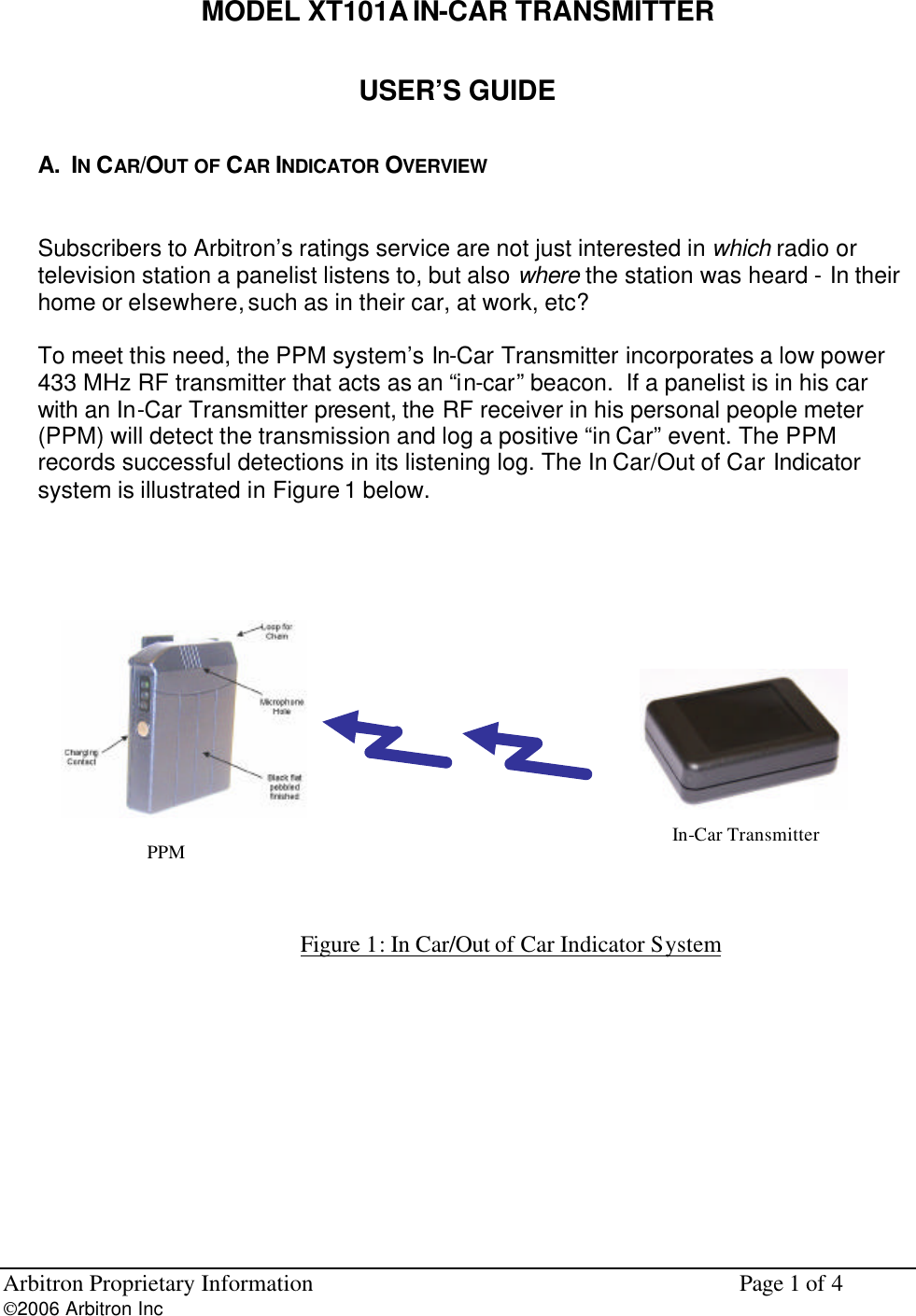
Arbitron Proprietary Information    Page 1 of 4 2006 Arbitron Inc         MODEL XT101A IN-CAR TRANSMITTER USER’S GUIDE A.  IN CAR/OUT OF CAR INDICATOR OVERVIEW  Subscribers to Arbitron’s ratings service are not just interested in which radio or television station a panelist listens to, but also where the station was heard - In their home or elsewhere, such as in their car, at work, etc?  To meet this need, the PPM system’s In-Car Transmitter incorporates a low power 433 MHz RF transmitter that acts as an “in-car” beacon.  If a panelist is in his car with an In-Car Transmitter present, the RF receiver in his personal people meter (PPM) will detect the transmission and log a positive “in Car” event. The PPM records successful detections in its listening log. The In Car/Out of Car Indicator system is illustrated in Figure 1 below.   Figure 1: In Car/Out of Car Indicator System      PPM  In-Car Transmitter
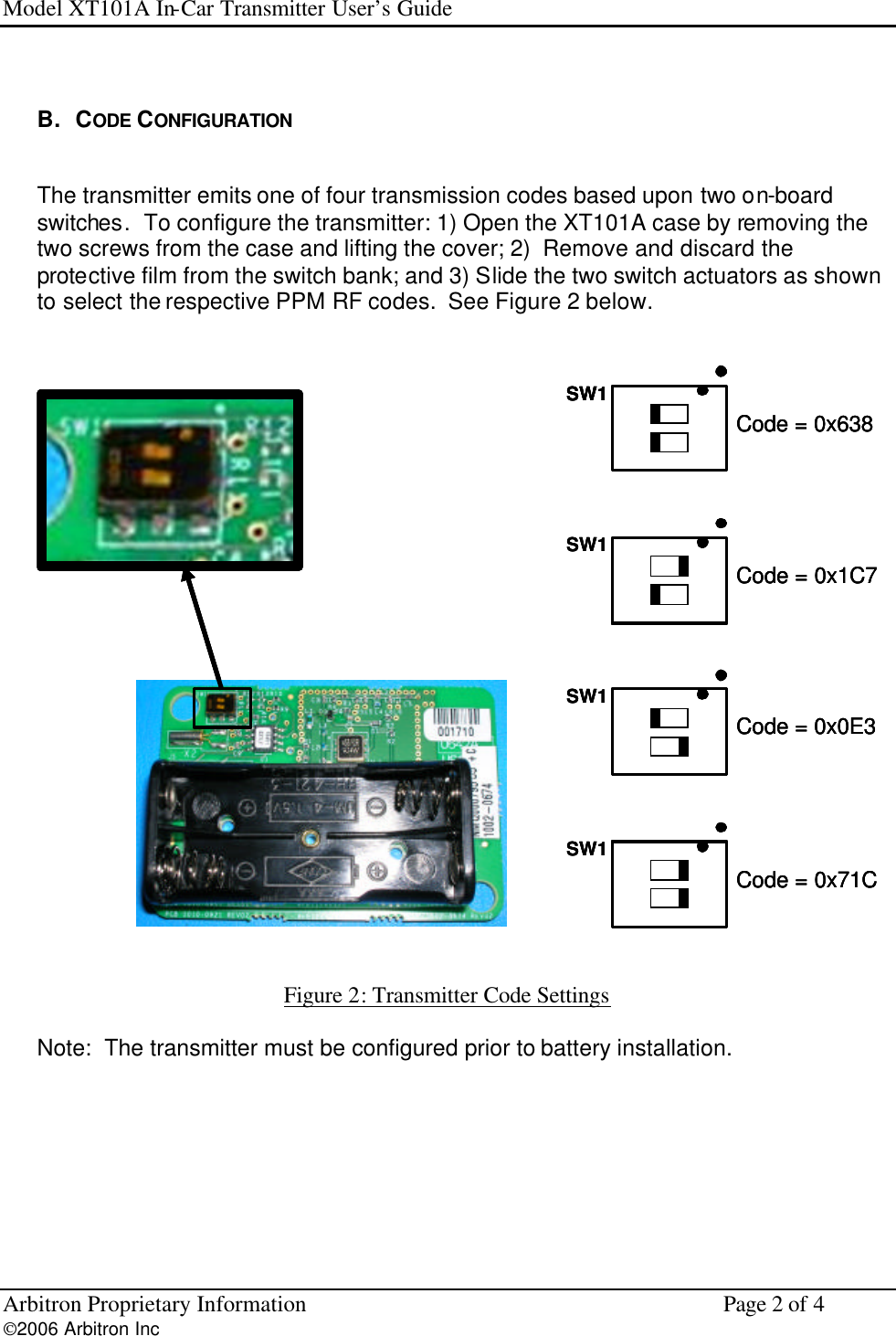
Model XT101A In-Car Transmitter User’s Guide Arbitron Proprietary Information    Page 2 of 4 2006 Arbitron Inc          B.   CODE CONFIGURATION  The transmitter emits one of four transmission codes based upon two on-board switches.  To configure the transmitter: 1) Open the XT101A case by removing the two screws from the case and lifting the cover; 2)  Remove and discard the protective film from the switch bank; and 3) Slide the two switch actuators as shown to select the respective PPM RF codes.  See Figure 2 below.   SW1Code = 0x638SW1Code = 0x71CSW1Code = 0x0E3SW1Code = 0x1C7SW1Code = 0x638SW1SW1Code = 0x638SW1Code = 0x71CSW1Code = 0x71CSW1Code = 0x0E3SW1Code = 0x0E3SW1Code = 0x1C7SW1Code = 0x1C7   Figure 2: Transmitter Code Settings   Note:  The transmitter must be configured prior to battery installation.
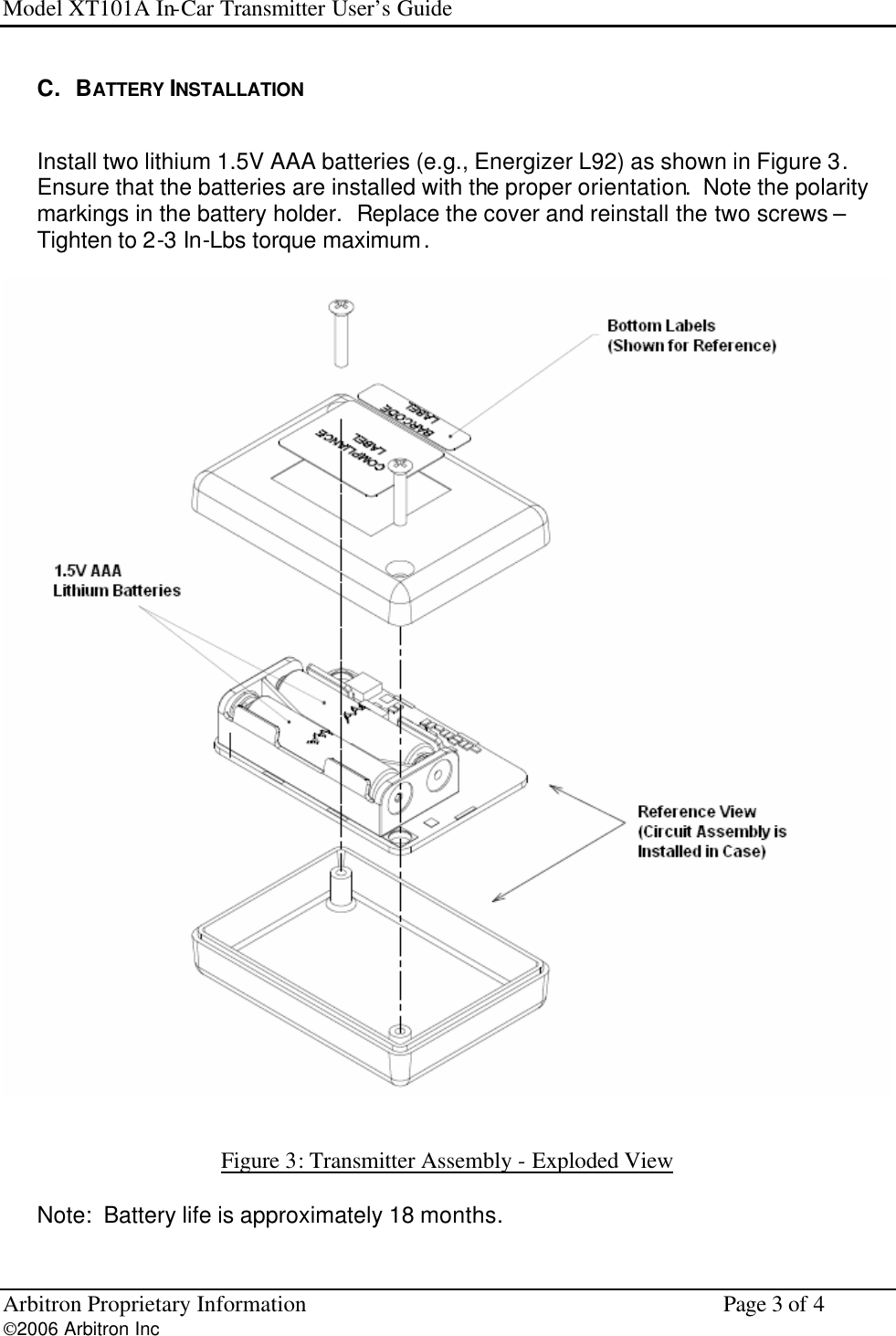
Model XT101A In-Car Transmitter User’s Guide Arbitron Proprietary Information    Page 3 of 4 2006 Arbitron Inc         C.   BATTERY INSTALLATION  Install two lithium 1.5V AAA batteries (e.g., Energizer L92) as shown in Figure 3.  Ensure that the batteries are installed with the proper orientation.  Note the polarity markings in the battery holder.  Replace the cover and reinstall the two screws – Tighten to 2-3 In-Lbs torque maximum.     Figure 3: Transmitter Assembly - Exploded View   Note:  Battery life is approximately 18 months.
Model XT101A In-Car Transmitter User’s Guide Arbitron Proprietary Information    Page 4 of 4 2006 Arbitron Inc         D.   IN-CAR TRANSMITTER PLACEMENT  Place the transmitter in the vehicle away from metal surfaces.  Since the internal antenna is located on the top side of the unit (i.e., the side without screws), this side should be oriented toward the vehicle interior, preferably toward the panelist.  Suggested locations are in a front map pocket, overhead storage bin or center console.  Do not place the unit in direct sunlight, where driver’s view would be obstructed or where the device would fly free in the event of a sudden stop or accident.     E.   OPERATING  TEMPERATURE RANGE The operating temperature range of the device is -30ºC to +55ºC (-20ºF to +130ºF).               NOTICE Changes or modifications not expressly approved by Arbitron could void the user's authority to operate the equipment  FCC STATEMENT  This device complies with Part 15 of the FCC Rules. Operation is subject to the following two conditions: (1) this device may not cause harmful interference, and (2) this device must accept any interference received, including interference that may cause undesired operation.

Navigation menu