Nine Eagles Electronic Technology NEOT015 WIFI CAMERA User Manual Instruction Nine eaglex

Shanghai Nine Eagles Electronic Technology Co., Ltd. WIFI CAMERA Instruction Nine eaglex

Users Manual

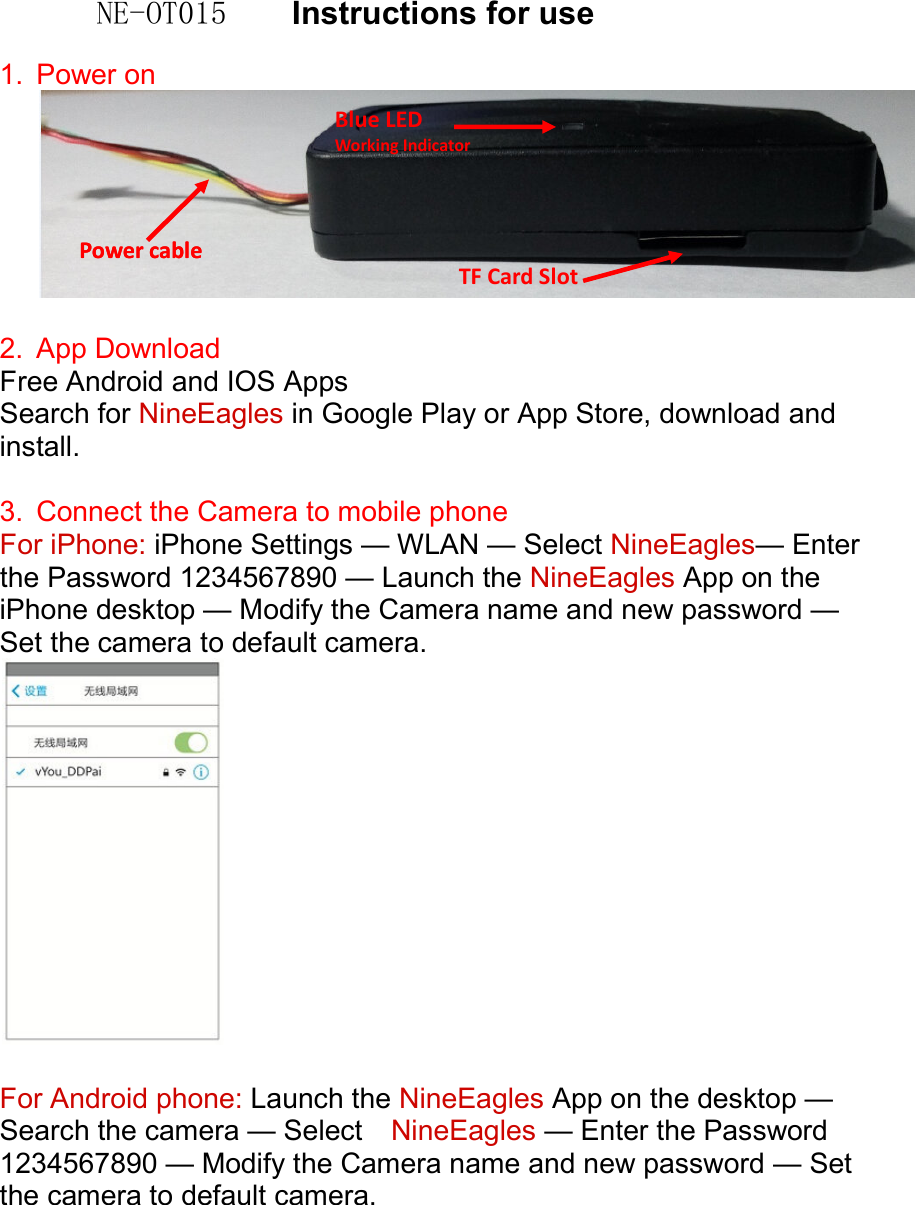
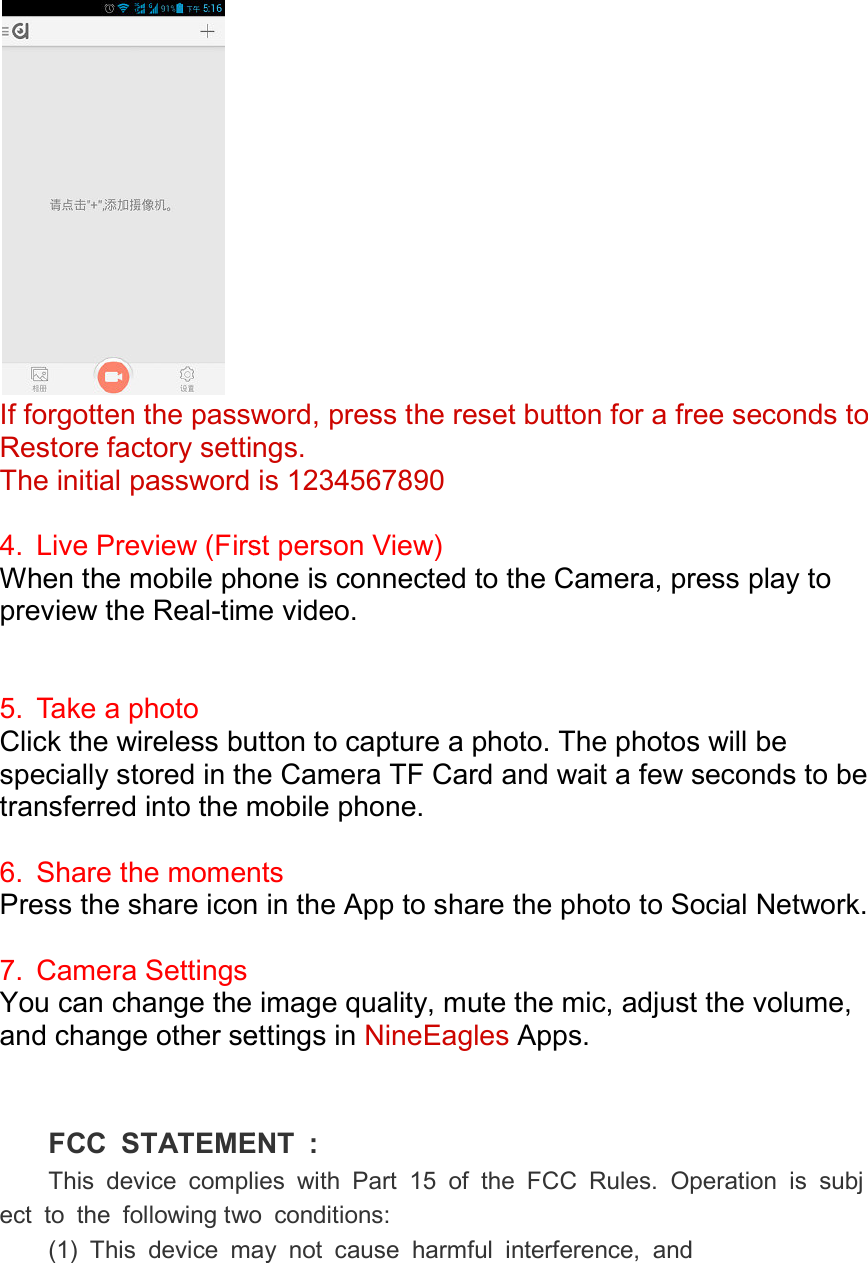
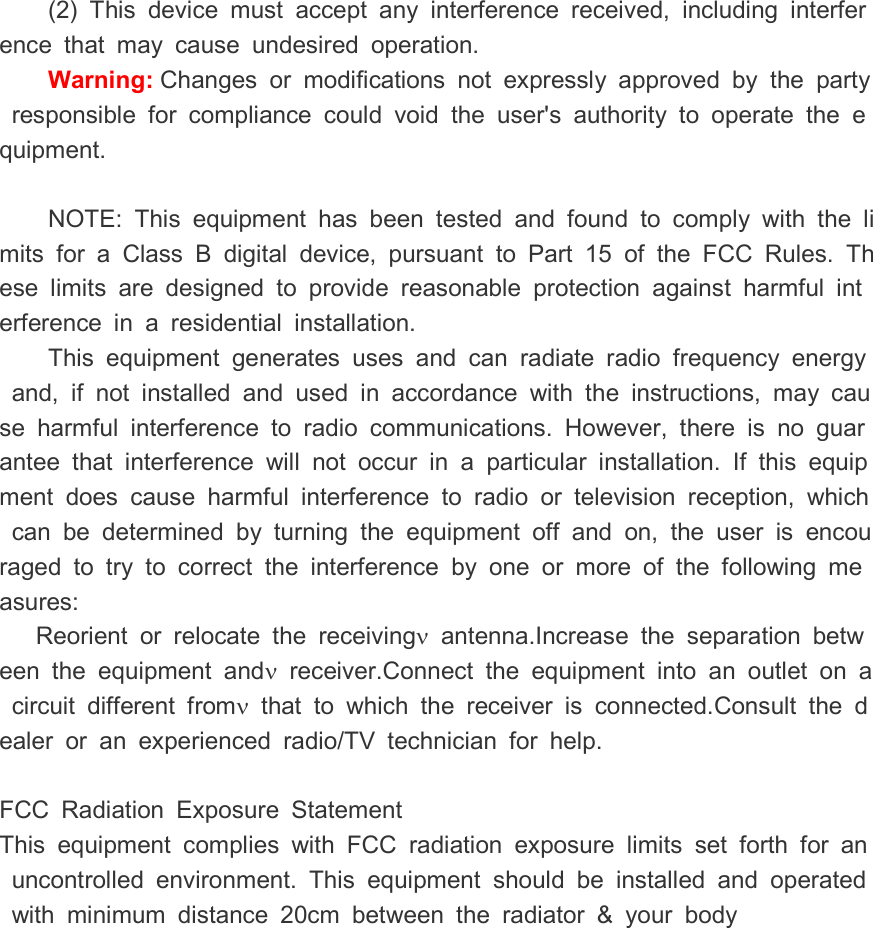
NE-OT015    Instructions for use  1.  Power on     2.  App Download   Free Android and IOS Apps Search for NineEagles in Google Play or App Store, download and install.  3.  Connect the Camera to mobile phone For iPhone: iPhone Settings — WLAN — Select NineEagles— Enter the Password 1234567890 — Launch the NineEagles App on the iPhone desktop — Modify the Camera name and new password — Set the camera to default camera.    For Android phone: Launch the NineEagles App on the desktop — Search the camera — Select    NineEagles — Enter the Password 1234567890 — Modify the Camera name and new password — Set the camera to default camera. Blue LED Working Indicator Power cable Power cable TF Card Slot
  If forgotten the password, press the reset button for a free seconds to Restore factory settings.The initial password is 1234567890 4.  Live Preview (First person View)When the mobile phone is connected to the Camera, press play to preview the Real-time video.  5.  Take a photo Click the wireless button to capture a photo. The photos will be specially stored in the Camera TF Card and wait atransferred into the mobile phone. 6.  Share the momentsPress the share icon in the App to share the photo to Social Network. 7.  Camera Settings You can change the image quality, mute the mic, adjust the volume, and change other settings in    FCC  STATEMENT  :This  device  complies  with  Part  15  of  the  FCC  Rules.  Operation  is  subject  to  the  following two  conditions:(1)  This  device  may  not  cause  harmful  interference,  andIf forgotten the password, press the reset button for a free seconds to Restore factory settings.   The initial password is 1234567890 (First person View) When the mobile phone is connected to the Camera, press play to time video. Click the wireless button to capture a photo. The photos will be specially stored in the Camera TF Card and wait a few smobile phone. the moments Press the share icon in the App to share the photo to Social Network. You can change the image quality, mute the mic, adjust the volume, other settings in NineEagles Apps. FCC  STATEMENT  : This  device  complies  with  Part  15  of  the  FCC  Rules.  Operation  is  subjtwo  conditions: (1)  This  device  may  not  cause  harmful  interference,  andIf forgotten the password, press the reset button for a free seconds to When the mobile phone is connected to the Camera, press play to Click the wireless button to capture a photo. The photos will be few seconds to be Press the share icon in the App to share the photo to Social Network. You can change the image quality, mute the mic, adjust the volume, This  device  complies  with  Part  15  of  the  FCC  Rules.  Operation  is  subj(1)  This  device  may  not  cause  harmful  interference,  and
(2)  This  device  must  accept  any  interference  received,  including  interference  that  may  cause  undesired  operation. Warning: Changes  or  modifications  not  expressly  approved  by  the  party  responsible  for  compliance  could  void  the  user's  authority  to  operate  the  equipment.   NOTE:  This  equipment  has  been  tested  and  found  to  comply  with  the  limits  for  a  Class  B digital  device,  pursuant  to  Part  15  of  the  FCC  Rules.  These  limits  are  designed  to  provide  reasonable  protection  against  harmful  interference  in  a  residential  installation. This  equipment  generates  uses  and  can  radiate  radio  frequency  energy  and,  if  not  installed  and  used  in  accordance  with  the  instructions,  may  cause  harmful  interference  to  radio  communications.  However,  there  is  no  guarantee  that  interference  will  not  occur  in  a  particular  installation.  If  this  equipment  does  cause  harmful  interference  to  radio  or  television  reception,  which  can  be  determined  by  turning  the  equipment  off  and  on,  the  user  is  encouraged  to  try  to  correct  the  interference  by  one  or  more  of  the  following  measures: Reorient  or  relocate  the  receivingν  antenna.Increase  the  separation  between  the  equipment  andν  receiver.Connect  the  equipment  into  an  outlet  on  a  circuit  different  fromν  that  to  which  the  receiver  is  connected.Consult  the  dealer  or  an  experienced  radio/TV  technician  for  help.  FCC  Radiation  Exposure  Statement This  equipment  complies  with  FCC  radiation  exposure  limits  set  forth  for  an  uncontrolled  environment.  This  equipment  should  be  installed  and  operated  with  minimum  distance  20cm  between  the  radiator  &  your  body

Navigation menu