Ningbo Lumiaudio Electronic Technology WSR Wi-Fi Streaming Receiver User Manual WSR 2 USER manual

Ningbo Lumiaudio Electronic Technology LTD Wi-Fi Streaming Receiver WSR 2 USER manual

User Manual

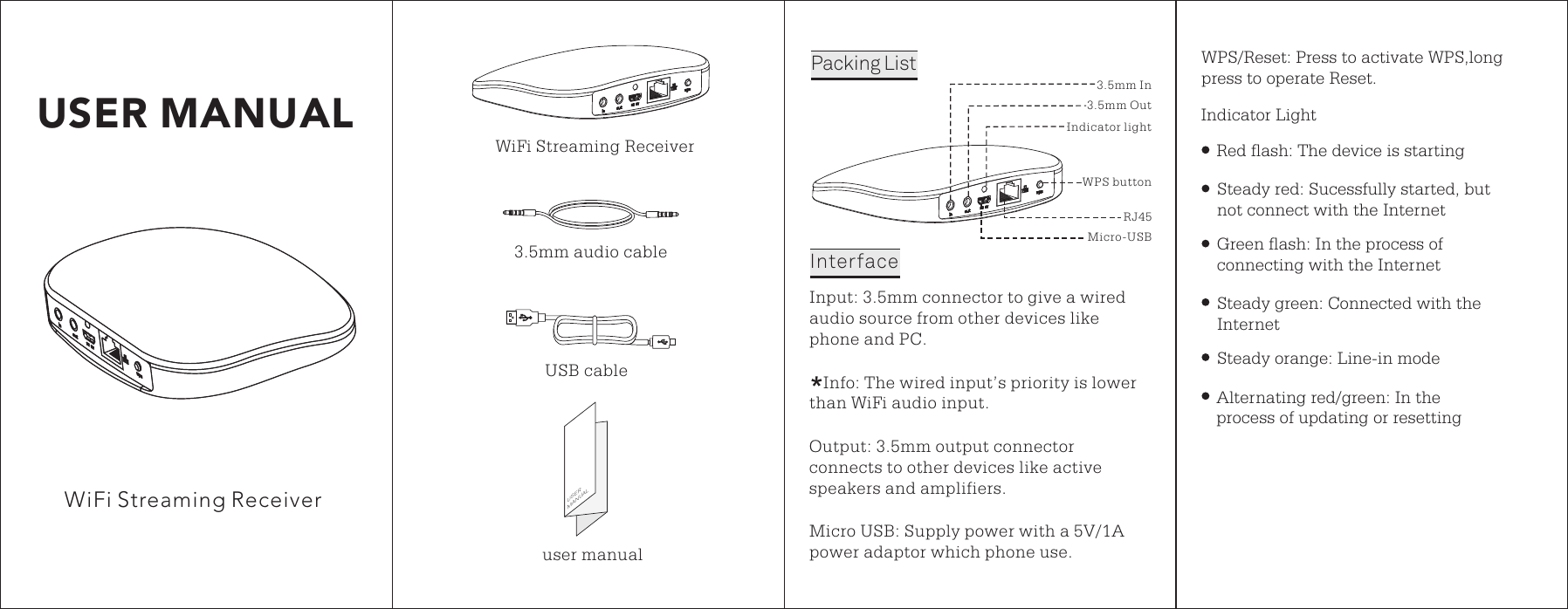
USER MANUALWiFi Streaming ReceiverOutput 3.5mm output connector connects to other devices like active speakers and amplifiers.: Micro USB upply power with a 5V/1A power adaptor which phone use.: SWPS/Reset: Press to activate WPS,long press to operate Reset.3.5mm In3.5mm OutIndicator lightMicro-USBRJ45WPS buttonInput 3.5mm connector to give a wired audio source from other devices like phone and PC.: Indicator Light   Info The wired input’s priority is lower than WiFi audio input.: Red flash: The device is starting Steady red Sucessfully started, but not connect with the Internet: Green flash: In the process of connecting with the InternetSteady green Connected with the Internet: Steady orange Line-in mode: Alternating red/green: In the process of updating or resettingUSERMANUALuser manualUSB cable3.5mm audio cablePacking ListInterfaceWiFi Streaming Receiver
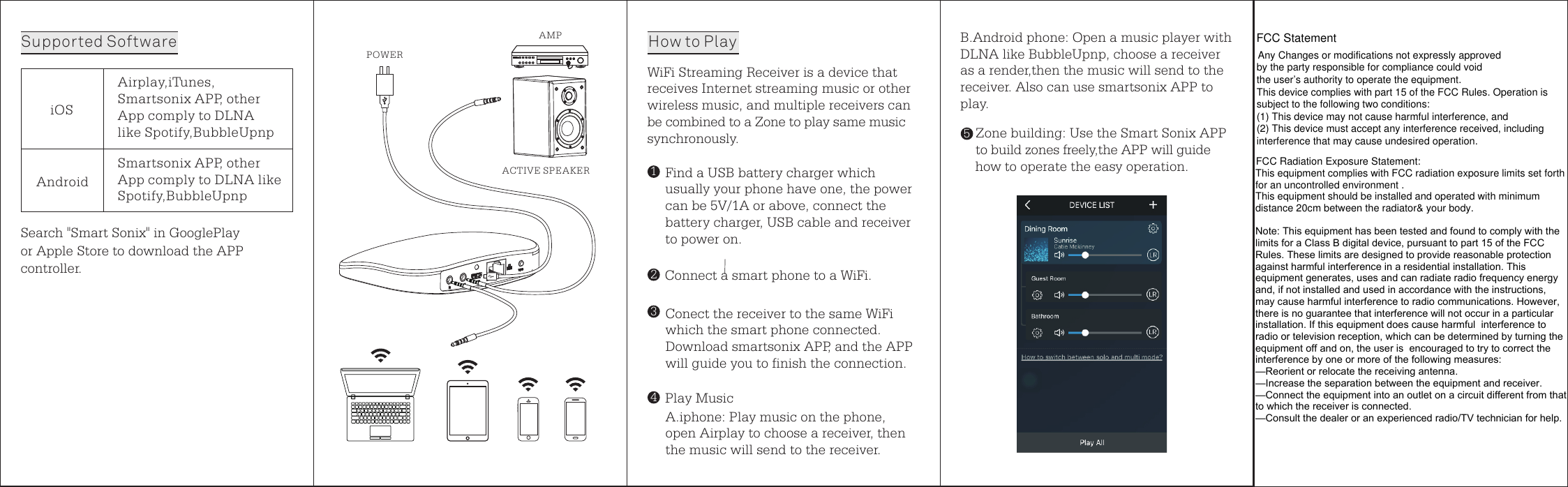
iOSAirplay,iTunes,Smartsonix APP, other App comply to DLNA like Spotify,BubbleUpnpAndroidSmartsonix APP, other App comply to DLNA like Spotify,BubbleUpnpB.Android phone Open a music player with DLNA like BubbleUpnp, choose a receiver as a render,then the music will send to the receiver. Also can use smartsonix APP to play.: Zone building Use the Smart Sonix APP to build zones freely,the APP will guide how to operate the easy operation.: Search "Smart Sonix" in GooglePlay or Apple Store to download the APP controller. Supported Software5WiFi Streaming Receiver is a device thatreceives Internet streaming music or other wireless music, and multiple receivers can be combined to a Zone to play same music synchronously.Find a USB battery charger which usually your phone have one, the power can be 5V/1A or above, connect the battery charger, USB cable and receiver to power on.Connect a smart phone to a WiFi.Conect the receiver to the same WiFi which the smart phone connected.Download smartsonix APP, and the APP will guide you to finish the connection.Play MusicA.iphone Play music on the phone, open Airplay to choose a receiver, then the music will send to the receiver. : 1324How to PlayPOWERAMPACTIVE SPEAKERFCC Statement Any Changes or modifications not expressly approvedby the party responsible for compliance could void the user’s authority to operate the equipment.This device complies with part 15 of the FCC Rules. Operation is subject to the following two conditions:(1) This device may not cause harmful interference, and  (2) This device must accept any interference received, including interference that may cause undesired operation.    FCC Radiation Exposure Statement: This equipment complies with FCC radiation exposure limits set forth for an uncontrolled environment .This equipment should be installed and operated with minimum distance 20cm between the radiator& your body.Note: This equipment has been tested and found to comply with the limits for a Class B digital device, pursuant to part 15 of the FCC Rules. These limits are designed to provide reasonable protection against harmful interference in a residential installation. This equipment generates, uses and can radiate radio frequency energy and, if not installed and used in accordance with the instructions, may cause harmful interference to radio communications. However,  there is no guarantee that interference will not occur in a particular installation. If this equipment does cause harmful  interference to radio or television reception, which can be determined by turning the equipment off and on, the user is  encouraged to try to correct the interference by one or more of the following measures:   —Reorient or relocate the receiving antenna.—Increase the separation between the equipment and receiver.—Connect the equipment into an outlet on a circuit different from that to which the receiver is connected.   —Consult the dealer or an experienced radio/TV technician for help.

Navigation menu