Ningbo Tonwel Audio MLS800 MULTIPURPOSE LOUDSPEAKER User Manual

Ningbo Tonwel Audio Co.,LTD MULTIPURPOSE LOUDSPEAKER

User Manual

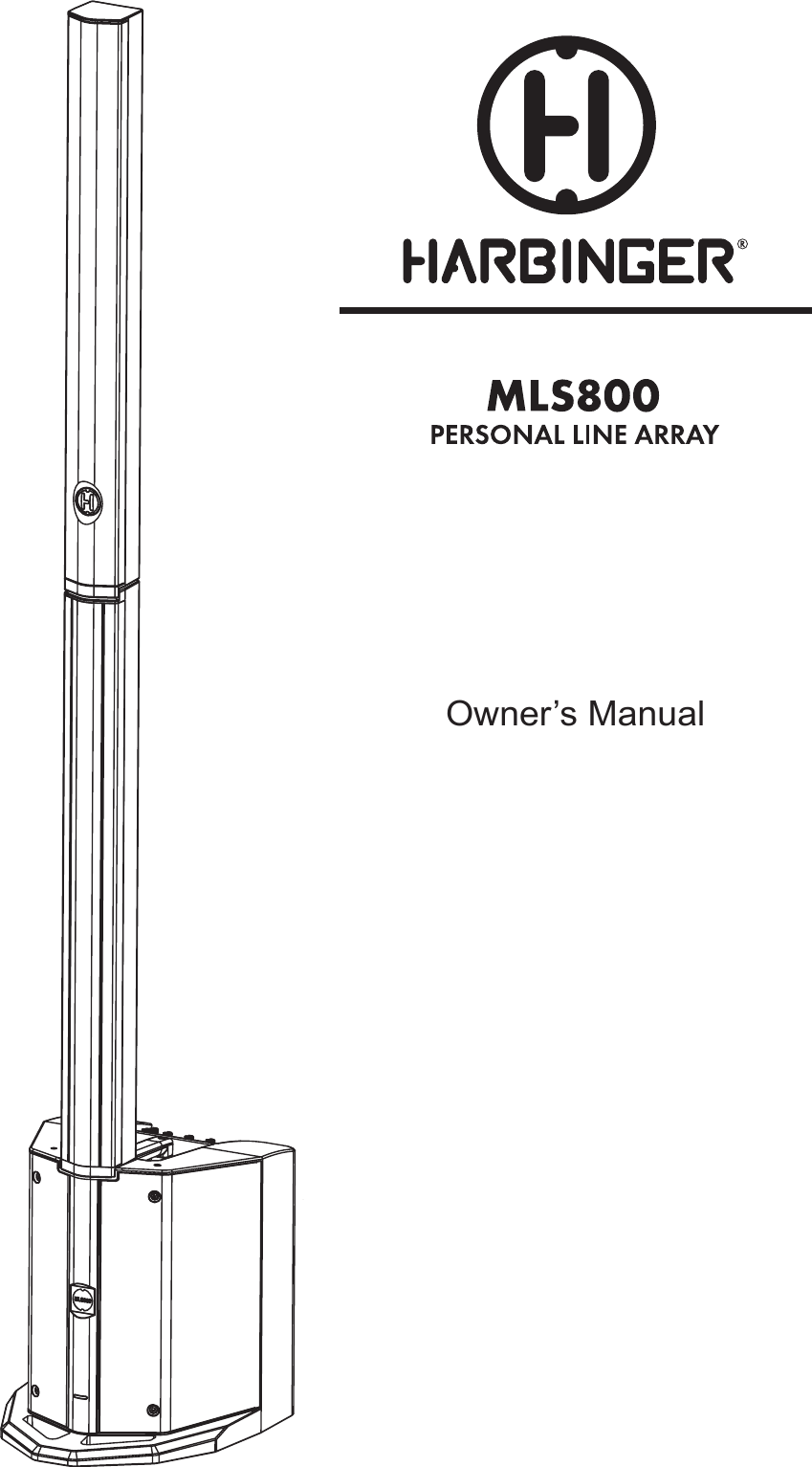
Owner’s Manual
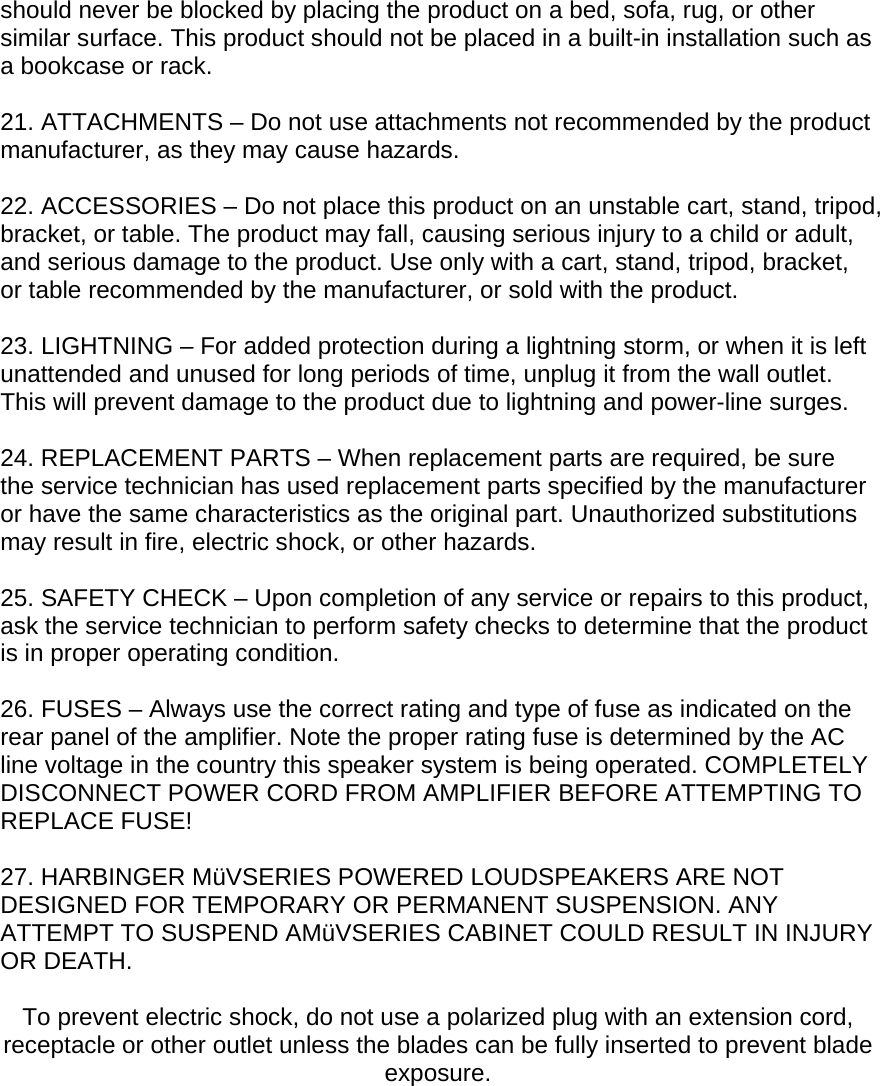
WELCOME  CONGRATULATIONS on your purchase of a Harbinger MLS Series 800 Watt Personal Line Array. By following these guidelines and suggestions, your new Harbinger loudspeaker will provide you with many years of great sound and reliable service.   MüV Series speakers are perfect for musicians, DJs, and presenters needing a flexible portable loudspeaker. The MüV series can be setup on a stand, or placed on a table. Also, multiple MüV MLS Series speakers can be linked together to form a larger system.   Your newMüV Series powered loudspeaker includes:  • Full-range powered speaker  - 800Watt Class-D amplifier with built-in Limiter • 3 Channel Mixer with Line Out  - Mic/line input  - Guitar/line input - Aux input  - Line output  • Dual band EQ • Tower stand mount for instant audio connections • LED indicators for power and limiter • Built-in Bluetooth audio functionality to wirelessly connect your portable audio device   IMPORTANT SAFETY INSTRUCTIONS  Please keep this instruction manual for future reference and for the duration of owning the MüVpowered loudspeaker. Please carefully read and understand the instructions inside this owner’s manual before attempting to operate your new powered loudspeaker.  This instruction manual includes essential safety information regarding the use and maintenance of the amplifier. Take special care to heed all warning symbols and signs inside this manual and those printed on the amplifier on the back of the loudspeaker.  WARNING TO PREVENT FIRE OR SHOCK HAZARD, DO NOT EXPOSE THE AMPLIFIER TO WATER/MOISTURE, NOR SHOULD YOU OPERATE THE AMPLIFIER NEAR ANY WATER SOURCE.  The exclamation point triangular symbol is intended to alert the user to the presence of important operating and maintenance(servicing) instructions in the user manual accompanying the Amplifier.
 The lightning flash with an arrow triangular symbol is intended to alert the user to the presence of non-insulated “dangerous voltage” within the product’s enclosure, and may be of sufficient magnitude to constitute a risk of electric shock.  WARNING Handle the power supply cord with care.  Do not damage or deform it as it may cause electric shock or malfunction when used. Hold the plug attachment when removing from wall outlet. Do not pull on the power cord.  IMPORTANT SAFETY PRECAUTIONS  1. READ INSTRUCTIONS – All the safety and operating instructions should be read before this product is operated.  2. RETAIN INSTRUCTIONS – The safety and operating instructions should be retained for future reference.  3. HEED WARNINGS – All warnings on the amplifier and in the operating instructions should be adhered to.  4. FOLLOW INSTRUCTIONS – All operating and use instructions should be followed.  5. DO NOT turn on the MüVamplifier module before connecting all other external devices.  6. WATER AND MOISTURE – Moisture can damage the MüVamplifier module and can cause corrosion of electrical contacts. The speaker system should not be used near water — for example, a bathtub, washbowl, kitchen sink, laundry tub, wet basement, or near a swimming pool, and the like.  7. CARTS AND STANDS – The speaker system should be used only with a cart or stand that is recommended by the manufacturer. A speaker and cart combination should be moved with care. Quick stops, excessive force, and uneven surfaces may cause the speaker and cart combination to overturn.  8. WALL OR CEILING MOUNTING – The product should never be mounted to a wall or ceiling.  9. HEAT – The loudspeaker on the back of the MüVloudspeaker should be situated away from heat sources such as radiators, heat registers, stoves, or other sources (including amplifiers) that produce heat.
10. POWER SOURCES – This product should be operated only from the type of power source indicated on the rating label. If you are not sure of the type of power supply to your home, consult your product dealer or local power company.  11. GROUNDING OR POLARIZATION – Do not defeat the safety purpose of the polarization or grounding-type plug. The wide blade or the third prong is provided for your safety. If the provided plug does not fit your outlet, consult an electrician for replacement of the obsolete outlet. Do not defeat the safety purpose of the 3rd pin grounding prong.  12. POWER-CORD PROTECTION – Power supply cords should be routed so that they are not likely to be walked on or pinched by items placed upon or against them, paying particular attention to the cord in correspondence of plugs, convenience receptacles, and the point where they exit from the amplifier.  13. CLEANING – The speaker and amplifier should be cleaned only as recommended by the manufacturer. Clean by wiping with a dry cloth. Avoid getting water inside the speaker or amplifier.  14. NON-USE PERIODS – The power cord of the amplifier should be unplugged from the outlet when left unused for a long period of time.  15. OBJECT AND LIQUID ENTRY – Care should be taken so that objects do not fall and liquids are not spilled into the enclosure through openings.  16. DAMAGE REQUIRING SERVICE – The amplifier should be serviced by qualified service personnel when: A. The power supply cord or the plug has been damaged; or B. Objects have fallen, or liquid has been spilled into the amplifier; or C. The amplifier has been exposed to rain; or D. The amplifier does not appear to operate normally or exhibits a marked change in performance; or E. The amplifier has been dropped, or the enclosure damaged.  17. Keep the speaker system out of extended or intense direct sun light.  18. No containers filled with any type of liquid should be placed on or near the speaker system.  19. SERVICING – The user should not attempt any service to the speaker and/or amplifier beyond that described in the operating instructions. All other servicing should be referred to qualified service personnel.  20. VENTILATION – Slots and openings in the amplifier are provided for ventilation and to ensure reliable operation of the product and to protect it from overheating. These openings must not be blocked or covered. The openings
should never be blocked by placing the product on a bed, sofa, rug, or other similar surface. This product should not be placed in a built-in installation such as a bookcase or rack.  21. ATTACHMENTS – Do not use attachments not recommended by the product manufacturer, as they may cause hazards.  22. ACCESSORIES – Do not place this product on an unstable cart, stand, tripod, bracket, or table. The product may fall, causing serious injury to a child or adult, and serious damage to the product. Use only with a cart, stand, tripod, bracket, or table recommended by the manufacturer, or sold with the product.  23. LIGHTNING – For added protection during a lightning storm, or when it is left unattended and unused for long periods of time, unplug it from the wall outlet. This will prevent damage to the product due to lightning and power-line surges.  24. REPLACEMENT PARTS – When replacement parts are required, be sure the service technician has used replacement parts specified by the manufacturer or have the same characteristics as the original part. Unauthorized substitutions may result in fire, electric shock, or other hazards.  25. SAFETY CHECK – Upon completion of any service or repairs to this product, ask the service technician to perform safety checks to determine that the product is in proper operating condition.  26. FUSES – Always use the correct rating and type of fuse as indicated on the rear panel of the amplifier. Note the proper rating fuse is determined by the AC line voltage in the country this speaker system is being operated. COMPLETELY DISCONNECT POWER CORD FROM AMPLIFIER BEFORE ATTEMPTING TO REPLACE FUSE!  27. HARBINGER MüVSERIES POWERED LOUDSPEAKERS ARE NOT DESIGNED FOR TEMPORARY OR PERMANENT SUSPENSION. ANY ATTEMPT TO SUSPEND AMüVSERIES CABINET COULD RESULT IN INJURY OR DEATH.  To prevent electric shock, do not use a polarized plug with an extension cord, receptacle or other outlet unless the blades can be fully inserted to prevent blade exposure.
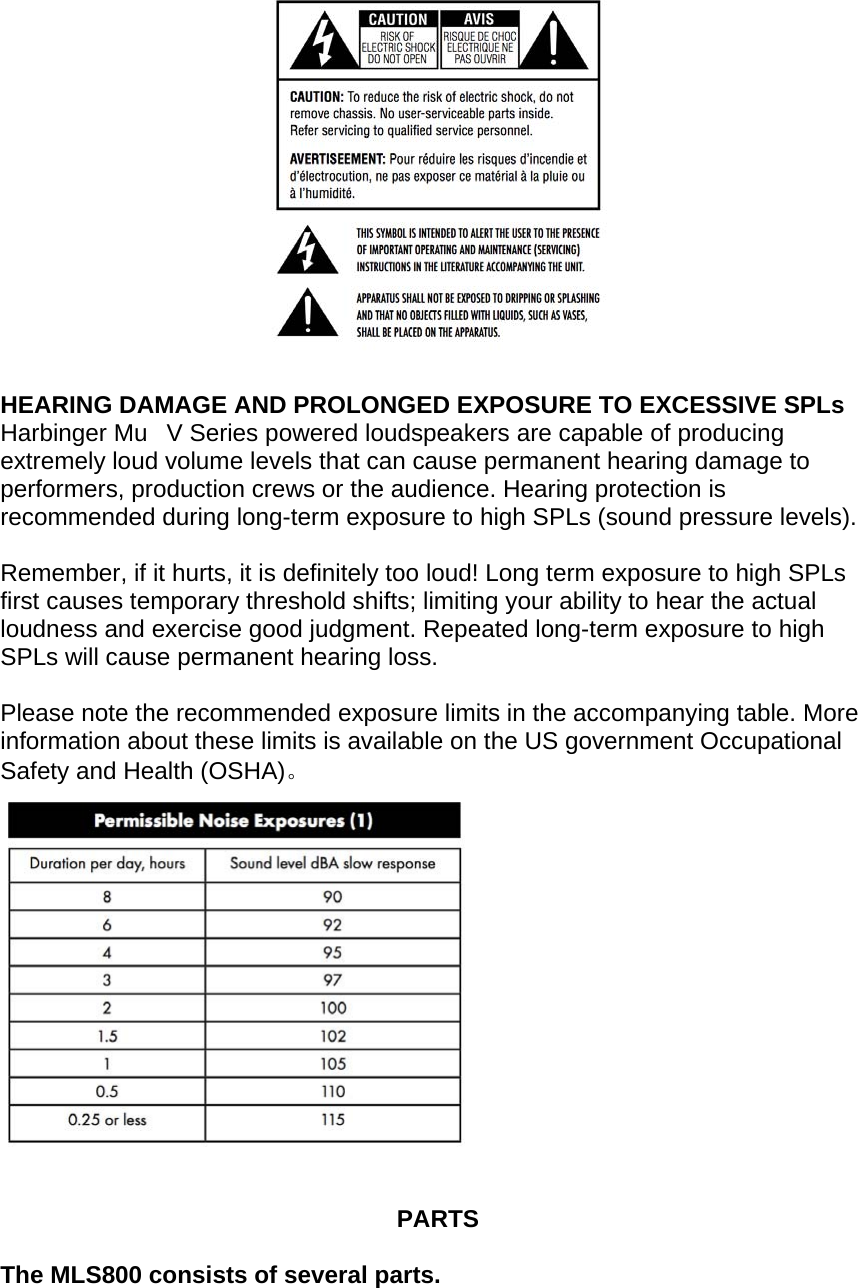
  HEARING DAMAGE AND PROLONGED EXPOSURE TO EXCESSIVE SPLs Harbinger MuV Series powered loudspeakers are capable of producing extremely loud volume levels that can cause permanent hearing damage to performers, production crews or the audience. Hearing protection is recommended during long-term exposure to high SPLs (sound pressure levels).  Remember, if it hurts, it is definitely too loud! Long term exposure to high SPLs first causes temporary threshold shifts; limiting your ability to hear the actual loudness and exercise good judgment. Repeated long-term exposure to high SPLs will cause permanent hearing loss.  Please note the recommended exposure limits in the accompanying table. More information about these limits is available on the US government Occupational Safety and Health (OSHA)。     PARTS  The MLS800 consists of several parts.
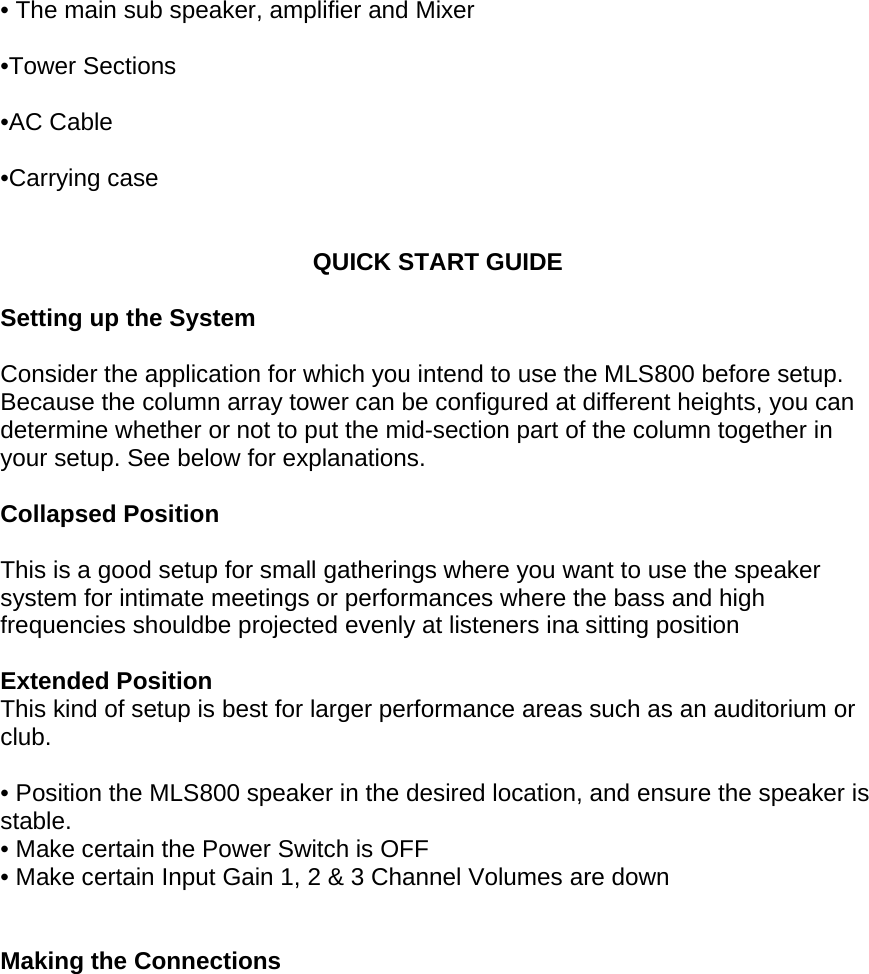
 • The main sub speaker, amplifier and Mixer  •Tower Sections   •AC Cable   •Carrying case    QUICK START GUIDE  Setting up the System  Consider the application for which you intend to use the MLS800 before setup. Because the column array tower can be configured at different heights, you can determine whether or not to put the mid-section part of the column together in your setup. See below for explanations.  Collapsed Position  This is a good setup for small gatherings where you want to use the speaker system for intimate meetings or performances where the bass and high frequencies shouldbe projected evenly at listeners ina sitting position  Extended Position This kind of setup is best for larger performance areas such as an auditorium or club.  • Position the MLS800 speaker in the desired location, and ensure the speaker is stable.  • Make certain the Power Switch is OFF • Make certain Input Gain 1, 2 & 3 Channel Volumes are down   Making the Connections
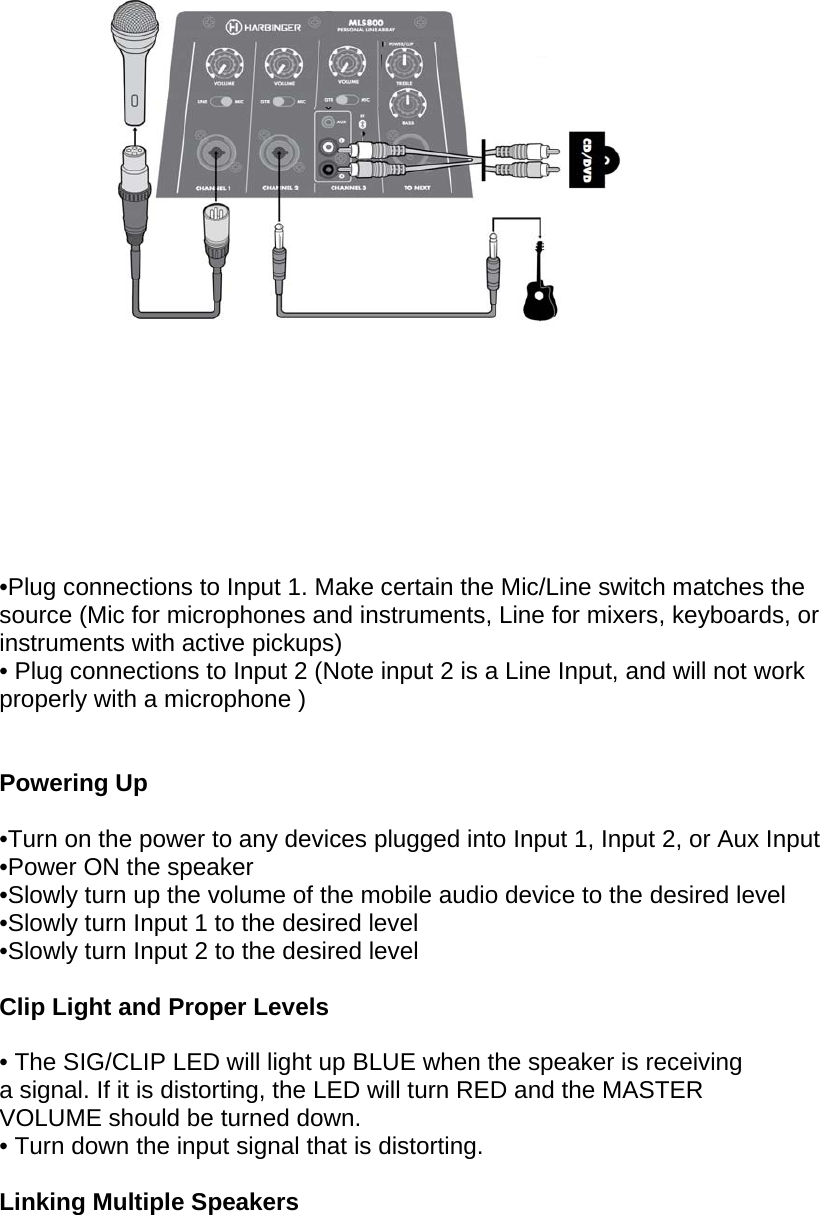
    •Plug connections to Input 1. Make certain the Mic/Line switch matches the source (Mic for microphones and instruments, Line for mixers, keyboards, or instruments with active pickups) • Plug connections to Input 2 (Note input 2 is a Line Input, and will not work properly with a microphone )  Powering Up  •Turn on the power to any devices plugged into Input 1, Input 2, or Aux Input  •Power ON the speaker  •Slowly turn up the volume of the mobile audio device to the desired level  •Slowly turn Input 1 to the desired level  •Slowly turn Input 2 to the desired level  Clip Light and Proper Levels  • The SIG/CLIP LED will light up BLUE when the speaker is receiving a signal. If it is distorting, the LED will turn RED and the MASTER VOLUME should be turned down. • Turn down the input signal that is distorting.   Linking Multiple Speakers
• If linking multiple speakers, plug the Line OUT “TO NEXT” connection of Speaker 1 to the Line In “CHANNEL 1” with the switch set to Line connection of Speaker 2, and continue the daisy chain to the last speaker (this is common where multiple monitor share the same feed from the mixing board) • Turn the Power On in the order of the audio signal to prevent unwanted “pops”  (First On / Last Off)               MLS800 MIXER PANEL     1. Channel Volume Controls Each channel has separate volume controls to allow discrete mixing of each audio source.      2. Channel Input Switches  The Channel 1 or 2 input switches allow you to select between Microphone or Guitar line levels. Channel 3 can either be a physical input source that comes
into the RCA inputs or the 1/8” TRS input, or you can switch it to use Bluetooth for wireless connectivity via Bluetooth with your mobile audio device.  3. Channel Inputs Channels 1 and 2 can have either XLR (microphone) or ¼” Tip Ring Sleeve plugs (Guitar) in the inputs.  4. Aux/Bluetooth Selector Switch and Pair Button This changes to Channel 3 input to Bluetooth from the physical inputs.To make your mobile audio device communicate with the MLS800 you need to make sure the device is paired. This is done by setting your device to discover Bluetooth devices. The Device “Harbinger MLS800” should be present when you hold down the Pair button on the MLS800 while your device is searching device.  4a. The Bluetooth Light (on front of cabinet) The Bluetooth light will light blue when connected and will play a chime. When your device is playing music, the Bluetooth light will blink slowly. When connected to Bluetooth, you can press the pair button on the MLS800 to stop playback of the connected device. Press the pair button again to resume playback. To disconnect, press and hold the pair button. The light will turn off and it will play a chime  5. Power / Clip LED The Power LED is green to indicate that the MLS800’s AC power cord is connected to an electrical outlet, and the Power Switch is turned on.  The SIG/CLIP LED will light up BLUE when the speaker is receiving a signal. If it is distorting, the LED will turn RED and the MASTER VOLUME should be turned down.  6. EQ Controls The LOW EQ will provide +/- 12dB of boost or cut below 100Hz. Turn the LOW EQ up to add bass or warmth to the speaker. Turn the LOW EQ down to remove rumble and noise when the program material does not contain low frequencies, or when using the speaker as a floor monitor. The HIGH EQ will provide +/- 12dB of boost or cut above 10kHz. Turn the HIGH EQ up to add clarity and definition to vocals, acoustic instruments, or backing tracks. Turn the HIGH EQ down to reduce hiss or feedback.   7. Power Switch Turns the MLS800 ON or OFF   8. Fuse Carrier  Only replace the fuse when the device is disconnected from mains. Only use fuse of the same rating and power. The correct fuse is specified on the rear panel.   9. Power cable input
Plug in the supplied power cable here.   10. To Next (Line Output)  The Line Output or “To Next” is used to link multiple speakers together using the same audio signal. Connect the Line Output or “To Next” of the first speaker to the Line Input of the next speaker in the signal path.         SPECIFICATIONS  Amplifier Inputs        XLR/TRS combo jack, Stereo RCA &1/8"AUX input, Bluetooth Outputs       XLR balanced line output  Power output       RMS 120w(sub) RMS, 400W peak, +120w(sat)RMS, 400W peak Volume       Volume control each channel EQ        Main out 2 band shelving EQ  LED’s    Power / Clip indicator Power Input Features  100-240V ~50/60 Hz switchable Amplifier  Class D amplifier withswitching power design  Subwoofer       Active vented subwoofer  Frequency Response    55-200Hz  Max output SPL     114dB (at max amp output)  Impedance     4 Ohm Driver    8'' subwoofer,1.5''vc33Oz Cabinet    PP plastic  Grill    1.0mm steel   Satellite       Passive full-range speaker  Frequency response    180-20KHz  Max output SPL     114dB  Impedance     4 ohms  Driver        6 x2.75'' full range line array  Cabinet    PP plastic  Grill    1.0mm steel  MEAS / G.W.      10.5*20*85.5CM/1PC/5KG(SAT) 52*41.5*52.5CM/1PC/13KG (SUB)    Troubleshooting  Mixer and Amplifier Will Not Turn On  Is the included power cord correctly connected to a power outlet?   Amplifier Turns Off Suddenly
Is the vent on the top panel of the mixer blocked? Since inadequate venting will cause the mixer to overheat, turn off the mixer and uncover the vents to allow the mixer & amplifier to cool. After a few minutes, the mixer should reset itself and can return to normal playback.   Is the POWER limiter flashing continuously? If the POWER limiter is flashing, the amplifier is being used beyond its design capabilities. Turn off and on and resume playback.   No Sound From the Speaker(s)  Are external instruments (including a microphone) or speakers correctly connected to the mixer?Are the LEVEL controls of all relevant channels, external instruments and/or the MASTER LEVEL control set to appropriate levels?   Distortion or Noise in the Audio Signal  Are the LEVEL controls of all relevant channels and/or the MASTER LEVEL control set to appropriate levels? Are the MIC/LINE switches of each channels set appropriately?Are both XLR type and phono-type jacks on channels 1-4 being used (connected) at the same time? Are the input signals from the connected devices set to an appropriate level?   Output Level is Low  Are the LEVEL controls of all relevant channels and/or the MASTER LEVEL control set to appropriate levels? Are the MIC/LINE switches of each channels set appropriately? Is the input signal from the connected device set to an appropriate level?   Sound Level is too loud During Voice Announcements  Is the VOICE/MUSIC switch set to MUSIC(Are the Equalizer controls (HIGH/LOW) set to appropriate level?    WARRANTY Have a question about service, warranty or parts? Call 888-286-1809 (Toll Free) So we may serve you better, please register on-line at www.HarbingerProAudio.com  2 Year Harbinger Limited Warranty Harbinger provides, to the original purchaser, a two (2) year limited warranty on materials and workmanship on all Harbinger cabinets, loudspeaker and amplifier components from the date of purchase.  For warranty support, please visit our website at www.HarbingerProAudio.com, or contact our Support Team at 888-286-1809 for assistance. Harbinger will repair or replace the unit at Harbinger’s discretion.
 This warranty does not cover service or parts to repair damage causedby neglect, abuse, normal wear and tear and cosmetic appearance to the cabinetry not directly attributed to defects in materials or workmanship. Also excluded from coverage are damages caused directly or indirectly due to any service, repair(s), or modifications of the cabinet, which has not been authorized or approved by Harbinger. This two (2) year warranty does not cover service or parts to repair damage caused by accident, disaster, misuse, abuse, burnt voice-coils, over-powering, negligence, inadequate packing or inadequate shipping procedures.  The sole and exclusive remedy of the foregoing limited warranty shall be limited to the repair or replacement of any defective or non-conforming component. All warranties including, but not limited to, the express warranty and the implied warranties of merchantability and fitness for a particular purpose are limited to the two (2) year warranty period. Some states do not allow limitation on how long an implied warranty lasts, so theabove limitation may not apply to you. There are no express warranties beyond those stated here. In the event that applicable law does not allow the limitation of the duration of the implied warranties to the warranty period, then the duration of the implied warranties shall be limited to as long as is provided by applicable law. No warranties apply after that period.  Retailer and manufacturer shall not be liable for damages based upon inconvenience, loss of use of product, loss of time, interrupted operation or commercial loss or any other incidental or consequential damages including but not limited to lost profits, downtime, goodwill, damage toor replacement of equipment and property, and any costs of recovering, reprogramming, or reproducing any program or data stored in equipment that is used with Harbinger products. This guarantee gives you specific legal rights; you may have other legal rights, which vary from state to state.  Harbinger P.O. Box 5111, Thousand Oaks, CA 91359-5111  All trademarks and registered trademarks mentioned herein are recognized as the property of their respective holders.  FCC STATEMENTS This device complies with part 15 of the FCC Rules. Operation is subject to the condition that this device does not cause harmful interference (1) this device may not cause harmful interference, and (2) this device must accept any interference received, including interference that may cause undesired operation.Changes or modifications not expressly approved by the party responsible for compliancecould void the user's authority to operate the equipment.NOTE: This equipment has been tested and found to comply with the limits for a Class B digital device, pursuant to Part 15 of the FCC Rules. These limits are designed to provide reasonable protection against harmful interference in a residential installation. This equipment generates, uses and can radiate radio frequency energy and, if not installed and used in accordance with the instructions, may cause harmful interference to radio communications. However, there is no guarantee that interference will not occur in a particular installation.If this equipment does cause harmful interference to radio or television reception,which can be determined by turning the equipment off and on, the user is encouraged to try to correct the interference by one or more of the following measures:-- Reorient or relocate the receiving antenna.
   Harbinger MLS800 Personal Line Array  FCC ID:2AIQW-MLS800-- Consult the dealer or an experienced radio/TV technician for help.To maintain compliance with FCC’s RF Exposure guidelines, This equipment should be installed and operated with minimum distance between 20cm the radiator your body: Use only the supplied antenna.-- Increase the separation between the equipment and receiver.-- Connect the equipment into an outlet on a circuit differentfrom that to which the receiver is connected.

Navigation menu