OBI Connect FZE SF1 Mobile Phone User Manual

OBI Connect FZE Mobile Phone

Contents

User manual

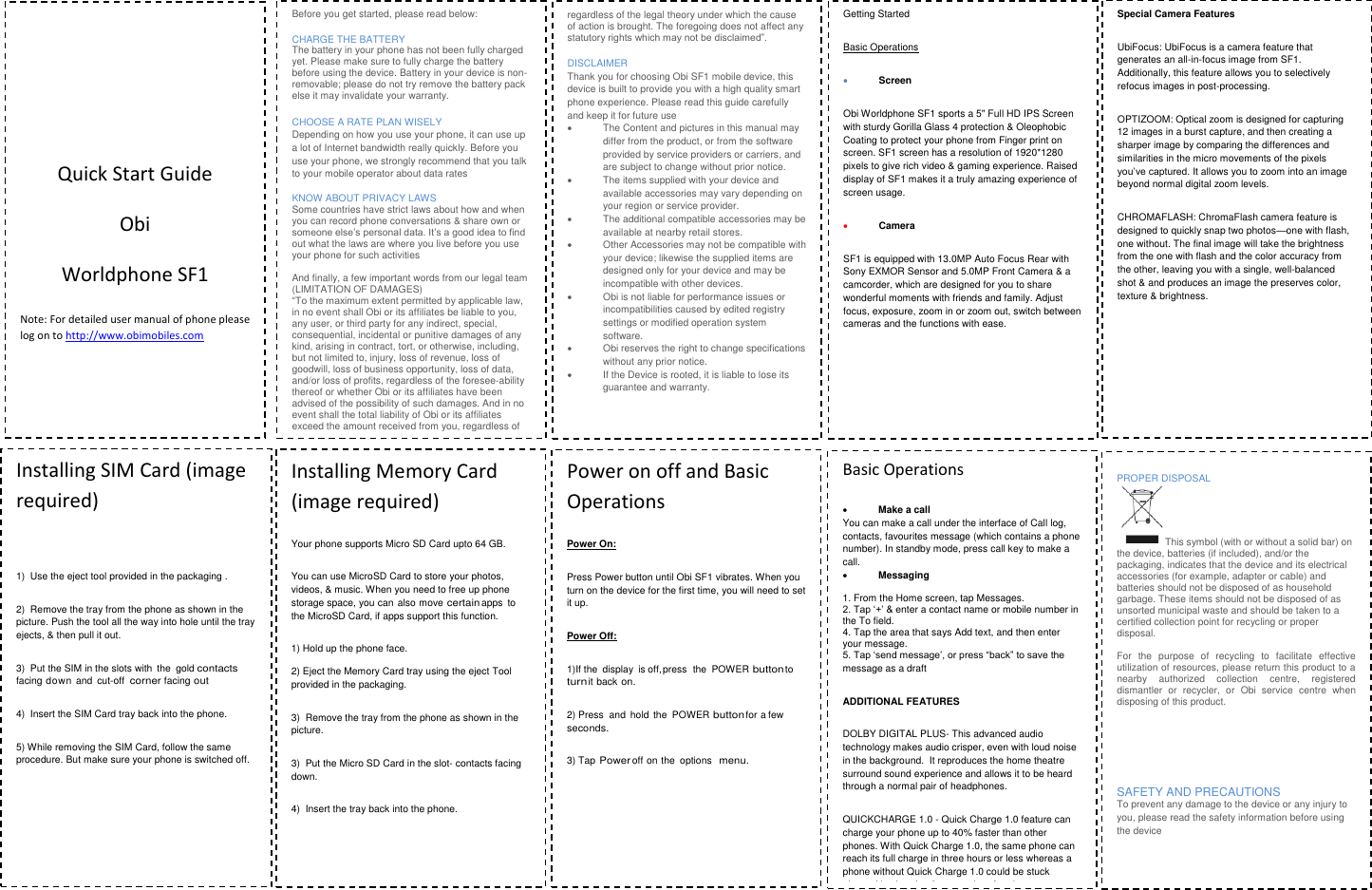
                           Quick Start Guide Obi Worldphone SF1 Note: For detailed user manual of phone please  log on to http://www.obimobiles.com         Before you get started, please read below: CHARGE THE BATTERY  The battery in your phone has not been fully charged yet. Please make sure to fully charge the battery before using the device. Battery in your device is non-removable; please do not try remove the battery pack else it may invalidate your warranty.  CHOOSE A RATE PLAN WISELY Depending on how you use your phone, it can use up a lot of Internet bandwidth really quickly. Before you use your phone, we strongly recommend that you talk to your mobile operator about data rates  KNOW ABOUT PRIVACY LAWS Some countries have strict laws about how and when you can record phone conversations & share own or someone else’s personal data. It’s a good idea to find out what the laws are where you live before you use your phone for such activities  And finally, a few important words from our legal team (LIMITATION OF DAMAGES)  “To the maximum extent permitted by applicable law, in no event shall Obi or its affiliates be liable to you, any user, or third party for any indirect, special, consequential, incidental or punitive damages of any kind, arising in contract, tort, or otherwise, including, but not limited to, injury, loss of revenue, loss of goodwill, loss of business opportunity, loss of data, and/or loss of profits, regardless of the foresee-ability thereof or whether Obi or its affiliates have been advised of the possibility of such damages. And in no event shall the total liability of Obi or its affiliates exceed the amount received from you, regardless of the legal theory under which the cause of action is brought. The foregoing does not affect any statutory rights which may not be disclaimed”.  regardless of the legal theory under which the cause of action is brought. The foregoing does not affect any statutory rights which may not be disclaimed”.  DISCLAIMER Thank you for choosing Obi SF1 mobile device, this device is built to provide you with a high quality smart phone experience. Please read this guide carefully and keep it for future use   The Content and pictures in this manual may differ from the product, or from the software provided by service providers or carriers, and are subject to change without prior notice.   The items supplied with your device and available accessories may vary depending on your region or service provider.   The additional compatible accessories may be available at nearby retail stores.   Other Accessories may not be compatible with your device; likewise the supplied items are designed only for your device and may be incompatible with other devices.   Obi is not liable for performance issues or incompatibilities caused by edited registry settings or modified operation system software.    Obi reserves the right to change specifications without any prior notice.   If the Device is rooted, it is liable to lose its guarantee and warranty.    Getting Started Basic Operations  Screen Obi Worldphone SF1 sports a 5" Full HD IPS Screen with sturdy Gorilla Glass 4 protection & Oleophobic Coating to protect your phone from Finger print on screen. SF1 screen has a resolution of 1920*1280 pixels to give rich video & gaming experience. Raised display of SF1 makes it a truly amazing experience of screen usage.  Camera  SF1 is equipped with 13.0MP Auto Focus Rear with Sony EXMOR Sensor and 5.0MP Front Camera & a camcorder, which are designed for you to share wonderful moments with friends and family. Adjust focus, exposure, zoom in or zoom out, switch between cameras and the functions with ease.   Special Camera Features UbiFocus: UbiFocus is a camera feature that generates an all-in-focus image from SF1. Additionally, this feature allows you to selectively refocus images in post-processing.   OPTIZOOM: Optical zoom is designed for capturing 12 images in a burst capture, and then creating a sharper image by comparing the differences and similarities in the micro movements of the pixels you’ve captured. It allows you to zoom into an image beyond normal digital zoom levels. CHROMAFLASH: ChromaFlash camera feature is designed to quickly snap two photos—one with flash, one without. The final image will take the brightness from the one with flash and the color accuracy from the other, leaving you with a single, well-balanced shot & and produces an image the preserves color, texture & brightness.  Installing SIM Card (image required)  1)  Use the eject tool provided in the packaging . 2)  Remove the tray from the phone as shown in the picture. Push the tool all the way into hole until the tray ejects, & then pull it out. 3)  Put the SIM in the slots with  the  gold contacts facing down and  cut-off corner facing out 4)  Insert the SIM Card tray back into the phone. 5) While removing the SIM Card, follow the same procedure. But make sure your phone is switched off.        Installing Memory Card (image required) Your phone supports Micro SD Card upto 64 GB.  You can use MicroSD Card to store your photos, videos, & music. When you need to free up phone storage space, you can  also move certain apps to the MicroSD Card, if apps support this function. 1) Hold up the phone face.  2) Eject the Memory Card tray using the eject Tool provided in the packaging. 3)  Remove the tray from the phone as shown in the picture. 3)  Put the Micro SD Card in the slot- contacts facing down. 4)  Insert the tray back into the phone.  Power on off and Basic Operations Power On: Press Power button until Obi SF1 vibrates. When you turn on the device for the first time, you will need to set it up. Power Off: 1)If the  display  is off, press  the  POWER button to turn it back on. 2) Press  and  hold  the  POWER button for a few seconds. 3) Tap Power off on the  options menu.    Basic Operations  Make a call You can make a call under the interface of Call log, contacts, favourites message (which contains a phone number). In standby mode, press call key to make a call.  Messaging   1. From the Home screen, tap Messages. 2. Tap ‘+’ & enter a contact name or mobile number in the To field. 4. Tap the area that says Add text, and then enter your message. 5. Tap ‘send message’, or press “back” to save the message as a draft ADDITIONAL FEATURES DOLBY DIGITAL PLUS- This advanced audio technology makes audio crisper, even with loud noise in the background.  It reproduces the home theatre surround sound experience and allows it to be heard through a normal pair of headphones.                              QUICKCHARGE 1.0 - Quick Charge 1.0 feature can charge your phone up to 40% faster than other phones. With Quick Charge 1.0, the same phone can reach its full charge in three hours or less whereas a phone without Quick Charge 1.0 could be stuck plugged in charging for more than four hours.  PROPER DISPOSAL This symbol (with or without a solid bar) on the device, batteries (if included), and/or the packaging, indicates that the device and its electrical accessories (for example, adapter or cable) and batteries should not be disposed of as household garbage. These items should not be disposed of as unsorted municipal waste and should be taken to a certified collection point for recycling or proper disposal.   For  the  purpose  of  recycling  to  facilitate  effective utilization of resources, please return this product to a nearby  authorized  collection  centre,  registered dismantler  or  recycler,  or  Obi  service  centre  when disposing of this product.    SAFETY AND PRECAUTIONS  To prevent any damage to the device or any injury to you, please read the safety information before using the device
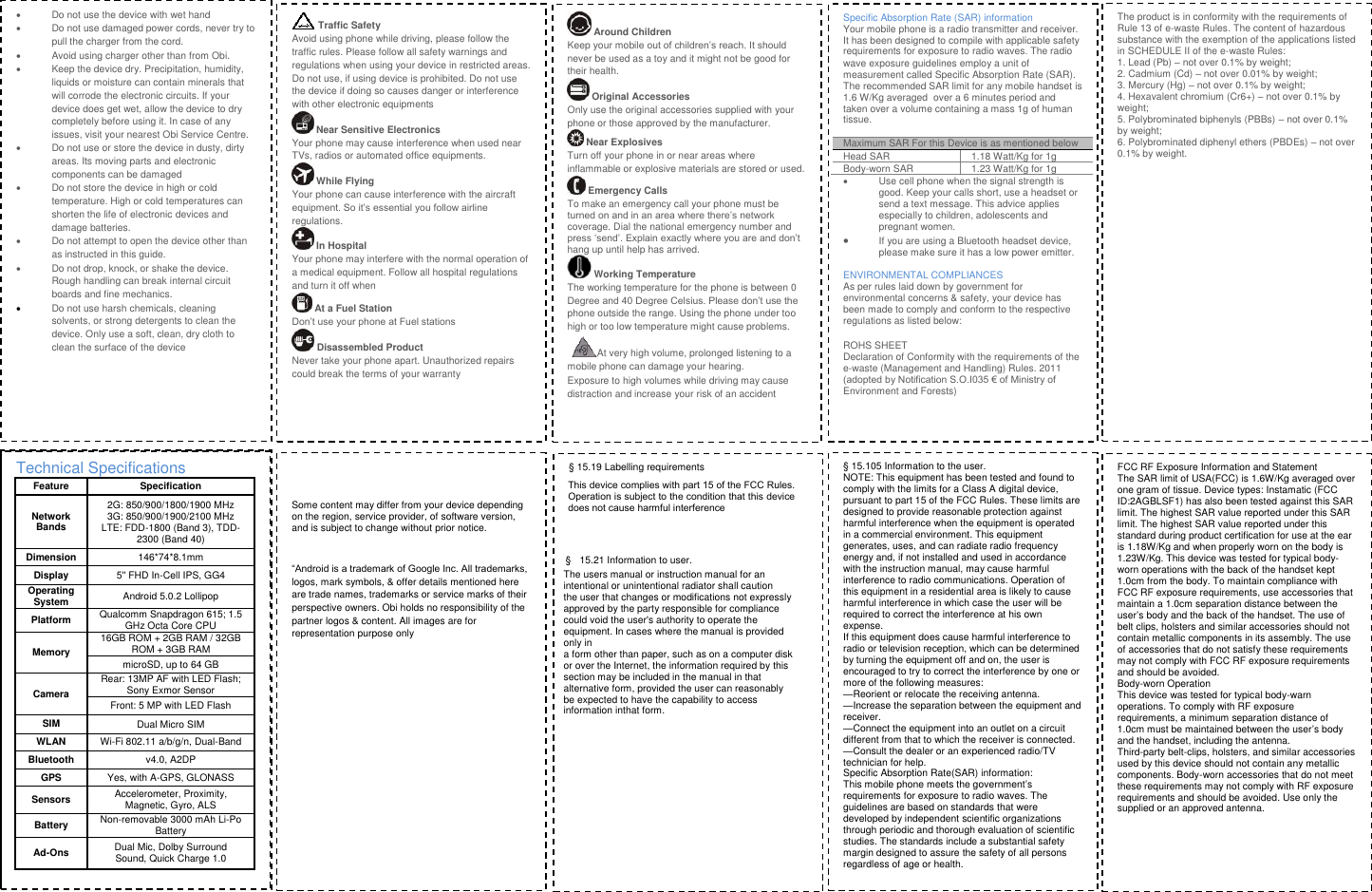
  Do not use the device with wet hand   Do not use damaged power cords, never try to pull the charger from the cord.   Avoid using charger other than from Obi.   Keep the device dry. Precipitation, humidity, liquids or moisture can contain minerals that will corrode the electronic circuits. If your device does get wet, allow the device to dry completely before using it. In case of any issues, visit your nearest Obi Service Centre.    Do not use or store the device in dusty, dirty areas. Its moving parts and electronic components can be damaged   Do not store the device in high or cold temperature. High or cold temperatures can shorten the life of electronic devices and damage batteries.   Do not attempt to open the device other than as instructed in this guide.   Do not drop, knock, or shake the device. Rough handling can break internal circuit boards and fine mechanics.   Do not use harsh chemicals, cleaning solvents, or strong detergents to clean the device. Only use a soft, clean, dry cloth to clean the surface of the device Traffic Safety Avoid using phone while driving, please follow the traffic rules. Please follow all safety warnings and regulations when using your device in restricted areas. Do not use, if using device is prohibited. Do not use the device if doing so causes danger or interference with other electronic equipments  Near Sensitive Electronics Your phone may cause interference when used near TVs, radios or automated office equipments.  While Flying  Your phone can cause interference with the aircraft equipment. So it’s essential you follow airline regulations.  In Hospital Your phone may interfere with the normal operation of a medical equipment. Follow all hospital regulations and turn it off when  At a Fuel Station Don’t use your phone at Fuel stations  Disassembled Product Never take your phone apart. Unauthorized repairs could break the terms of your warranty  Around Children Keep your mobile out of children’s reach. It should never be used as a toy and it might not be good for their health.   Original Accessories Only use the original accessories supplied with your phone or those approved by the manufacturer.   Near Explosives  Turn off your phone in or near areas where inflammable or explosive materials are stored or used.  Emergency Calls To make an emergency call your phone must be turned on and in an area where there’s network coverage. Dial the national emergency number and press ‘send’. Explain exactly where you are and don’t hang up until help has arrived. Working Temperature The working temperature for the phone is between 0 Degree and 40 Degree Celsius. Please don’t use the phone outside the range. Using the phone under too high or too low temperature might cause problems. At very high volume, prolonged listening to a mobile phone can damage your hearing. Exposure to high volumes while driving may cause distraction and increase your risk of an accident Specific Absorption Rate (SAR) information Your mobile phone is a radio transmitter and receiver. It has been designed to compile with applicable safety requirements for exposure to radio waves. The radio wave exposure guidelines employ a unit of measurement called Specific Absorption Rate (SAR). The recommended SAR limit for any mobile handset is 1.6 W/Kg averaged over a 6 minutes period and taken over a volume containing a mass 1g of human tissue. Maximum SAR For this Device is as mentioned below Head SAR 1.18 Watt/Kg for 1g Body-worn SAR 1.23 Watt/Kg for 1g   Use cell phone when the signal strength is good. Keep your calls short, use a headset or send a text message. This advice applies especially to children, adolescents and pregnant women.  If you are using a Bluetooth headset device, please make sure it has a low power emitter. ENVIRONMENTAL COMPLIANCES As per rules laid down by government for environmental concerns & safety, your device has been made to comply and conform to the respective regulations as listed below: ROHS SHEET Declaration of Conformity with the requirements of the e-waste (Management and Handling) Rules. 2011 (adopted by Notification S.O.I035 € of Ministry of Environment and Forests) The product is in conformity with the requirements of Rule 13 of e-waste Rules. The content of hazardous substance with the exemption of the applications listed in SCHEDULE II of the e-waste Rules: 1. Lead (Pb) – not over 0.1% by weight;2. Cadmium (Cd) – not over 0.01% by weight;3. Mercury (Hg) – not over 0.1% by weight;4. Hexavalent chromium (Cr6+) – not over 0.1% by weight; 5. Polybrominated biphenyls (PBBs) – not over 0.1% by weight; 6. Polybrominated diphenyl ethers (PBDEs) – not over 0.1% by weight. Technical Specifications Feature Specification Network Bands 2G: 850/900/1800/1900 MHz 3G: 850/900/1900/2100 MHz LTE: FDD-1800 (Band 3), TDD-2300 (Band 40) Dimension 146*74*8.1mm Display 5'' FHD In-Cell IPS, GG4 Operating System Android 5.0.2 Lollipop Platform Qualcomm Snapdragon 615; 1.5 GHz Octa Core CPU Memory 16GB ROM + 2GB RAM / 32GB ROM + 3GB RAM microSD, up to 64 GB Camera Rear: 13MP AF with LED Flash; Sony Exmor SensorFront: 5 MP with LED Flash SIMDual Micro SIM WLANWi-Fi 802.11 a/b/g/n, Dual-Band Bluetoothv4.0, A2DP GPSYes, with A-GPS, GLONASS Sensors Accelerometer, Proximity, Magnetic, Gyro, ALS Battery Non-removable 3000 mAh Li-Po Battery Ad-Ons Dual Mic, Dolby Surround Sound, Quick Charge 1.0 Some content may differ from your device depending on the region, service provider, of software version, and is subject to change without prior notice. “Android is a trademark of Google Inc. All trademarks, logos, mark symbols, & offer details mentioned here are trade names, trademarks or service marks of their perspective owners. Obi holds no responsibility of the partner logos & content. All images are for representation purpose only § 15.19 Labelling requirementsThis device complies with part 15 of the FCC Rules. Operation is subject to the condition that this device does not cause harmful interference§  15.21 Information to user.The users manual or instruction manual for an intentional or unintentional radiator shall caution the user that changes or modifications not expressly approved by the party responsible for compliance could void the user's authority to operate the equipment. In cases where the manual is provided only in a form other than paper, such as on a computer disk or over the Internet, the information required by this section may be included in the manual in that alternative form, provided the user can reasonably be expected to have the capability to access information inthat form. § 15.105 Information to the user.NOTE: This equipment has been tested and found to comply with the limits for a Class A digital device, pursuant to part 15 of the FCC Rules. These limits are designed to provide reasonable protection against harmful interference when the equipment is operated in a commercial environment. This equipment generates, uses, and can radiate radio frequency energy and, if not installed and used in accordance with the instruction manual, may cause harmful interference to radio communications. Operation of this equipment in a residential area is likely to cause harmful interference in which case the user will be required to correct the interference at his own expense. If this equipment does cause harmful interference to radio or television reception, which can be determined by turning the equipment off and on, the user is encouraged to try to correct the interference by one or more of the following measures: —Reorient or relocate the receiving antenna. —Increase the separation between the equipment and receiver. —Connect the equipment into an outlet on a circuit different from that to which the receiver is connected. —Consult the dealer or an experienced radio/TV technician for help. Specific Absorption Rate(SAR) information: This mobile phone meets the government’s requirements for exposure to radio waves. The guidelines are based on standards that were developed by independent scientific organizations through periodic and thorough evaluation of scientific studies. The standards include a substantial safety margin designed to assure the safety of all persons regardless of age or health. FCC RF Exposure Information and Statement The SAR limit of USA(FCC) is 1.6W/Kg averaged over one gram of tissue. Device types: Instamatic (FCC ID:2AGBLSF1) has also been tested against this SAR limit. The highest SAR value reported under this SAR limit. The highest SAR value reported under this standard during product certification for use at the ear is 1.18W/Kg and when properly worn on the body is 1.23W/Kg. This device was tested for typical body-worn operations with the back of the handset kept 1.0cm from the body. To maintain compliance with FCC RF exposure requirements, use accessories that maintain a 1.0cm separation distance between the user’s body and the back of the handset. The use of belt clips, holsters and similar accessories should not contain metallic components in its assembly. The use of accessories that do not satisfy these requirements may not comply with FCC RF exposure requirements and should be avoided. Body-worn Operation This device was tested for typical body-warn operations. To comply with RF exposure requirements, a minimum separation distance of 1.0cm must be maintained between the user’s body and the handset, including the antenna. Third-party belt-clips, holsters, and similar accessories used by this device should not contain any metallic components. Body-worn accessories that do not meet these requirements may not comply with RF exposure requirements and should be avoided. Use only the supplied or an approved antenna.

Navigation menu