OKAYO Electronics TX-701-F Plug-in UHF Wireless Audio Link Transmitter Module User Manual TX 701 F for ETC

OKAYO Electronics Co., Ltd. Plug-in UHF Wireless Audio Link Transmitter Module TX 701 F for ETC

Exhibit 8 Users Manual_rev

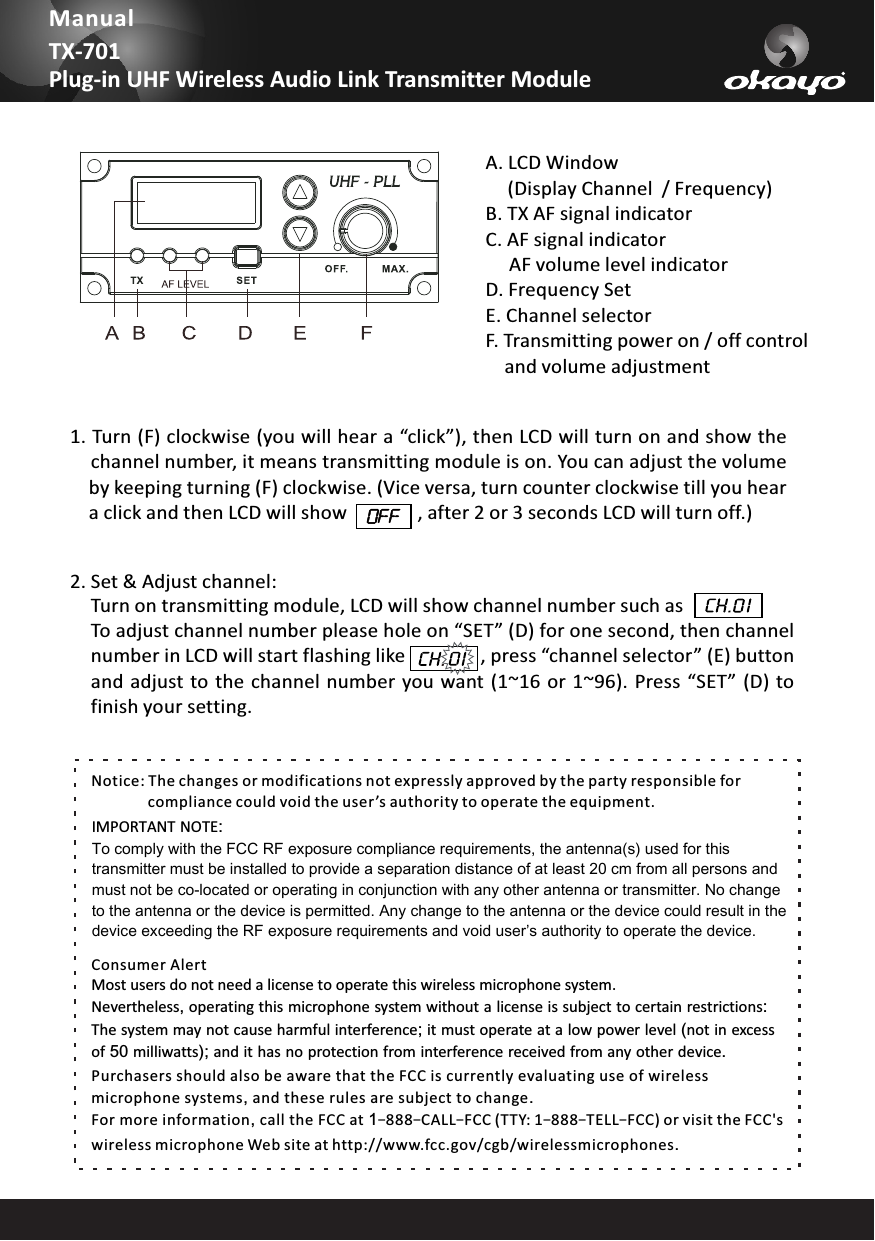
2. Set & Adjust channel: To adjust channel number please hole on “SET” (D) for one second, then channelnumber in LCD will start flashing like                , press “channel selector” (E) buttonand adjust  to the channel  number you want (1~16 or 1~96). Press  “SET” (D) tofinish your setting.Turn on transmitting module, LCD will show channel number such asManualTX-701Plug-in UHF Wireless Audio Link Transmitter ModuleNotice: The changes or modifications not expressly approved by the party responsible for                compliance could void the user ’s authority to operate the equipment.IMPORTANT NOTE:To comply with the FCC RF exposure compliance requirements, the antenna(s) used for this transmitter must be installed to provide a separation distance of at least 20 cm from all persons and must not be co-located or operating in conjunction with any other antenna or transmitter. No change to the antenna or the device is permitted. Any change to the antenna or the device could result in the device exceeding the RF exposure requirements and void user’s authority to operate the device.Consumer AlertMost users do not need a license to operate this wireless microphone system.              Nevertheless, operating this microphone system without a license is subject to certain restrictions:The system may not cause harmful interference; it must operate at a low power level (not in excess of 50 milliwatts); and it has no protection from interference received from any other device. Purchasers should also be aware that the FCC is currently evaluating use of wireless microphone systems, and these rules are subject to change. For more information, call the FCC at 1–888–CALL–FCC (TTY: 1–888–TELL–FCC) or visit the FCC's wireless microphone Web site at http://www.fcc.gov/cgb/wirelessmicrophones.A. LCD    (Display Channel  / Frequency)B. TX AF signal indicator C. AF signal indicator     AF volume level indicatorD. Frequency SetE. Channel selectorF. Transmitting power on / off control     and volume adjustmentWindow1. Turn (F) clockwise (you will hear a “click”), then LCD will turn on and show thechannel number, it means transmitting module is on. You can adjust the volumeby keeping turning (F) clockwise. (Vice versa, turn counter clockwise till you heara click and then LCD will show               , after 2 or 3 seconds LCD will turn off.)

Navigation menu