OKAYO Electronics TX701 Plug-in UHF Wireless Audio Link Transmitter Module User Manual TX 701

OKAYO Electronics Co., Ltd. Plug-in UHF Wireless Audio Link Transmitter Module TX 701

Contents

Users Manual

USER'S GUIDEPlug-In UHF Wireless Audio-Link Transmitter  Module
Notice : The changes or modifications not expressly approved by the party responsible for compliance could void the user’s authority to operate the equipment.IMPORTANT NOTE: To comply with the FCC RF exposure compliance requirements, no change to the antenna or the device is permitted. Any change to the antenna or the device could result in the device exceeding the RF exposure requirements and void user’s authority to operate the device.This device complies with Part 15 of the FCC Rules. Operation is subject to the following two conditions: (1) this device may not cause harmful interference, and (2) this device must accept any interference received, including interference that may cause undesired operation.
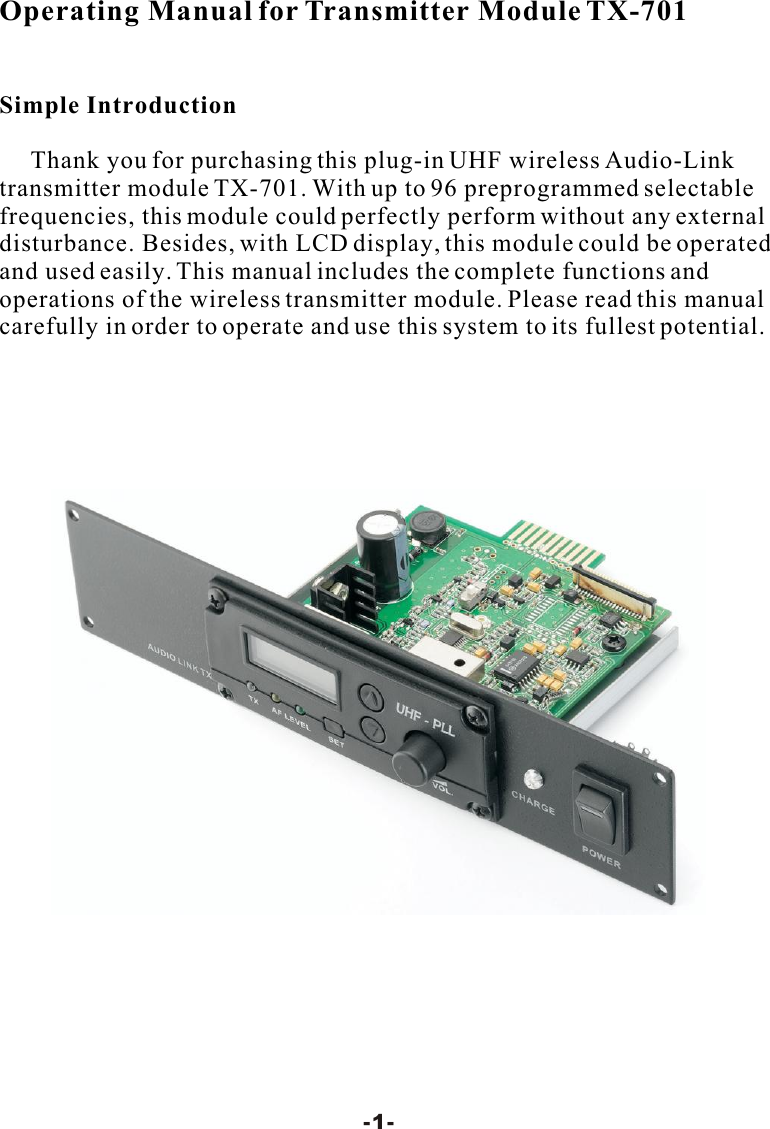
Operating Manual for Transmitter Module TX-701Simple Introduction     Thank you for purchasing this plug-in UHF wireless Audio-Link transmitter module TX-701. With up to 96 preprogrammed selectable frequencies, this module could perfectly perform without any external disturbance. Besides, with LCD display, this module could be operated and used easily. This manual includes the complete functions and operations of the wireless transmitter module. Please read this manual carefully in order to operate and use this system to its fullest potential.-1-
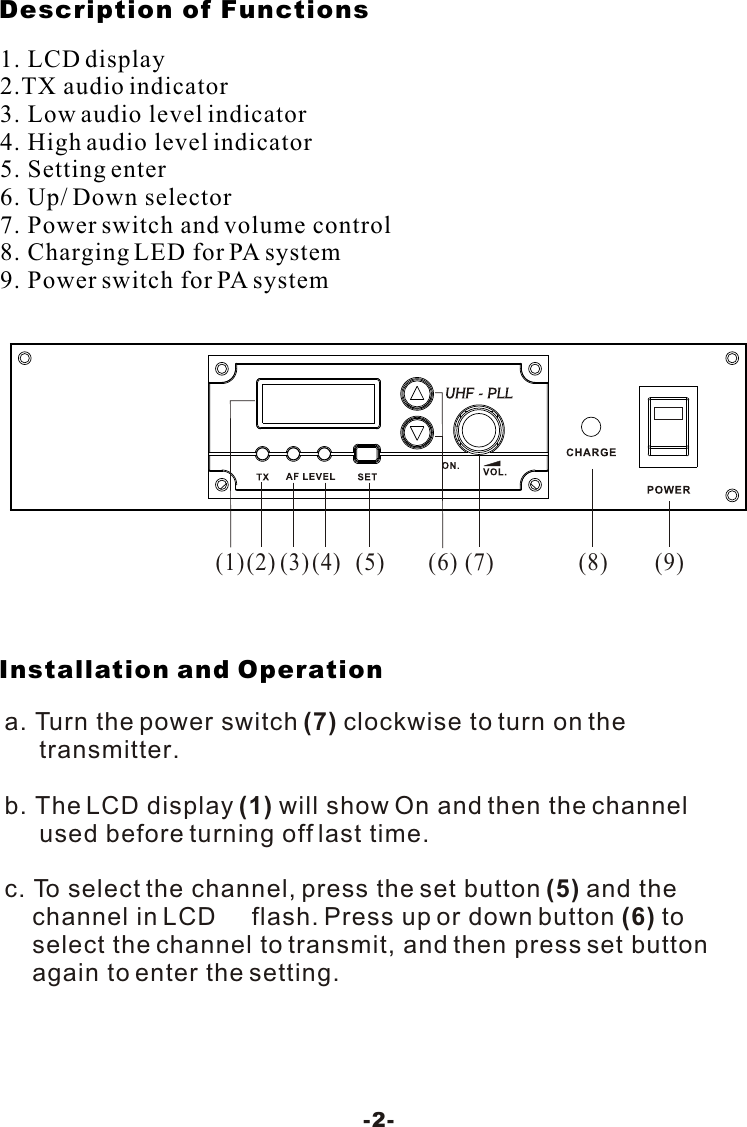
Description of Functions Installation and Operation-2-1. LCD display2.TX audio indicator3. Low audio level indicator4. High audio level indicator5. Setting enter6. Up/ Down selector7. Power switch and volume control8. Charging LED for PA system9. Power switch for PA system(2)(1)(3)(4)(5) (8) (9)(6) (7)a. Turn the power switch (7) clockwise to turn on the      transmitter. b. The LCD display (1) will show On and then the channel      used before turning off last time.c. To select the channel, press the set button (5) and the     channel in LCD     flash. Press up or down button (6) to    select the channel to transmit, and then press set button     again to enter the setting.
Don't leave transmitter or receiver in hot sun, on a radiator, ornear other sources of high temperature.Avoid Excessive HeatTransmitter and receiver may be damaged if dropped.Avoid Rough HandlingMaintenance-3-d. Turn the volume control (7) to the proper position.e. When transmitting the signals, the TX indicator (2) will light     Green to show  the transmitting condition. The AF Level      indicator lights Yellow (3) to show the low audio, lights Red     (4)to show the high audio.

Navigation menu