OTC Wireless TRIMAR 802.11a/b/g Wireless Ethernet Transceiver User Manual TrimarAP TM
OTC Wireless Inc 802.11a/b/g Wireless Ethernet Transceiver TrimarAP TM
Contents
- 1. Users Manual 1
- 2. Users Manual 2
Users Manual 2
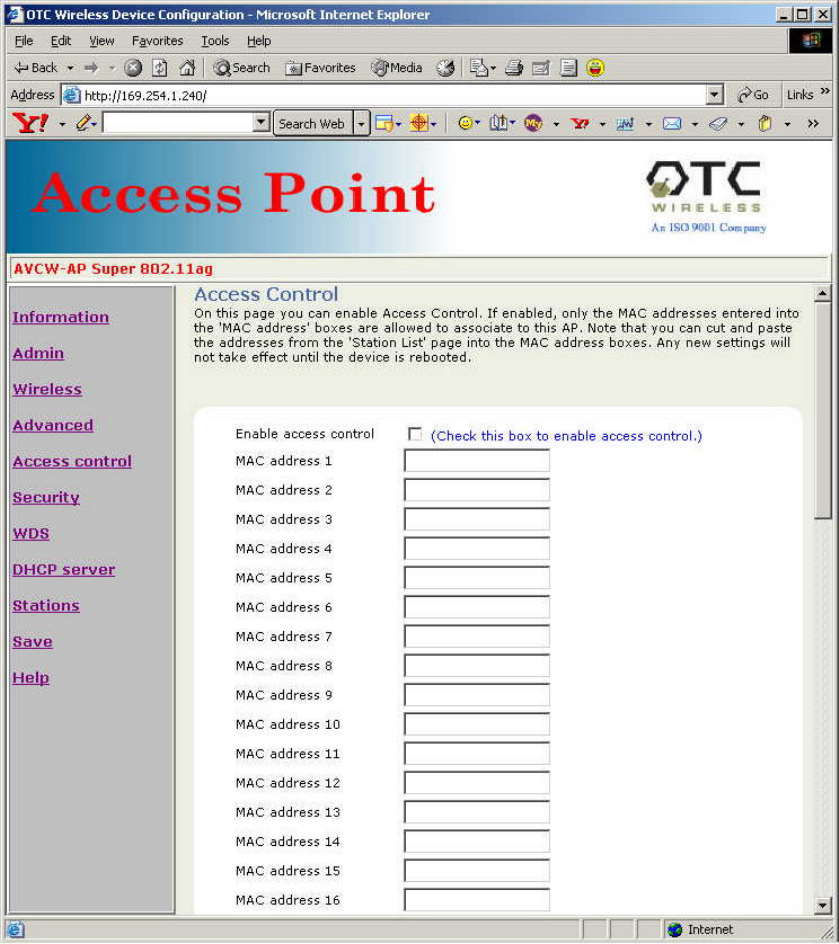
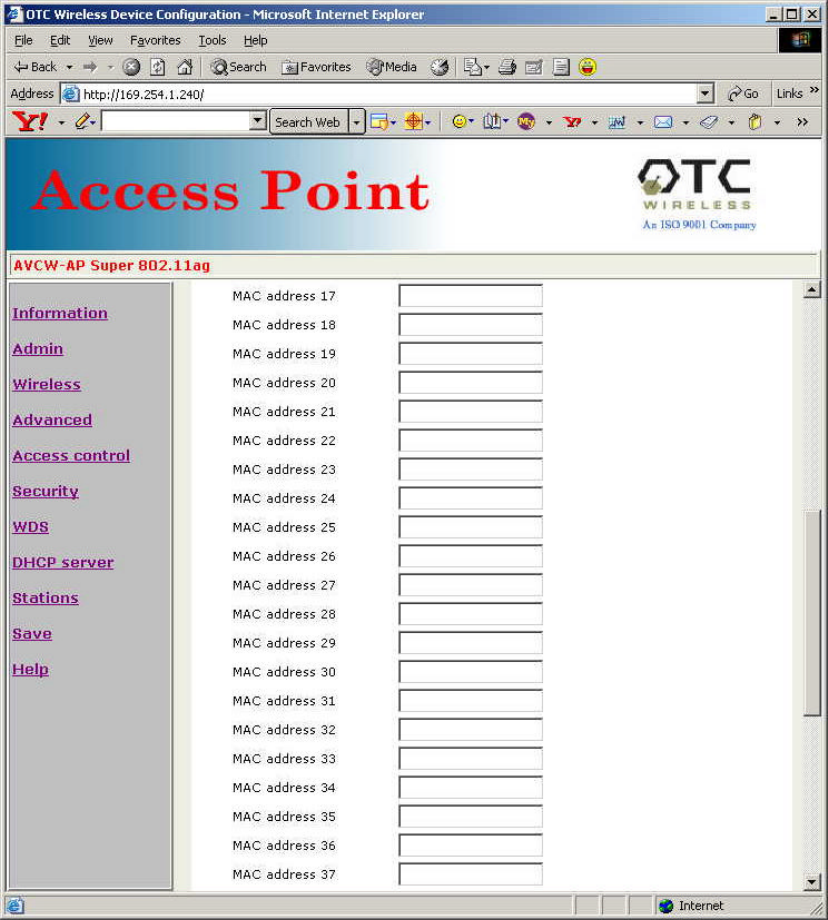
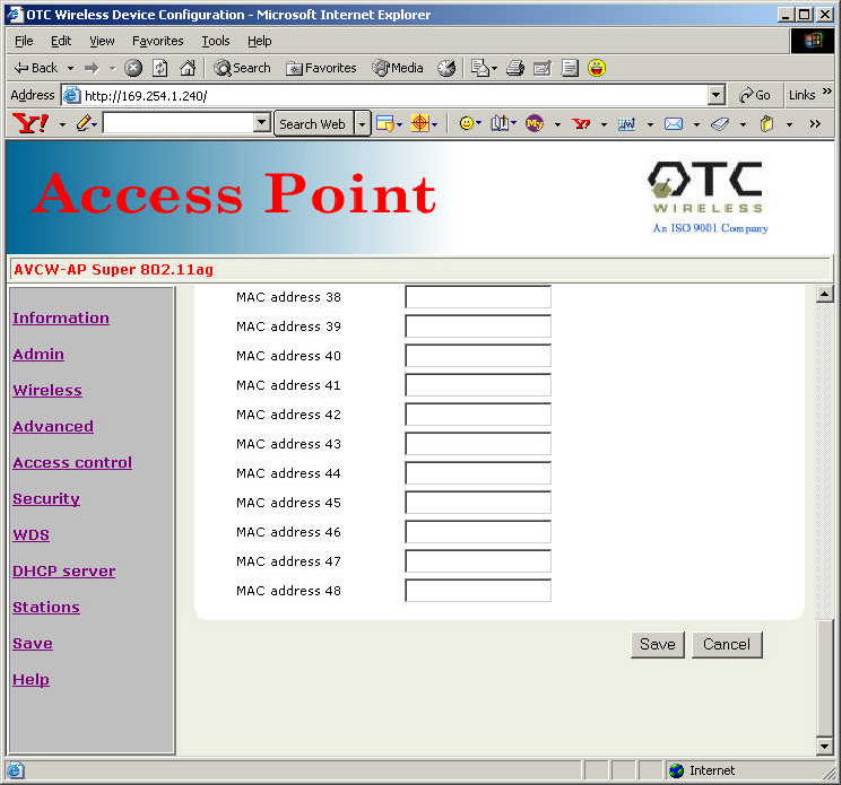
4.6 Access Control
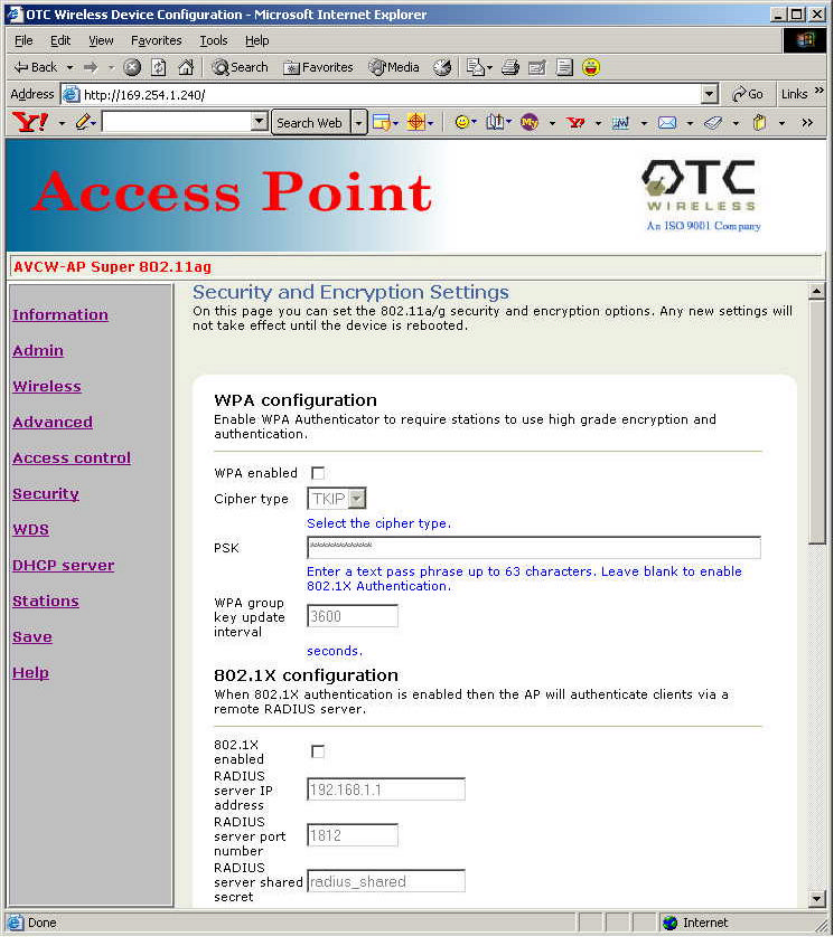
4.7 Security
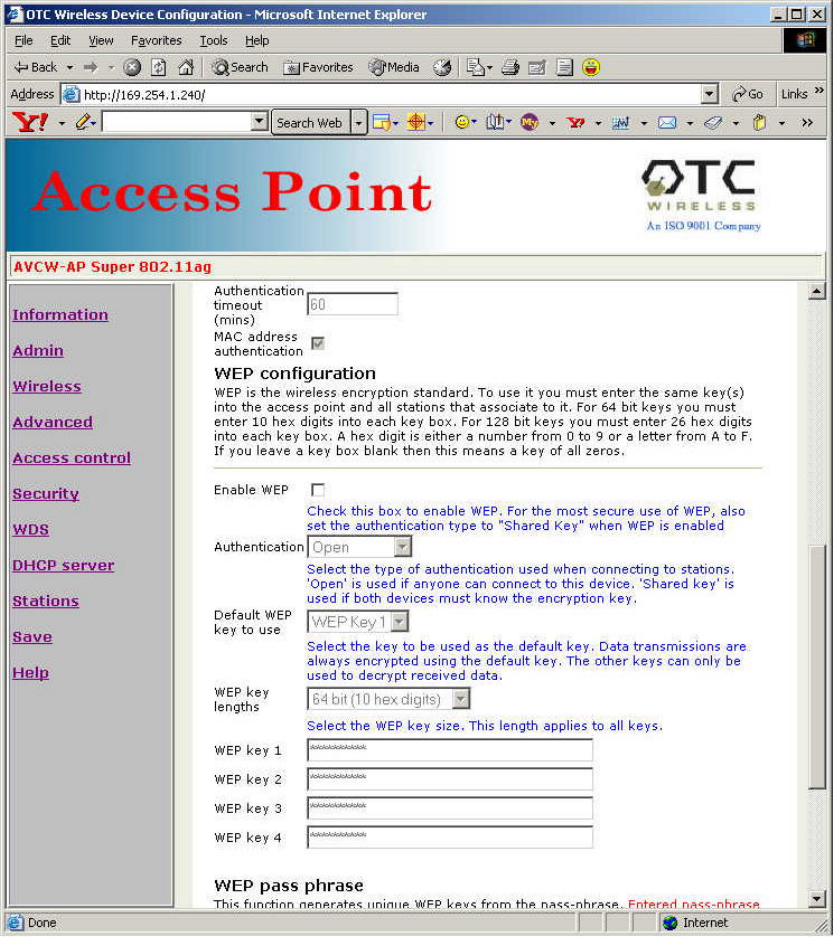
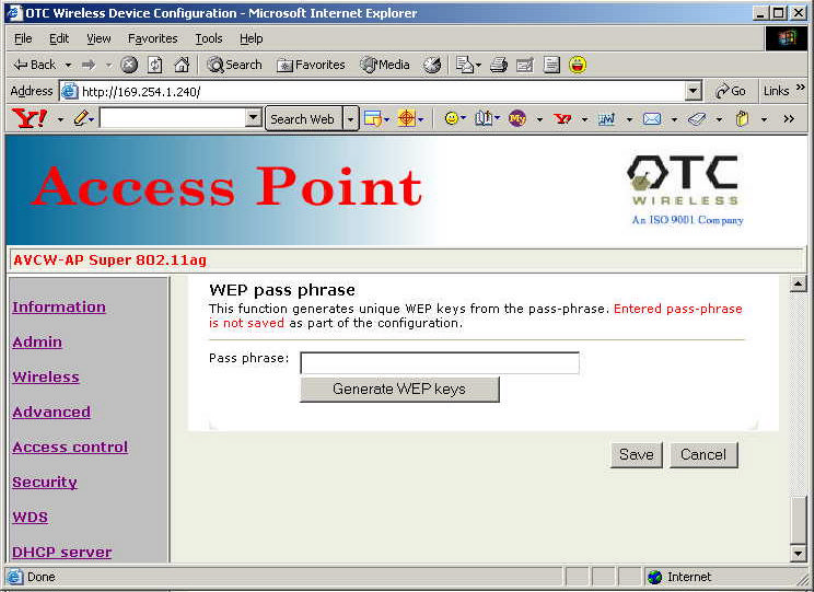
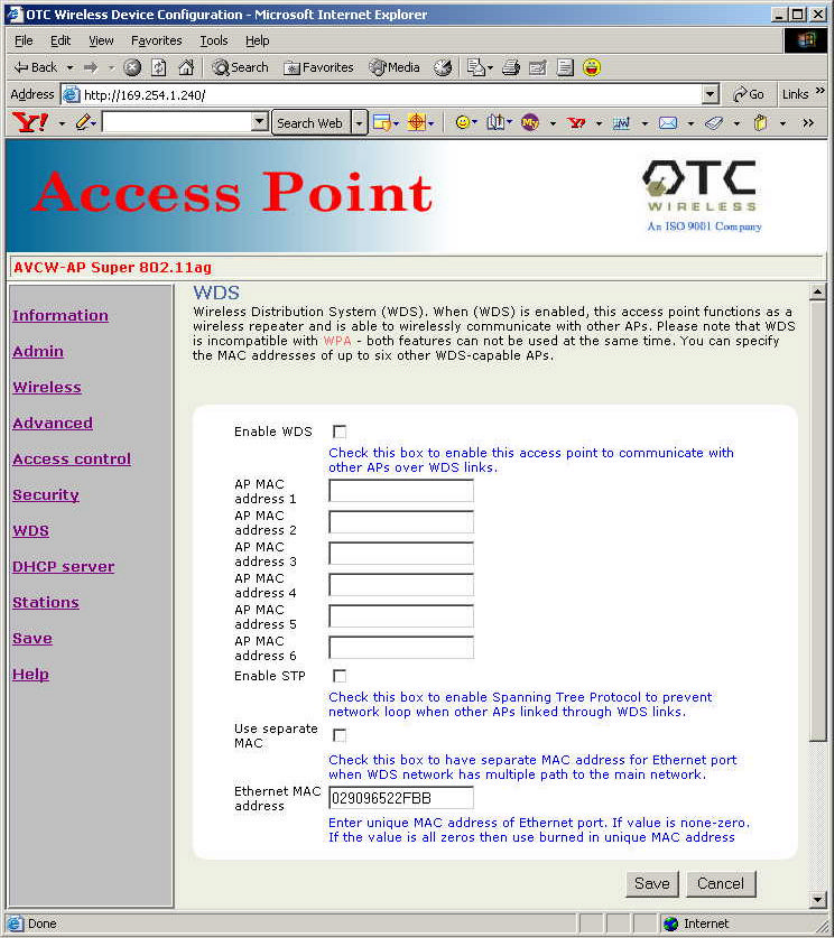
4.8 WDS
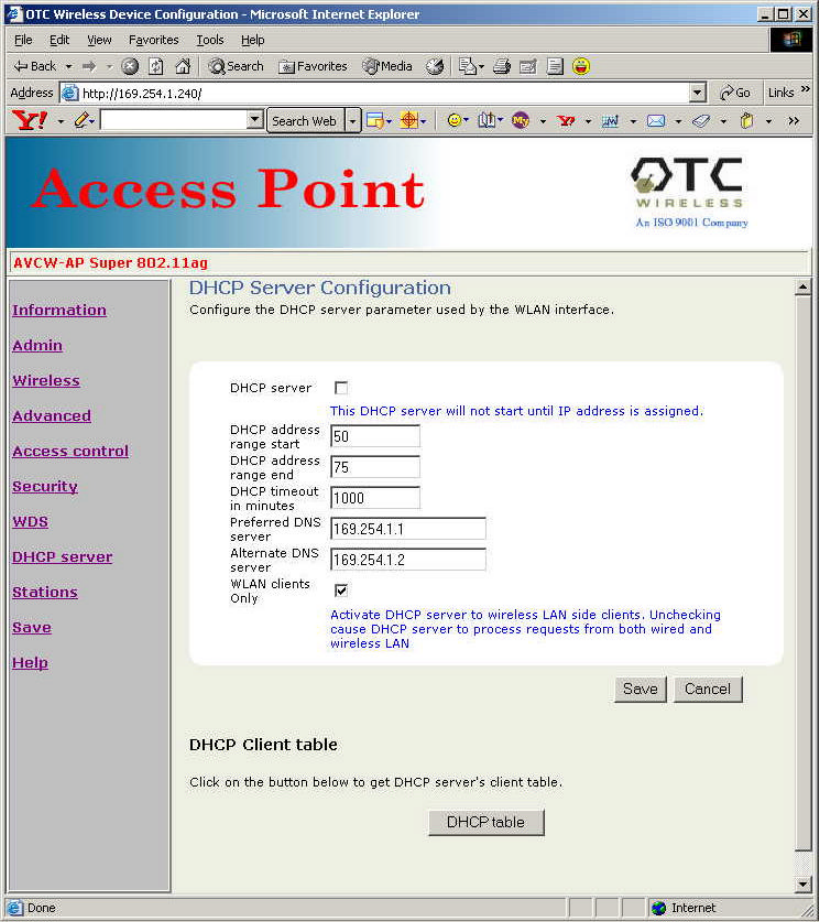
4.9 DHCP Server
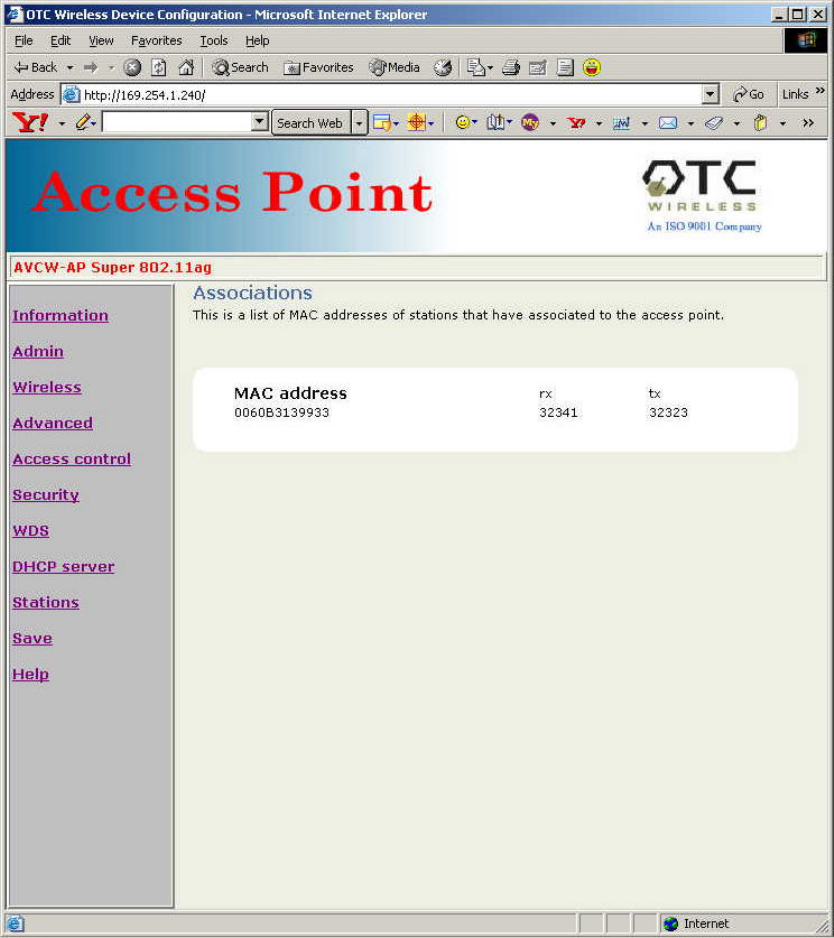
4.10 Stations
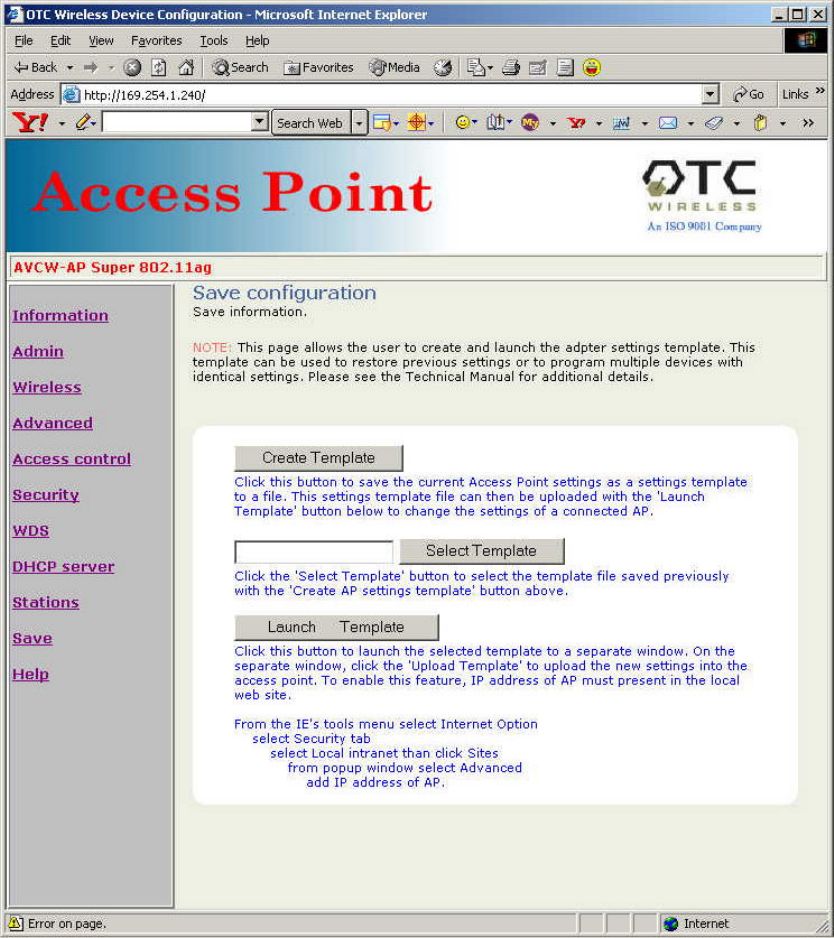
4.11 Save Configuration - Template
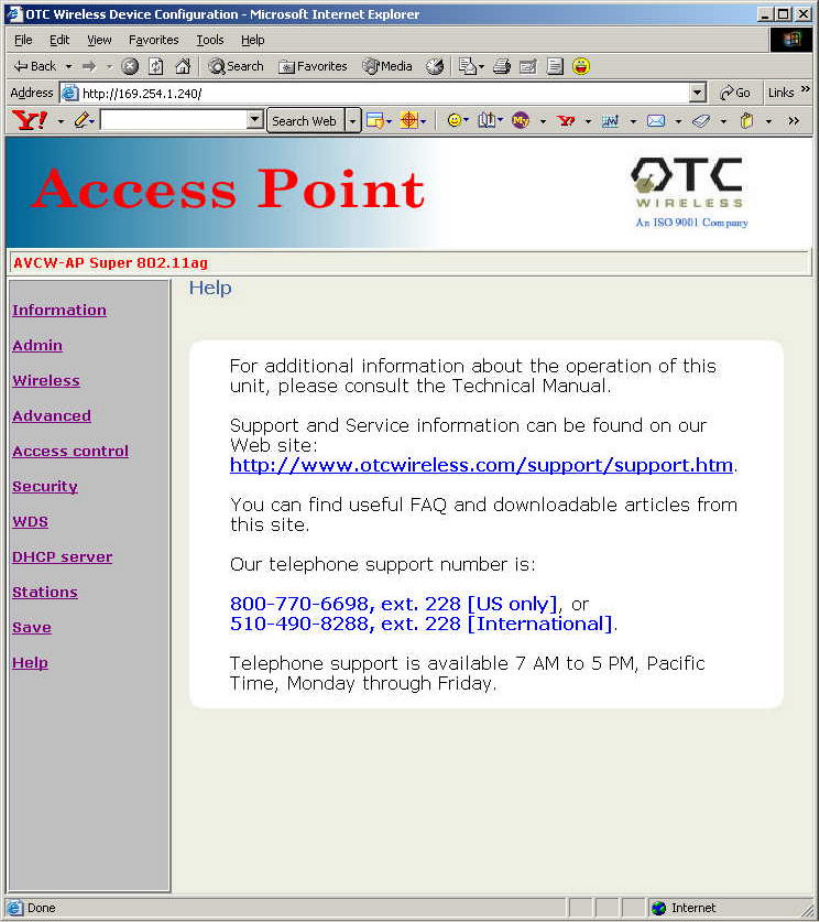
4.12 Help

Chapter 5: Troubleshooting
5.1 No Page Displayed When Accessing the Web-based Utility
This is either because the radio is extremely busy on the RF side or because the
Ethernet connection is problematic. Try hitting the “Refresh” or “Reload” button of the
Web browser a few times. If the same message persists, it is unlikely that the problem is
caused by a busy radio. Check your Ethernet connection. Make sure you use at least a
legitimate CAT-5 cable. Make sure that it is a straight-through cable between the radio
and the computer, or a crossover cable between the radio and the hub, if a hub is
involved. Check to make sure that the Ethernet card of the computer running the Web-
based Utility program is functional and has a correct IP address and subnet mask
setting.
5.2 No Radio Link
Check the following possible causes:
• Make sure that the target radio, the Station, is turned on and operating properly.
• Make sure that the “Signal Strength” indicator on the target Station radio’s utility
program is not zero. A minimum of 70% is recommended. If the “Signal Strength”
is less than 70%, the distance between the Trimar-AP and the targeted Station
radio may be too far. Decrease the distance to see if the radio link can be
established.
• Make sure that the target Station radio’s SSID is blank or the same as that for the
Trimar-AP Access Point.
• If the WPA is turned on, make sure that the entire chain of necessary
configuration from the host supplicant to the RADIUS is properly configured. If
you only turned on WEP and/or 802.1X, again make sure that all the necessary
configuration is correct.
• For troubleshooting purposes, turn off all the security settings and see if the
station radio and the AP can be linked.
• Make sure that the target Station radio’s MAC address is added to the “Allowed
Station List” if this feature on Trimar-AP is turned on.
• Make sure that there is no RF interference present in the radio network.

5.3 No Network Connection While the Radio Link is Good
If the target Station radio’s utility indicates good “link quality” with Trimar-AP, but the
host computer/device cannot be connected to the network
• Make sure that the Yellow LED on the radio is NOT constantly ON. If it is,
Ethernet connection is questionable.
• Make sure the Ethernet Adapter of the host computer/device is properly installed.
• Make sure that the UTP cable connecting the Trimar-AP radio and the network
equipment (switch or router) meets at least the CAT-5 standard and has the
correct straight-through or cross-over connection. Perform similar checks of the
Ethernet cable connection of the target Station radio to its host device.
• Make sure that the IP address of the host computer/device connected to the
target Station radio is properly set up for the network.
5.4 Poor Link Quality
If the “Signal Strength” is reasonably high (>70%) and the “Link Quality” is not zero, but
the “Link Quality” stays in the Poor range, it could be due to one of the following
reasons:
• Make sure that radio interference is not present in the radio network.
• Make sure that the radio is not surrounded by many strongly reflecting (metallic)
surfaces. With multiple reflecting surfaces between the radio in question and the
target radio, a severe “multi-path” problem may introduce high bit error rate
despite a strong “Signal Strength”.
• Make sure that there is not a condition of severe packet collision caused by a
“hidden node” problem. A “hidden node” problem is the situation where the RF
signal from two or more Station radios cannot reach each other (but can reach
the AP). In such situation, multiple Stations may attempt to transmit data packet
to the AP at the same time and therefore cause packet collision. To solve this
problem, either re-arrange the Stations in question such that the RF signals are
mutually sensible by all Stations, or turn-on the RTS/CTS protocol by setting the
“RTS threshold” on the “Config” tab to a reasonably small value (300, for
example). There is no guarantee that the packet collision can be entirely
eliminated by invoking RTS/CTS protocol, but the severity can be reduced
enough to see visible improvement of the link quality.
• Change “Burst time” value to zero when signal strength is marginal or site survey
detects other Access Points that are using the same channel or overlapping
channels. Overlapping channels are current channel plus/minus four. Maximum
number of none overlapping channel is 3 when channel 1, 6 and 11 is used.
5.5 Radio Interference
You may be able to eliminate RF interference by trying the following:
• Find the “channel” used by the source of the interference and coordinate your
network and the interference source to be on channels that are at least 20MHz,
but preferably 30MHz, apart.
• Reseat the Trimar-AP radio to a location where the interference is minimized for
all Station radios in the network.
• Avoid using 2.4GHz cordless phone in the vicinity of the radio
• Keep the computer with the Trimar-AP radio and its associated Station radios
away from the microwave oven and large metal objects.
• Consult the dealer or an experienced radio technician for help.
5.6 Settings Appear not to be Modified
Check the version of the software to be upgraded and the software currently running in
the Trimar-AP AP radio. If they are the same, you must click “Reset to factory defaults”
button on index.html page to make software upgrading take effect. This upgrade
effectively overwrites the current software with a different set of factory defaults.
IMPORTANT: please save your configuration to template right after you have any change so
that you can recover your settings.
5.7 Technical Support
Please contact OTC Wireless for Technical Support.
E-mail: support@otcwireless.com
Telephone: 1-800-770-6698 (Inside USA), 011-510-490-8288 (Outside USA)
Appendix A: Limited Warranty
The seller warrants to the end user (“Customer”) that this product will be free from
defects in workmanship and materials, under normal use and service, for one (1) year
from the date of purchase from the seller or its authorized reseller. The seller’s sole
obligation under this express warranty shall be, at the seller’s option and expense, to
repair the defective product or part, or deliver to Customer an equivalent product or part
to replace the defective item.
All products that are replaced will become the property of the seller. Replacement
products may be new or reconditioned.
Appendix B: Regulatory Compliance
Federal Communications Commission (FCC) Compliance Information Statement
FCC Part 15 Declaration of Conformity (DoC)
The following equipment:
Product Name: Wireless Ethernet Adapter
Model Number: AirEZY2411-BT WLAN is herewith confirmed to comply with the
requirements of FCC Part 15 rules. The operation is subject to the following two
conditions:
1. This device may not cause harmful interference, and
2. This device must accept any interference received, including interference that may
cause undesired operation.
FCC ID: MKZWEA11ag03682
A declaration of conformity with the requirements of the directives is available from OTC
Wireless, Inc. 48507 Milmont Drive, Fremont, California 94538, USA
1-800-770-6698 (USA); 011-510-490-8288 (International)
FCC Rules and Regulations - Part 15
This equipment has been tested and found to comply with the limits for a Class B digital
device, pursuant to Part 15 of the FCC Rules. Operation is subject to the following two
conditions: (1) this device may not cause harmful interference, and (2) this device must
accept any interference received, including interference that may cause undesired
operation.
These limits are designed to provide reasonable protection against harmful interference
in a residential installation. This equipment generates, uses and can radiate radio
frequency energy and, if not installed and used in accordance with the instructions, may
cause harmful interference to radio communications. However, there is no guarantee
that interference will not occur in a particular installation. If this equipment does cause
harmful interference to radio or television reception, which can be determined by
unplugging the equipment and then plugging it back in, the user is encouraged to try to
correct the interference by one or more of the following measures:
• Reorient or relocate the receiving antenna.
• Increase the separation between the equipment and receiver.
• Connect the equipment into an outlet on a circuit different from that to which the
receiver is connected.
• Consult the dealer or an experienced radio/TV technician for help.
Operation in frequency band 5150-5250 MHz is restricted to indoor enviroments only.

Caution: Changes or modifications not expressly approved by OTC Wireless could void
the user's authority to operate the equipment. This transmitter must not be co-located or
operating in conjunction with any other antenna or transmitter.
Exposure to Radio Frequency Radiation
Caution: The radiated output power of this device is far below the FCC radio frequency
exposure limits. In order to avoid the possibility of exceeding the FCC radio frequency
exposure limits, a minimum separation of 20 cm (8 inches) is recommended between
the antenna and any persons.
Industry Canada compliance statement
This Class B digital apparatus meets all requirements of the Canadian Interference-
Causing Equipment Regulations.
This device complies with Industry Canada specification RSS-210. Operation is subject
to the following two conditions: (1) this device may not cause interference, and (2) this
device must accept any interference received, including interference that may cause
undesired operation of the device.
To prevent radio interference to the licensed service, this device is intended to be
operated indoors and away from windows to provide maximum shielding. Equipment (or
its transmit antenna) that is installed outdoors is subject to licensing.
The installer of this radio equipment must ensure that the antenna is located or pointed
such that it does not emit RF fields in excess of Health Canada limits for the general
population; consult Safety Code 6, obtainable from Health Canada’s Web site: www.hc-
sc.gc.ca/rpb.
Avis de conformité aux normes d’Industrie Canada
Cet appareil numérique de la classe B respecte toutes les exigences du Règlement sur
le matériel brouilleur du Canada.
Cet appareil est conforme à la spécification RSS-210 d'Industry Canada. Son
fonctionnement est soumis aux deux conditions suivantes: (1) cet appareil ne peut
engendrer aucune interférence et (2) il doit accepter toute interférence qu'il reçoit, y
compris celles qui peuvent altérer son fonctionnement.
Pour éviter toute interférence radio au service sous licence, cet appareil est conçu pour
être utilisé à l'intérieur et loin des fenêtres afin de garantir une protection optimale.
L'équipement (ou son antenne émettrice) est soumis à l'obtention d'une licence s'il est
installé à l'extérieur.

L'installateur de cet équipement radio doit veiller à ce que l'antenne soit implantée et
dirigée de manière à n'émettre aucun champ HF dépassant les limites fixées pour
l'ensemble de la population par Santé Canada. Reportez-vous au Code de sécurité 6
que vous pouvez consulter sur le site Web de Santé Canada: www.hc-sc.gc.ca/rpb

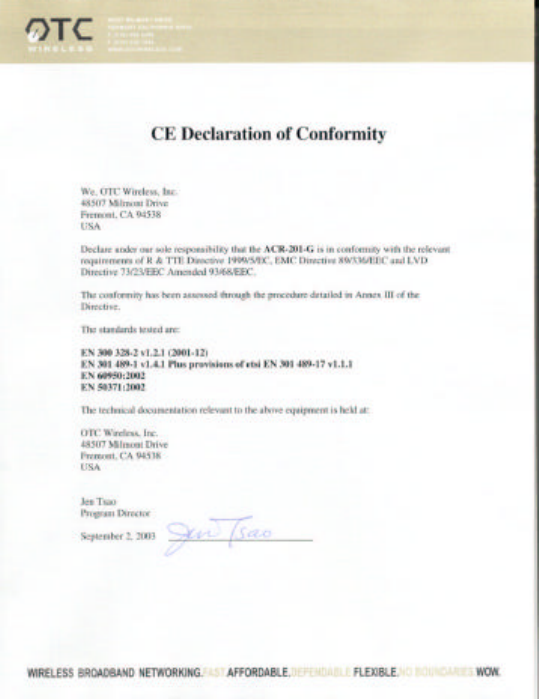
European Community (EC) Directives Conformity and Restrictions
This product is in conformity with the protection requirements of EC Council directives
89/336/EEC, 73/23/EEC, and 1999/5/EC on the approximation and harmonization of the
laws of the Member States relating to electromagnetic compatibility, safety of electrical
equipment designed for use within certain voltage limits and on radio equipment and
telecommunications terminal equipment.
Compliance is indicated by the CE marking
Hereby, OTC Wireless, Inc. declares that this Trimar-AP is in compliance with the essential
requirements and other relevant provisions of Directive 1999/5/EC.
OTC Wireless, Inc. vakuuttaa täten että Trimar-AP tyyppinen laite on direktiivin 1999/5/EY
oleellisten vaatimusten ja sitä koskevien direktiivin muiden ehtojen mukainen.
Hierbij verklaart OTC Wireless, Inc. dat het toestel Trimar-AP in overeenstemming is met de
essentiële eisen en de andere relevante bepalingen van richtlijn 1999/5/EG
Bij deze verklaart OTC Wireless, Inc. dat deze Trimar-AP voldoet aan de essentiële eisen en
aan de overige relevante bepalingen van Richtlijn 1999/5/EC.
Par la présente OTC Wireless, Inc. déclare que l'appareil Trimar-AP est conforme aux
exigences essentielles et aux autres dispositions pertinentes de la directive 1999/5/CE
Par la présente, OTC Wireless, Inc. déclare que ce Trimar-AP est conforme aux exigences
essentielles et aux autres dispositions de la directive 1999/5/CE qui lui sont applicables
Härmed intygar OTC Wireless, Inc. att denna Trimar-AP står I överensstämmelse med de
väsentliga egenskapskrav och övriga relevanta bestämmelser som framgår av direktiv
1999/5/EG.
Undertegnede OTC Wireless, Inc. erklærer herved, at følgende udstyr Trimar-AP overholder de
væsentlige krav og øvrige relevante krav i direktiv 1999/5/EF
Hiermit erklärt OTC Wireless, Inc., dass sich dieser Trimar-AP in Übereinstimmung mit den
grundlegenden Anforderungen und den anderen relevanten Vorschriften der Richtlinie
1999/5/EG befindet". (BMWi)
Hiermit erklärt OTC Wireless, Inc. die Übereinstimmung des Gerätes Trimar-AP mit den
grundlegenden Anforderungen und den anderen relevanten Festlegungen der Richtlinie
1999/5/EG. (Wien)
?? ??? ?????S? OTC Wireless, Inc. ???O??? ??? Trimar-AP S?????FO????? ???S
??S ??S?O???S ??????S??S ??? ??S ?????S S??????S ????????S ??S ???G??S
1999/5/??
Con la presente OTC Wireless, Inc. dichiara che questo Trimar-AP è conforme ai requisiti
essenziali ed alle altre disposizioni pertinenti stabilite dalla direttiva 1999/5/CE.
Por medio de la presente OTC Wireless, Inc. declara que el Trimar-AP cumple con los
requisitos esenciales y cualesquiera otras disposiciones aplicables o exigibles de la Directiva
1999/5/CE
OTC Wireless, Inc. declara que este Trimar-AP está conforme com os requisitos essenciais e
outras provisões da Directiva 1999/5/CE.
This product satisfies the radio spectrum requirements of EN 300 328-1, the EMC
requirements of EN 301 489-17 and the safety requirements of EN 60950.
Notice:
In some countries of operation, using this product may be subject to specific restrictions
as listed below. This product is intended only for indoor use. Outdoor usage may
require licensing.
France
Restricted frequency band: only channels 10 through 13 (2446.5 MHz through 2483.5
MHz) may be used in France.
Not allowed for outdoor use in public areas.
Bande de fréquences restreinte : seuls les canaux 10 à 13 (2446,5 MHz à 2483.5 MHz)
peuvent être utilisés en France.
Utilisation extérieure interdite dans les zones publiques.

Glossary
100/10BaseT An IEEE standard (802.3) for operating 10/100 Mbps Ethernet networks (LANs) with twisted pair
cabling and a wiring hub.
Access Point An internetworking device that seamlessly connects wired and wireless networks. Access Points
combined with a distributed system support the creation of multiple radio cells that enable roaming throughout a
facility.
Ad Hoc Network A network composed solely of stations within mutual communication range of each other (no
Access Point connected). The Ad Hoc network offers peer-to-peer connections between workstations, allowing
communication between computers within range that have an 802.11
DSSS compatible PC card installed.
BSS Basic Service Set. A set of stations controlled by a single coordination function.
Channel A medium used to pass data units that can be used simultaneously in the same volume of space by other
channels of the same physical layer, with an acceptably low frame error ratio due to the absence of mutual
interference.
CSMA/CA Carrier Sensing Multiple Access/Collision Avoidance The medium access control method used by the
802.11 standard. Basically, a radio can start transmitting signal only when no carrier from another radio is sensed and
after a randomized wait time has expired.
DTIM Delivery Traffic Indication Map The Stations that currently have data held in an AP are identified by a Traffic
Indication Map (TIM). This TIM is included in the beacon sent by an AP. DTIM is a special type of TIM. When a DTIM
is sent in a beacon frame, it signals that all the broadcast and multicast data held for Stations in PS mode will be sent
immediately following the beacon frame.
Encapsulated An Ethernet address mode that treats the entire Ethernet packet as a whole and places it inside an
802.11 frame along with a new header.
EAP Extended Authentication Protocol. EAP is an extension to the RADIUS protocol. [IETF RFC 2869] It
establishes a framework that allows a variety of authentication methods to be used between a requester and
RADIUS.
ESS Extended Service Set. A set of one or more interconnected Basic Service Sets (BSSs) and integrated Local
Area Networks (LANs) can be configured as an Extended Service Set.
Ethernet The most widely used medium access method, which is defined by the IEEE 802.3 standard. Ethernet is
normally a shared media LAN; i.e., all the devices on the network segment share the total bandwidth. Ethernet
networks operate at 10Mbps/100Mbps using CSMA/CD to run over 100/10BaseT/100BaseT cables.
Hidden Node The situation where two or more radios in a multiple-radio network fail to detect the RF signals from
each other. For example, in a 3-radio network, radio 2 and 3 both have good link to radio 1. Radio 2 and 3, however,
are isolated from each other by, say, a metal wall. Radio 2 therefore is a “hidden node” to radio 3, and vice versa.
Since an 802.11 network relies on the CSMA/CA protocol to control network access, hidden nodes break down the
Carrier Sensing mechanism of controlling medium access because two or more radios cannot sense the carrier from
each other.
IEEE 802.11 The IEEE 802.xx is a set of specifications for LANs from the Institute of Electrical and Electronic
Engineers (IEEE). Most wired networks conform to 802.3, the specification for CSMA/CD-based Ethernet networks or
802.5, the specification for token ring networks. IEEE 802.11 defines the standard for wireless LANs encompassing
three incompatible (non-interoperable) technologies: Frequency Hopping Spread Spectrum (FHSS), Direct Sequence
Spread Spectrum (DSSS), and Infrared. IEEE standards ensure interoperability between systems of the same type.
IEEE 802.1X. The “Port Based Network Access Control” requires that a device that accesses a network be first
authenticated. [http://www.ieee802.org/1/pages/802.1x.html] The initial connecting point of the network is the
“authenticator.” It relays the accessing device’s credential to a backend “authentication server.” The process that
presents the request is referred to as the “Supplicant.” Only when the authentication server so determines, the
network access device will open its port for the requesting device. The authentication server is generally a RADIUS.
In order for the request to be granted, the RADIUS must be properly configured to recognize the requester’s
credential.
Infrastructure Network A wireless network centered about an Access Point. In this environment, the Access Point
not only provides communication with the wired network but also mediates wireless network traffic in the immediate
neighborhood.
IP Internet Protocol. The standard protocol within TCP/IP that defines the basic unit of information passed across an
Internet connection by breaking down data messages into packets, routing and transporting the packets over network
connections, then reassembling the packets at their destination. IP corresponds to the network layer in the ISO/OSI
model.
IP Address An IP address is a 32-bit number that identifies each sender or receiver of information sent across the
Internet. An IP address has two parts: the identifier of a particular network on the Internet and an identifier of the
particular device (which can be a server or a workstation) within that network.
ISP Internet Service Provider. An organization that provides access to the Internet. Small ISPs provide service via
modem and ISDN while the larger ones also offer private line hookups (T1, fractional T1, etc.).
LAN Local Area Network. A communication network that serves users within a defined geographical area. The
benefits include the sharing of Internet access, files, and equipment, such as printers and storage devices. Special
network cabling (100/10BaseT) is often used to connect the PCs together.
NAT Network Address Translation. The translation of an Internet Protocol address (IP address) used within one
network to a different IP address known within another network. One network is designated the internal network and
the other is the external. The internal network then appears as one entity to the outside world.
PCMCIA Personal Computer Memory Card International Association. This Association develops standards for PC
cards, formerly known as PCMCIA cards. These cards are available in three types, and are about the same length
and width as credit cards. However, the different cards range in thickness from 3.3 mm (Type I) to 5.0 mm (Type II) to
10.5 mm (Type III). These cards can be used for various functions, including memory storage, landline modems, and
wireless modems.
PS Mode Power Save Mode. This mode is recommended for devices where power consumption is a major concern,
such as battery-powered devices.
RADIUS Remote Authentication Dial-in User Service. This service generally authenticate users by their credentials.
The host of a user uses the RADIUS protocol to send the credential of the user to a designated RADIUS server. The
user will be granted access rights based on the privilege configured in the RADIUS server. A Microsoft article
provides a good review: “RADIUS Protocol Security and Best Practices.”
[http://www.microsoft.com/windows2000/techinfo/administration/radius.asp]

Radio Frequency RF, Terms: GHz, MHz, Hz —The international unit for measuring frequency is Hertz (Hz),
equivalent to the older unit of cycles per second. One megahertz (MHz) is one Million-Hertz. One gigahertz (GHz) is
one Billion-Hertz. The standard U.S. electrical power frequency is 60 Hz, the
AM broadcast radio frequency band is 0.55–1.6 MHz, the FM broadcast radio frequency band is 88–108 MHz, and
wireless 802.11 LANs operate at 2.4GHz.
SSID Service Set ID. A group name shared by every member of a wireless network.
Station The Station is the component that connects a host computer or device to the wireless medium. It may be
referred to as the Wireless Network Adapter or the Wireless Network Interface Card.
WPA Wireless Protected Access. WPA is the current industry-agreed requirement for secured wireless 802.11
communications. It is a subset of the upcoming 802.11i standard. It comprises 802.1X and EAP based access
control and communications confidentiality based on TKIP data encryption. For more details, visit Wi-Fi Alliance Web
page: http://www.wifialliance.com/OpenSection/protected_access.asp.
WEP Wired Equivalent Privacy. The optional cryptographic confidentiality algorithm specified by 802.11 used to
provide data confidentiality that is subjectively equivalent to the confidentiality of a wired LAN medium that does not
employ cryptographic techniques to enhance privacy.