Ockel Computers OCKEL MINI PC User Manual ockel SiriusB manual resized indd

Ockel Computers BV MINI PC ockel SiriusB manual resized indd

User Manual

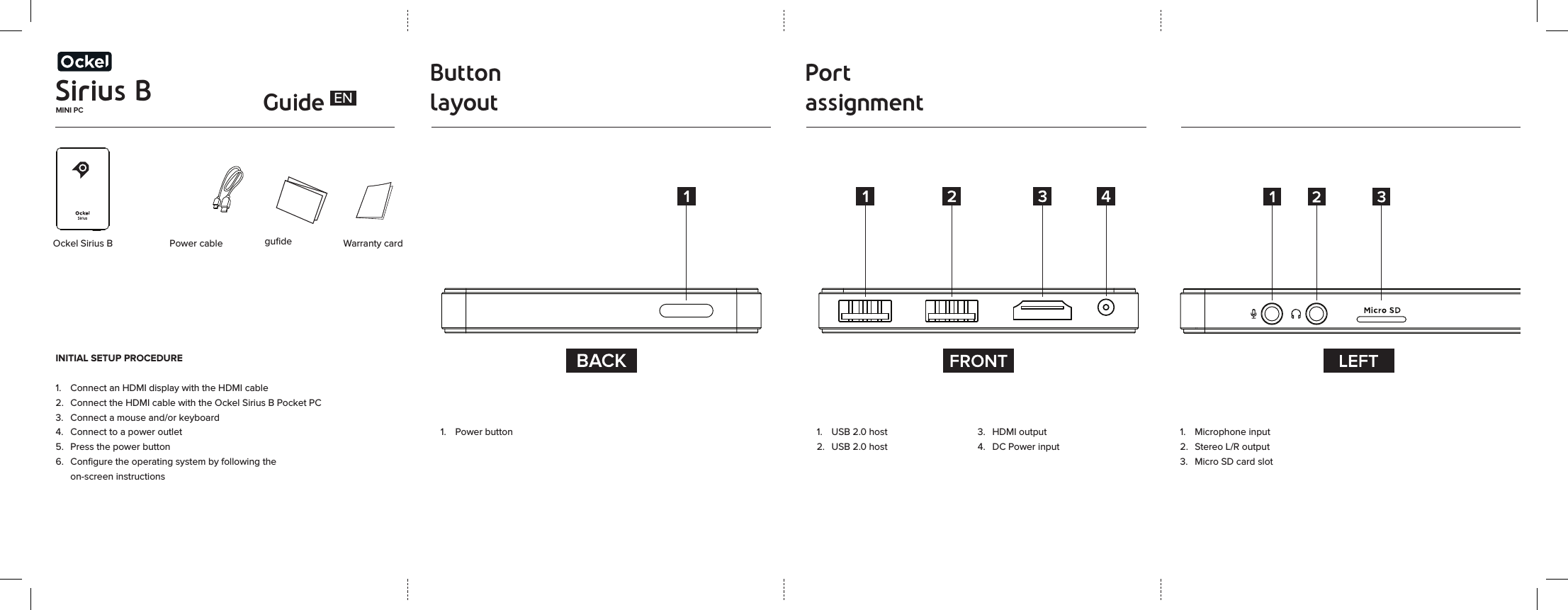
Sirius BMINI PC GuideButton layoutPort assignment Ockel Sirius B  Power cableINITIAL SETUP PROCEDURE1.  Connect an HDMI display with the HDMI cable2.  Connect the HDMI cable with the Ockel Sirius B Pocket PC3.  Connect a mouse and/or keyboard 4.  Connect to a power outlet5.  Press the power button6.  Configure the operating system by following the    on-screen instructions gufide Warranty card1.  USB 2.0 host2.  USB 2.0 host3.  HDMI output4.  DC Power input1.  Power buttonEN1.  Microphone input2.  Stereo L/R output3.  Micro SD card slot
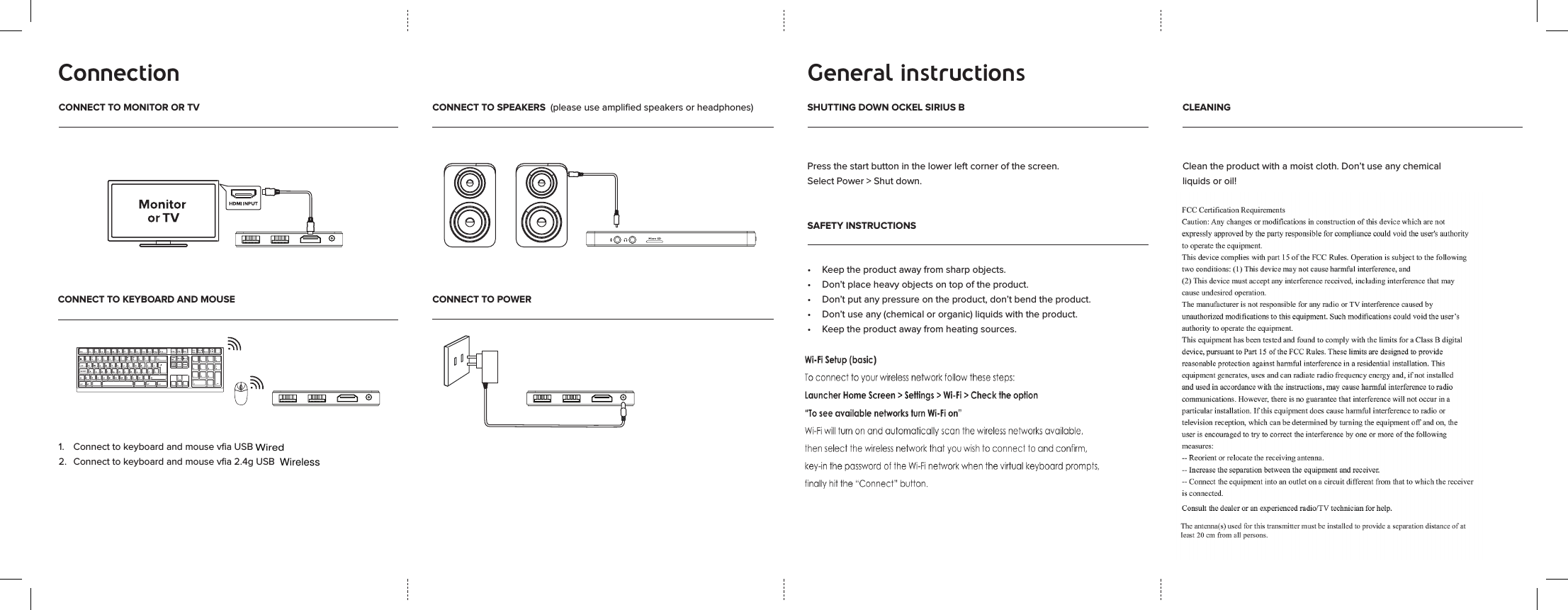
Connection General instructionsCONNECT TO MONITOR OR TV CONNECT TO SPEAKERS  (please use amplified speakers or headphones) SHUTTING DOWN OCKEL SIRIUS BCONNECT TO KEYBOARD AND MOUSE CONNECT TO POWERSAFETY INSTRUCTIONSCLEANING1.   Connect to keyboard and mouse vfia USB 2.   Connect to keyboard and mouse vfia 2.4g USB  Press the start button in the lower left corner of the screen. Select Power > Shut down.• Keeptheproductawayfromsharpobjects.• Don’tplaceheavyobjectsontopoftheproduct.• Don’tputanypressureontheproduct,don’tbendtheproduct.• Don’tuseany(chemicalororganic)liquidswiththeproduct.• Keeptheproductawayfromheatingsources.Cleantheproductwithamoistcloth.Don’tuseanychemicalliquidsoroil! WirelessWired

Navigation menu