OnLive 510-2026-0002 WIRELESS CONTROLLER User Manual

OnLive, Inc. WIRELESS CONTROLLER

Contents

User Manual Main

PRODUCT INFORMATION GUIDE for the OnLive® Game SystemRead all safety information in this guide before using the MicroConsole TV Adapter, Controller and Wireless Adapter. Failure to read, understand and follow all safety information can result in death, serious  injury or damage to the product.
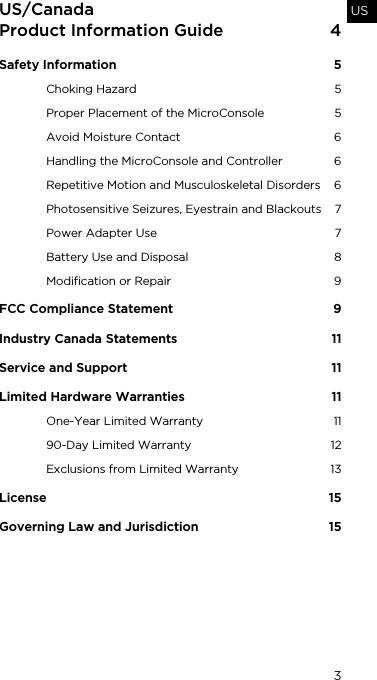
3USUS/Canada Product Information Guide  4Safety Information  5Choking Hazard  5Proper Placement of the MicroConsole  5Avoid Moisture Contact  6Handling the MicroConsole and Controller  6Repetitive Motion and Musculoskeletal Disorders  6Photosensitive Seizures, Eyestrain and Blackouts  7Power Adapter Use  7Battery Use and Disposal  8Modification or Repair  9FCC Compliance Statement  9Industry Canada Statements  11Service and Support  11Limited Hardware Warranties   11One-Year Limited Warranty  1190-Day Limited Warranty  12Exclusions from Limited Warranty  13License 15Governing Law and Jurisdiction  15
4US/Canada Product Information GuideThis Product Information Guide (the “Guide”) is published by OnLive Inc, (“OnLive” or “ONLIVE”). This Guide contains safety, handling, regulatory and warranty information as applicable, for the MicroConsole™ TV Adapter (“MicroConsole”), Wireless Controller (“Controller”), Wireless Adapter, and other items supplied by OnLive (which may include one or more of the Power Adapter, HDMI cable, USB cable and Ethernet cable, which will be referred to collectively for purposes of this Guide as “Cables”) and alkaline batteries (two AA batteries) (“Batteries”) or items that are shipped separately (which may include a Rechargeable Battery, or a Component Video Adapter and RCA Audio Cable, (the “Component Cables”). For purposes of this Guide, the term Batteries includes the Rechargeable Battery as well as the alkaline batteries except where these items are referred to separately in the Guide.The MicroConsole is for use only with the OnLive Game Service (http://www.onlive.com) (“the OnLive Game Service”). You must expressly agree to OnLive’s Terms of Service (http://www.onlive.com/legal/termsofservice) in order to use the MicroConsole and Controller in conjunction with the OnLive Game Service. Such Terms of Service will be presented to you when you create your Account for the OnLive Game Service.ResourcesFind comprehensive support information including FAQs at http://www.support.onlive.com. Available 24/7, this online resource contains advice on setup, use and troubleshooting for common issues.
SAFETY INFORMATION 5USSAFETY INFORMATIONCHOKING HAZARDKeep the MicroConsole, Controller, Wireless Adapter, Cables, Component Cables, and Batteries away from small children, as they contain small parts that can present a choking hazard. Failure to do so may result in death or serious injury.PROPER PLACEMENT OF THE MICROCONSOLEThe MicroConsole should be operated in an area where the temperature is below 40°C (104°F). Operation above this temperature range may shorten the life of the MicroConsole.Violating the following requirements may make the MicroConsole hot to touch, causing risk of minor or moderate injury. Do not touch, and do not permit children to touch the MicroConsole while in operation or while the MicroConsole remains hot after operation.• Place your MicroConsole in an area that has good ventilation so that heat can be dissipated.• Do not place your MicroConsole in a closed cabinet.• Do not place your MicroConsole on top of heat sources (for example, stereo equipment). • Do not place your MicroConsole adjacent to, under or on top of flammable material.Read all safety information in this Guide before using the MicroConsole TV Adapter, Controller and Wireless Adapter. Failure to read, understand and follow all safety information can result in death, serious injury or damage to the product.Surface of the MicroConsole may become hot. Avoid skin contact to prevent burns.
6SAFETY INFORMATIONAVOID MOISTURE CONTACTMoisture can short the internal electronics and permanently damage the MicroConsole, Controller, Wireless Adapter, Cables, Component Cables, and Batteries, and result in serious injury or death from shock or fire. Should the device come into contact with moisture, turn off the device(s), unplug all Cables and Component Cables, as applicable, immediately before cleaning. Permit the item(s) to dry thoroughly prior to turning on any item again or plugging it in. Do not use an external heat source such as a microwave oven or dryer to attempt to dry the item. Note that damage due to contact with moisture is not covered under the Limited Warranties.HANDLING THE MICROCONSOLE AND CONTROLLERNot for use by children age 12 and under.Do not drop, throw, disassemble, crush, bend, puncture, microwave, incinerate or paint the MicroConsole, Controller, Wireless Adapter, Cables, Component Cables, Batteries or Rechargeable Battery.REPETITIVE MOTION AND MUSCULOSKELETAL DISORDERSExcessive repetitive use of game controllers, mice, keyboards or other input devices have been reported to be associated with serious chronic injuries.When you perform repetitive activities like game playing you may occasionally experience stiffness or minor pain in your arms, hands, neck, shoulders or other parts of your body. If you experience such symptoms you should:Do not use or place the MicroConsole, Controller, Wireless Adapter, Cables, Component Cables, or Batteries where it will come in contact with moisture. Failure to do so may result in death or  serious injury.
SAFETY INFORMATION 7US• Take frequent breaks.• Position yourself comfortably and not in awkward,  tense postures.• Keep your hands, fingers and other body  parts relaxed.If pain, discomfort, numbness, tingling or burning persist or reoccur, DO NOT IGNORE THESE SYMPTOMS. Promptly discontinue use of the Controller and consult a physician. PHOTOSENSITIVE SEIZURES, EYESTRAIN AND BLACKOUTSA small percentage of people may be susceptible to seizures or blackouts when exposed to flashing lights or other repetitive light patterns, such as when playing video games (even if they have never had a seizure or blackout or been diagnosed with epilepsy). If you have a history of such conditions, or a family history of such conditions, consult a physician before playing video games on the OnLive  Game Service. If you experience lightheadedness, altered vision, seizures or blackouts while playing, DO NOT IGNORE THESE SYMPTOMS. You should stop use of the OnLive Game Service immediately and consult a physician. It has been reported that children and teenagers are more susceptible than adults to these conditions. Parents should watch and ask their children about these symptoms. Parents should take appropriate steps to monitor their children’s access and use of video games and consult a physician if any symptoms described above occur. To reduce risk of these symptoms, use the OnLive Game Service in a well-lit room and take frequent breaks while playing.POWER ADAPTER USE• Use only the Power Adapter provided by OnLive. • Do not place heavy objects on the Power Adapter or its cord. • Do not permit the Power Adapter or its cord to be walked on, pinched or placed near  heating equipment.
8SAFETY INFORMATION• When connecting any electronic component to a power outlet, never use wet hands.• Always grasp the power plug; do not pull on the cord to disconnect from a power outlet.• Do not use travel transformers or inverters (automobile, overseas travel, etc.) to provide power to the MicroConsole as such connection can result in excessive heating, damage, malfunction or burns.Regularly inspect the Power Adapter and its cord as well as the Cables or Component Cables. Unplug the Power Adapter and contact OnLive if any of the following conditions exist:• The Power Adapter cord is frayed or damaged.• The Power Adapter case has been damaged or you believe it is defective.• The Power Adapter or its cord has been exposed to excessive moisture.BATTERY USE AND DISPOSAL (ALL BATTERIES INCLUDING THE RECHARGEABLE BATTERY)If leaking material gets into your eyes, immediately seek medical attention. If your skin or clothing comes in contact with leaking material, immediately rinse with water. If inflammation or soreness develops on skin that has come into contact with leaking material, consult a physician. Other precautions include:• Keep batteries out of reach of children.• Do not throw batteries into a fire.• Do not place batteries near an extreme heat source (such as space heaters or open flames).Do not handle damaged or leaking batteries. Leaking material is hazardous and can cause serious injury, burns or damage to the Controller. Keep away from eyes, mouth and skin.
SAFETY INFORMATION 9US• For best performance, do not mix old and new batteries or brands of batteries. • Always use the specified battery type: AA Alkaline batteries or compatible rechargeable Nickel-Metal Hydride (NiMH) batteries.• Dispose of Alkaline (AA) batteries according to local and national regulations. Nickel-Metal Hydride batteries are recyclable. Please utilize recycling services in your local area.• Do not leave batteries in the Controller for long periods of time.• Follow all warnings and safety information provided by the battery manufacturer.MODIFICATION OR REPAIRService should only be provided by OnLive or an authorized representative of OnLive. If you have questions regarding repair or replacement of any items covered under the Limited Warranties, you can find information at http://www.support.onlive.com.FCC COMPLIANCE STATEMENTThis device complies with part 15 of the FCC rules. Operation is subject to the following two conditions: (1) this device may not cause harmful interference, and (2) this device must accept any interference received, including interference that may cause undesired operationNOTE: This equipment has been tested and found to comply with the limits for a Class B digital device, pursuant to part 15 of the FCC Rules. These limits are designed to provide Do not attempt to take apart, modify, or repair the MicroConsole, Controller, Wireless Adapter, Cables, Component Cables, or Batteries. Doing so may cause death, serious injury, or cause damage that is not covered under your Limited Warranties.
10reasonable protection against harmful interference in a residential installation. This equipment generates, uses and can radiate radio frequency energy and, if not installed and used in accordance with the instructions, may cause harmful interference to radio communications. However, there is no guarantee that interference will not occur in a particular installation. If this equipment does cause harmful interference to radio or television reception, which can be determined by turning the equipment off and on, the user is encouraged to try to correct the interference by one or more of the following measures:• Reorient or relocate the receiving antenna.• Increase the separation between the equipment  and receiver.• Connect the equipment into an outlet on a circuit different from that to which the receiver  is connected.• Consult the dealer or an experienced radio/TV technician for help.Changes or modifications not expressly approved by OnLive can void the user’s authority to operate the equipment. This device and its antenna(s) must not be co-located or operating in conjunction with any other antenna or transmitter.Trade Name: OnLive Model Numbers:  510-2016-0001 MicroConsole TV adapter510-2026-0002 Wireless Controller510-2028-0001 Wireless Adapter Responsible Party: OnLive, Inc.
11USINDUSTRY CANADA STATEMENTSThis device complies with RSS-210 of the Industry Canada Rules. Operation is subject to the following two conditions: (1) This device may not cause harmful interference, and (2) this device must accept any interference received, including interference that may cause undesired operation.Ce dispositif est conforme à la norme CNR-210 d'Industrie Canada applicable aux appareils radio exempts de licence. Son fonctionnement est sujet aux deux conditions suivantes: (1) le dispositif ne doit pas produire de brouillage préjudiciable, et (2) ce dispositif doit accepter tout brouillage reçu, y compris un brouillage susceptible de provoquer un fonctionnement indésirable.This Class B digital apparatus complies with Canadian  ICES-003.Cet appareil numérique de la classe B est conforme à la norme NMB-003 du CanadaSERVICE AND SUPPORTFind comprehensive support information at:  http://www.support.onlive.com. Available 24/7, this online resource contains advice on use, including setup and troubleshooting common issues. LIMITED HARDWARE WARRANTIES ONE-YEAR LIMITED WARRANTYOnLive hereby provides a limited warranty (“Limited Warranty”) that the MicroConsole will be materially free from defects in materials and workmanship under normal use for a period of one (1) year from the date of sale to the original purchaser, subject to all the terms and conditions as specified herein. OnLive’s sole obligation under this warranty is to, at its discretion, (i) replace the MicroConsole, (ii) repair the MicroConsole, or (iii) refund the original purchase price. This warranty applies only on the condition that the MicroConsole has been installed, maintained and operated under conditions of normal use in accordance with the
12instructions provided. If OnLive provides a refund, the MicroConsole must be returned to OnLive.90-DAY LIMITED WARRANTYOnLive hereby provides a limited warranty ("Limited Warranty") for the following items: the Controller, the Wireless Adapter, the Cables, the Component Cables, the Wireless Adaptor, and the Rechargeable Battery (collectively referred to for purposes of this 90-Day Limited Warranty only as, "Products"). Under this Limited Warranty, OnLive warrants that each Product will be free from material defects in materials and workmanship under normal use in accordance with the instructions provided for a period of ninety (90) days from the date of delivery to the person to whom the Product is originally supplied, subject to all the terms and conditions as specified herein. OnLive's sole obligation under this Limited Warranty is to, at its discretion, either replace or repair the Product concerned. This Limited Warranty applies only on the condition that the Products have been installed, maintained and operated under conditions of normal use.THE LIMITED WARRANTY SET FORTH ABOVE IS, TO THE FULLEST EXTENT PERMITTED BY LAW, IN LIEU OF ALL OTHER CONDITIONS OR WARRANTIES, WHETHER EXPRESS, IMPLIED, OR STATUTORY. ONLIVE DISCLAIMS ALL REPRESENTATIONS, CONDITIONS AND WARRANTIES (OTHER THAN DEATH OR PERSONAL INJURY RESULTING FROM THE NEGLIGENCE OR AN ACT OR OMISSION OF ONLIVE), INCLUDING, WITHOUT LIMITATION, ANY IMPLIED REPRESENTATIONS, CONDITIONS OR WARRANTIES OF MERCHANTABILITY, SATISFACTORY QUALITY, TITLE, FITNESS FOR A PARTICULAR PURPOSE, NON-INFRINGEMENT, QUIET ENJOYMENT, AND ANY WARRANTIES ARISING OUT OF ANY COURSE OF DEALING OR USAGE OF TRADE. NO ADVICE, STATEMENTS OR INFORMATION OBTAINED BY YOU FROM ONLIVE OR ANY OF ITS REPRESENTATIVES OR FROM ANY THIRD PARTY SHALL CREATE ANY REPRESENTATION, CONDITION OR WARRANTY. BECAUSE SOME JURISDICTIONS DO NOT ALLOW THE EXCLUSION OF CERTAIN CONDITIONS AND WARRANTIES, SOME OR ALL OF THE ABOVE EXCLUSIONS OR LIMITATIONS MAY NOT APPLY TO YOU, AND YOU MAY HAVE ADDITIONAL RIGHTS UNDER APPLICABLE LAW.
13USEXCEPT AS IS PROVIDED IN THIS LIMITED WARRANTY AND TO THE EXTENT PERMITTED BY LAW, IN NO EVENT WILL ONLIVE OR ANY OF ITS AFFILIATES, SUPPLIERS OR LICENSORS BE LIABLE TO YOU OR ANY THIRD PARTY FOR ANY DIRECT, INDIRECT, INCIDENTAL, SPECIAL, CONSEQUENTIAL OR EXEMPLARY DAMAGES WHICH MAY BE INCURRED BY YOU OR FOR ANY LOSS OF PROFIT, LOSS OF GOODWILL, WORK STOPPAGE, LOSS OR CORRUPTION OF DATA, SOFTWARE OR HARDWARE (INCLUDING, WITHOUT LIMITATION, COMPUTER) FAILURE OR MALFUNCTION, OR ANY AND ALL OTHER DAMAGES OR LOSSES ARISING FROM OR RELATING TO ANY USE OF THE PRODUCT, HOWEVER CAUSED AND UNDER ANY THEORY OF LIABILITY AND EVEN IF ONLIVE HAS BEEN ADVISED OF THE POSSIBILITY OF SUCH DAMAGES.YOU ACKNOWLEDGE AND AGREE THAT THE LIABILITY OF ONLIVE HEREUNDER IS SOLELY AND EXCLUSIVELY LIMITED TO REPLACEMENT OR REPAIR AT ONLIVE'S OPTION FOR ANY PRODUCT WHICH IS RETURNED PURSUANT TO THIS LIMITED WARRANTY.EXCLUSIONS FROM LIMITED WARRANTYThis Limited Warranty does not apply, and OnLive has no liability, if the serial number, part number or MAC address is removed, altered or defaced or if any of the items covered under this Limited Warranty are:• Used for commercial purposes (including rental  or lease).• Repaired, tampered with or modified by anyone who is not authorized by OnLive to do so.• Damaged by Acts of God, power surge, misuse, abuse, neglect, improper installation, negligence, accident, wear and tear, mishandling, misapplication, or other causes unrelated to defective materials or workmanship.• Sold as reconditioned, refurbished or used• Not used in accordance with the OnLive Terms of Service and this Guide, or any printed materials shipped with the items covered under this  Limited Warranty.
14• Used with input devices or power supply products not sold or licensed by OnLive (including but not limited to power supply devices, gaming devices and adapters).This Limited Warranty does not cover any items other than those specifically referred to as being covered under the Limited Warranty. Furthermore, the Limited Warranty does not cover your data relating to gameplay on the OnLive Game Service.OnLive may at any time withdraw or revoke this Limited Warranty at any time if:• OnLive reasonably believes that you have used any of the items covered under this Limited Warranty in a way that violates OnLive's Terms of Service, which can be found at http://www.onlive.com/legal/termsofservice.• OnLive believes that attempts have been made by you, or by others with your knowledge or assistance to defeat or circumvent OnLive security protections.To notify OnLive of any warranty issue for any of the items covered by this Limited Warranty, or if you have questions regarding repair or replacement of these items, please contact support at http://www.support.onlive.com.If OnLive determines that replacement or repair of an item  is covered under this Limited Warranty, OnLive will provide a replacement item ("Replacement Product"). All shipments will be made within a reasonable time at OnLive's  sole discretion.Once you receive the Replacement Product, it is your obligation to promptly repackage the Product to be replaced ("Original Product") with the packaging OnLive sent with the Replacement Product, affix the supplied shipping label, and contact the appropriate shipping provider for pickup, or take the box to the appropriate retail shipping provider. It is your obligation to return the Original Product within five business days of receipt of the Replacement Product.At OnLive's discretion, the Replacement Product can include new or refurbished materials. If the exact Replacement Product is not available in inventory, OnLive reserves the right to substitute the Original Product with products or parts that are at least equivalent to the Original Product in function and performance. OnLive warrants that the
15USReplacement Product will be materially free of defects of either workmanship or materials (with the exclusion of minor cosmetic defects) under normal use for the remainder of the Limited Warranty period of the Original Product, or a period of thirty (30) days from the date of your receipt of the Replacement Product, whichever is longer. The Original Product becomes OnLive's property when returned.Once the warranty period has expired, OnLive may charge you for any efforts involving the repair or replacement of an item for which a Limited Warranty was provided, subject to and to the extent permitted by law.Your MicroConsole is capable of storing certain information such as an email address and password. Any such stored information will be deleted by OnLive if a MicroConsole is returned under this Limited Warranty.LICENSEAll software and firmware included in the Products are licensed to you and are not sold. You are licensed to use this software and firmware only with the Products as set forth in the OnLive Terms of Service for the OnLive Game Service. Under no circumstances are you or any third party allowed to disassemble, deconstruct, or reverse engineer any element of the Products or any software contained within or associated with the Products as stated in such OnLive Terms of Service.GOVERNING LAW AND JURISDICTIONThis Guide and the terms included herein shall be governed by and construed under the laws of the State of California as they apply to agreements entered into and to be performed entirely within California between California residents, without regard to conflict of law provisions. Any action or proceeding brought to adjudicate any dispute arising out of this Guide shall be subject to the non-exclusive jurisdiction of the County of Santa Clara, California (if under State law) or the Northern District of California (if under Federal law).
16
17UKUK Product Information Guide  17Safety Information  18Choking Hazard  18Proper Placement of the MicroConsole  18Avoid Moisture Contact  19Handling the MicroConsole and Controller  19Repetitive Motion and Musculoskeletal Disorders  19Photosensitive Seizures, Eyestrain and Blackouts  20Power Adapter Use  20Battery Use and Disposal  21Disposal of Waste Batteries and  Electrical & Electronic Equipment  22Modification or Repair  23Certifications and Compliance  23Service and Support  24Limited Hardware Warranties   24One-Year Limited Warranty  2490-Day Limited Warranty  24Exclusions from Limited Warranty  25License 27Governing Law and Jurisdiction  28
18UK Product Information GuideThis Product Information Guide (the "Guide") is published by OnLive EMEA S.à r.l. This Guide contains safety, handling, regulatory and warranty information as applicable, for the MicroConsole™ TV Adapter (“MicroConsole”), Wireless Controller (“Controller”), Wireless Adapter, and other items supplied by OnLive (which may include one or more of the Power Adapter, HDMI cable, USB cable and Ethernet cable, which will be referred to collectively for purposes of this Guide as “Cables”) and alkaline batteries (two AA batteries) (“Batteries”) or items that are shipped separately (which may include a Rechargeable Battery, or a Component Video Adapter and RCA Audio Cable, (the “Component Cables”). For purposes of this Guide, the term Batteries includes the Rechargeable Battery as well as the alkaline batteries except where these items are referred to separately in the Guide.The MicroConsole is for use only with the OnLive Game Service (http://www.onlive.com) (“the OnLive Game Service”). You must expressly agree to OnLive’s Terms of Service (http://www.onlive.com/legal/termsofservice) in order to use the MicroConsole and Controller in conjunction with the OnLive Game Service. Such Terms of Service will be presented to you when you create your Account for the OnLive Game Service.ResourcesFind comprehensive support information including FAQs at http://www.support.onlive.com. Available 24/7, this online resource contains advice on setup, use and troubleshooting for common issues.
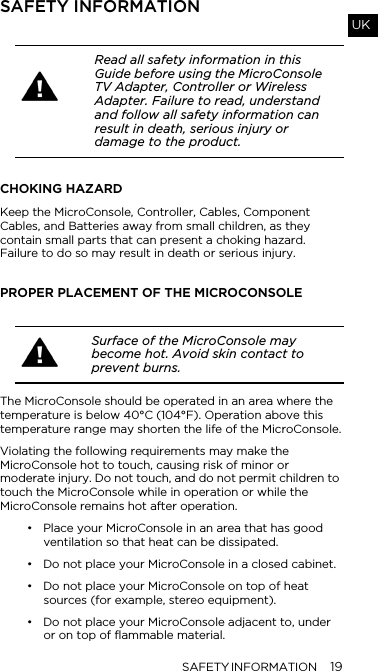
SAFETY INFORMATION 19UKSAFETY INFORMATIONCHOKING HAZARDKeep the MicroConsole, Controller, Cables, Component Cables, and Batteries away from small children, as they contain small parts that can present a choking hazard.  Failure to do so may result in death or serious injury.PROPER PLACEMENT OF THE MICROCONSOLEThe MicroConsole should be operated in an area where the temperature is below 40°C (104°F). Operation above this temperature range may shorten the life of the MicroConsole.Violating the following requirements may make the MicroConsole hot to touch, causing risk of minor or moderate injury. Do not touch, and do not permit children to touch the MicroConsole while in operation or while the MicroConsole remains hot after operation.• Place your MicroConsole in an area that has good ventilation so that heat can be dissipated.• Do not place your MicroConsole in a closed cabinet.• Do not place your MicroConsole on top of heat sources (for example, stereo equipment). • Do not place your MicroConsole adjacent to, under or on top of flammable material.Read all safety information in this Guide before using the MicroConsole TV Adapter, Controller or Wireless Adapter. Failure to read, understand and follow all safety information can result in death, serious injury or damage to the product.Surface of the MicroConsole may become hot. Avoid skin contact to prevent burns.
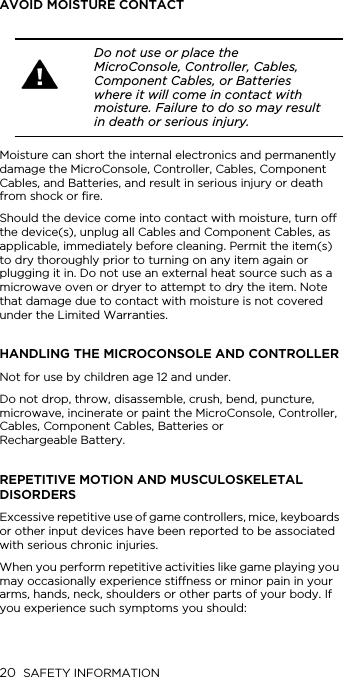
20 SAFETY INFORMATIONAVOID MOISTURE CONTACTMoisture can short the internal electronics and permanently damage the MicroConsole, Controller, Cables, Component Cables, and Batteries, and result in serious injury or death from shock or fire.Should the device come into contact with moisture, turn off the device(s), unplug all Cables and Component Cables, as applicable, immediately before cleaning. Permit the item(s) to dry thoroughly prior to turning on any item again or plugging it in. Do not use an external heat source such as a microwave oven or dryer to attempt to dry the item. Note that damage due to contact with moisture is not covered under the Limited Warranties.HANDLING THE MICROCONSOLE AND CONTROLLERNot for use by children age 12 and under.Do not drop, throw, disassemble, crush, bend, puncture, microwave, incinerate or paint the MicroConsole, Controller, Cables, Component Cables, Batteries or  Rechargeable Battery.REPETITIVE MOTION AND MUSCULOSKELETAL DISORDERSExcessive repetitive use of game controllers, mice, keyboards or other input devices have been reported to be associated with serious chronic injuries.When you perform repetitive activities like game playing you may occasionally experience stiffness or minor pain in your arms, hands, neck, shoulders or other parts of your body. If you experience such symptoms you should: Do not use or place the MicroConsole, Controller, Cables, Component Cables, or Batteries where it will come in contact with moisture. Failure to do so may result in death or serious injury.
SAFETY INFORMATION 21UK• Take frequent breaks.• Position yourself comfortably and not in awkward,  tense postures.• Keep your hands, fingers and other body parts relaxed.If pain, discomfort, numbness, tingling or burning persist or reoccur, DO NOT IGNORE THESE SYMPTOMS. Promptly discontinue use of the Controller and consult a physician. PHOTOSENSITIVE SEIZURES, EYESTRAIN AND BLACKOUTSA small percentage of people may be susceptible to seizures or blackouts when exposed to flashing lights or other repetitive light patterns, such as when playing video games (even if they have never had a seizure or blackout or been diagnosed with epilepsy). If you have a history of such conditions, or a family history of such conditions, consult a physician before playing video games on the OnLive  Game Service. If you experience lightheadedness, altered vision, seizures or blackouts while playing, DO NOT IGNORE THESE SYMPTOMS. You should stop use of the OnLive Game Service immediately and consult a physician. It has been reported that children and teenagers are more susceptible than adults to these conditions. Parents should watch and ask their children about these symptoms. Parents should take appropriate steps to monitor their children’s access and use of video games and consult a physician if any symptoms described above occur. To reduce risk of these symptoms, use the OnLive Game Service in a well-lit room and take frequent breaks while playing.POWER ADAPTER USE• Use only the Power Adapter provided by OnLive. • Do not place heavy objects on the Power Adapter or its cord. • Do not permit the Power Adapter or its cord to be walked on, pinched or placed near  heating equipment.
22 SAFETY INFORMATION• When connecting any electronic component to a power outlet, never use wet hands.• Always grasp the power plug; do not pull on the cord to disconnect from a power outlet.• Do not use travel transformers or inverters (automobile, overseas travel, etc.) to provide power to the MicroConsole as such connection can result in excessive heating, damage, malfunction or burns.Regularly inspect the Power Adapter and its cord as well as the Cables or Component Cables. Unplug the Power Adapter and contact OnLive if any of the following conditions exist:• The Power Adapter cord is frayed or damaged.• The Power Adapter case has been damaged or you believe it is defective.• The Power Adapter or its cord has been exposed to excessive moisture.BATTERY USE AND DISPOSAL (ALL BATTERIES INCLUDING THE RECHARGEABLE BATTERY)If leaking material gets into your eyes, immediately seek medical attention. If your skin or clothing comes in contact with leaking material, immediately rinse with water. If inflammation or soreness develops on skin that has come into contact with leaking material, consult a physician. Other precautions include:• Keep batteries out of reach of children.• Do not throw batteries into a fire.• Do not place batteries near an extreme heat source (such as space heaters or open flames).Do not handle damaged or leaking batteries. Leaking material is hazardous and can cause serious injury, burns or damage to the Controller. Keep away from eyes, mouth and skin.
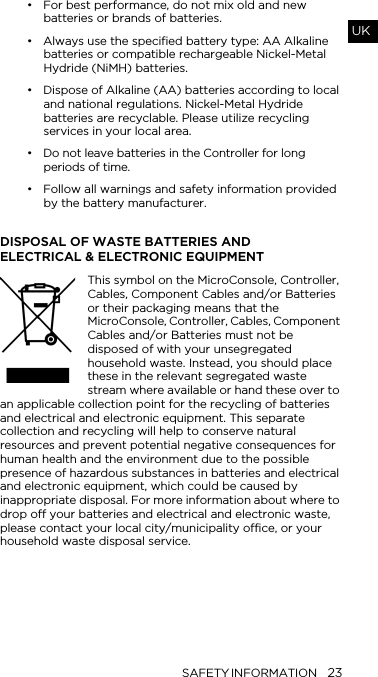
SAFETY INFORMATION 23UK• For best performance, do not mix old and new batteries or brands of batteries. • Always use the specified battery type: AA Alkaline batteries or compatible rechargeable Nickel-Metal Hydride (NiMH) batteries.• Dispose of Alkaline (AA) batteries according to local and national regulations. Nickel-Metal Hydride batteries are recyclable. Please utilize recycling services in your local area.• Do not leave batteries in the Controller for long periods of time.• Follow all warnings and safety information provided by the battery manufacturer.DISPOSAL OF WASTE BATTERIES AND  ELECTRICAL & ELECTRONIC EQUIPMENTThis symbol on the MicroConsole, Controller, Cables, Component Cables and/or Batteries or their packaging means that the MicroConsole, Controller, Cables, Component Cables and/or Batteries must not be disposed of with your unsegregated household waste. Instead, you should place these in the relevant segregated waste stream where available or hand these over to an applicable collection point for the recycling of batteries and electrical and electronic equipment. This separate collection and recycling will help to conserve natural resources and prevent potential negative consequences for human health and the environment due to the possible presence of hazardous substances in batteries and electrical and electronic equipment, which could be caused by inappropriate disposal. For more information about where to drop off your batteries and electrical and electronic waste, please contact your local city/municipality office, or your household waste disposal service.
24MODIFICATION OR REPAIRService should only be provided by OnLive or an authorized representative of OnLive. If you have questions regarding repair or replacement of any items covered under the Limited Warranties, you can find information at  http://www.support.onlive.com.CERTIFICATIONS AND COMPLIANCEDeclaration of Conformity: OnLive hereby declares that the MicroConsole and Controller is in compliance with the essential requirements and other relevant provisions of Directive 1999/5/EC. For additional information regarding regulatory and environmental compliance please refer to  http://www.onlive.com/docs.DIRECTIVE 2002/96/EC ON WASTE ELECTRICAL AND ELECTRONIC EQUIPMENT (WEEE DIRECTIVE)The WEEE Directive aims to encourage everyone to reuse and recycle electrical and electronic equipment. Where applicable, OnLive is responsible through authorized regional organizations to facilitate the proper collection, recovery, recycling, and environmentally sound disposal of waste electrical equipment. DIRECTIVE 2006/66/EC ON BATTERIES AND ACCUMULATORS AND WASTE BATTERIES AND ACCUMULATORS AND REPEALING DIRECTIVE 91/157/EEC (BATTERIES DIRECTIVE) The Batteries Directive aims to reduce the environmental impact of the manufacture, distribution, use, disposal and recycling of batteries and rechargeable batteries. Where applicable, OnLive is responsible through authorized regional organizations to facilitate the proper collection and environmentally sound recovery or disposal of its batteries.Do not attempt to take apart, modify, or repair the MicroConsole, Controller, Cables, Component Cables, or Batteries. Doing so may cause death, serious injury, or cause damage that is not covered under your Limited Warranties.
25UKSERVICE AND SUPPORTFind comprehensive support information at:  http://www.support.onlive.com. Available 24/7, this online resource contains advice on use, including setup and troubleshooting common issues. LIMITED HARDWARE WARRANTIES ONE-YEAR LIMITED WARRANTYOnLive hereby provides a limited warranty (“Limited Warranty”) that the MicroConsole will be materially free from defects in materials and workmanship under normal use for a period of one (1) year from the date of sale to the original purchaser, subject to all the terms and conditions as specified herein. OnLive’s sole obligation under this warranty is to, at its discretion, (i) replace the MicroConsole, (ii) repair the MicroConsole, or (iii) refund the original purchase price. This warranty applies only on the condition that the MicroConsole has been installed, maintained and operated under conditions of normal use in accordance with the instructions provided. If OnLive provides a refund, the MicroConsole must be returned to OnLive.90-DAY LIMITED WARRANTYOnLive hereby provides a limited warranty ("Limited Warranty") for the following items: the Controller, the Cables, the Component Cables, the Wireless Adaptor and the Rechargeable Battery (collectively referred to for purposes of this 90-Day Limited Warranty only as, "Products"). Under this Limited Warranty, OnLive warrants that each Product will be free from material defects in materials and workmanship under normal use for a period of ninety (90) days from the date of delivery to the person to whom the Product is originally supplied, subject to all the terms and conditions as specified herein. OnLive's sole obligation under this Limited Warranty is to, at its discretion, either replace or repair the Product concerned. This Limited Warranty applies only on the condition that the Products have been installed, maintained and operated under conditions of normal use.THE LIMITED WARRANTY SET FORTH ABOVE IS, TO THE FULLEST EXTENT PERMITTED BY LAW, IN LIEU OF ALL
26OTHER CONDITIONS OR WARRANTIES, WHETHER EXPRESS, IMPLIED, OR STATUTORY. ONLIVE DISCLAIMS ALL REPRESENTATIONS, CONDITIONS AND WARRANTIES (OTHER THAN DEATH OR PERSONAL INJURY RESULTING FROM THE NEGLIGENCE OR AN ACT OR OMISSION OF ONLIVE), INCLUDING, WITHOUT LIMITATION, ANY IMPLIED REPRESENTATIONS, CONDITIONS OR WARRANTIES OF MERCHANTABILITY, SATISFACTORY QUALITY, TITLE, FITNESS FOR A PARTICULAR PURPOSE, NON-INFRINGEMENT, QUIET ENJOYMENT, AND ANY WARRANTIES ARISING OUT OF ANY COURSE OF DEALING OR USAGE OF TRADE. NO ADVICE, STATEMENTS OR INFORMATION OBTAINED BY YOU FROM ONLIVE OR ANY OF ITS REPRESENTATIVES OR FROM ANY THIRD PARTY SHALL CREATE ANY REPRESENTATION, CONDITION OR WARRANTY. BECAUSE SOME JURISDICTIONS DO NOT ALLOW THE EXCLUSION OF CERTAIN CONDITIONS AND WARRANTIES, SOME OR ALL OF THE ABOVE EXCLUSIONS OR LIMITATIONS MAY NOT APPLY TO YOU, AND YOU MAY HAVE ADDITIONAL RIGHTS UNDER APPLICABLE LAW. EXCEPT AS IS PROVIDED IN THIS LIMITED WARRANTY AND TO THE EXTENT PERMITTED BY LAW, IN NO EVENT WILL ONLIVE OR ANY OF ITS AFFILIATES, SUPPLIERS OR LICENSORS BE LIABLE TO YOU OR ANY THIRD PARTY FOR ANY DIRECT, INDIRECT, INCIDENTAL, SPECIAL, CONSEQUENTIAL OR EXEMPLARY DAMAGES WHICH MAY BE INCURRED BY YOU OR FOR ANY LOSS OF PROFIT, LOSS OF GOODWILL, WORK STOPPAGE, LOSS OR CORRUPTION OF DATA, SOFTWARE OR HARDWARE (INCLUDING, WITHOUT LIMITATION, COMPUTER) FAILURE OR MALFUNCTION, OR ANY AND ALL OTHER DAMAGES OR LOSSES ARISING FROM OR RELATING TO ANY USE OF THE PRODUCT, HOWEVER CAUSED AND UNDER ANY THEORY OF LIABILITY AND EVEN IF ONLIVE HAS BEEN ADVISED OF THE POSSIBILITY OF SUCH DAMAGES.YOU ACKNOWLEDGE AND AGREE THAT THE LIABILITY OF ONLIVE HEREUNDER IS SOLELY AND EXCLUSIVELY LIMITED TO REPLACEMENT OR REPAIR AT ONLIVE'S OPTION FOR ANY PRODUCT WHICH IS RETURNED PURSUANT TO THIS LIMITED WARRANTY.EXCLUSIONS FROM LIMITED WARRANTYThis Limited Warranty does not apply, and OnLive has no liability, if the serial number, part number or MAC address is
27UKremoved, altered or defaced or if any of the items covered under this Limited Warranty are:• Used for commercial purposes (including rental  or lease).• Repaired, tampered with or modified by anyone who is not authorized by OnLive to do so.• Damaged by Acts of God, power surge, misuse, abuse, neglect, improper installation, negligence, accident, wear and tear, mishandling, misapplication, or other causes unrelated to defective materials  or workmanship.• Sold as reconditioned, refurbished or used.• Not used in accordance with the OnLive Terms of Service and this Guide, or any printed materials shipped with the items covered under this  Limited Warranty.• Used with input devices or power supply products not sold or licensed by OnLive (including but not limited to power supply devices, gaming devices  and adapters).This Limited Warranty does not cover any items other than those specifically referred to as being covered under the Limited Warranty. Furthermore, the Limited Warranty does not cover your data relating to gameplay on the OnLive Game Service.OnLive may at any time withdraw or revoke this Limited Warranty at any time if:• OnLive reasonably believes that you have used any of the items covered under this Limited Warranty in a way that violates OnLive's Terms of Service, which can be found at http://www.onlive.com/legal/termsofservice.• OnLive believes that attempts have been made by you, or by others with your knowledge or assistance to defeat or circumvent OnLive security protections.To notify OnLive of any warranty issue for any of the items covered by this Limited Warranty, or if you have questions regarding repair or replacement of these items, please contact support at http://www.support.onlive.com.
28If OnLive determines that replacement or repair of an item is covered under this Limited Warranty, OnLive will provide a replacement item ("Replacement Product"). All shipments will be made within a reasonable time at OnLive's sole discretion.Once you receive the Replacement Product, it is your obligation to promptly repackage the Product to be replaced ("Original Product") with the packaging OnLive sent with the Replacement Product, affix the supplied shipping label, and contact the appropriate shipping provider for pickup, or take the box to the appropriate retail shipping provider. It is your obligation to return the Original Product within five business days of receipt of the Replacement Product.At OnLive's discretion, the Replacement Product can include new or refurbished materials. If the exact Replacement Product is not available in inventory, OnLive reserves the right to substitute the Original Product with products or parts that are at least equivalent to the Original Product in function and performance. OnLive warrants that the Replacement Product will be materially free of defects of either workmanship or materials (with the exclusion of minor cosmetic defects) under normal use for the remainder of the Limited Warranty period of the Original Product, or a period of thirty (30) days from the date of your receipt of the Replacement Product, whichever is longer. The Original Product becomes OnLive's property  when returned.Once the warranty period has expired, OnLive may charge you for any efforts involving the repair or replacement of an item for which a Limited Warranty was provided, subject to and to the extent permitted by law.Your MicroConsole is capable of storing certain information such as an email address and password. Any such stored information will be deleted by OnLive if a MicroConsole is returned under this Limited Warranty.LICENSEAll software and firmware included in the Products are licensed to you and are not sold. You are licensed to use this software and firmware only with the Products as set forth in the OnLive Terms of Service for the OnLive Game Service. Under no circumstances are you or any third party allowed to disassemble, deconstruct, or reverse engineer any element of
29UKthe Products or any software contained within or associated with the Products as stated in such OnLive Terms of Service.GOVERNING LAW AND JURISDICTIONThis Guide and the terms included herein shall be governed by and construed under the laws of the State of California as they apply to agreements entered into and to be performed entirely within California between California residents, without regard to conflict of law provisions. Any action or proceeding brought to adjudicate any dispute arising out of this Guide shall be subject to the non-exclusive jurisdiction of the County of Santa Clara, California (if under State law) or the Northern District of California (if under Federal law).
ONLIVE.COM000-2007-0001

Navigation menu