Pisen Electronics LE105 Bluetooth headset User Manual LE105

GUANGDONG PISEN ELECTRONICS CO., LTD. Bluetooth headset LE105

15_LE105 UserMan

    Welcome Guide Bluetooth Headset   User Manual EN DE RU ES FR IT         Thank you for purchasing the PISEN LE105 Bluetooth headset. Wir bedanken uns für Uhren Kauf desPISEN LE105 Bluetooth drahtlosen Kopfhörers. Благодарим вас за покупку беспроводных наушников PISEN LE105 с функцией Bluetooth. Gracias por elegir los auriculares inalámbricos con Bluetooth de PISEN LE105. Merci d'avoir acheté l’écouteur sans fil Bluetooth PISEN LE105. Grazie per aver acquistato le cuffie wireless Bluetooth PISEN LE105.
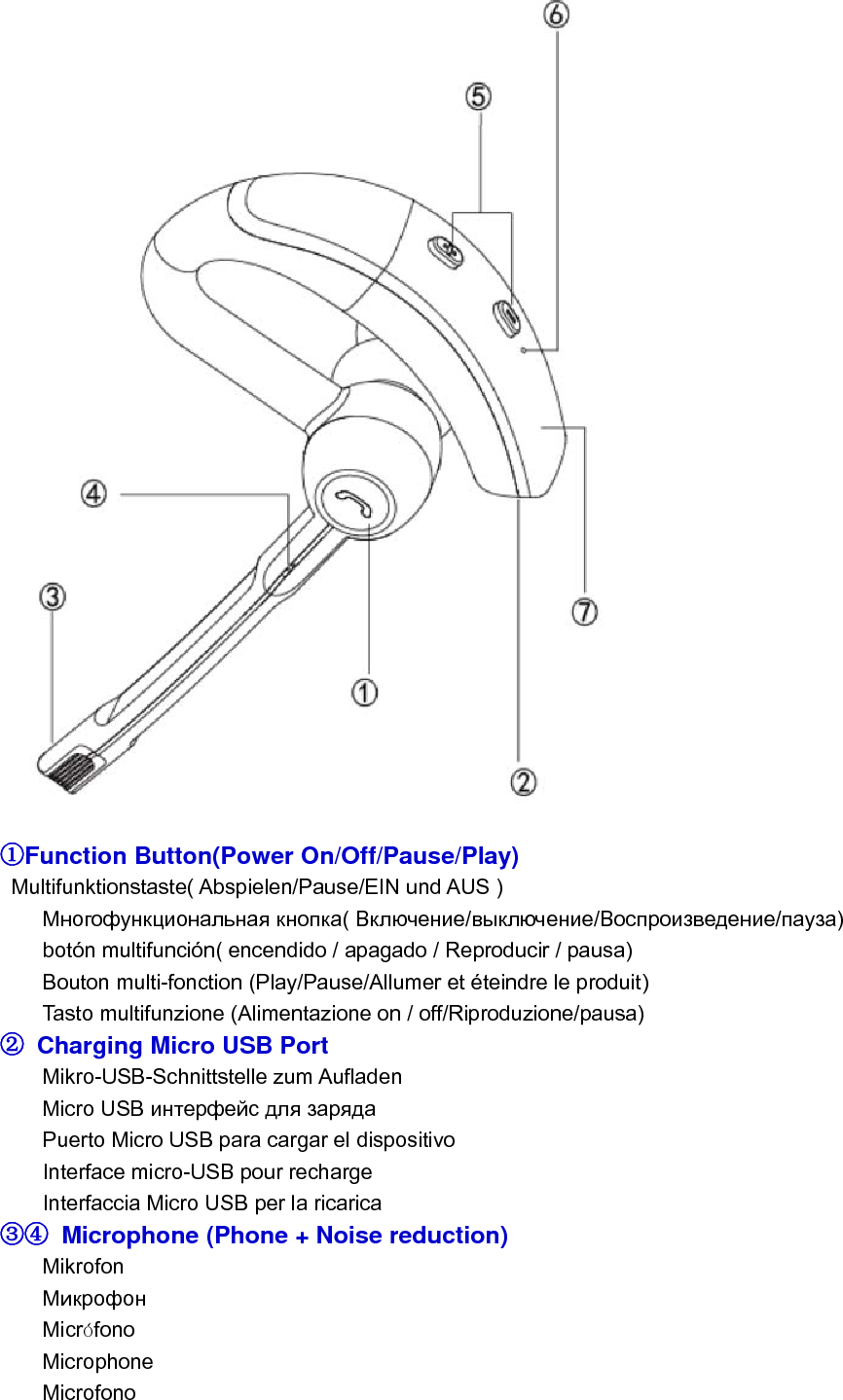
①Function Button(Power On/Off/Pause/Play)  Multifunktionstaste( Abspielen/Pause/EIN und AUS ) Многофункциональная кнопка( Включение/выключение/Воспроизведение/пауза) botón multifunción( encendido / apagado / Reproducir / pausa) Bouton multi-fonction (Play/Pause/Allumer et éteindre le produit) Tasto multifunzione (Alimentazione on / off/Riproduzione/pausa) ②  Charging Micro USB Port Mikro-USB-Schnittstelle zum Aufladen Micro USB интерфейс для заряда Puerto Micro USB para cargar el dispositivo Interface micro-USB pour recharge Interfaccia Micro USB per la ricarica ③④  Microphone (Phone + Noise reduction) Mikrofon Микрофон Micrófono Microphone Microfono
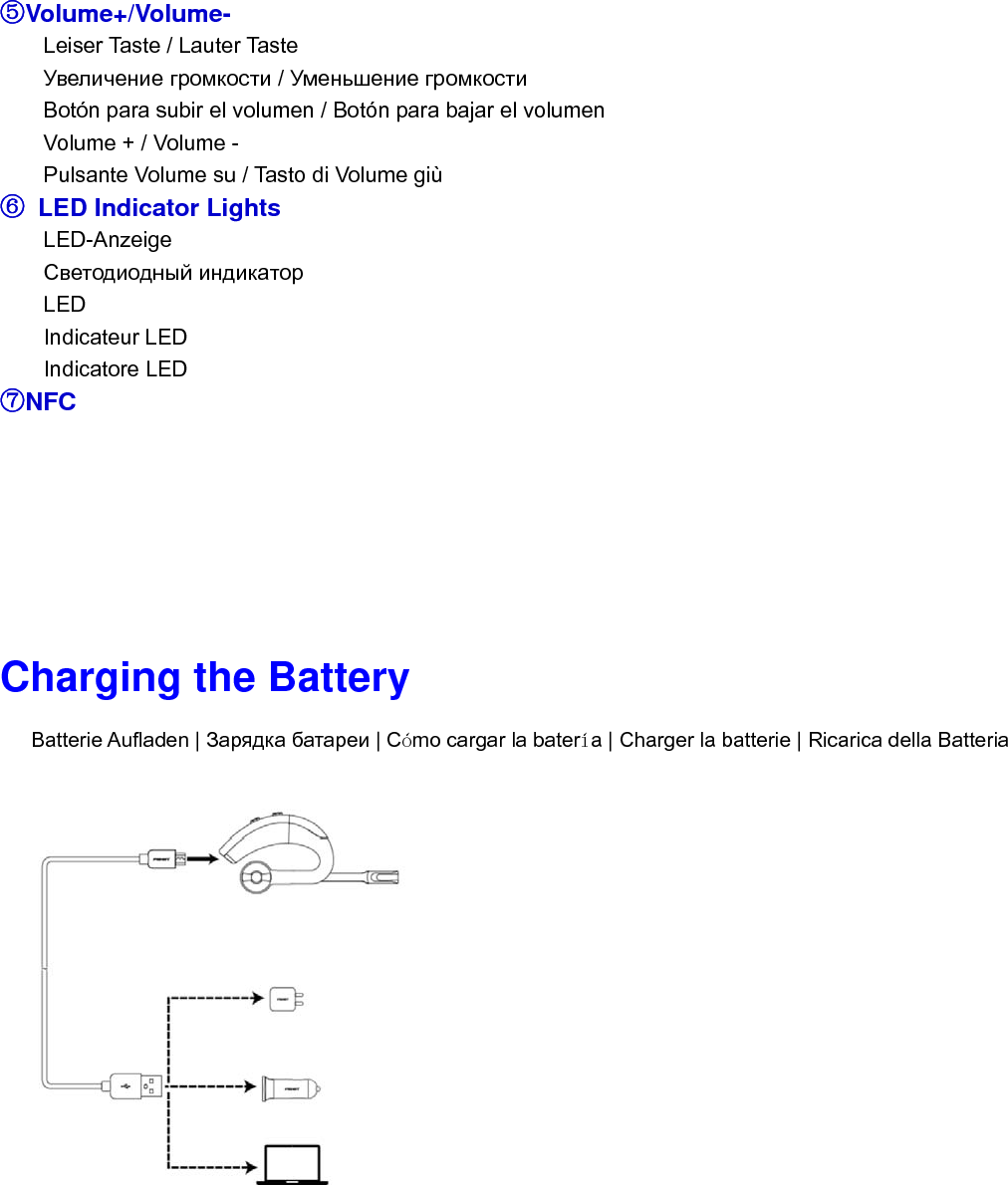
 ⑤Volume+/Volume- Leiser Taste / Lauter Taste Увеличение громкости / Уменьшение громкости Botón para subir el volumen / Botón para bajar el volumen Volume + / Volume - Pulsante Volume su / Tasto di Volume giù ⑥  LED Indicator Lights LED-Anzeige Светодиодный индикатор LED Indicateur LED Indicatore LED ⑦NFC        Charging the Battery    Batterie Aufladen | Зарядка батареи | Cómo cargar la batería | Charger la batterie | Ricarica della Batteria
Attention ·Store the earphone with power off and in a dry environment. ·Lagern Sie den Kopfhörer in ausgeschaltetem Zustand und an einem trockenen Ort. ·Храните наушники с отключенным питанием и в сухом месте. ·Guarde los auriculares apagados en un sitio sin humedad. ·Rangez le casque hors tension et dans un environnement sec. ·Riporre le Cuffie spente e in luogo asciutto.  ·If you don’t use the earphone for a long period, charging the battery every 2 months for 1-2 hours. ·Falls Sie den Kopfhörer für längere Zeit nicht benutzen, laden Sie die Batterie alle 2 Monate für 1-2 Stunden. ·Если вы не используете наушники в течение длительного периода, заряжайте аккумулятор каждые 2 месяца в течение 1-2 часов. ·Si no va a utilizar los auriculares durante un periodo largo de tiempo, cargue la batería cada dos meses entre 1 y 2 horas. ·Si vous n'utilisez pas le casque pendant une longue période, charger la batterie tous les 2 mois pendant 1  à 2 heures. ·Se non si usano le cuffie per un lungo periodo di tempo, ricaricare la batteria ogni 2 mesi per 1-2 ore.  ·Please don’t twist or bend the earphone. This may cause permanent deformation. ·Bitte verdrehen oder biegen Sie den Kopfhörer nicht Dies kann ihn dauerhaft beschädigen. ·Пожалуйста, не сгибайте и не сдавливайте наушники. ·No retuerza ni doble los auriculares ya que puede dar lugar a una deformación irreparable. ·Veuillez ne pas tordre ou plier les  écouteurs. Cela peut provoquer une déformation permanente.   ·Non piegare o torcere le cuffie. La deformazione potrebbe risultare permanente.
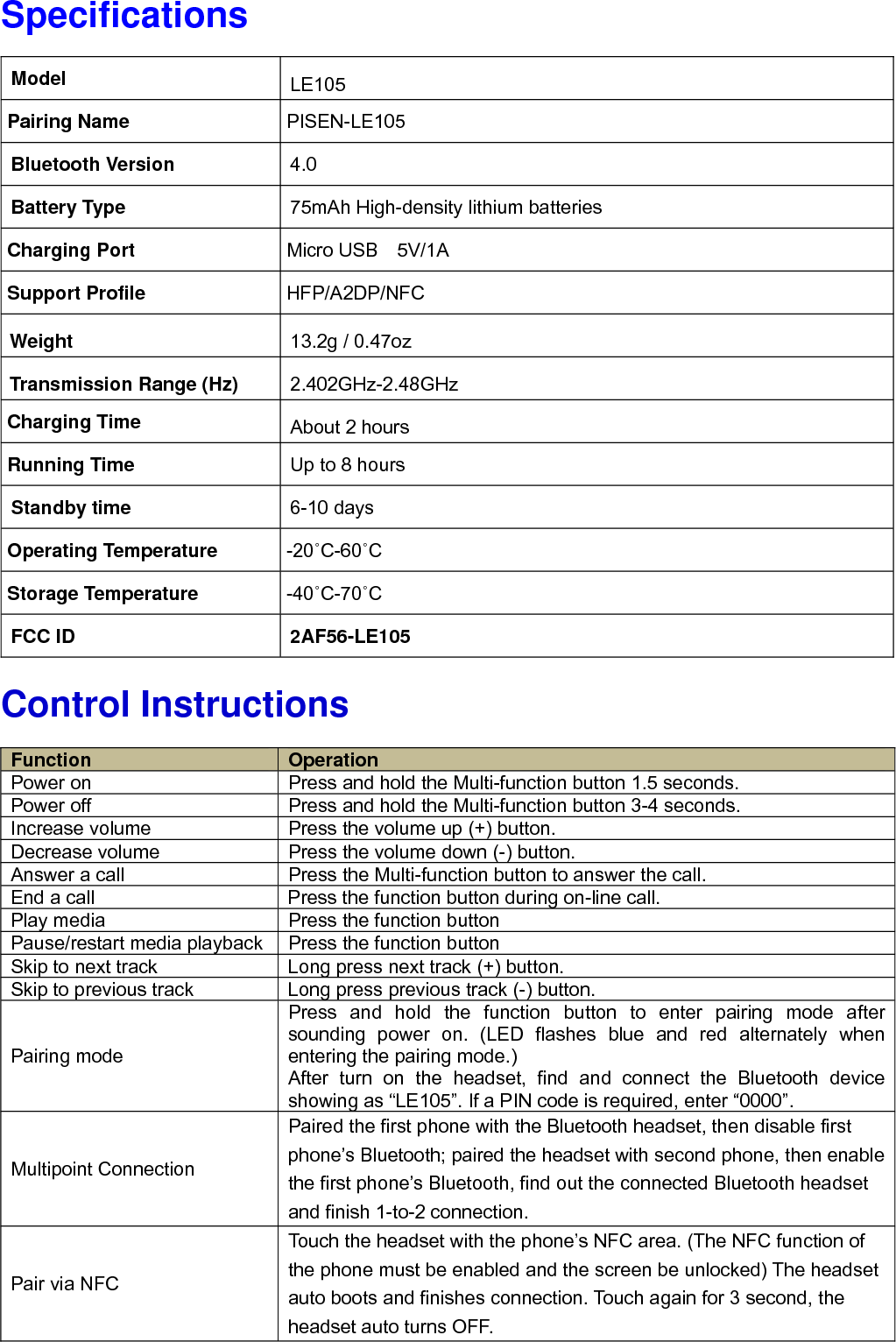
Specifications                   Control Instructions                      Model  LE105 Pairing Name    PISEN-LE105 Bluetooth Version  4.0 Battery Type  75mAh High-density lithium batteries Charging Port  Micro USB  5V/1A Support Profile  HFP/A2DP/NFC Weight  13.2g / 0.47oz Transmission Range (Hz)  2.402GHz-2.48GHz Charging Time  About 2 hours Running Time  Up to 8 hours Standby time  6-10 days Operating Temperature  -20˚C-60˚C Storage Temperature  -40˚C-70˚C FCC ID  2AF56-LE105 Function  Operation Power on  Press and hold the Multi-function button 1.5 seconds.   Power off  Press and hold the Multi-function button 3-4 seconds.   Increase volume  Press the volume up (+) button. Decrease volume  Press the volume down (-) button. Answer a call  Press the Multi-function button to answer the call. End a call  Press the function button during on-line call. Play media  Press the function button Pause/restart media playback Press the function button Skip to next track  Long press next track (+) button. Skip to previous track  Long press previous track (-) button. Pairing mode Press and hold the function button to enter pairing mode after sounding power on. (LED flashes blue and red alternately when entering the pairing mode.) After turn on the headset, find and connect the Bluetooth device showing as “LE105”. If a PIN code is required, enter “0000”. Multipoint Connection Paired the first phone with the Bluetooth headset, then disable first phone’s Bluetooth; paired the headset with second phone, then enable the first phone’s Bluetooth, find out the connected Bluetooth headset and finish 1-to-2 connection. Pair via NFC Touch the headset with the phone’s NFC area. (The NFC function of the phone must be enabled and the screen be unlocked) The headset auto boots and finishes connection. Touch again for 3 second, the headset auto turns OFF.
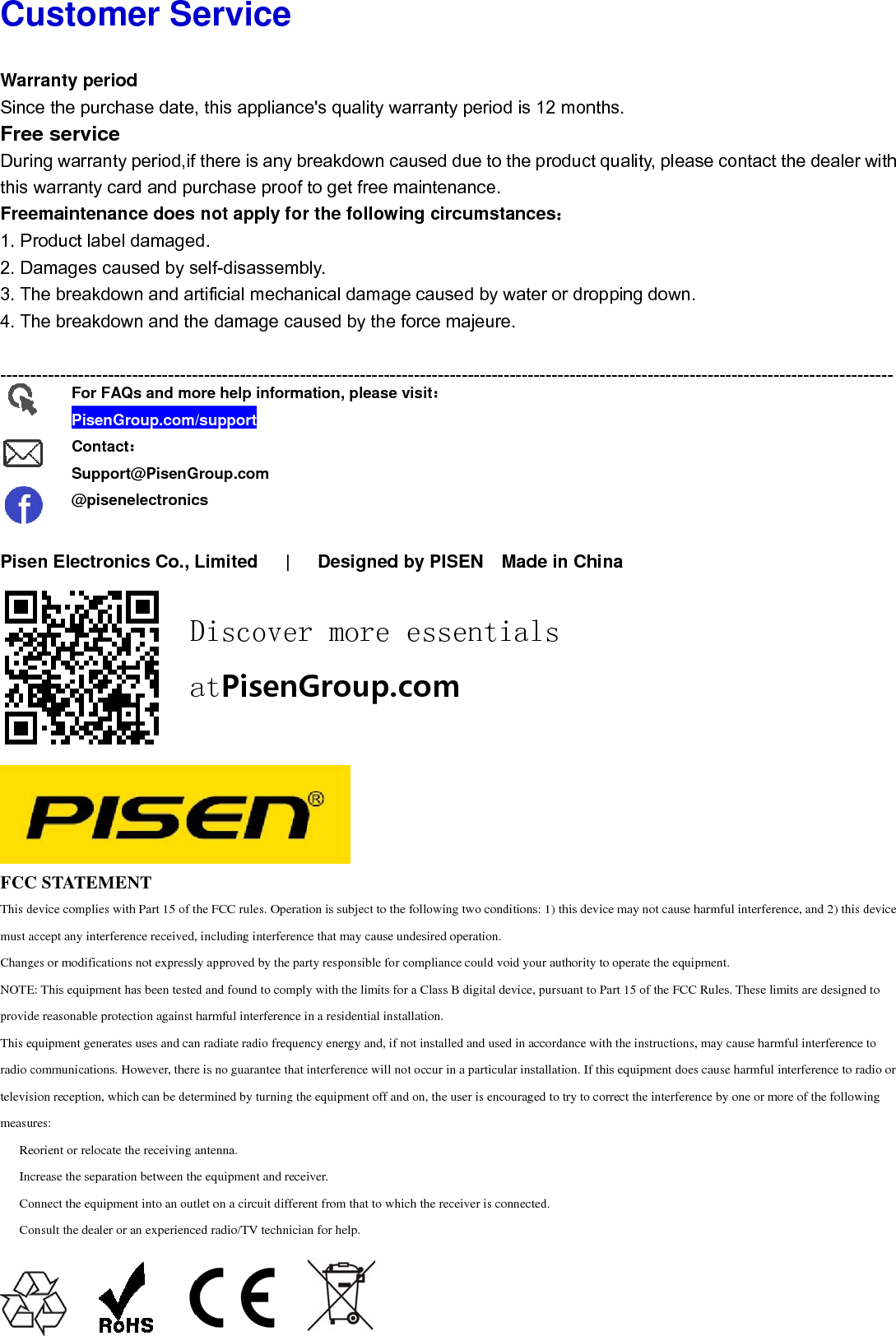
Cu WarSincFreDurithis Free1. P2. D3. T4. T -----      PiseFCCThis dmust aChangNOTEprovidThis eradio ctelevismeasu  Re  In  Co  Co ustomrranty perioce the purchee service ing warrantywarranty caemaintenanProduct labelDamages cauThe breakdowThe breakdow----------------en ElectronC STATEMEdevice complies wiaccept any interferges or modificationE: This equipment de reasonable proteequipment generatecommunications. Hsion reception, whures:eorient or relocate crease the separationnect the equipmonsult the dealer oFor FAQPisenGContacSuppor@pisenmer Serod hase date, thy period,if thard and purcnce does nol damaged. used by selfwn and artifwn and the d----------------nics Co., Lim ENTith Part 15 of the Frence received, incns not expressly aphas been tested anection against harmes uses and can radHowever, there is hich can be determithe receiving anteion between the eqment into an outlet or an experienced rQs and moreGroup.com/suct:rt@PisenGronelectronicsDiatrvice his applianceere is any bchase proof ot apply for f-disassembicial mechandamage cau-----------------mited   |  FCC rules. Operaticluding interferencpproved by the parnd found to complymful interference idiate radio frequenno guarantee that ined by turning theenna.quipment and receion a circuit differeradio/TV techniciae help informaupportup.comiscovertPisenGe's quality wreakdown cto get free mr the followbly. nical damagused by the ---------------- Designed  ion is subject to thce that may cause urty responsible fory with the limits foin a residential instncy energy and, if interference will ne equipment off aniver.ent from that to whan for help.ation, please r more Group.cwarranty periaused due tmaintenanceing circumsge caused byforce majeu----------------by PISEN he following two coundesired operatior compliance couldor a Class B digitatallation.not installed and unot occur in a partind on, the user is ehich the receiver isvisit:essentcomiod is 12 moto the produce. stances:y water or dure. ---------------- Made in Conditions: 1) this don.d void your authorial device, pursuant used in accordancecular installation. encouraged to try ts connected.tialsonths. ct quality, pleropping dow----------------China  device may not cauity to operate the eto Part 15 of the Fe with the instructiIf this equipment dto correct the interfease contacwn. ----------------use harmful interfeequipment.FCC Rules. These ions, may cause hadoes cause harmfuference by one or ct the dealer----------------erence, and 2) this limits are designearmful interferenceul interference to rmore of the followr with ------ device d to e to adio or wing

Navigation menu