Panasonic 42Psu1U6 Service Manual SM830203 01_PAC I_US Letter.indb
Panasonic-36Pet1U6-Service-Manual-729541 panasonic-36pet1u6-service-manual-729541
Panasonic-42Peu1U6-Service-And-Technical-Guide-729528 panasonic-42peu1u6-service-and-technical-guide-729528
Panasonic-26Peu1U6-Service-And-Technical-Guide-729519 panasonic-26peu1u6-service-and-technical-guide-729519
Panasonic-36Pef1U6-Service-And-Technical-Guide-729566 panasonic-36pef1u6-service-and-technical-guide-729566
Panasonic-36Psf1U6-Service-And-Technical-Guide-729557 panasonic-36psf1u6-service-and-technical-guide-729557
2015-05-18
: Panasonic Panasonic-42Psu1U6-Service-Manual-729476 panasonic-42psu1u6-service-manual-729476 panasonic pdf
Open the PDF directly: View PDF  .
.
Page Count: 198 [warning: Documents this large are best viewed by clicking the View PDF Link!]
- SM830203-01_06
- TECHNICAL DATA & SERVICE MANUAL
- IMPORTANT!
- Contents
- 1. SPECIFICATIONS
- 1-1 Unit Specifications
- 1-2 Major Component Specifications
- 1-3 Other Component Specifications
- 1-4 Dimensional data
- 1-5 Refrigerant Flow Diagram
- 1-6 Operating Range
- 1-7 Capacity Correction Graph According to Temperature Condition
- 1-8 Noise Criterion Curves
- 1-9 Increasing the Fan Speed
- 1-10 Air throw distance chart
- 1-11. ELECTRICAL WIRING
- 1-12. Installation Instructions
- 1-13. HOW TO PROCESS TUBING
- 1-14. LEAK TEST, EVACUATION AND ADDITIONAL REFRIGERANT CHARGE
- 2. PROCESSES AND FUNCTIONS
- 3. ELECTRICAL DATA
- 4. SERVICE PROCEDURES
- 5. OUTDOOR UNIT MAINTENANCE REMOTE CONTROL
- 6. TEST RUN
- SM830203-01_16
- TECHNICAL DATA & SERVICE MANUAL
- 1. SPECIFICATIONS
- 1-1 Unit Specifications
- 1-2 Major Component Specifications
- 1-3 Other Component Specifications
- 1-4 Dimensional data
- 1-5 Refrigerant Flow Diagram
- 1-6 Operating Range
- 1-7 Capacity Correction Graph According to Temperature Condition
- 1-8 Noise Criterion Curves
- 1-9 Increasing the Fan Speed
- 1-10 Air throw distance chart
- 1-11. ELECTRICAL WIRING
- 1-12. Installation Instructions
- 1-13. HOW TO PROCESS TUBING
- 1-14. LEAK TEST, EVACUATION AND ADDITIONAL REFRIGERANT CHARGE
- SM830203-01_26
- SM830203-01_36
- SM830203-01_46
- SM830203-01_56
- SM830203-01_66
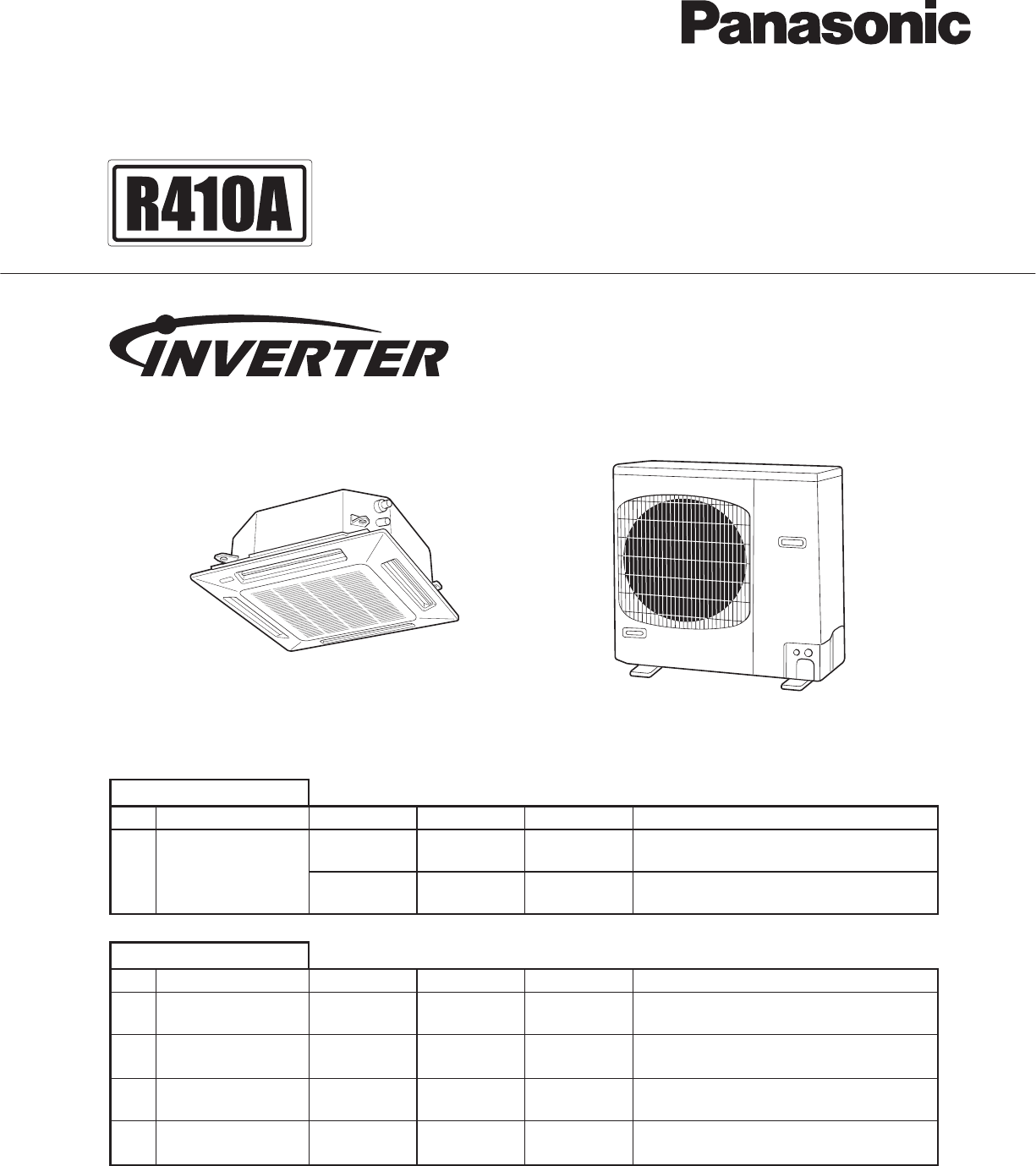
85464849303001 REFERENCE NO. SM830203-01
TECHNICAL DATA
&
SERVICE MANUAL
Model No.
Outdoor Units
Remarks
Remarks
423626
423626
Type
Type
USingle
U-26PE1U6 U-36PE1U6 U-42PE1U6 Cooling/Heating
U-26PS1U6 U-36PS1U6 U-42PS1U6 Cooling
Indoor Units
Indoor Units Type
Outdoor Units
U1
K1
4-Way Cassette S-26PU1U6 S-36PU1U6 S-42PU1U6 with Wired Remote Controller: CZ-RTC2
with Wireless Remote Controller: CZ-RWSK1US-26PK1U6Wall Mounted
T1 Ceiling S-26PT1U6 S-36PT1U6 S-42PT1U6 with Wired Remote Controller: CZ-RTC2
with Wired Remote Controller: CZ-RTC2S-36PF1U6S-26PF1U6Low Silhouette DuctF1
Outdoor Unit
Shows S-26PU1U6 Shows U-26PE1U6
Indoor Unit
SM830203-01_PAC-i_US-letter.indb1 1SM830203-01_PAC-i_US-letter.indb1 1 2012/01/20 13:46:352012/01/20 13:46:35
IMPORTANT!
Please Read Before Starting
This air conditioning system meets strict safety and oper-
ating standards. As the installer or service person, it is an
important part of your job to install or service the system so
it operates safely and efficiently.
For safe installation and trouble-free operation, you must:
Carefully read this instruction booklet before beginning.
Follow each installation or repair step exactly as shown.
Observe all local, state, and national electrical codes.
Pay close attention to all warning and caution notices
given in this manual.
This symbol refers to a hazard or
unsafe practice which can result
in severe personal injury or death.
This symbol refers to a hazard or
unsafe practice which can result
in personal injury or product or
property damage.
If Necessary, Get Help
These instructions are all you need for most installation
sites and maintenance conditions. If you require help for a
special problem, contact our sales/service outlet or your
certified dealer for additional instructions.
In Case of Improper Installation
The manufacturer shall in no way be responsible for
improper installation or maintenance service, including fail-
ure to follow the instructions in this document.
SPECIAL PRECAUTIONS
WARNING When Wiring
ELECTRICAL SHOCK CAN CAUSE
SEVERE PERSONAL INJURY OR DEATH.
ONLY A QUALIFIED, EXPERIENCED
ELECTRICIAN SHOULD ATTEMPT TO
WIRE THIS SYSTEM.
•
are completed or reconnected and checked.
•
Do not supply power to the unit until all wiring and tubing
Highly dangerous electrical voltages are used in this
system. Carefully refer to the wiring diagram and these
instructions when wiring. Improper connections and inad-
equate grounding can cause accidental injury or death.
• Ground the unit following local electrical codes.
• Connect all wiring tightly. Loose wiring may cause over-
heating at connection points and a possible fire hazard.
• To prevent possible hazards from insulation failure,
the unit must be grounded.
When Transporting
Be careful when picking up and moving the indoor and
outdoor units. Get a partner to help, and bend your knees
when lifting to reduce strain on your back. Sharp edges or
thin aluminum fins on the air conditioner can cut your
fingers.
When Installing…
…In a Room
Properly insulate any tubing run inside a room to prevent
Select an installation location which is rigid and strong
enough to support or hold the unit, and select a location
for easy maintenance.
“sweating” that can cause dripping and water damage to
walls and floors.
Keep the fire alarm and the air outlet at least
5 feet away from the unit.
…In Moist or Uneven Locations
Use a raised concrete pad or concrete blocks to provide
a solid, level foundation for the outdoor unit. This prevents
water damage and abnormal vibration.
…In an Area with High Winds
Securely anchor the outdoor unit down with bolts and a
metal frame. Provide a suitable air baffle.
…In a Snowy Area (for Heat Pump-type Systems)
Install the outdoor unit on a raised platform that is higher
than drifting snow. Provide snow vents.
When Connecting Refrigerant Tubing
•
gas leaks during the installation. Be careful not to allow
contact of the refrigerant gas with a flame as this will
cause the generation of poisonous gas.
•
•
•
the flare and union tubes before connecting them, then
tighten the nut with a torque wrench for a leak-free con-
nection.
•
•
Ventilate the room well, in the event that is refrigerant
Keep all tubing runs as short as possible.
Use the flare method for connecting tubing.
Apply refrigerant lubricant to the matching surfaces of
Check carefully for leaks before starting the test run.
• Do not leak refrigerant while piping work for an installation
or re-installation, and while repairing refrigeration parts.
Handle liquid refrigerant carefully as it may cause frostbite.
WARNING
CAUTION
CAUTION
When performing piping work do not
mix air except for specifled refrigerant
(R410A) in refrigeration cycle. It
causes capacity down, and risk of
explosion and injury due to high
tension inside the refrigerant cycle.
•Refrigerant gas leakage may cause
fire.
•Do not add or replace refrigerant
other than specified type.
It may cause product damage,
burst and injury etc.
WARNING
i
SM830203-01_PAC-i_US-letter.indbII IISM830203-01_PAC-i_US-letter.indbII II 2012/01/20 13:46:352012/01/20 13:46:35
Check of Density Limit
The room in which the air conditioner is to be
installed requires a design that in the event of refrig-
erant gas leaking out, its density will not exceed a set
limit.
The refrigerant (R410A), which is used in the air condition-
er, is safe, without the toxicity or combustibility of ammonia,
and is not restricted by laws imposed to protect the ozone
layer. However, since it contains more than air, it poses the
risk of suffocation if its density should rise excessively. Suf-
focation from leakage of refrigerant is almost non-existent.
With the recent increase in the number of high density
buildings, however, the installation of multi air conditioner
systems is on the increase because of the need for effec-
tive use of floor space, individual control, energy conserva-
tion by curtailing heat and carrying power, etc.
Most importantly, the multi air conditioner system is able
to replenish a large amount of refrigerant compared to
conventional individual air conditioners. If a single unit of
the multi air conditioner system is to be installed in a
small room, select a suitable model and installation pro-
cedure so that if the refrigerant accidentally leaks out, its
density does not reach the limit (and in the event of an
emergency, measures can be made before injury can
occur).
ASHRAE and the International Mechanical Code of the
ICC as well as CSA provide guidance and define safe-
guards related to the use of refrigerants, all of which define
a Refrigerant Concentration Level (RCL) of 25 pounds
per 1,000 cubic feet for R410A refrigerant.
For additional guidance and precautions related to
refrigerant safety, please refer to the following documents:
International Mechanical Code 2009 (IMC-2009)
(or more recently revised)
ASHRAE 15
ASHRAE 34
When Servicing
• Turn the power OFF at the main power box (mains)
before opening the unit to check or repair electrical
parts and wiring.
•
•
Keep your fingers and clothing away from any moving
parts.
Clean up the site after you finish, remembering to check
that no metal scraps or bits of wiring have been left
inside the unit being serviced.
•
•
Do not touch the air inlet or the
sharp aluminum fins of the
outdoor unit. You may get injured.
• Ventilate any enclosed areas when
installing or testing the refrigeration
system. Escaped refrigerant gas, on
contact with fire or heat, can produce
dangerously toxic gas.
Confirm after installation that no
refrigerant gas is leaking. If the gas
comes in contact with a burning stove,
gas water heater, electric room heater
or other heat source, it can cause the
generation of poisonous gas.
WARNING
• Do not clean inside the indoor and
outdoor units by users. Engage
authorized dealer or specialist for
cleaning.
• In case of malfunction of this
appliance, do not repair by yourself.
Contact to the sales dealer or service
dealer for a repair.
CAUTION
CAUTION
Others
•
•
•
Do not touch the air inlet or the
sharp aluminum fins of the
outdoor unit. You may get injured.
Do not sit or step on the unit,
you may fall down accidentally.
Do not stick any object into the
FAN CASE.
You may be injured and the
unit may be damaged.
NOTICE • This device complies with part 15 of the FCC Rules.
Operation is subject to the following two conditions:
(1) This device may not cause harmful interference, and (2) this device must accept any interference
received, including interference that may cause undesired operation.
• This equipment has been tested and found to comply with the limits for a Class B digital device,
pursuant to part 15 of the FCC Rules.
These limits are designed to provide reasonable protection against harmful interference in a residential
installation. This equipment generates, uses and can radiate radio frequency energy and, if not installed
and used in accordance with the instructions, may cause harmful interference to radio communications.
However, there is no guarantee that interference will not occur in a particular installation. If this
equipment does cause harmful interference to radio or television reception, which can be determined
by turning the equipment off and on, the user is encouraged to try to correct the interference by one or
more of the following measures:
• Reorient or relocate the receiving antenna.
• Increase the separation between the equipment and receiver.
• Connect the equipment into an outlet on a circuit different from that to which the receiver is connected.
• Consult the dealer or an experienced radio/TV technician for help.
• FCC Caution: To assure continued compliance, follow the attached installation instructions.
Any changes or modifications not expressly approved by the party responsible for compliance could
void the user’s authority to operate this equipment.
ii
SM830203-01_PAC-i_US-letter.indbIII IIISM830203-01_PAC-i_US-letter.indbIII III 2012/01/20 13:46:352012/01/20 13:46:35
Precautions for Installation Using New Refrigerant
1. Care regarding tubing
1-1. Process tubing
Material: Use C1220 phosphorous deoxidized copper specified in JIS H3300 “Copper and Copper Alloy Seamless
Pipes and Tubes.”
Tubing size: Be sure to use the sizes indicated in the table below.
Use a tube cutter when cutting the tubing, and be sure to remove any flash. This also applies to distribution joints
(optional).
When bending tubing ø5/8" or smaller, use a bending radius that is 4 times the outer diameter of the tubing or larger.
CAUTION
Use sufficient care in handling the tubing. Seal the tubing ends with
caps or tape to prevent dirt, moisture, or other foreign substances
from entering. These substances can result in system malfunction.
OMaterial
Copper tube Outer diameter 1/4 3/8 1/2 5/8
Wall thickness t0.032 t0.032 t0.032 t0.04
Unit: inch
1-2. Prevent impurities including water, dust and oxide from entering the tubing. Impurities can cause R410A
refrigerant deterioration and compressor defects. Due to the features of the refrigerant and refrigerating machine
oil, the prevention of water and other impurities becomes more important than ever.
2. Be sure to recharge the refrigerant only in liquid form.
2-1.
defects of the unit.
2-2.
Since R410A is a non-azeotrope, recharging the refrigerant in gas form can lower performance and cause
Since refrigerant composition changes and performance decreases when gas leaks, collect the remaining
refrigerant and recharge the required total amount of new refrigerant after fixing the leak.
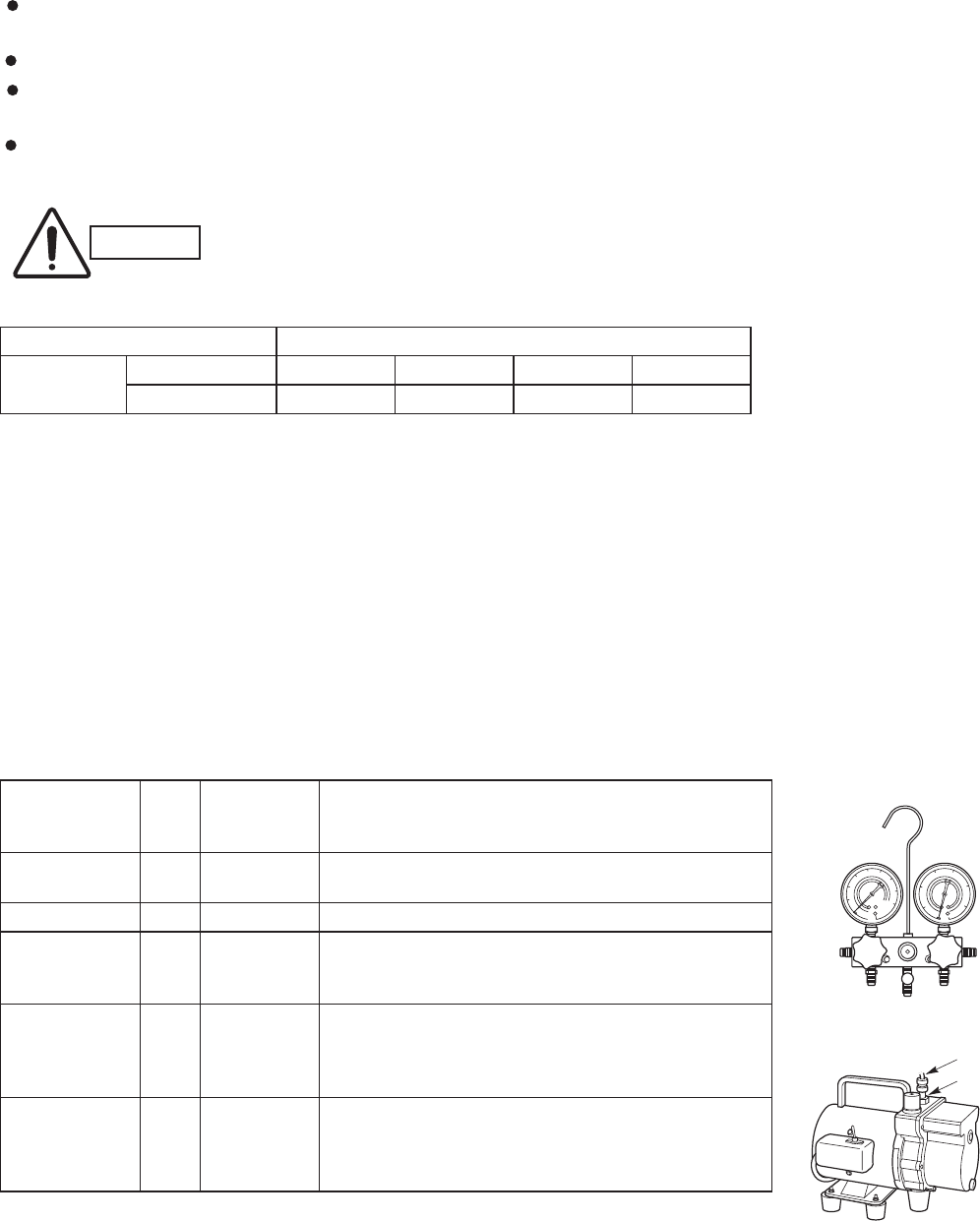
3. Different tools required
3-1. Tool specifications have been changed due to the characteristics of R410A.
Some tools for R22- and R407C-type refrigerant systems cannot be used.
Item New
tool?
R407C tools
compatible
with R410A?
Remarks
Manifold gauge Yes
Yes Yes
No
Yes No
Yes No
Yes No
Types of refrigerant, refrigerating machine oil, and
pressure gauge are different.
Charge hose To resist higher pressure, material must be changed.
Vacuum pump Use a conventional vacuum pump if it is equipped
with a check valve. If it has no check valve,
purchase and attach a vacuum pump adapter.
Leak detector Leak detectors for CFC and HCFC that
react to chlorine do not function because
R410A contains no chlorine. Leak detector
for HFC134a can be used for R410A.
Flaring oil For systems that use R22, apply mineral oil (Suniso oil)
to the flare nuts on the tubing to prevent refrigerant
leakage. For machines that use R407C or R410A, apply
synthetic oil (ether oil) to the flare nuts.
* Using tools for R22 and R407C and new tools for R410A together can cause defects.
Manifold gauge
Vacuum pump
Outlet
Inlet
iii
SM830203-01_PAC-i_US-letter.indbIV IVSM830203-01_PAC-i_US-letter.indbIV IV 2012/01/20 13:46:352012/01/20 13:46:35
iv
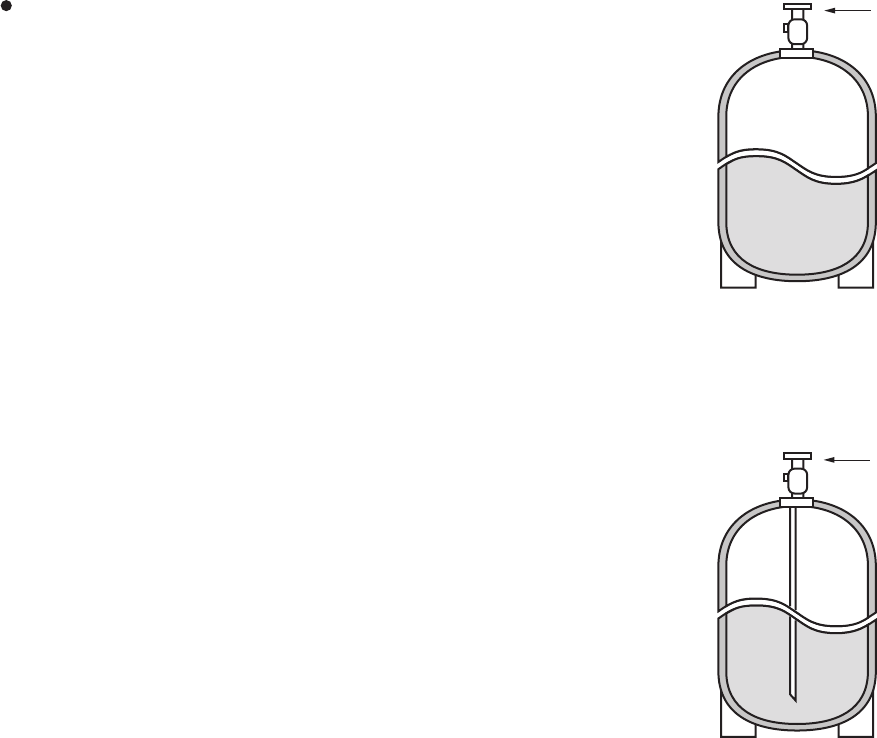
3-2. Use R410A exclusive cylinder only.
When charging with a refrigerant cylinder, use an
electronic scale for charging refrigerant. In this case,
if the volume of refrigerant in the cylinder becomes
less than 20% of the fully-charged amount, the
composition of the refrigerant starts to change. Thus,
do not use the refrigerant if the amount in the charging
cylinder is less than 20%. Also, charge the minimum
necessary amount to the charging cylinder before
using it to charge the air conditioning unit.
Configuration and characteristics of cylinders
Single valve
Charge liquid refrigerant with
cylinder in up-side-down position.
Single valve (with siphon tube)
Charge with cylinder in normal position.
Fig. 1
Fig. 2
Valve
Liquid
Valve
Liquid
SM830203-01_PAC-i_US-letter.indbV VSM830203-01_PAC-i_US-letter.indbV V 2012/01/20 13:46:352012/01/20 13:46:35

vi
Section 1: SPECIFICATIONS .....................................................................................................1-1
1-1 Unit SpecifIcations ..............................................................................................1-2
1-2 Major Component SpecifIcations ......................................................................1-20
1-3 Other Component SpecifIcations ......................................................................1-35
1-4 Dimensional Data..............................................................................................1-38
1-5 Refrigerant Flow Diagram .................................................................................1-48
1-6 Operating Range ...............................................................................................1-49
1-7 Capacity Correction Graph According to Temperature Condition .....................1-50
1-8 Noise Criterion Curves ......................................................................................1-51
1-9 Increasing the Fan Speed .................................................................................1-56
1-10 Air throw distance chart .................................................................................... 1-57
1-11 ELECTRICAL WIRING ..................................................................................... 1-60
1-12 Installation Instructions ..................................................................................... 1-63
1-13 HOW TO PROCESS TUBING .........................................................................1-118
1-14 LEAK TEST, EVACUATION AND ADDITIONAL REFRIGERANT CHARGE .... 1-122
Section 2: PROCESSES AND FUNCTIONS ..............................................................................2-1
2-1 Room Temperature Control .................................................................................2-2
2-2 Cold Draft Prevention (Heating Cycle) ................................................................ 2-4
2-3 Automatic Fan Speed (Indoor Unit) .....................................................................2-5
2-4 Control Functions ................................................................................................2-6
2-5 Outdoor Unit Control PCB...................................................................................2-9
2-6 Outdoor Unit Control PCB (CR-CH4272R) .......................................................2-10
Section 3: ELECTRICAL DATA .................................................................................................. 3-1
3-1 Indoor Units ........................................................................................................3-2
3-2 Outdoor Units ....................................................................................................3-10
Section 4: SERVICE PROCEDURES .........................................................................................4-1
4-1 Meaning of Alarm Messages .............................................................................. 4-2
4-2 Symptoms and Parts to Inspect ..........................................................................4-5
4-3 Details of Alarm Messages .................................................................................4-8
4-4 Table of Thermistor Characteristics ..................................................................4-14
Section 5: OUTDOOR UNIT MAINTENANCE REMOTE CONTROL ........................................ 5-1
5-1 Overview .............................................................................................................5-2
5-2 Functions ............................................................................................................5-2
5-3 Normal Display Operations and Functions ......................................................... 5-3
5-4 Monitoring Operations: Display of Indoor Unit and Outdoor Unit Sensor
Temperatures ......................................................................................................5-6
5-5 Monitoring the Outdoor Unit Alarm History: Display of Outdoor Unit
Alarm History ......................................................................................................5-7
5-6 Setting Modes: Setting the Outdoor Unit EEPROM ............................................ 5-7
Section 6: TSET RUN .................................................................................................................6-1
6-1 Preparing for Test Run ........................................................................................ 6-2
6-2 Caution ...............................................................................................................6-3
6-3 Test Run Procedure ............................................................................................ 6-3
6-4 Items to Check Before the Test Run....................................................................6-4
6-5 Test Run Using the Remote Controller ...............................................................6-4
6-6 Precautions .........................................................................................................6-4
6-7 Table of Self-Diagnostic Functions and Corrections (U1, K1, T1, F1 Type) ........6-5
6-8 Examples of Wiring Diagrams .............................................................................6-6
Contents
SM830203-01_PAC-i_US-letter.indbVI VISM830203-01_PAC-i_US-letter.indbVI VI 2012/01/20 13:46:352012/01/20 13:46:35
1. SPECIFICATIONS
1-1. Unit Specifications.................................................................................................... 1-2
1-2. 1-20Major Component Specifications ..........................................................................
1-63
1-3. 1-35Other Component Specifications ..........................................................................
Outdoor Unit
Indoor Unit
1-631.
1-642.
3. 1-65
5. 1-75
1-744.
Tubing Size .......................................................................................................................................
Check of density limit ........................................................................................................................
SELECTING THE INSTALLATION SITE .........................................................................................
HOW TO INSTALL THE OUTDOOR UNIT .......................................................................................
6. 1-76
7. 1-100
8.
SELECTING THE INSTALLATION SITE .........................................................................................
HOW TO INSTALL THE INDOOR UNIT ...........................................................................................
HOW TO INSTALL THE WIRELESS REMOTE CONTROLLER ....................................................
HOW TO INSTALL THE TIMER WIRED REMOTE CONTROLLER .............................................. 1-118
1-4. 1-38Dimensional Data ....................................................................................................
1-5. 1-48Refrigerant Flow Diagram ......................................................................................
1-6. 1-49Operating Range .....................................................................................................
1-7. 1-50Capacity Correction Graph According to Temperature Condition .....................
1-8. 1-51Noise Criterion Curves ...........................................................................................
1-561-9. Increasing the Fan Speed ......................................................................................
1-571-10. Air throw distance chart .........................................................................................
1-601-11. ELECTRICAL WIRING .............................................................................................
1-12. Installation Instructions ..........................................................................................
1-1181-13. HOW TO PROCESS TUBING .................................................................................
1-1221-14. LEAK TEST, EVACUATION AND ADDITIONAL REFRIGERANT CHARGE ........
TENTATIVE
1-1
1
SM830203-01_PAC-i_US-letter.indb1 1SM830203-01_PAC-i_US-letter.indb1 1 2012/01/30 12:53:172012/01/30 12:53:17
1-2
1. Specifications
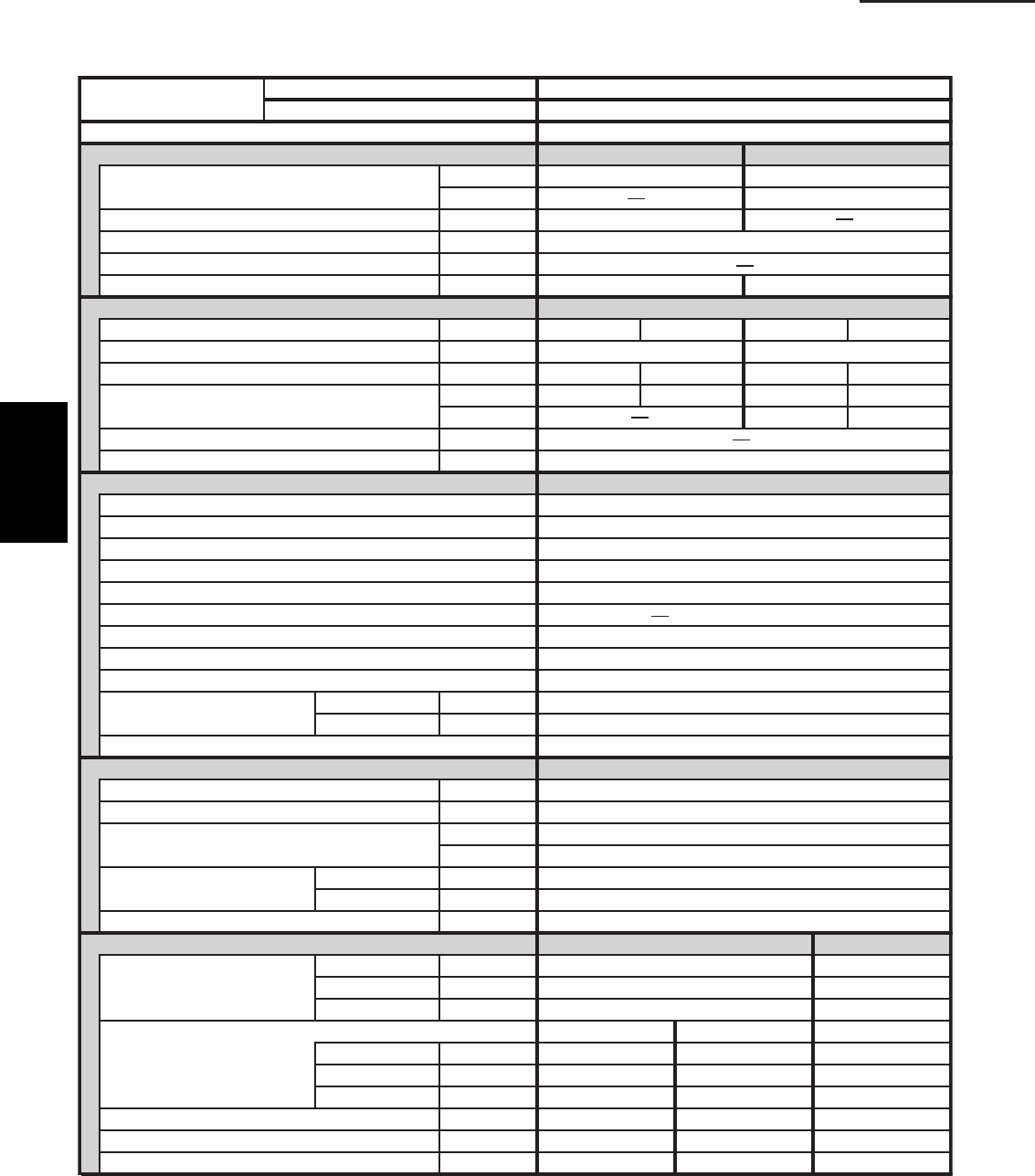
1-1 Unit Specifications
4-Way Cassette Type
Cooling:
Rating conditions (*) : Room temperature 80 °F DB / 67 °F WB, Ambient temperature 95 °F DB / 75 °F WB
Heating:
Rating conditions (*) : Room temperature 70 °F DB / 60 °F WB, Ambient temperature 47 °F DB / 43 °F WB
Low temp conditions (**) : Room temperature 70 °F DB / 60 °F WB, Ambient temperature 17 °F DB / 15 °F WB
S-26PU1U6tinU roodnI
U-26PE1U6tinU roodtuO
POWER SOURCE 230 - 208 V / 1 Phase / 60 Hz
PERFORMANCE Cooling Heating
Capacity * [minimum~muximum] BTU / h 24,800 [9,500~24,800] 29,800 [8,000~29,800]
003,81h / UTB**)F˚71(
Moisture removal (High) Pints / h 8.1
Air circulation (H / M / L) 230 V CFM 710 / 530 / 450
External Static Pressure in. WG
9.61.41hW / UTB)4 noigeR( .F.P.S.H / .R.E.E.S
ELECTRICAL RATINGS
802032802032Vgnitar egatloV
352 - 781 CAV352 - 781 CAVVegnar egatlov elbaliavA
Max.Running amperes*
A 15.6 17.3 14.8 16.4
097,2097,2029,2029,2Wtupni rewoP
002,2002,2W**)F˚71(
WkretaeH pu-kcaB
Maximum overcurrent protection (Indoor/Outdoor) 03 / 51A
F˚0 ni-tliuB lortnoc tneibma woL
elbairaV / lortnoc citamotuA dna 3roodtuO / roodnI sdeeps naF
Wired Remote Controller
Optional Wireless Remote Controller CZ-RWSU1U
Air deflection (Horizontal / Vertical ) / Automatic (Vertical )
)rh 005,2( efil gnol ,elbahsaWretlif riA
Drain pump (Drain connection)
Max.head 2-33/64 in. above drain connection (25A , OD32mm)
yratoRrosserpmoC
Operation sound Indoor - Hi/Me/Lo dB - A 38 / 35 / 31
94A - BdiH - roodtuO
)VOM( evlaV noisnapxE cinortcelElortnoc tnaregirfeR
REFRIGERANT TUBING
)05( 561)m( .tfhtgnel gnibut fo timiL
Limit of tubing length at shipment ft. (m) 10~100 (3~30)
Limit of elevation difference ft. (m) Outdoor unit is higher than indoor unit : 100 (30)
)51( 05 : tinu roodni naht rewol si tinu roodtuO)m( .tfstinu owt eht neewteb
Refrigerant tube Narrow tube in. (mm) 3 / 8 (6.35)
outer diameter Wide tube in. (mm) 5 / 8 (15.88)
Refrigerant amount at shipment lbs. (kg) 4.2 (1.9) - R410A
DIMENSIONS & WEIGHT Indoor unit (Include panel) Outdoor unit
Unit dimensions Height in. (mm) 13-5/16 (338) 30- 23/32 (780)
Width in. (mm) 33-55/64 (860) 37 (940)
Depth in. (mm) 33-55/64 (860) 13- 3/8 (340)
tinu roodtuOlenaPydoBsnoisnemid egakcaP
Height in. (mm) 11-9/64 (283) 4-3/32 (104) 34- 31/32 (888)
Width in. (mm) 32-7/8 (835) 37-61/64 (964) 39- 31/32 (1,015)
Depth in. (mm) 33-9/32 (845) 39-21/64 (999) 16- 3/32 (409)
)85( 821)5( 11)22( 94 )gk( .sblthgiew teN
)76( 841)8( 81)62( 75 )gk( .sblthgiew gnippihS
)963.0( 0.31)001.0( 6.3)002.0( 1.7) 3 m( .tf.ucemulov gnippihS
DATA SUBJECT TO CHANGE WITHOUT NOTICE.
FEATURES
MODEL No.
Controls Microprocessor
CZ-RTC2
1
SM830203-01_PAC-i_US-letter.indb2 2SM830203-01_PAC-i_US-letter.indb2 2 2012/01/19 22:39:162012/01/19 22:39:16
1-3
1. Specifications
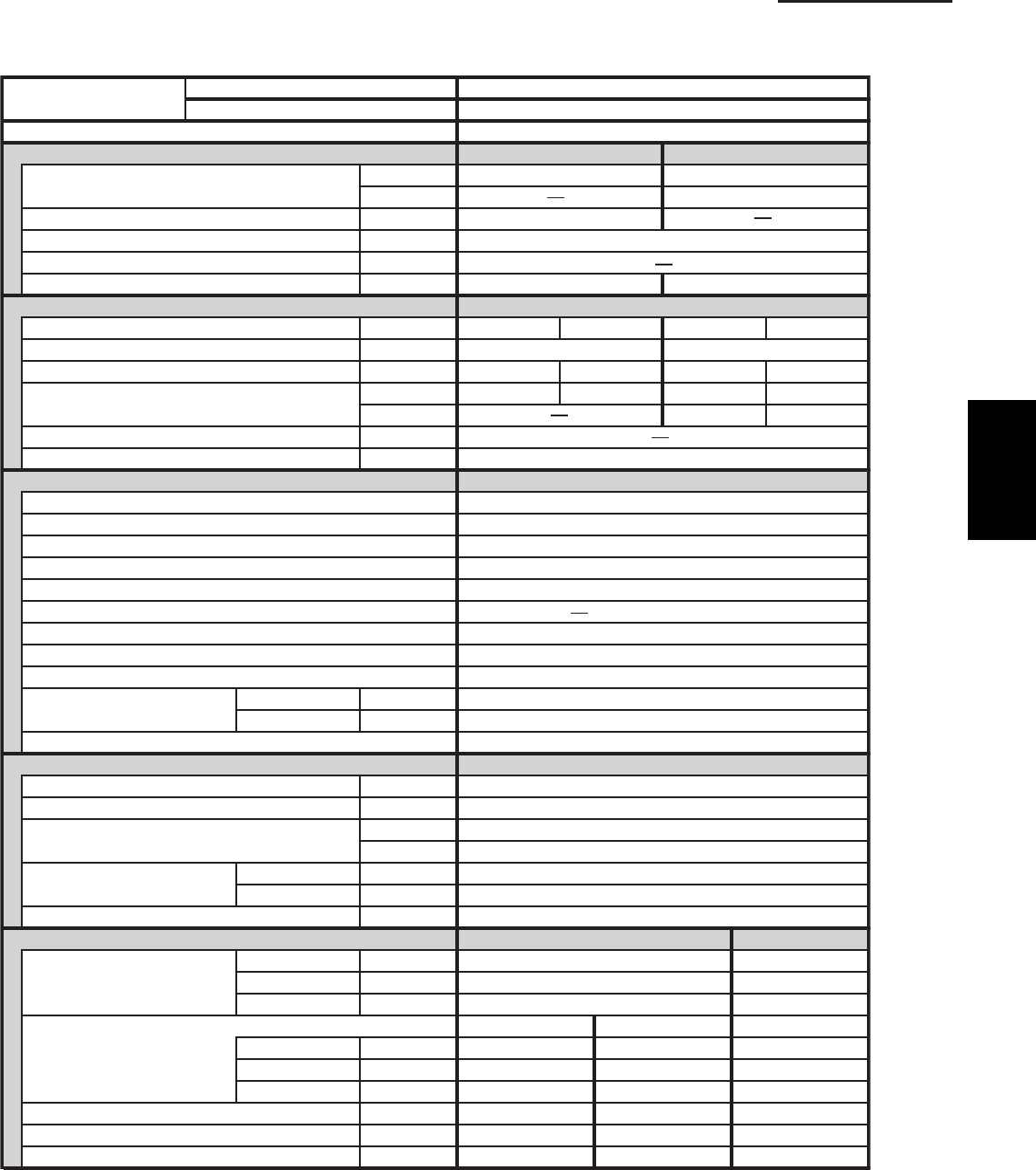
1-1 Unit Specifications
4-Way Cassette Type
Cooling:
Rating conditions (*) : Room temperature 80 °F DB / 67 °F WB, Ambient temperature 95 °F DB / 75 °F WB
Heating:
Rating conditions (*) : Room temperature 70 °F DB / 60 °F WB, Ambient temperature 47 °F DB / 43 °F WB
Low temp conditions (**) : Room temperature 70 °F DB / 60 °F WB, Ambient temperature 17 °F DB / 15 °F WB
S-36PU1U6tinU roodnI
U-36PE1U6tinU roodtuO
POWER SOURCE 230 - 208 V / 1 Phase / 60 Hz
PERFORMANCE Cooling Heating
Capacity * [minimum~muximum] BTU / h 32,600 [9,500~32,600] 37,600 [8,000~37,600]
000,02h / UTB**)F˚71(
Moisture removal (High) Pints / h 10.6
Air circulation (H / M / L) 230 V CFM 1050 / 840 / 720
External Static Pressure in. WG
8.46.41hW / UTB)4 noigeR( .F.P.S.H / .R.E.E.S
ELECTRICAL RATINGS
802032802032Vgnitar egatloV
352 - 781 CAV352 - 781 CAVVegnar egatlov elbaliavA
6.719.517.027.81A*serepma gninnuR.xaM
053,3053,3059,3059,3Wtupni rewoP
054,2054,2W**)F˚71(
WkretaeH pu-kcaB
Maximum overcurrent protection (Indoor/Outdoor) 53 / 51A
F˚0 ni-tliuB lortnoc tneibma woL
elbairaV / lortnoc citamotuA dna 3roodtuO / roodnI sdeeps naF
Wired Remote Controller
CZ-RWSU1UrellortnoC etomeR sseleriW lanoitpO
Air deflection (Horizontal / Vertical ) / Automatic (Vertical )
)rh 005,2( efil gnol ,elbahsaWretlif riA
Drain pump (Drain connection)
Max.head 2-33/64 in. above drain connection (25A , OD32mm)
yratoRrosserpmoC
Operation sound Indoor - Hi/Me/Lo dB - A 44 / 37 / 33
25A - BdiH - roodtuO
)VOM( evlaV noisnapxE cinortcelElortnoc tnaregirfeR
REFRIGERANT TUBING
)05( 561)m( .tfhtgnel gnibut fo timiL
Limit of tubing length at shipment ft. (m) 10~100 (3~30)
Limit of elevation difference ft. (m) Outdoor unit is higher than indoor unit : 100 (30)
)51( 05 : tinu roodni naht rewol si tinu roodtuO)m( .tfstinu owt eht neewteb
Refrigerant tube Narrow tube in. (mm) 3 / 8 (6.35)
outer diameter Wide tube in. (mm) 5 / 8 (15.88)
Refrigerant amount at shipment lbs. (kg) 6.2 (2.8) - R410A
DIMENSIONS & WEIGHT Indoor unit (Include panel) Outdoor unit
Unit dimensions Height in. (mm) 14-31/64 (368) 30- 23/32 (780)
Width in. (mm) 45-9/32 (1,150) 37 (940)
Depth in. (mm) 33-55/64 (860) 13- 3/8 (340)
tinu roodtuOlenaPydoBsnoisnemid egakcaP
Height in. (mm) 12-13/32 (315) 4-3/32 (104) 34- 31/32 (888)
Width in. (mm) 44-19/64 (1,125) 49-31/64 (1,257) 39- 31/32 (1,015)
Depth in. (mm) 33-9/32 (845) 39-21/64 (999) 16- 3/32 (409)
)56( 341)7( 61)72( 06 )gk( .sblthgiew teN
)37( 161)01( 22)23( 17 )gk( .sblthgiew gnippihS
)963.0( 0.31)131.0( 6.4)992.0( 6.01) 3 m( .tf.ucemulov gnippihS
DATA SUBJECT TO CHANGE WITHOUT NOTICE.
FEATURES
MODEL No.
Controls Microprocessor
CZ-RTC2
1
SM830203-01_PAC-i_US-letter.indb3 3SM830203-01_PAC-i_US-letter.indb3 3 2012/01/19 22:39:172012/01/19 22:39:17
1-4
1. Specifications
1-1 Unit Specifications
4-Way Cassette Type
Cooling:
Rating conditions (*) : Room temperature 80 °F DB / 67 °F WB, Ambient temperature 95 °F DB / 75 °F WB
Heating:
Rating conditions (*) : Room temperature 70 °F DB / 60 °F WB, Ambient temperature 47 °F DB / 43 °F WB
Low temp conditions (**) : Room temperature 70 °F DB / 60 °F WB, Ambient temperature 17 °F DB / 15 °F WB
S-42PU1U6tinU roodnI
U-42PE1U6tinU roodtuO
POWER SOURCE 230 - 208 V / 1 Phase / 60 Hz
PERFORMANCE Cooling Heating
Capacity * [minimum~muximum] BTU / h 39,500 [9,500~39,500] 48,000 [8,000~48,000]
008,13h / UTB**)F˚71(
Moisture removal (High) Pints / h 12.6
Air circulation (H / M / L) 230 V CFM 1050 / 840 / 720
External Static Pressure in. WG
9.76.41hW / UTB)4 noigeR( .F.P.S.H / .R.E.E.S
ELECTRICAL RATINGS
802032802032Vgnitar egatloV
352 - 781 CAV352 - 781 CAVVegnar egatlov elbaliavA
8.424.224.520.32A*serepma gninnuR.xaM
063,4063,4025,4025,4Wtupni rewoP
045,3045,3W**)F˚71(
WkretaeH pu-kcaB
Maximum overcurrent protection (Indoor/Outdoor) 04 / 51A
F˚0 ni-tliuB lortnoc tneibma woL
elbairaV / lortnoc citamotuA dna 3roodtuO / roodnI sdeeps naF
Wired Remote Controller
CZ-RWSU1UrellortnoC etomeR sseleriW lanoitpO
Air deflection (Horizontal / Vertical ) / Automatic (Vertical )
)rh 005,2( efil gnol ,elbahsaWretlif riA
Drain pump (Drain connection)
Max.head 2-33/64 in. above drain connection (25A , OD32mm)
yratoRrosserpmoC
Operation sound Indoor - Hi/Me/Lo dB - A 45 / 38 / 34
35A - BdiH - roodtuO
)VOM( evlaV noisnapxE cinortcelElortnoc tnaregirfeR
REFRIGERANT TUBING
)05( 561)m( .tfhtgnel gnibut fo timiL
Limit of tubing length at shipment ft. (m) 10~100 (3~30)
Limit of elevation difference ft. (m) Outdoor unit is higher than indoor unit : 100 (30)
)51( 05 : tinu roodni naht rewol si tinu roodtuO)m( .tfstinu owt eht neewteb
Refrigerant tube Narrow tube in. (mm) 3 / 8 (6.35)
outer diameter Wide tube in. (mm) 5 / 8 (15.88)
Refrigerant amount at shipment lbs. (kg) 7.9 (3.6) - R410A
DIMENSIONS & WEIGHT Indoor unit (Include panel) Outdoor unit
Unit dimensions Height in. (mm) 14-31/64 (368) 48-7/16 (1,230 )
Width in. (mm) 45-9/32 (1,150) 37 (940)
Depth in. (mm) 33-55/64 (860) 13- 3/8 (340)
tinu roodtuOlenaPydoBsnoisnemid egakcaP
Height in. (mm) 12-13/32 (315) 4-3/32 (104) 52-3/8 (1,330 )
Width in. (mm) 44-19/64 (1,125) 49-31/64 (1,257) 39- 31/32 (1,015)
Depth in. (mm) 33-9/32 (845) 39-21/64 (999) 16- 3/32 (409)
)001( 022)7( 61)72( 06 )gk( .sblthgiew teN
) 901( 042)01( 22)23( 17 )gk( .sblthgiew gnippihS
) 255.0( 5.91)131.0( 6.4)992.0( 6.01) 3 m( .tf.ucemulov gnippihS
DATA SUBJECT TO CHANGE WITHOUT NOTICE.
FEATURES
MODEL No.
Controls Microprocessor
CZ-RTC2
1
SM830203-01_PAC-i_US-letter.indb4 4SM830203-01_PAC-i_US-letter.indb4 4 2012/01/19 22:39:172012/01/19 22:39:17
1-5
1. Specifications
1-1 Unit Specifications
4-Way Cassette Type
Cooling:
Rating conditions (*) : Room temperature 80 °F DB / 67 °F WB, Ambient temperature 95 °F DB / 75 °F WB
Heating:
Rating conditions (*) : Room temperature 70 °F DB / 60 °F WB, Ambient temperature 47 °F DB / 43 °F WB
Low temp conditions (**) : Room temperature 70 °F DB / 60 °F WB, Ambient temperature 17 °F DB / 15 °F WB
S-26PU1U6tinU roodnI
U-26PS1U6tinU roodtuO
POWER SOURCE 230 - 208 V / 1 Phase / 60 Hz
PERFORMANCE Cooling
Capacity * [minimum~muximum] BTU / h 24,800 [9,500~24,800]
(17˚F)** BTU / h
1.8h / stniP )hgiH( lavomer erutsioM
Air circulation (H / M / L) 230 V CFM 710 / 530 / 450
External Static Pressure in. WG
1.41hW / UTB)4 noigeR( .F.P.S.H / .R.E.E.S
ELECTRICAL RATINGS
802032Vgnitar egatloV
352 - 781 CAVVegnar egatlov elbaliavA
Max. Running amperes* 3.716.51A
029,2029,2Wtupni rewoP
(17˚F)** W
WkretaeH pu-kcaB
Maximum overcurrent protection (Indoor/Outdoor) 03 / 51A
rossecorporciMslortnoC
F˚0 ni-tliuB lortnoc tneibma woL
elbairaV / lortnoc citamotuA dna 3roodtuO / roodnI sdeeps naF
Wired Remote Controller
Optional Wireless Remote Controller CZ-RWSU1U
Air deflection (Horizontal / Vertical ) / Automatic (Vertical )
)rh 005,2( efil gnol ,elbahsaWretlif riA
Drain pump (Drain connection)
Max.head 2-33/64 in. above drain connection (25A , OD32mm)
yratoRrosserpmoC
Operation sound Indoor - Hi/Me/Lo dB - A 38 / 35 / 31
94A - BdiH - roodtuO
)VOM( evlaV noisnapxE cinortcelElortnoc tnaregirfeR
REFRIGERANT TUBING
)05( 561)m( .tfhtgnel gnibut fo timiL
Limit of tubing length at shipment ft. (m) 10~100 (3~30)
Limit of elevation difference ft. (m) Outdoor unit is higher than indoor unit : 100 (30)
)51( 05 : tinu roodni naht rewol si tinu roodtuO)m( .tfstinu owt eht neewteb
Refrigerant tube Narrow tube in. (mm) 3 / 8 (6.35)
outer diameter Wide tube in. (mm) 5 / 8 (15.88)
Refrigerant amount at shipment lbs. (kg) 4.2 (1.9) - R410A
DIMENSIONS & WEIGHT Indoor unit (Include panel) Outdoor unit
Unit dimensions Height in. (mm) 13-5/16 (338) 30- 23/32 (780)
Width in. (mm) 33-55/64 (860) 37 (940)
Depth in. (mm) 33-55/64 (860) 13- 3/8 (340)
tinu roodtuOlenaPydoBsnoisnemid egakcaP
Height in. (mm) 11-9/64 (283) 4-3/32 (104) 34- 31/32 (888)
Width in. (mm) 32-7/8 (835) 37-61/64 (964) 39- 31/32 (1,015)
Depth in. (mm) 33-9/32 (845) 39-21/64 (999) 16- 3/32 (409)
)85( 821)5( 11)22( 94 )gk( .sblthgiew teN
)76( 841)8( 81)62( 75 )gk( .sblthgiew gnippihS
)963.0( 0.31)001.0( 6.3)002.0( 1.7) 3 m( .tf.ucemulov gnippihS
DATA SUBJECT TO CHANGE WITHOUT NOTICE.
FEATURES
MODEL No.
CZ-RTC2
1
SM830203-01_PAC-i_US-letter.indb5 5SM830203-01_PAC-i_US-letter.indb5 5 2012/01/19 22:39:172012/01/19 22:39:17
1-6
1. Specifications
1-1 Unit Specifications
4-Way Cassette Type
Cooling:
Rating conditions (*) : Room temperature 80 °F DB / 67 °F WB, Ambient temperature 95 °F DB / 75 °F WB
Heating:
Rating conditions (*) : Room temperature 70 °F DB / 60 °F WB, Ambient temperature 47 °F DB / 43 °F WB
Low temp conditions (**) : Room temperature 70 °F DB / 60 °F WB, Ambient temperature 17 °F DB / 15 °F WB
S-36PU1U6tinU roodnI
U-36PS1U6tinU roodtuO
POWER SOURCE 230 - 208 V / 1 Phase / 60 Hz
PERFORMANCE Cooling
Capacity * [minimum~muximum] BTU / h 32,600 [9,500~32,600]
(17˚F)** BTU / h
6.01h / stniP )hgiH( lavomer erutsioM
Air circulation (H / M / L) 230 V CFM 1050 / 840 / 720
External Static Pressure in. WG
6.41hW / UTB)4 noigeR( .F.P.S.H / .R.E.E.S
ELECTRICAL RATINGS
802032Vgnitar egatloV
352 - 781 CAVVegnar egatlov elbaliavA
7.027.81A*serepma gninnuR.xaM
059,3059,3Wtupni rewoP
(17˚F)** W
WkretaeH pu-kcaB
Maximum overcurrent protection (Indoor/Outdoor) 03 / 51A
Controls
F˚0 ni-tliuB lortnoc tneibma woL
elbairaV / lortnoc citamotuA dna 3roodtuO / roodnI sdeeps naF
Wired Remote Controller
CZ-RWSU1UrellortnoC etomeR sseleriW lanoitpO
Air deflection (Horizontal / Vertical ) / Automatic (Vertical )
)rh 005,2( efil gnol ,elbahsaWretlif riA
Drain pump (Drain connection)
Max.head 2-33/64 in. above drain connection (25A , OD32mm)
yratoRrosserpmoC
Operation sound Indoor - Hi/Me/Lo dB - A 44 / 37 / 33
25A - BdiH - roodtuO
)VOM( evlaV noisnapxE cinortcelElortnoc tnaregirfeR
REFRIGERANT TUBING
)05( 561)m( .tfhtgnel gnibut fo timiL
Limit of tubing length at shipment ft. (m) 10~100 (3~30)
Limit of elevation difference ft. (m) Outdoor unit is higher than indoor unit : 100 (30)
)51( 05 : tinu roodni naht rewol si tinu roodtuO)m( .tfstinu owt eht neewteb
Refrigerant tube Narrow tube in. (mm) 3 / 8 (6.35)
outer diameter Wide tube in. (mm) 5 / 8 (15.88)
Refrigerant amount at shipment lbs. (kg) 6.2 (2.8) - R410A
DIMENSIONS & WEIGHT Indoor unit (Include panel) Outdoor unit
Unit dimensions Height in. (mm) 14-31/64 (368) 30- 23/32 (780)
Width in. (mm) 45-9/32 (1,150) 37 (940)
Depth in. (mm) 33-55/64 (860) 13- 3/8 (340)
tinu roodtuOlenaPydoBsnoisnemid egakcaP
Height in. (mm) 12-13/32 (315) 4-3/32 (104) 34- 31/32 (888)
Width in. (mm) 44-19/64 (1,125) 49-31/64 (1,257) 39- 31/32 (1,015)
Depth in. (mm) 33-9/32 (845) 39-21/64 (999) 16- 3/32 (409)
)56( 341)7( 61)72( 06 )gk( .sblthgiew teN
)37( 161)01( 22)23( 17 )gk( .sblthgiew gnippihS
)963.0( 0.31)131.0( 6.4)992.0( 6.01) 3 m( .tf.ucemulov gnippihS
DATA SUBJECT TO CHANGE WITHOUT NOTICE.
FEATURES
MODEL No.
Microprocessor
CZ-RTC2
1
SM830203-01_PAC-i_US-letter.indb6 6SM830203-01_PAC-i_US-letter.indb6 6 2012/01/19 22:39:172012/01/19 22:39:17
1-7
1. Specifications
1-1 Unit Specifications
4-Way Cassette Type
Cooling:
Rating conditions (*) : Room temperature 80 °F DB / 67 °F WB, Ambient temperature 95 °F DB / 75 °F WB
Heating:
Rating conditions (*) : Room temperature 70 °F DB / 60 °F WB, Ambient temperature 47 °F DB / 43 °F WB
Low temp conditions (**) : Room temperature 70 °F DB / 60 °F WB, Ambient temperature 17 °F DB / 15 °F WB
S-42PU1U6tinU roodnI
U-42PS1U6tinU roodtuO
POWER SOURCE 230 - 208 V / 1 Phase / 60 Hz
PERFORMANCE Cooling
Capacity * [minimum~muximum] BTU / h 39,500 [9,500~39,500]
(17˚F)** BTU / h
6.21h / stniP )hgiH( lavomer erutsioM
Air circulation (H / M / L) 230 V CFM 1050 / 840 / 720
External Static Pressure in. WG
6.41hW / UTB)4 noigeR( .F.P.S.H / .R.E.E.S
ELECTRICAL RATINGS
802032Vgnitar egatloV
352 - 781 CAVVegnar egatlov elbaliavA
4.520.32A*serepma gninnuR.xaM
025,4025,4Wtupni rewoP
(17˚F)** W
WkretaeH pu-kcaB
Maximum overcurrent protection (Indoor/Outdoor) 53 / 51A
Controls
F˚0 ni-tliuB lortnoc tneibma woL
elbairaV / lortnoc citamotuA dna 3roodtuO / roodnI sdeeps naF
Wired Remote Controller
CZ-RWSU1UrellortnoC etomeR sseleriW lanoitpO
Air deflection (Horizontal / Vertical ) / Automatic (Vertical )
)rh 005,2( efil gnol ,elbahsaWretlif riA
Drain pump (Drain connection)
Max.head 2-33/64 in. above drain connection (25A , OD32mm)
yratoRrosserpmoC
Operation sound Indoor - Hi/Me/Lo dB - A 45 / 38 / 34
35A - BdiH - roodtuO
)VOM( evlaV noisnapxE cinortcelElortnoc tnaregirfeR
REFRIGERANT TUBING
)05( 561)m( .tfhtgnel gnibut fo timiL
Limit of tubing length at shipment ft. (m) 10~100 (3~30)
Limit of elevation difference ft. (m) Outdoor unit is higher than indoor unit : 100 (30)
)51( 05 : tinu roodni naht rewol si tinu roodtuO)m( .tfstinu owt eht neewteb
Refrigerant tube Narrow tube in. (mm) 3 / 8 (6.35)
outer diameter Wide tube in. (mm) 5 / 8 (15.88)
Refrigerant amount at shipment lbs. (kg) 7.9 (3.6) - R410A
DIMENSIONS & WEIGHT Indoor unit (Include panel) Outdoor unit
Unit dimensions Height in. (mm) 14-31/64 (368) 48-7/16 (1,230 )
Width in. (mm) 45-9/32 (1,150) 37 (940)
Depth in. (mm) 33-55/64 (860) 13- 3/8 (340)
tinu roodtuOlenaPydoBsnoisnemid egakcaP
Height in. (mm) 12-13/32 (315) 4-3/32 (104) 52-3/8 (1,330 )
Width in. (mm) 44-19/64 (1,125) 49-31/64 (1,257) 39- 31/32 (1,015)
Depth in. (mm) 33-9/32 (845) 39-21/64 (999) 16- 3/32 (409)
)001( 022)7( 61)72( 06 )gk( .sblthgiew teN
) 901( 042)01( 22)23( 17 )gk( .sblthgiew gnippihS
) 255.0( 5.91)131.0( 6.4)992.0( 6.01) 3 m( .tf.ucemulov gnippihS
DATA SUBJECT TO CHANGE WITHOUT NOTICE.
FEATURES
MODEL No.
Microprocessor
CZ-RTC2
1
SM830203-01_PAC-i_US-letter.indb7 7SM830203-01_PAC-i_US-letter.indb7 7 2012/01/19 22:39:172012/01/19 22:39:17
1-8
1. Specifications
1-1 Unit Specifications
Wall Mounted Type
Cooling:
Rating conditions (*) : Room temperature 80 °F DB / 67 °F WB, Ambient temperature 95 °F DB / 75 °F WB
Heating:
Rating conditions (*) : Room temperature 70 °F DB / 60 °F WB, Ambient temperature 47 °F DB / 43 °F WB
Low temp conditions (**) : Room temperature 70 °F DB / 60 °F WB, Ambient temperature 17 °F DB / 15 °F WB
S-26PK1U6tinU roodnI
U-26PE1U6tinU roodtuO
POWER SOURCE 230 - 208 V / 1 Phase / 60 Hz
PERFORMANCE Cooling Heating
Capacity * [minimum~muximum] BTU / h 25,200 [9,500~25,200] 29,200 [8,000~29,200]
002,71h / UTB**)F˚71(
Moisture removal (High) Pints / h 8.1
Air circulation (H / M / L) 230 V CFM 559 / 475 / 390
External Static Pressure in. WG
2.019.41hW / UTB)4 noigeR( .F.P.S.H / .R.E.E.S
ELECTRICAL RATINGS
802032802032Vgnitar egatloV
352 - 781 CAV352 - 781 CAVVegnar egatlov elbaliavA
Max. Running amperes* A 15.3 16.9 14.0 15.5
026,2026,2048,2048,2Wtupni rewoP
030,2030,2W**)F˚71(
WkretaeH pu-kcaB
Maximum overcurrent protection (Indoor/Outdoor) 03 / 51A
F˚0 ni-tliuB lortnoc tneibma woL
elbairaV / lortnoc citamotuA dna 3roodtuO / roodnI sdeeps naF
Optional Wired Remote Controller
CZ-RWSK1UrellortnoC etomeR sseleriW
Air deflection (Horizontal / Vertical ) / Automatic (Vertical )
elbahsaWretlif riA
)mm62DO , A02( )noitcennoc niarD( pmup niarD
yratoRrosserpmoC
Operation sound Indoor - Hi/Me/Lo dB - A 48 / 42 / 38
94A - BdiH - roodtuO
Refrigerant control Electronic Expansion Valve (MOV)
REFRIGERANT TUBING
)05( 561)m( .tfhtgnel gnibut fo timiL
Limit of tubing length at shipment ft. (m) 10~100 (3~30)
Limit of elevation difference ft. (m) Outdoor unit is higher than indoor unit : 100 (30)
)51( 05 : tinu roodni naht rewol si tinu roodtuO)m( .tfstinu owt eht neewteb
Refrigerant tube Narrow tube in. (mm) 3 / 8 (6.35)
outer diameter Wide tube in. (mm) 5 / 8 (15.88)
Refrigerant amount at shipment lbs. (kg) 4.2 (1.9) - R410A
DIMENSIONS & WEIGHT Indoor unit Outdoor unit
Unit dimensions Height in. (mm) 12- 63/64 (330) 30- 23/32 (780)
Width in. (mm) 44- 7/8 (1,140) 37 (940)
Depth in. (mm) 8- 31/32 (228) 13- 3/8 (340)
tinu roodtuO tinu roodnIsnoisnemid egakcaP
Height in. (mm) 15- 11/32 (390) 34- 31/32 (888)
Width in. (mm) 47- 27/32 (1,215) 39- 31/32 (1,015)
Depth in. (mm) 11- 17/32 (293) 16- 3/32 (409)
)85( 821)81( 04 )gk( .sblthgiew teN
)76( 841)02( 44 )gk( .sblthgiew gnippihS
)963.0( 0.31)931.0( 9.4) 3 m( .tf.ucemulov gnippihS
DATA SUBJECT TO CHANGE WITHOUT NOTICE.
FEATURES
MODEL No.
Controls Microprocessor
CZ-RTC2
1
SM830203-01_PAC-i_US-letter.indb8 8SM830203-01_PAC-i_US-letter.indb8 8 2012/01/19 22:39:182012/01/19 22:39:18
1-9
1. Specifications
1-1 Unit Specifications
Wall Mounted Type
Cooling:
Rating conditions (*) : Room temperature 80 °F DB / 67 °F WB, Ambient temperature 95 °F DB / 75 °F WB
Heating:
Rating conditions (*) : Room temperature 70 °F DB / 60 °F WB, Ambient temperature 47 °F DB / 43 °F WB
Low temp conditions (**) : Room temperature 70 °F DB / 60 °F WB, Ambient temperature 17 °F DB / 15 °F WB
S-26PK1U6tinU roodnI
U-26PS1U6tinU roodtuO
POWER SOURCE 230 - 208 V / 1 Phase / 60 Hz
PERFORMANCE Cooling
Capacity * [minimum~muximum] BTU / h 25,200 [9,500~25,200]
(17˚F)** BTU / h
1.8h / stniP )hgiH( lavomer erutsioM
Air circulation (H / M / L) 230 V CFM 559 / 475 / 390
External Static Pressure in. WG
9.41hW / UTB)4 noigeR( .F.P.S.H / .R.E.E.S
ELECTRICAL RATINGS
802032Vgnitar egatloV
352 - 781 CAVVegnar egatlov elbaliavA
Max. Running amperes* 9.613.51A
048,2048,2Wtupni rewoP
(17˚F)** W
WkretaeH pu-kcaB
Maximum overcurrent protection (Indoor/Outdoor) 03 / 51A
F˚0 ni-tliuB lortnoc tneibma woL
elbairaV / lortnoc citamotuA dna 3roodtuO / roodnI sdeeps naF
Optional Wired Remote Controller
CZ-RWSK1UrellortnoC etomeR sseleriW
Air deflection (Horizontal / Vertical ) / Automatic (Vertical )
elbahsaWretlif riA
Drain pump (Drain connection) (20A , OD26mm)
yratoRrosserpmoC
Operation sound Indoor - Hi/Me/Lo dB - A 48 / 42 / 38
94A - BdiH - roodtuO
)VOM( evlaV noisnapxE cinortcelElortnoc tnaregirfeR
REFRIGERANT TUBING
)05( 561)m( .tfhtgnel gnibut fo timiL
Limit of tubing length at shipment ft. (m) 10~100 (3~30)
Limit of elevation difference ft. (m) Outdoor unit is higher than indoor unit : 100 (30)
)51( 05 : tinu roodni naht rewol si tinu roodtuO)m( .tfstinu owt eht neewteb
Refrigerant tube Narrow tube in. (mm) 3 / 8 (6.35)
outer diameter Wide tube in. (mm) 5 / 8 (15.88)
Refrigerant amount at shipment lbs. (kg) 4.2 (1.9) - R410A
DIMENSIONS & WEIGHT Indoor unit Outdoor unit
Unit dimensions Height in. (mm) 12- 63/64 (330) 30- 23/32 (780)
Width in. (mm) 44- 7/8 (1,140) 37 (940)
Depth in. (mm) 8- 31/32 (228) 13- 3/8 (340)
tinu roodtuO tinu roodnIsnoisnemid egakcaP
Height in. (mm) 15- 11/32 (390) 34- 31/32 (888)
Width in. (mm) 47- 27/32 (1,215) 39- 31/32 (1,015)
Depth in. (mm) 11- 17/32 (293) 16- 3/32 (409)
)85( 821)81( 04 )gk( .sblthgiew teN
)76( 841)02( 44 )gk( .sblthgiew gnippihS
)963.0( 0.31)931.0( 9.4) 3 m( .tf.ucemulov gnippihS
DATA SUBJECT TO CHANGE WITHOUT NOTICE.
FEATURES
MODEL No.
Controls Microprocessor
CZ-RTC2
1
SM830203-01_PAC-i_US-letter.indb9 9SM830203-01_PAC-i_US-letter.indb9 9 2012/01/19 22:39:182012/01/19 22:39:18
1-10
1. Specifications
1-1 Unit Specifications
Ceiling Type
S-26PT1U6tinU roodnI
U-26PE1U6tinU roodtuO
POWER SOURCE 230 - 208 V / 1 Phase / 60 Hz
PERFORMANCE Cooling Heating
Capacity * [minimum~muximum] BTU / h 24,400 [9,500~24,400] 30,800 [8,000~30,800]
009,71h / UTB**)F˚71(
Moisture removal (High) Pints / h 7.7
Air circulation (H / M / L) 230 V CFM 550 / 490 / 460
External Static Pressure in. WG
9.45.41hW / UTB)4 noigeR( .F.P.S.H / .R.E.E.S
ELECTRICAL RATINGS
802032802032Vgnitar egatloV
352 - 781 CAV352 - 781 CAVVegnar egatlov elbaliavA
Max. Running amperes* (Without Back-up Heater)
A 15.6 17.3 16.4 18.1
000,3000,3088,2088,2Wtupni rewoP
091,2091,2W**)F˚71(
WkretaeH pu-kcaB
Maximum overcurrent protection (Indoor/Outdoor)
03 / 51A
rossecorporciMrossecorporciM slortnoC
F˚0 ni-tliuB lortnoc tneibma woL
elbairaV / lortnoc citamotuA dna 3roodtuO / roodnI sdeeps naF
Wired Remote Controller
CZ-RWSU1UrellortnoC etomeR sseleriW lanoitpO
Air deflection (Horizontal / Vertical ) / Automatic (Vertical )
)rh 005,2( efil gnol ,elbahsaWretlif riA
)mm62DO , A02( )noitcennoc niarD( pmup niarD
yratoRrosserpmoC
Operation sound Indoor - Hi/Me/Lo dB - A 39 / 37 / 33
94A - BdiH - roodtuO
)VOM( evlaV noisnapxE cinortcelElortnoc tnaregirfeR
REFRIGERANT TUBING
)05( 561)m( .tfhtgnel gnibut fo timiL
Limit of tubing length at shipment ft. (m) 10~100 (3~30)
Limit of elevation difference ft. (m) Outdoor unit is higher than indoor unit : 100 (30)
)51( 05 : tinu roodni naht rewol si tinu roodtuO)m( .tfstinu owt eht neewteb
Refrigerant tube Narrow tube in. (mm) 3 / 8 (6.35)
outer diameter Wide tube in. (mm) 5 / 8 (15.88)
Refrigerant amount at shipment lbs. (kg) 4.2 (1.9) - R410A
DIMENSIONS & WEIGHT Indoor unit Outdoor unit
Unit dimensions Height in. (mm) 7-17/32 (190) 30- 23/32 (780)
Width in. (mm) 51-3/16 (1,300) 37 (940)
Depth in. (mm) 26-3/8 (670) 13- 3/8 (340)
tinu roodtuO tinu roodnIsnoisnemid egakcaP
Height in. (mm) 9-7/16 (240) 34- 31/32 (888)
Width in. (mm) 54-19/32 (1,387) 39- 31/32 (1,015)
Depth in. (mm) 31-1/16 (789) 16- 3/32 (409)
)85( 821)62( 75 )gk( .sblthgiew teN
)76( 841)13( 86 )gk( .sblthgiew gnippihS
)963.0( 0.31)352.0( 9.8) 3 m( .tf.ucemulov gnippihS
DATA SUBJECT TO CHANGE WITHOUT NOTICE.
FEATURES
MODEL No.
CZ-RTC2
Cooling:
Rating conditions (*) : Room temperature 80 °F DB / 67 °F WB, Ambient temperature 95 °F DB / 75 °F WB
Heating:
Rating conditions (*) : Room temperature 70 °F DB / 60 °F WB, Ambient temperature 47 °F DB / 43 °F WB
Low temp conditions (**) : Room temperature 70 °F DB / 60 °F WB, Ambient temperature 17 °F DB / 15 °F WB
1
SM830203-01_PAC-i_US-letter.indb10 10SM830203-01_PAC-i_US-letter.indb10 10 2012/01/19 22:39:182012/01/19 22:39:18
1-11
1. Specifications
1-1 Unit Specifications
Ceiling Type
S-36PT1U6tinU roodnI
U-36PE1U6tinU roodtuO
POWER SOURCE 230 - 208 V / 1 Phase / 60 Hz
PERFORMANCE Cooling Heating
Capacity * [minimum~muximum] BTU / h 31,200 [9,500~31,200] 37,400 [8,000~37,400]
000,12h / UTB**)F˚71(
Moisture removal (High) Pints / h 10.0
Air circulation (H / M / L) 230 V CFM 1100 / 930 / 750
External Static Pressure in. WG
8.81.51hW / UTB)4 noigeR( .F.P.S.H / .R.E.E.S
ELECTRICAL RATINGS
802032802032Vgnitar egatloV
352 - 781 CAV352 - 781 CAVVegnar egatlov elbaliavA
3.716.511.022.81A*serepma gninnuR.xaM
052,3052,3048,3048,3Wtupni rewoP
074,2074,2W**)F˚71(
WkretaeH pu-kcaB
Maximum overcurrent protection (Indoor/Outdoor)
53 / 51A
rossecorporciMslortnoC
F˚0 ni-tliuB lortnoc tneibma woL
elbairaV / lortnoc citamotuA dna 3roodtuO / roodnI sdeeps naF
Wired Remote Controller
CZ-RWSU1UrellortnoC etomeR sseleriW lanoitpO
Air deflection (Horizontal / Vertical ) / Automatic (Vertical )
)rh 005,2( efil gnol ,elbahsaWretlif riA
)mm62DO , A02( )noitcennoc niarD( pmup niarD
yratoRrosserpmoC
Operation sound Indoor - Hi/Me/Lo dB - A 42 / 40 / 35
25A - BdiH - roodtuO
)VOM( evlaV noisnapxE cinortcelElortnoc tnaregirfeR
REFRIGERANT TUBING
)05( 561)m( .tfhtgnel gnibut fo timiL
Limit of tubing length at shipment ft. (m) 10~100 (3~30)
Limit of elevation difference ft. (m) Outdoor unit is higher than indoor unit : 100 (30)
)51( 05 : tinu roodni naht rewol si tinu roodtuO)m( .tfstinu owt eht neewteb
Refrigerant tube Narrow tube in. (mm) 3 / 8 (6.35)
outer diameter Wide tube in. (mm) 5 / 8 (15.88)
Refrigerant amount at shipment lbs. (kg) 6.2 (2.8) - R410A
DIMENSIONS & WEIGHT Indoor unit Outdoor unit
Unit dimensions Height in. (mm) 9-7/16 (240) 30- 23/32 (780)
Width in. (mm) 62-1/32 (1,575) 37 (940)
Depth in. (mm) 26-3/8 (670) 13- 3/8 (340)
tinu roodtuO tinu roodnIsnoisnemid egakcaP
Height in. (mm) 12-15/32 (317) 34- 31/32 (888)
Width in. (mm) 66-1/16 (1,678) 39- 31/32 (1,015)
Depth in. (mm) 31-1/16 (789) 16- 3/32 (409)
)56( 341)83( 48 )gk( .sblthgiew teN
)37( 161)44( 79 )gk( .sblthgiew gnippihS
)963.0( 0.31)024.0( 8.41) 3 m( .tf.ucemulov gnippihS
DATA SUBJECT TO CHANGE WITHOUT NOTICE.
FEATURES
MODEL No.
CZ-RTC2
Cooling:
Rating conditions (*) : Room temperature 80 °F DB / 67 °F WB, Ambient temperature 95 °F DB / 75 °F WB
Heating:
Rating conditions (*) : Room temperature 70 °F DB / 60 °F WB, Ambient temperature 47 °F DB / 43 °F WB
Low temp conditions (**) : Room temperature 70 °F DB / 60 °F WB, Ambient temperature 17 °F DB / 15 °F WB
1
SM830203-01_PAC-i_US-letter.indb11 11SM830203-01_PAC-i_US-letter.indb11 11 2012/01/19 22:39:182012/01/19 22:39:18
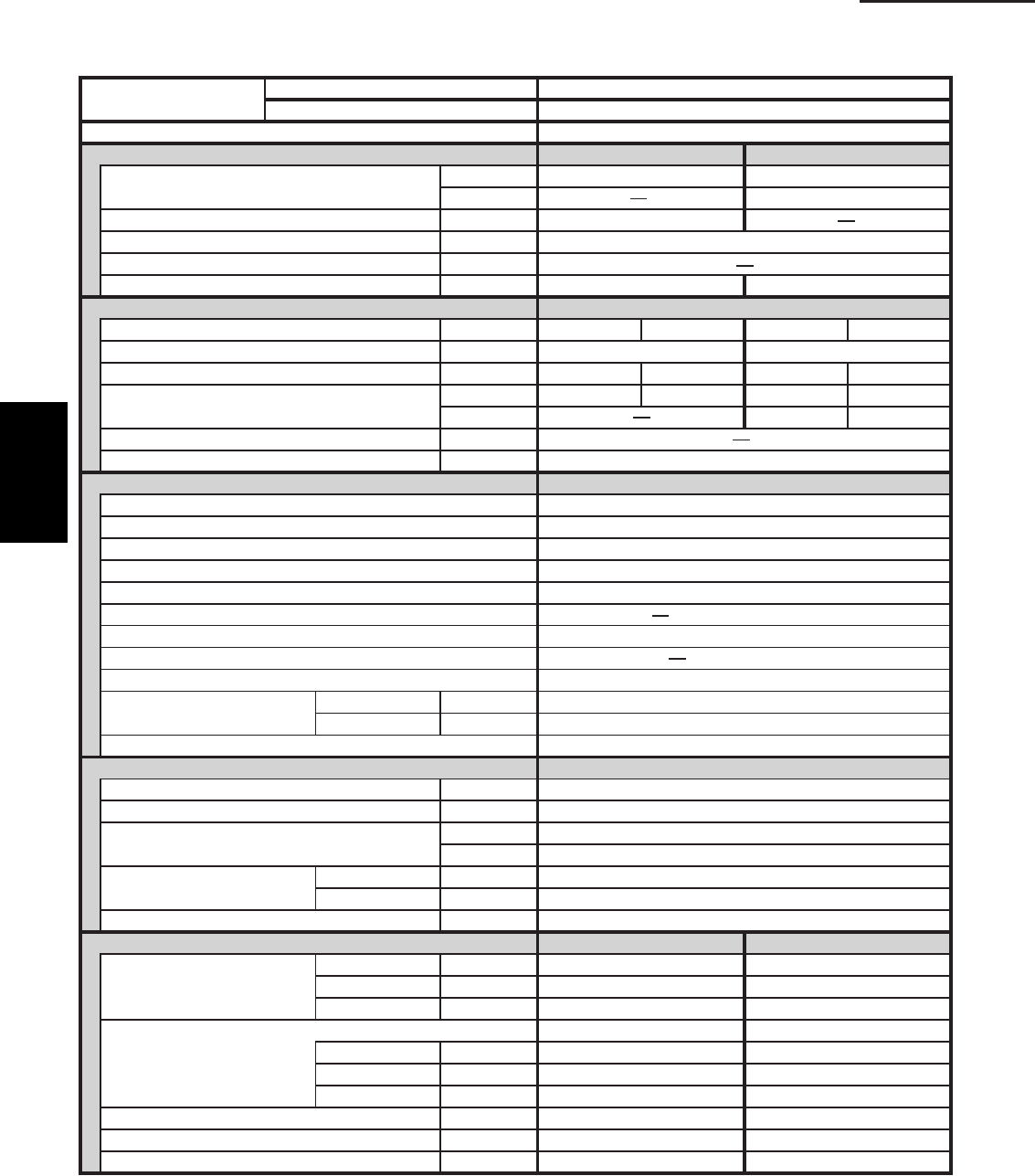
1-12
1. Specifications
1-1 Unit Specifications
Ceiling Type
S-42PT1U6tinU roodnI
U-42PE1U6tinU roodtuO
POWER SOURCE 230 - 208 V / 1 Phase / 60 Hz
PERFORMANCE Cooling Heating
Capacity * [minimum~muximum] BTU / h 39,000 [9,500~39,000] 44,500 [8,000~44,500]
008,82h / UTB**)F˚71(
Moisture removal (High) Pints / h 12.6
Air circulation (H / M / L) 230 V CFM 1130 / 950 / 775
External Static Pressure in. WG
9.56.51hW / UTB)4 noigeR( .F.P.S.H / .R.E.E.S
ELECTRICAL RATINGS
802032802032Vgnitar egatloV
352 - 781 CAV352 - 781 CAVVegnar egatlov elbaliavA
6.026.813.321.12A*serepma gninnuR.xaM
036,3036,3041,4041,4Wtupni rewoP
011,3011,3W**)F˚71(
WkretaeH pu-kcaB
Maximum overcurrent protection (Indoor/Outdoor) 04 / 51A
rossecorporciMslortnoC
F˚0 ni-tliuB lortnoc tneibma woL
elbairaV / lortnoc citamotuA dna 3roodtuO / roodnI sdeeps naF
Wired Remote Controller
CZ-RWSU1UrellortnoC etomeR sseleriW lanoitpO
Air deflection (Horizontal / Vertical ) / Automatic (Vertical )
)rh 005,2( efil gnol ,elbahsaWretlif riA
)mm62DO , A02( )noitcennoc niarD( pmup niarD
yratoRrosserpmoC
Operation sound
Indoor - Hi/Me/Lo
dB - A 44 / 41 / 37
35A - BdiH - roodtuO
)VOM( evlaV noisnapxE cinortcelElortnoc tnaregirfeR
REFRIGERANT TUBING
)05( 561)m( .tfhtgnel gnibut fo timiL
Limit of tubing length at shipment ft. (m) 10~100 (3~30)
Limit of elevation difference ft. (m) Outdoor unit is higher than indoor unit : 100 (30)
)51( 05 : tinu roodni naht rewol si tinu roodtuO)m( .tfstinu owt eht neewteb
Refrigerant tube Narrow tube in. (mm) 3 / 8 (6.35)
outer diameter Wide tube in. (mm) 5 / 8 (15.88)
Refrigerant amount at shipment lbs. (kg) 7.9 (3.6) - R410A
DIMENSIONS & WEIGHT Indoor unit Outdoor unit
Unit dimensions Height in. (mm) 9-7/16 (240) 48-7/16 (1,230 )
Width in. (mm) 62-1/32 (1,575) 37 (940)
Depth in. (mm) 26-3/8 (670) 13- 3/8 (340)
tinu roodtuO tinu roodnIsnoisnemid egakcaP
Height in. (mm) 12-15/32 (317) 52-3/8 (1,330 )
Width in. (mm) 66-1/16 (1,678) 39- 31/32 (1,015)
Depth in. (mm) 31-1/16 (789) 16- 3/32 (409)
)001( 022)83( 48 )gk( .sblthgiew teN
) 901( 042)44( 79 )gk( .sblthgiew gnippihS
) 255.0( 5.91)024.0( 8.41) 3 m( .tf.ucemulov gnippihS
DATA SUBJECT TO CHANGE WITHOUT NOTICE.
FEATURES
MODEL No.
CZ-RTC2
Cooling:
Rating conditions (*) : Room temperature 80 °F DB / 67 °F WB, Ambient temperature 95 °F DB / 75 °F WB
Heating:
Rating conditions (*) : Room temperature 70 °F DB / 60 °F WB, Ambient temperature 47 °F DB / 43 °F WB
Low temp conditions (**) : Room temperature 70 °F DB / 60 °F WB, Ambient temperature 17 °F DB / 15 °F WB
1
SM830203-01_PAC-i_US-letter.indb12 12SM830203-01_PAC-i_US-letter.indb12 12 2012/01/19 22:39:182012/01/19 22:39:18
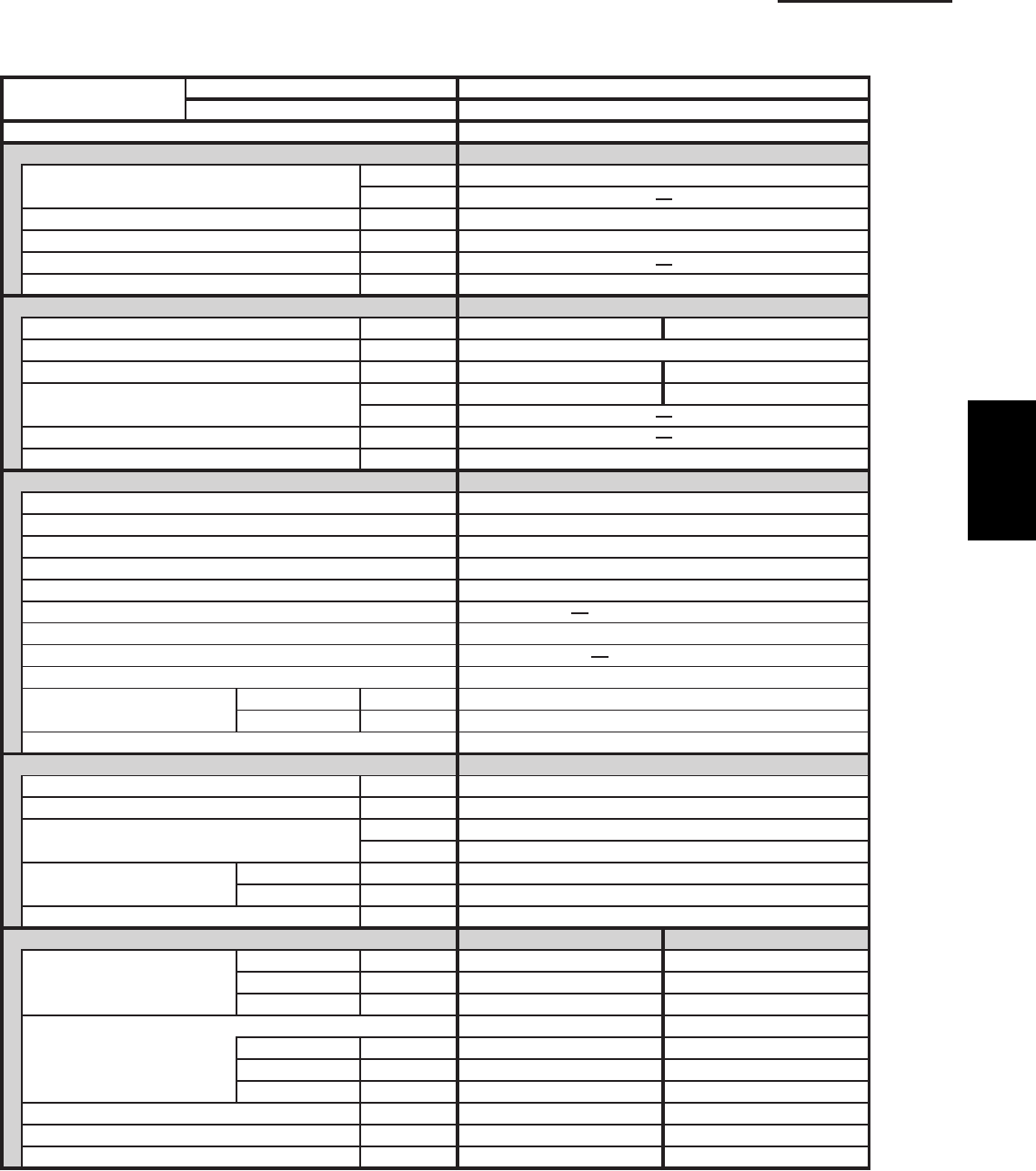
1-13
1. Specifications
1-1 Unit Specifications
Ceiling Type
S-26PT1U6tinU roodnI
U-26PS1U6tinU roodtuO
POWER SOURCE 230 - 208 V / 1 Phase / 60 Hz
PERFORMANCE Cooling
Capacity * [minimum~muximum] BTU / h 24,400 [9,500~24,400]
(17˚F)** BTU / h
7.7h / stniP )hgiH( lavomer erutsioM
Air circulation (H / M / L) 230 V CFM 550 / 490 / 460
External Static Pressure in. WG
5.41hW / UTB)4 noigeR( .F.P.S.H / .R.E.E.S
ELECTRICAL RATINGS
802032Vgnitar egatloV
352 - 781 CAVVegnar egatlov elbaliavA
Max. Running amperes* (Without Back-up Heater)
3.716.51A
088,2088,2Wtupni rewoP
(17˚F)** W
WkretaeH pu-kcaB
Maximum overcurrent protection (Indoor/Outdoor)
03 / 51A
rossecorporciMslortnoC
F˚0 ni-tliuB lortnoc tneibma woL
elbairaV / lortnoc citamotuA dna 3roodtuO / roodnI sdeeps naF
Wired Remote Controller
CZ-RWSU1UrellortnoC etomeR sseleriW lanoitpO
Air deflection (Horizontal / Vertical ) / Automatic (Vertical )
)rh 005,2( efil gnol ,elbahsaWretlif riA
)mm62DO , A02( )noitcennoc niarD( pmup niarD
yratoRrosserpmoC
Operation sound Indoor - Hi/Me/Lo dB - A 39 / 37 / 33
94A - BdiH - roodtuO
)VOM( evlaV noisnapxE cinortcelElortnoc tnaregirfeR
REFRIGERANT TUBING
)05( 561)m( .tfhtgnel gnibut fo timiL
Limit of tubing length at shipment ft. (m) 10~100 (3~30)
Limit of elevation difference ft. (m) Outdoor unit is higher than indoor unit : 100 (30)
)51( 05 : tinu roodni naht rewol si tinu roodtuO)m( .tfstinu owt eht neewteb
Refrigerant tube Narrow tube in. (mm) 3 / 8 (6.35)
outer diameter Wide tube in. (mm) 5 / 8 (15.88)
Refrigerant amount at shipment lbs. (kg) 4.2 (1.9) - R410A
DIMENSIONS & WEIGHT Indoor unit Outdoor unit
Unit dimensions Height in. (mm) 7-17/32 (190) 30- 23/32 (780)
Width in. (mm) 51-3/16 (1,300) 37 (940)
Depth in. (mm) 26-3/8 (670) 13- 3/8 (340)
tinu roodtuO tinu roodnIsnoisnemid egakcaP
Height in. (mm) 9-7/16 (240) 34- 31/32 (888)
Width in. (mm) 54-19/32 (1,387) 39- 31/32 (1,015)
Depth in. (mm) 31-1/16 (789) 16- 3/32 (409)
)85( 821)62( 75 )gk( .sblthgiew teN
)76( 841)13( 86 )gk( .sblthgiew gnippihS
)963.0( 0.31)352.0( 9.8) 3 m( .tf.ucemulov gnippihS
DATA SUBJECT TO CHANGE WITHOUT NOTICE.
FEATURES
MODEL No.
CZ-RTC2
Cooling:
Rating conditions (*) : Room temperature 80 °F DB / 67 °F WB, Ambient temperature 95 °F DB / 75 °F WB
Heating:
Rating conditions (*) : Room temperature 70 °F DB / 60 °F WB, Ambient temperature 47 °F DB / 43 °F WB
Low temp conditions (**) : Room temperature 70 °F DB / 60 °F WB, Ambient temperature 17 °F DB / 15 °F WB
1
SM830203-01_PAC-i_US-letter.indb13 13SM830203-01_PAC-i_US-letter.indb13 13 2012/01/19 22:39:192012/01/19 22:39:19
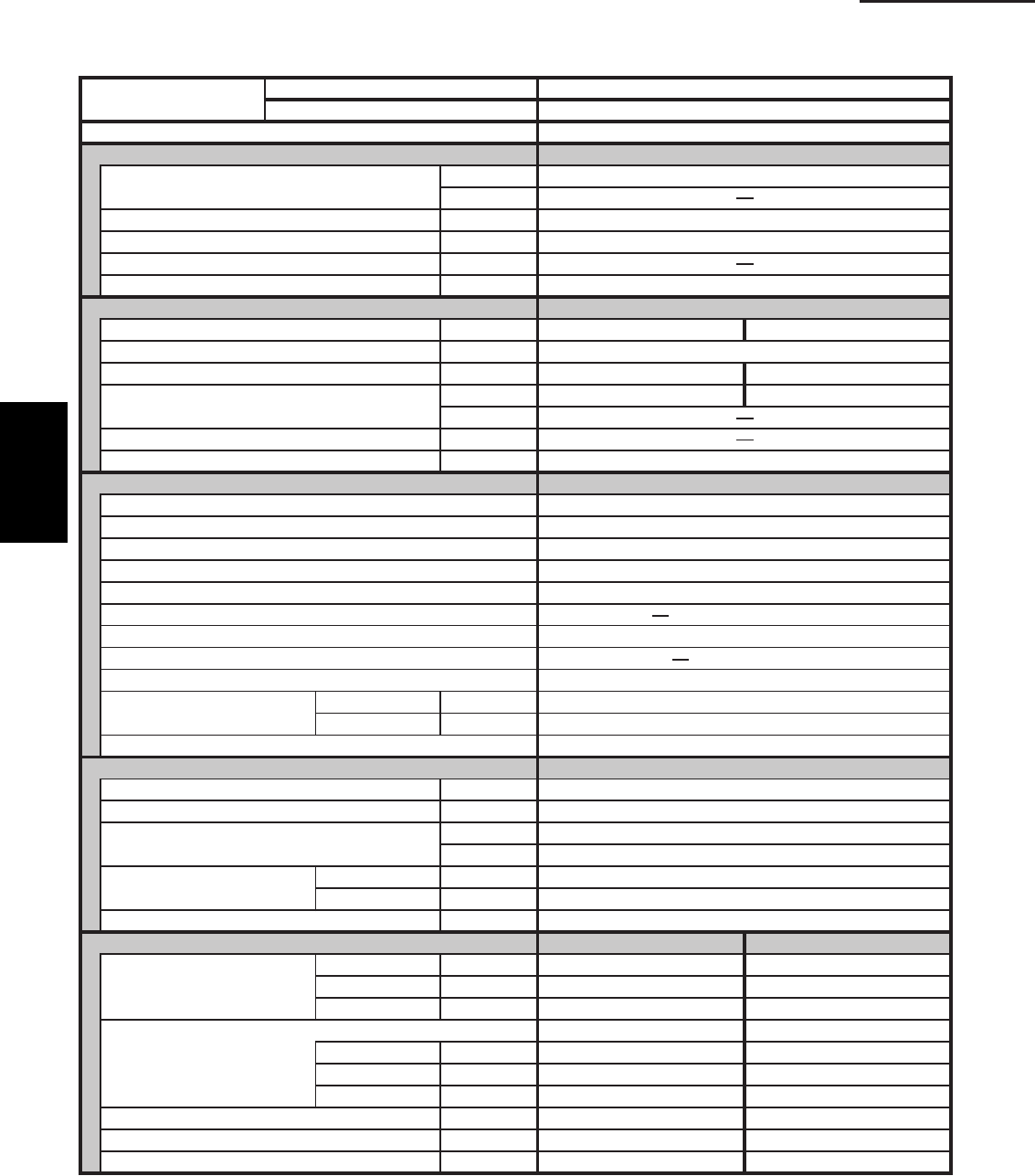
1-14
1. Specifications
1-1 Unit Specifications
Ceiling Type
S-36PT1U6tinU roodnI
U-36PS1U6tinU roodtuO
POWER SOURCE 230 - 208 V / 1 Phase / 60 Hz
PERFORMANCE Cooling
Capacity * [minimum~muximum] BTU / h 31,200 [9,500~31,200]
(17˚F)** BTU / h
0.01h / stniP )hgiH( lavomer erutsioM
Air circulation (H / M / L) 230 V CFM 1100 / 930 / 750
External Static Pressure in. WG
1.51hW / UTB)4 noigeR( .F.P.S.H / .R.E.E.S
ELECTRICAL RATINGS
802032Vgnitar egatloV
352 - 781 CAVVegnar egatlov elbaliavA
1.022.81A*serepma gninnuR.xaM
048,3048,3Wtupni rewoP
(17˚F)** W
WkretaeH pu-kcaB
Maximum overcurrent protection (Indoor/Outdoor) 03 / 51A
rossecorporciMslortnoC
F˚0 ni-tliuB lortnoc tneibma woL
elbairaV / lortnoc citamotuA dna 3roodtuO / roodnI sdeeps naF
Wired Remote Controller
CZ-RWSU1UrellortnoC etomeR sseleriW lanoitpO
Air deflection (Horizontal / Vertical ) / Automatic (Vertical )
)rh 005,2( efil gnol ,elbahsaWretlif riA
)mm62DO , A02( )noitcennoc niarD( pmup niarD
yratoRrosserpmoC
Operation sound
Indoor - Hi/Me/Lo
dB - A 42 / 40 / 35
25A - BdiH - roodtuO
)VOM( evlaV noisnapxE cinortcelElortnoc tnaregirfeR
REFRIGERANT TUBING
)05( 561)m( .tfhtgnel gnibut fo timiL
Limit of tubing length at shipment ft. (m) 10~100 (3~30)
Limit of elevation difference ft. (m) Outdoor unit is higher than indoor unit : 100 (30)
)51( 05 : tinu roodni naht rewol si tinu roodtuO)m( .tfstinu owt eht neewteb
Refrigerant tube Narrow tube in. (mm) 3 / 8 (6.35)
outer diameter Wide tube in. (mm) 5 / 8 (15.88)
Refrigerant amount at shipment lbs. (kg) 6.2(2.8) - R410A
DIMENSIONS & WEIGHT Indoor unit Outdoor unit
Unit dimensions Height in. (mm) 9-7/16 (240) 30- 23/32 (780)
Width in. (mm) 62-1/32 (1,575) 37 (940)
Depth in. (mm) 26-3/8 (670) 13- 3/8 (340)
tinu roodtuO tinu roodnIsnoisnemid egakcaP
Height in. (mm) 12-15/32 (317) 34- 31/32 (888)
Width in. (mm) 66-1/16 (1,678) 39- 31/32 (1,015)
Depth in. (mm) 31-1/16 (789) 16- 3/32 (409)
)56( 341)83( 48 )gk( .sblthgiew teN
)37( 161)44( 79 )gk( .sblthgiew gnippihS
)963.0( 0.31)024.0( 8.41) 3 m( .tf.ucemulov gnippihS
DATA SUBJECT TO CHANGE WITHOUT NOTICE.
FEATURES
MODEL No.
CZ-RTC2
Cooling:
Rating conditions (*) : Room temperature 80 °F DB / 67 °F WB, Ambient temperature 95 °F DB / 75 °F WB
Heating:
Rating conditions (*) : Room temperature 70 °F DB / 60 °F WB, Ambient temperature 47 °F DB / 43 °F WB
Low temp conditions (**) : Room temperature 70 °F DB / 60 °F WB, Ambient temperature 17 °F DB / 15 °F WB
1
SM830203-01_PAC-i_US-letter.indb14 14SM830203-01_PAC-i_US-letter.indb14 14 2012/01/19 22:39:192012/01/19 22:39:19
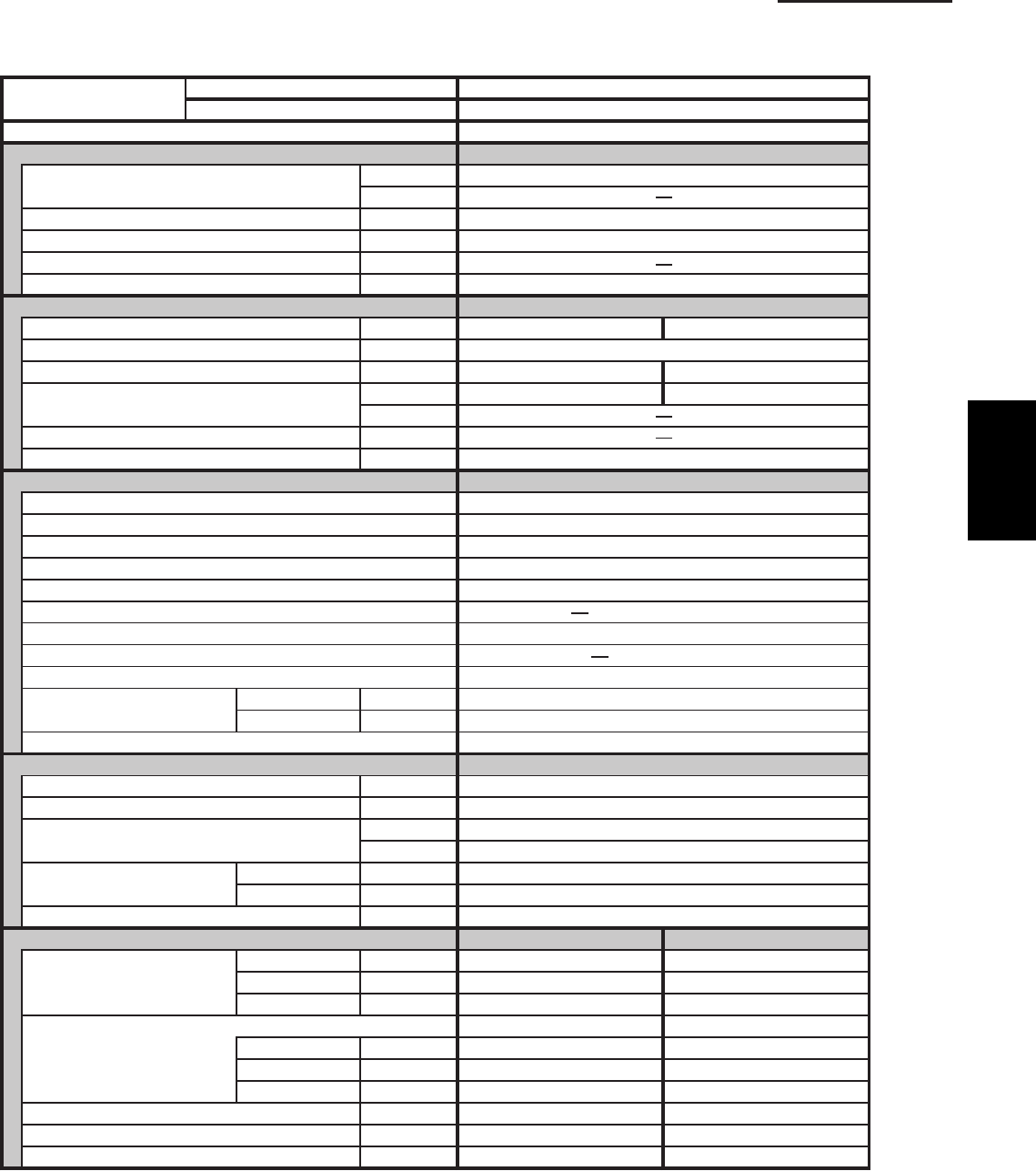
1-15
1. Specifications
1-1 Unit Specifications
Ceiling Type
S-42PT1U6tinU roodnI
U-42PS1U6tinU roodtuO
POWER SOURCE 230 - 208 V / 1 Phase / 60 Hz
PERFORMANCE Cooling
Capacity * [minimum~muximum] BTU / h 39,000 [9,500~39,000]
(17˚F)** BTU / h
6.21h / stniP )hgiH( lavomer erutsioM
Air circulation (H / M / L) 230 V CFM 1130 / 950 / 775
External Static Pressure in. WG
6.51hW / UTB)4 noigeR( .F.P.S.H / .R.E.E.S
ELECTRICAL RATINGS
802032Vgnitar egatloV
352 - 781 CAVVegnar egatlov elbaliavA
3.321.12A*serepma gninnuR.xaM
041,4041,4Wtupni rewoP
(17˚F)** W
WkretaeH pu-kcaB
Maximum overcurrent protection (Indoor/Outdoor)
53 / 51A
rossecorporciMslortnoC
F˚0 ni-tliuB lortnoc tneibma woL
elbairaV / lortnoc citamotuA dna 3roodtuO / roodnI sdeeps naF
Wired Remote Controller
CZ-RWSU1UrellortnoC etomeR sseleriW lanoitpO
Air deflection (Horizontal / Vertical ) / Automatic (Vertical )
)rh 005,2( efil gnol ,elbahsaWretlif riA
)mm62DO , A02( )noitcennoc niarD( pmup niarD
yratoRrosserpmoC
Operation sound Indoor - Hi/Me/Lo dB - A 44 / 41 / 37
35A - BdiH - roodtuO
)VOM( evlaV noisnapxE cinortcelElortnoc tnaregirfeR
REFRIGERANT TUBING
)05( 561)m( .tfhtgnel gnibut fo timiL
Limit of tubing length at shipment ft. (m) 10~100 (3~30)
Limit of elevation difference ft. (m) Outdoor unit is higher than indoor unit : 100 (30)
)51( 05 : tinu roodni naht rewol si tinu roodtuO)m( .tfstinu owt eht neewteb
Refrigerant tube Narrow tube in. (mm) 3 / 8 (6.35)
outer diameter Wide tube in. (mm) 5 / 8 (15.88)
Refrigerant amount at shipment lbs. (kg) 7.9 (3.6) - R410A
DIMENSIONS & WEIGHT Indoor unit Outdoor unit
Unit dimensions Height in. (mm) 9-7/16 (240) 48-7/16 (1,230 )
Width in. (mm) 62-1/32 (1,575) 37 (940)
Depth in. (mm) 26-3/8 (670) 13- 3/8 (340)
tinu roodtuO tinu roodnIsnoisnemid egakcaP
Height in. (mm) 12-15/32 (317) 52-3/8 (1,330 )
Width in. (mm) 66-1/16 (1,678) 39- 31/32 (1,015)
Depth in. (mm) 31-1/16 (789) 16- 3/32 (409)
)001( 022)83( 48 )gk( .sblthgiew teN
) 901( 042)44( 79 )gk( .sblthgiew gnippihS
) 255.0( 5.91)024.0( 8.41) 3 m( .tf.ucemulov gnippihS
DATA SUBJECT TO CHANGE WITHOUT NOTICE.
FEATURES
MODEL No.
CZ-RTC2
Cooling:
Rating conditions (*) : Room temperature 80 °F DB / 67 °F WB, Ambient temperature 95 °F DB / 75 °F WB
Heating:
Rating conditions (*) : Room temperature 70 °F DB / 60 °F WB, Ambient temperature 47 °F DB / 43 °F WB
Low temp conditions (**) : Room temperature 70 °F DB / 60 °F WB, Ambient temperature 17 °F DB / 15 °F WB
1
SM830203-01_PAC-i_US-letter.indb15 15SM830203-01_PAC-i_US-letter.indb15 15 2012/01/19 22:39:192012/01/19 22:39:19
1-16
1. Specifications
1-1 Unit Specifications
Low Silhouette Duct Type
Cooling:
Rating conditions (*) : Room temperature 80 °F DB / 67 °F WB, Ambient temperature 95 °F DB / 75 °F WB
Heating:
Rating conditions (*) : Room temperature 70 °F DB / 60 °F WB, Ambient temperature 47 °F DB / 43 °F WB
Low temp conditions (**) : Room temperature 70 °F DB / 60 °F WB, Ambient temperature 17 °F DB / 15 °F WB
S-26PF1U6tinU roodnI
U-26PE1U6tinU roodtuO
POWER SOURCE 230 - 208 V / 1 Phase / 60 Hz
PERFORMANCE Cooling Heating
Capacity * [minimum~muximum] BTU / h 24,000 [9,500~24,000] 28,600 [8,000~28,600]
001,71h / UTB**)F˚71(
Moisture removal (High) Pints / h 7.7
Air circulation (H / M / L) 230 V CFM 670 / 530 / 460
External Static Pressure in.WG 0.2:at shipment / 0.4:using jumper cable
9.00.41hW / UTB)4 noigeR( .F.P.S.H / .R.E.E.S
ELECTRICAL RATINGS
802032802032Vgnitar egatloV
352 - 781 CAV352 - 781 CAVVegnar egatlov elbaliavA
Max. Running amperes* A 13.6 15.0 12.5 13.8
004,2004,2006,2006,2Wtupni rewoP
089,1089,1W**)F˚71(
WkretaeH pu-kcaB
Maximum overcurrent protection (Indoor/Outdoor) 03 / 51A
rossecorporciMslortnoC
F˚0 ni-tliuB lortnoc tneibma woL
elbairaV / lortnoc citamotuA dna 3roodtuO / roodnI sdeeps naF
Wired Remote Controller
CZ-RWSC1UrellortnoC etomeR sseleriW lanoitpO
Air deflection (Horizontal / Vertical )
Air filter
Drain pump (Drain connection)
Max.head 2-33/64 in. above drain connection (25A , OD32mm)
yratoRrosserpmoC
Operation sound Indoor - Hi/Me/Lo dB - A 34 / 30 / 27
94A - BdiH - roodtuO
)VOM( evlaV noisnapxE cinortcelElortnoc tnaregirfeR
REFRIGERANT TUBING
)05( 561)m( .tfhtgnel gnibut fo timiL
Limit of tubing length at shipment ft. (m) 10~100 (3~30)
Limit of elevation difference ft. (m) Outdoor unit is higher than indoor unit : 100 (30)
)51( 05 : tinu roodni naht rewol si tinu roodtuO)m( .tfstinu owt eht neewteb
Refrigerant tube Narrow tube in. (mm) 3 / 8 (6.35)
outer diameter Wide tube in. (mm) 5 / 8 (15.88)
Refrigerant amount at shipment lbs. (kg) 4.2 (1.9) - R410A
DIMENSIONS & WEIGHT Indoor unit Outdoor unit
Unit dimensions Height in. (mm) 12-7/32 (310) 30- 23/32 (780)
Width in. (mm) 39-3/8 (1,000) 37 (940)
Depth in. (mm) 24-13/16 (630) 13- 3/8 (340)
tinu roodtuO tinu roodnIsnoisnemid egakcaP
Height in. (mm) 14-3/32 (358) 34- 31/32 (888)
Width in. (mm) 46-7/8 (1,191) 39- 31/32 (1,015)
Depth in. (mm) 30-13/16 (783) 16- 3/32 (409)
)85( 821)23( 17 )gk( .sblthgiew teN
)76( 841)73( 28 )gk( .sblthgiew gnippihS
)963.0( 0.31)433.0( 8.11) 3 m( .tf.ucemulov gnippihS
DATA SUBJECT TO CHANGE WITHOUT NOTICE.
FEATURES
MODEL No.
CZ-RTC2
1
SM830203-01_PAC-i_US-letter.indb16 16SM830203-01_PAC-i_US-letter.indb16 16 2012/01/19 22:39:202012/01/19 22:39:20
1-17
1. Specifications
1-1 Unit Specifications
Low Silhouette Duct Type
Cooling:
Rating conditions (*) : Room temperature 80 °F DB / 67 °F WB, Ambient temperature 95 °F DB / 75 °F WB
Heating:
Rating conditions (*) : Room temperature 70 °F DB / 60 °F WB, Ambient temperature 47 °F DB / 43 °F WB
Low temp conditions (**) : Room temperature 70 °F DB / 60 °F WB, Ambient temperature 17 °F DB / 15 °F WB
S-36PF1U6tinU roodnI
U-36PE1U6tinU roodtuO
POWER SOURCE 230 - 208 V / 1 Phase / 60 Hz
PERFORMANCE Cooling Heating
Capacity * [minimum~muximum] BTU / h 31,200 [9,500~31,200] 36,200 [8,000~36,200]
002,02h / UTB**)F˚71(
Moisture removal (High) Pints / h 10.0
Air circulation (H / M / L) 230 V CFM 1060 / 920 / 750
External Static Pressure in. WG 0.24:at shipment / 0.4:using jumper cable
8.59.31hW / UTB)4 noigeR( .F.P.S.H / .R.E.E.S
ELECTRICAL RATINGS
802032802032Vgnitar egatloV
352 - 781 CAV352 - 781 CAVVegnar egatlov elbaliavA
6.719.516.026.81A*serepma gninnuR.xaM
043,3043,3029,3029,3Wtupni rewoP
075,2075,2W**)F˚71(
WkretaeH pu-kcaB
Maximum overcurrent protection (Indoor/Outdoor) 53 / 51A
rossecorporciMslortnoC
F˚0 ni-tliuB lortnoc tneibma woL
elbairaV / lortnoc citamotuA dna 3roodtuO / roodnI sdeeps naF
Wired Remote Controller
CZ-RWSC1UrellortnoC etomeR sseleriW lanoitpO
Air deflection (Horizontal / Vertical )
Air filter
Drain pump (Drain connection)
Max.head 2-33/64 in. above drain connection (25A , OD32mm)
yratoRrosserpmoC
Operation sound Indoor - Hi/Me/Lo dB - A 38 / 33 / 31
25A - BdiH - roodtuO
)VOM( evlaV noisnapxE cinortcelElortnoc tnaregirfeR
REFRIGERANT TUBING
)05( 561)m( .tfhtgnel gnibut fo timiL
Limit of tubing length at shipment ft. (m) 10~100 (3~30)
Limit of elevation difference ft. (m) Outdoor unit is higher than indoor unit : 100 (30)
)51( 05 : tinu roodni naht rewol si tinu roodtuO)m( .tfstinu owt eht neewteb
Refrigerant tube Narrow tube in. (mm) 3 / 8 (6.35)
outer diameter Wide tube in. (mm) 5 / 8 (15.88)
Refrigerant amount at shipment lbs. (kg) 6.2 (2.8) - R410A
DIMENSIONS & WEIGHT Indoor unit Outdoor unit
Unit dimensions Height in. (mm) 12-7/32 (310) 30- 23/32 (780)
Width in. (mm) 58-9/32 (1,480) 37 (940)
Depth in. (mm) 24-13/16 (630) 13- 3/8 (340)
tinu roodtuO tinu roodnIsnoisnemid egakcaP
Height in. (mm) 14-3/32 (358) 34- 31/32 (888)
Width in. (mm) 65-25/32 (1,671) 39- 31/32 (1,015)
Depth in. (mm) 30-13/16 (783) 16- 3/32 (409)
)56( 341)74( 401 )gk( .sblthgiew teN
)37( 161)25( 511 )gk( .sblthgiew gnippihS
)963.0( 0.31)864.0 5.61) 3 m( .tf.ucemulov gnippihS
DATA SUBJECT TO CHANGE WITHOUT NOTICE.
FEATURES
MODEL No.
CZ-RTC2
1
SM830203-01_PAC-i_US-letter.indb17 17SM830203-01_PAC-i_US-letter.indb17 17 2012/01/19 22:39:202012/01/19 22:39:20
1-18
1. Specifications
1-1 Unit Specifications
Low Silhouette Duct Type
Cooling:
Rating conditions (*) : Room temperature 80 °F DB / 67 °F WB, Ambient temperature 95 °F DB / 75 °F WB
Heating:
Rating conditions (*) : Room temperature 70 °F DB / 60 °F WB, Ambient temperature 47 °F DB / 43 °F WB
Low temp conditions (**) : Room temperature 70 °F DB / 60 °F WB, Ambient temperature 17 °F DB / 15 °F WB
S-26PF1U6tinU roodnI
U-26PS1U6tinU roodtuO
POWER SOURCE 230 - 208 V / 1 Phase / 60 Hz
PERFORMANCE Cooling
Capacity * [minimum~muximum] BTU / h 24,000 [9,500~24,000]
(17˚F)** BTU / h
7.7h / stniP )hgiH( lavomer erutsioM
Air circulation (H / M / L) 230 V CFM 670 / 530 / 460
External Static Pressure in. WG 0.2:at shipment / 0.4:using jumper cable
0.41hW / UTB)4 noigeR( .F.P.S.H / .R.E.E.S
ELECTRICAL RATINGS
802032Vgnitar egatloV
352 - 781 CAVVegnar egatlov elbaliavA
Max. Running amperes* 0.516.31A
006,2006,2Wtupni rewoP
(17˚F)** W
WkretaeH pu-kcaB
Maximum overcurrent protection (Indoor/Outdoor) 03 / 51A
rossecorporciMslortnoC
F˚0 ni-tliuB lortnoc tneibma woL
elbairaV / lortnoc citamotuA dna 3roodtuO / roodnI sdeeps naF
Wired Remote Controller
CZ-RWSC1UrellortnoC etomeR sseleriW lanoitpO
—) lacitreV / latnoziroH( noitcelfed riA
—
—
—
—
Air filter
Drain pump (Drain connection)
Max.head 2-33/64 in. above drain connection (25A , OD32mm)
yratoRrosserpmoC
Operation sound Indoor - Hi/Me/Lo dB - A 34 / 30 / 27
94A - BdiH - roodtuO
)VOM( evlaV noisnapxE cinortcelElortnoc tnaregirfeR
REFRIGERANT TUBING
)05( 561)m( .tfhtgnel gnibut fo timiL
Limit of tubing length at shipment ft. (m) 10~100 (3~30)
Limit of elevation difference ft. (m) Outdoor unit is higher than indoor unit : 100 (30)
)51( 05 : tinu roodni naht rewol si tinu roodtuO)m( .tfstinu owt eht neewteb
Refrigerant tube Narrow tube in. (mm) 3 / 8 (6.35)
outer diameter Wide tube in. (mm) 5 / 8 (15.88)
Refrigerant amount at shipment lbs. (kg) 4.2 (1.9) - R410A
DIMENSIONS & WEIGHT Indoor unit Outdoor unit
Unit dimensions Height in. (mm) 12-7/32 (310) 30- 23/32 (780)
Width in. (mm) 39-3/8 (1,000) 37 (940)
Depth in. (mm) 24-13/16 (630) 13- 3/8 (340)
tinu roodtuO tinu roodnIsnoisnemid egakcaP
Height in. (mm) 14-3/32 (358) 34- 31/32 (888)
Width in. (mm) 46-7/8 (1,191) 39- 31/32 (1,015)
Depth in. (mm) 30-13/16 (783) 16- 3/32 (409)
)85( 821)23( 17 )gk( .sblthgiew teN
)76( 841)73( 28 )gk( .sblthgiew gnippihS
)963.0( 0.31)433.0( 8.11) 3 m( .tf.ucemulov gnippihS
DATA SUBJECT TO CHANGE WITHOUT NOTICE.
FEATURES
MODEL No.
RCZ-RTC2
1
SM830203-01_PAC-i_US-letter.indb18 18SM830203-01_PAC-i_US-letter.indb18 18 2012/01/19 22:39:212012/01/19 22:39:21
1-19
1. Specifications
1-1 Unit Specifications
Low Silhouette Duct Type
Cooling:
Rating conditions (*) : Room temperature 80 °F DB / 67 °F WB, Ambient temperature 95 °F DB / 75 °F WB
Heating:
Rating conditions (*) : Room temperature 70 °F DB / 60 °F WB, Ambient temperature 47 °F DB / 43 °F WB
Low temp conditions (**) : Room temperature 70 °F DB / 60 °F WB, Ambient temperature 17 °F DB / 15 °F WB
S-36PF1U6tinU roodnI
U-36PS1U6tinU roodtuO
POWER SOURCE 230 - 208 V / 1 Phase / 60 Hz
PERFORMANCE Cooling
Capacity * [minimum~muximum] BTU / h 31,200 [9,500~31,200]
(17˚F)** BTU / h
0.01h / stniP )hgiH( lavomer erutsioM
Air circulation (H / M / L) 230 V CFM 1060 / 920/ 750
External Static Pressure in. WG 0.24:at shipment / 0.4:using jumper cable
9.31hW / UTB)4 noigeR( .F.P.S.H / .R.E.E.S
ELECTRICAL RATINGS
802032Vgnitar egatloV
352 - 781 CAVVegnar egatlov elbaliavA
6.026.81A*serepma gninnuR.xaM
029,3029,3Wtupni rewoP
(17˚F)** W
WkretaeH pu-kcaB
Maximum overcurrent protection (Indoor/Outdoor) 03 / 51A
rossecorporciMrossecorporciM slortnoC
F˚0 ni-tliuB lortnoc tneibma woL
elbairaV / lortnoc citamotuA dna 3roodtuO / roodnI sdeeps naF
Wired Remote Controller
CZ-RWSC1UrellortnoC etomeR sseleriW lanoitpO
—) lacitreV / latnoziroH( noitcelfed riA
—
—
—
—
Air filter
Drain pump (Drain connection)
Max.head 2-33/64 in. above drain connection (25A , OD32mm)
yratoRrosserpmoC
Operation sound Indoor - Hi/Me/Lo dB - A 38 / 33 / 31
25A - BdiH - roodtuO
)VOM( evlaV noisnapxE cinortcelElortnoc tnaregirfeR
REFRIGERANT TUBING
)05( 561)m( .tfhtgnel gnibut fo timiL
Limit of tubing length at shipment ft. (m) 10~100 (3~30)
Limit of elevation difference ft. (m) Outdoor unit is higher than indoor unit : 100 (30)
)51( 05 : tinu roodni naht rewol si tinu roodtuO)m( .tfstinu owt eht neewteb
Refrigerant tube Narrow tube in. (mm) 3 / 8 (6.35)
outer diameter Wide tube in. (mm) 5 / 8 (15.88)
Refrigerant amount at shipment lbs. (kg) 6.2 (2.8) - R410A
DIMENSIONS & WEIGHT Indoor unit Outdoor unit
Unit dimensions Height in. (mm) 12-7/32 (310) 30- 23/32 (780)
Width in. (mm) 58-9/32 (1,480) 37 (940)
Depth in. (mm) 24-13/16 (630) 13- 3/8 (340)
tinu roodtuO tinu roodnIsnoisnemid egakcaP
Height in. (mm) 14-3/32 (358) 34- 31/32 (888)
Width in. (mm) 65-25/32 (1,671) 39- 31/32 (1,015)
Depth in. (mm) 30-13/16 (783) 16- 3/32 (409)
)56( 341)74( 401 )gk( .sblthgiew teN
)37( 161)25( 511 )gk( .sblthgiew gnippihS
)963.0( 0.31)864.0 5.61) 3 m( .tf.ucemulov gnippihS
DATA SUBJECT TO CHANGE WITHOUT NOTICE.
FEATURES
MODEL No.
CZ-RTC2
1
SM830203-01_PAC-i_US-letter.indb19 19SM830203-01_PAC-i_US-letter.indb19 19 2012/01/19 22:39:212012/01/19 22:39:21
1-20
1. Specifications
1-2 Major Component Specifications
(A) Indoor Unit
MODEL No.S-26PU1U6
Source 230 - 208 VAC / 1 phase / 60 Hz
Remote controller (Supplied / Optional) Wired / Wireless (See Unit Specifications)
Controller P. C. B Ass'y CR-26PU1U6-P
Control circuit fuse 250 VAC, 5 A
Fan (Number … diameter) ))344( 61/7-71…1( obruT)mm(.ni
Fan motor
Model SFG6X - 41D6P
Source 230 - 208 V / 1 phase / 60 Hz
464 … 6mpr)hgiH ,V 032( .m.p.r … elop fo .oN
04Wtuptuo lanimoN
Coil resistance ΩBRW - WHT : 170.3 , ORG - YEL : 43.2
(Ambient temperature 68 °5.38:KNP-THW,1.81:TLV-THW)F
VLT - ORG : 43.2 , YEL - BLK : 60.2
Safety device
Operating temperature Open °662F ± 14.4
Close °2.471F ±27
,CAVroticapac nuR µ 5.4 , V 044F µF
Heat exchanger
Coil Aluminum plate fin / Copper tube
9.41 … 2hcni rep sniF … swoR
.tfaera ecaF
2
(m
2
)343.0( 96.3)
Panel
Model No. CZ-24KPU1U
Auto louver motor MT8 - 3C
mpr 3 , W 3 , CAV 042mpr,W ,VdetaR … rotom revuol otuA
Coil resistance (Ambient temperature 77 °F) Ω16.430 Ω± 8 %
DATA SUBJECT TO CHANGE WITHOUT NOTICE
1
SM830203-01_PAC-i_US-letter.indb20 20SM830203-01_PAC-i_US-letter.indb20 20 2012/01/19 22:39:212012/01/19 22:39:21
1-21
1. Specifications
1-2 Major Component Specifications
(A) Indoor Unit
MODEL No.S-36PU1U6
Source 230 - 208 VAC / 1 phase / 60 Hz
Remote controller (
Supplied / Optional
)Wired / Wireless (See Unit Specifications)
Controller P. C. B Ass'y CR-26PU1U6-P
Control circuit fuse 250 VAC, 5 A
Fan (Number … diameter) 1( obruT)mm(.ni …17-7/16 (443))
Fan motor
Model SFG6X - 81A6P
Source 230 - 208 V / 1 phase / 60 Hz
No. of pole … 6mpr)hgiH ,V 032( .m.p.r … 467
06Wtuptuo lanimoN
Coil resistance ΩBRW - WHT : 75.1 , ORG - YEL : 27.4
(Ambient temperature 68 °7.24:KNP-TLV,7.6:TLV-THW)F
VLT - ORG : 20.6 , YEL - BLK : 58.0
Safety device
Operating temperature Open °662F ±14.4
Close °2.471F ±27
,CAVroticapac nuR µ 6 , V 044F µF
Heat exchanger
Coil Aluminum plate fin / Copper tube
Rows … 2hcni rep sniF … 14.9
.tfaera ecaF
2
(m
2
)267.0( 02.8)
Panel
Model No. CZ-36KPU1U
Auto louver motor MT8 - 3C
Auto louver motor … mpr 3 , W 3 , CAV 042mpr,W ,VdetaR
Coil resistance (Ambient temperature 77 °F) Ω16.430 Ω± 8 %
DATA SUBJECT TO CHANGE WITHOUT NOTICE
1
SM830203-01_PAC-i_US-letter.indb21 21SM830203-01_PAC-i_US-letter.indb21 21 2012/01/19 22:39:212012/01/19 22:39:21
1-22
1. Specifications
1-2 Major Component Specifications
(A) Indoor Unit
MODEL No.S-42PU1U6
Source 230 - 208 VAC / 1 phase / 60 Hz
Remote controller (Supplied / Optional) Wired / Wireless (See Unit Specifications)
Controller P. C. B Ass'y CR-26PU1U6-P
Control circuit fuse 250 VAC, 5 A
Fan (Number … diameter) 1( obruT)mm(.ni …17-7/16 (443))
Fan motor
Model SFG6X - 81A6P
Source 230 - 208 V / 1 phase / 60 Hz
No. of pole … 6mpr)hgiH ,V 032( .m.p.r … 506
06Wtuptuo lanimoN
Coil resistance ΩBRW - WHT : 75.1 , ORG - YEL : 27.4
(Ambient temperature 68 °7.24:KNP-TLV,7.6:TLV-THW)F
VLT - ORG : 20.6 , YEL - BLK : 58.0
Safety device
Operating temperature Open °662F ±14.4
Close °2.471F ±27
,CAVroticapac nuR µ 6 , V 044F µF
Heat exchanger
Coil Aluminum plate fin / Copper tube
Rows … 2hcni rep sniF … 14.9
.tfaera ecaF
2
(m
2
)267.0( 02.8)
Panel
Model No. CZ-36KPU1U
Auto louver motor MT8 - 3C
Auto louver motor … mpr 3 , W 3 , CAV 042mpr,W ,VdetaR
Coil resistance (Ambient temperature 77 °F) Ω16.430 Ω± 8 %
DATA SUBJECT TO CHANGE WITHOUT NOTICE
1
SM830203-01_PAC-i_US-letter.indb22 22SM830203-01_PAC-i_US-letter.indb22 22 2012/01/19 22:39:212012/01/19 22:39:21
1-23
1. Specifications
1-2 Major Component Specifications
(A) Indoor Unit
MODEL No.S-26PK1U6
Source 230 - 208 V / 1 phase / 60 Hz
Remote controller (
Optional / Supplied
)Wired / Wireless (See Unit Specifications)
Controller P. C. B Ass'y CB-KR254GXH56A
A 5 ,V 052esuf tiucric lortnoC
Fan Cross-flow
Number ... Dia. and length in. (mm) 1 ... O.D. 4-1/3 (110), L39 (990)
Fan motor
Model KFT4Q - 31A6P - C
Source 230 - 208 V / 1 phase / 60 Hz
422,1 ... 4mpr)hgiH ,V 032( .m.p.r ... elop fo .oN
8.82Wtuptuo lanimoN
Coil resistance ΩBRW - WHT : 260.7 , ORG - YEL : 23.76
(Ambient temperature 68 °9.511:KNP-LEY,26.24:TLV-THW)F
VLT - ORG : 30.36 ,
Safety device
Operating temperature Open °F±14.4
Close °2.471F ±26
,CAVroticapac nuR µ 8.1 , V 044F µF
Heat exchanger
Coil Aluminum plate fin / Copper tube
1.42 ... 2hcni rep sniF ... swoR
.tfaera ecaF 2(m2)42.0( 75.2)
DATA SUBJECT TO CHANGE WITHOUT NOTICE
266
1
SM830203-01_PAC-i_US-letter.indb23 23SM830203-01_PAC-i_US-letter.indb23 23 2012/01/19 22:39:222012/01/19 22:39:22
1-24
1. Specifications
1-2 Major Component Specifications
(A) Indoor Unit
MODEL No.S-26PT1U6
Source 230 - 208 V / 1 phase / 60 Hz
Remote controller (
Supplied / Optional
)Wired / Wireless (See Unit Specification)
Controller P. C. B Ass'y CR - TH2672
Control circuit fuse 250 V, 5 A
Fan (Number … diameter) in. (mm) Centrifugal (4 ... 5-1/8(130))
Fan motor
Model SR4X - 51A6P
Source 230 - 208 V / 1 phase / 60 Hz
No. of pole … 971,1mpr)hgiH ,V 032( .m.p.r
13Wtuptuo lanimoN
Coil resistance ΩBRW - WHT : 111.0 , ORG - YEL : 16.7
(Ambient temperature 68 °9.32:KNP-KLB,4.53:TLV-THW)F
VLT - ORG : 13.4 , YEL - BLK : 136.6
Safety device
Operating temperature Open °662F ±14.4
Close °2.471F ±27
,CAVroticapac nuR µ 5.1 , V 044F µF
Heat exchanger
Coil Aluminum plate fin / Copper tube
Rows … 3hcni rep sniF … 14.9
.tfaera ecaF
2
(m
2
)861.0( 18.1)
Auto louver motor
Model No. MT8 - 3C
Auto louver motor … mpr 3 , W 3 , CAV 042mpr ,W ,VdetaR
Coil resistance (Ambient temperature 77 °F) Ω16,430 Ω± 8 %
DATA SUBJECT TO CHANGE WITHOUT NOTICE
1
SM830203-01_PAC-i_US-letter.indb24 24SM830203-01_PAC-i_US-letter.indb24 24 2012/01/19 22:39:222012/01/19 22:39:22
1-25
1. Specifications
1-2 Major Component Specifications
(A) Indoor Unit
MODEL No.S-36PT1U6
Source 230 - 208 V / 1 phase / 60 Hz
Remote controller (
Supplied / Optional
)Wired / Wireless (See Unit Specification)
Controller P. C. B Ass'y CR - TH2672
Control circuit fuse 250 V, 5 A
Fan (Number … diameter) in. (mm) Centrifugal (4 ... 5-29/32(150))
Fan motor
Model KFG4X - 101C6P
Source 230 - 208 V / 1 phase / 60 Hz
No. of pole … 040,1 ... 4mpr)hgiH ,V 032( .m.p.r
001Wtuptuo lanimoN
Coil resistance ΩBRW - WHT : 61.05 , ORG - YEL : 13.23
(Ambient temperature 68 °52.91:KLB-LEY,559.9:TLV-THW)F
VLT - ORG : 9.576 , BLK - PNK : 10.81
Safety device
Operating temperature Open °662F ±14.4
Close °2.471F ±27
,CAVroticapac nuR µ 5 , V 044F µF
Heat exchanger
Coil Aluminum plate fin / Copper tube
Rows … 3hcni rep sniF … 14.9
.tfaera ecaF 2(m2)623.0( 15.3)
Auto louver motor
Model No. MT8 - 3C
Auto louver motor … mpr 3 , W 3 , CAV 042mpr ,W ,VdetaR
Coil resistance (Ambient temperature 77 °F) Ω16,430 Ω± 8 %
DATA SUBJECT TO CHANGE WITHOUT NOTICE
1
SM830203-01_PAC-i_US-letter.indb25 25SM830203-01_PAC-i_US-letter.indb25 25 2012/01/19 22:39:222012/01/19 22:39:22
1-26
1. Specifications
1-2 Major Component Specifications
(A) Indoor Unit
MODEL No.S-42PT1U6
Source 230 - 208 V / 1 phase / 60 Hz
Remote controller (
Supplied / Optional
)Wired / Wireless (See Unit Specification)
Controller P. C. B Ass'y CR - TH2672
Control circuit fuse 250 V, 5 A
Fan (Number … diameter) in. (mm) Centrifugal (4 ... 5-29/32(150))
Fan motor
Model KFG4X - 101C6P
Source 230 - 208 V / 1 phase / 60 Hz
No. of pole … 990,1 ... 4mpr)hgiH ,V 032( .m.p.r
001Wtuptuo lanimoN
Coil resistance ΩBRW - WHT : 61.05 , ORG - YEL : 13.23
(Ambient temperature 68 °52.91:KLB-LEY,559.9:TLV-THW)F
VLT - ORG : 9.576 , BLK - PNK : 10.81
Safety device
Operating temperature Open °662F ±14.4
Close °2.471F ±27
,CAVroticapac nuR µ 5 , V 044F µF
Heat exchanger
Coil Aluminum plate fin / Copper tube
Rows … 3hcni rep sniF … 14.9
.tfaera ecaF
2
(m
2
)623.0( 15.3)
Auto louver motor
Model No. MT8 - 3C
Auto louver motor … mpr 3 , W 3 , CAV 042mpr ,W ,VdetaR
Coil resistance (Ambient temperature 77 °F) Ω16,430 Ω± 8 %
DATA SUBJECT TO CHANGE WITHOUT NOTICE
1
SM830203-01_PAC-i_US-letter.indb26 26SM830203-01_PAC-i_US-letter.indb26 26 2012/01/19 22:39:222012/01/19 22:39:22
1-27
1. Specifications
1-2 Major Component Specifications
(A) Indoor Unit
MODEL No.S-26PF1U6
Source 230 - 208 V / 1 phase / 60 Hz
Remote controller (
Supplied / Optional
)Wired / Wireless (See Unit Specification)
Controller P. C. B Ass'y CR - TH2672
Control circuit fuse 250 V, 5 A
Fan (Number … diameter) in. (mm) Centrifugal (4 ... 5-29/32(150))
Fan motor
Model KFG4X - 71B6P
Source 230 - 208 V / 1 phase / 60 Hz
No. of pole … 029 ... 4mpr)hgiH ,V 032( .m.p.r
001Wtuptuo lanimoN
Coil resistance ΩBRW - WHT : 74.7 , ORG - YEL : 9.59
(Ambient temperature 68 °25.01:KLB-LEY,1.91:TLV-THW)F
VLT - ORG : 10.5 , BLK - PNK : 21.72
Safety device
Operating temperature Open °662F ±14.4
Close °2.471F ±27
,CAVroticapac nuR µ 5 , V 044F µF
Heat exchanger
Coil Aluminum plate fin / Copper tube
Rows … 3hcni rep sniF … 14.9
.tfaera ecaF
2
(m
2
)981.0( 30.2)
DATA SUBJECT TO CHANGE WITHOUT NOTICE
1
SM830203-01_PAC-i_US-letter.indb27 27SM830203-01_PAC-i_US-letter.indb27 27 2012/01/19 22:39:222012/01/19 22:39:22
1-28
1. Specifications
1-2 Major Component Specifications
(A) Indoor Unit
MODEL No.S-36PF1U6
Source 230 - 208 V / 1 phase / 60 Hz
Remote controller (
Supplied / Optional
)Wired / Wireless (See Unit Specification)
Controller P. C. B Ass'y CR - TH2672
Control circuit fuse 250 V, 5 A
Fan (Number … diameter) in. (mm) Centrifugal (4 ... 5-29/32(150))
Fan motor
Model KFC4X-141A6P
Source 230 - 208 V / 1 phase / 60 Hz
049 ... 4mpr)hgiH ,V 032( .m.p.r ... elop fo .oN
001Wtuptuo lanimoN
Coil resistance ΩBRW - WHT : 39.9 , ORG - YEL : 9.37
(Ambient temperature 68 °68.8:KLB-LEY,19.6:TLV-THW)F
VLT - ORG : 11.4 , BLK - PNK : 14.3
Safety device
Operating temperature Open °662F ±14.4
Close °2.471F ±27
,CAVroticapac nuR µ 5 , V 044F µF
Heat exchanger
Coil Aluminum plate fin / Copper tube
7.21 ... 3hcni rep sniF ... swoR
.tfaera ecaF
2
(m
2
)803.0( 23.3)
DATA SUBJECT TO CHANGE WITHOUT NOTICE
1
SM830203-01_PAC-i_US-letter.indb28 28SM830203-01_PAC-i_US-letter.indb28 28 2012/01/19 22:39:222012/01/19 22:39:22
1-29
1. Specifications
1-2 Major Component Specifications
(B) Outdoor Unit
MODEL No.
Source
Controller P.C.B. Ass'y
Control circuit fuse (on the P.C.B.“FIL-CH4872R”)
Compressor
Model....number
Wtuptuo lanimoN
cclio rosserpmoC
Coil resistance ΩC – R : 0.665 R – S : 0.665
(Ambient temperature 25
°
C)C – S : 0.665
Safety control
Microprocessor safety devices
Overload protector
(Operating temperature)
Open
Close
Crank case heater
Refrigerant amount at shipment lbs. (kg)
High pressure switch
Fan
mmretemaid..rebmuN
Air circulation (Hi) m3/h
Fan speeds (Max.)
Fan motor
Model No.
Source
No. of pole
Wtuptuo lanimoN
Coil resistance ΩRED – WHT : 30.5 WHT – BLK : 30.5
(Ambient temperature 20
°
KLB)C – RED : 30.5
Safety device
Operating temperature Open
°
F (
°
C)
Close
°
F (
°
C)
Fµ,CAVroticapac nuR
Heat exchanger
Coil
mmhctip nif....swoR
Face area m2
CR-CH4872R (Microprocessor)
C-7RVN153H0U
280 V, 25 A
U-26PE1U6
208 - 230 V / 1 phase / 60 Hz
PSi
FFOerusserp teS
DAJ12-95B61A-CR
3,000
1.... ø460
~800 rpm (Inverter drive control)
R410A - 4.2 (1.9)
–
600
456
1,500
650
Compressor Discharge Gas temperature control
Comressor current detection circuit
230 (110)
203 (95)
–
DC340 V / 3 phase
Propeller
284 (140)
–
8
90
–
1....1.6
PSi
ON
0.675
Aluminium plate fin / Copper tube
°
F (
°
C)
°
F (
°
C)
1
SM830203-01_PAC-i_US-letter.indb29 29SM830203-01_PAC-i_US-letter.indb29 29 2012/01/19 22:39:222012/01/19 22:39:22
1-30
1. Specifications
1-2 Major Component Specifications
(B) Outdoor Unit
MODEL No.
Source
Controller P.C.B. Ass'y
Control circuit fuse (on the P.C.B.“FIL-CH4872R”)
Compressor
Model....number
Wtuptuo lanimoN
cclio rosserpmoC
Coil resistance ΩC – R : 0.665 R – S : 0.665
(Ambient temperature 25
°
C)C – S : 0.665
Safety control
Microprocessor safety devices
Overload protector
(Operating temperature)
Open
Close
Crank case heater
Refrigerant amount at shipment
High pressure switch
Fan
mmretemaid..rebmuN
Air circulation (Hi) m
3
/h
Fan speeds (Max.)
Fan motor
Model No.
Source
No. of pole
Wtuptuo lanimoN
Coil resistance ΩRED – WHT : 30.5 WHT – BLK : 30.5
(Ambient temperature 20
°
KLB)C – RED : 30.5
Safety device
Operating temperature Open
Close
Fµ Fµ
,CAVroticapac nuR
Heat exchanger
Coil
mmhctip nif....swoR
Face area m
2
CR-CH4872R (Microprocessor)
C-7RVN153H0U
280 V, 25 A
U-36PE1U6
208 - 230 V / 1 phase / 60 Hz
PSi
FFOerusserp teS
DAJ12-95B61A-CR
3,300
1.... ø460
~830 rpm (Inverter drive control)
R410A - 6.2 (2.8)
–
600
456
1,500
650
Compressor Discharge Gas temperature control
Comressor current detection circuit
–
DC340 V / 3 phase
Propeller
–
8
90
230V, 40
2....1.8
PSi
ON
0.675
Aluminium plate fin / Copper tube
lbs. (kg)
°
F (
°
C)
°
F (
°
C)
°
F (
°
C)
°
F (
°
C)
230 (110)
203 (95)
284 (140)
1
SM830203-01_PAC-i_US-letter.indb30 30SM830203-01_PAC-i_US-letter.indb30 30 2012/01/19 22:39:232012/01/19 22:39:23
1-31
1. Specifications
1-2 Major Component Specifications
(B) Outdoor Unit
MODEL No.
Source
Controller P.C.B. Ass'y
Compressor
Model....number
Wtuptuo lanimoN
cclio rosserpmoC
Coil resistance ΩC – R : 0.169 R – S :0.169
(Ambient temperature 25
°
C)C – S :0.169
Safety control
Microprocessor safety devices
Overload protector
(Operating temperature)
Open
Close
Crank case heater
Refrigerant amount at shipment
High pressure switch
Fan
mmretemaid..rebmuN
Air circulation (Hi) m3/h
Fan speeds (Max.)
Fan motor
Model No.
Source
No. of pole
Wtuptuo lanimoN
Coil resistance ΩRED – WHT : 30.5 WHT – BLK : 30.5
(Ambient temperature 20
°
KLB)C – RED : 30.5
Safety device
Operating temperature Open
Close
,CAVroticapac nuR
Coil
mmhctip nif....swoR
Face area m2
CR-CH4872R (Microprocessor)
280 V, 25 A
P-42PE1U6
208 - 230 V / 1 phase / 60 Hz
PSi
FFOerusserp teS
DAJ12-95B61B-CR
6,000
2.... ø460
~830 rpm (Inverter drive control)
–
600
456
2,700
1,900
–
DC340 V / 3 phase
Propeller
–
8
90
2....2.0
PSi
ON
1.080
Aluminium plate fin / Copper tube
lbs. (kg)
Control circuit fuse (on the P.C.B.“FIL-CH4872R”)
Heat exchanger
R410A - 7.9 (3.6)
°
F (
°
C)
°
F (
°
C)
°
F (
°
C)
°
F (
°
C)
µF 230V, 60µF
284 (140)
230 (110)
203 (95)
Compressor Discharge Gas temperature control
Comressor current detection circuit
C-9RVN273H0W
1
SM830203-01_PAC-i_US-letter.indb31 31SM830203-01_PAC-i_US-letter.indb31 31 2012/01/19 22:39:232012/01/19 22:39:23
1-32
1. Specifications
1-2 Major Component Specifications
(B) Outdoor Unit
MODEL No.
Source
Controller P.C.B. Ass'y
Compressor
Model....number
Wtuptuo lanimoN
cclio rosserpmoC
Coil resistance ΩC – R : 0.665 R – S : 0.665
(Ambient temperature 25
°
C)C – S : 0.665
Safety control
Microprocessor safety devices
Overload protector
(Operating temperature)
Open
Close
Crank case heater
Refrigerant amount at shipment lbs. (kg)
High pressure switch
Fan
mmretemaid..rebmuN
Air circulation (Hi) m
3
/h
Fan speeds (Max.)
Fan motor
Model No.
Source
No. of pole
Wtuptuo lanimoN
Coil resistance ΩRED – WHT : 30.5 WHT – BLK : 30.5
(Ambient temperature 20
°
KLB)C – RED : 30.5
Safety device
Operating temperature Open
Close
,CAVroticapac nuR
Coil
mmhctip nif....swoR
Face area m
2
CR-CH4872R (Microprocessor)
C-7RVN153H0U
280 V, 25 A
U-26PS1U6
208 - 230 V / 1 phase / 60 Hz
PSi
FFOerusserp teS
DAJ12-95B61A-CR
3,000
1.... ø460
~800 rpm (Inverter drive control)
–
600
456
1,500
650
–
DC340 V / 3 phase
Propeller
–
8
90
–
1....1.6
PSi
ON
0.675
Aluminium plate fin / Copper tube
Control circuit fuse (on the P.C.B.“FIL-CH4872R”)
Heat exchanger
R410A - 4.2 (1.9)
°
F (
°
C)
°
F (
°
C)
°
F (
°
C)
°
F (
°
C)
µF
284 (140)
230 (110)
203 (95)
Compressor Discharge Gas temperature control
Comressor current detection circuit
1
SM830203-01_PAC-i_US-letter.indb32 32SM830203-01_PAC-i_US-letter.indb32 32 2012/01/19 22:39:232012/01/19 22:39:23
1-33
1. Specifications
1-2 Major Component Specifications
(B) Outdoor Unit
MODEL No.
Source
Controller P.C.B. Ass'y
Compressor
Model....number
Wtuptuo lanimoN
cclio rosserpmoC
Cecnatsiser lioC – R : 0.665 R – S : 0.665
(Ambient temperature 25
°
C)C – S : 0.665
Safety control
Microprocessor safety devices
Overload protector
(Operating temperature)
Open
Close
Crank case heater
Refrigerant amount at shipment lbs. (kg)
High pressure switch
Fan
mmretemaid..rebmuN
Air circulation (Hi) m3/h
Fan speeds (Max.)
Fan motor
Model No.
Source
No. of pole
Wtuptuo lanimoN
DERecnatsiser lioC – WHT : 30.5 WHT – BLK : 30.5
(Ambient temperature 20
°
KLB)C – RED : 30.5
Safety device
Operating temperature Open
Close
,CAVroticapac nuR
Coil
mmhctip nif....swoR
Face area m2
CR-CH4872R (Microprocessor)
C-7RVN153H0U
280 V, 25 A
U-36PS1U6
208 - 230 V / 1 phase / 60 Hz
PSi
FFOerusserp teS
DAJ12-95B61A-CR
3,300
1.... ø460
~830 rpm (Inverter drive control)
–
600
456
1,500
650
–
DC340 V / 3 phase
Propeller
–
8
90
2....1.8
PSi
ON
0.675
Aluminium plate fin / Copper tube
Ω
Ω
Control circuit fuse (on the P.C.B.“FIL-CH4872R”)
Heat exchanger
R410A - 6.2 (2.8)
°
F (
°
C)
°
F (
°
C)
°
F (
°
C)
°
F (
°
C)
µF 230V, 40µF
284 (140)
230 (110)
203 (95)
Compressor Discharge Gas temperature control
Comressor current detection circuit
1
SM830203-01_PAC-i_US-letter.indb33 33SM830203-01_PAC-i_US-letter.indb33 33 2012/01/19 22:39:232012/01/19 22:39:23
1-34
1. Specifications
1-2 Major Component Specifications
(B) Outdoor Unit
MODEL No.
Source
Controller P.C.B. Ass'y
Compressor
Model....number
Wtuptuo lanimoN
cclio rosserpmoC
Cecnatsiser lioC – R : 0.169 R – S :0.169
(Ambient temperature 25
°
C)C – S :0.169
Safety control
Microprocessor safety devices
Overload protector
(Operating temperature)
Open
Close
Crank case heater
Refrigerant amount at shipment
High pressure switch
Fan
mmretemaid..rebmuN
Air circulation (Hi) m
3
/h
Fan speeds (Max.)
Fan motor
Model No.
Source
No. of pole
Wtuptuo lanimoN
DERecnatsiser lioC – WHT : 30.5 WHT – BLK : 30.5
(Ambient temperature 20
°
KLB)C – RED : 30.5
Safety device
Operating temperature Open
Close
,CAVroticapac nuR
Coil
mmhctip nif....swoR
Face area m
2
CR-CH4872R (Microprocessor)
280 V, 25 A
U-42PS1U6
208 - 230 V / 1 phase / 60 Hz
PSi
FFOerusserp teS
6,000
2.... ø460
~830 rpm (Inverter drive control)
–
600
456
2,700
1,900
–
DC340 V / 3 phase
Propeller
–
8
90
2....2.0
PSi
ON
1.080
Aluminium plate fin / Copper tube
Ω
Ω
lbs. (kg)
Control circuit fuse (on the P.C.B.“FIL-CH4872R”)
Heat exchanger
R410A - 7.9 (3.6)
°
F (
°
C)
°
F (
°
C)
°
F (
°
C)
°
F (
°
C)
µF 230V, 60µF
284 (140)
230 (110)
203 (95)
Compressor Discharge Gas temperature control
Comressor current detection circuit
DAJ12-95B61A-CR
C-9RVN273H0W
1
SM830203-01_PAC-i_US-letter.indb34 34SM830203-01_PAC-i_US-letter.indb34 34 2012/01/19 22:39:232012/01/19 22:39:23
1-35
1. Specifications
1-3 Other Component Specifications
Outdoor Unit
U-26PE1U6, U-26PS1U6.oN LEDOM
Thermistor (Coil sensor) : TH2 to 5
Coil resistance kΩ14 °F:23.7 , 50 °F : 9.7
23 °F:18.8 , 68 °F : 6.5
32 °F:15.0 , 86 °F : 4.4
41 °F : 12.1 , 104 °F : 3.1
113 °F : 2.6
Thermistor (Comp. discharge gas sensor) : TH6
Coil resistance kΩ140 °F : 13.8 , 194 °F : 5.1
158 °F : 9.7 , 212 °F : 3.8
167 °F : 8.2 , 230 °F : 2.8
176 °F : 7.0 , 248 °F : 2.2
185 °F : 5.9 , 266 °F: 1.7
Solenoid coil or 4 way valve
STF-02U2G evlav yaw 4
)ylno ledom pmup taeH( 1AU305QA10 - FTSlioc dioneloS
DATA SUBJECT TO CHANGE WITHOUT NOTICE
Electric expansion valve (MOV)
Valve UKV - 18D13
Coil UKV - U013E
1
SM830203-01_PAC-i_US-letter.indb35 35SM830203-01_PAC-i_US-letter.indb35 35 2012/01/19 22:39:232012/01/19 22:39:23
1-36
1. Specifications
1-3 Other Component Specifications
Outdoor Unit
U-36PE1U6, U-36PS1U6.oN LEDOM
Thermistor (Coil sensor) : TH2 to 5
Coil resistance kΩ14 °F:23.7 , 50 °F: 9.7
23 °F:18.8 , 68 °F: 6.5
32 °F:15.0 , 86 °F: 4.4
41 °F : 12.1 , 104 °F: 3.1
113 °F: 2.6
Thermistor (Comp. discharge gas sensor) : TH6
Coil resistance kΩ140 °F : 13.8 , 194 °F: 5.1
158 °F : 9.7 , 212 °F: 3.8
167 °F : 8.2 , 230 °F: 2.8
176 °F : 7.0 , 248 °F : 2.2
185 °F : 5.9 , 266 °F: 1.7
Solenoid coil or 4 way valve
G2U20 - FTSevlav yaw 4
)ylno sledom pmup taeH( 1AU305QA10 - FTSlioc dioneloS
DATA SUBJECT TO CHANGE WITHOUT NOTICE
Electric expansion valve (MOV)
Valve UKV - 18D13
Coil UKV - U013E
1
SM830203-01_PAC-i_US-letter.indb36 36SM830203-01_PAC-i_US-letter.indb36 36 2012/01/19 22:39:232012/01/19 22:39:23
1-37
1. Specifications
U-42PE1U6, U-42PS1U6.oN LEDOM
Thermistor (Coil sensor) : TH2 to 5
Coil resistance kΩ14 °F:23.7 , 50 °F: 9.7
23 °F : 18.8 , 68 °F : 6.5
32 °F : 15.0 , 86 °F: 4.4
41 °F : 12.1 , 104 °F : 3.1
113 °F: 2.6
Thermistor (Comp. discharge gas sensor) : TH6
Coil resistance kΩ140 °F : 13.8 , 194 °F : 5.1
158 °F : 9.7 , 212 °F: 3.8
167 °F : 8.2 , 230 °F : 2.8
176 °F : 7.0 , 248 °F : 2.2
185 °F : 5.9 , 266 °F : 1.7
Solenoid coil or 4 way valve
G1U40 - FTSevlav yaw 4
)ylno ledom pmup taeH( 1AU305QA10 - FTSlioc dioneloS
DATA SUBJECT TO CHANGE WITHOUT NOTICE
Electric expansion valve (MOV)
Valve UKV - 25D
Coil UKV - U013E
1-3 Other Component Specifications
Outdoor Unit
1
SM830203-01_PAC-i_US-letter.indb37 37SM830203-01_PAC-i_US-letter.indb37 37 2012/01/19 22:39:232012/01/19 22:39:23
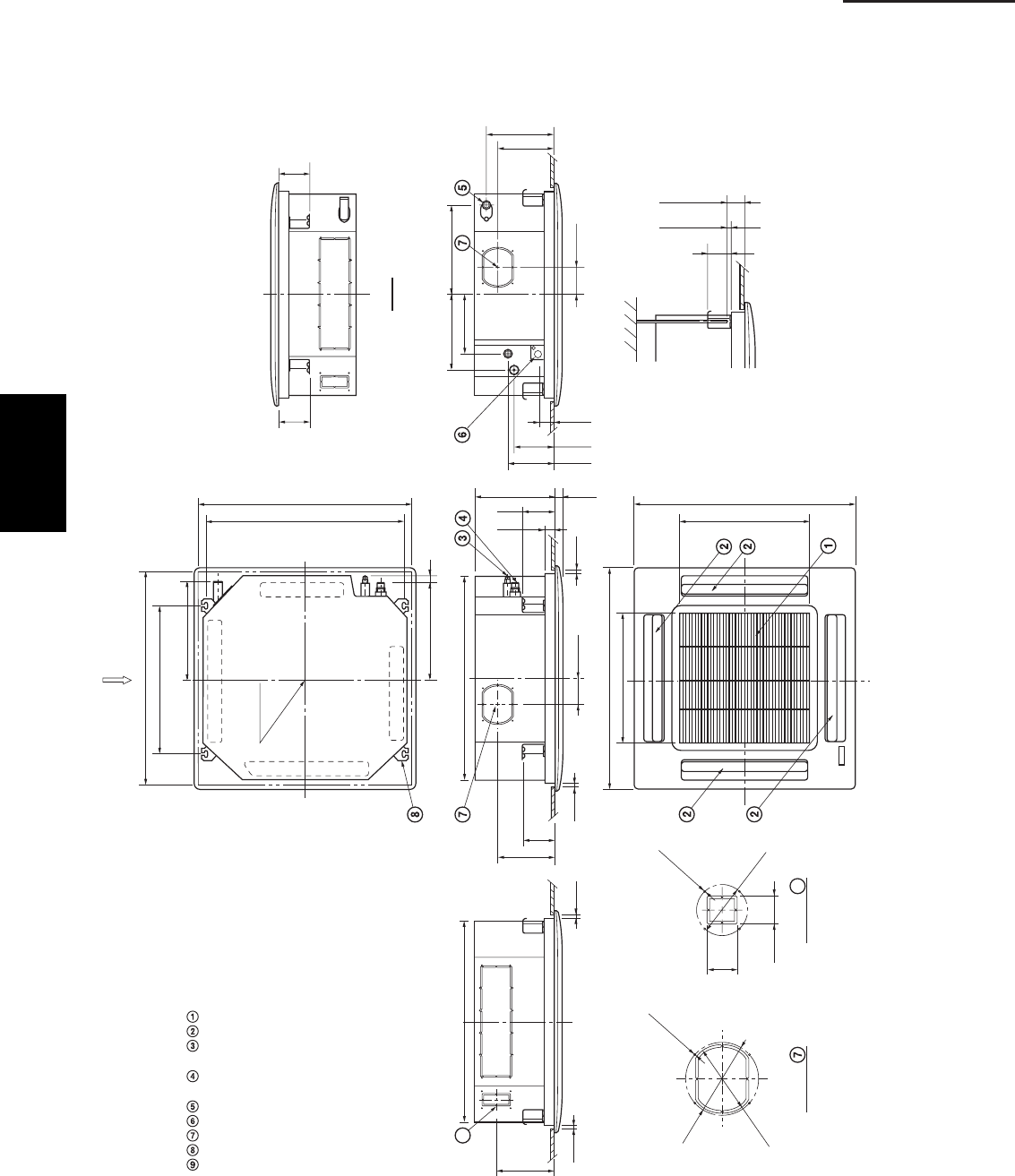
1-38
1. Specifications
1-4 Dimensional data
Indoor unit : 4-Way Cassette Type
26 Type
33-27/32
3-15/16
30-9/16
19-11/16
19-11/16
12-1/8 1-3/16
4-7/8
15/32
15/32
1-7/8
33-27/32
32-9/32 (Ceiling opening)
Grille center
29-13/16 (Suspention bolt pitch)
14-1/2 1
Air intake grille
Air outlet
Refrigerant liquid line
(3/8") Flare connection
Refrigerant gas line
(5/8") Flare connection
Drain connection
Power supply entry (conduit size : 1/2")
For discharge duct
Suspention bolt mounting
For fresh air intake
X-view
X
1917_X_S
14-27/32
22-9/32
(Suspention bolt pitch)
32-9/32 (Ceiling opening)
9-1/8
11-1/2 13-11/32
6-3/16
2-5/16
7-5/32
Dimension : inch
4-7/8
8-11/16
8-27/32
30-9/16
15/32
15/32
Detail of
ø5-29/32
ø6-3/8
4-
ø
1/8 hole
2-5/32
2-3/8
3-15/16
10-9/32
8-11/16
4-7/8
4-7/8
Min. 2-15/32
Min. 19/32
3
9
9
ø4-13/32
4-ø1/8 hole
Detail of
1
SM830203-01_PAC-i_US-letter.indb38 38SM830203-01_PAC-i_US-letter.indb38 38 2012/01/19 22:39:242012/01/19 22:39:24
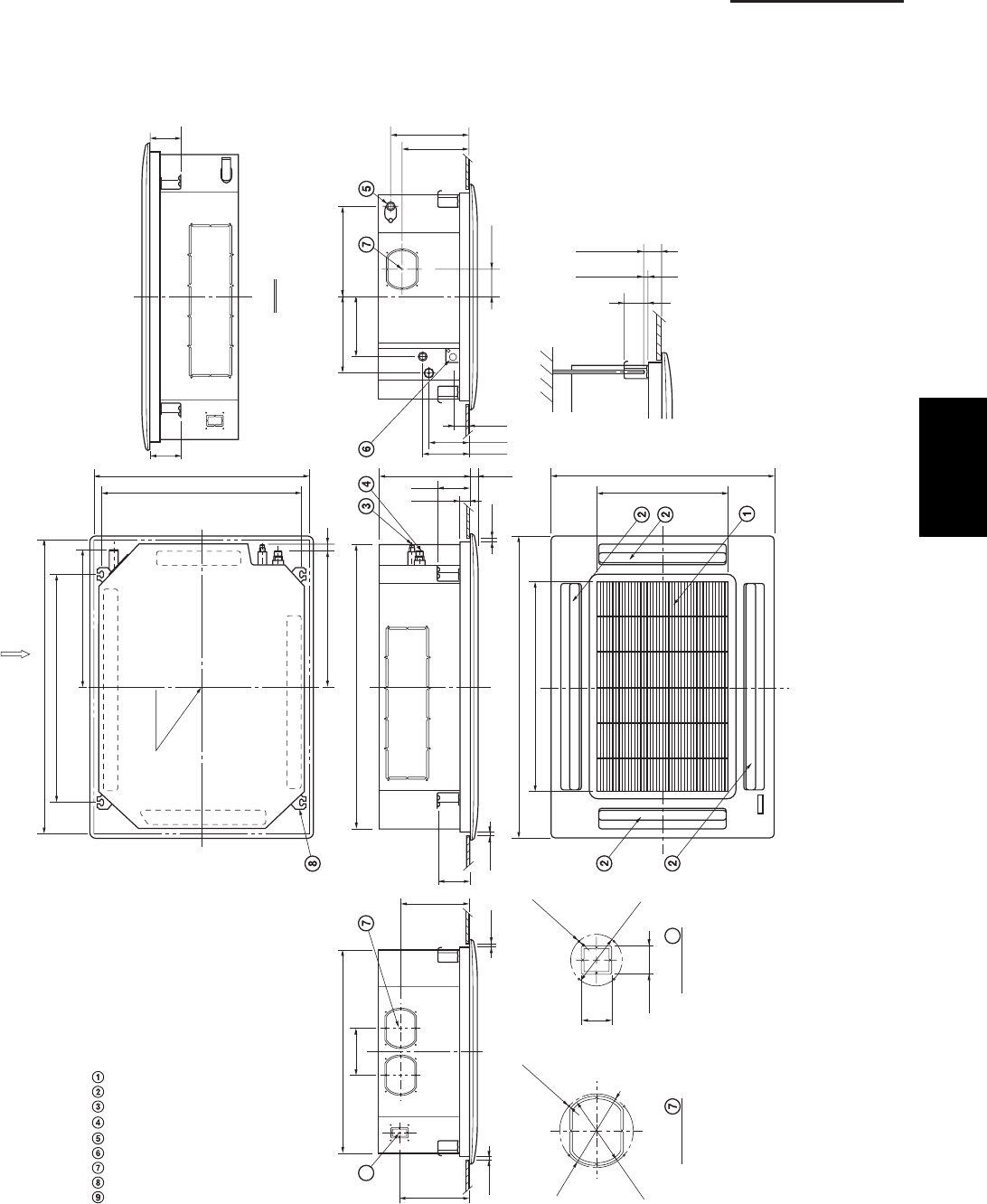
1-39
1. Specifications
1-4 Dimensional data
Indoor unit : 4-Way Cassette Type
36, 42Type
45-9/32
41-31/32
31-3/32
19-11/16
13-5/16 1-3/16
4-7/8
15/32
15/32
1-7/8
33-27/32
32-9/32 (Ceiling opening)
Grille center
29-13/16 (Suspention bolt pitch)
20-3/16 1
Air intake grille
Air outlet
Refrigerant liquid line (3/8"
) Flare connection
Refrigerant gas line
(5/8") Flare connection
Drain connection
Power supply entry (conduit size : 1/2")
For discharge duct
Suspention bolt mounting
For fresh air intake
X-view
X
1918_X_S
20-9/16
33-11/16
(Suspention bolt pitch)
43-11/16 (Ceiling opening)
9-1/8
11-1/2 13-11/32
7-3/32
6-3/16
2-5/16
7-5/32
Dimension : inch
4-7/8
9-19/32
9-13/16
30-9/16
15/32
15/32
Detail of
ø5-29/32
ø
6-3/8
4-
ø
1/8 hole
2-5/32
2-3/8
3-15/16
11-15/32
9-19/32
4-7/8
4-7/8
Min. 2-15/32
Min. 19/32
3
9
9
ø
4-13/32
4-
ø
1/8 hole
Detail of
1
SM830203-01_PAC-i_US-letter.indb39 39SM830203-01_PAC-i_US-letter.indb39 39 2012/01/19 22:39:242012/01/19 22:39:24
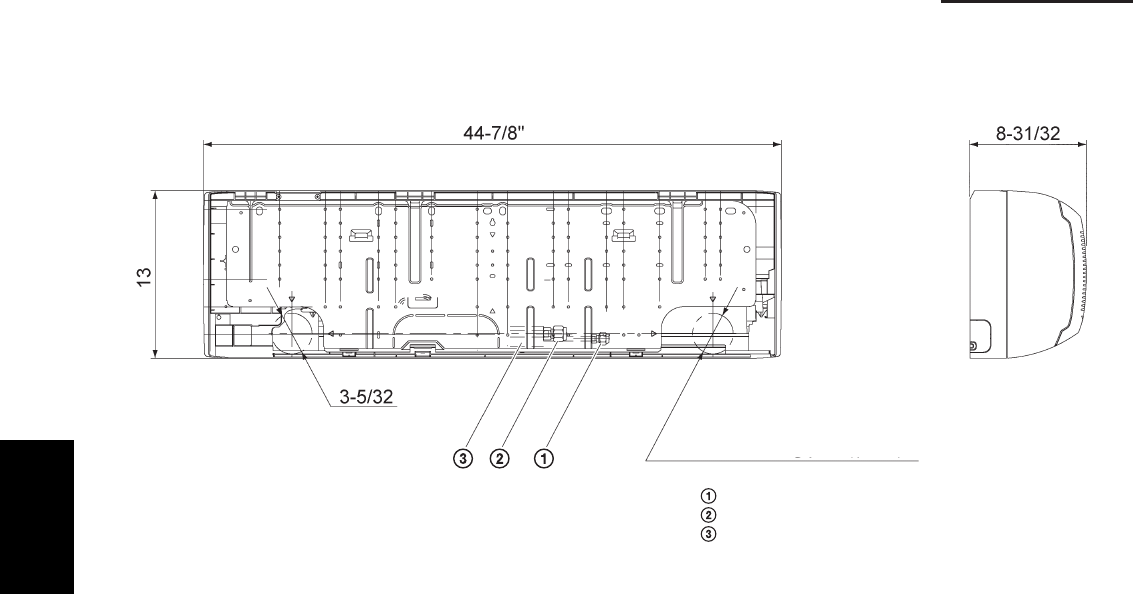
1-40
1. Specifications
1-4 Dimensional data
Dimension : inch
Refrigerant liquid line (3/8") Flare connection
Refrigerant gas line (5/8") Flare connection
Drain hose OD 45/64
Drain and wiring port (3-5/32)
Indoor unit : Wall Mounted Type
1
SM830203-01_PAC-i_US-letter.indb40 40SM830203-01_PAC-i_US-letter.indb40 40 2012/01/19 22:39:242012/01/19 22:39:24
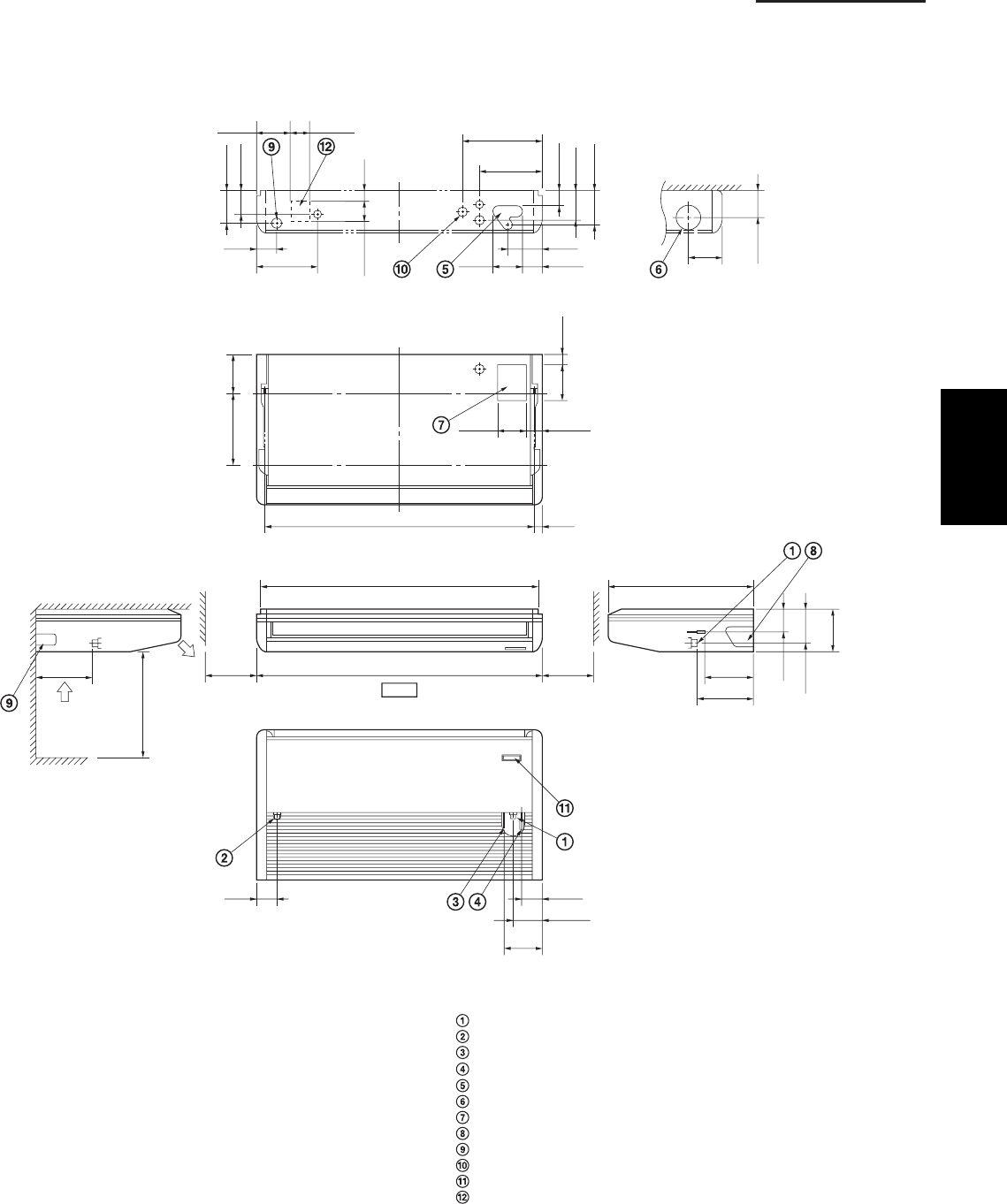
1-41
1. Specifications
1-4 Dimensional data
Indoor unit : Ceiling Type
26 Type
Drain connection
Drain connection for left side
Refrigerant liquid line (3/8") Flare connection
Refrigerant gas line (5/8") Flare connection
Hole for rear side refrigerant tubing
Hole for through-the-wall refrigerant tubing (ø3-15/16" hole)
Hole for fresh air intake (Knockout hole)
Hole for right side refrigerant tubing (Knockout hole)
Hole for left side drain connection (Knockout hole)
Hole for power supply (Conduit size 1/2")
Infrared rays receiver for wireless remote controller
Cutting position for fresh air intake
1919_THS_I
Dimension : inch
Air intake
Air outlet
2 ft. or more
Hole for wall-through piping (View from front)
9-7/8
7-15/32
8-7/16
51-3/16
26-3/8
11-1/32
12-7/32
50-13/32
5-25/32
12-19/32 6-5/16 3-3/32
3-3/4
5-25/32
4-23/32
2-17/32
5-9/32
5-25/32
1-3/326-5/16
3-9/324-9/16
5-3/4
7-7/32
4-1/16
9-7/8
5-9/16
1-3/848-7/16 (Suspension bolt hole pitch)
3-1/2
5-25/32
2-25/325-3/16
11-1/32
3-15/16 1-3/8
3-3/8
6-3/32 3-15/16
Front (Service space)(Service space)
Holes in the rear side (View from front)
(Suspension bolt hole pitch)
10
or more
10
or more
1
SM830203-01_PAC-i_US-letter.indb41 41SM830203-01_PAC-i_US-letter.indb41 41 2012/01/19 22:39:242012/01/19 22:39:24
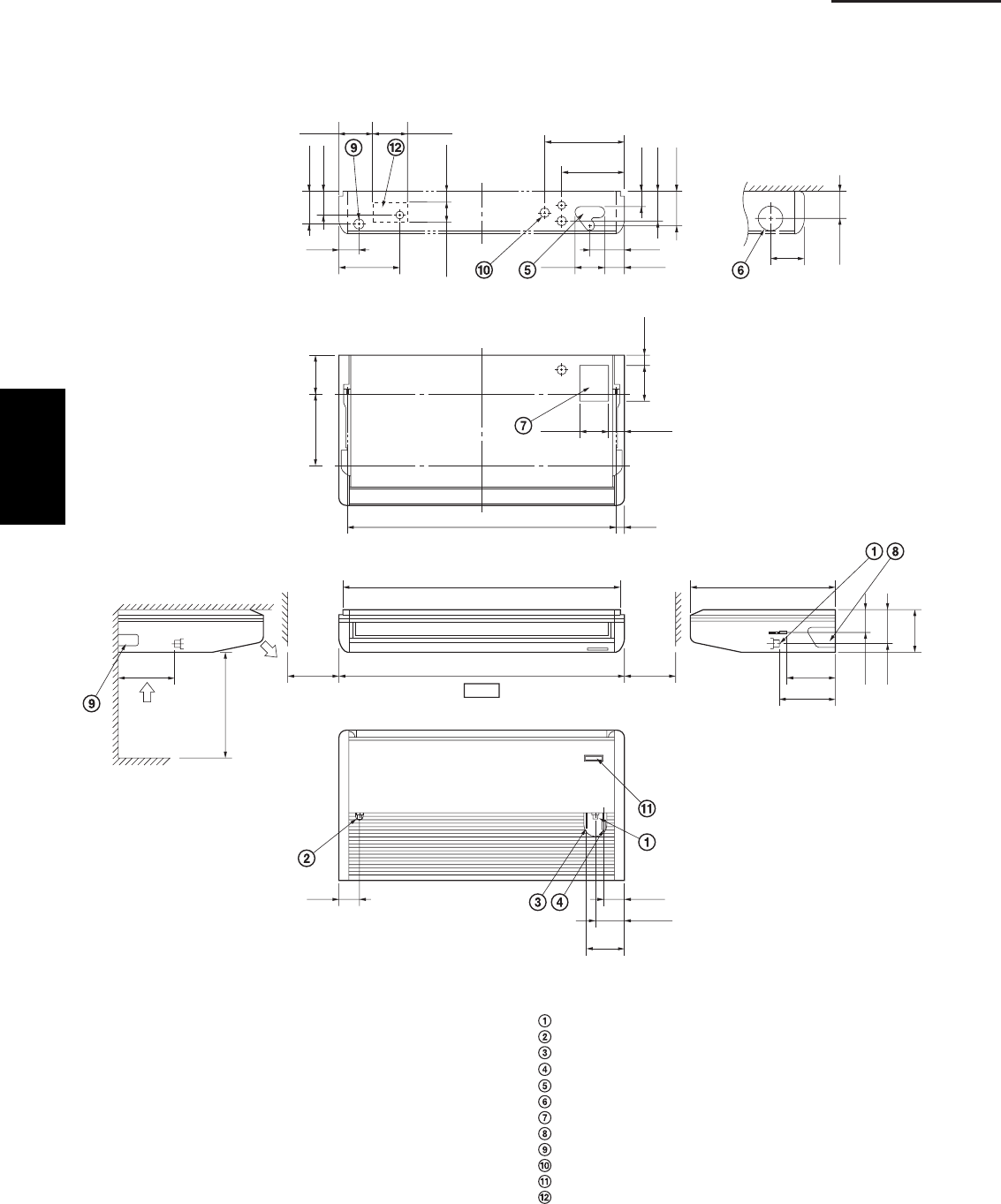
1-42
1. Specifications
1-4 Dimensional data
Indoor unit : Ceiling Type
36, 42 Type
Drain connection
Drain connection for left side
Refrigerant liquid line (3/8") Flare connection
Refrigerant gas line (5/8") Flare connection
Hole for rear side refrigerant tubing
Hole for through-the-wall refrigerant tubing (
ø
3-15/16" hole)
Hole for fresh air intake (Knockout hole)
Hole for right side refrigerant tubing (Knockout hole)
Hole for left side drain connection (Knockout hole)
Hole for power supply (Conduit size 1/2")
Infrared rays receiver for wireless remote controller
Cutting position for fresh air intake
1920_TS_I
Dimension : inch
Air intake
Air outlet
2 ft. or more
Hole for wall-through piping (View from front)
9-7/8
9-7/16
8-7/16
62
26-3/8
11-1/32
12-7/32
61-7/32
7-3/4
12-19/32 6-5/16 5-15/16
5-1/2
7-3/4
6-11/16
4-1/2
7-1/4
7-3/4
1-3/326-5/16
3-5/324-3/4
5-3/4
7-7/32
4-1/16
9-7/8
5-9/16
1-3/859-1/4 (Suspension bolt hole pitch)
3-1/2
5-25/32
2-25/325-3/16
11-1/32
3-15/16 1-31/32
3-3/8
6-3/32 7-31/32
Front (Service space)(Service space)
Holes in the rear side (View from front)
(Suspension bolt hole pitch)
10
or more
10
or more
1
SM830203-01_PAC-i_US-letter.indb42 42SM830203-01_PAC-i_US-letter.indb42 42 2012/01/19 22:39:242012/01/19 22:39:24
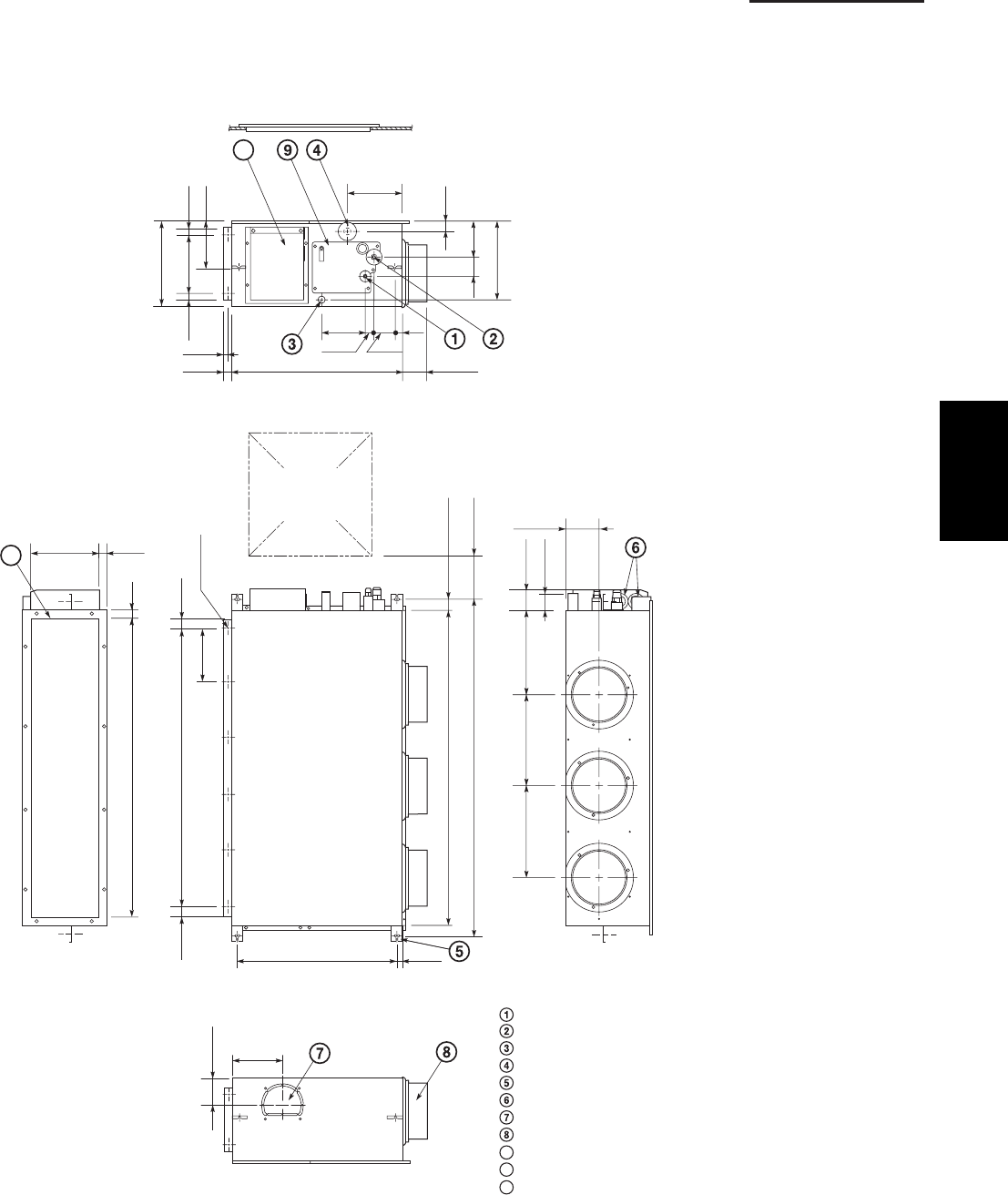
1-43
1. Specifications
1-4 Dimensional data
Indoor unit : Low Silhouette Duct Type
26 Type
Refrigerant liquid line
(3/8") Flare connection
Refrigerant gas line
(5/8") Flare connection
Upper drain port (O.D. 1-1/4)
Bottom drain port (O.D. 1-1/32)
Suspension lug
Power supply inlet (conduit size 1/2")
Fresh air intake port (
ø
5-29/32)
Flange for the flexible air outlet duct (
ø
7-7/8)
Tube cover
Electrical component box
Flange for the air intake duct
(option or field supply)
9
10
11
1914_U_I
(Suspension bolt pitch)
16-
ø
1/8
(Hole)
37-7/8 (Air outlet duct flange)
35-7/16
39-3/8
42-17/32 (Suspension bolt pitch) (5-29/32)
1-9/16
11-13/32 11-12/32 10-23/32 2-15/16
2-9/16
7-3/32
1-7/32
1-7/32
22-27/32 31/32
4-17/32
3/4
11
15/16
10-1/4
(Air outlet
duct flange)
Dimension : inch
3-17/32
7-9/32
10
11-7/32
2-3/4
5-1/8
31/32 8-9/32
12-7/32
31/32
6-7/8
1-3/8
7-15/32
3-11/32
31/32
2-3/41-3/16
6-5/16
24-13/16
31/32
13/32
Inspection access
(17-23/32 × 17-23/32)
(Field supply)
1
SM830203-01_PAC-i_US-letter.indb43 43SM830203-01_PAC-i_US-letter.indb43 43 2012/01/19 22:39:242012/01/19 22:39:24
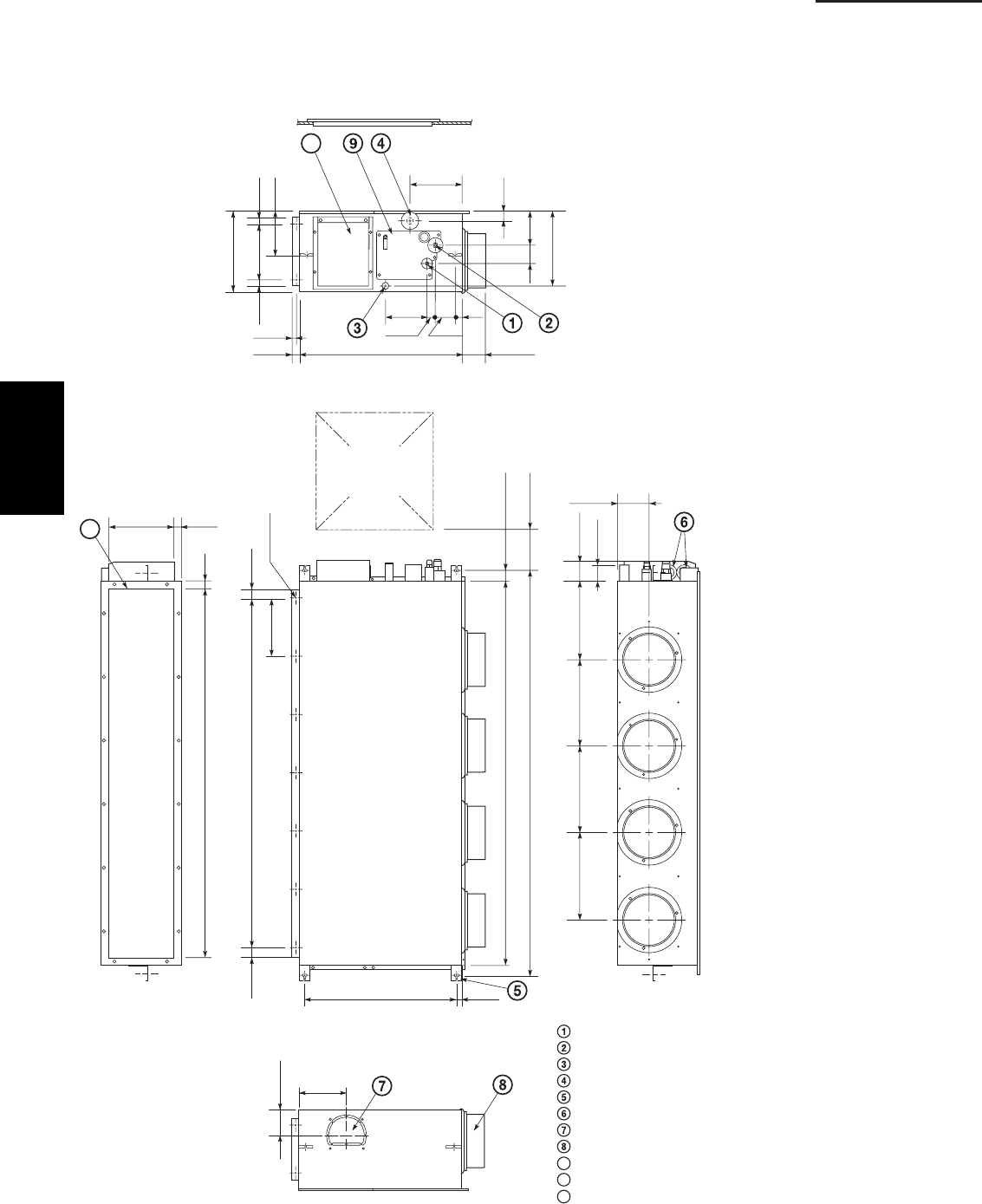
1-44
1. Specifications
1-4 Dimensional data
Indoor unit : Low Silhouette Duct Type
36 Type
Refrigerant liquid line (3/8") Flare connection
Refrigerant gas line (5/8") Flare connection
Upper drain port (O.D. 1-1/4)
Bottom drain port (O.D. 1-1/32)
Suspension lug
Power supply inlet (conduit size 1/2")
Fresh air intake port (ø5-29/32)
Flange for the flexible air outlet duct (ø7-7/8)
Tube cover
Electrical component box
Flange for the air intake duct
(option or field supply)
9
10
11
1915_U_I
(Suspension bolt pitch)
18-ø1/8
(Hole)
56-25/32 (Air outlet duct flange)
9-1/16 P
×
6 = 54-11/32
58-9/32
61-13/32 (Suspension bolt pitch) (5-29/32)
1-9/16
13-3/16 13-3/16 13-3/16 12-7/32 2-15/16
2-9/16
9-1/16
1-7/321-7/32
22-27/32 31/32
4-17/32
3/4
11
15/16
10-1/4
(Air outlet
duct flange)
10
11-7/32
2-3/4
5-1/8
31/32 8-9/32
12-7/32
31/32
6-7/8
1-3/8
7-15/32
3-11/32
31/32
2-3/41-3/16
6-5/16
24-13/16
31/32
13/32
Inspection access
(17-23/32 × 17-23/32)
(Field supply)
3-17/32
7-9/32
Dimension : inch
1
SM830203-01_PAC-i_US-letter.indb44 44SM830203-01_PAC-i_US-letter.indb44 44 2012/01/19 22:39:242012/01/19 22:39:24
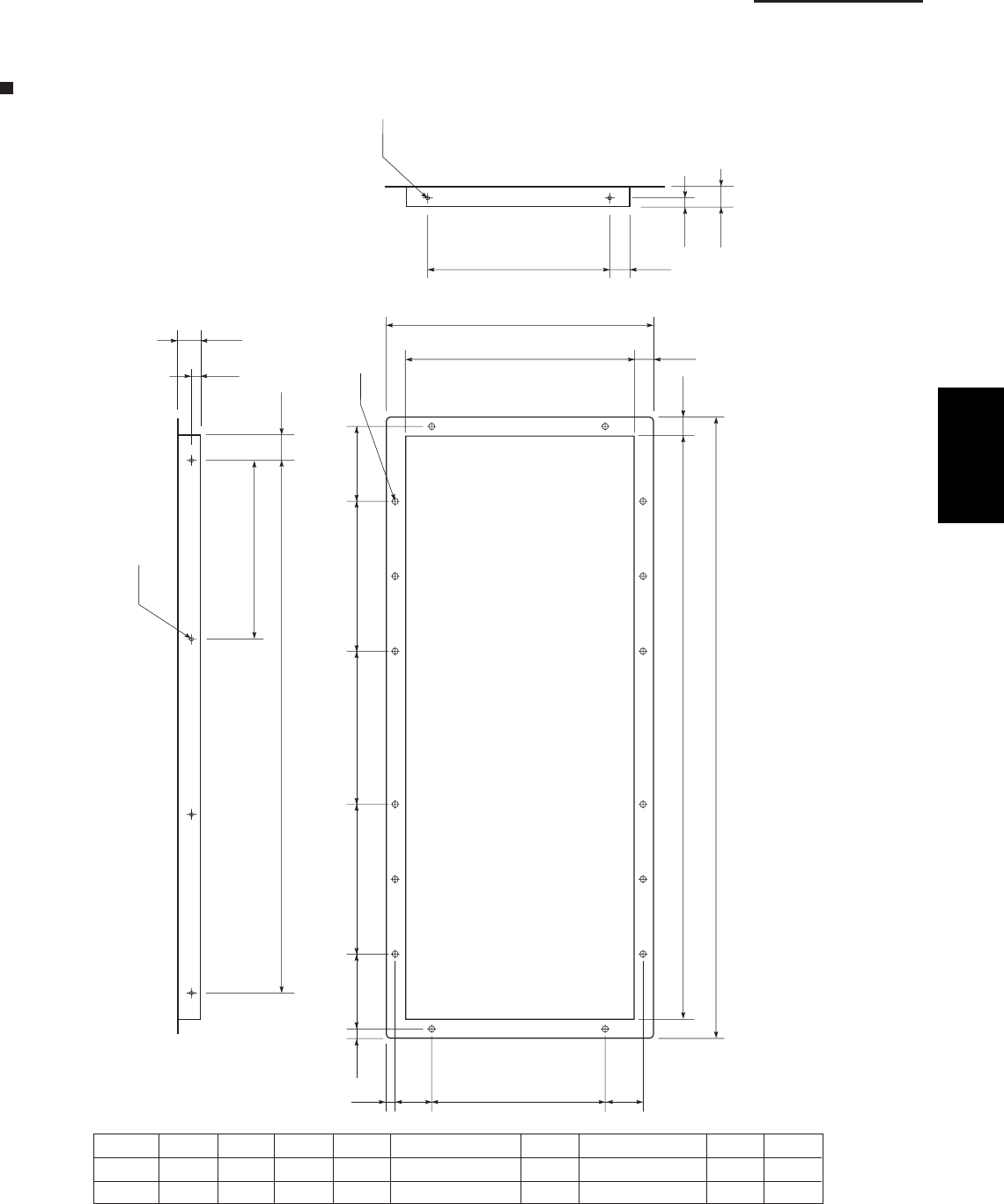
1-45
1. Specifications
23/32
1-7/32
FG
HGF11/32
E
D
B (O.D.)
A
(Hole)
C-ø1/8
(Hole)
1/4
(Hole)
12-1/32
10-1/4 (O.D.) 29/32
7-7/8
1-25/32
5/16
1-25/32
31/32
13/32
2118_U_I
2-ø1/8
13/32
31/32
8-9/32 31/32
AB C*
*
ø 1/8 Number of holes
DEFG HI
26 type 39-9/32 37-7/8 5 7-3/32 5 × 7-3/32 = 35-7/16 4-23/32 9-21/32 (9-21/32 × 1) 9-27/32 5/8
36 type 58-3/16 56-25/32 6 9-1/16 6 × 9-1/16 = 54-11/32 4-23/32 19-9/32 (9-21/32 × 2) 9-7/16 25/32
(inch)
1-4 Dimensional data
Indoor unit : Low Silhouette Duct Type
Flange for the air intake duct (Field supply)
: For Concealed Duct Type
Thickness more than T1/16 inch
1
SM830203-01_PAC-i_US-letter.indb45 45SM830203-01_PAC-i_US-letter.indb45 45 2012/01/19 22:39:242012/01/19 22:39:24
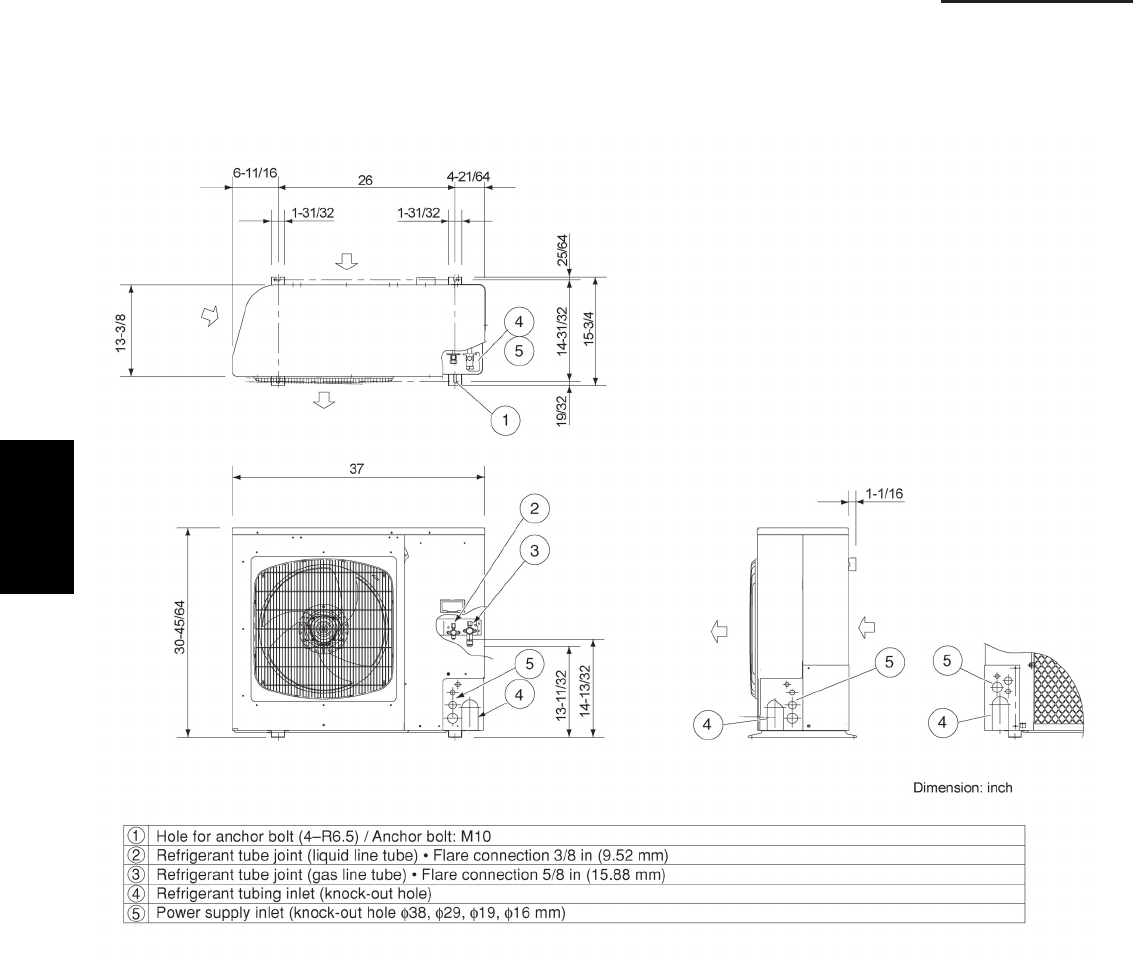
1-46
1. Specifications
1-4 Dimensional Data
(B) Outdoor Unit: U-26PE1U6, U-26PS1U6
U-36PE1U6, U-36PS1U6
1
SM830203-01_PAC-i_US-letter.indb46 46SM830203-01_PAC-i_US-letter.indb46 46 2012/01/19 22:39:252012/01/19 22:39:25
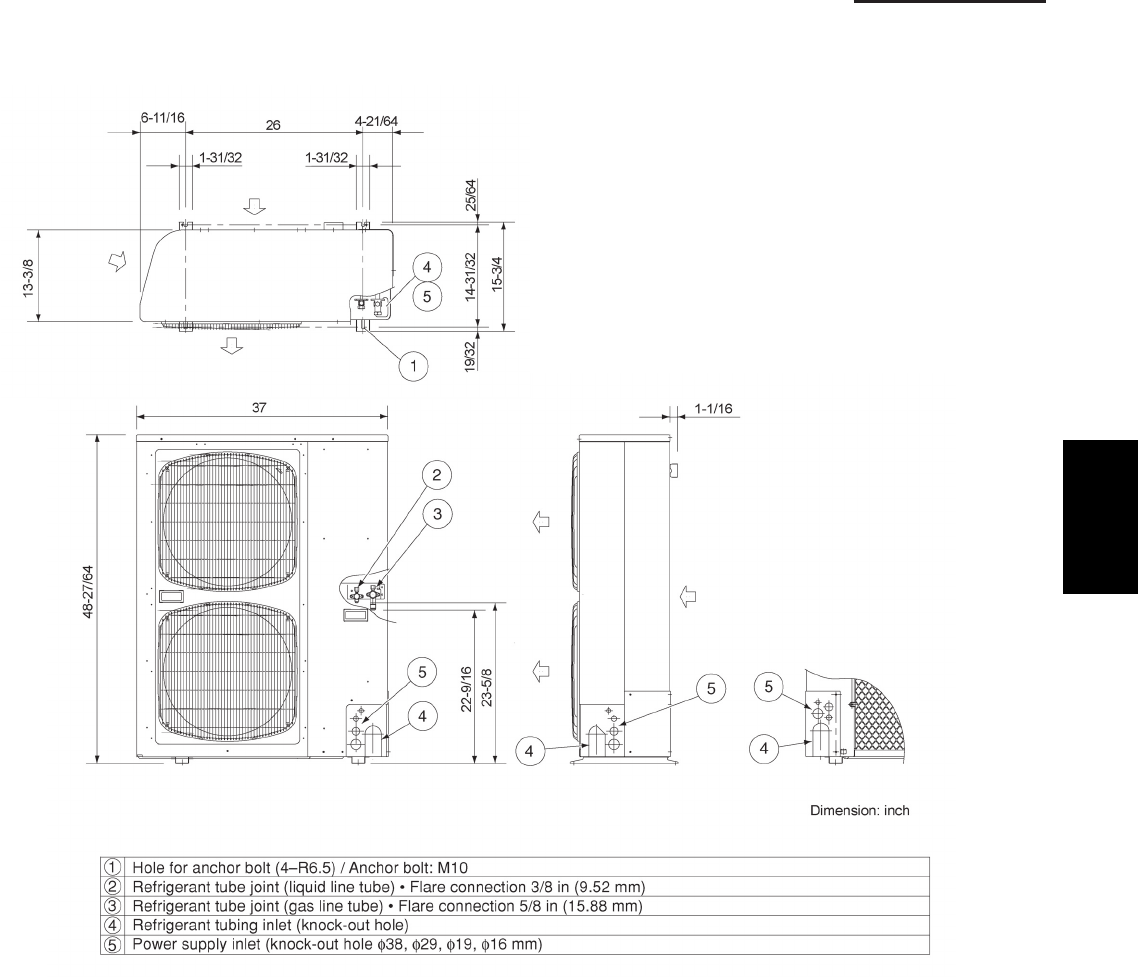
1-47
1. Specifications
1-4 Dimensional Data
(B) Outdoor Unit: U-42PE1U6, U-42PS1U6
1
SM830203-01_PAC-i_US-letter.indb47 47SM830203-01_PAC-i_US-letter.indb47 47 2012/01/19 22:39:252012/01/19 22:39:25
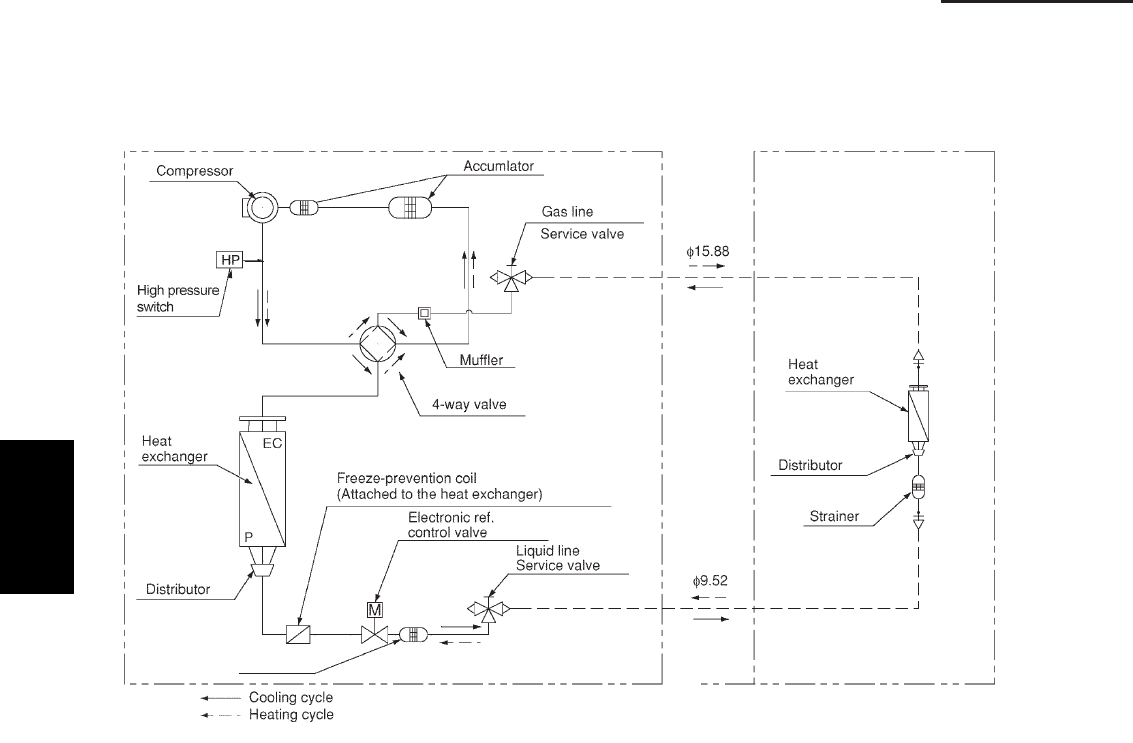
1-48
1. Specifications
1-5 Refrigerant Flow Diagram
Outdoor Unit : U-26PE1U6, U-26PS1U6 Indoor Unit : 26, 30, 36 Types
U-36PE1U6, U-36PS1U6
SM830203-00_PAC-i_US-letter.indb48 48 2011/11/09 20:22:21
1
SM830203-01_PAC-i_US-letter.indb48 48SM830203-01_PAC-i_US-letter.indb48 48 2012/01/19 22:39:252012/01/19 22:39:25
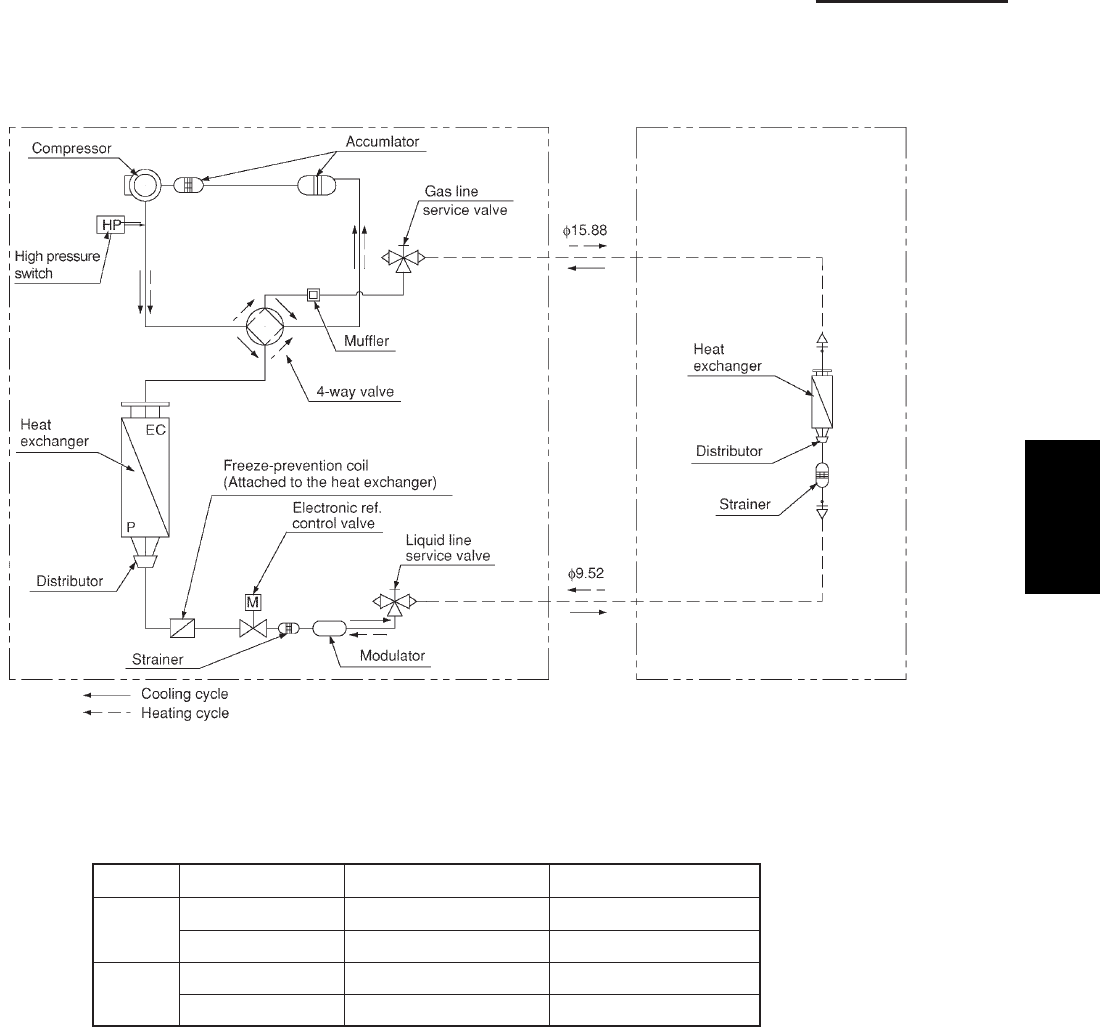
1-49
1. Specifications
1-5 Refrigerant Flow Diagram
Outdoor Unit: U-42PE1U6, U-42PS1U6 Indoor Unit: 42 Type
1-6 Operating Range
Temperature Indoor Air Intake Outdoor Air Intake
Cooling Maximum 90 °F DB / 77 °F WB 115 °F DB
Minimum 64 °F DB / 57 °F WB 14 °F DB
Heating Maximum 86 °F DB 64 °F WB / 75 °F DB
Minimum °F WB / -4 °F DB-4 °F DB61
SM830203-00_PAC-i_US-letter.indb49 49 2011/11/09 20:22:21
1
SM830203-01_PAC-i_US-letter.indb49 49SM830203-01_PAC-i_US-letter.indb49 49 2012/01/19 22:39:252012/01/19 22:39:25
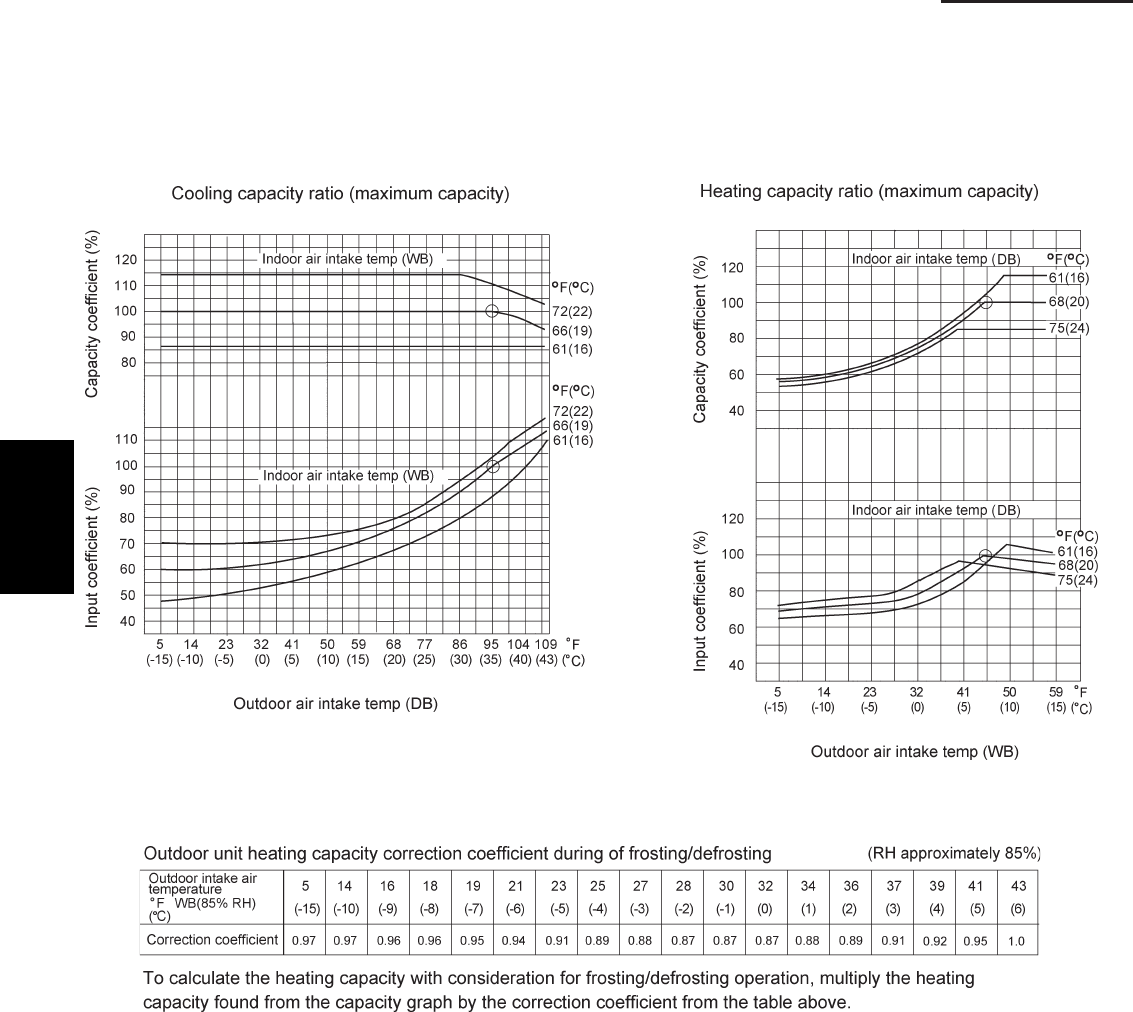
1-50
1. Specifications
1-7 Capacity Correction Graph According to Temperature Condition
U-26PE1U6, U-26PS1U6
U-36PE1U6, U-36PS1U6
U-42PE1U6, U-42PS1U6
1
SM830203-01_PAC-i_US-letter.indb50 50SM830203-01_PAC-i_US-letter.indb50 50 2012/01/19 22:39:262012/01/19 22:39:26
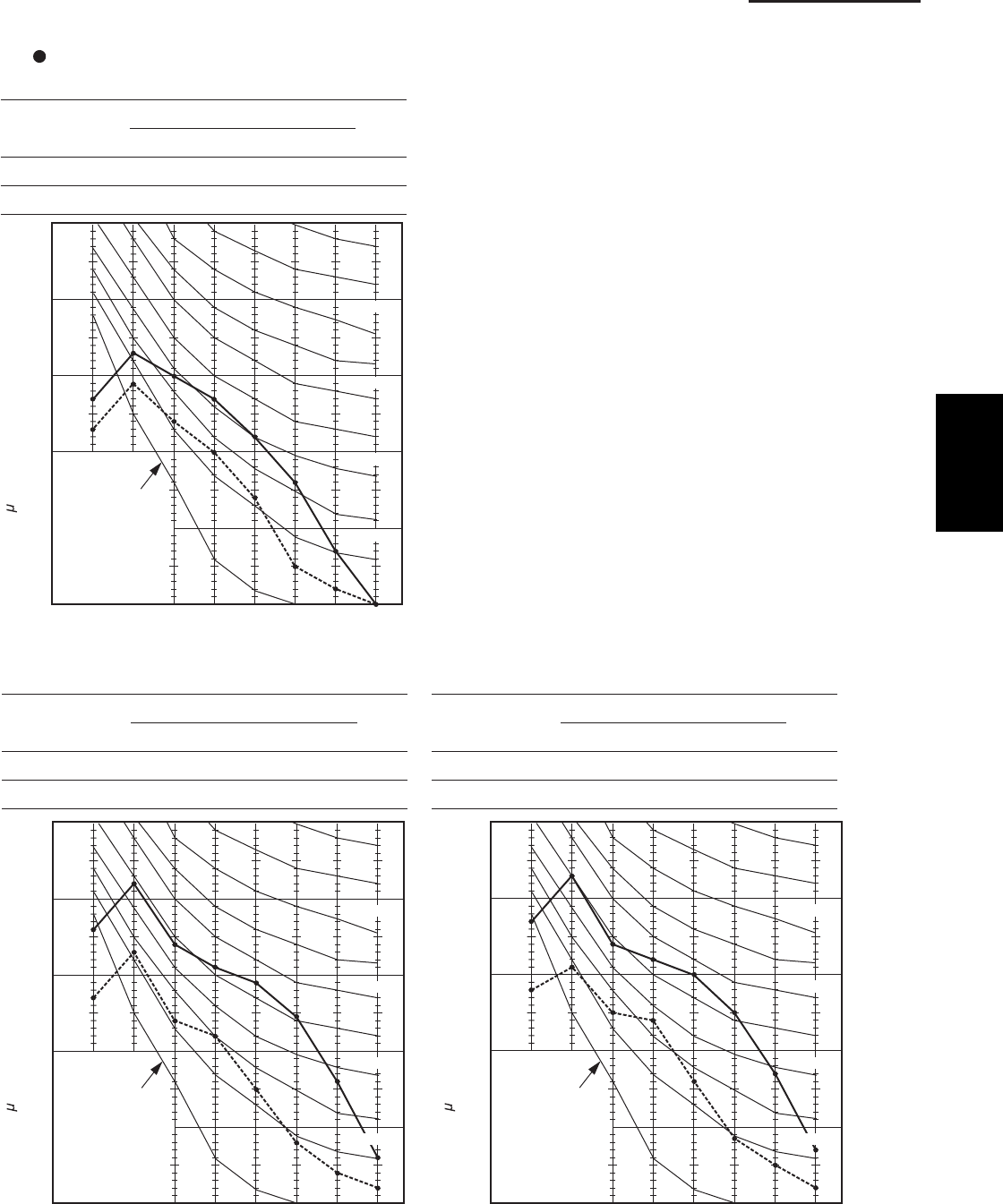
1-51
1. Specifications
1-8 Noise Criterion Curves
4-Way Cassette Type
MODEL : S-26PU1U6
SOUND LEVEL : HIGH 38 dB(A), NC 31
LOW 31 dB(A), NC 23
CONDITION : Center, Under the unit 4.9 ft.
SOURCE :
208 - 230 V, 1 Phase, 60 Hz
MODEL : S-42PU1U6
SOUND LEVEL : HIGH 45 dB(A), NC 38
LOW 34 dB(A), NC 27
CONDITION : Center, Under the unit 4.9 ft.
SOURCE :
208 - 230 V, 1 Phase, 60 Hz
MODEL : S-36PU1U6
SOUND LEVEL : HIGH 44 dB(A), NC 37
LOW 33 dB(A), NC 25
CONDITION : Center, Under the unit 4.9 ft.
SOURCE :
208 - 230 V, 1 Phase, 60 Hz
60
50
40
30
20
10
OCTAVE BAND SOUND PRESSURE LEVEL, dB
(0 dB = 0.0002 bar)
63 125 250 500 1000 2000 4000 8000
APPROXIMATE
THRESHOLD OF
HEARING FOR
CONTINUOUS
NOISE
BAND CENTER FREQUENCIES, Hz
NC-20
NC-40
NC-50
NC-30
2108_X_I
60
50
40
30
20
10
OCTAVE BAND SOUND PRESSURE LEVEL, dB
(0 dB = 0.0002 bar)
63 125 250 500 1000 2000 4000 8000
APPROXIMATE
THRESHOLD OF
HEARING FOR
CONTINUOUS
NOISE
BAND CENTER FREQUENCIES, Hz
NC-40
NC-50
NC-30
2109_X_
I
NC-20
60
50
40
30
20
10
OCTAVE BAND SOUND PRESSURE LEVEL, dB
(0 dB = 0.0002 bar)
63 125 250 500 1000 2000 4000 8000
APPROXIMATE
THRESHOLD OF
HEARING FOR
CONTINUOUS
NOISE
BAND CENTER FREQUENCIES, Hz
NC-40
NC-50
NC-30
2110_X_
I
NC-20
1
SM830203-01_PAC-i_US-letter.indb51 51SM830203-01_PAC-i_US-letter.indb51 51 2012/01/19 22:39:262012/01/19 22:39:26
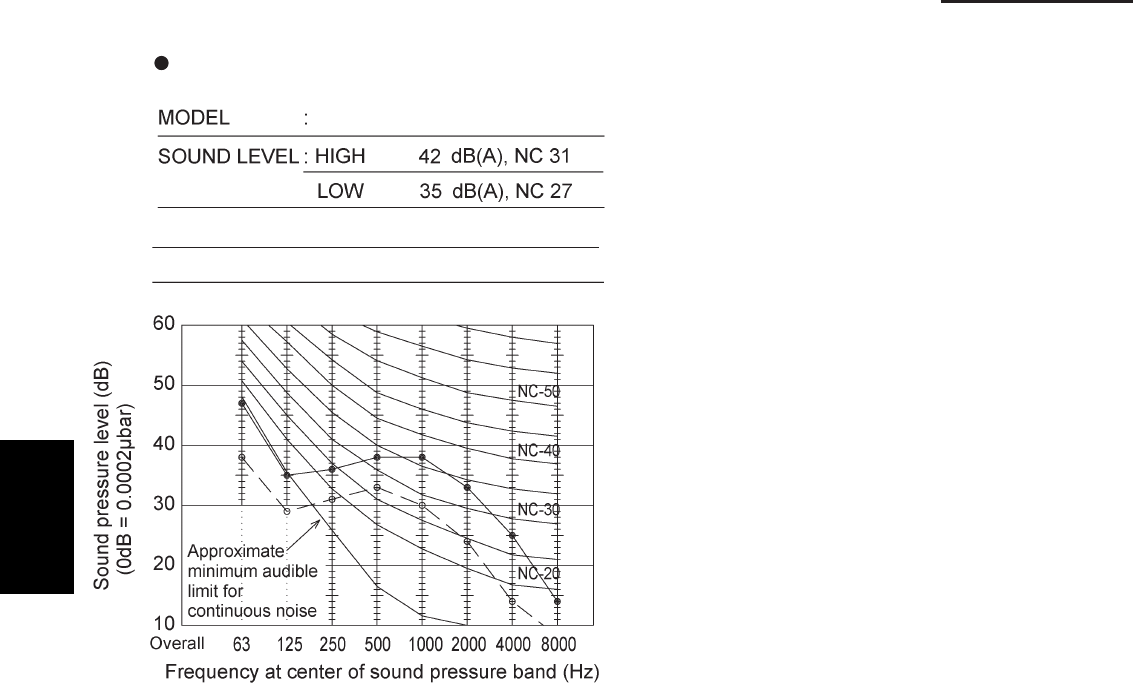
1-52
1. Specifications
1-8 Noise Criterion Curves
Wall Mounted Type
SOURCE :
208 - 230 V, 1 Phase, 60 Hz
CONDITION : Distance 3.3 ft., Under the unit 3.3 ft.
S-26PK1U6
1
SM830203-01_PAC-i_US-letter.indb52 52SM830203-01_PAC-i_US-letter.indb52 52 2012/01/19 22:39:262012/01/19 22:39:26
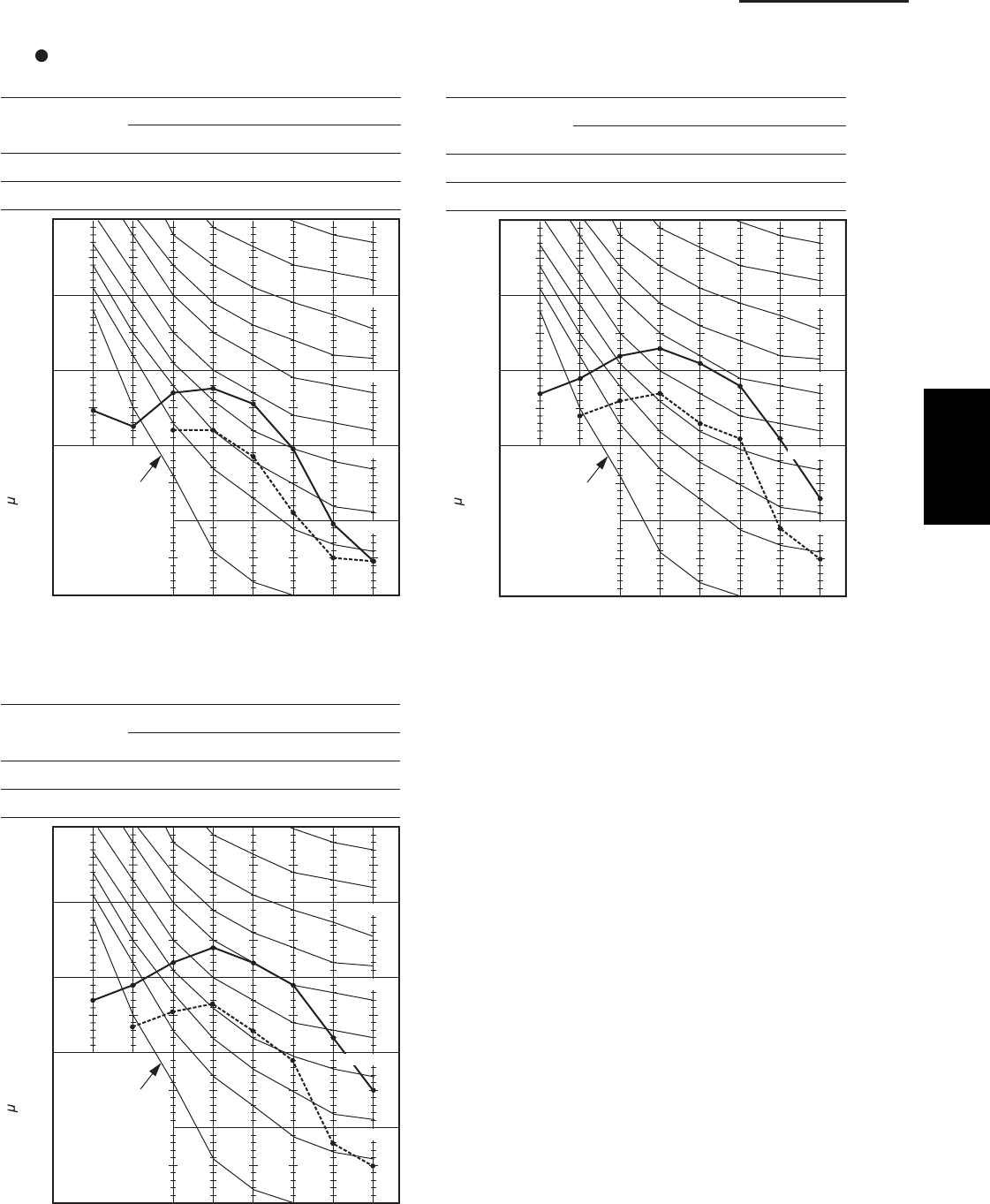
1-53
1. Specifications
1-8 Noise Criterion Curves
Ceiling Type
MODEL : S-26PT1U6
SOUND LEVEL : HIGH 40 dB(A), NC 34
LOW 36 dB(A), NC 26
CONDITION :
Distance 3.3 ft., Under the unit 3.3 ft.
SOURCE : 208 - 230 V, 1 Phase, 60 Hz
60
50
40
30
20
10
OCTAVE BAND SOUND PRESSURE LEVEL, dB
(0 dB = 0.0002 bar)
63 125 250 500 1000 2000 4000 8000
APPROXIMATE
THRESHOLD OF
HEARING FOR
CONTINUOUS
NOISE
BAND CENTER FREQUENCIES, Hz
NC-20
NC-40
NC-50
NC-30
1221_X_I
MODEL : S-36PT1U6
SOUND LEVEL : HIGH 46 dB(A), NC 39
LOW 37 dB(A), NC 31
CONDITION :
Distance 3.3 ft., Under the unit 3.3 ft.
SOURCE : 208 - 230 V, 1 Phase, 60 Hz
MODEL : S-42PT1U6
SOUND LEVEL : HIGH 47 dB(A), NC 40
LOW 38 dB(A), NC 32
CONDITION :
Distance 3.3 ft., Under the unit 3.3 ft.
SOURCE : 208 - 230 V, 1 Phase, 60 Hz
60
50
40
30
20
10
OCTAVE BAND SOUND PRESSURE LEVEL, dB
(0 dB = 0.0002 bar)
63 125 250 500 1000 2000 4000 8000
APPROXIMATE
THRESHOLD OF
HEARING FOR
CONTINUOUS
NOISE
BAND CENTER FREQUENCIES, Hz
NC-40
NC-50
NC-30
2113_X_I
NC-20
2114_X_I
60
50
40
30
20
10
OCTAVE BAND SOUND PRESSURE LEVEL, dB
(0 dB = 0.0002 bar)
63 125 250 500 1000 2000 4000 8000
APPROXIMATE
THRESHOLD OF
HEARING FOR
CONTINUOUS
NOISE
BAND CENTER FREQUENCIES, Hz
NC-40
NC-50
NC-30
NC-20
1
SM830203-01_PAC-i_US-letter.indb53 53SM830203-01_PAC-i_US-letter.indb53 53 2012/01/19 22:39:262012/01/19 22:39:26
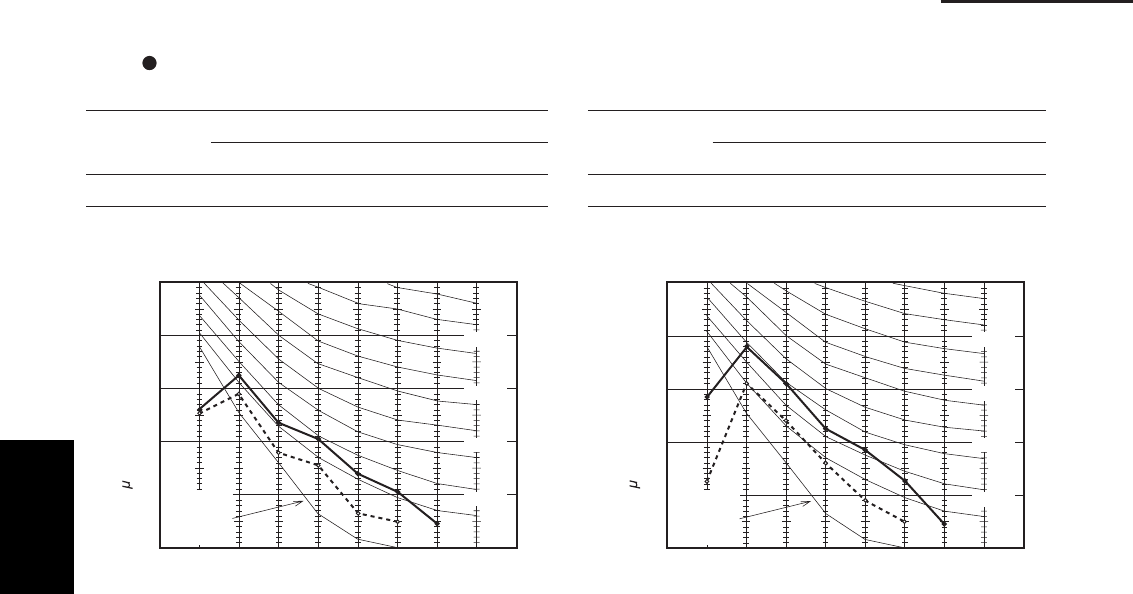
1-54
1. Specifications
1-8 Noise Criterion Curves
Low Silhouette Duct Type
MODEL : S-26PF1U6
SOUND LEVEL :
HIGH 34 dB(A), NC 22 / LOW 27 dB(A), NC 18
CONDITION : Under the unit 4.9 ft.
SOURCE : 208 - 230 V, 1 Phase, 60 Hz
1761_U_I
60
50
40
30
20
10
APPROXIMATE
THRESHOLD OF
HEARING FOR
CONTINUOUS
NOISE
63 125 250 500 1000 2000 4000 8000
BAND CENTER FREQUENCIES, Hz
OCTAVE BAND SOUND PRESSURE LEVEL, dB
(0 dB = 0.0002 bar)
NC-50
NC-40
NC-30
NC-20
MODEL : S-36PF1U6
SOUND LEVEL :
HIGH 38 dB(A), NC 30 / LOW 31 dB(A), NC 21
CONDITION : Under the unit 4.9 ft.
SOURCE : 208 - 230 V, 1 Phase, 60 Hz
1762_U_I
60
50
40
30
20
10
APPROXIMATE
THRESHOLD OF
HEARING FOR
CONTINUOUS
NOISE
63 125 250 500 1000 2000 4000 8000
BAND CENTER FREQUENCIES, Hz
OCTAVE BAND SOUND PRESSURE LEVEL, dB
(0 dB = 0.0002 bar)
NC-50
NC-40
NC-30
NC-20
1
SM830203-01_PAC-i_US-letter.indb54 54SM830203-01_PAC-i_US-letter.indb54 54 2012/01/19 22:39:262012/01/19 22:39:26
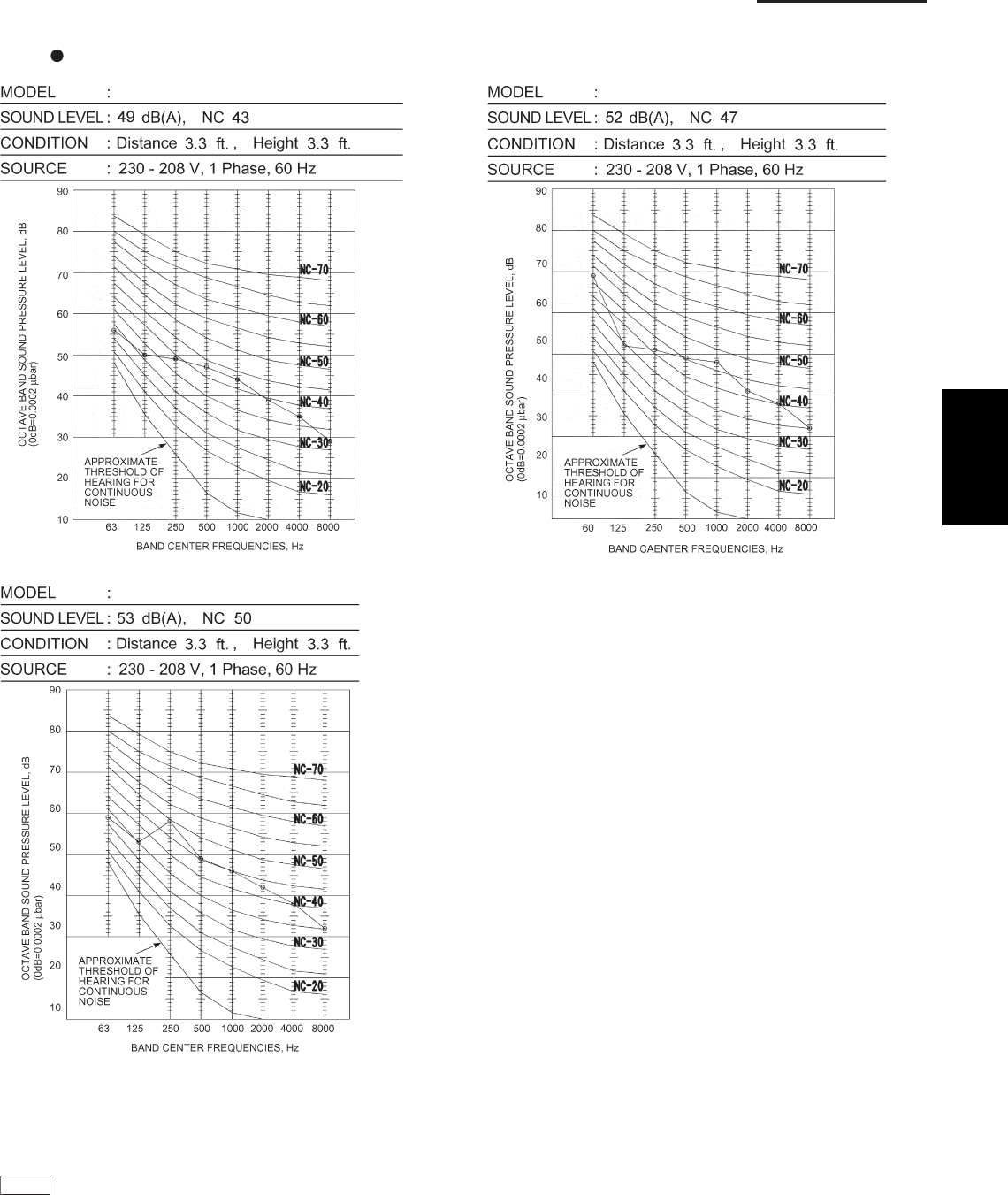
1-55
1. Specifications
1-8 Noise Criterion Curves
Outdoor Units
REMARKS: 1. Value obtained in the actual place where the unit is installed may be slightly higher than the values shown
in this graph because of the conditions of operation, the structure of the building, the background noise and
other factors.
2. The test results were obtained from an nechoic room.
NOTE
To evaluate “Noise level” the maximum number of the measured OCTAVE BAND SOUND PRESSURE LEVEL is used.
Read the number on each BAND CENTER FREQUENCIES (horizontal axis) ranging from 63 Hz to 8000 Hz and select the
maximum value (vertical axis) among them.
U-26PE1U6, U-26PS1U6
U-42PE1U6, U-42PS1U6
U-36PE1U6, U-36PS1U6
1
SM830203-01_PAC-i_US-letter.indb55 55SM830203-01_PAC-i_US-letter.indb55 55 2012/01/19 22:39:262012/01/19 22:39:26
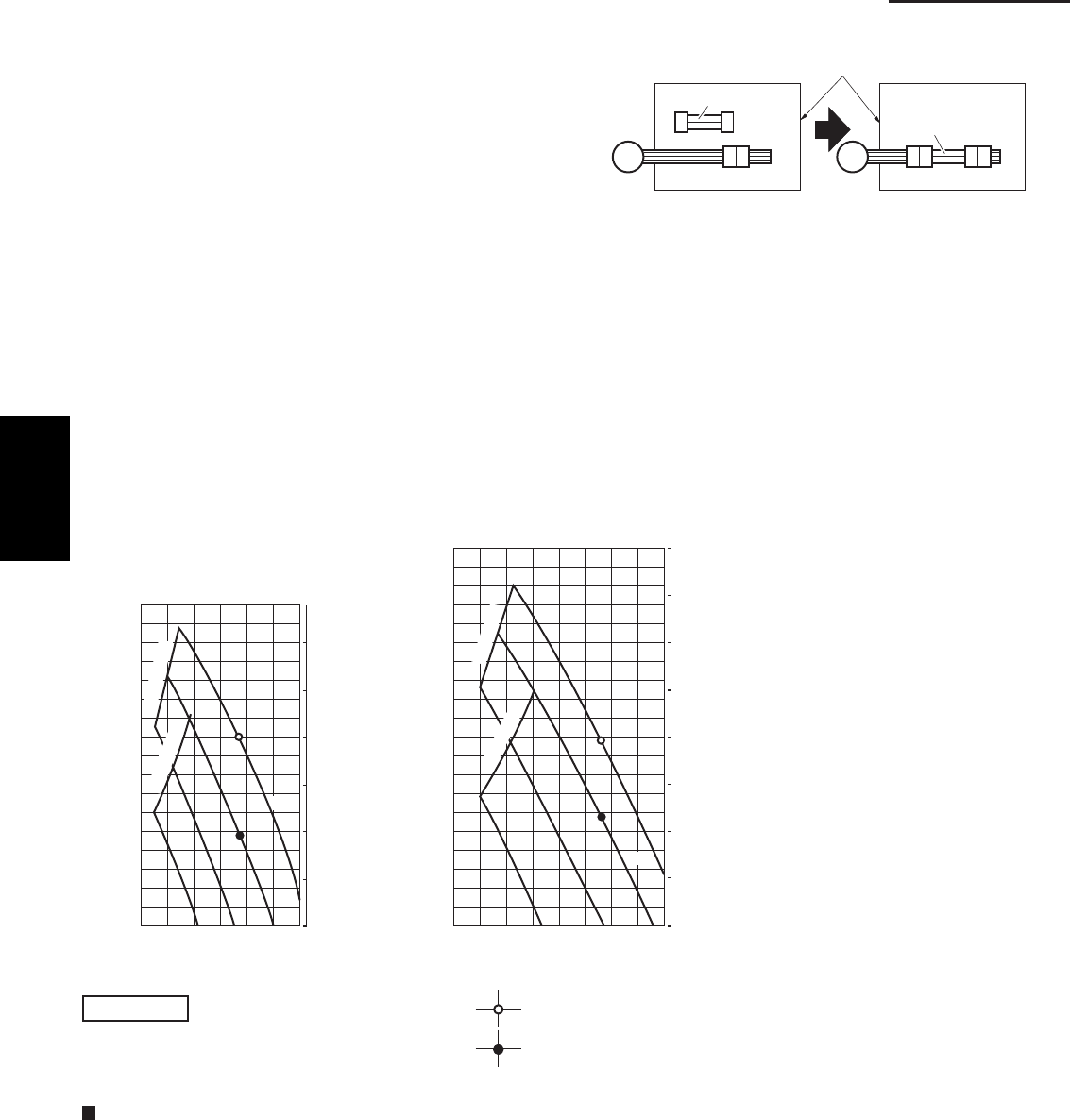
1-56
1. Specifications
1-9 Increasing the Fan Speed
Jumper cable
Jumper cable
Electrical component box
(At shipment) (Jumper cable installed)
2159_M_I
Fan motor socket
Fan
motor
900
Air Flow (CFM)
External Static Pressure
0
50
0
0.1
0.2
0.3
0.4
0.5
150
700500300
Limit line
L
100
1982_U_I
H
HH
(Pa)
(inAq)
Limit line
HT
Air Flow (CFM)
External Static Pressure
0
50
0
0.1
0.2
0.3
0.4
0.5
0.6
0.8
150
200
500 1000
Limit line
L
H
HH
HT
100
1983_U_I
(inAq)
(Pa)
Limit line
NOTE HT : Using the booster cable
H : At shipment
How to read the diagram
The vertical axis is the external static pressure (Pa) while the horizontal axis represents the AIR FLOW (CFM).
The characteristic curves for “HT”, “H”, “M” and “L” fan speed control are shown.
The nameplate values are shown based on the “H” air flow. For the 26 type, the air flow is 636 CFM, while the
external static pressure is 49 Pa at “H” position. If external static pressure is too great (due to long extension of
duct, for example), the air flow volume may drop too low at each air outlet.
This problem may be solved by increasing the fan speed as explained above.
If external static pressure is too great (due to long extension
of ducts, for example), the air flow volume may drop too low
at each air outlet. This problem may be solved by increasing
the fan speed using the following procedure:
(1) Remove 4 screws on the electrical component box and
remove the cover plate.
(2) Disconnect the fan motor sockets in the box.
(3) Take out the jumper cable (sockets at both ends) clamped
in the box.
(4) Securely connect the jumper cable sockets
between the disconnected fan motor sockets in step 2.
(5) Place the cable neatly in the box and reinstall the cover
plate.
Indoor Fan Performance
epyT 63epyT 62
1
SM830203-01_PAC-i_US-letter.indb56 56SM830203-01_PAC-i_US-letter.indb56 56 2012/01/19 22:39:262012/01/19 22:39:26
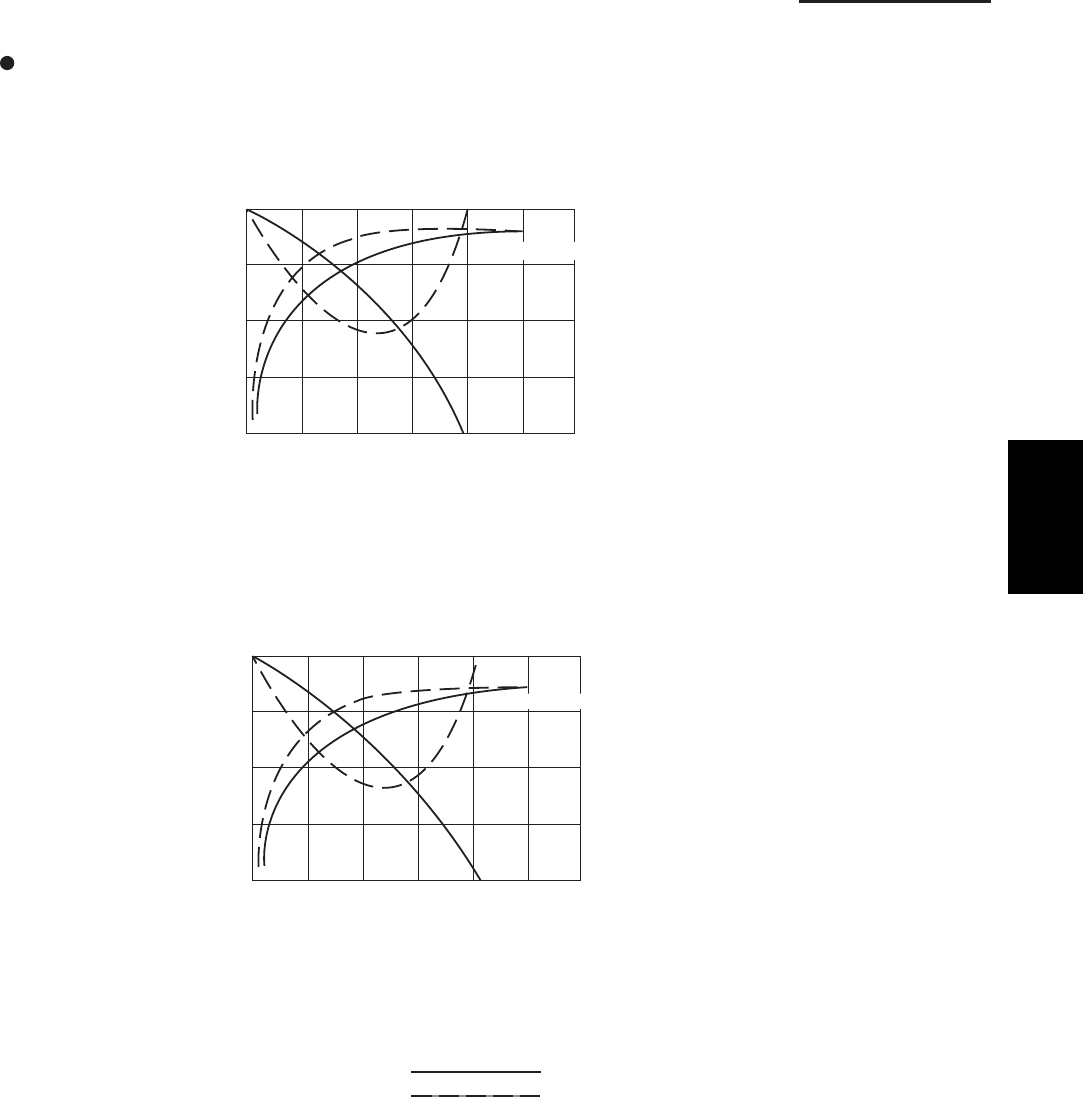
1-57
1. Specifications
1-10 Air throw distance chart
4-Way Cassette Type
03 7 10131720
0
3
7
10
13
HORIZONTAL DISTANCE (ft.)
AXIS AIR VELOCITY (ft./sec)
VERTICAL DISTANCE (ft.)
AXIS AIR VELOCITY
2111_X_I
Model: 26 Type
Model: 36, 42 Type
: LOUVER ANGLE 20˚ in Cooling mode
: LOUVER ANGLE 60˚ in Heating mode
Condition Fan Speed : Hi
Room air temp. : 80˚F DB in cooling mode
68˚F DB in heating mode
03 7 10131720
0
3
7
10
13
HORIZONTAL DISTANCE (ft.)
AXIS AIR VELOCITY (ft./sec)
VERTICAL DISTANCE (ft.)
AXIS AIR VELOCITY
2112_X_I
1
SM830203-01_PAC-i_US-letter.indb57 57SM830203-01_PAC-i_US-letter.indb57 57 2012/01/19 22:39:272012/01/19 22:39:27
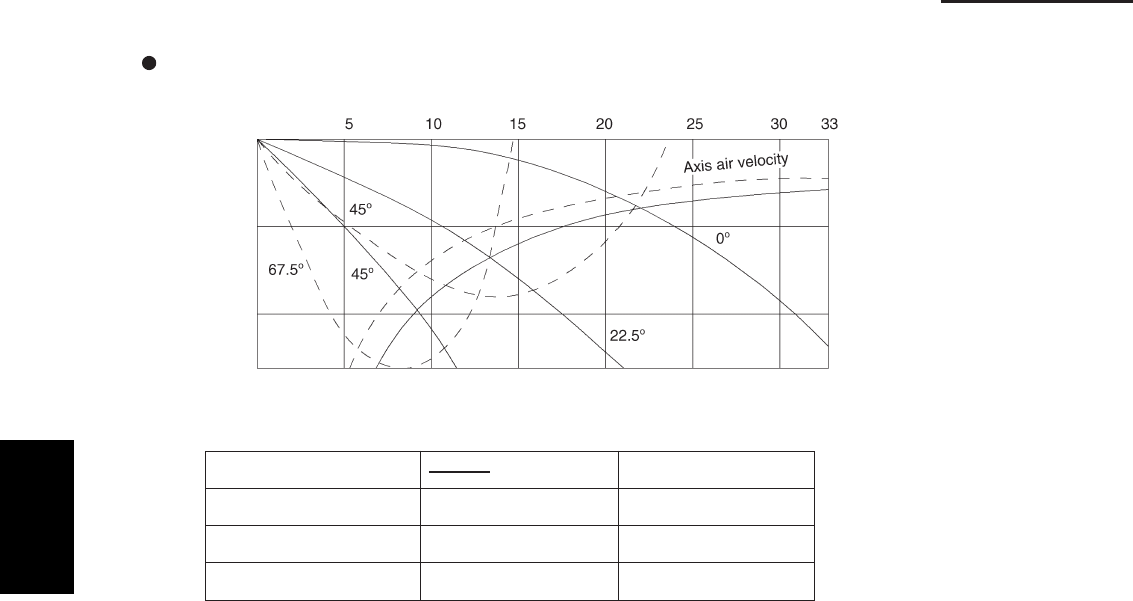
1-58
1. Specifications
1-10 Air throw distance chart
Wall Mounted Type
COOLING - - - - - HEATING
FAN SPEED HIGH HIGH
ROOM AIR TEMP. 80°F70°F
FLAP ANGLE 0°, 22.5°, 45°45°, 67.5°
Axis air velocity (ft./sec.)
Vertical distance (ft.)
Horizontal distance (ft.)
10
13
5
0
Model: 26 Type
1
SM830203-01_PAC-i_US-letter.indb58 58SM830203-01_PAC-i_US-letter.indb58 58 2012/01/19 22:39:272012/01/19 22:39:27
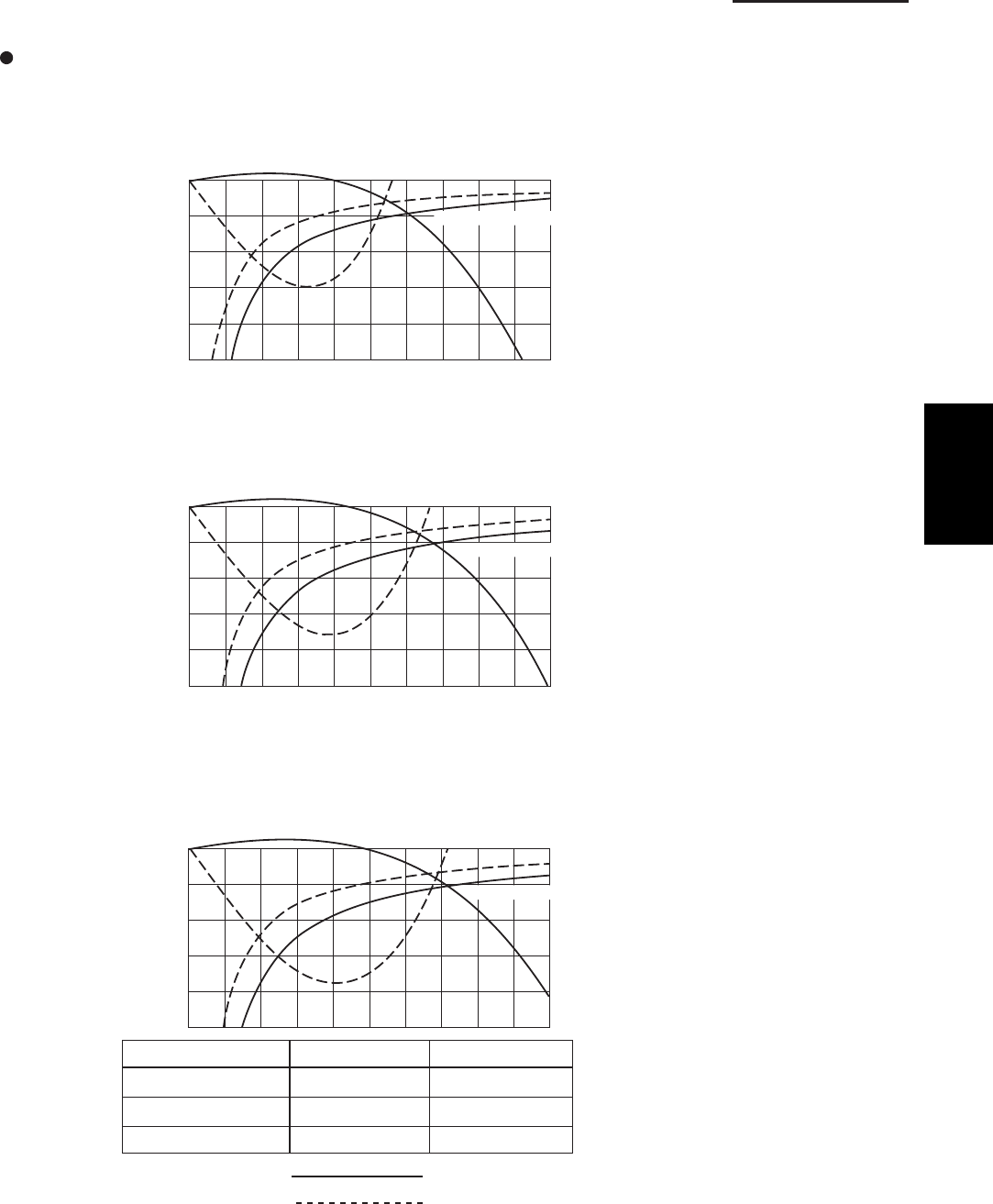
1-59
1. Specifications
1-10 Air throw distance chart
Ceiling Type
Model: 26 Type
0371013172023262933
0
3
7
10
13
17
HORIZONTAL DISTANCE (ft.)
AXIS AIR VELOCITY (ft./sec)
VERTICAL DISTANCE (ft.)
2115_T_I
AXIS AIR VELOCITY
Model: 36 Type
2116_T_I
AXIS AIR VELOCITY
0371013172023262933
0
3
7
10
13
17
HORIZONTAL DISTANCE (ft.)
AXIS AIR VELOCITY (ft./sec)
VERTICAL DISTANCE (ft.)
Model: 42 Type
2117_T_I
AXIS AIR VELOCITY
FAN SPEED
HEATINGCOOLING
ROOM AIR TEMP.
LOUVER ANGLE
HIGHHIGH
68° F80°F
54°– 7°
: COOLING
: HEATING
0 3 7 1013172023262933
0
3
7
10
13
17
HORIZONTAL DISTANCE (ft.)
AXIS AIR VELOCITY (ft./sec)
VERTICAL DISTANCE (ft.)
1
SM830203-01_PAC-i_US-letter.indb59 59SM830203-01_PAC-i_US-letter.indb59 59 2012/01/19 22:39:272012/01/19 22:39:27
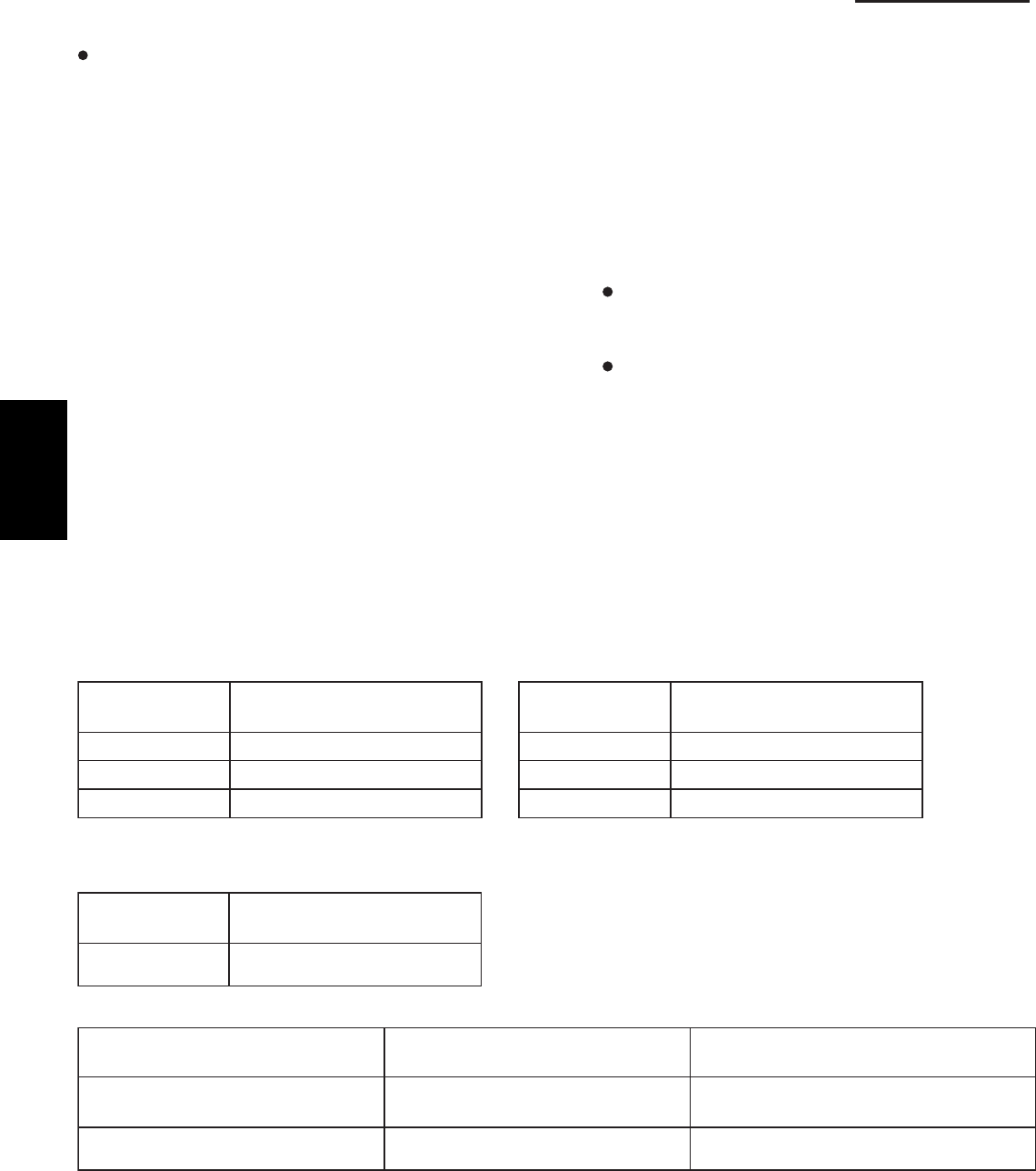
1-60
1. Specifications
1-11. ELECTRICAL WIRING
General Precautions on Wiring
(1)
as shown on its nameplate, then carry out the wiring
closely following the wiring diagram.
(2)
Before wiring, confirm the rated voltage of the unit
Provide a power outlet to be used exclusively for
each unit, and a power supply disconnect and circuit
breaker for overcurrent protection should be provided
in the exclusive line.
(3)
unit must be grounded.
(4)
with the wiring system diagram.
Wrong wiring may cause the unit to misoperate or
become damaged.
(5)
compressor, or any moving parts of the fan.
(6)
To prevent possible hazards from insulation failure, the
Each wiring connection must be done in accordance
Do not allow wiring to touch the refrigerant tubing,
Unauthorized changes in the internal wiring can be
very dangerous. The manufacturer will accept no
responsibility for any damage or misoperation that
occurs as a result of such unauthorized changes.
(7)
locality. For field wiring rules, must follow your LOCAL
ELECTRICAL CODES before beginning.
You must ensure that installation complies with all
relevant rules and regulations.
(8)
Regulations on wire diameters differ from locality to
To prevent malfunction of the air conditioner caused
by electrical noise, care must be taken when wiring as
follows:
The remote control wiring and the inter-unit
control wiring should be wired apart from the inter-
unit power wiring.
Use shielded wires for inter-unit control wiring
between units and ground the shield on one side
only.
(9)
it must be replaced by a repair shop appointed by
the manufacturer, because special-purpose tools are
required.
(10)
If the power supply cord of this appliance is damaged,
All wiring used must be Class 1.
Recommended Wire Length and Wire Diameter for Power Supply System
You must follow LOCAL ELECTRICAL CODES for wiring.
Outdoor Unit
Type Time delay fuse or
circuit capacity
U-26PE1U6 30 A
U-36PE1U6 35 A
U-42PE1U6 40 A
Type Time delay fuse or
circuit capacity
U-26PS1U6 25 A
U-36PS1U6 30 A
U-42PS1U6 35 A
Indoor Unit
Type Time delay fuse or
circuit capacity
U1, K1, T1, F1 15 A
Control Wiring
(A) Inter-Unit Control Wiring (B) Remote Control Wiring (C) Control Wiring For Group Control
AWG #18
Use high voltage wire (300 V)*1AWG #18*2
(0.75 mm2) AWG #18 *2
- (0.75 mm2)
Max. 650 - ft. (Total)Max. 1,650 ft.Max. 3,300 ft.
AWG=American Wire Gauge
*1 With ring-type wire terminal
*2 Wire joint connection
1
SM830203-01_PAC-i_US-letter.indb60 60SM830203-01_PAC-i_US-letter.indb60 60 2012/01/19 22:39:272012/01/19 22:39:27
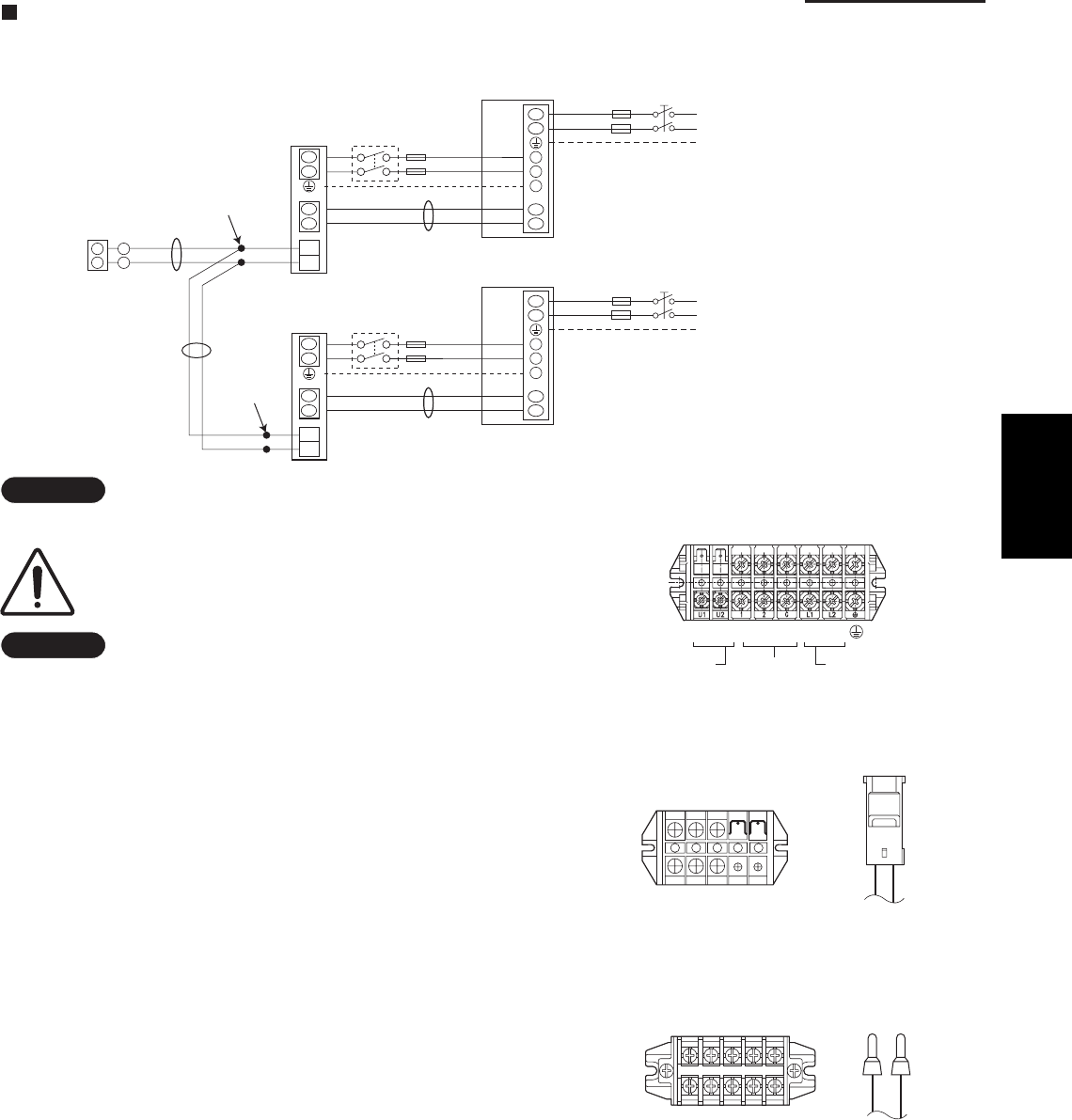
1-61
1. Specifications
Inter-unit
power wiring
Power wiringInter-unit
control wiring
8P terminal board
Outdoor Unit
Indoor Unit
U1 U2 1 2 G L1 L2
Wiring System Diagrams
Basic wiring diagram for standard control
NOTE
Disconnect switch may be needed by the National/Local code.
ALWAYS COMPLY WITH NATIONAL AND LOCAL
CODE REQUIREMENTS.
NOTE
(1)
(2)
(B), (C) have no polarity. But for other wiring, respect
polarity. Be sure to connect as shown in the Wiring
System Diagram.
(3)
Refer to Recommended Wire Length and Wire Diameter
for Power Supply System for the explanation of “A”, “B”
and “C” in the above diagrams.
Inter-Unit Control Wiring (A) and remote control wiring
In case of separate supply connection to indoor unit,
over current protection must be provided between
power source and indoor unit.
MAXIMUM OVER CURRENT PROTECTION 15 A
(FUSE OR HACR TYPE CIRCUIT BREAKER)
U2
L2
U1
L1
L1
L2
U1
U2
L2
L1
2
1
WHT
Remote
Controller
B
C
Indoor
unit
L1
L2
Grounding line
BLK
2
1
Inter-unit power line
208 / 230 V, 60 Hz
, 1-PH
Power supply
208 / 230 V, 60Hz, 1-PH
Grounding line
A
Outdoor unit
INV unit
1
2
G
*
U2
U1
L1
L2
U1
U2
Indoor
unit
L1
L2
Grounding line
Inter-unit power line
208 / 230 V, 60 Hz
, 1-PH
Power supply
208 / 230 V, 60Hz, 1-PH
Grounding line
A
Outdoor unit
INV unit
1
2
G
*
* Disconnect switch
Field supply
Wire joint
connection
Wire joint
connection
Unit
control
Line
Power
supply
Remote
control
Line
5P terminal board
L1 L2
U1 U2
K1 Type
L1 L2
Unit
control
Line
U1
Power
supply
U2
5P terminal board
U1, T1, F1 Types
Remote
control
Line
1
SM830203-01_PAC-i_US-letter.indb61 61SM830203-01_PAC-i_US-letter.indb61 61 2012/01/19 22:39:272012/01/19 22:39:27
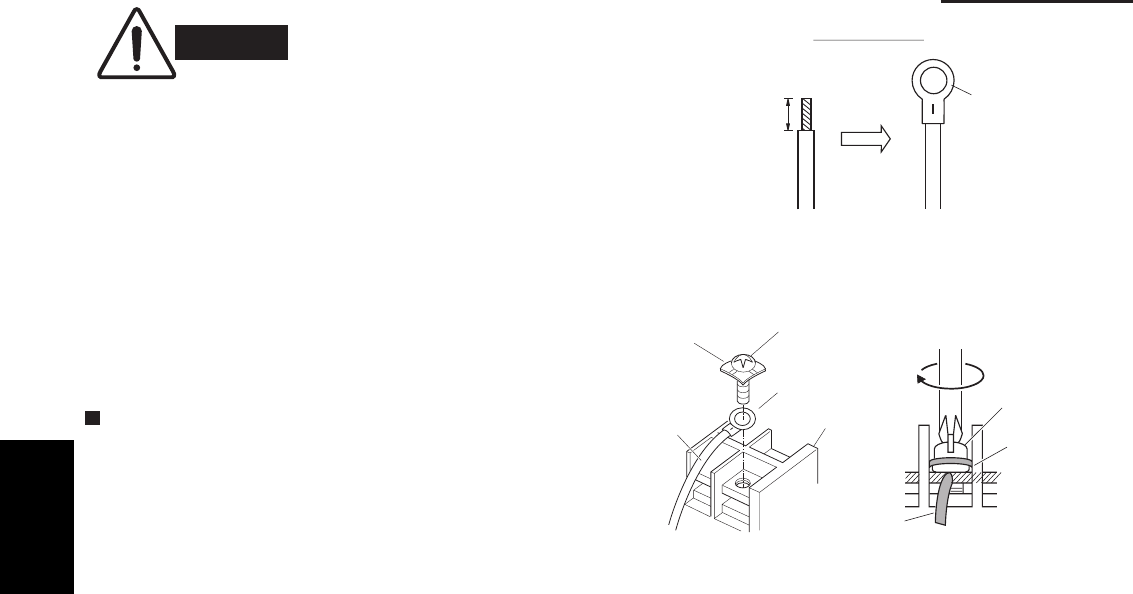
1-62
1. Specifications
WARNING
Loose wiring may cause the
terminal to overheat or result
in unit malfunction. A fire
hazard may also exist.
Therefore, ensure that all
wiring is tightly connected.
How to Connect Wiring to the Terminal
For stranded wiring
(1) Cut the wire end with a wire cutter or wire-cutting
pliers, then strip the insulation to expose the stranded
wiring about 3/8 in. (Fig. 1-1)
(2) Using a Phillips head screwdriver, remove the terminal
screw(s) on the terminal plate.
(3) Using a ring connector fastener or pliers, securely
clamp each stripped wire end with a ring pressure
terminal. (Fig. 1-1)
(4) Place the ring pressure terminal, and replace
and tighten the removed terminal screw using a
screwdriver. (Fig. 1-2)
When connecting each power wire to the corresponding
terminal, follow the instructions on “How to connect wiring
to the terminal” and fasten the wire securely with the fixing
screw of the terminal plate.
Fig. 1-2
Fig. 1-1
Stranded wire
Ring
pressure
terminal
Strip 3/8 in.
Screw and
Special washer
Ring
pressure
terminal
Wire
Terminal plate
Ring pressure
terminal
Screw
Special
washer
Wire
1
SM830203-01_PAC-i_US-letter.indb62 62SM830203-01_PAC-i_US-letter.indb62 62 2012/01/19 22:39:272012/01/19 22:39:27
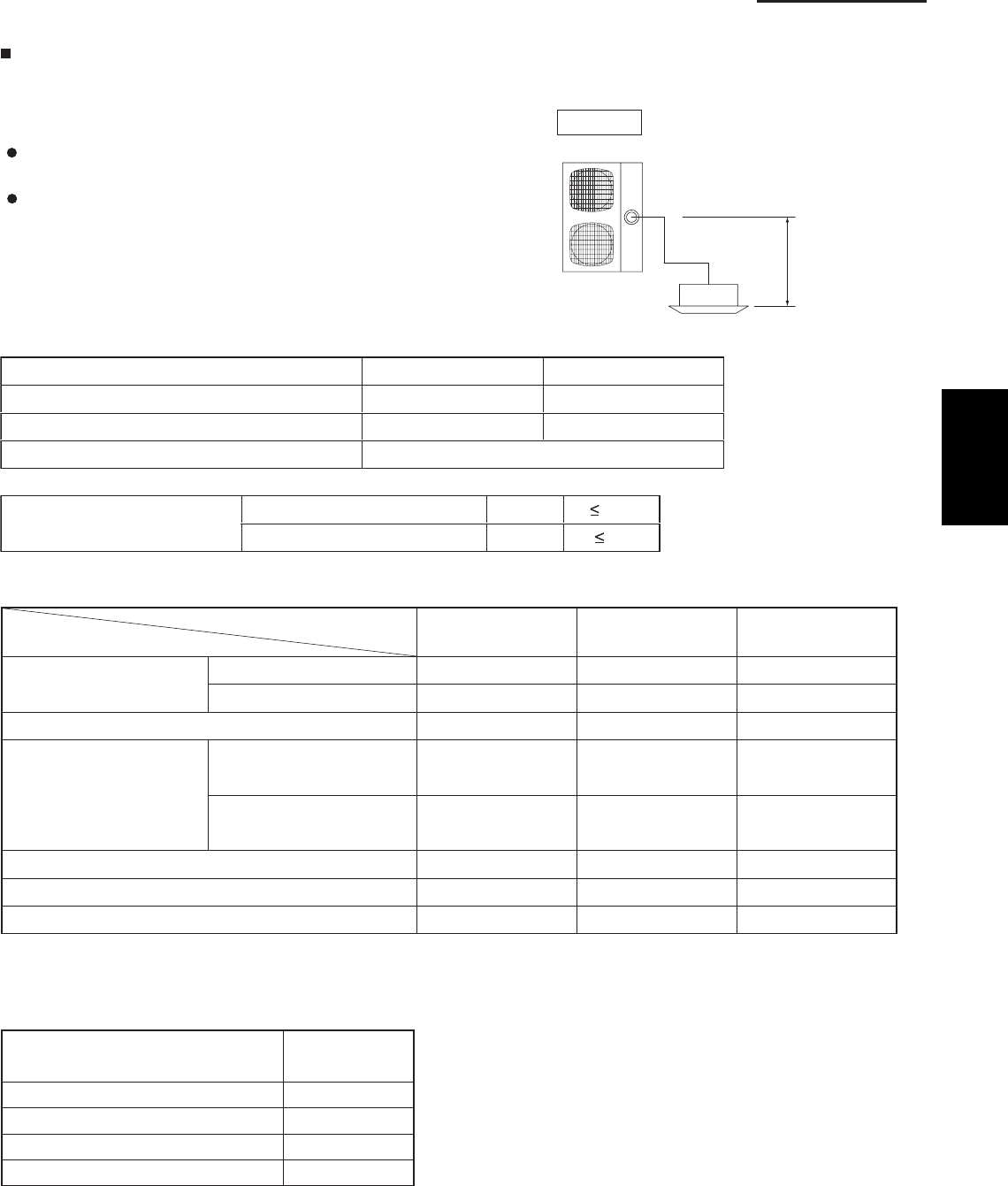
1-63
1. Specifications
1-12. Installation Instructions
1. Tubing Size
Outdoor Unit
Single type
Refrigerant tubing between the indoor and outdoor units
should be kept as short as possible.
The length of the refrigerant tubes between the indoor
and outdoor units are limited by the elevation difference
between the 2 units. During tubing work, try to make both
the tubing length (L) and the difference in elevation (H1)
as short as possible. Refer to Table 1-2.
Table 1-1
Indoor unit type 26, 36 types 42 type
165 ft.165 ft.Maximum length
Charge-less tubing length (actual length) 10 – 100 ft. 15 – 100 ft.
0.43 oz.Additional charge per 1 ft.
Maximum indoor-outdoor
height difference
If outdoor unit is higher H1
H1
100
If outdoor unit is lower 50
Single
Main tubing L
H1
Table 1-2 Tubing Data for Models
U-26PE1U6
U-26PS1U6
U-36PE1U6
U-36PS1U6
U-42PE1U6
U-42PS1U6
Tubing size
outer diameter
Liquid tube in. (mm) 3/8 (9.52) 3/8 (9.52) 3/8 (9.52)
Gas tube in. (mm) 5/8 (15.88) 5/8 (15.88) 5/8 (15.88)
165 165 165(ft.)
(ft.)
(ft.)
(ft.)
Limit of tubing length
Limit of elevation
difference between
the 2 units
Outdoor unit is placed 100 100 100
higher.
Outdoor unit is placed 50 50 50
lower.
Max. allowable tubing length at shipment 10 – 100 10 – 100 10 – 100
Required additional refrigerant * 1(oz./ft.) a) 0.43 b) 0.43 b) 0.43
Refrigerant charged at shipment (lbs.) 4.2 6.2 7.9
No additional charge of compressor oil is necessary.
*1 If total tubing length becomes 100 to 165 ft., charge additional refrigerant by 0.43 oz./ft.
Table 1-3 List of Connection Tube Sizes
Main tubing (L)
Type capacity of indoor units 26 – 42
Gas tube ø5/8"
Liquid tube ø3/8"
Amount of additional charge per 1 ft. 0.43 oz.
Tubing Data Models
1
SM830203-01_PAC-i_US-letter.indb63 63SM830203-01_PAC-i_US-letter.indb63 63 2012/01/19 22:39:282012/01/19 22:39:28
1-64
1. Specifications
CAUTION
1. This unit requires no additional refrigerant charge up to 100 ft. tubing length.
In case of more than 100 ft., additional refrigerant charge is required. Refer to Table
1-3.
2. In case of multi type installation, indoor units should be installed within the same
room. If multi type indoor units are installed in different rooms, temperature control
may develop problems because thermostat operation must follow the thermostat
condition of 1 indoor unit only (the main unit).
WARNING
Always check the gas density for the room in which the unit is installed.
2. Check of density limit
The room in which the air conditioner is to be
installed requires a design that in the event of
refrigerant gas leaking out, its density will not exceed
a set limit.
The refrigerant (R410A), which is used in the air
conditioner, is safe, without the toxicity or combustibility of
ammonia, and is not restricted by laws imposed to protect
the ozone layer. However, since it contains more than air,
it poses the risk of suffocation if its density should rise
excessively. Suffocation from leakage of
refrigerant is almost non-existent.
With the recent increase in the number of high density
buildings, however, the installation of multi air conditioner
systems is on the increase because of the need for
effective use of floor space, individual control, energy
conservation by curtailing heat and carrying power, etc.
Most importantly, the multi air conditioner system is able
to replenish a large amount of refrigerant compared to
conventional individual air conditioners. If a single unit of
the multi air conditioner system is to be installed in a small
room, select a suitable model and installation procedure
so that if the refrigerant accidentally leaks out, its density
does not reach the limit (and in the event of an
emergency, measures can be made before injury can
occur).
A
SHRAE and the International Mechanical Code of
the ICC as well as CSA provide guidance and define
safeguards related to the use of refrigerants, all of which
define a Refrigerant Concentration Level (RCL) of 25
pounds per 1,000 cubic feet for R410A refrigerant.
For additional guidance and precautions related to
refrigerant safety, please refer to the following documents:
International Mechanical Code 2009 (IMC-2009)
(or more recently revised)
A
SHRAE 15
A
SHRAE 34
1
SM830203-01_PAC-i_US-letter.indb64 64SM830203-01_PAC-i_US-letter.indb64 64 2012/01/19 22:39:282012/01/19 22:39:28
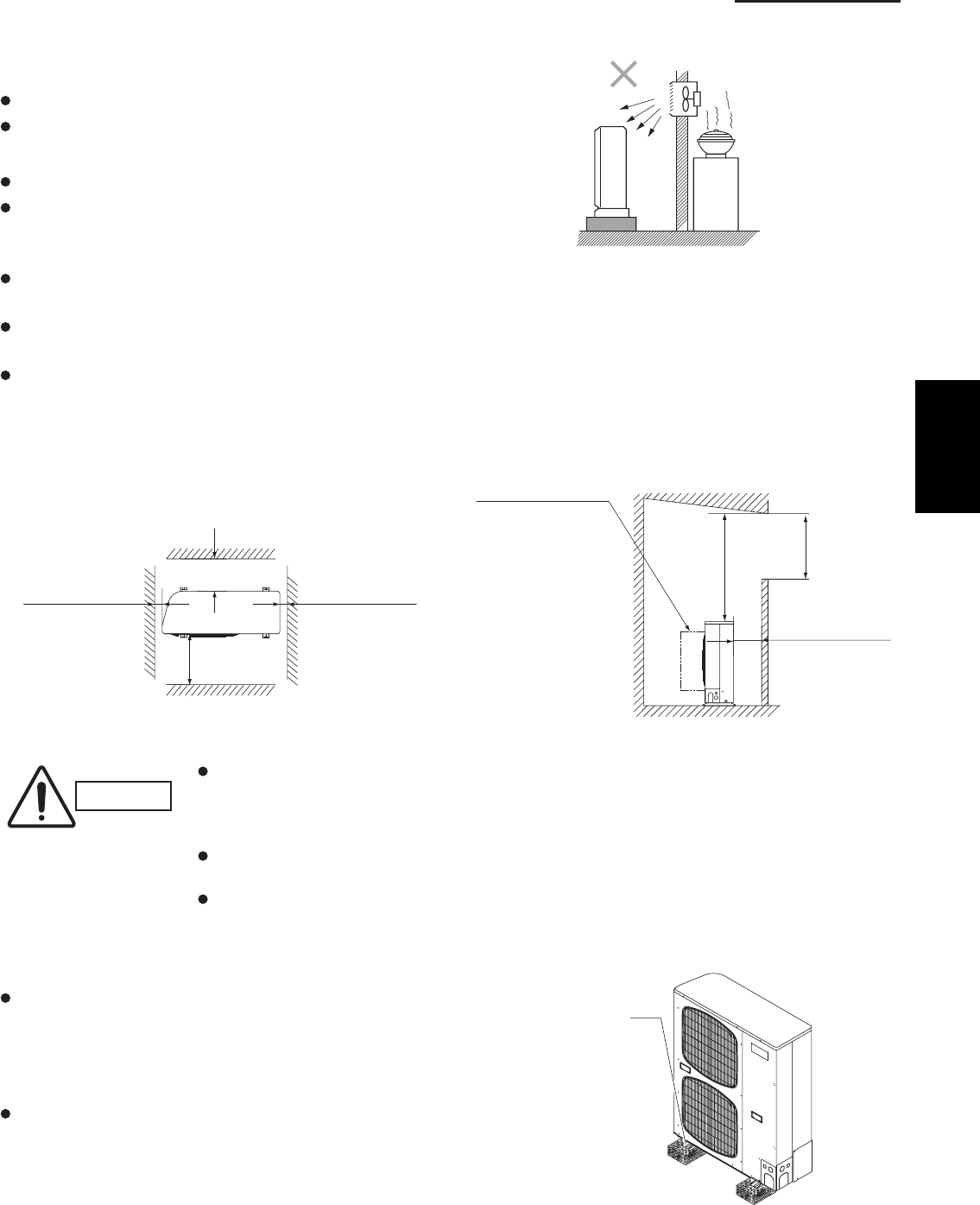
1-65
1. Specifications
3. SELECTING THE INSTALLATION SITE
3-1. Outdoor Unit
AVOID:
heat sources, exhaust fans, etc. (Fig. 1-3)
damp, humid or uneven locations
DO:
choose a place as cool as possible.
choose a place that is well ventilated and outside
air temperature does not exceed maximum 115°F
constantly.
allow enough room around the unit for air intake/
exhaust and possible maintenance. (Fig. 1-4)
use lug bolts or equal to bolt down unit, reducing
vibration and noise.
if cooling operation is to be used when the outdoor air
temperature is 23°F or below, install a duct on
the outdoor unit.
Installation space
Distance between obstructions and the unit air inlet
and outlet must be as shown below.
Installation requirements
provide a solid base (concrete block, 4"×16"
beams or equal), a minimum of 6" above ground
level to reduce humidity and protect the unit against
possible water damage and decreased service life.
(Fig. 1-6)
use lug bolts or equal to bolt down unit, reducing
vibration and noise.
Fig. 1-5
Out-
door
unit
Heat source
Hot air
Exhaust fan
*4*2
*3
*1
More than 1/2"
More than
3.3 ft.
More than 1/2"
Inlet side C
Outlet side
*1
Inlet side
More than 8"
(field supply)
A
B
(Ground)
Air direction chamber
(Obstruction above unit)
(Obstruction on
inlet side)
Anchor bolts
(4 pieces)
Fig. 1-4
Fig. 1-3
Fig. 1-6
CAUTION
Concerning inlet-side distance “C” (Fig. 1-4)
The minimum for distance “C” is 6" if there are no obstructions on the outlet side
(wall *1 side) and *2 or *4 is not present. In all other cases, the minimum for distance
“C” is 8".
If the unit is installed with the outlet side facing wall *1, then there must be no obstructions
on 2 of the remaining 3 sides: *2, *3, *4.
If wall *1 is on the outlet side (Fig. 1-4), or if obstructions are present on all 3 sides *2,
*3, and *4 (Fig. 1-4), then the minimum distance for “A” and “B” is 80" (Fig. 1-5). Even
if there is no wall on the outlet side, a minimum of 3.3 ft. is required.
1
SM830203-01_PAC-i_US-letter.indb65 65SM830203-01_PAC-i_US-letter.indb65 65 2012/01/19 22:39:282012/01/19 22:39:28
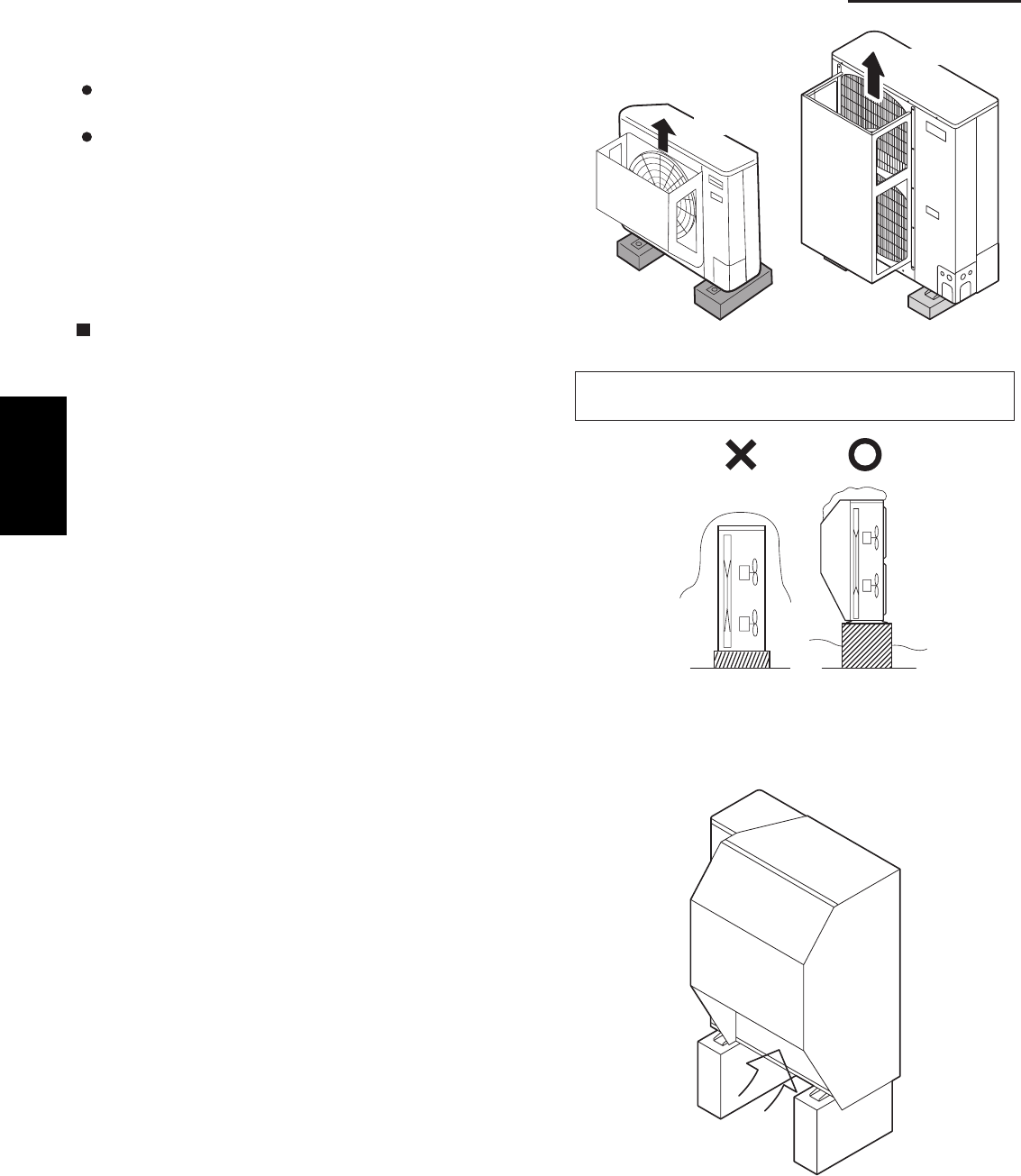
1-66
1. Specifications
3-2. Air-Discharge Chamber for Top Discharge
Be sure to install an air discharge chamber in the
field when:
it is difficult to keep a space of min. 20" between
the air discharge outlet and an obstacle.
the air discharge outlet is facing a sidewalk and
discharged hot air may bother passers-by.
Refer to Fig. 1-7.
3-3. Installing the Unit in Heavy Snow Areas
In locations with strong wind, snow-proof ducting
should be fitted and direct exposure to the wind
should be avoided as much as possible.
Countermeasures against snow and wind
In regions with snow and strong wind, the following
problems may occur when the outdoor unit is not provided
with a platform and snow-proof ducting:
a)
unit may occur.
b)
c)
d)
The outdoor fan may not run and damage to the
There may be no air flow.
The tubing may freeze and burst.
The condenser pressure may drop because of
strong wind, and the indoor unit may freeze.
3-4. Precautions for Installation in Heavy Snow Areas
(1)
depth. (Fig. 1-8)
(2)
used for the platform, and the platform should be
installed beneath the air intake side of outdoor unit.
(3)
must be secured with anchor bolts.
(4)
The platform should be higher than the max. snow
The 2 anchoring feet of the outdoor unit should be
The platform foundation must be firm and the unit
In case of installation on a roof subject to strong
wind, countermeasures must be taken to prevent
the unit from being blown over.
Fig. 1-7
Fig. 1-8
Fig. 1-9
In regions with significant snowfall, the outdoor unit should
be provided with a platform and snow-proof duct.
Air discharge
Air discharge
Without snow-
proof ducting
(Low platform)
With snow-
proof ducting
(High platform)
Outdoor
Duct
Air
Unit
Intake
1
SM830203-01_PAC-i_US-letter.indb66 66SM830203-01_PAC-i_US-letter.indb66 66 2012/01/19 22:39:282012/01/19 22:39:28
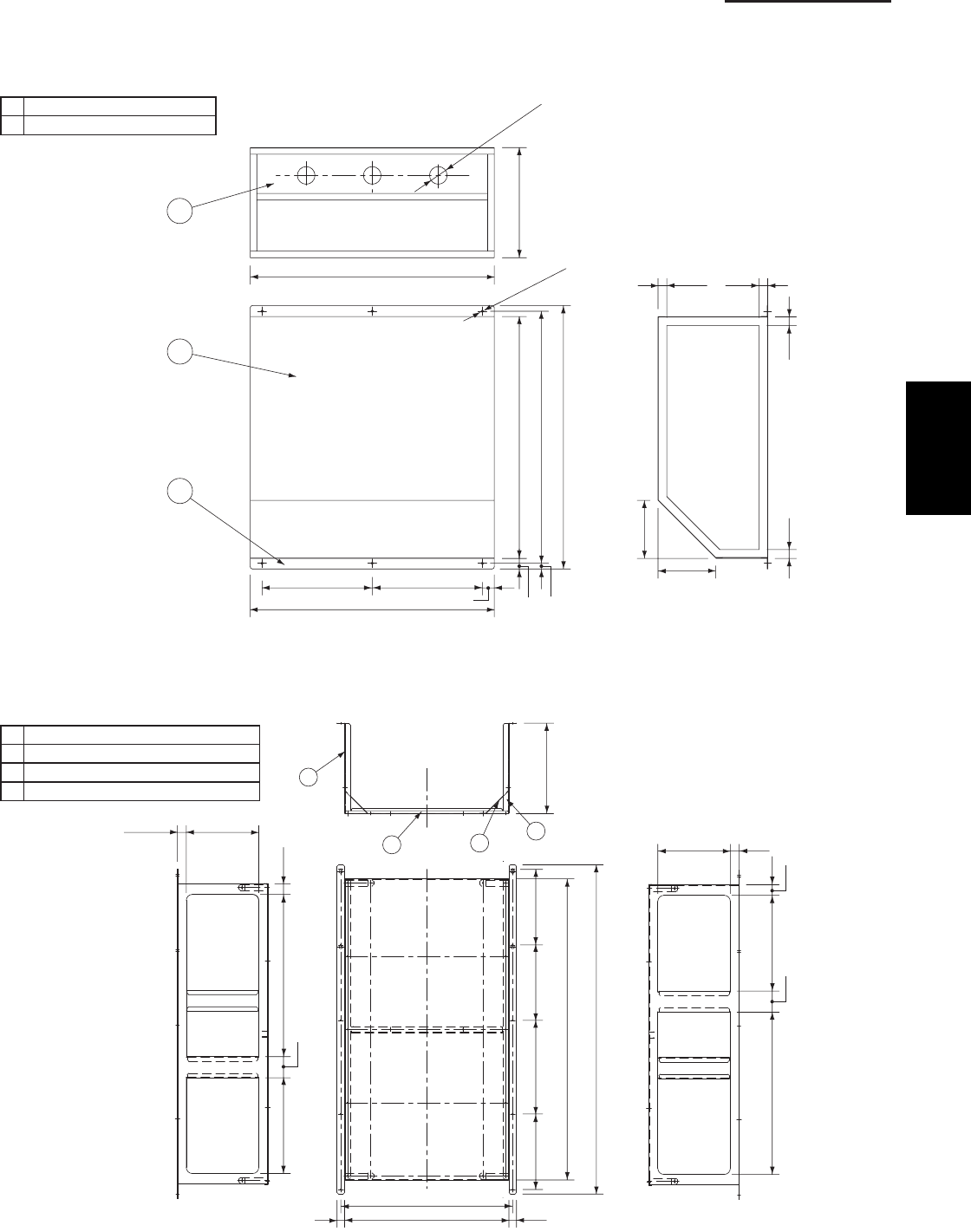
1-67
1. Specifications
3-5. Dimensions of Wind Ducting
Reference diagram for air-discharge chamber (fi eld supply)
For U-26PE(S)1U6 / U-36PE(S)1U6 unit
①Air discharge chamber
②Air discharge chamber (base)
For U-42PE(S)1U6 unit
①Unit front, air discharge chamber
②Unit left side, air discharge chamber
③Unit right side, air discharge chamber
④Reinforcement brackets, 4 locations
Note: In snowy regions, if there is concern that snow may enter the air discharge
chamber, remove the base of the chamber (10 screws) before using.
1
2
(25/32)
(25/32)(25/32)
(25/32)
21-13/16
9-7/8
22-7/16
23-15/32
1-1/16
5-5/32
5-3/16
9-27/329-27/32
21-13/16
15/16 17/32
21-39/64
2
Rectangular hole
(both sides)
6-ø15/64 hole
3-ø5/32 hole
Unit: inch
9-7/161-1/8
1-1/8
1-3/8
21-5/32
12-15/32
2-3/4
Rectangular
hole
Rectangular
hole
Rectangular
hole
Rectangular
hole
11-13/16
2
14
3
9-7/16
1-3/8
12-15/3221-5/32
2-3/4
21-13/32 11
22-13/32
42-29/32
39-1/4
9-27/32
9-27/32
12-7/32
9-27/32
Unit: inch
1
SM830203-01_PAC-i_US-letter.indb67 67SM830203-01_PAC-i_US-letter.indb67 67 2012/01/19 22:39:282012/01/19 22:39:28
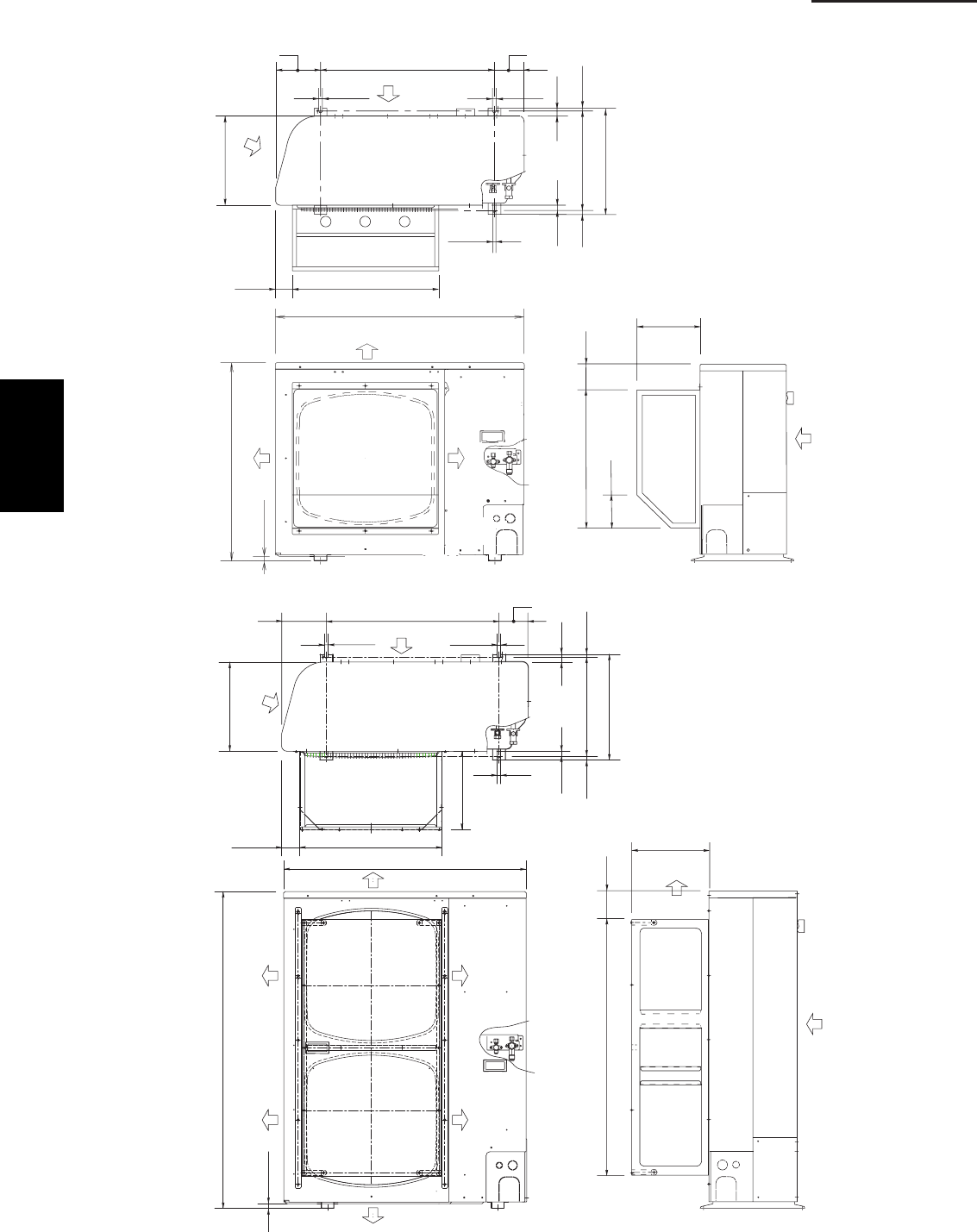
1-68
1. Specifications
Dimensions of Outdoor Unit with air-discharge chamber (fi eld supply)
U-26PE(S)1U6 / U-36PE(S)1U6 unit
U-42PE(S)1U6 unit
13-3/8
2-17/32 21-13/16
1/2
6-11/16 25-31/32 4-5/16
2/12/1
14-31/32
15-15/16
19/32
2
3/5223/52
13/32
Wind direction
Wind
direction
Wind direction
Wind direction
Wind direction
37
30-23/32
23/32
9-7/8
21-5/8 4-1/16
5-3/16
Wind direction
Unit: inch
4-5/16
25-31/326-11/16
1/2 1/2
13-3/8
15-15/16
14-31/32 13/32
19/32
25/3225/32
1/2
2-11/36 21-13/32
11-13/16
Wind
direction
Wind direction
37
23/32
48-7/16
Wind
direction
Wind
direction
Wind
direction
Wind
direction
11-13/16
4-1/439-1/4
Wind direction
Wind direction
Unit: inch
1
SM830203-01_PAC-i_US-letter.indb68 68SM830203-01_PAC-i_US-letter.indb68 68 2012/01/19 22:39:282012/01/19 22:39:28
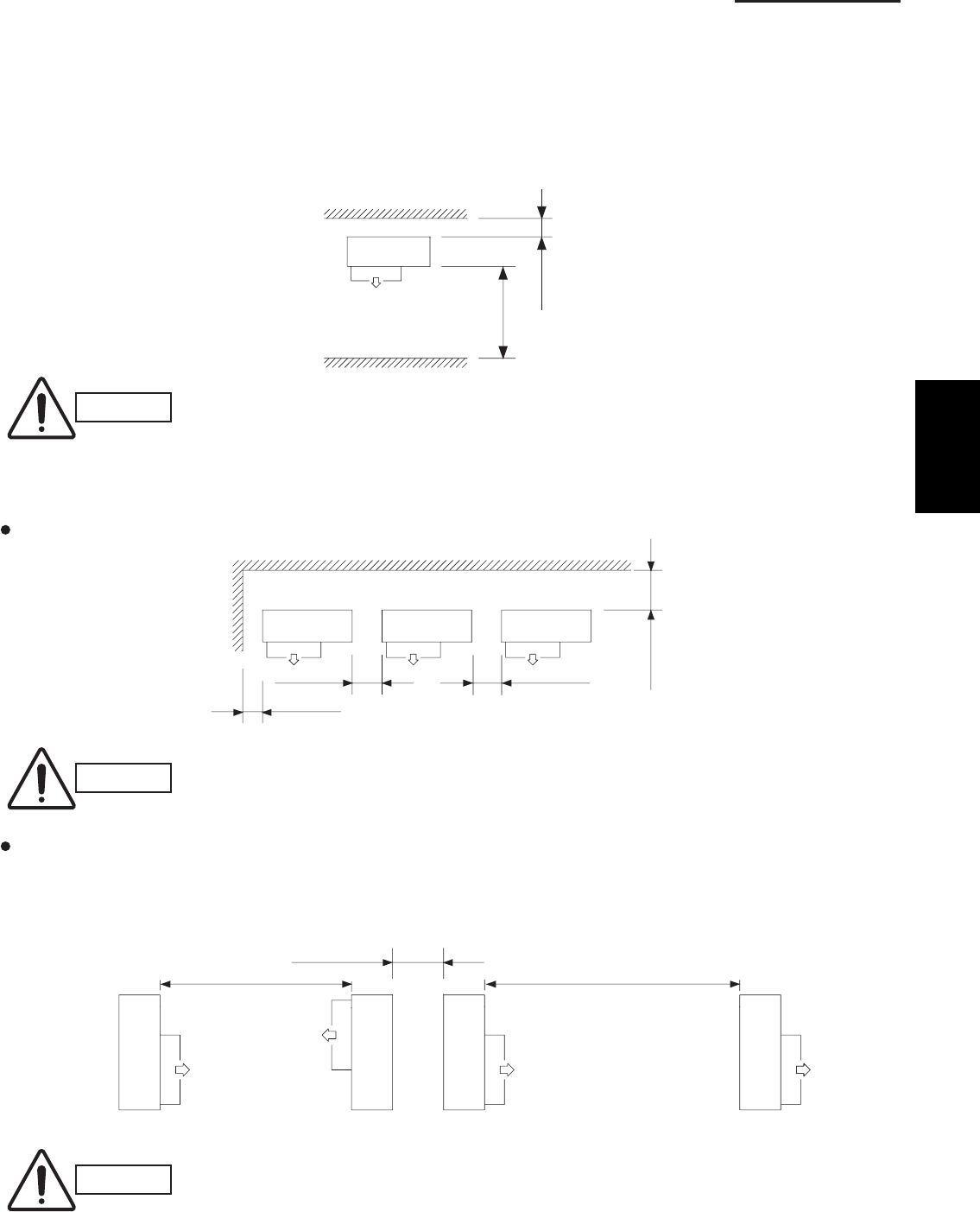
1-69
1. Specifications
Reference diagram for air-discharge chamber (fi eld supply)
U-26PE(S)1U6 / U-36PE(S)1U6 / U-42PE(S)1U6
Required space around outdoor unit
If the air discharge chamber is used, the space shown below must be secured around the outdoor unit.
If the unit is used without the required space, a protective device may activate, preventing the unit from operating.
(1) Single-unit installation
(2) Multiple-unit installation
Installation in lateral rows
Installation in front-rear rows
CAUTION
The top and both sides must remain open. If there are obstacles to the front and rear of
the outdoor unit, the obstacle at either the front or rear must be no taller than the height of
the outdoor unit.
CAUTION
The front and top must remain open.
The obstacles must be no taller than the height of the outdoor unit.
CAUTION
The front and both sides must remain open.
Min. 39-3/8
Min. 7-7/8
Unit: inch
More than 15-3/4
61/31-11nahteroM61/31-11nahteroM
More than 7-7/8
Unit: inch
Installation with intakes facing outlets Installation with intakes facing
intakes or outlets facing outlets
More than 78-3/4
More than 15-3/4
More than 59-1/16
Unit: inch
1
SM830203-01_PAC-i_US-letter.indb69 69SM830203-01_PAC-i_US-letter.indb69 69 2012/01/19 22:39:282012/01/19 22:39:28
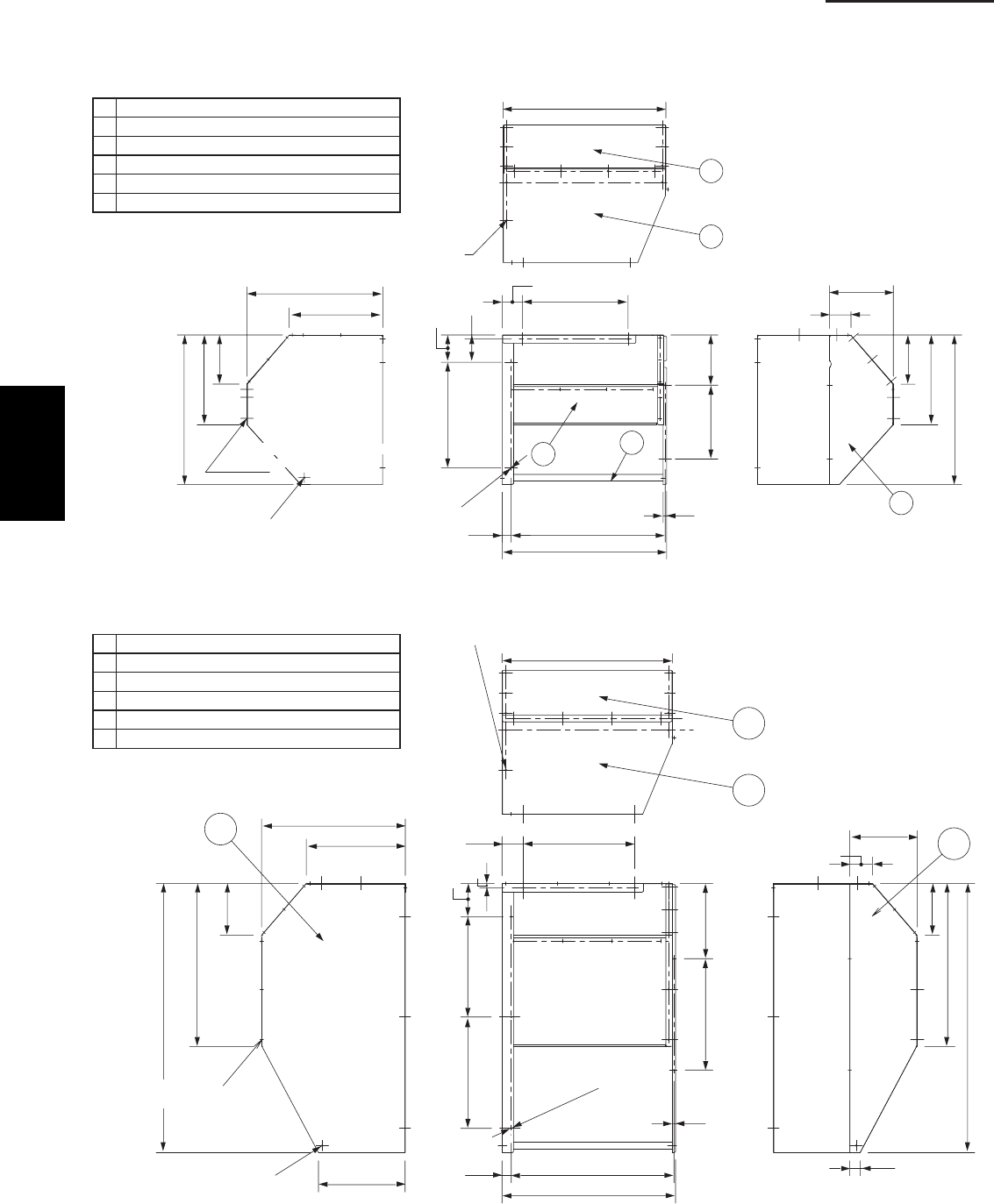
1-70
1. Specifications
3-6. Dimensions of Snow Ducting
Reference diagram for snow-proof vents (fi eld supply)
For U-26PE(S)1U6 / U-36PE(S)1U6 unit
①Unit top, snow-proof vent
②Unit left side
③Unit right side
④Unit reverse side
⑤Unit reverse side
⑥Unit sides, reinforcement brackets for snow-proof vent
For U-42PE(S)1U6 unit
①Unit top, snow-proof vent
②Unit left side
③Unit right side
④Unit reverse side
⑤Unit reverse side
⑥Unit sides, reinforcement brackets for snow-proof vent
25-13/32
17-15/32
9-3/16
16-25/32
27-29/32
3-31/32
11-29/32
16-25/32
9-3/16
27-29/32
30-3/32
1
4
56
2
1-21/32
25/32
5-3/32
19-11/16
9-3/8
30-11/16
28-3/4
19-11/16
5/8
13-25/32
3-3/4
Fastened by screws at 13 locations
Fastened by screws at 3 locations
(also on reverse side)
Fastened by screw at 1
location (also on reverse side)
Unit anchor hole
(6 – ø7 hole)
Unit: inch
17-15/32
25-13/32
9-3/16
28-13/16
15-9/32
47-19/32
2
311-7/8
3-31/32
9-3/16
28-13/16
1-13/16
47-19/32
30-3/32
1
4
5-29/32
17-23/3219-11/16
25-32
13-5/16
19-11/16
1-5/8 28-3/4
30-5/8
5/8
3-3/4 19-11/16
Fastened by screws at 13 locations
Fastened by screws at
3 locations (also on reverse side)
Fastened by screw at
1 location (also on reverse side)
Unit anchor hole
(7 – ø7 hole)
Unit: inch
1
SM830203-01_PAC-i_US-letter.indb70 70SM830203-01_PAC-i_US-letter.indb70 70 2012/01/19 22:39:282012/01/19 22:39:28
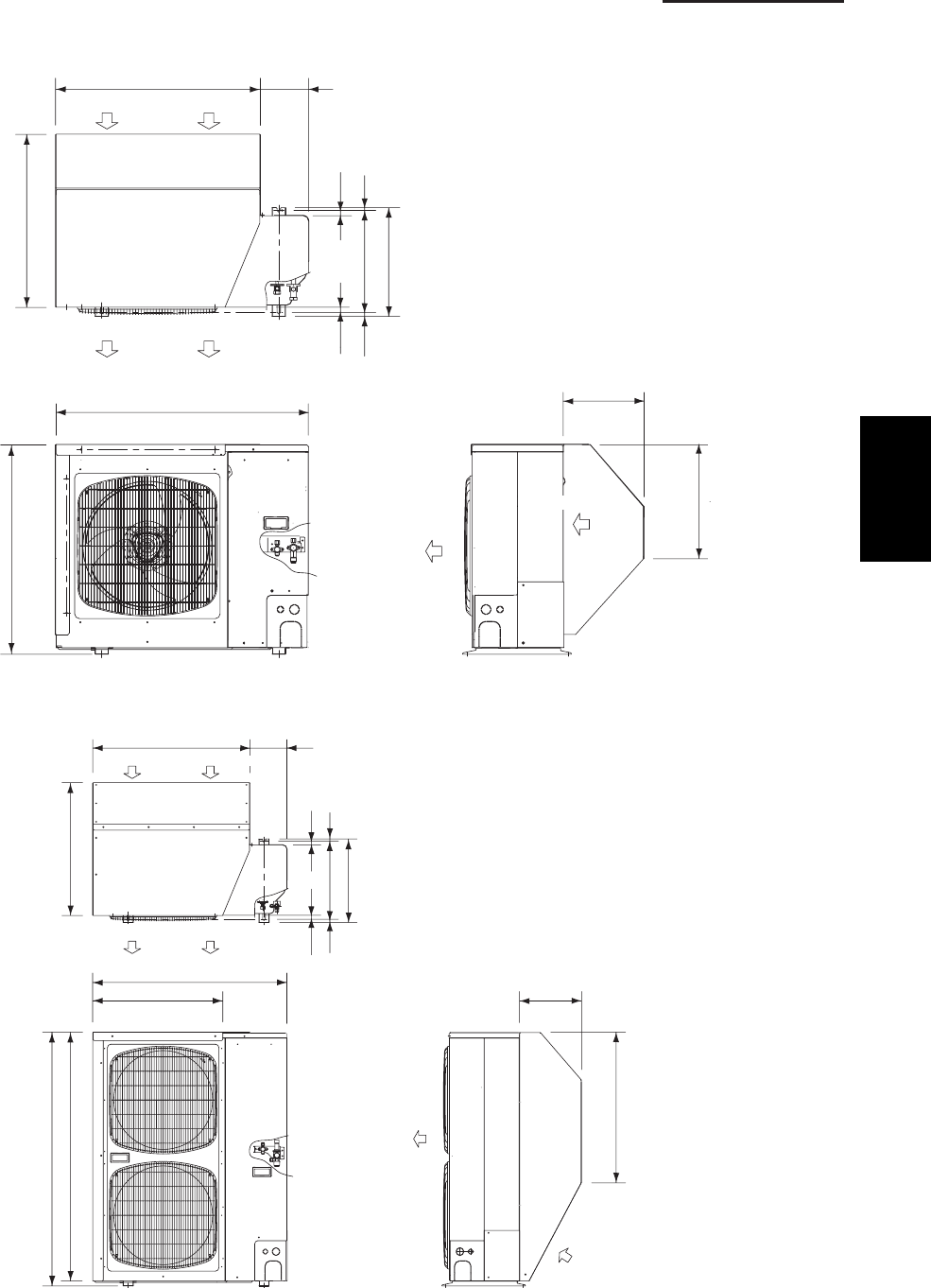
1-71
1. Specifications
Dimensions of outdoor unit with snow-proof vents (fi eld supply)
U-26PE(S)1U6 / U-36PE(S)1U6 unit
U-42PE(S)1U6 unit
11-57/64
16-47/64
15-15/16
14-61/64 25/6419/32
25/32
30-5/64
25-25/64
7-3/64
3/4
30-45/64
37-1/64
Wind direction
Wind direction Wind direction
Wind direction
Wind direction
Wind direction
Unit: inch
11-57/64
28-13/16
Wind direction
Wind direction
Wind direction
Wind direction
Wind direction
Wind direction
48-27/64
47-19/32
37-1/64
24-7/8
15-15/16
14-61/64 25/64
19/32
25/3225/32
30-5/64
25-25/64
7-3/64
Unit: inch
1
SM830203-01_PAC-i_US-letter.indb71 71SM830203-01_PAC-i_US-letter.indb71 71 2012/01/19 22:39:292012/01/19 22:39:29
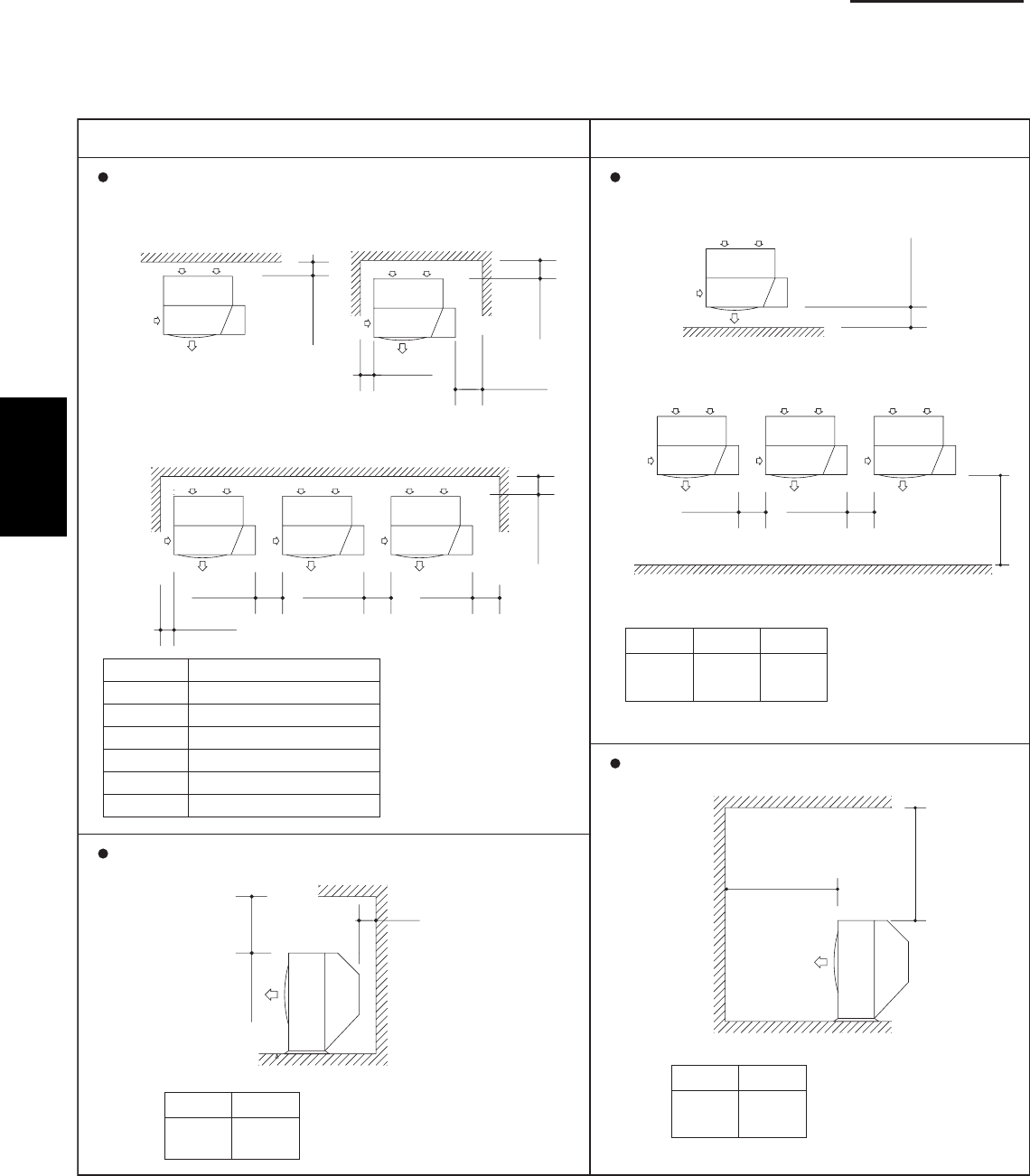
1-72
1. Specifications
Reference diagram for snow-proof vents – 1
Space requirements for setting – (1)
U-26PE(S)1U6 / U-36PE(S)1U6 / U-42PE(S)1U6
]tinu fo tnorf eht ot elcatsbO[]tinu fo raer eht ot elcatsbO[
:nepo si poT :nepo si poT
Top is blocked by an obstacle:
Top is blocked by an obstacle:
Unit: inch
Min. C
Min. E
Min. F
Min. E Min. E
Min. B
Min. A
Min. D
Min. G
(1) Single-unit installation
(3) Multiple-unit installation (2 or more units)
Note:
In cases 2 and 3 the
height of the obstacle
must be no taller than
the height of the
outdoor unit.
(2) Obstacles on both sides
A
B
C
D
E
F
G
5-29/32
5-29/32
11-13/16
7-7/8
11-13/16
5-29/32
7-7/8
Min. I Min. I
Min. H
Min. J
(1) Single-unit installation
(2) Multiple-unit installation (2 or more units)
H
19-11/16
I
11-13/16
J
39-3/8
Min. L
Min. K
L
19-11/16
K
5-29/32
Min. M
Min. N
M
39-3/8
N
39-3/8
1
SM830203-01_PAC-i_US-letter.indb72 72SM830203-01_PAC-i_US-letter.indb72 72 2012/01/19 22:39:292012/01/19 22:39:29
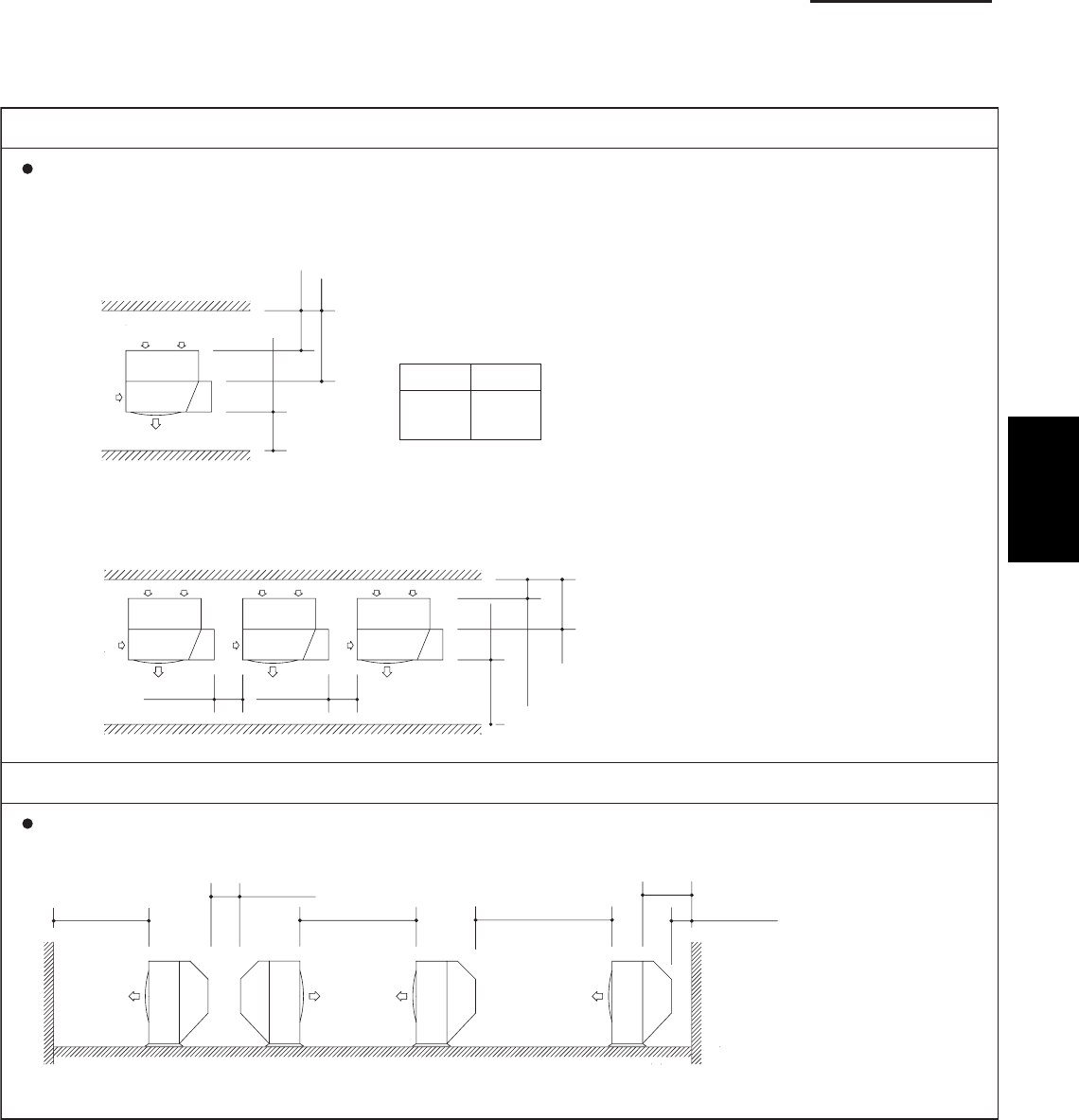
1-73
1. Specifications
Reference diagram for snow-proof vents – 2
Space requirements for setting – (2)
U-26PE(S)1U6 / U-36PE(S)1U6 / U-42PE(S)1U6
[Obstacles to the front and rear of unit]
The top and both sides must remain open. Either the obstacle to the front or
the obstacle to the rear must be no taller than the height of the outdoor unit.
[Installation in front-rear rows]
The top and both sides must remain open. Either the obstacle to the front or the obstacle
to the rear must be no taller than the height of the outdoor unit.
Unit: inch
Min. 11-13/36 Min. 11-13/16
Min. 39-3/8
Min. 7-7/8
Q
Q
Min. P
Min. O
(1) Single-unit installation
(2) Obstacles on both sides
Dimension Q
If a snow protection duct is attached after the unit is
installed, verify that dimension Q is 19-11/16 in. or more.
O
39-3/8
P
5-29/32
Min. 11-13/16
Min. 39-3/8 Min. 7-7/8
Min. 59-1/16 Min. 78-3/4
Q
Dimension Q
If a snow protection duct is
attached after the unit is
installed, verify that dimension
Q is 19-11/16 in. or more.
1
SM830203-01_PAC-i_US-letter.indb73 73SM830203-01_PAC-i_US-letter.indb73 73 2012/01/19 22:39:292012/01/19 22:39:29
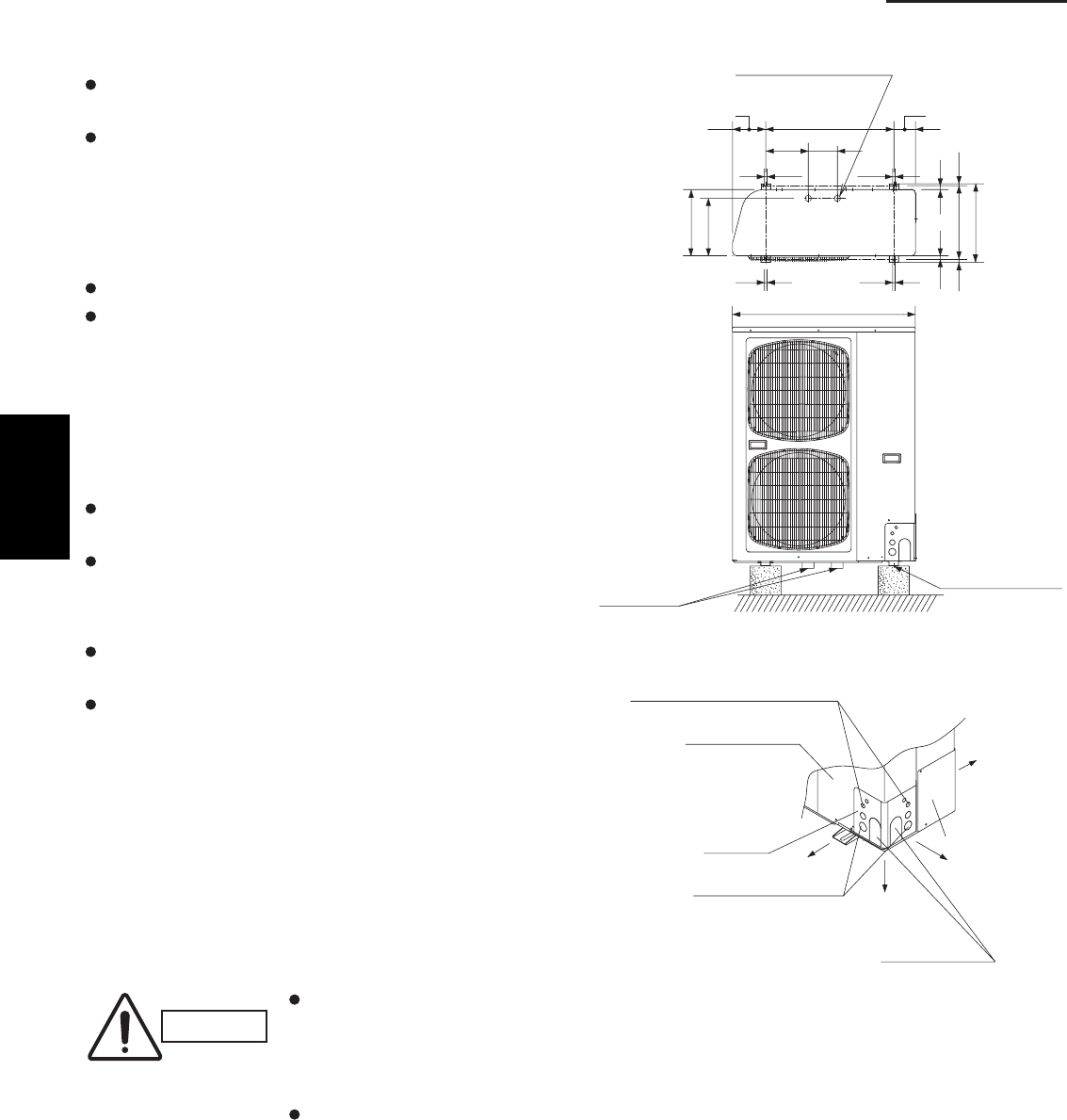
1-74
1. Specifications
4. HOW TO INSTALL THE OUTDOOR UNIT
4-1. Installing the Outdoor Unit
Use concrete or a similar material to create the base,
and ensure good drainage.
Ordinarily, ensure a base height of 2". or more. If a
drain pipe is used, or for use in cold-weather regions,
ensure a height of 6". or more at the feet on both sides
of the unit. (In this case, leave clearance below the unit
for the drain pipe, and to prevent freezing of drainage
water in cold-weather regions.)
Refer to the Fig. 1-10 for the anchor bolt dimensions.
Be sure to anchor the feet with the anchor bolts (M10).
In addition, use anchoring washers on the top side. (Use
large square 32×32 SUS washers with diameters of
10.) (Field supply)
4-2. Drainage Work
Follow the procedure below to ensure adequate draining
for the outdoor unit.
For the drain port dimensions, refer to the fi gure at
right.
Ensure a base height of 6 in. or more at the feet on
both sides of the unit.
4-3. Routing the Tubing and Wiring
The tubing and wiring can be extended out in 4
directions: front, rear, right, and down.
The service valves are housed inside the unit. To
access them, remove the inspection panel. (To remove
the inspection panel, remove the 3 screws, then slide
the panel downward and pull it toward you.)
(1) If the routing direction is through the front, rear,
or right, use a nipper or similar tool to cut out the
knockout holes for the inter-unit control wiring outlet,
power wiring outlet, and tubing outlet from the
appropriate covers A and B.
(2) If the routing direction is down, use a nipper or similar
tool to cut out the lower fl ange from cover A.
CAUTION
Route the tubing so that it does
not contact the compressor,
panel, or other parts inside the
unit. Increased noise will result if
the tubing contacts these parts.
When routing the tubing, use a
tube bender to bend the tubes.
Fig. 1-10
Fig. 1-11
37-1/64
11-21/32
5-29/32
8-5/8
33/64 33/64
25/32 25/32
19/32 25/6414-61/64
15-15/16
13-25/64
33/6433/64
6-11/16 4-21/64
25-63/64
Drain port (2 locations)
Drain port
Anchor bolt (M10)
Unit: inch
Inter-unit control wiring outlet
Inspection panel
Cover A Cover B
Power wiring outlet
Tubing outlet
Down
Front
Rear
Right
1
SM830203-01_PAC-i_US-letter.indb74 74SM830203-01_PAC-i_US-letter.indb74 74 2012/01/19 22:39:292012/01/19 22:39:29
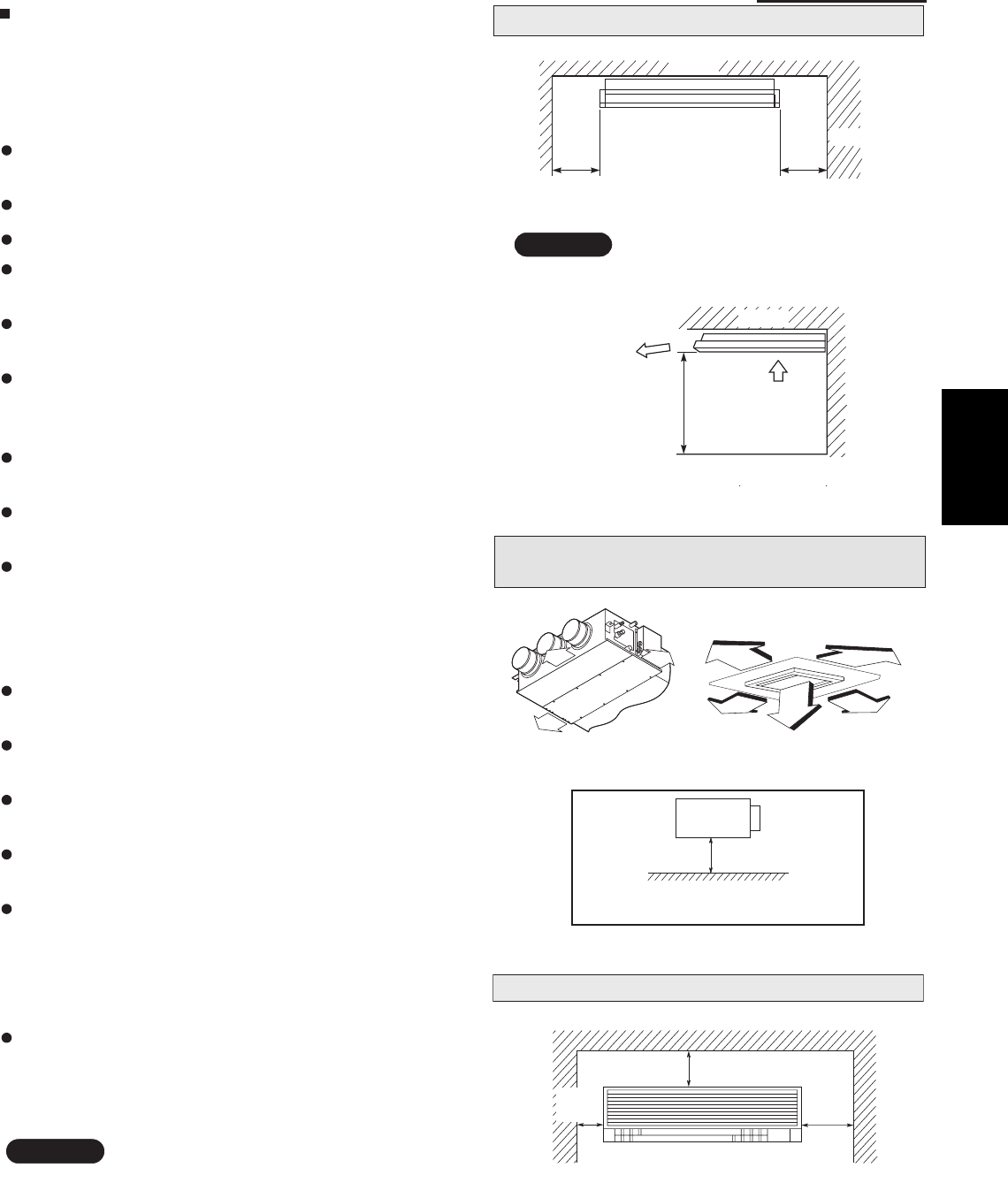
1-75
1. Specifications
5. SELECTING THE INSTALLATION SITE
5-1. Indoor Unit
AVOID:
areas where leakage of flammable gas may be
expected.
places where large amounts of oil mist exist.
direct sunlight.
locations near inverter lamps which may affect the
performance of the unit.
locations near heat sources which may affect the
performance of the unit.
locations where external air may enter the room
directly. This may cause “sweating” on the air dis-
charge ports, causing them to spray or drip.
locations where the remote controller will be splashed
with water or affected by dampness or humidity.
installing the remote controller behind curtains or
furniture.
locations where the receiver in the indoor unit is
exposed to the inverter lamp light. Faulty operation
of the unit occurs.
DO:
select an appropriate position from which every
corner of the room can be uniformly cooled.
select a location where the ceiling is strong enough
to support the weight of the unit.
select a location where tubing and drain pipe have
the shortest run to the outdoor unit.
allow room for operation and maintenance as well as
unrestricted air flow around the unit.
install the unit within the maximum elevation
difference above or below the outdoor unit and within
a total tubing length (L) from the outdoor unit as
detailed in the installation instructions packed with
the outdoor unit.
allow room for mounting the remote controller about
3 ft. off the floor, in an area that is not in direct
sunlight nor in the flow of cool air from the indoor
unit.
NOTE
Air delivery will be degraded if the distance from the
floor to the ceiling is greater than 10 ft.
Ceiling Type
The rear of the indoor unit can be installed flush
against the wall.
Min. 2 ft. Air intake
Air
discharge
Min. 10 inch
Ceiling
Wall
Max 25 cm
NOTE
Min. 10 inch
Side view
Front view
Ceiling
Wall Mounted Type
Min.
6 inch
Min.
12 inch
Min.
6 inch
Low Silhouette Ducted Type
4-Way Cassette Type
10 in.
10 in.
10 in.
3 ft.
3 ft.
3 ft.
3 ft.
3 ft.
Min.8 ft.
Shows Low Silhouette Ducted Type only
Indoor Unit
1
SM830203-01_PAC-i_US-letter.indb75 75SM830203-01_PAC-i_US-letter.indb75 75 2012/01/19 22:39:292012/01/19 22:39:29
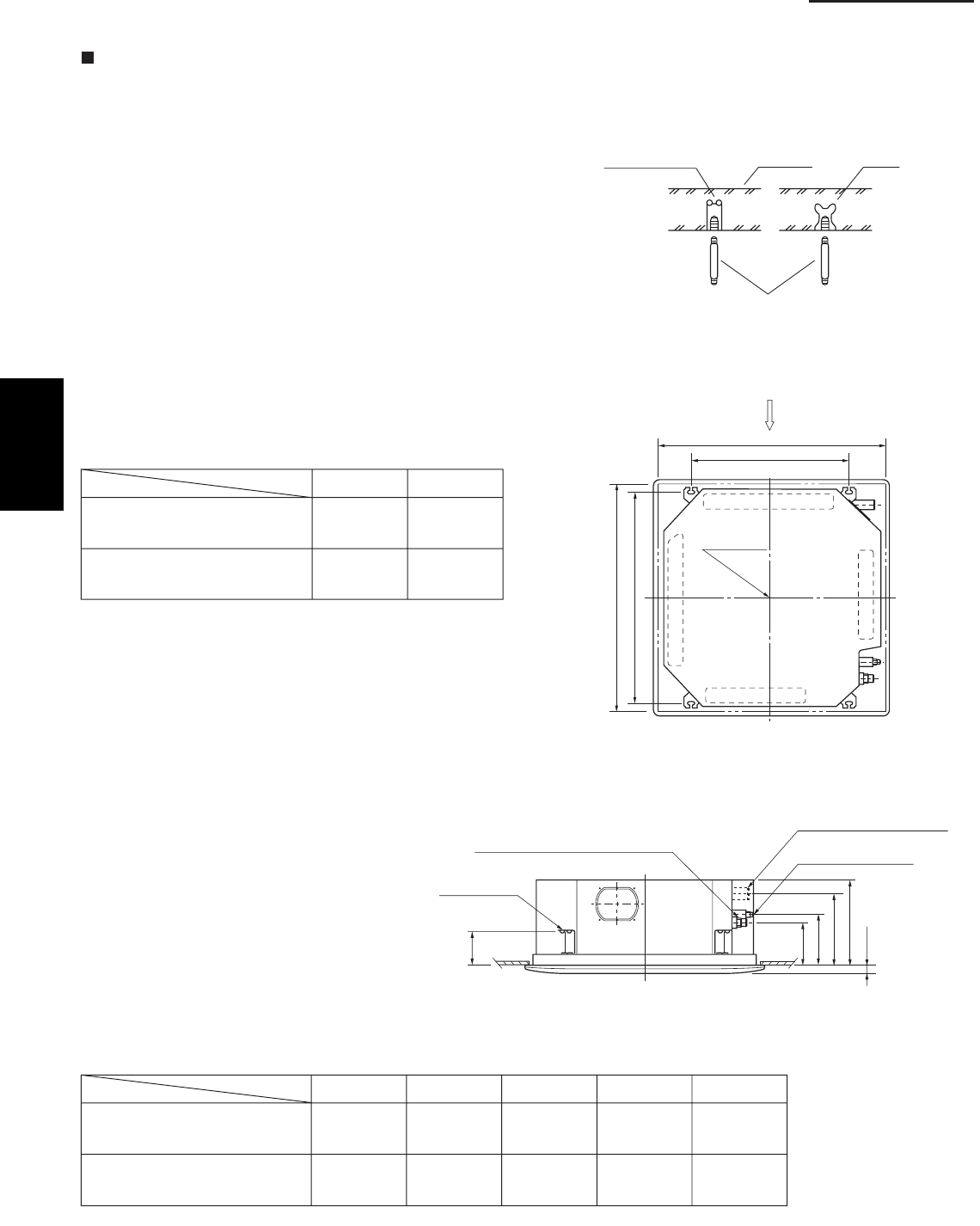
1-76
1. Specifications
6. HOW TO INSTALL THE INDOOR UNIT
4-Way Cassette Type
(U1 Type)
6-1. Suspending the Indoor Unit
This unit uses a drain pump. Use a level gauge to
check that the unit is level.
6-2. Preparation for Suspending
(1) Fix the suspension bolts securely in the ceiling
using the method shown in the diagrams (Figs. 1-12
and 1-13), by attaching them to the ceiling support
structure, or by any other method that ensures that
the unit will be securely and safely suspended.
(2) Follow Fig. 1-13 and Table 1-4 to make the holes in
the ceiling.
(3) Determine the pitch of the suspension bolts using
the supplied full-scale installation diagram. The
diagram and table (Fig. 1-14 and Table 1-5) show the
relationship between the positions of the suspen-
sion fitting, the unit, and the panel.
Type Length
Table 1-5
Unit: inch (mm)
S-26PU1U6
(CZ-24KPU1U)
S-36PU1U6, S-42PU1U6
(CZ-36KPU1U)
A
6-3/16
(157)
6-3/16
(157)
7-5/32
(182)
7-5/32
(182)
10-9/32
(261)
11-15/32
(291)
12-1/8
(308)
13-1/16
(338)
4-7/8
(124)
4-7/8
(124)
D E B C
Hole-in-anchor
Hole-in-plug Concrete Insert
Suspension bolt (M10 or 3/8")
(field supply)
Fig. 1-12
)
g
n
in
epognilieC(
23
/9-
23
Grille center
nsion bolt pitch)epsuS(61/31-92
X
Refrigerant
tubing side
Drain hose
side
B
(Suspension bolt pitch)
A (Ceiling opening)
Fig. 1-13
C
D
61
/
3
-
1
B
A
E
Suspension lug
Refrigerant tubing joint (gas tube side)
Refrigerant tubing joint
(liquid tube side)
Drain connection (other side)
(VP25)
Length
Type
Table 1-4 Unit: inch (mm)
S-26PU1U6
(CZ-24KPU1U)
S-36PU1U6, S-42PU1U6
(CZ-36KPU1U)
A
32-9/32
(820)
43-11/16
(1,110)
22-9/32
(566)
33-11/16
(856)
B
Unit: inch
Fig. 1-14
Unit: inch
1
SM830203-01_PAC-i_US-letter.indb76 76SM830203-01_PAC-i_US-letter.indb76 76 2012/01/19 22:39:302012/01/19 22:39:30
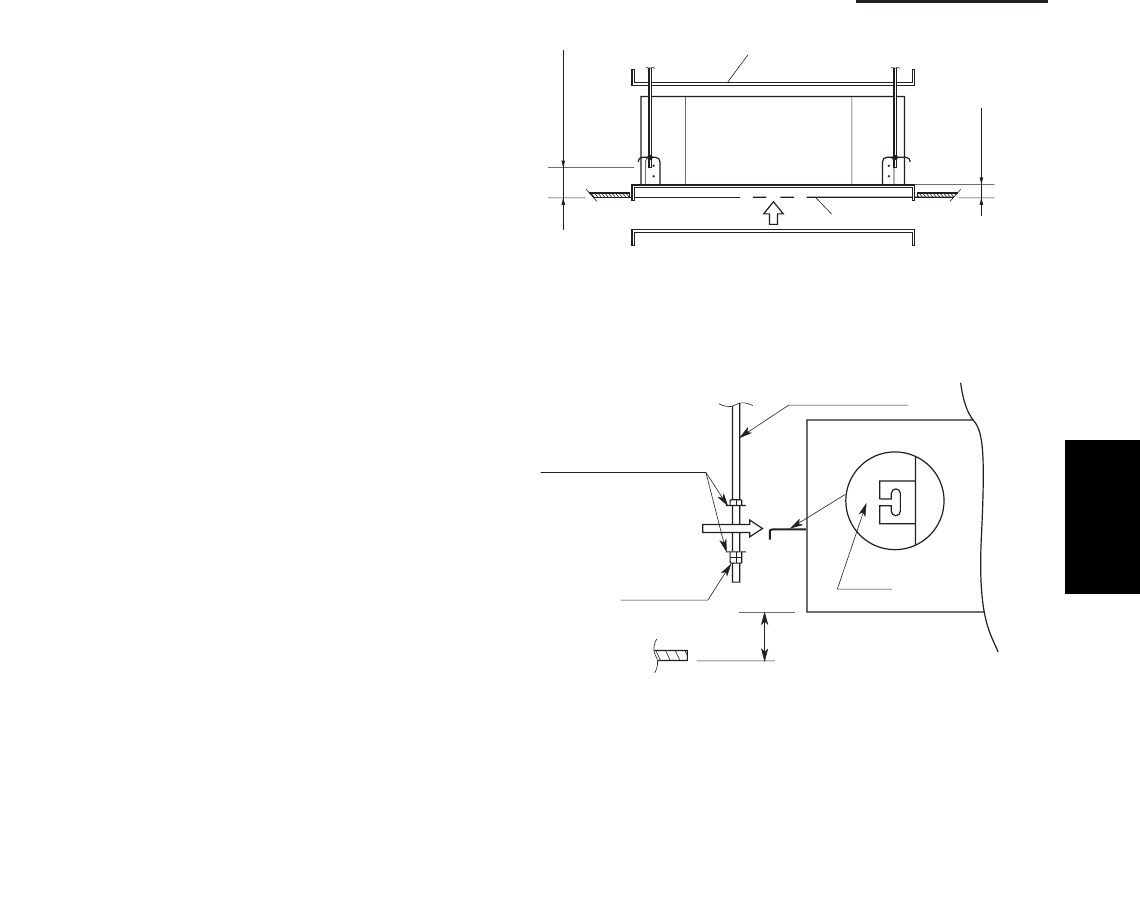
1-77
1. Specifications
6-3. Placing the Unit Inside the Ceiling
(1) When placing the unit inside the ceiling, determine
the pitch of the suspension bolts using the
supplied full-scale installation diagram. (Fig. 1-15)
The size of the opening for the indoor unit can be
confirmed by attaching the full-scale installation
diagram beneath the unit. (Fig. 1-15)
Tubing and wiring must be laid inside the ceiling
when suspending the unit. If the ceiling is already
constructed, lay the tubing and wiring into position
for connection to the unit before placing the unit
inside the ceiling.
(2) The length of each suspension bolt must be
appropriate for a distance between the bottom of
the bolt and the bottom of the ceiling of 5/8" or
more as shown in Fig. 1-15.
(3) Thread the 2 hexagonal nuts (field supply) and
washers onto the 4 suspension bolts as shown in
Fig. 1-16.
Use 2 sets of nuts and washers (upper and lower),
so that the unit will not fall off the suspension lugs.
(4) Remove the protective cardboard used to protect
the fan parts during transport.
(5) Adjust the distance between the unit and surface
of the ceiling. (1-7/8") (Fig. 1-15)
5/8" or more
8"/7-
1
Full-scale installation diagram
(printed on a cardboard packing)
Full-scale installation
diagram
Fig. 1-15
Nuts and washers
Double nuts
(Use above and below)
Suspension bolt
Suspension lug
Upper
Lower
Notch
1-7/8"
Fig. 1-16
1
SM830203-01_PAC-i_US-letter.indb77 77SM830203-01_PAC-i_US-letter.indb77 77 2012/01/19 22:39:302012/01/19 22:39:30
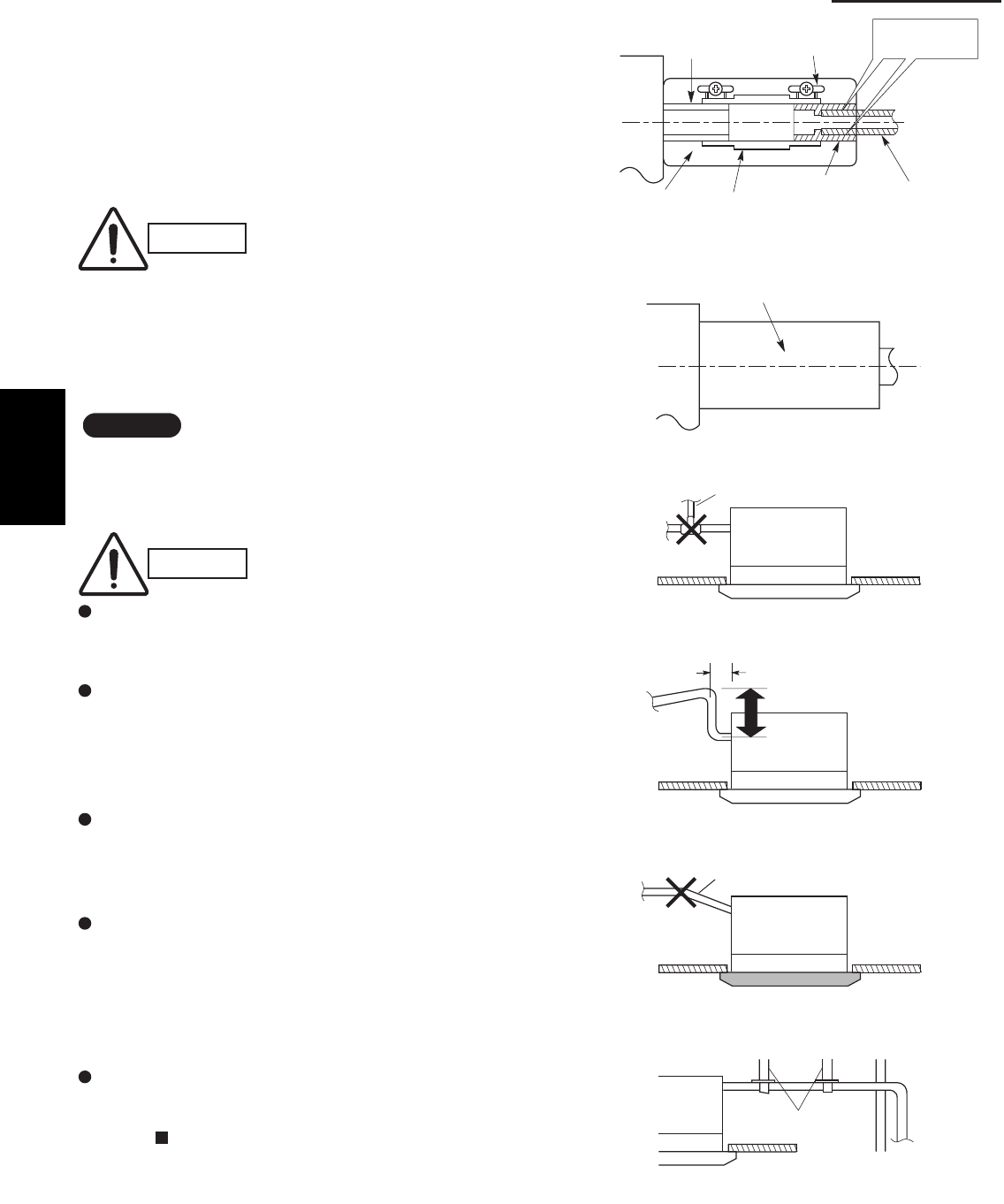
1-78
1. Specifications
6-4. Installing the Drain Piping
(1) Prepare standard hard PVC pipe for the drain and
use the supplied drain hose and hose band to pre-
vent water leaks.
The PVC pipe must be purchased separately. The
transparent part allows you to check drainage.
(Fig. 1-17)
(2) After checking the drainage, wrap the supplied
packing and drain pipe insulator around the pipe.
(Fig. 1-18)
NOTE
Ensure the drain pipe has a downward gradient (1/100
or more) and that there are no water traps.
CAUTION
Tighten the hose clamps so
their locking nuts face upward.
(Fig. 1-17)
CAUTION
Do not install an air bleeder tube, as this may
cause water to spray from the drain tube outlet.
(Fig. 1-19)
If it is necessary to increase the height of the
drain pipe, the section directly after the connec-
tion port can be raised a maximum of 19-1/2".
Do not raise it any higher than 19-1/2", as this
could result in water leaks. (Fig. 1-20)
Do not install the pipe with an upward gradient
from the connection port. This will cause drain
water to flow backwards and leak when the unit is
stopped. (Fig. 1-21)
Do not apply force to the piping on the unit side
when connecting the drain pipe. The pipe should
not be allowed to hang unsupported from its
connection to the unit. Fasten the pipe to a wall,
frame, or other support as close to the unit as
possible. (Fig. 1-22)
Provide insulation for any drain pipe that is run
indoors.
Refer to “ SUPPLEMENT ON DRAIN PIPING”.
Drain hose
(supplied)
Packing
(supplied)
Transparent part for
checking drainage Hose band
(supplied)
Drain hose
adapter
(supplied)
Hard PVC pipe
(not supplied)
Adhere with
PVC adhesive.
Fig. 1-17
Drain insulator (supplied)
Fig. 1-18
Air bleeder
Fig. 1-19
11" or less (as short as possible)
19-1/2" or less
Fig. 1-20
Upward gradient prohibited
Fig. 1-21
Support
pieces
Fig. 1-22
1
SM830203-01_PAC-i_US-letter.indb78 78SM830203-01_PAC-i_US-letter.indb78 78 2012/01/19 22:39:302012/01/19 22:39:30
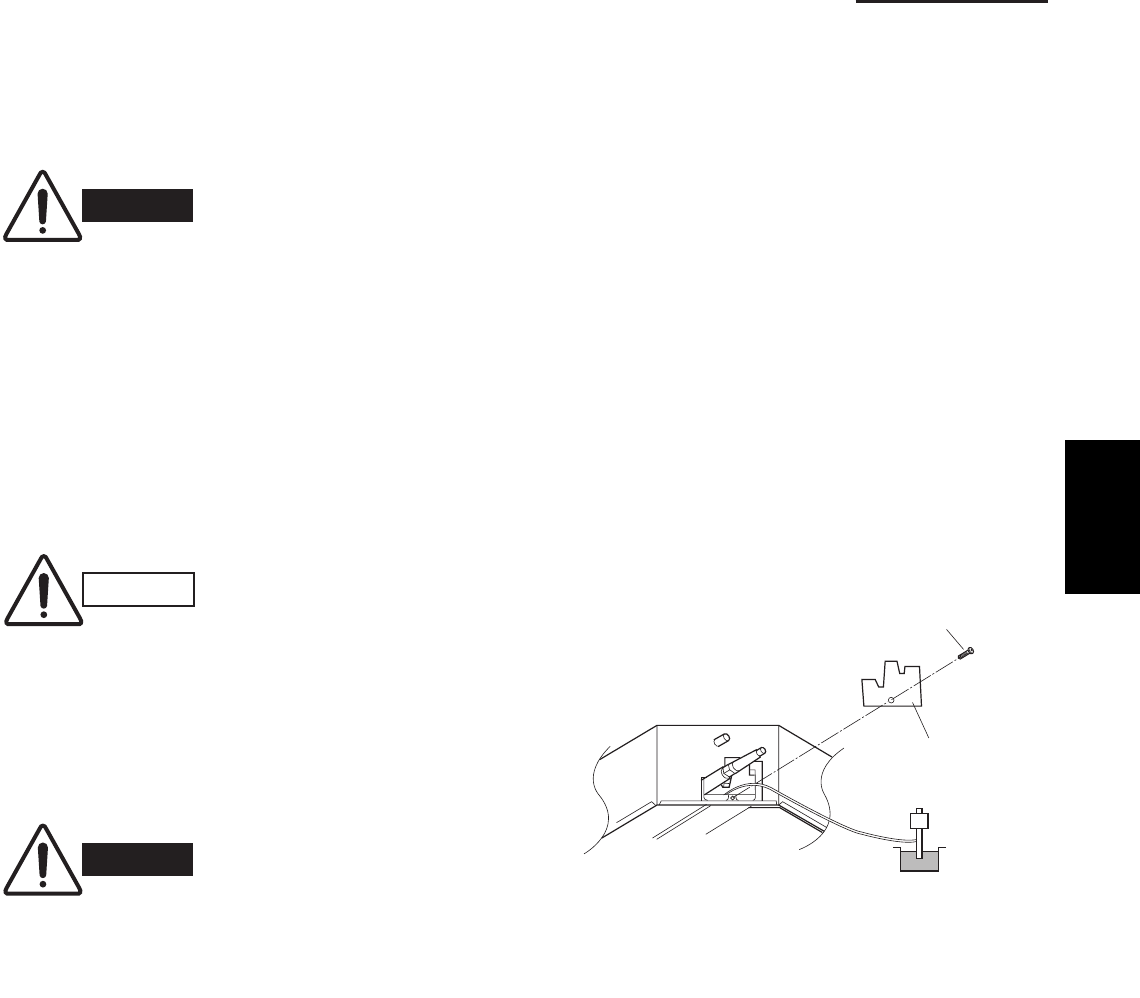
1-79
1. Specifications
6-5. Checking the Drainage
After wiring and piping are completed, use the follow-
ing procedure to check that the water will drain smooth-
ly. For this, prepare a bucket and wiping cloth to catch
and wipe up spilled water.
(1) Take off the tube cover and through the opening,
slowly pour about 0.3 gal of water into the drain
pan to check drainage.
(2) Do Test Run to check the drainage after complet-
ing installation. When performing Test Run, refer to
the installation instructions attached to the outdoor
unit.
(3) After drain checking is finished, return the Opera-
tion Selector switch to the RUN position (ON posi-
tion ) and remount the tube cover.
WARNING
Do not supply power to the
unit until the tubing and wir-
ing to the outdoor unit are
completed.
CAUTION
Be careful since the fan will
start turning when checking
the drainage.
WARNING
To mount the tube cover,
use 5/16" (4 × 8 mm) tap-
ping screws. Do not use long
screws as they may puncture
the drain pan and cause water
leakage.
5/16"(4 × 8 mm)
tapping screw
Tube cover
Siphon
Fig. 1-23
1
SM830203-01_PAC-i_US-letter.indb79 79SM830203-01_PAC-i_US-letter.indb79 79 2012/01/19 22:39:302012/01/19 22:39:30
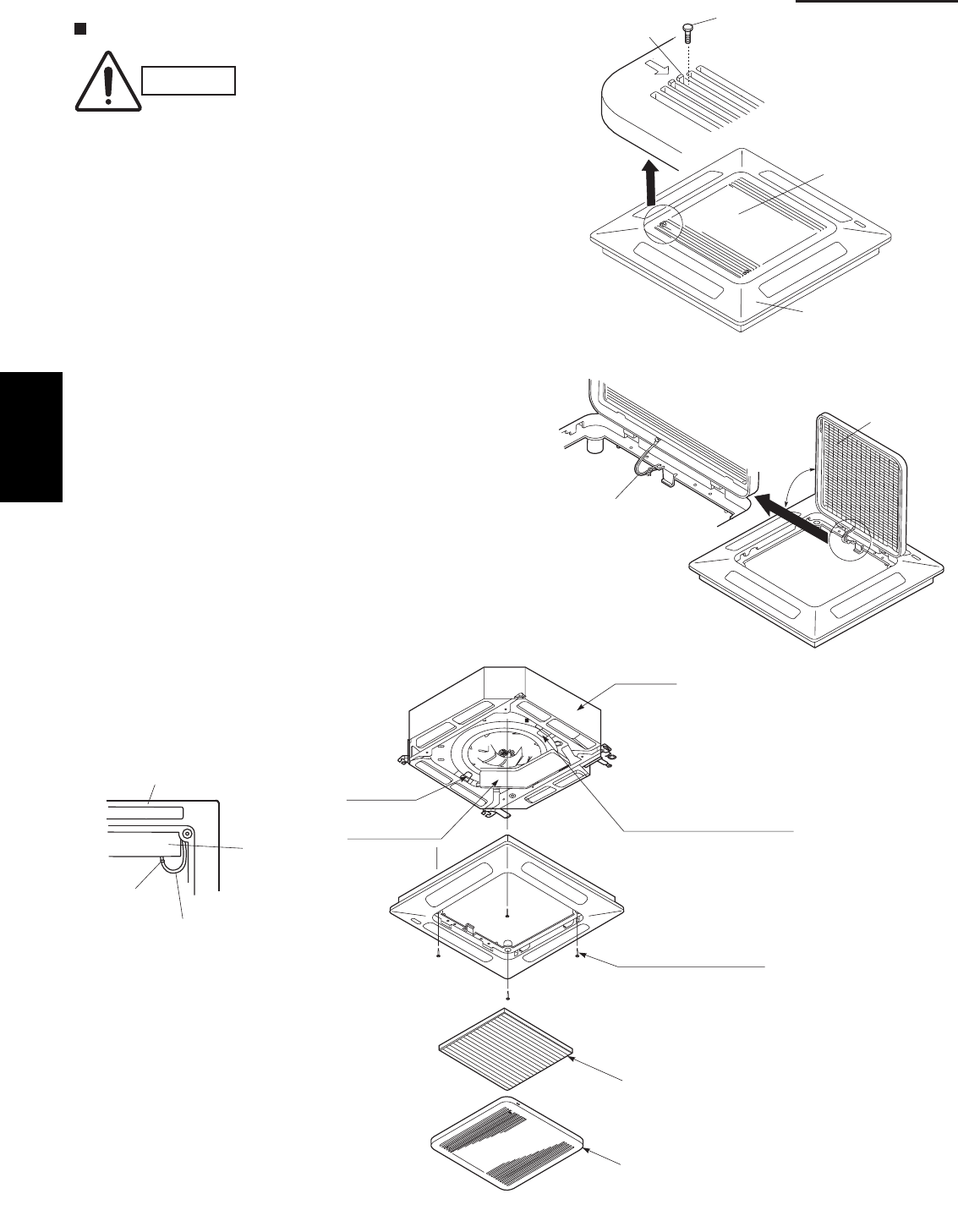
1-80
1. Specifications
Ceiling Panel
6-6. Before Installing the Ceiling Panel
(1) Remove the air-intake grille and air filter from the
ceiling panel. (Figs. 1-24 and 1-25)
(a) Remove the 2 screws on the latch of the air-
intake grille. (Fig. 1-24)
(b) Press on the 2 latches of the air-intake grille
with your thumbs in the direction of the arrow
to open the grille. (Fig. 1-24)
(c) With the air-intake grille open about 45°,
remove the safety cord (hook on the grille
side). (Fig. 1-25)
(d) Pull the air-intake grille towards you to remove
it from the ceiling panel.
(2) Pull down the two panel catches on the body of
the indoor unit body. (Fig. 1-26)
CAUTION
Never touch or attempt to
move the air direction louver
by hand or you may dam-
age the unit. Instead, use the
remote controller if you want
to change the direction or air
flow.
Ceiling panel
Air-intake grille
Latch Screw
Safety cord
Air filter
45°
Fig. 1-24
Fig. 1-25
Fig. 1-26
Ceiling panel
Screws M5 with washer
Panel catch
(arrange facing downwards)
(2 locations)
(supplied)
Ceiling panel wiring
connector
Air filter
Air-intake grille
Panel catch
Unit body
Electrical
component box
Electrical
component box
Clamp
1
SM830203-01_PAC-i_US-letter.indb80 80SM830203-01_PAC-i_US-letter.indb80 80 2012/01/19 22:39:302012/01/19 22:39:30

1-81
1. Specifications
6-7. Installing the Ceiling Panel
(1) Lift the ceiling panel and position it to align the
panel hook with the panel catch of the indoor unit.
NOTE
The ceiling panel must be mounted in the correct
direction. Note that the 2 catches of the panel differ in
size. Confirm that the catches are correctly matched
between the ceiling panel and the indoor unit body.
(2) Next, check to see that the ceiling panel is prop-
erly aligned with the seamline of the ceiling. If it is
not, remove the ceiling panel and slightly readjust
the indoor unit body to the proper suspension
point.
(3) When the ceiling panel has been properly aligned,
use the supplied 4 mounting screws (M5) with
washers to permanently fasten the ceiling panel.
(4) Install the wiring connector from the ceiling panel
to the connector in the electrical component box of
the indoor unit. After installing the connector, use
the clamp on the body of the indoor unit to secure
the wiring.
(5) Install the air filter and air-intake grille by perform-
ing the steps in section 6-6 in reverse.
NOTE
Hook again the safety cord in its original position before
closing the air-intake grille.
6-8. When Removing the Ceiling Panel for Servicing
When removing the ceiling panel for servicing, remove
the air-intake grille and air filter, disconnect the wiring
connector inside the electrical component box, and then
remove the 4 mounting screws.
1
SM830203-01_PAC-i_US-letter.indb81 81SM830203-01_PAC-i_US-letter.indb81 81 2012/01/19 22:39:302012/01/19 22:39:30
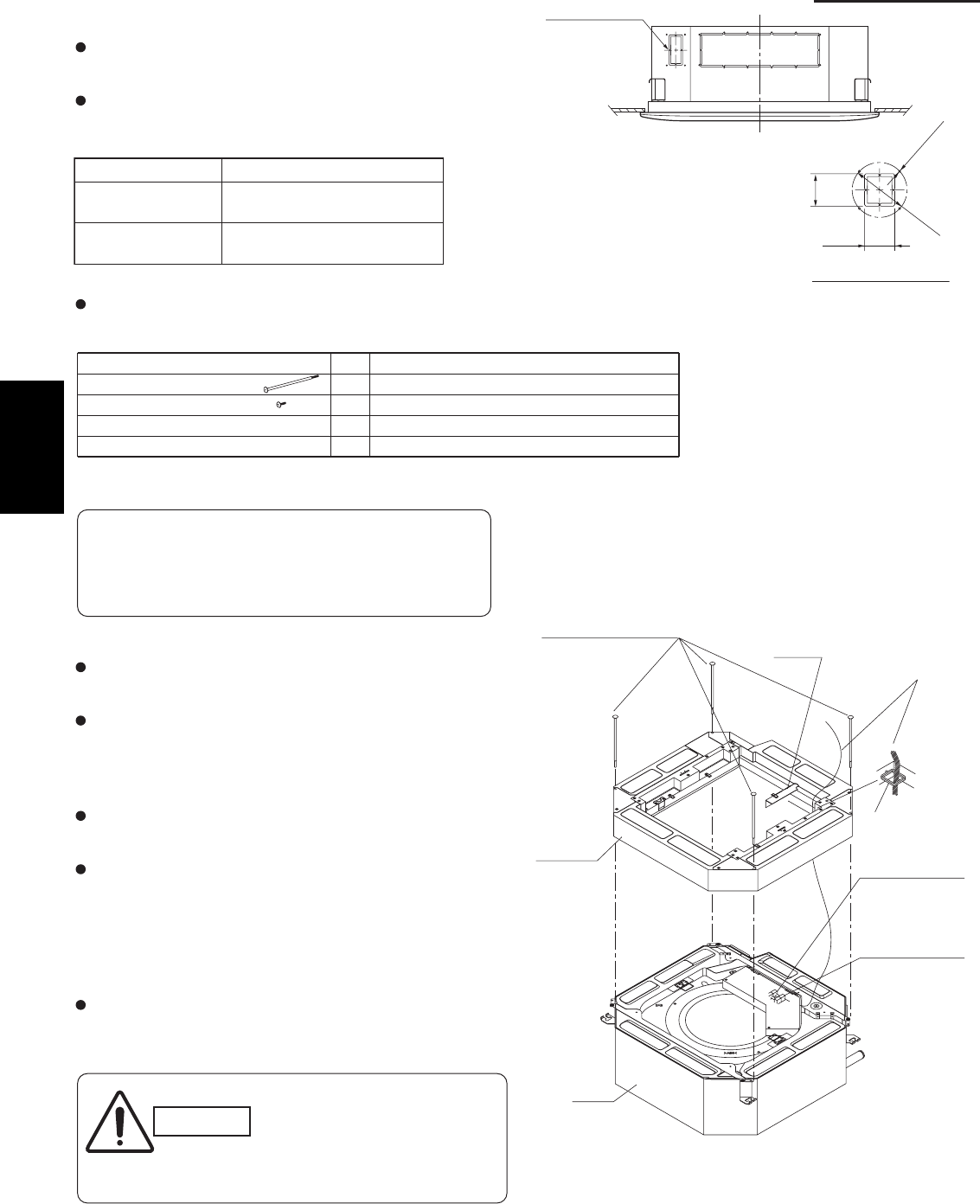
1-82
1. Specifications
6-9. Duct for Fresh Air
There is a duct connection part on side of the indoor
unit. (Fig. 1-27)
(1) Accessories
Check that the following parts are in the box when
unpacking.
(2) Installation
Fit the duct connection box into the rectangular hole of
air-intake plenum with the accessory screws.
(M4 × L1/2", 4 pcs)
(c) Installing the indoor unit
Install the indoor unit to the ceiling.
(Install the indoor unit according to instructions enclosed
with the outdoor unit.)
Installation steps (a) to (d) are the same for both the
CZ-26BCU1U and the CZ-42BCU1U. The drawing
illustrates installation of air-intake plenum to the
CZ-26BCU1U
(a) Installing the air-intake plenum
Set the air-intake plenum to the indoor unit taking care
not to set to the incorrect direction.
(b) Installing the duct connection box
Fasten the duct connection flange to the duct connection
box with the accessory screws. (M4 × L1/2", 4 pcs)
Fasten the air-intake plenum with the supplied screws.
(M5 × L4-7/8", 4 pcs)
CAUTION
When installing in a pre-
existing location, install the
indoor unit before installing
the duct connection box.
Air-intake plenum Type
CZ-26BCU1U
CZ-24KPU1U
(S-26PU1U6)
CZ-42BCU1U
CZ-36KPU1U
(S-36PU1U6, S-42PU1U6)
Air-intake plenum (for fastening)
Duct connection flange/box (for fastening)
For fresh air intake
2-5/32
2-3/8
4-ø1/8 hole
ø4-13/32
Detail of fresh air intake
2P socket (Green)
3P socket (White)
2P socket (Green)
3P socket (White)
(ceiling panel side)
Panel lead wire (3P, 2P)
(switch box side)
Fig. 1-27
Fig. 1-28
Unit: inch
Air-intake plenum (including Duct connection box and
flange) are attached to the indoor unit when used to
take fresh outdoor air.
NAME Q’ ty
4
REMARKS
8
1(for fresh air)Duct connection box
(for connecting fresh air duct)
1
Duct connection flange
Screw (M5xL4-7/8”)
Screw (M4xL4-1/2”)
the air-intake plenum and fasten it to the side of the
Clamper
Air-intake
plenum
(M5 × L4-7/8", 4 pcs)
Installation screws
Socket
cover
Indoor
unit
1
SM830203-01_PAC-i_US-letter.indb82 82SM830203-01_PAC-i_US-letter.indb82 82 2012/01/19 22:39:302012/01/19 22:39:30
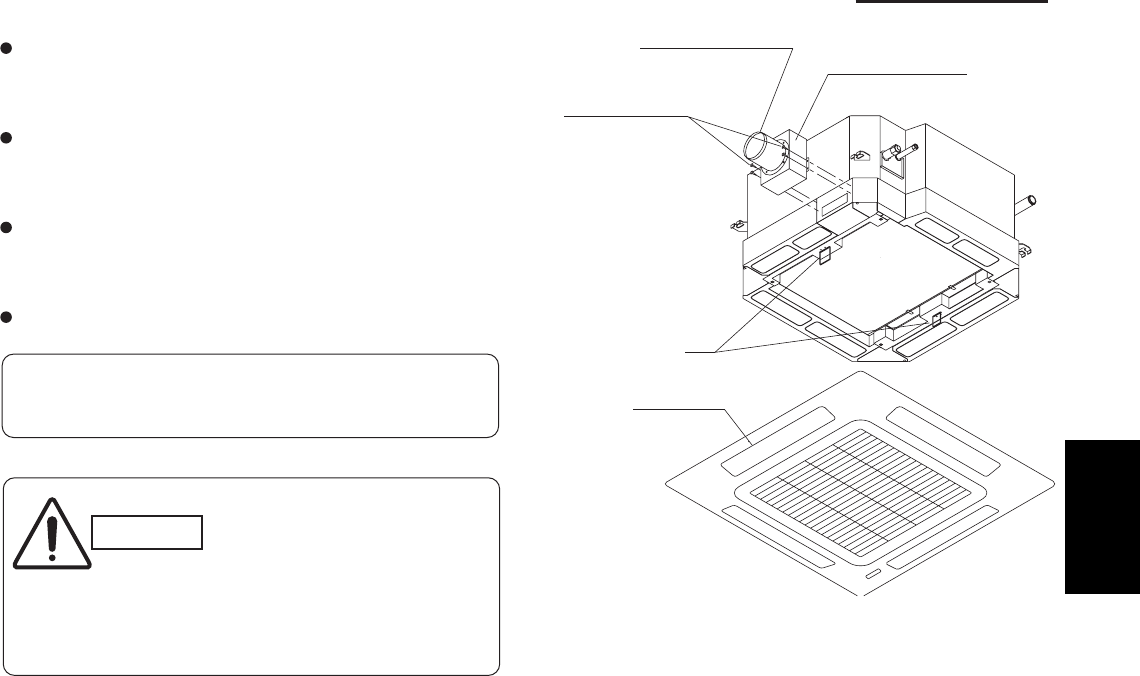
1-83
1. Specifications
(d) Installing the ceiling panel
Attach the ceiling panel to the air-intake plenum.
Drawing the panel downwards sets the panel in position
temporarily with the panel catch (at 2 locations).
Remove the socket cover of the air-intake plenum and pass
the 8P sockets through it.
(Fix the panel lead wire to air-intake plenum side clamper.)
Connect the 3P socket (white) and 2P socket (green) to the
other side of the 3P socket (white) and 2P socket (green)
respectively.
Reattach the socket cover.
Fig. 1-29
Duct connection box
Duct connection flange
Panel catch
(M4xL1/2”, 4pcs.)
Installation screws
Ceiling panel
Please fix the socket cover located on the switch box
after closing the lid for the switch box.
CAUTION
Take adequate precautions
when installing onto the
ceiling.
The air-intake plenum is
especially prone to rupture
if struck on it's side.
1
SM830203-01_PAC-i_US-letter.indb83 83SM830203-01_PAC-i_US-letter.indb83 83 2012/01/19 22:39:302012/01/19 22:39:30
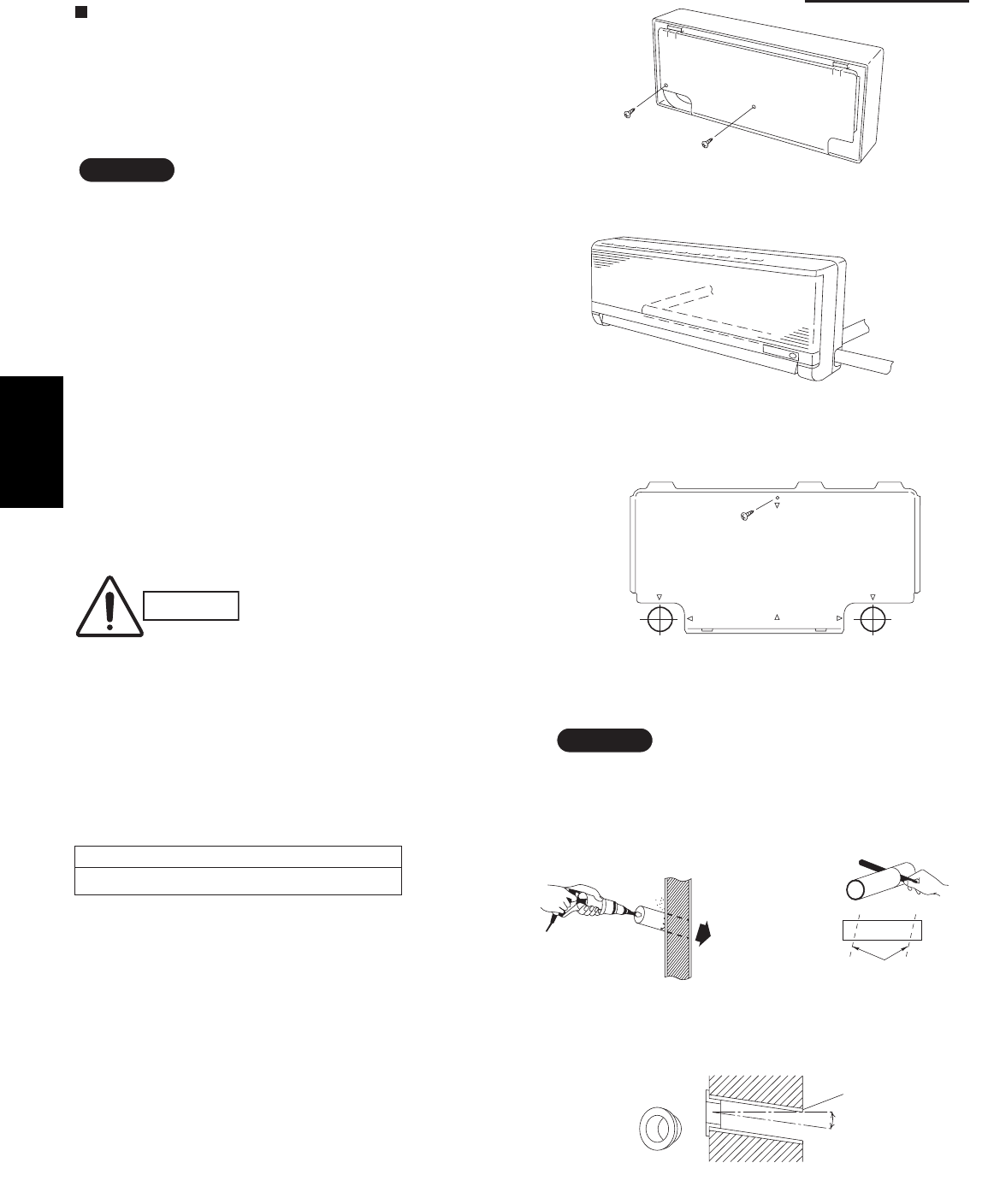
1-84
1. Specifications
Wall Mounted Type (K1 Type)
6-10. Removing the Wall Fixture from the Unit
Remove the set screws and take off the rear panel.
(Fig. 1-30)
NOTE
Tubing can be extended in 3 directions as shown in
Fig. 1-31. Select the direction that provides the shortest
run to the outside unit.
6-11. Selecting and Making a Hole
(1) Remove the rear panel from the indoor unit and
place it on the wall at the location selected. Make
sure the unit is horizontal using a level gauge or
tape measure to measure down from the ceiling.
(2) Determine which side of the unit you should make
the hole. (Fig. 1-32)
(3) Before making a hole, check carefully that no studs
or pipes are directly run behind the spot to be cut.
CAUTION
Also avoid areas where elec-
trical wiring or conduits are
located.
The above precautions are also applicable if tubing
goes through the wall in any other location.
(4) Using a sabre saw, key hole saw or hole-cutting
drill attachment, cut a hole in the wall. See Table
1-6 and Fig. 1-33.
Table 1-6
(5) Measure the thickness of the wall from the inside
edge to the outside edge and cut PVC pipe at a
slight angle 1/4" shorter than the thickness of the
wall. (Fig. 1-34)
(6) Place the plastic cover over the end of the pipe
(for indoor side only) and insert in the wall.
(Fig. 1-35)
Hole Dia. (inch)
3-3/16"
Set screws for transportation only
Fig. 1-30
Right-rear
tubing
(recommended)
Right tubing
Left-rear tubling
Fig. 1-31
Center of
left-rear
tubing hole
Center of
right-rear
tubing hole
In case of left-rear or right-rear tubing
Fig. 1-32
Indoor
side
Outdoo
r
side
Fig. 1-33
PVC pipe (locally purchased)
Cut at slight angle
Fig. 1-34
Plastic cover
(Field supply)
OUTSIDE
INSIDE
Wall
Slight
angle
PVC pipe
Fig. 1-35
NOTE
Hole should be made at a slight downward slant to
the outdoor side.
1
SM830203-01_PAC-i_US-letter.indb84 84SM830203-01_PAC-i_US-letter.indb84 84 2012/01/19 22:39:302012/01/19 22:39:30
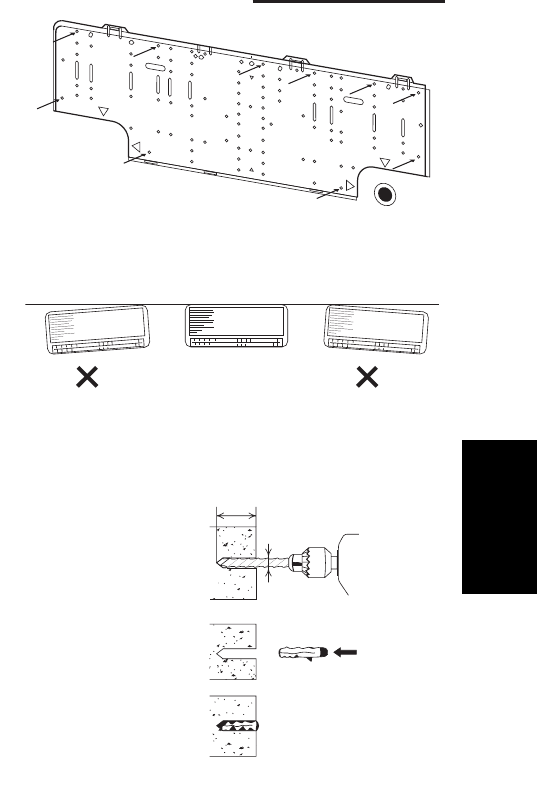
1-85
1. Specifications
6-12. Installing the Rear Panel on the Wall
Be sure to confirm that the wall is strong enough to suspend
the unit.
See either Item a) or b) below depending on the wall type.
a) If Wooden Wall
(1) Attach the rear panel to the wall with the 10 screws pro-
vided. (Fig. 1-36)
If you are not able to line up the holes in the rear panel
with the beam locations marked on the wall, use toggle
bolts to go through the holes on the panel or drill 3/16"
dia. holes in the panel over the stud locations and then
mount the rear panel.
(2) Double-check with a ruler or level gauge that the panel is
level. This is important to install the unit properly.
(Fig. 1-37)
(3) Make sure the panel is flush against the wall. Any space
between the wall and unit will cause noise and vibration.
b) If Block, Brick, Concrete or Similar Type Wall
Make 3/16" dia. holes in the wall. Insert rawl plugs for appropri-
ate mounting screws. (Fig. 1-38)
3/16
"
dia. hole
1-3/16
"
or more
Rawl plug
(Field supply)
Fig. 1-38
Fig. 1-37
Fig. 1-36
1
SM830203-01_PAC-i_US-letter.indb85 85SM830203-01_PAC-i_US-letter.indb85 85 2012/01/19 22:39:302012/01/19 22:39:30
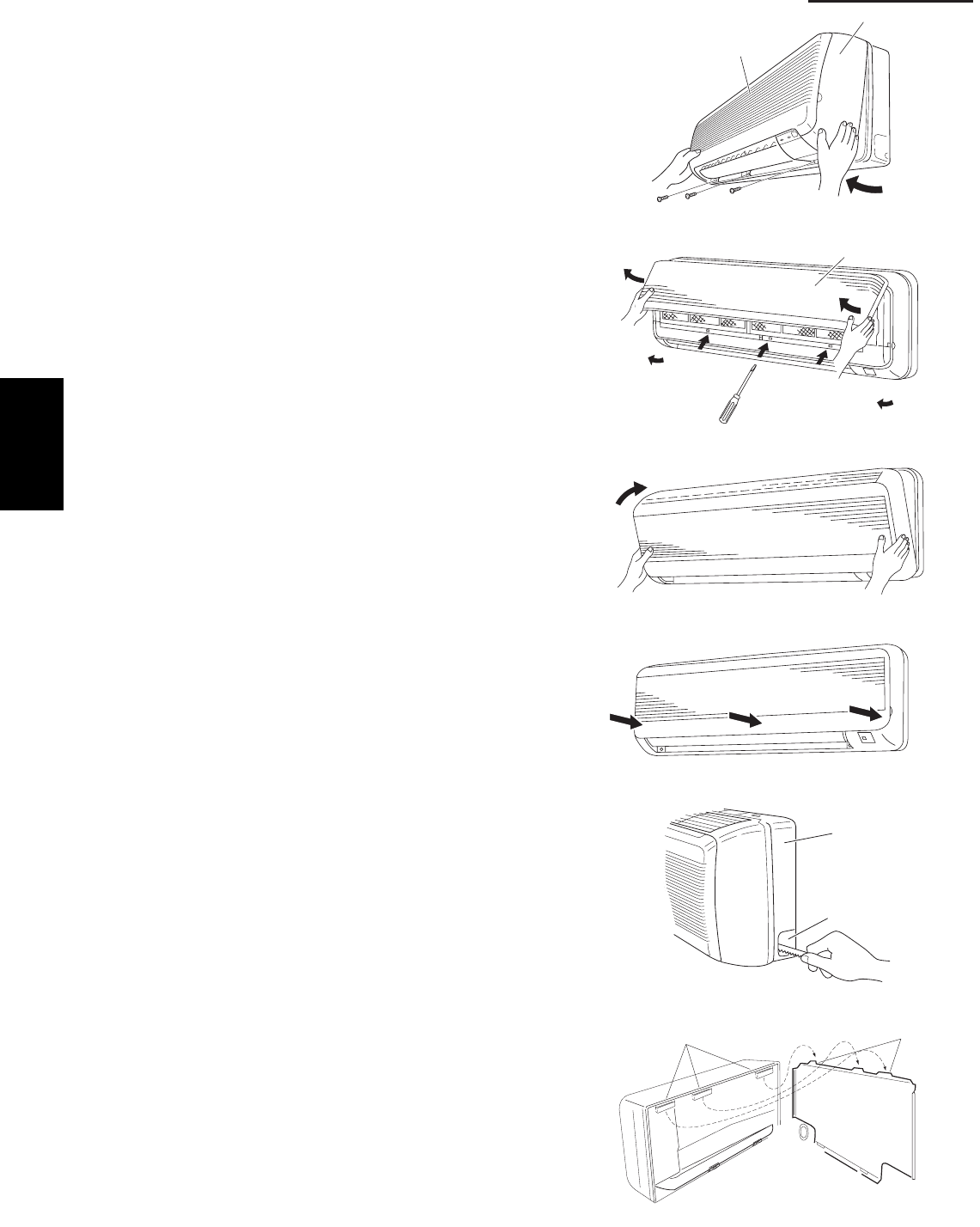
1-86
1. Specifications
6-13. Removing the Grille to Install the Indoor Unit
Basically, these models can be installed and wired
without removing the grille. If access to any internal
part is needed, follow the steps given below:
How to remove the grille
(1) Set the 2 flaps in the horizontal position.
(2) Unscrew the 3 screws. (Fig. 1-39a)
(3) Remove the grille.
(a) Hold both corners of the air-intake grille, then
pull out and up to open. (Fig. 1-39b)
(b) Use a flathead screwdriver to push up the 3
tabs to remove the grille. (Fig. 1-39b)
(c) Pull the lower part of the grille toward you to
remove. (Fig. 1-39a)
How to replace the grille
(1) Close the flaps.
(2) Reinstall the grille into the lower part while align-
ing its tabs on the upper part. (Fig. 1-40a) Insert
the tabs in the slots and push the lower part of the
grille back into position.
(3) Press at each of the 5 tabs to completely close the
grille. Make sure that the grille and frame are firmly
fitted together. (Fig. 1-40b)
6-14. Preparing the Indoor Side Tubing
Arrangement of tubing by directions
(a) Right tubing
The corner of the right frame needs to be cut by a
hacksaw or the like. (Fig. 1-41)
(b) Right-rear or left-rear tubing
In this case, the corner of the frame needs not be
cut.
To mount the indoor unit on the rear panel:
(a) Hang the 3 mounting slots of the unit on the upper
tabs of the rear panel. (Fig. 1-42)
Air-intake grille
Grille
Fig. 1-39a
Air-intake grille
Fig. 1-39b
Fig. 1-40a
Fig. 1-40b
Frame
Right tubing
outlet
Fig. 1-41
Tab
Mounting slot
Fig. 1-42
1
SM830203-01_PAC-i_US-letter.indb86 86SM830203-01_PAC-i_US-letter.indb86 86 2012/01/19 22:39:312012/01/19 22:39:31
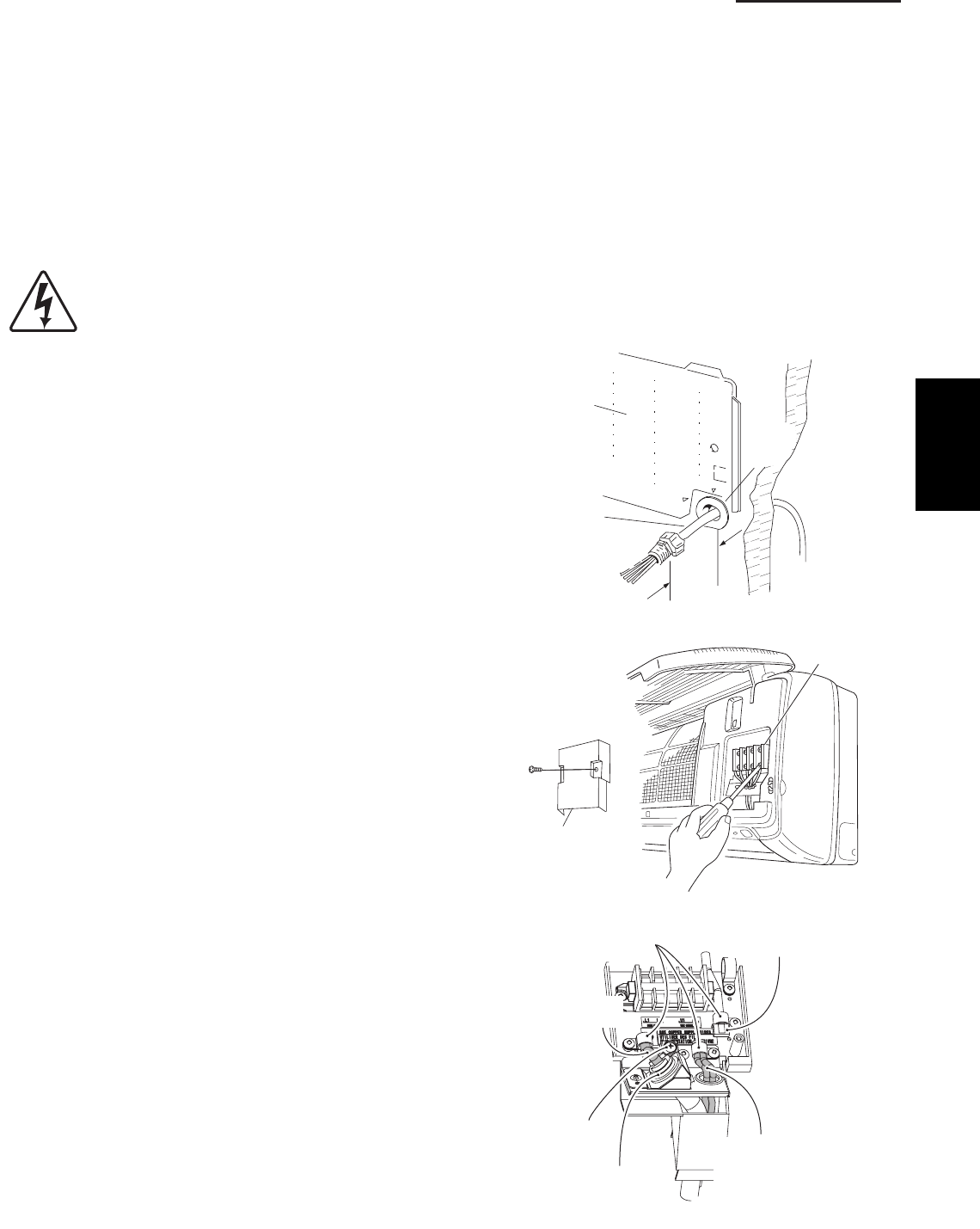
1-87
1. Specifications
6-15. Wiring Instructions
General Precautions on Wiring
(1) Before wiring, confirm the rated voltage of the unit as shown on its nameplate, then carry out the wiring closely
following the wiring diagram.
(2) Provide a power outlet to be used exclusively for each unit. A power supply disconnect and circuit breaker for
overcurrent protection should be provided in the exclusive line.
(3) To prevent possible hazards from insulation failure, the unit must be grounded.
(4) All wiring must be connected tightly.
(5) Do not allow wiring to touch refrigerant tubing, compressor, or any moving parts of the fan.
Unauthorized changes in the internal wiring can be very dangerous. The manufacturer will
accept no responsibility for any damage or misoperation that occurs as a result of such
unauthorized changes.
6-16. Wiring Instructions for Inter-Unit Connections
(1) Insert the inter-unit wiring (according to local
electrical codes) into the through-the-wall PVC
pipe. Run the wiring toward the indoor side allowing
approx. 10 inches to extend from the wall face.
(Fig. 1-43)
(2) Route the inter-unit wiring from the back of the
indoor unit and pull it toward the front for
connection. (Figs. 1-44a and 1-44b)
(3) Connect the inter-unit wiring to the corresponding
terminals on the terminal plate (Figs. 1-44a and
1-44b) while referring to the wiring diagram.
(4) Be sure to secure the wiring with the provided
clamp.
How to remove the cover plate
To access the terminal plate inside the indoor unit,
follow these steps.
(1) Using a Phillips head screwdriver, remove the
screw on the cover plate. (Figs. 1-44a and 1-44b)
(2) Remove the cover plate.
Rear
panel
Wiring
Wall
10 in.
Plastic
cover
Fig. 1-43
Terminal
plate
Cover plate
Fig. 1-44a
Clamping
strap
Remote control wiring
and Inter-unit control
wiring (field supplied)
Earth screw
Conduit
(field supplied)
Connection for Solenoid
Vale Kit (for 3WAY)
Power wiring
(field supplied)
Fig. 1-44b
1
SM830203-01_PAC-i_US-letter.indb87 87SM830203-01_PAC-i_US-letter.indb87 87 2012/01/19 22:39:312012/01/19 22:39:31
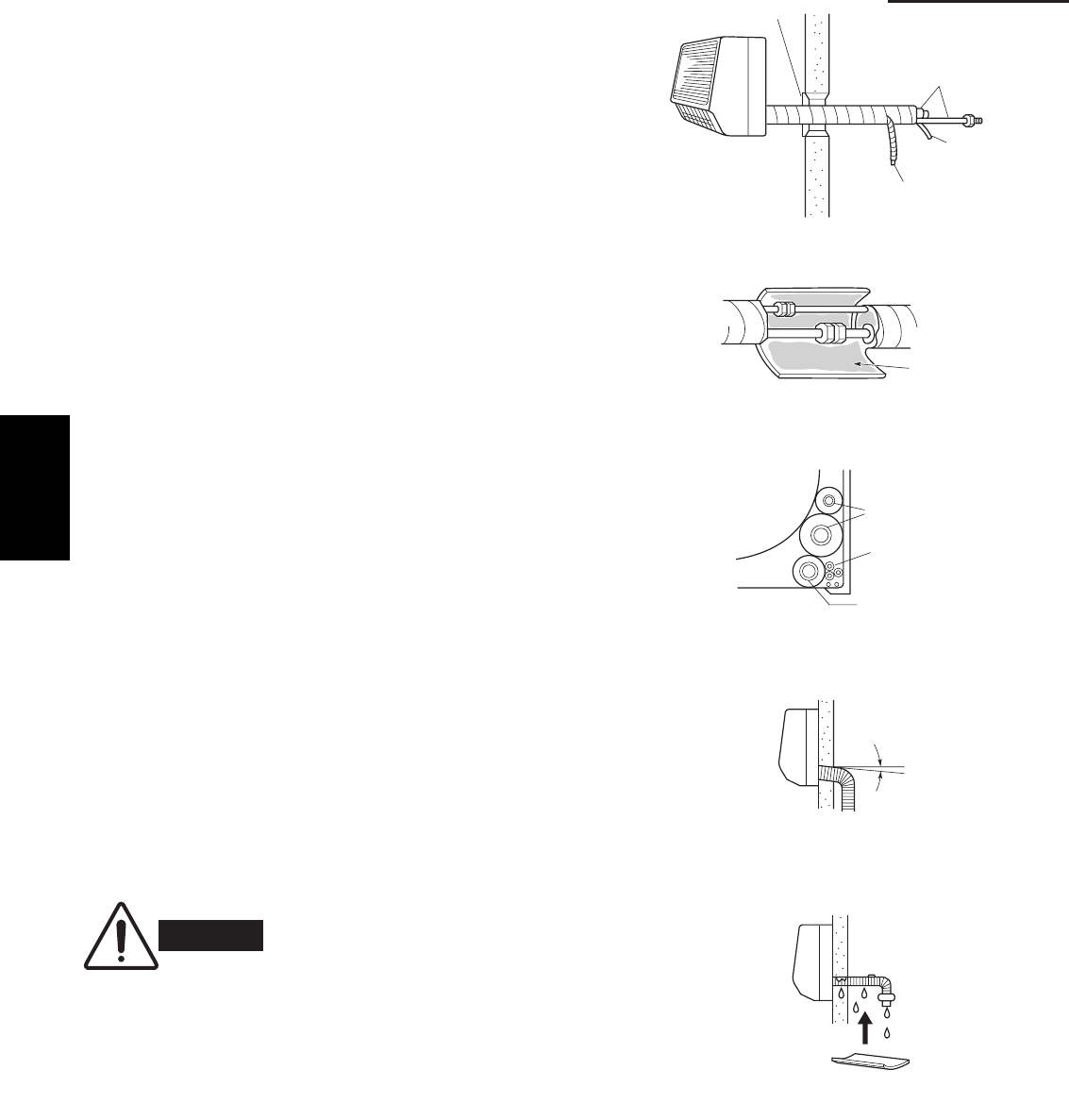
1-88
1. Specifications
6-17. Shaping the Tubing
(1) Shape the refrigerant tubing so that it can easily go
into the hole. (Fig. 1-45)
(2) Push the wiring, refrigerant tubing and drain hose
through the hole in the wall. Adjust the indoor unit
so it is securely seated on the wall fixture.
(3) Carefully bend the tubing (if necessary) to run along
the wall in the direction of the outdoor unit and then
insulate to the end of the fittings. The drain hose
should come straight down the wall to a point where
water runoff will not stain the wall.
(4) Connect the refrigerant tubing to the outdoor
unit.(After performing a leak test on the connection,
insulate it with insulating tape. (Fig. 1-46))
(5) Assemble the refrigerant tubing, drain hose and
inter-unit wiring as shown in Fig. 1-47.
6-18. Installing the Drain Hose
(1) The drain hose should be slanted downward on the
outdoor side. (Fig. 1-48)
(2) Never form a trap in the course of the hose.
(3) If the drain hose will run in the room, insulate* the
hose so that chilled condensation will not damage
furniture or floors. (Fig. 1-49)
* Foamed polyethylene or its equivalent is
recommended.
Cover
Refrigerant
tubing
Inter-unit
wiring
Drain hose
Fig. 1-45
Insulating
tape
Fig. 1-46
Refrigerant tubing
Inter-unit wiring
Drain hose
Fig. 1-47
WARNING
Do not supply power to the unit
or operate it until all tubing and
wiring to the outdoor unit are
completed.
Drain
hose
Slant
Indoor
unit
Fig. 1-48
Condensation
Insulation material
(field supply)
must be used.
Fig. 1-49
1
SM830203-01_PAC-i_US-letter.indb88 88SM830203-01_PAC-i_US-letter.indb88 88 2012/01/19 22:39:312012/01/19 22:39:31
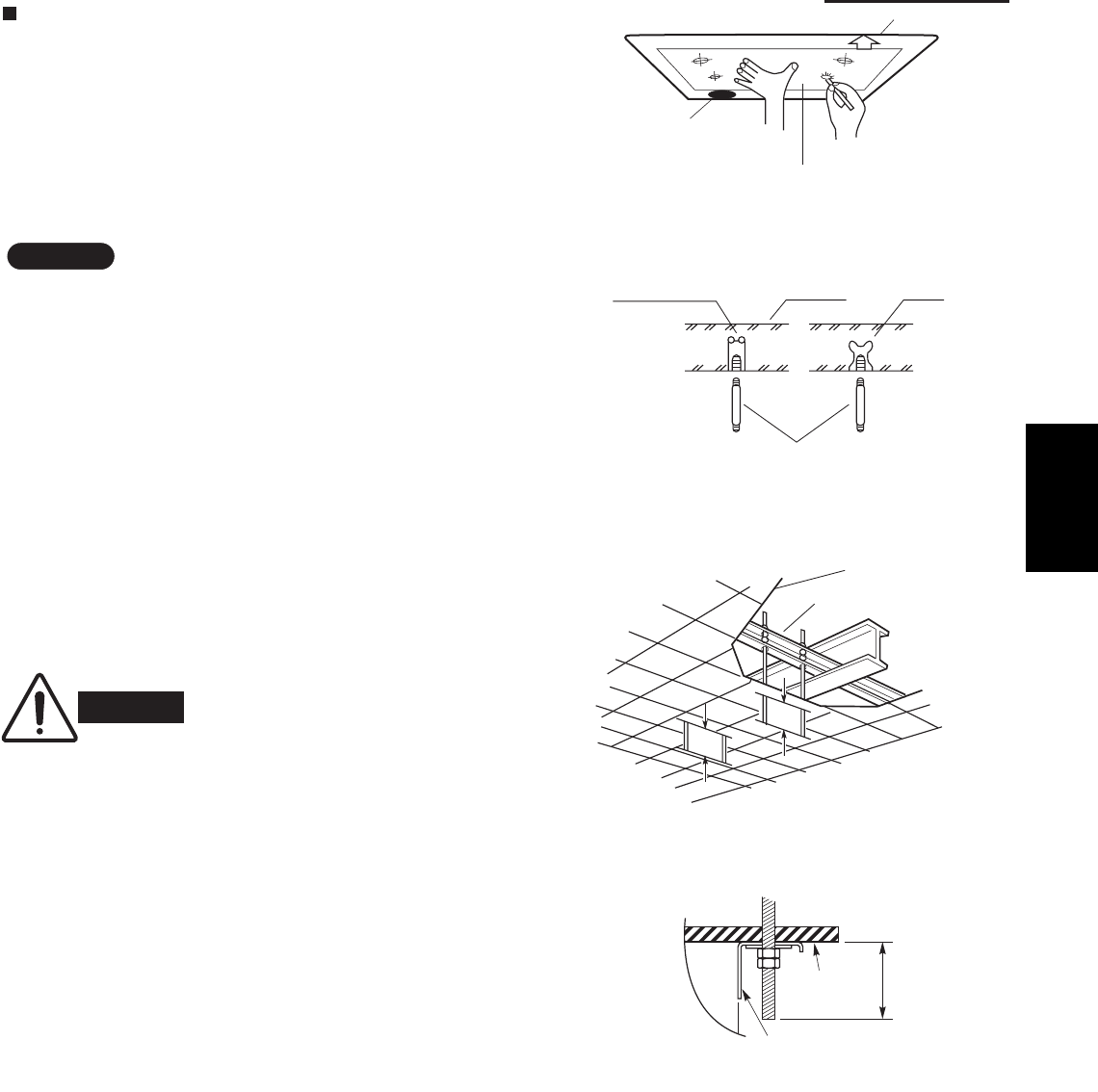
1-89
1. Specifications
Ceiling Type (T1 Type)
6-19. Suspending the Indoor Unit
(1) Place the full-scale diagram (supplied) on the
ceiling at the spot where you want to install the
indoor unit. Use a pencil to mark the drill holes.
(Fig. 1-50).
NOTE
Since the diagram is made of paper, it may shrink or
stretch slightly because of high temperature or
humidity. For this reason, before drilling the holes
maintain the correct dimensions between the markings.
(2) Drill holes at the 4 points indicated on the full-scale
diagram.
(3) Depending on the ceiling type:
(a) Insert suspension bolts as shown in Fig. 1-51.
or
(b) Use existing ceiling supports or construct a
suitable support as shown in Fig. 1-52.
WARNING
It is important that you use
extreme care in supporting the
indoor unit from the ceiling.
Ensure that the ceiling is
sufficiently strong enough to
support the weight of the unit.
Before hanging the ceiling
unit, test the strength of each
attached suspension bolt.
(4) Screw in the suspension bolts, allowing them to
protrude from the ceiling as shown in Fig. 1-52.
The distance of each exposed bolt must be of
equal length within 2 inches. (Fig. 1-53)
Rear
Full-scale diagram
F
ront
f
ace
Fig. 1-50
Hole-in-anchor
Hole-in-plug Concrete Insert
Suspension bolt (M10 or 3/8")
(field supply)
Fig. 1-51
Ceiling tiles
Ceiling support
A
A
Fig. 1-52
unit
Ceiling
surface
Fixture
.
ni
2n
i
htiW
Fig. 1-53
1
SM830203-01_PAC-i_US-letter.indb89 89SM830203-01_PAC-i_US-letter.indb89 89 2012/01/19 22:39:312012/01/19 22:39:31
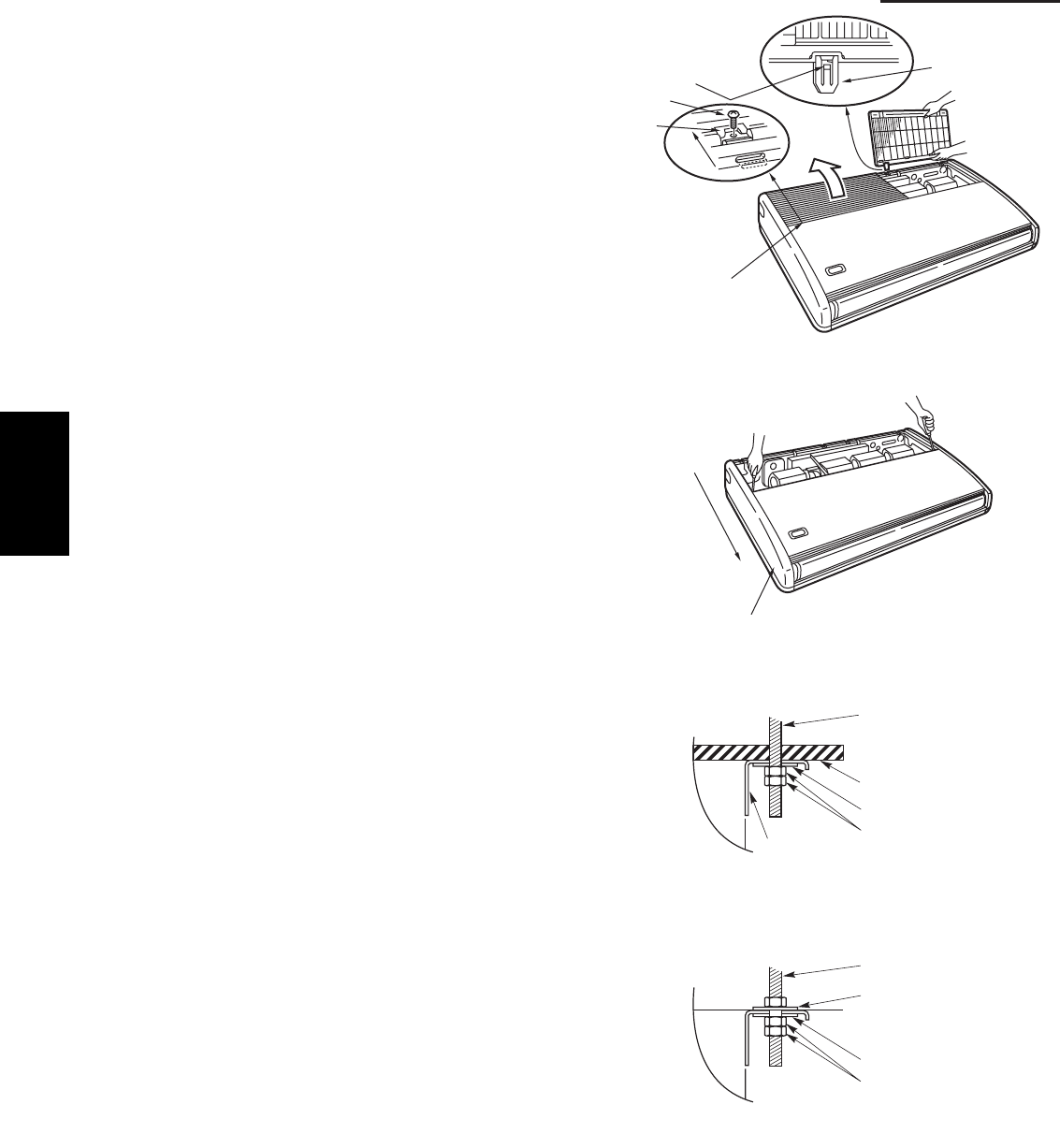
1-90
1. Specifications
(5) Before suspending the indoor unit, remove the 2
screws on the latch of the air-intake grilles, open
the grilles, and remove them by pushing the claws
of the hinges as shown in Fig. 1-54. Then remove
both side panels sliding them along the unit toward
the front after removing the two screws which fix
them. (Fig. 1-55)
(6) Preparation for suspending the indoor unit. The
suspension method varies depending on whether
the unit is next to the ceiling or not.
(Figs. 1-56 and 1-57)
edilS
Hinge
Air-intake grille
Pull out the
air-Intake grille
pushing claws
of the hinges
Screw
Latch
Fig. 1-54
Slide toward
front side
Side panel
Fig. 1-55
unit
Suspension bolt
(field supply)
Ceiling surface
Washer (supplied)
Double nut
(field supply)
Fixture
Fig. 1-56
unit
Suspension bolt
(field supply)
Washer (supplied)
Washer (field supply)
Double nut
(field supply)
Fig. 1-57
1
SM830203-01_PAC-i_US-letter.indb90 90SM830203-01_PAC-i_US-letter.indb90 90 2012/01/19 22:39:312012/01/19 22:39:31
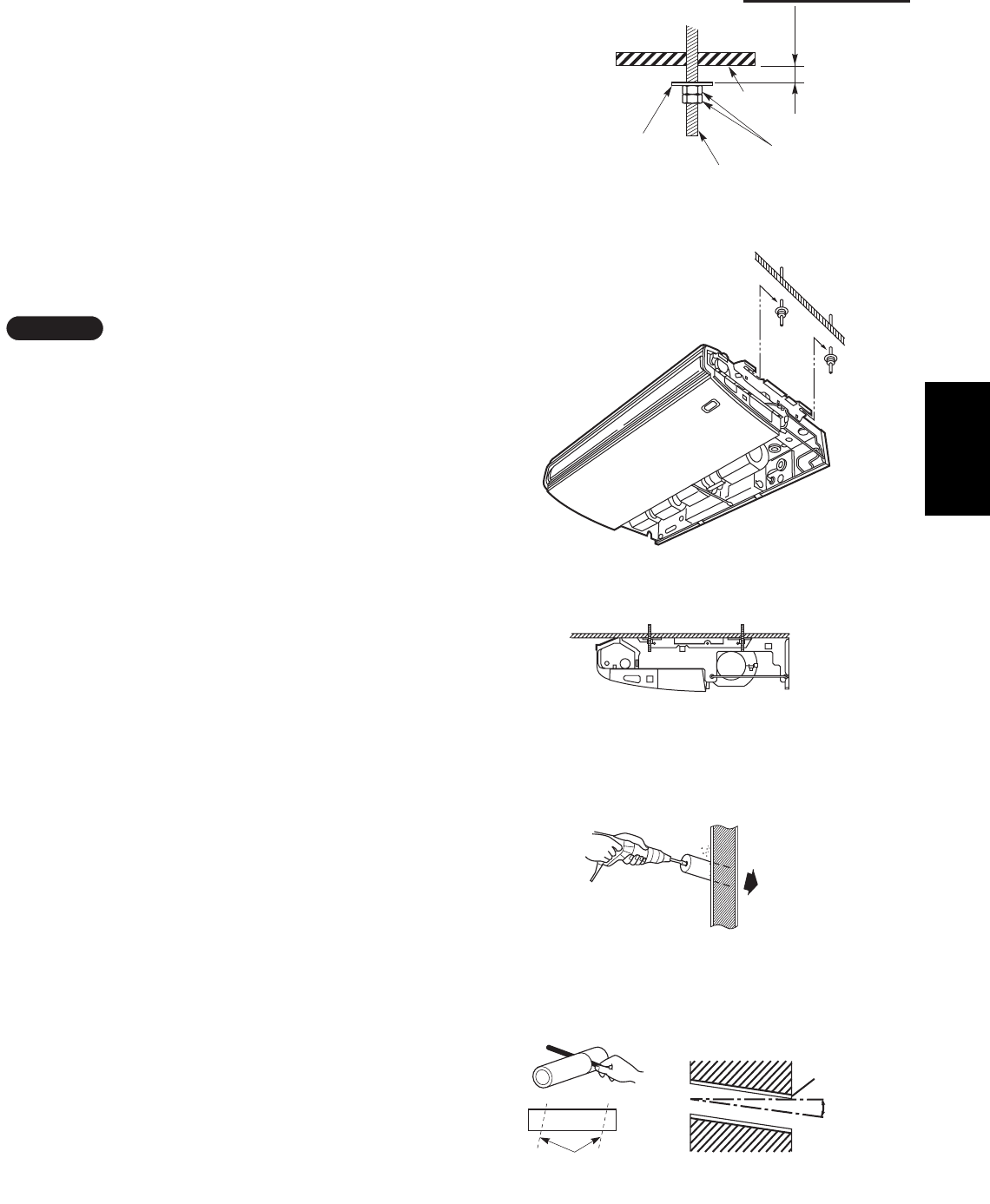
1-91
1. Specifications
Ceiling
surface
.
xor
p
p
A
h
c
n
i1
Suspension bolt
Washer
(supplied) Nut
(field supply)
Fig. 1-58
Fig. 1-59
Fig. 1-60
(7) Suspend the indoor unit as follows.
(a) Mount a washer and two hexagonal nuts on
each suspension bolt as shown in Fig. 1-58.
(b) Lift the indoor unit with a lifting machine to the
ceiling surface, and place it on the washers
through the notches, to fix it in place.
(Fig. 1-59)
(c) Tighten the two hexagonal nuts on each
suspension bolt to suspend the indoor unit as
shown in Fig. 1-60.
NOTE
A ceiling surface is not always level. Please confirm
that the indoor unit is evenly suspended. For the instal-
lation to be correct, leave a clearance of about 3/8"
between the ceiling panel and the ceiling surface and
fill the gap with an appropriate insulation or filler
material.
(8) If the tubing and wiring are to go towards the rear
of the unit, make holes in the wall. (Fig. 1-61)
(9) Measure the thickness of the wall from the inside
to the outside and cut PVC pipe at a slight angle to
fit. Insert the PVC pipe in the wall. (Fig. 1-62)
Indoor
side
Outdoor
side
Fig. 1-61
Cut at slight angle
PVC pipe (field supply)
INSIDE Wall
Slight
angle
PVC pipe
OUTSIDE
Fig. 1-62
1
SM830203-01_PAC-i_US-letter.indb91 91SM830203-01_PAC-i_US-letter.indb91 91 2012/01/19 22:39:322012/01/19 22:39:32
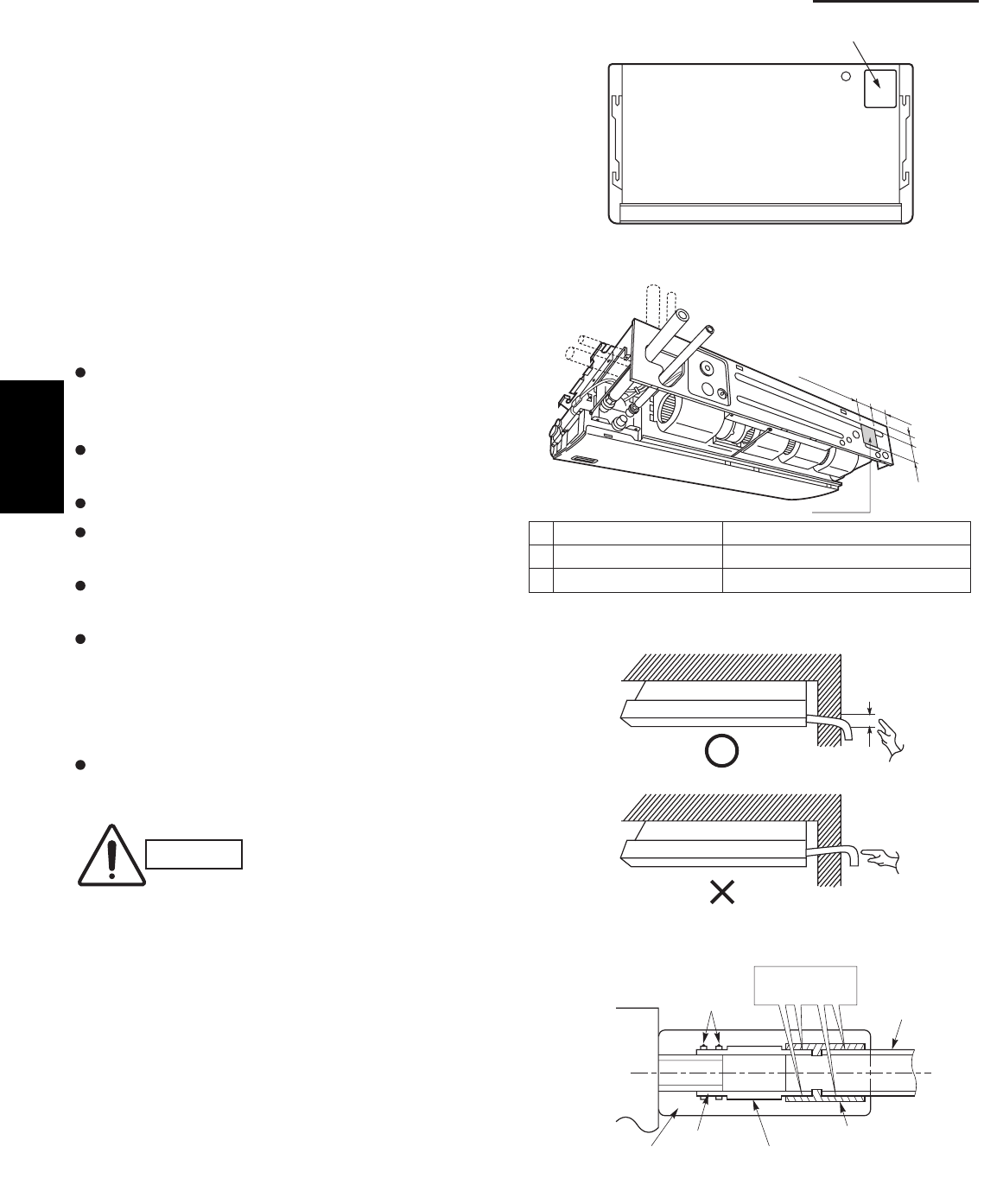
1-92
1. Specifications
6-20. Duct for Fresh Air
There is a duct connection port (knock-out hole) at the
right-rear on the panel top of the indoor unit for drawing
in fresh air. If it is necessary to draw in fresh air, remove
the cover by knocking it out and connect the duct to the
indoor unit through the connection port. (Fig. 1-63)
If connection at the right-rear on the panel top is not
appropriate, another duct connection port can be made
by cutting an opening on the left side of the rear panel of
the indoor unit as shown in Fig. 1-64.
6-21. Installing the Drain Piping
Prepare a standard PVC pipe for the drain and
connect it to the indoor unit drain pipe with the
supplied hose clamps to prevent water leaks.
Connect the drain piping so that it slopes downward
from the unit to the outside. (Fig. 1-65)
Never allow traps to occur in the course of the piping.
Insulate any piping inside the room to prevent
dripping.
Use the supplied drain pipe to connect the drain pipe
with the drain outlet of the indoor unit.
After connecting the drain pipe securely, wrap the
supplied drain pipe insulator around the pipe, seal
the gap at the drain socket with the supplied black
insulation tape, then secure it with clamps.
(Fig. 1-66)
After the drain piping, pour water into the drain pan to
check that the water drains smoothly.
CAUTION
Check local electrical codes
and regulations before
obtaining wire. Also, check any
specified instruction or
limitations.
Duct connection port
(Knock-out hole)
Panel Top
Fig. 1-63
Cut this portion
A
B
4-11/32"
3-15/16"
Rear side
Right side
A "23/3-7 "61/51-3
"23/13-1 "8/3-1
S-36PT1U6, S-42PT1U6S-26PT1U6
B
Fig. 1-64
Good
Min. 1/100
Not good
Fig. 1-65
Drain hose
(supplied)
Packing
Side
softened
(supplied)
Drain hose
adapter
(supplied)
Drain pipe
Indoor
unit
clamp
(supplied) Hard PVC pipe
(not supplied)
Adhere with
PVC adhesive.
Fig. 1-66
1
SM830203-01_PAC-i_US-letter.indb92 92SM830203-01_PAC-i_US-letter.indb92 92 2012/01/19 22:39:322012/01/19 22:39:32
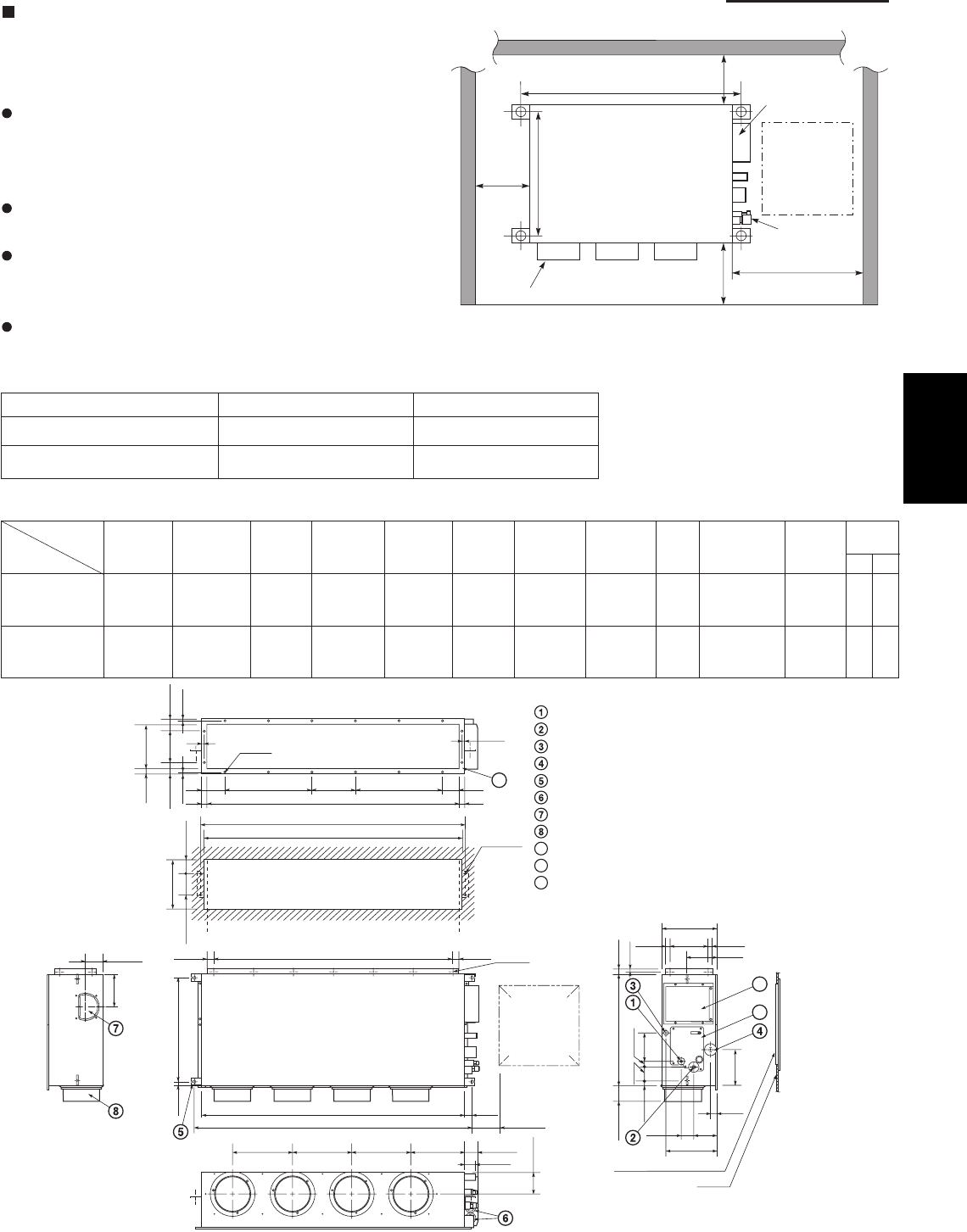
1-93
1. Specifications
Low Silhouette Ducted Type (F1 Type)
6-22. Required Minimum Space for Installation and
Service
This air conditioner is usually installed above the
ceiling so that the indoor unit and ducts are not
visible. Only the air intake and air outlet ports are
visible from below.
The minimum space for installation and service is
shown in Fig. 1-67 and Table 1-7.
It is recommended that space be provided (17-23/32"
×17-23/32") for checking and servicing the
electrical system.
Fig. 1-68 and Table 1-8 show the detailed
dimensions of the indoor unit.
Table 1-7 Unit: inch (mm)
63 62 epyT
A (Length) 42-17/32 (1,080) 61-13/32 (1,560)
Number of duct flanges 4 3
A B C D E F G H I J K
35-7/16 9-21/32
S-26PF1U6 37-7/8 (7-3/32×5)
39-3/8 42-17/32 11-13/32 2-23/32 38-19/32 39-31/32 5-1/8 (9-21/32×1) 9-27/32 12 16
54-11/32 19-9/32
S-36PF1U6 56-25/32 (9-1/16×6) 58-9/32 61-13/32 13-3/16 12-7/32 57-15/32 58-27/32 5-1/8 (9-21/32×2) 9-7/16 16 18
No. of
holes
Dimension
Table 1-8 Unit: inch (mm)
Refrigerant tubing joint (liquid tube)
Refrigerant tubing joint (gas tube)
Upper drain port (O.D. 1-1/4 in.)
Bottom drain port (O.D. 1-1/32 in.)
Suspension lug
Power supply outlet (2-ø1-3/16 hole)
Fresh air intake port (ø5-29/32 hole)
Flange for the flexible air outlet duct (ø7-7/8 hole)
Tube cover
Electrical component box
Flange for the air intake duct
(Option or field supply)
9
10
9
10
11
11
(Suspension bolt pitch)
)
hc
t
ip
t
lo
b
n
o
i
sne
psuS
(
M-ø1/8
(Hole)
4-ø15/32
(Hole)
(Hole)
A (O.D.)
L-ø1/4
I
13/32 13/32
2
3
/3
1
23/5-28/
7
-
7
23/
5
-2
23/31
IJJK
B
C
)23/92-5(D
1-9/16
E E E F 2-15/16
2-9/16
11-7/32
2-3/4
5-1/8
31/32 8-9/32
12-7/32
31/32
6-7/8
1-3/8
3-17/32 1-7/321-7/32
H (Duct suspension bolt pitch)
G (Ceiling opening dimension)
23
/1
3
6
1/5
1
-
3
23
/
9
-
7
23
/7
2
-
222
3
/
13
23
/
71
-4
2
3
/
5
1
-
7
23/11
-
3
2
3
/
13
6
1/
3-
14
/
3-2
6
1
/
5-6
2
3/
1
3
6
1/
3
1-
42
23
/
31
23/51
-
3
6
1/3
1
-
0
1
)n
o
i
sn
e
mid
g
n
in
epogni
l
i
eC
(
4
/1-01
).D.O(
3/43/4
Inspection access
(17-23/32
×
17-23/32)
(Field supply)
Inspection access panel
Ceiling
Indoor Unit
Inspection
access
17-23/32
×
17-23/32
Air outlet duct flange
min.
9-27/32
.nim
4/3
-
51
min. 25-19/32
23/72-22
A (Suspension bolt pitch) Electrical
component box
Refrigerant
tubing
Unit: inch
.nim
2
3
/72-
9
Fig. 1-67
Fig. 1-68
LM
Unit: inch
Type
1
SM830203-01_PAC-i_US-letter.indb93 93SM830203-01_PAC-i_US-letter.indb93 93 2012/01/19 22:39:322012/01/19 22:39:32
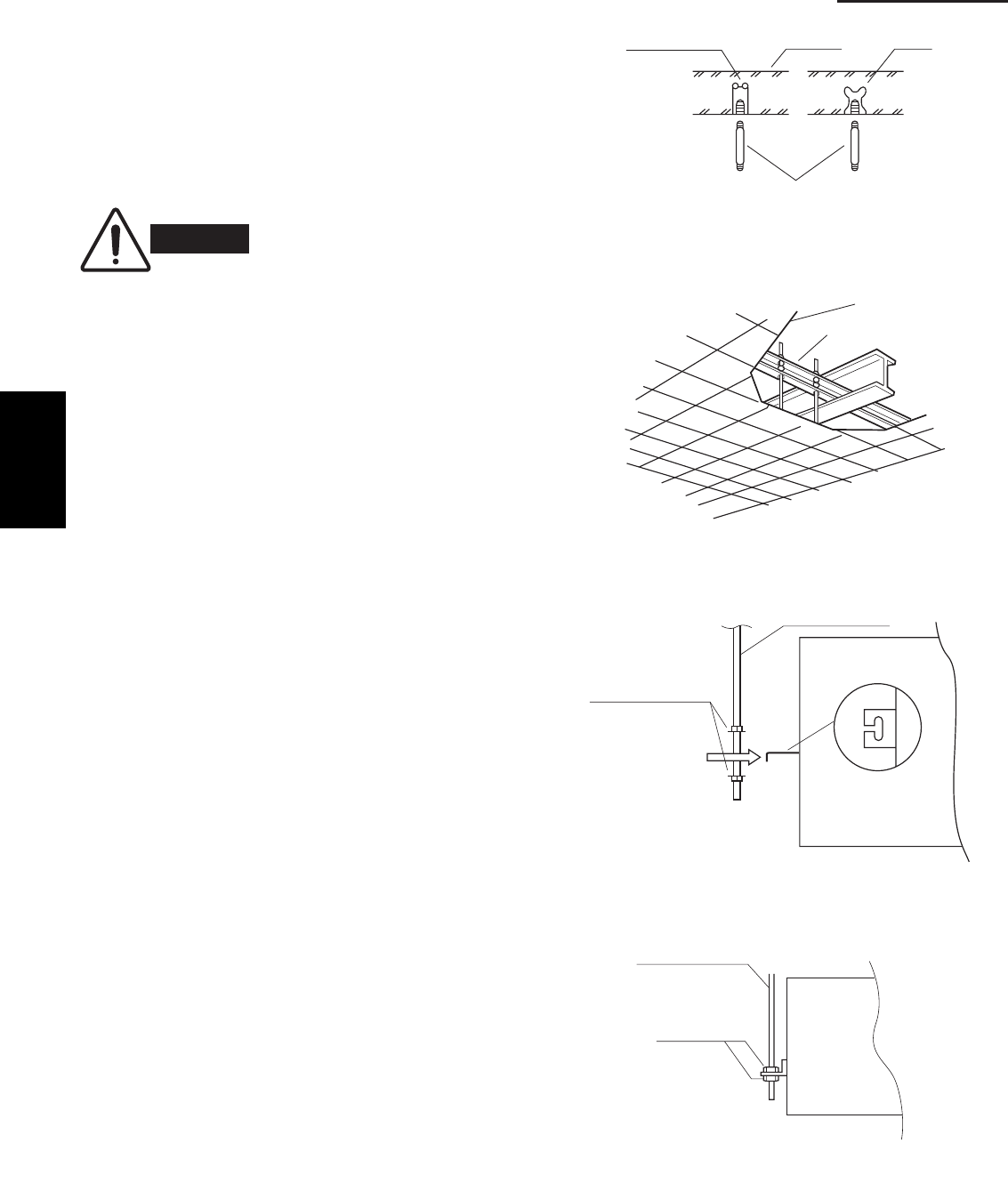
1-94
1. Specifications
6-23. Suspending the Indoor Unit
Depending on the ceiling type:
• Insert suspension bolts as shown in Fig. 1-69
or
• Use existing ceiling supports or construct a suitable
support as shown in Fig. 1-70.
(1) When placing the unit inside the ceiling,
determine the pitch of the suspension bolts
referring to the dimensional data on the previous
page. (Fig. 1-68)
Tubing must be laid and connected inside the
ceiling when suspending the unit. If the ceiling is
already constructed, lay the tubing into position for
connection to the unit before placing the unit inside
the ceiling.
(2) Screw in the suspension bolts allowing them to
protrude from the ceiling as shown in Fig. 1-69.
(Cut the ceiling material, if necessary.)
(3) Thread the 2 hexagonal nuts and washers (field
supply) onto the 4 suspension bolts as shown in
Figs. 1-71 and 1-72. Use 2 sets of nuts and wash-
ers (upper and lower), so that the unit will not fall
off the suspension lugs.
WARNING
It is important that you use
extreme care in supporting the
indoor unit inside the ceiling.
Ensure that the ceiling is strong
enough to support the weight
of the unit. Before hanging the
unit, test the strength of each
attached suspension bolt.
Hole-in-anchor
Hole-in-plug Concrete Insert
Suspension bolt (M10 or 3/8")
(field supply)
Fig. 1-69
Ceiling tiles
Ceiling support
Fig. 1-70
Nuts and washers
(2 sets)
Suspension bolt
Suspension lug
Upper
Lower
Fig. 1-71
Suspension bolt
Hexagonal nut
Fig. 1-72
1
SM830203-01_PAC-i_US-letter.indb94 94SM830203-01_PAC-i_US-letter.indb94 94 2012/01/19 22:39:322012/01/19 22:39:32
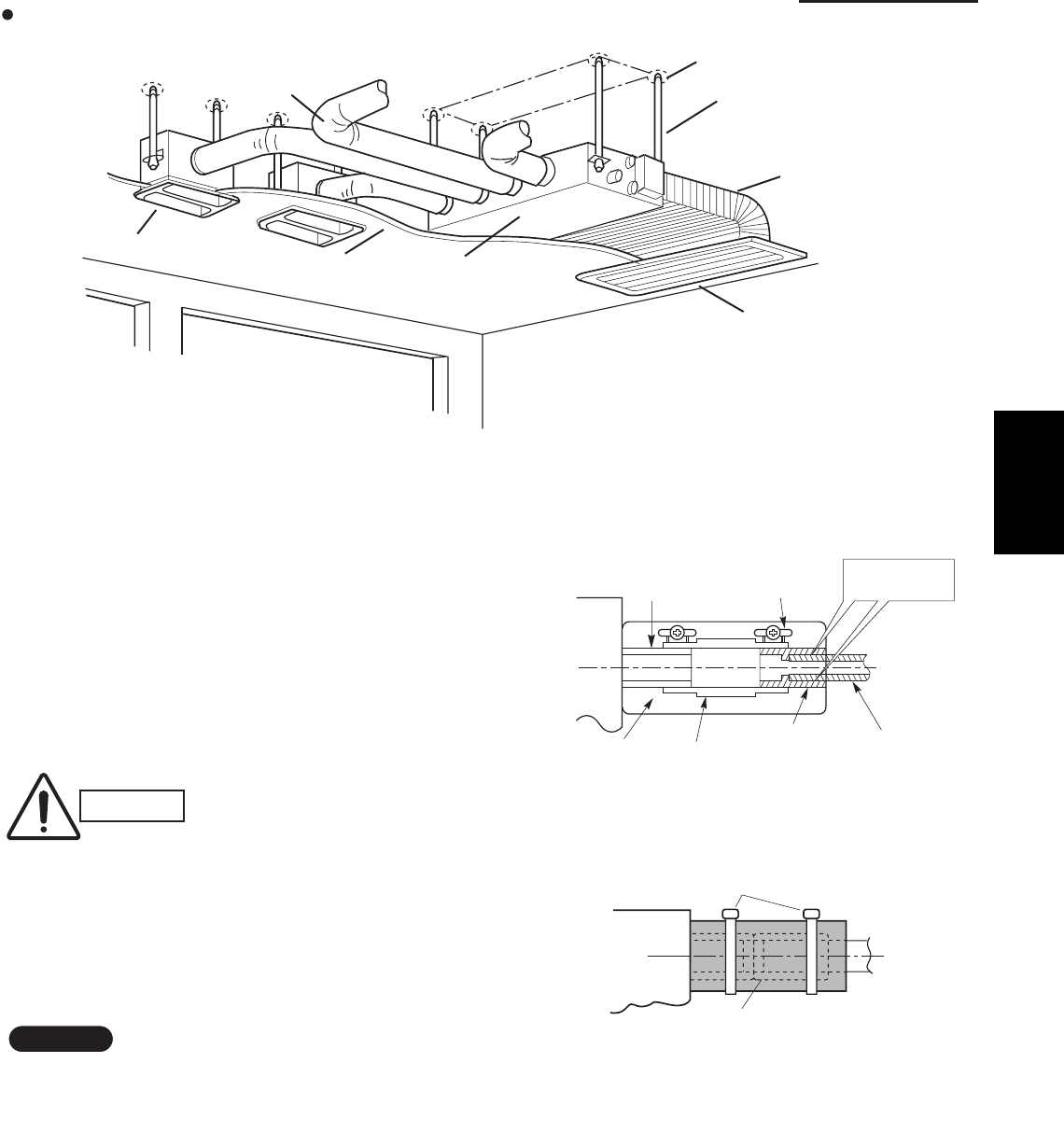
1-95
1. Specifications
Fig. 1-73 shows an example of installation.
6-24. Installing the Drain Piping
(1) Prepare standard hard PVC pipe for the drain and
use the supplied hose band to prevent water leaks.
The PVC pipe must be purchased separately.
When doing this, leave a gap between the drain
socket of the unit and the PVC pipe to allow the
drainage to be checked. The transparent drain
pipe allows you to check drainage. (Fig. 1-74)
(2) After connecting the drain piping securely, wrap
the supplied packing and drain pipe insulator
around the pipe, then secure it with the supplied
clamps. (Fig. 1-75)
NOTE
Make sure the drain pipe has a downward gradient
(1/100 or more) and that there are no water traps.
CAUTION
Tighten the hose clamps so
their locking nuts face upward.
(Fig. 1-74)
Air outlet duct
Air-outlet grille
Ceiling material Indoor unit
Bolt anchor
Suspension bolt
Air-intake duct
Air-intake grille
Drain hose
(supplied)
Packing
(supplied)
Transparent part for
checking drainage Hose band
(supplied)
Drain hose
adapter
(supplied)
Hard PVC pipe
(not supplied)
Adhere with
PVC adhesive.
Fig. 1-74
Drain insulator (supplied)
Clamps (supplied)
Fig. 1-75
Fig. 1-73
1
SM830203-01_PAC-i_US-letter.indb95 95SM830203-01_PAC-i_US-letter.indb95 95 2012/01/19 22:39:322012/01/19 22:39:32
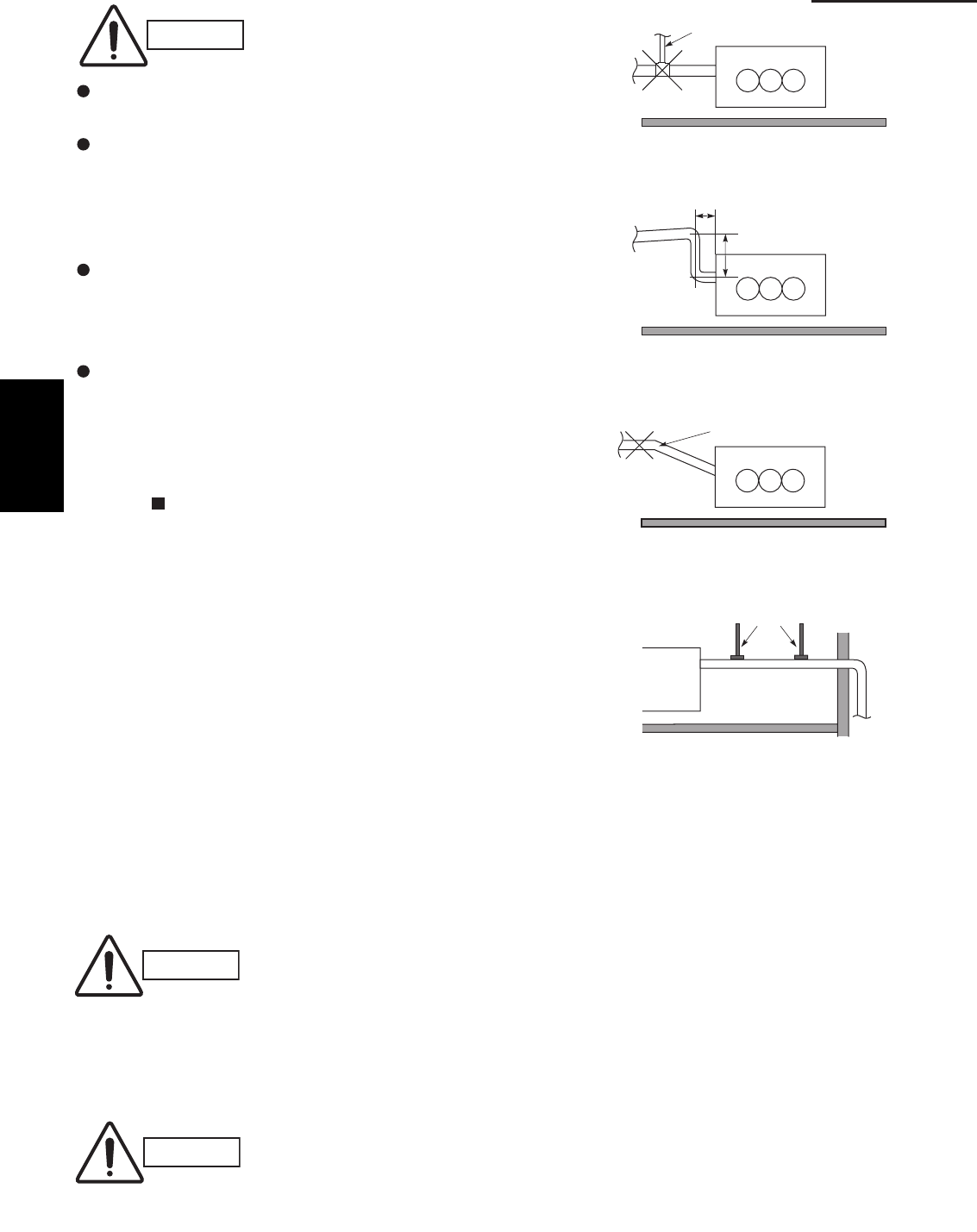
1-96
1. Specifications
CAUTION
Do not install an air bleeder tube as this may cause
water to spray from the drain pipe outlet. (Fig. 1-76)
If it is necessary to increase the height of the drain
pipe, the section directly after the connection port
can be raised a maximum of 19-11/16".
Do not raise it any higher than 19-11/16", as this
could result in water leaks. (Fig. 1-77)
Do not install the pipe with an upward gradient from
the connection port. This will cause the drain water
to flow backward and leak when the unit is not
operating. (Fig. 1-78)
Do not apply force to the piping on the unit side
when connecting the drain pipe. The pipe should not
be allowed to hang unsupported from its connection
to the unit. Fasten the pipe to a wall, frame, or other
support as close to the unit as possible. (Fig. 1-79)
Refer to “ SUPPLEMENT ON DRAIN PIPING”.
6-25. Checking the Drainage
After wiring and drain piping are completed, use the
following procedure to check that the water will drain
smoothly. For this, prepare a bucket and wiping cloth to
catch and wipe up spilled water.
(1) Connect power to the power terminal board (L1, L2
terminal) inside the electrical component box.
(2) Remove the tube cover and through the opening,
slowly pour about 0.3 gal. of water into the drain pan
to check drainage.
(3) Short the check pin (CN5 white) on the indoor control
board and operate the drain pump. Check the water
CAUTION
Be careful since the fan will start
when you short the pin on the
indoor control board.
(4) When the check of drainage is complete, open the
check pin (CN5 white) and remount the insulator and
drain cap onto the drain inspection port.
CAUTION
To mount the tube cover, use 5/16"
(4 × 8 mm) tapping screws.
Do not use long screws as they
may puncture the drain pan and
Air bleeder
Not good
Fig. 1-76
Good
11-13/16" or less
19-11/16" or less
Fig. 1-77
No good
Upward gradient
Fig. 1-78
Good
Support pieces
Fig. 1-79
1
SM830203-01_PAC-i_US-letter.indb96 96SM830203-01_PAC-i_US-letter.indb96 96 2012/01/19 22:39:322012/01/19 22:39:32
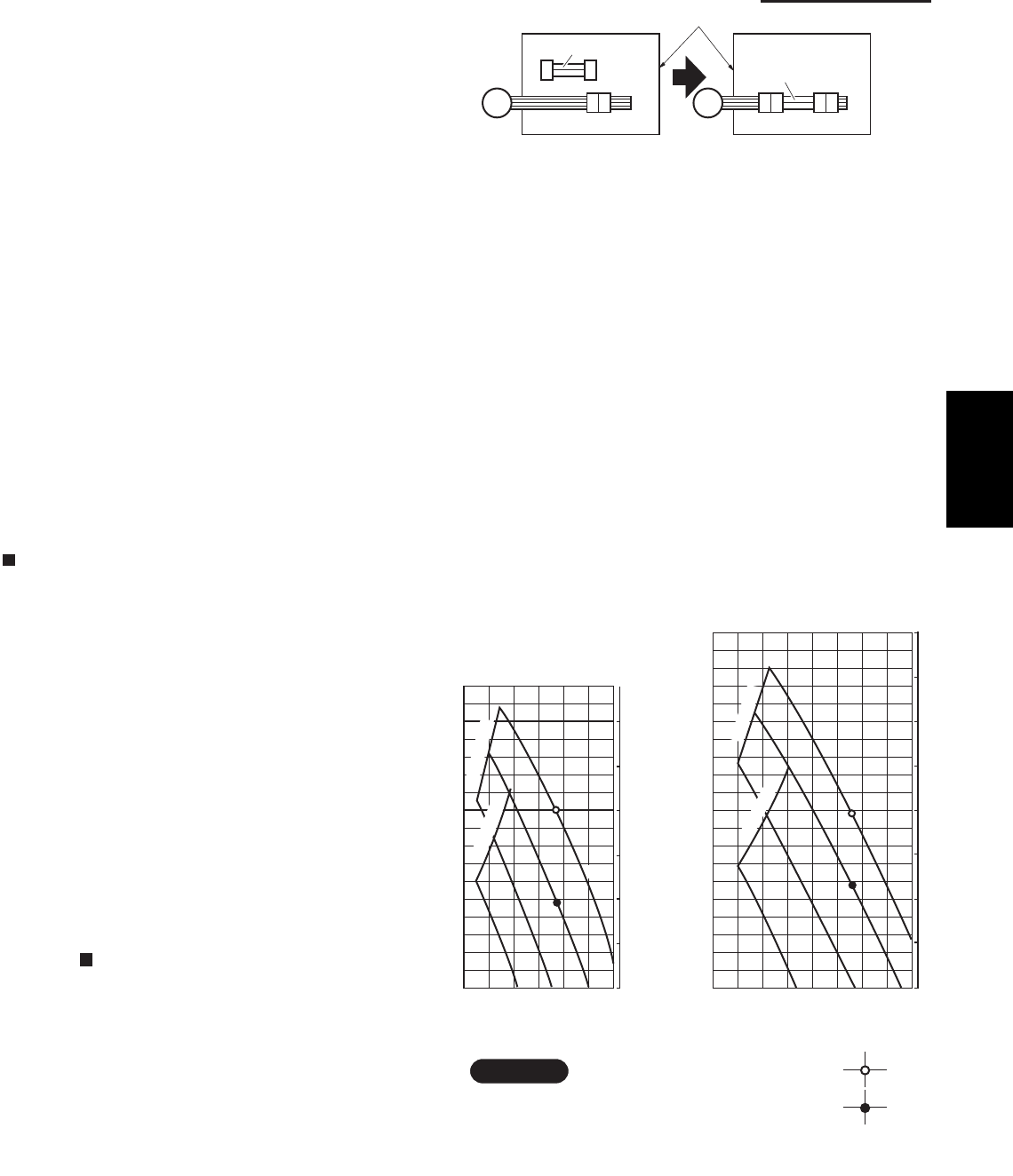
1-97
1. Specifications
6-26. Increasing the Fan Speed
If external static pressure is too great (due to long
extension of ducts, for example), the air flow volume
may drop too low at each air outlet. This problem may
be solved by increasing the fan speed using the
following procedure:
(1) Remove 4 screws on the electrical component box
and remove the cover plate.
(2) Disconnect the fan motor sockets in the box.
(3) Take out the booster cable (sockets at both ends)
clamped in the box.
(4) Securely connect the booster cable sockets
between the disconnected fan motor sockets in
step 2 as shown in the Fig. 1-80.
(5) Place the cable neatly in the box and reinstall the
cover plate.
How to read the diagram
The vertical axis is the external static pressure
(Pa) while the horizontal axis represents the air
flow (CFM).
The characteristic curves for “HT”, “H”, “M” and “L”
fan speed control are shown.
The nameplate values are shown based on the
“H” air flow. For the 26 type, the air flow is 636
CFM, while the external static pressure is 49 Pa
at “H” position. If external static pressure is too
great (due to long extension of duct, for example),
the air flow volume may drop too low at each air
outlet.
This problem may be solved by increasing the fan
speed as explained above.
Refer to “ SUPPLEMENT ON DRAIN PIPING”.
Indoor Fan Performance
26 Type 36 Type
HT : Using the booster cable
H : At shipment
900
Air Flow (CFM)
e
r
uss
e
r
P
c
ita
t
Sl
a
nr
e
tx
E
0
50
0
0.1
0.2
0.3
0.4
0.5
150
700500300
en
i
ltim
iL
L
100
M
H
)
a
P(
)q
An
i
(
e
n
i
l
ti
m
iL
HT
Air Flow (CFM)
erusse
r
Pc
i
tatSlanretx
E
0
50
0
0.1
0.2
0.3
0.4
0.5
0.6
0.8
150
200
500 1000
e
n
i
l
t
i
miL
L
M
H
HT
100
)q
An
i
(
)aP(
e
n
i
l
ti
m
iL
NOTE
Fig. 1-81
Booster cable
Booster cable
Electrical component box
(At shipment) (Booster cable installed)
Fan motor socket
Fan
motor
Fig. 1-80
1
SM830203-01_PAC-i_US-letter.indb97 97SM830203-01_PAC-i_US-letter.indb97 97 2012/01/19 22:39:322012/01/19 22:39:32
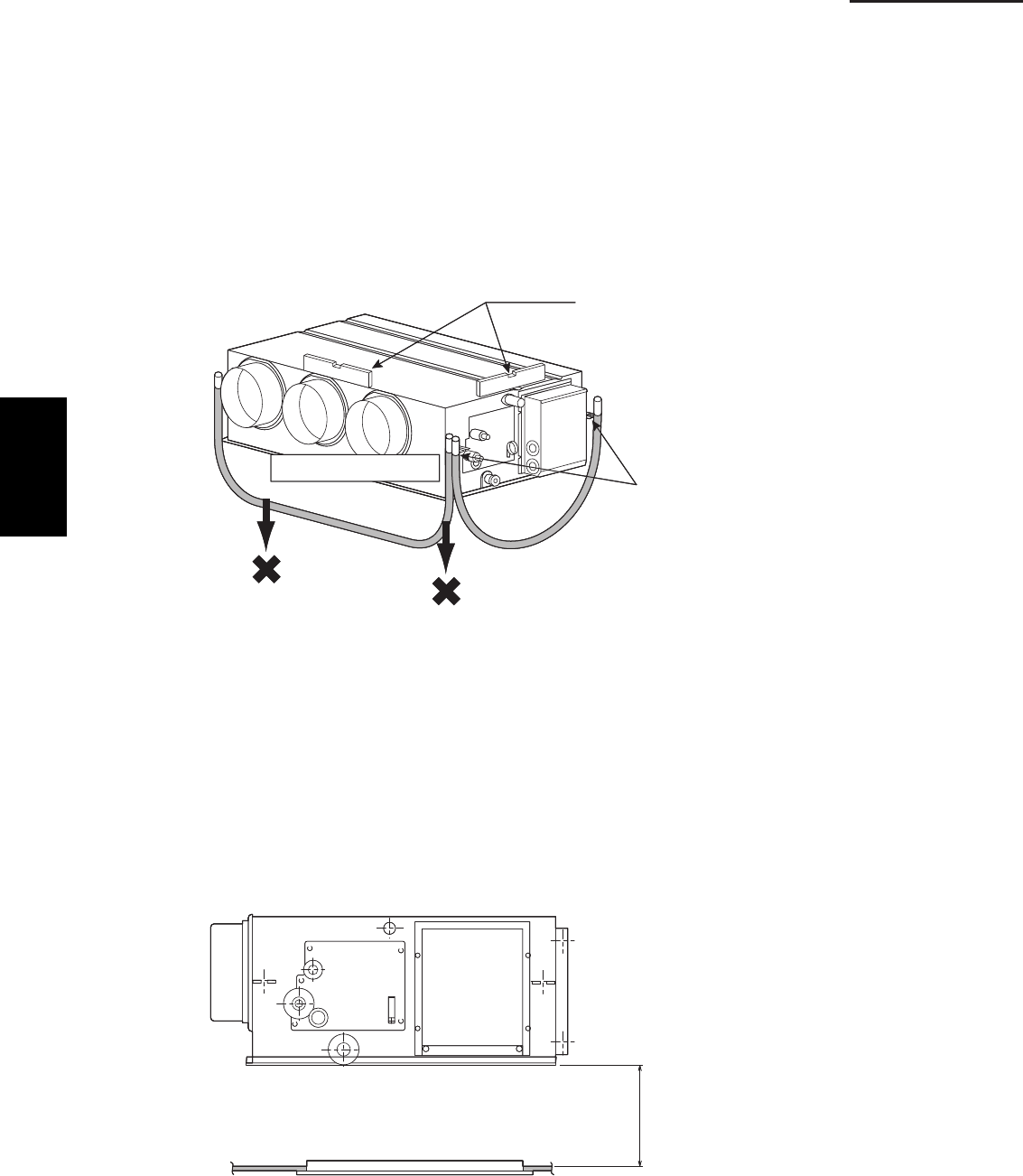
1-98
1. Specifications
6-27. When Installing the Indoor Unit
Confirm that the indoor unit should be installed in a horizontal position.
Use the level gauge or vinyl tube and check every four corner of the
unit is in horizontal.
If the air outlet duct flange is positioned with downward gradient,
there is in danger of water splash or drainage.
Also, dust may sometimes be contaminated inside the drain pan caused
by the residual drain water.
Install the air outlet duct flange side in horizontal or upward and within the
range of 3/8" in the upward direction.
Never install it with a downward gradient against horizontal.
Fig. 1-82
6-28. Required Minimum Space for Installation and Service
If the ceiling tiles cannot be removed, provide the opening holes on the
lower side of the indoor unit for removing the unit in order to maintain
and clean the drain pan and heat exchanger or provide a minimum of
1.0 ft. or more space.
Fig. 1-83
(Prohibited)
(Prohibited)
Air outlet duct flange
Level gauge
Make sure to confirm
that the unit is in horizontal
at the position of the
ceiling-mount hanger by
using a level gauge
or vinyl tubing.
(Prohibited)
(Prohibited)
Air outlet duct flange
Level gauge
Make sure to confirm
that the unit is in horizontal
at the position of the
ceiling-mount hanger by
using a level gauge
or vinyl tubing.
Min. 1.0 ft. or more spaceMin. 1.0 ft. or more space
1
SM830203-01_PAC-i_US-letter.indb98 98SM830203-01_PAC-i_US-letter.indb98 98 2012/01/19 22:39:322012/01/19 22:39:32
1-99
1. Specifications
SUPPLEMENT ON DRAIN PIPING
Checkpoint after installation
After installation of indoor and outdoor units, panels and electrical wiring, check the following items.
krameR kcehC motpmyS tniopkcehC
1Make sure whether indoor and outdoor units are
correctly installed. Fall, vibration, noise
2 Make sure whether gas leakage is tested. No cooling, no heating
3Make sure whether insulation is completed.
(Refrigerant piping and drain piping) Water leakage
4 Make sure whether drain water is running smoothly. Water leakage
5Make sure whether the power voltage matches the
nameplate. Inoperative, burnout
6Make sure whether there is miswiring or incorrect
connection. Inoperative, burnout
7Make sure whether the ground construction is
completed. Ground leakage
8Make sure whether the wire gauge is followed by the
recommended specifications. Inoperative, burnout
9Make sure whether the air intake and air outlet of the
indoor and outdoor units are sealed by obstacles. No cooling, no heating
1
SM830203-01_PAC-i_US-letter.indb99 99SM830203-01_PAC-i_US-letter.indb99 99 2012/01/19 22:39:322012/01/19 22:39:32
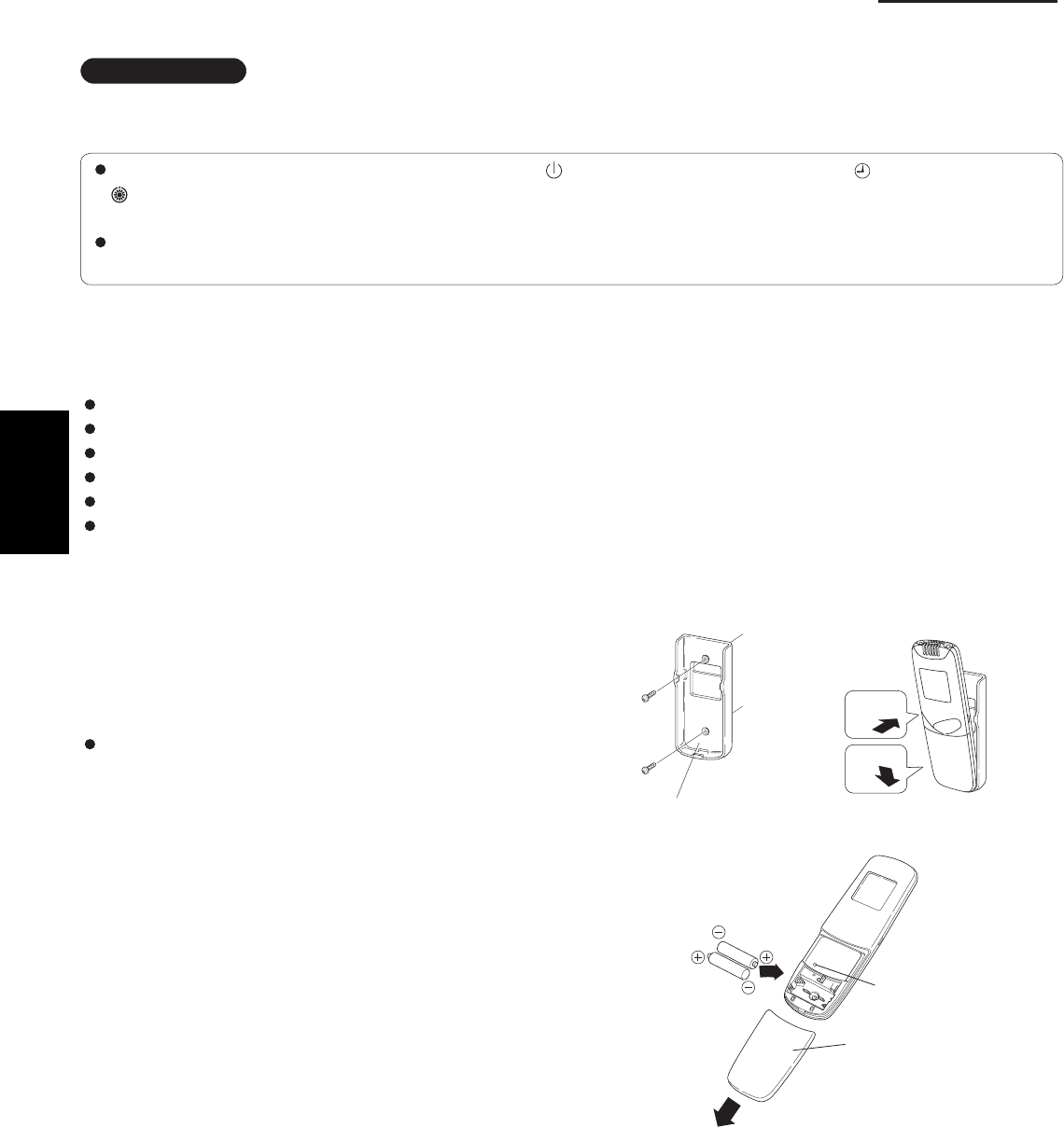
1-100
1. Specifications
7. HOW TO INSTALL THE WIRELESS REMOTE CONTROLLER
IMPORTANT
When using this air conditioner with the wireless remote controller it may sometimes be impossible to change
the operation modes while other indoor unit is running.
When this happens, a double beep tone sounds, the (operation lamp) lights up, and the (Timer lamp) and
(Standby lamp) blink alternately.
Operation is the same even during (AUTO mode) automatic cooling or heating.
A beep tone sounds 5 times and no changes can be made when any of the ON/OFF, MODE, Temperature setting
buttons were pressed while set under central control by the system controller.
7-1. Wireless Remote Controller Installation
The remote controller can be operated from either a non-fi xed position or a wall-mounted position.
To ensure that the air conditioner operates correctly, do not install the remote controller in the following places:
In direct sunlight.
Behind a curtain or other place where it is covered.
More than 26 ft. away from the air conditioner.
In the path of the air conditioner’s airstream.
Where it may become extremely hot or cold.
Where it may be subject to electrical or magnetic interference.
(1) If Wall-mounted Fixed Position
Install the remote controller at a convenient
location on a nearby wall. However, before
attaching the remote controller mounting cradle,
check that the remote controller can operate from
the desired wall position. (Fig. 1-84)
How to Install Batteries
See Fig. 1-85.
(1) Press and slide the lid on the back of the remote
controller in the direction of the arrow.
(2) Install two AAA alkaline batteries. Make sure the
batteries point in the direction marked in the
battery compartment.
(3) Press the reset hole, then replace the lid. If you
press it, the current time, ON time, and OFF time
are all reset to 0:00.
Fig. 1-85
Fig. 1-84
Reset hole
Cover
1
2
Fasten the remote control
mount with screws.
Fitting the remote
control in the mount.
Remote control mount
Press
Put in
1
SM830203-01_PAC-i_US-letter.indb100 100SM830203-01_PAC-i_US-letter.indb100 100 2012/01/19 22:39:322012/01/19 22:39:32
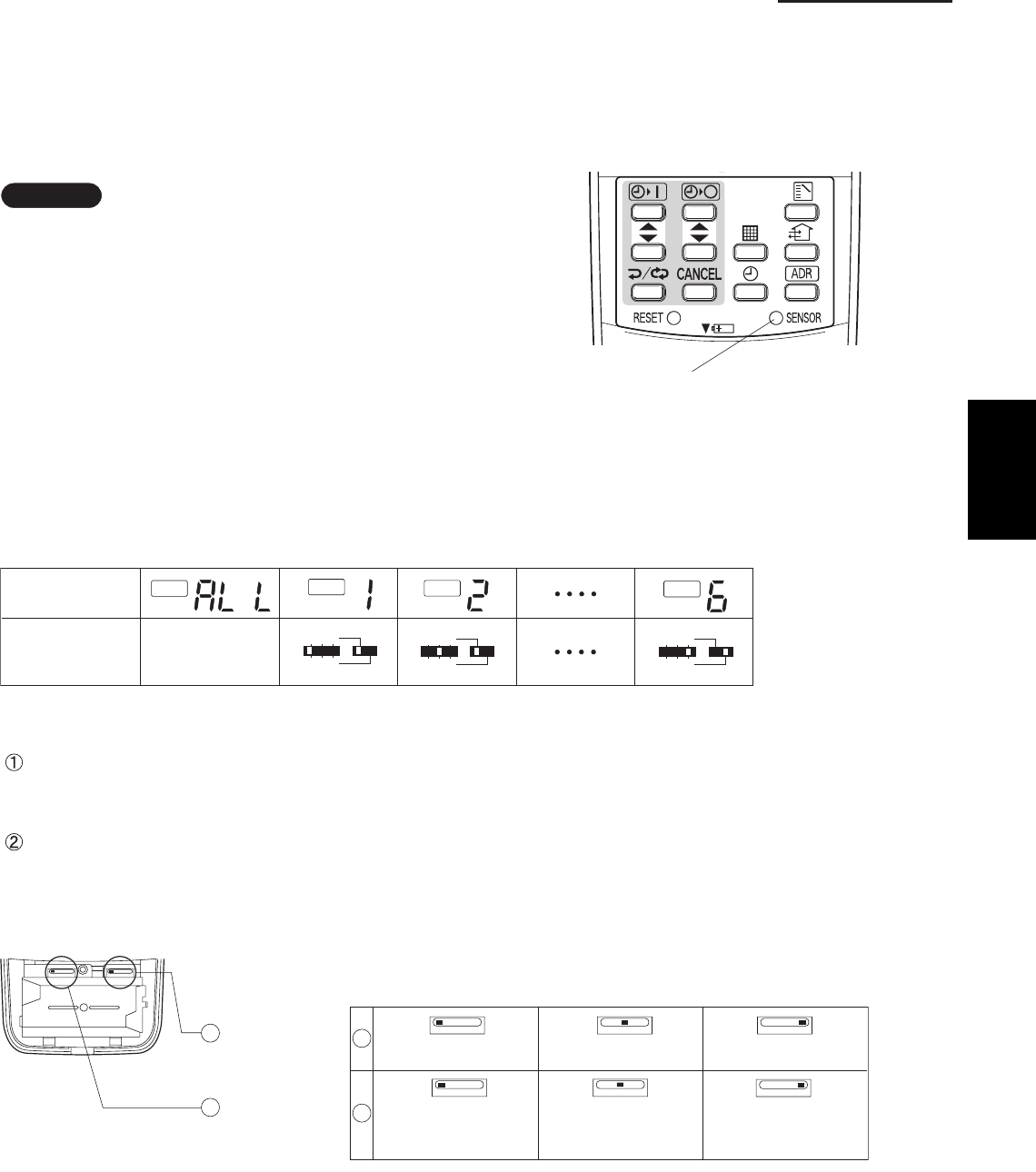
1-101
1. Specifications
7-2. Room Temperature Sensor Setting
The room temperature sensors are built into the indoor unit and the wireless remote controller. Either of these room
temperature sensors can operate.
The system is shipped from the factory set to the indoor unit sensor. To switch to the remote control sensor, press the
sensor switching button located inside the remote control cover and check that A/C SENSOR on the LCD display panel
goes out.
NOTE
If the sensor switch is set to the remote controller side,
but no room temperature data is sent to the main unit
for 10 minutes, the sensor is automatically switched to
the indoor unit side. As much as possible, install the
remote controller facing the unit.
7-3. Address Switches
If you are installing more than 1 indoor unit (up to 6) in the same room, it is necessary for you to assign each unit its
own address so they each can be operated by their remote controller.
Up to 6 indoor units can be controlled separately through the address switches. The operating control has the reception
address switch and the remote controller has the transmission address switch. This function is utilized by matching the
transmission and reception address switches.
7-4. Setting the Model Code
Flap display selector switch
Make the slide switch settings in the battery compartment box of the remote controller depending on the type of
indoor unit in which the wireless receiving unit is used.
Operation mode switch
In this Single Split System Air Conditioner set the switch to “A”.
* The switch is factory set to “S” / “A”.
* Always press the reset button after switching the setting.
ADR
ADR
ADR
ADR
123
456
123
456
123
456
Remote control
address display
* Any address
switch position
available
Address switch
positions
Sensor button
Fig. 1-86
Fig. 1-87
Flap display
selector switch
Operation
mode switch
SKN AHC
SKN
K1 type epyt 1Fsepyt 1T ,1U
SKN SKN
AHC
AHC
Cooling only
AHC
Heat pump without
Auto mode
Heat pump with
Auto mode
1
21
2
1
SM830203-01_PAC-i_US-letter.indb101 101SM830203-01_PAC-i_US-letter.indb101 101 2012/01/19 22:39:332012/01/19 22:39:33
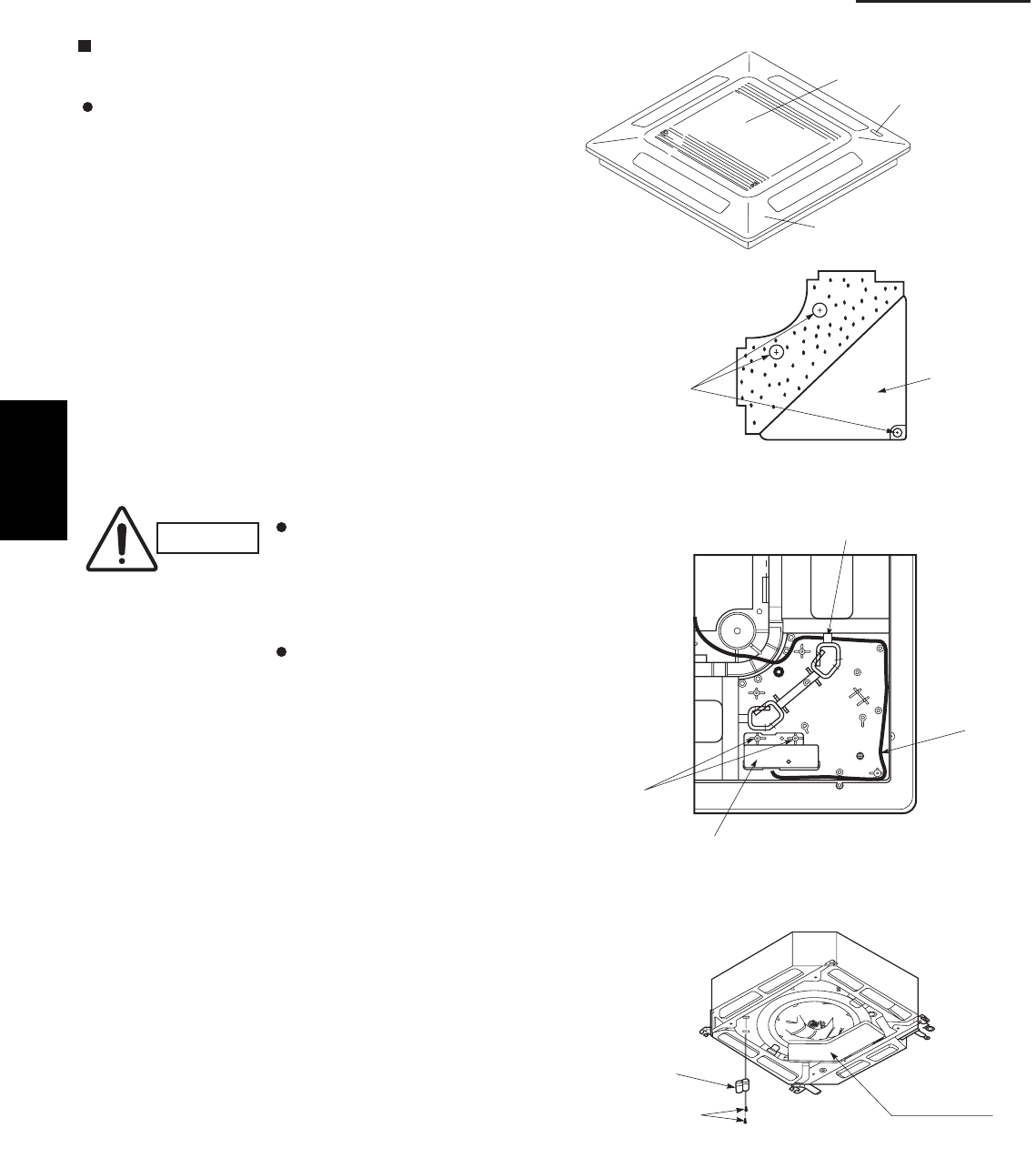
1-102
1. Specifications
<CZ-RWSU1U>
4-Way Cassette Type (U1 Type)
7-5. Indicator Section Installation
Remove the ceiling panel and indicator cover and
install the indicator section.
(1) Remove the ceiling panel.
(2) Remove the corner cover behind the mark section.
(3 screws)
(3) Remove the mark section inside the ceiling panel.
(2 screws)
(4) Install the indicator section in the location where the
mark section was attached. (2 screws)
(5) Form the wire to match the panel ribs as shown in
Fig. 1-89.
(6) Install the corner cover. (Restrain the wire with the
corner cover.)
7-6. Operating Controller Installation
Install the operating controller at the indoor unit intake
port section.
(1) Fasten the operating controller to the indoor unit
intake port section (electrical component box
opposite side) with the 2 accessory screws
(4×L13/32").
(2) Connect the operating controller 2 wires (WHT,
BLK) to the remote control wire (WHT) in the
electrical component box. (For details on
wiring, see the section “7-9. Electrical wiring” .)
(3) Install the ceiling panel.
(4) Connect the indicator section and the operating
controller with the 6P connector (white).
(5) Form the wires with vinyl clamps and fasten.
(6) Connect the ceiling panel wiring connector (2P,
3P) to the body connector in the electrical component
box.
(7) For details on test operation, see “Test Run.”
CAUTION
Do not twist the operating
controller wires together
with the power supply
wires. Doing so can result
in malfunction.
If electrical noise is induced
in the unit power supply,
take appropriate measures,
for example installing a
noise filter.
Fig. 1-90
Fig. 1-89
Fig. 1-88
Ceiling panel
Air intake grille
Mark section
(indicator section)
Corner cover
3 screws
2 screws
Indicator section
Wiring
Pass the wiring through under the shaft.
Electrical
component box
Operating
controller
Screws
1
SM830203-01_PAC-i_US-letter.indb102 102SM830203-01_PAC-i_US-letter.indb102 102 2012/01/19 22:39:332012/01/19 22:39:33
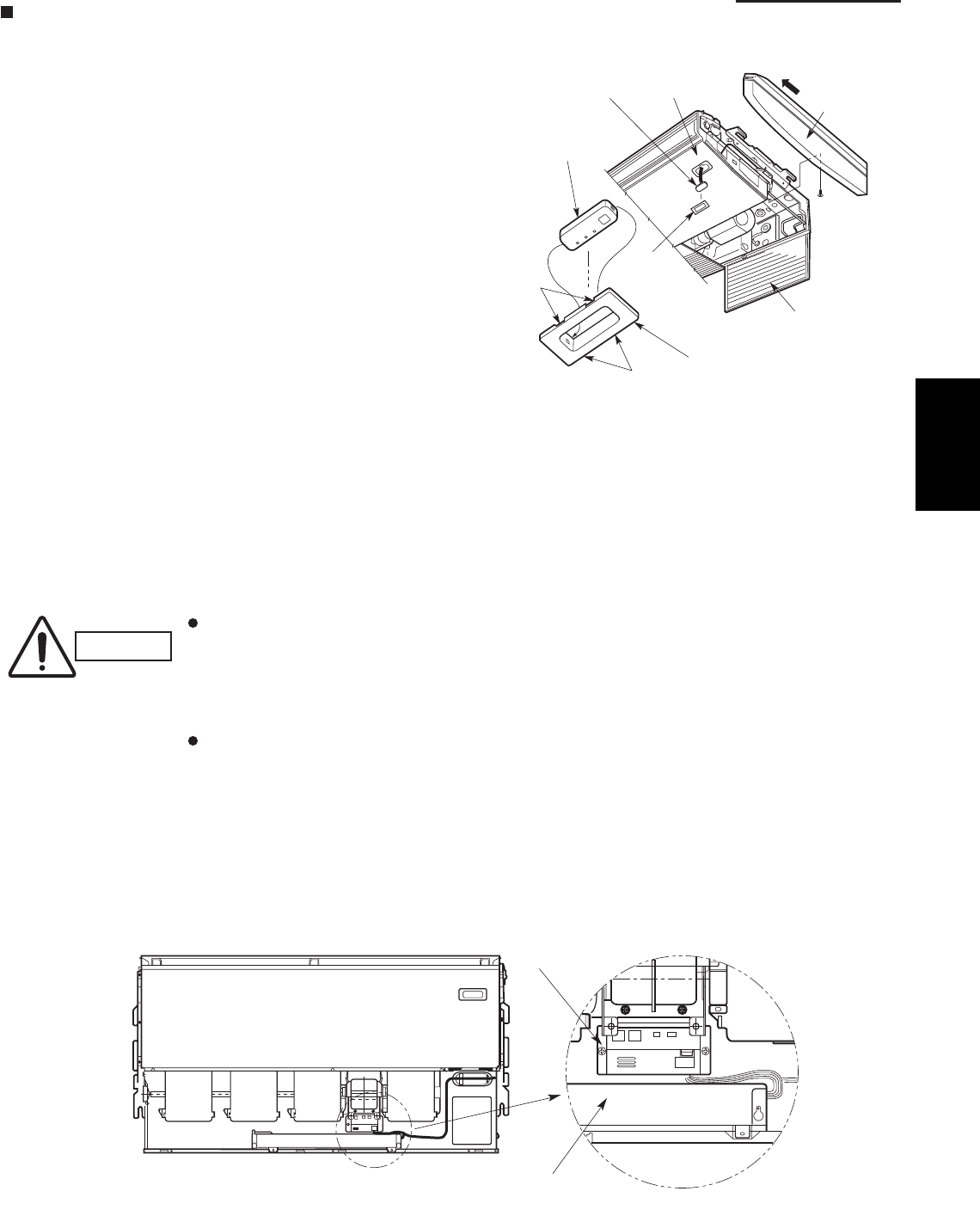
1-103
1. Specifications
Ceiling Type (T1 Type)
7-7. Indicator Section Installation
Remove the side panel to install the indicator section.
(Fig. 1-91)
(1) Remove the side panel.
Open the air intake grille, remove the screw at
one place and then remove the side panel by
sliding it toward the front (arrow direction).
(2) Remove cover A and cover B.
Insert a fl athead screwdriver into the grooves
of cover A to remove cover A and cover B.
(When removing the cover, take care not to
scratch the panel.)
(3) Remove cover B from cover A.
(4) Install the indicator section at cover A.
(5) After passing through the lead wires, install cover
A and the indicator section at the panel hole.
(The protrusion part of cover A is fi xed with the
panel hole.)
(6) Bundle the lead wires along with the wiring of the
louver motor.
(7) Install the side panel.
7-8. Operating Controller Installation
Install the operating controller on the top face of the air
intake section (space between the fan motor and the
electrical component box). (Fig. 1-92)
(1) Fasten the operating controller to the ceiling
panel of the air intake section with the 2 supplied
screws (4×L13/32").
(2) Draw the lead wires into the electrical component
box and connect the operating controller 2 wires
(WHT, BLK) to the remote control wires in the
electrical component box.
(3) Connect the indicator section and the operating
controller using the 6P connector in the electrical
component box.
CAUTION
Do not twist the operating
controller wires together
with the power supply
wires. Doing so can result
in malfunction.
If electrical noise is
induced in the unit power
supply, take appropriate
measures, for example
installing a noise filter.
Fig. 1-91
Fig. 1-92
Cover A
Cover A
PanelIndicator section
Side panel
Indicator section
Cover B
(Not used when
the indicator section
is installed.)
Air intake grille
Grooves
Grooves
Operating controller
Electrical component box
1
SM830203-01_PAC-i_US-letter.indb103 103SM830203-01_PAC-i_US-letter.indb103 103 2012/01/19 22:39:332012/01/19 22:39:33
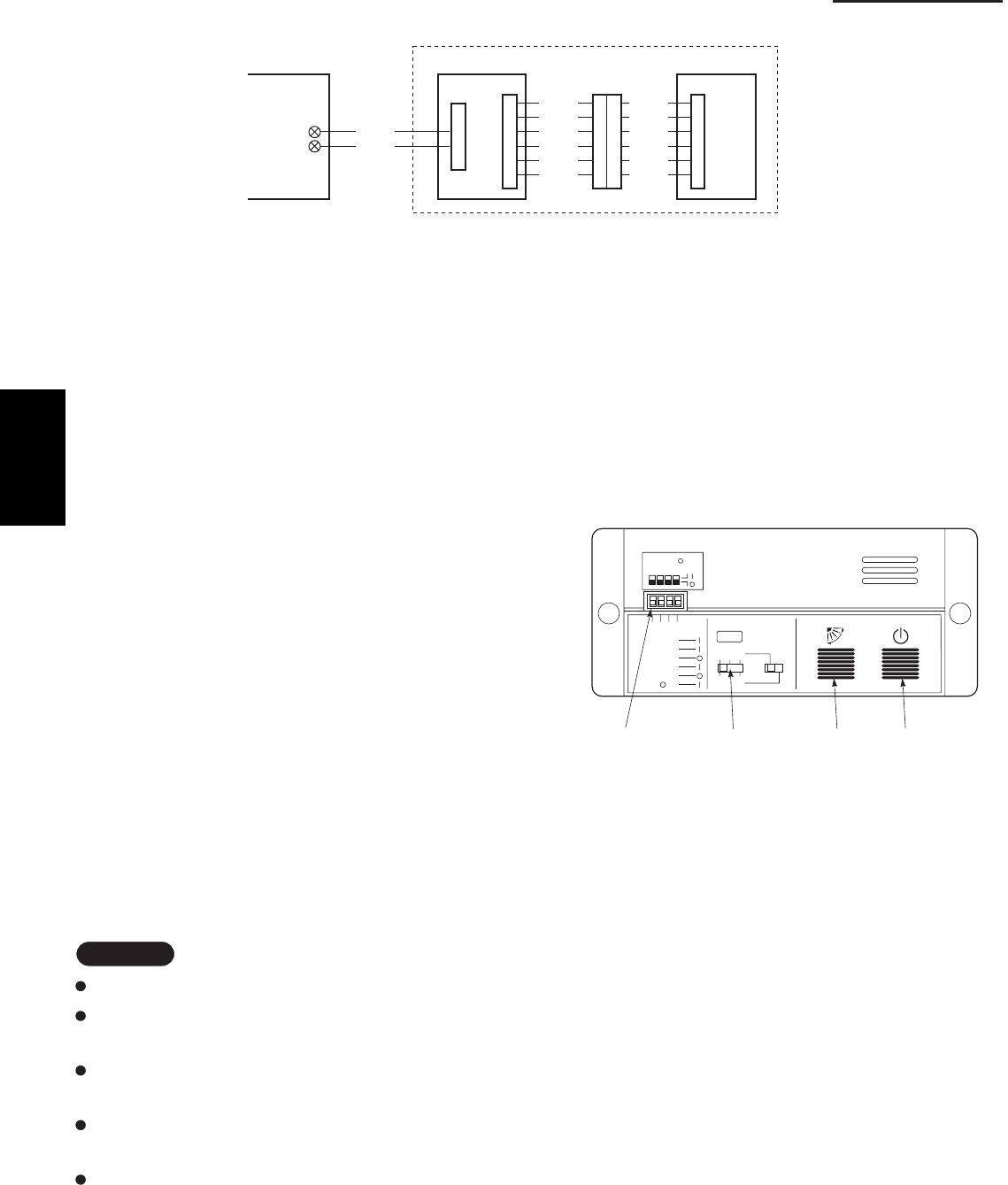
1-104
1. Specifications
7-9. Electrical Wiring
7-10-1. How to use the test run setting (U1, T1 Types)
(1) Set DIP switch [DS] No. 1 on the wireless receiver
unit PCB from OFF to the ON position.
(2) Press the ON/OFF operation button on the
wireless remote controller.
(3) Make a test run using the air conditioner in
COOL or HEAT mode.
(4) During the test run, each of the 3 indicator lamps
on the indoor unit fl ash.
(5) During the test run, the air conditioner runs
continuously and the thermostat does not control
the system.
(6) After the test run, be sure to reset DIP switch No. 1
back to the OFF position and check that no indicator
lamps are blinking.
(This receiver includes a 60-minute automatic OFF
timer function in order to prevent continuous test run.)
Fig. 1-93
WHT
BLK
1
2
W1 (4.3 ft.)
WL
Indoor PCB Operating controller
Signal receiving unit
Indicator section
W2
(0.7 ft.)
W3
(4.3 ft.)
CN1 CN2
Relay connector
CN1
BLU
YEL
PNK
RED
GRY
BLK
BLU
YEL
PNK
RED
GRY
BLK
NOTE
In case of 4-way Cassette type, test run operation is not possible without the ceiling panel installation.
To protect the air conditioner from overloading, the outdoor unit will not start running for 3 minutes after
power is applied or the air conditioner is turned off and then back on.
When the air conditioner fails to start the test run, 1 or more of the 3 alarm indicator lamps on the indoor
unit will flash (See next section).
When the DIP switch is set to “TEST – ON,” temperature control from the wireless remote controller is disabled.
Do not use this setting at any time other than for the test run. Doing so will place an excessive load on the system.
To avoid placing an excessive load on the equipment, use this function only when conducting the test run.
Fig. 1-94
1
1
ADR
1.TEST RUN
2.PCB CHK.
3.RCU: MAIN
RCU: SUB
4.NORMAL
ALL •
DIP switch
No. 1
Address
switch
ON/OFF
operation
button
All OFF( ) for
initial settings.
234
23
456
Flap
button
Connection method
(1) Connect W1 to the indoor PCB WL connector.
(2) Connect W3 from the indicator section with W2 from the operating controller using the relay connector.
7-10. Test Run Switch
The test run switch is located in the operating control unit.
See the Installation Instractions attached to the outdoor unit.
1
SM830203-01_PAC-i_US-letter.indb104 104SM830203-01_PAC-i_US-letter.indb104 104 2012/01/19 22:39:332012/01/19 22:39:33
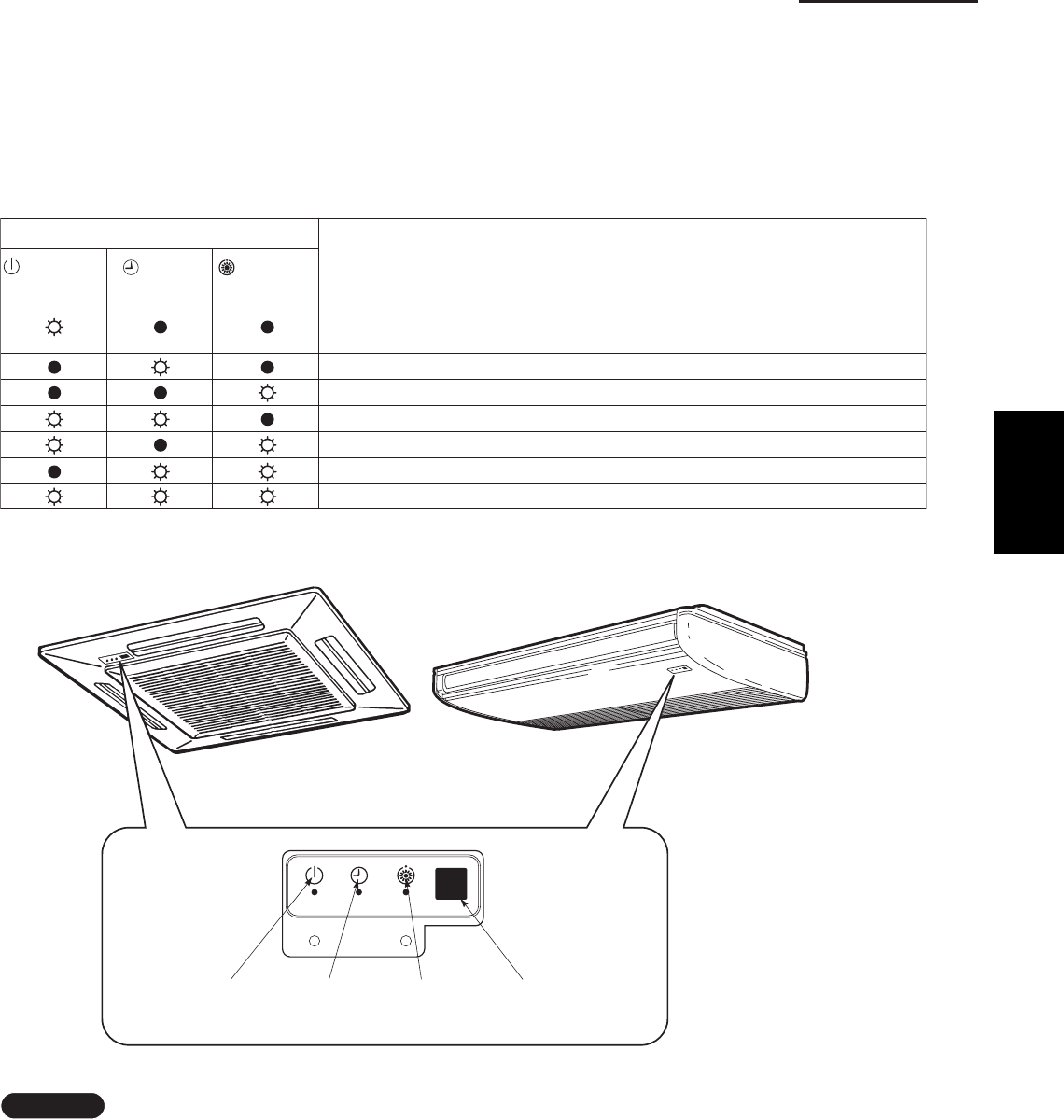
1-105
1. Specifications
7-11. Misoperation Alarm Indicators
Alarm indicator lamps on the indoor unit indicate the error
cause if the air conditioner fails to operate upon being
switched on. The possible alarm indications are given in
Table 1-9. Fig. 1-95 shows the location of the alarm lamps
on the indoor unit.
(See Table 1-9 and Fig. 1-95.)
Table 1-9
Alarm
(OPERATION
(TIMER
(STANDBY
Cause of Trouble
lamp) lamp) lamp)
S.C. errors* between the indoor unit’s controller (PCB) and the remote
controller.
Compressor protector is working.
S.C. errors between indoor and outdoor units.
Indoor or outdoor thermistor is malfunctioning.
Outdoor unit protector is working.
Indoor unit protector is working.
TEST RUN switch on the operation controller is in ON state.
* S.C.: Serial communications
OPERATION
lamp
TIMER
lamp
STANDBY
lamp
Remote control
receiver
Fig. 1-95
NOTE
Stick the alarm message label accompanying the
wireless remote controller on the electrical component
box to indicate the cause of trouble for future reference.
1
SM830203-01_PAC-i_US-letter.indb105 105SM830203-01_PAC-i_US-letter.indb105 105 2012/01/19 22:39:332012/01/19 22:39:33
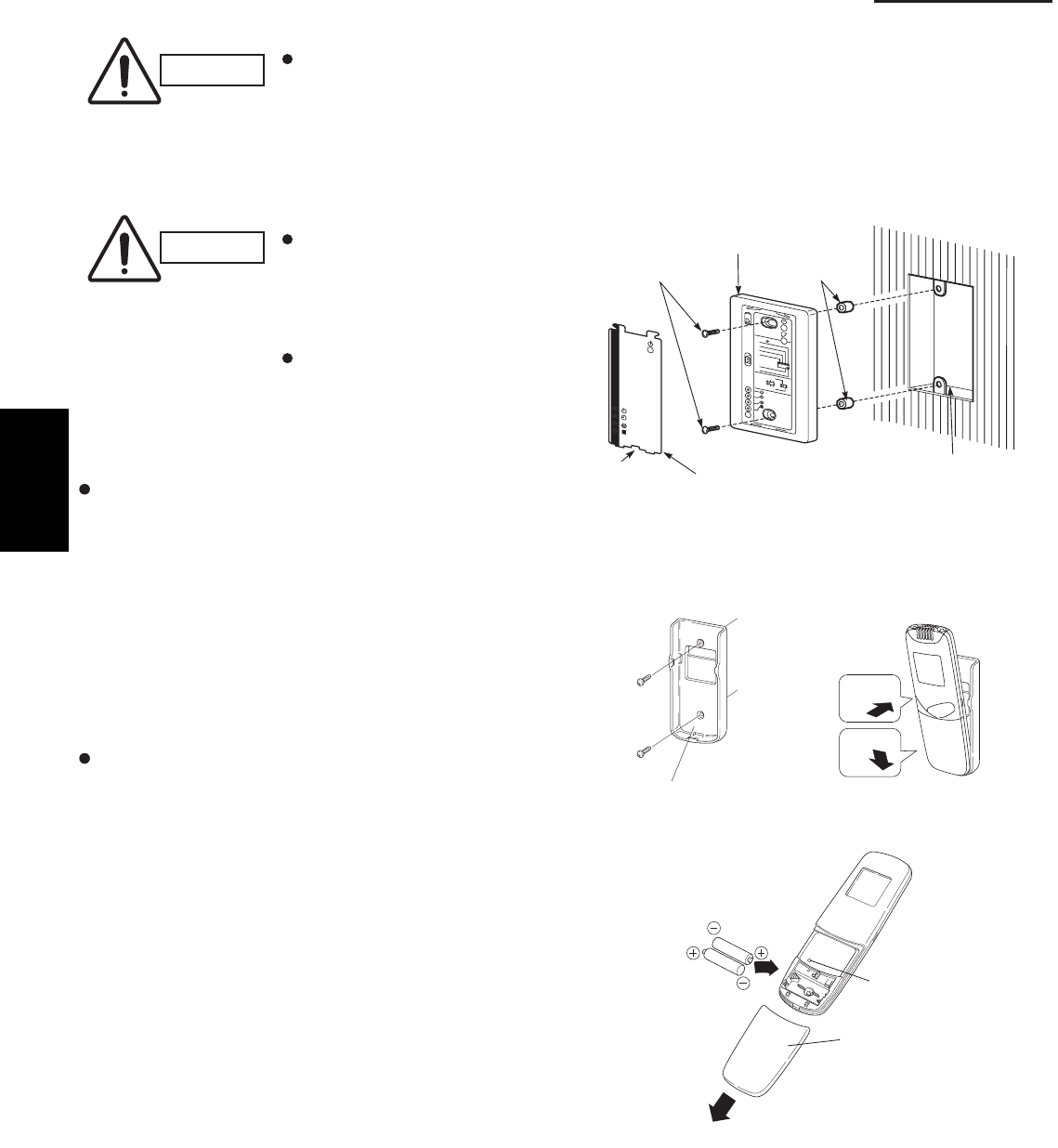
1-106
1. Specifications
<CZ-RWSC1U>
CAUTION
If the signal receiving unit is installed near a rapid-start or inverter type fluorescent
lamp (neither one uses glow lamps), it may be impossible to receive signals from the
wireless remote controller. To avoid signal interference from fluorescent lamps, install
the receiving unit at least 6.6 ft. away from the lamps and install at a location where
wireless remote controller signals can be received when the fluorescent lamps are on.
7-12. Separate Type Signal Receiving Unit Installation
CAUTION
Do not twist the operating
controller wires together
with the power supply
wires. Doing so can result
in malfunction.
If electrical noise is induced
in the unit power supply,
take appropriate measures,
for example installing a
noise fi lter.
If local electrical codes allow, this signal receving
unit can be mounted using a conventional wall box
for fl ush mounting.
(1) If Wall mounted Fixed Position
Install the remote controller at a convenient
location on a nearby wall. However, before
attaching the remote controller mounting cradle,
check that the remote controller can operate from
the desired wall position. (Fig. 1-97)
How to Install Batteries
See Fig. 1-98.
(1) Press and slide the lid on the back of the remote
controller in the direction of the arrow.
(2) Install two AAA alkaline batteries. Make sure the
batteries point in the direction marked in the
battery compartment.
(3) Press the reset hole, then replace the lid. If you
press it, the current time, ON time, and OFF time
are all reset to 0:00.
Fig. 1-97
1
2
Fasten the remote control
mount with screws.
Fitting the remote
control in the mount.
Remote control mount
Press
Put in
Fig. 1-98
Reset hole
Cover
Fig. 1-96
Cover plate
Notch
Spacer
Switch box (no cover)
Signal receiving unit
M4 × L1"
Screws (2)
123
4
R
D
A
65
•
L
L
A
B
U
S
:
U
C
R
N
I
A
M
:
U
C
R
L
A
M
R
O
N
.
K
H
C
B
CP
N
U
RT
S
ET
1
SM830203-01_PAC-i_US-letter.indb106 106SM830203-01_PAC-i_US-letter.indb106 106 2012/01/19 22:39:342012/01/19 22:39:34
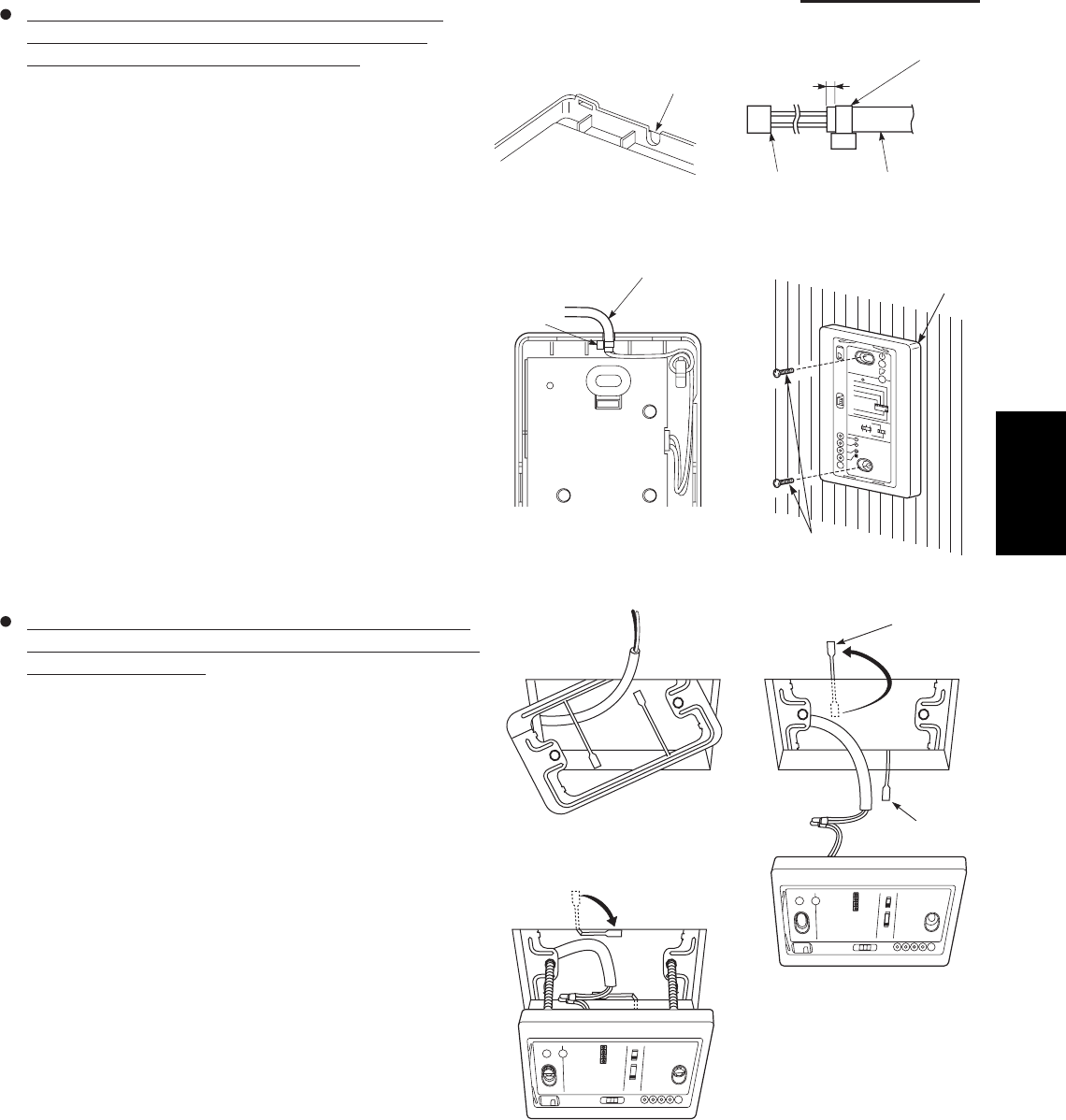
1-107
1. Specifications
When using the signal receiving unit on a wall with
the front exposed, choose a wall surface that the
signal receiving unit can be mounted on.
(1) Insert a fl athead screwdriver into the slot on the lower
side of the signal receiving unit and pry off the back
case.
(2) The wire routing at the signal receiving unit comes out
of the upper case (thin portion at upper center) so use
nippers or a similar tool to cut out a notch beforehand
large enough for the remote control cable (option) to
pass through as shown in Fig. 1-99.
(3) Remove the wire, which is connected prior to shipping,
from the connector.
(4) Connect the remote control cable (option) to the signal
receiving unit connector as shown in Fig. 1-100 after the
clamp (supplied) with the unit is installed.
(5) After arranging the wiring on the printed circuit board
as shown in Fig. 1-101 so that it is contained within the
signal receiving unit, attach the back case. At this time,
arrange so that the head of the clamp faces the side.
(6) Remove the cover plate and install the signal receiving
unit using the 2 wood screws.
(7) Fasten to the wall using the cord clip (supplied).
(8) Reinstall the cover plate.
To use the signal receiving unit while mounted on the
ceiling, install by using the carrier for ceiling installation
supplied with the unit.
(1) Remove the cover plate by inserting a fl athead
screwdriver into the notch in the lower section and
prying it off.
(2) Cut out a section (3-3/4"×2-1/32") on the ceiling using
the paper pattern (supplied) as a guide.
(3) Run the wire through the mounting carrier and insert
into the installation hole as shown in Fig. 1-103.
(4) Fit securely into the ceiling material at sections (A)
and (B) as shown in Fig. 1-104.
(5) Connect the wire (2-wire core) from the signal
receiving unit with the wire from the indoor unit. (See
section on how to wire the receiving unit.) as shown in
Fig. 1-104.
(6) Use the supplied spacers to adjust for a thickness
several inches more than the ceiling material and
lightly fasten the receiving unit in place with the small
screws (M4×1-9/16", 2 pcs.) supplied with the unit.
(7) Tighten the machine screws after fi tting sections (A)
and (B) into the openings, in the gap between the
signal receiving unit and ceiling surface as in Fig. 1-105.
Do not apply strong force when tightening the screws.
Excessive force might warp or damage the cover.
When fi nished, the signal receiving unit should still be
able to move slightly when pressed as shown in Fig.
1-105.
(8) Reinstall the cover plate.
Run the remote con
cable through a notch
in the upper case.
Clamp (Supplied)
About 3/32"-1/8"
Connector Remote control cord
(Option)
Remote control cord (Option)
Clamp
Signal receiving unit
Wood screws (2)
123
4
R
D
A
6
5
•L
L
A
BU
S
:
U
C
R
N
I
AM
:
U
C
R
L
A
M
RO
N
.
K
H
C
B
C
P
NU
R
T
S
E
T
B
A
Fig. 1-99
Fig. 1-100
Fig. 1-101
Fig. 1-102
Fig. 1-103
Fig. 1-104
Fig. 1-105
1
SM830203-01_PAC-i_US-letter.indb107 107SM830203-01_PAC-i_US-letter.indb107 107 2012/01/19 22:39:342012/01/19 22:39:34
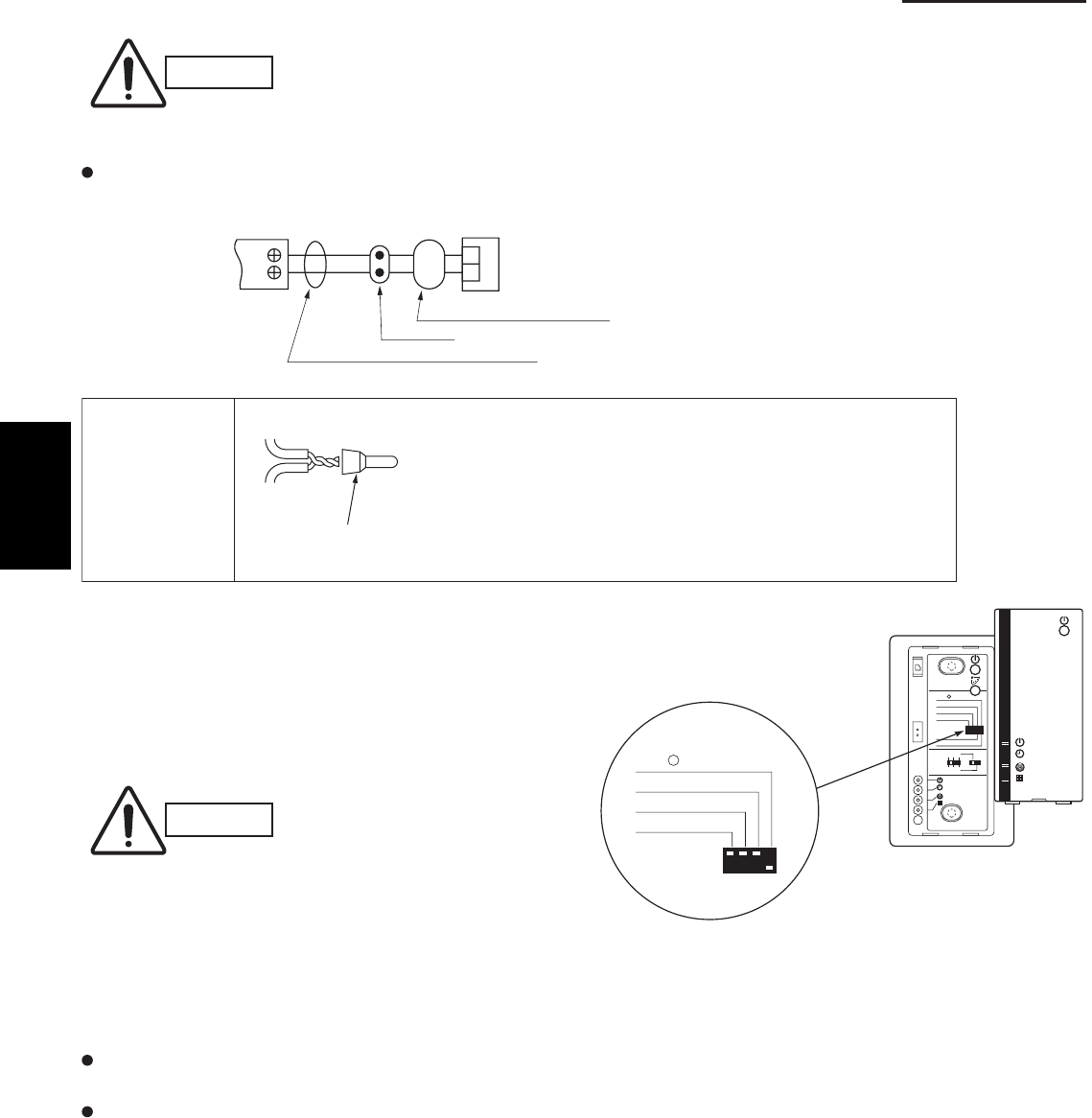
1-108
1. Specifications
7-13. Electrical Wiring
CAUTION
Be sure to do the wiring
correctly (incorrect
wiring will damage the
equipment).
Recommended wire diameter and allowable length
for signal receiving unit wiring and its branch wiring:
AWG #18, MAX 1,300 ft.
7-14. Test Run Switch
(1) Remove the cover plate of the signal receiving unit.
Set the “TEST RUN” switch of the dip switches to
the ON position.
(2) Press the ON/OFF operation button on the
wireless remote controller.
Wire joint (2 pcs.
white, supplied)
1
WHT
BLK 2
1
2
Terminal board
for indoor unit
remote control
wiring
Signal receiving unit wiring (field supply)
Connection
Wire from signal receiving unit
Signal receiving
unit
Wire joint CE-1
(supplied)
Signal receiving
unit wiring
Signal receiving
unit wiring
CAUTION
To avoid placing an
excessive load on the
equipment, use this
function only when
conducting the test run.
(3) Make a test run using the air conditioner in
COOL or HEAT mode.
(4) During the test run, the “OPER.,” “TIMER,”
and “STDBY” LED all blink.
To protect the air conditioner from overloading, the outdoor unit will not start running for approximately 3 minutes
after power is applied or the air conditioner is turned off and then back on.
When the DIP switch is set to “TEST – ON,” temperature control from the wireless remote controller is disabled.
Do not use this setting at any time other than for the test run. Doing so will place an excessive load on the system.
(5) After the test run, press the ON/OFF operation button on the wireless remote controller. Then, set the
TEST RUN switch back to the OFF position to cancel the test run mode.
(This receiver includes a 60-minute automatic OFF timer function in order to prevent continuous test run.)
Fig. 1-106
123
4
ADR
56
ALL•
RCU : SUB
RCU : MAIN
NORMAL
PCB CHK.
TEST RUN
ALL•
RCU : SUB
PCB CHK.
TEST RUN
(1) Strip the insulation to approximately 9/16" from the ends
of the wires that will be connected.
(2) Twist together the 2 wires and create a crimp connection
at the wire joint.
(3) If a special crimping tool is not used, or if the connection
is soldered, insulate the wires using insulation tape.
1
SM830203-01_PAC-i_US-letter.indb108 108SM830203-01_PAC-i_US-letter.indb108 108 2012/01/19 22:39:342012/01/19 22:39:34
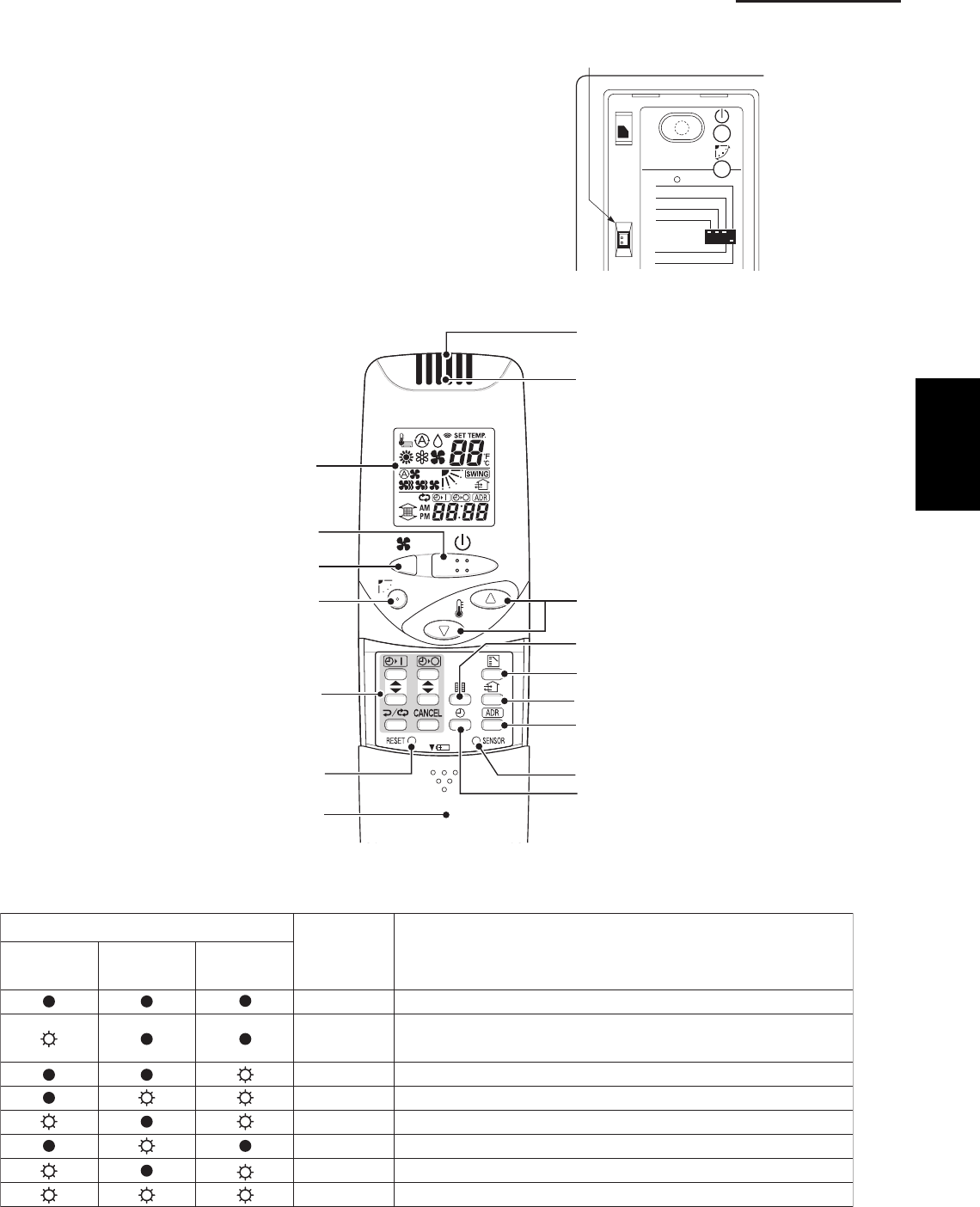
1-109
1. Specifications
7-15. Misoperation Alarm Indicators
A blinking lamp for other than the signal receiving unit
fi lter shows that a problem has occurred in the unit, so
make an inspection. (Refer to servicing information in
the service manual, etc.) Also, if wired remote controller
and dedicated service check lines (CV6380230938:
service use) are available, then detailed error
information can be obtained by connecting to the
service connector as shown in the drawing. For
information on how to connect to the signal receiving
unit, refer to the instruction manual that came with the
dedicated service check lines.
Table 1-10
Fig. 1-107
Fig. 1-108
Lamp
OPERATION
TIMER STANDBY ugirBaCtelbuorT fo esh
lamp lamp lamp
No power supply or mis-wiring of signal receiving unit.
S.C.* errors between the indoor unit’s controller (PCB) and
signal receiving unit.
S.C. errors between indoor and outdoor units.
Alternately Indoor unit protector is activated.
Alternately Outdoor unit protector is activated.
Compressor protector is activated.
Concurrent Mis-setting of indoor unit.
Concurrent Mis-setting of outdoor unit.
* S.C.: Serial communications
ALL•
RCU : SUB
RCU : MAIN
NORMAL
PCB CHK.
TEST RUN
Service
connector
1. Operation Display
2. Start/Stop button
3. Fan speed button
4. Swing/Wind Direction button
5. Timer setting button
6. Reset button
7. Cover
8. Transmitter
9. Remote control sensor
10. Temperature setting buttons
12. Mode Select button
11. Filter button
13. Ventilation button
14. Address button
15. Sensor button
16. Clock button
1
SM830203-01_PAC-i_US-letter.indb109 109SM830203-01_PAC-i_US-letter.indb109 109 2012/01/19 22:39:342012/01/19 22:39:34
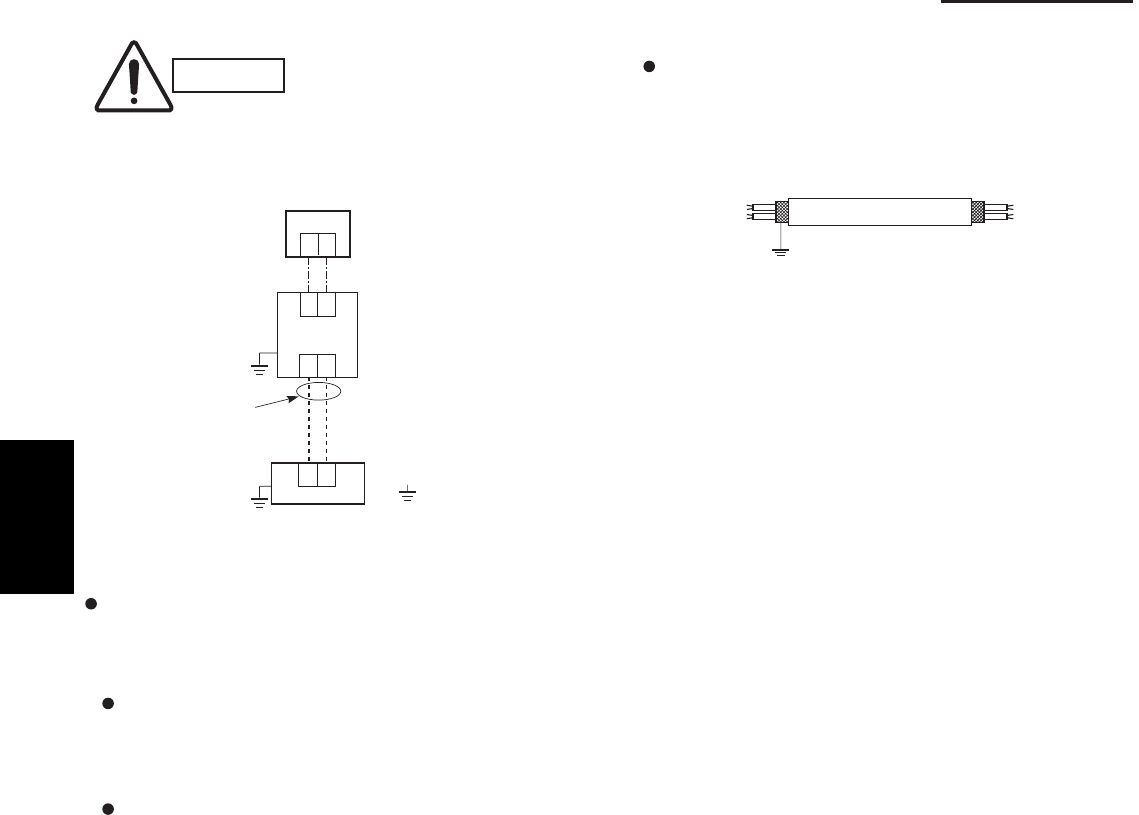
1-110
1. Specifications
7-16. Basic Wiring Diagram
CAUTION
Be sure to do the wiring
correctly (incorrect wiring
will damage the equipment).
Wiring procedure
Carry out the wiring according to the above wiring
diagram.
Address setting is automatically executed
after turning on the system.
An indoor unit address is assigned to each
indoor unit.
Operation takes place successively at
intervals of 1 second, by using combinations
of the address setting of each unit.
In case of using shielded wires for inter-unit control
wiring, ground the shield on one side. (Fig. 1-109)
Otherwise misoperation because of electrical noise
may occur.
Shielded wire
Ground
Fig. 1-109
U1 U2
U1 U2
12
: Ground (earth)
Outdoor unit
Indoor unit
No. 1
12
Remote
Controller
Inter-unit
control
wiring
Wire joint
1
SM830203-01_PAC-i_US-letter.indb110 110SM830203-01_PAC-i_US-letter.indb110 110 2012/01/19 22:39:342012/01/19 22:39:34
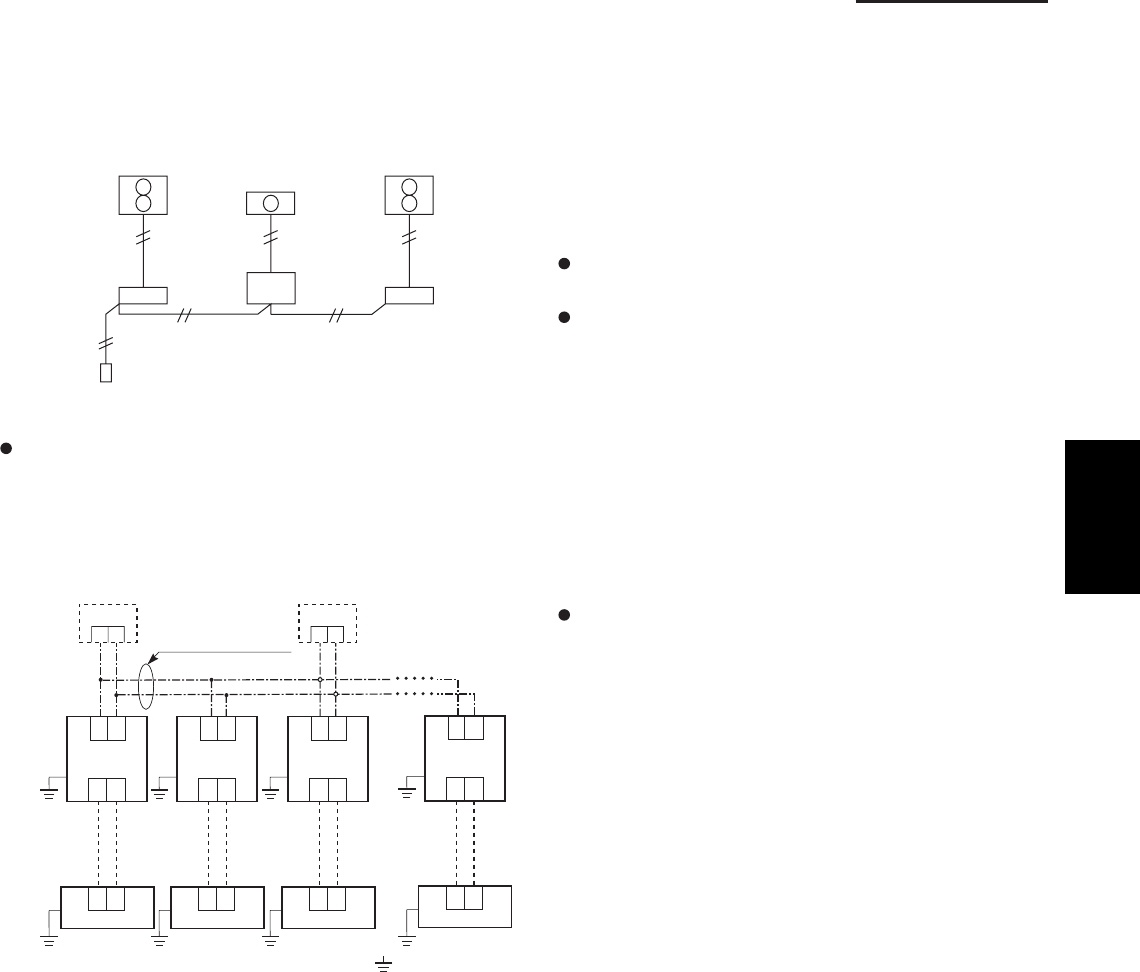
1-111
1. Specifications
7-17. Wiring System Diagram for Group Control
This diagram shows when several units (maximum of
8) are controlled by a signal receiving unit (main
unit). In this case, a signal receiving unit can be
connected at any indoor unit.
Group control using 2 signal receiving units
It does not matter which of the 2 signal receiving units
you set as the main controller.
Wiring procedure
Wire according to the diagram at left:
Address setting is executed automatically when the
outdoor unit is turned on.
Each successive unit will respond at one-second
intervals following the order of the group address
when the remote controller is operated.
When using multiple signal receiving units (up to 2
can be used), one is the main signal receiving
unit and the other is the sub-signal receiving unit.
To set up a sub-signal receiving unit, change its
remote control address connector (RCU. ADR)
located on its PCB from main to sub position
(main: when shipped from factory).
(sub)
12
Wire joint
Remote
Controller
(main)
: Ground (earth)
Connection wiring
for group control
12
U1 U2
U1 U2
U1 U2
U1 U2
U1 U2
U1 U2
U1 U2
U1 U2
12
Outdoor unit
Indoor unit
No. 1
12
Outdoor unit
Indoor unit
No. 2
12
Outdoor unit
Indoor unit
No. 3
12
Outdoor unit
Indoor unit
No. 8
1
SM830203-01_PAC-i_US-letter.indb111 111SM830203-01_PAC-i_US-letter.indb111 111 2012/01/19 22:39:342012/01/19 22:39:34
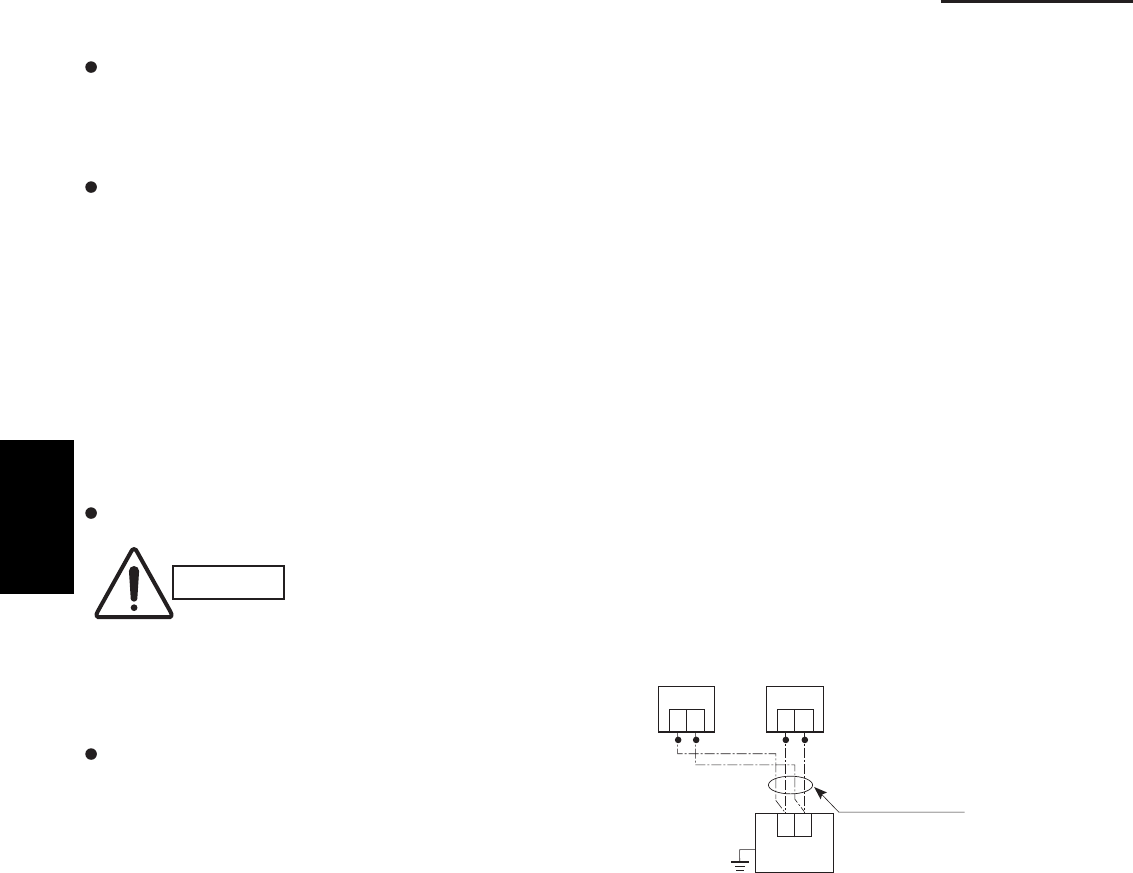
1-112
1. Specifications
7-18. Wiring System Diagram for Multiple Remote Controllers
To operate 1 indoor unit with 2 signal receiving units
set at different locations.
CAUTION
Carry out the wiring correctly
(incorrect wiring will damage
the equipment).
When installing multiple remote controllers
This multiple system is used for operating the unit(s) at
different positions. (A maximum of 2 signal receiving
units can be installed.)
Setting method
To execute this control, make the setting according
to the following procedure.
(1) Of the two installed signal receiving units, make
one the main signal receiving unit (factory-shipped
state).
(2) On the other signal receiving unit, change the
address connector on the PCB from main to sub
position.
In this state, it functions as a sub-signal receiving
unit.
Basic wiring diagram
Connection wiring
Signal receiving unit
12
Indoor unit
Earth
(sub)(main)
12
(Option)
12
Remote control
cable terminal
board
1
SM830203-01_PAC-i_US-letter.indb112 112SM830203-01_PAC-i_US-letter.indb112 112 2012/01/19 22:39:342012/01/19 22:39:34
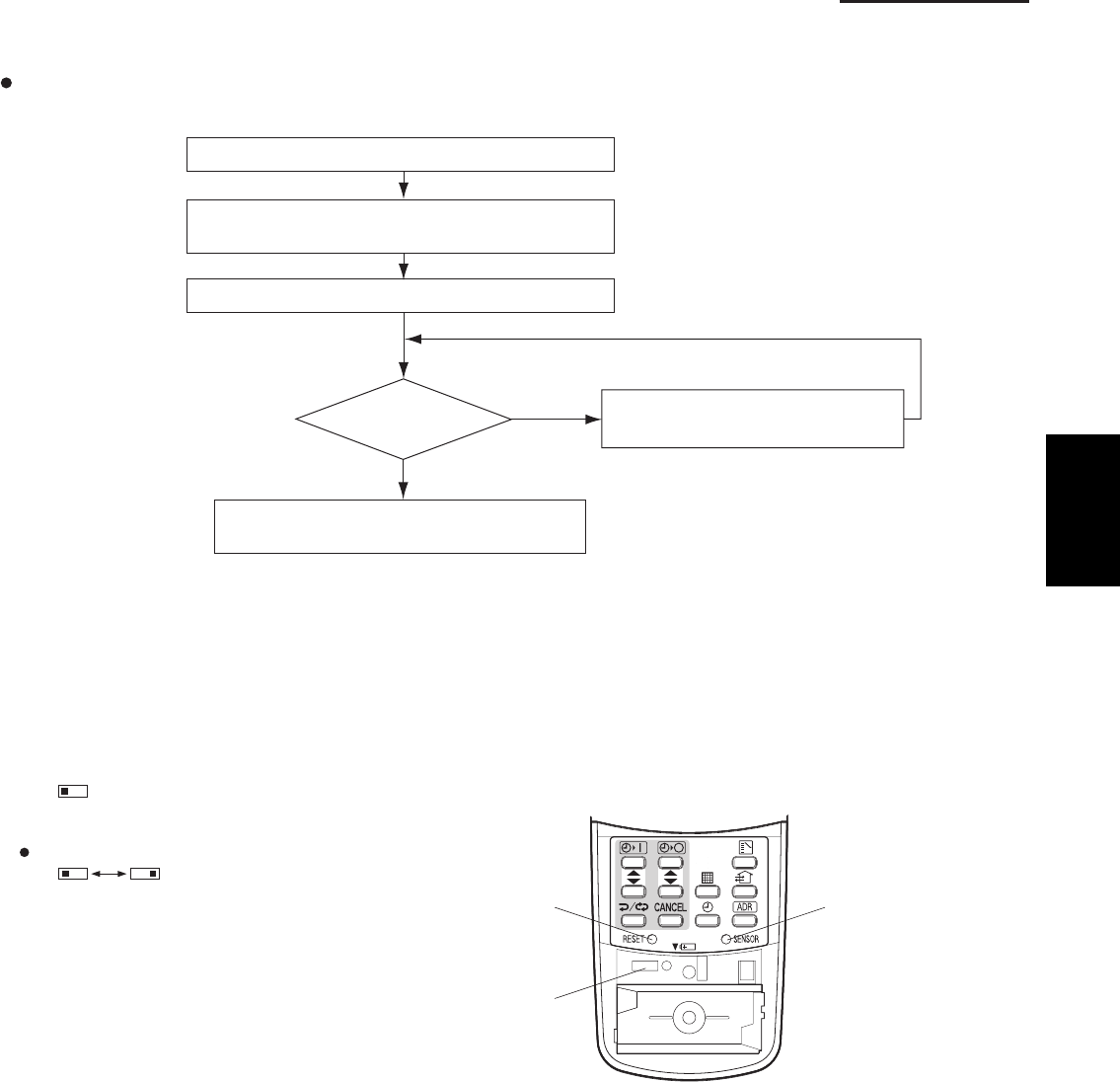
1-113
1. Specifications
<CZ-RWSK1U>
7-19. Test Run Procedure
Wall mounted Type
(K1 Type)
7-20. Check Items Before the Test Run
(1) Turn ON the remote power switch at least 12 hours before the test run in order to charge the crankcase heater.
(2) Fully open the service valves on the gas-tube and liquid-tube sides.
(3) Set the sliding switches on the inside of the wireless remote controller cover to the correct settings for that model.
After changing the settings, press the RESET hole.
Check the “Check Items Before the Test Run.”
Set the indoor unit controller to “TEST.”
Return the indoor unit controller to
“NORM.” (Item 7-21-3)
NO
Is operation
possible?
Verify the combination (wiring) of indoor and
outdoor units.
Check using the Diagnosis
function table. (Refer to 7-24)
YES Note: Check the indoor-side drainage.
(Item 7-20)
(Item 7-21-3)
Wireless remote controller transmitter
Verify that sliding switch 1 is in the “S” position.
SKN
Set sliding switch 2 to the correct setting for these models.
A: Heat pump model
(H: Heat pump, no auto heating/cooling)
C: Cooling-only model
AHC AHC
RESET hole
Sliding switch
SENSOR button
1
SM830203-01_PAC-i_US-letter.indb113 113SM830203-01_PAC-i_US-letter.indb113 113 2012/01/19 22:39:342012/01/19 22:39:34
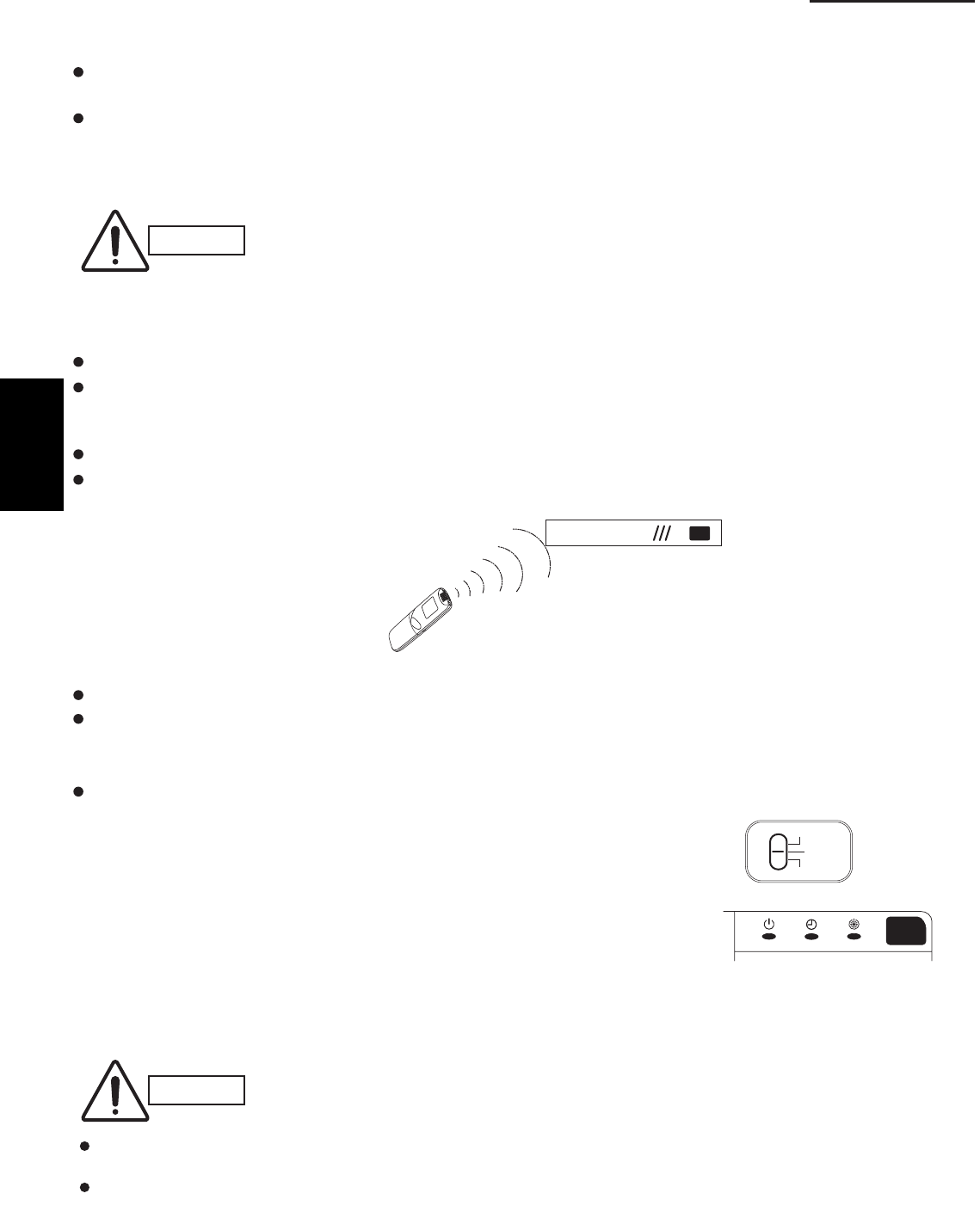
1-114
1. Specifications
7-21. Preparing for the Test Run
7-21-1. Changing the room temperature sensor
Room temperature sensors are installed inside the indoor unit and the wireless remote controller.
Either room temperature sensor can be used.
When “Unit Sensor” is indicated on the wireless remote controller’s LCD, the indoor unit sensor is operating as the
room temperature sensor.
To change to the remote control sensor, open the remote control cover and press the SENSOR button once. The
“Unit Sensor” display disappears, and the remote control sensor becomes the room temperature sensor.
CAUTION
If the temperature data from the remote controller is not communicated to the indoor
unit for a period of 10 minutes when the remote control sensor is selected, the unit
automatically switches back to the indoor unit sensor.
Install the remote controller in a location where the signal can reliably be received by
the indoor unit.
7-21-2. Using the remote controller
Face the remote controller toward the receiver (indoor unit).
The maximum distance where the remote controller signal can be received is approximately 26 ft., however this
distance is only a guide. The actual distance may vary somewhat depending on battery capacity and other
conditions.
Make sure there are no obstructions which can block the signal between the remote controller and the receiver.
When the remote controller signal is received correctly, the indoor unit beeps.
(It beeps twice only when operation is started.)
Do not drop, throw, or wash the remote controller.
Do not place the remote controller in a location exposed to direct sunlight, or near a stove or similar appliance.
7-21-3. Test run
Using the controller
(1) Slide the main unit controller switch from “ON” to “TEST”.
(The outdoor unit will not operate for approximately 3 minutes after
the power is turned ON, or after operation is stopped.)
(2) All indicator lamps on the display blink while test run is in progress.
(3) Temperature control is not possible during the test run.
(4) If normal operation is not possible, the lamps on the display will indicate
the problem. Refer to “7-24. Diagnosis Table”.
(5) After the test run is completed, move the controller switch from “TEST” to “ON” and verify that the indicator lamps
stop blinking.
(A 60-minute automatic OFF timer function is included in order to prevent continuous test run.)
Receiver
Wireless Remote Controller
CAUTION
Controller
Indicator
For S-26PK1U6
OFF
ON
TEST
Do not use this setting at any time other than for the test run. Doing so will place an excessive load on
the system.
Test run is not possible if the power was turned ON when the controller switch was in the “TEST” position.
Leave the power ON and move the switch to “OFF,” then move the switch back to “TEST.”
1
SM830203-01_PAC-i_US-letter.indb114 114SM830203-01_PAC-i_US-letter.indb114 114 2012/01/19 22:39:352012/01/19 22:39:35
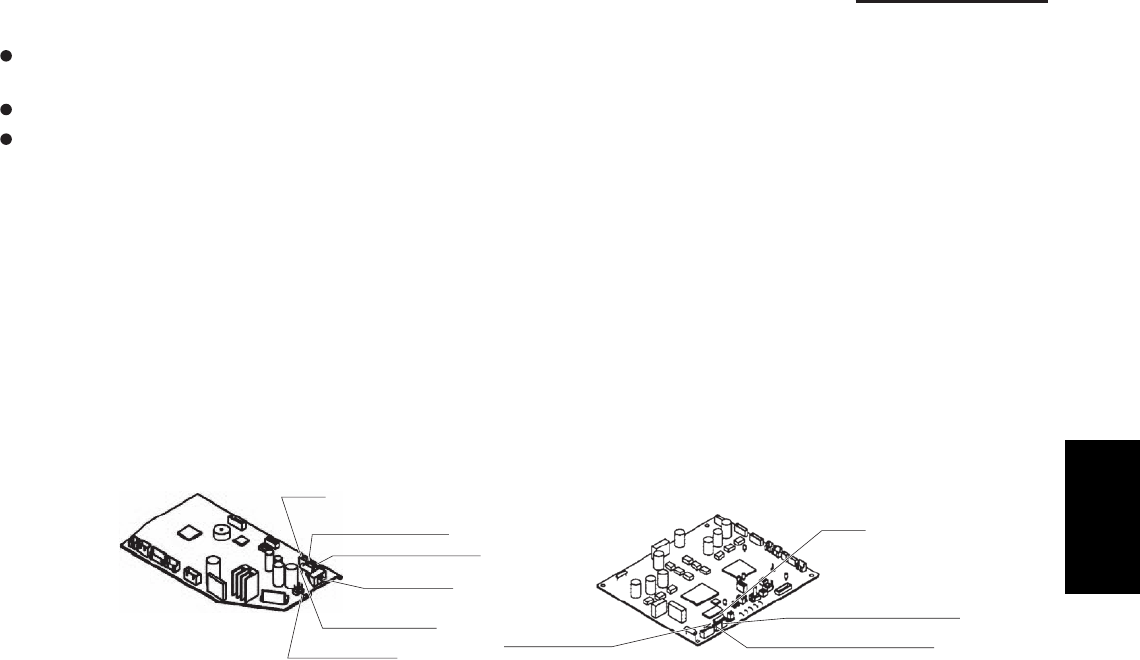
1-115
1. Specifications
7-22. Precautions
Request that the customer be present at the time the test run is performed. Explain the Operating Instructions to
the customer, and then have the customer actually operate the system.
Be sure to pass the manual and warranty certifi cate to the customer.
Verify that the AC 208 / 230 V wiring is not connected to the terminal plate which is used to connect the inter-unit
control wiring.
* If AC 208 / 230 V is accidentally applied to this terminal plate, the fuse (0.5A for both indoor and outdoor units) on
the inter-unit control PCB will be tripped in order to protect the PCB. Correct the wiring connections, then
disconnect the 2P connectors (indoor unit: blue, OC, CN40; outdoor unit: blue, OC) which are connected
to the PCB and connect the other 2P connectors (indoor unit: brown, EMG, CN44; outdoor unit: brown, EMG).
(See the fi gure below.)
If operation is still not possible with the brown connectors connected, cut the varistor (black) (for both the indoor
and outdoor units).
(Be sure to turn OFF the power before performing this work.)
BCPlortnoctinuroodtuOBCPlortnoctinuroodnI
Varistor (black)
Fuse
0.5A
Serial 1 connector (blue)
Serial 2 connector (brown)
<For K1 Type>
Varistor (black)
VA002
2P connector (brown)
2P connector (blue)
Fuse
0.5A
CHK (2P plug)
SW103 TEST
OFF
ON
1
SM830203-01_PAC-i_US-letter.indb115 115SM830203-01_PAC-i_US-letter.indb115 115 2012/01/19 22:39:352012/01/19 22:39:35
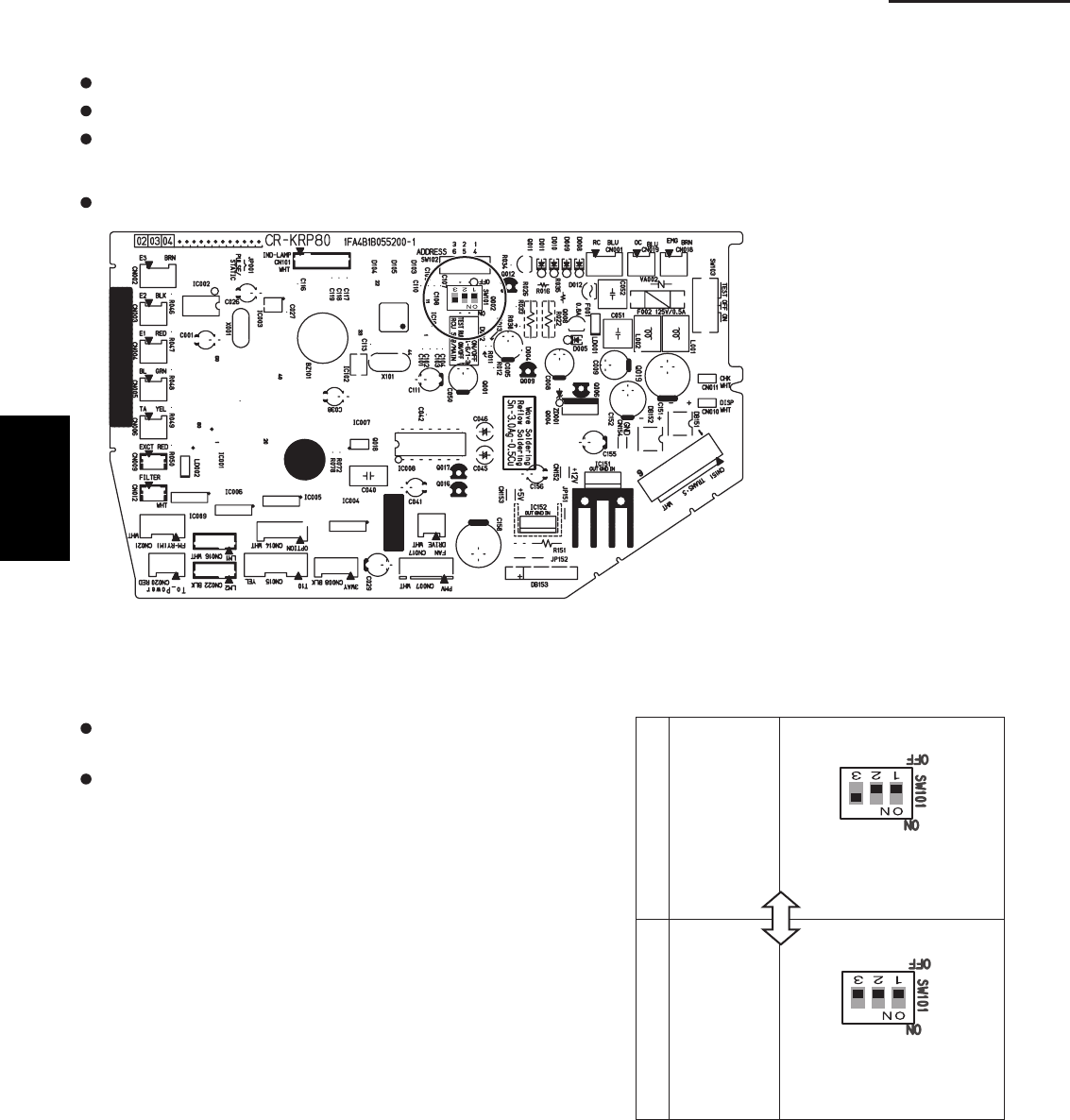
1-116
1. Specifications
7-23. When Setting Indoor Unit Control PCB Switch for Wall Mounted Indoor Unit
When using both the wired and wireless remote controller, refer to the procedure below.
If this setting is not made correctly an alarm will occur. (The operation lamp on the display blinks.)
This setting is not necessary for the case of using wireless remote controller only.
The slide switch setting at the time of factory shipment for model K1 type is “B.”
When using wired remote controller as “sub”, to set its
data to “sub” in remote controller setting mode.
When using wireless remote controller as “sub”, set the
switch on the indoor unit control PCS to A.
S-26PK1U6
A
Nos. 1, 2 OFF, No. 3 ON.
B
Nos. 1, 2, 3 all OFF
When using
wireless
remote
controller
as “main”
When using
wireless
remote
controller
as “sub”
1
SM830203-01_PAC-i_US-letter.indb116 116SM830203-01_PAC-i_US-letter.indb116 116 2012/01/19 22:39:352012/01/19 22:39:35
1-117
1. Specifications
7-24. Diagnosis Table
Wired remote
Cause
E 0 1
E 0 2
E 0 9
E 1 4
E 0 4
E 0 6
E 1 5
E 1 6
E 2 0
P 0 5
L 0 2
P 0 9
displayed
L 0 7
displayed
Indoor unit
1:1 connection (single type)
Nothing is
displayed
Nothing is
displayed
displayed
displayed Operating lamp
is blinking.
displayed
displayed
displayed
displayed
displayed
displayed
displayed
displayed
displayed
displayed
L 1 3
Standby lamp
is blinking.
Operation lamp and
Standby lamp are
blinking alternately.
Both the Operation
lamp and Standby
lamp are blinking
together.
Timer lamp and
Standby lamp are
blinking alternately.
Remote controller is not connected correctly.
Indoor unit power is not ON.
Automatic address setting has not been
completed.
Inter-unit control wiring is cut or is not
connected correctly.
Remote controller is not connected correctly
(remote controller receiving failure).
Remote controller is not connected correctly
(failure in transmission from remote controller
to indoor unit).
Indoor-outdoor inter-unit wiring is not
connected correctly.
Indoor unit capacity is too low.
Indoor unit capacity is too high.
No serial signal is being received at all from
the indoor units.
Inter-unit circuit or open phase in the outdoor
unit power
Insufficient gas
Indoor-outdoor unit type mismatch
The indoor unit ceiling panel connector is not
connected correctly.
Group connection
Remote controller is not connected with
indoor unit correctly
Indoor unit power is not ON.
Automatic address setting has not been
completed.
Inter-unit control wiring is cut or is not
connected correctly.
Remote controller is not connected with
indoor unit correctly
Remote controller is not connected with
indoor unit correctly
Same as at left
Indoor-outdoor inter-unit wiring is cut or
is not connected correctly.
Same as at left
Reversed phase or open phase in the
3-phase power at one of the outdoor
units in the group
Same as at left
Ceiling panel connector at one of the
indoor units in the group is not
connected correctly.
Simultaneous-operation multi system
(flexible combination)
Same as at left
Same as at left
Same as at left
Control wiring for group control is cut or
is not connected correctly.
Same as at left
Same as at left
Same as at left
Reversed phase or open phase in the
outdoor unit 3-phase power
Same as at left
Control wiring for group control
is connected
to the indoor unit, however it is set for individual
operation.
Indoor unit ceiling panel connector is not
connected correctly.
Control by main-sub
remote controllers
Same as at left
Same as at left
Same as at left
2 remote controllers are
set as the main remote
controller.
Same as at left
Same as at left
Same as at left
Same as at left
Same as at left
Same as at left
Same as at left
receiver lamp
spcontroller dilay
1
SM830203-01_PAC-i_US-letter.indb117 117SM830203-01_PAC-i_US-letter.indb117 117 2012/01/19 22:39:352012/01/19 22:39:35
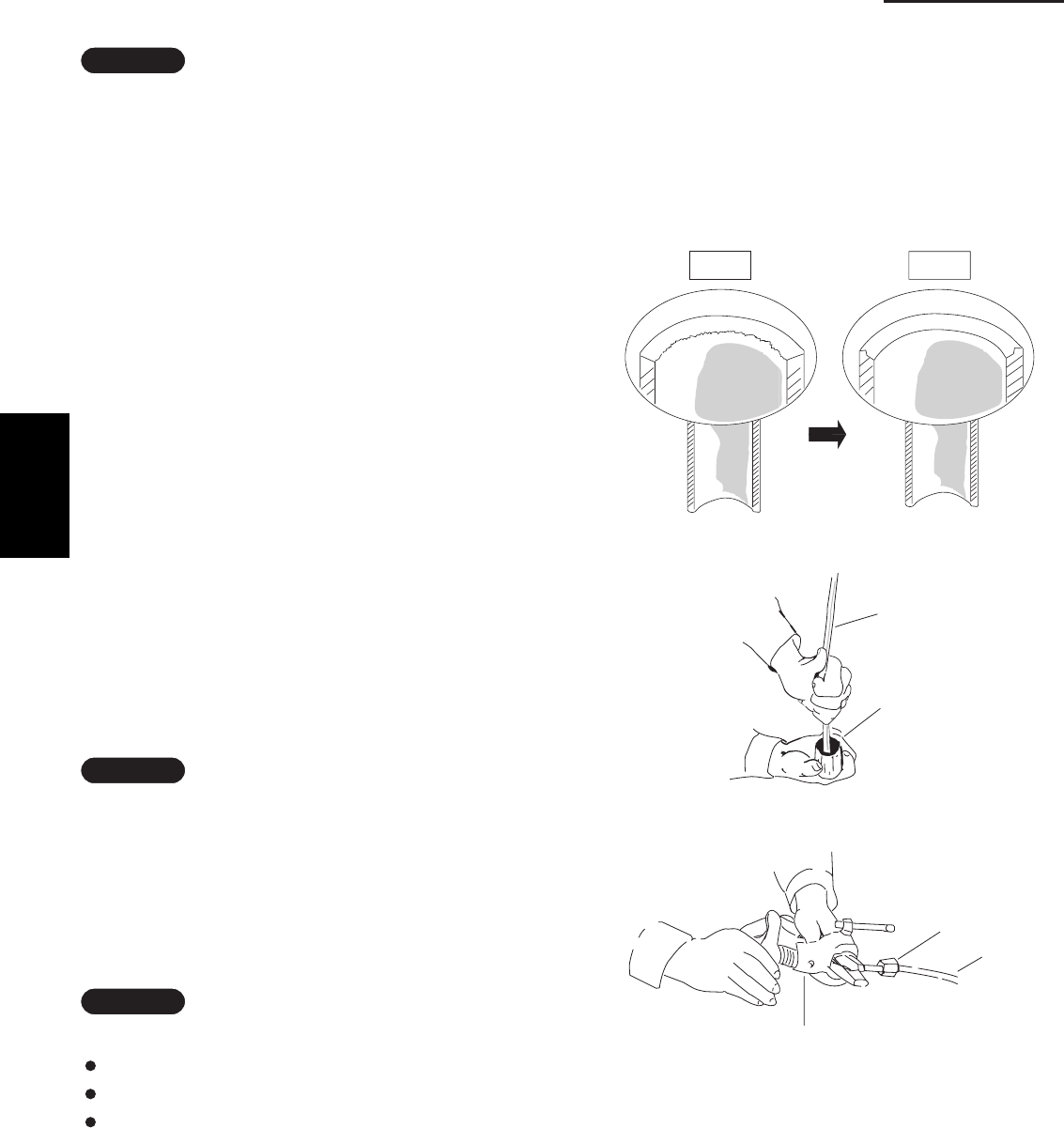
1-118
1. Specifications
1-13. HOW TO PROCESS TUBING
8. HOW TO INSTALL THE TIMER WIRED REMOTE CONTROLLER
The liquid tubing side is connected by a flare nut, and
Refer to the Instraction Manual attaehed to the Timer Remote Controller.
the gas tubing side is connected by brazing.
1. Connecting the Refrigerant Tubing
Use of the Flaring Method
Many conventional split system air conditioners employ
the flaring method to connect refrigerant tubes which run
between indoor and outdoor units. In this method, the
copper tubes are flared at each end and connected with
flare nuts.
Flaring Procedure with a Flare Tool
(1)
cutter. It is recommended to cut approx. 12 – 20 in.
longer than the tubing length you estimate.
(2)
Cut the copper tube to the required length with a tube
Remove burrs at each end of the copper tubing with
a tube reamer or file. This process is important and
should be done carefully to make a good flare. Be sure
to keep any contaminants (moisture, dirt, metal filings,
etc.) from entering the tubing. (Figs. 1-110 and 1-111)
(3)
mount it on the copper tube.
(4)
Remove the flare nut from the unit and be sure to
Make a flare at the end of the copper tube with a flare
tool. (Fig. 1-112)
NOTE
NOTE
When reaming, hold the tube end downward and be sure
that no copper scraps fall into the tube. (Fig. 1-111)
NOTE
A
good flare should have the following characteristics:
inside surface is glossy and smooth
edge is smooth
tapered sides are of uniform length
Fig. 1-110
Fig. 1-111
Fig. 1-112
Deburring
Before After
Reamer
Copper
tubing
Flare tool
Flare nut
Copper
tubing
1
SM830203-01_PAC-i_US-letter.indb118 118SM830203-01_PAC-i_US-letter.indb118 118 2012/01/19 22:39:352012/01/19 22:39:35
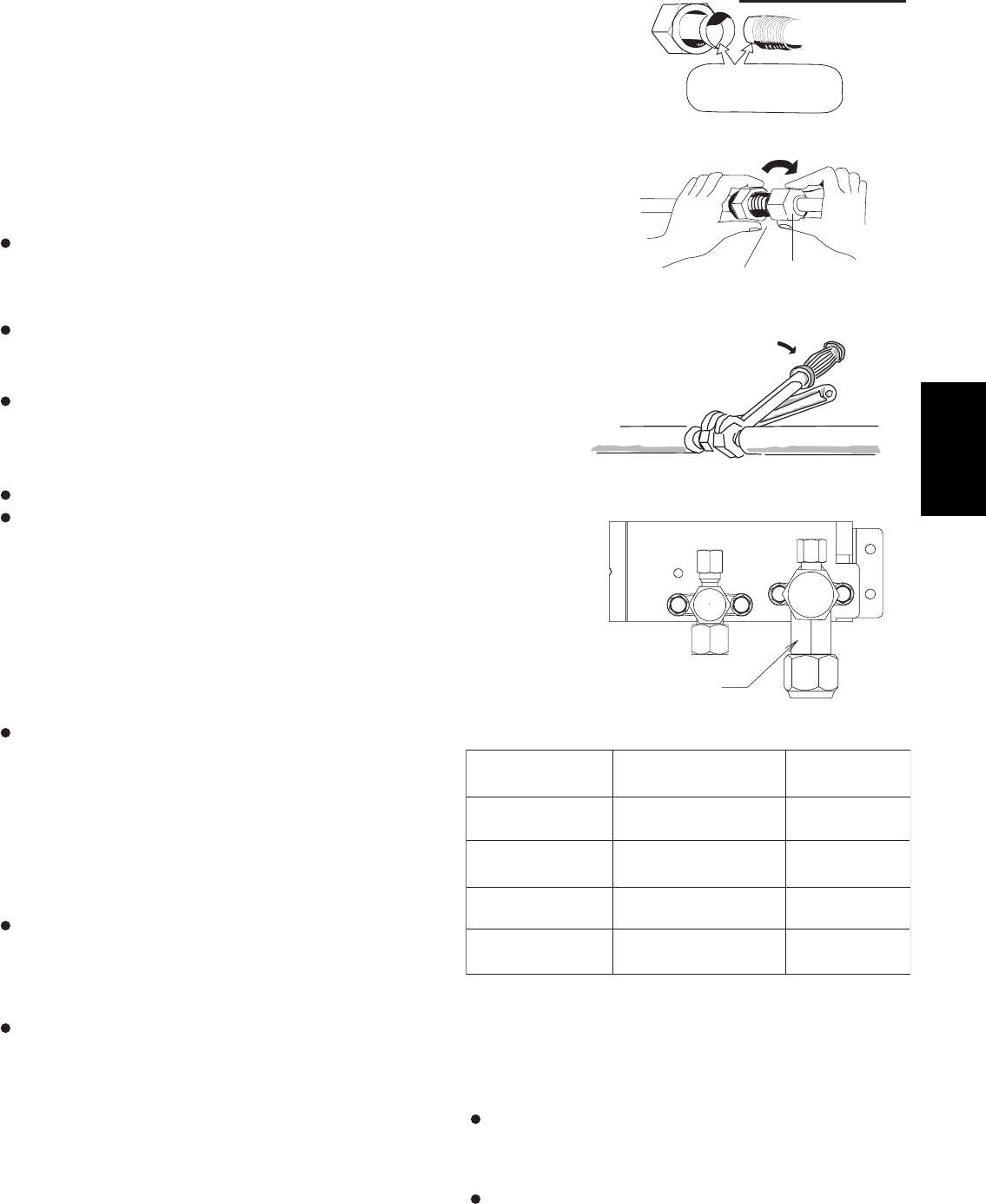
1-119
1. Specifications
Caution Before Connecting Tubes Tightly
(1) Apply a sealing cap or water-proof tape to prevent dust or water from
entering the tubes before they are used.
(2) Be sure to apply refrigerant lubricant to the matching surfaces of the
fl are and union before connecting them together. This is effective for
reducing gas leaks. (Fig. 1-113)
(3) For proper connection, align the union tube and fl are tube straight with
each other, then screw on the fl are nut lightly at fi rst to obtain a smooth
match. (Fig. 1-114)
Adjust the shape of the liquid tube using a tube bender at the installation
site and connect it to the liquid tubing side valve using a fl are.
Cautions During Brazing
Replace air inside the tube with nitrogen gas to prevent copper
oxide fi lm from forming during the brazing process. (Oxygen,
carbon dioxide and Freon are not acceptable.)
Do not allow the tubing to get too hot during brazing. The nitrogen
gas inside the tubing may overheat, causing refrigerant system
valves to become damaged. Therefore allow the tubing to cool
when brazing.
Use a reducing valve for the nitrogen cylinder.
Do not use agents intended to prevent the formation of oxide fi lm.
These agents adversely affect the refrigerant and refrigerant oil,
and may cause damage or malfunctions.
2. Connecting Tubing between Indoor and Outdoor Units
(1) Tightly connect the indoor-side refrigerant tubing extended from the wall
with the outdoor-side tubing.
(2) To fasten the fl are nuts, apply specifi ed torque as shown at right.
When removing the fl are nuts from the tubing
connections, or when tightening them after
connecting the tubing, be sure to use 2 adjustable
wrenches or spanners. (Fig. 1-115)
If the fl are nuts are over-tightened, the fl are may
be damaged, which could result in refrigerant
leakage and cause injury or asphyxiation to
room occupants.
When removing or tightening the gas tube fl are
nut, use 2 adjustable wrenches together: one at
the gas tube fl are nut, and one at part A.
(Fig. 1-116)
For the fl are nuts at tubing connections, be
sure to use the fl are nuts that were supplied
with the unit, or else fl are nuts for R410A
(type 2). The refrigerant tubing that is used
must be of the correct wall thickness as shown
in the table at right.
Because the pressure is approximately 1.6 times higher
than conventional refrigerant pressure, the use of ordinary
fl are nuts (type 1) or thin-walled tubes may result in tube
rupture, injury, or asphyxiation caused by refrigerant
leakage.
In order to prevent damage to the fl are caused by
over-tightening of the fl are nuts, use the table above
as a guide when tightening.
When tightening the fl are nut on the liquid tube, use an
adjustable wrench with a nominal handle length of 7-7/8 in.
Fig. 1-113
Apply refrigerant
lubricant
Fig. 1-114
Flare nut
Union
Fig. 1-115
Indoor unit
Outdoor unit
Spanner
Torque wrench
Fig. 1-116
A
Tube diameter
ø1/4" (6.35 mm)
ø3/8" (9.52 mm)
ø1/2" (12.7 mm)
ø5/8" (15.88 mm)
Tightening torque
(approximate)
120 – 160 in.lbs
(140 – 180 kgf · cm)
300 – 360 in.lbs
(340 – 420 kgf · cm)
430 – 480 in.lbs
(490 – 550 kgf · cm)
590 – 710 in.lbs
(680 – 820 kgf · cm)
t0.032
t0.032
t0.032
t0.04
Tube thickness
(in.)
1
SM830203-01_PAC-i_US-letter.indb119 119SM830203-01_PAC-i_US-letter.indb119 119 2012/01/19 22:39:352012/01/19 22:39:35
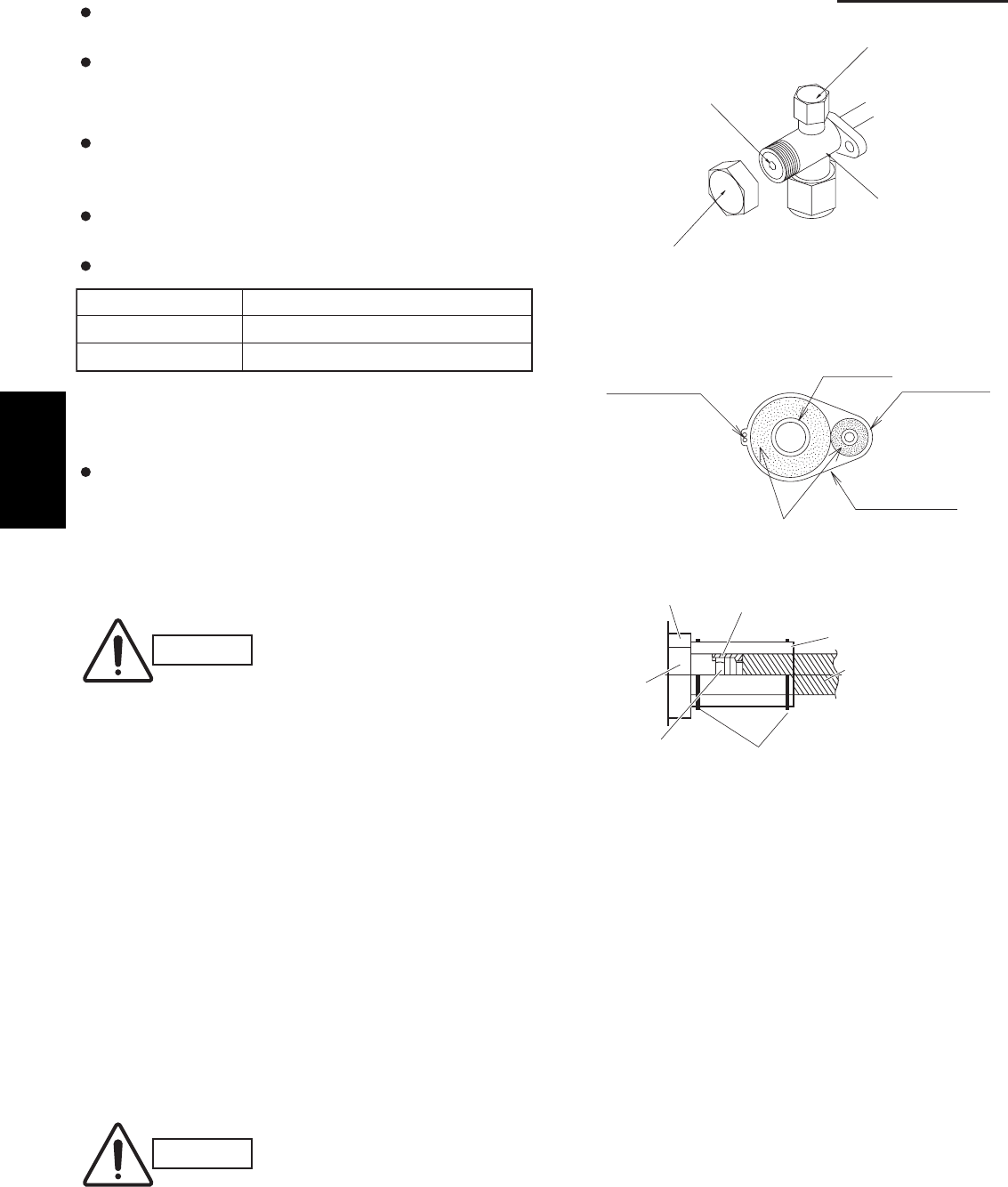
1-120
1. Specifications
Do not use a spanner to tighten the valve stem caps.
Doing so may damage the valves.
Depending on the installation conditions, applying
excessive torque may cause the nuts to crack.
Precautions for Packed Valve Operation
If the packed valve is left for a long time with the valve
stem cap removed, refrigerant will leak from the valve.
Therefore, do not leave the valve stem cap removed.
Use a torque wrench to securely tighten the valve stem
cap.
Valve stem cap tightening torque:
Charging port 70 – 85 in.lbs (80 – 100 kgf • cm)
ø3/8"(Liquid side) 160 – 180 in.lbs (190 – 210 kgf • cm)
ø5/8"(Gas side) 240 – 270 in.lbs (280 – 320 kgf • cm)
3. Insulating the Refrigerant Tubing
Tubing Insulation
Thermal insulation must be applied to all unit tubing,
including the distribution joint (purchased separately).
* For gas tubing, the insulation material must be heat
resistant to 248°F or above. For other tubing, it must be
heat resistant to 176°F or above.
Insulation material thickness must be 13/32 in. or greater.
CAUTION
If the exterior of the outdoor unit
valves has been fi nished with a
square duct covering, make sure
you allow suffi cient space to
access the valves and to allow
the panels to be attached and
removed.
Taping the fl are nuts
Wind the white insulation tape around the fl are nuts at the
gas tube connections. Then cover up the tubing
connections with the fl are insulator, and fi ll the gap at the
union with the supplied black insulation tape. Finally, fasten
the insulator at both ends with the supplied vinyl clamps.
(Fig. 1-119)
Insulation material
The material used for insulation must have good insulation
characteristics, be easy to use, be age resistant, and must
not easily absorb moisture.
CAUTION
After a tube has been insulated,
never try to bend it into a narrow
curve because it can cause
the tube to break or crack.
Fig. 1-117
Fig. 1-118
Fig. 1-119
Never grasp the drain or refrigerant connecting
outlets when moving the unit.
Charging port
Valve stem cap
Valve stem
Main valve
Packed valve
2 tubes arranged together
Inter-unit
control wiring
Gas tube
Liquid tube
Armoring tape
Insulation
Unit side
insulator
Insulation tape (white)
(supplied)
Sealer (supplied)
Flare insulator (supplied)
Tube insulator
(not supplied)
Heat resistant
248°F or above
Vinyl clamps (supplied)
Flare nut
1
SM830203-01_PAC-i_US-letter.indb120 120SM830203-01_PAC-i_US-letter.indb120 120 2012/01/19 22:39:362012/01/19 22:39:36
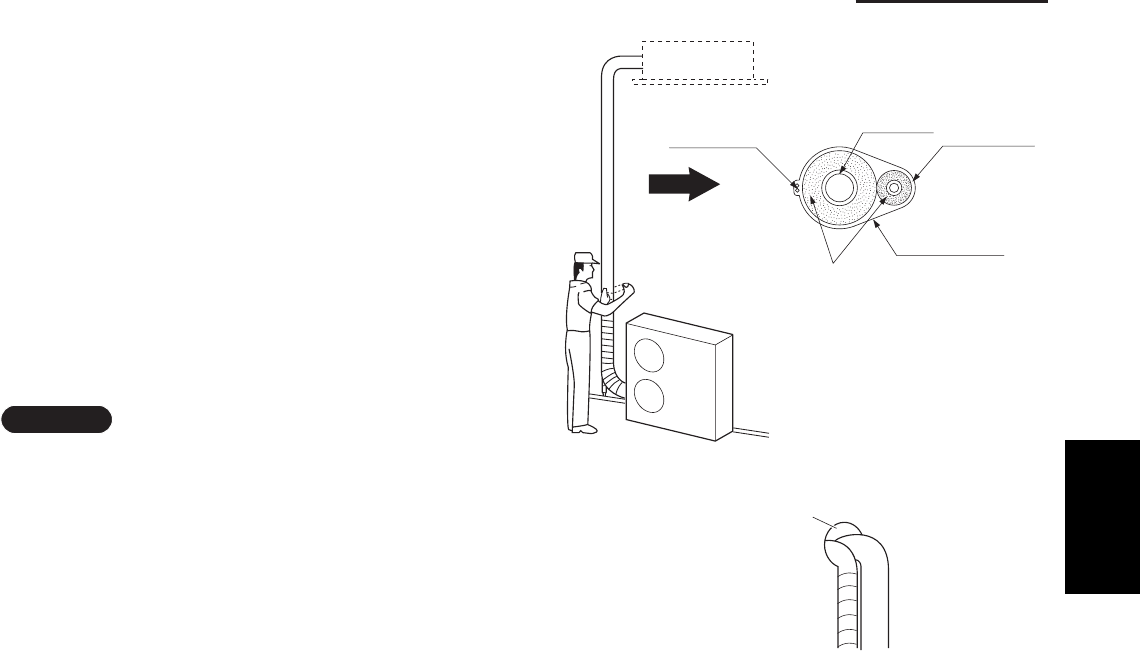
1-121
1. Specifications
4. Taping the Tubes
(1) At this time, the refrigerant tubes (and electrical
wiring if local codes permit) should be taped
together with armoring tape in 1 bundle. To
prevent condensation from overfl owing the drain
pan, keep the drain hose separate from the
refrigerant tubing.
(2) Wrap the armoring tape from the bottom of the
outdoor unit to the top of the tubing where it
enters the wall. As you wrap the tubing, overlap
half of each previous tape turn.
(3) Clamp the tubing bundle to the wall, using 1
clamp approx. each meter (3 feet). (Fig. 1-120)
NOTE
Do not wind the armoring tape too tightly since this
will decrease the heat insulation effect. Also ensure
that the condensation drain hose splits away from the
bundle and drips clear of the unit and the tubing.
5. Finishing the Installation
After fi nishing insulating and taping over the tubing,
use sealing putty to seal off the hole in the wall to
prevent rain and draft from entering. (Fig. 1-121)
Fig. 1-120
Fig. 1-121
Inter-unit
control wiring Gas tube Liquid tube
Armoring tape
Insulation
Tubing
Apply putty here
1
SM830203-01_PAC-i_US-letter.indb121 121SM830203-01_PAC-i_US-letter.indb121 121 2012/01/19 22:39:362012/01/19 22:39:36
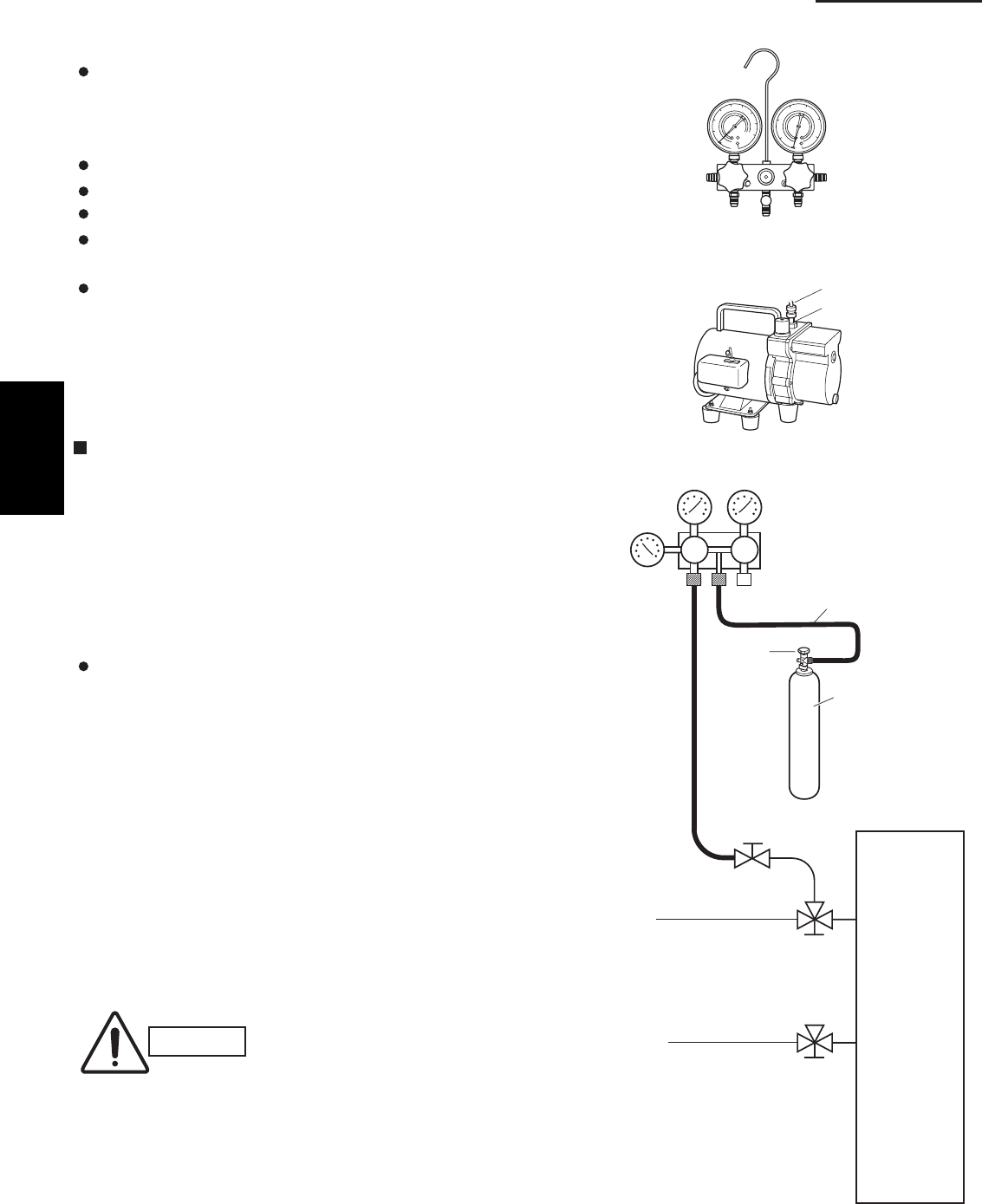
1-122
1. Specifications
1-14. LEAK TEST, EVACUATION AND
ADDITIONAL REFRIGERANT CHARGE
Perform an air-tightness test for this package A/C.
Check that there is no leakage from any of the
connections. Air and moisture in the refrigerant system
may have undesirable effects as indicated below.
pressure in the system rises
operating current rises
cooling (or heating) effi ciency drops
moisture in the refrigerant circuit may freeze and block
capillary tubing
water may lead to corrosion of parts in the refrigerant
system
Therefore, the indoor unit and tubing between the indoor
and outdoor unit must be leak tested and evacuated to
remove any noncondensables and moisture from the
system.
Air Purging with a Vacuum Pump (for Test Run)
Preparation
Check that each tube (both liquid and gas tubes) between
the indoor and outdoor units has been properly connected
and all wiring for the test run has been completed.
Remove the valve caps from both the gas and liquid
service valves on the outdoor unit. Note that both liquid
and gas tube service valves on the outdoor unit are kept
closed at this stage.
The refrigerant charge at the time of shipment is only
guaranteed suffi cient for a tubing length of up to 100 ft.
The tubing may exceed this length, up to the maximum
permitted length; however, an additional charge is
necessary for the amount that the tubing exceeds 100 ft.
(No additional refrigerating machine oil is needed.)
1. Leak Test
(1) With the service valves on the outdoor unit closed,
remove the 1/4 in. fl are nut and its bonnet on the gas
tube service valve. (Save for reuse.)
(2) Attach a manifold valve (with pressure gauges) and
dry nitrogen gas cylinder to this service port with
charge hoses.
CAUTION
Use a manifold valve for air
purging. If it is not available,
use a stop valve for this
purpose. The “Hi” knob of the
manifold valve must always be
kept closed.
Fig. 1-123
Fig. 1-122
Fig. 1-124
Manifold valve
Pressure
gauge Lo Hi
Charge hose
Outdoor unit
Liquid
tube
Gas
tube
Nitrogen gas cylinder
(In vertical standing
position)
Close
Close
Open
Cylinder
valve
Outlet
Inlet
Vacuum pump
Manifold gauge
1
SM830203-01_PAC-i_US-letter.indb122 122SM830203-01_PAC-i_US-letter.indb122 122 2012/01/19 22:39:362012/01/19 22:39:36
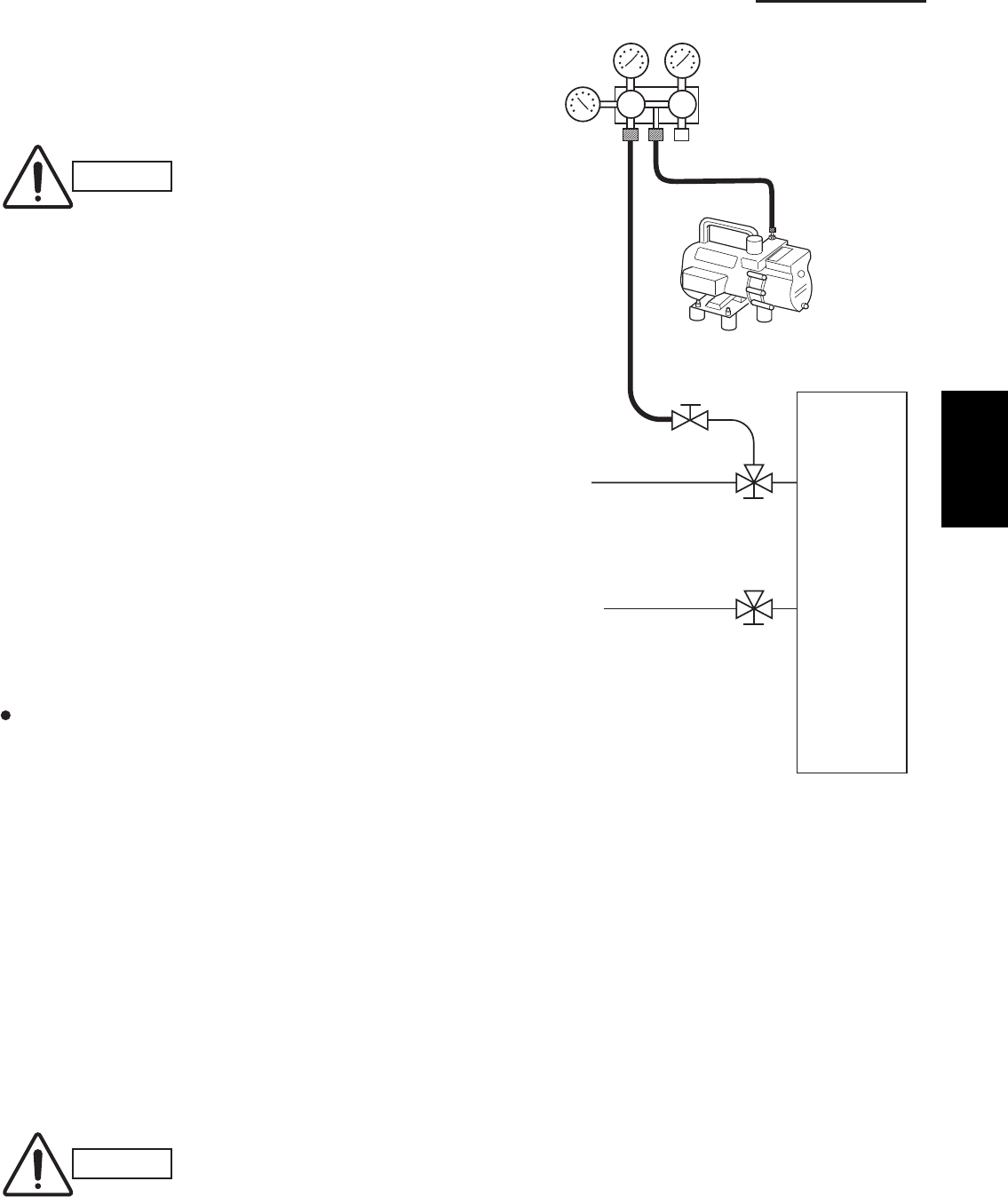
1-123
1. Specifications
(3) Pressurize the system up to 4.15 MPa
(42 kgf/cm2G) with dry nitrogen gas and close the
cylinder valve when the gauge reading reaches
4.15 MPa (42 kgf/cm2G). Then, test for leaks with
liquid soap.
CAUTION
To avoid nitrogen entering the
refrigerant system in a liquid
state, the top of the cylinder
must be higher than the bottom
when you pressurize the
system. Usually, the cylinder is
used in a vertical standing
position.
Fig. 1-125
CAUTION
Use a cylinder specifi cally
designed for use with R410A.
(4) Do a leak test of all joints of the tubing (both
indoor and outdoor) and both gas and liquid
service valves. Bubbles indicate a leak. Wipe
off the soap with a clean cloth after the leak test.
(5) After the system is found to be free of leaks,
relieve the nitrogen pressure by loosening the
charge hose connector at the nitrogen cylinder.
When the system pressure is reduced to normal,
disconnect the hose from the cylinder.
2. Evacuation
Be sure to use a vacuum pump that includes a
function for prevention of back-fl ow, in order to
prevent back-fl ow of pump oil into the unit tubing
when the pump is stopped.
Perform vacuuming of the indoor unit and tubing.
Connect the vacuum pump to the gas tube valve
and apply vacuum at a pressure of –101kPa ( –755
mmHg, 5 Torr) or below.
Continue vacuum application for a minimum of 1
hour after the pressure reaches –101kPa ( –755
mmHg, 5 Torr).
(1) Attach the charge hose end described in the
preceding steps to the vacuum pump to evacuate
the tubing and indoor unit. Confi rm that the “Lo”
knob of the manifold valve is open. Then, run the
vacuum pump.
(2) When the desired vacuum is reached, close the
“Lo” knob of the manifold valve and turn off the
vacuum pump. Confi rm that the gauge pressure is
under –101kPa ( –755 mmHg, 5 Torr) after 4 to 5
minutes of vacuum pump operation.
Manifold valve
Pressure
gauge Lo Hi
Vacuum pump
Outdoor unit
Liquid
tube
Gas
tube
Close
Close
Open
1
SM830203-01_PAC-i_US-letter.indb123 123SM830203-01_PAC-i_US-letter.indb123 123 2012/01/19 22:39:362012/01/19 22:39:36
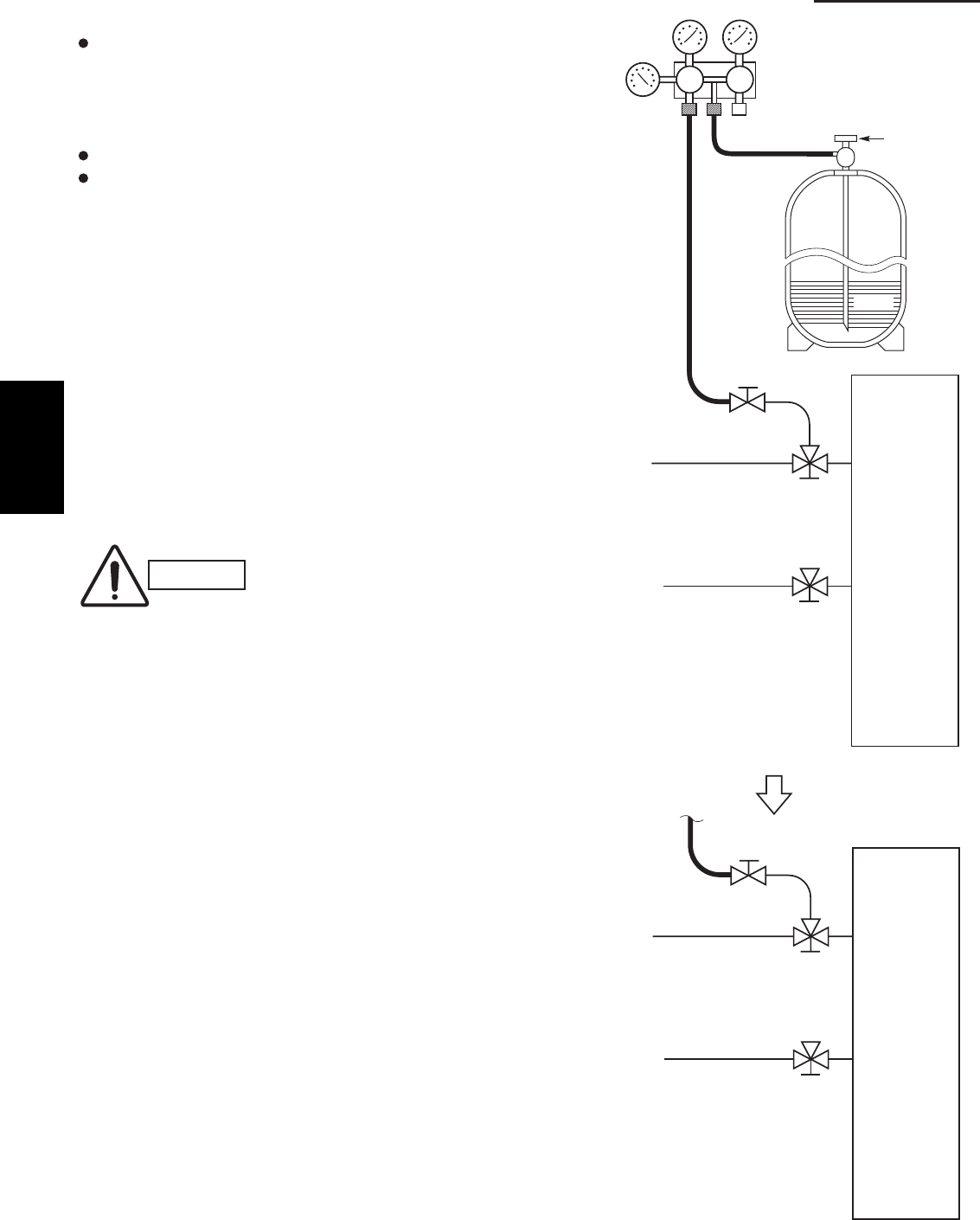
1-124
1. Specifications
CAUTION
To avoid gas from leaking
when removing the charge
hose, make sure the stem
of the gas tube is turned all
the way out (“BACK SEAT”)
position.
3. Charging Additional Refrigerant
Charging additional refrigerant (calculated from the
liquid tube length as shown in Section "1-12. Installation
Instructions, 1. Tubing Size, Table 1-2 Tubing Data for
Models", Amount of additional refrigerant charge) using
the liquid tube service valve. (Fig. 1-126)
Use a balance to measure the refrigerant accurately.
If the additional refrigerant charge amount cannot
be charged at once, charge the remaining
refrigerant in liquid form by using the gas tube
service valve with the system in Cooling mode at
the time of test run. (Fig. 1-127)
* If an additional refrigerant charge has been
performed, list the refrigerant tubing length and
amount of additional refrigerant charge on the
product label (inside the panel).
4. Finishing the Job
(1) With a hex wrench, turn the liquid tube service
valve stem counter-clockwise to fully open the
valve.
(2) Turn the gas tube service valve stem counter-clockwise
to fully open the valve.
(3) Loosen the charge hose connected to the gas
tube service port (5/16".) slightly to release the
pressure, then remove the hose.
(4) Replace the 5/16". fl are nut and its bonnet on the
gas tube service port and fasten the fl are nut
securely with an adjustable wrench or box wrench.
This process is very important to prevent gas from
leaking from the system.
(5) Replace the valve caps at both gas and liquid
service valves and fasten them securely.
Fig. 1-126
Fi
g
. 1-127
Valve
Liquid
Manifold valve
Pressure
gauge Lo Hi
Outdoor unit
Liquid
tube
Gas
tube
Close
Close
Close
R410A
Outdoor unit
Liquid
tube
Gas
tube
Open
Open
Open
1
SM830203-01_PAC-i_US-letter.indb124 124SM830203-01_PAC-i_US-letter.indb124 124 2012/01/19 22:39:362012/01/19 22:39:36

2-1 Room Temperature Control .......................................................................................... 2-2
2-2 Cold Draft Prevention (Heating Cycle) ........................................................................ 2-4
2-3 Automatic Fan Speed (Indoor Unit) ............................................................................. 2-5
2-4 Control Functions ......................................................................................................... 2-6
2-5 Outdoor Unit Control PCB ........................................................................................... 2-9
2-6 Outdoor Unit Control PCB (CR-CH4272R) ................................................................ 2-10
2. PROCESSES AND FUNCTIONS
2-1
2
SM830203-01_PAC-i_US-letter.indb1 1SM830203-01_PAC-i_US-letter.indb1 1 2012/01/26 14:25:032012/01/26 14:25:03
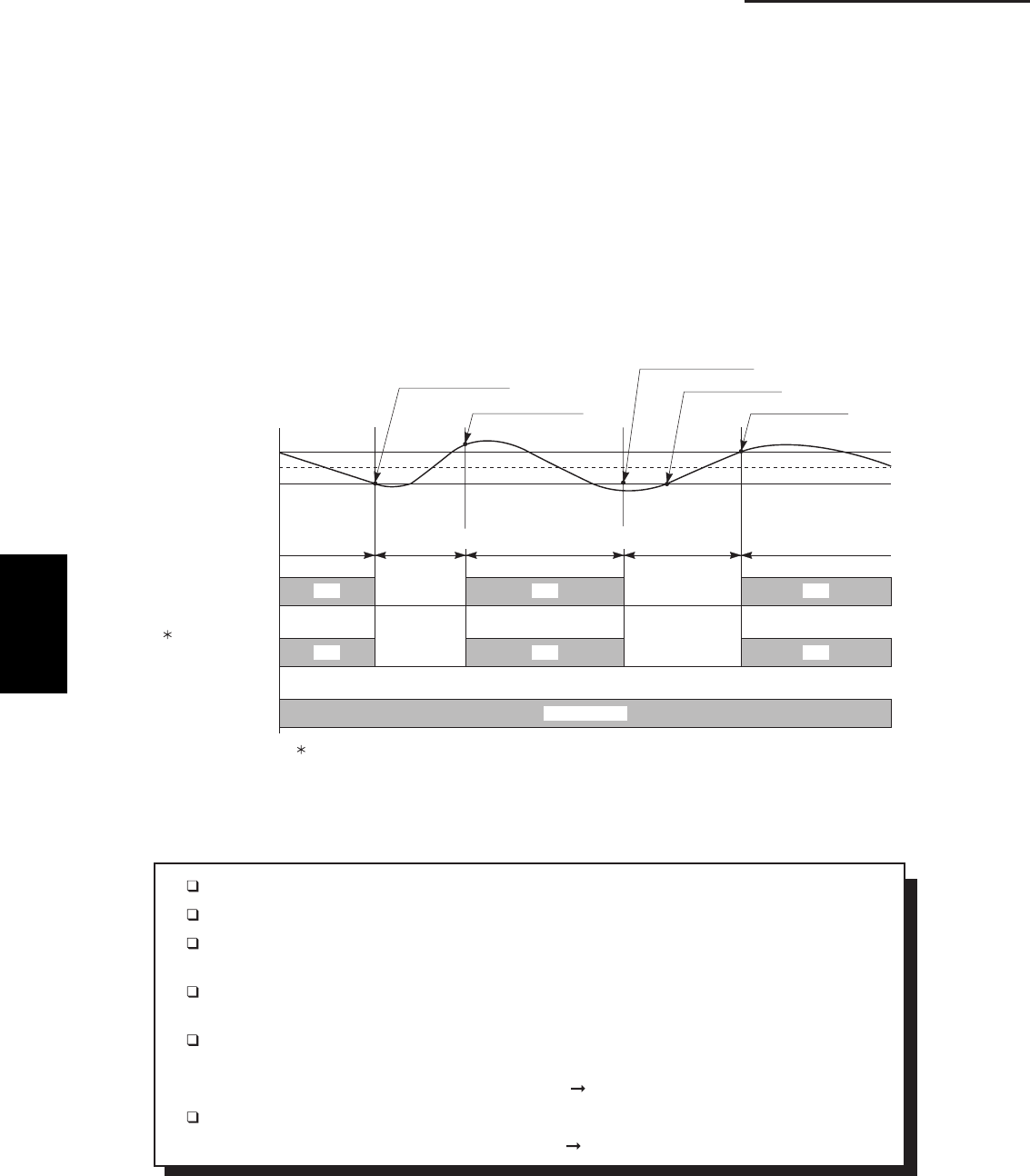
2-2
2. Processes and functions
Fig. 1
(THERMO. OFF)
(THERMO. ON)
ROOM TEMP.
THERMO. ON
5 MINUTES
MORE THAN
5 MINUTES 3 MINUTES
SET TEMP
COMPRESSOR
OUTDOOR FAN
(H OR M)
INDOOR FAN
FFOFFO
FFOFFO
1
1. Refer to 2-4 Outdoor Fan Speed Control
MORE THAN
3 MINUTES
MORE THAN
5 MINUTES
NONONO
NONONO
SET SPEED
T+2 °F
T–2 °F
. T °F
BODY SENSOR
1133_THS_I
THERMO. OFF
Chart Summary and Explanations
Once the compressor starts, it keeps running for 5 minutes.
Once the compressor stops, it will not start running again for 3 minutes.
If you change the operation mode (HEAT, COOL or FAN) during the heating cycle, the
control circuit stops the compressor for 3 minutes.
For 5 minutes after the compressor is first turned on, and for 3 minutes after it is turned off,
the compressor is not controlled by the room sensor.
Thermo ON: When room temperature rises 2 F (4˚F when set on body sensor) above
the set temperature T˚, (T˚+2˚F or T˚+4˚F when set on body sensor):
Compressor ON
Thermo OFF: When the room temperature is –2˚F below the set temperature T˚:
Compressor OFF
2-1 Room Temperature Control
The unit adjusts room temperature by turning the outdoor unit’s compressor ON and OFF.
This process is controlled by the thermostat located in the remote control unit.
The figures on this and the next pages show how each part of the system performs when the
room temperature changes and the thermostat activates the compressor to start (thermo ON) or
stop (thermo OFF). Fig. 1 shows about the cooling cycle, and Fig. 2 shows about the heating
cycle.
(A) Cooling
2
SM830203-01_PAC-i_US-letter.indb2 2SM830203-01_PAC-i_US-letter.indb2 2 2012/01/26 14:25:032012/01/26 14:25:03
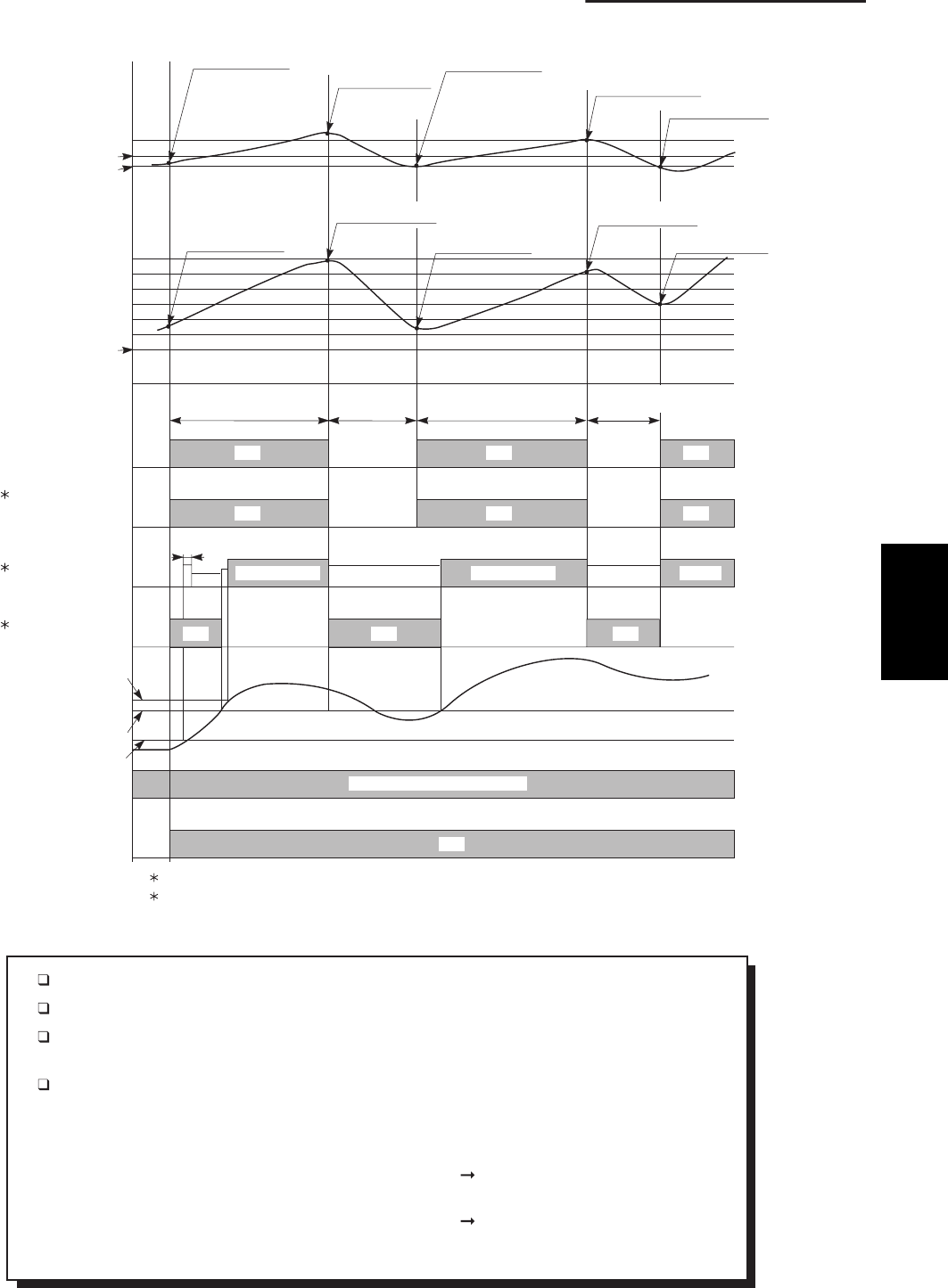
2-3
2. Processes and functions
Fig. 2
THERMO. ON THERMO. ON
+2°F
FFOFFO
2
1. Refer to 2-4 Outdoor Fan Speed Control
OFF
SET SPEED
NONONO
ON (REVERSING CYCLE)
ON
TEMP.
OPERATION
REMOTE CONTROL
SENSOR
(Only for wireless
remote controller)
BODY SENSOR
OFF
OFF
SET SPEEDSET SPEED
3 SECONDS
ON OFF ON
MORE THAN
3 MINUTES
OFF
ONOFF
ON OFF ONOFFOFF ON
3 MINUTES
MORE THAN
5 MINUTES5 MINUTES
THERMO. ON
THERMO. ONTHERMO. ON
THERMO. ON
2. Refer to 2-2 Cold Draft Prevention (Heating)
BUTTON
COIL (4-WAY)
SOLENOID
E2
TEMP.
COIL
EXCH.
INDOOR HEAT
STANDBY
2
INDOOR FAN
1
OUTDOOR FAN
(H OR M)
COMPRESSOR
SET. +2 °F
SET. –2 °F
–2°F
SET TEMP.+7 °F SHIFT
THERMO. OFF THERMO. OFF
OFF
(88°F)
81°F
77°F
1134_THS_I
THERMO. OFF THERMO. OFF
LL LL
LL
LL
SETTING TEMP.
SET TEMP.
Chart Summary and Explanations
Once the compressor starts, it keeps running for 5 minutes.
Once the compressor stops, it will not start running again for 3 minutes.
If you change the operation mode (HEAT,COOL or FAN) during the heating cycle, the
control circuit stops the compressor for 3 minutes.
For 5 minutes after the compressor is first turned on, and for 3 minutes after it is turned off,
the compressor is not controlled by the room sensor.
When set on remote control sensor
Thermo ON: When room temperature is –2˚F below the set temperature T˚.
Compressor ON
Thermo OFF: When the room temperature is 2˚F above the set temperature T˚, (T˚+2 ˚F)
Compressor OFF
When set on body sensor
NOTE: In case of Body sensor, operating temperature is shifted to setting temperature +7
˚
F.
(B) Heating
2
SM830203-01_PAC-i_US-letter.indb3 3SM830203-01_PAC-i_US-letter.indb3 3 2012/01/26 14:25:042012/01/26 14:25:04
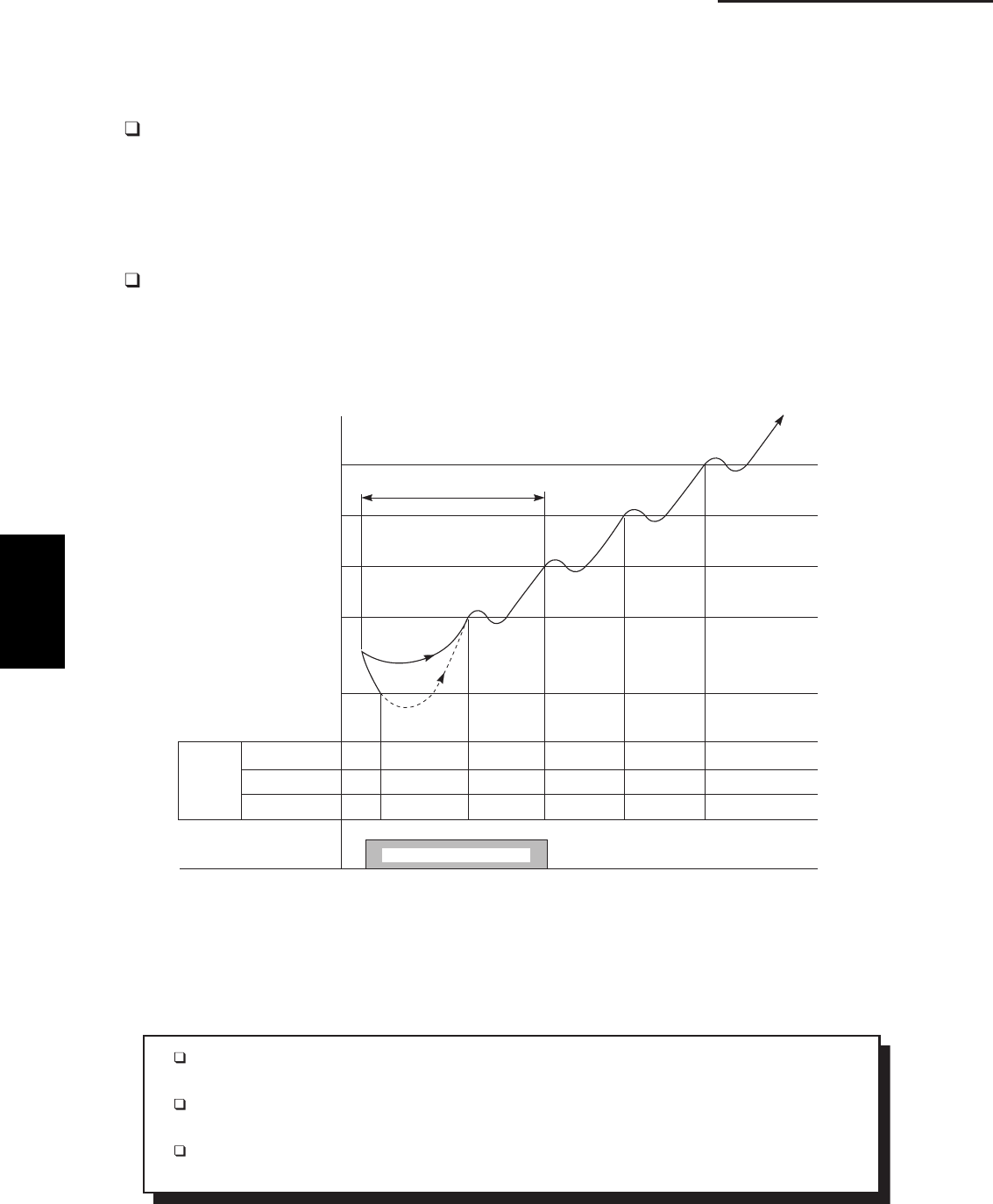
2-4
2. Processes and functions
Fig. 3
92
88
81
77
50
SET
FAN
SPEED
AUTO OR H
M
L LL LL/OFF LL L L L
LL LL/OFF LL L M M
LL LL/OFF LL L M H
MAX. 6 MINUTES
“STANDBY”
INDICATOR
INDOOR UNIT
COIL TEMP.
E2 (°F)
LL= Very low speed
L= Low speed
M= Medium speed
H= High speed
“STANDBY” APPEARS
1135_THS_I
Chart Summary and Explanations
The main idea of this chart is to show that the indoor fan speed increases and gets closer to
the set fan speed as the coil temperature E2 rises.
The indoor unit fs coil temperature is taken from sensor E2 located in the middle of the indoor
heat exchange coil.
The dotted line shows that the indoor fan motor is OFF. When the temperature at sensor E2
falls below 50 ˚F, the indoor fan motor stops running.
2-2 Cold Draft Prevention (Heating Cycle)
The cold draft prevention function controls indoor fan speed so a strong draft of cold air will
not blow out before the indoor heat exchange coils have warmed up.
STANDBY shows on the remote controller when the indoor fan speed is LL (very low)
or OFF. This condition occurs in the following 3 cases:
• During Thermo OFF (refer to 2-1 B. Room Temperature Control, Heating)
• During the defrosting operation (refer to 2-10 Defrosting Control, Heating)
• Until either the coil temperature E2 reaches 81°F or when a maximum of 6 minutes
has past.
The indoor fan motor operates in L instead of LL for 3 seconds as it starts to give the
fan an initial boost.
2
SM830203-01_PAC-i_US-letter.indb4 4SM830203-01_PAC-i_US-letter.indb4 4 2012/01/26 14:25:042012/01/26 14:25:04
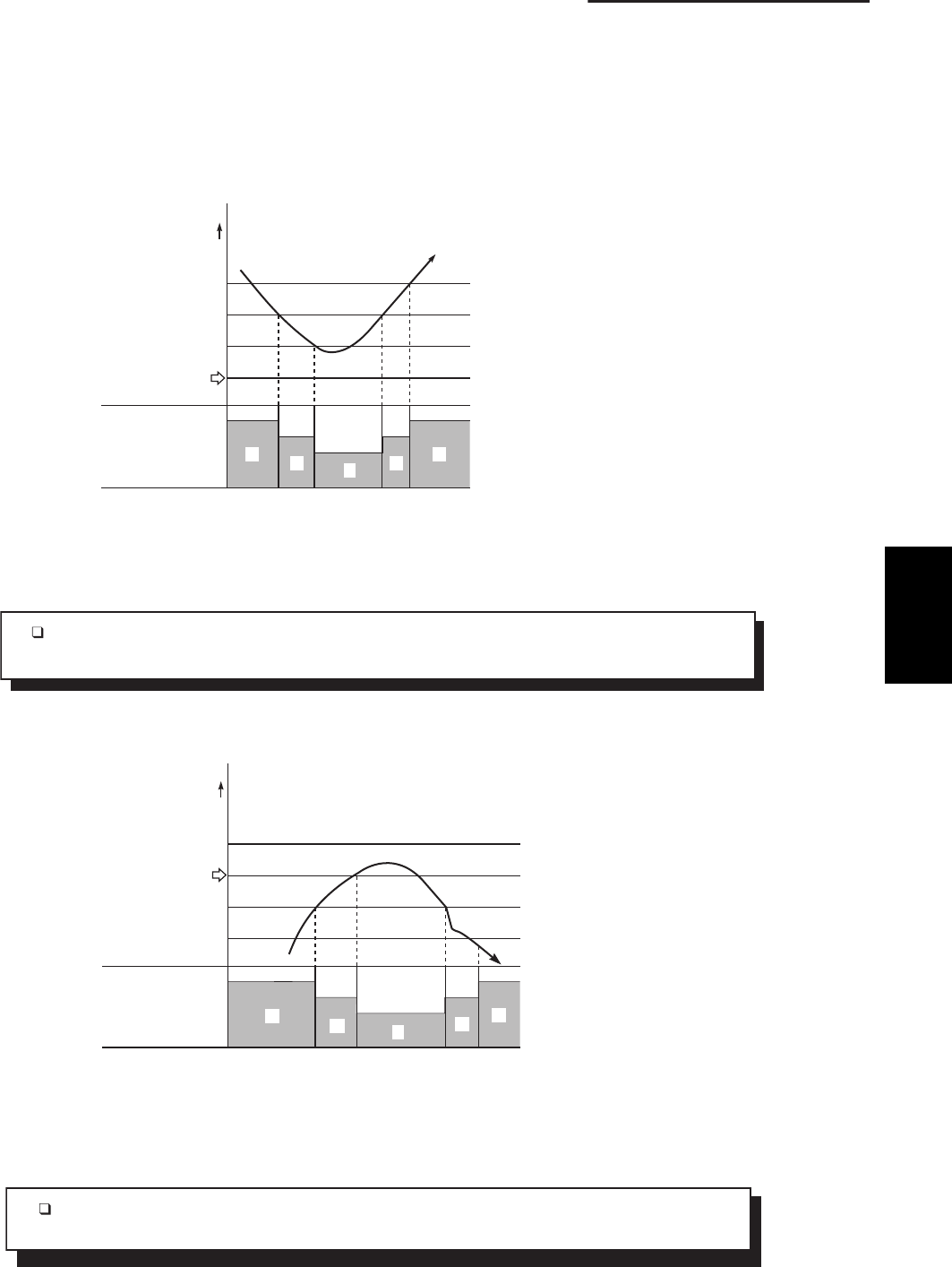
2-5
2. Processes and functions
Fig. 4
INDOOR FAN
SPEED
L
HMM
H
1923_M_S
ROOM TEMP.
(deg)
SET TEMP.
+3
+2
+1
H
M
: High
: Middle
L: Low
Chart Explanations and notes
When the fan speed changes, it keeps the speed step for at least 3 minutes, even if the
temperature changes to another speed step during the time.
Fig. 5
INDOOR FAN
SPEED H
L
MMH
1924_M_S
ROOM TEMP.
(deg)
SET TEMP.
–2
–4
H
M
: High
: Middle
L : Low
Chart Explanations and notes
When the fan speed changes, it keeps the speed step for at least 1 minute, even if the
temperature changes to another speed step during the time.
2-3 Automatic Fan Speed (Indoor Unit)
By pressing the FAN SPEED button on the remote controller, the fan speed can be set at one of
four steps: AUTO., HI., MED., or LO. When set at AUTO. the indoor unit fan speed will be
automatically adjusted to the room temperature as the two charts shown below.
(A) Cooling
(B) Heating
2
SM830203-01_PAC-i_US-letter.indb5 5SM830203-01_PAC-i_US-letter.indb5 5 2012/01/26 14:25:042012/01/26 14:25:04
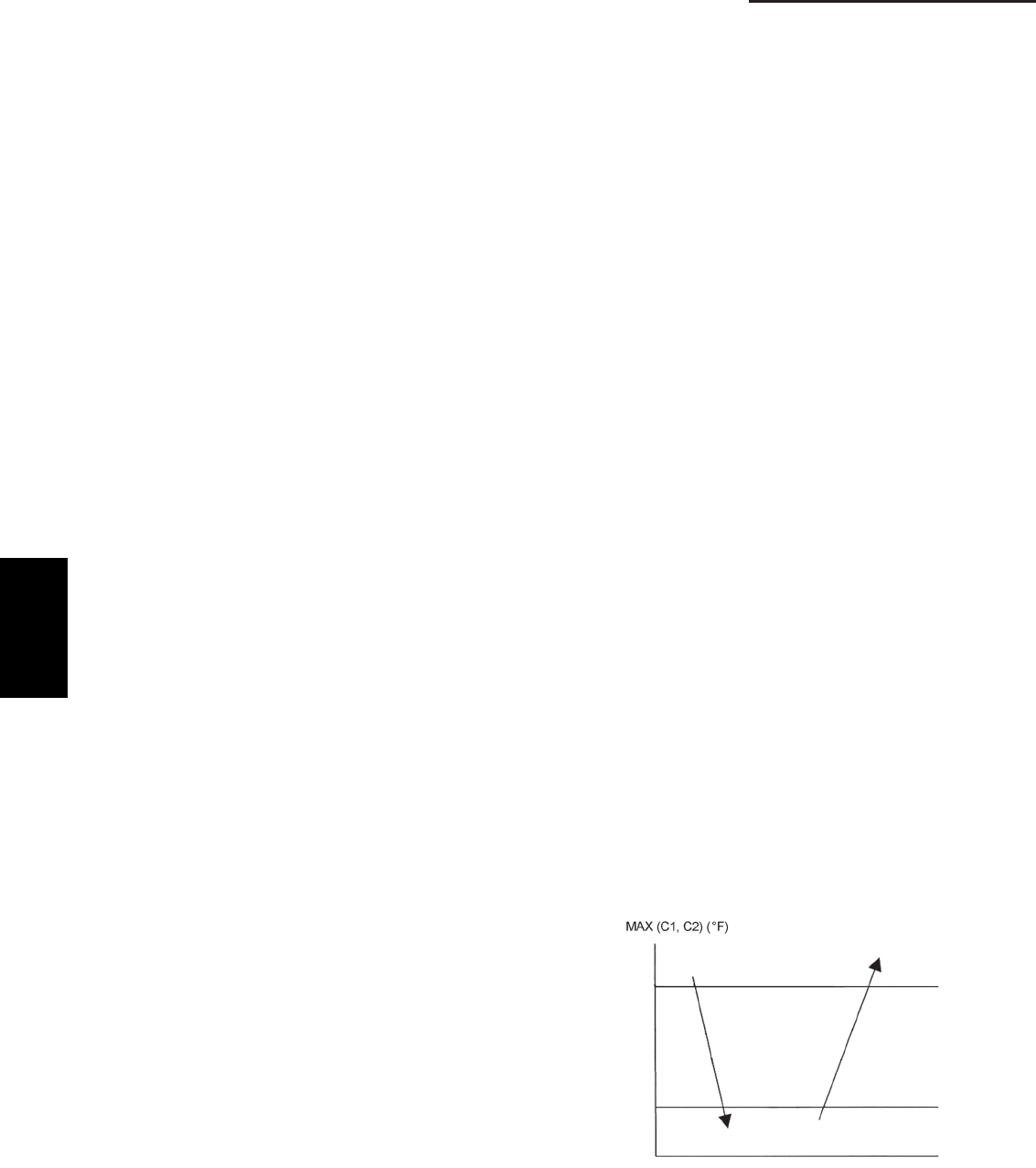
2-6
2. Processes and functions
124
142
2-4 Control Functions
Electronic control valve control
Opening of the electronic control valve is controlled so
that the appropriate operating conditions are maintained,
based on the signal from each sensor (discharge
temperature [TD], intake temperature [TS], outdoor heat
exchanger temperature [C1], and indoor heat exchanger
temperature [E1, E2]).
Discharge temperature release control
(1) This control lowers the operating frequency of the
compressor when electronic control valve control is
unable to maintain the appropriate operating
conditions because the discharge temperature fails
to decline or because there is a sudden increase in
the discharge temperature.
(2) If the discharge temperature exceeds 232°F, the
compressor is stopped and then restarted. (Error
count = 1)
(3) The error count is cleared when operation has
continued for 10 minutes after the compressor was
restarted.
(4) If (2) repeats 4 times without the error count being
cleared (error count = 4), alarm "P03" occurs.
Current release control
The compressor operating frequency is controlled so
that the current that is input to the inverter compressor
does not exceed the designated value (control value).
Outdoor unit fan control
1. Cooling fan control
(1) The outdoor unit fan minimum speed and maximum
speed are determined according to the outdoor air
temperature and the operating frequency. The
speed is controlled in stages between the minimum
speed and maximum speed, based on the outdoor
heat exchanger temperature (C2) at that time.
(2) For 60 seconds after start, the outdoor unit fan
operates at maximum speed, as determined by the
outdoor air temperature and operating frequency at
that time. Subsequently, the fan operates at low
speed until the outdoor heat exchanger temperature
(C2) rises.
(3) If the discharge temperature (TD) sensor is
abnormal or has become disconnected, the fan will
not operate and a protective device is activated.
2. Heating fan control
(1) The outdoor unit fan minimum speed and maximum
speed are determined according to the outdoor air
temperature and operating frequency. The speed is
controlled in stages between the minimum speed
and maximum speed, based on the outdoor heat
exchanger temperature (C1) at that time.
(2) If the outdoor heat exchanger temperature (C1) is
75°F or higher continuously for 5 minutes, fan
operation may stop (same conditions as when the
thermostat is OFF). In this case, the fan will restart
after 3 minutes.
(3) This control is not performed during the 3 minutes
after start, for 1 minute after defrost ends, and
while defrost is in progress.
Coil heating control
(1) This control applies current to the coil of the
stopped compressor to heat the compressor in
place of the crank case heater.
(2) When the discharge temperature (TD) is less than
77°F, the current application judgment is made
based on the outdoor air temperature (TO).
• Current application starts when the outdoor air
temperature drops to 59°F or below.
• Current application stops when the outdoor air
temperature rises above 64°F.
Control for prevention of short intermittent operation
In order to protect the compressor, this control does not
allow the compressor to be stopped for 10 minutes after
operation starts, even if the thermostat OFF signal is
received from the indoor unit.
Control for prevention of high cooling loads
This control reduces abnormal high-pressure increases
during cooling operation.
(1) If MAX (C1, C2) (C1 & C2: outdoor heat exchanger
temperature) is less than 124°F, the compressor
performs normal operation.
(2) If MAX (C1, C2) is 124°F or higher and less than
142°F, the revolution of the compressor is
controlled to prevent the high pressure being
increased.
(3) If MAX (C1, C2) is 142°F or higher, the compressor
stops once. The compressor restarts three times,
and if the temperature dose not decrease to less
than 142°F, the alert "P20" is displayed.
2
SM830203-01_PAC-i_US-letter.indb6 6SM830203-01_PAC-i_US-letter.indb6 6 2012/01/26 14:25:042012/01/26 14:25:04
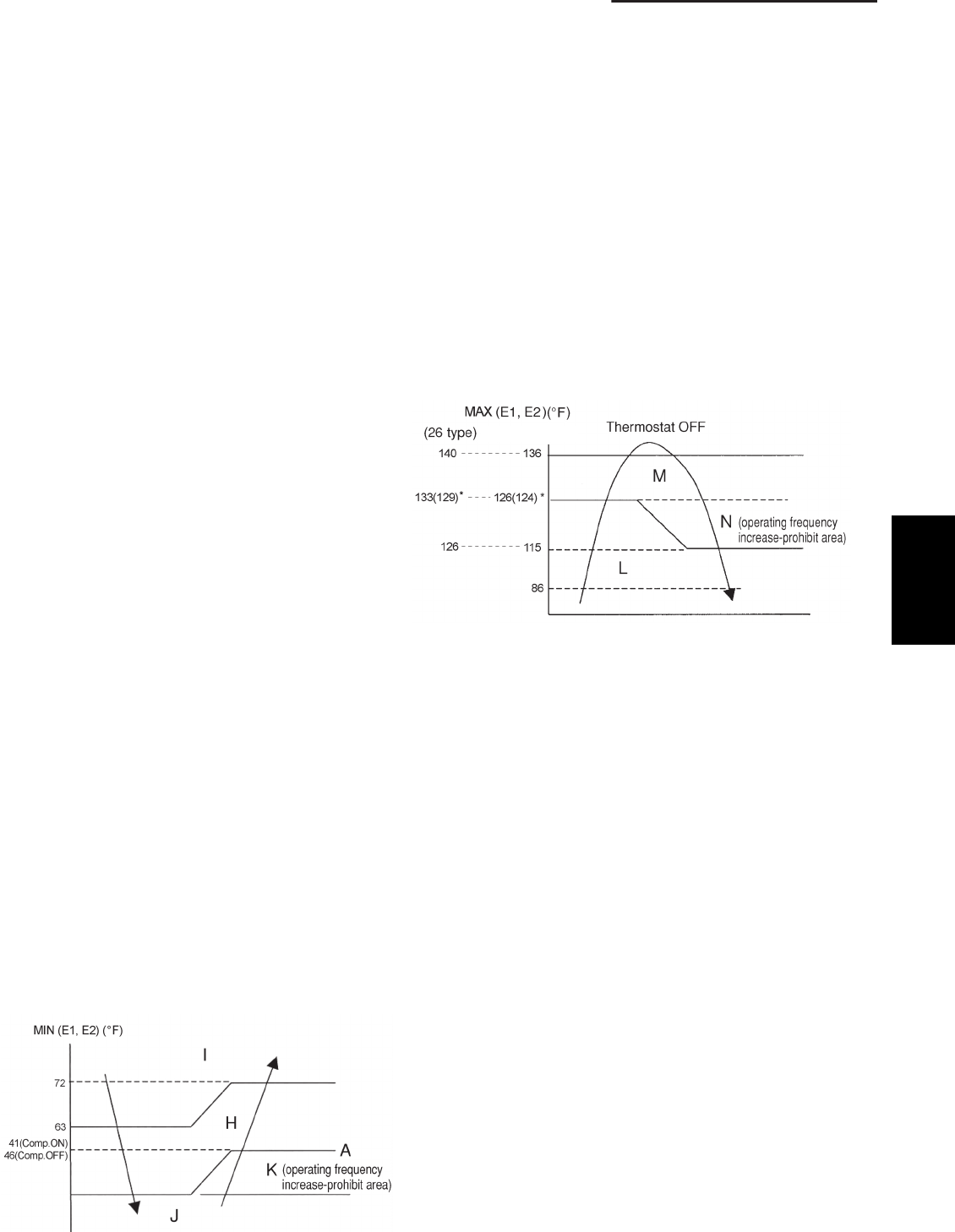
2-7
2. Processes and functions
36
(36, 48 types)
Overcurrent protection control
(1) If the overcurrent protection circuit detects
abnormal current, the compressor is stopped. (Error
count = 1.) The compressor then restarts after 3
minutes.
(2) If compressor start/stop is repeated 4 times (error
count = 4), alarm "P26", "P29" or "H01" (count = 2
in this case only) occurs. Operation stops and does
not restart.
Current release value shift control
(1) This control is intended to improve compressor
reliability by preventing continuous high-frequency
operation under overload conditions when the
outdoor air temperature is high, and by preventing
intermittent operation through "control for
prevention of high cooling loads".
(2) The control value for "current release control" is
corrected according to the outdoor air temperature
(TO).
Depending on the temperature, the control value is
lowered to 50 – 90% for cooling operation, and to
60 – 98% for heating operation.
Freeze prevention (low-temperature release) control
The below control is performed during cooling operation
(including dehumidifying operation), using whichever of
the indoor heat exchanger temperatures (E1 or E2) is
lower. (See the figure below.)
(1) If a temperature in the "J" area (operating
frequency reduction and thermostat OFF area) is
detected for 6 minutes, the compressor operating
frequency is reduced. The compressor operating
frequency is reduced every 30 seconds as long as
the temperature remains within this area.
(2) If the temperature is in the "K" area (operating
frequency increase-prohibit area), the compressor
operating frequency is maintained.
(3) If the temperature is in the "H" area (operating
frequency control area), and the outdoor air
temperature is less than 90°F, the compressor
maximum operating frequency is limited according
to the indoor unit fan speed.
(4) If the temperature is in the "I" area (normal
operating area), the compressors operate normally.
(5) If the temperature is continuously in the "J" area
and the compressor operating frequency reaches 0,
then temperature A (temperature for changing from
"J" area to "H" area) is raised from 41°F to 46°F,
and operation continues with the thermostat OFF
until the temperature reaches the "H" area.
Heating high-load control
The below control is performed during heating operation,
based on the indoor heat exchanger temperature MAX
(E1,E2).
(1) If the temperature is in the "M" area (operating
frequency reduction and thermostat OFF area), the
compressor operating frequency is reduced.
The compressor operating frequency is reduced
every 30 seconds as long as the temperature
remains within this area.
(2) If the temperature is continuously in the "M" area,
the thermostat turns OFF.
(3) If the temperature is in the "N" area, operating
frequency increases are prohibited.
(4) If the temperature is in the "L" area, the operating
frequency is raised to the original frequency (the
frequency prior to frequency reduction) by 6 Hz
every 60 seconds.
* When the compressor turns ON and the E2
temperature rises, the temperature at which the
"M" area is first entered is 124°F (36, 42 types)
or higher than 129°F (26 type).
If the E1, E2 temperature subsequently falls to
the "L" area, the temperature for entering the "M"
area is raised to 126°F (36, 42 types) or 133°F
(26 type).
However if the E1, E2 temperature falls to the "L"
area and falls below 86°F, then the temperature for
entering the "M" area is changed back to 124°F
(36, 42 types) or 129°F (26 type).
2
SM830203-01_PAC-i_US-letter.indb7 7SM830203-01_PAC-i_US-letter.indb7 7 2012/01/26 14:25:042012/01/26 14:25:04
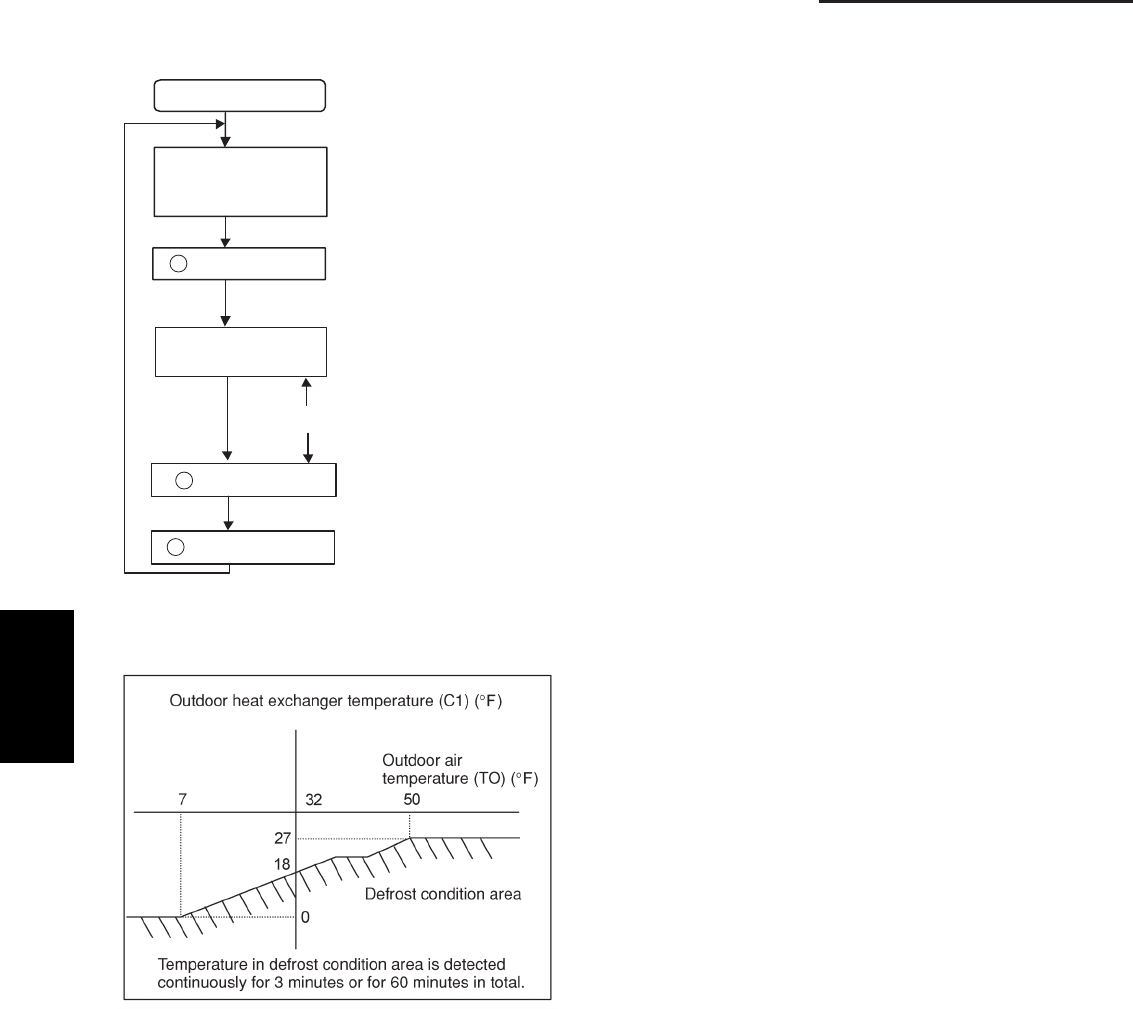
2-8
2. Processes and functions
1
•
•
•
•
•
2
3
Defrost control
Defrost sequence
Heating operation
(25-minute mask)
Frost detection
Defrost start
(reverse cycle defrost)
Defrost in progress
Defrost cancel
Start-up operation
Operating frequency: 61.8 Hz
Outdoor unit fan: OFF
Electronic control valve: step 300
4-way valve: OFF
Indoor unit fan: OFF
Defrost control
(1) Frost detection
1. Outdoor heat exchanger temperature (C1) method (15-minute mask after operation start)
2. Outdoor air temperature is 7°F or above and outdoor heat exchanger temperature (C1) of 0°F or below is
detected continuously for 20 seconds.
3. Outdoor air temperature is below 7°F and outdoor heat exchanger temperature (C1) of below (outdoor air
temperature -10)°F is detected continuously for 20 seconds.
(2) Defrost cancel
• Defrost end conditions
1. Outdoor heat exchanger temperature (C1) rises to 54°F or higher.
2. Outdoor heat exchanger temperature is 45°F or higher continuously for 1 minute.
3. Defrost time of 10 minutes has elapsed.
(3) Startup operation
After defrost ends, the compressors and outdoor unit fan stop for approximately 40 seconds, then operation begins
in heating mode.
2
SM830203-01_PAC-i_US-letter.indb8 8SM830203-01_PAC-i_US-letter.indb8 8 2012/01/26 14:25:042012/01/26 14:25:04
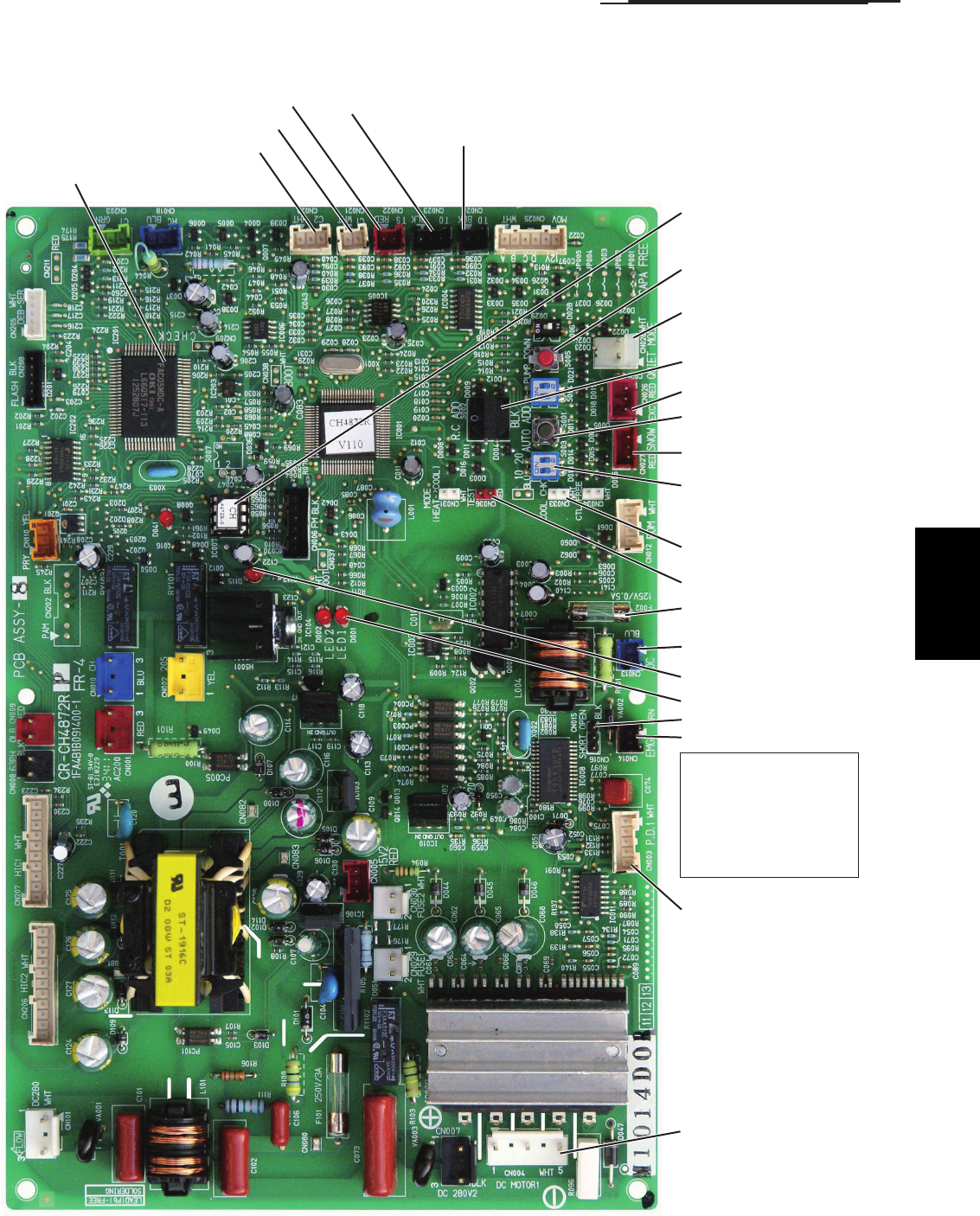
2-9
2. Processes and functions
Fan motor plug (CN004)
EEPROM IC
MDC
Heat exchanger temperature (C2) sensor
Heat exchanger temperature (C1) sensor
Suction temperature (TS) sensor Outdoor air temperature (TO) sensor
Compressor discharge temperature (TD) sensor
Refrigerant recovery switch
(S005)
Quiet mode plug (CN028)
EXCT plug (CN026)
Automatic address
setting switch (S001)
Snowfall sensor
Cooling test
Test pin (CN036)
Operation circuit fuse
(F002)
LED 1, 2
Serial 1 plug
Terminal plug (CN015)
Serial 2 plug
If the operation circuit fuse
(F002) has blown,
determine and correct the
cause for the blown fuse,
then change the socket
from the serial 1 plug to
the serial 2 plug.
Position detection plug
(CN003)
Refrigerant System
address switch (S002)
Refrigerant System
address switch (S003)
Power LED (D115)
2-5 Outdoor Unit Control PCB
(1) Layout Diagram (CR-CH4872R)
2
SM830203-01_PAC-i_US-letter.indb9 9SM830203-01_PAC-i_US-letter.indb9 9 2012/01/26 14:25:042012/01/26 14:25:04
2-10
2. Processes and functions
Push-button switch (black): Automatic address setting switch
• If the system address switch (S002: set to 0 at time of shipment) setting is other than
"0" (central control), press this switch once to automatically set the addresses at all
indoor units which are in the same system, and are connected to that outdoor unit.
During automatic address setting, the 2 LEDs (red) on the outdoor unit control PCB
blink alternately.
(Pressing this switch again stops automatic address setting.)
• If automatic address setting is currently in progress at another system that is subject
to central control, only LED 1 on the outdoor unit control PCB blinks to indicate that
automatic address setting is in progress at another unit. If automatic address setting is
in progress at another unit, automatic address setting cannot be started at this unit,
even if S001 is pressed.
Rotary switch (10 positions, black): System address setting switch
• This switch is set to 0 (1 system control) at the time of shipment. However the address
for each system must be set when multiple systems are controlled or when central
control is used. (Figure 1)
• If the system address is set to 0, automatic address setting is started when the power is
turned ON. Therefore it is not necessary to use switch SW01 and perform automatic
address setting in the case of single or simultaneous-operation multi control of a single
system.
• When using central control for multiple systems, a maximum of 30 systems (maximum
64 units) can be connected. In the case of group control or central control, set the sys-
tem address to a setting other than 0 (1 or above).
• If the number of systems is greater than 9, this switch can be used in combination with
DIP switch S003 to set up to 30 systems. The setting can be made as high as 39,
however all settings above 30 are handled as 30 for control. (For details, refer to Table 1.)
• If system addresses are duplicated (the same address exists more than once), LED 1 on
the outdoor unit control PCB lights up, and alarm "L04" is displayed on the remote con-
troller.
DIP switch (2P, blue): System address 10s-digit and 20s-digit place setting switch
• When setting 10 systems or more, set this switch in combination with S002.
• For 10 – 19 systems, set 1P (10s-digit place) to ON.
• For 20 – 29 systems, set 2P (20s-digit place) to ON, and set 1P (10s-digit place) to OFF.
• For 30 systems, set both 1P (10s-digit place) and 2P (20s-digit place) to ON. (For details,
refer to Table 1.)
Refrigerant recovery switch (red button switch)
• Press this switch to perform refrigerant recovery control using cooling operation. The
indoor unit fan will operate at HIGH and 55 Hz for a maximum of 10 minutes. When
refrigerant recovery is completed, close the valves and press this switch to stop the
operation.
2P plug (red): Pin used for PCB inspection at the factory
3P plug (red): Can be used for demand control
• The operating ranges are shown in the table.
Test (CN036)
EXCT (CN026)
S001
S002
S003
S005
2P and 3P 1P and 3P
Operating
range
0
0
1
1
0
1
0
1
normal (at shipment
from factory)
rated capacity
70%
0%
Short-circuited
2-6 Outdoor Unit Control PCB (CR-CH4272R)
(1) Explanation of Functions
2
SM830203-01_PAC-i_US-letter.indb10 10SM830203-01_PAC-i_US-letter.indb10 10 2012/01/26 14:25:102012/01/26 14:25:10
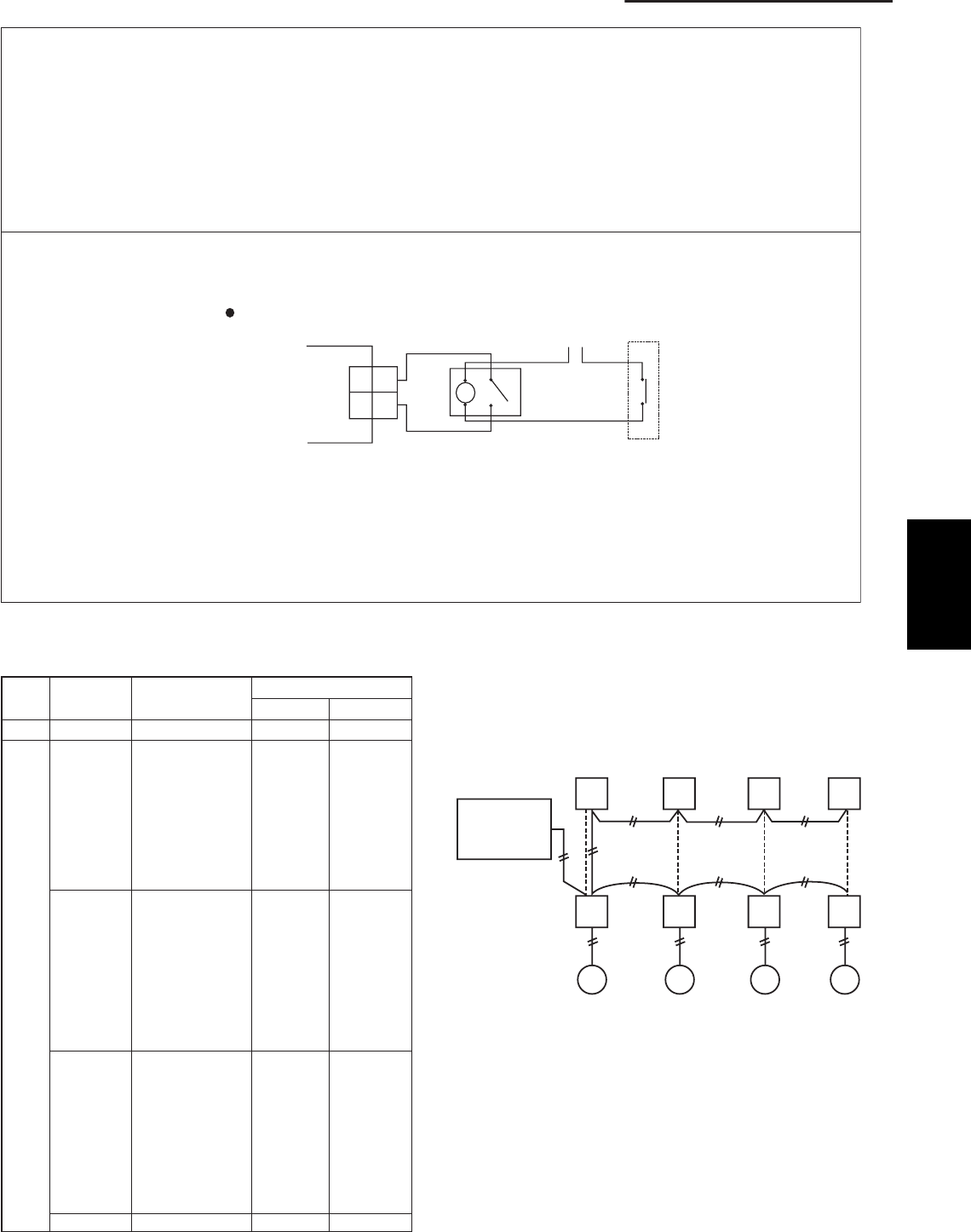
2-11
2. Processes and functions
3P plug (black): Terminal plug for the communications line
• At the time of shipment from the factory, the short-circuiting socket (2P, black) is
installed between pins 1 and 2 on the terminal plug (terminal = yes).
• When central control is used for multiple systems, leave the short-circuiting socket in
place only on the outdoor unit with a system address of 1. At all other outdoor units
(other than unit No. 1), move the short-circuiting socket to between 2 and 3 (terminal =
no). If multiple short-circuiting sockets remain in place during central control, a com-
munications failure will occur.
• In the case of a single system only (system address = 0), do not remove the short-
circuiting socket. (Alarm "E04" will occur.)
2P plug (white): Enables operation in quiet mode.
• The outdoor unit fan and compressor frequencies are subject to limits during operation.
• Low-noise operation is enabled when the relay is turned ON.
Outdoor unit control PCB
Note 1: The maximum length of the wiring between the outdoor unit PCB and the relay is
2 m.
• Lead wire with 2P plug (special-order part: WIRE K/ CV6231612098)
• Relay, field supply, contact input specifications: DC 5 V, 0.5 mA (Recommended relay:
Fuji Electric HH62SW, compatible with micro contacts)
• Use a commercially available timer (such as the Omron H5 daily time switch).
Terminal plug
(CN015)
Quiet mode
(CN028)
Example of wiring
1
2
CN028
1
2
Quiet mode
Relay (field supply) Power
External contact
(timer input, etc.: field supply)
Table 1. Method of System Address Setting
[S002 (rotary, black), S003 (2P DIP switch, green or blue)]
1
1
2
3
4
5
6
7
8
9
10
11
12
13
14
15
16
17
18
19
20
21
22
23
24
25
26
27
28
29
30
0
1
2
3
4
5
6
7
8
9
0
1
2
3
4
5
6
7
8
9
0
1
2
3
4
5
6
7
8
9
0
OFF
OFF
OFF
OFF
OFF
OFF
OFF
OFF
OFF
OFF
ON
ON
ON
ON
ON
ON
ON
ON
ON
ON
OFF
OFF
OFF
OFF
OFF
OFF
OFF
OFF
OFF
OFF
ON
OFF
OFF
OFF
OFF
OFF
OFF
OFF
OFF
OFF
OFF
OFF
OFF
OFF
OFF
OFF
OFF
OFF
OFF
OFF
OFF
ON
ON
ON
ON
ON
ON
ON
ON
ON
ON
ON
2P (20s-digit place)
Outdoor system
address No.
1 system only
Central
control
S002 setting
(system address switch)
S003 setting
1P (10s-digit place)
System
controller
Out-
door Out-
door Out-
door Out-
door
In-
door In-
door In-
door In-
door
Fig. 6
2
SM830203-01_PAC-i_US-letter.indb11 11SM830203-01_PAC-i_US-letter.indb11 11 2012/01/26 14:25:102012/01/26 14:25:10
SM830203-01_PAC-i_US-letter.indb12 12SM830203-01_PAC-i_US-letter.indb12 12 2012/01/26 14:25:112012/01/26 14:25:11

3-1 3-2Indoor Units...................................................................................................................
3-2 Outdoor Units.............................................................................................................. 3 -10
3. ELECTRICAL DATA
3-1
SM830203-00_PAC-i_US-letter.indb1 1SM830203-00_PAC-i_US-letter.indb1 1 2011/11/09 20:22:522011/11/09 20:22:52
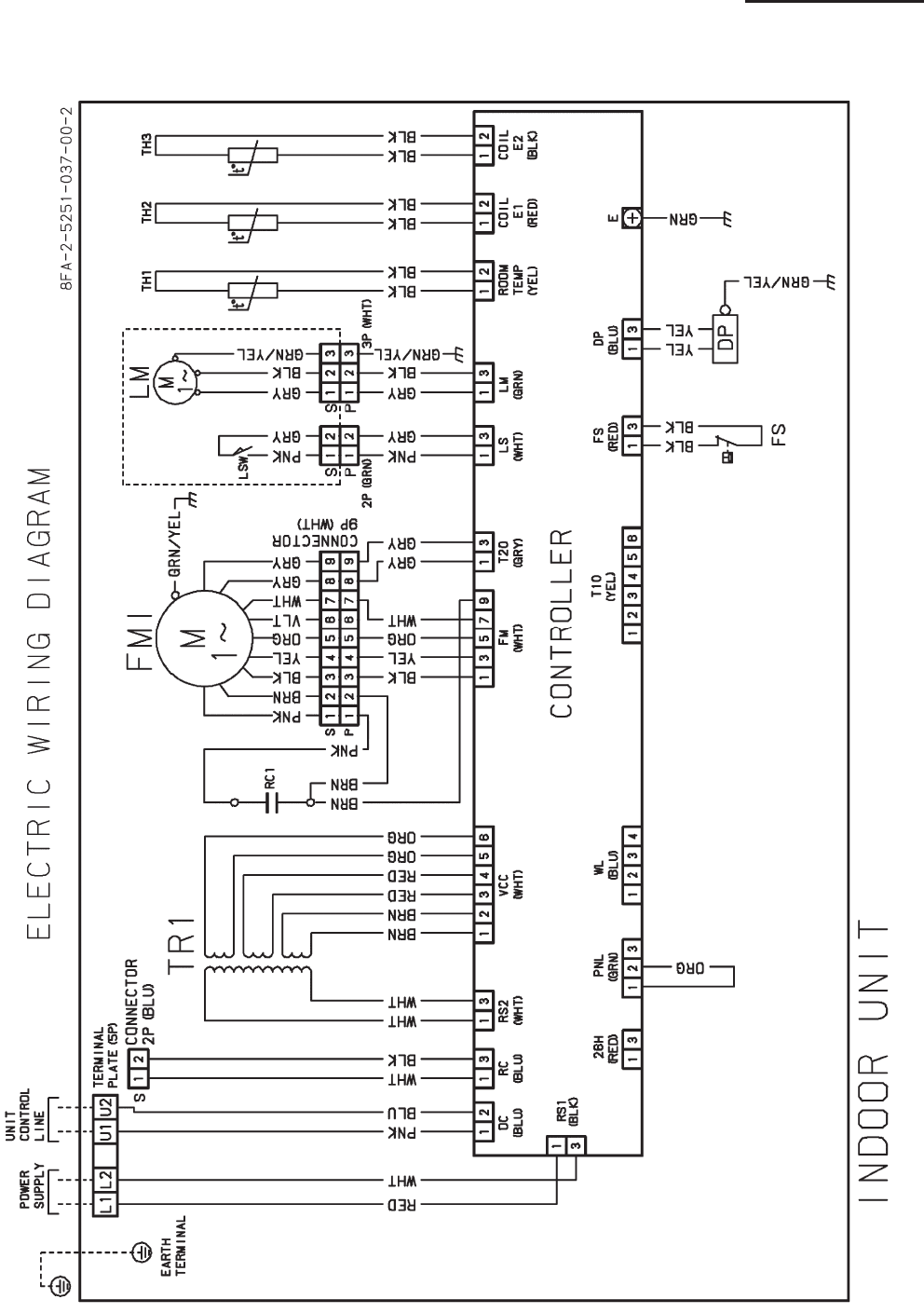
3-2
3. Electrical data
3-1 Indoor Units
4-Way Cassette Type : S-26PU1U6, S-36PU1U6, S-42PU1U6
SM830203-00_PAC-i_US-letter.indb2 2SM830203-00_PAC-i_US-letter.indb2 2 2011/11/09 20:22:522011/11/09 20:22:52
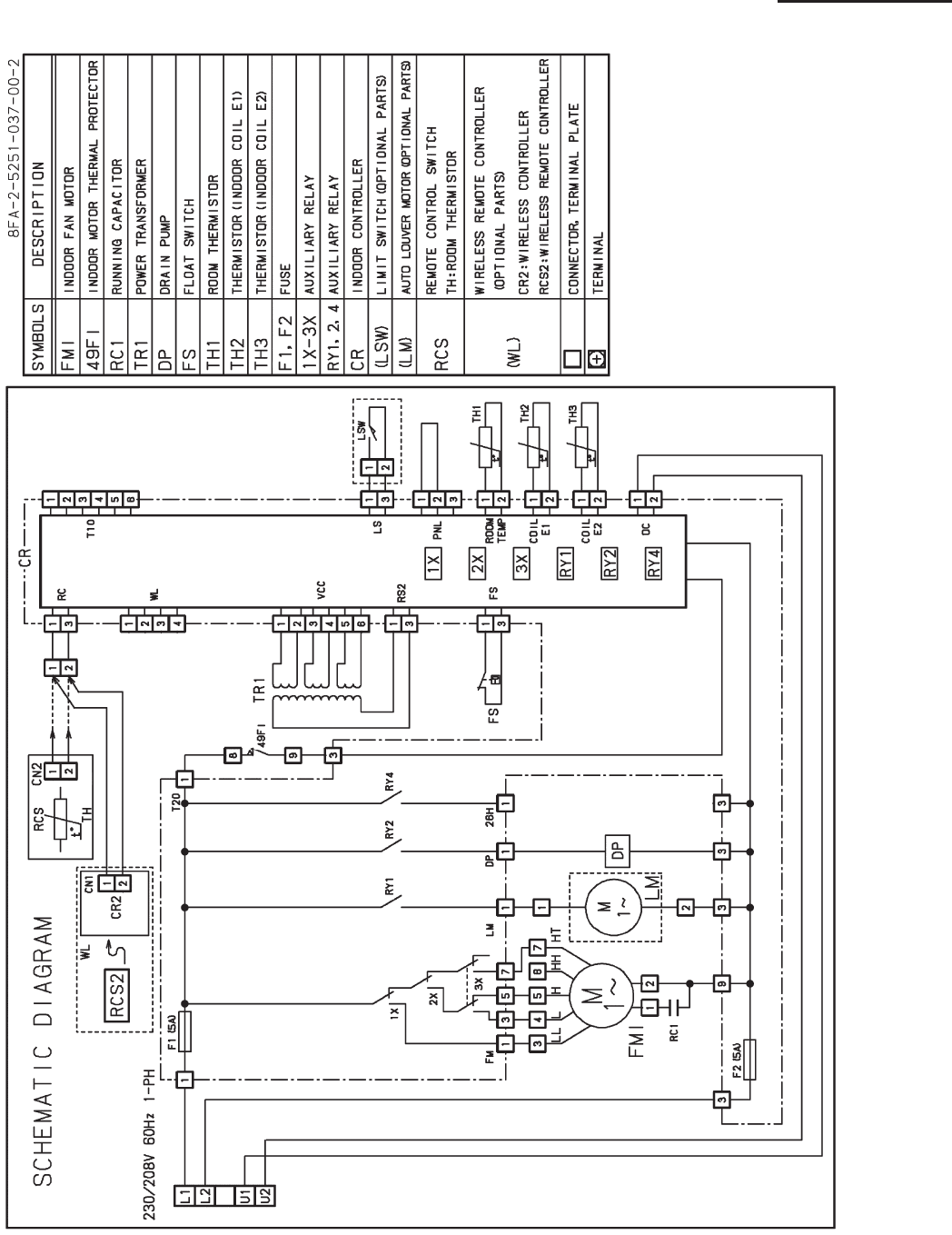
3-3
3. Electrical data
4-Way Cassette Type : S-26PU1U6, S-36PU1U6, S-42PU1U6
SM830203-00_PAC-i_US-letter.indb3 3SM830203-00_PAC-i_US-letter.indb3 3 2011/11/09 20:22:532011/11/09 20:22:53
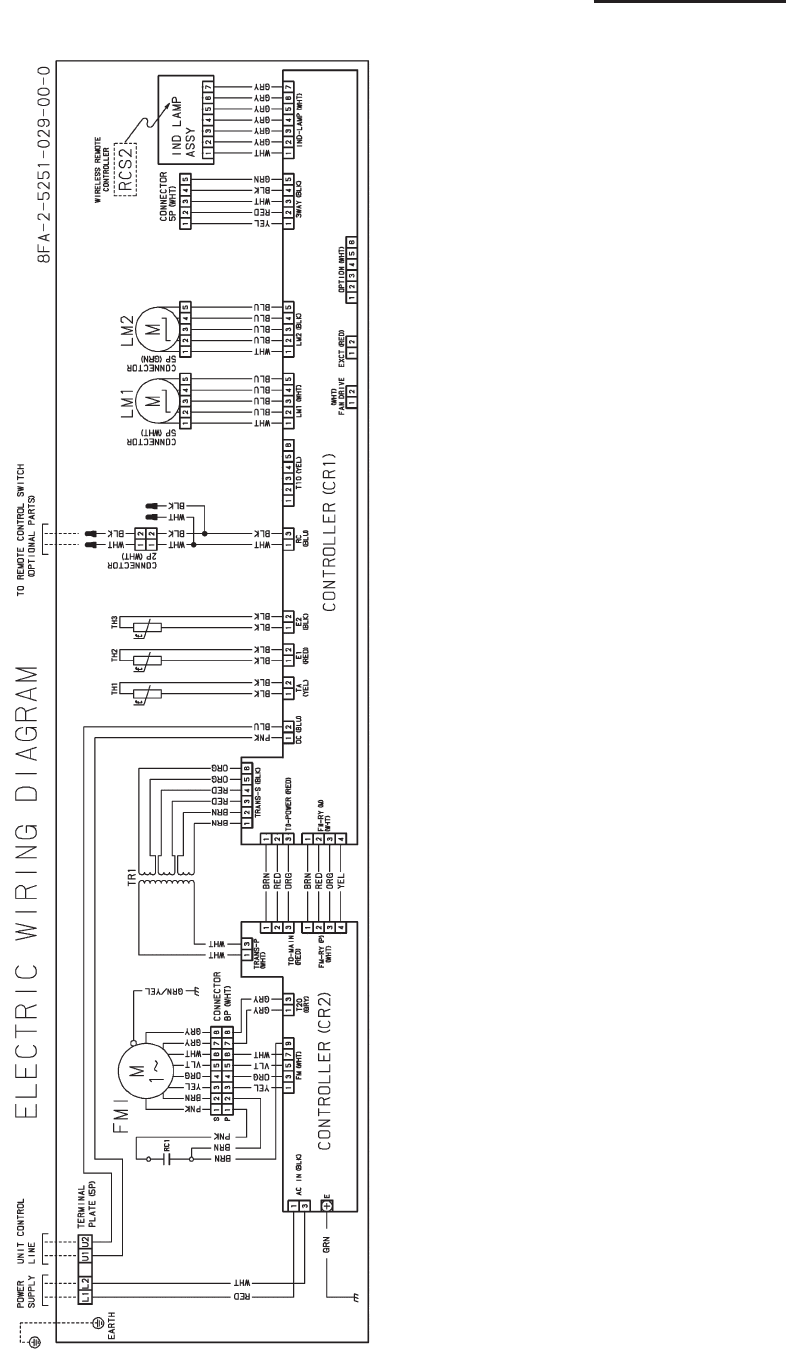
3-4
3. Electrical data
Wall Mounted Type : S-26PK1U6
SM830203-00_PAC-i_US-letter.indb4 4SM830203-00_PAC-i_US-letter.indb4 4 2011/11/09 20:22:532011/11/09 20:22:53
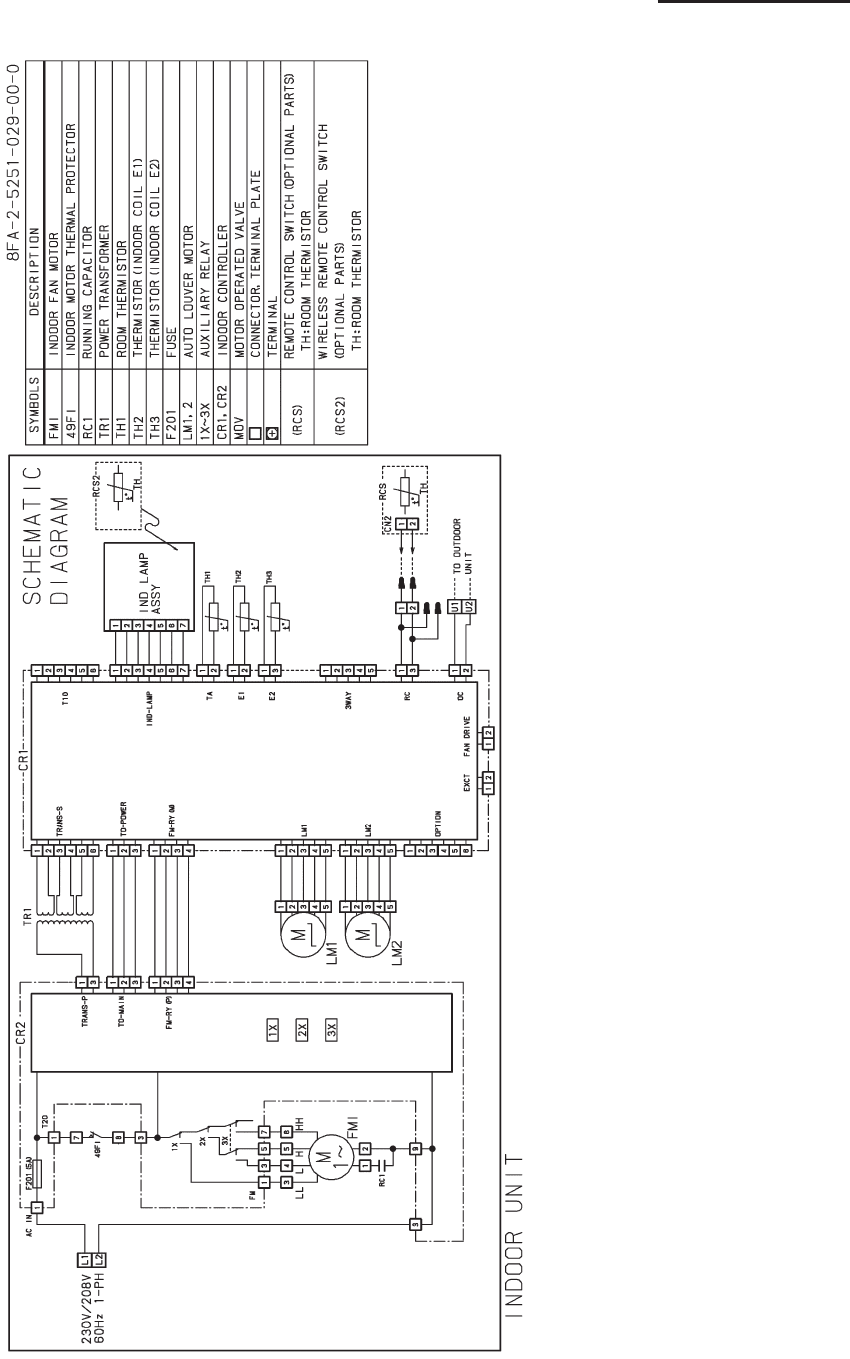
3-5
3. Electrical data
Wall Mounted Type : S-26PK1U6
SM830203-00_PAC-i_US-letter.indb5 5SM830203-00_PAC-i_US-letter.indb5 5 2011/11/09 20:22:542011/11/09 20:22:54
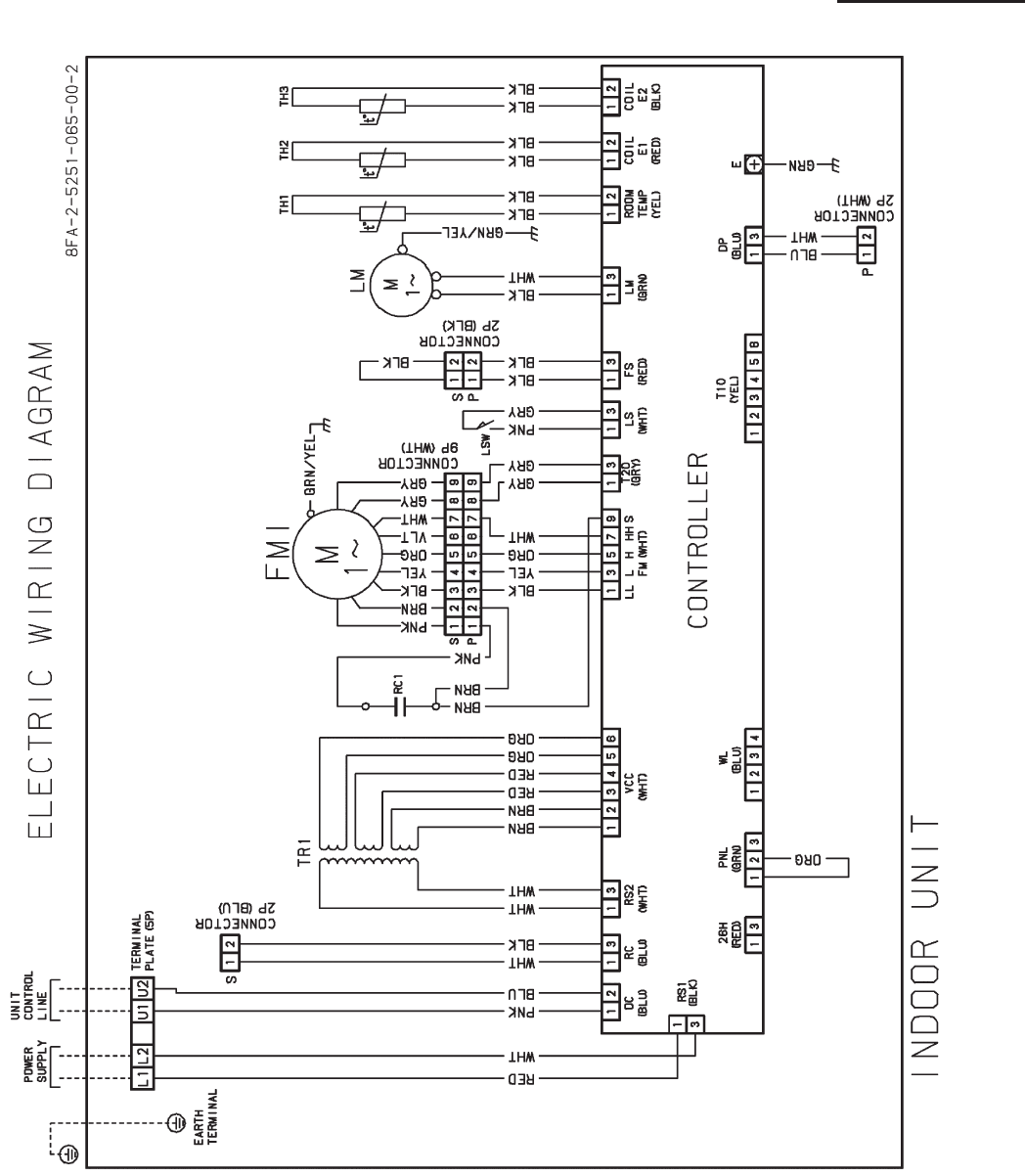
3-6
3. Electrical data
Ceiling Type : S-26PT1U6, S-36PT1U6, S-42PT1U6
SM830203-00_PAC-i_US-letter.indb6 6SM830203-00_PAC-i_US-letter.indb6 6 2011/11/09 20:22:542011/11/09 20:22:54
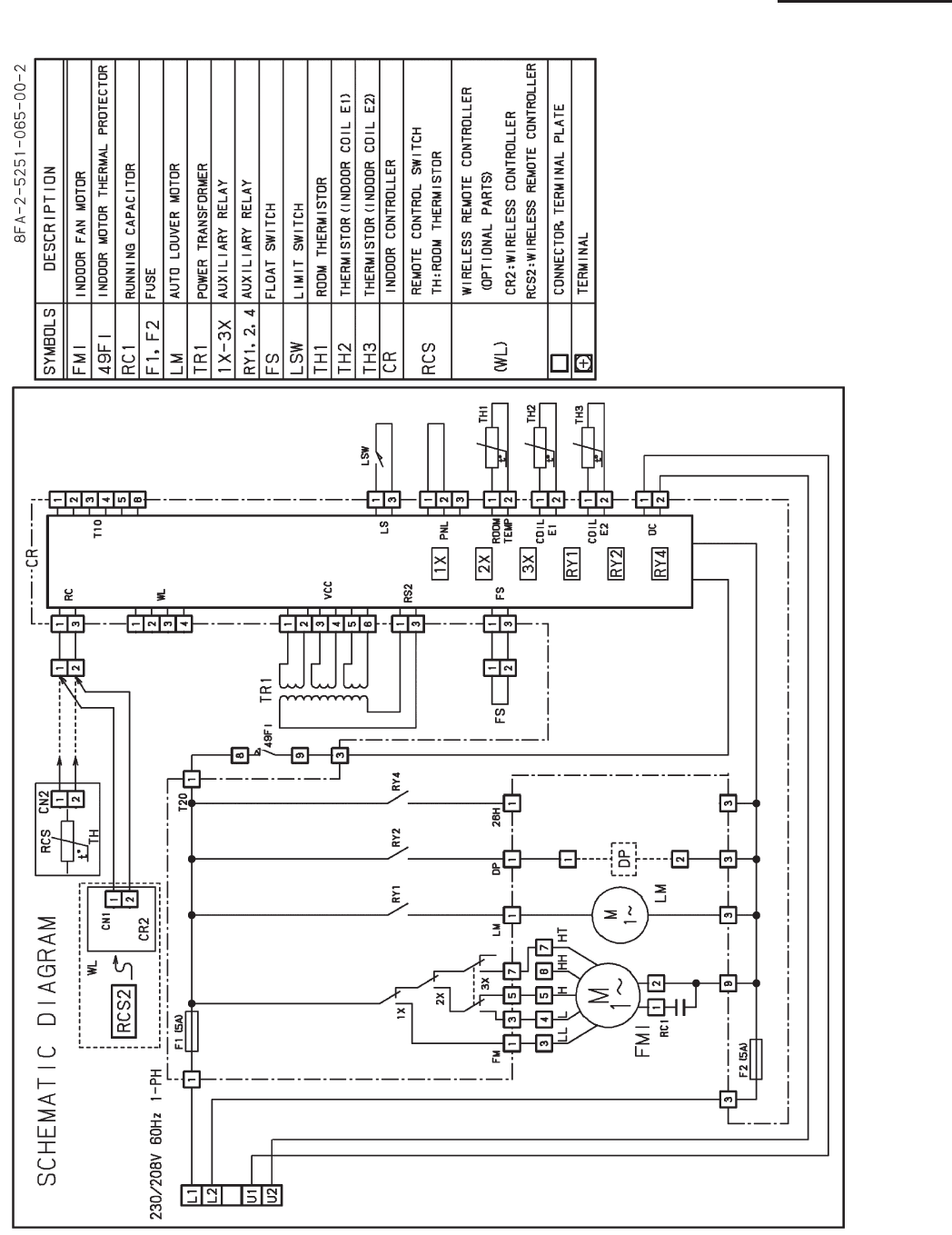
3-7
3. Electrical data
Ceiling Type : S-26PT1U6, S-36PT1U6, S-42PT1U6
SM830203-00_PAC-i_US-letter.indb7 7SM830203-00_PAC-i_US-letter.indb7 7 2011/11/09 20:22:542011/11/09 20:22:54
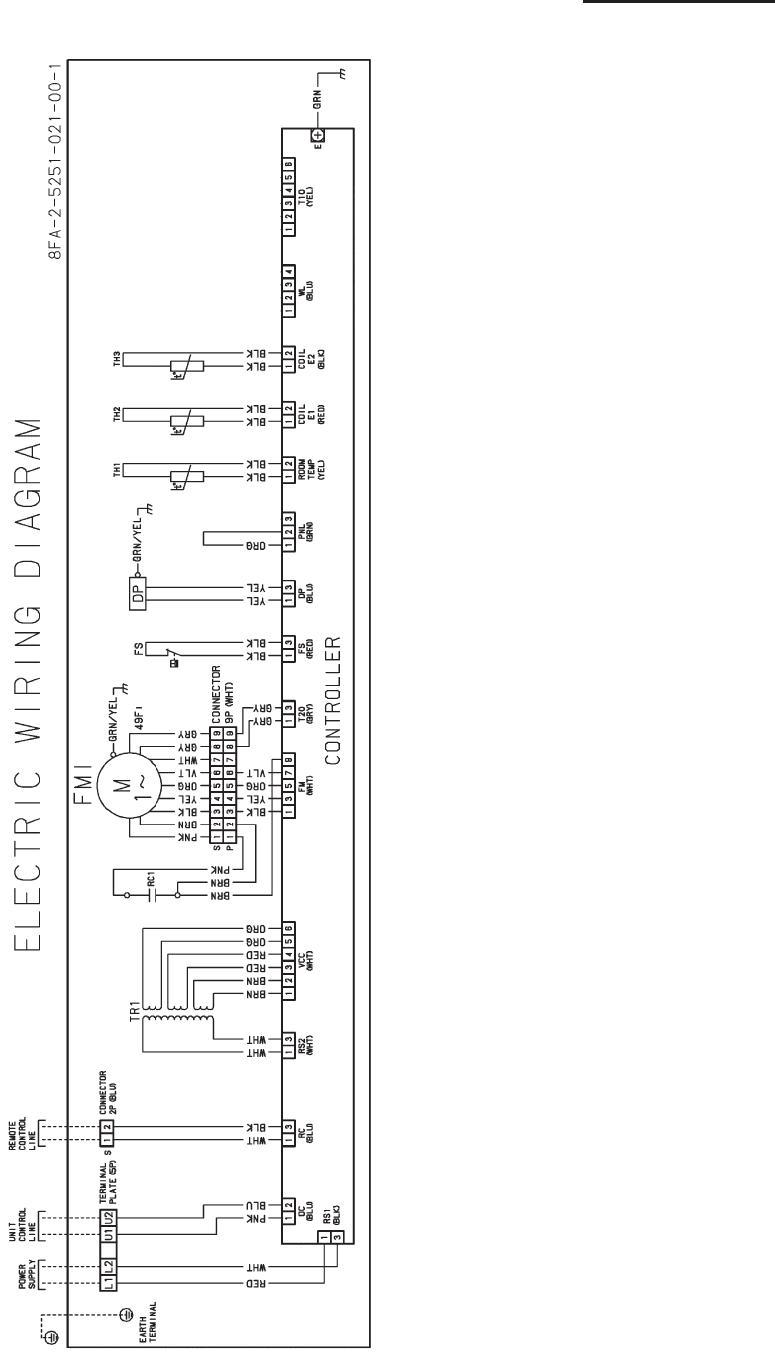
3-8
3. Electrical data
Low Silhouette Ducted Type : S-26PF1U6, S-36PF1U6
SM830203-00_PAC-i_US-letter.indb8 8SM830203-00_PAC-i_US-letter.indb8 8 2011/11/09 20:22:552011/11/09 20:22:55
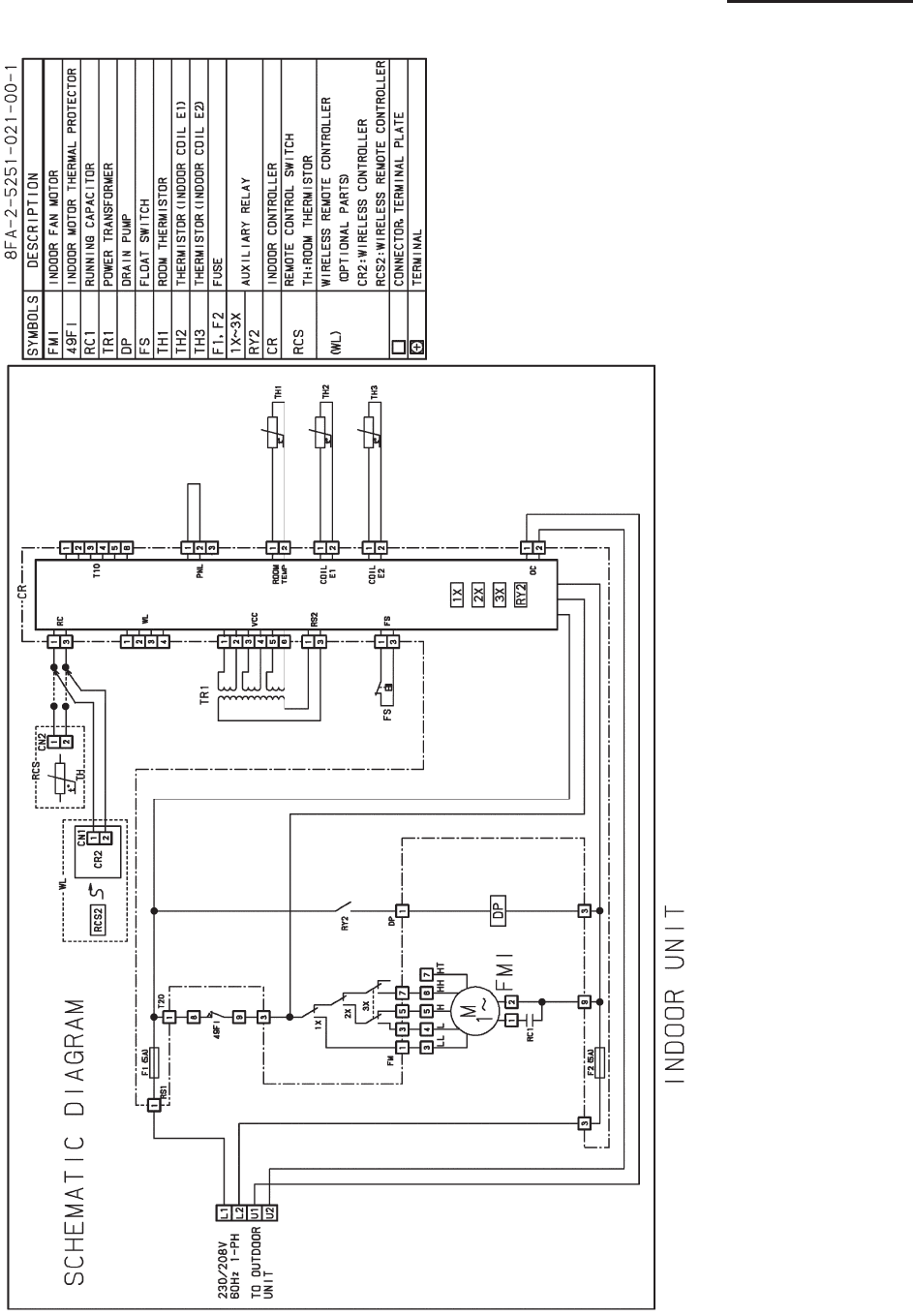
3-9
3. Electrical data
Low Silhouette Ducted Type : S-26PF1U6, S-36PF1U6
SM830203-00_PAC-i_US-letter.indb9 9SM830203-00_PAC-i_US-letter.indb9 9 2011/11/09 20:22:552011/11/09 20:22:55
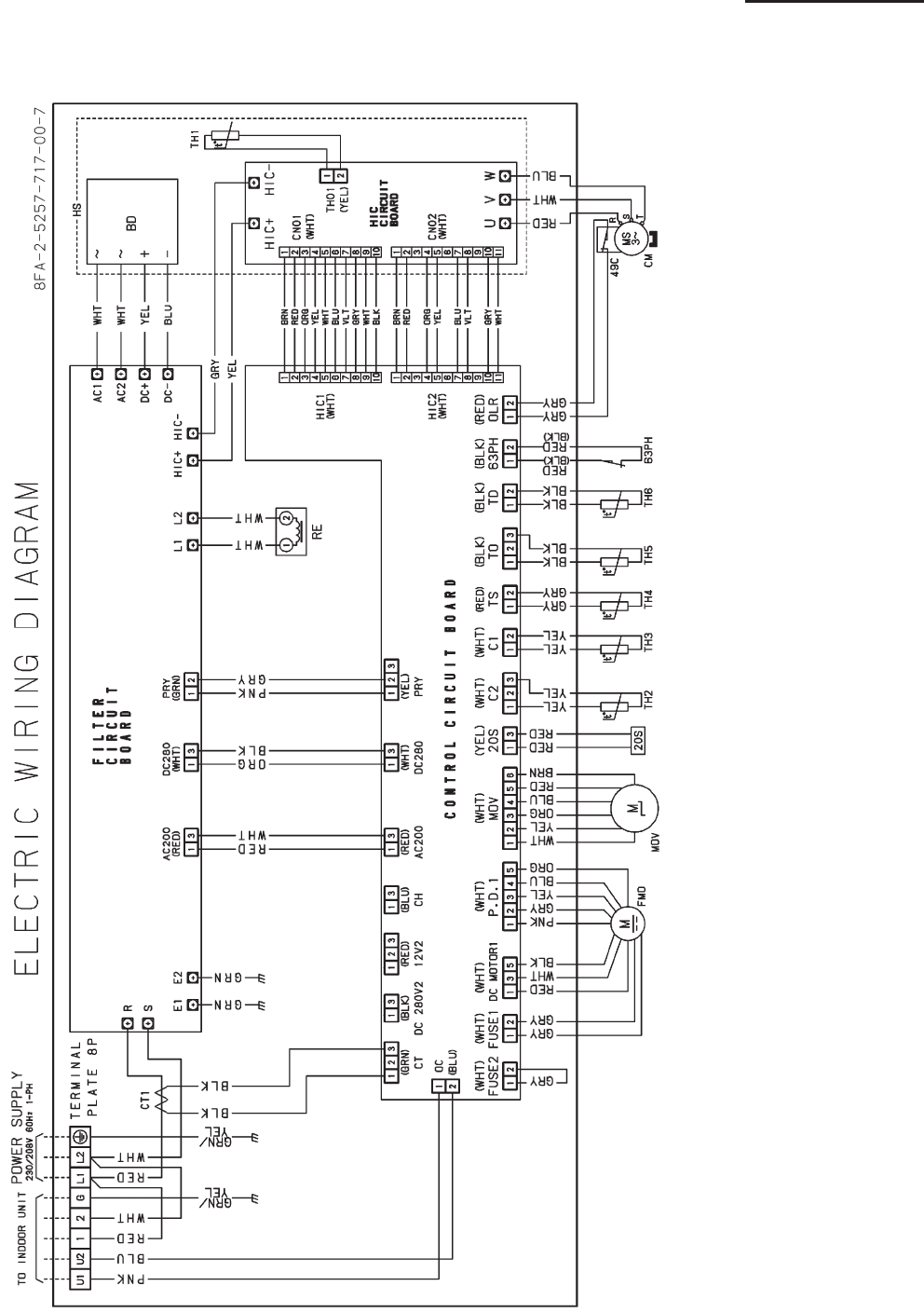
3-10
3. Electrical data
3-2 Outdoor Units
U-26PE1U6
SM830203-00_PAC-i_US-letter.indb10 10SM830203-00_PAC-i_US-letter.indb10 10 2011/11/09 20:22:552011/11/09 20:22:55
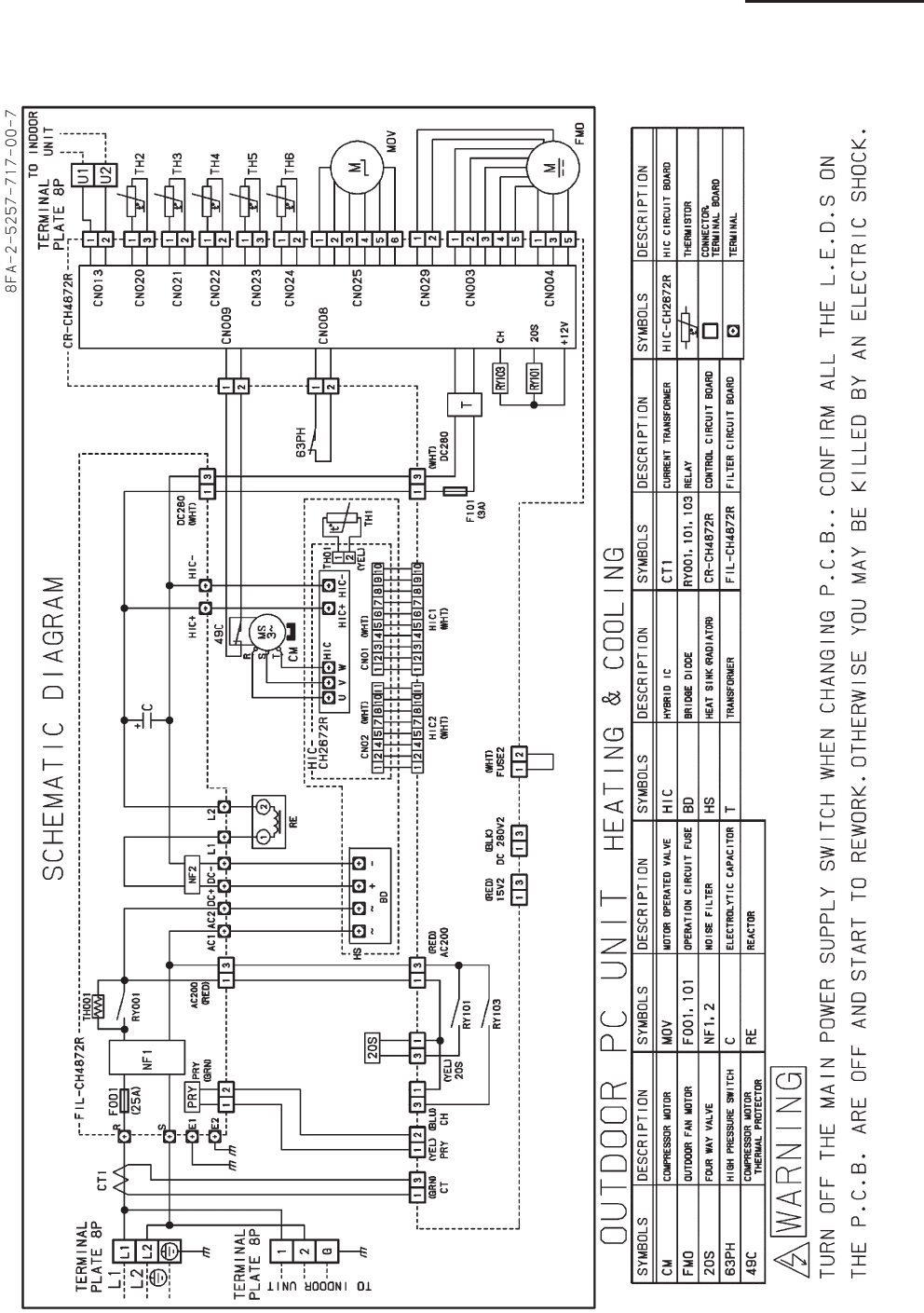
3-11
3. Electrical data
3-2 Outdoor Units
U-26PE1U6
SM830203-00_PAC-i_US-letter.indb11 11SM830203-00_PAC-i_US-letter.indb11 11 2011/11/09 20:22:552011/11/09 20:22:55
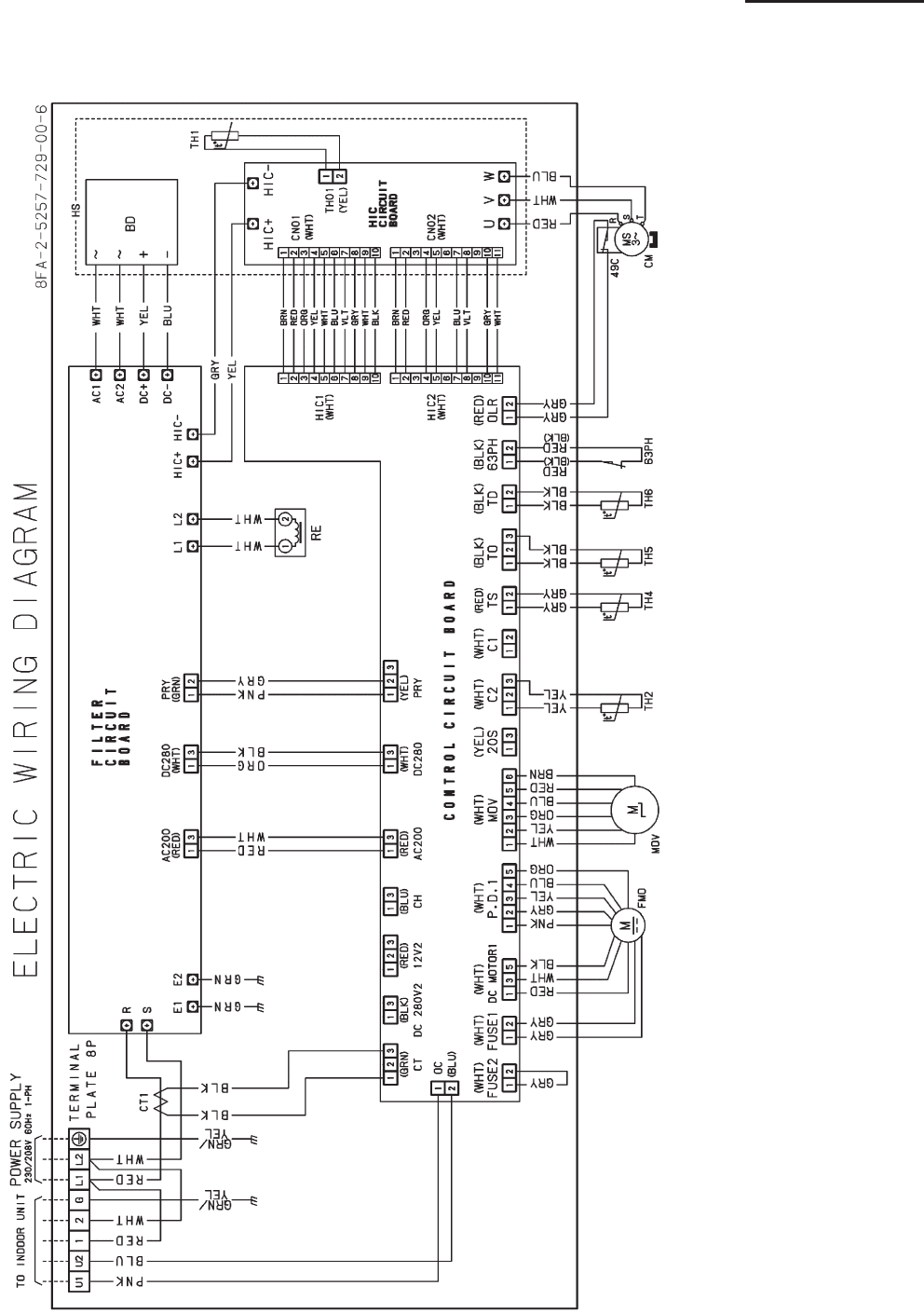
3-12
3. Electrical data
3-2 Outdoor Units
U-26PS1U6
SM830203-00_PAC-i_US-letter.indb12 12SM830203-00_PAC-i_US-letter.indb12 12 2011/11/09 20:22:562011/11/09 20:22:56
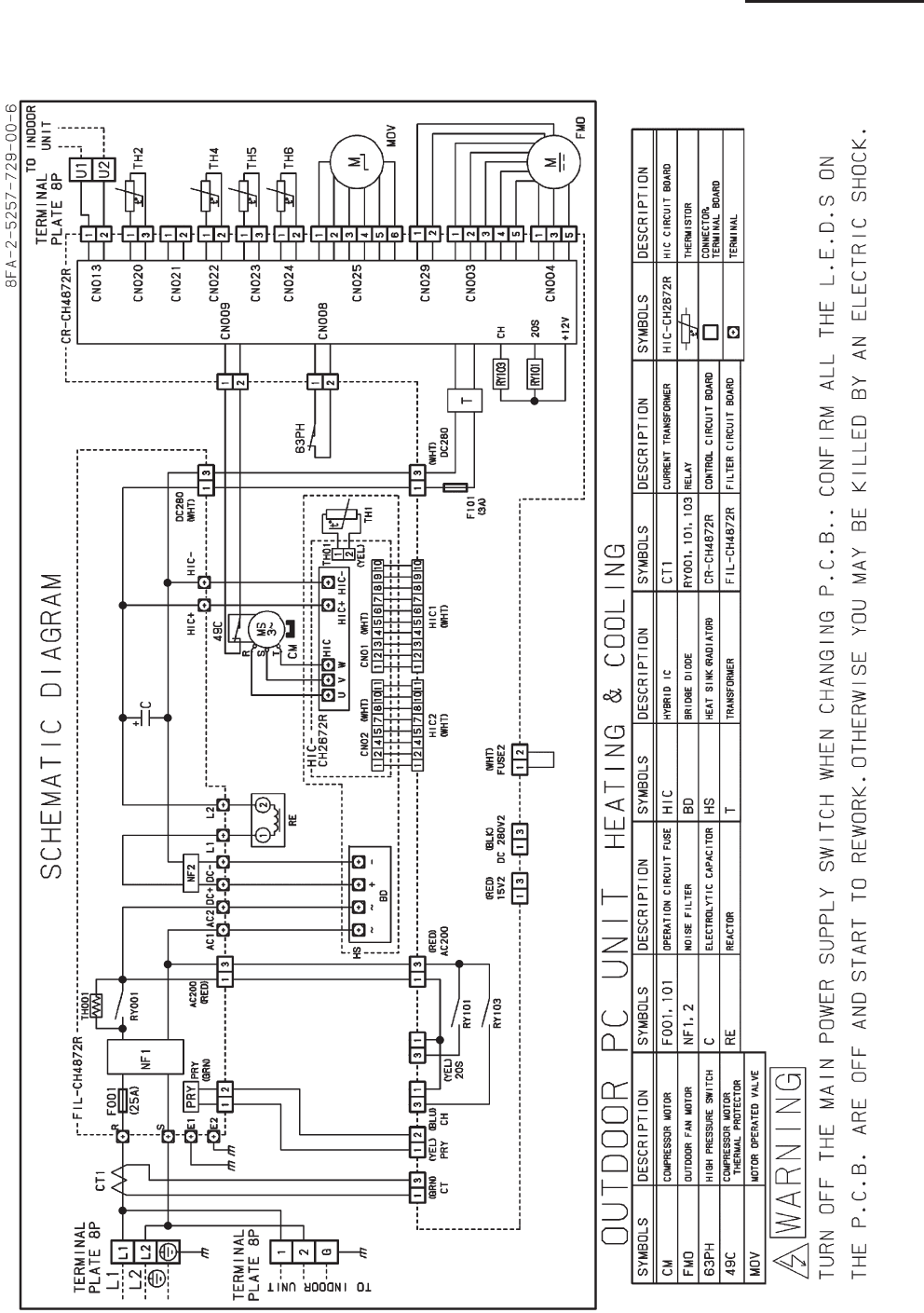
3-13
3. Electrical data
3-2 Outdoor Units
U-26PS1U6
SM830203-00_PAC-i_US-letter.indb13 13SM830203-00_PAC-i_US-letter.indb13 13 2011/11/09 20:22:562011/11/09 20:22:56
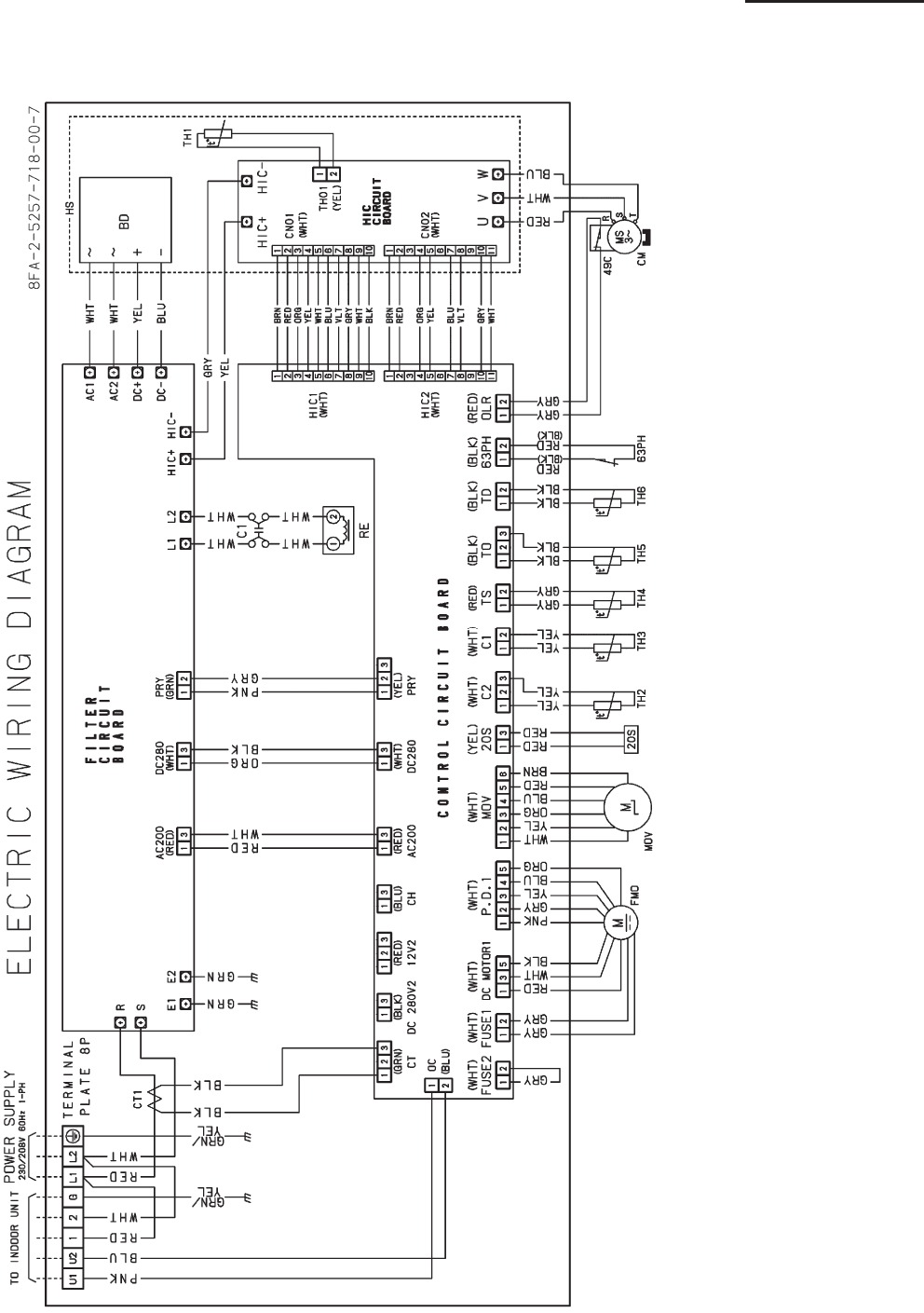
3-14
3. Electrical data
3-2 Outdoor Units
U-36PE1U6
SM830203-00_PAC-i_US-letter.indb14 14SM830203-00_PAC-i_US-letter.indb14 14 2011/11/09 20:22:562011/11/09 20:22:56
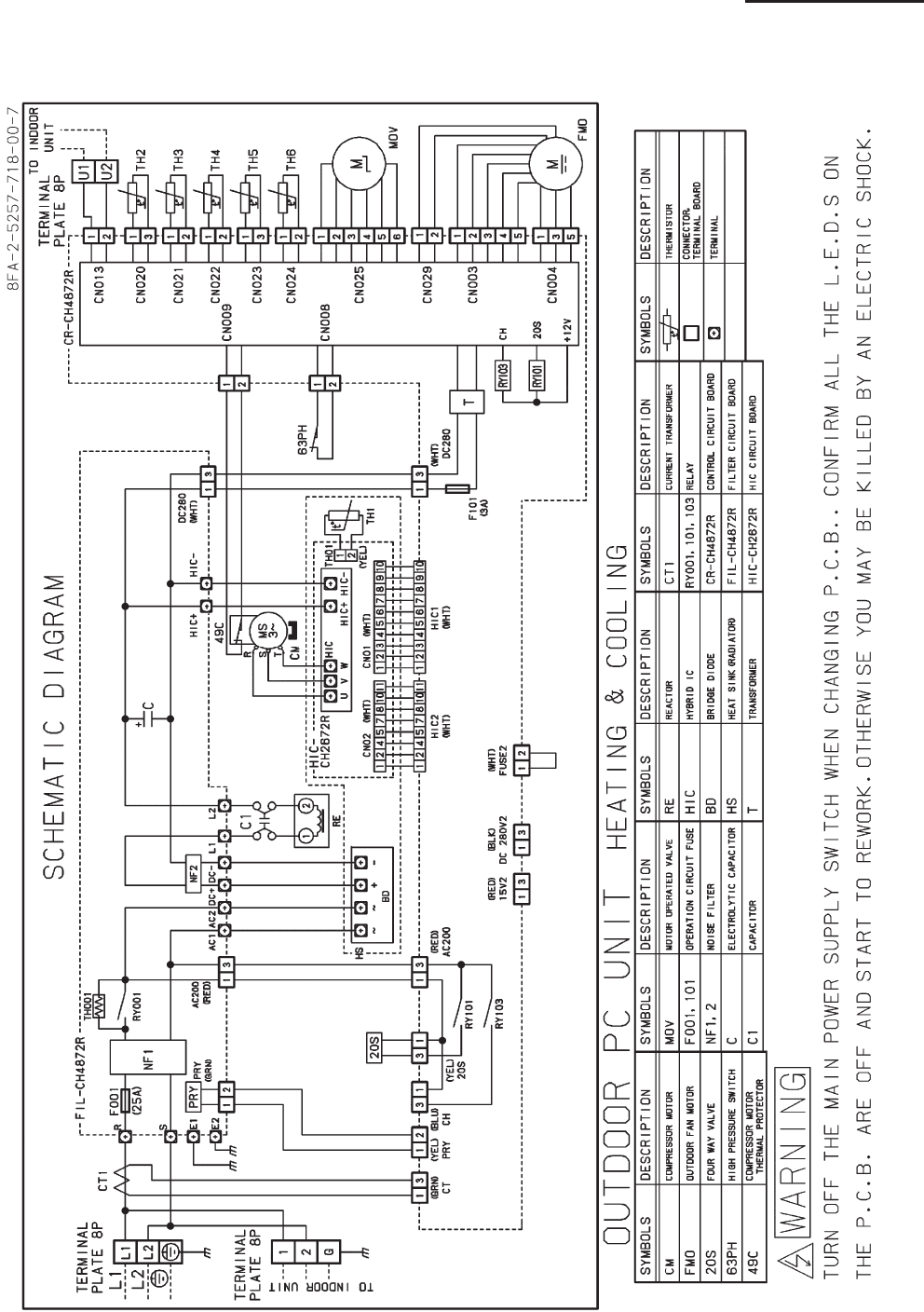
3-15
3. Electrical data
3-2 Outdoor Units
U-36PE1U6
SM830203-00_PAC-i_US-letter.indb15 15SM830203-00_PAC-i_US-letter.indb15 15 2011/11/09 20:22:562011/11/09 20:22:56
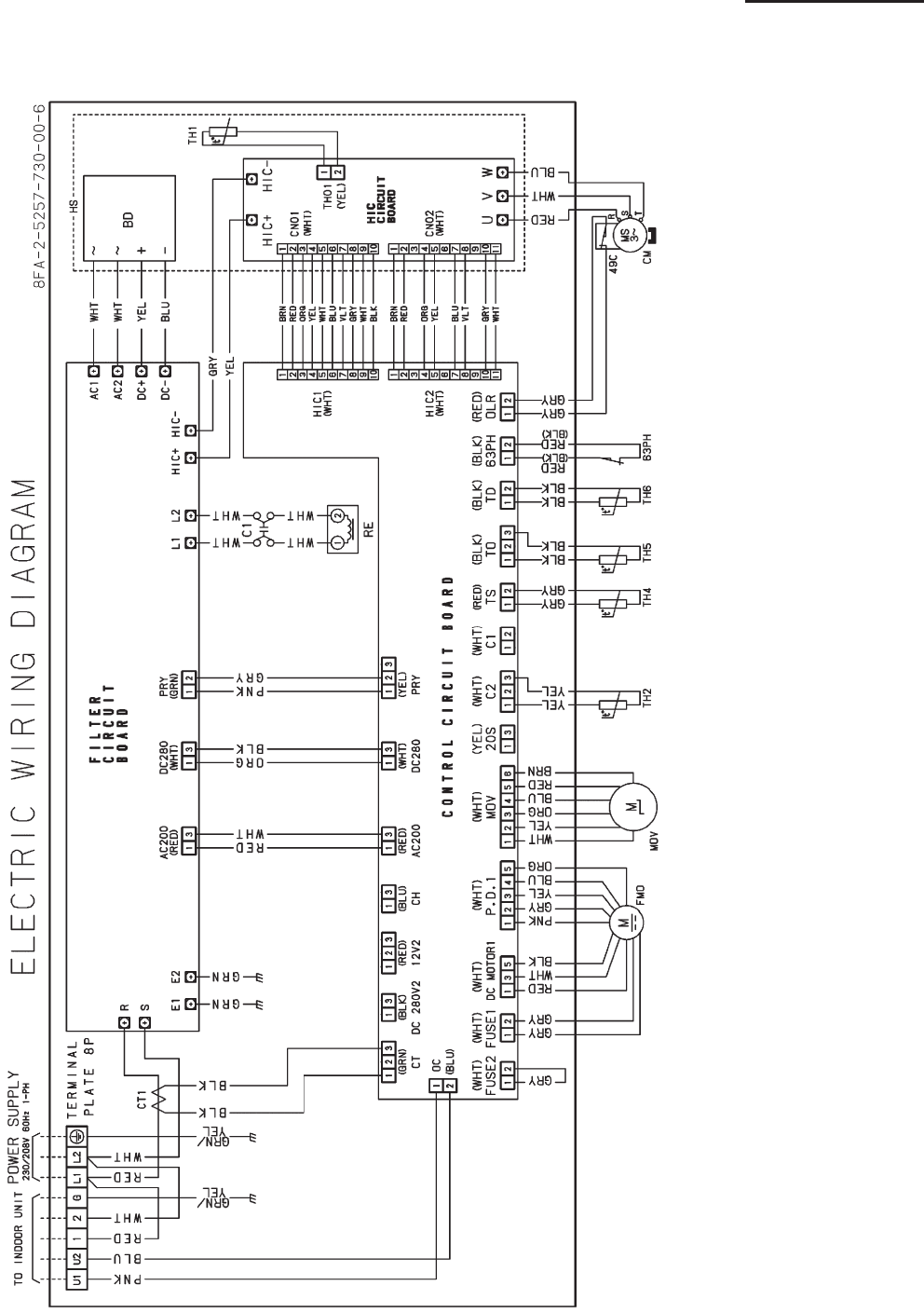
3-16
3. Electrical data
3-2 Outdoor Units
U-36PS1U6
SM830203-00_PAC-i_US-letter.indb16 16SM830203-00_PAC-i_US-letter.indb16 16 2011/11/09 20:22:572011/11/09 20:22:57
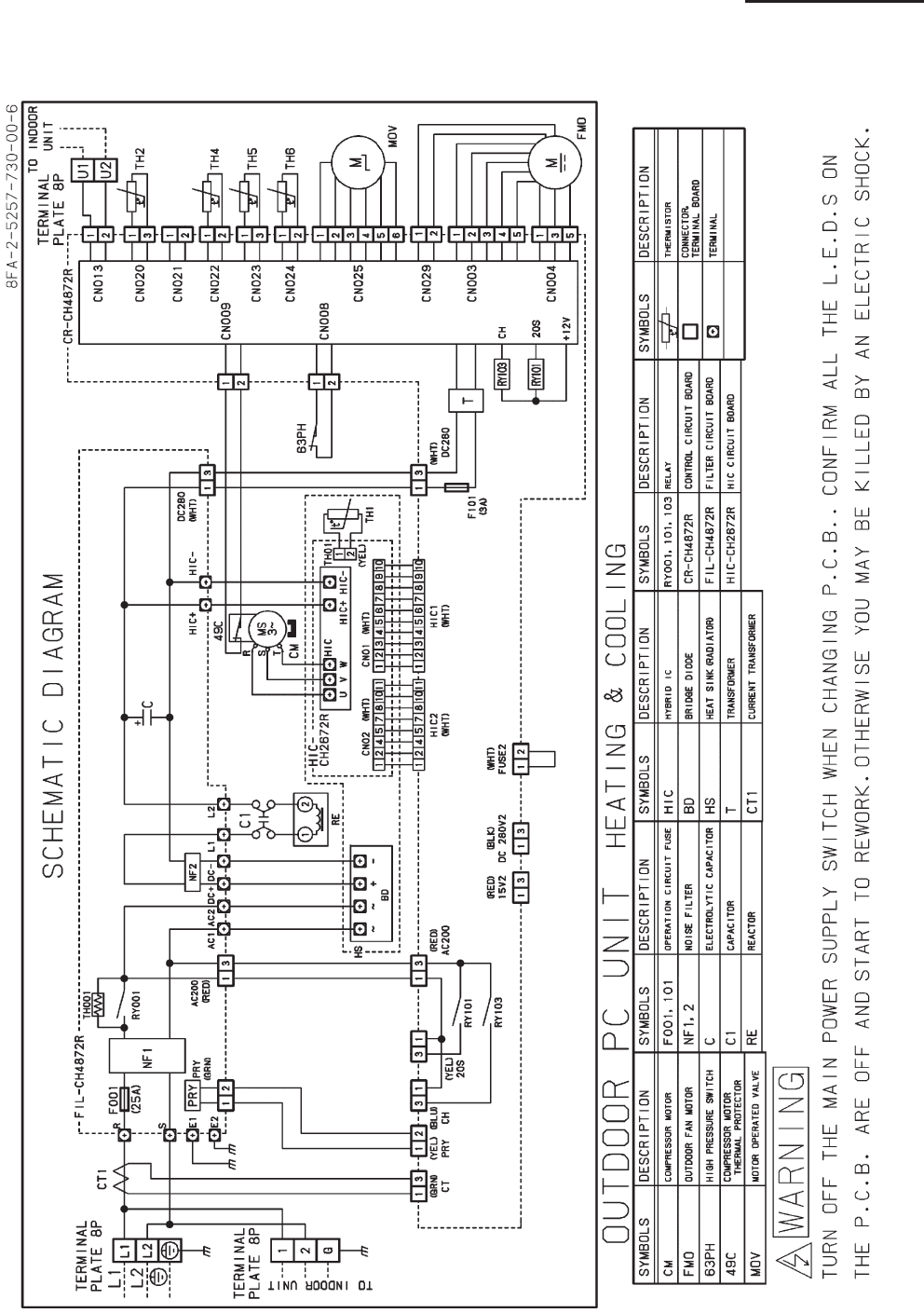
3-17
3. Electrical data
3-2 Outdoor Units
U-36PS1U6
SM830203-00_PAC-i_US-letter.indb17 17SM830203-00_PAC-i_US-letter.indb17 17 2011/11/09 20:22:572011/11/09 20:22:57
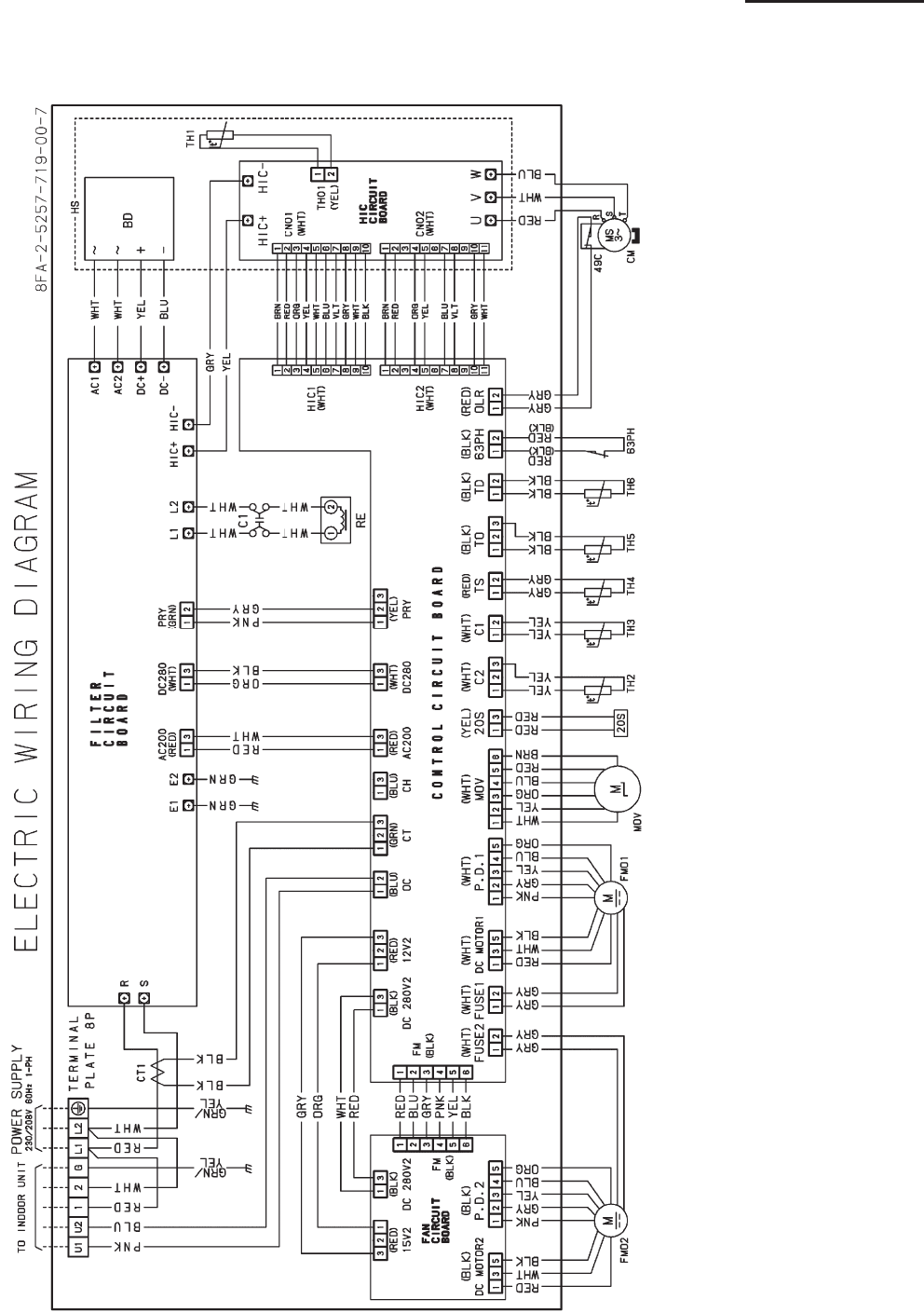
3-18
3. Electrical data
3-2 Outdoor Units
U-42PE1U6
SM830203-00_PAC-i_US-letter.indb18 18SM830203-00_PAC-i_US-letter.indb18 18 2011/11/09 20:22:582011/11/09 20:22:58
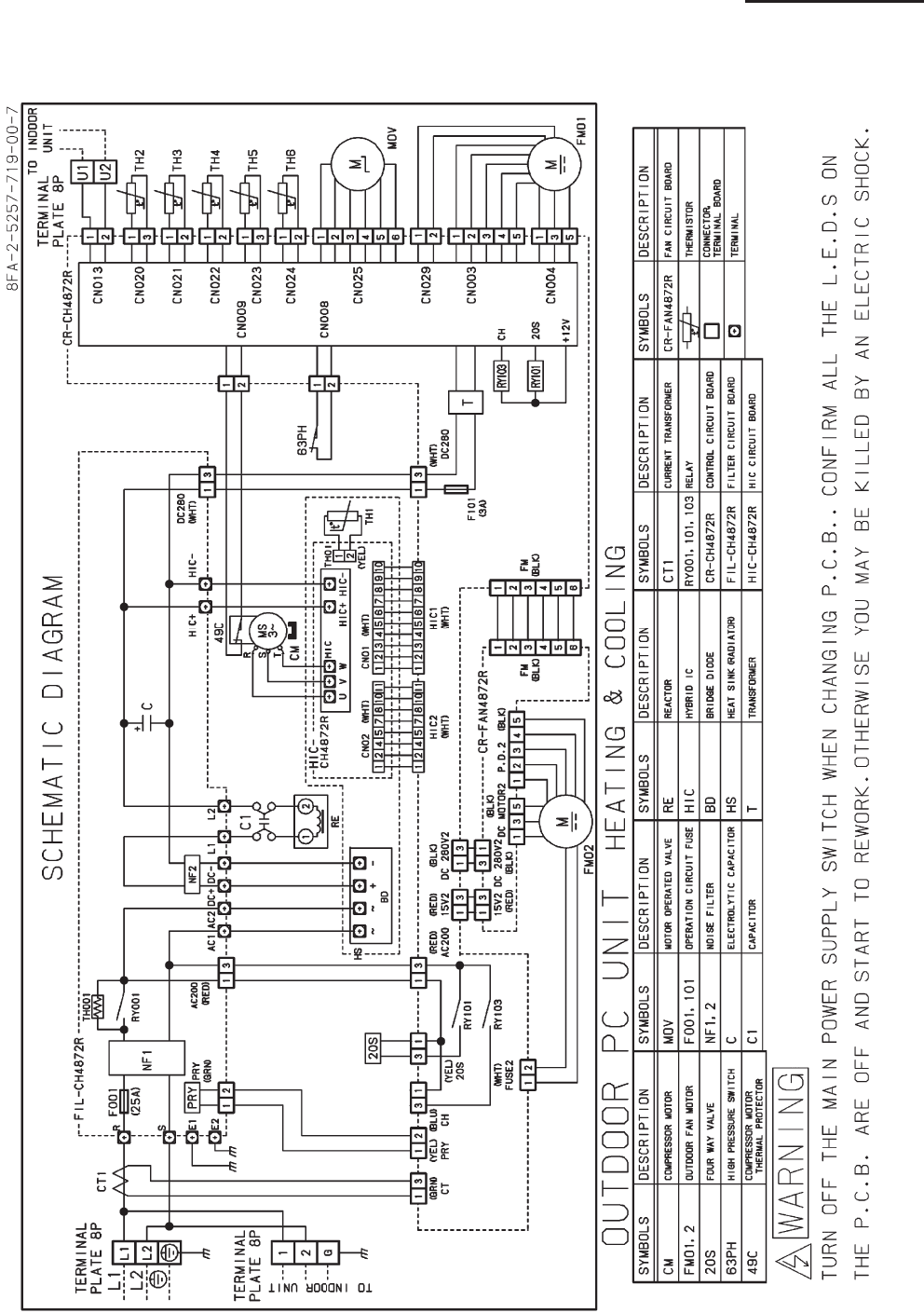
3-19
3. Electrical data
3-2 Outdoor Units
U-42PE1U6
SM830203-00_PAC-i_US-letter.indb19 19SM830203-00_PAC-i_US-letter.indb19 19 2011/11/09 20:22:582011/11/09 20:22:58
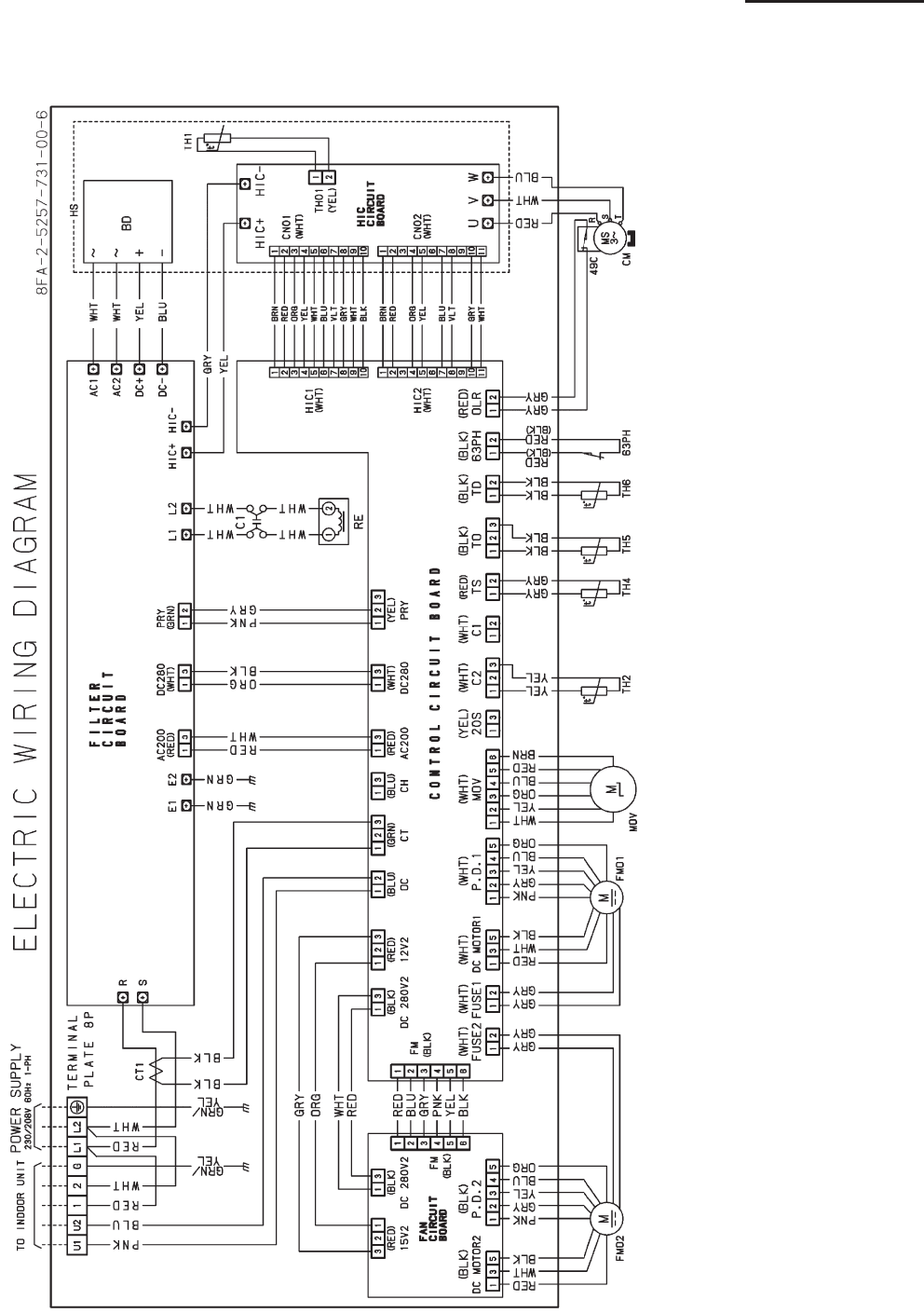
3-20
3. Electrical data
3-2 Outdoor Units
U-42PS1U6
SM830203-00_PAC-i_US-letter.indb20 20SM830203-00_PAC-i_US-letter.indb20 20 2011/11/09 20:22:592011/11/09 20:22:59
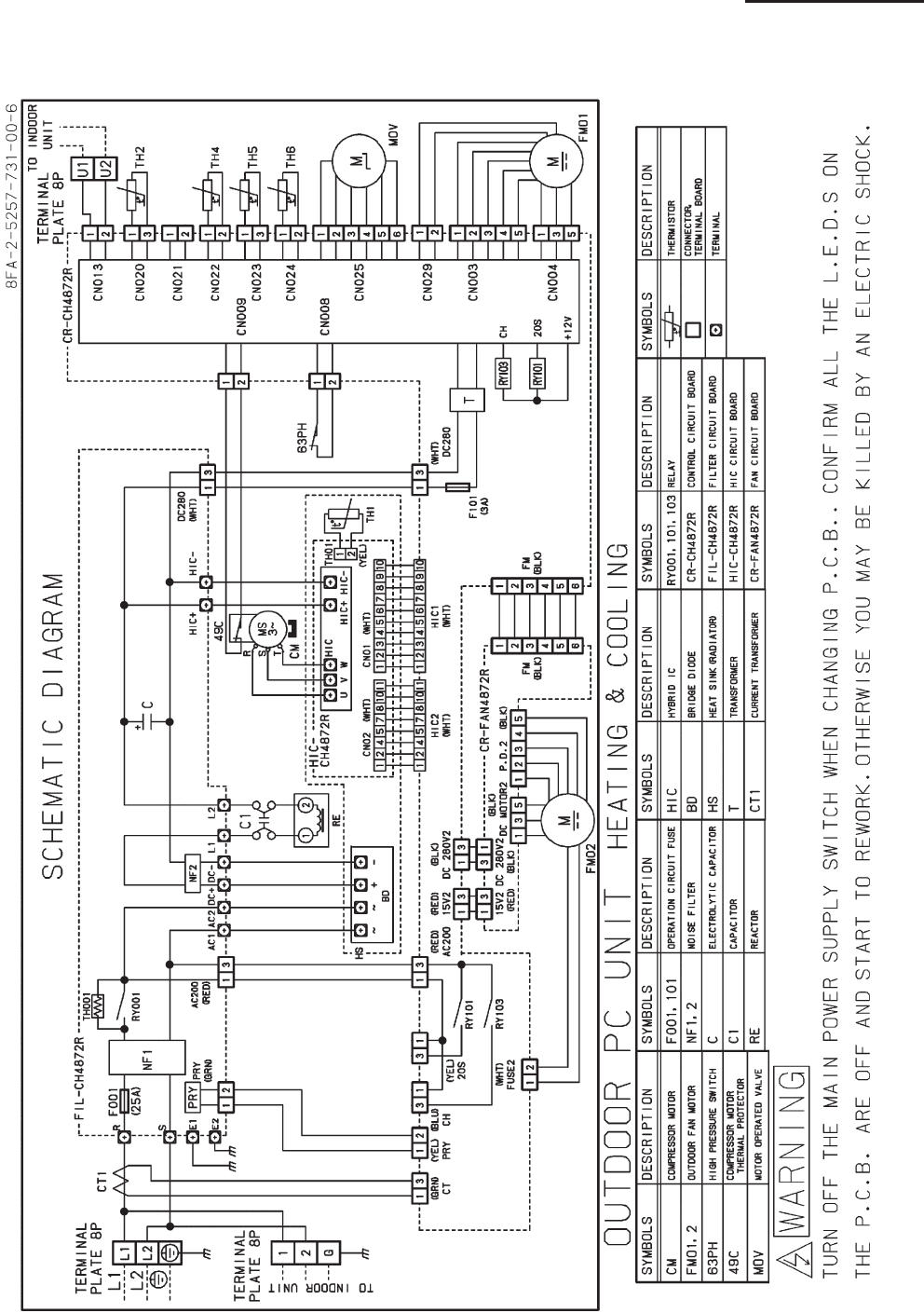
3-21
3. Electrical data
3-2 Outdoor Units
U-42PS1U6
SM830203-00_PAC-i_US-letter.indb21 21SM830203-00_PAC-i_US-letter.indb21 21 2011/11/09 20:22:592011/11/09 20:22:59
SM830203-00_PAC-i_US-letter.indb22 22SM830203-00_PAC-i_US-letter.indb22 22 2011/11/09 20:22:592011/11/09 20:22:59

4-1. Meaning of Alarm Messages.........................................................................................4-2
4-2. Symptoms and Parts to Inspect ...................................................................................4-5
4-3. Details of Alarm Messages ...........................................................................................4-8
4-4. Table of Thermistor Characteristics ............................................................................4-14
4. SERVICE PROCEDURES
4-1
4
SM830203-01_PAC-i_US-letter.indb1 1SM830203-01_PAC-i_US-letter.indb1 1 2012/01/26 10:32:022012/01/26 10:32:02
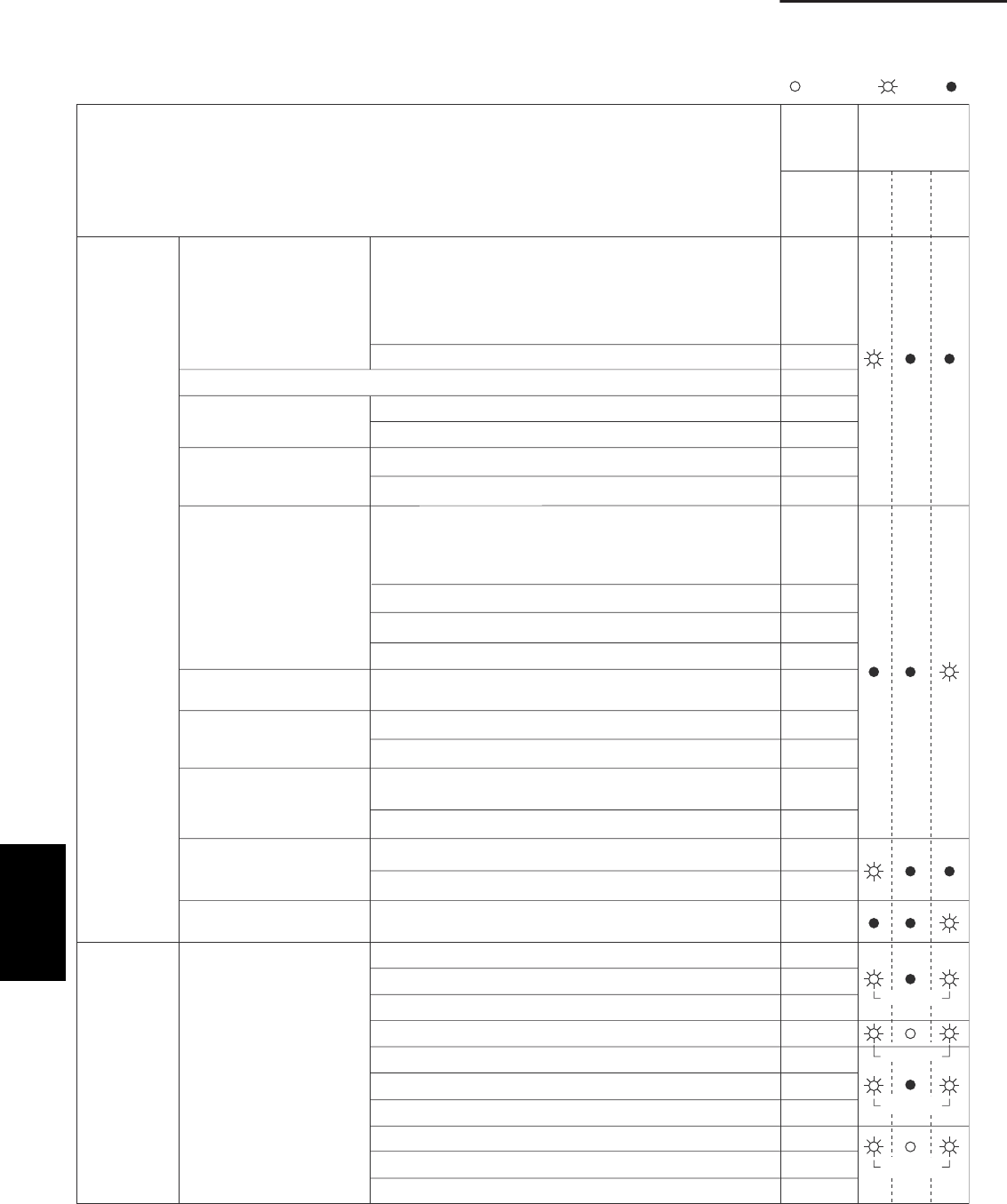
4-2
4. Service procedures
Remote controller is
detecting error signal from
indoor unit
E01
E02
E10
E11
E14
E03
E08
E09
E04
E05
E06
E07
E15
E12
E16
E20
E17
E18
E31
L01
L02
L03
L04
L07
L08
L09
L10
L11
L13
Indoor unit is detecting error signal from remote controller (and system controller)
Error in receiving serial communication signal
(Signal from main indoor unit in case of group control)
Auto address is not completed
Outdoor system address, indoor system address, or indoor unit
individual/main/sub setting is not set
(Automatic address setting is not completed)
Error in transmitting serial communication signal
Improper setting of indoor
unit or remote controller
Indoor unit address setting is duplicated
Remote controller setting is duplicated
Error in transmitting serial communications signal
Error in transmitting serial communications signal
Error in receiving serial communications signal
Error in receiving serial communications signal
Indoor unit is detecting error
signaled from signal option
Setting error Main unit duplication in simultaneous-operation multi control
(detected by outdoor unit)
Indoor unit is detecting error
signaled from outdoor unit
Outdoor unit is detecting
error signaled from indoor
unit
Automatic address setting
failed
An indoor unit detected
trouble in the signal from
another indoor unit
Communications trouble
between units
Setting errorMis-setting
Continued
Error in transmitting serial communications signal
I
Starting auto address setting is prohibited
This alarm message shows that the auto address connector
CN100 is shorted while other RC line is executing auto address
operation.
ndoor unit capacity too low
Indoor unit capacity too high
No indoor units connected
Error in receiving serial communications signal
Communications failure with MDC
Indoor unit group settings error
Indoor/outdoor unit type mismatch
Main unit duplication in group control (detected by indoor unit)
Outdoor unit address duplication (system address)
Group wiring connected for independent indoor unit
Address not set or group not set
Indoor unit capacity not set
Outdoor unit capacity not set or setting error
Miswiring in group control wiring
Indoor unit type setting error (capacity)
Error in transmitting serial communications signal
Error in receiving serial communications signal (including unit
quantity verification failure)
Simultaneously
Simultaneously
Simultaneously
Simultaneously
Serial commu-
nication errors
Mis-setting
Wired
remote
control
display
Wireless
remote controller
receiver display
ON:
Operation
Timer
Standby
Blinking: OFF:
Possible cause of malfunction
4-1. Meaning of Alarm Messages
(1) Contents of remote controller switch alarm display
4
SM830203-01_PAC-i_US-letter.indb2 2SM830203-01_PAC-i_US-letter.indb2 2 2012/01/26 10:32:032012/01/26 10:32:03
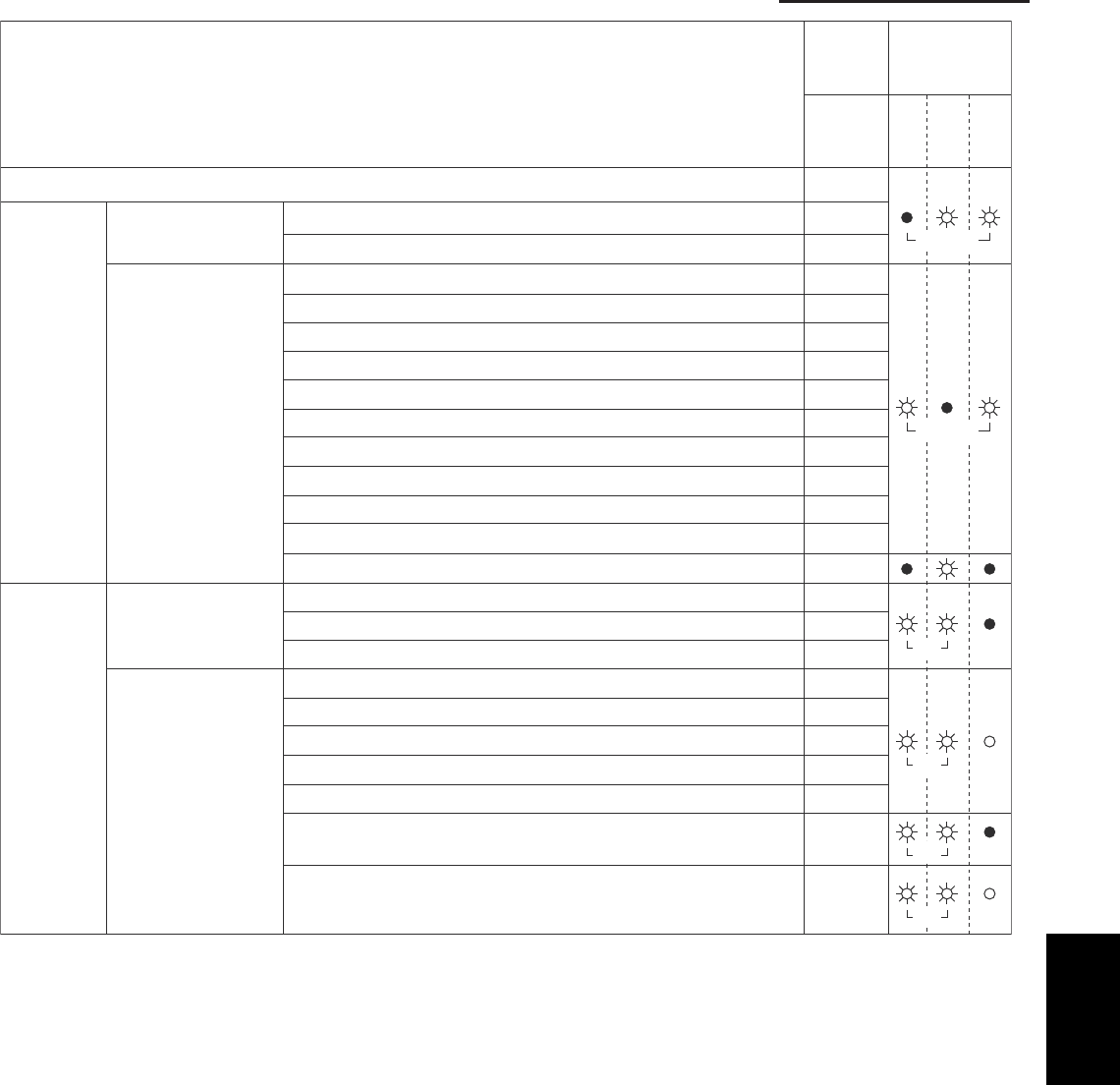
4-3
4. Service procedures
P09
P01
P10
P03
P04
P05
P15
P19
P20
P22
P26
P29
P31
H01
F01
F02
F10
F04
F06
F07
F08
F12
F29
Ceiling panel connection failure
Indoor protection Fan protective thermostat
Float switch
Discharge temperature trouble
High pressure switch or compressor motor thermal protector is activated.
Open phase detected, AC power trouble
No gas
4-way valve locked
High cooling load
Outdoor fan trouble
Inverter compressor trouble (HIC PCB)
Inverter compressor trouble (MDC)
Simultaneous-operation multi control trouble
Compressor current failure (overload)
Indoor heat exchanger temperature sensor (E1)
Indoor heat exchanger temperature sensor (E2)
Indoor temperature sensor
Discharge temperature (TD)
Outdoor heat exchanger temperature (C1)
Outdoor heat exchanger temperature (C2)
Outdoor air temperature (TO)
Intake temperature (TS)
Indoor EEPROM error
Outdoor protection
Thermistor open circuit
• Short circuit (indoor)
Thermistor open circuit
• Short circuit (outdoor)
Activation of
protective
device
Thermistor
fault
Outdoor EEPROM error F31
Alternately
Alter.
Alter.
Simul.
Simul.
Alternately
Wired
remote
control
display
Wireless
remote controller
receiver display
Operation
Timer
Standby
Possible cause of malfunction
4
SM830203-01_PAC-i_US-letter.indb3 3SM830203-01_PAC-i_US-letter.indb3 3 2012/01/26 10:32:032012/01/26 10:32:03
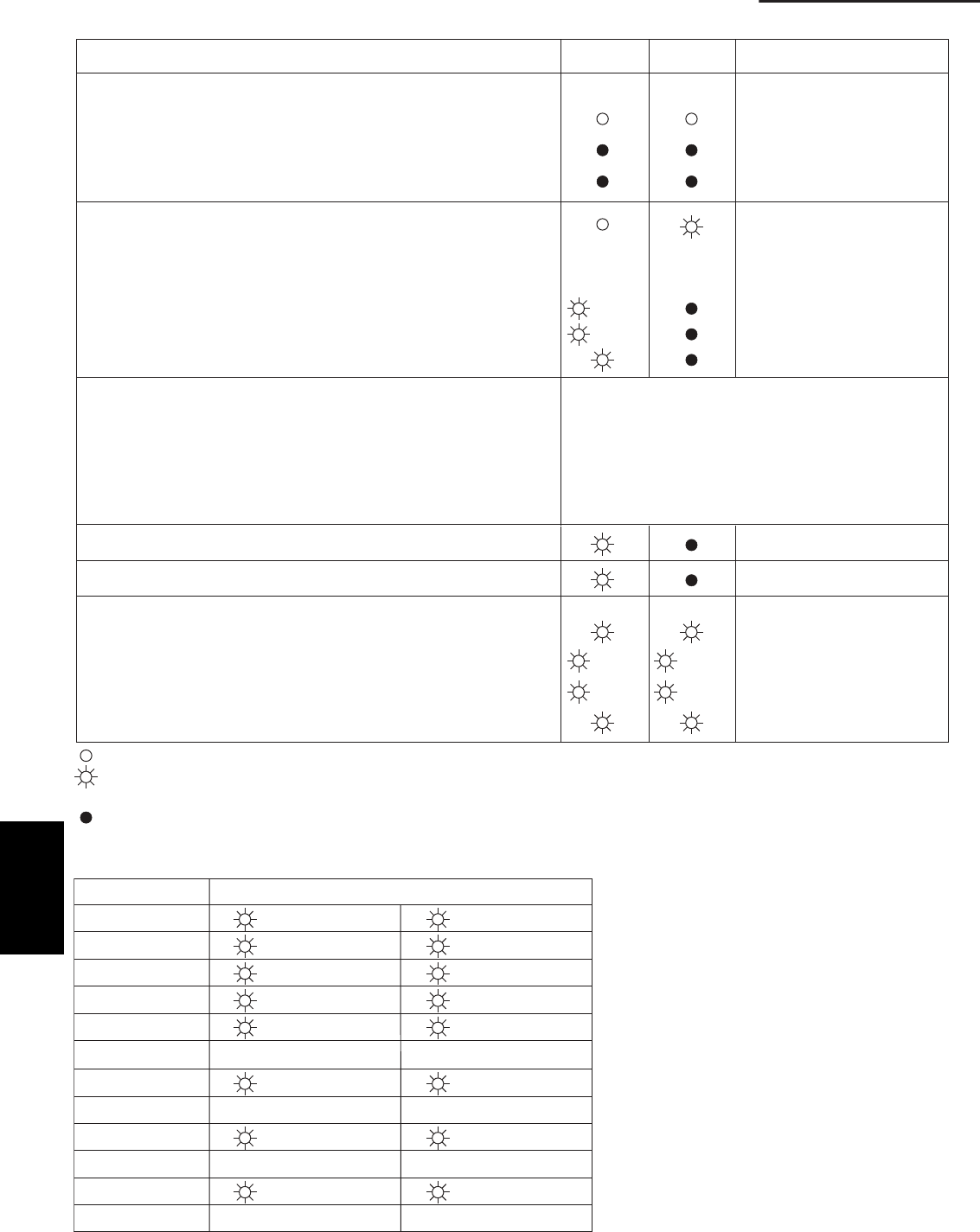
4-4
4. Service procedures
(2) LED Indicator Messages on Outdoor Control PCB
Power ON sequence
1. No communication from indoor units in system
2. Communication received from 1 or more indoor units in system
3. Regular communication OK (Capacity and unit quantity match)
If it is not possible to
advance to 3, repeats 1 → 2.
At 3, changes to normal
control.
P03
Normal operation
Automatic address setting in progress
Automatic address setting alarm (E15)
Automatic address setting alarm (E20)
Automatic address setting alarm (Other than E15 and E20)
EEPROM error (F31)
Blinking alternately
Blinking simultaneously
Blinking simultaneously
Blinking simultaneously
Alarm LED 1 blinks M times, then LED 2 blinks N times.
The cycle then repeats.
M = 2: P alarm 6: L alarm
N = Alarm No.
* Refer to
“
1. Examples of alarm display
”
below.
3: H alarm 4: E alarm 5: F alarm
Alternate blinking during alarms
Insufficient gas indicator
Refrigerant recovery mode
Automatic address setting
Displayed during automatic
address setting 1 and initial
communication. After these are
completed, alarm F31 is displayed.
Pre-trip (P20)
Pre-trip (insufficient gas)
Pre-trip (other)
(0.25/0.75)
(0.75/0.25)
(0.25/0.75)
(0.75/0.25)
(0.25/0.75)
(0.75/0.25)
ON
:
:
:
LED 1 LED 2 Remarks
OFF
Blinking (0.25/0.75) indicates that the lamp illuminates for 0.25 seconds, and then is OFF for 0.75 seconds.
Unless otherwise indicated, the blinking is (0.5/0.5).
Note:
This table shows example alarms. Other alarms
may also be displayed.
P03
P04
P05
P31
H01
•
E04
•
F07
•
L13
•
( Blinks 2 times )
(
"
)
(
"
)
(
"
)
(Blinks 3 times)
•
(Blinks 4 times)
•
(Blinks 5 times)
•
(Blinks 6 times)
•
(Blinks 3 times)
(Blinks 4 times)
(Blinks 5 times)
(Blinks 31 times)
(Blinks 1 times)
(Blinks 4 times)
(Blinks 7 times)
(Blinks 13 times)
Alarm / Display LED 1 Alternately
→
→ LED 2
(3) Examples of alarm display (other than E15, E16, and E20)
4
SM830203-01_PAC-i_US-letter.indb4 4SM830203-01_PAC-i_US-letter.indb4 4 2012/01/26 10:32:032012/01/26 10:32:03

4-5
4. Service procedures
4-2. Symptoms and Parts to Inspect
Judgment condition Clear condition
P03
P05
P04
P15
P19
P20
P22
P26
Remote
controller
alarm display
Alarm
contents
Judgment and
correction
Abnormal discharge
temperature
• Discharge temp.
detected at or
above the specified
value.
Stops when temp. exceeds
232 ˚F.
Recovery at restart
Recovery at restart
Recovery at restart
Recovery at restart
Recovery at restart
Recovery at restart
Recovery at restart
Recovery at restart
1. Check refrigerant cycle
(gas leak).
2. Electronic control valve
trouble
3. Check tubing sensor (TD).
Missing phase
High pressure
switch is activated.
Compressor motor
thermal protector is
activated.
detected. (CT
disconnected or AC
power trouble)
Current value sent from MDC
Stops when pressure
exceeds 600 psi.
Stops when temp. exceeds
230 ˚F.
on outdoor unit control PCB is
low.
No AC power input for 3
minutes or longer: pre-trip - 5
1. Check R/S/T power.
2. Check inverter control PCB.
3. Check outdoor unit control
PCB.
Insufficient gas level
detected.
The following conditions
continue for 1 minute.
• Discharge temp. is 203 ˚F or
higher.
• Electronic control valve is at
step 480.
• Current value from MDC is
2.0 A or less.
Check refrigerant cycle
(gas leak).
4-way valve locked
• Judgment occurs
after compressor
has been ON for 5
minutes.
Indoor heat exchanger temp.
drops although compressors
are ON in heating mode:
[min(E1, E2)] ≤ 50 ˚F.
Indoor heat exchanger temp.
rises although compressors are
ON in cooling mode:
E2 ≥ 104 ˚F.
1. Check 4-way valve.
2. Check 4-way valve wiring.
3. Check outdoor unit control
PCB.
High-pressure
protection trouble
1. Refrigerant cycle
overload operation
2. Outdoor coil temperature
sensor C1 or C2
Outdoor unit fan
motor trouble
• Inverter protection
circuit was
activated, or lock
was detected, at
outdoor unit fan
motor.
Inverter stops after alarm is
detected
1. Position detection trouble
2. Overcurrent protection
circuit at outdoor unit fan
motor was activated.
• Check outdoor unit control
PCB.
• Refer to outdoor unit fan
judgment methods.
Inverter protection
circuit was
activated, or G-Tr
short-circuit (short
time: 0.8 s or less)
in inverter control
Inverter stops after alarm is
detected. Alarm is output
when inverter stops (pre-trip)
consecutively 4 times.
1. Stops immediately when
restarted.
• Layer short in the
compressor
2. Check inverter control
PCB.
• Wiring trouble
1. Check the high pressure
switch connector is
securely connected.
2. Check the ourdoor unit heat
exchanger is not clogged
(cooling operation).
3. Check the indoor unit air
filter has not become
clogged (heating operation)
If MAX (C1,C2) is 142°F or
higher, the compressor stops
one. The compressor restarts
three time, and if the
temperature does not
decrease to less than 142°F,
the alert “P20” is displayed.
4
SM830203-01_PAC-i_US-letter.indb5 5SM830203-01_PAC-i_US-letter.indb5 5 2012/01/26 10:32:032012/01/26 10:32:03

4-6
4. Service procedures
Judgment condition Clear condition
P29
F04
F06
Alarm
contents Judgment and correction
Recovery at restart
Recovery at restart
Recovery at restart
Recovery at restart
Recovery at restart
Current detection
circuit trouble
• AC current value is
high even when
compressor is
stopped.
Inverter stops after alarm is
detected. Alarm is output
when inverter stops (pre-trip)
consecutively 4 times.
1. Stops immediately when
restarted.
• Layer short in the
compressor
2. Check inverter control PCB.
• Wiring trouble
Compressor motor
output trouble,
Inverter compressor
trouble,
MDC trouble
Inverter stops after alarm is
detected.
1. Refrigerant cycle trouble,
overload operation
2. Loose screws and contact
failure between HIC control
PCB and radiating plate
3. Cooling failure of radiating
plate
4. Check outdoor unit PCB
wiring.
Compressor does not
run. (Overcurrent
protection circuit
activates after a certain
period of time following
compressor start.)
Inverter stops after alarm is
detected.
1. Compressor trouble (locked,
etc.)
• Replace the compressor.
2. Compressor wiring trouble
(missing phase)
Compressor
breakdown
• Starts to operate but
operating frequency
drops and
compressor stops.
Inverter stops after alarm is
detected.
1. Check power voltage: AC
2. Refrigerant cycle overload
operation
3. Check AC current detection
circuit.
Inverter control PCB
position detection
circuit trouble
Inverter stops after alarm is
detected.
Position detection circuit is
activated even when the
compressor 3P connector is
disconnected and the
compressor operated.
• Replace the inverter control
PCB.
Disconnection, open
circuit, or short circuit
in discharge temp.
sensor (TD)
Sensor detection trouble
minutes have elapsed after
compressor stopped).
(Open circuit)
Automatic recovery
Automatic recovery
1. Check discharge temp.
sensor (TD).
2. Check outdoor unit control
PCB.
Open circuit or short circuit
Disconnection, open
circuit, or short circuit
in outdoor heat
exchanger temp.
sensor (C1)
1. Check outdoor heat
exchanger temp. sensor (C1).
2. Check outdoor unit control
PCB.
Remote
controller
alarm display
Open circuit or short circuit Automatic recovery
2. Check outdoor unit control
PCB.
yrevocercitamotuAtiucrictrohsrotiucricnepO21F Disconnection, open
circuit, or short circuit
in intake temp. sensor
(TS)
1. Check intake temp. sensor
(TS).
2. Check outdoor unit control
PCB.
203 V ± 20 V or 230 V ± 23 V.
26, 36 MODEL:
42 MODEL:
Sensor defection trouble
(194°F or higher when 60
minutes have elapsed after
compressor stopped).
(Open circuit)
F07 Disconnection, open
circuit, or short circuit
in outdoor heat
exchanger temp.
sensor (C2)
1. Check outdoor heat
exchanger temp. sensor (C2).
Open circuit or short circuit Automatic recovery
2. Check outdoor unit control
PCB.
F08 Disconnection, open
circuit, or short circuit
in outdoor air temp.
sensor (TO)
1. Check outdoor air temp.
sensor (TO).
(194°F or higher when 15
4
SM830203-01_PAC-i_US-letter.indb6 6SM830203-01_PAC-i_US-letter.indb6 6 2012/01/26 10:32:032012/01/26 10:32:03

4-7
4. Service procedures
Judgment condition Clear condition
F31
L02
L04
L07
L10
L13
E07
E06
E14
E15
E16
E20
E31
H01
Remote
controller
alarm display
Alarm
contents Judgment and correction
Automatic recovery
EEPROM trouble Reading/writing failure Recovery at power
reset
1. Check EEPROM (IC007).
2. Check outdoor unit control
PCB.
Mismatch of indoor
and outdoor unit types
(Espacio, Multi )
Indoor unit judges that type
does not match outdoor unit
type.
Recovery at power
reset
1. Check indoor unit EEPROM.
2. Check indoor unit control
PCB.
Settings failure
Settings failure
Settings failure
Duplicated outdoor unit
address (system address)
1. Check outdoor unit
system address.
2. Check inter-unit control
wiring.
Group control wiring is
connected to an
independent-control indoor
Recovery at power
reset
1. Check inter-unit control
wiring.
2. Check indoor unit
EEPROM.
Outdoor unit capacity not set. Recovery at power
reset
Check outdoor unit EEPROM.
Indoor-outdoor unit
types
Outdoor unit judges that type
does not match indoor unit
type.
Recovery at power
reset
1. Check indoor unit
EEPROM.
2. Check outdoor unit control
PCB.
Outdoor unit detected
abnormal signal from
indoor unit.
Serial signal receiving failure
(including failure to verify No.
of units)
Automatic
recovery
Automatic
recovery
1. Check inter-unit control
wiring.
2. Check outdoor unit
Outdoor unit sending
failure to indoor unit
lortnoctinu-retnikcehC.1eruliafgnidneslangislaireS
wiring.
2. Check outdoor unit control
PCB.
Settings failure Duplicated master unit in
simultaneous-operation multi
control
(Detected by outdoor unit)
Recovery at power
reset
1. Check inter-unit control
wiring.
2. Check indoor unit
combination.
Automatic address
setting failure
Automatic address
setting failure
Automatic address
setting failure
Indoor unit capacity too low. Recovery at power
reset
Recovery at power
reset
Recovery at power
reset
1. Check inter-unit control
wiring.
2. Check outdoor unit control
PCB.
lortnoctinu-retnikcehC.1.hgihootyticapactinuroodnI
wiring.
2. Check outdoor unit control
PCB.
Outdoor unit cannot receive
any serial signals from indoor
units.
1. Check inter-unit control
wiring.
2. Check outdoor unit control
PCB.
Communications
trouble within unit
No communication possible
with MDC for 3 minutes or
longer.
Automatic recovery Check outdoor unit control
PCB.
Overcurrent Inverter stops after alarm is
detected.
Recovery at restart 1. Refrigerant cycle trouble,
overload operation
2. Loose screws between HIC
control PCB and radiating
plate
3. Cooling failure of radiating
plate
4. Check outdoor unit PCB
wiring.
4
SM830203-01_PAC-i_US-letter.indb7 7SM830203-01_PAC-i_US-letter.indb7 7 2012/01/26 10:32:032012/01/26 10:32:03
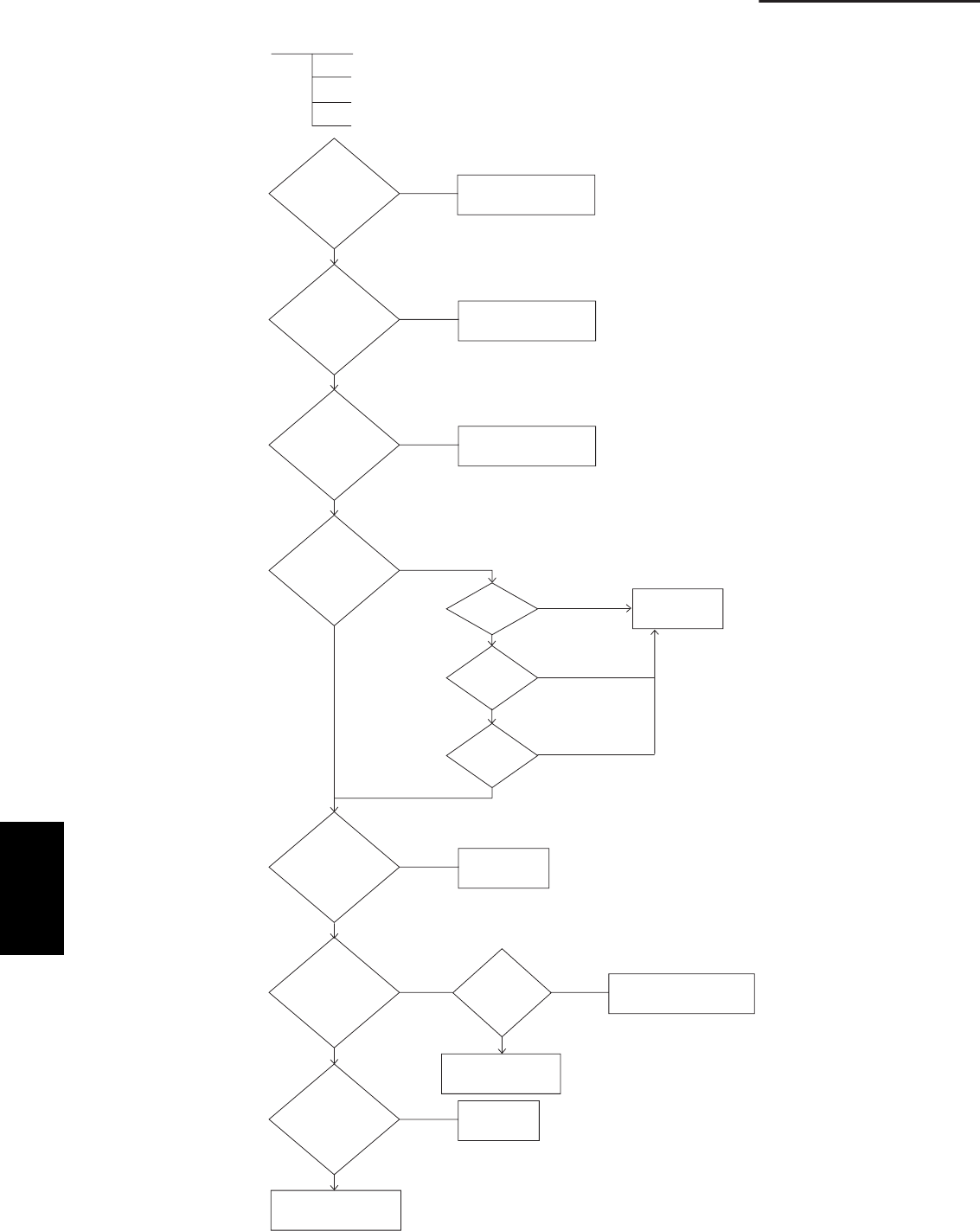
4-8
4. Service procedures
No
No
No
No
No
No
No No
No
Ye s
Ye s
Ye s
Ye s
Ye s
Ye s
Ye s
Ye s
Ye s
[Alarm “P29”]
(MDC trouble)
(1) Input power detection circuit trouble
Compressor does not run.
Breakdown
Motor current detection circuit trouble
Is power OK? Correct power line.
Is
current
detection
circuit wiring
OK?
Check and correct
wiring.
Are
wiring and
connector
connections
OK?
Check and correct
wiring.
Is
compressor
OK?
Ground
fault?
Replace
compressor.
Coil
resistor
short circuit?
Coil open
circuit?
Is there
abnormal refrigerant
accumulation?
Replace
compressor.
Is
operation of
electronic
control valve
OK?
Replace outdoor
unit control PCB.
Are
C1 and TS
sensors
OK?
Replace C1 and
TS sensors.
Replace electronic
control valve.
Is there overload? Remove
the cause.
4-3. Details of Alarm Messages
4
SM830203-01_PAC-i_US-letter.indb8 8SM830203-01_PAC-i_US-letter.indb8 8 2012/01/26 10:32:042012/01/26 10:32:04
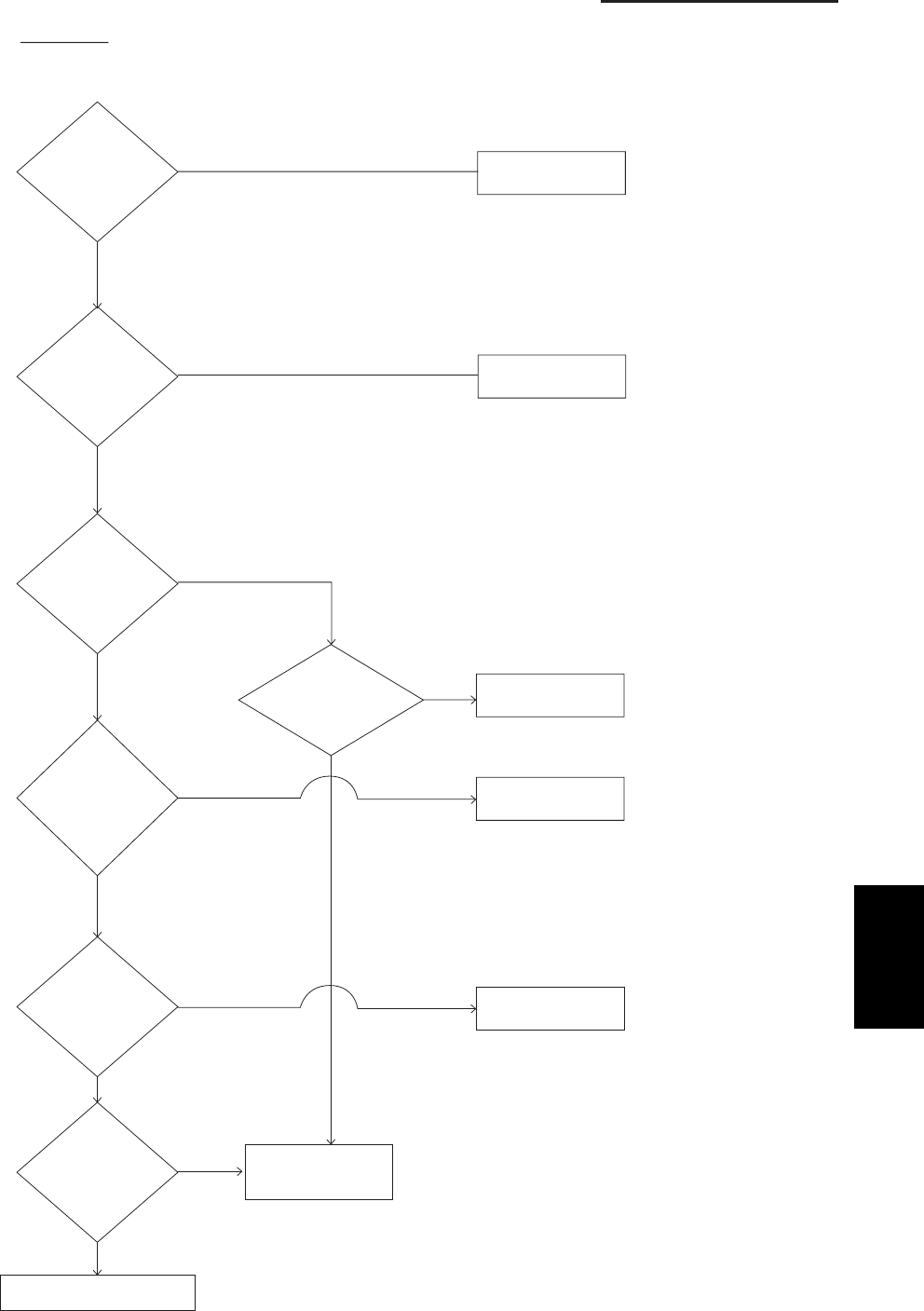
4-9
4. Service procedures
No
No
No
No
No
No
No
Yes
Yes
Yes Yes
Yes
Yes
Yes
Replace outdoor unit
control PCB.
(2) [Alarm “P26”]
HIC PCB trouble)
IGBT short-circuit protection on inverter control (IPDU) PCB
Is power OK? Correct power line.
Are
circuit wiring,
connector
connections, and
reactor
connections
OK?
Correct.
Has filter PCB
RY001 or RY002
relay activated?
Has filter PCB
AC fuse blown? Replace filter PCB.
Disconnect
U.V.W. output
terminal on HIC PCB and
start operation.
Does alarm
“P26”
occur?
Replace HIC PCB.
Is
compressor OK?
(Check for layer
short circuit.)
Replace compressor.
Is
resistance
between
each terminal on
HIC PCB OK?
(See following
page.)
Check HIC PCB.
Replace if PCB
has failed.
4
SM830203-01_PAC-i_US-letter.indb9 9SM830203-01_PAC-i_US-letter.indb9 9 2012/01/26 10:32:042012/01/26 10:32:04
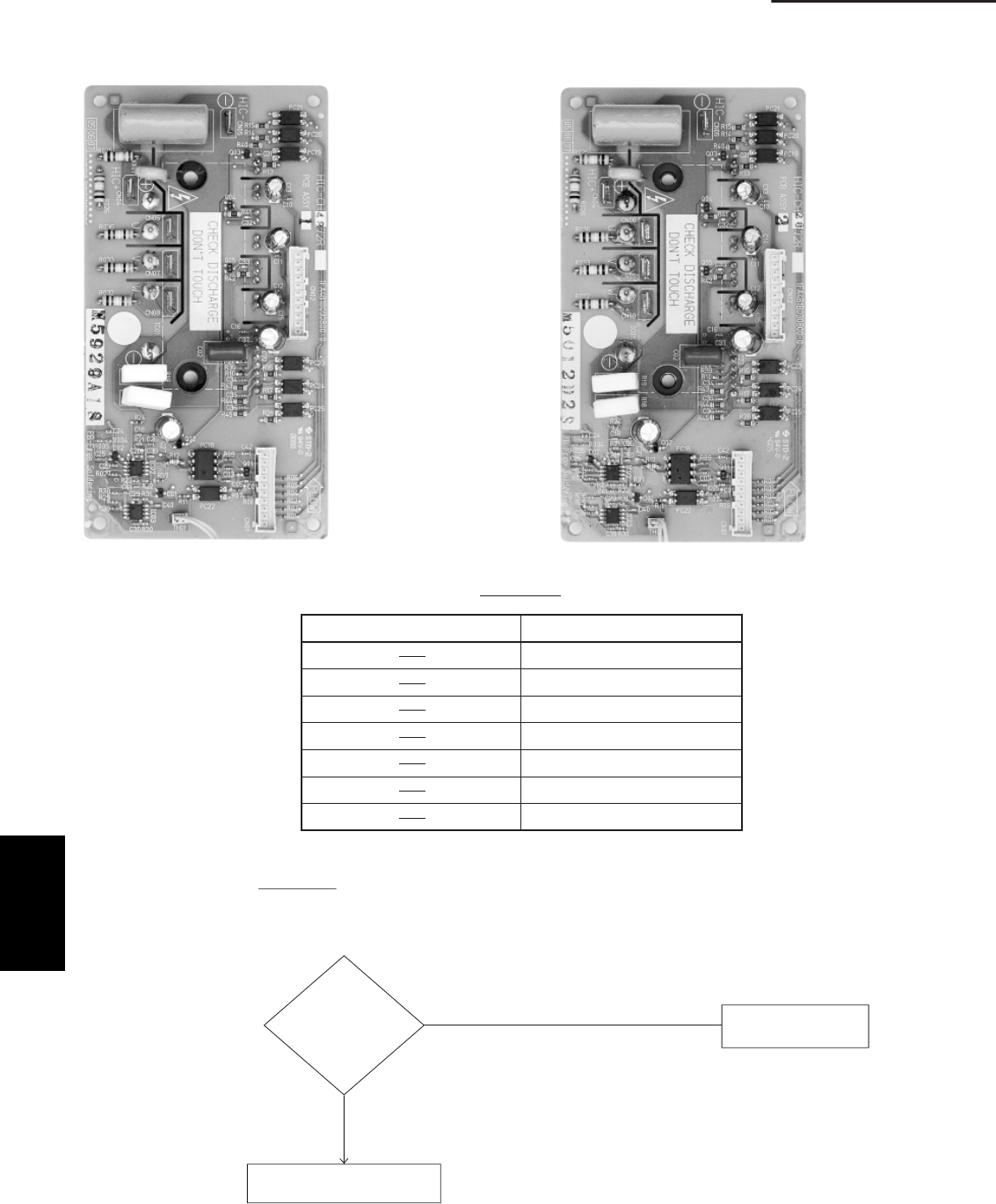
4-10
4. Service procedures
HIC +
Between terminals Resistance
HIC +
HIC +
HIC +
HIC –
HIC –
HIC –
HIC –
U
V
W
U
V
W
Resistance
200 kΩ or more
300 kΩ or more
300 kΩ or more
300 kΩ or more
200 kΩ or more
200 kΩ or more
200 kΩ or more
No
Yes
Replace outdoor unit
control PCB.
(3) [Alarm “E31”]
(communications
trouble within unit)
IGBT short-circuit protection
Is “E31”
displayed even after
the power voltage
is reset?
Normal
HIC-CH4872R
(42 Type)
HIC-CH2672R
(26, 36 Type)
4
SM830203-01_PAC-i_US-letter.indb10 10SM830203-01_PAC-i_US-letter.indb10 10 2012/01/26 10:32:042012/01/26 10:32:04
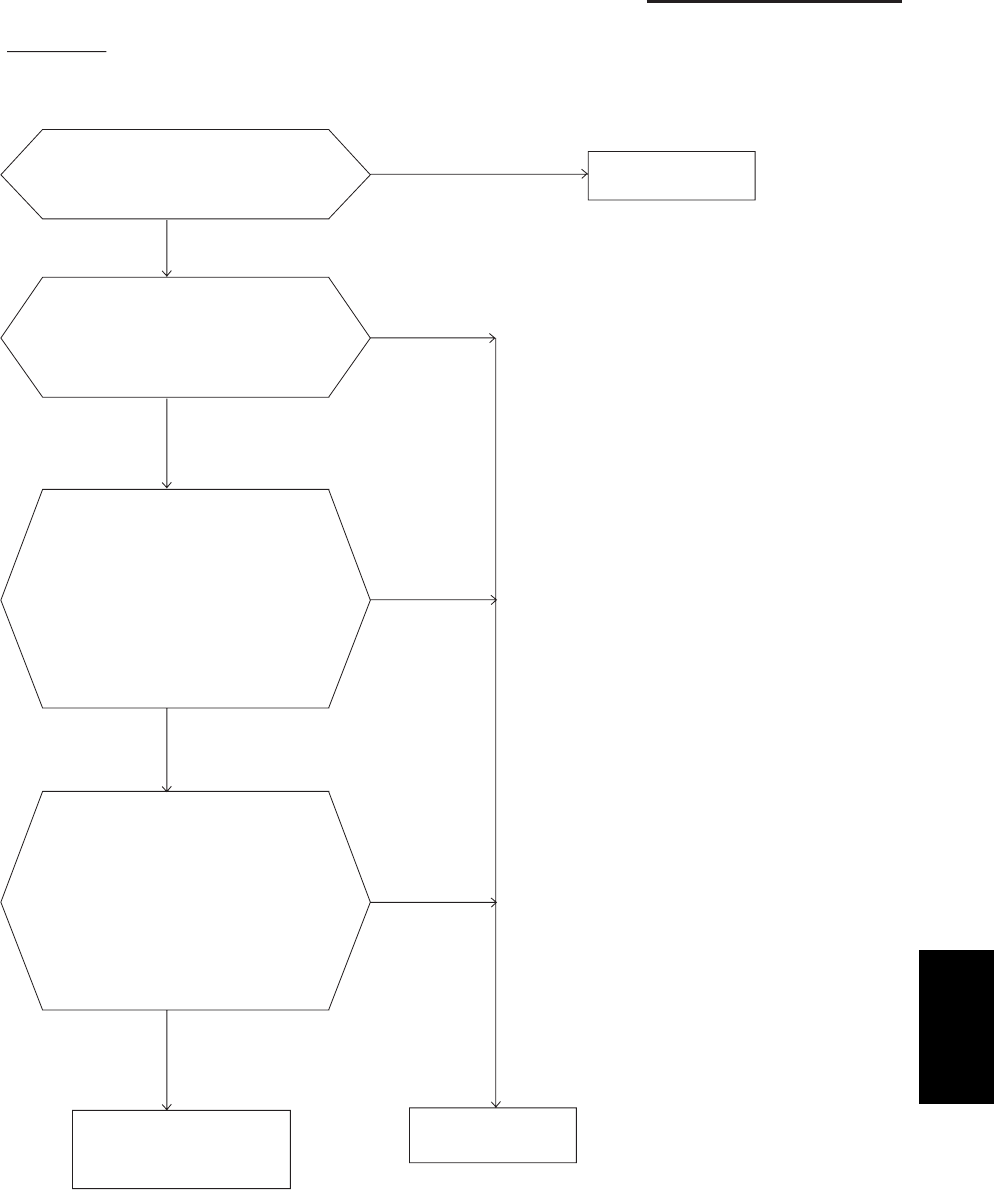
4-11
4. Service procedures
No
No
No
No
Ye s
Ye s
Ye s
Ye s
(4) [Alarm "P22"] Outdoor unit fan motor drive circuit trouble
Are connectors CN003 and CN004 connected
correctly to the outdoor unit control PCB? Correct the connector
connections.
Disconnect connectors CN003 and CN004
from outdoor unit control PCB, and rotate
fan by hand. Does it rotate easily?
Outdoor unit fan motor coil resistance is
OK if it is as shown below.
(1) Red – white: 30 – 40 Ω
(2) White – black: 30 – 40 Ω
(3) Black – red: 30 – 40 Ω
* Disconnect connector CN004 and
measure on the plug side.
Motor position detection circuit resis-
tance is OK if it is as shown below.
* Disconnect connector CN003 and measure
on the plug side.
(1) Grey – yellow: 100 kΩ or more, or
∞
(open)
(2) Grey – blue: 100 kΩ or more, or
∞
(open)
(3) Grey – orange: 100 kΩ or more, or
∞
(open)
Fan motor is OK; outdoor unit
control PCB has failed.
→ Replace.
Fan motor trouble
→ Replace.
Note:
In the case of a GND circuit failure inside the motor, the results
of the above check may be OK.
If operation is not OK after the outdoor unit control PCB has
been replaced, then replace the outdoor unit fan motor.
4
SM830203-01_PAC-i_US-letter.indb11 11SM830203-01_PAC-i_US-letter.indb11 11 2012/01/26 10:32:042012/01/26 10:32:04
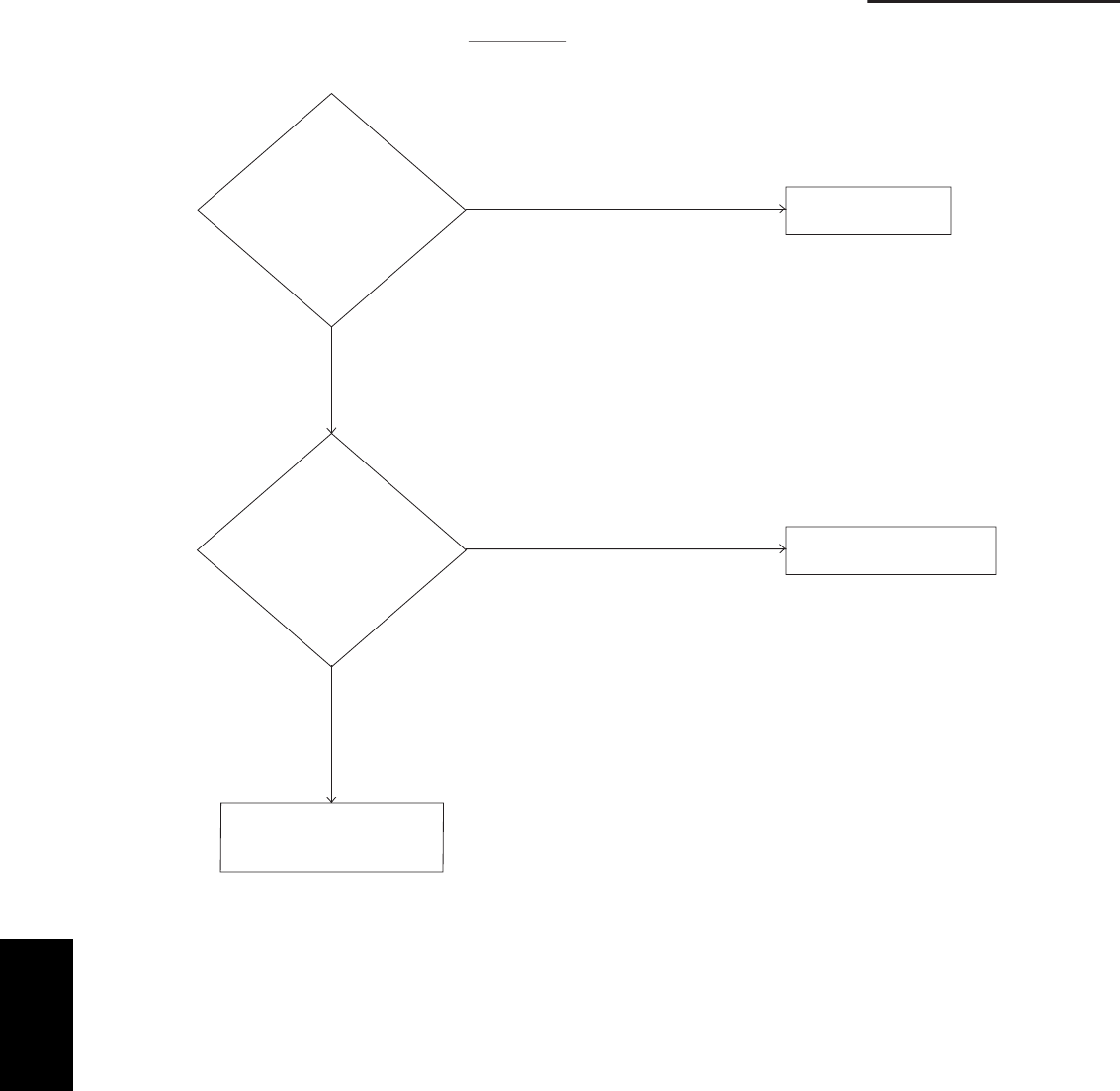
4-12
4. Service procedures
No
No
Yes
Yes
Check the outdoor unit
control PCB.
Replace if PCB has failed.
Sensor trouble
(5) [Alarms “F04,” “F06,” “F07,” “F08,” “F12”]
Are connectors
CN020, 021, 022, 023,
and 024 (TD, TO, C1, C2, and
TS sensors) connected
correctly to the outdoor unit
control PCB?
Correct the connector
connections.
Are the TD, TO, C1,
C2, and TS sensor resistance*
characteristics OK?
Replace the TD, TO, C1,
C2, or TS sensor.
* Refer to “4-4. Table of Thermistor Characteristics.”
4
SM830203-01_PAC-i_US-letter.indb12 12SM830203-01_PAC-i_US-letter.indb12 12 2012/01/26 10:32:042012/01/26 10:32:04
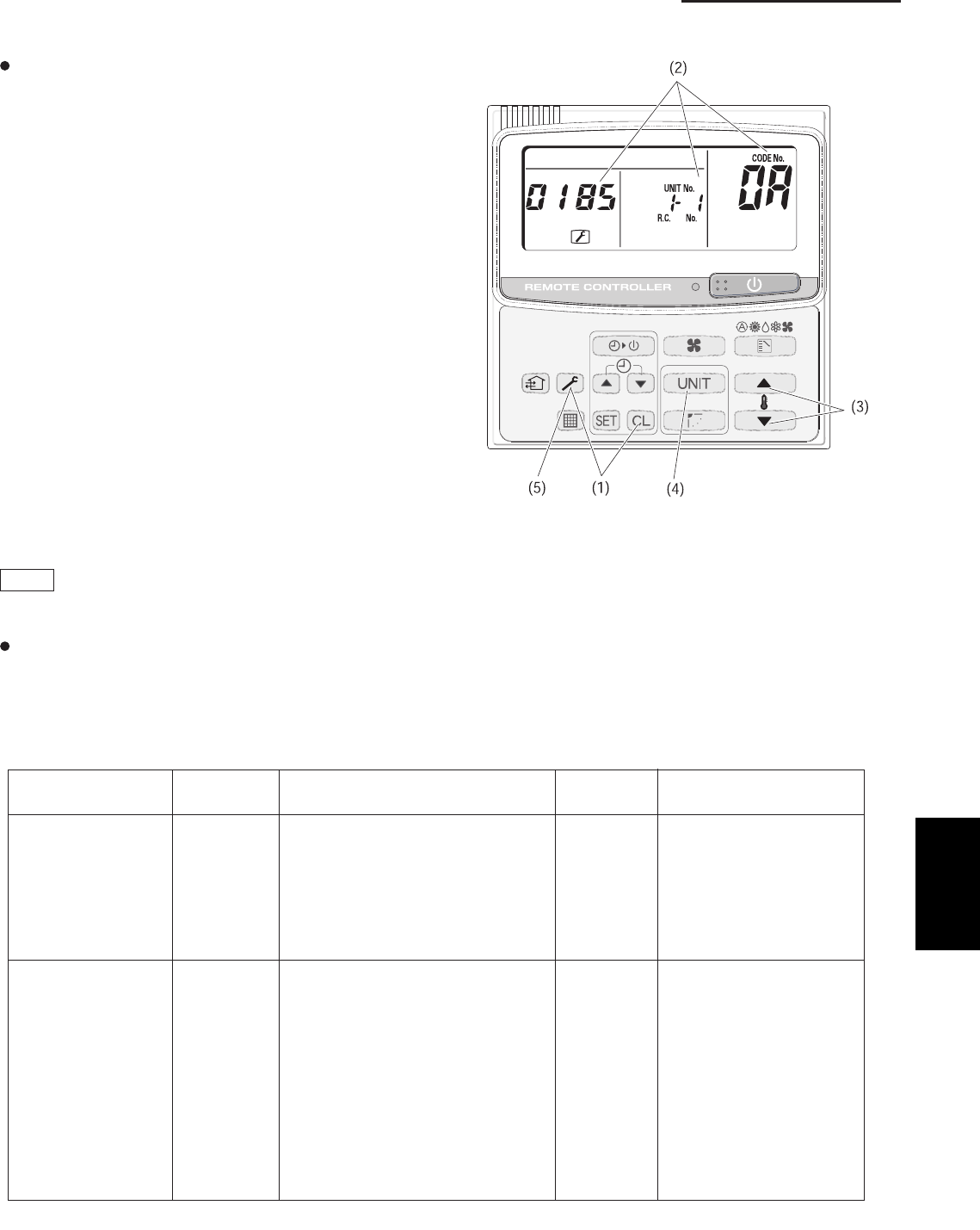
4-13
4. Service procedures
Sensor installation Sensor Sensor type Sensor Sensor type
sserddasserddanoitacol
00 Room temp. 05 –
(temp. used for control)*
01 Remote controller temp. 06 Discharge temp.
Indoor unit 02 Indoor intake temp. 07 –
03 Indoor heat exchanger temp. (E1 ) 08 –
04 Indoor heat exchanger temp. (E2 ) 09 –
0A Discharge temp. (TD) 12 –
–31–b0
tnerruC41–C0
(AC current)
Outdoor unit 0d Intake temp. (TS ) 15 Outdoor electronic control
valve position
0E Outdoor heat exchanger temp. (C1 ) 16 –
0F Outdoor heat exchanger temp. (C2 ) 17 –
–81–01
11 Outdoor air temp. 19 –
Sensor Temperature Correlation Table
* Main unit only when group control is enabled
Figure: Sample display when discharge
temperature at unit No. 1-1 is 185˚F
Sensor Temperature Display Function (Displayed both when operating and stopped)
The below check procedure can be used to display
all remote controller, indoor unit, and outdoor unit
sensor temperatures.
<Check procedure>
(1) Press and hold the button and button simultaneously
for 4 seconds or longer.
(2) Unit No. X-X (main unit No.), item code XX (sensor
address), and service monitor 00XX (sensor tem-
perature) appear on the remote controller LCD. (See
figure.)
(3) Press the temperature setting and buttons and
change the item code to the sensor address of the
sensor that you want to monitor.
(For the relationship between the sensor address and
the sensor type, refer to the below Sensor Tempera-
ture Correlation Table.)
(4) During group control and simultaneous operation
multi control, press the button and change to the unit
that you want to monitor.
(5) Press the button to return to normal remote controller
operation.
NOTE
The temperature display reads “- - - - ” for units that are
not connected.
If monitor mode is selected during normal operation,
the only parts of the LCD that change are those
shown in the figure.
All other displays do not change, and remain as they
were during normal operation.
4
SM830203-01_PAC-i_US-letter.indb13 13SM830203-01_PAC-i_US-letter.indb13 13 2012/01/26 10:32:042012/01/26 10:32:04
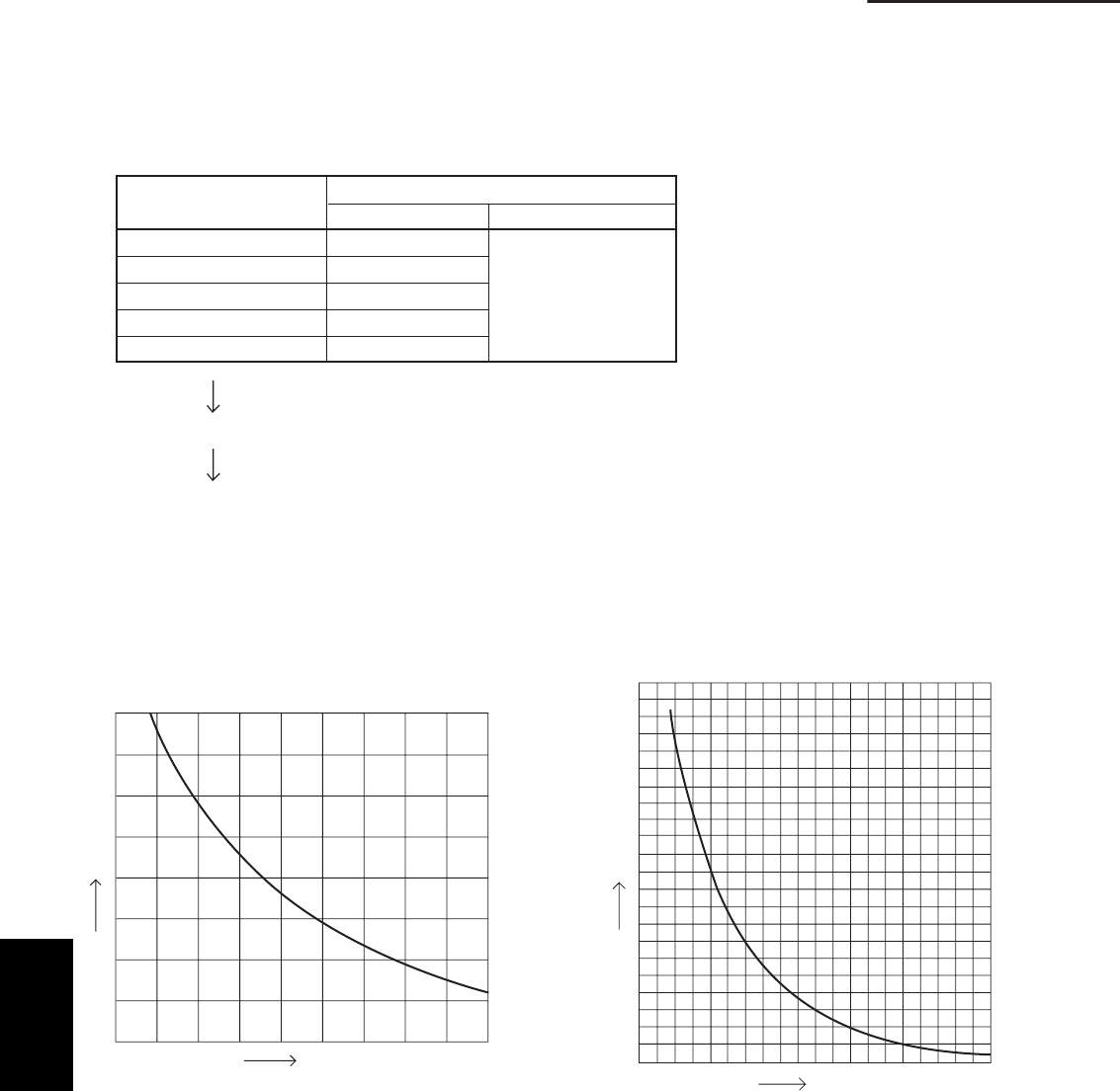
4-14
4. Service procedures
Check Pin
Short-circuit the cooling check pin (or heating check pin) on the outdoor unit control PCB to perform the control
described below.
1. Thermistor checks
The checks listed below are performed for 1 second each, in order from the top down. The results are displayed
by LED 1 and 2.
Discharge temp. (TD)
Outdoor air temp. (TO)
Heat exchanger temp. (C1)
Heat exchanger temp. (C2)
Intake temp. (TS)
Thermistor Check results
Normal Abnormal
LED 1 and 2 OFF
LED 1 lit
LED 1 lit
LED 1 lit
LED 2 lit
2. 4-way valve turns ON for 1 second.
3. Forced cooling (or heating) operation
4-4. Table of Thermistor Characteristics
(1) Outdoor Air Temp. (TO), Intake Temp. (TS), Heat
Exchanger Temp. (C1) Sensor, Heat Exchanger
Temp. (C2) Sensor
(2) Discharge Temp. (TD) Sensors
Temperature (˚F)
Resistance (kΩ)
Temperature (°F)
Resistance (kΩ)
4
SM830203-01_PAC-i_US-letter.indb14 14SM830203-01_PAC-i_US-letter.indb14 14 2012/01/26 10:32:042012/01/26 10:32:04

5-1. Overview ......................................................................................................................... 5-2
5-2. Functions ....................................................................................................................... 5-2
5-3. Normal Display Operations and Functions ................................................................. 5-3
5-4. Monitoring Operations: Display of Indoor Unit and Outdoor Unit Sensor
Temperatures ............................................................................................................. 5-6
5-5. Monitoring the Outdoor Unit Alarm History: Display of Outdoor Unit
Alarm History ............................................................................................................. 5-7
5-6. Setting Modes: Setting the Outdoor Unit EEPROM..................................................... 5-7
5. OUTDOOR UNIT MAINTENANCE REMOTE CONTROL
5-1
5
SM830203-01_PAC-i_US-letter.indb1 1SM830203-01_PAC-i_US-letter.indb1 1 2012/01/26 10:34:482012/01/26 10:34:48
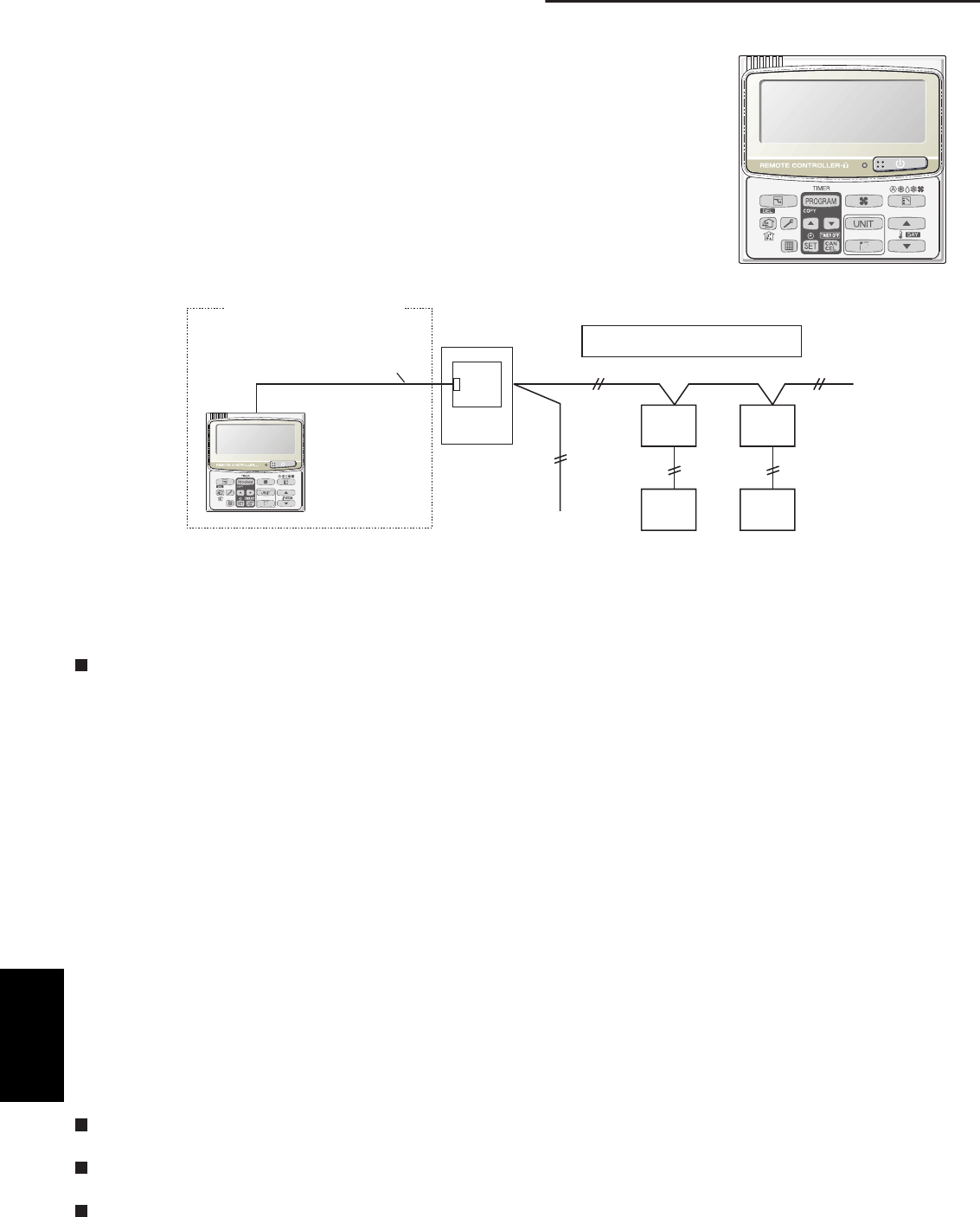
5-2
5. Outdoor unit maintenance remote control
5-1. Overview
What is the outdoor unit maintenance remote controller?
Beginning with the DC-INV series of outdoor units, nonvolatile memory (EEPROM) is
used in the outdoor unit PCB. In this way, the setting switches that were located on
earlier PCBs have been converted to EEPROM data. This remote controller is an
outdoor unit maintenance tool that is used to make and change the EEPROM set-
tings.
This remote controller can be used for checking the outdoor unit EEPROM settings
and contents, and also can be used to monitor the outdoor unit alarm history and
indoor/outdoor unit temperatures, and to check the status of the indoor unit connec-
tions (No. of units, operating status, etc.).
Note: Because this tool does not function as a remote controller, it is used only
during test runs and servicing.
System diagram
Outdoor unit maintenance
remote controller
Remote controller
Outdoor unit
Outdoor unit
control PCB
Inter-unit control wiring (main bus)
Indoor
unit
Indoor
unit
Remote
controller
Remote
controller
Special service checker wiring
(Optional, Servicing No:CV6231785082)
* The special service checker wiring is required in order to connect the outdoor unit maintenance remote control-
ler to the outdoor unit PCB.
* Even when the outdoor unit maintenance remote controller is connected, a separate remote controller or other
control device must be connected to the indoor unit.
5-2. Functions
Normal display functions
(1) Functions: Button operations can be used to perform the following functions.
• Start/stop of all indoor units
• Switching between cooling and heating
• Test run of all indoor units
• High-speed operation of indoor units (Do not use with actual units. This may damage the devices.)
(2) Display: The following can be displayed.
• Alarm details display
• No. of indoor/outdoor units
• Unit Nos. of connected indoor/outdoor units
• Indoor/outdoor unit operating status (blinks when an alarm occurs)
• Indoor unit thermostat ON
• Individual display of outdoor unit alarms
• Outdoor unit compressor total operating time
• Outdoor unit oil sensor oil level
• Outdoor unit total power ON time
• Outdoor unit microcomputer version
• Other
Temperature monitor
• Displays the indoor/outdoor unit sensor temperatures.
Outdoor unit alarm history monitor
• Displays the outdoor unit alarm history.
Setting modes
• Setting mode 1 and setting mode 2 are used to make the outdoor EEPROM setting.
CZ-RTC2
5
SM830203-01_PAC-i_US-letter.indb2 2SM830203-01_PAC-i_US-letter.indb2 2 2012/01/26 10:34:482012/01/26 10:34:48
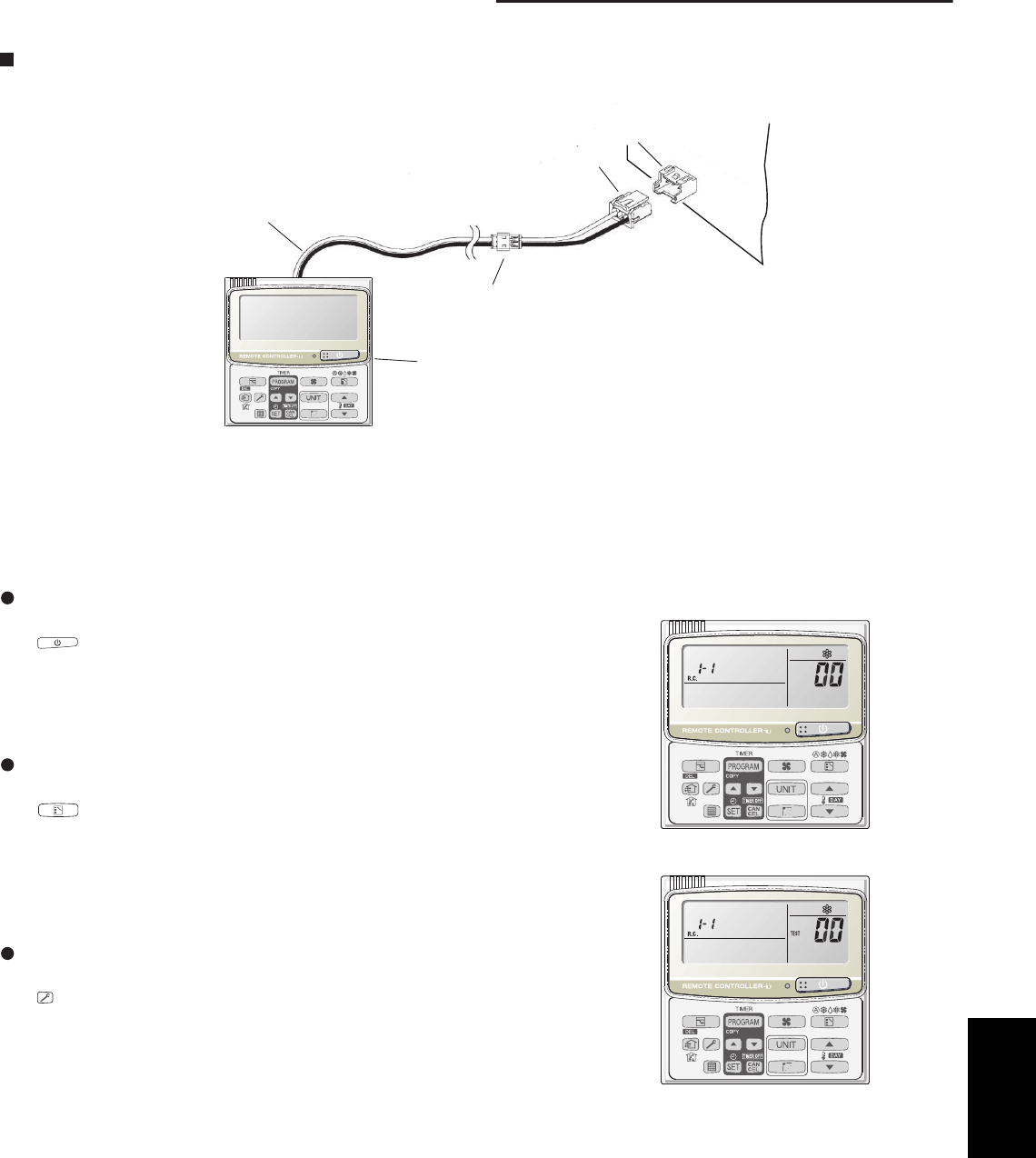
5-3
5. Outdoor unit maintenance remote control
Remote controller Assy
Special service checker wiring
Relay connector (2P, white)
PCB connector
(3P, blue)
RC (3P, blue)
Outdoor
unit PCB
5-3. Normal Display Operations and Functions
Normal display functions
• Connect the special service checker wiring to the outdoor unit PCB.
The connection is shown in the figure below.
* It is not necessary to disconnect the communications line in the inter-unit control wiring if it has already been
connected at this time.
* Setting modes 1 and 2 can be used even when the outdoor unit is independent (when 1 maintenance remote
controller is connected to 1 outdoor unit and automatic address setting for the indoor units has not been com-
pleted).
* Displays the overall system status for that refrigerant system.
All units start/stop (Fig. 1)
<Operation>
The button can be used to start and stop all the indoor units.
• The LED turns ON when 1 or more indoor units is operating.
• The LED blinks when an alarm has occurred at 1 or more indoor units
during operation.
Switching between cooling/heating (Fig. 1)
<Operation>
The button switches between heating and cooling modes.
• The specifications are equivalent to the heating/cooling input that was
present on earlier outdoor unit PCBs.
• The display shows the operating mode of the indoor unit with the lowest
number.
All units test run (Fig. 2)
<Operation>
The button switches test run ON/OFF for all indoor units.
• Press and hold for 4 seconds to turn ON.
“Test run” is displayed while the test run is in progress.
• Conditions of test runs that are started from the unit remote controller are
not displayed on the outdoor unit maintenance remote controller.
Fig. 1
Fig.2
5
SM830203-01_PAC-i_US-letter.indb3 3SM830203-01_PAC-i_US-letter.indb3 3 2012/01/26 10:34:482012/01/26 10:34:48
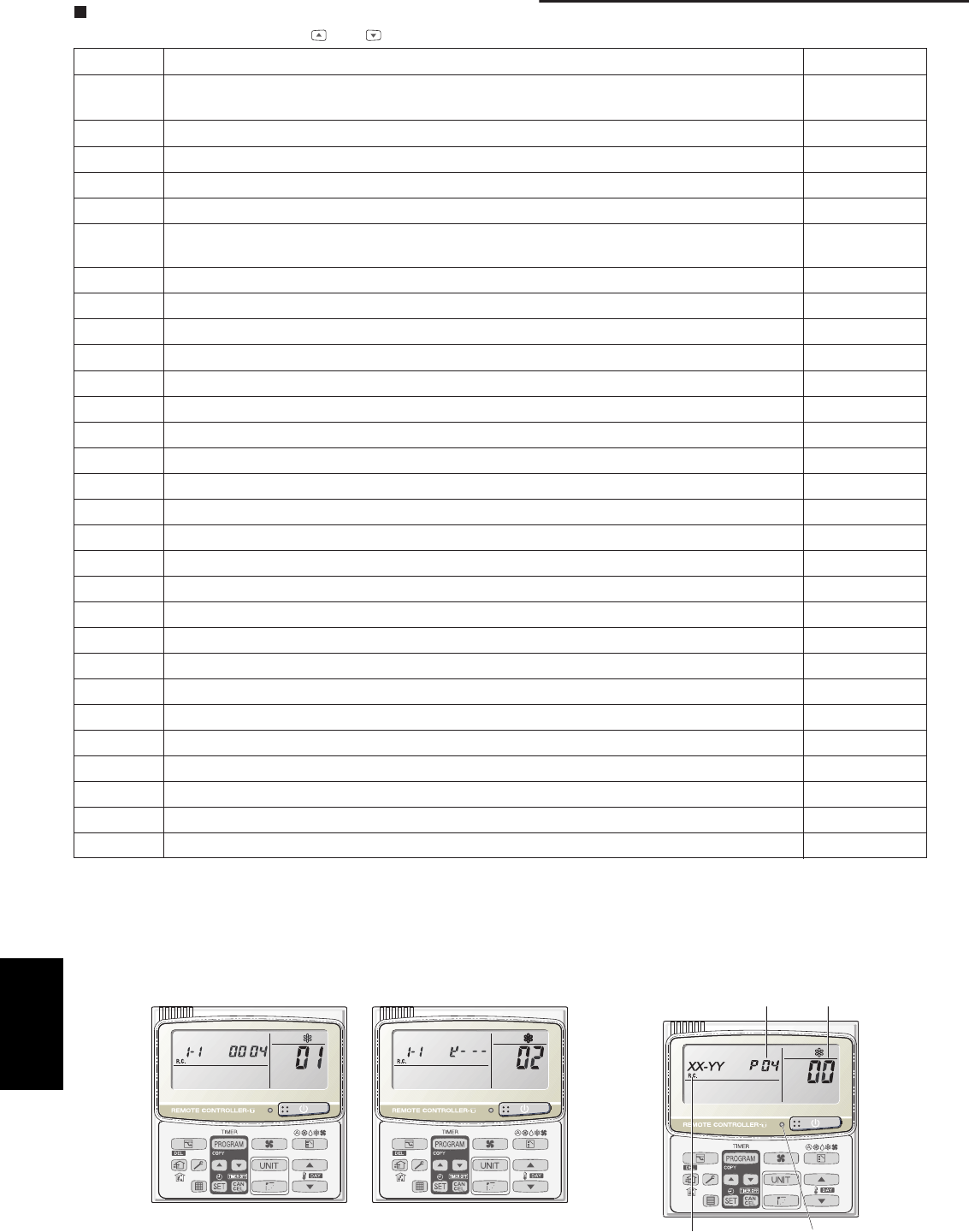
5-4
5. Outdoor unit maintenance remote control
Display (functions)
• Use the temperature setting and buttons to change the item code.
skrameRstnetnocyalpsiDedocmetI
00 (1) sutatslaitinitAlamronnehwFFO:)edoc(stnetnocmralatinuroodtuO
Blinking 8-alarm code display at pre-trip, LED (2)
01 No. of indoor units connected in that refrigerant system
02 Unit. Nos. of connected indoor units in that refrigerant system *2
03 Operating status of indoor units in that refrigerant system (blinks when alarms occur) *2
04 Unit Nos. of indoor units in that refrigerant system where the thermostats are ON *2
05 No. of outdoor units connected in that refrigerant system
No. of connected
units: 1
06 Unit Nos. of connected outdoor units in that refrigerant system *2
07 Operating status of outdoor units in that refrigerant system (blinks when alarms occur) *2
08
09
0A
0b
0C
0d
0E
0F
10 Total compressor operating time (in 1-hr. units) *3
11
12
13
14
15
16 Total power ON time of outdoor unit (in 1-hr. units)
17 Compressor start count
18
19
FE Outdoor unit microcomputer firmware version
FF Outdoor unit microcomputer software version
* See following page for *2 and *3.
(3) XX-YY R.C.
Displays the outdoor unit address of the selected outdoor sub-bus.
XX = Main bus line outdoor system address (1 – 30)
YY = Outdoor unit address in outdoor sub-bus (1 – 4). This is “1” when
there is only 1 outdoor unit.
02: <Unit Nos. 1, 2, 3, and 4 are connected>
<Sample displays>
01: <No. of connected indoor units>
4 units connected
Locations where (1), (2), and (3) are displayed
are shown below.
LED
(3)
(1)
(2)
5
SM830203-01_PAC-i_US-letter.indb4 4SM830203-01_PAC-i_US-letter.indb4 4 2012/01/26 10:34:482012/01/26 10:34:48
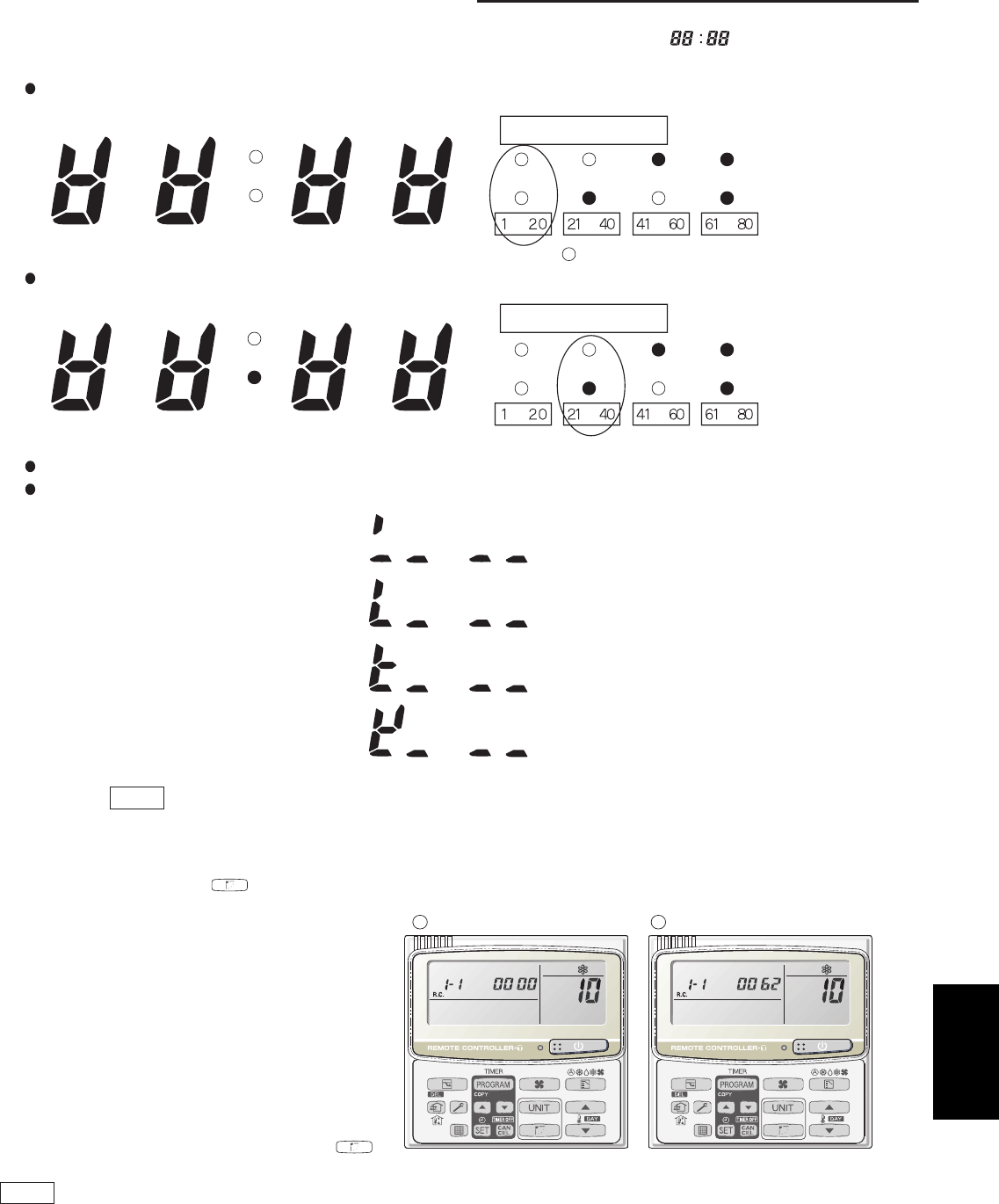
5-5
5. Outdoor unit maintenance remote control
*2: 7-segment, 4-digit display for remote controller timer display
The connected unit Nos. are displayed as shown below, using the 7-segment 4-digit ( ) display and the
colon.
—
————
———
1
712172
813138 914149
510 1520
61116
21
22 27 32 37
83333228 93434229
25 30 35 40
631362
Display for unit Nos. 1 – 20
Display for unit Nos. 21 – 40
Not lit
Lit
Not lit
Lit
Not lit
Lit
Not lit
Lit
• Display of unit No. 1
• Display of unit Nos. 1 and 2
• Display of unit Nos. 1, 2, and 3
• Display of unit Nos. 1, 2, 3, and 4
Not lit
Lit
Not lit
Lit
Not lit
Lit
Not lit
Lit
Meaning of display colon
Meaning of display colon
is not displayed.
The meaning of the colon display changes in the same way, allowing unit Nos. up to 80 to be displayed.
Sample displays of the unit Nos. of connected indoor units
NOTE
The colon display changes automatically every 10 seconds.
(The display does not change if higher unit numbers do not
exist.)
Pressing the button switches the display immediately to
the next higher level, even if 10 seconds have not passed.
(A) and (B) are displayed alternately.
BA
10: <Total compressor operating time>
*3: The total compressor operating time is displayed
(in 1-hour units) using 8 digits.
• When the first 4 digits are displayed, the top
point of the colon is lit.
• When the last 4 digits are displayed, the
colon points are not lit.
• The display of the first 4 and last 4 digits
changes automatically every 10 seconds. It
can also be changed by pressing the
button.
NOTE
With the outdoor unit maintenance remote controller (when connected to the outdoor unit), the unit remote controller
check functions will not operate.
5
SM830203-01_PAC-i_US-letter.indb5 5SM830203-01_PAC-i_US-letter.indb5 5 2012/01/26 10:34:482012/01/26 10:34:48
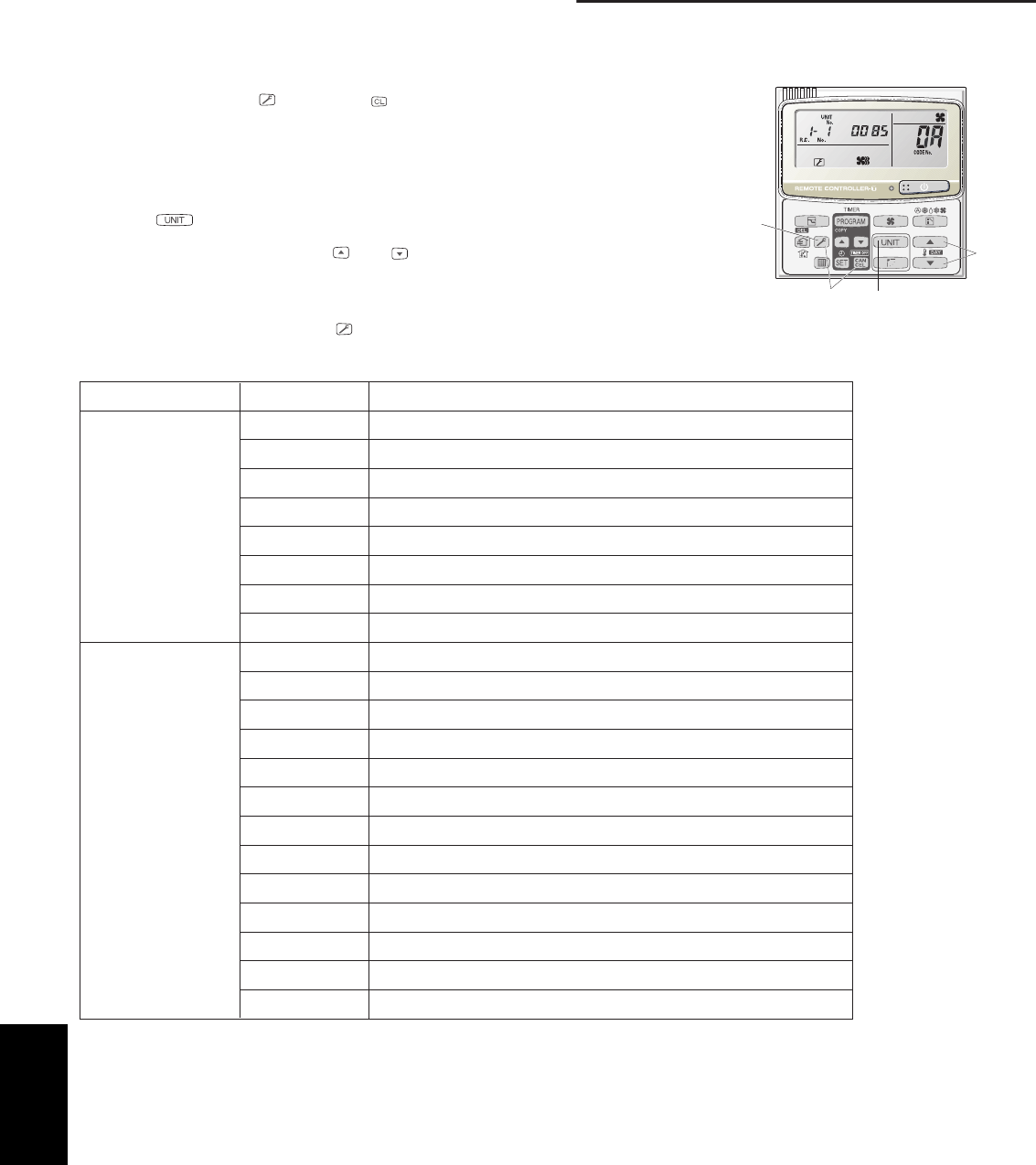
5-6
5. Outdoor unit maintenance remote control
5-4. Monitoring Operations: Display of Indoor Unit and Outdoor Unit Sensor Temperatures
<Operating procedure>
(1) Press and hold the button and button simultaneously for 4 seconds or
longer to switch to temperature monitor mode.
During temperature monitoring, “Service Monitor” is lit.
(The display and operations are the same as when monitor mode is started from
the unit remote controller.)
(2) Press the button and select the indoor unit to monitor.
(3) Use the temperature setting and buttons to select the item code of the
temperature to monitor.
The selected indoor unit No. and the temperature data are displayed.
(4) To end monitoring, press the button. The display returns to the normal display.
* The display does not blink.
(3)
(1)
(4)
(2)
edoCfogninaeMedocmetI
Indoor unit data 02 Indoor unit intake temp.
03 Indoor unit heat exchanger temp. (E1)
04 Indoor unit heat exchanger temp. (E2)
05 –
06 Indoor unit discharge temp.
07 –
08 –
09
Outdoor unit data 0A Discharge temp. (TD)
0b –
0C –
0d Intake temp. (TS)
0E Outdoor unit heat exchanger temp. (C1)
0F Outdoor unit heat exchanger temp. (C2)
10 –
11 Outdoor air temp. (TO)
12 –
13 –
14 Current value
15 Outdoor MV value
19 Frequency
* Depending on the model, some items may not be displayed.
5
SM830203-01_PAC-i_US-letter.indb6 6SM830203-01_PAC-i_US-letter.indb6 6 2012/01/26 10:34:482012/01/26 10:34:48
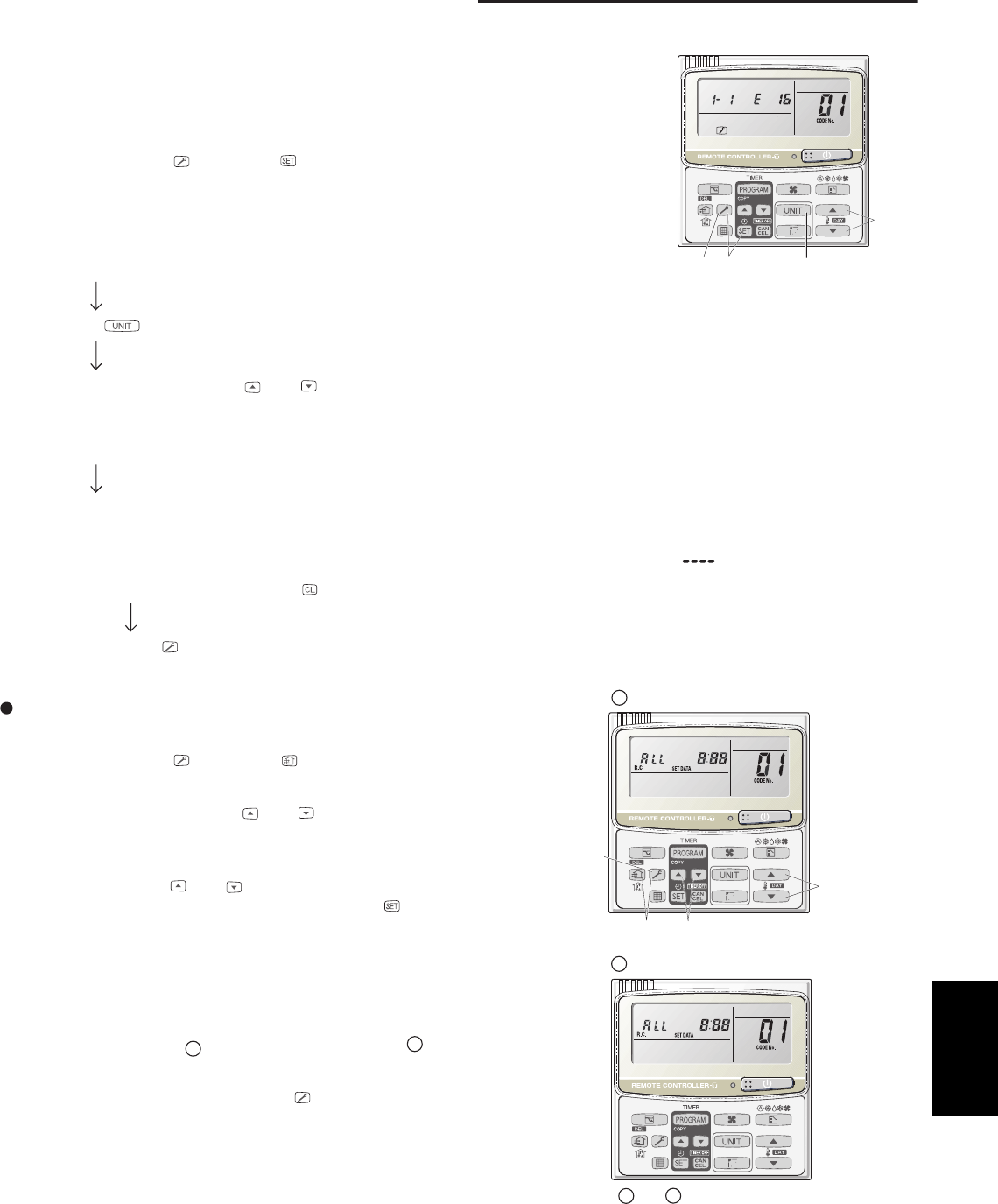
5-7
5. Outdoor unit maintenance remote control
5-5. Monitoring the Outdoor Unit Alarm History: Display of Outdoor Unit Alarm History
* Displays outdoor unit alarms only. Does not display indoor unit alarms.
* Check the indoor unit alarm histories separately using the indoor unit remote
controllers or other control device.
<Operating procedure>
(1) Press and hold the button and button simultaneously for 4 seconds or longer
to change to outdoor unit alarm history mode.
During the alarm history display, “Service Check” is lit.
The display and operations are the same as the monitoring of the alarm device
history that is performed using the unit remote controller. However, the outdoor unit
address appears instead of the unit No.
(2) Press the button and select the outdoor unit for alarm history monitoring.
(3) Use the temperature setting and buttons to select the item code for the alarm history.
The display shows the address of the selected outdoor unit, the item code, and the alarm history (alarm data).
The outdoor unit address is displayed as system XX-YY.
System XX = Outdoor unit system address
YY = Outdoor unit sub-bus address
The item code is displayed as 01– 08. 01 indicates the most recent alarm.
The alarm history is indicated by the alarm code. (If there have been no alarm codes, “ ” is displayed.)
(4) To clear the alarm history, press the button. (The outdoor unit alarm history will be cleared.)
(5) To end, press the button. The display returns to the normal remote controller display.
5-6. Setting Modes: Setting the Outdoor Unit EEPROM
Setting mode 1
<Operating procedure>
(1) Press and hold the button and button simultaneously for 4 sec-
onds or longer.
(2) Use the temperature setting and buttons to change the item code.
The item codes and setting data are shown in the table on the next
page.
(3) Use the timer time and buttons to change the setting data.
To confirm the changed setting data, press the button.
(At this time, “Setting” stops blinking and remains lit.)
(4) During this mode, “Setting” is displayed, blinking. The outdoor unit
address display section displays “ALL,” the item code and number (DN
value in the table), and the setting data (6 digits).
(The setting data is displayed in 6 digits. The display changes between
the first 3 digits (Fig. A) and the last 3 digits (Fig.
B
).
When the first 3 digits are displayed, the top point of the colon is lit.)
(5) To end the setting mode, press the button.
(3)
(1) (4) (2)
(5)
are displayed alternately.
Display of first 3 digits
A
B
Display of last 3 digits
and
(Example shows display of 000 001.)
AB
(3)
(1)
(2)
(5)
5
SM830203-01_PAC-i_US-letter.indb7 7SM830203-01_PAC-i_US-letter.indb7 7 2012/01/26 10:34:492012/01/26 10:34:49
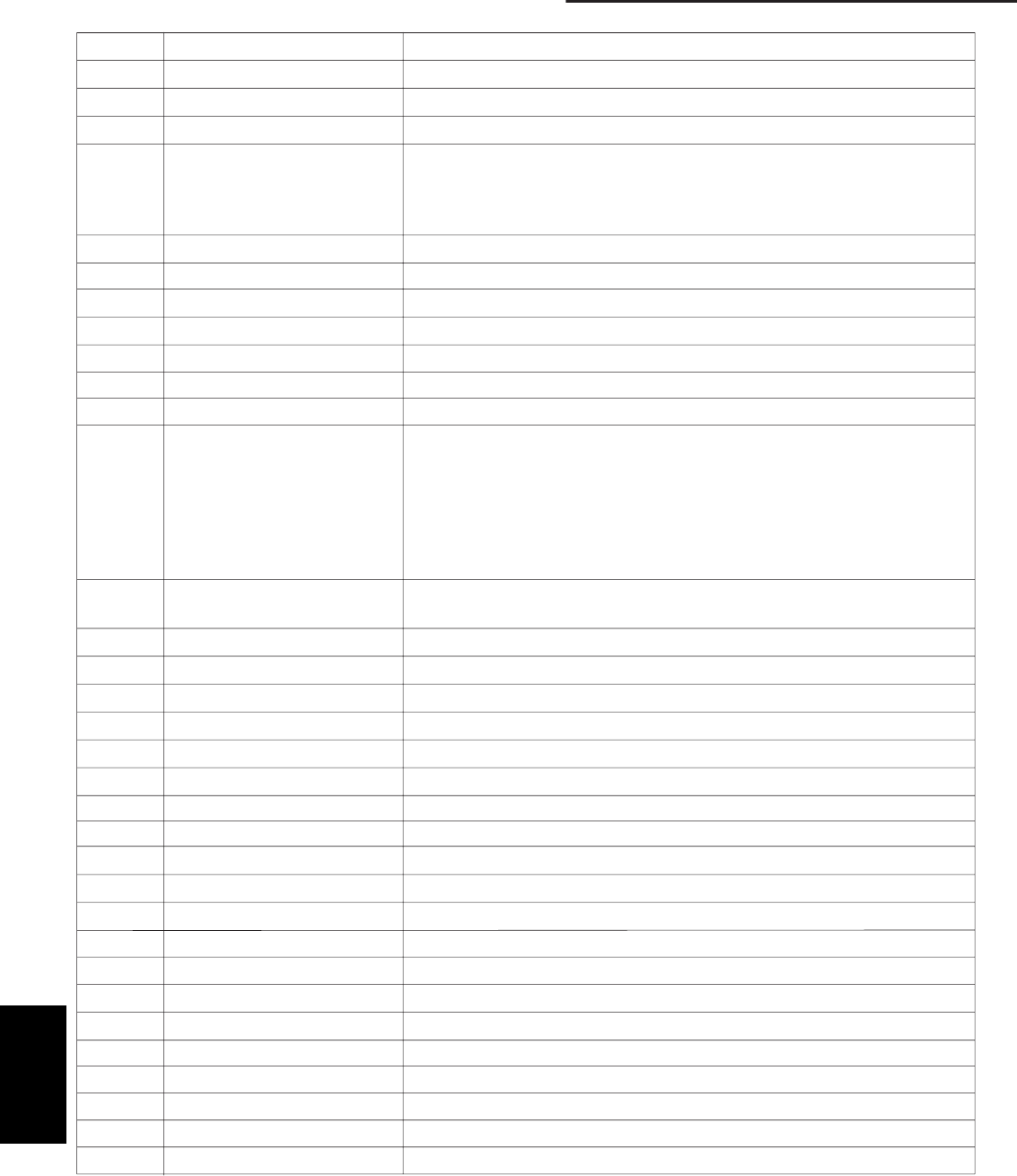
5-8
5. Outdoor unit maintenance remote control
List of Item Codes
retemaraPedocmetI
01 Control system schedule
02 Control system schedule
03 Control system schedule
04 Snowfall sensor operation 0 = No sensor, control performed
1 = No sensor, control not performed
Do not set
Do not set
Do not set
Do not set
Do not set
Do not set
Do not set
Do not set
Do not set
Do not set
Do not set
Do not set
Do not set
Do not set
Do not set
Do not set
2 = Sensor present, control performed
3 = Sensor present, control not performed
05 Outdoor fan quiet mode Do not set
06 Defrost fan speed selection Do not set
07 Ignore capacity 0 = Disabled 1 = Ignores capacity ratio
08 Control system schedule
09 Control system schedule
0A Control system schedule
0b Control system schedule
0C Forced operation of 0 = Disabled
indoor unit drain pump 1 = During cooling only, 2 hours stopped + 20 minutes operating
(regardless of whether the unit is running or stopped)
2 = During cooling only, 4 hours stopped + 20 minutes operating
(regardless of whether the unit is running or stopped)
3 = At all times, 4 hours stopped + 20 minutes operating
4 = At all times, 2 hours stopped + 20 minutes operating
0d Odor countermeasure when Do not set
indoor cooling thermostat is OFF
ylnolooC=1pmuptaeH=0ylnolooCE0
0F Control system schedule
10 Control system schedule
11 Multi-floor installation
12
External Electronic Expansion Valve Kit
13 Control system schedule
4E Test mode 1
4F Test mode 2
%061...%001...%54,%041dnameD05
%061...%001...%54,%042dnameD15
52 Current control level 40%, 45% ... 100% ... 160%, –1 (normal: at shipment from factory)
53
Control system schedule55
Do not setControl system schedule54
75
85
95
A5
B5
65
* Figures in parentheses indicate the data at the time of shipment from the factory.
0 = No 1 = Yes
Control system schedule
Control system schedule
Do not set
Control system schedule
Do not set
Control system schedule
Do not setControl system schedule
Do not setControl system schedule
Do not setControl system schedule
5
SM830203-01_PAC-i_US-letter.indb8 8SM830203-01_PAC-i_US-letter.indb8 8 2012/01/26 10:34:492012/01/26 10:34:49
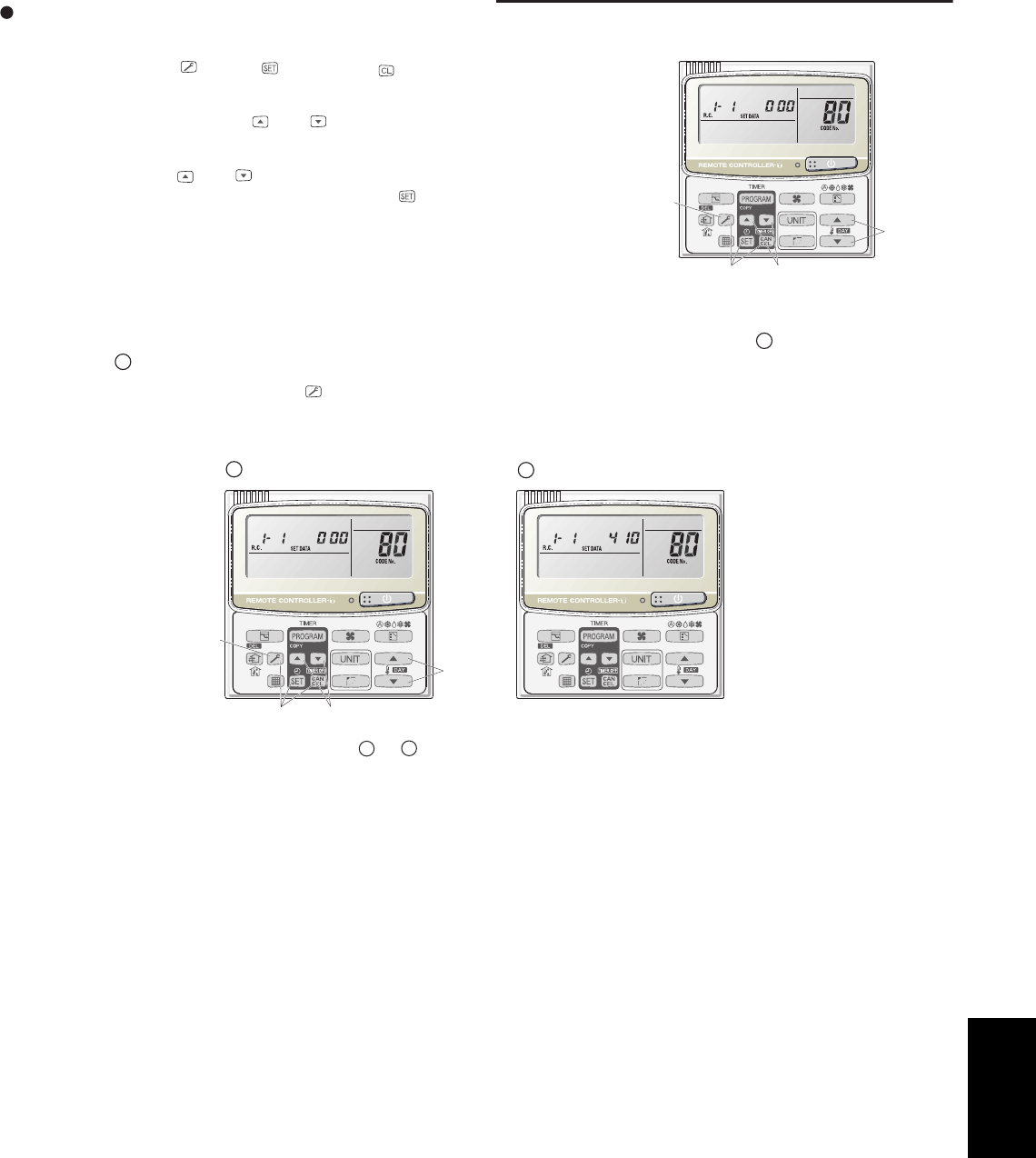
5-9
5. Outdoor unit maintenance remote control
Setting mode 2
<Operating procedure>
(1) Press and hold the button, button, and button simultaneously for 4
seconds or longer.
(2) Use the temperature setting and buttons to change the item code. The
item codes and setting data are shown in the table below.
(3) Use the timer time and buttons to change the setting data.
To confirm the changed setting data, press the button.
(At this time, “Setting” stops blinking and remains lit.)
(4) During this mode, “Setting” is displayed, blinking. The display shows the set
outdoor unit address “System XX-YY” (System XX = System address, YY =
Address at outdoor unit sub-bus), item code number (DN value in the table
below), and the setting data (6 digits).
(The setting data is displayed in 6 digits. The display changes between the first 3 digits (Fig. A) and the last 3
digits (Fig. B). When the first 3 digits are displayed, the top point of the colon is lit.)
(5) To end the setting mode, press the button. The display returns to the normal display mode.
(3)(1)
(2)
(5)
80: <Refrigerant type> A and B are displayed alternately. (Example shows 000 410 (R410A).)
stigid3tsalfoyalpsiDstigid3tsriffoyalpsiD
AB
(3)
(1)
(2)
(5)
5
SM830203-01_PAC-i_US-letter.indb9 9SM830203-01_PAC-i_US-letter.indb9 9 2012/01/26 10:34:492012/01/26 10:34:49
5-10
5. Outdoor unit maintenance remote control
retemaraPedocmetI
80 Refrigerant type 407 = R407C 22 = R22 410 = R410A
81 Outdoor unit capacity* 0 = Disabled 80 : 26 type
112 : 36 typ 140 : 42 type
Do not set
Do not set
Do not set
82 Control system schedule
83 Control system schedule
84 3-phase or single-phase 0 = 3-phase 1 = single-phase
85 Power frequency Do not set
86 Control system schedule
List of Item Codes
(*) Figures represent the capacity data for each model.
Do not set8E Control system schedule
Do not set
8b Control system schedule
Do not set8A Control system schedule
0 = No 1 = Yes89 Crank case heater control
Do not set
88 Control system schedule
Do not set
87 Control system schedule
5
SM830203-01_PAC-i_US-letter.indb10 10SM830203-01_PAC-i_US-letter.indb10 10 2012/01/26 10:34:492012/01/26 10:34:49

6-1. Preparing for Test Run ...............................................................................................
6-2. Caution........................................................................................................................
6-3. Test Run Procedure....................................................................................................
6-4. Items to Check Before the Test Run ..........................................................................
6-5. Test Run Using the Remote Controller......................................................................
6-6. Precautions ................................................................................................................
6-7. Table of Self-Diagnostic Functions and Corrections (U1, K1, T1, F1 Type)...............
6-8. Examples of Wiring Diagrams....................................................................................
6-2
6-3
6-3
6-4
6-4
6-4
6-5
6-6
6. TEST RUN
6-1
6
SM830203-01_PAC-i_US-letter.indb1 1SM830203-01_PAC-i_US-letter.indb1 1 2012/01/27 13:49:342012/01/27 13:49:34
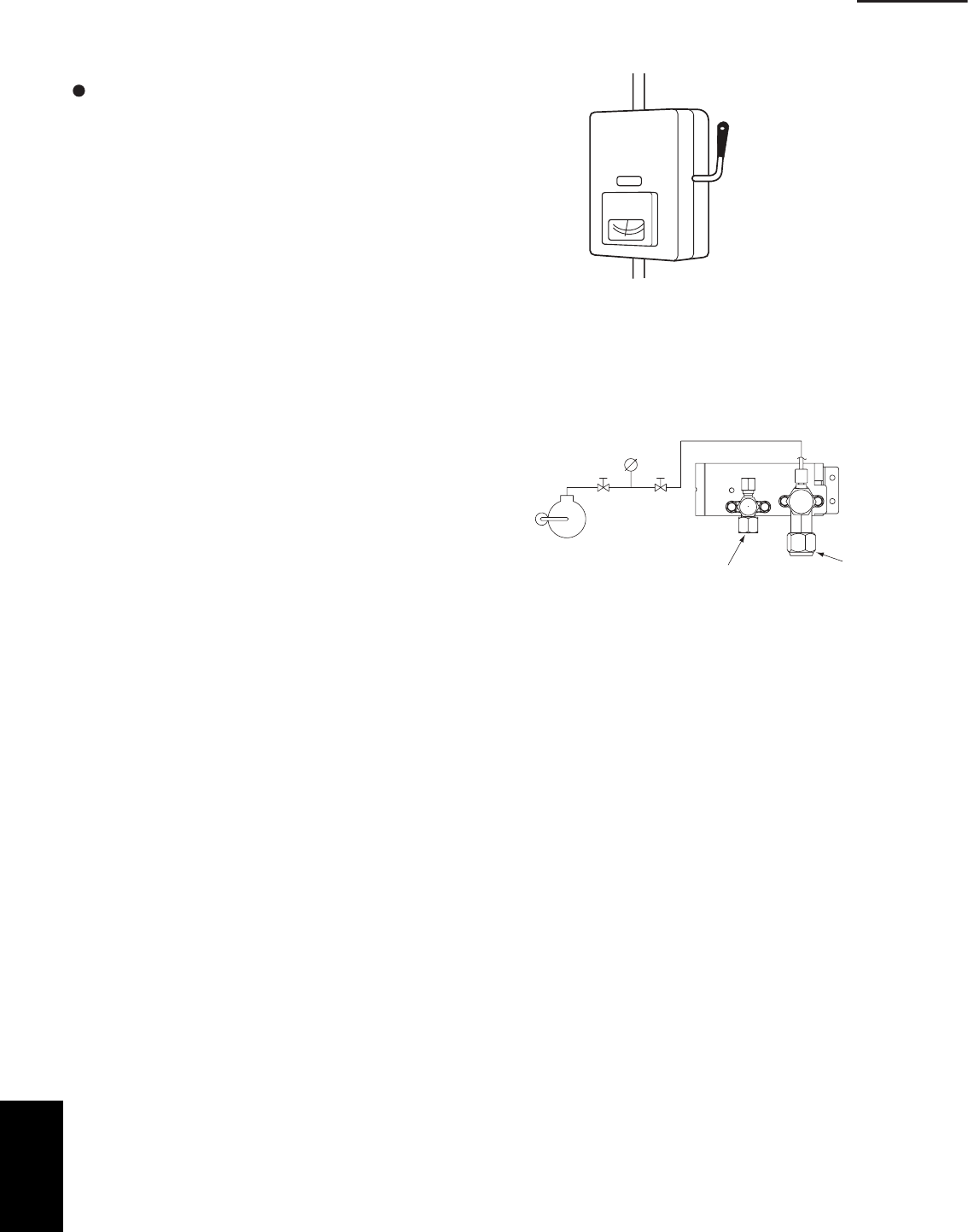
6-2
6. Test run
6. TEST RUN
6-1. Preparing for Test Run
Before attempting to start the air conditioner,
check the following:
(1) All loose matter is removed from the cabinet espe-
cially steel filings, bits of wire, and clips.
(2) The control wiring is correctly connected and all
electrical connections are tight.
(3) The protective spacers for the compressor used for
transportation have been removed. If not, remove
them now.
(4) The transportation pads for the indoor fan have been
removed. If not, remove them now.
(5) The power has been supplied to the unit for at least
5 hours before starting the compressor. The bottom
of the compressor should be warm to the touch and
the crankcase heater around the feet of the com-
pressor should be hot to the touch. (Fig. 6-1)
(6) Both the gas and liquid tube service valves are open.
If not, open them now. (Fig. 6-2)
(7) Request that the customer be present for the trial
run.
Explain the contents of the instruction manual, then
have the customer actually operate the system.
(8) Be sure to give the instruction manual and warranty
certificate to the customer.
(9) When replacing the control PCB, be sure to make all
the same settings on the new PCB as were in use
before replacement.
The existing EEPROM is not changed, and is
connected to the new control PCB.
Fig. 6-1
Fig. 6-2
Power mains switch
(Power must be turned ON
at least 5 hours before
attempting test run)
ON
Liquid tube Gas tube
6
SM830203-01_PAC-i_US-letter.indb2 2SM830203-01_PAC-i_US-letter.indb2 2 2012/01/27 13:49:342012/01/27 13:49:34
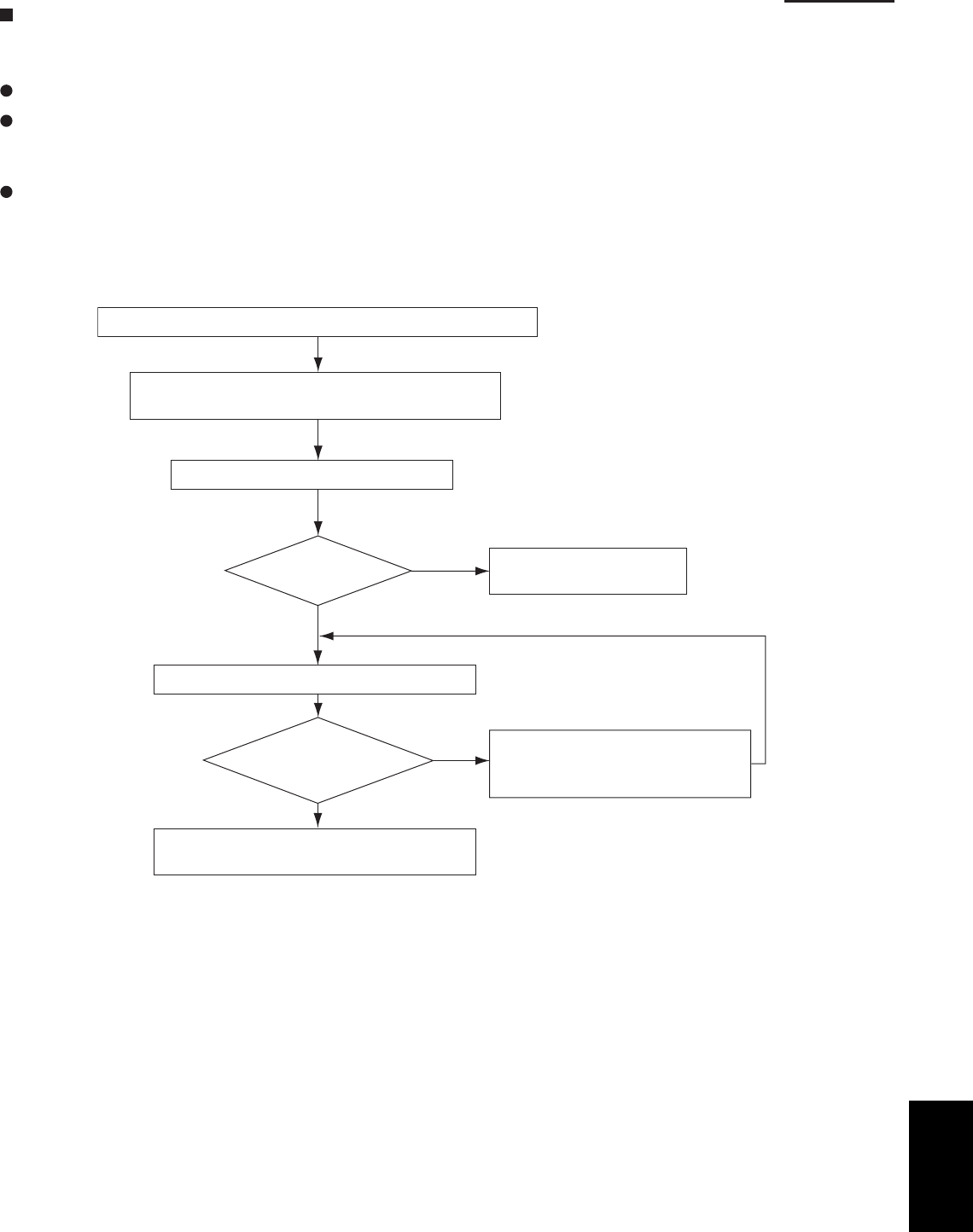
6-3
6. Test run
U1, K1, T1, F1 Type
6-2. Caution
This unit may be used in a single-type refrigerant system where 1 outdoor unit is connected to 1 indoor unit.
The indoor and outdoor unit control PCBs utilize a semiconductor memory element (EEPROM). The settings
required for operation were made at the time of shipment.
Only the correct combination of indoor and outdoor units can be used.
This test run manual describes primarily the procedure when using the wired remote controller.
6-3. Test Run Procedure
Recheck the items (see IV-4) to check before the test run.
Turn ON the indoor and outdoor power.
Set the remote controller to “test run.”
Return the remote controller to normal
control.
YES
NO
Automatic
address?
(See I-98)
(See 6-4)
Check the combination (wiring) of indoor and
outdoor units.
Refer to “Table of Self-Diagnostic
Functions and Corrections” to
check the system.
YES
NO
Note: Check the indoor-side drainage.
Has the
test run been
completed?
Check the warning code.
Fig. 6-3
6
SM830203-01_PAC-i_US-letter.indb3 3SM830203-01_PAC-i_US-letter.indb3 3 2012/01/27 13:49:342012/01/27 13:49:34
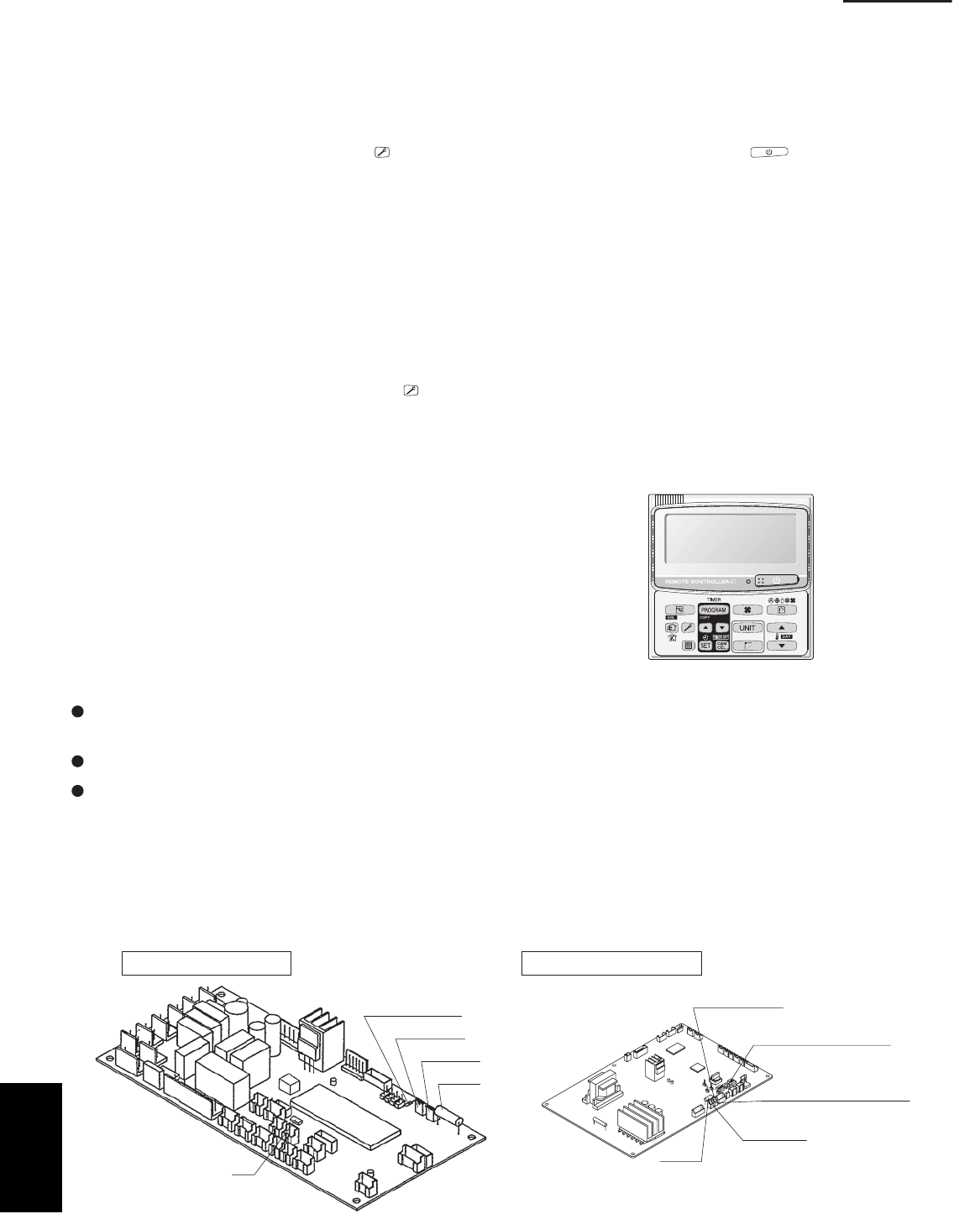
6-4
6. Test run
6-4. Items to Check Before the Test Run
(1)
(2)
Turn the breaker ON at least 12 hours in advance in order to energize the crank case heater.
Fully open the closed valves on the liquid tube and gas tube sides.
6-5. Test Run Using the Remote Controller
(1) Press and hold the remote controller button for 4 seconds or longer. Then press the button.
• “TEST” appears in the LCD display during the test run.
• Temperature control is not possible when test run mode is engaged.
(This mode places a large load on the devices. Use it only when performing the test run.)
(2)
Note: The outdoor unit will not operate for approximately 3 minutes after the power is turned ON or after it stops
operating.
(3)
Refer to the “Table of Self-Diagnostic Functions and Corrections” on the next page, and correct the problem.
(4) button again. Check that “TEST” disappears from the LCD display.
(This remote controller includes a function that cancels test run mode after 60 minutes have elapsed, in order to
prevent continuous test run operation.)
(5)
Use either Heating or Cooling mode to perform the test run.
If normal operation is not possible, a code appears on the remote controller LCD display.
After the test run is completed, press the
For the test run of an inverter outdoor unit, operate the compressors for a minimum of 10 minutes.
* When performing a test run using a wired remote controller,
operation is possible without attaching the cassette-type
ceiling panel.
(“P09” will not be displayed.)
6-6. Precautions
Request that the customer be present when the test run is performed. At this time, explain the operation manual
and have the customer perform the actual steps.
Be sure to pass the manuals and warranty certificate to the customer.
Check that the AC 230 / 208 V power is not connected to the inter-unit control wiring connector terminal.
* If AC 230 / 208 V is accidentally applied, the indoor or outdoor unit control PCB fuse (0.5A for both indoor
and outdoor units) will blow in order to protect the PCB. Correct the wiring connections, then disconnect the
2P connectors (indoor: blue, OC) (outdoor: blue, OC) that are connected to the PCB, and replace them with
2P connectors (indoor: brown, EMG) (outdoor: brown, EMG). (Refer to the figure below.) If operation is still not
possible after changing the brown connectors, try cutting the varistor (VA002) (both indoor and outdoor).
(Be sure to turn the power OFF before performing this work.)
Indoorunit control PCB Outdoorunit control PCB
IC8
Varistor (black)
Fuse
VA002
CN44 EMG
CN40 OC
VA002 (Varistor)
OC (blue)
connector
0.5A
0.5A
Terminal plug (black)
3 – 5 HP
EMG (brown) connector
Fig. 6-4
Fuse
CZ-RTC2
6
SM830203-01_PAC-i_US-letter.indb4 4SM830203-01_PAC-i_US-letter.indb4 4 2012/01/27 13:49:342012/01/27 13:49:34
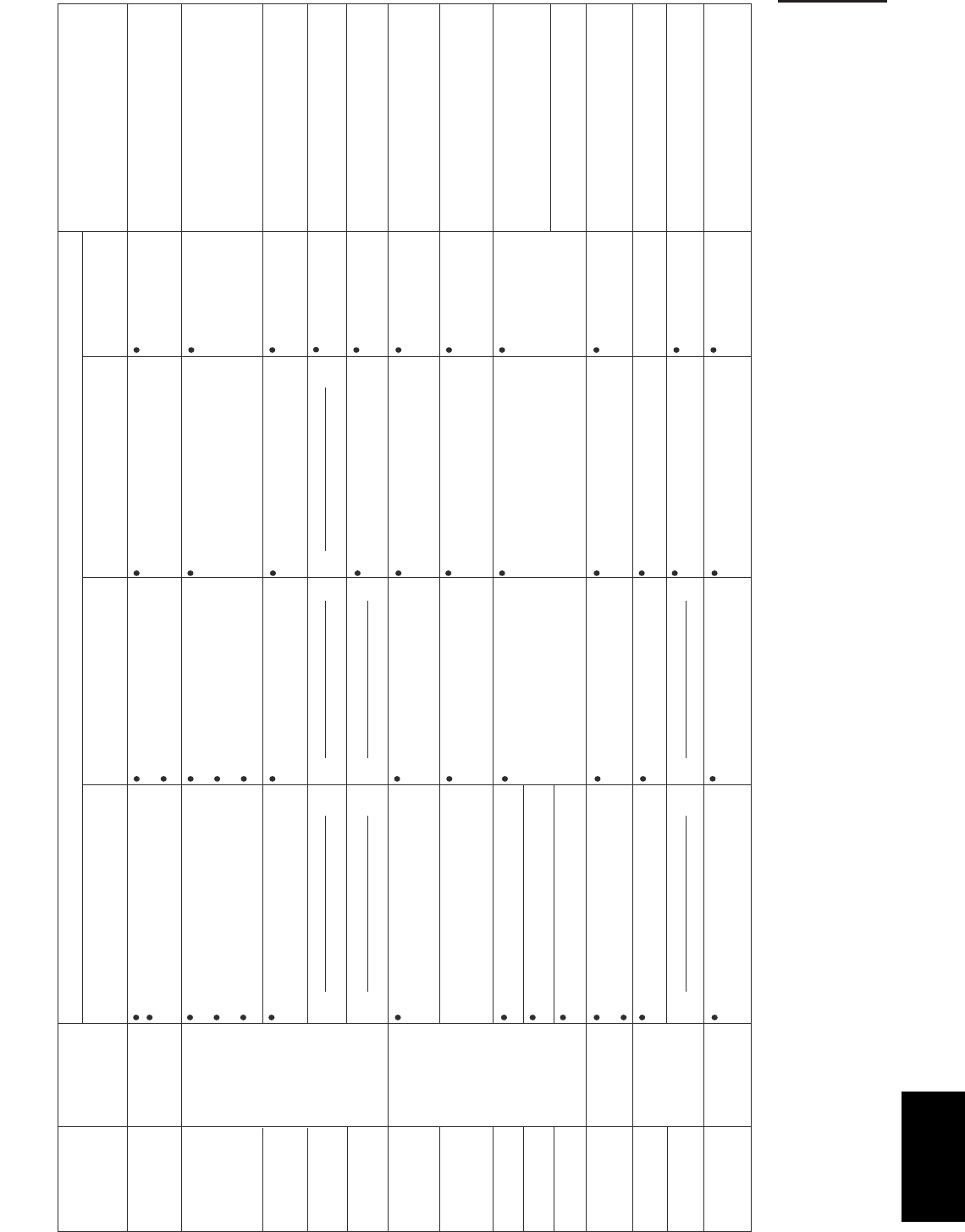
6-5
6. Test run
Wired remote
controller display
Cause
Correction
Nothing is
displayed
Nothing is
displayed
E 0 1 displayed
E 0 2 displayed
E 0 9 displayed
E 1 4 displayed
E 0 4 displayed
E 0 6 displayed
E 1 5 displayed
E 1 6 displayed
E 2 0 displayed
P 0 5 displayed
L 0 2 displayed
L 1 3 displayed
P 0 9 displayed
L 0 7 displayed
Indoor unit
receiver lamp
Operating lamp
is blinking.
Standby lamp
is blinking.
Both the Operation
lamp and Standby
lamp are blinking
together.
Operation lamp and
Standby lamp are
blinking alternately.
Timer lamp and
Standby lamp are
blinking alternately.
Remote controller is not connected correctly.
Indoor unit power is not ON.
Automatic address setting has not been
completed.
Inter-unit control wiring is cut or is not
connected correctly.
Remote controller is not connected correctly
(remote controller receiving failure).
Remote controller is not connected correctly
(failure in transmission from remote controller
to indoor unit).
Indoor-outdoor inter-unit wiring is not
connected correctly.
Indoor unit capacity is too low.
Indoor unit capacity is too high.
No serial signal is being received at all from
the indoor units.
Inter-unit circuit or open phase in the outdoor
unit power
Insufficient gas
Indoor-outdoor unit type mismatch
The indoor unit ceiling panel connector is not
connected correctly.
Remote controller is not connected with
indoor unit correctly
Indoor unit power is not ON.
Automatic address setting has not been
completed.
Inter-unit control wiring is cut or is not
connected correctly.
Remote controller is not connected with
indoor unit correctly
Remote controller is not connected with
indoor unit correctly
Same as at left
Indoor-outdoor inter-unit wiring is cut or
is not connected correctly.
Same as at left
Reversed phase or open phase in the
3-phase power at one of the outdoor
units in the group
Same as at left
Same as at left Same as at left
Same as at left Same as at left
Same as at left Same as at left
Same as at left
Same as at left
Same as at left
Same as at left
Same as at left
Same as at left
Same as at left
Same as at left
Same as at left
Same as at left
Same as at left
Remote controller crossover wiring is cut or
is not connected correctly.
Indoor unit ceiling panel connector is not
connected correctly.
Remote controller crossover wiring is connected
to the indoor unit, however it is set for individual
operation.
Connect the remote controller correctly.
Turn ON the indoor unit power.
2 remote controllers are
set as the main remote
controller.
Check the remote controller and inter-unit
control wiring.
Perform automatic address setting.
Connect the remote controller correctly.
Refer to 11-8-6 Main-sub remote control, and
make the correct settings.
Check the remote controller crossover wiring.
Perform automatic address setting again.
Connect the wiring correctly.
Refer to 11-8 System Control, and make the
correct settings.
Check that the total capacities of the indoor
and outdoor units are appropriate.
Check that the indoor unit power is ON, and that
the inter-unit control wiring is connected correctly.
Reverse 2 phases of the outdoor unit 3-phase
power and connect them correctly.
Check that the indoor and outdoor unit types
are correct.
Perform automatic address setting.
Connect the indoor unit ceiling panel
connector correctly.
Ceiling panel connector at one of the
indoor units in the group isnot
connected correctly.
Reversed phase or open phase in the
outdoor unit 3-phase power
1:1 connectionognis(
rG)e
pytenoitcennoc pul Simultaneous-operation multi system
(flexible combination)
Control by main-sub
remote controllers
6-7. Table of Self-Diagnostic Functions and Corrections (X, T, U, K Type)
6-7. Table of Self-Diagnostic Functions and Corrections (U1, K1, T1, F1 Type)
6
SM830203-01_PAC-i_US-letter.indb5 5SM830203-01_PAC-i_US-letter.indb5 5 2012/01/27 13:49:352012/01/27 13:49:35
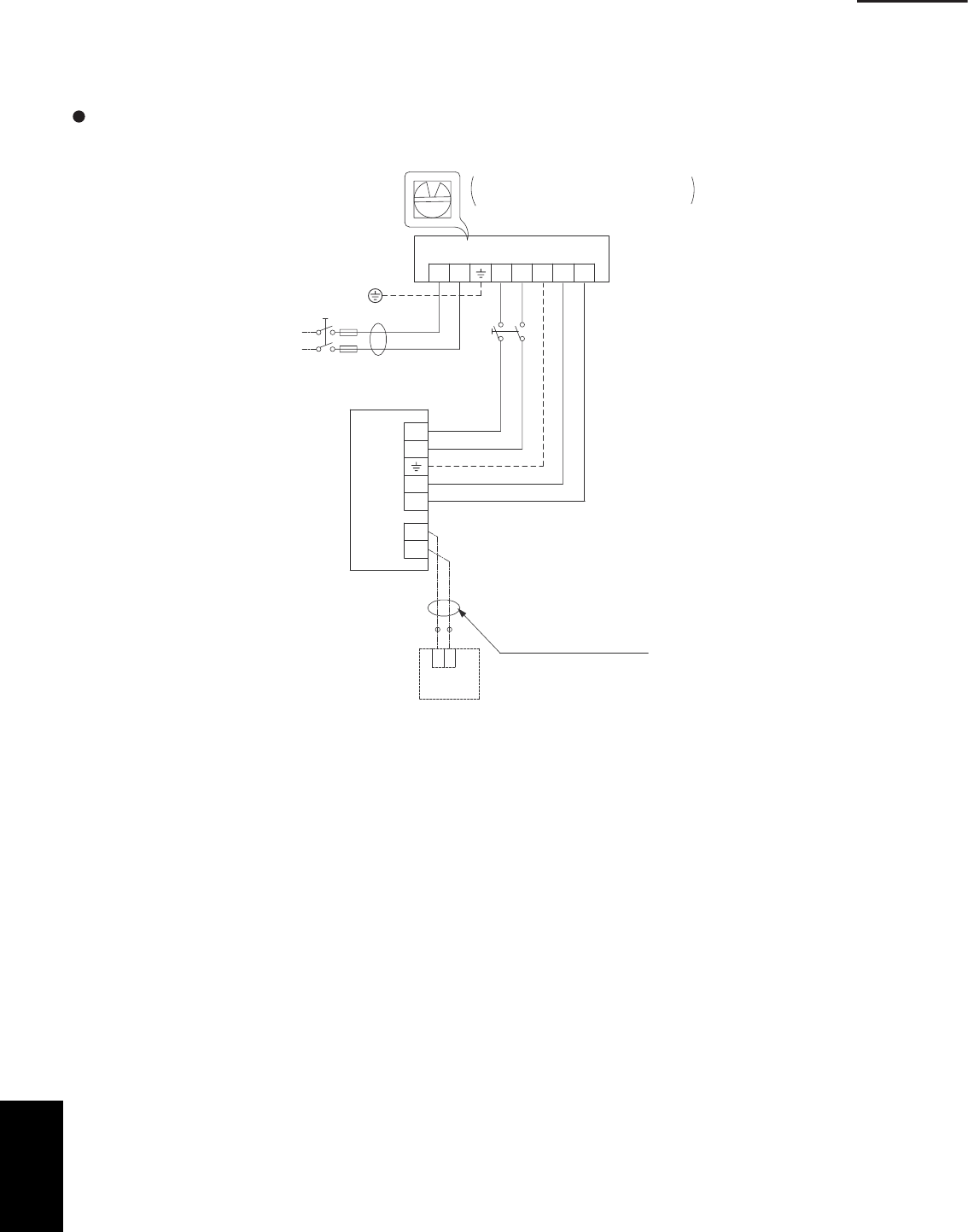
6-6
6. Test run
6-8. Examples of Wiring Diagrams
Basic wiring diagram 1
Single-type system
Be careful to avoid miswiring when connecting the wires. (Miswiring will damage the units.)
12
12
0
L2
U1
RC
U2
L1 U2U1G
1
2
System address rotary switch
(Set to “0” at the time of shipment.)
Outdoor unit
Indoor
unit
Wired remote
controller
WHT BLK
(Optional)
Remote controller wiring
(Field supply)
Ground
Power supply
Single-phase
230 / 208 V
Inter-unit power line
230 / 208 V, 60 Hz
Fig. 6-5
6
SM830203-01_PAC-i_US-letter.indb6 6SM830203-01_PAC-i_US-letter.indb6 6 2012/01/27 13:49:352012/01/27 13:49:35
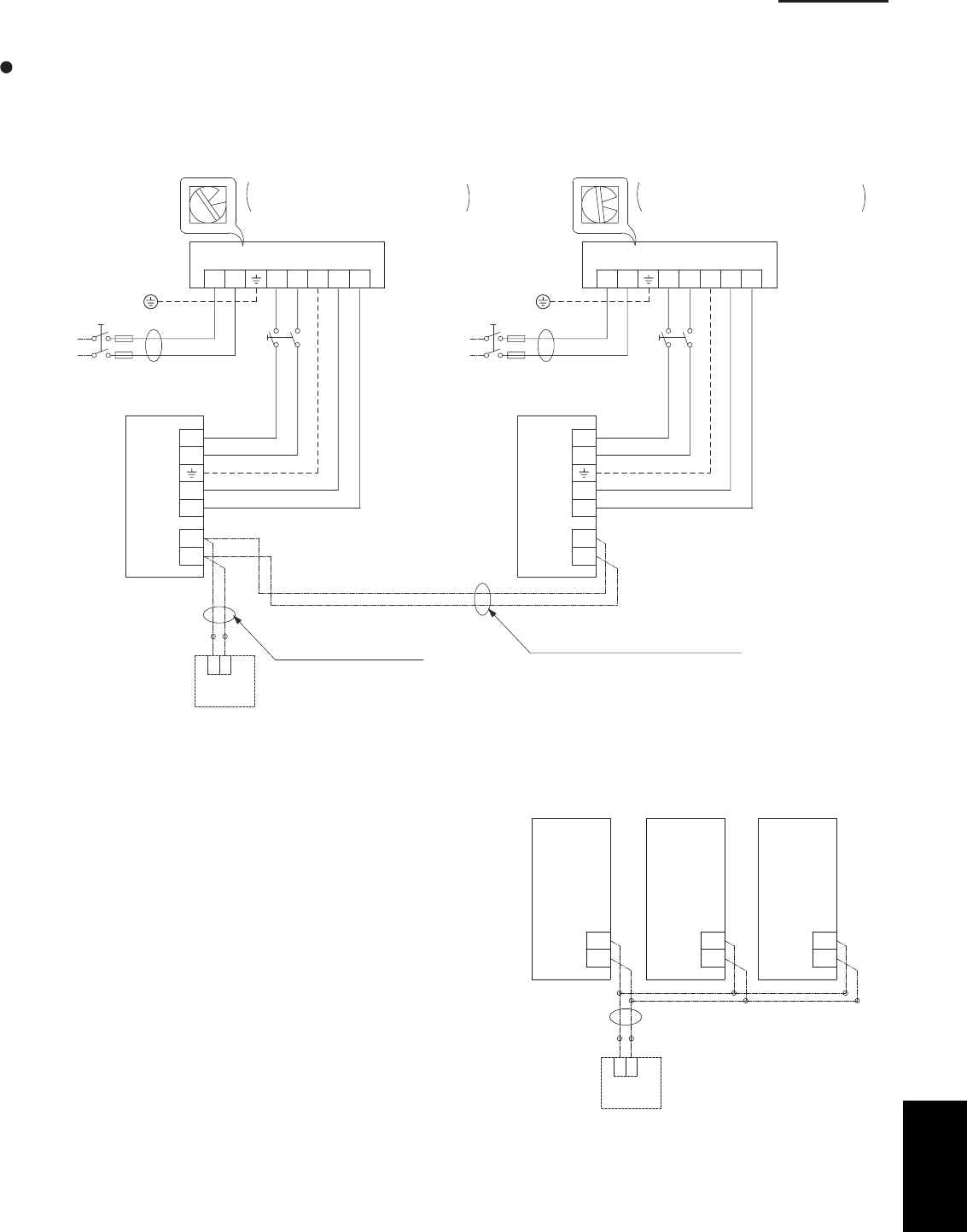
6-7
6. Test run
12
12L2
U1
RC
U2
L1 U2U1G
1
2
12L2
U1
RC
U2
L1 U2U1G
1
2
System address rotary switch
(Set to “0”at the time of shipment.)
Outdoor unit
Indoor
unit
Wired remote
controller
WHT BLK
(Optional)
Remote controller wiring
(Field supply)
System address rotary switch
(Set to “0” at the time of shipment.)
Outdoor unit
Indoor
unit
Remote controller crossover wiring
for group control
Ground
Power supply
Single-phase
230 / 208 V
Inter-unit power line
230 / 208 V, 60 Hz
Ground
Power supply
Single-phase
230 / 208 V
Inter-unit power line
230 / 208 V, 60 Hz
1
2
Basic wiring diagram 2
Group control (when a central control device is not used)
Simultaneous-operation multi system
A maximum of 8 indoor units can be connected to 1 remote controller.
Set the system address (refrigerant tubing system address) before turning on the remote power switch.
(Refer to “Setting the system addresses” on next page.)
(Set using the system address rotary switch on the outdoor unit control PCB.)
(Wiring procedure)
(1) Connect the remote controller to the indoor unit remote
controller wiring.
Use the remote controller connection wire coming from
the indoor unit, and field-supply wire and a wire joint to
complete the connection as shown in Fig. 6-6b. The
remote controller connection wire coming from the
indoor unit includes a connector, therefore cut off the
connector and use the wire joint to connect the wire
from the remote controller.
(2) Connect the indoor units (U1, U2) and the outdoor units
(1, 2).
Connect the other outdoor units and indoor units (with
different refrigerant systems) in the same way.
Connect the inter-unit control wiring to the indoor units
(U1, U2) for each refrigerant system.
(Inter-unit control wiring)
Fig. 6-6b
12
RC RC RC
Indoor
unit 1
Indoor
unit 2
Indoor
unit 3
Wired remote
controller
WHT BLK
(Optional)
Fig. 6-6a
6
SM830203-01_PAC-i_US-letter.indb7 7SM830203-01_PAC-i_US-letter.indb7 7 2012/01/27 13:49:352012/01/27 13:49:35
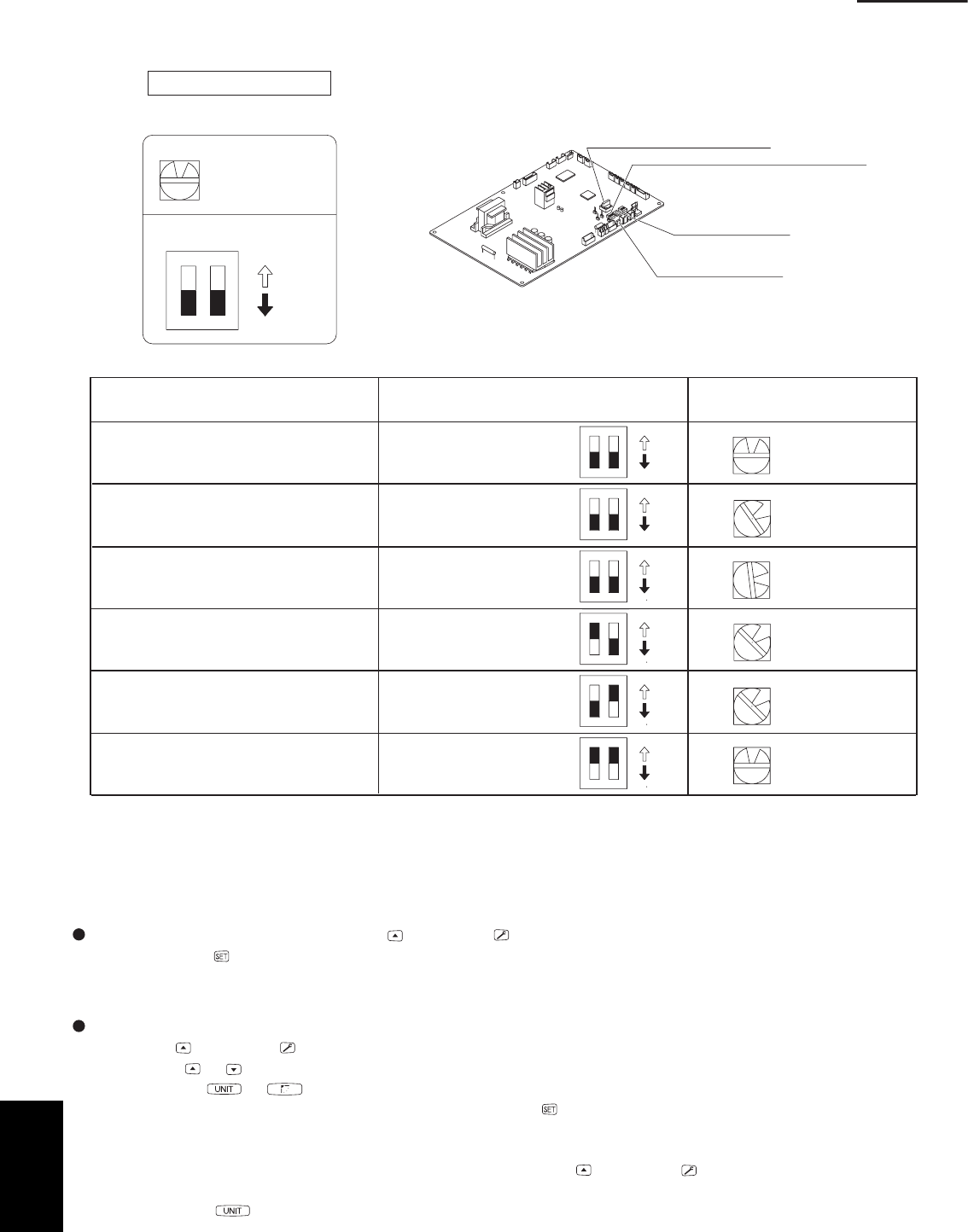
6-8
6. Test run
Setting the outdoor unit system addresses
For basic wiring diagram 2 (Set the system addresses: 1, 2, 3...)
ON
12
0
System address rotary switch
(Set to “0” at time of shipment)
System address rotary switch
System address
DIPswitch
OFF
ON
10s 20s
3 – 5HP
Outdoorunit control PCB
Fig. 6-7
System address No. System address 10s digit
(2P DIP switch)
System address 1s place
(Rotary switch)
0 Automatic address
(Setting at shipment = “0”)
1 (If outdoor unit is No. 1)
“0” setting
0
0
1
1
1
2
Both OFF
Both OFF
Both OFF
10s digit ON
20s digit ON
10s digit and 20s digit ON
“1” setting
“2” setting
“1” setting
“1” setting
“0” setting
2 (If outdoor unit is No. 2)
11 (If outdoor unit is No. 11)
21 (If outdoor unit is No. 21)
30 (If outdoor unit is No. 30)
ON
ON
OFF
12
ON
ON
OFF
12
ON
ON
OFF
12
ON
ON
OFF
12
ON
ON
OFF
12
ON
ON
OFF
12
Automatic address setting using the remote controller
When the outdoor unit shown in “Basic wiring diagram 2” is used for group control of multiple outdoor units , use the
remote controller to perform automatic address setting. (During automatic address setting, “SETTING” blinks on the
remote controller display.)
Press the remote controller timer time button and button simultaneously. (Hold for 4 seconds or longer.)
Then press the button. (Item code “AA” appears: All systems automatic address setting.)
(Automatic address setting is performed in sequence for all outdoor units from No. 1 to No. 30. When automatic
address setting is completed, the units return to normal stopped status.)
To select each refrigerant system individually and perform automatic address setting, press the remote controller
timer time button and button simultaneously. (Hold for 4 seconds or longer.) Then press either the tempera-
ture setting or button. (Item code “A1” appears: Individual system automatic address setting)
Use either the or button to select the outdoor unit to perform automatic address setting. (For example,
when selected R.C.1 “R.C.1” is displayed.) Then press the button. (Automatic address setting is performed for
refrigerant circuit 1.) When automatic address setting for circuit 1 is completed, the system returns to normal
stopped status. When automatic address setting for circuit 1 is completed, the system returns to normal stopped
status. In the same way, press the remote controller timer time button and button simultaneously to per-
form automatic address setting for a different R.C. (refrigerant circuit) if necessary. Then in the same way as
above (use the button to display “R.C.2,” for example), select the next circuit and perform automatic ad-
dress setting.
System address rotary switch
System address 10s digit and 20s digit
DIP switch
Automatic address
button (black)
Terminal plug (black)
6
SM830203-01_PAC-i_US-letter.indb8 8SM830203-01_PAC-i_US-letter.indb8 8 2012/01/27 13:49:352012/01/27 13:49:35
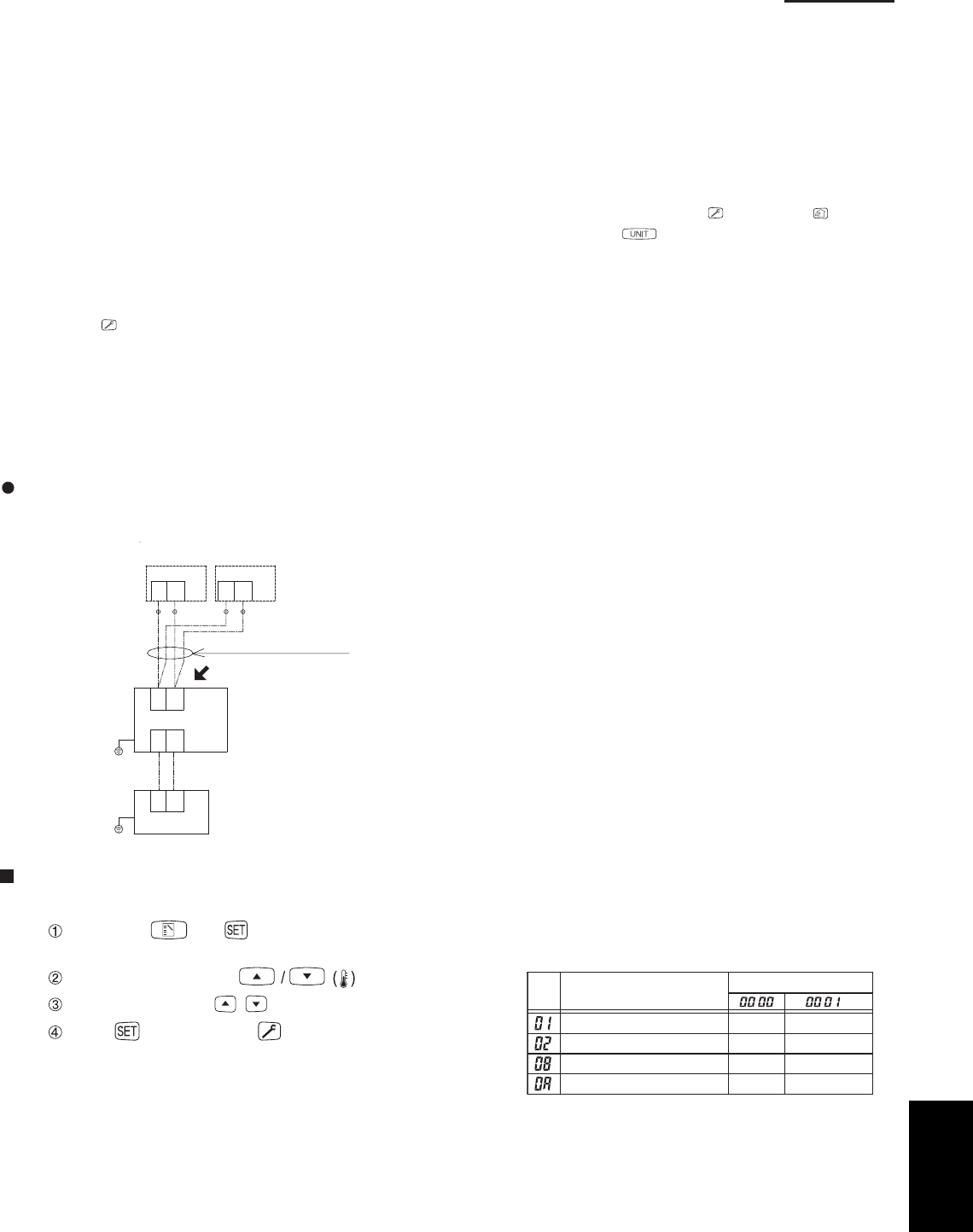
6-9
6. Test run
Indicating (marking) the indoor and outdoor unit combination number
Indicate (mark) the number after automatic address setting is completed.
(1) So that the combination of each indoor unit can be easily checked when multiple units are installed, ensure that
the indoor and outdoor unit numbers correspond to the system address number on the outdoor unit control PCB,
and use a magic marker or similar means which cannot be easily erased to indicate the numbers in an easily
visible location on the indoor units (near the indoor unit nameplates).
Example: (Outdoor) 1 - (Indoor) 1-1...(Outdoor) 2 - (Indoor) 2-2...
(2) These numbers will be needed for maintenance. Be sure to indicate them.
* Use the remote controller to check the addresses of the indoor units. Press and hold the button and
button for 4 seconds or longer (simple settings mode). Then press the button and select the indoor
address. (Each time the button is pressed, the address changes as follows: 1-1, 2-1, ....) The indoor unit fan
operates only at the selected indoor unit. Confirm that correct fan is operating, and indicate address on the
indoor unit.
Press the button again to return to the normal remote controller mode.
For details, refer to the separate handbook.
Main-sub remote controller control
Control using 2 remote controller switches
Main-sub remote controller control refers to the use of 2 remote controllers to control 1 indoor unit.
(A maximum of 2 remote controllers can be connected.)
Connecting 2 remote controllers to
control 1 indoor unit
1 2 1 2
1 2
U1U2
1 2
Remote controller wiring
Optional Optional
Remote controller
switch (sub)
Remote controller
switch (main)
Indoor unit
Outdoor unit
Ground
Ground
for remote
controller wiring
Terminal plate
RCU. Main/Sub
MainSub
CODE
DATA
ITEM
Clock display
12 hours
(AM/PM)
24 hours
RCU. CK
NormalRCU. CK
Room temperature sensor
Main unit RCU
Remote controller setting mode
To set the remote controller main/sub setting or change the sensor, follow the steps below.
Press both and buttons on the remote controller for more than
4 seconds together.
Select CODE No. with buttons.
Change DATA with / (TIMER) buttons.
Press . Finally, press .
*
*Make sure to set [Normal] for RCU. CK.
DATA is memorized in the RCU. (DATA setting will not
be changed even when the power is turned off.)
6
SM830203-01_PAC-i_US-letter.indb9 9SM830203-01_PAC-i_US-letter.indb9 9 2012/01/27 13:49:352012/01/27 13:49:35
201201
SM830203-01_PAC-i_US-letter.indb1 1SM830203-01_PAC-i_US-letter.indb1 1 2012/01/27 13:49:352012/01/27 13:49:35
