Panasonic Dp C265 Specification Sheet
2015-05-18
: Panasonic Panasonic-Dp-C265-Specification-Sheet-731565 panasonic-dp-c265-specification-sheet-731565 panasonic pdf
Open the PDF directly: View PDF  .
.
Page Count: 5
astute
Digital Color Imaging Solutions
DP-C405
|
DP-C305
|
DP-C265
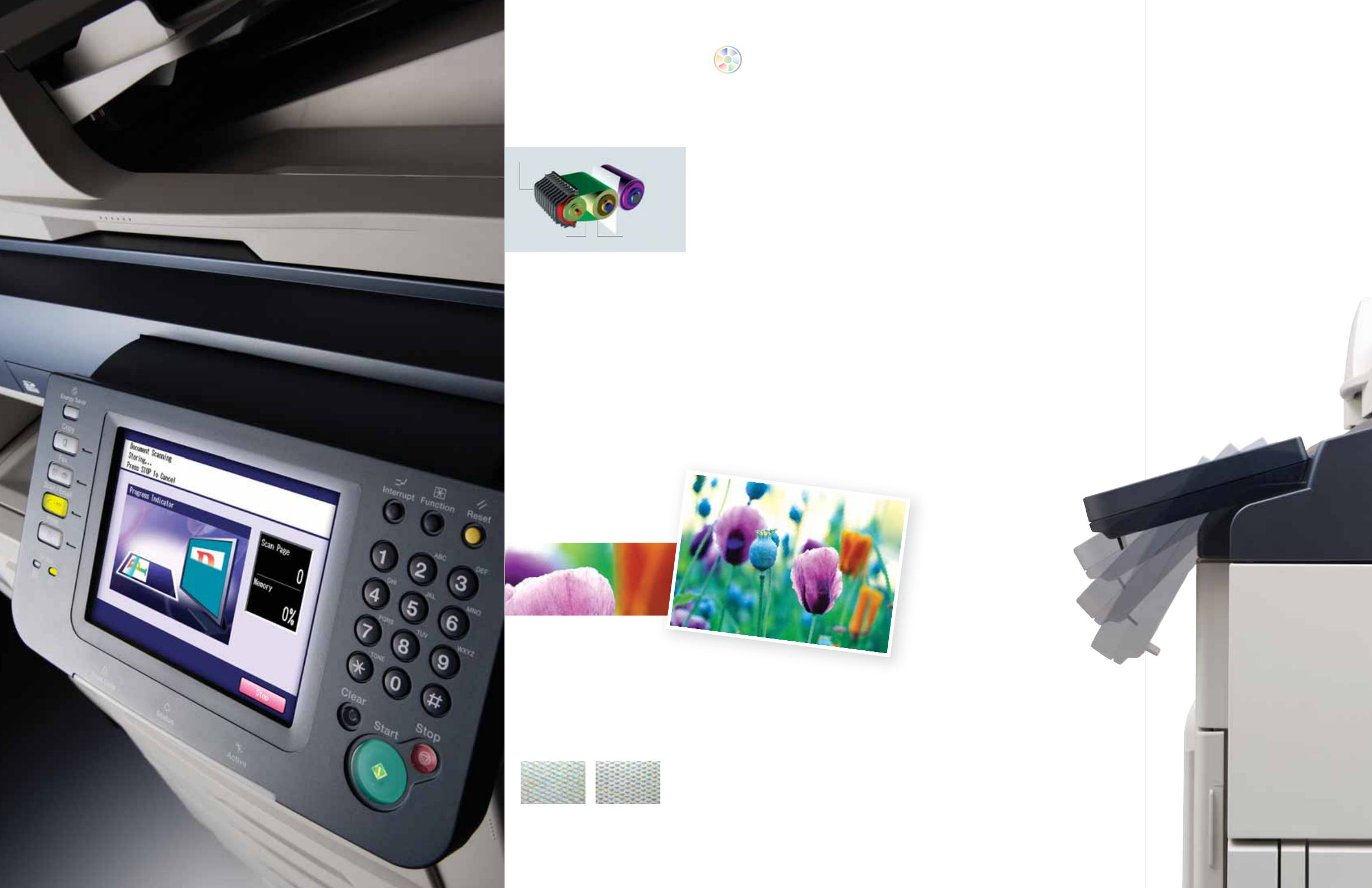
Accelerate Success with High-Speed Printing
The newest members of the C3 lineup are faster with increased speed for both
color and monochrome, boasting one of the fastest warm-up times in the
industry. In as little as 15 seconds, the DP-C405 is ready to print black-and-
white at 40ppm and color at 30ppm (DP-C305: 30ppm color/B&W, DP-C265:
26ppm color/B&W). To keep up with the speed, all models also feature
enhanced capacities. The iADF holds up to 100 originals, while the bypass
accommodates a maximum of 100 sheets and handles paper weights of up
to 140 lb Index. The paper trays hold a maximum of 2,300 sheets and can feed
paper with weights up to 90lb. index. The internal 80GB HDD offers plenty of
capacity for the largest print jobs.
UNIVERSAL DESIGN
At Panasonic, we engineer all the
principles of UD in all our products
from equitable use and flexibility to
simple intuitive operation and tolerance
for error. In the C3 series, our
commitment is reflected in details like
the intuitive tactile cues for the visually
challenged, an easy to grip ADF and tilt
display for easy viewing from any angle.
All designed for easy use.
IH TECHNOLOGY
Panasonic’s C3 Series color MFP is
ready to go in only 15 seconds* – about
1/3 the time of conventional laser-based
MFP’s. Panasonic features the unique
IH (induction heating) fusing process
which not only instantly reaches
operating temperature but also
eliminates the need for maintaining
a high standby temperature, thereby
conserving energy.
*15 seconds from sleep mode
18 seconds from turn on
Streamline Business with Ease of Use
Seeking accessibility that goes beyond "easy to use", Panasonic is committed to
designing products that are truly user friendly for people of all ages and abilities.
The C3 is designed to allow everyone to take full advantage of its multifunctionality,
with it’s User-friendly menus and easy to read graphics on the large 7.8” color
LCD tilt display. Even the most advanced functions are a snap. Ease of use is just
one more way Panasonic accelerates your work and enhances your productivity.
Superb Image Quality Print after Print
Make a vivid statement with documents printed in full color at up to 1200 dpi
x 1200 dpi resolution. The small, uniform particles of toner create smoother
halftone reproduction for images while the Automatic Picture Image Control
system adjusts and evenly distributes toner for consistently superior output
quality even after thousands of pages. Enhanced image processing delivers
more accurate color expression for more natural flesh tones as well as
adjusts contrast for vibrant colors. If outstanding image quality is your
priority, the Panasonic C3 is the ideal solution.
1200 DPI IMAGE QUALITY
High-resolution output makes text
sharper and documents easier to read.
Images are reproduced with true-to-
life quality and superb gradations.
Every document is a statement of
what you are about – quality.
UNIFORM TONER DISTRIBUTION
Technology to constantly monitor and
adjust toner distribution ensures that
every print looks as good as the first.
In addition to producing smooth tonality,
the smaller, uniform particles of the
next-generation toner have a lower
fusing temperature for improved
energy savings.
CONNECT, CONVERGE AND COMMUNICATE WITH COLOR!
Conventional
screen
The improved C3
screen
Fusing Belt
IH Coil
Heat Roller
15-Second Warm-up time
PDF
PowerPoint
Word
TIFF/JPEG
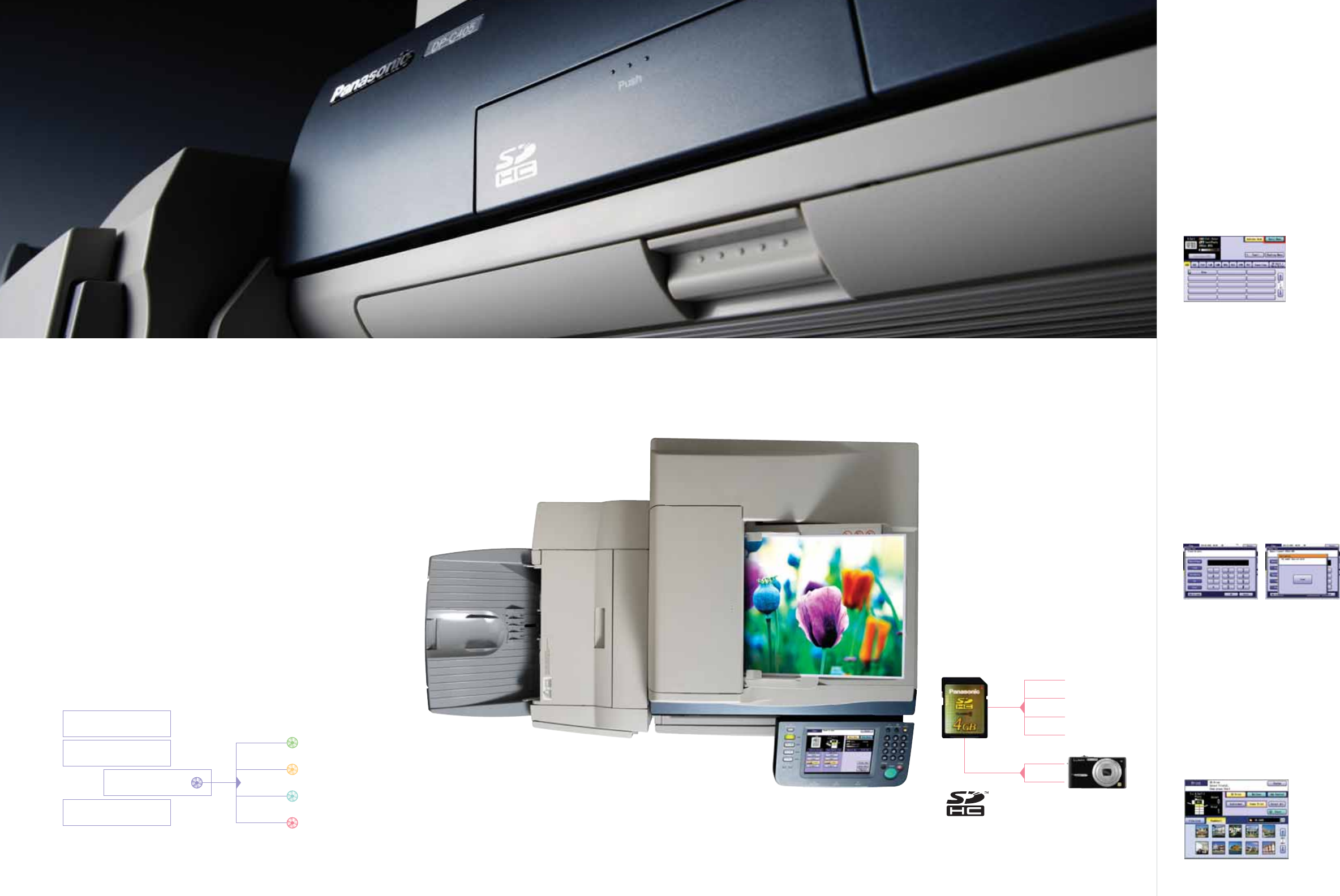
Multiply the Power of Information
Speedy and efficient sharing of information is the essence of a
successful business. Enhanced multi-tasking lets you take advan-
tage of the multifunction scanning capability while the C3 is receiv-
ing faxes or printing. With Panasonic color MFPs, "Scan & Send"
color or monochrome digital documents directly from the control
console to any PC in PDF, Compressed PDF, JPEG or TIFF format.
"Scan & Carry" images by directly scanning to an SD memory card.
"Scan & Archive" with efficient Compressed PDF technology and
revolutionize the way you store and manage archival data. The
powerful scanning versatility of the new C3 lineup is also your
gateway to a "paperless" office environment, allowing you to easily
convert bulky paper into digital data for efficient storage. For
standardized corporate information, photos, forms and other files
may be frequently printed by others in the office. "Scan & Share" can
be utilized to save both scanned documents and images right in the
unit’s large hard disk drive.
LDAP ADDRESS BOOK
If your company uses an LDAP
(Lightweight Directory Access Protocol)
server, our new lineup lets users access
huge global address books and quickly
find recipient email addresses from the
LCD touch panel by entering multiple
letters to narrow the search.
PC
NETWORK
SD CARD
EMAIL
COMPRESSED PDF
Shrink file size while retaining excellent text
legibility with the compressed PDF format.
It not only contributes to significant savings
in digital storage costs, but also allows you
to send files quickly and efficiently over the
network and the files even open quicker!
SHARED IMAGE BOX
Create up to 12 Image Boxes in the
built-in HDD and scan in frequently used
documents and images for everyone to
share. Network users can preview files in
Image Boxes from any PC, using a web browser.
Simple & Direct Printing
with High Capacity SD Card
Skip the PC and go straight to the
source with direct memory card
printing. Now compatible with conve-
nient High Capacity SD card memory,
the new C3 lineup not only lets you
print photos from your digital camera
in JPEG format, but also MS Word,
PowerPoint, TIFF and PDF files! Just
put the memory card in the built-in
slot and it's ready.
MISTAKE DIAL PREVENTION
No more faxes sent to the wrong
destination! System administrators can
set 3 levels of protection: 1) Re-entry of
manually entered numbers to prevent
misdialing, 2) No acceptance of keypad
dialing, and 3) On-screen confirmation
of the addressee before transmission.
JUNK FAX FILTER
Fax sender IDs are matched against a
"black list" of junk fax numbers. If a match
is found, reception is cancelled, saving you
time, toner and paper.
THUMBNAIL PREVIEW
From your digital camera’s memory card,
quickly navigate and select images for
printing with the Thumbnail Preview. The
large, high-resolution LCD display makes it
easy to find just the right data you want.
FAX
SCAN TO
COPY
PRINT
Harness the Hardware with Powerful Applications
The acclaimed Panasonic Document Management System Software is a
powerful suite of applications for seamless command of printing, PC-Fax,
scanning, document management and device management. Right at your desk
you can control and monitor many functions the C3 offers. Browse all your
scanned documents in Quick Image Navigator, then select an image and print
or attach to an email. You can even edit the image or make notations. With the
included PC-Fax software, you can send a Fax without leaving your desk. You
can also monitor the printer’s condition such as your job's status or how much
toner is left. You can do all this and more right at your desk! And now, with
Panasonic's Network Update Service, your software is automatically updated
so you can be sure that you are using the latest version all the time.
Outstanding Security
Panasonic color MFPs not only bring multifunctionality into a single easy-
to-use hub, but also enable centralized information security with powerful
features such as network User Authentication. Job Tracking logs time,
sender and content of faxes, email and Internet faxes sent from the MFP and
provides the administrator with a data record by email. And with the optional
Network Accounting Manager, even transmitted and received faxes can be
easily monitored. Other functions like Secure Mailbox Printing to prevent
viewing of confidential documents in a busy office situation and HDD Data
Erasure for deletion of sensitive information from the MFP's hard disk
further enhance security and your peace of mind.
USER AUTHENTICATION
Restrict copier, scanner, fax and/or
printer usage by requiring a user ID
and password. The User Authentication
system supports easy tracking and
management of all data sent and
received.
SECURE MAILBOX
In large busy offices, others can mistak-
enly take or see confidential documents
left in the output tray before you can pick
them up. Secure mailbox printing makes
sure the printout does not begin until the
user enters both the correct user name
and a PIN code at the MFP control panel.
DIRECT PRINTING SYSTEM
Drag and Drop printing of JPEG, PDF
and TIFF files without using a printer driver.
FAX DRIVER
Save paper, by eliminating the steps of
first printing out a document. Easy to use
utility for sending faxes.
PANAFAX DESKTOP
Powerful application to send and receive
faxes right from your desktop.
QUICK IMAGE NAVIGATOR
Scanned in and archived images on the
network can be viewed, edited and printed
or sent easily with Quick Image Navigator.
DEVICE EXPLORE/DEVICE MONITOR
Monitor the status of the printer easily
from your desktop.
MEMORY CARD PRINT UTILITY
Print JPEG, TIFF, PDF, WORD and
PowerPoint files directly from the High
Capacity SD card or PC Card.
PRINTING
PC-FAX
SCANNING
DEVICE MANAGEMENT
Panasonic-DMS
PANASONIC DOCUMENT
MANAGEMENT
SYSTEM SOFTWARE
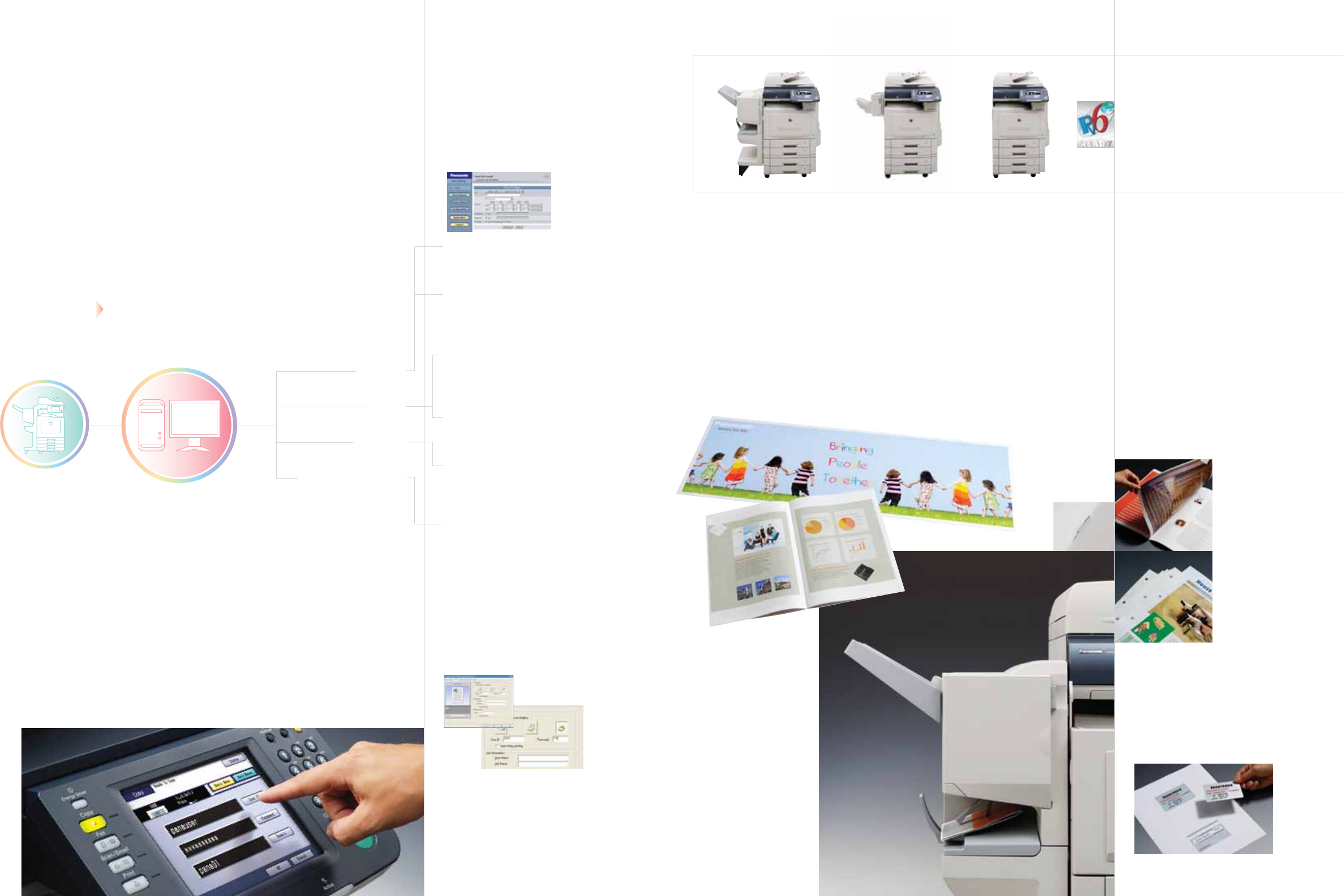
"Meeting Ready" with the Advanced Finisher
The versatility of the optional finisher now has enhanced capacity. Auto-
matically sorting, saddle-stitching and folding, it can transform 15 letter,
ledger or legal-size sheets into beautifully printed 60-page booklets.
Offering a choice of automatic stapling, hole punching, saddle-stitching
and several sorting options, C3 "on demand" printing is just a click away
on your PC, freeing you from the expense of outside contractors.
Other useful functions include banner printing for easy poster making
and Double Exposure for printing of double sided ID cards or forms.
Double Exposure / Digital SkyShot
Make color copies of ID cards and other
double-sided documents on a single sheet
of paper. Even with the platen cover open,
there are no ugly borders. You save time,
paper and toner, and get beautiful results.
BOOKLET BUILDER
Produce perfectly bound booklets automati-
cally. User-friendly menus on the console and
in the printer driver interface walk the user
through the steps with helpful icons and offer
a binding selection from stapling and hole
punching to saddle stitching.
BANNER PRINTING
Communicate with the impact of posters
and large-format documents. Using the
bypass tray, users can print up to 36” oversized
output in brilliant eye-catching color and do
it all in-house!
NETWORK ACCOUNTING MANAGER
Keep track of machine use by department
or individual users and maintain an
account log with the optional Network
Accounting Manager. The Job Tracking log
answers the "who", "what", "when" and
"where" questions about your information
traffic for a better command of security.
DP
-
C405 DP
-
C305 DP
-
C265
Color
30PPM
B/W
40PPM
B/W
30PPM
Color
30PPM
Color
26PPM
B/W
26PPM
NEW LINEUP OF SMARTER SOLUTIONS
Only 15 seconds from cold start to warm up.
Faster output. Expanded capacity. High-
productivity options. Countless innovations
and improvements. The enhanced C3 lineup
of award-winning color multifunctional
printers has a powerful solution tailored to
your business.
DP-C405/305/265-BR 02/08
DP-C405/C305/C265 Specifications
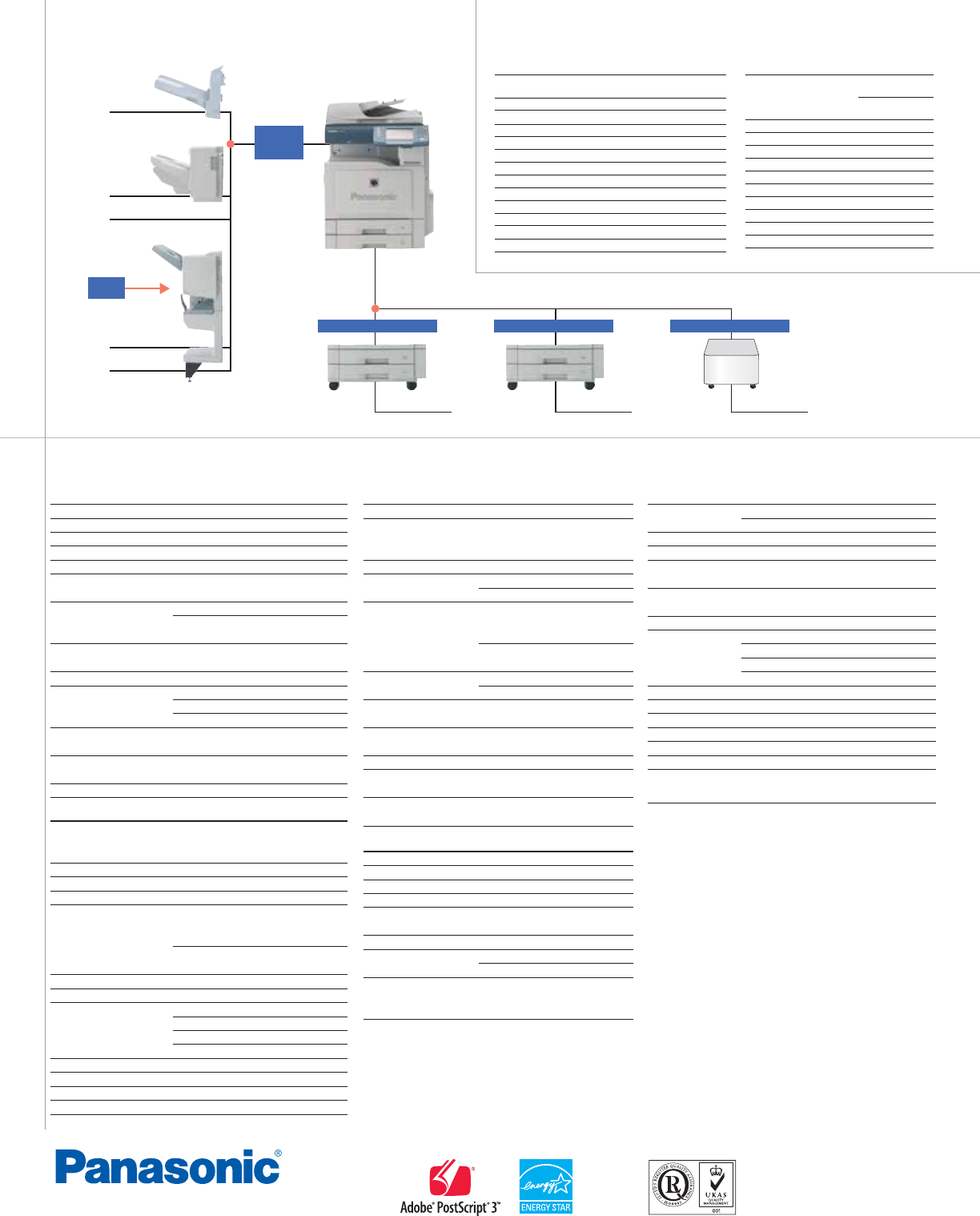
DP-C405/C305/C265 Options
ISO 9001
Quality Management System
Our business processes which produce document, information and network
products, from manufacturing to marketing, conform to ISO9001 Quality
Management Systems standard. Design, development, manufacture,
installation, repair and maintenance of document, information and network
products, their associated devices and consumables. In addition, the plants
outside Japan have acquired ISO9001 certification.
As an Energy Star®
Partner, Panasonic has
determined that this
product meets the
Energy Star® Guidelines
for energy efficiency.
DA-XT320
DA-FS405
DQ-SS35
DA-FS402
FQ-SS32
System Console 1
DA-DS321
System Console 2
DA-DS320
Deluxe Stand
DA1D322
DA-SP41
(Standard with the optional Finisher)
(Standard with the optional Finisher)
Panasonic Communications Company of North America
One Panasonic Way, Secaucus, NJ 07094
For a local dealer, please call 1-800-742-8086
panasonic.com/office
General
Type Semi Console
Copy/Print Process Laser Indirect Electrostatic
Developing Process Dry Dual Component
Fusing Method Induction Heating (IH) System
Inverting Automatic Document Feeder
100 sheets (8.5" x 11", 20 lb)
Paper Feed
Standard 550 sheets paper tray unit x 2 + 100-sheet bypass
Max. 2,300 sheets with option
Paper Weight Paper Tray: 18 to 45 lb (64 to 169
g
/m2) (Bond Paper)
Bypass: 15 to 40 lb (55 to 256
g
/m2) (Bond Paper)
90 - 140 lb (Index, Coated Paper)
Media Interface SD Card max. 4GB (SDHC)
PC(PCMCIA) Card Type 2, 3.3V
Power Requirements AC 120 V, 60 Hz, 12 A
Power Consumption Max.: Less than 1.44 kWh
Power saver mode: Approx. 75 Wh
Sleep mode: Approx. 35 Wh
Warm-up Time (68˚F/20˚C) Approx. 15 sec. (from Power Saver mode/sleep mode)
Approx. 18 sec. (Main Power switch ON)
Dimensions (W x D x H)*1 26.1" x 32.5" x 36.7" (664 x 825 x 933 mm)
(Excluding optional equipment)
(Including Automatic Document Feeder and ADF mounting bracket)
Weight
(Excluding optional equipment)
*1 Approx. 360.8 lb (164kg)
Digital Copier
First Copy Time B/W: Approx. 6.2 sec. (8.5" x 11") (DP-C405)
Approx. 6.7 sec (8.5" x 11") (DP-C305)
Approx. 7.3 sec (8.5" x 11") (DP-C265)
Color: Approx. 10.3 sec (8.5" x 11")
Resolution Up to 600 dpi
Gray Scale 256 steps
Multi Copy Speed*2 B/W: Up to 40 ppm (DP-C405)
Up to 30 ppm (DP-C305)
Up to 26 ppm (DP-C265)
Color: Up to 30 ppm (DP-C405/C305)
UP to 26 ppm (DP-C265)
Maximum Original Size 11" x 17"
Copy Size 11" x 17" - 5.5" x 8.5"
Copy Ratio Enlargement: (xed)
200%, 155%, 129%, 121%
Reduction: (xed)
79%, 77%, 65%, 61%, 50%
Zoom (variable) 25% - 400% (in 1% increments)
Multiple Copy 1 to 999, Automatic reset to 1
Exposure Control Text, Text / Photo, Photo
Sort Memory Standard 30 GB
Printer
Network Printer Interface Ethernet 10Base-T/100Base-TX
Communication Protocol TCP/IP(LPD[Port9100/Raw], SNMP, DHCP),
IPX/SPX(NDS/Bindery/NDPS), AppleTalk (PS),
IPP, Bonjour (PS)
Local Printer Interface USB 2.0
Printer Language (Standard) PCL 6 Emulation,
(Option) Adobe® PostScript® 3™*3
Printing Speed *2 B/W: Up to 40 ppm (DP-C405)
Up to 30 ppm (DP-C305)
Up to 26 ppm (DP-C265)
Color: Up to 30 ppm (DP-C405/C305)
UP to 26 ppm (DP-C265)
Paper Size Paper Tray: 11" x 17" - 5.5" x 8.5"
Bypass: 12" x 36" - 4" x 6"
Printing Resolution 1,200 dpi x 1,200 dpi*4, 600 dpi x 600 dpi,
300 dpi x 300 dpi
Printer Memory 512MB Standard
768MB Max
PCL/PS Spool Memory 3 GB
Compatible Client Operating Systems
Windows® Vista®, Windows®XP/2000/Server 2003
Mac OS 8.6-10.5(PS 3 only)
Compatible Network Operating Systems
Windows® 2000/Server 2003, Novell 3.x/4.x/5.x/6.x,
Unix (LPR), Linux (LPR), AS/400
G3 Fax (Option) / Internet Fax
Compatibility G3 Fax: ITU-T Group 3, ECM
Internet Fax: ITU-T T.37, IETF RFC 3965
Communication Protocol TCP/IP, SMTP, POP3, MIME, LDAP (Internet Fax)
Modem Speed 33.6 kbps - 2.4 kbps with automatic fallback (G3 Fax)
Coding Scheme JBIG / MMR / MR / MH
(Conforms to ITU-T Recommendations)
Scanning Speed*5 Approx. 0.7 sec.
(8.5" x 11" portrait in Standard or Fine mode with ADF)
Transmission Speed*6 Approx. 2.9 sec.(Letter)
Scanning Resolution Standard: 203 dpi x 98 lpi (8 dots/mm x 3.85 lines/mm)
Fine: 203 dpi x 196 lpi (8 dots/mm x 7.7 lines/mm)
Super Fine: 406 dpi x 391 lpi (16 dots/mm x 15.4 lines/mm)
600 dpi: 600 dpi x 600 dpi
Maximum Original Size 11" x 17"
Eective Scanning Width 11.5" (292mm)
Recording Resolution 600 x 600 dpi
Standard Memory*7
3 MB
(approx. 180 pages based on ITU-T Image No.1 using Standard Resolution)
Optional Memory*7 Max. 96MB
Data Format TIFF-FX (Prole S/F/J)
Note
*1 Dimensions and weights are approximate.
*2 Speeds are contingent upon applications, machine conguration, and status. Individual speeds may vary.
*3 Requires Printer Controller Module option.
*4 Requires optional page memory.
*5 Scanning speed applies to the feeding process from the top to the end of a single page test chart.
The time for the feeding process does not include the time that it takes for the top edge of the page
to reach the scanning point and page ejection. Time for entire storing process is not applied.
*6 Transmission time applies to memory transmission of text data using only ITU-T Image No.1 between
the same models at maximum modem speed. Transmission time may vary in actual usage.
Usually public telephone lines can only support communication speeds of 28.8 Kbps or lower.
Via PBX, transmission speed may fall back to a lower speed.
*7 Based on ITU-T Image No.1 scanned in Standard mode.
*8 Depending on the receiving machines capability, the document may not be correctly printed
depending on the chosen resolution and document size.
Design and specication are subject to change without notice.
Not all options may be available at the time of notication.
Microsoft® Windows® is a registered trademark of Microsoft Corporation.
Adobe, PostScript and PostScript 3 are either registered trademarks or trademarks of Adobe Systems, Inc.
Novell Netware® and Novell Directory Services® are registered trademarks of Novell Inc.,
in the United States and other countries.
PCL is a registered trademark of Hewlett-Packard.
The SDHC logo is a trademark.
All other brand or product names are the property of their respective holders.
IPv6 Ready Logo is the international IPv6 product’s certication program managed by the IPv6 Ready Logo Committee.
This Product is designed to reduce hazardous chemical substances along with the RoHS directive.
Network Scanner / Scan-to-Email
Network Scanner Interface Ethernet 10Base-T/100Base-TX
Communication Protocol TCP/IP (LPR, FTP)
Maximum Scanning Size 11" x 17"
Scanning Speed 45 sheets/minute (8.5" x 11")
Scanning Resolution 200 dpi x 200 dpi, 300 dpi x 300 dpi,
400 x 400 dpi, 600 dpi x 600 dpi
Compatible Client Operating Systems
Windows® Vista®, Windows®XP/2000/Server 2003
Data Format B/W: TIFF, PDF, Compressed PDF
Color: JPEG, PDF, Compressed PDF
Address Book Capacity 1,000 stations
(including Network scanner,
Scan-to-Email, G3 Fax and Internet Fax)
Exit Tray (Outer)
Staple
Staple
1-Bin Saddle
-Stitch Finisher
1-Bin Finisher
Paper Feed Options
Options
Printer Options
Printer Controller Module
(for Adobe®PostScript®3™) DA-MC400
FAX Options
Fax Communication Board DA-FG320
Memory Options
Page Memory (256 MB) DA-PMV56
Software Options
Accounting Software DA-WA10
Document Distribution System DA-WR10
Document Distribution System Unlock Module
DA-UK10
Remote Operation Panel Software DA-UD320
Other Options
Data Security Kit DA-SC04
Mechanical Counter PJWEF2170PU
Coin Vendor Interface Kit PJZEF3310PB
Consumables
Toner
Toner Cartridge (Black) DQ-TUW28K
(for DP-C405)
DQ-TUV28K
(for DP-C305/C265)
Toner Cartridge (Cyan) DQ-TUV20C
Toner Cartridge (Magenta) DQ-TUV20M
Toner Cartridge (Yellow) DQ-TUV20Y
Toner Waste Container
Toner Waste Container DQ-BFN45
OPC Drum Unit
OPC Drum Unit (Black) DQ-UHS36K
OPC Drum Unit (Color) DQ-UHS30
Staple
Staples for DA-FS405 DQ-SS35
Staples for DA-FS402 FQ-SS32
DA-FK350
P
ape
r
T
ransport
U
nit
Punc
h
U
ni
t
4
-Paper Tray Conguratio
n
3-Paper Tray Conguratio
n
2
-Paper Tray Conguratio
n
