Admin User Guide
User Manual: Pdf
Open the PDF directly: View PDF  .
.
Page Count: 8

Admin-User Guide
MnemoPaul
ver. 1.x.x
by Paweł Dudek
© 2017

Agenda
1. General informations ............................................................................................ 3
2. Database implementation .................................................................................... 3
3. Logging and registration ........................................................................................ 4
4. Words ................................................................................................................... 5
4.1 Adding new cards .......................................................................................... 5
4.2 Word repeating .............................................................................................. 6
4.3 Cards edit ...................................................................................................... 7
5. Admin panel ......................................................................................................... 8
1. General informations
Install Eclipse, IntelliJ IDEA or similar application.
Install Tomcat 8.5.x version.
Configure Tomcat server with default. Only remember to set Tomcat 8.0
version in configuration.
Import MnemoPaul project as Maven project to Eclipse or similar application.
Implement MySQL database (read Chapter 2).To use Oracle Database or
similar, you have to edit DAOFactory.java class additionally.
Default MySql user is „root”, password „admin”. If you want to change username
or password, edit context.xml.
Run Mnemopaul on Tomcat Server. Default path in Eclipse is:
localhost:8080/mnemopaul.
2. Database implementation
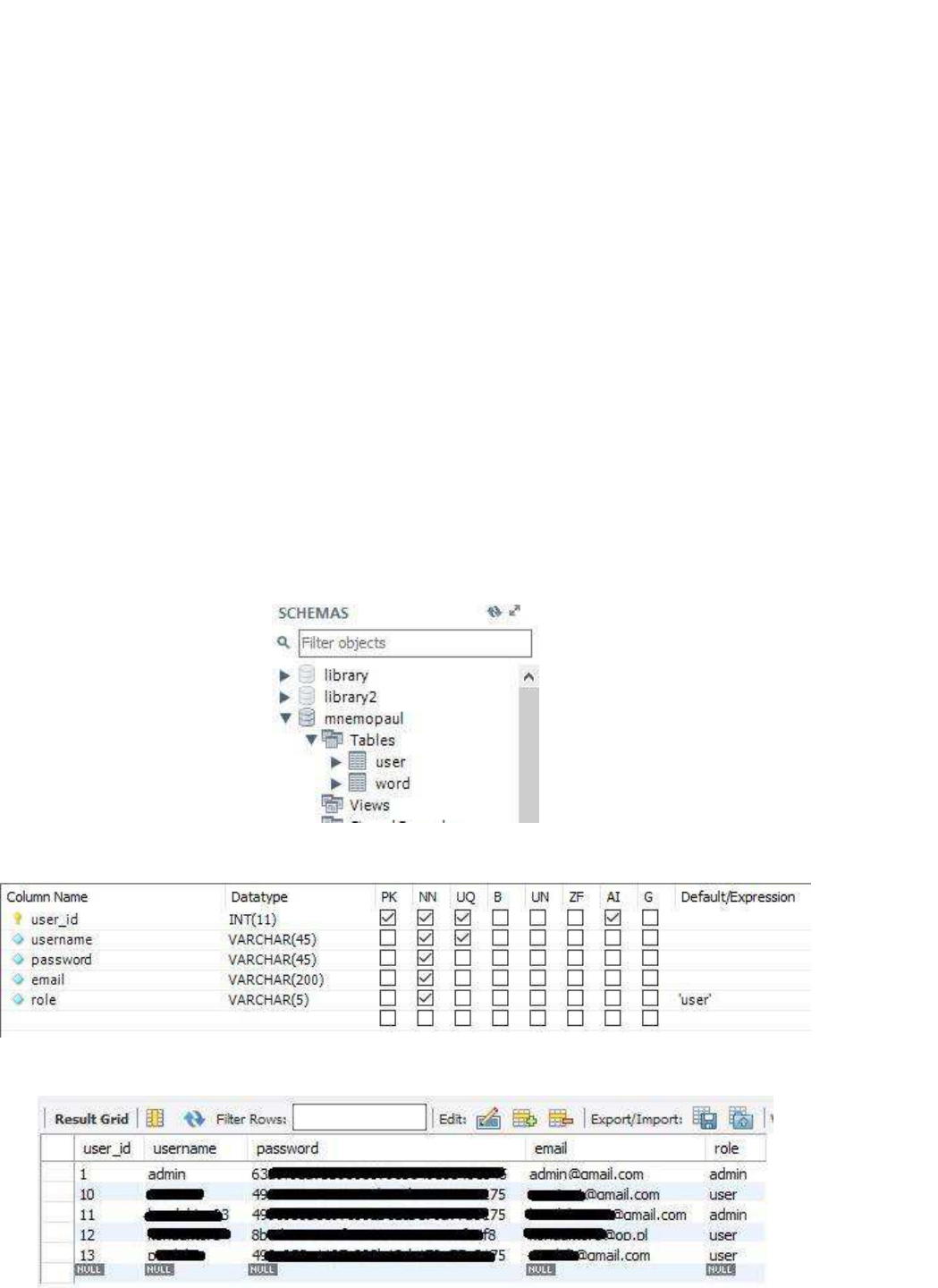
1. Implement the database using screenshots (MySql Workbench 4.3 example):
Picture 2.1 Mnemopaul in schemas tree
Picture 2.2 Table 'user' structure
Picture 2.3 Example rows in 'user' table
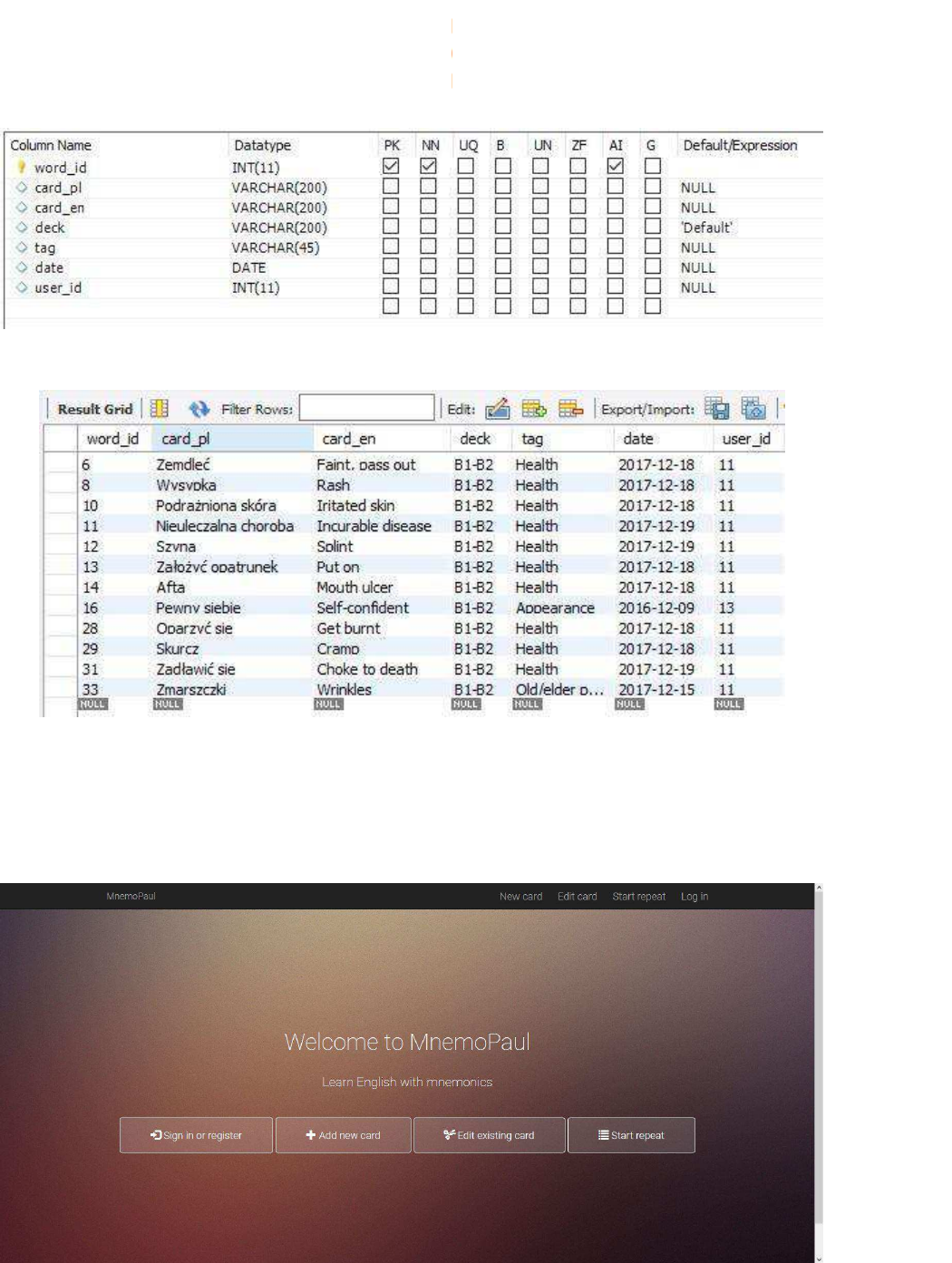
Picture 2.4 Table 'word' structure
Picture 2.5 Example rows in 'word' table
3. Logging and registration
1. Click „Sign in or register” or „Log in” button.
Picture 3.1 Main page
2. If you have an account, fill fields with your username and password, then click
„Sign in”. If you don’t have an account, click „Register” button.
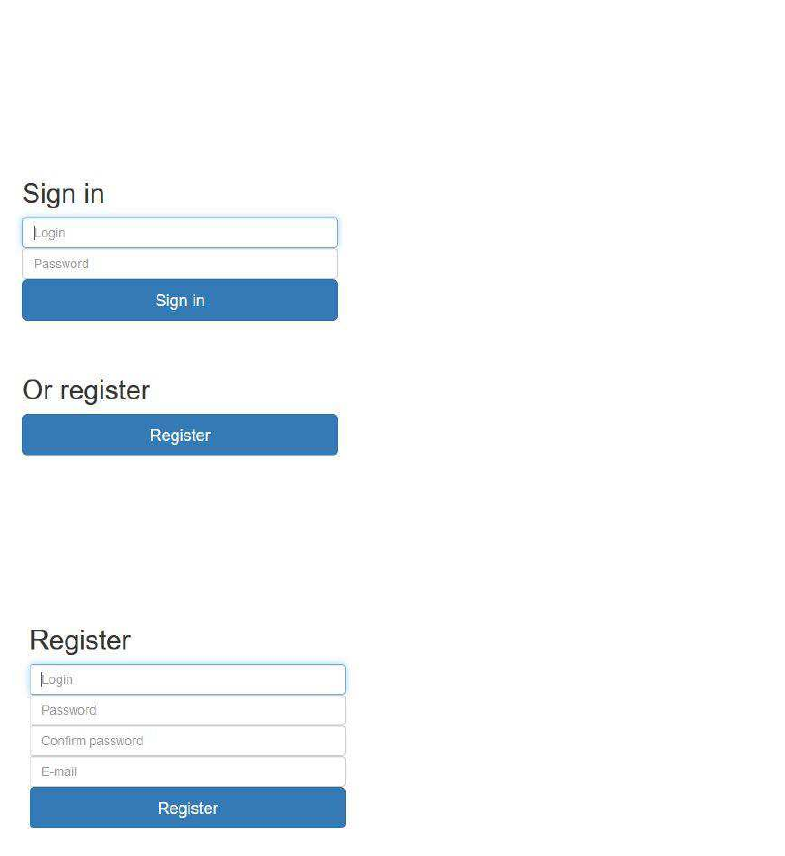
Picture 2.3.1 Log in form
3. Fill the register form and click „Register”. You are redirected to sign in page.
Picture 2.3.2 Register form
4. Words
4.1 Adding new cards
1. In main menu click „Add new card” or „New card”.
2. Fill new card form. It isn’t obligatory to fill all fields:
card in polish e.g. „edytuj” (max 200 signs);
card in English e.g. „edit” (max 200 signs);
deck – e.g. your english level „B2-C1”;
tag – your word category e.g. „programming”.
3. Click „Add” button. Page will be refreshed automatically.
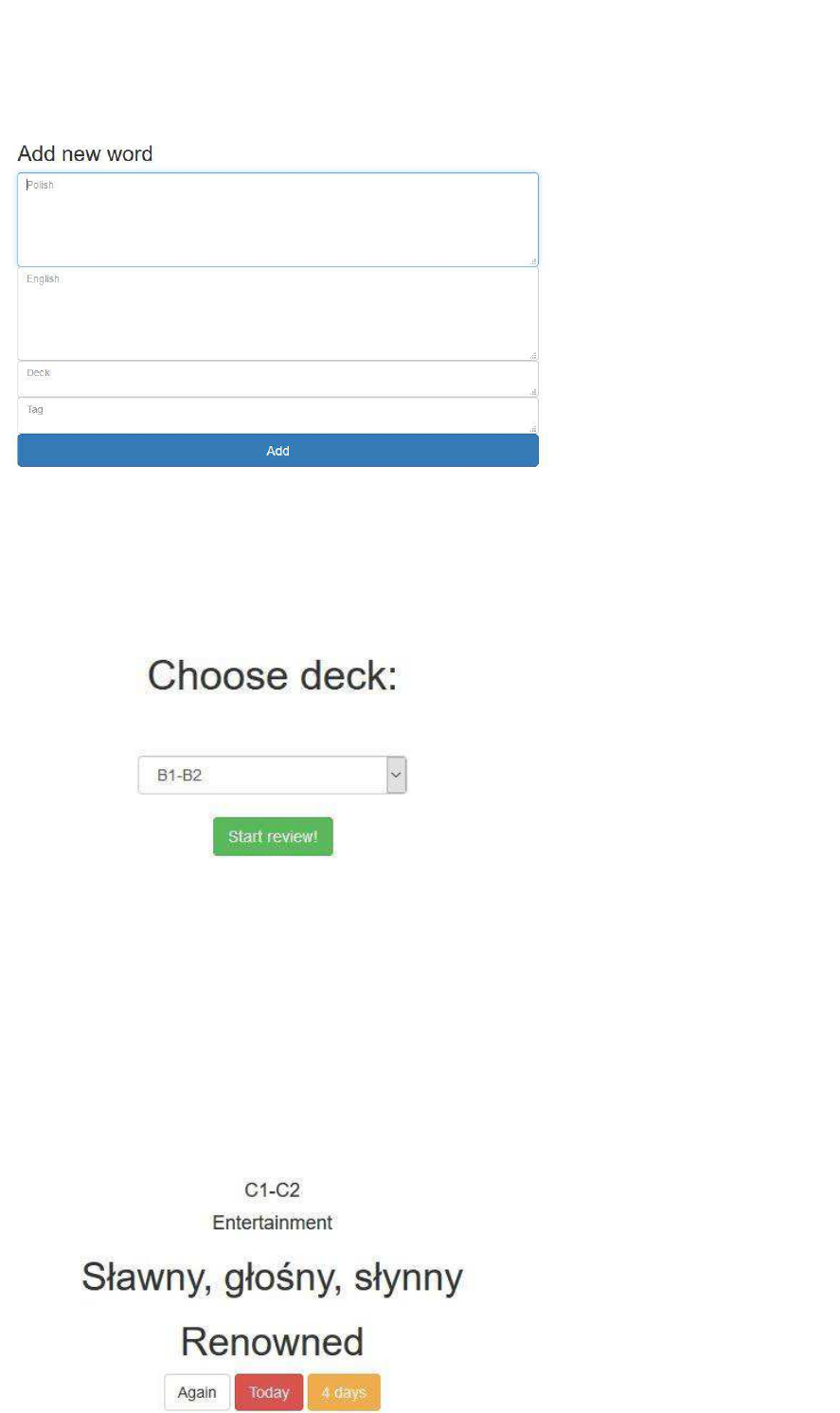
Picture 4.1 New word form
4.2 Word repeating
1. Click „Start repeat” and choose deck or keep empty choise (all decks) and
click „Start repeat!”.
Picture 4.2 Deck choise
2. Remind yourself translation of word showed. Click „Unhide/hide” to unhide
buttons. Click one of this buttons to evaluate your knowledge of this
translation. Next word will be loaded automatically.
If you see the word first time, you can choose „Again”, „Today” or „4 days”
buttons. Next time you see buttons „Today”, „4 days”, „10 days”, „20 days” and
„30 days”. Colors help you to decide how good you know the word.
Rysunek 4.1 Repeat panel
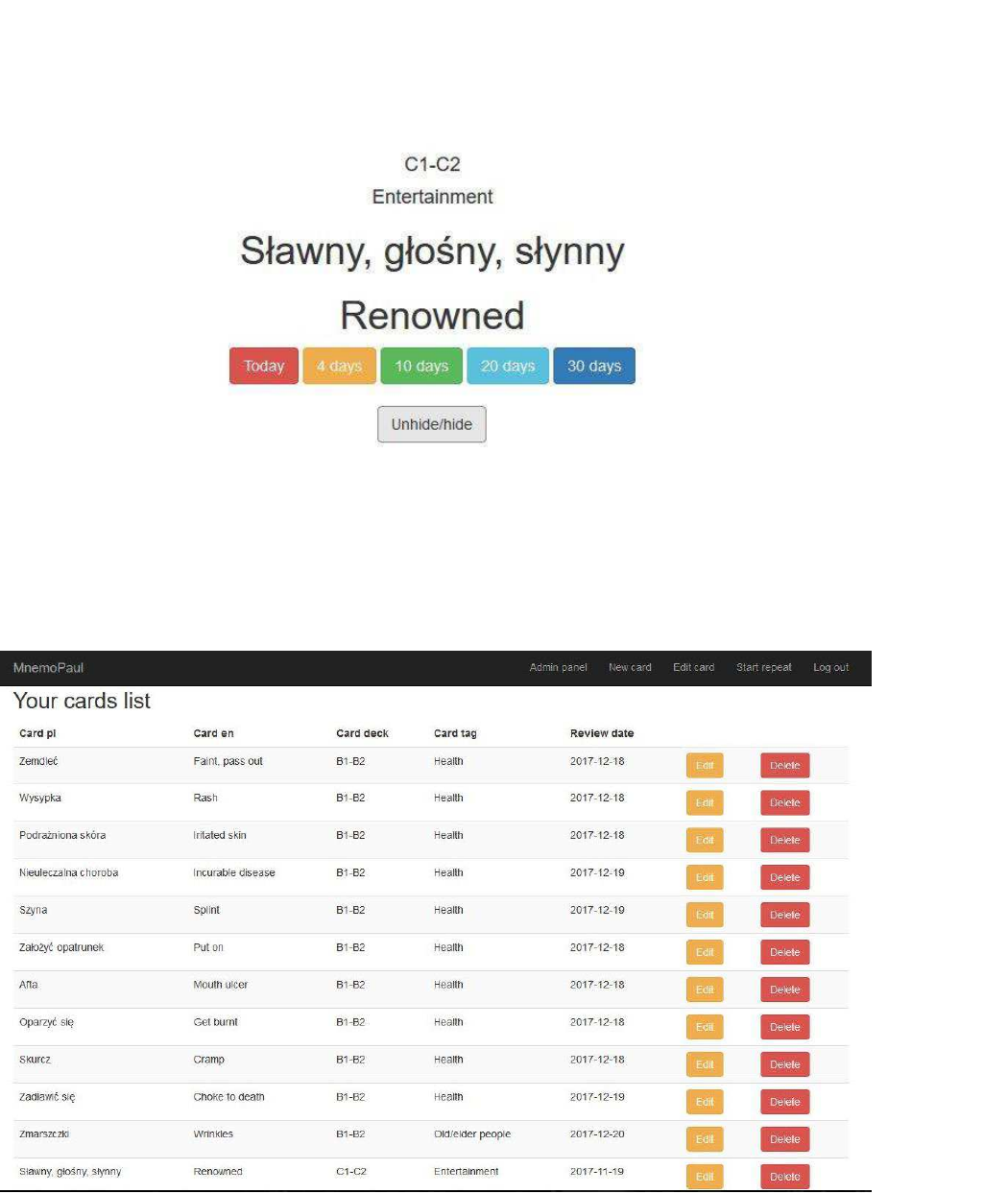
Rysunek 4.2 Repeat panel
4.3 Cards edit
1. Click „Edit card”.
2. If you want to delete a card, click „Delete”. To edit click „Edit”.
Picture 4.3 Cards list
3. Fill the changes in fields. You don’t have to fill all fields – only filled fields will
be changed.
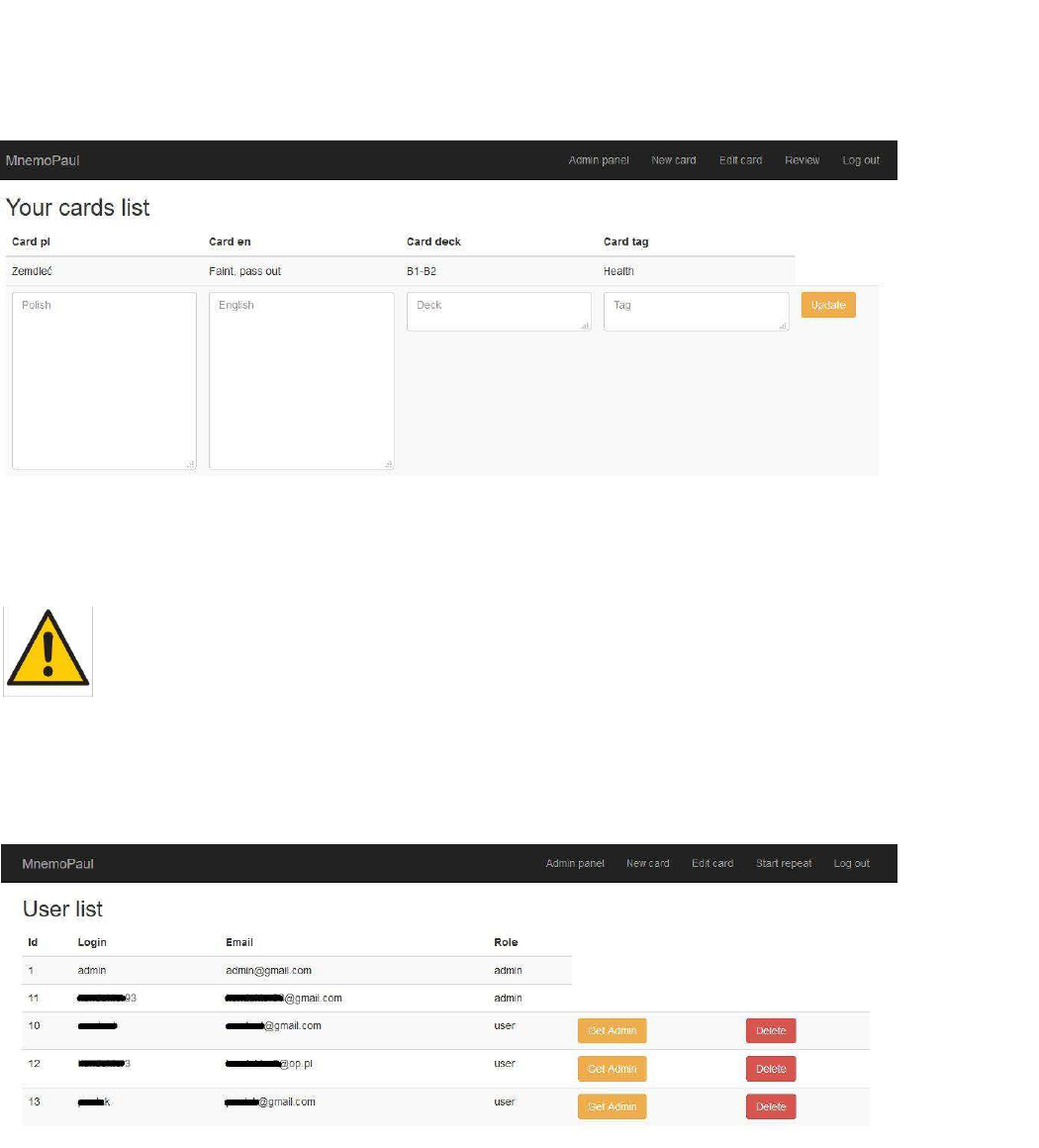
Picture 4.4 Edit card panel
5. Admin panel
You need to have administration rights to perform these operations!
1. Click „Admin panel”. This link is only showed for administrators after log in.
2. If you want to delete user, click „Delete”. You can’t delete other administrators.
To set administrator privileges to user, click „Get admin”.
Picture 5.1 Admin panel
Powered by TCPDF (www.tcpdf.org)Powered by TCPDF (www.tcpdf.org)Powered by TCPDF (www.tcpdf.org)Powered by TCPDF (www.tcpdf.org)Powered by TCPDF (www.tcpdf.org)Powered by TCPDF (www.tcpdf.org)Powered by TCPDF (www.tcpdf.org)Powered by TCPDF (www.tcpdf.org)Powered by TCPDF (www.tcpdf.org)
