GPG Manual
User Manual: Pdf
Open the PDF directly: View PDF  .
.
Page Count: 12
Chapter 1. Getting Started
GnuPG is a tool for secure communication. This chapter is a quick-start guide that covers the core functionality
of GnuPG. This includes keypair creation, exchanging and verifying keys, encrypting and decrypting docu-
ments, and authenticating documents with digital signatures. It does not explain in detail the concepts behind
public-key cryptography, encryption, and digital signatures. This is covered in Chapter 2. It also does not explain
how to use GnuPG wisely. This is covered in Chapters 3 and 4.
GnuPG uses public-key cryptography so that users may communicate securely. In a public-key system,
each user has a pair of keys consisting of a private key and a public key. A user’s private key is kept secret;
it need never be revealed. The public key may be given to anyone with whom the user wants to communicate.
GnuPG uses a somewhat more sophisticated scheme in which a user has a primary keypair and then zero or more
additional subordinate keypairs. The primary and subordinate keypairs are bundled to facilitate key management
and the bundle can often be considered simply as one keypair.
Generating a new keypair
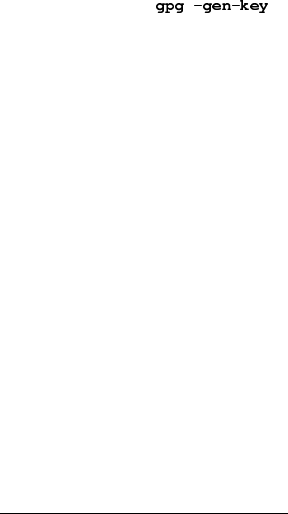
The command-line option -gen-key is used to create a new primary keypair.
alice%
gpg (GnuPG) 0.9.4; Copyright (C) 1999 Free Software Foundation, Inc.
This program comes with ABSOLUTELY NO WARRANTY.
This is free software, and you are welcome to redistribute it
under certain conditions. See the file COPYING for details.
Please select what kind of key you want:
(1) DSA and ElGamal (default)
(2) DSA (sign only)
(4) ElGamal (sign and encrypt)
Your selection?
GnuPG is able to create several different types of keypairs, but a primary key must be capable of making
signatures. There are therefore only three options. Option 1 actually creates two keypairs. A DSA keypair is
the primary keypair usable only for making signatures. An ElGamal subordinate keypair is also created for
encryption. Option 2 is similar but creates only a DSA keypair. Option 41creates a single ElGamal keypair
usable for both making signatures and performing encryption. In all cases it is possible to later add additional
subkeys for encryption and signing. For most users the default option is fine.
You must also choose a key size. The size of a DSA key must be between 512 and 1024 bits, and an
ElGamal key may be of any size. GnuPG, however, requires that keys be no smaller than 768 bits. Therefore, if
Option 1 was chosen and you choose a keysize larger than 1024 bits, the ElGamal key will have the requested
size, but the DSA key will be 1024 bits.
1. Option 3 is to generate an ElGamal keypair that is not usable for making signatures.
6
Chapter 1. Getting Started
About to generate a new ELG-E keypair.
minimum keysize is 768 bits
default keysize is 1024 bits
highest suggested keysize is 2048 bits
What keysize do you want? (1024)
The longer the key the more secure it is against brute-force attacks, but for almost all purposes the default
keysize is adequate since it would be cheaper to circumvent the encryption than try to break it. Also, encryption
and decryption will be slower as the key size is increased, and a larger keysize may affect signature length. Once
selected, the keysize can never be changed.
Finally, you must choose an expiration date. If Option 1 was chosen, the expiration date will be used for
both the ElGamal and DSA keypairs.
Please specify how long the key should be valid.
0 = key does not expire
<n> = key expires in n days
<n>w = key expires in n weeks
<n>m = key expires in n months
<n>y = key expires in n years
Key is valid for? (0)
For most users a key that does not expire is adequate. The expiration time should be chosen with care,
however, since although it is possible to change the expiration date after the key is created, it may be difficult to
communicate a change to users who have your public key.
You must provide a user ID in addition to the key parameters. The user ID is used to associate the key
being created with a real person.
You need a User-ID to identify your key; the software constructs the user id
from Real Name, Comment and Email Address in this form:
"Heinrich Heine (Der Dichter) <heinrichh@duesseldorf.de>"
Real name:
Only one user ID is created when a key is created, but it is possible to create additional user IDs if you
want to use the key in two or more contexts, e.g., as an employee at work and a political activist on the side. A
user ID should be created carefully since it cannot be edited after it is created.
GnuPG needs a passphrase to protect the primary and subordinate private keys that you keep in your
possession.
You need a Passphrase to protect your private key.
Enter passphrase:
There is no limit on the length of a passphrase, and it should be carefully chosen. From the perspective of
security, the passphrase to unlock the private key is one of the weakest points in GnuPG (and other public-key
encryption systems as well) since it is the only protection you have if another individual gets your private key.
Ideally, the passphrase should not use words from a dictionary and should mix the case of alphabetic characters
as well as use non-alphabetic characters. A good passphrase is crucial to the secure use of GnuPG.
7
Chapter 1. Getting Started
Generating a revocation certificate
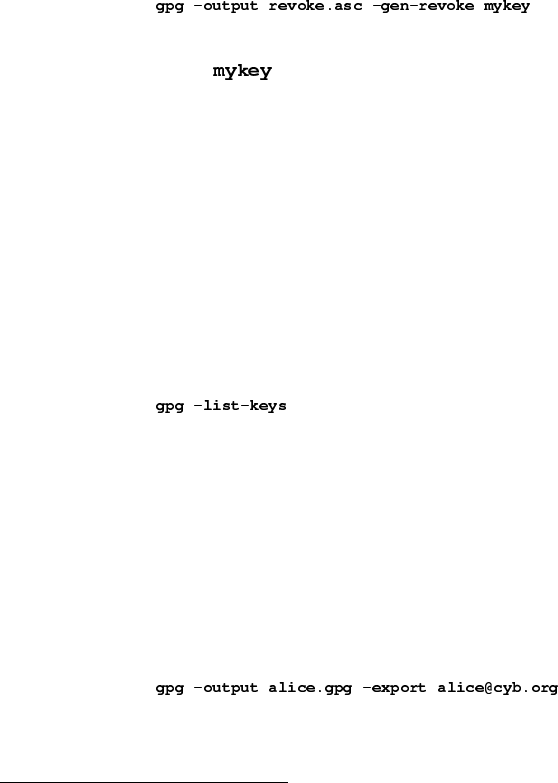
After your keypair is created you should immediately generate a revocation certificate for the primary public
key using the option -gen-revoke. If you forget your passphrase or if your private key is compromised or lost,
this revocation certificate may be published to notify others that the public key should no longer be used. A
revoked public key can still be used to verify signatures made by you in the past, but it cannot be used to encrypt
future messages to you. It also does not affect your ability to decrypt messages sent to you in the past if you still
do have access to the private key.
alice%
[...]
The argument must be a key specifier, either the key ID of your primary keypair or any part of a user
ID that identifies your keypair. The generated certificate will be left in the file revoke.asc. If the -output
option is omitted, the result will be placed on standard output. Since the certificate is short, you may wish to
print a hardcopy of the certificate to store somewhere safe such as your safe deposit box. The certificate should
not be stored where others can access it since anybody can publish the revocation certificate and render the
corresponding public key useless.
Exchanging keys
To communicate with others you must exchange public keys. To list the keys on your public keyring use the
command-line option -list-keys.
alice%
/users/alice/.gnupg/pubring.gpg
--------------------------
pub 1024D/BB7576AC 1999-06-04 Alice (Judge) <alice@cyb.org>
sub 1024g/78E9A8FA 1999-06-04
Exporting a public key
To send your public key to a correspondent you must first export it. The command-line option -export is
used to do this. It takes an additional argument identifying the public key to export. As with the -gen-revoke
option, either the key ID or any part of the user ID may be used to identify the key to export.
alice%
The key is exported in a binary format, but this can be inconvenient when the key is to be sent though email
or published on a web page. GnuPG therefore supports a command-line option -armor2that causes output to be
2. Many command-line options that are frequently used can also be set in a configuration file.
8
Chapter 1. Getting Started
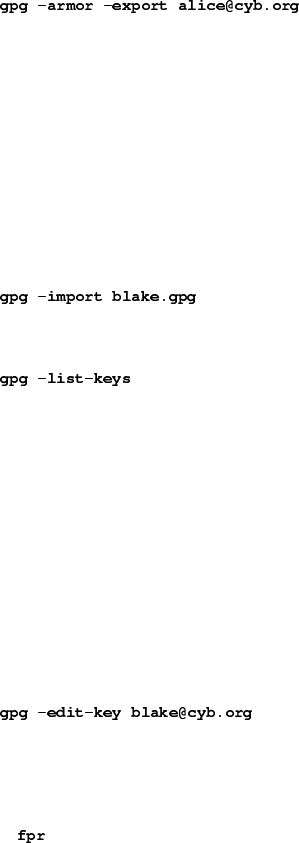
generated in an ASCII-armored format similar to uuencoded documents. In general, any output from GnuPG,
e.g., keys, encrypted documents, and signatures, can be ASCII-armored by adding the -armor option.
alice%
---BEGIN PGP PUBLIC KEY BLOCK---
Version: GnuPG v0.9.7 (GNU/Linux)
Comment: For info see http://www.gnupg.org
[...]
---END PGP PUBLIC KEY BLOCK---
Importing a public key
A public key may be added to your public keyring with the -import option.
alice%
gpg: key 9E98BC16: public key imported
gpg: Total number processed: 1
gpg: imported: 1
alice%
/users/alice/.gnupg/pubring.gpg
--------------------------
pub 1024D/BB7576AC 1999-06-04 Alice (Judge) <alice@cyb.org>
sub 1024g/78E9A8FA 1999-06-04
pub 1024D/9E98BC16 1999-06-04 Blake (Executioner) <blake@cyb.org>
sub 1024g/5C8CBD41 1999-06-04
Once a key is imported it should be validated. GnuPG uses a powerful and flexible trust model that does
not require you to personally validate each key you import. Some keys may need to be personally validated,
however. A key is validated by verifying the key’s fingerprint and then signing the key to certify it as a valid
key. A key’s fingerprint can be quickly viewed with the -fingerprint command-line option, but in order to
certify the key you must edit it.
alice%
pub 1024D/9E98BC16 created: 1999-06-04 expires: never trust: -/q
sub 1024g/5C8CBD41 created: 1999-06-04 expires: never
(1) Blake (Executioner) <blake@cyb.org>
Command>
pub 1024D/9E98BC16 1999-06-04 Blake (Executioner) <blake@cyb.org>
Fingerprint: 268F 448F CCD7 AF34 183E 52D8 9BDE 1A08 9E98 BC16
A key’s fingerprint is verified with the key’s owner. This may be done in person or over the phone or
through any other means as long as you can guarantee that you are communicating with the key’s true owner. If
the fingerprint you get is the same as the fingerprint the key’s owner gets, then you can be sure that you have a
correct copy of the key.
9
Chapter 1. Getting Started
After checking the fingerprint, you may sign the key to validate it. Since key verification is a weak point in
public-key cryptography, you should be extremely careful and always check a key’s fingerprint with the owner
before signing the key.
Command>
pub 1024D/9E98BC16 created: 1999-06-04 expires: never trust: -/q
Fingerprint: 268F 448F CCD7 AF34 183E 52D8 9BDE 1A08 9E98 BC16
Blake (Executioner) <blake@cyb.org>
Are you really sure that you want to sign this key
with your key: "Alice (Judge) <alice@cyb.org>"
Really sign?
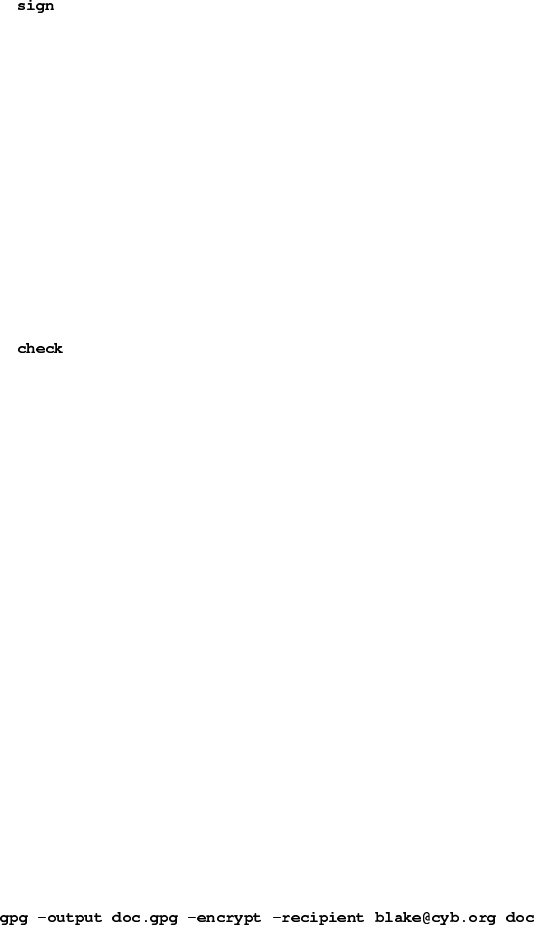
Once signed you can check the key to list the signatures on it and see the signature that you have added.
Every user ID on the key will have one or more self-signatures as well as a signature for each user that has
validated the key.
Command>
uid Blake (Executioner) <blake@cyb.org>
sig! 9E98BC16 1999-06-04 [self-signature]
sig! BB7576AC 1999-06-04 Alice (Judge) <alice@cyb.org>
Encrypting and decrypting documents
A public and private key each have a specific role when encrypting and decrypting documents. A public key may
be thought of as an open safe. When a correspondent encrypts a document using a public key, that document is
put in the safe, the safe shut, and the combination lock spun several times. The corresponding private key is the
combination that can reopen the safe and retrieve the document. In other words, only the person who holds the
private key can recover a document encrypted using the associated public key.
The procedure for encrypting and decrypting documents is straightforward with this mental model. If you
want to encrypt a message to Alice, you encrypt it using Alice’s public key, and she decrypts it with her private
key. If Alice wants to send you a message, she encrypts it using your public key, and you decrypt it with your
private key.
To encrypt a document the option -encrypt is used. You must have the public keys of the intended
recipients. The software expects the name of the document to encrypt as input; if omitted, it reads standard input.
The encrypted result is placed on standard output or as specified using the option -output. The document is
compressed for additional security in addition to encrypting it.
alice%
The -recipient option is used once for each recipient and takes an extra argument specifying the public
key to which the document should be encrypted. The encrypted document can only be decrypted by someone
10
Chapter 1. Getting Started
with a private key that complements one of the recipients’ public keys. In particular, you cannot decrypt a
document encrypted by you unless you included your own public key in the recipient list.
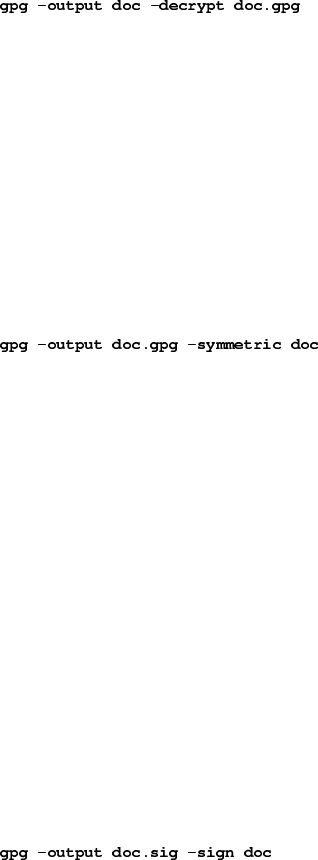
To decrypt a message the option -decrypt is used. You need the private key to which the message was
encrypted. Similar to the encryption process, the document to decrypt is input, and the decrypted result is output.
blake%
You need a passphrase to unlock the secret key for
user: "Blake (Executioner) <blake@cyb.org>"
1024-bit ELG-E key, ID 5C8CBD41, created 1999-06-04 (main key ID 9E98BC16)
Enter passphrase:
Documents may also be encrypted without using public-key cryptography. Instead, you use a symmetric
cipher to encrypt the document. The key used to drive the symmetric cipher is derived from a passphrase supplied
when the document is encrypted, and for good security, it should not be the same passphrase that you use to
protect your private key. Symmetric encryption is useful for securing documents when the passphrase does
not need to be communicated to others. A document can be encrypted with a symmetric cipher by using the
-symmetric option.
alice%
Enter passphrase:
Making and verifying signatures
A digital signature certifies and timestamps a document. If the document is subsequently modified in any way, a
verification of the signature will fail. A digital signature can serve the same purpose as a hand-written signature
with the additional benefit of being tamper-resistant. The GnuPG source distribution, for example, is signed so
that users can verify that the source code has not been modified since it was packaged.
Creating and verifying signatures uses the public/private keypair in an operation different from encryption
and decryption. A signature is created using the private key of the signer. The signature is verified using the
corresponding public key. For example, Alice would use her own private key to digitally sign her latest sub-
mission to the Journal of Inorganic Chemistry. The associate editor handling her submission would use Alice’s
public key to check the signature to verify that the submission indeed came from Alice and that it had not been
modified since Alice sent it. A consequence of using digital signatures is that it is difficult to deny that you made
a digital signature since that would imply your private key had been compromised.
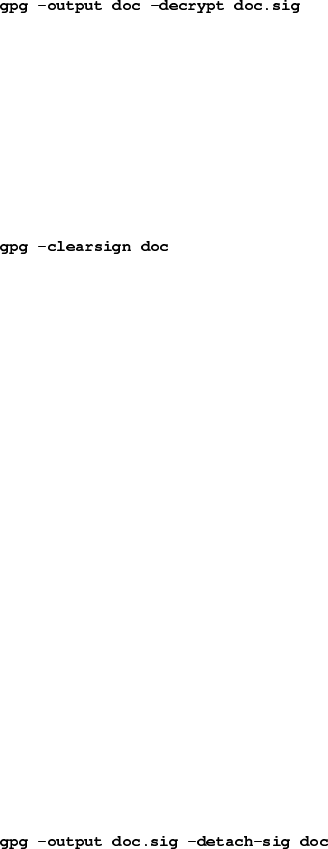
The command-line option -sign is used to make a digital signature. The document to sign is input, and
the signed document is output.
alice%
You need a passphrase to unlock the private key for
user: "Alice (Judge) <alice@cyb.org>"
1024-bit DSA key, ID BB7576AC, created 1999-06-04
11
Chapter 1. Getting Started
Enter passphrase:
The document is compressed before being signed, and the output is in binary format.
Given a signed document, you can either check the signature or check the signature and recover the original
document. To check the signature use the -verify option. To verify the signature and extract the document use
the -decrypt option. The signed document to verify and recover is input and the recovered document is output.
blake%
gpg: Signature made Fri Jun 4 12:02:38 1999 CDT using DSA key ID BB7576AC
gpg: Good signature from "Alice (Judge) <alice@cyb.org>"
Clearsigned documents
A common use of digital signatures is to sign usenet postings or email messages. In such situations it is undesir-
able to compress the document while signing it. The option -clearsign causes the document to be wrapped
in an ASCII-armored signature but otherwise does not modify the document.
alice%
You need a passphrase to unlock the secret key for
user: "Alice (Judge) <alice@cyb.org>"
1024-bit DSA key, ID BB7576AC, created 1999-06-04
---BEGIN PGP SIGNED MESSAGE---
Hash: SHA1
[...]
---BEGIN PGP SIGNATURE---
Version: GnuPG v0.9.7 (GNU/Linux)
Comment: For info see http://www.gnupg.org
iEYEARECAAYFAjdYCQoACgkQJ9S6ULt1dqz6IwCfQ7wP6i/i8HhbcOSKF4ELyQB1
oCoAoOuqpRqEzr4kOkQqHRLE/b8/Rw2k
=y6kj
---END PGP SIGNATURE---
Detached signatures
A signed document has limited usefulness. Other users must recover the original document from the signed
version, and even with clearsigned documents, the signed document must be edited to recover the original.
Therefore, there is a third method for signing a document that creates a detached signature, which is a separate
file. A detached signature is created using the -detach-sig option.
alice%
You need a passphrase to unlock the secret key for
user: "Alice (Judge) <alice@cyb.org>"
12

Chapter 1. Getting Started
1024-bit DSA key, ID BB7576AC, created 1999-06-04
Enter passphrase:
Both the document and detached signature are needed to verify the signature. The -verify option can be
to check the signature.
blake%
gpg: Signature made Fri Jun 4 12:38:46 1999 CDT using DSA key ID BB7576AC
gpg: Good signature from "Alice (Judge) <alice@cyb.org>"
13
Chapter 2. Concepts
GnuPG makes uses of several cryptographic concepts including symmetric ciphers,public-key ciphers, and one-
way hashing. You can make basic use GnuPG without fully understanding these concepts, but in order to use it
wisely some understanding of them is necessary.
This chapter introduces the basic cryptographic concepts used in GnuPG. Other books cover these topics in
much more detail. A good book with which to pursue further study is Bruce Schneier (http://www.counterpane.com/schneier
.html)’
“Applied Cryptography” (http://www.counterpane.com/applied.html).
Symmetric ciphers
A symmetric cipher is a cipher that uses the same key for both encryption and decryption. Two parties com-
municating using a symmetric cipher must agree on the key beforehand. Once they agree, the sender encrypts
a message using the key, sends it to the receiver, and the receiver decrypts the message using the key. As an
example, the German Enigma is a symmetric cipher, and daily keys were distributed as code books. Each day, a
sending or receiving radio operator would consult his copy of the code book to find the day’s key. Radio traffic
for that day was then encrypted and decrypted using the day’s key. Modern examples of symmetric ciphers
include 3DES, Blowfish, and IDEA.
A good cipher puts all the security in the key and none in the algorithm. In other words, it should be no
help to an attacker if he knows which cipher is being used. Only if he obtains the key would knowledge of the
algorithm be needed. The ciphers used in GnuPG have this property.
Since all the security is in the key, then it is important that it be very difficult to guess the key. In other
words, the set of possible keys, i.e., the key space, needs to be large. While at Los Alamos, Richard Feynman was
famous for his ability to crack safes. To encourage the mystique he even carried around a set of tools including
an old stethoscope. In reality, he used a variety of tricks to reduce the number of combinations he had to try to a
small number and then simply guessed until he found the right combination. In other words, he reduced the size
of the key space.
Britain used machines to guess keys during World War 2. The German Enigma had a very large key space,
but the British built specialized computing engines, the Bombes, to mechanically try keys until the day’s key
was found. This meant that sometimes they found the day’s key within hours of the new key’s use, but it also
meant that on some days they never did find the right key. The Bombes were not general-purpose computers but
were precursors to modern-day computers.
Today, computers can guess keys very quickly, and this is why key size is important in modern cryptosys-
tems. The cipher DES uses a 56-bit key, which means that there are 256 possible keys. 256 is 72,057,594,037,927,936
keys. This is a lot of keys, but a general-purpose computer can check the entire key space in a matter of days. A
specialized computer can check it in hours. On the other hand, more recently designed ciphers such as 3DES,
Blowfish, and IDEA all use 128-bit keys, which means there are 2128 possible keys. This is many, many more
keys, and even if all the computers on the planet cooperated, it could still take more time than the age of the
universe to find the key.
14
Chapter 2. Concepts
Public-key ciphers
The primary problem with symmetric ciphers is not their security but with key exchange. Once the sender and
receiver have exchanged keys, that key can be used to securely communicate, but what secure communication
channel was used to communicate the key itself? In particular, it would probably be much easier for an attacker
to work to intercept the key than it is to try all the keys in the key space. Another problem is the number of keys
needed. If there are npeople who need to communicate, then n(n-1)/2 keys are needed for each pair of people to
communicate privately. This may be OK for a small number of people but quickly becomes unwieldy for large
groups of people.
Public-key ciphers were invented to avoid the key-exchange problem entirely. A public-key cipher uses
a pair of keys for sending messages. The two keys belong to the person receiving the message. One key is a
public key and may be given to anybody. The other key is a private key and is kept secret by the owner. A sender
encrypts a message using the public key and once encrypted, only the private key may be used to decrypt it.
This protocol solves the key-exchange problem inherent with symmetric ciphers. There is no need for the
sender and receiver to agree upon a key. All that is required is that some time before secret communication the
sender gets a copy of the receiver’s public key. Furthermore, the one public key can be used by anybody wishing
to communicate with the receiver. So only nkeypairs are needed for npeople to communicate secretly with one
another.
Public-key ciphers are based on one-way trapdoor functions. A one-way function is a function that is easy
to compute, but the inverse is hard to compute. For example, it is easy to multiply two prime numbers together to
get a composite, but it is difficult to factor a composite into its prime components. A one-way trapdoor function
is similar, but it has a trapdoor. That is, if some piece of information is known, it becomes easy to compute the
inverse. For example, if you have a number made of two prime factors, then knowing one of the factors makes
it easy to compute the second. Given a public-key cipher based on prime factorization, the public key contains
a composite number made from two large prime factors, and the encryption algorithm uses that composite to
encrypt the message. The algorithm to decrypt the message requires knowing the prime factors, so decryption
is easy if you have the private key containing one of the factors but extremely difficult if you do not have it.
As with good symmetric ciphers, with a good public-key cipher all of the security rests with the key.
Therefore, key size is a measure of the system’s security, but one cannot compare the size of a symmetric cipher
key and a public-key cipher key as a measure of their relative security. In a brute-force attack on a symmetric
cipher with a key size of 80 bits, the attacker must enumerate up to 280 keys to find the right key. In a brute-force
attack on a public-key cipher with a key size of 512 bits, the attacker must factor a composite number encoded
in 512 bits (up to 155 decimal digits). The workload for the attacker is fundamentally different depending on
the cipher he is attacking. While 128 bits is sufficient for symmetric ciphers, given today’s factoring technology
public keys with 1024 bits are recommended for most purposes.
Hybrid ciphers
Public-key ciphers are no panacea. Many symmetric ciphers are stronger from a security standpoint, and public-
key encryption and decryption are more expensive than the corresponding operations in symmetric systems.
Public-key ciphers are nevertheless an effective tool for distributing symmetric cipher keys, and that is how they
are used in hybrid cipher systems.
15

Chapter 2. Concepts
A hybrid cipher uses both a symmetric cipher and a public-key cipher. It works by using a public-key
cipher to share a key for the symmetric cipher. The actual message being sent is then encrypted using the key
and sent to the recipient. Since symmetric key sharing is secure, the symmetric key used is different for each
message sent. Hence it is sometimes called a session key.
Both PGP and GnuPG use hybrid ciphers. The session key, encrypted using the public-key cipher, and
the message being sent, encrypted with the symmetric cipher, are automatically combined in one package. The
recipient uses his private-key to decrypt the session key and the session key is then used to decrypt the message.
A hybrid cipher is no stronger than the public-key cipher or symmetric cipher it uses, whichever is weaker.
In PGP and GnuPG, the public-key cipher is probably the weaker of the pair. Fortunately, however, if an attacker
could decrypt a session key it would only be useful for reading the one message encrypted with that session key.
The attacker would have to start over and decrypt another session key in order to read any other message.
Digital signatures
A hash function is a many-to-one function that maps its input to a value in a finite set. Typically this set is a
range of natural numbers. A simple hash function is f(x) = 0 for all integers x. A more interesting hash function
is f(x) = x mod 37, which maps xto the remainder of dividing xby 37.
A document’s digital signature is the result of applying a hash function to the document. To be useful, how-
ever, the hash function needs to satisfy two important properties. First, it should be hard to find two documents
that hash to the same value. Second, given a hash value it should be hard to recover the document that produced
that value.
Some public-key ciphers1could be used to sign documents. The signer encrypts the document with his
private key. Anybody wishing to check the signature and see the document simply uses the signer’s public key
to decrypt the document. This algorithm does satisfy the two properties needed from a good hash function, but
in practice, this algorithm is too slow to be useful.
An alternative is to use hash functions designed to satisfy these two important properties. SHA and MD5
are examples of such algorithms. Using such an algorithm, a document is signed by hashing it, and the hash
value is the signature. Another person can check the signature by also hashing their copy of the document and
comparing the hash value they get with the hash value of the original document. If they match, it is almost
certain that the documents are identical.
Of course, the problem now is using a hash function for digital signatures without permitting an attacker
to interfere with signature checking. If the document and signature are sent unencrypted, an attacker could
modify the document and generate a corresponding signature without the recipient’s knowledge. If only the
document is encrypted, an attacker could tamper with the signature and cause a signature check to fail. A third
option is to use a hybrid public-key encryption to encrypt both the signature and document. The signer uses his
private key, and anybody can use his public key to check the signature and document. This sounds good but is
actually nonsense. If this algorithm truly secured the document it would also secure it from tampering and there
would be no need for the signature. The more serious problem, however, is that this does not protect either the
1. The cipher must have the property that the actual public key or private key could be used by the encryption algorithm as the public
key. RSA is an example of such an algorithm while ElGamal is not an example.
16
Chapter 2. Concepts
signature or document from tampering. With this algorithm, only the session key for the symmetric cipher is
encrypted using the signer’s private key. Anybody can use the public key to recover the session key. Therefore,
it is straightforward for an attacker to recover the session key and use it to encrypt substitute documents and
signatures to send to others in the sender’s name.
An algorithm that does work is to use a public key algorithm to encrypt only the signature. In particular,
the hash value is encrypted using the signer’s private key, and anybody can check the signature using the public
key. The signed document can be sent using any other encryption algorithm including none if it is a public
document. If the document is modified the signature check will fail, but this is precisely what the signature
check is supposed to catch. The Digital Signature Standard (DSA) is a public key signature algorithm that
works as just described. DSA is the primary signing algorithm used in GnuPG.
17
