Guide To VAX SCAN (AI FU79B TE, V1 2)
User Manual: Pdf
Open the PDF directly: View PDF  .
.
Page Count: 400 [warning: Documents this large are best viewed by clicking the View PDF Link!]
Guide to VAX SCAN
Order Number: AA–FU79C–TE
November 1989
This manual describes the language elements, programming constructs, and
features of the VAX SCAN language.
Revision/Update Information: This revised document supersedes Guide to
VAX SCAN (Order number AI-FU79B-TE).
Operating System and Version: VAX/VMS Version 5.0 or higher;
Software Version: VAX SCAN Version 1.2
digital equipment corporation
maynard, massachusetts

First Printing, September 1985
Revised, December 1986
Revised, November 1989
The information in this document is subject to change without notice and should
not be construed as a commitment by Digital Equipment Corporation. Digital
Equipment Corporation assumes no responsibility for any errors that may appear
in this document.
The software described in this document is furnished under a license and may be
used or copied only in accordance with the terms of such license.
No responsibility is assumed for the use or reliability of software on equipment
that is not supplied by Digital Equipment Corporation or its affiliated companies.
Restricted Rights: Use, duplication, or disclosure by the U.S. Government is
subject to restrictions as set forth in subparagraph (c)(1)(ii) of the Rights in
Technical Data and Computer Software clause at DFARS 252.227-7013.
Copyright ©1985, 1986, 1989 by Digital Equipment Corporation
All Rights Reserved.
Printed in U.S.A.
The postpaid Reader’s Comments forms at the end of this document request the
user’s critical evaluation to assist in preparing future documentation.
The following are trademarks of Digital Equipment Corporation:
DEC DIBOL UNIBUS
DEC/CMS EduSystem VAX
DEC/MMS IAS VAXcluster
DECnet MASSBUS VMS
DECsystem–10 PDP VT
DECSYSTEM–20 PDT
DECUS RSTS
DECwriter RSX ™
ZK3379

Contents
PREFACE ix
CHAPTER 1 INTRODUCTION TO VAX SCAN 1–1
1.1 UNDERSTANDING VAX SCAN 1–1
1.2 USING VAX SCAN 1–2
1.2.1 Creating a Pattern 1–5
1.2.2 Creating Replacement Text 1–8
1.2.2.1 Capturing Matched Text • 1–8
1.2.2.2 Constructing Replacement Text • 1–10
1.2.2.3 Reporting Replacement Text • 1–11
1.3 GETTING STARTED WITH VAX SCAN 1–11
1.3.1 Flow of Control in a VAX SCAN Program 1–14
1.3.2 Token Building 1–17
1.3.3 Picture Matching 1–18
1.3.4 Input and Output Stream Forms 1–19
1.3.5 VAX SCAN Variables 1–20
1.3.6 VAX SCAN Trees 1–23
1.4 PROCESSING TEXT WITH VAX SCAN 1–27
1.4.1 Filters 1–27
1.4.2 Translators 1–27
1.4.3 Extractors/Analyzers 1–28
1.4.4 Preprocessors 1–29
iii

CHAPTER 2 VAX SCAN APPLICATION DEVELOPMENT 2–1
2.1 CREATING AND EDITING VAX SCAN PROGRAMS 2–1
2.1.1 VAX Text Processing Utility 2–1
2.1.2 VAX Language-Sensitive Editor 2–2
2.2 COMPILING, LINKING, AND RUNNING PROGRAMS 2–3
2.2.1 SCAN Command 2–4
2.2.2 LINK Command 2–4
2.2.3 RUN Command 2–5
CHAPTER 3 ELEMENTS OF THE VAX SCAN LANGUAGE 3–1
3.1 PROGRAM FORM 3–1
3.2 CHARACTER SET 3–2
3.3 NAMES 3–3
3.4 KEYWORDS 3–3
3.5 LITERALS 3–5
3.5.1 Integer Literals 3–5
3.5.2 Boolean Literals 3–6
3.5.3 Pointer and Treeptr Literals 3–6
3.5.4 String Literals 3–6
3.5.4.1 Quoted String Literal • 3–7
3.5.4.2 Control Character Literals • 3–7
3.5.4.3 Special Character Literals • 3–9
3.5.4.4 Hexadecimal Character Literals • 3–10
3.6 OPERATORS AND DELIMITERS 3–10
3.7 SPACES, TABS, COMMENTS, AND FORM FEEDS 3–12
iv

CHAPTER 4 PROGRAM STRUCTURE 4–1
4.1 STATEMENT STRUCTURE 4–2
4.2 MACRO STRUCTURE 4–4
4.3 PROCEDURE STRUCTURE 4–6
4.4 MODULE STRUCTURE 4–7
4.5 SCOPE 4–9
CHAPTER 5 PICTURE-MATCHING STATEMENTS 5–1
5.1 SET STATEMENT 5–1
5.2 TOKEN STATEMENT 5–3
5.2.1 TOKEN Operators 5–5
5.2.2 TOKEN Attributes 5–8
5.2.3 Interaction of Tokens 5–9
5.3 GROUP STATEMENT 5–10
5.4 MACROS 5–12
5.4.1 Macro Picture 5–13
5.4.1.1 Alternation Operator ( | ) • 5–13
5.4.1.2 Concatenation • 5–14
5.4.1.3 Repetition Operator ( . . . ) • 5–15
5.4.1.4 List Operator ( \ ) • 5–15
5.4.1.5 Optional Brackets ( [ ] ) • 5–16
5.4.1.6 Operator Precedence • 5–16
5.4.2 TRIGGER and SYNTAX Attributes 5–16
5.4.3 EXPOSE Attribute 5–18
5.4.4 Picture Variables 5–20
v

5.4.5 Interaction of Macros 5–23
5.4.5.1 Criteria for Activating Trigger Macros • 5–24
5.4.5.2 Failure of Picture Matching • 5–26
5.4.6 Error Recovery 5–27
5.4.6.1 Error Recovery Procedures • 5–29
5.4.6.2 Error Recovery Hints • 5–31
5.4.7 Macro Body 5–32
CHAPTER 6 INPUT AND OUTPUT STREAMS 6–1
6.1 INPUT AND OUTPUT STREAM FORM 6–1
6.1.1 File as Input or Output Stream 6–2
6.1.2 String as Input or Output Stream 6–2
6.1.3 Procedure as Input or Output Stream 6–3
6.2 VAX SCAN LITERALS IN THE INPUT STREAM 6–5
6.3 VAX SCAN LITERALS IN THE OUTPUT STREAM 6–6
6.4 REDEFINING THE VAX SCAN LITERALS 6–9
6.5 THE WIDTH OF THE INPUT AND OUTPUT STREAMS 6–9
CHAPTER 7 VARIABLES 7–1
7.1 INTEGER VARIABLES 7–2
7.2 BOOLEAN VARIABLES 7–2
7.3 STRING VARIABLES 7–3
7.4 FILL VARIABLES 7–4
vi

7.5 POINTER VARIABLES 7–5
7.6 TREE VARIABLES 7–5
7.7 TREEPTR VARIABLES 7–9
7.8 RECORD VARIABLES 7–14
7.9 OVERLAY VARIABLES 7–17
7.10 FILE VARIABLES 7–20
CHAPTER 8 DECLARATION OF VARIABLES 8–1
8.1 SPECIFICATION OF VARIABLE TYPE 8–1
8.2 DECLARE STATEMENT 8–3
8.3 TYPE STATEMENT 8–4
8.4 CONSTANT STATEMENT 8–7
CHAPTER 9 PROCEDURES 9–1
9.1 PROCEDURE DECLARATION 9–1
9.1.1 Parameters 9–4
9.1.2 Passing Mechanisms 9–6
9.2 EXTERNAL PROCEDURE DECLARATION 9–7
9.3 FORWARD PROCEDURE DECLARATION 9–9
vii

CHAPTER 10 EXPRESSIONS 10–1
10.1 OPERATORS 10–2
10.1.1 Substring Operator 10–4
10.1.2 Arithmetic Operators 10–5
10.1.3 Concatenation 10–6
10.1.4 Relational Operators 10–7
10.1.5 Logical Operators 10–9
10.2 REFERENCES 10–11
10.2.1 Scalar Reference 10–12
10.2.2 Record Reference 10–12
10.2.3 Tree Reference 10–13
10.2.4 Function Reference 10–15
10.2.5 Built-In Function Reference 10–16
10.2.6 Pointer Reference 10–17
10.3 EXPRESSION OPERATOR PRECEDENCE 10–19
CHAPTER 11 BUILT-IN FACILITIES 11–1
11.1 BUILT-IN TOKENS 11–1
11.1.1 ANY Built-In Token 11–2
11.1.2 COLUMN Built-In Token 11–2
11.1.3 FIND Built-In Token 11–3
11.1.4 INSTANCE Built-In Token 11–3
11.1.5 NOTANY Built-In Token 11–4
11.1.6 SEQUENCE Built-In Token 11–5
11.1.7 SKIP Built-In Token 11–5
11.2 BUILT-IN FUNCTIONS 11–6
viii

11.2.1 Tree Traversing Built-In Functions 11–7
11.2.1.1 TREEPTR Built-In Function • 11–9
11.2.1.2 EXISTS Built-In Function • 11–10
11.2.1.3 FIRST Built-In Function • 11–11
11.2.1.4 LAST Built-In Function • 11–12
11.2.1.5 NEXT Built-In Function • 11–13
11.2.1.6 PRIOR Built-In Function • 11–13
11.2.1.7 VALUE Built-In Function • 11–15
11.2.1.8 VALUEPTR Built-In Function • 11–15
11.2.1.9 SUBSCRIPT Built-In Function • 11–16
11.2.2 String Built-In Functions 11–17
11.2.2.1 INDEX Built-In Function • 11–18
11.2.2.2 LENGTH Built-In Function • 11–19
11.2.2.3 LOWER Built-In Function • 11–20
11.2.2.4 UPPER Built-In Function • 11–20
11.2.2.5 MEMBER Built-In Function • 11–21
11.2.2.6 TRIM Built-In Function • 11–22
11.2.3 Conversion Built-In Functions 11–23
11.2.3.1 INTEGER Built-In Function • 11–23
11.2.3.2 STRING Built-In Function • 11–24
11.2.3.3 POINTER Built-In Function • 11–25
11.2.4 Mathematical Built-In Functions 11–26
11.2.4.1 ABS Built-In Function • 11–26
11.2.4.2 MAX Built-In Function • 11–27
11.2.4.3 MIN Built-In Function • 11–27
11.2.4.4 MOD Built-In Function • 11–28
11.2.5 Other Built-In Functions 11–29
11.2.5.1 ENDFILE Built-In Function • 11–29
11.2.5.2 TIME Built-In Function • 11–30
CHAPTER 12 EXECUTABLE STATEMENTS 12–1
12.1 LABELS 12–2
12.2 ASSIGNMENT STATEMENTS 12–3
12.2.1 Assigning to a Substring 12–5
12.2.2 Assigning to a Record or Overlay (Record
Compatibility) 12–7
12.3 CALL STATEMENT 12–9
ix
12.4 GOTO STATEMENT 12–10
12.5 CASE STATEMENT 12–11
12.6 IF STATEMENT 12–13
12.7 WHILE STATEMENT 12–15
12.8 FOR STATEMENT 12–16
12.9 RETURN STATEMENT 12–17
12.10 START SCAN STATEMENT 12–18
12.10.1 INPUT FILE Clause 12–20
12.10.2 INPUT PROCEDURE Clause 12–21
12.10.3 INPUT STRING Clause 12–23
12.10.4 OUTPUT FILE Clause 12–23
12.10.5 OUTPUT PROCEDURE Clause 12–24
12.10.6 OUTPUT STRING Clause 12–25
12.10.7 INPUT WIDTH Clause 12–26
12.10.8 OUTPUT WIDTH Clause 12–26
12.10.9 DATA STACK Clause 12–27
12.11 STOP SCAN STATEMENT 12–28
12.12 ANSWER STATEMENT 12–29
12.12.1 TRIGGER Attribute 12–30
12.13 FAIL STATEMENT 12–33
12.14 OPEN STATEMENT 12–33
12.15 CLOSE STATEMENT 12–35
12.16 READ STATEMENT 12–35
x

12.17 WRITE STATEMENT 12–37
12.18 ALLOCATE STATEMENT 12–38
12.19 FREE STATEMENT 12–40
12.20 PRUNE STATEMENT 12–41
CHAPTER 13 DIRECTIVE STATEMENTS 13–1
13.1 LIST DIRECTIVE 13–1
13.2 INCLUDE DIRECTIVE 13–3
13.3 REDEFINE DIRECTIVE 13–3
CHAPTER 14 VAX/VMS RUN-TIME LIBRARY ROUTINES AND SYSTEM
SERVICES 14–1
14.1 VAX/VMS RUN-TIME LIBRARY ROUTINES 14–2
14.2 SYSTEM SERVICES ROUTINES 14–2
14.3 CALLING SYSTEM ROUTINES FROM VAX SCAN 14–3
14.3.1 Determine the Type of Call (Procedure or Function) 14–4
14.3.2 Declare the Arguments 14–5
14.3.3 Declare the System Routine 14–10
14.3.4 Include Symbol Definitions 14–11
14.3.5 Call the Routine or Service 14–12
14.3.5.1 Calling a System Routine in a Function
Call • 14–12
14.3.5.2 Calling a System Routine in a Subroutine
Call • 14–15
xi

14.3.6 Check the Condition Value 14–15
14.3.7 Locate the Result 14–17
14.3.7.1 Function Results • 14–17
14.3.7.2 Subroutine Results • 14–18
14.4 EXAMPLES 14–18
14.5 FOR ADDITIONAL INFORMATION 14–24
CHAPTER 15 ERROR MESSAGES AND HELP 15–1
15.1 ERROR MESSAGES 15–1
15.2 ACCESSING VAX SCAN HELP 15–1
CHAPTER 16 DEBUGGING VAX SCAN PROGRAMS 16–1
16.1 ACTIVATING THE VAX/VMS DEBUGGER 16–1
16.2 VAX SCAN SYMBOLIC DEBUGGING 16–2
16.2.1 VAX SCAN Elements Available for Debugging 16–3
16.2.1.1 Names • 16–3
16.2.1.2 Line Numbers • 16–3
16.2.2 Controlling Program Execution 16–4
16.2.2.1 Breakpoints and Tracepoints • 16–4
16.2.2.2 Break on Event and Trace on Event • 16–5
16.2.2.3 Watchpoints • 16–6
16.2.3 Examining and Depositing 16–6
16.2.3.1 STRING Variables • 16–7
16.2.3.2 FILL Variables • 16–7
16.2.3.3 POINTER Variables • 16–7
16.2.3.4 TREE and TREEPTR Variables • 16–8
16.2.3.5 RECORD and OVERLAY Variables • 16–11
16.3 SAMPLE DEBUGGING SESSION 16–11
xii

APPENDIX A VAX SCAN CONTROL CHARACTERS A–1
APPENDIX B SYNTAX DIAGRAMS B–1
B.1 EXECUTABLE STATEMENTS B–1
B.1.1 ALLOCATE-statement B–2
B.1.2 ANSWER-statement B–2
B.1.3 Assignment-statement B–2
B.1.4 CALL-statement B–3
B.1.5 CASE-statement B–4
B.1.6 CLOSE-statement B–4
B.1.7 FAIL-statement B–4
B.1.8 FOR-statement B–5
B.1.9 FREE-statement B–5
B.1.10 GOTO-statement B–5
B.1.11 IF-statement B–5
B.1.12 OPEN-statement B–6
B.1.13 PRUNE-statement B–6
B.1.14 READ-statement B–6
B.1.15 RETURN-statement B–6
B.1.16 START-SCAN-statement B–7
B.1.17 STOP-SCAN-statement B–7
B.1.18 WHILE-statement B–7
B.1.19 WRITE-statement B–7
B.2 TYPES B–8
B.2.1 OVERLAY-type B–8
B.2.2 RECORD-type B–8
B.2.3 TREE-type B–9
B.3 DECLARATIONS B–9
B.3.1 CONSTANT-declaration B–9
B.3.2 EXTERNAL-declaration B–9
B.3.3 FORWARD-declaration B–10
B.3.4 GROUP-declaration B–10
B.3.5 MACRO-declaration B–11
B.3.6 MODULE-declaration B–12
xiii
B.3.7 PROCEDURE-declaration B–13
B.3.8 SET-declaration B–14
B.3.9 TOKEN-declaration B–14
B.3.10 TYPE-declaration B–15
B.3.11 Variable-declaration B–15
B.4 DIRECTIVES B–15
B.4.1 INCLUDE-directive B–15
B.4.2 LIST-directive B–16
B.4.3 REDEFINE-directive B–16
APPENDIX C VAX SCAN KEYWORDS C–1
APPENDIX D VAX SCAN FILE SUPPORT D–1
APPENDIX E DEC MULTINATIONAL CHARACTER SET E–1
APPENDIX F OPTIONAL PROGRAMMING PRODUCTIVITY TOOLS F–1
F.1 GETTING STARTED WITH THE VAX LANGUAGE-SENSITIVE EDITOR F–2
F.2 COMMANDS FOR TOKENS AND PLACEHOLDERS F–2
F.3 CREATING AND EDITING CODE F–4
F.3.1 Editing a New File F–4
F.3.2 Editing an Existing File F–6
F.3.3 Defining Aliases F–6
F.3.4 Using the Compiler Interface F–7
F.3.4.1 The COMPILE Command • F–7
F.3.4.2 The REVIEW Command • F–8
F.3.4.3 REVIEW Mode • F–9
F.3.5 VAXLSE Command Line F–10
F.3.6 Editor Command Line Qualifiers F–11
xiv

F.3.7 Keypad Functions F–11
F.4 USING THE VAX LANGUAGE-SENSITIVE EDITOR WITH VAX SCAN F–20
F.5 SAMPLE EDITING SESSION F–20
F.5.1 Module and Token Declarations F–21
F.5.2 Macros F–25
F.5.3 Creating a MAIN Procedure F–29
F.5.4 Creating a Function F–34
F.5.5 Variable Declarations F–39
F.5.6 Control Structures F–41
F.6 VAX LANGUAGE-SENSITIVE EDITOR TOKENS AND
PLACEHOLDERS FOR VAX SCAN F–48
INDEX Index–1
EXAMPLES
1–1 Search and Replace Macro 1–3
1–2 CHANGE_TIMES Program 1–15
1–3 Variable Declaration Placement 1–21
1–4 Declaring a TREE Structure 1–25
1–5 Assigning TREE Values 1–25
2–1 VAX Language-Sensitive Editor Program 2–3
4–1 VAX SCAN Macro 4–5
4–2 VAX SCAN Procedure 4–7
4–3 VAX SCAN Module 4–9
4–4 Scope 4–10
5–1 SET Declarations 5–2
5–2 TOKEN Declarations 5–3
5–3 Alternation 5–14
5–4 Concatenation 5–14
5–5 Repetition 5–15
5–6 List 5–16
xv

5–7 MACRO Interaction 5–19
5–8 Picture Variables 5–21
5–9 Tree Subscripts and Repetition 5–21
5–10 List Operator 5–22
5–11 MACRO Scope 5–25
5–12 Error Context 5–27
5–13 Error Recovery Procedure 5–29
5–14 Error Recovery Packet 5–30
6–1 String as Input Stream 6–3
6–2 Procedure as Input Stream 6–4
6–3 Special VAX SCAN Characters in Input Stream 6–6
6–4 Linked List in Input Stream 6–11
7–1 Integer Variable 7–2
7–2 Boolean Variable 7–3
7–3 String Variables 7–4
7–4 Fill Variable 7–5
7–5 Pointer Variables 7–6
7–6 Tree Traversing 7–11
7–7 Tree Traversing Using TREEPTR 7–13
7–8 Record Variables 7–15
7–9 Record Variable Component Names 7–16
7–10 Comparison of a Record Variable with an Overlay Variable 7–18
7–11 Use of Overlay Variables 7–19
7–12 File Variables 7–20
8–1 Variable Declarations 8–5
8–2 User-Defined Type Declaration 8–5
8–3 User-Defined Variable Type 8–6
8–4 Multiple Reference of User-Defined Type 8–7
8–5 Local Constant Declarations 8–8
8–6 Global Constant Declarations 8–8
8–7 External Constant Declarations 8–8
8–8 Naming Literal Constants 8–9
9–1 Procedure Subroutine 9–3
9–2 Procedure Function 9–3
9–3 Procedure Invocation 9–4
xvi

9–4 Parameter Passing in Procedures 9–4
9–5 EXTERNAL PROCEDURE Declarations 9–8
9–6 FORWARD PROCEDURE Declaration 9–10
10–1 Creating New Values with Expressions 10–1
10–2 Logical Operators 10–10
10–3 Logical Operators Used with Integer Operands 10–10
10–4 Variable References 10–11
10–5 Scalar Variable Reference 10–12
10–6 Record Reference 10–13
10–7 Tree Reference 10–14
10–8 Passing a Tree as a Parameter 10–15
10–9 Function Reference 10–16
10–10 Built-In Function Reference 10–17
10–11 Pointer Reference 10–17
10–12 Pointer to Dynamically Allocated Storage 10–18
11–1 Use of FIND Built-In Token 11–3
11–2 Use of INSTANCE Built-In Token 11–4
11–3 Use of NOTANY Built-In Token 11–5
11–4 Use of SEQUENCE Built-In Token 11–5
11–5 Use of SKIP Built-In Token 11–6
11–6 Tree Traversing Code Example 11–8
11–7 Use of TREEPTR Built-In Function 11–10
11–8 Using Built-In Functions to Traverse a Tree 11–14
11–9 Use of Tree Built-In Functions 11–17
11–10 Use of POINTER Built-In Function 11–26
11–11 Use of ENDFILE Built-In Function 11–30
11–12 Use of TIME Built-In Function 11–31
12–1 Program Labels 12–3
12–2 Assignment Statements 12–5
12–3 Substring Assignment 12–6
12–4 Assigning to a Record 12–7
12–5 Record Compatibility 12–8
12–6 CALL Statement 12–10
12–7 GOTO Statement 12–11
12–8 CASE Statement 12–12
xvii

12–9 IF . . . THEN . . . ELSE Statement 12–15
12–10 WHILE Statement 12–16
12–11 FOR Loop 12–17
12–12 RETURN Statement 12–18
12–13 File as Input Stream 12–21
12–14 Procedure as Input Stream 12–22
12–15 String as Input Stream 12–23
12–16 File as Output Stream 12–24
12–17 Procedure as Output Stream 12–25
12–18 String Variable as Output Stream 12–26
12–19 ANSWER Statement 12–30
12–20 ANSWER Attribute Program Segment 12–31
12–21 Using EXPOSE to Enable ANSWER Rechecking 12–32
12–22 Using TRIGGER Attribute to Enable ANSWER Rechecking 12–32
12–23 FAIL Statement 12–34
12–24 OPEN Statement 12–35
12–25 READ Statement with PROMPT 12–36
12–26 Use of ENDFILE with READ Statement 12–37
12–27 WRITE Statement 12–38
12–28 ALLOCATE Statement 12–40
12–29 FREE Statement 12–40
13–1 LIST Directive 13–2
13–2 REDEFINE Directive 13–4
14–1 VAX SCAN Program Calling LIB$FIND_FILE 14–20
14–2 VAX SCAN Program Calling SYS$FILESCAN 14–22
FIGURES
1–1 VAX SCAN Application Flow 1–2
1–2 VAX SCAN Module Structure 1–13
1–3 Nesting of Program Blocks 1–22
1–4 TREE Structure 1–24
1–5 Sample TREE 1–26
4–1 Program Structure 4–1
5–1 TOKEN Mapping 5–7
xviii

5–2 UNIVERSAL TOKEN Building 5–9
7–1 Tree Diagram 7–6
7–2 Modified Tree Diagram 7–9
7–3 Keyword Tree 7–11
7–4 Overlay Storage 7–18
10–1 Use of Substring Operators 10–5
10–2 Use of Arithmetic Operators 10–6
10–3 Results of Concatenation 10–7
10–4 Use of Relational Operators 10–9
11–1 Tree Structure 11–8
11–2 Tree References 11–9
11–3 Use of EXISTS Built-In Function 11–11
11–4 Use of FIRST Built-In Function 11–12
11–5 Use of LAST Built-In Function 11–13
11–6 Use of NEXT Built-In Function 11–13
11–7 Use of PRIOR Built-In Function 11–14
11–8 Use of VALUE Built-In Function 11–15
11–9 Use of VALUEPTR Built-In Function 11–16
11–10 Use of SUBSCRIPT Built-In Function 11–17
11–11 Use of INDEX Built-In Function 11–19
11–12 Use of LENGTH Built-In Function 11–19
11–13 Use of LOWER Built-In Function 11–20
11–14 Use of UPPER Built-In Function 11–21
11–15 Use of MEMBER Built-In Function 11–22
11–16 Use of TRIM Built-In Function 11–23
11–17 Use of INTEGER Built-In Function 11–24
11–18 Use of STRING Built-In Function 11–25
11–19 Use of ABS Built-In Function 11–27
11–20 Use of MAX Built-In Function 11–27
11–21 Use of MIN Built-In Function 11–28
11–22 Use of MOD Built-In Function 11–29
12–1 Estimation of Buffer Size for DATA STACK 12–28
12–2 PRUNE Statement 12–42
16–1 Structure of VOTER Tree 16–9
F–1 Initial Screen Display F–5
xix

F–2 VAX Language-Sensitive Editor Keypad Layout for VT100 Series
Terminals F–12
F–3 VAX Language-Sensitive Editor Keypad Layout for VT200 Series
Terminals F–13
F–4 Expansion of Initial String F–22
F–5 First Placeholder F–23
F–6 TOKEN Selected F–24
F–7 Pattern Provided for Token F–25
F–8 MACRO Expanded F–26
TABLES
3–1 Character Set 3–2
3–2 Equivalent Symbols 3–2
3–3 Reserved Keywords 3–4
3–4 Unreserved Keywords 3–4
3–5 Control Characters 3–7
3–6 Special VAX SCAN Characters 3–10
3–7 Delimiters 3–11
5–1 SET Operator Precedence 5–2
5–2 TOKEN Operator Precedence 5–7
5–3 GROUP Operator Precedence 5–11
5–4 Picture Operators 5–16
5–5 Error Recovery Packet Meaning 5–30
7–1 Record Variable Initial Value 7–17
7–2 File Variable Operations 7–20
9–1 Procedure Parameter Types 9–5
9–2 Parameter-Passing Mechanisms 9–7
10–1 Expression Operators 10–2
10–2 Substring Operator Restrictions 10–4
10–3 Relational Operator Rules 10–8
10–4 Logical Operators 10–9
10–5 Pointer Reference Meanings 10–18
10–6 Expression Operator Precedence 10–20
11–1 Built-In Tokens 11–1
11–2 Built-In Functions 11–6
xx

11–3 Integer Conversion Results 11–23
11–4 String Conversion Results 11–25
12–1 VAX SCAN Executable Statements 12–1
12–2 Assignment Statement Requirements 12–4
12–3 Assignment Operand Restrictions 12–6
12–4 Case Values 12–13
12–5 START SCAN Options 12–19
12–6 READ Statement Target Variables 12–37
12–7 Initialization Value for Variable Types 12–39
13–1 VAX SCAN Directive Statements 13–1
13–2 Listing Options 13–2
13–3 VAX SCAN Special Characters 13–3
14–1 VAX/VMS Run-Time Library Facilities 14–2
14–2 Groups of VAX/VMS System Services 14–3
14–3 VAX/VMS Data Structures 14–7
14–4 Default Passing Mechanisms in VAX SCAN 14–13
14–5 Overriding the Default Passing Mechanism 14–14
16–1 DEBUG Command Qualifiers 16–2
A–1 VAX SCAN Control Characters A–1
C–1 Reserved Keywords C–1
C–2 Unreserved Keywords C–1
D–1 FDL Description for VAX SCAN Input File D–1
D–2 FDL Description for VAX SCAN Output File D–2
F–1 Editor Command Line Qualifiers F–11
F–2 Default Editor Keypad Functions F–13
F–3 Editor Line Mode Commands F–14
xxi
Preface
This manual describes the features, uses, constructs, and syntax of the
VAX SCAN language on VAX/VMS and MicroVMS systems.
Intended Audience
The Guide to VAX SCAN is intended for use by the seasoned pro-
grammer. It assumes a thorough knowledge and working facility with
computer concepts, the VAX/VMS operating system, the VAX/VMS
Symbolic Debugger, and one or more high-level programming languages
in the VAX/VMS Common Language Environment.
Document Structure
This manual has 16 chapters, 6 appendixes, and an index.
Chapter 1 introduces you to VAX SCAN on the VAX/VMS operating
system and describes the major concepts and parts of the language,
its elements, and its structure. Typical uses for the language are
discussed.
Chapter 2 introduces the development and structure of VAX SCAN
programs. Creating and editing VAX SCAN programs are discussed
in relation to the VAX Language-Sensitive Editor (VAXLSE). DIGITAL
Command Language (DCL) commands for compiling, linking, and
running VAX SCAN programs are introduced.
Chapter 3 describes the primitives of the language.
ix
Chapter 4 describes the structure and interrelationships of the con-
structs in a VAX SCAN program, such as MODULE, PROCEDURE,
MACRO, STATEMENT, and ELEMENT.
Chapter 5 introduces and explains the picture-matching concepts and
statements of VAX SCAN.
Chapter 6 introduces and explains the concept particulars of the input
and output streams in VAX SCAN.
Chapter 7 describes the types of variables that support the algorithmic
part of the VAX SCAN language.
Chapter 8 describes the statements involved in declaring variables in
VAX SCAN.
Chapter 9 explains the statements used to declare the VAX SCAN
procedures.
Chapter 10 describes the use of expressions.
Chapter 11 explains the built-in facilities supplied by the VAX SCAN
language.
Chapter 12 describes the executable statements used in VAX SCAN.
Chapter 13 explains the statements that control how the VAX SCAN
program is compiled.
Chapter 14 explains how to call the VAX/VMS Run-Time Library
routines and system services from VAX SCAN programs.
Chapter 15 describes the error reporting and error recovery facilities of
VAX SCAN and explains how to access the VAX SCAN HELP library.
Chapter 16 describes how to use the VAX/VMS Debugger with VAX
SCAN programs.
Appendix A lists the symbols, hexadecimal values, and descriptions of
the various VAX SCAN control characters.
Appendix B contains syntax diagrams for VAX SCAN executable
statements, declarations and types, and directives.
Appendix C contains tables of the reserved and the unreserved key-
words in VAX SCAN.
Appendix D lists the file attributes that VAX SCAN supports.
x

Appendix E contains the DEC Multinational Character Set.
Appendix F describes the use of the VAX Language-Sensitive Editor in
the development and maintenance of VAX SCAN programs.
The Guide to VAX SCAN is indexed to let you find information quickly
and easily. (Information is also available on line from the VAX SCAN
HELP facility.)
Associated Documents
For additional information on the VAX/VMS operating system and
other areas, refer to the following manuals:
• The <REFERENCE>(VMS_DCLDICT_REF) for detailed informa-
tion about how to use the DIGITAL Command Language (DCL)
• The <REFERENCE>(VMS_ARCHITECTURE_A) for detailed
information about the family of VAX computers and VAX data types
• The <REFERENCE>(VMS_SYSROUT_R) for a description of
the VAX/VMS routines used to control resources, allow process
communication, control I/O, and various other operating system
functions
• The VAX Language-Sensitive Editor User’s Guide for a description
of the VAX Language-Sensitive Editor, a multi-language advanced
text editor designed for software development
• The <REFERENCE>(VAX_TPU_LRM) for a description of the VAX
Text Processing Utility, a programmable editing tool that is part of
the VAX Language-Sensitive Editor (VAXLSE)
Conventions
The following conventions are used in this document:
xi
Convention Meaning
UPPERCASE letters
and special symbols Uppercase letters and special symbols in
syntax descriptions and sample procedures
indicate VAX SCAN keywords and other
user input that must be typed exactly as
shown.
lowercase letters Lowercase letters in syntax descriptions
and sample procedures represent elements
that you must replace according to the
description in the text.
RETURN A symbol with a one- to six-character ab-
breviation indicates that you press a key
on the terminal, for example RETURN .
In Appendix F, some keys that are listed
within tables are boxed for ease in view-
ing, even though they are not shown in
interactive examples.
CTRL/x CTRL/x indicates that you press the key
labeled CTRL while you simultaneously
press another key, for example, CTRL/Y,
CTRL/E, CTRL/Z.
$ SCAN test.scn RETURN
DBG> EXIT RETURN Command examples show all output lines
or prompting characters that the system
prints or displays in black letters. All user-
entered commands or responses are shown
in red letters.
quotation mark Quotation mark refers to the double quota-
tion mark (").
apostrophe Apostrophe refers to the single quotation
mark (’).
phrase1
phrase2 Oversized braces in syntax diagrams in-
dicate a mandatory portion of the syn-
tax. The vertical stacking indicates that
phrase2 is an alternative for phrase1.
Therefore, when oversized braces enclose a
stacked list of items, you must choose one
of the items.
xii
Convention Meaning
phrase1
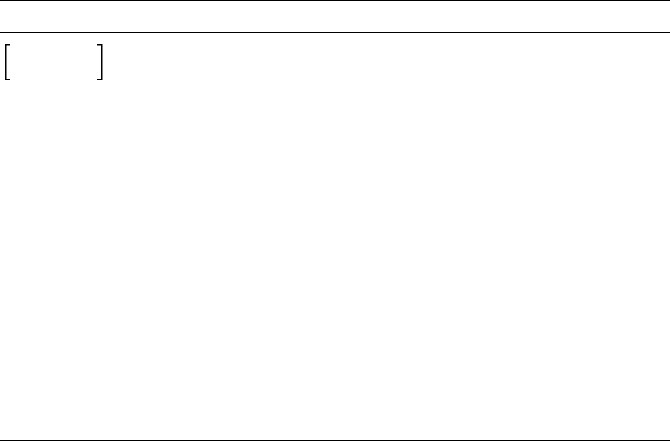
phrase2 Oversized brackets in syntax diagrams
indicate an optional portion of the syntax.
Vertical stacking within oversized brackets
indicates that you can choose one of the
items.
phrase . . . Horizontal ellipses mean that a phrase or
item may be repeated. A horizontal ellipsis
preceded by a comma (,) means that you
can repeat the item, separating two or
more items with the comma. Enter the
comma only when the item is repeated two
or more times.
MODULE
.
.
.
END MODULE
Vertical ellipses mean that not all the
statements are shown.
VAX SCAN keywords appear in uppercase in this manual and must
be spelled exactly as shown, except where abbreviations are allowed.
Metasymbols are in lowercase letters in examples, as well as in the
syntax diagrams and statements of general rules. Metasymbols are
names used to describe syntax diagrams that are described elsewhere.
Syntax diagrams present the format specifications used in writing VAX
SCAN source code. You must order syntax elements as shown in the
syntax diagram. The diagrams are included in the detailed discussions
of each language element. In addition, Appendix B contains all of the
syntax diagrams for the VAX SCAN language.
Syntax diagrams consist of VAX SCAN keywords, metasymbols,
phrases, and punctuation symbols. A phrase can be any of the fol-
lowing: a keyword, a metasymbol, or, a sequence of keywords, meta-
symbols, and operators enclosed by braces ({ }) or brackets ([ ]) that
are oversized. When the syntax diagram contains braces ({ }) or brack-
ets ([ ]) that are not oversized, the braces or brackets are part of the
actual syntax and you enter them as shown in the diagram.
The syntax diagrams thus show the placement and sequence of VAX
SCAN statement items, and whether an item is optional or mandatory,
as in the following example:
xiii

TOKEN token-name CASELESS
IGNORE
ALIAS character-literal ...
{token-expression};
token-name has the following syntax:
letter
letter
digit
_
$
...
This is the syntax diagram for the TOKEN statement, one of the
VAX SCAN declarative statements. TOKEN is a reserved keyword
identifying the statement type. TOKEN is followed by the meta-
symbol token-name (which you choose and declare when you write
your program). Metasymbols are spelled out in italic print and are
defined immediately after the diagram in which they are used. The
metasymbol definition may be text only or another syntax diagram.
The metasymbol defined here is token-name. It is defined as letter
optionally followed by a letter,digit, underscore (_), or dollar sign
($). The horizontal ellipsis ( . . . ) indicates that the optional second
phrase (the range of which is shown by stacking) can be repeated.
The TOKEN statement has three optional attributes: CASELESS,
IGNORE, and ALIAS. The optional ALIAS attribute is followed by the
character-literal.
The final elements of the statement are the token-expression, which
is enclosed in braces ({ }), and the terminating semicolon (;). Note that
the braces ({ }) enclosing the token-expression are not oversized and
are therefore part of the syntax that you must enter.
xiv

Chapter 1
IntroductiontoVAXSCAN
Welcome to the community of VAX SCAN users.
1.1 Understanding VAX SCAN
VAX SCAN is a block-structured programming language in the
VAX/VMS environment that is designed to build tools to manipulate
text strings and text files. The primary applications for VAX SCAN are
filters, translators, extractors/analyzers, and preprocessors.
VAX SCAN is a compiled programming language that includes string
operators for searching, comparing, extracting, and assigning character
strings. A significant strength of VAX SCAN is in the pattern-matching
constructs that permit matching of one or more complex patterns of
text in the input data. VAX SCAN can then create replacement text for
the original patterns that were found in the input.
Because VAX SCAN is a high-level language, short programs are
easily written to produce tools for special-purpose applications. VAX
SCAN programs are readable and easy to comprehend, thus easing
software maintenance.
VAX SCAN is a layered product in the VAX/VMS family that adheres
to the VAX/VMS Common Language Environment. You can call proce-
dures written in other VAX/VMS languages from within a VAX SCAN
program. Similarly, you can call VAX SCAN procedures from programs
written in other VAX/VMS languages. Thus, VAX/VMS Run-Time
Library routines are available to your VAX SCAN program, as well as
the VAX/VMS system services.
Introduction to VAX SCAN 1–1

Compiling a VAX SCAN program produces an OBJ file that, when
linked, produces an EXE file.
You can debug your VAX SCAN programs with the VAX/VMS Debugger.
1.2 Using VAX SCAN
The VAX SCAN programming language is named for the way the input
text is scanned, or processed, as it is searched for the patterns specified
by the application. The input is treated in a flowing manner, so it is
referred to as the input stream. The output, referred to as the output
stream, consists of text from the input stream plus program-generated
replacement text. In Figure 1–1, the VAX SCAN application represents
the point in the VAX SCAN program where text in the input stream
undergoes transformations on its way to the output stream.
Figure 1–1: VAX SCAN Application Flow
ARTFILE ZKO-4285-85
VAX SCAN processes text similar to the way the following editor
SUBSTITUTE command replaces text:
S/oldstring/newstring/
The task of the SUBSTITUTE command is to replace all occurrences
of oldstring with newstring. The transformations that occur in a
VAX SCAN program are similar, although in a VAX SCAN program
oldstring and newstring are not limited to strings. Oldstring is
replaced by a pattern that can recognize constructs as complicated as a
programming language. Newstring is replaced by an algorithm that
can generate arbitrary replacement text.
1–2 Introduction to VAX SCAN

The VAX SCAN construct that performs a transformation is called
amacro. A macro has a block-structured form that looks like the
following:
MACRO macro-name TRIGGER { pattern };
. Sequence of statements that construct
. the text that will replace the text matched
. by the pattern.
END MACRO;
The pattern that the macro is to search for in the input stream is
enclosed in braces. This pattern is referred to as the macro’s picture.
It corresponds to oldstring in the editor command. Between the
MACRO and END MACRO statements is the algorithm that creates
the text to replace the text matched by the picture. This algorithm is
referred to as the body of the macro. It corresponds to newstring in
the editor command.
Example 1–1 shows a macro that is designed to search for a time
stamp and to replace the time with ’1st time’,’2nd time’,or’3rd
time’, depending on which occurrence it is.
Example 1–1: Search and Replace Macro
MACRO find_time TRIGGER { integer ’:’ integer [ ’:’ integer ] };
DECLARE count: STATIC INTEGER;
count = count + 1; ! increment count
CASE count 1 TO 3; ! case on value of count
[1]:
ANSWER ’1st ’; ! if count = 1
[2]:
ANSWER ’2nd ’; ! if count = 2
[3]:
ANSWER ’3rd ’; ! if count = 3
[ outrange ]:
ANSWER STRING( count ), ’th ’; ! otherwise
END CASE;
ANSWER ’time’;
END MACRO;
Introduction to VAX SCAN 1–3
The picture states that the macro is searching for an integer followed
by a colon, followed by an integer, optionally followed by another colon
and an integer. A picture is constructed much like the syntax diagrams
in this manual. The following table lists picture segments and their
meanings.
Picture Segment Meaning
integer ’:’An integer followed by ’:’
[ integer ] The integer is optional
integer... One or more integers
integer | ’:’An integer or a ’:’
The body of the macro (the text replacement algorithm) starts by
declaring the variable count. The statements that follow increment
the value of count, and then case on its value to generate the re-
placement text. The actual reporting of replacement text is done using
the ANSWER statement. As the example shows, multiple ANSWER
statements are permitted, each adding a segment to the replacement
text. In this example, the different parts of the CASE statement report
whether this is the first, second, or third time. The ANSWER state-
ment following the CASE statement appends the sequence ’time’to
the replacement text.
Assume that an application containing this macro reads the following
input stream text.
Courageous rounded the first buoy at 1:23:55, 20 seconds
ahead of Australia II. On the windward leg, Australia II
made up the difference and surged ahead, rounding the second buoy
at 1:59:00 compared to Courageous’ time of 2:00:03. From
that point on it was Australia II’s race. She had a commanding
lead when the race ended at 3:14.
The application then makes textual changes in the output stream as
follows.
Courageous rounded the first buoy at 1st time, 20 seconds
ahead of Australia II. On the windward leg, Australia II
made up the difference and surged ahead, rounding the second buoy
at 2nd time compared to Courageous’ time of 3rd time. From
that point on it was Australia II’s race. She had a commanding
lead when the race ended at 4th time.
1–4 Introduction to VAX SCAN

The analogy to the editor SUBSTITUTE command is apparent now.
The VAX SCAN application scanned the input stream to find the
pattern specified by the macro and replaced the text matched by the
pattern with the text generated by the macro body. Input stream text
that is not matched by the pattern is transferred to the output stream
unaltered.
Your VAX SCAN applications can use multiple macros to perform a
series of transformations, or they can use a set of macros to describe
new statements for a programming language. Bodies of macros can
include calls to VAX/VMS Run-Time Library routines and to VAX/VMS
system services. They can also include calls to other procedures written
in any of the VAX/VMS languages, including VAX SCAN.
1.2.1 Creating a Pattern
VAX SCAN uses a two-level approach to define the patterns to be
searched for in the input stream. The first level of patterns describes
how to map the characters of the input stream into units called tokens.
If your application was developed to process Pascal programs, it would
describe the elements of the Pascal language, such as identifiers,
integers, strings, comments, and punctuation marks, as tokens.
The second level of patterns are the macro pictures. Pictures are
patterns of tokens. Thus, integer and ’:’used in the example in
the previous section are tokens. The following example shows their
declaration:
TOKEN integer { { ’0’ | ’1’ | ’2’ | ’3’ | ’4’ |
’5’ | ’6’ | ’7’ | ’8’ | ’9’ | }... };
TOKEN colon ALIAS ’:’ { ’:’ };
The first declaration defines integer to be a digit between 0 and
9, repeated one or more times. The vertical bar ( | ) means or and
the horizontal ellipsis ( . . . ) indicates repetition just as in macro
pictures.
The second declaration defines a colon (:) to be the colon token. This
token declaration has the ALIAS attribute. This attribute states that
you can reference the colon token by an alternate name, ’:’, which is
more readable in macro pictures than the name colon.
Introduction to VAX SCAN 1–5
VAX SCAN provides several aids in declaring tokens, one of which is a
set. A set describes a subset of the DEC Multinational Character Set.
For example, the set digit describes the set of digits. You can then use
this subset to simplify the token integer in the following example:
SET digit ( ’0’..’9’ );
TOKEN integer { digit... };
This set uses the range operator (..) to define digit as the characters
between 0 and 9 in the collating sequence. You can also use the
operators AND,OR, and NOT to form sets from one or more ranges.
The following example shows the declaration of several commonly used
tokens:
SET alpha ( ’a’..’z’ OR ’A’..’Z’ );
SET digit ( ’0’..’9’ );
SET quote ( ’’’’ );
SET non_quote ( NOT quote );
TOKEN key_input CASELESS { ’INPUT’ };
TOKEN identifier { alpha [ alpha | digit | ’_’ | ’$’ ]... };
TOKEN string { quote [ non_quote | quote quote ]... quote };
TOKEN space IGNORE {{’’|s’ht’ }... };
TOKEN comma ALIAS ’,’ { ’,’ };
TOKEN semi ALIAS ’;’ { ’;’ };
The first token describes the keyword INPUT that is the sequence of
five characters, I N P U T. The attribute CASELESS specifies that any
alphabetic character in the pattern can appear in either uppercase or
lowercase. For example, INPUT, input, or InPuT will match this token.
The second token describes an identifier in the VAX SCAN language,
and the third token defines a string literal. The token space describes
one or more blanks or tabs. This token has the IGNORE attribute that
specifies that the token should be ignored during picture-matching.
This is useful because it eliminates the need for describing where
spaces can occur in a macro pattern—they can appear zero or more
times between any two tokens.
After you have defined the tokens needed by the application, you are
ready to arrange them in macro pictures to define the patterns you are
searching for. The following example uses the tokens you have just
seen to describe the pattern of an input statement that starts with the
keyword input, followed by a series of identifiers separated by commas
and terminated with a semicolon:
MACRO input_statement TRIGGER
{ key_input identifier [ ’,’ identifier ]... ’;’ };
1–6 Introduction to VAX SCAN
A final consideration in building patterns is factoring common patterns.
Token declarations provide such factoring because all the macro pic-
tures in a module share a set of tokens. It is also frequently useful to
share common macro pictures. A typical example is the description of a
data type in a programming language. Such a pattern is needed in the
description of a variable, type, and record component. You create such
a macro in VAX SCAN as follows.
MACRO data_type SYNTAX
{ INTEGER
| BOOLEAN
| [ FIXED ] STRING ’(’ integer_value ’)’
| VARYING STRING ’(’ integer_value ’)’
| [ DYNAMIC ] STRING
| RECORD { component ’,’ }... END RECORD
| POINTER TO data_type } ;
END MACRO;
MACRO component SYNTAX
{ identifier ’:’ data_type };
END MACRO;
MACRO declare_stmt TRIGGER
{ DECLARE identifier [ ’,’ identifier ]... ’:’ data_type ’;’ };
END MACRO;
MACRO type_stmt TRIGGER
{ TYPE identifier ’:’ data_type ’;’ };
END MACRO;
This example shows that each VAX SCAN macro has one of two at-
tributes, SYNTAX or TRIGGER. A macro with the TRIGGER
attribute is one that works like the editor substitute command. It
searches the input stream for its pattern. A macro with the SYNTAX
attribute is an extension of the picture of another macro. Data_type is
such a syntax macro, describing the syntax of a data type. The macros
declare_stmt and type_stmt reference the name of the macro data_
type at the point in their pattern where they require the pattern that
has been factored into data_type. Thus, the pattern for type_stmt
consists of the keyword TYPE, followed by an identifier, followed by a
colon, followed by a data type, where the form of a data type is given
by the picture of macro data_type.
VAX SCAN’s pattern-matching capabilities center around trigger
macros. The pictures of these macros describe the patterns to be
searched for in the input stream. In the case of complex or common
patterns, you use syntax macros to factor the complex or common
picture parts into separate pictures.
Introduction to VAX SCAN 1–7

Macro pictures are constructed of tokens. These tokens themselves are
patterns that describe character level constructs that the application
needs to find.
1.2.2 Creating Replacement Text
The picture of a macro matches a sequence of text in the input stream,
and the body of the macro generates the text to replace the text
matched by the picture. This is the basic principle of a VAX SCAN
macro.
When generating replacement text, there are three important points to
consider:
• How to capture the text matched by the picture
• How to construct the replacement text
• How to report the text constructed
1.2.2.1 Capturing Matched Text
Text matched by a macro picture is placed in picture variables.
Picture variables are dynamic string or integer variables that are
placed in the actual macro picture, as shown in the following example:
MACRO find_time TRIGGER
{ hour: integer ’:’ minute: integer [ ’:’ second: integer ] };
In this example, hour,minute, and second are dynamic string picture
variables. Hour collects the text matched by the first integer token;
minute collects the text matched by the second integer token; second
collects the text matched by the last integer token.
For example, if the macro find_time matched the text 1:33, the picture
variables would have the following values in the body of the macro:
hour 1
minute 33
second null string
Note that second contains the null string. It appears in an optional
part of the pattern, a part that was not matched. Thus, it was never
assigned a value.
1–8 Introduction to VAX SCAN
Picture variables are not limited to appearing before tokens. They
can appear before a syntax macro, in which case they collect the
replacement text of that syntax macro. They can also appear before a
phrase, as in the following example:
MACRO find_time TRIGGER
{ time:{ integer ’:’ integer second:[ ’:’ integer ] } };
In this example, time captures the text matched by the entire picture
and second captures the text of the final optional phrase. Thus, if the
macro picture matched 12:59:59, the picture variables would contain
the following values:
time 12:59:59
second :59
There are also integer picture variables that capture the line and
column of the matched text. They are shown in the following example:
MACRO find_time TRIGGER
{ hour_text,hour_line,hour_column: integer ’:’
*,minute_line: integer
[ ’:’ integer ] };
As can be seen from this example, one to three picture variables can
be specified. The first is for capturing the text, the second is for the
line where the text started, and the third is for the column where the
text started. An asterisk (*) can be used if you do not wish to capture
one of the values. In the example find_time, an asterisk (*) is used to
indicate that you are not interested in the text of the minute, just the
line where the minute’s text started.
The final aspect of using picture variables has to do with repetition.
Consider the following example:
MACRO integer_list TRIGGER { { value: integer }... };
This picture can match one or more integer tokens. The picture vari-
able value, in this example, is a tree variable. A tree can hold multiple
values like an array in Pascal. The concept of trees is discussed in
Section 1.3.6. Assume that the macro picture matched the following
text:
12 345 67890 444 3333333 1
Introduction to VAX SCAN 1–9

The picture variable would then hold the following values:
value( 1 ) 12
value( 2 ) 345
value( 3 ) 67890
value( 4 ) 444
value( 5 ) 3333333
value( 6 ) 1
1.2.2.2 Constructing Replacement Text
The VAX SCAN language contains a complete programming language
to construct replacement text using an algorithm. The language has
similarities to Pascal and has the following features:
• Variable, constant, and external procedure declarations
• Executable statements such as assignment, IF-THEN-ELSE, FOR,
WHILE, and CASE
• Subroutine and function procedures
• Expressions including powerful operators and built-in functions
The following macro shows an example of the VAX SCAN language
being used to construct replacement text:
CONSTANT h = ’hhhhhhhhhhhhhhhhhhhhhhhhhhhhhhhhhhhhhhhh’;
CONSTANT m = ’mmmmmmmmmmmmmmmmmmmmmmmmmmmmmmmmmmmmmmmm’;
CONSTANT s = ’ssssssssssssssssssssssssssssssssssssssss’;
MACRO find_time TRIGGER
{ hour: integer ’:’ minute: integer [ ’:’ second: integer ] };
/* replace hour with a sequence of h’s */
ANSWER h[ 1..length( hour ) ], ’:’;
/* replace minute with a sequence of m’s */
ANSWER m[ 1..length( minute ) ];
/* replace second with a sequence of s’s if it was present */
IF second <> ’’
THEN
ANSWER ’:’, s[ 1..length(second) ];
END IF;
/* add AM or PM based on the hour */
IF INTEGER (hour) <= 11
THEN
ANSWER ’am’;
ELSE
ANSWER ’pm’;
END IF;
END MACRO;
1–10 Introduction to VAX SCAN

One of the most significant features of the VAX SCAN language is that
you can call procedures written in other VAX/VMS languages. Thus,
you can construct replacement text in procedures written in languages
such as VAX BASIC, VAX PASCAL, or VAX SCAN. In addition, you can
use the VAX/VMS Run-Time Library routines and VAX/VMS system
services.
1.2.2.3 Reporting Replacement Text
VAX SCAN provides a special statement, the ANSWER statement, for
reporting replacement text.
Consider the replacement text as a buffer of text. This buffer is empty
before you execute the body of a macro. When you execute the body
of a macro, each of the ANSWER statements appends text to any text
already in the buffer. If the body of your macro executes no ANSWER
statements, then the text matched by the picture is replaced by the
null string. This is a convenient way to remove text from the input
stream. The previous example in this section shows the use of multiple
ANSWER statements to report replacement text in segments.
1.3 Getting Started with VAX SCAN
You have now encountered many of the components of a VAX SCAN
program. In this section, the goal is to use them in a complete program.
Understanding the structure of a VAX SCAN program involves under-
standing the following major structural components of the language:
• Programs
• Modules
• Macros
• Procedures
Aprogram is a VAX/VMS executable image (an EXE file) that you
run with the DCL RUN command. A program is composed of one or
more modules. Another term used in this manual for a program is
an application.
Introduction to VAX SCAN 1–11
A module may be written in any of the VAX/VMS languages, including
VAX SCAN. Each module is compiled using the appropriate language
compiler to create an object module (an OBJ file). The object modules
are combined using the VAX/VMS Linker to produce the program.
A module is central to the VAX SCAN language in several ways. First,
the VAX SCAN compiler compiles a single module at a time. Second,
although your application can span multiple modules, the picture-
matching constructs in VAX SCAN (such as tokens and macros) are
local to a module. When the picture-matching process is started in a
module, VAX SCAN applies the macros defined in that module against
the input stream.
Amacro is the vehicle for transforming the input stream to produce
the output stream. Each module can define zero or more macros.
Aprocedure performs the same function in VAX SCAN as in other
languages. A VAX SCAN module can define zero or more procedures.
Most modules contain at least one procedure because one is needed to
start the picture-matching process. In addition, procedures are used for
communicating between VAX SCAN modules when a program consists
of more than one module. Procedures are one of the cornerstones of
the VAX/VMS Common Language Environment. In this environment,
a procedure (some languages call them routines, functions, or subrou-
tines) written in one language can be called by modules written in
other languages.
Figure 1–2 shows the structure of a module.
1–12 Introduction to VAX SCAN

Figure 1–2: VAX SCAN Module Structure
Artfile ZK-4286-85
Figure 1–2 shows that modules, macros, and procedures also consist of
the following components:
• Declarations
• Directives
• Executable statements
Declarations allow you to define variables and to control their data
type, name, and storage requirements.
Introduction to VAX SCAN 1–13

Directives are placed in the program source code to control compiler
functions such as listing control.
Executable statements perform actions such as assigning values to
variables, calling procedures, and starting picture-matching.
These statements are described in detail in Section 4.1. Example 1–2
shows a complete VAX SCAN module.
This program consists of a single module, change_times. The module
begins with the comment that describes the function of the program,
followed by a series of declarations which define constants, a set, and
tokens. The module also contains two macros, one for transforming
dates and another for transforming times. The module also contains a
single procedure called main_routine.
The bodies of the macros in this example contain only executable
statements. These create the replacement text for the text matched by
their respective macro pictures.
The procedure also has a body, like the macros. Its body consists of a
single executable statement, START SCAN.
1.3.1 Flow of Control in a VAX SCAN Program
A key concept in understanding the CHANGE_TIMES program is
understanding the order in which the statements are executed.
To run the CHANGE_TIMES program, compile and link it to create an
executable image. The program is executed with the RUN command.
The RUN command starts the execution of the program at the main
procedure. If the main procedure is written in VAX SCAN, as in
Example 1–2, it is the procedure with the MAIN attribute. The main
procedure can be written in any of the VAX/VMS languages.
In CHANGE_TIMES, execution starts with the procedure main_
routine. The statements in the body of this procedure are executed
sequentially. The first statement in this procedure is a START SCAN
1–14 Introduction to VAX SCAN

Example 1–2: CHANGE_TIMES Program
MODULE change_times;
!+ This is a program that locates all occurrences
! of times of the form:
! a date dd-mmm-yyyy -or- a time hh:mm:ss
! and replaces them with:
!- "dd-mmm-yyyy" -or- "hh:mm:ss"
CONSTANT h = ’hhhhhhhhhhhhhhhhhhhhhhhhhhhhhhhhhhhhhhhh’;
CONSTANT m = ’mmmmmmmmmmmmmmmmmmmmmmmmmmmmmmmmmmmmmmmm’;
CONSTANT s = ’ssssssssssssssssssssssssssssssssssssssss’;
CONSTANT x = ’xxxxxxxxxxxxxxxxxxxxxxxxxxxxxxxxxxxxxxxx’;
CONSTANT y = ’yyyyyyyyyyyyyyyyyyyyyyyyyyyyyyyyyyyyyyyy’;
CONSTANT d = ’dddddddddddddddddddddddddddddddddddddddd’;
SET digit ( ’0’ .. ’9’ );
TOKEN integer { digit... };
TOKEN colon ALIAS ’:’ {’:’};
TOKEN month CASELESS { ’jan’ | ’feb’ | ’mar’ | ’apr’
| ’may’ | ’jun’ | ’jul’ | ’aug’
| ’sep’ | ’oct’ | ’nov’ | ’dec’ };
TOKEN dash ALIAS ’-’ { ’-’ };
MACRO replace_date TRIGGER
{ day: integer ’-’ month ’-’ year: integer };
ANSWER d[ 1..length(day) ], ’-mmm-’, y[ 1..length(year) ];
END MACRO /* replace_date */;
MACRO replace_time TRIGGER
{ hour: integer ’:’ minute: integer [ ’:’ second: integer ] };
ANSWER h[ 1..length( hour ) ], ’:’, m[ 1..length( minute ) ];
IF second <> ’’
THEN
ANSWER ’:’, s[ 1..length(second) ];
END IF;
END MACRO /* replace_time */;
PROCEDURE main_routine MAIN;
!+ Start the picture matching process. The input stream
! is the file TIME.DAT. The output stream is defined
!- via the logical name SYS$OUTPUT.
START SCAN
INPUT FILE ’TIME.DAT’
OUTPUT FILE ’SYS$OUTPUT’;
END PROCEDURE /* main_routine */;
END MODULE /* change_times */;
statement. The purpose of this statement is to initiate the picture-
matching process. Three items are central to starting the picture-
matching process:
• The input stream
• The output stream
Introduction to VAX SCAN 1–15
• The set of tokens and macros to use
The START SCAN statement specifies all three of these items. You see
that the input and output streams are specified using clauses. In the
example, the input stream is the file TIME.DAT, and the output stream
is a file specified by the logical name SYS$OUTPUT. The macros
and tokens that specify the transformations are those defined in the
module where the START SCAN statement is executed. As the START
SCAN statement is executed in the module change_times,itisthe
macros and tokens in this module that define the transformations to be
performed.
With the execution of the START SCAN statement, the flow of control
in your program changes. The macros start searching the input stream
for transformations to be made. Statements are no longer executed one
after another like in most languages. The macros that are invoked,
and the order in which they are executed, are driven by the sequence
of data in the input stream. Assume that the following sequence is a
segment of the input stream:
The TITANIC struck the iceberg 14-Apr-1912 at 11:55 pm
The date 14-Apr-1912 would activate the macro replace_date. Thus,
the next sequence of statements to be executed are those in the body of
the macro replace_date. After reaching the end of the macro body and
completing the text replacement specified by the macro body, searching
of the input stream continues.
Next, the time 11:55 activates the macro replace_time. Once again,
the body of the macro is sequentially executed, text replacement takes
place, and searching continues for more patterns.
This cycle continues until the end of the input stream is reached. With
no further transformations to make, the START SCAN statement is
finished doing its job. Sequential execution of the statements following
the START SCAN statement continues. This example has no further
statements to execute, so the procedure main_routine returns control
to its caller. Main_routine was called by the RUN command in this
case, so the execution of the program halts. You are then returned to
DCL command level, and you receive the DCL prompt.
1–16 Introduction to VAX SCAN

From this example, it is easy to extrapolate the points where a VAX
SCAN program can interact with procedures in other modules. First, a
procedure in a separate module can call the procedure main_routine
(main_routine should not have the MAIN attribute in this case).
Thus, a separate module, perhaps written in VAX FORTRAN, can call
a VAX SCAN procedure passing a file or string for a set of VAX SCAN
macros to analyze. This is generally the way other languages take
advantage of VAX SCAN capabilities.
The second point where interaction can occur is in a macro body. A
macro body can call a procedure to do some work. This procedure could
be a VAX/VMS Run-Time Library routine, a VAX/VMS system service,
or a procedure written in another language.
1.3.2 Token Building
The starting point for picture matching is token building.
VAX SCAN begins processing the input stream by grouping characters
in the input stream into tokens. This process is referred to in VAX
SCAN as tokenizing, or token building. VAX SCAN tokenizes the input
stream characters into tokens according to the token declarations in
the module. Each token declaration describes a pattern of characters.
If the text in the input stream matches one of these patterns, then VAX
SCAN builds that token.
Your token declarations typically do not describe all possible sequences
of characters in the input stream. If a sequence is encountered that
does not have a matching token, VAX SCAN builds a universal token
for this sequence of characters. Thus, given your token declarations
and the universal token, VAX SCAN can process the entire input
stream of characters into an input stream of tokens.
The token building process analyzes the input stream in sequential
order. VAX SCAN attempts to build the longest token possible. This
process can be explained by an example. Consider the following two
tokens:
TOKEN one { ’ab’ };
TOKEN two { ’abcd’ };
If the series of characters abcd is found in the input stream, the larger
token, ’abcd’, is built, rather than ’ab’.
Introduction to VAX SCAN 1–17

If the characters in the input stream at a particular point do not match
a token, the characters are built into a single universal token until
one of the following characters is found: an end of line,anend of
stream,orastart of stream. Whenever any of these are encountered,
they terminate the universal token that is currently being built.
Once initiated, the scanning process continues, with tokens being built
and identified either as universal tokens or as a match for application
tokens.
The following two tokens can be used to further illustrate this concept:
TOKEN samp2 { ’x’ | ’y’ | ’Z’ };
TOKEN samp3 { ’x’...’y’...’Z’... };
With these tokens in mind, construct a hypothetical situation with a
stream of text consisting of xmmmxyyyZnnnnnn oooxyZZZ.
The following stream of tokens is built (uni represents the universal
token):
ARTFILE ZK-4289-85
Note that the two sequences, xyyyZ and xyZZZ, both caused the token
samp3 to be built. Although the two sequences are different, they both
match the pattern of token samp3. Note also that the token generator
does not stop at xyZ when it builds the second occurrence of samp3,
but builds the longest possible token, in this case, xyZZZ.
1.3.3 Picture Matching
The trigger macros in the module initiate transformations. Picture
matching keeps a table of the tokens that start each of the trigger
macro pictures. The tokens that start a trigger macro are known as
triggers for that macro.
1–18 Introduction to VAX SCAN

When the first token is built from the text read in the input stream,
it compares this token with its table of trigger tokens. If this token is
a trigger for one or more trigger macros, VAX SCAN declares each of
these macros to be candidates for activation. If there is only one trigger
macro to activate, it is activated. If there is more than one candidate,
VAX SCAN applies a set of rules discussed in Section 5.4.5 to choose
the first trigger macro.
Analysis of the whole picture of the chosen trigger macro now begins.
Additional tokens are built and compared with the pattern defined in
the macro picture. There may or may not be a match. If not, then VAX
SCAN backs the input stream up to the trigger token and tries another
macro candidate. The process continues until there is a match, or until
there are no more trigger macros that have the original input token as
a trigger.
If a token is not a trigger, or if it is a trigger that did not successfully
match a macro picture, the text of the token is transferred to the output
stream. The process continues by building the next token and checking
whether it is a trigger.
The body of the macro is activated if there is a picture match.
Replacement text that is generated by the macro body replaces the
text in the input stream that is matched by the macro picture. The
input stream can then be considered a local copy kept by picture match-
ing. Token building then tokenizes the input stream, starting with the
replacement text. The replacement text usually does not cause fur-
ther triggering, unless the replacement text was answered with the
TRIGGER attribute. A second scan checks for this special case of
answered text with the TRIGGER attribute. If the replacement text
contains no further triggers, it is transferred to the output stream.
1.3.4 Input and Output Stream Forms
Input and output streams in VAX SCAN can take several forms. An
input or an output stream can be a file, a string, or a procedure. When
the input stream is a procedure, the VAX SCAN application reads the
input stream by making repeated calls to the input stream procedure,
which returns a single line of input for each call. Similarly, to write to
the output stream, the VAX SCAN application makes repeated calls to
Introduction to VAX SCAN 1–19

the output stream procedure, passing it a single line of output on each
call.
1.3.5 VAX SCAN Variables
VAX SCAN has the following variable types to accommodate the text-
oriented tasks that the language is used for:
• Integer
• String (fixed, varying, and dynamic)
• Boolean
• Pointer
• File
• Fill
VAX SCAN also provides the following data structures:
• Scalars
• Records
• Overlays (similar to Variants or Unions)
• Trees
VAX SCAN also provides several different storage method, allowing
efficient control over resource allocation and intermodule accessibility
and sharing.
The relative placement of your variable declarations in the module
affects the scope of the variable definition. In general, variables defined
in a module, macro, or procedure can be referenced from within that
block as well as from the ones that are structurally nested within it.
A variable declared at module level is accessible in any block in the
module, unless the name becomes redefined at a lower nested level.
The scope of the redefined variable is then determined by the level
where it is declared.
Example 1–3 shows the use and placement of variable declarations in a
VAX SCAN program.
1–20 Introduction to VAX SCAN

Example 1–3: Variable Declaration Placement
MODULE outer;
DECLARE vmodule : DYNAMIC STRING ;
PROCEDURE proc1a;
DECLARE v1a : DYNAMIC STRING ;
PROCEDURE proc2a;
DECLARE v2a : DYNAMIC STRING ;
PROCEDURE proc3a;
DECLARE v3a : DYNAMIC STRING ;
END PROCEDURE /* proc3a */;
END PROCEDURE /* proc2a */;
END PROCEDURE /* proc1a */;
PROCEDURE proc1b;
DECLARE v1b : DYNAMIC STRING ;
PROCEDURE proc2b;
DECLARE v2b : DYNAMIC STRING ;
PROCEDURE proc3b;
DECLARE v3b : DYNAMIC STRING ;
END PROCEDURE /* proc3b */;
END PROCEDURE /* proc2b */;
END PROCEDURE /* proc1b */;
END MODULE /* outer */;
The nesting of program blocks in this example is shown in Figure 1–3.
Introduction to VAX SCAN 1–21

Figure 1–3: Nesting of Program Blocks
Artfile ZK-4287-85
In Example 1–3, the variable vmodule is accessible to all procedures,
but the variable v2b is limited to the procedures proc2B and proc3B.
1–22 Introduction to VAX SCAN

For a detailed discussion of the declaration of variables and variable
storage class, see Chapter 8.
1.3.6 VAX SCAN Trees
VAX SCAN has a convenient and efficient data structure for the storage
of data. This structure is a tree or tree variable.
A tree is similar to an array in other programming languages. You can
reference a node in a tree much like an array element. Some significant
differences between VAX SCAN trees and arrays are as follows:
• Trees can have a varying number of elements (called nodes).
• Tree subscripts are not necessarily contiguous.
• Tree subscripts are not necessarily integers.
A VAX SCAN tree is shown in Figure 1–4.
Introduction to VAX SCAN 1–23

Figure 1–4: TREE Structure
Artfile ZK-4290-85
The root of the tree exists from the time of its declaration. There is
no specified limit to the number of interior nodes and leaf nodes. The
number of levels, or the depth of the tree, is specified in the TREE
declaration statement. The maximum number of levels that a tree can
have is 100.
Nodes do not exist in a tree until you assign them a value. In VAX
SCAN, the subscript value assigned to identify the nodes can be either
the string or integer type. Once identified by declaration, all nodes at a
given level have subscripts of the same type.
The nodes at each level are sorted intrinsically—if a level has integer
subscripts, all nodes at that level are in numerical order. Nodes with
string subscripts are in collating sequence. Thus, one way to perform a
sort in VAX SCAN is to make the data you are sorting the subscript of
a tree.
For more information on VAX SCAN trees, see Chapter 7. Example 1–4
shows a tree containing geopolitical divisions and populations.
1–24 Introduction to VAX SCAN

Example 1–4: Declaring a TREE Structure
DECLARE geography : TREE( STRING,STRING ) OF INTEGER;
This declaration names the tree geography. The declaration also
indicates that the tree has two levels of string subscripts and that the
tree’s values at the leaf nodes are integers. The subscripts are used
to describe state (level 1) and city (level 2), and the leaf value is the
population of the city.
Example 1–5 shows how to use several assignment statements to place
values in this tree.
Example 1–5: Assigning TREE Values
geography( ’California’, ’Sacramento’ ) = 275741;
geography( ’New York’, ’Buffalo’ ) = 357870;
geography( ’New York’, ’Albany’ ) = 101727;
geography( ’New York’, ’New York City’ ) = 7071030;
This tree now has the form and contents shown in Figure 1–5.
Introduction to VAX SCAN 1–25

Figure 1–5: Sample TREE
Artfile ZK-4291-85
Note that strings appear inside single quotes (’) and integers do not.
The state names (’New York’,’California’) and city names (’Albany’,
’Buffalo’,’New York City’,’Sacramento’) are subscripts. By appear-
ing in the assignment, they serve to construct the tree. The relative
position of the subscripts (from left to right) inside the parentheses
defines their level in the tree (from top to bottom). The integer values
below the city names (101727, 357870, 7071030, and 275741) represent
the values stored at the specified leaf nodes.
VAX SCAN has built-in functions to help you use trees easily and
efficiently. These functions give you the ability to do the following:
• Determine if a node exists
• Find a specific node
• Return the value and subscript of a node
• Find the first, last, prior, and next nodes
• Remove a node
• Traverse a tree
1–26 Introduction to VAX SCAN
1.4 Processing Text with VAX SCAN
The primary application for VAX SCAN is processing text and text
symbols. These applications may be categorized broadly as follows:
• Filters
• Translators
• Extractors/analyzers
• Preprocessors
1.4.1 Filters
Filter programs remove unwanted parts of a text stream. VAX SCAN
applications can read an input data stream, while looking for specified
text patterns. When found, the unwanted parts can then be removed,
without changing the remaining text. For example, RNO files intended
for processing by the DIGITAL Standard Runoff (DSR) text processor
consist of text plus DSR commands. A VAX SCAN program can identify
and delete certain commands from the file, leaving other commands
unchanged.
A VAX SCAN application of this type would define components of
the DSR commands as tokens and then use macros to search for the
appropriate commands. The macros would remove the unwanted
commands, while the remaining text would pass unchanged from the
input stream to the output stream.
In another situation, certain strings in a file could be replaced by
application-generated text. As an example, absolute time refer-
ences such as 12:34:56 can be replaced by general references such
as HH:MM:SS.
1.4.2 Translators
Translator programs are often needed to make syntax changes to a text
file in accordance with a set of rules. For example, there are many
different dialects of Pascal and BASIC and quite a few variations of
FORTRAN. This can create a problem of portability for a computer
user who must write programs that run on multiple dialects. A VAX
Introduction to VAX SCAN 1–27

SCAN translation application can be developed to recognize the syntax
differences in the source code and to build the desired syntax. In this
way, VAX SCAN can be used to translate source files written in dialect
Ato dialect B. If dialect Bdoes not have all the capabilities of A,
but system calls can perform the desired function, the translation can
replace the feature in dialect Awith a call to a procedure in dialect B
that performs the feature.
Another application is to nationalize a computer language by taking,
for example, all the English keywords and replacing them with their
French equivalents. Thus, BASIC applications written using French
keywords could be translated by VAX SCAN to run on an English-
based BASIC interpreter or compiler. This is accomplished in a VAX
SCAN application by mapping the French keywords to their English
equivalents using a tree, while leaving the identifiers, comments,
strings, and punctuation marks as written.
1.4.3 Extractors/Analyzers
Extractors and analyzers are used to mark or count text patterns
having special significance. The pattern-matching ability of VAX SCAN
can be used to find and record specified text or string patterns. Thus,
a VAX SCAN application can be written to record the occurrence of
certain words and phrases, or patterns, for later statistical analysis,
without any effect on the subject file.
VAX SCAN can search a file for specified patterns, record them, and
never produce an output file. For example, in an application where the
only need is to count the comments in a PL/I file, no transformation
would take place and the only output would be the comment count.
These comment lines are readily identifiable in PL/I, as in other
languages, and can be described using a single VAX SCAN token.
This token can be the picture of a macro whose body increments a
count whenever this token is built.
1–28 Introduction to VAX SCAN

1.4.4 Preprocessors
A preprocessor program can be used to extend a language to increase
its power, without modifying the language itself. To do this, you can
develop a VAX SCAN application that recognizes the syntax of the ex-
tensions and produces code in the host language and, thus, perform the
task defined by the extended instructions. Thus, specialized software
at your site can be preprocessed by a VAX SCAN application to allow it
to run on a DIGITAL system (for example, for benchmarking).
A preprocessor can also be developed to allow language extensions to
be evaluated before they are formally built into the compiler for that
language.
When a programming language or a tool does not have a macro ca-
pability that permits users to extend its syntax, VAX SCAN can be
used to provide the macro functions. For example, one DSR flag can be
provided to both underline and bold with a minimum of keystrokes:
<this will be bolded and underlined>
With the appropriate VAX SCAN preprocessor, these flags (<>) high-
light a section of text for underlining and bolding. Your text file con-
tains your special flags, < and>. Your VAX SCAN application maps
these symbols to the DSR equivalents, ^*^& and \*\&, respectively.
Another example is merging a mailing list with a standard format
letter. The same letter is sent to each person on the list, with the
appropriate name, address, and salutation filled in according to the list.
You can do this in VAX SCAN by creating a master copy of the letter
that indicates where the substitutions need to be made. Place the data
to be substituted into the letter in a second file. A VAX SCAN module
can read the second file of data to substitute and store it in a tree. A
second VAX SCAN module can then repeatedly scan the master copy of
the letter and perform the substitutions.
Introduction to VAX SCAN 1–29
Chapter 2
VAXSCANApplicationDevelopment
VAX SCAN applications are developed much like programs in other
high-level languages. The programmer first establishes a clear picture
of what the application is to do, then puts together the collection of
program statements that does the job.
Using VAX SCAN on the VAX/VMS operating system is the same as
using other VAX/VMS compiled languages. You create a VAX SCAN
program with one of the available editors. Then compile, link, and run
the program. The default file type for VAX SCAN source programs is
SCN.
2.1 Creating and Editing VAX SCAN Programs
You can use VAX Text Processing Utility (VAXTPU) and the VAX
Language-Sensitive Editor (VAXLSE) to create and edit VAX SCAN
programs. Both are described in this section.
2.1.1 VAX Text Processing Utility
The VAX Text Processing Utility (VAXTPU) is a programmable text
processing utility designed to aid the development of editing interfaces.
VAXTPU includes a high-level procedural language, a compiler, an
interpreter, and two editing interfaces written in VAXTPU. The editing
interfaces are the EDT Keypad Emulator and the Extensible VAX
Editor (EVE). You can layer other editors on top of VAXTPU. You can
create extensions to the interfaces, thus tailoring your VAXTPU editing
VAX SCAN Application Development 2–1

interface to suit your own needs. You can also create a completely
separate editing interface with VAXTPU.
The VAXTPU language has many built-in procedures that perform
functions such as the following:
• Screen management
• Key definition
• Limited text manipulation
• Program execution
You can use these built-in procedures to manipulate VAXTPU.
To invoke VAXTPU from the DCL level, type EDIT/TPU, followed by
the file specification to be edited. For example:
$ EDIT/TPU yourfile.SCN RETURN
This command opens the file yourfile.SCN for editing.
For more information on using VAXTPU, see the <REFERENCE>(VAX_
TPU_LRM).
2.1.2 VAX Language-Sensitive Editor
The VAX Language-Sensitive Editor (VAXLSE) is a source code edi-
tor that allows you to quickly and accurately develop and maintain
programs. You can control the editing environment by using VAXLSE
commands. You can also access VAXLSE’s knowledge of programming
languages to create, compile, and review your VAX SCAN programs.
VAXLSE can serve both experienced and inexperienced programmers
as a time-saving tool for program development.
Some of the features supported by VAXLSE are as follows:
• Tokens—Syntactic models of language constructs (including VAX
SCAN).
• Placeholders—Strings that indicate a place requiring the substitu-
tion of program text.
• User-defined templates, keys, and commands—Constructs that let
you customize your editing environment and which you can save for
use in subsequent sessions.
2–2 VAX SCAN Application Development
• A compiler interface—An interface which allows you to compile
programs and review errors from inside VAXLSE. VAXLSE uses
diagnostic messages from the compiler to locate places in the source
file where errors have been diagnosed.
• Online Language Help—Help that is associated with language
keywords and placeholders.
To invoke the VAX Language-Sensitive Editor (VAXLSE) from DCL
level, type LSEDIT, followed by the name of your file. For example:
$ LSEDIT yourfile.SCN RETURN
This command opens the file yourfile.SCN for editing.
Example 2–1 shows a VAX SCAN program editing session, with se-
lected placeholders expanded for purposes of illustration.
Example 2–1: VAX Language-Sensitive Editor Program
MODULE {-module_name-} [-IDENT ’{-module_ident-}’-];
SET {-set_name-} ( {-set_expression-} );
TOKEN {-token_name-} [-token_attr-]... { {-token_expression-} };
MACRO {-macro_name-} {-req_attribute-} [-opt_attribute-] { [-picture-] };
[-macro_body_statement-]...
END MACRO /* {-macro_name-} */;
PROCEDURE {-procedure_name-} [-MAIN-] [-parameters-] [-OF {-type-}-];
[-procedure_body_statement-]...
END PROCEDURE /* {-procedure_name-} */;
[-module_statement-]...
END MODULE /* {-module_name-} */;
For more information on VAXLSE, see Appendix F and the VAX
Language-Sensitive Editor User’s Guide.
2.2 Compiling, Linking, and Running Programs
The DCL command qualifiers for VAX SCAN program development fol-
low the conventions of the VAX/VMS Common Language Environment.
VAX SCAN Application Development 2–3

2.2.1 SCAN Command
The SCAN command invokes the VAX SCAN compiler to compile a
VAX SCAN source program. For a complete description of VAX/VMS
compiler commands, including more information about qualifiers, see
the VAX/VMS Program Development volume.
The format for the SCAN command is as follows:
SCAN /qualifier file-spec ,...
The /qualifiers for the SCAN command can be found in the system
HELP files by entering HELP SCAN.
The following is an example of the SCAN command:
$ SCAN/LIST testprog.scn RETURN
This command creates an object module with the file name test-
prog.OBJ and the listing file testprog.LIS. (Note that the SCN file
type is the default and can be omitted.)
2.2.2 LINK Command
The VAX/VMS Linker uses the object module produced by the SCAN
command as input and generates an executable image file as output.
The format of the LINK command is as follows:
LINK /qualifier file-spec ,...
File-spec Is the object module with the OBJ file type that was pro-
duced by the VAX SCAN compiler.
For a complete description of the VAX/VMS Linker, including more
information about the LINK command and its qualifiers, see the
<REFERENCE>(VMS_LINKER_REF).
The following is an example of the LINK command:
$ LINK testprog RETURN
The linker will produce an executable image with the file name test-
prog.EXE.
2–4 VAX SCAN Application Development

2.2.3 RUN Command
Run the VAX SCAN application by typing the following command:
$ RUN file-spec RETURN
File-spec Is the executable image with the EXE file type that was
previously produced by the linker.
VAX SCAN Application Development 2–5

Chapter 3
ElementsoftheVAXSCAN
Language
You construct a VAX SCAN program by arranging primitives of the
language into statements, macros, procedures, and modules. These
primitives are the elements of the language and include the following:
• Names
• Keywords
• Literals
• Operators and delimiters
• Spaces, tabs, and comments
These elements are described in detail in this chapter.
3.1 Program Form
VAX SCAN is a free-form language—constructs such as statements and
macros can span more than one source line. Constructs need not begin
or end in any particular column.
Elements of the language, however, cannot span source lines. Thus,
a comment or a literal cannot start on one line and terminate on a
subsequent line.
The width of a source line can be up to 256 characters.
Elements of the VAX SCAN Language 3–1

3.2 Character Set
Elements of the VAX SCAN language are constructed using the char-
acters in Table 3–1. ASCII uppercase and lowercase characters are
interchangeable except within string literals.
Table 3–1: Character Set
Subset Characters
Letter ABCDEFGHIJKLMNOPQRSTUVWXYZ
abcdefghijklmnopqrstuvwxyz
Digit 0 1 23456789
Other _ ’&()*,+ – ./:=[]|<>;!$\{}
space tab form-feed
Rest % "?@^’
DEC Multinational Characters X’A0’through X’FF’
The DEC Multinational Character Set is an 8-bit character set with
256 characters. Appendix E contains the complete character set.
Because the characters [, ], |, \, {, and } are not universally available
on all hardware, equivalent symbols are defined for these characters,
as shown in Table 3–2.
Table 3–2: Equivalent Symbols
Character Equivalent Symbol
[<<
]>>
|/
\//
{</
}/>
Members of the letter,digit and other subsets are used to build the
elements. However, characters from the rest subset are valid only
in comments and string literals. Missing from the character set are
control characters, which are not permitted in a VAX SCAN source
3–2 Elements of the VAX SCAN Language

program. Special literals must be used to construct a string literal
containing a control character. String literals are discussed in detail in
Section 3.5.4.
3.3 Names
VAX SCAN language objects such as sets, tokens, variables, procedures,
and macros have names of the following form:
letter
letter
digit
_
$
...
A name cannot exceed 31 characters in length. The following are
examples of valid VAX SCAN names:
X
A_RATHER_LONG_NAME_12345
SS$_NORMAL
3.4 Keywords
Keywords are names that have special meaning and can be used in the
following contexts in VAX SCAN:
• As a statement verb—Each statement in VAX SCAN (except as-
signment) begins with a keyword, for example, DECLARE and
IF.
• As a clause verb—Several statements have subparts that begin
with a keyword such as TO integer-expression and STEP integer-
expression in the FOR statement.
• As an attribute—Several statements use keywords as attributes to
further qualify the statement, such as CASELESS and ALIAS in
the TOKEN statement.
• As a built-in facility—All of the VAX SCAN built-in functions and
built-in tokens start with a keyword. Examples are UPPER and
LOWER.
• As a literal—Boolean and pointer literals are expressed using
keywords, including TRUE, FALSE, and NIL.
Elements of the VAX SCAN Language 3–3

• As an operator—Several VAX SCAN operators are keywords, such
as AND, OR, and NOT.
VAX SCAN has both reserved and unreserved keywords. A reserved
keyword, often called a reserved word, cannot be used as the name
of an object such as a token or variable. An unreserved keyword, on
the other hand, can be used to name an object. In general, statement
verbs, clause verbs, literals, and operators are reserved. Most built-in
functions and attributes are not reserved. The reserved and unreserved
keywords in VAX SCAN are shown in Tables 3–3 and 3–4, respectively.
Table 3–3: Reserved Keywords
ALLOCATE AND ANSWER CALL
CASE CLOSE COLLATE CONSTANT
DECLARE ELSE END ERROR
EXTERNAL FAIL FALSE FILE
FOR FORWARD FREE FROM
GOTO GROUP IF INCLUDE
INRANGE LIST MACRO MODULE
NIL NOT OPEN OR
OUTRANGE PROCEDURE PROMPT PRUNE
READ REDEFINE RETURN SCAN
SET START STEP STOP
THEN TO TOKEN TRIGGER
TRUE TYPE WHILE WRITE
XOR
Table 3–4: Unreserved Keywords
ABS ALIAS ANY AS
ASCII AUTOMATIC BOOLEAN CASELESS
COLUMN COMMON DATA DEC_MULTI
3–4 Elements of the VAX SCAN Language

Table 3–4 (Cont.): Unreserved Keywords
DESCRIPTOR DYNAMIC EBCDIC ENDFILE
EXISTS EXPOSE FILL FIND
FIRST FIXED GLOBAL IDENT
IGNORE INDEX INPUT INSTANCE
INTEGER LAST LENGTH LOWER
MAIN MAX MEMBER MIN
MOD NATIVE NEXT NOTANY
OF OFF ON OUTPUT
OVERLAY PAGE POINTER PRIOR
RECORD REFERENCE SEQUENCE SIZE
SKIP STACK STATIC STRING
SUBSCRIPT SYNTAX TIME TITLE
TREE TREEPTR TRIM UPPER
USER VALUE VALUEPTR VARYING
WIDTH
3.5 Literals
A literal is an element that represents a value. VAX SCAN has five
types of literals: integer, Boolean, pointer, treeptr, and string.
3.5.1 Integer Literals
An integer literal represents the value of a whole number. Integer
literals have the form of an optional sign followed by one or more
digits.
integer-literal : +
–digit . . .
Elements of the VAX SCAN Language 3–5

VAX SCAN implements integers as signed longwords. Thus, an integer
literal must be in the range of –2,147,483,647 to 2,147,483,647. The
following are examples of integer literals:
0
+123456
-1
0067000
3.5.2 Boolean Literals
A Boolean literal represents either the value TRUE or the value
FALSE. Thus, there are exactly two Boolean literals that are expressed
using the reserved keywords TRUE and FALSE.
boolean-literal : TRUE
FALSE
3.5.3 Pointer and Treeptr Literals
The only pointer or treeptr value that can be expressed as a literal is
the null pointer or treeptr. This literal is represented with the reserved
keyword NIL.
pointer-literal : NIL;
treeptr-literal : NIL;
3.5.4 String Literals
A string literal represents a sequence of 0 to 65535 characters. String
literals have several forms:
string-literal:
quoted-string
control-character
special-VAX-SCAN-character
hexadecimal-character
3–6 Elements of the VAX SCAN Language

3.5.4.1 Quoted String Literal
The most common string literal is a quoted string literal, an apostrophe
(’) followed by zero or more characters and closed by another apostro-
phe (’). An apostrophe can be represented in a string literal using two
consecutive apostrophes, (’’ ). The following are examples of quoted
string literals:
’aB&*c’
’’ the null string
’’’’ a single apostrophe
3.5.4.2 Control Character Literals
A string literal for a control character has the form S’name’, where
name is one of the 2- or 3-character mnemonics listed in Table 3–5.
Each of these string literals is one character in length. String literals
for control characters can be either uppercase or lowercase.
Table 3–5: Control Characters
Symbol Hexadecimal
Value Meaning
s’nul’00 Null
s’soh’01 Start of heading
s’stx’02 Start of text
s’etx’03 End of text
s’eot’04 End of transmission
s’enq’05 Enquiry
s’ack’06 Acknowledge
s’bel’07 Bell
s’bs’08 Backspace
s’ht’09 Horizontal tab
s’lf’0A Line feed
s’vt’0B Vertical tab
s’ff’0C Form feed
Elements of the VAX SCAN Language 3–7

Table 3–5 (Cont.): Control Characters
Symbol Hexadecimal
Value Meaning
s’cr’0D Carriage Return
s’so’0E Shift out
s’si’0F Shift in
s’dle’10 Data link escape
s’dc1’11 Device control 1
s’dc2’12 Device control 2
s’dc3’13 Device control 3
s’dc4’14 Device control 4
s’nak’15 Negative Acknowledge
s’syn’16 Synchronous idle
s’etb’17 End of transmission block
s’can’18 Cancel previous data
s’em’19 End of medium
s’sub’1A Substitute character
s’esc’1B Escape
s’fs’1C File separator
s’gs’1D Group separator
s’rs’1E Record separator
s’us’1F Unit separator
s’del’7F Delete
s’ind’84 Index
s’nel’85 Next line
s’ssa’86 Start of selected area
s’esa’87 End of selected area
s’hts’88 Horizontal tab set
s’htj’89 Horizontal tab with justification
s’vts’8A Vertical tab set
s’pld’8B Partial line down
3–8 Elements of the VAX SCAN Language

Table 3–5 (Cont.): Control Characters
Symbol Hexadecimal
Value Meaning
s’plu’8C Partial line up
s’ri’8D Reverse index
s’ss2’8E Single shift 2
s’ss3’8F Single shift 3
s’dcs’90 Device control string
s’pu1’91 Private use 1
s’pu2’92 Private use 2
s’sts’93 Set transmit state
s’cch’94 Cancel character
s’mw’95 Message waiting
s’spa’96 Start of protected area
s’epa’97 End of protected area
s’csi’9B Control sequence introducer
s’st’9C String terminator
s’osc’9D Operating system command
s’pm’9E Privacy message
s’apc’9F Application program command
3.5.4.3 Special Character Literals
The special character literals consist of three characters that have a
special meaning to VAX SCAN during picture matching. They are the
characters that mark the start of the input stream, the end of the input
stream, and the record boundaries in the input stream. The string
literals for representing these characters are listed in Table 3–6.
Elements of the VAX SCAN Language 3–9
Table 3–6: Special VAX SCAN Characters
Symbol Hexadecimal
Value Meaning
s’eol’85 End of line
s’sos’02 Start of stream
s’eos’03 End of stream
The hexadecimal value in the second column of Table 3–6 is the default
value given to these special literals. You can change this default value
with the REDEFINE directive.
3.5.4.4 Hexadecimal Character Literals
Hexadecimal character literals consist of a single character. The form
of this literal is X’xx’, where xx is two hexadecimal digits. The value
of the string literal is the single character whose internal value is xx.
The following are examples of hexadecimal literals:
X’0D’ Carriage return control character
X’41’ Uppercase A
X’85’ Next line control character
3.6 Operators and Delimiters
Operators are symbols such as +, –, *, and / that instruct VAX SCAN
to perform a certain action. Delimiters are symbols that mark the
beginning or end of a construct. For instance, the semicolon (;) is the
delimiter that marks the end of a statement.
Most operators and delimiters are single characters. However, some
involve a pair of characters, or a character sequence. Any operator or
delimiter that consists of more than one character cannot span multiple
source lines and cannot contain embedded blanks. Table 3–7 lists the
VAX SCAN operators and delimiters.
3–10 Elements of the VAX SCAN Language

Table 3–7: Delimiters
Delimiter Use
( ) Grouping operands in an expression, or delimiting
arguments of a procedure
[ ] or <<>> Optional phrase in pattern matching, or substring
operator
{ } or </ /> Mandatory phrase
| or / Alternative operator
\ or // List operator
– Subtraction operator, or unary minus operator
+ Addition operator, or unary plus operator
* Multiplication operator
/ Division operator
& Concatenation operator
= Equal to operator, or assignment operator
== Exactly equal to operator
<> or >< Not equal to operator
< Less than operator
> Greater than operator
>= or => Greater than or equal to operator
<= or =< Less than or equal to operator
; End of statement delimiter
: Label delimiter, look-ahead operator, or picture variable
delimiter
–> Pointer operator
. Record component delimiter
. . Range operator
. . . Repetition operator
, Delimiter in a list
Elements of the VAX SCAN Language 3–11

3.7 Spaces, Tabs, Comments, and Form Feeds
Spaces, tabs, and comments are special elements in the language. They
are a means of delimiting other elements, such as two names. One or
more of these elements may appear before or after any other element
in the language. However, spaces, tabs, and comments that appear
in string literals are treated as character sequences rather than as
delimiters.
A comment can take one of two forms. The first is a slash and an
asterisk (/*), followed by arbitrary text and terminated by an asterisk
and a slash (*/) or the end of the source line. The second format
for a comment is an exclamation point (!) followed by arbitrary text
and terminated by the end of the source line. Comments cannot be
nested; thus a slash and an asterisk (/*) within a comment are part
of the arbitrary text. Because the end of the source line terminates
a comment, no comment can span multiple lines. The following are
examples of comments in a VAX SCAN program:
/* This comment is terminated with the sequence: */
!+
! This block comment is actually 4 comments, each of which
! is terminated by the end of the source line.
!-
Form feeds are control characters and, thus, cannot appear directly in a
VAX SCAN program. The control character s’ff’must be used instead.
There is one exception to this rule: a form feed may appear in column
1 of a source line because VAX/VMS editors typically separate parts of
a program with a form feed. The form feed causes a page break in the
listing.
3–12 Elements of the VAX SCAN Language

Chapter 4
ProgramStructure
Chapter 1 used an example to describe the structure of a VAX SCAN
program. This chapter analyzes the structure of a program in greater
detail.
Figure 4–1 shows the many levels of constructs in a VAX SCAN pro-
gram.
Figure 4–1: Program Structure
ARTFILE ZK–4292–85
A VAX SCAN program consists of one or more modules. Each module
is compiled separately using the VAX SCAN compiler to produce
an object module. The object modules are then combined using the
Program Structure 4–1

VAX/VMS Linker to produce an executable image. This executable
image is the VAX SCAN program.
The building blocks of a module are procedures and macros.A
module consists of one or more procedures and zero or more macros.
(Macros are optional.) A module can also contain supporting decla-
rations for the procedures and macros. These include set, token, and
variable declarations.
Both procedures and macros have bodies consisting of zero or more
statements. Procedure statements specify the algorithm to perform
when that procedure is called. Macro statements specify the algorithm
that will create text to replace the text matched by the macro’s picture.
Statements specify the objects in the program and the actions to per-
form on those objects. Statements are constructed from the elements of
the language that were described in Chapter 3.
4.1 Statement Structure
VAX SCAN statements are divided into the following three categories:
• Declarative statements
• Executable statements
• Directive statements
Declarative statements, often called declarations, define the objects of
your program. The objects include sets, tokens, and groups used in
pattern matching. They also include variables and named constants
used in algorithms. The declarative statements in your program must
appear before the executable statements in the respective structures
where they appear.
The syntax diagram for VAX SCAN declarative statements is as follows:
declarations:
constant-declaration
group-declaration
set-declaration
token-declaration
type-declaration
variable-declaration
external-declaration
forward-declaration
4–2 Program Structure

GROUP, SET, and TOKEN declarations are restricted to the module
body. These objects are used by all the macro pictures; thus, they are
restricted to a scope where they are visible to all macros.
The remaining declarations can occur in the module body or within a
procedure or macro. Those objects declared in the module body can be
referenced throughout that module. Those within a macro or procedure
are local to that macro or procedure.
Executable statements specify the actions to be performed on the
declared objects of the program. They include statements that as-
sign values to objects, such as assignment and READ. They also
include statements such as CALL and WHILE that control the order of
execution of other statements.
The syntax diagram for VAX SCAN executable statements is as follows:
label-name : . . .
allocate-statement
answer-statement
assignment-statement
call-statement
case-statement
close-statement
fail-statement
for-statement
free-statement
goto-statement
if-statement
open-statement
prune-statement
read-statement
return-statement
start-scan-statement
stop-scan-statement
while-statement
write-statement
Note that executable statements are not permitted outside macro and
procedure bodies (at module level).
Directive statements, or directives, control the operation of the VAX
SCAN compiler. They control the listing file, the source program input,
the collating sequence, and so forth.
Program Structure 4–3

The syntax diagram for directives is as follows:
include-directive
list-directive
redefine-directive
The placement of directives in a program depends on the directive.
REDEFINE statements affect the semantics of the entire module and,
thus, must appear at the start of the module. INCLUDE and LIST
directives can appear anywhere.
4.2 Macro Structure
Macros are block-structured constructs. There are two kinds of macros
in VAX SCAN—TRIGGER macros and SYNTAX macros.
The syntax for the TRIGGER macro is as follows:
MACRO macro-name TRIGGER EXPOSE {picture} ;
variable-declaration
type-declaration
constant-declaration
procedure-declaration
macro-declaration
external-declaration
forward-declaration
...
executable-statement ...
END MACRO ;
The syntax for the SYNTAX macro is as follows:
MACRO macro-name SYNTAX EXPOSE {picture };
4–4 Program Structure
variable-declaration
type-declaration
constant-declaration
procedure-declaration
macro-declaration
external-declaration
forward-declaration
...
executable-statement ...
END MACRO ;
Macros are local to a module; thus, one module cannot reference the
macros of another module.
The collection of macros defined within a module is called a macro set.
Several such macro sets can exist in a program. The macro set used
to process an input stream is the macro set defined in the module that
executes the START SCAN statement.
Declarations in a macro body must occur before any of the executable
statements. However, there is no restriction on the placement of
directives, macros, and procedures in the macro body. Example 4–1
shows a VAX SCAN macro.
Example 4–1: VAX SCAN Macro
MACRO count_keywords TRIGGER { id: symbol };
/* the declarations are first */
DECLARE copy: STRING;
DECLARE symbol_table: COMMON TREE( STRING ) OF INTEGER;
/* the executable statements follow the declarations */
copy = upper( id );
IF exists( symbol_table( copy ) )
THEN
symbol_table( copy ) = symbol_table( copy ) + 1;
END IF;
END MACRO;
Program Structure 4–5

4.3 Procedure Structure
Procedures are block-structured constructs described by the following
syntax diagram:
PROCEDURE procedure-name MAIN (parameter , . . . )
OF type ;
variable-declaration
type-declaration
constant-declaration
procedure-declaration
external-declaration
forward-declaration
...
executable-statement ...
END PROCEDURE ;
Procedures defined in the module body are global to the module;
they can be called from other modules. VAX SCAN adheres to the
VAX Procedure Calling Condition Handling standard. As a result, the
modules that call these procedures need not be written in VAX SCAN.
The structure of the statements within a procedure body conform to the
same rules as those in a macro body. Declarations must occur before
any executable statements. There is no restriction on the placement
of directives and procedures in the procedure body. Note that a macro
cannot be defined within a procedure. Example 4–2 shows a VAX
SCAN procedure.
4–6 Program Structure

Example 4–2: VAX SCAN Procedure
PROCEDURE trim_blanx ( string_to_trim: STRING ) OF STRING;
/* the declarations are first */
DECLARE i, j, k: INTEGER;
/* the executable statements come after the declarations */
k = LENGTH (string_to_trim);
i=1;
WHILE ( i <= k ) AND ( string_to_trim [i] =’’);
i=i+1;
END WHILE;
j=k;
WHILE ( j >= i ) AND ( string_to_trim [j] =’’);
j=j-1;
END WHILE;
IF j < i THEN
RETURN ’’;
ELSE
RETURN string_to_trim[i..j];
END IF;
END PROCEDURE;
4.4 Module Structure
Modules have the following form:
MODULE module-name IDENT character-literal ;
Program Structure 4–7

variable-declaration
type-declaration
constant-declaration
set-declaration
token-declaration
group-declaration
procedure-declaration
macro-declaration
external-declaration
forward-declaration
redefine-directive
list-directive
include-directive
...
END MODULE ;
The body of the module can contain directives, declarations, macros,
and procedures. No executable statements appear in the module body.
The module must have a name. The name identifies the module to
various VAX/VMS utilities. For example, VAX DEBUG allows you to
qualify symbols on a module basis. The name in the module statement
is the means of specifying the correct VAX SCAN module.
IDENT is another VAX/VMS concept for further identification of a
module. It is usually used to indicate the version of the module. The
IDENT is a string constant in VAX SCAN. The VAX SCAN compiler
includes the IDENT in the object module. If no IDENT is given on the
module statement, an IDENT consisting of a single space is placed in
the object module. Example 4–3 shows a VAX SCAN module.
4–8 Program Structure

Example 4–3: VAX SCAN Module
MODULE count_comments IDENT ’v1.0’;
SET comment_char ( NOT ( s’eol’ OR s’eos’ ) ):
TOKEN start_comment { ’!’ };
TOKEN comment_body { comment_char ... };
TOKEN end_comment { s’eol’ };
DECLARE count: INTEGER;
MACRO find_comment TRIGGER
{ start_comment comment_body end_comment };
count = count + 1;
END MACRO;
PROCEDURE main_routine MAIN;
START SCAN
INPUT FILE ’scn$input’
OUTPUT FILE ’sys$output’;
WRITE ’encountered ’, count ,’ comments’;
END PROCEDURE;
END MODULE;
4.5 Scope
Each object in a VAX SCAN program has a name by which it is refer-
enced. The scope is the set of rules that dictate which names (and,
thus, which objects) can be referenced in which blocks.
There are four rules of scope:
1. You can declare any number of objects within a block. However,
each object in a block must be assigned a unique name.
2. You can reference an object within the block where you declare it
and in any nested block, provided the nested block does not use the
previously declared object’s name in another declaration.
3. You can assign the name of a previously declared object to an object
declared in a nested block. In this case, however, the nested block
(and any additional nested blocks) cannot reference the original
object.
4. You must declare all objects before you reference them. The ex-
ceptions to this rule are labels, syntax macros, and user-defined
types.
Program Structure 4–9

Example 4–4: Scope
MODULE illustrate_scope;
CONSTANT a = 1;
. ! here A is 1
.
.
MACRO mac1 TRIGGER { ... };
CONSTANT b = 2;
. !hereAis1;Bis2
.
.
MACRO mac2 SYNTAX { ... };
CONSTANT a = 3;
. !hereAis3,Bis2
.
.
END MACRO;
END MACRO;
PROCEDURE global_proc ( ... );
CONSTANT b = 3;
. !hereAis1,Bis3
.
.
PROCEDURE nested_proc ( ... );
CONSTANT a = 3;
. !hereAis3,Bis3
.
.
PROCEDURE inner_most_proc ( ... );
CONSTANT c = a+b;
. !hereAis3,Bis3,Cis6
.
.
END PROCEDURE;
END PROCEDURE;
END PROCEDURE;
END MODULE;
Example 4–4 shows the four rules of scope.
Rule 1 states that the names within a particular block need to be
unique. Thus, it would be an error if the first macro was named a,
because ais already the name of a constant.
Rule 2 states that a nested block can reference an object in an enclosing
block unless it declares another object with the same name. Thus, the
module body, mac1, and globalproc can all reference the constant
adeclared in the module body. Bcan be referenced from both mac1
and mac2, but not from the module body. The most important aspect of
4–10 Program Structure
this rule is that objects declared in the module body are accessible to all
the macros and procedures in the module. The example in Section 4.4
uses this rule of scope to share data between a macro and a procedure
(specifically, the variable count).
Rule 3 states that the declaration of the constant ain nested_proc
prohibits the procedures nested_proc and innermost_proc from
referencing the constant adeclared in the module body. This rule
should be exercised with care. A module with multiple objects having
the same name can be very confusing and, thus, hard to debug.
Rule 4 states that an object must be declared before it is referenced.
Thus, the following sequence is not valid, because the constant giving
the length of the string appears after a reference in the DECLARE
statement.
DECLARE name: FIXED STRING( max_name_length );
CONSTANT max_name_length = 200;
There are a few exceptions to Rule 4:
• Labels—A label is defined when it appears before an executable
statement. A forward reference to a label is permitted.
• Syntax macros—A forward reference to a syntax macro within a
picture is also permitted. VAX SCAN assumes that an undefined
name as a picture operand is a forward reference to a syntax macro.
• User-defined types—A pointer in a TYPE declaration may point to
an undefined type.
Program Structure 4–11

Chapter 5
Picture-MatchingStatements
This chapter discusses the SET, TOKEN, GROUP, and MACRO state-
ments that define a VAX SCAN picture. Pictures are not defined using
an algorithm. Instead, they are defined using a sequence of rules or
definitions. This is similar to defining the syntax of a language using
Backus Normal Form (BNF).
A SET declaration defines a set of characters. A TOKEN declaration
defines a pattern of characters. A GROUP declaration defines a set of
tokens. The picture in a MACRO defines a pattern of tokens to be
searched for in the input stream.
There is a hierarchy to these declarations. Sets are used in the defini-
tion of tokens. Tokens are used in the definition of groups. Tokens and
groups are used in the definition of a MACRO picture.
5.1 SET Statement
The SET declaration associates a name with a set of characters. Sets
in VAX SCAN are constant; the characters that are members of a set
are declared once and cannot later be changed.
The syntax diagram for a SET declaration is as follows:
SET set-name ( set-expression ) ;
The SET statement describes the set of characters that you want to be
members of the set.
Picture-Matching Statements 5–1

Single character literals and sets are used to construct a set. These
are the operands of a set definition, and they can be combined using
operators to produce more complex sets. You can perform union (OR),
intersection (AND), complement (NOT), and range (..) operations on
these operands.
The intersection of two sets is a set containing all the characters that
are members of both original sets.
The union of two sets is a set that contains all characters that are
members of either original set.
The complement of a set is a set containing all characters except those
in the original set.
Range (..) is a special operator for selecting a set of characters in the
collating sequence between the first and second operand inclusively.
The operands of range must be single characters and the left operand
must come before or at the same point in the collating sequence as the
right operand.
Example 5–1 shows some SET declarations.
Example 5–1: SET Declarations
SET alpha ( ’a’ .. ’z’ OR ’A’ .. ’Z’ ); ! all alphabetics
SET alphanum ( alpha OR ’0’ .. ’9’ ); ! alphanumerics
SET non_ascii ( X’80’ .. X’FF’ ); ! all with high bit set
SET non_ascii ( NOT(X’00’ .. X’7F’) ); ! all with high bit set
SET terminator ( S’EOL’ OR S’EOS’ ); ! end of line or stream
The precedence of the set operators is given in Table 5–1. Parentheses
can be used to emphasize or override standard operator precedence.
Table 5–1: SET Operator Precedence
Operator Meaning Precedence
.. Range Highest (done first)
5–2 Picture-Matching Statements
Table 5–1 (Cont.): SET Operator Precedence
Operator Meaning Precedence
NOT Complement
AND Intersection
OR Union Lowest (done last)
5.2 TOKEN Statement
A TOKEN declaration defines a token.
The VAX SCAN language is designed to transform an input stream
of text to an output stream of text. The tokens and macros in a VAX
SCAN program control the particular translation performed on the
input stream to produce the output stream. Tokens play a role at
the character level. They describe patterns of characters that form a
token. The TOKEN definitions in Example 5–2 define the patterns of
characters for a space, a word, and a number.
Example 5–2: TOKEN Declarations
SET alpha ( ’a’ .. ’z’ ); ! the set of lowercase letters
SET digit ( ’0’ .. ’9’ ); ! the set of digits
TOKEN space { ’ ’ }; ! just a space
TOKEN word { alpha... }; ! one or more letters
TOKEN number { digit... }; ! one or more digits
Macros view the input stream as a sequence of tokens. However, the
actual input stream is a sequence of characters. The TOKEN decla-
rations in your program state how to collect sequences of characters
in the input stream to transform the input stream into a sequence of
tokens.
Picture-Matching Statements 5–3

The following example shows this transformation from a sequence of
characters to a sequence of tokens. The example is based on three
TOKEN declarations: space,word, and number:
Input stream segment: 12345 is bigger than 123
Token Text Matching Token
number 12345
space
word is
space
word bigger
space
word than
space
number 123
The syntax diagram for a TOKEN declaration is as follows:
TOKEN token-name CASELESS
IGNORE
ALIAS character-literal { token-expression } ;
The pattern, {token-expression}, is similar to an expression you find in
an assignment statement. The expression on the right-hand side of an
assignment produces a value. This value results from combining the
values of variables and literals with operators. A pattern in a token
expression is similarly produced by combining patterns with operators
to produce more complex patterns.
The simplest patterns in a TOKEN declaration are sets and string
literals. These are combined using the concatenation, alternation ( | ),
repetition ( . . . ), and look-ahead (:) operators.
Two grouping delimiters, much like parentheses in an expression,
also exist for describing patterns. Braces ({}) are used to emphasize
or override the standard precedence of the operators. Brackets ([])
indicate that the pattern contained within them is optional. These
operators are explained in detail later.
A set as a simple pattern matches any character that is a member of
that set. The following TOKEN declaration has a pattern that contains
just a set:
SET alpha ( ’a’ .. ’z’ );
TOKEN character { alpha };
The token matches a single character that is a lowercase letter.
5–4 Picture-Matching Statements

Astring-literal as a simple pattern matches a series of characters
that are exactly the same as the string-literal. The following TOKEN
declaration has a pattern that contains just a string literal:
TOKEN print_keyword { ’PRINT’ };
The token matches a sequence of five characters consisting of P, fol-
lowed by R, followed by I, followed by N, followed by T.
NOTE
The maximum number of tokens you can have in a SCAN
module is 500.
5.2.1 TOKEN Operators
The TOKEN operators construct more complex patterns out of simpler
patterns.
Repetition is a unary operator and, thus, takes only one pattern as an
operand. The resulting pattern of repetition is one that matches one or
more occurrences of the original pattern. The TOKEN number below
uses repetition to create a pattern that matches one or more characters
from the set digit:
SET digit ( ’0’ .. ’9’ );
TOKEN number { digit... };
Concatenation is a TOKEN operator that has no symbol. It occurs
implicitly between two patterns that are not separated by an operator.
The concatenation of two patterns is a pattern that matches an occur-
rence of the first pattern followed by the second pattern. The following
TOKEN declaration is an example of concatenation:
SET digit ( ’0’ .. ’9’ );
TOKEN positive_integer { ’+’ digit };
Concatenation appears implicitly between the string literal ’+’and the
set digit. The resulting pattern is the plus sign (+) followed by a digit.
Alternation is an operator for specifying a choice between two patterns.
Alternation constructs a pattern that matches either of two other
patterns. The TOKEN sign below is an example of alternation:
TOKEN sign { ’+’ | ’-’ };
Picture-Matching Statements 5–5
Sign’s pattern is either a ’+’ora’-’.
You can make a pattern optional by enclosing it in brackets. The
following example uses concatenation, alternation, repetition, and
optional brackets to form the pattern for a name in VAX SCAN:
SET alpha (’a’ .. ’z’ OR ’A’ .. ’Z’);
SET digit (’0’ .. ’9’);
TOKEN scan_name { alpha [ alpha | digit | ’_’ | ’$’ ]... };
The pattern starts with a character from the set alpha. This pattern is
optionally followed by a complex pattern in the brackets. The complex
pattern has four alternatives. The first alternative is a member of
the set alpha; the second alternative is a member of the set digit;
the third alternative is the underscore (_); the fourth alternative is
the dollar sign ($). The optional complex pattern is followed by the
repetition operator; thus, the complex pattern can occur zero or more
times.
The final TOKEN operator is the look-ahead operator. A look-ahead
pattern is written with a pattern on the left and right side of a colon.
left pattern : right pattern
In this example, it is the left pattern that you are trying to match.
However, using the look-ahead operator, not only must you match
the left pattern, but the characters following the left pattern must
match the right pattern. This might seem like concatenation, that
is, the left pattern followed by the right pattern, but it is not. The
difference is in the characters that are considered to be matched. For
concatenation, the characters matching both the left and right patterns
are the characters matched. For the look-ahead operation, only the
characters matching the left pattern are the characters matched. You
just ‘‘looked ahead’’ to make sure that they were followed by the right
pattern.
Consider the following example. If ’/’is the last nonblank character
on a line, it is the continuation symbol; otherwise, it is the division
symbol. You can use the look-ahead operator to distinguish these two
cases.
SET digit ( ’0’ .. ’9’ );
TOKEN continue { ’/’ : [ ’ ’... ] s’eol’ };
TOKEN division { ’/’ };
TOKEN integer { digit... };
TOKEN space { ’ ’... };
5–6 Picture-Matching Statements
The first TOKEN declaration constructs a continue token if a ’/’is
followed by zero or more spaces and an end of line. Figure 5–1 shows
the mapping of the input stream from characters to tokens, using the
four TOKEN declarations above.
Figure 5–1: TOKEN Mapping
Input stream segment: 12345 / 34/5 /
Token Text Matching Token
integer 12345
space
division /
space
integer 34
division /
integer 5
space
continue /
The TOKEN operators have a specific precedence that is specified in
Table 5–2.
Table 5–2: TOKEN Operator Precedence
Operator Meaning Precedence
. . . Repetition Highest (done first)
(no symbol) Concatenation
| or / Alternation
: Look-ahead Lowest (done last)
Both braces and square brackets can be used to override the default
operator precedence.
Picture-Matching Statements 5–7

5.2.2 TOKEN Attributes
Several attributes can be ascribed to a token. They are as follows:
• IGNORE
• CASELESS
• ALIAS
IGNORE states that if this token is built, it is to be ignored during
picture matching. This is a useful attribute for tokens such as blanks
or spaces that do not contain any useful information, but are needed
to delimit other tokens. A token with the IGNORE attribute cannot
appear in a macro picture.
The CASELESS attribute states that the character pattern should
not be case sensitive. Thus, any alphabetic character in the token
represents both the uppercase and lowercase definition of the character.
Therefore, the following three TOKEN declarations are equivalent:
TOKEN ex1 { ’AA3’ | ’aA3’ | ’Aa3’ | ’aa3’ };
TOKEN ex2 CASELESS { ’AA3’ };
TOKEN ex3 CASELESS { ’aA3’ };
Appendix E describes case-sensitive characters as either uppercase or
lowercase. See Appendix E to determine which characters are case
sensitive.
The ALIAS attribute is designed to improve the readability of tokens
in macro pictures. Token names cannot include special symbols such
as the comma (,) and colon (:). The ALIAS attribute allows a token to
be referenced using a character literal that can include these symbols.
The literal appears after the ALIAS attribute. For example:
TOKEN left_parenthesis ALIAS ’(’ { ’(’ };
TOKEN right_parenthesis ALIAS ’)’ { ’)’ };
TOKEN comma ALIAS ’,’ { ’,’ };
MACRO call_stmt1 SYNTAX { CALL name left_parenthesis
expression [ comma expression ]...
right_parenthesis };
MACRO call_stmt2 SYNTAX
{ CALL name ’(’ expression [ ’,’ expression ]... ’)’ };
The picture of call_stmt2 is considerably more readable than call_
stmt1. An alias can appear anywhere in a VAX SCAN program that a
token can appear as an operand.
5–8 Picture-Matching Statements

5.2.3 Interaction of Tokens
The set of TOKEN declarations in a module describe a mapping of the
input stream from a stream of characters to a stream of tokens.
Your programs can encounter a sequence in the input stream that does
not match any of the tokens. To handle such sequences, VAX SCAN
has a built-in feature called the universal token. If a token cannot be
built, VAX SCAN advances the input stream to the next character that
can start a token and tries again to build a token. The characters that
are skipped become a universal token. Figure 5–2 shows the building
of universal tokens.
Figure 5–2: UNIVERSAL TOKEN Building
TOKEN x { ’x’... };
TOKEN y { ’y’... };
Input stream segment: xxxzyyyzzx
Token Text Matching Token
x xxx
universal z
y yyy
universal zz
xx
The universal token cannot be specified in a macro picture; its appear-
ance in the input stream causes a macro picture to fail.
TOKEN declarations sometimes overlap. For example:
TOKEN times { ’*’ };
TOKEN power { ’**’ };
TOKEN print { ’print’ };
SET alpha { ’A’ .. ’Z’ OR ’a’ .. ’z’ };
TOKEN keyword { alpha... };
Picture-Matching Statements 5–9

If the input stream includes the sequence ’***’, then it would appear
that this sequence could be three times tokens, or one power followed
by one times, and so forth. VAX SCAN always tries to build the longest
token possible; thus, in this case, the input stream is one power token
followed by one times token.
Sometimes the text matches more than one token. For instance,
’print’in the above example matches both print and keyword. The
choice here is the token that lexically appears first; thus, print is the
token built.
Tokens that cannot be built are diagnosed. For example, an unbuild-
able token would occur if the definitions of the tokens print and
keyword in the example above were reversed. In this case, the se-
quence ’print’would build the token keyword; thus, the TOKEN
print could never be built. The VAX SCAN compiler would issue a
diagnostic message indicating that print cannot be built.
5.3 GROUP Statement
A GROUP declaration gives a name to a set of tokens. A reference to a
group can appear anywhere that a reference to a token can appear. For
example:
GROUP group-name ( group-expression ) ;
Constructing a group is much like constructing a set. The operands
are tokens and other groups rather than characters and sets. The
operators for combining the operands are intersection (AND), union
(OR), and complement (NOT), as in set construction. Parentheses are
also provided to emphasize or override operator precedence.
The union of two groups is a group containing tokens that are members
of either original group. For example, set_opr is a group containing
the tokens and_opr,or_opr,not_opr, and range_opr:
TOKEN and_opr { ’AND’ };
TOKEN or_opr { ’OR’ };
TOKEN not_opr { ’NOT’ };
TOKEN range_opr { ’..’ };
GROUP set_opr ( and_opr OR or_opr OR not_opr OR range_opr );
5–10 Picture-Matching Statements

The intersection of two groups is a group containing the tokens that
are members of both of the original groups. Thus, you can add to the
previous example:
GROUP group_opr ( and_opr OR or_opr OR not_opr );
GROUP common_opr( group_opr AND set_opr );
The tokens representing the common operators of the group set_opr
and group_opr can be defined using the AND operator in a group
definition.
All VAX SCAN modules contain at least one group, because VAX SCAN
implicitly defines a group called the universal group for each VAX
SCAN module. The universal group for each module consists of all
the tokens defined in the module. The complement operation requires
this universal group. The complement of a group is a group that
contains all tokens in the universal group that are not members of the
complemented group. Another way of defining group_opr would be as
follows:
GROUP group_opr ( set_opr AND ( NOT range_opr ) );
The universal group in this example is and_opr,or_opr,not_opr, and
range_opr. Thus, (NOT range_opr) is and_opr,or_opr, and not_opr,
which, when intersected with set_opr, produces the desired group of
tokens.
The group operators have the precedence given in Table 5–3.
Parentheses can be used to emphasize or override operator precedence.
Table 5–3: GROUP Operator Precedence
Operator Meaning Precedence
NOT Complement Highest (done first)
AND Intersection
OR Union Lowest (done last)
Group declarations must follow the last TOKEN declaration so that the
definition of the universal group is known when the group is declared.
Picture-Matching Statements 5–11

5.4 Macros
Macros are the final component in VAX SCAN’s picture matching. A
macro is a block-structured statement. It has properties of both a
declaration and an executable statement. The MACRO statement that
begins a macro block contains a declaration, called the macro picture,
that describes the pattern of tokens to be searched for in the input
stream. An END MACRO statement ends a macro block. Between
these two statements are zero or more declarations and executable
statements that compose the text to replace the text matched by the
picture. This group of statements is referred to as the macro body.
The syntax for the TRIGGER macro is as follows:
MACRO macro-name TRIGGER EXPOSE {picture} ;
variable-declaration
type-declaration
constant-declaration
procedure-declaration
macro-declaration
external-declaration
forward-declaration
...
executable-statement ...
END MACRO ;
The syntax for the SYNTAX MACRO is as follows:
MACRO macro-name SYNTAX EXPOSE {picture };
variable-declaration
type-declaration
constant-declaration
procedure-declaration
macro-declaration
external-declaration
forward-declaration
...
5–12 Picture-Matching Statements

executable-statement ...
END MACRO ;
NOTE
The maximum number of macros you can have in a SCAN
module is 127.
5.4.1 Macro Picture
A macro picture is much like a token pattern. Both describe patterns.
Tokens describe patterns of characters, and pictures describe patterns
of tokens.
Pictures, like tokens, are constructed using simple pictures that are
combined using operators to construct more complex pictures. The
simplest pictures are tokens, groups, and syntax macros.
A token as part of a picture states that the next token in the input
stream needs to be the named token. A group as part of a picture
states that the next token in the input stream needs to be a member of
the named group. Syntax macros are a means of directing VAX SCAN
to look at another macro picture for the pattern of tokens.
The operators in pictures are alternation ( | ), concatenation, repetition
( . . . ), and list (\ ). Braces ({ }) and brackets ([ ]) can be used to
emphasize or override standard operator precedence. Braces ({ })
indicate that a pattern is required. Brackets ([ ]) indicate that the
enclosed pattern is optional.
5.4.1.1 Alternation Operator ( | )
The alternation operator ( | ) indicates that one of a series of pictures
must match. The alternation of two pictures is a picture that matches
either the left picture or the right picture. The macro operand in
Example 5–3 shows the use of the alternation operator.
Picture-Matching Statements 5–13

Example 5–3: Alternation
SET digit ( ’0’ .. ’9’ );
SET alpha ( ’A’ .. ’Z’ OR ’a’ .. ’z’ );
TOKEN integer { digit... };
TOKEN real { digit... [ ’.’ [ digit... ] ] };
TOKEN name { alpha ... };
TOKEN operator { ’+’ | ’-’ | ’*’ | ’/’ };
TOKEN spaces IGNORE
{ ’ ’... };
MACRO operand SYNTAX { integer | real | name };
.
.
.
END MACRO;
Example 5–4: Concatenation
MACRO exp SYNTAX { operand operator operand };
.
.
.
END MACRO;
The macro operand’s picture is either the token integer, the token
real, or the token name.
5.4.1.2 Concatenation
The concatenation picture operator has no symbol. It occurs implicitly
between two pictures not separated by an operator. The concatenation
of two pictures is a picture that matches the left picture followed by the
right picture. Example 5–4 shows concatenation.
The picture contains two concatenations. The picture of the syntax
macro operand must be followed by an operator token, that in turn
must be followed by the picture of the syntax macro operand.
5–14 Picture-Matching Statements

5.4.1.3 Repetition Operator ( . . . )
Repetition is a unary operator and, thus, takes only one picture as an
operand. The resulting picture of repetition is one that matches one or
more occurrences of the original picture, as shown in Example 5–5.
Example 5–5: Repetition
MACRO exp SYNTAX { operand { operator operand }... };
.
.
.
END MACRO;
Example 5–5 defines exp to be an operand followed by one or more
operator operand pairs. Thus, the following stream matches this
macro’s picture:
input stream segment: abc + def/123 - 1.456
Token Text Matching Token Comment
name abc First operand
spaces Ignored in match
operator + Start of 1st repetition
spaces Ignored
name def End of 1st repetition
operator / Start of 2nd repetition
integer 123 End of 2nd repetition
spaces Ignored
operator - Start of 3rd repetition
spaces Ignored
real 1.456 End of 3rd repetition
5.4.1.4 List Operator ( \ )
The list operator is a convenient way of describing a list of pictures.
The picture consists of one or more occurrences of the left pattern,
each of which is separated by an occurrence of the right pattern. The
pictures in the macros in Example 5–6 are equivalent.
Picture-Matching Statements 5–15
Example 5–6: List
MACRO exp SYNTAX { operand \ operator };
MACRO exp SYNTAX { operand [ operator operand ]... };
Both pictures describe one or more operands separated by an oper-
ator. The list operator appears in VAX SCAN not only because it is
a short-hand notation, but because it makes the collection of text in
picture variables cleaner (see Section 5.4.4 for an example).
5.4.1.5 Optional Brackets ([])
Brackets are used to make a picture optional. The previous example
shows a use of optional brackets. These optional brackets indicate that
the operator operand pair may or may not appear. When coupled
with the repetition operator, the result is a pattern that can occur zero
or more times.
5.4.1.6 Operator Precedence
The picture operators have the precedence given in Table 5–4. Braces
can be used to emphasize or override operator precedence.
Table 5–4: Picture Operators
Operator Meaning Precedence
. . . Repetition Highest (done first)
(no symbol) Concatenation
\ or // List
| or / Alternation Lowest (done last)
5.4.2 TRIGGER and SYNTAX Attributes
Declarations of VAX SCAN macros must specify either the TRIGGER
or the SYNTAX attribute. A macro with the TRIGGER attribute is a
trigger macro.Atrigger macro is activated when one of the tokens
that can start its picture is recognized in the input stream. The set of
tokens that can start a picture is called the trigger for that picture.
5–16 Picture-Matching Statements

A macro with the SYNTAX attribute is a syntax macro.Syntax
macros are activated when their name appears in a macro picture.
The TRIGGER and SYNTAX attributes are mutually exclusive.
To illustrate the difference in the two types of macros, the following
problem is given: VAX SCAN’s WRITE statement has no formatting
associated with it. It writes a sequence of expressions to a file (see
WRITE statement for further details). The goal of this example is
to translate write statements containing format information into the
WRITE statements supported by the VAX SCAN language.
VAX SCAN macros recognize a FORMAT clause in the WRITE state-
ment. The FORMAT clause allows the specification of a sequence of
values to be placed in one record and also the width of each field. Its
format is as follows:
WRITE FILE ’(’file-variable’)’format-clause;
Format-clause has the following syntax:
FORMAT( ( exp, field_width )... )
For example:
WRITE FORMAT( (a,4) (b+c,6) (a&b&c,128) );
The aim is to find WRITE statements in the input stream (that in
this case is a VAX SCAN program) and ignore the rest of the input
stream. A trigger macro is a good solution because it can trigger
picture matching based on the presence of a token such as the keyword
WRITE. Once a WRITE statement is found, you need to parse the
remainder of the statement. This can best be done with syntax macros
that reduce the complexity of the WRITE statement’s syntax.
To start, you must define as tokens the keyword WRITE and the
operands and operators of expressions:
Picture-Matching Statements 5–17

SET alpha ( ’A’ .. ’Z’ OR ’a’ .. ’z’ );
SET digit ( ’0’ .. ’9’ )
SET name_char ( alpha OR digit OR ’$’ OR ’_’ );
TOKEN white_space IGNORE { { ’ ’ | s’eol’ | s’ht’ }... };
TOKEN write_key CASELESS { ’WRITE’ };
TOKEN file_key CASELESS { ’FILE’ };
TOKEN format_key CASELESS { ’FORMAT’ };
TOKEN ops1 CASELESS { ’XOR’ | ’OR’ | ’NOT’ | ’AND’ };
TOKEN ops2 { ’+’ | ’-’ };
TOKEN ops3 { ’*’ | ’/’ };
TOKEN comma ALIAS ’,’ { ’,’ };
TOKEN semi ALIAS ’;’ { ’;’ };
TOKEN left_paren ALIAS ’(’ { ’(’ };
TOKEN right_paren ALIAS ’)’ { ’)’ };
TOKEN name { alpha [ name_char ... ] };
TOKEN integer { digit... };
GROUP operand ( name OR integer );
GROUP operator ( ops1 OR ops2 OR ops3 );
Now you must construct the macros that match the syntax of the new
WRITE statement:
MACRO write_stmt TRIGGER
{ write_key [ file_key ’(’ name ’)’ ] out_field ’;’ };
MACRO out_field SYNTAX
{ format_key ’(’ { ’(’ exp ’,’ integer ’)’ }... ’)’ };
MACRO exp SYNTAX
{ simple_operand [ operator simple_operand ]... };
MACRO simple_operand SYNTAX
{ [ ops2 ] { ’(’ exp ’)’ | operand } };
The trigger macro is used to find the WRITE statements. The syntax
macros are used to specify the format of the separate parts of the
WRITE statement.
5.4.3 EXPOSE Attribute
The EXPOSE attribute controls whether other trigger macros can be
triggered during the matching of this macro’s picture. EXPOSE also
allows the macro whose picture is being matched to be triggered recur-
sively. EXPOSE states that any other trigger macro in the program can
be triggered. The default is that triggering is prohibited.
The EXPOSE attribute is important when you have two patterns that
may overlap one another. Consider recognizing both italics and bolding
in a typesetting language. The italics sequence starts with <i and ends
with >. The bold sequence starts with <b and ends with >. Bolding
can occur within italics and italics can occur within bolding. Without
5–18 Picture-Matching Statements

EXPOSE, recognition of one construct would be prohibited while
recognition of the other construct was taking place. With EXPOSE,
it is possible for one trigger macro to be activated while another is
activated.
The following example shows EXPOSE:
SET blank ( ’ ’ OR s’ht’ OR s’eol’ );
SET non_angle ( NOT( ’<’ OR ’>’ OR blank ) );
TOKEN start_bold { ’<b’ };
TOKEN start_italics { ’<i’ };
TOKEN end_construct { ’>’ };
TOKEN contents { non_angle... };
TOKEN spaces IGNORE { blank... };
MACRO bold TRIGGER EXPOSE
{ start_bold contents... end_construct};
END MACRO;
MACRO italics TRIGGER EXPOSE
{ start_italics contents... end_construct};
END MACRO;
Example 5–7 shows the interaction to the two macros above.
Example 5–7: MACRO Interaction
input stream segment: <i the <b brown> fox >
Token Text Matching Token Comment
start_italics <i Trigger italics
spaces Ignored in match
contents the
spaces Ignored
start_bold <b Trigger bold - italics suspends
spaces Ignored
contents brown
spaces Ignored
end_construct > Bold exits - italics restored
spaces Ignored
contents fox
spaces Ignored
end_construct > Italics exits
Picture-Matching Statements 5–19

5.4.4 Picture Variables
The body of a macro often requires the text matched by the picture
in order to generate the replacement text. Picture variables are the
means of capturing the text matched by a segment of the picture.
Thus, they provide the replacement algorithm with its input.
There are two types of information that can be captured—the text
matched and the position of the text in the input stream. Position
means the line number and character position of the start of the text
that is captured in the input stream.
If you wish to collect information on a segment of the input stream, you
must precede it with a picture variable list and a colon. The syntax
format is as follows:
text_variable [ , line_variable [ , column_variable]]:
You cannot explicitly declare picture variables; their presence in the
picture is an implicit declaration. The text variable is of dynamic string
type. The line and column variables are of the type integer. Picture
variables are local automatic variables in the macro containing their
picture.
A picture variable may be either a scalar or a tree, depending on
its use within the picture. If a picture variable is embedded in a
repetition or list construct, it is a tree. The depth of the tree is the
number of repetitions or list constructs in which the variable is nested.
Each nested context increases the depth by one. The data type of the
subscripts for each level of the tree is integer. Although the depth of a
VAX SCAN tree must ordinarily be between 1 and 100, trees that are
picture variables must have a depth between 1 and 10. Example 5–8
shows these concepts.
The picture variable cis not nested. Consequently, it is a scalar. The
picture variable bis a 1-level tree due to repetition, whereas ais a
2-level tree due to repetition and list operators. Thus, consider the
following input stream:
5–20 Picture-Matching Statements
Example 5–8: Picture Variables
SET alpha ( ’a’ .. ’z’ );
TOKEN left ALIAS ’[’ { ’[’ };
TOKEN right ALIAS ’]’ { ’]’ };
TOKEN comma ALIAS ’,’ { ’,’ };
TOKEN word { alpha... };
MACRO x TRIGGER { c:{ { ’[’ b:{ a:word \ ’,’ } ’]’ }... } };
.
.
.
END MACRO;
Example 5–9: Tree Subscripts and Repetition
SET alpha ( ’a’ .. ’z’ );
SET digit ( ’0’ .. ’9’ );
TOKEN name { alpha... };
TOKEN number { digit... };
TOKEN blank IGNORE { ’ ’... };
MACRO x TRIGGER { { vname:name | vnumb:number }... };
.
.
.
END MACRO;
[x,xx,xxx][y][z,zzzz]
The variables a,b, and cwould have the following values:
c [x,xx,xxx][y][z,zzzz]
b(1) x,xx,xxx
b(2) y
b(3) z,zzzz
a(1,1) x
a(1,2) xx
a(1,3) xxx
a(2,1) y
a(3,1) z
a(3,2) zzzz
The subscripts used to identify tree nodes correspond to the repetition
during which the value was assigned. Thus, the first repetition has
the subscript 1. The Nth repetition has the subscript N. Example 5–9
shows this concept.
Picture-Matching Statements 5–21

The following input results in vname and vnumb having the following
values:
aaa 123 456 bbb
vname(1) aaa
vnumb(2) 123
vnumb(3) 456
vname(4) bbb
Vnumb(1) is not a node in the vnumb tree, because the first iteration
of the repetition matched name, not number. Similarly, vname(2)
is not a node in the vname tree because the second iteration of the
repetition matched number, not name.
The list operator (\ ) is particularly useful for capturing text. Consider
Example 5–10.
Example 5–10: List Operator
SET alpha ( ’a’ .. ’z’ );
TOKEN word { alpha ... };
TOKEN comma ALIAS ’,’ { ’,’ };
MACRO word_list1 SYNTAX { { word_text: word } \ ’,’ };
.
.
.
MACRO word_list2 SYNTAX
{ word_text1: word [ ’,’ word_text2: word ]... };
By using a list operator, the text of all the word tokens can be placed
in the same tree. Without the list operator, you would be forced to put
the first word in a separate variable, as in the case of macro word_
list2 in the example above.
The contents of a picture variable vary according to how the variable is
used in the application. This is shown in the following table.
Object Contents of Picture Variable
TOKEN Text matched by the token
5–22 Picture-Matching Statements

Object Contents of Picture Variable
GROUP Text matched by any token from that group
SYNTAX MACRO Text answered by the syntax macro
Built-in-token Text matched by that built-in token
Phrase Combination or concatenation of text matched by phrase,
including any preceding or intervening ignored tokens
You must answer the text that is captured in the picture variable of
a syntax macro if that text is to appear in the output stream. In the
following example, the ANSWER statement in the syntax macro pro
answers the text that was matched by TOK1,TOK2,orTOK3.
MACRO pro SYNTAX { Y: { TOK1 | TOK2 | TOK3 } };
ANSWER Y;
END MACRO /* pro */;
Without the ANSWER Y statement, the matched text does not appear
in the output stream.
This effect can result in a run time error report, if your program
has resulted in the removal of the end-of-stream character (S’EOS’)
character. VAX SCAN searches for the end-of-stream character in the
output stream. If you have not answered with the picture variable
containing the s’eos’character, VAX SCAN searches for more text.
After 10 tries, the PASENDSTM error occurs.
A description of this error and all VAX SCAN error messages is in the
online VAX SCAN HELP library.
5.4.5 Interaction of Macros
There are three important points in the execution of a macro. The
first is its activation, which begins the matching of its picture. For
a trigger macro, activation results from finding its trigger in the
input stream. For a syntax macro, activation results from a reference
to its name during the matching of a picture. The second point is
invocation, the point at which the body starts execution. For both
types of macros, this occurs once the picture is successfully matched.
The final point is completion, when the body has completed execution.
Picture-Matching Statements 5–23

5.4.5.1 Criteria for Activating Trigger Macros
Multiple trigger macros can have the same trigger. Therefore, a method
is needed to select the trigger macro to activate. In fact, the method
does not really choose one, but determines the order in which the
macros should be tried. The trigger macros are activated sequentially
until one is found that matches the input stream.
Before a trigger macro can be activated, the following criteria must be
met:
1. Triggering must be enabled—If no macro is active, triggering is
enabled. Once a macro has been activated, it controls triggering by
the EXPOSE attribute. If the macro has the EXPOSE attribute,
triggering is enabled; if it does not, triggering is disabled.
2. The current token must be a trigger for the macro—If the current
token is a print token, then only trigger macros with print as a
trigger can be activated.
3. The current token must consist solely of text that can cause
triggering—Each character in the input stream is in one of two
states. The first state is capable of causing triggering and the sec-
ond is not. At the start of picture matching, all the characters in
the input stream are capable of causing triggering. Replacement
text answered by macros is, by default, not capable of causing
triggering. The current token must consist solely of text that can
cause triggering for a macro to be activated. Note that the state
of replacement text can be controlled. See the discussion of the
ANSWER statement in Chapter 12 for details.
4. The trigger macro must be in the current scope—If no macros are
active, the trigger macros in the module body are the only ones in
the current scope. Once a macro is active, the following macros are
in the current scope:
• The children of the active macro
• The active macro and its sibling macros
• The ancestors of active macro and their sibling macros
Example 5–11 shows children, siblings, and ancestors.
5–24 Picture-Matching Statements

Example 5–11: MACRO Scope
MODULE scope_example;
TOKEN a { ’a’ };
TOKEN b { ’b’ };
MACRO x1 TRIGGER EXPOSE { b a... }; ! Sibling of ancestor
!ofy2
END MACRO;
MACRO y1 TRIGGER EXPOSE { a b... }; ! Ancestor of y2 (3rd)
MACRO y2 TRIGGER EXPOSE { a abb}; !y2(2nd)
MACRO y3 TRIGGER {abba}; !Child of y2 (1st)
END MACRO;
END MACRO;
END MACRO;
MACRO z1 TRIGGER EXPOSE { a \ b }; ! Sibling of ancestor
! of y2 (4th)
MACRO z2 TRIGGER { aabb};
END MACRO;
END MACRO;
END MODULE;
If y2 is currently matching its picture, then it is the active macro. Its
children are the macros defined within its body, in this case y3. Its
siblings are other macros defined within the same macro body as y2.
In this case, y2 has no siblings. Its ancestors are any macros in which
it is enclosed. Y2 has one ancestor, y1. And finally, x1 and z1 are
siblings of y1.
The order of activation is children first, followed by progressively more
global macros. If there are several macros at a particular nesting level,
they are tried in lexical order.
For example, if y2 is matching its picture and the next token in the
input stream is an atoken, criterion 1 is satisfied because y2 has the
EXPOSE attribute. If y3 is active instead of y2, no triggering takes
place because it does not have the EXPOSE attribute.
The current token is aand the following trigger macros have aas a
trigger:
y1 y2 y3 z1 z2
Assume in this case that criterion 3 is met and token ais built solely of
text that can cause triggering.
The trigger macros that are in the current scope are as follows:
• x1—a sibling of y1, y2’s ancestor
Picture-Matching Statements 5–25

• y1—y2’s ancestor
• y2—y2 itself
• y3—y2’s child
• z1—a sibling of y1, y2’s ancestor
Combining the second and fourth criteria, x1 is eliminated because it
does not have aas its trigger. This leaves four macros that can be tried
in the following order:
1. y3—the child
2. y2—the active macro or sibling of the active macro
3. y1—the first ancestor or sibling of an ancestor
4. z1—the second ancestor or sibling of an ancestor
5.4.5.2 Failure of Picture Matching
Macro pictures are compared against the input stream. If a segment
of the input stream does not match the picture, the next alternative is
tried.
In the following example, if ais not found, look for its alternative b.
If cis not found, look for d.Ifbor dis not found, then the macro
picture fails, because there are no more alternatives to check within
the picture.
MACRO x SYNTAX { {a|b}[c]d };
When a macro picture fails, the input stream is reset to its state at
the activation of the macro. If the macro was a syntax macro, look
at the point where the syntax macro was referenced to see whether
the reference point has an alternative. For example, the macro xis
referenced from macro yas follows:
MACRO y TRIGGER { trg x... ’;’ };
If the syntax macro xis successfully matched at least once, picture
matching continues by trying to match the ’;’. If this is the first
attempt to match syntax macro x, the trigger macro yfails.
When a trigger macro fails, VAX SCAN tries to match the next trigger
macro with the same trigger as the macro that failed, according to the
rules discussed in the previous section. If none exist, the input stream
5–26 Picture-Matching Statements

advances one token at a time until a token is found that triggers a
macro and the cycle begins again.
5.4.6 Error Recovery
The previous section emphasized that no transformation occurs if the
input stream does not match a macro’s picture. Reconsider the example
in Section 5.4.2 that extends the VAX SCAN WRITE statement to
permit formatting:
MACRO write_stmt TRIGGER
{ write_key [ file_key ’(’name’)’ ] out_field ’;’ };
MACRO out_field SYNTAX
{ format_key ’(’ { ’(’ exp ’,’ integer ’)’ }... ’)’ };
The following text fails to match write_stmt:
WRITE FILE (a) FORMAT( (a, 4+5) (b, 4) (c 8));
The sequence 4+5 does not match the token integer. This can be
unacceptable. One way to work around this is to allow the pattern 4+5.
However, this does not fix the missing ’,’required after c.
A better solution is to use error recovery. Error recovery allows you to
specify that your picture should not fail if it does not match. Instead,
you want to advance the input stream forward to a point where picture
matching can continue.
You specify error recovery in macro pictures using an error context.
An error context is a part of a picture where you desire error recovery.
This is shown in Example 5–12.
Example 5–12: Error Context
MACRO write_stmt TRIGGER
{ write_key ERROR:{ [ file_clause ] out_field } ’;’ };
MACRO out_field SYNTAX
{ format_key ’(’ { ’(’ ERROR:{ exp ’,’ integer } ’)’ }... ’)’ };
Picture-Matching Statements 5–27
In the first part of Example 5–12, the error context covers the pattern
between the tokens write_key and ’;’, exclusively. This includes the
pattern of the syntax macro out_field that is referenced within the
error context.
The second example covers the pattern:
exp ’,’ integer
Enclosing part of a picture in braces and preceding it with the keyword
ERROR, followed by a ’:’, specifies an error context. A picture may
contain zero or more error contexts and they may be nested. Error
contexts may occur in zero or more pictures.
If pattern matching fails within an error context, an alternative out-
side of the context is not searched for. The context instead succeeds.
Two actions occur as part of the recovery. First, the input stream is
advanced so that matching can continue beyond the error context.
Second, an optional user-specified procedure is called.
Advancing the input stream is accomplished as follows. At the point
the error occurs, one or more error contexts can be active. Consider the
following input stream:
WRITE FORMAT ( ( a,4)(b,5);
The error occurs when VAX SCAN encounters the ’;’when it expects
either another ’(’or the concluding ’)’of output_field. Only one
context is active at this point, the one established by the macro write_
stmt. Consider this input stream:
WRITE FORMAT ( ( c 4 ));
Now the error is the missing comma following c. At the point of the
error, two error contexts would be active.
Each of these error contexts has one or more tokens that can legally
follow the error context. These tokens are called the follow group for
that context. Follow groups are required for error recovery. The follow
group for write_stmt’s error context the follow group is the token ’;’
and for out_field’s error context is the token ’)’.
The recovery starts by advancing the input stream. The input stream is
advanced until a token in one of the active error context follow groups
is found. This token is the recovery token. It is the first token built
when VAX SCAN continues picture matching following error recovery.
The context whose follow group contains the recovery token is the
5–28 Picture-Matching Statements
context that does the recovery. If the recovery token is in more than
one follow group, the most deeply nested context does the recovery.
The next step in the recovery is to call the user-specified procedure, if
the user has provided one. Error recovery procedures are the topic of
the next section.
The recovery is now complete. Picture matching continues from the
recovery point.
5.4.6.1 Error Recovery Procedures
To gain control during the error recovery process, specify an error
recovery procedure with an error context. The procedure is called just
prior to continuing picture matching so that you can issue diagnostics.
You specify an error recovery procedure as shown in Example 5–13.
Example 5–13: Error Recovery Procedure
Form:
ERROR( error-procedure( error-code ) ):{ picture }
Example:
MACRO xyz TRIGGER
{ x ERROR( announce_error( fac$_mycode ) ):{ y zz y } };
The procedure to call appears in parentheses following the keyword
ERROR. You may also optionally specify a single constant in parenthe-
ses following the procedure name. This constant is intended to be used
as an error code, and it must be a declared constant. It is passed to
your error procedure during recovery. If it is not present, the constant
is assumed to have a value of zero.
VAX SCAN provides a standard error procedure, SCN$REPORT_
ERROR, that you can specify if you wish.
Your error recovery procedure is called with one argument, a record
containing information about the error and recovery. The program
segment in Example 5–14 shows the form of the record.
Picture-Matching Statements 5–29
Example 5–14: Error Recovery Packet
TYPE
recovery_packet:
RECORD
error_code: INTEGER,
error_token: INTEGER,
error_token_text: POINTER TO STRING,
error_token_line: INTEGER,
error_token_column: INTEGER,
recovery_token: INTEGER,
recovery_token_text: POINTER TO STRING,
recovery_token_line: INTEGER,
recovery_token_column: INTEGER,
failing_instruction: INTEGER,
global_state_block: INTEGER,
END RECORD;
PROCEDURE error_routine( recovery_packet );
.
.
.
END PROCEDURE;
The fields of this record have the meanings shown in Table 5–5.
Table 5–5: Error Recovery Packet Meaning
Record Information Contained
Error_code The constant specified as an argument to the
error procedure
Error_token Internal name of the token in error
Error_token_text Text of the error token
Error_token_line Line of the start of the error token
Error_token_column Column of the start of the error token
Recovery_token Internal name of the recovery token
Recovery_token_text Text of the recovery token
Recovery_token_line Line of the start of the recovery token
Recovery_token_column Column of the start of the recovery token
Failing_instruction Offset of the picture-matching instruction that
initiated error recovery
Global_state_block Address of the global state block
5–30 Picture-Matching Statements

VAX SCAN provides a function, SCN$GET_TOKEN_NAME, that
returns the name of a token. This function may be used to obtain the
name of a token from its internal name given in error recovery packet.
The following example shows the use of this function:
EXTERNAL PROCEDURE scn$get_token_name
( value integer,
value integer ) OF string;
PROCEDURE error_proc( err_rec: recovery_packet );
DECLARE token_name: STRING;
token_name = scn$get_token_name( err_rec.error_token,
err_rec.global_state_block );
WRITE token_name;
END PROCEDURE;
5.4.6.2 Error Recovery Hints
Error recovery should be used prudently. Once an error context is
entered, it matches successfully without regard for consequences or
results. For example:
ERROR:{ a}|b|c
This error context is not very meaningful. Borcis not tried because a
must always succeed.
MACRO a SYNTAX { b|c};
MACRO b SYNTAX { ERROR:{ d|e|f}};
The same is true of the previous example. A’s picture first references
the syntax macro b.Bcannot fail because its entire picture is an error
context. Thus, the calternative is never tried. In general, you should
take care using error contexts in the case of an optional pattern, or in a
pattern that has an alternative.
Another point to consider is that error recovery is only entered if you
are in an error context when the error is encountered. Consider the
following example:
MACRO print_stmt TRIGGER { ’print’ ERROR:{ exp } ’;’ };
MACRO exp SYNTAX { id | integer | ’(’ exp ’)’ };
Consider the following input stream:
print a+ ;
Picture-Matching Statements 5–31

The macro print_stmt does not match this input even with the error
recovery present, because the character ’a’is a valid expression. VAX
SCAN is outside of error context when it tries to match ’+’against the
token ’;’.
One solution to the problem is as follows:
MACRO print_stmt TRIGGER { ’print’
{ exp ’;’ | ERROR:{ error_token } ’;’} };
You can provide an alternative to exp that can never be matched.
If exp fails to match or is not followed by the token ’;’, the second
alternative is tried. This second alternative forces you into error
recovery and the recovery token is ’;’.
A null group is one way to define a picture that can never be matched.
5.4.7 Macro Body
The macro body is a sequence of statements to generate the replace-
ment text for the text matched by the macro picture. These statements
execute once the macro picture has been matched successfully.
Two of the VAX SCAN statements that can appear in a macro body,
ANSWER and FAIL, are of particular interest. The ANSWER state-
ment is the means of specifying replacement text. Text from ANSWER
statements is concatenated together in the order that the ANSWER
statements are executed. The aggregate text is reported as the replace-
ment text when the execution of the body of the macro completes.
The FAIL statement indicates that the active macro is to fail just as if
its picture had not been matched successfully. These statements are
discussed more fully in Chapter 12.
5–32 Picture-Matching Statements

Chapter 6
InputandOutputStreams
The model for picture matching in the VAX SCAN language consists of
an input stream of text being transformed into an output stream of text
by one or more macros that are defined by the application. The input
and output streams are each a sequence of characters that can take one
of three forms:
• File
• String
• Procedure
6.1 Input and Output Stream Form
The form of the input and output stream is specified by the START
SCAN statement. For example:
START SCAN
INPUT FILE ’stream.dat’
OUTPUT STRING my_buffer;
In this particular example, the input stream is a file and the output
stream is a string. In another application, both streams may be pro-
cedures. The input stream and the output stream need not be of the
same form.
Input and Output Streams 6–1

6.1.1 File as Input or Output Stream
The most common form of input and output streams is a file. The input
stream can be any VAX Record Management Service (VAX RMS) file
that can be read sequentially. This includes sequential, relative, and
indexed files. Sequential files can have implied or explicit carriage
control.
If the output stream is to be a file, VAX SCAN creates a new version
of the file. The file is a sequential file with varying length records and
implied carriage control (similar to what EDT or VAXTPU creates).
For more information on the file attributes that VAX SCAN supports,
see Appendix D.
6.1.2 String as Input or Output Stream
If your VAX SCAN module is a subroutine of a larger program, using
strings for the input and output streams is often convenient. A typical
example may be a VAX SCAN subroutine that parses a command.
The input stream is then a string variable passed to the VAX SCAN
subroutine as a parameter. This parameter may be either a dynamic,
fixed, or varying string, as shown in Example 6–1.
6–2 Input and Output Streams

Example 6–1: String as Input Stream
MODULE parse_command;
/* tokens and macros to parse input stream */
.
.
.
PROCEDURE parse( command: VARYING STRING( 256 ),
unparsed: STRING,
output: RECORD
...
END RECORD );
START SCAN
INPUT STRING command
OUTPUT STRING unparsed;
END PROCEDURE;
END MODULE;
In this example, the input stream is a varying string passed as a
parameter to the procedure parse. The macros of the module analyze
the command and place the results in the record output. Any part
of the command that cannot be analyzed flows to the output stream,
which is the dynamic string unparsed.
A dynamic string is a good solution for the output stream. Using
a dynamic string relieves you of the need to predict the size of the
output.
6.1.3 Procedure as Input or Output Stream
The final form the input and output stream can take is a procedure.
This is the most flexible form of a stream, although it is also the most
laborious to create.
In the case of the input procedure, VAX SCAN calls the procedure
for the next segment of the input stream when it needs more input.
There are a variety of ways you can create that input segment, such
as retrieving data from a data base, or getting it from linked lists
in memory. Example 6–2 shows a VAX SCAN external definition of
the calling sequence used by VAX SCAN to call your input stream
procedure, and the corresponding START SCAN statement.
Input and Output Streams 6–3

Example 6–2: Procedure as Input Stream
EXTERNAL PROCEDURE
input_stream ( REFERENCE INTEGER,
REFERENCE POINTER TO FIXED STRING( 256 ) )
OF INTEGER;
START SCAN
INPUT PROCEDURE input_stream
INPUT WIDTH 256;
The calling sequence is set up in this form to give a reasonable amount
of flexibility. As input to the procedure input_stream, the two argu-
ments give the length and address of a buffer (fixed string) that can
be used to hold the next input line. The buffer is allocated by VAX
SCAN as part of the START SCAN statement. The size of this buffer is
dictated by the INPUT WIDTH clause of the START SCAN statement.
Your input procedure is not, however, required to use the buffer that
is supplied. The only requirement is that the two parameters contain
the correct length and address of the buffer containing the input line
when the procedure returns. Thus, the buffer returned may be a buffer
allocated by the input stream procedure.
An output stream procedure is necessary if OUTPUT STRING or
OUTPUT FILE do not produce the output format you need. For ex-
ample, if your output needs to be a VAX RMS stream file, you need
to either write an output procedure in a language that supports the
creation of stream files, or call a procedure that interfaces directly with
VAX RMS. The following example shows a VAX SCAN external defi-
nition of the calling sequence used by VAX SCAN to call your output
stream procedure, and the corresponding START SCAN statement:
EXTERNAL PROCEDURE
output_stream ( REFERENCE INTEGER,
REFERENCE FIXED STRING( 256 ) );
START SCAN
OUTPUT PROCEDURE output_stream;
The external procedure output_stream has two parameters shown in
parentheses. The first parameter gives the number of characters in the
buffer. The second of the two parameters is the buffer containing the
text that is to be written to the output stream.
6–4 Input and Output Streams

6.2 VAX SCAN Literals in the Input Stream
The three special VAX SCAN literals, S’SOS’(start of stream),
S’EOL’(end of line), and S’EOS’(end of stream), play an impor-
tant role in the input stream. Regardless of the form of the input
stream, VAX SCAN places an S’SOS’character as the first character
in the input stream. Similarly, it appends an S’EOS’character to the
end of the input stream. S’EOL’characters are inserted in the input
stream by VAX SCAN to mark record boundaries.
Thus, your input stream may be a file containing the following four
records:
record 1: Four score
record 2: and seven
record 3: years
record 4: ago
This example would appear to your VAX SCAN application as the
following stream:
<SOS>Four score<EOL>and seven<EOL>years<EOL>ago<EOL><EOS>
<SOS> Represents an S’SOS’character.
Represents an S’EOL’character.
<EOS> Represents an S’EOS’character.
The input stream consists of the records of the file, with S’EOL’
characters marking the end of each record.
If your input stream is a procedure, the input stream is derived by
VAX SCAN making repetitive calls to the procedure you specify. Each
call to the procedure provides the next segment of the input stream.
(The exact calling sequence used by VAX SCAN to call this procedure
is specified with the START SCAN statement.) Your input procedure
could return the following two segments before indicating that the end
of stream had been reached:
segment 1: Our fathers
segment 2: brought forth on this continent
For this example, the input stream would appear to your VAX SCAN
application as follows:
<SOS>Our fathers<EOL>brought forth on this continent<EOL><EOS>
Input and Output Streams 6–5

<SOS> Represents an S’SOS’character.
Represents an S’EOL’character.
<EOS>
Represents an S’EOS’character.
VAX SCAN inserts no S’EOL’characters in the input stream if it
takes the form of a string.
The presence of these special VAX SCAN characters in the input stream
can be very useful. If you need to do some processing at the start or
end of the input stream, or at the start of each line, you can create
tokens using these characters and have the tokens activate macros.
This is shown in Example 6–3.
Example 6–3: Special VAX SCAN Characters in Input Stream
TOKEN prompt { { s’eol’ | s’sos’ } ’$’ }; ! $ in column 1
TOKEN eof { s’eos’ };
MACRO find_prompt { prompt };
END MACRO;
MACRO find_end_file { eof };
CALL print_summary;
ANSWER s’eos’;
END MACRO;
6.3 VAX SCAN Literals in the Output Stream
Two of the special VAX SCAN literals also play an important role in the
output stream.
First, the picture matching process is terminated when VAX SCAN
attempts to place an S’EOS’character in the output stream. The
S’EOS’is not actually placed in the output stream. Thus, your output
file, string, or buffer that is sent to the output procedure never contains
an S’EOS’character.
6–6 Input and Output Streams
Because an S’EOS’character terminates picture matching in VAX
SCAN programs, you should use care when designing macros that
match S’EOS’characters. Consider the following example:
TOKEN eof { s’eos’ };
MACRO end_of_file_processing TRIGGER { eof };
CALL process_collected_data;
END MACRO;
The picture of the macro end_of_file_processing removes the S’EOS’
character from the input stream, and the body of the macro never
puts it back. Thus, an S’EOS’character is never placed in the output
stream. Your program then begins to loop.
Once end_of_file_processing terminates, VAX SCAN tries to build
another token. Accordingly, it requests the next line of the input
stream. Because there is none, an end of input stream is reported
again and is mapped to an S’EOS’character. This S’EOS’character
causes an eof token to be built that triggers end_of_file_processing
and, thus, the loop goes around. The loop is not infinitely executed,
though. There are VAX SCAN library routines that manage the input
stream and that limit the number of times an end of stream can be
signaled. (The actual setting is 10.) Once that limit is reached, they
signal the error SCN$_PASENDSTM.
This situation can also arise if you have a token of the following form:
TOKEN white_space { { s’eol’ |’’|s’ht’ | s’eos’ }... };
Any token that contains S’EOS’. . . results in the error SCN$_
PASENDSTM being signaled. Thus, this construct should be avoided.
The second consequence of S’EOS’terminating picture processing is
that you can terminate picture matching by answering an S’EOS’
character.
For example, you may have an application designed to extract module-
level comments from a set of VAX SCAN programs. By convention,
these comments always occur before the first form feed. Thus, there
is no point in scanning the text that follows the first form feed. Your
application would include the following code:
Input and Output Streams 6–7
TOKEN form_feed { s’ff’ };
MACRO find_form_feed TRIGGER { form_feed };
/* answer an end of stream character to stop picture
/* matching - could also do a STOP SCAN
ANSWER s’eos’;
END MACRO;
The second special VAX SCAN character that plays an important role
in the output stream is S’EOL’. This character marks the points in
the output stream where record breaks should occur.
The sequence of events that occurs when an S’EOL’is encountered in
the output stream is dependent on the form of the output stream:
• If the output stream is a file, VAX SCAN writes the text prior to
the S’EOL’to the file as a record, throws away the S’EOL’(thus,
it never appears in the file), and starts a new record with the text
following the S’EOL’character.
• If the output stream is a procedure, upon encountering an
S’EOL’character, VAX SCAN calls the output procedure, passes
the text prior to the S’EOL’, throws away the S’EOL’, and starts
a new record with the text following the S’EOL’character.
• If the output stream is a string, the S’EOL’characters are not
removed. They appear as just another character in the output
string.
Like S’EOS’,S’EOL’characters are useful in controlling the picture
matching process:
• You can use the S’EOL’character to cause a pattern to be found
only if it occurs at the start or the end of a line. For example:
SET start_line ( s’sos’ OR s’eol’ );
SET non_start_line ( NOT( start_line OR s’eos’ ) );
TOKEN fortran_comment { start_line ’C’ non_start_line... };
• You can merge input stream records to a single output stream
record by removing the S’EOL’between them.
• You can split an input stream record into multiple output stream
records by adding S’EOL’characters. For example:
6–8 Input and Output Streams

MACRO find_example_command TRIGGER
{ example_command [ title_key ’=’ s:str ] [ size ’=’ i:int ] };
ANSWER ’.b’, s’eol’; ! .b
ANSWER ’.c; ’, s, s’eol’; ! .c; The Example Title
ANSWER ’.skip ’, i; ! .skip 20
END MACRO;
The final special VAX SCAN character, S’SOS’, has little significance
in the output stream. When encountered in writing the output stream,
it is discarded after being recognized.
6.4 Redefining the VAX SCAN Literals
The VAX SCAN special character literals, S’SOS’,S’EOL’, and
S’EOS’, are each mapped to one of three DEC Multinational Character
codes. The default mapping is shown in Table 3–4. These default
mappings may not be appropriate for your application. For example,
the VAX SCAN S’EOL’character is a DEC Multinational S’NEL’
character. Your application may have attached special meaning to
S’NEL’, such as a delimiter for commands, that you do not wish
to confuse with record boundaries. Using the REDEFINE directive
discussed in Section 12.3, you can redefine each of the special VAX
SCAN literals to have an alternate value. The following example
defines S’EOL’to be a nul:
REDEFINE s’eol’ = s’nul’;
6.5 The Width of the Input and Output Streams
VAX SCAN maintains internal buffers for reading the input stream and
writing the output stream. These buffers have a default size or width
of 132 characters, but can be controlled by your application.
If the input stream is a file, the input stream buffer is the buffer used
by VAX RMS to read the records of the file. If that buffer is not large
enough to hold the input stream record, VAX RMS signals an error.
For example, if the maximum length of the records in your file is 512
characters, you can set the size of the input buffer as follows:
START SCAN
INPUT FILE ’my$file’
INPUT WIDTH 512;
Input and Output Streams 6–9
If the output stream is a file, the output stream buffer is used to collect
records to be written to your output file. There are three possible
events that can trigger the writing of this buffer to the output file:
1. S’EOL’placed in the output buffer
2. S’EOS’placed in the output buffer
3. A full output buffer
The first two events occur automatically in most applications. The
third event occurs when your output lines exceed the width of the
output buffer. In this case, VAX SCAN writes the full buffer and places
the balance of the line in the next record. Thus, no output is lost;
long lines are wrapped into the next record. This can be avoided by
increasing the width of the output buffer.
For example, if the maximum length of a line that your application
finds is 256 characters, place the following in your program:
START SCAN
OUTPUT FILE ’my$file’
OUTPUT WIDTH 256;
If the input stream is a procedure, an input stream buffer is passed
to your procedure to be filled in with the next line. The width of this
buffer is as specified by the INPUT WIDTH clause of the START SCAN
statement. The default width is 132 characters.
Your input procedure can deal with the width of this buffer in several
ways. The easiest method is to use the INPUT WIDTH clause to ensure
that the input buffer is big enough to hold the maximum line. Or, you
may choose not to use the standard input buffer at all. Consider an
input stream that consists of a linked list of records of the following
form:
TYPE input_record:
RECORD
next: POINTER TO input_record,
length: INTEGER,
data: POINTER TO FIXED STRING( 0 ),
END RECORD;
The input stream is already in memory; thus, you need not copy it to
the input stream buffer. Instead, you can use the buffers where the
input stream currently resides. The program segment in Example 6–4
shows this.
6–10 Input and Output Streams

Example 6–4: Linked List in Input Stream
EXTERNAL current_input_record: POINTER TO input_record;
CONSTANT scn$_endinpstm EXTERNAL INTEGER;
CONSTANT ss$_normal EXTERNAL INTEGER;
START SCAN
INPUT PROCEDURE input_stream
INPUT WIDTH 0;
PROCEDURE input_stream( length: REFERENCE INTEGER,
buffer: REFERENCE POINTER TO
FIXED STRING( 0 ) )
OF INTEGER;
IF current_input_record = NIL
THEN
length = 0;
RETURN scn$_endinpstm;
END IF;
length = current_input_record->.length;
buffer = current_input_record->.data;
current_input_record = current_input_record->.next;
RETURN ss$_normal;
END PROCEDURE;
The output stream buffer that is passed to your output stream proce-
dure behaves similarly to the output file case. If the line does not fit in
the buffer, your output procedure is called several times for that record.
On the first call to your procedure, a full output stream buffer is passed
to your procedure. On subsequent calls, the balance of the input line is
passed to your procedure.
An input stream buffer is not allocated if the input stream is a string.
In this case, the INPUT WIDTH clause is ignored.
If the output stream is a string, an output buffer is allocated to collect
the output stream. The contents of the buffer are appended to the
output string as each output line is generated. The size of the output
buffer is not critical in this case. If an output line is too long to fit
in the buffer, the line is appended to the output string in segments.
The more critical concern is that your output string is appropriate for
collecting the output stream. A dynamic string is perhaps the best
solution—you do not have to predict the size of the output string and
then allocate that much storage. A varying string is a good solution if
you can accurately predict the size of the output string.
A fixed string is not a good solution because information on output
stream length is corrupted by blank padding.
Input and Output Streams 6–11

Chapter 7
Variables
Chapter 5 discussed objects such as sets and tokens that support
the picture matching part of the VAX SCAN language. This chapter
discusses the data objects that support the algorithmic part of the VAX
SCAN language. These data objects are variables.
VAX SCAN has 10 variable types which can be divided into the follow-
ing 3 categories:
• Scalar variable types
• Structured variable types
• File variable type
The scalar variable types hold a single value. A comprehensive set
of operators can be performed on these values. (See Chapter 11.) The
scalar variable types include the following:
• Integer variables
• Boolean variables
• String variables
• Fill variables
• Pointer variables
• Treeptr variables
The structured variable types can hold one or more values, but
the operations that can be performed on these values are limited.
Structured variable types include the following:
• Tree variables
Variables 7–1

• Record variables
• Overlay variables
The third category of variable types consists of the file variable type.
See Section 7.10 for more information on file variables.
7.1 Integer Variables
An integer variable stores a whole number. Integer variables are
represented in VAX SCAN as signed longwords. Thus, their value must
be in the range of –2,147,483,648 to 2,147,468,647.
The initial value of an integer variable is zero.
The code in Example 7–1 declares an integer variable and assigns it a
value.
Example 7–1: Integer Variable
DECLARE count: INTEGER; ! declare an integer
count = 2000; ! assign integer the value 2000
7.2 Boolean Variables
ABoolean variable stores either the value TRUE or FALSE. They are
implemented as a byte of storage in VAX SCAN; however, only the low
order bit is used.
A Boolean variable has an initial value of FALSE.
The code in Example 7–2 declares a Boolean variable and assigns it a
value.
7–2 Variables
Example 7–2: Boolean Variable
DECLARE okay: BOOLEAN; ! declare a Boolean
okay = TRUE; ! assign Boolean the value TRUE
7.3 String Variables
Astring variable stores a sequence of zero or more characters. All
string variables have a current and maximum length. The current
length is the number of characters currently stored in the string.
The maximum length is the maximum number of characters that
can be stored in the string. String variables consist of the following
three types, and each type has different rules defining its current and
maximum length:
• Fixed string—Has a constant current length that isequal to the
maximum length, which you specify. The greatest maximum length
you can specify is 65535 characters. The maximum length, and
therefore current length, is part of the string’s declaration. Because
the string always contains this number of characters, if a sequence
of characters shorter than this length is assigned to the string, the
sequence is left justified within the string and the remainder of the
string is blank filled. Fixed strings are initialized to a sequence of
blanks.
• Varying string—Has a maximum number of 65535 characters that
is specified by the declaration of that string. However, the current
length of the string is the length of the last sequence of characters
assigned to the string. Varying strings have an initial value of
the null string ("). When declaring a varying string, make sure
you specify the largest number of characters it can contain. The
maximum number you can specify is 65535.
• Dynamic string—Has a maximum number of 65535 characters
that is not declared and is limited only by a maximum of 65535
characters. The current length of the string is the length of the
last sequence of characters assigned to the string. Dynamic strings
have an initial value of the null string (").
Variables 7–3

Example 7–3: String Variables
DECLARE f: FIXED STRING( 40 ); ! fixed length of 40 characters
DECLARE v: VARYING STRING( 4 ); ! maximum length of 4 characters
DECLARE d: DYNAMIC STRING; ! maximum length of 65535 characters
f = ’less than 40 characters’; ! length is still 40 characters
! last 17 characters are blanks
v = ’12’; ! current length is 2 characters
d = ’1234567890’; ! current length is 10 characters
The code in Example 7–3 declares several string variables and assigns
them values.
7.4 Fill Variables
Afill variable is a sequence of bytes. The contents of the sequence of
bytes is never interpreted by VAX SCAN. VAX SCAN has no operators
that take a fill variable as an operand.
Fill variables make it easier for VAX SCAN to interface with other
languages. VAX SCAN has a limited set of data types compared to
other languages. For instance, there are no floating-point or packed
decimal variables. In a multi-language environment, VAX SCAN may
need to look at a record created by FORTRAN. The record may contain
fixed strings and also floating-point numbers; the VAX SCAN program
is only interested in the fixed strings. VAX SCAN uses fills to occupy
the space in the record of values that have no equivalent type in VAX
SCAN.
The number of bytes in a fill variable is defined by its declaration. This
number cannot exceed 65535 bytes.
Fill variables have an initial value of a sequence of S’NUL’characters.
The declaration in Example 7–4 declares a record containing fills.
7–4 Variables

Example 7–4: Fill Variable
DECLARE
accounting_packet:
RECORD
process_name: FIXED STRING( 12 ),
process_id: INTEGER,
user_name: FIXED STRING( 20 ),
time_stamp: FILL(8), ! reserve 8 bytes
billed: BOOLEAN,
END RECORD;
7.5 Pointer Variables
Apointer is a variable that holds the address of another variable.
Pointers in VAX SCAN are bound to a particular type of variable. The
type of the variable is specified in the declaration of the pointer. This
binding limits the variables that the pointer can point to. If a pointer
is bound to the dynamic string type, it can only hold the address of a
dynamic string. It cannot hold the address of a fixed string.
The initial value of a pointer is NIL.
Example 7–5 uses pointers to show a linked list in VAX SCAN. The
procedure traverses the linked list performing an undesignated action
on each element.
7.6 Tree Variables
A VAX SCAN tree is a structured variable that can hold zero or more
values of the same type. A tree diagram is shown in Figure 7–1.
Variables 7–5
Example 7–5: Pointer Variables
MODULE linked_list;
TYPE
node:
RECORD
next_node: POINTER TO node, ! pointer to next element
data: FIXED STRING( 100 ), ! data in the element
END RECORD;
PROCEDURE walk_list( list_head: POINTER TO node );
DECLARE current_node: POINTER TO node;
current_node = list_head;
WHILE current_node <> NIL;
.
.
current_node = current_node -> .next_node;
END WHILE;
END PROCEDURE;
END MODULE;
Figure 7–1: Tree Diagram
ARTFILE ZK–4293–85
The values stored in the tree are represented at the bottom in paren-
theses. In this example, the values are integers. Each of these values
has a unique path from the root of the tree, that is, from the top of the
diagram. For example, the path from the root to the rightmost value is
as follows:
7–6 Variables
my_tree –> ’111’–> 1000 –> ’y’
Specifying the path to the values at the base of the tree is how you
access the values in the tree. The notation for specifying the path in
this example is as follows:
my_tree( ’111’, 1000, ’y’)
The name of the tree comes first, in this case my_tree. The path to the
value is then specified in parentheses. Thus, replacing the rightmost
value in the tree my_tree with the leftmost value is done as follows:
my_tree( ’111’, 1000, ’y’) = my_tree( ’1010’, -1, ’a’);
There are several terms used in describing trees:
• Subscript—A subscript is one of the values used in constructing the
path. Thus, ’111’, 1000, and ’y’are each subscripts.
• Depth—The depth of a tree is the number of subscripts used in
the path to specify a value. Because three subscripts are needed to
specify a value in my_tree, its depth is three.
• Level—If a tree has a depth of n,itisannlevel tree. The term
level is also used to describe a particular set of subscripts in the
tree. The levels are numbered from top to bottom. For instance, the
first level of the tree is right below the root and has the subscripts
’1010’and ’111’in Figure 7–1. The first level of the tree has
string subscripts; thus, the first subscript in the path for this tree
is always a string.
• Node—The tree is built from nodes. Each subscript identifies a
node. The node at the top of the tree is called the root node and is
labeled in the diagram with the name of the tree. Leaf nodes are
the nodes at the base of the tree, and each has an associated value.
The remaining nodes in the tree are called interior nodes. Each
interior node contains the links to the nodes at the next level of the
tree.
Given these terms, you can now further examine the properties of a
VAX SCAN tree.
The declaration of a tree specifies:
• The name of the tree
• The depth of the tree
• The type of the subscripts at each level
Variables 7–7
• The type of the leaf node values
The declaration of the example tree is as follows:
DECLARE my_tree : TREE( STRING, INTEGER, STRING ) OF INTEGER;
The list in parentheses following the name of the tree specifies both
the depth and the type of the subscripts. Because there are three
types specified, the depth of the tree is three. The leftmost type in the
list gives the type of the subscripts for the first level. The type of the
second level subscripts is given next, and so on. The type of the values
stored in the tree follows the keyword OF.
The subscripts of a level in a tree must be either of type INTEGER or
type STRING. The values stored in the tree can be of any type.
The depth of a VAX SCAN tree must be between 1 and 100. Trees that
are picture variables must have a depth of between 1 and 10.
Trees have several other interesting properties.
First, nodes in the tree do not exist until they are assigned a value.
Thus, a VAX SCAN tree does not have a fixed number of nodes. A tree
starts with no nodes; each time a new unique path is specified as the
target of an assignment, a new leaf node is added to the tree. Nodes
can be removed from the tree with the PRUNE statement. Adding leaf
nodes to a tree is shown in the following example:
DECLARE population: TREE( STRING, STRING ) OF INTEGER;
/* At this point the tree holds no values */
population( ’New Hampshire’, ’Nashua’ ) = 90000;
/* Now the tree holds 1 value */
population( ’Massachusetts’, ’Maynard’ ) = 35000;
/* Now the tree holds 2 values */
population( ’New Hampshire’, ’Nashua’ ) = 91000;
/* Tree still holds 2 values, an existing value was replaced */
Second, the nodes at their specific level of the tree have an order.
They are sorted according to subscript. If the type of the subscripts is
integer, the nodes at that level are maintained in numeric order. If the
type of the subscripts is string, the nodes at that level are maintained
in collating sequence order. This order is shown in Figure 7–1. The
first level of the tree has two string subscripts. ’1010’comes before
’111’in the collating sequence, so it appears to the left of ’111’. The
second level of the tree has integer subscripts. The subscripts beneath
’1010’are in numeric order. Similarly, the subscripts beneath ’111’
7–8 Variables

are in numeric order. Assigning two new values to the tree changes the
structure as shown in Figure 7–2.
Figure 7–2: Modified Tree Diagram
ARTFILE ZK–4294–85
The first assignment adds a node just before my_tree(’111’,1000,’x’),
and the second assignment creates three nodes in the center of the tree.
VAX SCAN provides a set of built-in functions for traversing a tree.
These functions make it easy to use VAX SCAN trees for sorting. The
built-in functions are described in Chapter 11 and in the next section
on treeptr variables.
7.7 Treeptr Variables
The value of a treeptr is the address of a node in a tree. Treeptr
variables are much like pointers—they both have addresses as values.
A pointer holds the address of a variable. A treeptr is restricted to
holding the address of a node in a tree.
The initial value of a treeptr is NIL.
Like a pointer, a treeptr is bound to a type of object. There is a dif-
ference, however; whereas a pointer is bound to a type of variable, a
treeptr is bound to a level in a tree. The following declarations show
this binding further:
Variables 7–9
DECLARE population: TREE( STRING, STRING ) OF INTEGER;
DECLARE state_ptr: TREEPTR( STRING )TO TREE( STRING ) OF INTEGER;
DECLARE city_ptr: TREEPTR( STRING )TO INTEGER;
The first treeptr, state_ptr, is bound to the first (top-most) level of a
tree of the same form as population. The second treeptr, city_ptr,is
bound to the second level of a tree of the same form as population.
The treeptr declaration specifies the form of the tree to which it is
bound. The treeptr is bound to the first level of the tree specified.
The tree defined in the declaration of state_ptr has the same form as
population; thus, state_ptr can point to any node at the first level
of population. The tree defined in the declaration of city_ptr has
the same form as the second level of population. This is clearer if an
equivalent declaration of population is shown:
DECLARE population: TREE( STRING ) OF
TREE( STRING ) OF INTEGER;
From this you can see that a 2-level tree is really a tree of trees. The
declaration of city_ptr defined a tree of the same form as the second
level tree in population. Thus, city_ptr can point to any node at the
second level of population.
Neither of these treeptr variables is limited to pointing at a node in
population. They can point to any node of the form specified by their
declaration. Thus, state_ptr could point to a node in the third level of
the following tree:
DECLARE x: TREE( INTEGER, INTEGER, STRING, STRING ) OF INTEGER;
Because the third level of xis TREE( STRING, STRING ) OF
INTEGER, that is the form of the tree for state_ptr.
Treeptr variables are useful for traversing trees. As an example,
consider a tree that holds the keywords of a language, and the number
of times each one is used. This tree would have the form shown in
Figure 7–3.
7–10 Variables

Figure 7–3: Keyword Tree
DECLARE keyword: TREE( STRING ) OF INTEGER;
keyword
|
-----------------------------------------------
||| ||
’ABS’ ’ALLOCATE’ ’FREE’ ... ’WHILE’ ’WRITE’
(0) (4) (4) (9) (8)
The information in the tree can be printed without knowing all the
subscripts. Treeptr variables and built-in functions provided by VAX
SCAN allow you to print out the information in a tree. You can do this
with the code in Example 7–6.
Example 7–6: Tree Traversing
DECLARE keyword: TREE( STRING ) OF INTEGER;
DECLARE t: TREEPTR( STRING ) TO INTEGER;
/* initialize the treeptr T to point to the first node */
t = FIRST( keyword );
WHILE t <> NIL;
/* print out info for this node */
WRITE ’keyword: ’, SUBSCRIPT( t ),
’occurred ’, VALUE( t ), ’ times’;
/* advance to the next node in the tree */
t = NEXT( t );
END WHILE;
The treeptr variable is declared on the second line of the code segment.
Its value is the address of a node in a tree. The built-in function FIRST
is used in the example to start T pointing at keyword (’ABS’).
Two other built-in functions are used to display information about a
node. SUBSCRIPT returns the subscript of the node pointed to by a
treeptr variable and VALUE returns the value of a leaf node pointed to
by a treeptr. Another built-in function, NEXT, is used to get the next
node in the tree.
Variables 7–11
Treeptr variables are similar to pointers because they both hold the
address of other objects. Pointers can be used to point at strings,
records, or entire trees. Treeptr variables, on the other hand, are
restricted to holding the address of a node in a tree.
Like a pointer, a treeptr variable is bound to a type of object. In the
case of a treeptr, this object is a level in a tree.
DECLARE t: TREEPTR( STRING ) TO INTEGER;
||
subscript type -------- |
|
lower levels of tree ---------------
The subscript type of the nodes that this treeptr can point to is written
in parentheses following the keyword TREEPTR. A description of
the tree below this node follows the keyword TO. Because keyword
has STRING subscripts, T is declared as TREEPTR( STRING ). The
description of the data in a leaf in keyword follows TO.
The following example shows the declaration of two treeptr variables
for the tree population discussed in Section 7.6:
DECLARE population: TREE( STRING, STRING ) OF INTEGER;
DECLARE state_ptr: TREEPTR( STRING ) TO TREE( STRING ) OF INTEGER;
DECLARE city_ptr: TREEPTR( STRING ) TO INTEGER;
Population is a 2-level tree; thus, a different treeptr variable is
needed to describe each level of the tree. State_ptr points to nodes
with STRING subscripts. Below these nodes in the tree is yet another
level of the tree described as TREE( STRING ) OF INTEGER.
City_ptr points to nodes in the second level of the tree. These nodes
also have STRING subscripts. These are leaf nodes; thus, following TO
is the type of value in the leaves.
Neither of these treeptr variables is limited to pointing to a node in
population. They can point to any nodes of the form specified by their
declaration. Thus, state_ptr could point to a node in the third level of
the following tree:
DECLARE x: TREE( INTEGER, INTEGER, STRING, STRING ) OF INTEGER;
This is because the third and fourth levels of xhave the same form as
population.
7–12 Variables

As shown earlier, treeptr variables are used to traverse trees. Most
of the tree built-in functions return a treeptr variable. NEXT, for
example, returns the treeptr of the next node in a tree. Example 7–7
traverses the tree population using treeptr variables.
Example 7–7: Tree Traversing Using TREEPTR
DECLARE population: TREE( STRING, STRING ) OF INTEGER;
DECLARE state_ptr: TREEPTR( STRING ) TO TREE( STRING ) OF INTEGER;
DECLARE city_ptr: TREEPTR( STRING ) TO INTEGER;
/* get the first state */
state_ptr = FIRST( population( ) );
WHILE state_ptr <> NIL;
/* get the first city in the current state */
city_ptr = FIRST( state_ptr );
WHILE city_ptr <> NIL;
WRITE ’the population of ’, SUBSCRIPT( city_ptr ), ’, ’,
SUBSCRIPT( state_ptr ), ’ is ’,
VALUE( city_ptr );
/* get the next city in the current state */
city_ptr = NEXT( city_ptr );
END WHILE;
/* get the next state */
state_ptr = NEXT( state_ptr );
END WHILE;
The treeptr variables in Example 7–7 keep track of our position in
the tree. Built-in functions change the nodes pointed to by the treeptr
variables.
The FIRST built-in function takes a tree node as an argument and
returns the treeptr of the first node at the next level of the tree. The
program uses FIRST twice. The first assignment statement uses FIRST
to initialize state_ptr to point to the first node of the first level (the
first state). FIRST is also used to find the node for the first city within
each state.
The NEXT built-in function returns a treeptr to the next node at the
same level. This built-in is used at the end of each of the WHILE loops
to advance to the next city or state. If a next node does not exist, NEXT
returns NIL.
Variables 7–13

The WRITE statement uses the built-in functions SUBSCRIPT and
VALUE to retrieve the subscript and value of a node.
7.8 Record Variables
Arecord is a structured variable that can hold values of different
types. Each of the values that make up a record is called a compo-
nent. A record declaration specifies the following:
• The name of the record
• The name of each record component
• The type of each record component
• The order of the components in the record
The syntax for a record is as follows:
RECORD
{component-name : type ,} . . .
END RECORD
Example 7–8 declares a record and assigns values to several of its
components.
7–14 Variables

Example 7–8: Record Variables
DECLARE
my_record:
RECORD
name:
RECORD
first: STRING(10),
last: STRING(20),
END RECORD,
age: INTEGER,
employed: BOOLEAN,
address: FILL(20),
END RECORD;
my_record.name.last = ’Olsen’;
my_record.employed = TRUE;
This record has four components: NAME, a record; AGE, an integer;
EMPLOYED, a Boolean; and ADDRESS, a fill. NAME is further
divided into two components, FIRST and LAST, that are both fixed
strings.
Not every type of value can be a component of a record. Record compo-
nents are limited to the following types:
• Integer
• Boolean
• Fill
• Pointer
• Treeptr
• Fixed string
• Varying string
• Record
• Overlay
Dynamic strings, trees, and files cannot be components of a record.
A record specifies the name of each of its components. The names of
components must be unique within a record, but they can be repeated
in different records. Example 7–9 shows this concept.
Variables 7–15

Example 7–9: Record Variable Component Names
TYPE
family:
RECORD
name: STRING( 20 ),
father:
RECORD
name: STRING( 15 ),
age: INTEGER,
parent: POINTER TO family,
END RECORD,
mother:
RECORD
name: STRING( 15 ),
age: INTEGER,
parent: POINTER TO family,
END RECORD,
child:
RECORD
name: STRING( 15 ),
age: INTEGER,
family: POINTER TO family,
END RECORD,
child: ! error
RECORD
name: STRING( 15 ),
age: INTEGER,
family: POINTER TO family,
END RECORD,
END RECORD;
The name name is repeated five times in this declaration. Each is
within a different record and, thus, correct. The name child appears
twice as the name of two components within the family record. This is
an error.
The initial value of a record is all zeros. This has the effect of initializ-
ing the components as shown in Table 7–1.
7–16 Variables

Table 7–1: Record Variable Initial Value
Type Initial Value Storage Size
Integer 0 4 bytes
Boolean FALSE 1 byte
Fill(n) n S’NUL’n bytes
Pointer NIL 4 bytes
Treeptr NIL 4 bytes
Fixed string(n) n S’NUL’n bytes
Varying string(n) Null string n+2 bytes
Record Size of its components
Overlay Size of largest component
Table 7–1 also gives the amount of storage allocated by VAX SCAN for
particular components of a record. Records start on byte boundaries.
No alignment to the next word, longword, or quadword boundary is
done. Components are allocated one after another with no alignment
gaps. Thus, the size of a record can be computed by adding the size of
each component.
7.9 Overlay Variables
Overlays are structured variables with many similarities to records.
An overlay is a means of overlaying storage for one or more variables,
thus making more efficient use of that storage. Where a record uses an
amount of storage equal to the sum of all its components, an overlay
variable uses only the storage required by its largest component. The
other smaller components share this storage.
The syntax diagram for the overlay data type is as follows:
OVERLAY
{component-name : type ,} . . .
END OVERLAY
Variables 7–17
Example 7–10 compares a record and an overlay variable that are used
for the same purpose.
Example 7–10: Comparison of a Record Variable with an Overlay
Variable
RECORD OVERLAY
street:STRING(30), street:STRING(30),
city: STRING(20), city: STRING(20),
zip: FILL(5), zip: FILL(5),
END RECORD; END OVERLAY;
The resulting storage use is as shown in Figure 7–4.
Figure 7–4: Overlay Storage
ARTFILE ZK–4295–85
Overlay variables can have the following types of components:
• Integer
• Boolean
• Fill
• Pointer
• Treeptr
• Fixed string
7–18 Variables

• Varying string
• Record
• Overlay
Note that an overlay variable cannot have a dynamic string, file, or tree
for a component. An overlay variable can be a component of a record.
Example 7–11 shows a use of overlay variables.
Example 7–11: Use of Overlay Variables
TYPE
boat:
RECORD
make: VARYING STRING(25),
model: VARYING STRING(25),
price: INTEGER,
length:INTEGER,
kind: INTEGER,
desc: OVERLAY
sail: RECORD
sail_area:INTEGER,
beam: INTEGER,
END RECORD,
power:RECORD
horsepower:INTEGER,
beam: INTEGER,
END RECORD,
canoe:RECORD
construction:INTEGER,
beam: INTEGER,
END RECORD,
END OVERLAY,
END RECORD;
The advantage of using an overlay variable in this example is that a
boat is described by a single record, not three (one for sailboats, another
for power boats, another for canoes). The various data we wish to hold
for each type of boat is expressed using the overlay variable. Each
instance of this record can describe only one kind of boat at one time.
The integer variable kind indicates what type of boat is currently
stored in the record and, thus, whether the overlay currently holds sail,
power, or canoe information.
Variables 7–19

7.10 File Variables
Afile variable is used to reference VAX/VMS files. File variables do
not have a value. Instead, they have a state of either open or closed.
When in the open state, they are bound to a VAX/VMS file that you can
either read or write. A file variable can be passed as a parameter, or
can be the object of a pointer, in addition to specifying a file to use in
an I/O operation. Example 7–12 shows reading a VAX/VMS file using
file variables.
Example 7–12: File Variables
MODULE filevar;
DECLARE infile : FILE; !+ this is the file variable
DECLARE inbuf : VARYING STRING (80);
PROCEDURE demovar MAIN;
OPEN FILE( infile ) AS ’[]filevar.scn’ FOR INPUT;
READ FILE( infile ) inbuf;
WHILE NOT ENDFILE(infile);
WRITE inbuf; !+ will write to sys$output
READ FILE( infile ) inbuf;
END WHILE;
CLOSE FILE( infile);
END PROCEDURE /* demovar */;
END MODULE /* filevar */;
As shown in Example 7–12, a file variable must be declared to be used
in a program. Once declared, a file variable can be opened and closed,
and your program can read from it and write to it.
Table 7–2 summarizes the operations that can be performed with the
file variable.
Table 7–2: File Variable Operations
Operation Effect
OPEN Binds to VAX/VMS file and opens the file for use
7–20 Variables
Table 7–2 (Cont.): File Variable Operations
Operation Effect
CLOSE Dissociates with VAX/VMS file and closes for use
READ Reads from VAX/VMS file
WRITE Writes to VAX/VMS file
ENDFILE Checks if at end of file
The initial status of a file variable is closed. Once opened by an OPEN
statement, it remains open until either a CLOSE statement is executed,
or the program terminates.
The ENDFILE built-in function returns a value of FALSE if the file
variable is closed. If it is open for input, then ENDFILE may be used
to test for the end-of-file condition. If it is open for output, ENDFILE
returns a value of FALSE.
The list of operations in Table 7–2 does not include operations common
to many of the other data types, such as assignment and comparison.
The rationale for not permitting these operations on files is that the
operations could have multiple meanings. Assigning one file variable to
another could mean duplicating the contents of the file, or it could just
be two variables bound to the same file. VAX SCAN does not define the
operations.
Pointers to file variables, however, is one way of binding two variables
to the same file. In addition, because pointers can be assigned and
compared, you now have a mechanism for assigning files and determin-
ing if two files are alike. The use of pointers is shown in the following
example.
Variables 7–21
DECLARE fp: POINTER TO FILE;
DECLARE in_file: STRING;
DECLARE command_file: FILE;
IF need_input_file
THEN
ALLOCATE fp;
READ PROMPT( ’input file; ’) in_file;
OPEN FILE( fp-> ) AS in_file FOR INPUT;
ELSE
fp = POINTER( command_file );
END IF;
.
.
.
CLOSE FILE( command_file );
IF fp <> POINTER( command_file )
THEN
CLOSE FILE( fp-> );
FREE fp;
END IF;
7–22 Variables

Chapter 8
DeclarationofVariables
This chapter discusses how to declare the variables described in
Chapter 7. The following three statements are used to declare vari-
ables:
• DECLARE
• TYPE
• CONSTANT
8.1 Specification of Variable Type
Central to the declaration of any variable is its type. The specification
of a type in VAX SCAN is the same in all statements. The following
diagram shows the syntax of a type specification.
Declaration of Variables 8–1

INTEGER
BOOLEAN
DYNAMIC STRING
FIXED STRING ( ct-integer-expression )
VARYING STRING ( ct-integer-expression )
FILL ( ct-integer-expression )
POINTER TO type
TREEPTR ( subscript-type ) TO type
tree-type
record-type
overlay-type
type-name
FILE
Tree-type has the following syntax:
TREE ( subscript-type ,... ) OF type
Subscript-type has the following syntax:
STRING
INTEGER
Record-type has the following syntax:
RECORD
{ component-name : type , } ...
END RECORD
Overlay-type has the following syntax:
OVERLAY
{ component-name : type , } ...
END OVERLAY
8–2 Declaration of Variables

8.2 DECLARE Statement
The DECLARE statement is used to declare new variables. The
DECLARE statement specifies the following:
• The name of the variables
• The type of the variables
• The storage class of the variables
The syntax of the DECLARE statement is as follows:
DECLARE variable-name , . . . :
STATIC
AUTOMATIC
COMMON
GLOBAL
EXTERNAL
type ;
One or more variables may be declared with a single DECLARE
statement. The names of the variables appear to the left of the colon
(:), separated by commas. As discussed in Section 4.5, the variables
are local to the block in which they are declared.
A variable can be declared with one of the five storage attributes listed
in the syntax diagram. These attributes control the type of storage
allocated for the variable. If no storage attribute is specified, variables
declared in the module body have the STATIC attribute and variables
declared in a procedure or macro body have the AUTOMATIC attribute.
The AUTOMATIC attribute says to allocate storage for the variable
when the procedure or macro in which it is declared is invoked. The
storage is deallocated when the macro or procedure completes execu-
tion. The AUTOMATIC attribute is useful in limiting the amount of
storage used concurrently by the program. Only the variables of the
procedures and macros that are currently invoked will be allocated.
The AUTOMATIC attribute is also useful when writing recursive
procedures or macros.
The STATIC attribute says to allocate storage for the variable when the
program starts execution. The storage is deallocated when the program
terminates. The STATIC attribute is useful for sharing data between
procedures or macros in the same module without passing parameters.
Declaration of Variables 8–3

The COMMON attribute is much like the STATIC attribute. The
storage for the variable is allocated for the duration of the program.
In addition, all variables in other modules, procedures, and macros
with the same name and the COMMON attribute will share the same
storage as this variable.
The GLOBAL and EXTERNAL attributes work together. Like the
STATIC attribute, GLOBAL and EXTERNAL indicate that the storage
for the variable is allocated for the duration of the program. Like
the COMMON attribute, this pair allows the sharing of data between
procedures and macros. With COMMON storage, however, all the
declarations of the variable are alike. With GLOBAL and EXTERNAL,
on the other hand, only one declaration has the GLOBAL attribute. It
‘‘owns’’ the storage. Any number of other procedures and macros that
need to reference the GLOBAL variable may do so by declaring the
same variable with the EXTERNAL attribute.
The COMMON, GLOBAL, and EXTERNAL attributes are useful for
sharing data between procedures or macros in different modules. The
choice between COMMON or GLOBAL and EXTERNAL may depend on
the other modules in your program. If they are written in FORTRAN
or PL/I, COMMON is the natural choice. If they are written in BLISS
or MACRO, GLOBAL and EXTERNAL is the natural choice. If they
are written in VAX SCAN, it is up to you.
The final part of a DECLARE statement is the type specification.
Example 8–1 shows variable declarations.
8.3 TYPE Statement
The TYPE statement declares a user-defined type. The user-defined
types declared by the TYPE statement can be used like predefined
types, such as INTEGER and STRING, to declare variables or other
user-defined types.
The syntax of the TYPE statement is as follows:
TYPE type-name : type ;
8–4 Declaration of Variables

Example 8–1: Variable Declarations
MODULE declarations;
! these are module declarations
DECLARE a,b,c: STATIC INTEGER; ! declare 3 static integers
! this tree is static because it is declared in the module body
DECLARE key: TREE( STRING ) OF STRING;
! this record is common and thus can be referenced in other modules
DECLARE buffer: COMMON
RECORD
key1: INTEGER,
field1: FILL( 20 ),
key2: STRING( 5 ),
field2: FILL( 40 ),
END RECORD;
PROCEDURE sub;
! these declarations are local to sub and are
! automatic by default
DECLARE result: BOOLEAN;
DECLARE list_head: EXTERNAL POINTER TO STRING( 10 );
END PROCEDURE;
END MODULE;
Example 8–2: User-Defined Type Declaration
TYPE point:
RECORD
x: INTEGER, ! x coordinate
y: INTEGER, ! y coordinate
END RECORD;
TYPE box:
RECORD
lower_left: POINT, ! x,y pair of lower left corner
upper_right: POINT, ! x,y pair of upper right corner
END RECORD;
TYPE zip_code: INTEGER;
TYPE byte: FILL( 1 );
TYPE table: TREE( STRING ) OF STRING(10);
User-defined types are typically used to define frequently used types,
as shown in Example 8–2.
Declaration of Variables 8–5

Presumably, you would then declare variables of these user-defined
types. A type declaration has two advantages. First, it saves retyping
the same type specification. Second, it ensures all declarations are
consistent. Example 8–3 shows declarations based on point and box.
Example 8–3: User-Defined Variable Type
PROCEDURE box_center ( input_box: box ) OF point;
/* This procedure calculates the geometric center */
/* of the box and returns it as a point. */
DECLARE center: point;
center.x = (input_box.upper_left.x + input_box.lower_right.x)/2;
center.y = (input_box.upper_left.y + input_box.lower_right.y)/2;
RETURN center;
END PROCEDURE;
A user-defined type retains the characteristics of the predefined type
used to define it. Thus, zip_code retains the properties of an integer.
Consequently, any variable declared of type zip_code can be added to
any other integer.
In general, a type must be defined before it is referenced in another
statement such as DECLARE, PROCEDURE, or TYPE. It may, how-
ever, be referenced in another TYPE statement as the object of a
pointer before being defined. This exception is needed to accommodate
a case such as the one shown in Example 8–4.
This example defines two records, each of which contains pointers to
the other type of record. There is no way to avoid a forward reference.
Note that the forward reference is permitted only if the type is the
object of a pointer. Parent must be defined, however, before child can
be used in a declaration.
8–6 Declaration of Variables

Example 8–4: Multiple Reference of User-Defined Type
MODULE linked_lists;
TYPE
child:
RECORD
next: POINTER TO child,
parent: POINTER TO parent,
data: STRING( 30 ),
END RECORD;
TYPE
parent:
RECORD
next: POINTER TO parent,
first: POINTER TO child,
data: STRING( 190 ),
END RECORD;
END MODULE;
8.4 CONSTANT Statement
A CONSTANT statement assigns a name to a literal and has the
following syntax:
CONSTANT constant-name = ct-expression
GLOBAL = ct-expression
EXTERNAL type ;
The syntax diagram shows the three classes of constants: local, exter-
nal, and global. Local constants are local to the block in which they
are declared. Global and external constants permit the sharing of
constants between modules.
A local constant declaration consists of a name and a value. The type of
the value becomes the type of the constant. Example 8–5 shows several
local constant declarations.
A global constant declaration also consists of a name and a value, with
the addition of the keyword GLOBAL. The type of the value becomes
the type of the constant. In the case of global constants, however, the
type is limited to integer or Boolean. Example 8–6 shows two global
constant declarations.
Declaration of Variables 8–7
Example 8–5: Local Constant Declarations
CONSTANT greeting = ’Welcome to VAX SCAN’; ! string constant
CONSTANT greeting_len = length( greeting ); ! integer constant
CONSTANT yes = TRUE; ! Boolean constant
CONSTANT max_size = min( greeting_len*4, 256 ); ! integer constant
Example 8–6: Global Constant Declarations
CONSTANT internal_error GLOBAL = 5 ; ! integer constant
CONSTANT failure GLOBAL = FALSE; ! Boolean constant
Example 8–7: External Constant Declarations
CONSTANT ss$_normal EXTERNAL INTEGER; ! integer constant
CONSTANT internal_error EXTERNAL INTEGER; ! integer constant
CONSTANT failure EXTERNAL BOOLEAN; ! Boolean constant
An external constant declaration consists of a name, a type, and the
keyword EXTERNAL. The value of the constant is defined in another
module, procedure, or macro as a global constant. External constants,
like global constants, are limited to the types integer and Boolean.
Example 8–7 shows several external constant declarations.
Assigning a name to a literal has two advantages. First, it makes your
code easier to read, as shown in Example 8–8.
Assigning a name to a literal also allows you to change a constant. For
example, you may need to change the value of red to 5. Because red is
a constant, you can change its value and recompile. If the literal 5 was
used, you would need to identify all the 5s in your program and change
only those that represent the color red.
8–8 Declaration of Variables

Example 8–8: Naming Literal Constants
CONSTANT blue = 1;
CONSTANT red = 2;
CONSTANT white = 3;
.
.
.
IF color = white ! easier to read than color = 3
THEN
.
.
.
END IF;
Declaration of Variables 8–9

Chapter 9
Procedures
A VAX SCAN procedure is similar to a function in mathematics. It
has a set of input variables called parameters and performs some
computations using the values of these parameters.
The following three VAX SCAN statements are used to declare proce-
dures:
• PROCEDURE declaration
• EXTERNAL PROCEDURE declaration
• FORWARD PROCEDURE declaration
A PROCEDURE declaration declares both the interface to the proce-
dure and the algorithm that executes when the procedure is invoked.
An EXTERNAL PROCEDURE declaration declares the interface
to a procedure that is defined in a separate module. A FORWARD
PROCEDURE declaration declares the interface to a procedure that
will be defined later in the current module.
9.1 PROCEDURE Declaration
A procedure is a block-structured construct that starts with a
PROCEDURE declaration. The PROCEDURE declaration itself
specifies the following:
• The name of the procedure
• The attributes of the procedure
• The names and types of the procedure’s parameters
Procedures 9–1

• The type of the procedure’s result
The END PROCEDURE statement ends a procedure block. Between
these two statements are zero or more declarations and executable
statements that are called the procedure body. The procedure body
states the algorithm the procedure performs.
The syntax of a PROCEDURE block is as follows:
PROCEDURE procedure-name MAIN (parameter , . . . )
OF type ;
variable-declaration
type-declaration
constant-declaration
procedure-declaration
external-declaration
forward-declaration
...
executable-statement ...
END PROCEDURE ;
Parameter has the following syntax:
parameter-name : VALUE
REFERENCE
DESCRIPTOR type
Procedures fall into two categories: functions and subroutines. A func-
tion is a procedure that returns a value. The result clause introduced
by the keyword OF specifies the type of the result. A subroutine does
not return a value and, consequently, does not have a result clause.
Example 9–1 shows a subroutine, and Example 9–2 shows a function.
9–2 Procedures
Example 9–1: Procedure Subroutine
PROCEDURE i_min ( op1: INTEGER, op2: INTEGER, min_value: INTEGER );
/* i_min is a subroutine with 3 parameters.
/* All 3 parameters are of type integer.
IF op1 <= op2
THEN
min_value = op1;
ELSE
min_value = op2;
END IF;
END PROCEDURE;
Example 9–2: Procedure Function
PROCEDURE s_min( op1: STRING, op2: STRING ) OF STRING;
/* s_min is a function with 2 parameters.
/* Both parameters are of type dynamic string.
/* The result of s_min is also a dynamic string.
IF op1 <= op2
THEN
RETURN op1;
ELSE
RETURN op2;
END IF;
END PROCEDURE;
Subroutines are invoked with the CALL statement. Functions are
invoked as operands in expressions. The value that the function
returns is used as the value of the operand in the expression. Example
9–3 shows an invocation of the procedures declared in Examples 9–1
and 9–2.
VAX SCAN has only one procedure attribute, MAIN. The MAIN at-
tribute states that this procedure starts the execution of the VAX
SCAN program. The main procedure may be either a subroutine or
a function. The VAX/VMS operating system expects the main proce-
dure to return the status of the program as an integer. If the main
procedure is a subroutine, it returns SS$_NORMAL.
Procedures 9–3

Example 9–3: Procedure Invocation
DECLARE a,b,c: INTEGER;
DECLARE x,y: STRING;
/* Call i_min to compute the minimum of c and b*b.
/* The result is placed in a.
CALL i_min( c, b*b, a );
/* Determine which string comes first in the collating sequence
/* x or ’abc’. The result is placed in y.
y = s_min( x, ’abc’) & ’ comes first’;
Example 9–4: Parameter Passing in Procedures
PROCEDURE i_min ( op1: INTEGER, op2: INTEGER, min_value: INTEGER );
/* i_min is a subroutine with 3 parameters.
/* All 3 parameters are of type integer.
IF op1 <= op2
THEN
min_value = op1;
ELSE
min_value = op2;
END IF;
END PROCEDURE;
DECLARE a,b,c,d: INTEGER;
a=1; b=2;d=5;
CALL i_min( a, b, c );
CALL i_min( c, d, c );
A procedure declared in the module body is a global procedure; that is,
it can be called by procedures or macros in other modules. Procedures
declared within a macro or procedure are local to that macro or proce-
dure.
9.1.1 Parameters
Most procedures require input values to perform their task, and some
procedures output values as a result of their execution. Parameters are
a mechanism for transferring these values between a procedure and its
caller. Using the i_min subroutine again, Example 9–4 shows the use
of parameters.
9–4 Procedures

The procedure i_min has three parameters:
• op1
• op2
• min_value
It stores the minimum of the first two parameters in the third parame-
ter. Op1 and op2 are input parameters, providing the procedure with
information it needs to do its job. Min_value is the output parameter
that reports the result of the computation.
When the procedure is invoked, the actual arguments in the CALL
statement or function reference are bound to the parameters in the
procedure. A reference to the first parameter is then equivalent to a
reference to the first actual argument. Therefore, in the first call to
i_min,ais bound to op1,bis bound to op2, and cis bound to min_
value. In the second call to i_min,cis bound to op1,dis bound to
op2, and cis bound to min_value. The binding lasts for the duration
of the call to the procedure.
Each parameter has both a name and a type. The name of the param-
eter is used in the body of the procedure to refer to the variable that is
bound to the parameter. The type of the parameter, like the type of a
variable, describes the value of the parameter and the operations that
can be performed on the parameter.
The actual arguments in a procedure reference must match the pa-
rameters of that procedure both in number and type. The meaning of
‘‘match’’ is given in Table 9–1.
Table 9–1: Procedure Parameter Types
Parameter Type Requirements of Actual Argument
Integer Must be integer
Boolean Must be Boolean
Pointer to type Must be a pointer to the same type or NIL
Treeptr to type Must be a treeptr to the same type or NIL
Fill(n) Must be fill(n)
Procedures 9–5

Table 9–1 (Cont.): Procedure Parameter Types
Parameter Type Requirements of Actual Argument
Fixed string Must be a string1
Varying string Must be a string1
Dynamic string Must be a string1
Record Must be a compatible record2
Overlay Must be a compatible overlay2
Tree Must be a tree with an identical structure
File Must be a file
1If the actual is not of the same type and maximum length as the parameter, a
temporary of the type of the parameter is created. The actual is assigned to the
temporary and the temporary becomes the actual argument.
2Chapter 12 gives the rules for record and overlay compatibility.
Only the root and leaf nodes of a tree can be passed as a parameter.
For leaf nodes, the value of the leaf node is passed. For the root, the
entire tree is passed.
Any component of a record or overlay can be passed as a parameter.
The formal parameter must have a compatible form.
9.1.2 Passing Mechanisms
VAX SCAN will pass actual arguments so they can be modified by the
procedure being called. Exceptions to this rule are literals and strings
that do not exactly match the type of the parameter. In this case, a
copy of the argument is passed. Thus, the original argument cannot be
modified by the procedure being called.
In a multilanguage environment, it is important to know how param-
eters are passed, because no two languages do it the same way for
all types. To make interfacing with procedures written in other lan-
guages easier, parameters can take one of three attributes specifying
the passing mechanism. The three attributes are as follows:
• DESCRIPTOR—The address of a descriptor for the actual argu-
ment is passed. The descriptor holds the address of the value, its
data type, and often other type-sensitive information.
9–6 Procedures

• REFERENCE—The address of the actual argument is passed.
• VALUE—The value of the actual argument is passed.
Arguments passed either by descriptor or reference can be input or
output parameters. Arguments passed by value can only be input
parameters.
Not all of the VAX SCAN types can be passed or received using all of
the passing mechanisms. Table 9–2 shows the passing mechanisms and
the default supported for each type.
Table 9–2: Parameter-Passing Mechanisms
Type Descriptor Reference Value
Integer No Default Yes
Boolean No Default Yes
Pointer No Default Yes
Treeptr No Default Yes
Fill No Default No
Fixed string Yes Default No
Varying string Yes Default No
Dynamic string Default Yes1No
Record No Default No
Overlay No Default No
Tree No Default No
File No Default No
1Only to an externally defined procedure
9.2 EXTERNAL PROCEDURE Declaration
The EXTERNAL PROCEDURE declaration declares a procedure that is
defined in a separate module. It does this by specifying the following:
• The name of the external procedure
• The types of the procedure’s parameters
Procedures 9–7

• The type of the procedure’s result
The following is the syntax diagram of an EXTERNAL PROCEDURE
declaration:
EXTERNAL PROCEDURE procedure-name
[ ( external-parameter ,... ) ] [ OF type ];
External-parameter has the following syntax:
VALUE
REFERENCE
DESCRIPTOR type
As the syntax shows, the formats of a PROCEDURE declaration and
an EXTERNAL PROCEDURE declaration are almost identical. The
EXTERNAL PROCEDURE declaration omits the MAIN attribute and
the names of the parameters. None of these are needed to invoke the
procedure. To invoke an external procedure, you need to know only
the procedure’s name, the order and type of its parameters, and its
result type if it is a function. Example 9–5 shows several EXTERNAL
PROCEDURE declarations.
Example 9–5: EXTERNAL PROCEDURE Declarations
EXTERNAL PROCEDURE i_min ( INTEGER, INTEGER, INTEGER );
EXTERNAL PROCEDURE s_min ( STRING, STRING ) OF STRING;
EXTERNAL PROCEDURE walk_tree( TREE( STRING, INTEGER ) OF my_record);
I_min and s_min show external procedure declarations for the subrou-
tine and function shown in Examples 9–2 and 9–3. Walk_tree declares
an external subroutine that has a single parameter, a 2-level tree of
records.
Normally, a procedure and the EXTERNAL PROCEDURE declaration
for that procedure appear in different modules. However, VAX SCAN
allows them to be in the same module. This allows the external dec-
larations for a set of subroutines to be placed in an include file. In a
module that references the procedures, this include file provides the
necessary information for calling the procedures. In a module that
9–8 Procedures

defines the procedures, the external declarations are checked against
the procedure declarations for consistency. Thus, you have a mecha-
nism for ensuring that your procedure references are consistent with
the procedure definition, even if the references and definitions are in
separate modules.
9.3 FORWARD PROCEDURE Declaration
A FORWARD PROCEDURE declaration declares the form of a proce-
dure that is defined later in the same module.
In VAX SCAN, objects must be defined before they are referenced. This
is not always possible with procedures. For example, procedure amay
call procedure band procedure bmay then call procedure a. There
is no way to define bbefore aand also abefore b. The FORWARD
PROCEDURE declaration solves this circular definition problem. In
fact, you can use it to create a table of routines at the top of their
modules.
The syntax of the FORWARD PROCEDURE declaration is as follows:
FORWARD PROCEDURE procedure-name
[ ( forward-parameter ,... ) ] [ OF type ] ;
Forward-parameter has the following syntax:
VALUE
REFERENCE
DESCRIPTOR type
The syntax is identical to that of the EXTERNAL PROCEDURE
declaration except for the leading keyword, that is, FORWARD, instead
of EXTERNAL. The syntax is identical for a good reason—both describe
the form of a procedure defined elsewhere. In the case of EXTERNAL
PROCEDURE, the procedure is defined in another module. In the case
of FORWARD PROCEDURE, the procedure is defined later in the same
module.
Example 9–6 shows the FORWARD PROCEDURE declaration.
Procedures 9–9

Example 9–6: FORWARD PROCEDURE Declaration
TYPE
node:
RECORD
next_node: POINTER TO node,
key: VARYING STRING( 20 ),
node_data: FILL( 25 ),
END RECORD;
/* Table of Procedures in Module */
FORWARD PROCEDURE insert_in_list ! subroutine to insert node
( POINTER TO node, ! list head
node ); ! item to insert
FORWARD PROCEDURE find_in_list ! function to find a node
( POINTER TO node, ! list head
VARYING STRING( 20 ) ) ! key for node to find
OF node; ! returns the node found
9–10 Procedures

Chapter 10
Expressions
Chapter 7 described variables and the types of values that they can
hold. This chapter describes how to use an expression to create a new
value.
An expression consists of one or more values that are combined using a
set of operators to produce new values, as shown in Example 10–1.
Example 10–1: Creating New Values with Expressions
CONSTANT characters_per_line = 80;
DECLARE lines_per_page: INTEGER;
lines_per_page = 60;
WRITE characters_per_line * lines_per_page;
In this example, the keyword WRITE precedes an expression containing
two values and an arithmetic operator. The value of the constant
characters_per_line and the value of the variable lines_per_page
are separated by the multiplication operator (*). The value of the
expression is 4800.
You can use an expression almost anywhere a value is required in a
VAX SCAN statement. Thus, you can use an expression in an assign-
ment statement to create the value assigned to a variable. You can
also use an expression to create the value of a subscript in a tree node
reference.
Expressions 10–1

To effectively use expressions, you must know how to reference values
and you must understand the operators that can combine these values
to produce new values.
10.1 Operators
Each of the expression operators takes a fixed number of input values
that it uses to create a new value. Both the input and created values
usually are of a specific type. For example, multiplication has two
integer input values and creates an integer value.
Table 10–1 lists all the VAX SCAN expression operators, the data type
of their input values, and the data type of the value created. The input
values are referred to as the operands of the operator, and the created
value is referred to as the result of the operator.
Table 10–1: Expression Operators
Operator Meaning Result Data Type of Operand
[ ] Substring String1Operand1: String
Operand2: Integer
Operand3: Integer
+ Unary plus Integer Operand1: Integer
– Unary minus Integer Operand1: Integer
* Multiplication Integer Operand1: Integer
Operand2: Integer
/ Division Integer Operand1: Integer
Operand2: Integer
+ Addition Integer Operand1: Integer
Operand2: Integer
– Subtraction Integer Operand1: Integer
Operand2: Integer
& Concatenation String Operand1: String
Operand2: String
1‘‘String’’ in this chart refers to any of the string types, that is, fixed, varying, or dynamic. They may be
used in any combination.
10–2 Expressions

Table 10–1 (Cont.): Expression Operators
Operator Meaning Result Data Type of Operand
= Equal to Boolean Operand1: Any type2
Operand2: Same as Operand13
== Exact equal to Boolean Operand1: String
Operand2: String
<> Not equal to Boolean Operand1: Any type
Operand2: Same as Operand1
< Less than Boolean Operand1: String or Integer
Operand2: Same as Operand1
> Greater than Boolean Operand1: String or Integer
Operand2: Same as Operand1
<= Less than or equal to Boolean Operand1: String or Integer
Operand2: Same as Operand1
>= Greater than or equal to Boolean Operand1: String or Integer
Operand2: Same as Operand1
NOT Complement4Integer
Boolean Operand1: Integer or Boolean
AND Intersection4Integer
Boolean
Operand1: Integer
Operand2: Integer
Operand1: Boolean
Operand2: Boolean
OR Union4Integer
Boolean
Operand1: Integer
Operand2: Integer
Operand1: Boolean
Operand2: Boolean
XOR Exclusive OR4Integer
Boolean
Operand1: Integer
Operand2: Integer
Operand1: Boolean
Operand2: Boolean
2‘‘Any type’’ in this chart says that any VAX SCAN type is valid as an operand except FILE.
3‘‘Same as operand1’’ means that operand1 can be one of several types. Operand2 must be the same type
as operand1.
4The type of the result for NOT, AND, OR, and XOR depends on the type of the operands. If the operands
are integer, the result is integer. If the operands are Boolean, the result is Boolean.
Expressions 10–3

10.1.1 Substring Operator
The VAX SCAN substring operator ([ ]) extracts a sequence of char-
acters from a string value. The substring operator has the following
three forms:
Form 1: Operand1[ operand2 ]
Form 2: Operand1[ operand2 .. ]
Form 3: Operand1[ operand2 .. operand3 ]
The sequence of characters is extracted from operand1. Form 1 ex-
tracts the single character at position operand2. Form 2 extracts
the character sequence starting at the character position operand2
through the end of the string. Form 3 extracts the character sequence
starting at position operand2 through position operand3. The left-
most character of a string is referred to by position 1. The restrictions
placed on the operands are shown in Table 10–2.
Table 10–2: Substring Operator Restrictions
Operand1 Fixed, varying, or dynamic string
Operand2 Integer such that
0 < operand2 <= LENGTH( operand1 )1
Operand3 Integer such that
0 <= operand3 <= LENGTH( operand1 )1
1‘‘LENGTH’’ is a built-in function that returns the current length of a string.
If operand2 is not a valid position in the character string (less than
1 or greater than the length of the string), an error is issued. If
operand3 is greater than or equal to zero but less than operand2, the
resulting substring is the null string. If operand3 is greater than the
length of the string or negative, an error is issued. Figure 10–1 shows
the use of substring operators.
10–4 Expressions

Figure 10–1: Use of Substring Operators
Initial Conditions
DECLARE fix: FIXED STRING( 10 );
DECLARE var: VARYING STRING( 10 );
DECLARE dyn: DYNAMIC STRING;
DECLARE i: INTEGER;
fix = ’0123456789’; ! current length is 10
var = ’abcde’; ! current length is 5
dyn = ’We hold these truths’; ! current length is 20
i=5;
Expression Value of Expression
fix[ 3 ] ’2’
dyn[ 10.. ] ’hese truths’
var[ 2..4 ] ’bcd’
’0123456’[ i ] ’4’
fix[ i-1..i+1 ] ’345’
var[ i*2 ] error: i*2 > length( var )
dyn[ 4..0 ] ’’ (null string)
10.1.2 Arithmetic Operators
The VAX SCAN arithmetic operators are unary plus (+), unary minus
(-), addition (+), subtraction (-), multiplication (*), and division (/) .
They have essentially the same meaning as in mathematics.
The arithmetic operators take integer operands and produce integer
results. (VAX SCAN does not have floating-point numbers.)
When using the arithmetic operators, you should note the following:
• Integer values have a restricted range of –2,147,483,648 to
2,147,483,647. Operations resulting in a value outside this range
cause an overflow error message to be issued.
• Fractional numbers cannot be represented. Thus, 5/2 equals 2, not
2.5, because the fractional result of any division is truncated.
• Division by zero also causes an error message to be issued.
Expressions 10–5

Figure 10–2 shows the use of arithmetic operators.
Figure 10–2: Use of Arithmetic Operators
Initial Conditions
DECLARE i,j,k: INTEGER;
i=5;
j = 1000;
k = -20;
Expression Value of Expression
i-j+k -1015 or 5 - 1000 + (-20)
i*(-j)/k 250 or 5 * (-1000) / -20
i / +j 0 or 5 / +1000
j*j*j*j error: overflow
k/0 error: divide by zero
10.1.3 Concatenation
The VAX SCAN concatenation operator (&) combines the values of two
strings and has the following format:
operand1 & operand2
The resulting value of the concatenation operator is the value of
operand2 appended to the value of operand1. Concatenation is only
valid for string operands. Figure 10–3 shows the results of concatena-
tion.
10–6 Expressions

Figure 10–3: Results of Concatenation
Initial Conditions
DECLARE fix: FIXED STRING( 10 );
DECLARE var: VARYING STRING( 10 );
DECLARE dyn: DYNAMIC STRING;
fix = ’0123456789’; ! current length is 10
var = ’abcde’; ! current length is 5
dyn = ’We hold these truths’; ! current length is 20
Expression Value of Expression
fix & var ’0123456789abcde’
dyn & ’ to be self’ ’We hold these truths to be self’
10.1.4 Relational Operators
A relational operator causes two values to be compared. The result of
all relational operators is a Boolean value, that is, TRUE or FALSE.
The relational operators are of the following three categories:
• Equal to (=) and Not equal to (<>)—These operators check
whether the two operands have the same value. You can com-
pare any two values of the same type using these operators. This
includes record types, but excludes tree types. You cannot compare
whole trees, just the values of their leaves.
• Less than (<), Greater than (>), Less than or equal to (<=),
and Greater than or equal to (>=)—These operators compare two
values that must have an order. The types in VAX SCAN that have
an order are integer (numeric order) and strings (collating sequence
order).
• Exactly equal to (==)—This operator is specifically for string
variables. For two string variables to be exactly equal, they must
have the same value and the same length. Other operators extend
the shorter of the two string operands with blanks so that it is
the same length as the longer string operand, before doing the
comparison.
Expressions 10–7
Table 10–3 gives some further type-specific rules for the relational
operators.
Table 10–3: Relational Operator Rules
Type Operand Rules
Integer No restrictions
String Shorter operand is blank padded to the length of the longer
operand before comparison
Boolean = and <> only
Pointer = and <> only, must point to same type
Treeptr = and <> only, must point to same type
Fill = and <> only, must have the same length
Record = and <> only, must have compatible components
Tree Not allowed
File Not allowed
Overlay = and <> only, must have compatible components
Figure 10–4 shows the use of relational operators.
10–8 Expressions

Figure 10–4: Use of Relational Operators
Initial Conditions
DECLARE var: VARYING STRING( 10 );
DECLARE in: INTEGER;
DECLARE p: POINTER TO INTEGER;
DECLARE pp: POINTER TO INTEGER;
var = ’abcde’;
in = 100;
p = pointer( in );
pp = NIL;
Expression Value of Expression
p = pp FALSE
in > 1000 FALSE
var <= ’abcde’ TRUE
var == ’abcde ’ FALSE
10.1.5 Logical Operators
Logical operators combine Boolean values to create a Boolean value.
The logical operators are AND, OR, XOR, and NOT. They are defined
by Table 10–4.
Table 10–4: Logical Operators
NOT TRUE is FALSE
NOT FALSE is TRUE TRUE AND TRUE is TRUE
TRUE AND FALSE is FALSE
FALSE AND TRUE is FALSE
FALSE AND FALSE is FALSE
TRUE OR TRUE is TRUE
TRUE OR FALSE is TRUE
FALSE OR TRUE is TRUE
FALSE OR FALSE is FALSE
TRUE XOR TRUE is FALSE
TRUE XOR FALSE is TRUE
FALSE XOR TRUE is TRUE
FALSE XOR FALSE is FALSE
The logical operators take either Boolean or integer values as operands.
If the operands are Boolean, Table 10–4 states the result. This concept
is shown in Example 10–2.
Expressions 10–9
Example 10–2: Logical Operators
DECLARE
person:
RECORD
name: VARYING STRING( 40 ),
employed: BOOLEAN,
salaried: BOOLEAN,
END RECORD;
IF person.employed AND person.salaried
THEN
.
.
.
END IF;
Example 10–3: Logical Operators Used with Integer Operands
DECLARE a,b,c: INTEGER;
a = 10; ! A is FFFF FFFF FFFF FFFF FFFF FFFF FFFF TFTF
b = 22; ! B is FFFF FFFF FFFF FFFF FFFF FFFF FFFT FTTF
c=aORb; !CisFFFF FFFF FFFF FFFF FFFF FFFF FFFT TTTF or 30
c = a AND b; ! C is FFFF FFFF FFFF FFFF FFFF FFFF FFFF FFTF or 2
The IF statements are executed only if both person.employed and
person.salaried have the value TRUE.
If the operands are integer, the integer values are treated as a sequence
of 32 Boolean values. That is, each bit that makes up the binary value
representing the integer is treated as a Boolean value. If a bit is 1, it
is TRUE. If a bit is 0, it is FALSE. For an AND operation, the 32 bits
of operand1 are bit intersected with the 32 bits of operand2 to produce
the 32 bits of the result as shown in Example 10–3.
10–10 Expressions

10.2 References
A reference is the means of specifying a variable. Variables are refer-
enced for the following two reasons:
• To retrieve their value
• To set their value
Whether a variable is referenced to retrieve its value or to set its value
can only be determined from context, as shown in the assignment
statement in Example 10–4.
Example 10–4: Variable References
DECLARE a,b: INTEGER;
a=b;
The reference on the left side of the equal sign, a, specifies the variable
whose value is to be set. The reference on the right side of the equal
sign, b, specifies the variable whose value is to be retrieved.
References have several forms:
• Scalar
• Record
• Tree
• Function
• Built-in function
• Pointer
This section discusses each form in detail.
Expressions 10–11

10.2.1 Scalar Reference
A scalar reference is the simplest of all references. It refers to a scalar
variable. To reference a scalar variable, use its name as shown in
Example 10–5:
Example 10–5: Scalar Variable Reference
DECLARE a,b: STRING;
a=b&a;
This example contains three scalar references: aand bin the expres-
sion b&aand ato the left of the equal sign (=). The two references
in the expression to the right of the equal sign specify the values to be
used as the operands of the concatenation operator (&). The reference
to the left of the equal sign specifies the variable to be assigned the
result of the concatenation.
10.2.2 Record Reference
A record reference specifies the component in a record that you wish to
retrieve or set. It is more complicated than a scalar reference because
a record contains multiple components, and you must specify the one
you want.
You reference a record component by specifying the path through the
record hierarchy to find that component. Each of the components is
separated with a dot (.) as shown in Example 10–6.
10–12 Expressions

Example 10–6: Record Reference
TYPE
circle:
RECORD
radius: INTEGER,
center:
RECORD
x_coord: INTEGER,
y_coord: INTEGER,
END RECORD,
END RECORD;
DECLARE c1,c2: circle;
c1.center.x_coord = 100;
c1.center.y_coord = c1.center.x_coord + 100;
c2.center = c1.center;
The DECLARE statement declares two records of the type circle called
c1 and c2. The example contains the following three assignments:
1. The first assignment uses a record reference to set the x coordinate
of the c1 circle. The record reference specifies that the value 100 be
stored in the x_coord component of the center component of the
c1 record.
2. The second assignment includes a record reference for retrieving
the value stored in the first assignment. The value of this record
reference is added to 100 and stored in the y coordinate of the c1
record.
3. The final assignment shows that record references need not be to
scalar values. The center record of c1 is assigned to the center
record of c2.
10.2.3 Tree Reference
A tree reference specifies a node in a tree. Specifying a node in a tree
requires giving the path of subscripts from the root of the tree to the
node of interest. The name of the tree is given first, followed by a list of
subscripts in parentheses that give the path. This is shown in Example
10–7.
Expressions 10–13

Example 10–7: Tree Reference
TYPE
person:
RECORD
last_name: VARYING STRING( 20 ),
first_name: VARYING STRING( 15 ),
END RECORD;
DECLARE phone_book1: TREE( STRING, STRING ) OF INTEGER;
DECLARE phone_book2: TREE( INTEGER ) OF PERSON;
DECLARE first, last: STRING;
phone_book1( ’Smith’, ’William’ ) = 1230000;
phone_book2( 1230000 ).last_name = ’Smith’;
phone_book2( 1230000 ).first_name = ’William’;
phone_book1( ’Doe’, ’John’ ) = 5246000;
phone_book2( 5246000 ).last_name = ’Doe’;
phone_book2( 5246000 ).first_name = ’John’;
IF EXISTS( phone_book1( last, first ) )
THEN
WRITE first , ’ ’ , last , ’ number is: ’,
phone_book1( last, first );
END IF;
The first six assignment statements store values in trees. A tree
reference to the left of the equal sign designates the leaf node that is
to be given a value. The last tree reference retrieves the value of a leaf
node.
A tree reference in an expression or as the target of an assignment
must always reference a leaf node in a tree. It must not reference
interior nodes. In expressions and assignments, you retrieve or set the
values in the tree, and these values are associated with the leaf nodes.
Tree references to interior nodes are permitted in a few special con-
texts. Many of the tree-traversing built-in functions accept arbitrary
nodes as arguments. EXISTS in the example is such a built-in function
that checks whether a node exists in a tree. The example is checking
for the presence of a leaf node. However, the EXISTS built-in func-
tion in the following example is also valid. It checks whether phone_
book1( last ) exists in the tree.
EXISTS( phone_book1( last ) )
10–14 Expressions

Example 10–8: Passing a Tree as a Parameter
CALL process_tree( phone_book1, ! legal
phone_book1( last ), ! NOT legal
phone_book1( last, first )); ! legal
The second special case is passing an entire tree as a parameter to a
procedure, as shown in Example 10–8.
To pass an entire tree, you must specify the root node, as in the case of
the first parameter. You cannot pass an interior node of a tree.
10.2.4 Function Reference
A function reference invokes a function procedure. The value returned
by the function is the value of the function reference. Most references
can be used to retrieve a value, or to specify a variable to be set. This
is not true of a function reference. It can be used only to retrieve a
value.
A function reference consists of the name of the function followed in
parentheses by a list of the arguments to the function. The parentheses
are required even if the function has no parameters.
Example 10–9 defines several functions and shows references to these
functions.
Expressions 10–15

Example 10–9: Function Reference
EXTERNAL PROCEDURE LIB$INDEX( STRING, STRING ) OF INTEGER;
PROCEDURE COPY( count:INTEGER, seq:STRING ) OF STRING;
DECLARE i: INTEGER;
DECLARE s: STRING;
FORi=1tocount;
s=s&seq;
END FOR;
RETURN s;
END PROCEDURE;
DECLARE x,y: STRING;
x = copy( 3, ’abc’ ) & copy( 4, ’xy’ ); ! x is ’abcabcabcxyxyxyxy’
y = x[ LIB$INDEX( x, ’cxy’ ) .. ]; ! y is ’cxyxyxyxy’
The function copy is referenced twice in the first assignment state-
ment. Each reference returns a string that is used as an operand of
the concatenation operator. LIB$INDEX is an external function that
returns an integer. The result of the LIB$INDEX function reference is
used as an operand of the substring operator.
When a function reference is encountered in an expression, the argu-
ments are evaluated from left to right. The arguments must match
the parameters of the function both in number and type. For more
information on invoking a function, see Chapter 9.
10.2.5 Built-In Function Reference
Built-in functions are function procedures supplied by the VAX SCAN
language to perform commonly needed operations. Because they are
provided as part of the language, built-in functions do not require a
procedure declaration. These functions are described individually in
Chapter 11.
A built-in function reference has the same form as a function reference,
that is, the name of the built-in function, followed by the list of argu-
ments to the function enclosed in parentheses. Example 10–10 shows
references to several built-in functions.
10–16 Expressions

Example 10–10: Built-In Function Reference
DECLARE date: STRING;
DECLARE i: INTEGER;
/* TIME returns dd-mmm-yyyy hh:mm:ss */
/* Extract the date */
date = TIME();
date = date[ 1 .. INDEX( date, ’:’)-4 ];
i = MOD( ABS( i ), 512 );
Example 10–11: Pointer Reference
TYPE
rec_type:
RECORD
comp1: INTEGER,
comp2: BOOLEAN,
END RECORD;
DECLARE fix: STRING( 10 );
DECLARE rec: rec_type;
DECLARE tree: TREE( STRING ) OF STRING;
DECLARE pfix: POINTER TO STRING( 10 );
DECLARE prec: POINTER TO rec_type;
DECLARE ptree: POINTER TO TREE( STRING ) OF STRING;
pfix = POINTER( fix );
prec = POINTER( rec );
ptree = POINTER( tree );
Some of the built-in functions have special argument rules. For ex-
ample, they may have a variable number of arguments, or they may
accept trees of varying depth. In this sense, they do not adhere strictly
to the format of functions.
10.2.6 Pointer Reference
A pointer reference is used to reference a variable whose address is
stored in a pointer. The symbol ‘‘->’’ after a pointer specifies that you
want to reference the variable whose address is stored in the pointer.
Example 10–11 shows pointer references.
Table 10–5 defines each pointer reference.
Expressions 10–17
Table 10–5: Pointer Reference Meanings
Reference Meaning
pfix Reference to the pointer PFIX and, thus, has a value of the
address of FIX
pfix-> Reference to FIX, a fixed string of length 10
prec Reference to the pointer PREC and, thus, has a value of the
address of REC
prec->.comp2 Reference to REC.COMP2, a Boolean record component
ptree Reference to the pointer PTREE and, thus, has a value of
the address of TREE
ptree->(’a’) Reference to TREE(’a’), a dynamic string
The item to the left of the symbol ‘‘->’’ is the pointer holding the
address of the variable to reference. The item to the right of the symbol
‘‘->’’ is the balance of the pointer reference that specifies the path to
the component of the record or the path to the leaf node of the tree.
All other reference forms start with the name of the variable being
referenced. In a pointer reference, this name is replaced by pointer ->,
which specifies the scalar, record, or tree being referenced.
Pointers are typically used to access dynamically allocated storage.
Example 10–12 shows a procedure that traverses a list of records
containing lines of text, freeing those that contain only spaces.
Example 10–12: Pointer to Dynamically Allocated Storage
MODULE free_lines;
TYPE
line:
RECORD
next_line: POINTER TO line,
data: VARYING STRING( 256 ),
END RECORD;
FORWARD PROCEDURE blank_line ( VARYING STRING (256) ) OF BOOLEAN;
Example 10–12 Cont’d. on next page
10–18 Expressions

Example 10–12 (Cont.): Pointer to Dynamically Allocated Storage
PROCEDURE remove_blank_lines ( first_record: POINTER TO line );
DECLARE current_record: POINTER TO line;
DECLARE previous_record: POINTER TO line;
DECLARE save_record: POINTER TO line;
current_record = first_record;
previous_record = NIL;
WHILE current_record <> NIL;
IF blank_line( current_record->.data )
THEN
/* contains only blanks so remove */
save_record = current_record;
current_record = current_record -> .next_line;
FREE save_record;
IF previous_record = NIL
THEN
first_record = current_record;
ELSE
previous_record -> .next_line = current_record;
END IF;
ELSE
/* non blank line */
previous_record = current_record;
current_record = current_record -> .next_line;
END IF;
END WHILE;
END PROCEDURE /* remove_blank_lines */;
PROCEDURE blank_line( data: varying string( 256 ) )OF BOOLEAN;
DECLARE i: INTEGER;
FOR i = 1 TO LENGTH( data );
IF data[ i ] <> ’ ’
THEN
RETURN false;
END IF;
END FOR;
RETURN true;
END PROCEDURE /* blank_line */;
END MODULE /* free_lines */;
10.3 Expression Operator Precedence
The precedence of the expression operators is given in Table 10–6.
Parentheses can be used to emphasize or override standard prece-
dence.
Expressions 10–19

Table 10–6: Expression Operator Precedence
Operator Meaning Precedence
[ ] Substring 1 (Highest—done first)
+ Unary plus 2
– Unary minus 2
* Multiplication 3
/ Division 3
+ Addition 4
– Subtraction 4
& Concatenation 5
= Equal to 6
== Exactly equal to 6
<> Not equal to 6
< Less than 6
> Greater than 6
<= Less than or equal to 6
>= Greater than or equal to 6
NOT Complement 7
AND Intersection 8
OR Union 9
XOR Exclusive OR 9 (Lowest—done last)
If two or more operators with the same precedence appear in succes-
sion, the operators are performed from left to right. Thus, the following
two expressions are equivalent:
a*b/c*d
((a*b)/c)*d
10–20 Expressions

Chapter 11
Built-InFacilities
Two types of VAX SCAN built-in facilities support frequently used
operations. These are built-in tokens and built-in functions.You
use built-in tokens in macro pictures to perform specific tasks directly
involved in picture matching. The use of built-in functions in expres-
sions in VAX SCAN is similar to their use in other languages, such as
in conversions and useful string operations.
Built-in facilities do not require a declaration, because they are pro-
vided as part of the VAX SCAN language. The names of built-in
facilities are unreserved keywords; thus, their names can be used to
declare other objects. Note that if the name of a built-in facility is
used to declare another object, that built-in facility can no longer be
referenced in that scope.
11.1 Built-In Tokens
Table 11-1 lists the built-in tokens that are used in macro pictures to
perform a task or to return a value—they cannot be used to trigger a
macro.
Table 11–1: Built-In Tokens
ANY COLUMN FIND
INSTANCE NOTANY SEQUENCE
SKIP
Built-In Facilities 11–1

11.1.1 ANY Built-In Token
The built-in token ANY checks whether the next character in the input
stream is a member of the set specified in the string expression. The
syntax diagram for ANY is as follows:
[ picture-variable: ] ANY( string-expression ) ...
ANY is successful if any member of the string-expression matches the
next character encountered in the input stream; if the optional picture
variable is present, it is set to the successfully matched character. If
repetition is specified ( . . . ), the testing continues until either a match
is not found, or the end of the input stream is reached. For example:
x : ANY(’aeiouy’)
In this example, the next character in the input stream is tested to see
whether it is a vowel (’aeiouy’). If it is, xis set to that vowel.
11.1.2 COLUMN Built-In Token
The COLUMN built-in token matches text in the input stream to a
specific column. COLUMN is used to look at everything in your present
line, up to the column specified. The syntax of COLUMN is as follows:
[ picture-variable: ] COLUMN( integer-expression )
If the current column number is greater than that specified by the in-
teger expression, then COLUMN fails. If the optional picture-variable
is present, it is set to all the characters in the line, up to the specified
column. For example:
y : COLUMN(40)
As an example, if the current column is 5, the characters in columns 1
through 4 have already been matched. In this case, the picture variable
ywill be set to all the characters in columns 5 through 39. If the line
is less than 40 characters long, ycontains the characters in column 5
through the end of the line. If the current column is 45, however, the
built-in token fails.
11–2 Built-In Facilities

11.1.3 FIND Built-In Token
FIND is a built-in token used to locate specified text and to optionally
assign all prior text to a picture variable. It can perform either an
exact search or a caseless search, as specified by a second Boolean
argument. The syntax of the FIND built-in token is as follows:
[picture-variable:] FIND( string-expression ,boolean )
If the string-expression is found, the optional picture-variable is set
equal to all the text up to the string-expression. The comparison test
can be made caseless by supplying the Boolean value TRUE. The
default Boolean value is FALSE.
Example 11–1 shows a use of the FIND built-in token.
Example 11–1: Use of FIND Built-In Token
a : FIND(’the’,TRUE)
In this example, when the word ‘‘the’’ is encountered (regardless of
case), the picture variable aassumes the value of all the intervening
text, starting from the current position and continuing to this instance
of ‘‘the’’.
11.1.4 INSTANCE Built-In Token
The INSTANCE built-in token initially builds a token. Then, it tests
whether the text matched by the token is equivalent to the string-
expression. The syntax diagram of INSTANCE is as follows:
INSTANCE( string-expression ,boolean )
Built-In Facilities 11–3

The test for equivalence may be made caseless by supplying the
Boolean value TRUE. The default Boolean value is FALSE. If the
built-in token and the string-expression are equivalent, the built-in
token succeeds. If they are not equal, the built-in token fails.
Example 11–2 shows a use of INSTANCE where that token fails.
Example 11–2: Use of INSTANCE Built-In Token
TOKEN word {alpha...};
INSTANCE(’END’)
text in input stream: ...End...
token built = word
text of token = End
result = failure, because of case mismatch
Because the caseless option is FALSE by default, an exact match is re-
quired in this example. Here the string-expression is in all uppercase;
thus, the token fails.
11.1.5 NOTANY Built-In Token
The NOTANY built-in token functionally performs the inverse to ANY.
NOTANY is testing for the mismatch of any of the characters in the
string-expression. The syntax diagram of NOTANY is as follows:
[ picture-variable: ] NOTANY( string-expression )
If the next character in the input stream is not represented in string-
expression, NOTANY succeeds. If the optional picture-variable is
present it is set to the character. Example 11–3 shows a use of
NOTANY.
This example matches up to the next consonant in the input stream.
11–4 Built-In Facilities
Example 11–3: Use of NOTANY Built-In Token
NOTANY(’aeiouy’)...
Example 11–4: Use of SEQUENCE Built-In Token
pvar : SEQUENCE(’power boats’,TRUE)
11.1.6 SEQUENCE Built-In Token
The SEQUENCE built-in token is sensitive to the length of the string-
expression. It compares the text of the string-expression with the next
ncharacters, in the input stream where nis the length of the string-
expression. The comparison test can be made caseless by supplying
the Boolean value TRUE. The default Boolean value is FALSE. The
following is the syntax diagram of SEQUENCE:
[ picture-variable: ] SEQUENCE( string-expression ,boolean )
The use of the SEQUENCE built-in token is shown in Example 11–4.
In this example, the next 11 characters in the input stream (11=length
of the string expression ‘‘power boats’’) are checked as to whether they
are equal to the specified string expression. If they are, and note that
the cases must be correct, then SEQUENCE succeeds. Also, the picture
variable pvar is set equal to the string expression.
11.1.7 SKIP Built-In Token
The SKIP built-in token can be used to jump over ncharacters in the
input stream, where nis specified by the integer-expression, or it can
be used to collect the next ncharacters in the optional picture-variable.
The following shows the syntax diagram of SKIP:
[ picture-variable: ] SKIP( integer-expression )
Built-In Facilities 11–5

SKIP always succeeds. A typical use is shown in Example 11–5.
Example 11–5: Use of SKIP Built-In Token
dozen: SKIP(12)
This example collects the next 12 characters in the input stream and
assigns them to the picture variable dozen.
11.2 Built-In Functions
Table 11–2 summarizes the VAX SCAN built-in functions.
Table 11–2: Built-In Functions
Function
Name Function Performed
TREEPTR Returns a treeptr for a node in a tree
EXISTS Tests whether a node exists in a tree
FIRST Finds the first node in a tree
LAST Finds the last node in a tree
NEXT Finds the next node in a tree
PRIOR Finds the prior node in a tree
VALUE Returns the value of a leaf node in a tree
VALUEPTR Returns a pointer to the value of a leaf node in a tree
SUBSCRIPT Returns the subscript of a node in a tree
INDEX Finds the position of one string within another
LENGTH Returns the current length of a string
LOWER Converts a string to lowercase
UPPER Converts a string to uppercase
MEMBER Finds the first member of a set in a string
11–6 Built-In Facilities

Table 11–2 (Cont.): Built-In Functions
Function
Name Function Performed
TRIM Trims characters from a string
INTEGER Converts a value to an integer
STRING Converts a value to a string
POINTER Returns the address of a variable
ABS Returns the absolute value of an integer
MAX Returns the maximum of a list of integers
MIN Returns the minimum of a list of integers
MOD Returns the modulus of two integers
TIME Returns the current date and time
ENDFILE Tests for the end of a file
11.2.1 Tree Traversing Built-In Functions
The tree traversing built-in functions aid in traversing VAX SCAN
trees. A tree is a hierarchy of nodes, and a treeptr holds the address
of one of these nodes. Each of the tree traversing built-in functions is
discussed in the sections that follow. The examples and figures in these
sections are based on Example 11–6.
Figure 11–1 is a graphical representation of this tree.
Built-In Facilities 11–7
Example 11–6: Tree Traversing Code Example
!+
! This is a 2 level tree:
! level 1 holds the names of cities
! level 2 holds the wards of each city
! the integer values are the number of voters in that
! ward of the city
!-
DECLARE voters: TREE( STRING, INTEGER ) OF INTEGER;
voters( ’salem’, 1 ) = 2500;
voters( ’salem’, 2 ) = 1500;
voters( ’salem’, 3 ) = 2000;
voters( ’hudson’, 1 ) = 3500;
voters( ’hudson’, 2 ) = 3200;
voters( ’hudson’, 3 ) = 2900;
voters( ’hudson’, 4 ) = 3600;
voters( ’zork’, 1 ) = 1000;
Figure 11–1: Tree Structure
ARTFILE ZK–4296–85
The numbers in parentheses at the bottom of the tree are the values
associated with the leaves. The symbols in square brackets to the right
of each node are not part of the tree, but are a means of identifying a
node in the tree. For example, voters(’zork’)is node [4].
11–8 Built-In Facilities

Each of the tree traversing built-in functions takes a tree reference
as an argument. A tree reference can take two forms. The first form
is a reference to a treeptr variable. The second form is the name of a
tree optionally followed by parentheses enclosing a list of zero or more
subscripts. In the context of the tree traversing built-in functions, a
tree reference identifies a node in a tree, not a value stored in the tree.
Several tree references are shown in Figure 11–2.
Figure 11–2: Tree References
Given:
DECLARE city_ptr: TREEPTR( STRING ) TO TREE( INTEGER ) OF INTEGER;
DECLARE ward_ptr: TREEPTR( INTEGER )TO INTEGER;
DECLARE city: STRING;
DECLARE ward: INTEGER;
city = ’salem’;
ward = 2;
Tree Reference Node Referenced
voters Root node [1]
voters( ’hudson’ ) Interior node [2]
voters( city, ward ) Leaf node [A]
city_ptr Interior node pointed to by city_ptr
ward_ptr Leaf node pointed to by ward_ptr
11.2.1.1 TREEPTR Built-In Function
The TREEPTR built-in function returns the treeptr of a node in a tree.
It takes one argument, a tree reference to the node of interest. The
tree reference can be to a root, interior, or leaf node.
The syntax of TREEPTR is as follows:
TREEPTR ( tree-reference )
If the tree reference specified as the argument to TREEPTR does not
exist in the tree, the built-in function returns the value NIL.
Example 11–7 declares two treeptr variables and initializes them using
the built-in function TREEPTR.
Built-In Facilities 11–9
Example 11–7: Use of TREEPTR Built-In Function
DECLARE city_ptr: TREEPTR( STRING ) TO TREE( INTEGER ) OF INTEGER;
DECLARE ward_ptr: TREEPTR( INTEGER ) TO INTEGER;
/* get a treeptr for node [A], ward 2 in city salem */
ward_ptr = TREEPTR( voters( ’salem’, 2 ));
/* get a treeptr for node [2], the city hudson */
city_ptr = TREEPTR( voters( ’hudson’ ));
11.2.1.2 EXISTS Built-In Function
The EXISTS built-in function checks for the existence of a node in a
tree. EXISTS returns the value TRUE if the tree reference passed
as the argument is currently a node in the tree; otherwise, the value
FALSE is returned.
The syntax of EXISTS is as follows:
EXISTS ( tree-reference )
Figure 11–3 shows a use of the EXISTS built-in function.
11–10 Built-In Facilities

Figure 11–3: Use of EXISTS Built-In Function
Function Reference Result of Built-In Function
EXISTS( voters( ’salem’ ) ) TRUE
EXISTS( voters( ’concord’ ) ) FALSE
EXISTS( voters( ’zork’, 2 ) ) FALSE
EXISTS( voters( ) ) TRUE
11.2.1.3 FIRST Built-In Function
Given a tree reference to a node at level nin a tree, the FIRST built-in
function returns a treeptr variable to the first node at level n+1. Thus,
given the tree root as an argument, it returns a treeptr variable for the
first node at level 1. Given a level 1 tree reference, FIRST returns a
treeptr variable to the first node at level 2.
The syntax of FIRST is as follows:
FIRST ( tree-reference )
The argument of FIRST must be a root or interior node. If the ar-
gument is not currently a node in the tree, an error is issued. If the
argument is a node in the tree, but has no nodes at the next level (due
to pruning), the NIL treeptr variable is returned.
A use of the built-in function FIRST is shown in Figure 11–4.
Built-In Facilities 11–11

Figure 11–4: Use of FIRST Built-In Function
Function Reference Result of Built-In Function
FIRST( voters ) Node [2]
FIRST( voters( ’salem’ ) ) Node [9]
FIRST( city_ptr ) Node [5] if city_ptr points to [2]
11.2.1.4 LAST Built-In Function
Given a tree reference to a node at level nin a tree, the LAST built-in
function returns a treeptr variable to the last node at level n+1. Thus,
given the tree root as an argument, it returns a treeptr variable for
the last node at level 1. Given a level 1 tree reference, LAST returns a
treeptr variable to the last node at level 2.
The syntax of LAST is as follows:
LAST ( tree-reference )
The argument of LAST must be a root or interior node. If the argument
is not currently a node in the tree, an error is issued. If the argument
is a node in the tree, but has no nodes at the next level, the NIL treeptr
variable is returned.
A use of the LAST built-in function is shown in Figure 11–5.
11–12 Built-In Facilities
Figure 11–5: Use of LAST Built-In Function
Function Reference Result of Built-In Function
LAST( voters ) Node [4]
LAST( voters( ’salem’ ) ) Node [B]
LAST( city_ptr ) Node [8] if city_ptr points to [2]
11.2.1.5 NEXT Built-In Function
Given a tree reference to a node at level nin a tree, the NEXT built-in
function returns a treeptr variable to the next node at level n.
The syntax of the NEXT built-in function is as follows:
The argument of NEXT must be an interior or leaf node. If the ar-
gument is not currently a node in the tree, an error is issued. If the
argument is a node in the tree, but no more nodes exist at the same
level, the NIL treeptr variable is returned.
Figure 11–6 shows a use of the NEXT built-in function.
Figure 11–6: Use of NEXT Built-In Function
Function Reference Result of Built-In Function
NEXT( voters( ’salem’ ) ) Node [4]
NEXT( voters( ’zork’ ) ) NIL
NEXT( ward_ptr ) Node [6] if ward_ptr points to [5]
11.2.1.6 PRIOR Built-In Function
Given a tree reference to a node at level nin a tree, the PRIOR built-in
function returns a treeptr variable to the prior node at level n.
The syntax of PRIOR is as follows:
PRIOR ( tree-reference )
The argument of PRIOR must be an interior or leaf node. If the
argument is not currently a node in the tree, an error is issued. If the
argument is a node in the tree, but no prior nodes exist at this level,
the NIL treeptr variable is returned.
Built-In Facilities 11–13

A use of the PRIOR built-in function is shown in Figure 11–7.
Figure 11–7: Use of PRIOR Built-In Function
Function Reference Result of Built-In Function
PRIOR( voters( ’salem’ ) ) Node [2]
PRIOR( voters( ’hudson’, 1 ) ) NIL
FIRST( ward_ptr ) NIL if ward_ptr points to [5]
Example 11–8 uses these built-in functions to traverse all the nodes of
the tree voters.
Example 11–8: Using Built-In Functions to Traverse a Tree
DECLARE city_ptr: TREEPTR( STRING ) TO TREE( INTEGER ) OF INTEGER;
DECLARE ward_ptr: TREEPTR( INTEGER ) TO INTEGER;
city_ptr = FIRST( voters ); ! get the first level 1 node
WHILE city_ptr <> NIL; ! any level 1 nodes left?
ward_ptr = FIRST( city_ptr ); ! get the first level 2 node
WHILE ward_ptr <> NIL; ! any level 2 nodes left?
.
.
.
ward_ptr = NEXT( ward_ptr ); ! get the next level 2 node
END WHILE;
city_ptr = NEXT( city_ptr ); ! get the next level 1 node
END WHILE;
This example traverses the tree from left to right (in terms of the
diagram at the start of the section). By replacing FIRST with LAST
and NEXT with PRIOR, your program could traverse the tree from
right to left.
11–14 Built-In Facilities

11.2.1.7 VALUE Built-In Function
The VALUE built-in function returns the value associated with a node
in a tree. VALUE takes one argument, a tree reference to a leaf node.
The syntax of the VALUE built-in function is as follows:
VALUE ( tree-reference )
The type of the value returned by VALUE depends on the argument
passed to the built-in function. If the argument refers to a tree of
integers, like voters, VALUE returns an integer. If the argument
refers to a tree of varying strings, VALUE returns a varying string.
Figure 11–8 shows a use of VALUE.
Figure 11–8: Use of VALUE Built-In Function
Function Reference Result of Built-In Function
VALUE( voters( ’salem’ ) ) Error: argument is not a leaf node
VALUE( voters( ’hudson’, 1 ) ) 3500
VALUE( ward_ptr ) 1000 if ward_ptr points to [C]
When traversing a tree, you often need to get to the data of the tree
node pointed to by a treeptr variable. VALUE makes that possible
without having to provide the subscript path from the root.
11.2.1.8 VALUEPTR Built-In Function
The VALUEPTR built-in function is similar to VALUE. However, rather
than returning the value of a leaf node, it returns a pointer to this
value.
VALUEPTR takes one argument, a tree-reference to a leaf node. The
syntax of VALUEPTR is as follows:
VALUEPTR( tree-reference )
The type of pointer returned by VALUEPTR depends on the argument
passed to the built-in. If the argument refers to a tree of integers, like
voters, VALUEPTR returns a pointer to an integer. If the argument
refers to a tree of varying strings, VALUEPTR returns a pointer to a
varying string. This holds true for all leaf data types.
Built-In Facilities 11–15

The VALUEPTR built-in is useful in two situations, as shown in Figure
11–9.
Figure 11–9: Use of VALUEPTR Built-In Function
1. To change the value of a tree node pointed to by a treeptr variable:
DECLARE t: TREE( INTEGER ) OF INTEGER;
DECLARE tp: TREEPTR( INTEGER ) TO INTEGER;
tp = FIRST( t );
WHILE tp <> NIL;
VALUEPTR( tp ) -> = 0;
tp = NEXT ( tp );
END WHILE;
2. To reference a component of a RECORD:
TYPE add : RECORD
comp1 : INTEGER,
comp2 : STRING( 20 ),
END RECORD;
DECLARE t : TREE( STRING ) OF add;
DECLARE tp : TREEPTR( STRING ) TO add;
tp = FIRST( t );
WHILE tp <> NIL;
WRITE VALUEPTR( tp ) -> .comp1,
VALUEPTR( tp ) -> .comp2;
tp = NEXT( tp );
END WHILE;
11.2.1.9 SUBSCRIPT Built-In Function
The SUBSCRIPT built-in function returns the subscript associated
with a node in a tree. The tree reference passed as an argument to
SUBSCRIPT must be either an interior or leaf node.
The syntax of SUBSCRIPT is as follows:
SUBSCRIPT ( tree-reference )
The type of the value returned by SUBSCRIPT depends on the tree
reference passed to the built-in function. If the argument references
an integer level of a tree, an integer is returned. If the argument
references a string level of a tree, a dynamic string is returned.
11–16 Built-In Facilities

SUBSCRIPT is shown in Figure 11–10.
Figure 11–10: Use of SUBSCRIPT Built-In Function
Function Reference Result of Built-In Function
SUBSCRIPT( voters( ’salem’ ) ) ’salem’
SUBSCRIPT( voters( ’zork’,1 ) ) 1
SUBSCRIPT( city_ptr ) ’zork’ if city_ptr points to [4]
SUBSCRIPT( ward_ptr ) 4 if ward_ptr points to [8]
Example 11–9 shows many of the tree built-in functions. It traverses
voters in reverse order, printing out the number of voters in each
ward.
Example 11–9: Use of Tree Built-In Functions
city_ptr = LAST( voters ); ! get the last level 1 node
WHILE city_ptr <> NIL; ! any level 1 nodes left?
ward_ptr = LAST( city_ptr1 ); ! get the last level 2 node
WHILE ward_ptr <> NIL; ! any level 2 nodes left?
WRITE ’voters( ’, ! WRITE
SUBSCRIPT( city_ptr ), ! voters( city, ward ) =
’, ’, ! integer
SUBSCRIPT( ward_ptr ),
’) = ’,
VALUE( ward_ptr );
ward_ptr = PRIOR( ward_ptr ); ! get the prior level 2 node
END WHILE;
city_ptr = PRIOR( city_ptr ); ! get the prior level 1 node
END WHILE;
11.2.2 String Built-In Functions
The VAX SCAN string built-in functions aid in the manipulation of
string values:
• INDEX
• LENGTH
Built-In Facilities 11–17

• LOWER
• UPPER
• MEMBER
• TRIM
11.2.2.1 INDEX Built-In Function
The INDEX built-in function locates the position of one character string
within another.
The syntax of INDEX is as follows:
INDEX ( search-expression , locate-expression )
Search-expression Is the string expression to be searched.
Locate-expression Is the string expression to look for in search-
expression.
The first argument is the string to be searched. The second argument
is the string to be located within the search string.
If the locate string is not found, INDEX returns an integer zero. If
the locate string is found, INDEX returns the integer position in the
searched string of the first occurrence of the locate string. If the locate
string is the null string ("), INDEX returns an integer zero.
The INDEX built-in function is shown in Figure 11–11.
11–18 Built-In Facilities

Figure 11–11: Use of INDEX Built-In Function
Function Reference Result of Built-In Function
INDEX( ’ababc’, ’abc’ ) 3
INDEX( ’ababc’ & ’dd’, ’cdd’ ) 5
INDEX( ’ababc’, ’abx’ ) 0 not found
INDEX( ’ababc’, ’’ ) 0 by definition
11.2.2.2 LENGTH Built-In Function
The LENGTH built-in function returns the current length of a string
expression.
The syntax of LENGTH is as follows:
LENGTH ( string-expression )
The LENGTH built-in function returns an integer value specifying the
length of the string expression that is its argument.
Figure 11–12 shows a use of the LENGTH built-in function.
Figure 11–12: Use of LENGTH Built-In Function
Given:
DECLARE fix: FIXED STRING( 25 );
DECLARE var: VARYING STRING( 25 );
DECLARE fix: DYNAMIC STRING;
fix = ’in a galaxy far far away’;
var = ’’;
dyn = ’1234567’;
Function Reference Result of Built-In Function
LENGTH( fix ) 25
LENGTH( var ) 0
LENGTH( dyn & dyn ) 14
LENGTH( fix[ 5 .. 6 ] ) 2
Built-In Facilities 11–19

11.2.2.3 LOWER Built-In Function
The LOWER built-in function converts a string expression to lowercase.
The syntax of LOWER is as follows:
LOWER ( string-expression )
The result of the LOWER built-in is a string value identical to its
argument, except that all uppercase alphabetic characters have been
changed to their lowercase equivalent. Characters that are not upper-
case characters are unaffected. The uppercase characters are indicated
in Appendix E.
Figure 11–13 shows a use of the LOWER built-in function.
Figure 11–13: Use of LOWER Built-In Function
Function Reference Result of Built-In Function
LOWER( ’AbCdE’) ’abcde’
LOWER( ’{}|)(*&09876’ ) ’{}|)(*&09876’
LOWER( ’’ ) ’’
11.2.2.4 UPPER Built-In Function
The UPPER built-in function converts a string expression to uppercase.
The syntax of UPPER is as follows:
UPPER ( string-expression )
The result of the UPPER built-in is a string value identical to its ar-
gument, except that all lowercase alphabetic characters have been
changed to their uppercase equivalent. Characters that are not lower-
case characters are unaffected. The lowercase characters are indicated
in Appendix E.
Figure 11–14 shows a use of the built-in function UPPER.
11–20 Built-In Facilities

Figure 11–14: Use of UPPER Built-In Function
Function Reference Result of Built-In Function
UPPER( ’AbCdE’) ’ABCDE’
UPPER( ’{}|)(*&09876’ ) ’{}|)(*&09876’
UPPER( ’’ ) ’’
11.2.2.5 MEMBER Built-In Function
The MEMBER built-in function locates the first position of a member
of a set within a string.
The syntax of MEMBER is as follows:
MEMBER ( search-expression , member-expression )
Search-expression Is the string expression to search.
Member-expression Is the string expression specifying the set of
characters to look for in search-expression.
The first argument is the string to be searched. The second argument
is the string whose contents are the set of characters to be searched for
within the searched string.
If no member of the string member-expression is found, MEMBER
returns an integer zero.
If a member of the string member-expression is found, MEMBER
returns an integer position of the first occurrence of that member in the
search-expression.
Figure 11–15 shows a use of the MEMBER built-in function.
Built-In Facilities 11–21

Figure 11–15: Use of MEMBER Built-In Function
Given:
DECLARE nums : STRING;
nums = ’0123456789’;
Function Reference Result of Built-In Function
MEMBER( ’the 3 pigs’, nums ) 5
MEMBER( ’the three pigs’, nums ) 0 not found
MEMBER( ’ 0 1 2’, nums ) 2
11.2.2.6 TRIM Built-In Function
The TRIM built-in function deletes leading and trailing characters from
a string expression.
The syntax of TRIM is as follows:
TRIM ( string-expression , trim-expression )
String-expression Is the string expression to trim.
Trim-expression Is the string expression specifying what characters
to trim.
TRIM returns a string value identical to its first argument, except
that all leading and trailing characters that are members of the second
argument are removed.
A leading character is any character in the trim-expression that ap-
pears in string-expression before the first character that is not in the
trim-expression.
A trailing character is any character in the trim-expression that ap-
pears in string-expression after the last character that is not in the
string trim-expression.
The second argument of TRIM is optional. If it is omitted, tabs and
blanks are assumed.
11–22 Built-In Facilities

Figure 11–16 shows a use of the TRIM built-in function.
Figure 11–16: Use of TRIM Built-In Function
Given:
DECLARE filter : STRING;
filter = ’*/!’;
Function Reference Result of Built-In Function
TRIM( ’ the rain in ’) ’the rain in’
TRIM( ’Spain stays mainly ’) ’Spain stays mainly’
TRIM( ’*/*! ///!!’, filter ) ’ ’
TRIM( ’- ****//// ’, filter ) ’- ****//// ’
11.2.3 Conversion Built-In Functions
The conversion built-in functions convert an expression from one data
type to another.
11.2.3.1 INTEGER Built-In Function
The INTEGER built-in function converts an expression to an integer
value.
The syntax of INTEGER is as follows:
INTEGER ( expression )
Expression Is a string, integer, or Boolean expression.
The conversion performed depends on the type of the argument, as
shown in Table 11–3.
Table 11–3: Integer Conversion Results
Argument Result
Integer Value of the argument.
Built-In Facilities 11–23

Table 11–3 (Cont.): Integer Conversion Results
Argument Result
String Value of the argument interpreted as a base 10 integer. The
string must have the following form:
[sp] . . . [‘‘+’’ | ‘‘-’’] [sp] . . . digit . . . [sp] . . .
The sp is a blank or horizontal tab.
Boolean Value 1 if the argument is TRUE.
Value 0 if the argument is FALSE.
Figure 11–17 shows a use of the INTEGER built-in function.
Figure 11–17: Use of INTEGER Built-In Function
Function Reference Result of Built-In Function
INTEGER( 5+6*4 ) 29
INTEGER( TRUE ) 1
INTEGER( ’ + 1435 ’) 1435
INTEGER( ’11111111111111’ ) error: overflow
INTEGER( ’-1,234’ ) error: invalid format due to comma
11.2.3.2 STRING Built-In Function
The STRING built-in function converts an expression to a string value.
The syntax of STRING is as follows:
STRING ( expression )
Expression Is a Boolean, fill, integer, pointer, string, or treeptr expres-
sion.
The conversion performed depends on the type of the argument, as
shown in Table 11–4.
11–24 Built-In Facilities
Table 11–4: String Conversion Results
Argument Result
Integer String containing the base 10 representation of the argument.
The string contains a sign only if the argument is negative. The
string contains no blanks.
String String identical to the argument.
Boolean String ’TRUE’if the argument is TRUE. String ’FALSE’if the
argument is FALSE.
Pointer String containing the base 16 representation of the argument.
The string contains no sign or blanks.
Treeptr String containing the base 16 representation of the argument.
The string contains no sign or blanks.
Fill String containing the base 16 representation of the argument.
The string contains no sign or blanks.
Figure 11–18 a use of the STRING built-in function.
Figure 11–18: Use of STRING Built-In Function
Function Reference Result of Built-In Function
STRING( -4005 ) ’-4005’
STRING( 100/33 ) ’3’
STRING( FALSE ) ’FALSE’
STRING( ’abc’) ’abc’
STRING( NIL ) ’00000000’
11.2.3.3 POINTER Built-In Function
The POINTER built-in function returns the address of a variable.
The syntax of POINTER is as follows:
POINTER ( reference )
Reference Is a scalar, record, or tree.
In the case of a tree, the argument must be either a root or leaf node.
Built-In Facilities 11–25

The pointer returned is bound to a type, like all pointers. This type is
the type of the argument. Thus, the result of the function is valid only
in contexts where the original argument was valid.
Example 11–10 shows a use of the POINTER built-in function.
Example 11–10: Use of POINTER Built-In Function
TYPE
rec_type:
RECORD
var1: VARYING STRING( 20 ),
var2: VARYING STRING( 50 ),
END RECORD;
DECLARE var: VARYING STRING( 50 );
DECLARE rec: rec_type;
DECLARE tree: TREE( STRING ) OF VARYING STRING( 50 );
DECLARE ptr: POINTER to VARYING STRING( 50 );
ptr = POINTER( var ); ! ptr points to var
ptr = POINTER( rec.var2 ); ! ptr points to rec.var2
ptr = POINTER( tree( ’aaa’ ) ); ! ptr points to data in tree leaf
11.2.4 Mathematical Built-In Functions
VAX SCAN provides built-in functions for frequently used mathemati-
cal operations.
11.2.4.1 ABS Built-In Function
The ABS built-in function returns the absolute value of an integer
expression.
The syntax of ABS is as follows:
ABS ( integer-expression )
11–26 Built-In Facilities

Figure 11–19 shows a use of ABS.
Figure 11–19: Use of ABS Built-In Function
Function Reference Result of Built-In Function
ABS( -101 ) 101
ABS( 101 ) 101
11.2.4.2 MAX Built-In Function
The MAX built-in function returns the maximum integer value of two
or more integer expressions.
The syntax of MAX is as follows:
MAX ( integer-expression,... )
Figure 11–20 shows a use of the MAX built-in function.
Figure 11–20: Use of MAX Built-In Function
Function Reference Result of Built-In Function
MAX( -10, 20 ) 20
MAX( 0, 1, 2, 3 ) 3
11.2.4.3 MIN Built-In Function
The MIN built-in function returns the minimum integer value of two or
more integer expressions.
The syntax of MIN is as follows:
MIN ( integer-expression,... )
Built-In Facilities 11–27

Figure 11–21 shows a use of the MIN built-in function.
Figure 11–21: Use of MIN Built-In Function
Function Reference Result of Built-In Function
MIN( -10, 20 ) -10
MIN( 0, 1, 2, 3 ) 0
11.2.4.4 MOD Built-In Function
The MOD built-in function returns the remainder of the division of two
integer expressions.
The syntax of MOD is as follows:
MOD ( integer-expression1 , integer-expression2 )
The integer value returned by the MOD built-in function is given by
the following expression:
integer-expression1 -
( integer-expression1 / integer-expression2 ) * integer-expression2
Figure 11–22 shows a use of the MOD built-in function.
11–28 Built-In Facilities
Figure 11–22: Use of MOD Built-In Function
Function Reference Result of Built-In Function
MOD( 11, 3 ) 2
MOD(-11, 3 ) -2
MOD( 10,-3 ) 1
MOD(-10,-3 ) -1
MOD( 12, 3 ) 0
11.2.5 Other Built-In Functions
There are two other built-in functions: ENDFILE and TIME. They are
described in the following two subsections.
11.2.5.1 ENDFILE Built-In Function
The ENDFILE built-in function tests whether the end of a VAX SCAN
file has been reached.
The syntax of ENDFILE is as follows:
ENDFILE ( [ file-variable ] )
The argument specifies the file to be tested for the end-of-file state. If
the argument is omitted, the primary input file is assumed.
ENDFILE returns the value FALSE if the file is not in the open state,
or if the file is opened FOR OUTPUT. ENDFILE returns the value
TRUE if the file is opened FOR INPUT and no records remain to be
read from the file.
Example 11–11 shows a use of the ENDFILE built-in function.
Built-In Facilities 11–29

Example 11–11: Use of ENDFILE Built-In Function
MODULE endfile;
PROCEDURE enfi MAIN;
DECLARE line : DYNAMIC STRING;
DECLARE input_file : FILE;
OPEN FILE (input_file) AS ’first.dat’ FOR INPUT;
READ FILE (input_file) line;
WHILE NOT ENDFILE( input_file ); ! test for end of file
! process line
READ FILE (input_file) line;
END WHILE;
CLOSE FILE (input_file);
END PROCEDURE /* enfi */;
END MODULE /* endfile */;
11.2.5.2 TIME Built-In Function
The TIME built-in function returns the current date and time as a
string value.
The syntax of TIME is as follows:
TIME( )
The format of the string returned by TIME is as follows:
DD-MMM-YYYY HH:MM:SS
The following table describes the format of the string.
11–30 Built-In Facilities
Substring Meaning
DD The day of the month
MMM The first three characters of the month
YYYY The year
HH The hour (24 hour format)
MM The minute
SS The second
Single digit days have a blank for the left D. For single digit hours, the
left H is zero.
Example 11–12 shows a use of the TIME built-in function.
Example 11–12: Use of TIME Built-In Function
MODULE time_check;
PROCEDURE display_time MAIN;
DECLARE last_time, current_time: STRING;
WHILE TRUE;
current_time = TIME();
IF last_time <> current_time
THEN
WRITE current_time;
last_time = current_time;
END IF;
END WHILE;
END PROCEDURE /* display_time */;
END MODULE /* time_check */;
Built-In Facilities 11–31
Chapter 12
ExecutableStatements
Each executable statement performs an action. In the body of a pro-
cedure, executable statements state the algorithm the procedure is
to perform. In the body of a macro, executable statements state the
algorithm needed to create the macro’s replacement text.
A list of VAX SCAN executable statements is shown in Table 12–1.
Each of these statements is discussed in detail in this chapter.
Table 12–1: VAX SCAN Executable Statements
Statement Action
Assignment Assigns a variable a new value
CALL Invokes a subroutine
GOTO Transfers control to a label
CASE Transfers control based on an integer value
IF Transfers control based on a Boolean value
WHILE Loops while a Boolean value is TRUE
FOR Loops for a range of integer values
RETURN Returns from a procedure or macro
START SCAN Starts picture matching
STOP SCAN Stops picture matching
ANSWER Answers replacement text
FAIL Causes a macro to fail
Executable Statements 12–1

Table 12–1 (Cont.): VAX SCAN Executable Statements
Statement Action
OPEN Opens a file
CLOSE Closes a file
READ Reads a record from a file
WRITE Writes a record to a file
ALLOCATE Allocates memory for a pointer variable
FREE Deallocates pointer variable’s memory
PRUNE Removes a set of nodes from a tree
All of the executable statements, except assignment, start with a
reserved keyword. The keywords are verbs describing the action
the statement performs. The keywords are also used to name the
statements. For example, a statement starting with ANSWER is an
ANSWER statement.
12.1 Labels
Each executable statement may be preceded by one or more labels.
Labels are names that represent points in the VAX SCAN program
where control can be transferred by other VAX SCAN statements, such
as GOTO. Example 12–1 shows the use of labels.
The READ statement is preceded by the definition of two labels, top_
of_loop and read_next_line. Each label is followed by a colon (:).
The second of these two labels is referenced by a GOTO statement at
the bottom of the loop.
Labels are local to a procedure or macro. VAX SCAN limits transferring
control to labels as follows:
• In the body of a macro or a procedure, control can be transferred
only to labels defined in that macro or procedure.
12–2 Executable Statements

Example 12–1: Program Labels
OPEN FILE (input_file) AS ’input.dat’ FOR INPUT;
top_of_loop: ! first label marking top of loop
read_next_line: ! second label marking read point
READ FILE (input_file) line;
IF ENDFILE (input_file)
THEN
GOTO end_of_loop; ! transferring control to loop end
END IF;
WRITE line;
GOTO read_next_line; ! transferring control to read the
! next line
end_of_loop: ! third label marking loop end
RETURN;
• You cannot transfer control into a CASE, FOR, WHILE, or IF
statement.
12.2 Assignment Statements
The assignment statement lets you set the value of a variable. As the
syntax diagram shows, an assignment has two parts:
variable = expression ;
The target variable to set is to the left of the equal sign. To the right of
the equal sign is an expression whose value is stored in the target.
The target is a reference to a scalar, a leaf node of a tree, or a com-
ponent of a record or overlay. If the reference is to a string variable,
the reference may include a substring operator. The substring operator
specifies that the target is a substring of the referenced string variable.
The type of the expression must be appropriate to the type of the
reference, as specified in Table 12–2.
Executable Statements 12–3
Table 12–2: Assignment Statement Requirements
Target Type Requirements of Expression
Integer Must be integer
Boolean Must be Boolean
Pointer to type Must be a pointer to same type or NIL
Treeptr to type Must be a treeptr to same type or NIL
File Not allowed
Fill(n) Must be fill(n)
Fixed string Must be a string1
Varying string Must be a string1
Dynamic string Must be a string1
Record Must be a compatible record2
Overlay Must be a compatible overlay2
Tree Not allowed3
1You can assign any string value to any string variable.
2The record and overlay compatibility rules are covered in Section 12.2.2
3The target of an assignment cannot be a root or interior node. It must be a leaf node.
If the target is a leaf node, the assignment sets the value of that leaf node.
If the target contains any expressions, such as subscripts or sub-
string positions, they are evaluated before the expression is evaluated.
However, you should not rely on such side effects. Example 12–2 shows
assignment statements.
12–4 Executable Statements

Example 12–2: Assignment Statements
DECLARE in: INTEGER;
DECLARE boo: BOOLEAN;
DECLARE fix: FIXED STRING( 5 );
DECLARE var: VARYING STRING( 5 );
DECLARE dyn: DYNAMIC STRING;
in = 1000000; ! set in to 1,000,000
boo = TRUE; ! set boo to TRUE
fix = ’.’; ! set fix to ’. ’ (blank pad)
var = ’abcdef’; ! set var to ’abcde’ (truncate)
dyn = ’1234567’; ! set dyn to ’1234567’
12.2.1 Assigning to a Substring
If the target of an assignment is a string type, you can assign the
expression’s value to a substring of the target using the substring
operator. The rules for substring assignment are very similar to those
for substring extraction. Substring assignment has three forms.
Form 1: Reference[ operand1 ]
Form 2: Reference[ operand1 .. ]
Form 3: Reference[ operand1 .. operand2 ]
The variable being partly replaced is reference. Form 1 replaces the
single character at position operand1. Form 2 replaces the character
sequence starting at the character position operand1 through the
end of the string. Form 3 replaces the character sequence starting at
position operand1 through position operand2. The leftmost character
of the reference has the position 1. The restrictions placed on the
operands are shown in Table 12–3.
Executable Statements 12–5
Table 12–3: Assignment Operand Restrictions
Reference Fixed, Varying, or Dynamic String
Operand1 Integer such that
0 < operand1 <= LENGTH( reference )1
Operand2 Integer such that
0 <= operand2 <= LENGTH( reference )1
1LENGTH is a built-in function that returns the current length of a string.
If operand1 is not a valid position in the character string (that is, less
than 1 or greater than the length of the string), an error is issued. If
operand2 is greater than or equal to zero but less than operand1, the
reference is unchanged. If operand2 is greater than the length of the
string or negative, an error is issued. Substring assignment is shown
in Example 12–3.
Example 12–3: Substring Assignment
DECLARE fix: FIXED STRING( 10 );
DECLARE var: VARYING STRING( 10 );
DECLARE dyn: DYNAMIC STRING;
DECLARE i: INTEGER;
fix = ’0123456789’; ! current length is 10
var = ’abcde’; ! current length is 5
dyn = ’We hold these truths’; ! current length is 20
i=5;
fix[ 2 ..9]=’........’; ! set fix to ’0........9’
var[ 4 .. ] = ’xx’; ! set var to ’abcxx’
dyn[ 5 ] = ’e’; ! set dyn to ’We held these truths’
var[ 2 .. ] = ’ ’; ! set var to ’a’
dyn[ 4 ..7]=’thought’; ! set dyn to ’We thou these truths’
12–6 Executable Statements

Note that the size of the target variable is unchanged by the assign-
ment. If the value of the string expression is longer than the target
substring, the string value is truncated on the right to the length of the
target substring. If the value of the string expression is shorter than
the target substring, the string value is blank padded on the right to
the length of the target substring.
12.2.2 Assigning to a Record or Overlay (Record Compatibility)
Assignment is generally limited to single values. Record assignment
is an extension of this concept, allowing a record or an overlay that is
a sequence of values to be stored in another record or overlay. This is
shown in Example 12–4.
Example 12–4: Assigning to a Record
TYPE
point:
RECORD
x_coord: INTEGER,
y_coord: INTEGER,
END RECORD;
DECLARE a,b: point;
a.x_coord = 10; ! set a.x_coord to 10
a.y_coord = -10; ! set a.y_coord to -10
b = a; ! record assignment that sets
! b.x_coord to 10
! b.y_coord to -10
The third assignment assigns the value of each component of ato the
corresponding component of b.
You cannot assign a record (or overlay) to any record (or overlay).
The two need to be compatible. Two records or two overlays are
compatible if their components are identical in type, length, and order.
The names and the storage attributes of the components need not be
identical, as shown in Example 12–5.
Executable Statements 12–7

Example 12–5: Record Compatibility
TYPE
person:
RECORD
first: STRING( 10 ),
last: STRING( 20 ),
residence:
RECORD
street: STRING( 30 ),
city: STRING( 20 ),
zip: FILL( 5 ),
END RECORD,
age: INTEGER,
END RECORD;
TYPE
address:
RECORD
street: STRING( 30 ),
town: STRING( 20 ),
zipcode: FILL( 5 ),
END RECORD;
DECLARE a,b: person;
DECLARE c,d: address;
DECLARE e: STRING( 5 );
DECLARE my_address:
RECORD
street: STRING( 20 ),
city: STRING( 30 ),
zip: FILL( 5 ),
END RECORD;
a = b; ! 1) okay - both of type person
a.residence = c; ! 2) okay - fields are identical
d.town = e; ! 3) okay - 2 string scalars
a = d; ! 4) illegal - structures do not match
d.zipcode = e; ! 5) illegal - data types do not match
my_address = d; ! 6) illegal - string lengths differ
The records in assignment 1 are compatible because both the target
and the value are records of the same type. Although the names of
the components differ in assignment 2, the records are still compat-
ible because the component types, lengths, and order are the same.
Assignment 3 is not a record assignment; it assigns one fixed string to
another that happens to be a component of a record.
The last three record assignments are illegal because they do not have
the same type, length, and order.
12–8 Executable Statements

12.3 CALL Statement
The CALL statement invokes a subroutine. The syntax of a CALL
statement is as follows:
CALL procedure-name (argument , . . . ) ;
Argument has the following syntax:
expression
variable
*
The name of the subroutine to be invoked follows the keyword CALL.
This subroutine may be defined either in this module or in a sepa-
rate module. If it is defined in a separate module, there must be an
EXTERNAL PROCEDURE declaration in this module that specifies the
type, passing mechanism, and order of the procedure’s parameters. If
the procedure is defined in this module, this information is contained
in the procedure declaration.
The list of arguments to be passed to the procedure follows the pro-
cedure name. These arguments must match the parameters of the
procedure in type, passing mechanism, and order. Section 9.1.1 on pa-
rameters describes how the arguments must ‘‘match’’. See that section
for the interaction between arguments and parameters.
If an argument is an asterisk (*), VAX SCAN passes an integer 0 by
value for that argument. No checking of the parameter type is done.
An asterisk allows you to interface with many system services and
VAX/VMS Run-Time Library (RTL) routines that follow the convention
that a zero value argument signals the default value for that argument.
Following the return from the invoked procedure, execution continues
with the statement following the CALL statement.
The CALL statement is shown in Example 12–6.
Executable Statements 12–9

Example 12–6: CALL Statement
MODULE call_example;
EXTERNAL PROCEDURE lib$get_input( STRING, STRING );
PROCEDURE init_tree( symbols: TREE( STRING ) OF INTEGER,
prompt_string: STRING );
DECLARE symbol: STRING;
WHILE true;
IF prompt_string = ’’
THEN
CALL lib$get_input (symbol,*)
ELSE
CALL lib$get_input( symbol, prompt_string )
END IF;
IF symbol = ’****’
THEN
RETURN;
END IF;
tree( symbol ) = 0;
END WHILE;
END PROCEDURE;
PROCEDURE main_routine MAIN;
DECLARE keywords: TREE( STRING ) OF INTEGER;
CALL init_tree( keywords, ’next keyword: ’ );
START SCAN;
END PROCEDURE;
END MODULE;
12.4 GOTO Statement
The GOTO statement transfers flow of control to the statement spec-
ified by a label. The syntax of the GOTO statement is as follows:
GOTO label-name;
There are certain restrictions on the transfer of control. You can-
not transfer control into a FOR, WHILE, CASE, IF, MACRO, or
PROCEDURE construct with a GOTO statement. In addition, you
cannot transfer control out of a MACRO or PROCEDURE construct.
12–10 Executable Statements

GOTO statements should be used sparingly in a program. They com-
plicate the logic of the program and, in most cases, the logic is more
straightforward if they are not used.
Example 12–7 shows the GOTO statement.
Example 12–7: GOTO Statement
WHILE true;
READ command;
IF command = ’exit’
THEN
GOTO done;
END IF;
.
.
.
END WHILE;
done: ! continue processing here after ’exit’
12.5 CASE Statement
The CASE statement transfers control to one of nsequences of exe-
cutable statements based on the value of an integer expression. When
that sequence of statements is executed, control is transferred to the
statement following the END CASE statement. The syntax of the
CASE statement is as follows:
CASE integer-expression
FROM ct-integer-expression
TO ct-integer-expression;
case-alternative . . .
END CASE ;
Case-alternative has the following syntax:
Executable Statements 12–11

[
case-value
case-value .. case-value
INRANGE
OUTRANGE
,...]: executable-statement ...
Case-value Is ct-integer-expression in the range of the FROM and
TO values of the case statement.
The case index follows the keyword CASE. The index is an integer
expression whose value specifies the case to choose. The index is
followed by two integer constants that specify the legal range of values
for the index.
Each of the choices that can be selected starts with a list of the integer
values (in brackets ([]))that can cause the choice to be selected. The
list is followed by zero or more statements to be executed if that choice
is selected. This is shown in Example 12–8.
Example 12–8: CASE Statement
ind = index( ’exit list copy init type’, command );
CASE ind FROM 1 TO 24;
[ 1 ]: ! exit command
RETURN;
[ 6,21 ]: ! list or type command
CALL my_list_routine();
[ 16 ]: ! init command
x = NIL;
y = 1000;
z = init_state;
[ 11 ]: ! copy command
CALL my_copy_routine();
[ inrange,outrange ]: ! unknown command
WRITE ’unknown command’;
END CASE;
12–12 Executable Statements

The index in this example is ind and the range of legal values is 1 to
24. If the index is 1, a RETURN statement is executed. If the index
is either 6 or 21, the routine my_list_routine is called. If the index
is 16, three assignments are done. If the index is 11, the routine my_
copy_routine is called. If the value is outside the range of 1 to 24, or
if the value is in the range but not specified by any of the other cases,
the last case that writes out a message is chosen.
The case values that start each case can have several forms, as shown
in Table 12–4.
Table 12–4: Case Values
Case Value Meaning
Integer Select this case if the index’s value is equal to the
integer
Integer .. integer Select this case if the index’s value is in the range of
integer .. integer
INRANGE Select this case if the index’s value is in range but no
other case exists for this value
OUTRANGE Select this case if the index’s value is out of range
Several restrictions are placed on case values. Each value of the index
can resolve to, at most, one case. Thus, INRANGE and OUTRANGE
can occur only once in a CASE statement and the integer case values
cannot overlap or occur more than once. The integer case values must
all be in the range between the lower and upper limit of the index.
An error is issued if the index (at run time) has no corresponding case.
After the statements of a case are executed, control is transferred to
the statement following the END CASE statement.
12.6 IF Statement
The IF statement executes different sequences of statements based
on whether an expression is TRUE or FALSE. The syntax of the
IF—THEN—ELSE statement is as follows:
IF boolean-expression
Executable Statements 12–13

THEN
executable-statement ...
ELSE
executable-statement ...
END IF;
The syntax diagram of a simple IF—THEN statement is as follows:
IF boolean-expression
THEN
executable-statement ...
END IF;
The Boolean expression following IF controls the statements that
are executed. If the Boolean expression is TRUE, the statements
following the THEN are executed. After this list is executed, control is
transferred to the statement following the END IF.
The ELSE segment of the IF statement is optional. If ELSE is present,
it specifies the statements to be executed if the Boolean expression
evaluates to FALSE. Following the execution of these statements,
control is transferred to the statement following the END IF.
If the ELSE segment is not present and the Boolean expression eval-
uates to FALSE, control is transferred to the statement following the
END IF. This is shown in Example 12–9.
12–14 Executable Statements

Example 12–9: IF . . . THEN . . . ELSE Statement
IF command = ’exit’
THEN
RETURN; ! return only if command’s value is ’exit’
END IF;
! reach this point only if command’s value
! is not ’exit’
IFx>y
THEN
WRITE ’reactor meltdown has started - shutting down’;
CALL shutdown();
ELSE
WRITE ’okay to go to lunch’;
END IF;
12.7 WHILE Statement
The WHILE statement repetitively executes a sequence of statements
zero or more times. The syntax of the WHILE statement is as follows:
WHILE boolean-expression ;
executable-statement . . .
END WHILE ;
The WHILE statement is a looping construct that works as follows:
1. Evaluate the Boolean expression following the keyword WHILE. If
it is FALSE, go to step 4.
2. Executes the statement sequence between WHILE and END
WHILE.
3. Goes to step 1.
4. Transfers control to the statement following END WHILE.
Example 12–10 shows the WHILE statement.
Executable Statements 12–15

Example 12–10: WHILE Statement
DECLARE a : VARYING STRING(30);
READ a;
WHILE NOT ENDFILE ();
WRITE a;
READ a;
END WHILE;
12.8 FOR Statement
The FOR statement executes a sequence of statements zero or more
times. The syntax of the FOR statement is as follows:
FOR integer-variable = integer-expression TO
integer-expression STEP integer-expression ;
executable-statement ...
END FOR;
The FOR statement is a looping construct that works as follows:
1. Evaluates the initial (first integer-expression), final (second
integer-expression), and step (third integer-expression) value.
If a step value is not present, it assumes the step value is 1.
2. Assigns the initial value to the index variable.
3. Compares the value of the index variable with the final value. If
the step value is positive, it goes to step 7 if the index value is
greater than the final value. If the step value is negative, it goes to
step 7 if the index value is less than the final value.
4. Executes the statement sequence between the FOR and END FOR
statements.
5. Increments the index variable by the step value.
6. Goes to step 3.
7. Transfers control to the statement following END FOR.
12–16 Executable Statements
As the algorithm indicates, the initial, final, and step values are
evaluated only once.
The index variable must be a simple integer variable. It cannot be a
tree node or a record component. The final value of the index variable
after the loop terminates is the last value that was assigned to it by
either step 2 or step 5. The value of the index variable can be changed
within the FOR loop.
Example 12–11 shows a FOR loop.
Example 12–11: FOR Loop
n_factorial = 1;
FORi=1ton;
n_factorial = i * n_factorial;
END FOR;
12.9 RETURN Statement
The RETURN statement terminates the execution of a macro or proce-
dure. The syntax of the RETURN statement is as follows:
RETURN expression ;
The expression following RETURN is required only if the RETURN
statement is contained within a function. The expression specifies the
value to be returned by the function. The type of the expression must
match the type of the function. The meaning of ‘‘match’’ is the same as
for assignment.
A RETURN statement not followed by an expression terminates the
execution of a subroutine or macro. In the case of a subroutine, control
is transferred to the statement following the CALL that invoked the
subroutine. In the case of a macro, control is returned to picture
matching. The macro reports success.
Executable Statements 12–17

The RETURN statement is shown in Example 12–12.
Example 12–12: RETURN Statement
MODULE factorial;
SET digit ( ’0’..’9’ );
TOKEN number { digit... };
TOKEN exclaim ALIAS ’!’ { ’!’ };
PROCEDURE factorial (n: INTEGER ) OF INTEGER;
DECLARE i,n_fact: INTEGER;
n_fact = 1;
FORi=1TOn;
n_fact = n_fact * i;
END FOR;
RETURN n_fact;
END PROCEDURE /* factorial */;
MACRO reduce_factorial TRIGGER EXPOSE { d: number ’!’ };
ANSWER STRING( factorial( INTEGER( d )) );
RETURN;
END MACRO /* reduce_factorial */;
PROCEDURE main MAIN;
START SCAN
INPUT FILE ’sys$input’
OUTPUT FILE ’sys$output’;
END PROCEDURE /* main */;
END MODULE /* factorial */;
12.10 START SCAN Statement
The START SCAN statement starts the picture matching process. The
syntax of the START SCAN statement is as follows.
12–18 Executable Statements

START SCAN
INPUT FILE string-expression
INPUT PROCEDURE procedure-name
INPUT STRING string-expression
INPUT WIDTH integer-expression
OUTPUT FILE string-expression
OUTPUT PROCEDURE procedure-name
OUTPUT STRING string-variable
OUTPUT WIDTH integer-expression
DATA STACK integer-expression
...;
The execution of the START SCAN statement begins the picture
matching process. The list of options that can follow the keywords
START SCAN specifies the input and output streams to be used by
picture matching. Table 12–5 summarizes each of the options.
Table 12–5: START SCAN Options
Option Meaning
INPUT FILE The file specified is the input stream. INPUT
FILE ’SCN$INPUT’is the default input
stream.
INPUT PROCEDURE The procedure specified is invoked each time a
new input stream line is needed.
INPUT STRING The string expression specified is the input
stream.
INPUT WIDTH The input buffer length is the specified number
of characters. The default is 132.
OUTPUT FILE The file specified is the output stream.
OUTPUT FILE ’SCN$OUTPUT’is the default
output stream.
OUTPUT PROCEDURE The procedure specified is invoked each time a
new output stream line is produced.
Executable Statements 12–19

Table 12–5 (Cont.): START SCAN Options
Option Meaning
OUTPUT STRING The string reference specified is the output
stream.
OUTPUT WIDTH The output buffer length is the specified number
of characters. The default is 132.
DATA STACK The stack used for capturing picture variable
text is the specified number of characters. The
default is 2048.
Program control is transferred to the statement following the START
SCAN statement when picture matching terminates.
A START SCAN statement can be executed while picture matching
is already in progress. When this happens, picture matching for the
first activity is suspended until picture matching invoked by the second
START SCAN statement completes.
12.10.1 INPUT FILE Clause
Use of the INPUT FILE option indicates that the source of the input
stream is a file. VAX SCAN then creates a buffer to read the input
stream, and each record is read into this buffer using VAX RMS.
(INPUT WIDTH specifies the size of this buffer that VAX SCAN
allocates for reading the records.)
The string expression following INPUT FILE is interpreted as a
VAX/VMS file specification. This file must exist and will be read
sequentially. VAX SCAN does not modify the file.
The file is treated as a stream of characters. VAX SCAN precedes the
first record with an S’SOS’character (start of stream). Each record
break (that is, end of one record and the start of the next) is marked
with an S’EOL’character (end of line). A terminating sequence
consisting of an S’EOL’followed by an S’EOS’character (end of
stream) follows the last record.
12–20 Executable Statements

Example 12–13: File as Input Stream
DECLARE file_name: STRING;
READ file_name;
!+
! FILE_NAME holds the input file specification.
! The output stream is not specified so it is the file SCN$OUTPUT.
!-
START SCAN
INPUT FILE file_name;
A file as the input stream is shown in Example 12–13.
12.10.2 INPUT PROCEDURE Clause
The INPUT PROCEDURE option indicates that the source of the input
stream is a procedure. VAX SCAN calls this procedure each time it
needs a new input stream record.
The text received from this procedure is treated as a stream of charac-
ters. VAX SCAN precedes the first record with an S’SOS’character
(start of stream). Each record break (that is, the end of one record
and the start of the next) is marked with an S’EOL’character (end of
line). A terminating sequence consisting of an S’EOL’followed by an
S’EOS’character (end of stream) follows the last record.
VAX SCAN calls the procedure as a function with two parameters. The
result of the function is a status. SS$_NORMAL indicates that the
procedure produced another line. SCN$_ENDINPSTM indicates that
the procedure encountered the end of the input stream.
The parameters to the function are both input and output parameters.
As input parameters, they provide the input procedure with a buffer to
use for input. Use of this buffer is not mandatory.
As output parameters from the input procedure, they specify the buffer
that contains the input record.
The first parameter is the length of the buffer. It is an integer passed
by reference. The second parameter is a pointer to an input buffer.
This pointer is passed by reference. The length of the buffer can be
controlled with the INPUT WIDTH option.
Executable Statements 12–21

On output from the function, the parameters hold the actual length of
the record and a pointer to the start of the input buffer.
Example 12–14 shows a procedure as the input stream.
Example 12–14: Procedure as Input Stream
!+
! The statuses returned by the input routine.
!-
CONSTANT scn$_endinpstm EXTERNAL INTEGER;
CONSTANT ss$_normal EXTERNAL INTEGER;
!+
! The input procedure.
!-
PROCEDURE input_proc ( len: INTEGER,
bptr: POINTER TO FIXED STRING(132))
OF INTEGER;
DECLARE dyn: STRING;
READ PROMPT ( ’input: ’ ) dyn;
IF NOT ENDFILE()
THEN
len = length( dyn );
bptr->[ 1 .. len ] = dyn;
RETURN ss$_normal;
ELSE
RETURN scn$_endinpstm;
END IF;
END PROCEDURE;
PROCEDURE main MAIN ( );
!+
! The input stream is supplied by the procedure INPUT_PROC.
! The output stream is not specified thus it is the
! file SCN$OUTPUT.
!-
START SCAN
INPUT PROCEDURE input_proc;
END PROCEDURE;
12–22 Executable Statements

12.10.3 INPUT STRING Clause
The INPUT STRING option is used when the source of the input
stream is a string. The input string is not modified.
The string is treated as a stream of characters. VAX SCAN precedes
the first character with an S’SOS’character (start of stream). An
S’EOS’character (end of stream) follows the last character.
Example 12–15 shows a string as the input stream.
Example 12–15: String as Input Stream
DECLARE string_to_parse: STRING;
READ string_to_parse;
!+
! STRING_TO_PARSE holds the input stream.
! The output stream is not specified so it is the file SCN$OUTPUT.
!-
START SCAN
INPUT STRING string_to_parse;
12.10.4 OUTPUT FILE Clause
Use of the OUTPUT FILE option indicates that the destination of the
output stream is a file. The string expression following OUTPUT FILE
is interpreted as a VAX/VMS file specification. This file is created by
VAX SCAN as a sequential file with varying length records. OUTPUT
WIDTH specifies the maximum size of the records that can be written
to the file.
VAX SCAN converts the stream of characters in the output stream to a
sequence of records. S’SOS’characters (start of stream) are discarded.
Each S’EOL’character (end of line) causes a record break. That
is, it marks the end of a record. A record cannot exceed the number
of characters specified by OUTPUT WIDTH. If the record length
reaches this limit, VAX SCAN breaks the output into two records. The
Executable Statements 12–23

remaining characters are placed in the next record and no data is lost.
An S’EOS’character (end of stream) causes VAX SCAN to write an
end-of-file and terminates picture processing.
Example 12–16 shows a file as the output stream.
Example 12–16: File as Output Stream
!+
! The input stream is the file SYS$INPUT and the output
! stream is the file SYS$OUTPUT.
!-
START SCAN
INPUT FILE ’sys$input’
OUTPUT FILE ’sys$output’;
12.10.5 OUTPUT PROCEDURE Clause
When the OUTPUT PROCEDURE option is used, the destination of
the output stream is a procedure. VAX SCAN calls this procedure each
time it produces a new output stream record.
VAX SCAN converts the stream of characters in the output stream to a
sequence of records. S’SOS’characters (start of stream) are discarded.
Each S’EOL’character (end of line) causes a record break. That
is, it marks the end of a record. A record cannot exceed the number
of characters specified by OUTPUT WIDTH. If the record length
reaches this limit, VAX SCAN breaks the output into two records.
The remaining characters are placed in the next record and no data
is lost. Each time a record is created, the output procedure is called.
An S’EOS’character (end of stream) signifies the end of the output
stream and terminates picture processing.
VAX SCAN calls the procedure as a subroutine with two parameters.
The first parameter is the length of the record and the second is the
buffer containing the text.
12–24 Executable Statements

Example 12–17: Procedure as Output Stream
!+
! The output procedure.
!-
PROCEDURE output_proc ( len: integer,
fix: fixed string( 132 ) );
WRITE fix[ 1..len ];
END PROCEDURE;
PROCEDURE main MAIN ( );
!+
! Input stream is not specified, thus it is the file
! SCN$INPUT. The output stream is the procedure
! OUTPUT_PROC.
!-
START SCAN
OUTPUT PROCEDURE output_proc;
END PROCEDURE;
Example 12–17 shows a procedure as the output stream.
12.10.6 OUTPUT STRING Clause
The OUTPUT STRING option indicates that the destination of the
output stream is a string variable.
VAX SCAN assigns the stream of characters in the output stream to
the string variable with the following modifications:
•S’SOS’characters (start of stream) are discarded.
•S’EOL’characters (end of line) are not removed.
•AnS’EOS’character (end of stream) marks the end of the output
stream.
Note that the terminating S’EOS’is not placed in the string variable,
but terminates picture processing.
Example 12–18 shows the use of a string variable as the output
stream.
Executable Statements 12–25

Example 12–18: String Variable as Output Stream
DECLARE out_string: VARYING STRING(100);
!+
! The input stream is a string and so is the output stream.
!-
START SCAN
INPUT STRING ’now is the time for all good men’
OUTPUT STRING out_string;
12.10.7 INPUT WIDTH Clause
VAX SCAN uses a buffer to read the input stream when the input
stream is a file or a procedure. The default size of this buffer is 132
bytes, but you may modify this up or down, using the INPUT WIDTH
clause.
For example, if your maximum record size is 200 characters, you must
set the size of the input buffer to accommodate that record length. In
this case you would specify:
INPUT WIDTH 200
Thus, the size specified by this clause is the maximum length of the
records in your input stream. The maximum size that you can specify
for INPUT WIDTH is 65,535 characters.
The INPUT WIDTH clause is ignored if the input stream is a string.
12.10.8 OUTPUT WIDTH Clause
VAX SCAN creates a buffer used to collect text going to the output
stream. The OUTPUT WIDTH clause permits you to set the width of
this buffer and, thus, controls the maximum size of a record sent to the
output stream.
VAX SCAN writes the buffer to the output stream when the buffer
is full, or when an S’EOL’character is encountered. The next step
is determined by the way you specified the output stream in your
program.
• If the output stream is a file, the contents of the buffer become the
next record in the file.
12–26 Executable Statements

• If the output stream is a procedure, the buffer is passed as a
parameter to the output procedure.
• If the output stream is a string, the contents of the buffer are
appended to the end of the text already in the output string.
The default size or width of this buffer is 132 characters. This means
that VAX SCAN writes up to 132 character records to a file. If you have
an output line that exceeds 132 characters, VAX SCAN writes the first
132 characters as one record, then places the remaining characters in
the next record. Thus, if VAX SCAN encounters 300 characters before
an S’EOL’character, the first 132 are placed in the first record, the
second 132 are placed in the second record, and the final 36 characters
are placed in a third record. If your application encounters records of
up to 512 characters, you should specify the necessary width as follows:
OUTPUT WIDTH 512
The maximum size that you can specify for OUTPUT WIDTH is 65,535
characters.
12.10.9 DATA STACK Clause
VAX SCAN uses a buffer to capture the text assigned to picture vari-
ables. The default buffer size is 2048 characters, which is ample for
most applications. If you exceed this figure, you get the following error
message when running your application:
OVFTOKTEX - Captured token text overflowed its buffer
You must then estimate the correct size for the buffer and use the
DATA STACK option to set this size.
The size of the buffer can be estimated as follows. Determine the
maximum number of characters you expect to capture in a picture
variable. If the picture variable is to capture the text of a token that is
a trigger, double the size allotted for that token. Figure 12–1 shows an
estimation of buffer size.
Executable Statements 12–27

Figure 12–1: Estimation of Buffer Size for DATA STACK
MACRO x TRIGGER { k:keyword d:{ arg type }... };
Token Max Token Size
keyword 31
arg 300
type 21
Variable Variable Max Size
k keyword * 2 = 62 (times 2 because keyword is a trigger)
d arg + type = 321
The greater of kand dis d. Thus, setting DATA STACK size to 321
should be enough for the example program. Because this is less than
the default of 2048 characters, no change is necessary. You should need
to use this clause only if 2048 is not adequate for your application.
If, however, you had determined that the buffer size had to be increased
to 4096, you would use the DATA STACK option on the START SCAN
statement:
START SCAN
DATA STACK 4096;
.
.
.
12.11 STOP SCAN Statement
The STOP SCAN statement stops the scanning of the input stream.
The syntax of the STOP SCAN statement is as follows:
STOP SCAN;
When a STOP SCAN statement is executed, the following events occur:
1. Any macros that are active FAIL. Thus, any text that is in the
process of being matched is not put in the output stream.
2. The input and output streams are closed. The text in the output
stream consists only of text processed at the point the STOP SCAN
statement was executed.
12–28 Executable Statements

3. Control is returned to the statement following the START SCAN
statement that initiated picture matching. Thus, no further state-
ments in the macro are executed.
If more than one START SCAN statement is in progress when a STOP
SCAN statement is executed, only the most recent START SCAN
statement is terminated. An error is issued if a STOP SCAN statement
is encountered when no picture matching is taking place.
The following example shows the STOP SCAN statement :
MACRO end_of_world TRIGGER{ ’!!’ };
/* Once you find the termination token, you do not need
/* to analyze any more of the input stream.
STOP SCAN;
END MACRO;
12.12 ANSWER Statement
The ANSWER statement specifies replacement text for the text
matched by a macro’s picture. The syntax of the ANSWER statement
is as follows:
ANSWER TRIGGER string-expression , . . . ;
The goal of the body of a macro is to construct the text to replace the
text matched by the picture. Conceptually, the macro body creates
a buffer that contains the replacement text. This buffer is empty at
the time the macro body starts execution. Each ANSWER statement
appends text to this buffer. If the macro completes successfully, that is,
no FAIL statement is executed, the text in the buffer is the replacement
text.
You can have any number of ANSWER statements in a macro body.
Each ANSWER statement can have one or more string expressions.
The string expressions are appended to the buffer in the order that they
appear. If no ANSWER statement is executed during the execution of
the macro body, the buffer remains empty.
Executable Statements 12–29

Example 12–19: ANSWER Statement
CONSTANT mask = ’xxxxxxxxxxxxxxxxxxxx’;
MACRO replace_time TRIGGER { hour:number ’:’ minute:number
[ ’:’ second:number [ ’.’ fract:number ] ] };
ANSWER mask[1..length(hour)], ’:’, mask[1..length(minute)] ;
IF length(second) > 0
THEN
ANSWER ’:’, mask[1..length(second)];
IF length(fract) > 0
THEN
ANSWER ’.’, mask[1..length(fract) ];
END IF;
END IF;
END MACRO;
Example 12–19 shows the ANSWER statement:
12.12.1 TRIGGER Attribute
The replacement text of a trigger macro is always rescanned to check
for further transformations. The optional TRIGGER attribute on
the ANSWER statement controls whether the text in your ANSWER
statement is scanned for further triggers. If the TRIGGER attribute is
present, the answered text causes further triggering.
To understand the usefulness of this option, consider an application
that is processing text containing special bolding flags. This application
may need to keep track of those bolding constructs and also index a
selected list of words. For bolding, it needs to match a construct of this
form:
<b word... b>
For indexing, the application must check whether each word is on a
list. A trigger macro is set up for each construct. The code could look
like Example 12–20.
12–30 Executable Statements

Example 12–20: ANSWER Attribute Program Segment
SET alpha ( ’a’..’z’ OR ’A’..’Z’ );
TOKEN start_bold { ’<b’ };
TOKEN end_bold { ’b>’ };
TOKEN word { alpha... };
MACRO find_bold TRIGGER { start_bold w:[ word... ] end_bold };
.
.
.
ANSWER w;
.
.
.
END MACRO;
MACRO find_index TRIGGER { word };
END MACRO;
The problem that arises is that words in the bolding sequence do not
cause the find_index macro to trigger. This is because by design no
triggering takes place while find_bold is matching its picture.
There are two solutions to the problem. The solution you choose de-
pends on the situation and your program needs. The first solution is to
add the EXPOSE attribute to the trigger macro find_bold. This allows
the macro find_index to still trigger, while find_bold is matching
its picture. (See Section 5.4.3 for more information on the EXPOSE
attribute.) The code to do this could look like Example 12–21.
The second solution is to add the TRIGGER attribute to the ANSWER
statement in the body of the macro find_bold. This indicates that the
text being answered by this statement should be scanned for further
transformations.
The code would then look like Example 12–22.
Executable Statements 12–31
Example 12–21: Using EXPOSE to Enable ANSWER Rechecking
SET alpha ( ’a’..’z’ OR ’A’..’Z’ );
TOKEN start_bold { ’<b’ };
TOKEN end_bold { ’b>’ };
TOKEN word { alpha... };
MACRO find_bold TRIGGER EXPOSE { start_bold w:[ word... ] end_bold };
.
.
.
ANSWER w;
.
.
.
END MACRO;
MACRO find_index TRIGGER { word };
END MACRO;
Example 12–22: Using TRIGGER Attribute to Enable ANSWER
Rechecking
SET alpha ( ’a’..’z’ OR ’A’..’Z’ );
TOKEN start_bold { ’<b’ };
TOKEN end_bold { ’b>’ };
TOKEN word { alpha... };
MACRO find_bold TRIGGER { start_bold w:[ word... ] end_bold };
.
.
.
ANSWER TRIGGER w;
.
.
.
END MACRO;
MACRO find_index TRIGGER { word };
END MACRO;
The distinction between this approach and the use of EXPOSE is
in the order of operations. Using the TRIGGER attribute with the
ANSWER statement causes the macro find_index to be activated after
the picture matching is complete for the macro find_bold.
12–32 Executable Statements

Because the text answered by a macro can be answered by one or
more ANSWER statements, each of which may or may not have the
TRIGGER attribute, you can—on a character by character basis—mark
the text to be scanned for further triggering. For a token to trigger
a macro, it must consist solely of text that can cause triggering. Text
that can cause triggering is either text from the original input stream,
or text answered with the TRIGGER attribute. (This is explained in
Section 5.4.5.1.)
12.13 FAIL Statement
The FAIL statement causes a macro to fail after its picture has been
successfully matched. The syntax of the FAIL statement is as follows:
FAIL ;
Normally, the matching of a macro’s picture determines whether
the macro succeeds or fails. The body of a macro only generates
the replacement text. The FAIL statement simulates the effect of
the picture failing from within the macro body. The only difference
between a FAIL statement being executed and the picture failing is
that the statements executed in the body of the macro before the FAIL
statement cannot be reversed. Thus, I/O to files, or the assignment of
values to variables outside the scope of the macro, is not rolled back.
A FAIL statement must occur within the body of a macro. Any state-
ments following the FAIL statement are not executed.
The FAIL statement is shown in Example 12–23.
12.14 OPEN Statement
The OPEN statement opens a VAX/VMS file and binds it to a VAX
SCAN file variable. Once opened, you can either read or write to this
VAX/VMS file by referencing the file variable. The syntax of the OPEN
statement is as follows:
Executable Statements 12–33
Example 12–23: FAIL Statement
MACRO find_keyword TRIGGER{ key: keyword };
IF EXISTS( key_tab( UPPER( key ) ) )
THEN
/* do keyword processing */
ELSE
/* not a keyword so cause macro to FAIL */
FAIL;
END IF;
END MACRO;
OPEN FILE ( file-variable) AS string-expression FOR INPUT
OUTPUT ;
VAX SCAN supports files that can be read sequentially. The OPEN
statement either opens an existing file to be read sequentially or
creates a file to be written sequentially.
The VAX SCAN file variable is in parentheses following the keyword
FILE. This is the variable you use to reference this file in the other
I/O statements. The string expression following the keyword AS is a
VAX/VMS file specification. The file specified by the file specification
is bound to the VAX SCAN file variable when the OPEN statement is
executed.
VAX SCAN issues an error if you attempt to open a file that is already
in the open state. A VAX SCAN file is in the open state between the
time the OPEN statement is executed on that file and the time the
corresponding CLOSE statement is executed. Files in the open state at
program termination are closed automatically.
The open option FOR INPUT says that the file is to be read. The file
must exist or an error is issued. The open option FOR OUTPUT says
that the file is to be written. FOR OUTPUT creates a new file.
All files must be explicitly opened before being read or written with the
exception of the primary input and primary output file. The primary
output file, SYS$OUTPUT, is the file you write to if no file is specified
on a WRITE statement. The primary input file, SYS$INPUT, is the file
you read from if no file is specified on a READ statement.
12–34 Executable Statements
Example 12–24: OPEN Statement
DECLARE include_file,listing: FILE;
OPEN FILE (include_file) AS current_include_file FOR INPUT;
OPEN FILE (listing) AS ’a.lis’ FOR OUTPUT;
Example 12–24 shows the OPEN statement.
12.15 CLOSE Statement
The CLOSE statement closes a VAX SCAN file that is in the open state.
The syntax of the CLOSE statement is as follows:
CLOSE FILE ( file-variable ) ;
The file variable following the keyword FILE must name a file that is
in the open state; otherwise, an error is issued.
All VAX SCAN files opened by the VAX SCAN program (that are still
open when the program terminates) are closed automatically when the
program terminates.
The following example shows the CLOSE statement:
CLOSE FILE (listing);
CLOSE FILE (include_file);
12.16 READ Statement
The READ statement reads one record from a VAX SCAN file. The
syntax of the READ statement is as follows:
READ FILE ( file-variable ) PROMPT ( string-expression )
variable ;
If a file variable is present, it specifies the VAX SCAN file to be read.
This VAX SCAN file must be opened FOR INPUT or an error is issued.
If a file variable is not present, the file read is the primary input
file, SYS$INPUT. A prompt message is allowed and it is enabled
by including the keyword PROMPT. The string expression following
Executable Statements 12–35

PROMPT is written to SYS$OUTPUT as a prompt if you are reading
from a terminal device.
The program shown in Example 12–25 shows the use of the READ
statement in conjunction with a prompt message.
Example 12–25: READ Statement with PROMPT
MODULE echo;
DECLARE response : STRING;
CONSTANT phrase1 = ’ Is this a’;
CONSTANT phrase2 = ( s’bel’ & s’vt’ ) ;
CONSTANT phrase3 = ’ vertical tab? ’ ;
CONSTANT words = ’ Your answer: ’;
PROCEDURE toplevel MAIN;
!++
! The literal ’Type something’ is the prompt message below:
!--
READ PROMPT (’Type something: ’) response;
WRITE ’This is what you typed: ’,response;
!++
! The string values of the 3 string variables
! below will be concatenated to form the next
! prompt message:
!--
READ PROMPT ( phrase1 & phrase2 & phrase3 ) response;
WRITE words,response ;
END PROCEDURE /* toplevel */;
END MODULE /* echo */;
A READ statement reads one record from the file. The record is
interpreted as a sequence of characters. The target may be of type
Boolean, integer, or any of the string types. The value of the record
is assigned to the target according to the rules for assignment. If the
target is not of type string, the appropriate conversion built-in function
is applied to the value of the record before doing the assignment as
shown in Table 12–6.
12–36 Executable Statements

Table 12–6: READ Statement Target Variables
Target Type Value Assigned to Target
String Value of record
Integer INTEGER( value of record )
Boolean BOOLEAN( value of record )
Once the end of a file is reached, a READ operation of that file does
nothing. Thus, the value of the target remains unchanged. You can
test for the end of a file using the ENDFILE built-in function.
There is an exception to the end-of-file rule. If the file supports multi-
ple end of files, such as the primary input file, or tapes, then a READ
operation following the end-of-file will read the next record in the file.
Example 12–26 shows the READ statement and the use of ENDFILE.
Example 12–26: Use of ENDFILE with READ Statement
OPEN FILE ( my_file ) AS vms_file_spec FOR INPUT;
WHILE true;
READ FILE ( my_file ) line;
IF ENDFILE( my_file )
THEN
GOTO done;
END IF;
END WHILE;
done:
12.17 WRITE Statement
The WRITE statement writes one record to a VAX SCAN file. The
syntax of the WRITE statement is as follows:
Executable Statements 12–37

WRITE FILE ( file-variable ) expression ,...;
If a file variable is present, it specifies the VAX SCAN file to be written
to. This VAX SCAN file must be opened FOR OUTPUT or an error is
issued. If no file variable is present, the file written to is the primary
output file, SYS$OUTPUT.
A WRITE statement writes one record to the file. The record written
is a string whose value is the concatenation of expressions in the
expression list. The expressions in the list can be of type Boolean,
integer, or any of the string types. If an expression is not of type
string, it is converted to type string by the rules of the STRING built-in
function.
Example 12–27 shows an example of the WRITE statement.
Example 12–27: WRITE Statement
DECLARE keyword: TREE( STRING ) OF INTEGER;
DECLARE ptr: TREEPTR(STRING) OF INTEGER;
ptr = FIRST( keyword );
WHILE ptr <> NIL;
WRITE SUBSCRIPT( ptr ), ’ occurred ’, VALUE( PTR ), ’ times’;
ptr = NEXT( ptr );
END WHILE;
12.18 ALLOCATE Statement
The ALLOCATE statement sets aside memory for p->, that is, the
variable to which the pointer variable prefers. This memory allocation
is carried out at run time, when the ALLOCATE statement is executed.
The syntax of the ALLOCATE statement is as follows:
ALLOCATE pointer-variable , . . . ;
12–38 Executable Statements
The variables that follow the keyword ALLOCATE must be pointer
variables. These pointer variables specify the following:
• What type storage to allocate and, thus, how much
• Where to save the address of the storage that has been allocated
The initial value of a variable defined in the ALLOCATE statement
depends on the type of variable allocated. For example, if you allocate
a fixed string, the initial value is blank. The initial value for each type
is shown in Table 12–7. Note that this is consistent with the way VAX
SCAN initializes other variables.
Table 12–7: Initialization Value for Variable Types
Variable Type Initialization Value
Integer 0
Treeptr NIL
Pointer NIL
Fill S’nul’
Fixed string Blanks
Boolean FALSE
Varying string Null string
Dynamic string Null string
Record S’nul’
Tree Empty
Overlay S’nul’
File Closed
The ALLOCATE statement is shown in Example 12–28.
This declaration establishes pti as a pointer variable that points to
an integer variable. The integer variable does not exist until the
ALLOCATE statement is executed. The example allocates a variable
of type integer at run time. The address of the allocated integer is
Executable Statements 12–39

Example 12–28: ALLOCATE Statement
DECLARE pti : POINTER TO INTEGER;
ALLOCATE pti;
pti -> = 1000; ! set the allocated variable value to 1000
WRITE pti -> ; ! will write the 1000 out
Example 12–29: FREE Statement
DECLARE pts : POINTER TO STRING(100);
ALLOCATE pts;
pts-> = ’a fixed string’;
FREE pts;
assigned to pti . You can reference the integer through the pointer as
shown in Example 12–28.
12.19 FREE Statement
The FREE statement deallocates memory that was allocated by the
ALLOCATE statement.
The syntax of the FREE statement is as follows:
FREE pointer-variable , . . . ;
The variable list following the keyword FREE must contain only
pointer variables. These pointer variables must point to storage that
was previously allocated by an ALLOCATE statement. When this
statement is executed (at run time), the storage pointed to by each of
the pointer variables is freed.
Example 12–29 is an example of the use of the FREE statement.
12–40 Executable Statements

The declaration establishes pts as a pointer variable that refers to a
fixed string. The fixed string does not exist until the ALLOCATE state-
ment is executed. The memory allocated for pts-> is then deallocated
and the variable is destroyed by the FREE statement. The value of the
pointer pts becomes NIL.
The general usage of ALLOCATE and FREE is as follows:
1. Declare the pointer variable
2. Allocate the storage for use in this program
3. Make use of the storage
4. Free the storage, returning it for reuse
It is important to free storage that has been dynamically allocated in
a program after you are finished using that storage. If you do not free
it, that storage will be inaccessible for the duration of the execution of
the current program. Thus, it is effectively a temporary loss of system
resources (through mismanagement).
12.20 PRUNE Statement
The PRUNE statement deletes one or more nodes from a tree. The
arguments of the PRUNE statement are tree references that specify
the nodes to delete. The nodes specified are deleted and so are any
nodes subordinate to these nodes in the tree.
The syntax of the PRUNE statement is as follows:
PRUNE tree-reference , . . . ;
An error is issued if any tree reference is not currently a node in a tree.
A tree reference can specify a root, interior, or leaf node. Referencing a
tree root frees all the nodes in the tree, returning it to its initial state.
Figure 12–2 shows the PRUNE statement.
Executable Statements 12–41

Figure 12–2: PRUNE Statement
ARTFILE ZK-4297-85
Refer to Section 11.2.1 for additional information on Figure 12–2.
12–42 Executable Statements
Chapter 13
DirectiveStatements
Directives are statements that control how the VAX SCAN program is
compiled. Table 13–1 lists and describes VAX SCAN directives.
Table 13–1: VAX SCAN Directive Statements
Directive Purpose
LIST Controls listing of the VAX SCAN program
INCLUDE Includes part of the source program from an alternate file
REDEFINE Defines the values of the VAX SCAN special characters
Each of these directives is discussed in detail in this chapter.
13.1 LIST Directive
The LIST directive controls how the source listing generated by the
VAX SCAN compiler is printed. The syntax of the LIST directive is as
follows:
LIST
ON
OFF
PAGE
TITLE ct-character-expression
;
The LIST directive has no effect unless the VAX SCAN compiler
has been requested to generate a listing of the program. A listing
is generated by default if the compiler is run in batch mode. The
/LISTING qualifier causes a listing to be generated in interactive mode.
Directive Statements 13–1
The meaning of each listing option is shown in Table 13–2:
Table 13–2: Listing Options
Option Meaning
ON Starts generating listing information
OFF Stops generating listing information
PAGE Continues listing at the top of a new page
TITLE Sets the page title
LIST options are affected by the INCLUDE directive. At the start of
the compilation, the listing is in the ON state and has a TITLE of null
string ("). At the start of an INCLUDE file, the listing state and title
are the same as they were at the INCLUDE directive. Following the
end of the INCLUDE file, the listing state and title are also the same
as they were at the INCLUDE directive. Thus, a LIST directive affects
only the INCLUDE file and any INCLUDE files nested within it, where
the LIST directive appears.
The ON option has no effect unless the listing is OFF at the time it is
encountered. The OFF option has no effect unless the listing is ON at
the time it is encountered. The PAGE option has no effect unless the
listing is ON at the time it is encountered.
The TITLE option causes the current listing page and all subsequent
listing pages to have a title associated with them. If multiple TITLE
options apply to a page, only the last one encountered is associated
with the page.
Example 13–1 shows the LIST directive.
Example 13–1: LIST Directive
LIST ON; ! turn the listing back on
LIST TITLE ’MACRO ABC’; ! set page title to "MACRO ABC"
LIST PAGE; ! force a new page
13–2 Directive Statements

13.2 INCLUDE Directive
The INCLUDE directive redirects the source program to an alternate
file. The syntax of the INCLUDE directive is as follows:
INCLUDE FILE ct-character-expression ;
When the VAX SCAN compiler encounters an INCLUDE directive, it
stops reading the source program from the current input file and starts
reading the source program from the file specified by the INCLUDE
directive. Once the entire INCLUDE file has been read, the compiler
continues reading the source program at the statement following the
INCLUDE directive. The INCLUDE file must contain zero or more
complete statements, not statement fragments.
Following the keyword FILE is a string constant expression that
specifies the VAX/VMS file specification of the file to include. If the
file specification contains no directory specification, the current default
directory is used. An INCLUDE file can itself contain INCLUDE
files. The VAX SCAN compiler imposes no restriction on how deeply
INCLUDE files are nested.
The following example shows the INCLUDE directive:
INCLUDE FILE ’common.def’; ! include source in file COMMON.DEF
! in the default directory
13.3 REDEFINE Directive
The VAX SCAN language defines three special characters, as shown by
Table 13–3.
Table 13–3: VAX SCAN Special Characters
Character Meaning Default Hexadecimal Value
S’SOS’Start of stream 02
S’EOL’End of line 85
S’EOS’End of stream 03
Directive Statements 13–3

The REDEFINE directive permits you to change the value of these
characters. The syntax of the REDEFINE directive is as follows.
REDEFINE S’SOS’
S’EOL’
S’EOS’
= ct-character-expression ;
Amacro set must have a consistent set of definitions for the VAX
SCAN special characters. Therefore, all REDEFINE directives must
occur before any SET, TOKEN, or MACRO definitions and also before
any reference to a special VAX SCAN character. The string constant
expression specifying the new value must have a length of one.
The REDEFINE directive is useful if your particular application as-
cribes special meaning to the characters X’02’,X’03’, and X’85’.If
these defaults are unsuitable, REDEFINE allows you to map the VAX
SCAN special characters to other values.
Example 13–2 shows the REDEFINE directive.
Example 13–2: REDEFINE Directive
REDEFINE s’eol’ = x’01’;
REDEFINE s’sos’ = s’del’;
13–4 Directive Statements

Chapter 14
VAX/VMSRun-TimeLibrary
RoutinesandSystemServices
System routines are procedures and functions provided by the
VAX/VMS operating system. Each system routine has an entry point
(the routine or service name) and an argument list. Each system rou-
tine may also return a function value or condition value to the program
that calls it.
System routines perform common tasks, such as finding the square root
of a number or allocating virtual memory. If you use system routines,
you will not have to rewrite code every time you want to perform a
common task. Using system routines allows you to concentrate on
application-specific tasks, not utility tasks. Some system routines even
help independent parts of programs to allocate resources cooperatively.
A system routine can be called from any VAX/VMS language that
supports the data structures required by the particular routine. The
results of a system routine are the same, regardless of the language
used.
The system routines that are most commonly called from user pro-
grams are VAX/VMS Run-Time Library routines and VAX/VMS
system services. These system routines are documented in the
<REFERENCE>(VMS_RTLROUT_R) and the <REFERENCE>(VMS_
SYSROUT_R).
VAX/VMS Run-Time Library Routines and System Services 14–1

14.1 VAX/VMS Run-Time Library Routines
VAX/VMS Run-Time Library routines are assigned facility names that
represent specific types of common tasks. These facilities and the types
of tasks they perform are shown in Table 14–1.
Table 14–1: VAX/VMS Run-Time Library Facilities
Facility Tasks
LIB$ General purpose procedures that obtain records from devices,
manipulate strings, convert data types for I/O, allocate resources,
obtain the system date or time, signal exceptions, establish
condition handlers, enable detection of hardware exceptions, and
process cross-reference data.
MTH$ Mathematics procedures that perform arithmetic, algebraic, and
trigonometric calculations.
OTS$ Language-independent support procedures that perform tasks
such as data type conversions as part of a compiler’s generated
code.
SMG$ Screen management procedures that assist you in designing,
composing, and keeping track of complex images on a video
screen and that provide terminal-independent tasks.
STR$ String manipulation procedures that perform tasks such as
searching for substrings, concatenating strings, and prefixing
and appending strings.
14.2 System Services Routines
VAX/VMS system services are routines that perform various tasks
such as controlling processes, communicating among processes, and
coordinating I/O.
Unlike VAX/VMS Run-Time Library routines that are grouped by
facility name, all VAX/VMS system services share the same facility
prefix (SYS$). However, these services are logically divided into groups
of services that perform similar tasks. Table 14–2 describes these
groups.
14–2 VAX/VMS Run-Time Library Routines and System Services

Table 14–2: Groups of VAX/VMS System Services
Groups Tasks
AST Allow processes to control the handling of
ASTs
Change Mode Changes the access mode of particular
routines
Condition Handling Designates condition handlers for special
purposes
Event Flag Clears, sets, reads, and waits for event flags,
and associates with event flag clusters
Information Returns information about the system,
queues, jobs, processes, locks, and devices
Input/Output Performs I/O directly, without going through
VAX RMS
Lock Management Enables processes to coordinate access to
shareable system resources
Logical Names Provides methods of accessing and maintain-
ing pairs of character string logical names
and equivalence names
Memory Management Increases or decreases available virtual
memory, control paging and swapping, and
creates and accesses shareable files of code
or data
Process Control Creates, deletes, and controls execution of
processes
Security Enhances the security of VAX/VMS systems
Timer and Time Conversion Schedules events, and obtains and formats
binary time values
14.3 Calling System Routines from VAX SCAN
The following seven steps are required to call any system routine:
1. Determine the type of call (procedure or function)
2. Declare the arguments
3. Declare the system routine
VAX/VMS Run-Time Library Routines and System Services 14–3

4. Include symbol definitions (if applicable)
5. Call the system routine
6. Check the condition value (if applicable)
7. Locate the result
As an example, you can follow these steps in writing a program to call
LIB$STAT_TIMER, which returns to its caller one of five statistics:
(1) elapsed time, (2) CPU time, (3) buffered I/O count, (4) direct I/O
count, or (5) page fault count.
14.3.1 Determine the Type of Call (Procedure or Function)
Before you can set up a call to a system routine, you must determine
whether the call to the routine or service should be a subroutine call or
a function call.
A system routine must be called as a function if it returns either of the
following:
• A function value
• A condition value
NOTE
A system routine should be called as a subroutine only if it
does not return a function value or a condition value.
Although it is possible to call most of the system routines as subrou-
tines, it is recommended that you do so only when the text in the
Returns section contains:
RETURNS
None.
You may call a system routine as a subroutine if you are not interested
in the condition code. However, this is highly discouraged because
not checking the condition code can lead to many undiscovered errors.
(Checking condition values is described in Section 1.2.6.)
To determine whether a routine returns a function value or a condi-
tion value, look at the description provided in the Returns section of
the system routine description. For example, the Returns section of
14–4 VAX/VMS Run-Time Library Routines and System Services

the LIB$STAT_TIMER system routine documentation contains the
following description.
RETURNS
VMS Usage: cond_value
type: longword (unsigned)
access: write only
mechanism: by value
If this text appears in the Returns section, the system routine returns
a condition value and must be called as a function. In routines that
return function values, the function value is described in the Returns
section.
Because LIB$STAT_TIMER does return condition values, you must call
it as a function.
14.3.2 Declare the Arguments
Most system routines have one or more arguments. These arguments
are used to pass information to the system routine and to obtain
information from the system routine. Arguments can be either required
or optional.
For example, consider the arguments for the VAX/VMS Run-Time
Library routine LIB$STAT_TIMER. This routine has three arguments:
two are required and one is optional. You can tell which arguments
are required by looking at the Format section in the documentation of
the system routine. In the case of LIB$STAT_TIMER, the format is as
follows:
LIB$STAT_TIMER code ,value ,handle-adr
The handle-adr argument appears in brackets ([]), indicating that
it is an optional argument. For this example, you want to use only
the two required arguments, so you need declare only the first two
arguments.
To declare an argument for a system routine, you need to first look at
that argument’s description. The argument description provided for the
code argument is as follows:
VAX/VMS Run-Time Library Routines and System Services 14–5
code
VMS Usage: function_code
type: longword integer (signed)
access: read only
mechanism: by reference
Code that specifies the statistic to be
returned. The code argument contains the
address of a signed longword integer that
is this code. It must be an integer from
one to five.
Next, look at the VMS Usage entry, function_code. Table 14–3 lists
the VAX SCAN equivalent for each of the VMS Usages. You can declare
the argument using the code provided in Table 14–3. In this case, the
declaration appears as follows:
DECLARE code: INTEGER;
Follow this same procedure for the value argument as well. First,
check the description of the value argument.
value
VMS Usage: varying_arg
type: unspecified
access: write only
mechanism: by reference
The statistic returned by LIB$STAT_TIMER.
The value argument contains the address
of a longword or quadword that is this
statistic. All statistics are longword
integers except elapsed time, which is a
quadword.
The VMS Usage varying_arg indicates that the data type returned
by the routine is dependent on other factors. In this case, the data
type returned is dependent upon which statistic you wish to return.
For this example, the statistic that you wish to return is code 5,
page fault count. This statistic is returned in a signed longword
integer. Therefore, you need to check Table 14–3 to find the VAX SCAN
statements that are used to declare a longword_signed.
DECLARE page_faults: INTEGER;
The declaration statements for all VAX/VMS Run-Time Library routine
or system services arguments can be found by looking up the VMS
Usage in Table 14–3.
14–6 VAX/VMS Run-Time Library Routines and System Services

Table 14–3: VAX/VMS Data Structures
VAX/VMS Data Structure VAX SCAN Equivalent
access_bit_name FILL( 8*32 )1
access_mode FILL( 1 )1
address POINTER
address_range RECORD
start: POINTER,
end: POINTER,
END RECORD
arg_list RECORD
count: INTEGER,
arg1: POINTER,
arg2: INTEGER,
...
! if by reference
! if by value
! depending on need
END RECORD
ast_procedure POINTER
boolean BOOLEAN2
byte_signed FILL( 1 )1
byte_unsigned FILL( 1 )1
channel FILL( 2 )1
char_string FIXED STRING( x ) where x is length
complex_number FILL( x ) where x is length1
cond_value INTEGER
context INTEGER
date_time FILL( 8 )1
device_name FIXED STRING( x ) where x is length
ef_cluster_name FIXED STRING( x ) where x is length
ef_number INTEGER
exit_handler_block FILL( x ) where x is length1
1FILL is a data type that can always be used. A FILL is an object that is between 0 and 65K bytes in
length. VAX SCAN makes no interpretation of the object’s contents. Thus, it can be used to pass or return
the object to another language that does understand the type.
2VAX SCAN BOOLEAN is one byte.
VAX/VMS Run-Time Library Routines and System Services 14–7

Table 14–3 (Cont.): VAX/VMS Data Structures
VAX/VMS Data Structure VAX SCAN Equivalent
fab Too complex to include in this chart. Most of it can be
described with a VAX SCAN record. However, it is much
simpler and less prone to error to access fabs from other
languages that have the record predefined.
file_protection FILL( 2 )1
floating_point FILL( x ) where x is length1
function_code INTEGER
io_status_block FILL( 8 )1
item_list_2 RECORD
item1: FILL( 8 ),
item2: FILL( 8 ),
...
terminator: INTEGER, ! depending on need
END RECORD1
item_list_3 RECORD
item1: FILL( 12 ),
item2: FILL( 12 ),
...
terminator: INTEGER, ! depending on need
END RECORD1
item_quota_list RECORD
item1: RECORD
type: FILL( 1 ),
value: INTEGER,
END RECORD,
item2: RECORD
type: FILL( 1 ),
value: INTEGER,
END RECORD,
...
terminator: FILL( 1 ),
lock_id INTEGER
1FILL is a data type that can always be used. A FILL is an object that is between 0 and 65K bytes in
length. VAX SCAN makes no interpretation of the object’s contents. Thus, it can be used to pass or return
the object to another language that does understand the type.
14–8 VAX/VMS Run-Time Library Routines and System Services

Table 14–3 (Cont.): VAX/VMS Data Structures
VAX/VMS Data Structure VAX SCAN Equivalent
lock_status_block RECORD
status : FILL( 2 ),
reserved: FILL( 2 ),
lock_id : INTEGER,
END RECORD1
lock_value_block FILL( 16 )1
logical_name FIXED STRING( x ) where x is length
longword_signed INTEGER
longword_unsigned INTEGER
mask_byte FILL( 1 )1
mask_longword INTEGER
mask_quadword RECORD
first_half : INTEGER,
second_half: INTEGER,
END RECORD
mask_word FILL( 2 )1
null_arg use * for argument
octaword_signed FILL( 16 )1
octaword_unsigned FILL( 16 )1
page_protection INTEGER
procedure POINTER
process_id INTEGER
process_name FIXED STRING( x ) where x is length
quadword_signed FILL( 8 )1
quadword_unsigned FILL( 8 )1
rights_holder RECORD
rights_id: INTEGER,
bitmask : INTEGER,
END RECORD
1FILL is a data type that can always be used. A FILL is an object that is between 0 and 65K bytes in
length. VAX SCAN makes no interpretation of the object’s contents. Thus, it can be used to pass or return
the object to another language that does understand the type.
VAX/VMS Run-Time Library Routines and System Services 14–9

Table 14–3 (Cont.): VAX/VMS Data Structures
VAX/VMS Data Structure VAX SCAN Equivalent
rights_id INTEGER
rab Too complex to include in this chart. Most of it can be
described with a VAX SCAN record. However, it is much
simpler and less prone to error to access rabs from other
languages that have the record predefined.
second_name FILL( 8 )1
section_name FIXED STRING( x ) where x is length
system_access_id FILL( 8 )1
time_name FIXED STRING( x ) where x is length
uic INTEGER
user_arg INTEGER
varying_arg INTEGER
vector_byte_signed FILL( x ) where x is length1
vector_byte_unsigned FILL( x ) where x is length1
vector_longword_signed FILL( 4*x ) where x is length1
vector_longword_unsigned FILL( 4*x ) where x is length1
vector_quadword_signed FILL( 8*x ) where x is length1
vector_quadword_unsigned FILL( 8*x ) where x is length1
vector_word_signed FILL( 2*x ) where x is length1
vector_word_unsigned FILL( 2*x ) where x is length1
word_signed FILL( 2 )1
word_unsigned FILL( 2 )1
1FILL is a data type that can always be used. A FILL is an object that is between 0 and 65K bytes in
length. VAX SCAN makes no interpretation of the object’s contents. Thus, it can be used to pass or return
the object to another language that does understand the type.
14.3.3 Declare the System Routine
Declare a system routine in your program as you would declare any
other external procedure. The declaration will vary depending on
whether the system routine is being called as a subroutine or function.
14–10 VAX/VMS Run-Time Library Routines and System Services

The procedure declaration for calling LIB$STAT_TIMER as a function
should appear as follows:
EXTERNAL PROCEDURE lib$stat_timer (INTEGER,INTEGER) OF
INTEGER;
The procedure declaration for calling LIB$STAT_TIMER as a subrou-
tine should appear as follows:
EXTERNAL PROCEDURE lib$stat_timer(INTEGER,INTEGER);
14.3.4 Include Symbol Definitions
Many system routines depend on values that are defined in separate
symbol definition files. For example, when you call any VAX/VMS
Run-Time Library routine in the SMG$ facility, you would include
SMGDEF.
VAX SCAN has no capability for including symbol definitions from
text libraries. This can be accomplished by creating an INCLUDE file
with the desired symbol definitions. You would then use the INCLUDE
directive in each VAX SCAN module that uses these definitions.
The following is a segment of INCLUDE file SMGDEF.INC, which was
created for an example program:
EXTERNAL PROCEDURE smg$create_pasteboard
( integer, string, integer, integer );
EXTERNAL PROCEDURE smg$create_virtual_display
( integer, integer, integer, integer, integer );
EXTERNAL PROCEDURE smg$read_string
( integer, string, string,
value integer, value integer, value integer,
value integer, value integer, value integer,
integer ) of integer;
CONSTANT bold = 1;
CONSTANT reverse = 2;
CONSTANT blink = 4;
CONSTANT underline = 8;
CONSTANT normal = 0;
This can be referenced in each VAX SCAN module as follows:
INCLUDE FILE ’smgdef.inc’;
LIB$STAT_TIMER does not use any included definition files, so this
step is not applicable for this example.
VAX/VMS Run-Time Library Routines and System Services 14–11
14.3.5 Call the Routine or Service
The call to the routine or service is set up as an external call in VAX
SCAN. The syntax of the call statement will depend on whether the
call is a function call or a subroutine call.
14.3.5.1 Calling a System Routine in a Function Call
In this example, LIB$STAT_TIMER returns a condition value called
ret_status. To call a system routine, set up the function call in the
same order as the FORMAT in the routine or service description. In
this case, the format is as follows:
LIB$STAT_TIMER code ,value ,handle-adr
As stated earlier, you are not using the optional handle-arg argument.
In a format statement, an optional argument can appear in one of two
ways:
,optional-argument
or
,optional-argument
If the comma appears outside of the brackets (,[optional-argument]),
you must pass a zero by value (*) to indicate the place of the omitted
argument.
If the comma appears inside the brackets ([,optional-argument]), you
can omit the argument altogether as long as it is the last arguments in
the list. For example, look at the optional arguments of an imaginary
routine, LIB$EXAMPLE_ROUTINE:
LIB$EXAMPLE_ROUTINE arg1 [,arg2] [,arg3] [,arg4]
In VAX SCAN the number of arguments in a call to a procedure must
be the same as the number of arguments declared in the EXTERNAL
PROCEDURE declaration. Thus, you could declare and reference the
function as follows:
14–12 VAX/VMS Run-Time Library Routines and System Services
EXTERNAL PROCEDURE lib$example_routine (arg1_type) OF INTEGER;
ret_status = LIB$EXAMPLE_ROUTINE(arg1);
This EXTERNAL PROCEDURE declaration dictates that all references
to the function have one argument. Consequently, it is usually better to
declare the procedure in VAX SCAN with all its potential arguments:
EXTERNAL PROCEDURE lib$example_routine
(arg1_type,arg2_type,arg3_type,arg4_type) OF INTEGER;
ret_status = LIB$EXAMPLE_ROUTINE(arg1,arg2,arg3,arg4);
Now if you wish to call the function with fewer arguments, use an
asterisk (*) for those arguments you wish to omit.
ret_status = LIB$EXAMPLE_ROUTINE(arg1,*,*,*);
ret_status = LIB$EXAMPLE_ROUTINE(arg1,*,arg3,*);
In general, VAX/VMS Run-Time Library routines use the format
[,optional-argument], while system services use the format ,[optional-
argument].
In passing the arguments to the procedure, you must declare the
passing mechanism required if it is not the default. The default values
for VAX SCAN are listed in Table 14–4.
Table 14–4: Default Passing Mechanisms in VAX SCAN
VAX SCAN Data Type Default Passing Mechanism
Integer Reference
Boolean Reference
Pointer Reference
Treeptr Reference
Fill Reference
Fixed string Reference
Varying string Reference
Dynamic string Descriptor
Record Reference
Overlay Reference
Tree Reference
File Reference
VAX/VMS Run-Time Library Routines and System Services 14–13

The passing mechanism required for a system routine argument is
indicated in the argument description. This is shown in the following
description of the one-char-str argument to LIB$CHAR:
one-char-str
VMS Usage: char_string
type: character string
access: write only
mechanism: by descriptor
In this case, the passing mechanism required is ‘‘by descriptor.’’ The
passing mechanisms allowed in system routines are those listed in
the VAX Procedure Calling and Condition Handling Standard in the
Introduction to VAX/VMS System Routines.
When the passing mechanism expected by the routine or service is
different from the default mechanism in VAX SCAN, you must override
the default. To force an argument to be passed by a specific passing
mechanism, use the specifiers listed in Table 14–5.
Table 14–5: Overriding the Default Passing Mechanism
Passing Mechanism Desired Specifier Required
By value VALUE
By reference REFERENCE
By descriptor DESCRIPTOR
NOTE
Any passing mechanisms not listed in this table are both
unnecessary and unsupported in VAX SCAN. If a system
routine requires a passing mechanism not listed in this table,
it is not possible to call that routine from VAX SCAN.
Even when you are using the default passing mechanism, you can
insert the specifier to document exactly what passing mechanism was
used. For example, to call LIB$STAT_TIMER you may use either of the
following two declarations:
EXTERNAL PROCEDURE lib$stat_timer
(REFERENCE INTEGER,REFERENCE INTEGER) OF INTEGER;
or
EXTERNAL PROCEDURE lib$stat_timer
(INTEGER,INTEGER) OF INTEGER ;
14–14 VAX/VMS Run-Time Library Routines and System Services

14.3.5.2 Calling a System Routine in a Subroutine Call
If the routine or service you are calling does not return a function value
or condition value, you may call the system routine as a subroutine.
The same rules apply to optional arguments, and you still follow the
calling sequence presented in the Format section.
One system routine that does not return a condition value or func-
tion value is the VAX/VMS Run-Time Library routine LIB$SIGNAL.
LIB$SIGNAL should always be called as a subroutine, as shown in the
following code:
EXTERNAL PROCEDURE lib$signal( INTEGER );
CONSTANT lib$_invarg EXTERNAL INTEGER;
CALL lib$signal( lib$_invarg );
14.3.6 Check the Condition Value
After you call the system routine and control is returned to your pro-
gram, you should check the condition value returned, if there is one. In
general, all system routines return a condition value with the following
exceptions:
• The system routine returns a function value. (If the routine returns
a function value, this is described in the Returns section.)
• The Condition Values Returned section states ‘‘None.’’
• There is no Condition Values Returned section, but rather a
Condition Values Signaled section. (Success conditions are not
signaled.)
• The call to the routine was made as a subroutine call. (In this case,
no condition values are returned.)
If any of the conditions listed above apply, there is no condition value
to check.
If there is a condition value, you must check this value to make sure
that it indicates success. All success condition values are listed in the
Condition Values Returned section of the system routine description.
Success condition values always appear first in this list.
VAX/VMS Run-Time Library Routines and System Services 14–15
Many system routines return the condition value SS$_NORMAL as a
success value. If this is the only possible success condition, you can test
for its presence in the following way:
EXTERNAL PROCEDURE lib$stop( INTEGER );
EXTERNAL PROCEDURE lib$stat_timer(INTEGER,INTEGER) OF INTEGER;
CONSTANT ss$_normal EXTERNAL INTEGER;
DECLARE ret_status,code,value : INTEGER;
ret_status = lib$stat_timer( code,value );
IF ret_status <> ss$_normal
THEN
CALL lib$stop( ret_status );
END IF;
It is also possible to check for any success code because all success
codes have an odd value (not evenly divisible by two). The following
code will continue execution if any success code is returned.
ret_status = lib$stat_timer( code,value );
IF ( ret_status AND 1 ) = 0
THEN
CALL lib$stop( ret_status );
END IF;
Sometimes several success condition values are possible. You may only
want to continue execution on specific success codes. For example,
the system service $SETEF returns one of two success values, SS$_
WASSET or SS$_WASCLR. If you only want to continue when the
success code SS$_WASSET is returned, you can check for this condition
value as follows:
EXTERNAL PROCEDURE sys$setef( INTEGER );
CONSTANT ss$_wasset EXTERNAL INTEGER;
ret_status = sys$setef( efnumber );
IF ret_status = ss$_wasset
THEN
.
. ! necessary steps
.
END IF;
If the condition value returned is not a success condition, then the
routine did not complete normally, and the information it was supposed
to return may be missing, incomplete, or incorrect.
14–16 VAX/VMS Run-Time Library Routines and System Services

If the condition value returned was not a success code, you can check
for a particular error condition, as shown in the following example.
EXTERNAL PROCEDURE sys$setef( INTEGER );
CONSTANT ss$_wasset EXTERNAL INTEGER;
CONSTANT ss$_wasclr EXTERNAL INTEGER;
ret_status = sys$setef( efnumber );
IF ret_status = ss$_wasset
THEN
WRITE ’EVENT FLAG was set’;
GOTO continue;
END IF;
IF ret_status = ss$_wasclr
THEN
WRITE ’EVENT FLAG was clear’;
GOTO continue;
END IF;
!+
! Unexpected status returned - signal error
!-
CALL lib$signal( ret_status );
continue:
.
.
.
14.3.7 Locate the Result
After you have declared the arguments, called the procedure, and
checked the condition value, you are ready to use the result. To find
out where the result is returned, look at the description of the system
routine you are calling.
14.3.7.1 Function Results
If the routine is a function, the result is written into the argument that
appears to the left of the equal sign in the function call.
For example, in this call to LIB$INDEX the result is written into the
variable result:
VAX/VMS Run-Time Library Routines and System Services 14–17

EXTERNAL PROCEDURE lib$index( STRING,STRING ) OF INTEGER;
DECLARE result : INTEGER;
result = lib$index( ’The rain in Spain’, ’in’ );
This result is described in the Returns section of the system routine
description.
14.3.7.2 Subroutine Results
If the system routine is called as a subroutine, the result is written into
one or more of the arguments. To determine which argument(s) holds
the result, examine the ‘‘access’’ entry in the argument descriptions.
If the access entry in an argument description says ‘‘write only’’ or
‘‘modify’’, that argument contains output information written by the
subroutine.
For example, LIB$CURRENCY returns the default system currency
symbol ($). Looking at the argument descriptions, you know that the
currency string is returned in the currency_str argument.
currency_str
VMS Usage: char_string
type: character string
access: write only
mechanism: by descriptor
In all system routines, the output information returned by the routine
or service has an access of ‘‘write only’’ or ‘‘modify’’.
EXTERNAL PROCEDURE lib$currency
( DESCRIPTOR FIXED STRING (10), INTEGER );
DECLARE currency_symbol : FIXED STRING (10);
DECLARE currency_length : INTEGER;
CALL lib$currency( currency_symbol, currency_length );
WRITE ’Currency symbol is ’, currency_symbol[1..currency_length];
14.4 Examples
The following examples demonstrate calls to system routines in VAX
SCAN programs.
14–18 VAX/VMS Run-Time Library Routines and System Services
Example 14–1 is a VAX SCAN program that calls the VAX/VMS Run-
Time Library routine LIB$FIND_FILE.
VAX/VMS Run-Time Library Routines and System Services 14–19

Example 14–1: VAX SCAN Program Calling LIB$FIND_FILE
MODULE global_replace;
!+
! Replace the string ’1985’ with the string ’1986’ in a set of files.
!-
CONSTANT source_text = ’1985’; ! text to be replaced
CONSTANT replacement_text = ’1986’; ! text to replace with
TOKEN source_token { source_text }; ! text to be replaced
MACRO replace_string TRIGGER { source_token };
ANSWER replacement_text;
END MACRO;
CONSTANT rms$_nmf EXTERNAL INTEGER; ! No more files
EXTERNAL PROCEDURE lib$find_file ( STRING, STRING, INTEGER ) OF INTEGER;
EXTERNAL PROCEDURE lib$find_file_end ( INTEGER ) OF INTEGER;
EXTERNAL PROCEDURE lib$stop ( VALUE INTEGER );
PROCEDURE main MAIN;
DECLARE file_spec, in_file_name, out_file_name : STRING;
DECLARE status, context: INTEGER;
!+
! Get the optionally wildcarded file specification to be processed.
!-
READ PROMPT ( ’Enter file specification to process: ’ ) file_spec;
context = 0;
status = lib$find_file ( file_spec, in_file_name, context );
WHILE ( status AND 1)=1;
Example 14–1 Cont’d. on next page
14–20 VAX/VMS Run-Time Library Routines and System Services

Example 14–1 (Cont.): VAX SCAN Program Calling LIB$FIND_FILE
!+
! The output file will be a new version of the input file, so we
! strip off the semicolon from the input file name.
!-
out_file_name =
in_file_name [ 1 .. index ( in_file_name, ’;’ )-1];
!+
! Display the name of each file as it is processed.
!-
WRITE ’processing: ’, in_file_name;
START SCAN
INPUT FILE in_file_name
OUTPUT FILE out_file_name;
status = lib$find_file ( file_spec, in_file_name, context );
END WHILE;
!+
! Be sure we finished normally
!-
IF status <> rms$_nmf
THEN
CALL LIB$STOP ( status );
END IF;
!+
! Free the find_file context
!-
status = lib$find_file_end ( context );
IF ( status AND 1 ) <> 1
THEN
CALL LIB$STOP ( status );
END IF;
END PROCEDURE /* main */;
END MODULE /* global_replace */ ;
Example 14–2 is a complete VAX SCAN program that calls the
SYS$FILESCAN system service.
VAX/VMS Run-Time Library Routines and System Services 14–21

Example 14–2: VAX SCAN Program Calling SYS$FILESCAN
MODULE decompose_file_spec;
!+
! Describe an item descriptor of $FILESCAN and
! a list of such items.
!-
TYPE item : RECORD
ctrl : INTEGER,
data_ptr: POINTER TO FIXED STRING( 100 ),
END RECORD;
TYPE item_args : RECORD
node: item,
device: item,
directory: item,
name: item,
ext: item,
version: item,
end_flag: INTEGER,
END RECORD;
!+
! These are the Item Codes for $FILESCAN. They are multiplied
! by 65536 to place them in the high order word of the integer.
!-
CONSTANT fscn$_node = 2 * 65536;
CONSTANT fscn$_device = 3 * 65536;
CONSTANT fscn$_directory = 5 * 65536;
CONSTANT fscn$_name = 6 * 65536;
CONSTANT fscn$_ext = 7 * 65536;
CONSTANT fscn$_version = 8 * 65536;
EXTERNAL PROCEDURE sys$filescan ( DESCRIPTOR DYNAMIC STRING,
REFERENCE item_args,
REFERENCE INTEGER )
OF INTEGER;
Example 14–2 Cont’d. on next page
14–22 VAX/VMS Run-Time Library Routines and System Services

Example 14–2 (Cont.): VAX SCAN Program Calling SYS$FILESCAN
PROCEDURE parse_file_spec ( file_spec: STRING );
DECLARE args: item_args;
DECLARE status: INTEGER;
!+
! Place the item codes in the item descriptors.
!-
args.node.ctrl = fscn$_node;
args.device.ctrl = fscn$_device;
args.directory.ctrl = fscn$_directory;
args.name.ctrl = fscn$_name;
args.ext.ctrl = fscn$_ext;
args.version.ctrl = fscn$_version;
!+
! Mark the end of the list.
!-
args.end_flag = 0;
status = sys$filescan( file_spec, args, * );
!+
! Check status returned by system service. Success codes
! (odds) continue; Failures return.
!-
IF (status AND 1) = 0
THEN
RETURN;
END IF;
!+
! Write out the file spec components.
!-
Example 14–2 Cont’d. on next page
VAX/VMS Run-Time Library Routines and System Services 14–23

Example 14–2 (Cont.): VAX SCAN Program Calling SYS$FILESCAN
WRITE ’node: ’, args.node.data_ptr->
[1 .. (args.node.ctrl AND 65535) ];
WRITE ’device: ’, args.device.data_ptr->
[1 .. (args.device.ctrl AND 65535) ];
WRITE ’directory: ’, args.directory.data_ptr->
[1 .. (args.directory.ctrl AND 65535) ];
WRITE ’name: ’, args.name.data_ptr->
[1 .. (args.name.ctrl AND 65535) ];
WRITE ’ext: ’, args.ext.data_ptr->
[1 .. (args.ext.ctrl AND 65535) ];
WRITE ’version: ’, args.version.data_ptr->
[1 .. (args.version.ctrl AND 65535) ];
END PROCEDURE /* parse_file_spec */;
END MODULE /* decompose_file_spec */;
14.5 For Additional Information
The information provided in this chapter is general to all VAX/VMS
system services and VAX/VMS Run-Time Library routines. For specific
information on these routines, refer to the <REFERENCE>(VMS_
RTLROUT_R) and the <REFERENCE>(VMS_SYSROUT_R).
For additional information on coding considerations when using exter-
nal routines, refer to the <REFERENCE>(VMS_ROUTINTRO_R) and
the <REFERENCE>(VMS_APPLICATIONS_H).
Chapter 2 of the <REFERENCE>(VMS_ROUTINTRO_R) contains
the VAX Procedure Calling and Condition Handling Standard. The
VAX/VMS Modular Programming Standard can be found in Appendix A
of the <REFERENCE>(VMS_APPLICATIONS_H).
All of these manuals can be found in the VAX/VMS documentation set.
14–24 VAX/VMS Run-Time Library Routines and System Services
Chapter 15
ErrorMessagesandHELP
15.1 Error Messages
Two types of errors can occur in a VAX SCAN program. The first is
a syntactic error in the source program when the program does not
conform to the syntax diagrams or syntactic rules described in this
manual. The VAX SCAN compiler issues diagnostics for this type of
error.
The second type of error occurs when a syntactically correct program
performs an action that is forbidden. Examples of this type of error
are integer overflow, opening a file that is already in the open state,
and answering text when no picture matching is in progress. Many
errors of this type are diagnosed by the VAX SCAN compiler. Others
are diagnosed only when the program is executed.
Each error message is a one-line explanation of the problem. The VAX
SCAN HELP library lists both the compile-time and run-time error
messages. Each message in the HELP library is accompanied by a
further short explanation.
15.2 Accessing VAX SCAN HELP
To access the VAX SCAN HELP library on your system at the DCL
level, type HELP and press the RETURN key. Then, at the Topic?
prompt in the HELP facility, type SCAN and press the RETURN
key. (To directly access the VAX SCAN HELP library from the DCL
level, simply type HELP SCAN and press the RETURN key.) This
section shows the steps to obtain information on a specific subject. For
Error Messages and HELP 15–1

example, if you have run a VAX SCAN program, which results in the
error message OVFTOKTEX, type the following:
$ HELP SCAN RETURN
The system responds as follows:
SCAN
VAX SCAN is a string manipulation language. The language is
particularly useful for building preprocessors, translators, and
filters.
The SCAN command invokes the VAX SCAN compiler to compile a VAX SCAN
source program.
Format
SCAN filespec[,...]
Additional information available:
/DIAGNOSTICS[=file-spec] /DEBUG[ =(options,...) ]
/ERROR_LIMIT [=n] /LIST[=file-spec]
/MACHINE_CODE /OBJECT[=file-spec]
/OPTIMIZE /SHOW=(option,...)
/WARNINGS Parameters
Runtime_Errors Compile_Time_Errors
Release_Notes Using_Scan
Language_topics
SCAN Subtopic?
You reply by entering the name of the category for which you need
additional help, as follows:
RUNTIME_ERRORS RETURN
The system responds as follows:
SCAN
Runtime_Errors
Additional information available:
15–2 Error Messages and HELP

ANSWER ANSWERTXT BADBUFLEN
BADDATTYP BADSUBTYP BADTREPTR
CASERANGE ENDINPSTM ENDOUTSTM
ENDRECORD EPILOG FAIL
FILCLSFAL FILNOTOPN FILOPNFAL
FILPRVCLS FILPRVOPN INPFILREA
INPSTMCLS INPSTMOPN INPSTMREA
INTERROR INTOVFL INVGSBLEV
INVGSBTAG INVINSTR INVSTMTYP
INVTRECLS INVTREPTR INVTREROO
INVTSBTAG MAXTRELEV NILPTR
NILTREPTR NOTOKDEF NOVALURET
OUTFILWRT OUTRECTRN OUTSTMCLS
OUTSTMOPN OUTSTMWRT OVFPICSTK
OVFTOKTEX PASENDSTM PICTURE
PRUNETREE RECOVER_PICTURE STASCAARG
STOPSCAN STRBOLFMT STRINTFMT
STRTOOLON SUBSTRERR TOKEN
TOKOUTRAN TRENODNOT UNDPICSTK
UNKDSCCLA VARASSIGN VARPRUNE
WRAPREC
SCAN Runtime_errors Subtopic?
Find the name of the error message that you received, in this case,
OVFTOKTEX, and enter it as follows:
OVFTOK RETURN
(Typing the least ambiguous sequence of characters is sufficient.)
The system responds as follows:
SCAN
Runtime_Errors
OVFTOKTEX
Fatal error. The text stored in a picture variable is initially
captured in a buffer of fixed length. The error indicates that the
buffer is full.
User action. Use the DATA STACK clause of the START SCAN statement
to increase the size of the buffer.
This example shows the steps to follow upon receiving any error mes-
sage, or for obtaining information on any HELP topic.
Error Messages and HELP 15–3

Chapter 16
DebuggingVAXSCANPrograms
The VAX/VMS Debugger can be used to locate errors that happen dur-
ing execution of your VAX SCAN program. The majority of debugging
actions (including both your logical approach and the commands you
use) are conventional and customary to programming; in addition, there
are features and tools built into the debugger to allow isolation and cor-
rection of program bugs involving unique elements and constructs of
the VAX SCAN language.
For detailed information on the VAX/VMS Debugger, see the VAX/VMS
Debugger Reference Manual.
16.1 Activating the VAX/VMS Debugger
At each step in compiling, linking, and executing your program, you
can specify command qualifiers that affect how the debugger is used.
At compile time, you use the /DEBUG qualifier to cause the compiler
to include local symbol and traceback information in the object mod-
ule that will be used as input to the linker. At link time, use of the
/DEBUG qualifier will cause local symbol and traceback information
created by the compiler to be included in the executable image. At
run time, the debugger will automatically be entered if the /DEBUG
qualifier was used with the SCAN and LINK commands. If you did not
specify the /DEBUG qualifier at link time, you may do so with the RUN
command; however, it will not be possible to debug using local sym-
bols. If you compiled and linked with the /DEBUG qualifier but do not
wish to enter the debugger at run time, you can add the /NODEBUG
qualifier to the RUN command.
Debugging VAX SCAN Programs 16–1

Table 16–1 lists the effects of the SCAN, LINK, and RUN commands
when used with the VAX/VMS Debugger qualifiers.
Table 16–1: DEBUG Command Qualifiers
Command Qualifier Effect
SCAN /DEBUG The VAX SCAN compiler creates symbolic data
needed by the debugger.
SCAN {none} No symbol table is built for debugging. You may
debug using traceback only.
LINK /DEBUG Symbolic data created by the VAX SCAN compiler
is passed to the debugger. The debugger will be
entered at run time.
LINK {none} No symbols passed to the debugger. You may
call the debugger at run time, but you cannot
debug using local symbols. The VAX SCAN pro-
gram source will not be available in screen mode
debugging.
RUN /DEBUG Invokes the debugger. Not needed if LINK/DEBUG
was specified.
RUN /NODEBUG Suppresses the debugger if it was specified in the
LINK command.
16.2 VAX SCAN Symbolic Debugging
To perform symbolic debugging, you must use the /DEBUG qualifier
with both the SCAN and LINK commands, but you need not specify
it with the RUN command. If /DEBUG is omitted from either the
SCAN or LINK command, you can still use it with the RUN command
to invoke the debugger. However, any debugging you perform must
then be done by specifying virtual addresses rather than symbolic
names.
16–2 Debugging VAX SCAN Programs
16.2.1 VAX SCAN Elements Available for Debugging
The VAX/VMS Debugger allows you to refer to symbolic names and
line numbers.
The VAX/VMS Debugger maintains a symbol table that describes the
VAX SCAN program symbols you can reference during a debugging ses-
sion. When you are debugging VAX SCAN programs, you can reference
variables and constants symbolically (just as in FORTRAN, PASCAL,
and other VAX/VMS family languages).
16.2.1.1 Names
When debugging VAX SCAN programs you can use the names of the
following constructs:
• Procedures
• Macros
• Constants
• Variables
• Labels
16.2.1.2 Line Numbers
The line numbers assigned by the compiler may be used to debug at
the statement level. To break just prior to the execution of a VAX
SCAN statement, you set a break on the line number that contains
the semicolon (;) that terminates that statement. Because VAX SCAN
(like other similar languages) allows statements to span several lines,
it is important to identify the correct line number to the VAX/VMS
Debugger. For example, an IF . . . THEN statement may begin on line
34 of a program and end on line 64 (which is the line containing the
semicolon (;)). In this case, a break must be identified for line 64. The
following example sets a break on source line 125:
DBG> SET BREAK %LINE 125
To find the line number that corresponds to a statement, you can look
at either the source listing produced by the VAX SCAN compiler, or at
the source display in the debugger itself.
Debugging VAX SCAN Programs 16–3

16.2.2 Controlling Program Execution
To see what happens during execution of your VAX SCAN program,
you can suspend and resume the program at specific breakpoints,
tracepoints, or on specified events. The following commands are
available for these purposes:
SET y ...where y is: BREAK
SHOW y TRACE
CANCEL y WATCH
You can also use the following commands:
SHOW CALLS ! show the currently active procedures
EXIT ! leave the debugger
STEP ! execute the current statement
GO ! resume execution
These commands may be entered as above, or by using one of the
DEBUG-defined keypad functions. A description of the keypad can be
displayed by depressing the PF2 key while in the debugger.
16.2.2.1 Breakpoints and Tracepoints
Breakpoints and tracepoints may be set or canceled on the following:
• Procedures
• Trigger Macros
• Syntax Macros
• Labels
• Line numbers
For example:
DBG> SET TRACE %line 200 ! trace a line number
DBG> SET BREAK find_keyword ! break on a trigger macro
DBG> CANCEL BREAK exit ! cancel break on label
DBG> SET BREAK compare_trees ! break on a procedure
16–4 Debugging VAX SCAN Programs

16.2.2.2 Break on Event and Trace on Event
The use of standard breakpoints and tracepoints is not especially
convenient for monitoring VAX SCAN’s picture matching. Where do
you set a breakpoint or tracepoint to observe the tokens built by your
VAX SCAN program? There is no statement in your program on which
to set such a breakpoint.
To solve this problem, VAX SCAN defines several events. By setting
one or more breaks or traces on these events, you can observe the
picture matching process.
VAX SCAN defines the following events:
TRIGGER_MACRO Each time a trigger macro is activated or terminated
SYNTAX_MACRO Each time a syntax macro is activated or terminated
TOKEN Each time a token is built
PICTURE Each time a picture is compared to the input stream
INPUT Each time a new input stream line is read
OUTPUT Each time a new output stream line is written
ERROR Each time error recovery is entered or exited
Thus, by setting a break on the TOKEN event, the debugger will
suspend execution of your program each time a token is built. Set or
cancel the monitoring of an event as follows:
SET BREAK/EVENT= x
SET TRACE/EVENT= x
CANCEL BREAK/EVENT= x
xRepresents one of the events. VAX SCAN events may be abbreviated
to three or more characters.
For example:
DBG> SET TRACE/EVENT=TOK RETURN
DBG> SET BREAK/EVENT=TRIG RETURN
Debugging VAX SCAN Programs 16–5

16.2.2.3 Watchpoints
You can set and cancel watchpoints on VAX SCAN variables. However,
there are special cases and considerations which must be observed,
depending on the variable type and storage class.
The general format is as follows:
SET WATCH variable_name
See Chapter 7 for information on variable types and storage classes.
Some important points when using the debugger are as follows:
1. Location of the variable declaration is critical to debugging:
• Variables declared at MODULE level are STATIC by default.
• Variables declared at PROCEDURE or MACRO level are
AUTOMATIC by default.
2. You cannot SET WATCH on variables with the AUTOMATIC at-
tribute.
3. DYNAMIC STRING variables are dynamically built. The storage
used to hold the value of the string can change when the value of
the string changes. Thus, the storage the debugger is watching
may not be the correct storage if the string’s value is changed.
16.2.3 Examining and Depositing
You can examine contents or deposit a value into variables of all types
and storage classes if they have been allocated by the compiler.
The general format is:
EXAMINE variable_name
DEPOSIT variable_name = some_value
Special properties of the following VAX SCAN variables require further
discussion in connection with examining and depositing:
• STRING
• FILL
• POINTER
• TREE and TREEPTR
16–6 Debugging VAX SCAN Programs

• RECORD
16.2.3.1 STRING Variables
If you deposit into a FIXED STRING variable, truncation will oc-
cur if the deposited string is longer than the size established by the
declaration of that variable.
If you deposit into a VARYING STRING variable, truncation will occur
if the deposited string is longer than the maximum size established by
the declaration of that variable.
If you deposit into a DYNAMIC STRING variable, truncation will occur
if the deposited string is longer than the current size of the variable.
With FIXED and DYNAMIC STRING variables, if the deposited string
is shorter than the current size of the variable, the unfilled portion of
the variable will be blank padded to the right, with the new string left
justified in the variable.
In the case of VARYING STRING variables, the current size of the
variable storage space will be adjusted to the size of the deposited
string.
16.2.3.2 FILL Variables
Examining a FILL variable causes the contents of the specified variable
to be displayed as a string, and so may have little meaning. If the
characteristics (or type) of the fill are known, the appropriate qualifier
applied to the command will produce a more meaningful display. The
following command example shows a fill x that is known to be a single
floating number:
DBG> EXAMINE/FLOAT x RETURN
16.2.3.3 POINTER Variables
You can examine a POINTER by name to find the address of the
variable it points to. Use the operator that combines the minus sign
and the greater than symbol (->) to allow you to examine the variable
that is based on the POINTER.
Debugging VAX SCAN Programs 16–7
Consider this example:
TYPE symnode: RECORD
ptr: POINTER TO symnode,
vstr: VARYING STRING( 20 ),
END RECORD;
DECLARE x : symnode;
DECLARE xptr: POINTER TO symnode;
xptr = POINTER(x);
x.vstr = ’prehensile’;
Now consider the following two applications of POINTER examining,
based on the above program segment:
DBG> EXAMINE x.vstr RETURN
POINTER\MAINPOINTER\ X.VSTR: ’prehensile’
DBG>
The preceding command examines the vstr component of x.
DBG> EXAMINE xptr->.vstr RETURN
POINTER\MAINPOINTER\ XPTR->.VSTR: ’ prehensile ’
DBG>
The preceding command examines vstr based on the pointer.
16.2.3.4 TREE and TREEPTR Variables
You can examine the contents of the nodes in a VAX SCAN tree using
the following syntax:
DBG> E XAMINE
treename (subscript
,subscript )
As an example, the following statements in a VAX SCAN program
describe a 2-level tree having both string and integer subscripts.
16–8 Debugging VAX SCAN Programs

MODULE debug_tree;
DECLARE voters : TREE ( STRING, INTEGER) OF INTEGER;
DECLARE cityptr : TREEPTR ( STRING ) TO TREE (INTEGER) OF INTEGER;
DECLARE wardptr : TREEPTR ( INTEGER ) TO INTEGER;
PROCEDURE debug_exercise MAIN;
voters ( ’salem’, 1 ) = 2500;
voters ( ’salem’, 2 ) = 1500;
voters ( ’salem’, 3 ) = 2000;
voters ( ’hudson’, 1 ) = 3500;
voters ( ’hudson’, 2 ) = 3200;
voters ( ’hudson’, 3 ) = 2900;
voters ( ’hudson’, 4 ) = 3600;
voters ( ’zork’, 1 ) = 1000;
cityptr = TREEPTR ( voters ( ’hudson’ ) );
wardptr = TREEPTR ( voters ( ’hudson’, 2 ) );
END PROCEDURE /* debug_exercise */;
END MODULE /* debug_tree */;
Figure 16–1 shows the structure of this tree. See Section 11.2.1 for a
detailed discussion of the tree in this figure.
Figure 16–1: Structure of VOTER Tree
ZK-4296-85
If you use the examine command with the name of the tree, the
VAX/VMS Debugger will return the contents of all nodes and leaves
of the tree. This is shown in the following example:
Debugging VAX SCAN Programs 16–9

DBG> EXAMINE voters RETURN
DEBUG_TREE\ VOTERS
’hudson’
1: 3500
2: 3200
3: 2900
4: 3600
’salem’
1: 2500
2: 1500
3: 2000
’zork’
1: 1000
You can specify an interior node by entering the subscript for that node,
as shown in the following example:
DBG> E voters(’salem’) RETURN
DEBUG_TREE\ VOTERS(’salem’)
1: 2500
2: 1500
3: 2000
You can examine the leaf node in a tree by specifying all subscripts
leading to the desired leaf, as shown in the following example:
DBG> E voters(’salem’,2) RETURN
DEBUG_TREE\ VOTERS(’salem’,2): 1500
If you examine a TREEPTR, such as cityptr or wardptr, the
VAX/VMS Debugger will return the address of that tree node.
The following example shows how to examine what a TREEPTR vari-
able is pointing to. The example is based on the previous program
example.
DBG> EXAMINE cityptr-> RETURN
DEBUG_TREE\ CITYPTR->
1: 3500
2: 3200
3: 2900
4: 3600
DEBUG_TREE\ WARDPTR->: 3200
DBG> EXAMINE wardptr-> RETURN
16–10 Debugging VAX SCAN Programs

16.2.3.5 RECORD and OVERLAY Variables
If you reference a RECORD by name using the EXAMINE command,
all components of the RECORD will be presented. Components of the
record may be individually examined by using the full name of each
component.
The general format is as follows:
EXAMINE recordname
EXAMINE recordname.componentname.componentname . . .
You examine an OVERLAY in the same way. All components are again
presented; thus, if a four-byte region is a FILL(4), an INTEGER, and a
VARYING STRING(2), the four bytes will be displayed three different
ways.
16.3 Sample Debugging Session
The sample program change_times is used to illustrate several as-
pects of debugging VAX SCAN programs. Assume that this program
source was compiled and linked using the /DEBUG qualifier:
MODULE change_times;
!+
! This is a program that locates all occurrences of times
! of the form:
! 12:34:56.7890
! and replaces them with:
! "hh:mm:ss.xxxx"
! This could be used as a filter program to eliminate
! absolute time references in a file.
!-
CONSTANT h = ’hhhhhhhhhhhhhhhhhhhhhhhhhhhhhhhhhhhhhhhh’;
CONSTANT m = ’mmmmmmmmmmmmmmmmmmmmmmmmmmmmmmmmmmmmmmmm’;
CONSTANT s = ’ssssssssssssssssssssssssssssssssssssssss’;
CONSTANT x = ’xxxxxxxxxxxxxxxxxxxxxxxxxxxxxxxxxxxxxxxx’;
SET digit ( ’0’ .. ’9’ );
TOKEN integer { digit... };
TOKEN colon ALIAS ’:’ {’:’};
TOKEN dot ALIAS ’.’ {’.’};
Debugging VAX SCAN Programs 16–11
MACRO replace_time TRIGGER
{ hh:integer ’:’ mm:integer
[ ’:’ ss:integer [ ’.’ xx:integer ] ] };
ANSWER h[ 1..length( hh ) ], ’:’, m[ 1..length( mm ) ];
IF ss <> ’’
THEN
ANSWER ’:’, s[ 1..length(ss) ];
END IF;
IF xx <> ’’
THEN
ANSWER ’.’, x[ 1..length(xx) ];
END IF;
END MACRO;
PROCEDURE main_routine MAIN ( );
!+
! Start the picture matching process. The output stream is
! defined via the logical name SCN$OUTPUT. (Usually your
! terminal.)
!-
START SCAN
INPUT FILE ’with_time.dat’
OUTPUT FILE ’SYS$OUTPUT’;
END PROCEDURE;
END MODULE;
When the sample program change_times is run, the debugger is
automatically entered, resulting in the following notification on your
terminal screen:
VAX DEBUG Version XX.X-X
%DEBUG-I-INITIAL, language is SCAN, module set to ’CHANGE_TIMES’
DBG>
For this example you wish to use SCREEN mode, so you press PF3 on
the keypad. The full form of the command is echoed on the preview
area of the debugger screen:
DBG> Set Mode Screen; Set Step Nosource
DBG>
To display the beginning of executable code, press the keypad 2key to
scroll down the source. This results in the following display:
16–12 Debugging VAX SCAN Programs

--SRC: module CHANGE_TIMES---scroll-source---------------------------------
-> 37: PROCEDURE main_routine MAIN ( );
38: !+
39: !!Start the picture matching process. The output stream is
40: !defined via the logical name SCN$OUTPUT.
41: !-
42:
43: START SCAN
44: INPUT FILE ’with_time.dat’
45: OUTPUT FILE ’SYS$OUTPUT’;
46: END PROCEDURE;
48: END MODULE;
--OUT---output-------------------------------------------------------------
Before you scrolled, you observed that the pointer (->) at line 37, the
beginning of the procedure main_routine, was located on the center
line of the SRC window. Pressing the keypad 2key allows you to see
more of the source by scrolling the SRC window.
Next, having examined the source, you then set a combination of breaks
and traces to monitor the execution of your program:
DBG> SET BREAK %line 46 RETURN
DBG> SET TRACE/EVENT=TOK RETURN
DBG> set TRACE/EVENT=INPUT RETURN
DBG> set TRACE/EVENT=OUTPUT RETURN
DBG> set TRACE/EVENT=TRIG RETURN
DBG>
Your next step is to execute the program by pressing the comma (,)
keypad key, which issues the ’GO’command. The debugger then
notifies you as the input stream is read, tokens are matched, macros
are fired off, and text is written to the output stream. The debugger
advances the pointer to line 46 of the listing, indicating that the desired
breakpoint has been reached.
The following example shows a portion of the output from this debug-
ging session. (The file used for the input stream for the VAX SCAN
program contained only one line of text.)
WITH_TIME.DAT;6 29-OCT-1986 13:52
Note that for this example, some of the output data has been deleted.
The tilde (~) is printed for nonprinting characters such as S’SOS’and
S’EOL’.
Debugging VAX SCAN Programs 16–13
trace on event INPUT
Input line number: 1 Input text length: 39
Input:’WITH_TIME.DAT;6 29-OCT-1986 13:52~’
Note the information provided: the event that activated the trace; the
text line number; the total character count of the line, which includes
the S’EOL’; and the text which appeared in the input stream.
trace on event TOKEN
Token built: Universal Token Length:9 Line:1 Column:1
Token text: "WITH_TIME"
The universal token is built, because the sequence WITH_TIME does
not match any of the program tokens. This will occur several times
during the execution of this program. Note the information provided
about the token: the character count of the text matched, the line and
column in which the text appeared, and the text itself.
trace on event TOKEN
Token built: DOT Triggerable Length:1 Line:1 Column:10
Token text: "."
This trace indicates the program token DOT was built. The word
Triggerable states that this token was built solely of text that can
cause triggering.
trace on event TOKEN
Token built: Universal Token Length:4 Line:1 Column:15
Token text: "DAT;"
trace on event TRIGGER_MACRO
Trigger Macro CHANGE_TIMES\ REPLACE_TIME Activated
An integer has been found—perhaps it is followed by a colon?
trace on event TOKEN
Token built: INTEGER Triggerable Length:1 Line:1 Column:15
Token text: "6"
trace on event TOKEN
Token built: Universal Token Length:6 Line:1 Column:22
Token text: " "
trace on event TRIGGER_MACRO
Trigger Macro CHANGE_TIMES\ REPLACE_TIME Failed
No, the integer 6was not followed by a colon; the trigger macro has
failed.
trace on event TOKEN
Token built: INTEGER Triggerable Length:1 Line:1 Column:15
Token text: "6"
trace on event TOKEN
Token built: Universal Token Length:6 Line:1 Column:22
Token text: " "
16–14 Debugging VAX SCAN Programs
The tokens are rebuilt. Now skip ahead to the time reference.
trace on event TRIGGER_MACRO
Trigger Macro CHANGE_TIMES\ REPLACE_TIME Activated
Another integer encountered; is this a time reference? (Is one of the
tokens that we defined present in the input stream?)
trace on event TOKEN
Token built: INTEGER Triggerable Length:2 Line:1 Column:34
Token text: "13"
trace on event TOKEN
Token built: COLON Triggerable Length:1 Line:1 Column:36
Token text: ":"
trace on event TOKEN
Token built: INTEGER Triggerable Length:2 Line:1 Column:37
Token text: "52"
trace on event TOKEN
Token built: Universal Token Length:1 Line:1 Column:40
Token text: "~"
trace on event TRIGGER_MACRO
Trigger Macro CHANGE_TIMES\ REPLACE_TIME Succeeded
Answered text length: 5
Answered: ’hh:mm’
Yes, this is a time reference as defined by the trigger macro in the pro-
gram; the replacement text answered by the macro body is displayed.
VAX SCAN now builds tokens with the answered text.
trace on event TOKEN
Token built: Universal Token Length:2 Answered text
Token text: "hh"
trace on event TOKEN
Token built: COLON Length:1 Answered text
Token text: ":"
trace on event TOKEN
Token built: Universal Token Length:2 Answered text
Token text: "mm"
trace on event TOKEN
Token built: Universal Token Length:1 Line:1 Column:40
Token text: "~"
trace on event OUTPUT
Output status: Normal Output text length: 38
Output:’WITH_TIME.DAT;6 29-OCT-1986 hh:mm’
The OUTPUT event indicates that a line has been written to the
output stream. The Output Status indicates that there is nothing
special about this particular line. (Other statuses could indicate that
the line was too long to output in a single record, or the end of the
output stream was reached.) The next event records the end of the
input stream.
Debugging VAX SCAN Programs 16–15
trace on event INPUT
Input line number: 2 Input text length: 1
Input:’~’
trace on event TOKEN
Token built: Universal Token Length:1 Line:2 Column:1
Token text: "~"
trace on event OUTPUT
Output status: End of output stream Output text length: 0
In this sequence you see the tokens integer,colon, and dot, and the
universal token being built. You also see that some text gets built
into the same token more than once. This normally occurs when the
token fails to match a picture and VAX SCAN has to back up and try
an alternate pattern. This happens with the token 6, for example.
The debugger shows the trigger macro being fired off for the 6and
failing, then being fired off for 13 and succeeding.
The input stream and output stream are shown, allowing you to visu-
ally compare the input text with a time reference with the answered
text that has hh:mm substituted.
16–16 Debugging VAX SCAN Programs
Appendix A
VAXSCANControlCharacters
Table A–1: VAX SCAN Control Characters
Symbol Hexadecimal
Value Meaning
s’nul’00 Null
s’soh’01 Start of heading
s’stx’02 Start of text
s’etx’03 End of text
s’eot’04 End of transmission
s’enq’05 Enquiry
s’ack’06 Acknowledge
s’bel’07 Bell
s’bs’08 Backspace
s’ht’09 Horizontal tab
s’lf’0A Line feed
s’vt’0B Vertical tab
s’ff’0C Form feed
s’cr’0D Carriage return
s’so’0E Shift out
s’si’0F Shift in
s’dle’10 Data link escape
VAX SCAN Control Characters A–1

Table A–1 (Cont.): VAX SCAN Control Characters
Symbol Hexadecimal
Value Meaning
s’dc1’11 Device control 1
s’dc2’12 Device control 2
s’dc3’13 Device control 3
s’dc4’14 Device control 4
s’nak’15 Negative Acknowledge
s’syn’16 Synchronous idle
s’etb’17 End of transmission block
s’can’18 Cancel previous data
s’em’19 End of medium
s’sub’1A Substitute character
s’esc’1B Escape
s’fs’1C File separator
s’gs’1D Group separator
s’rs’1E Record separator
s’us’1F Unit separator
s’del’7F Delete
s’ind’84 Index
s’nel’85 Next line
s’ssa’86 Start of selected area
s’esa’87 End of selected area
s’hts’88 Horizontal tab set
s’htj’89 Horizontal tab with justification
s’vts’8A Vertical tab set
s’pld’8B Partial line down
s’plu’8C Partial line up
s’ri’8D Reverse index
s’ss2’8E Single shift 2
s’ss3’8F Single shift 3
A–2 VAX SCAN Control Characters

Table A–1 (Cont.): VAX SCAN Control Characters
Symbol Hexadecimal
Value Meaning
s’dcs’90 Device control string
s’pu1’91 Private use 1
s’pu2’92 Private use 2
s’sts’93 Set transmit state
s’cch’94 Cancel character
s’mw’95 Message waiting
s’spa’96 Start of protected area
s’epa’97 End of protected area
s’csi’9B Control sequence introducer
s’st’9C String terminator
s’osc’9D Operating system command
s’pm’9E Privacy message
s’apc’9F Application program command
VAX SCAN Control Characters A–3

Appendix B
SyntaxDiagrams
This appendix lists VAX SCAN syntax diagrams in the following order:
1. Executable statements
2. Types
3. Declarations
4. Directives
B.1 Executable Statements
This section includes the syntax diagrams for the 19 types of VAX
SCAN executable statements. For more information on executable
statements, see Chapter 12.
Syntax Diagrams B–1
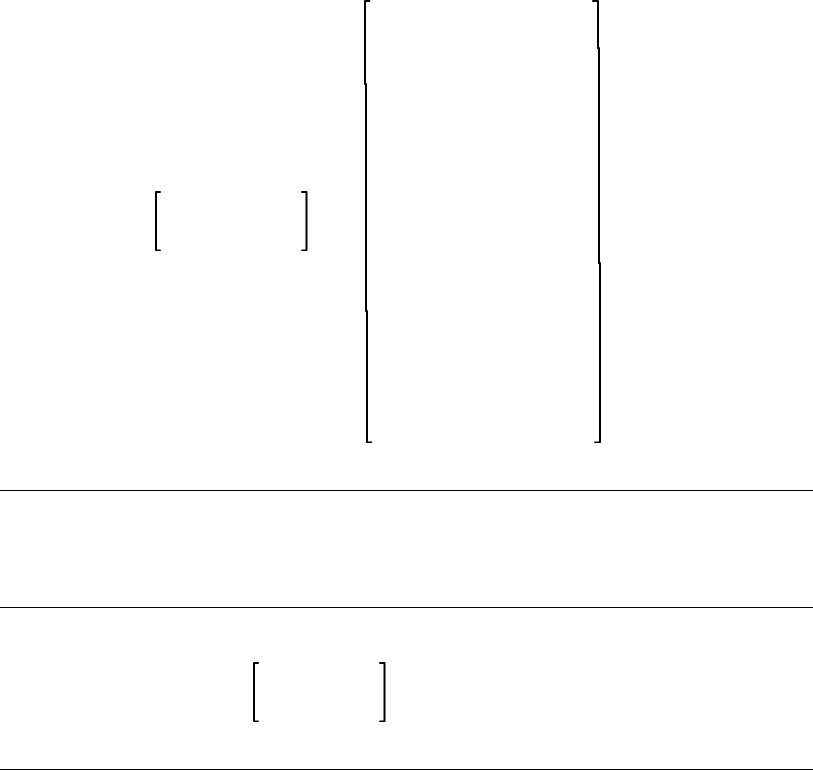
Executable-statement
label-name : ...
allocate-statement
answer-statement
assignment-statement
call-statement
case-statement
close-statement
fail-statement
for-statement
free-statement
goto-statement
if-statement
open-statement
prune-statement
read-statement
return-statement
start-scan-statement
stop-scan-statement
while-statement
write-statement
B.1.1 ALLOCATE-statement
ALLOCATE pointer-variable , . . . ;
B.1.2 ANSWER-statement
ANSWER TRIGGER string-expression , . . . ;
B.1.3 Assignment-statement
variable = expression ;
Variable Is a named object that has a value. It can be a simple
variable-name, or a component of a record, or a leaf of a tree.
B–2 Syntax Diagrams

Expression Describes a value using a set of operands and operators.
This value has a data type such as INTEGER, STRING, BOOLEAN or
POINTER.
The operands of an expression are listed in the following table.
Operand Description
Variable
Function-reference
Literal
Value of a variable
Value of a function
Value of a literal
The operators of an expression are listed in the following table.
Operator Description
[]
+
–
*
/
&
=
==
<>
<
>
<=
>=
OR
XOR
AND
NOT
Substring
Addition / unary plus
Subtraction / unary minus
Multiplication
Division
Concatenation
Equal to
Exactly equal to
Not equal to
Less than
Greater than
Less than or equal to
Greater than or equal to
Union
Exclusive OR
Intersection
Complement
B.1.4 CALL-statement
CALL procedure-name (argument , . . .
)
;
Syntax Diagrams B–3
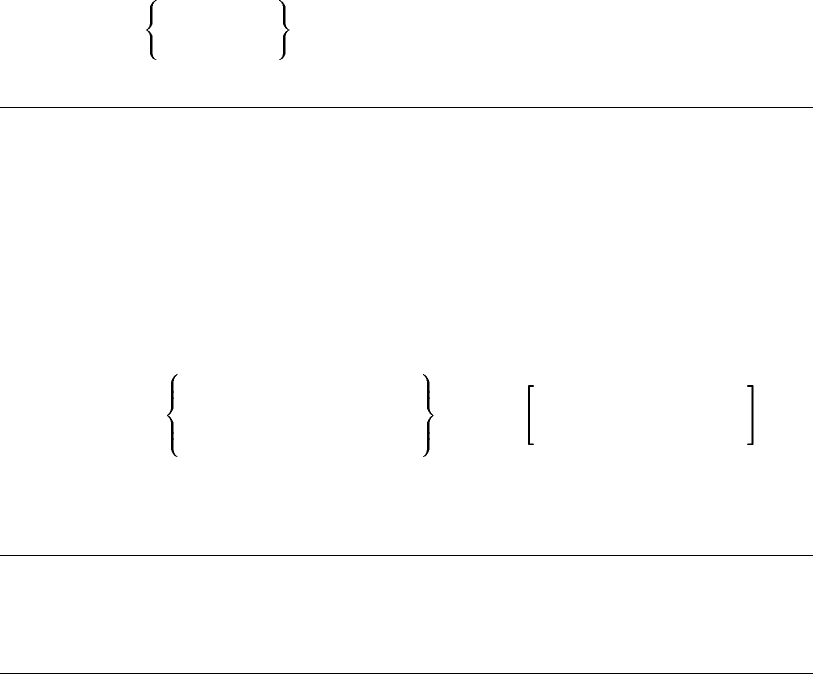
Argument has the following syntax:
expression
variable
*
B.1.5 CASE-statement
CASE integer-expression
FROM ct-integer-expression
TO ct-integer-expression ;
case-alternative . . .
END CASE ;
Case-alternative has the following syntax:
[
case-value
case-value .. case-value
INRANGE
OUTRANGE
,...]: executable-statement ...
Case-value Is a ct-integer-expression in the range of the FROM and
TO values of the case statement.
B.1.6 CLOSE-statement
CLOSE FILE ( file-variable ) ;
B.1.7 FAIL-statement
FAIL ;
B–4 Syntax Diagrams

B.1.8 FOR-statement
FOR integer-variable = integer-expression TO
integer-expression STEP integer-expression ;
executable-statement ...
END FOR;
B.1.9 FREE-statement
FREE pointer-variable , . . . ;
B.1.10 GOTO-statement
GOTO label-name ;
B.1.11 IF-statement
IF boolean-expression
THEN
executable-statement ...
ELSE
executable-statement ...
END IF;
or
IF boolean-expression
THEN
Syntax Diagrams B–5
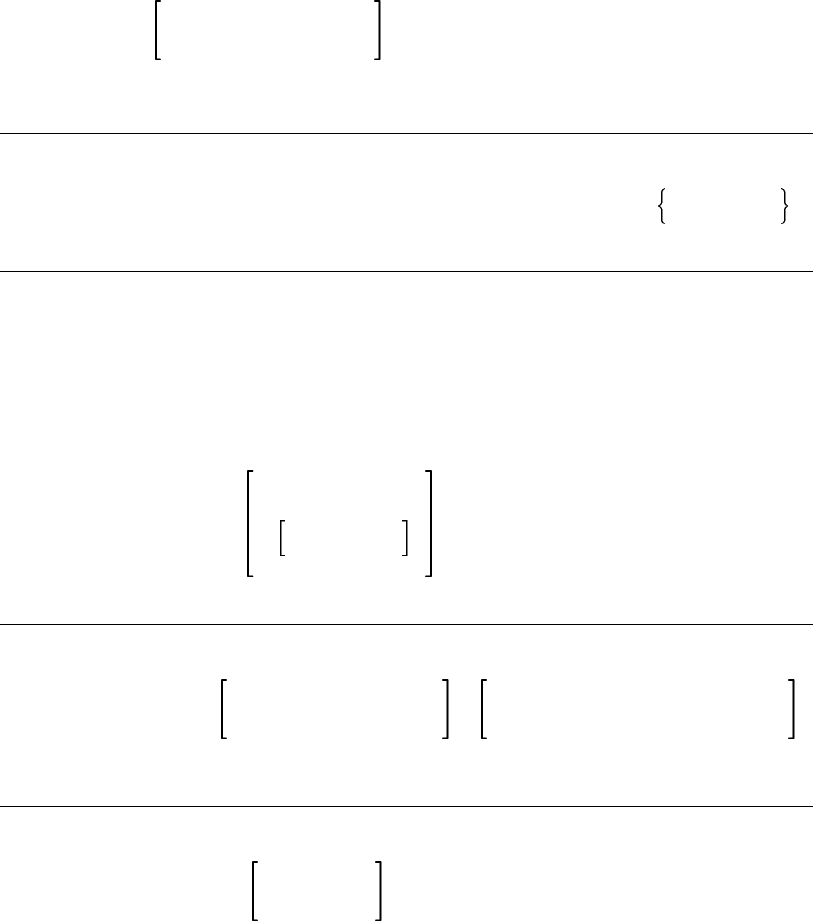
executable-statement ...
END IF;
B.1.12 OPEN-statement
OPEN FILE ( file-variable ) AS string-expression FOR INPUT
OUTPUT ;
B.1.13 PRUNE-statement
PRUNE tree-reference , . . . ;
Tree-reference Is a reference to a node in a tree.
This reference can be:
treeptr-variable
tree-name (expression
,...)
B.1.14 READ-statement
READ FILE ( file-variable ) PROMPT ( string-expression )
variable ;
B.1.15 RETURN-statement
RETURN expression ;
B–6 Syntax Diagrams

B.1.16 START-SCAN-statement
START SCAN
INPUT FILE string-expression
INPUT PROCEDURE procedure-name
INPUT STRING string-expression
INPUT WIDTH integer-expression
OUTPUT FILE string-expression
OUTPUT PROCEDURE procedure-name
OUTPUT STRING string-variable
OUTPUT WIDTH integer-expression
DATA STACK integer-expression
...;
B.1.17 STOP-SCAN-statement
STOP SCAN ;
B.1.18 WHILE-statement
WHILE boolean-expression ;
executable-statement . . . ...
END WHILE ;
B.1.19 WRITE-statement
WRITE FILE ( file-variable ) expression ,...;
Syntax Diagrams B–7

B.2 Types
This section includes the syntax diagrams for VAX SCAN types. For
more information and particular type, consult the index or the online
help.
Type has the following syntax:
INTEGER
BOOLEAN
DYNAMIC STRING
FIXED STRING ( ct-integer-expression )
VARYING STRING ( ct-integer-expression )
FILL ( ct-integer-expression )
POINTER TO type
TREEPTR ( subscript-type ) TO type
tree-type
record-type
overlay-type
type-name
FILE
B.2.1 OVERLAY-type
OVERLAY
{ component-name : type , } . . .
END OVERLAY
B.2.2 RECORD-type
RECORD
{ component-name : type , } . . .
END RECORD
B–8 Syntax Diagrams
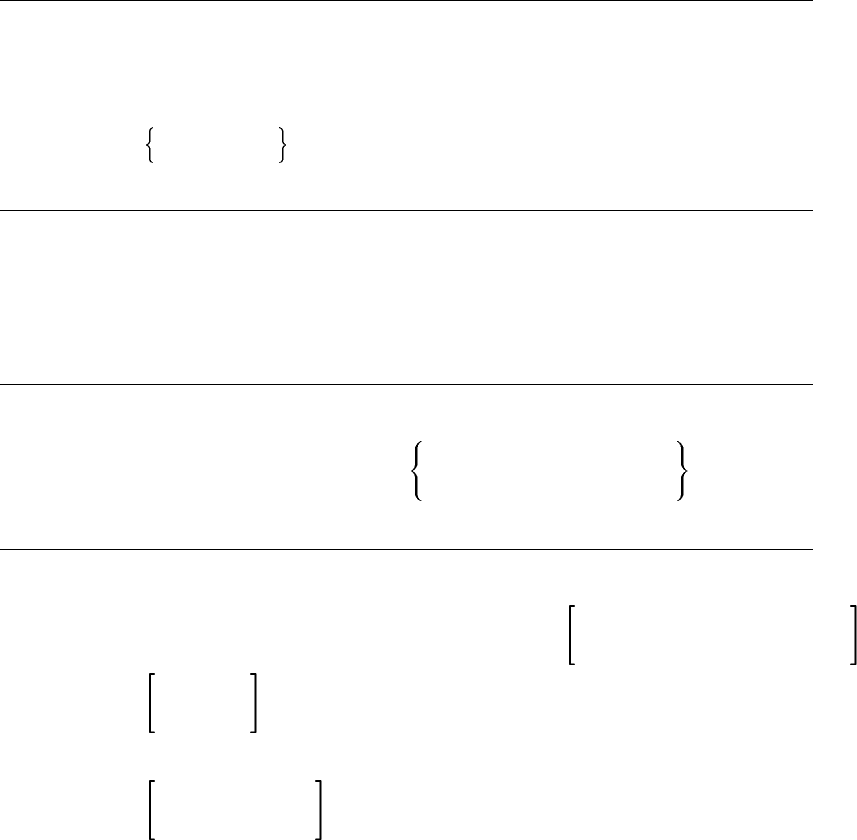
B.2.3 TREE-type
TREE ( subscript-type , . . . ) OF type
Subscript-type has the following syntax:
STRING
INTEGER
B.3 Declarations
This section includes the syntax diagrams for VAX SCAN declarations.
For more information on a particular declaration, consult the index or
the online help.
B.3.1 CONSTANT-declaration
CONSTANT constant-name = ct-expression
GLOBAL = ct-expression
EXTERNAL type ;
B.3.2 EXTERNAL-declaration
EXTERNAL PROCEDURE procedure-name ( external-parameter , . . . )
OF type ;
External-parameter has the following syntax:
VALUE
REFERENCE
DESCRIPTOR type
Syntax Diagrams B–9

B.3.3 FORWARD-declaration
FORWARD PROCEDURE procedure-name ( forward-parameter , . . . )
OF type ;
Forward-parameter has the following syntax:
VALUE
REFERENCE
DESCRIPTOR type
B.3.4 GROUP-declaration
GROUP group-name ( group-expression ) ;
Group-expression Describes a collection of tokens using a set of
group-operands and group-operators.
The group-operands are listed in the following table.
Operand Description
token-name
group-name A single token
A previously defined group
The group-operators are listed in the following table.
Operator Description
NOT
AND
OR
Complement of a group
Intersection of two groups
Union of two groups
B–10 Syntax Diagrams

B.3.5 MACRO-declaration
There are two kinds of macros in VAX SCAN—TRIGGER macros and
SYNTAX macros.
The syntax for the TRIGGER macro is as follows:
MACRO macro-name TRIGGER EXPOSE {picture} ;
variable-declaration
type-declaration
constant-declaration
procedure-declaration
macro-declaration
external-declaration
forward-declaration
...
executable-statement ...
END MACRO ;
The syntax for the SYNTAX macro is as follows:
MACRO macro-name SYNTAX EXPOSE {picture };
variable-declaration
type-declaration
constant-declaration
procedure-declaration
macro-declaration
external-declaration
forward-declaration
...
executable-statement ...
END MACRO ;
Syntax Diagrams B–11

Picture Describes the pattern of tokens to be searched for in the input
stream. The picture-expression is composed using picture-operands and
picture-operators.
The picture-operands are listed in the following table.
Operand Description
Token-name
Group-name
Macro-name
Built-in-token
Pattern described by a token
Pattern described by a member of group
Pattern described by another macro
Pattern described by special built-in token
The picture-operators are listed in the following table.
Operator Description
...
[]
{}
|
\
Repetition
Optional
Required
Alternative
list
You can precede any picture-operand with one to three variables and a
colon, as follows:
text, line, column : picture-operand
The text variable is assigned the text that matched the picture-operand.
The line variable is assigned the line number in the input stream of
text to be matched and the column variable is assigned the column
position of the start of the text.
B.3.6 MODULE-declaration
MODULE module-name IDENT character-literal ;
B–12 Syntax Diagrams
variable-declaration
type-declaration
constant-declaration
set-declaration
token-declaration
group-declaration
procedure-declaration
macro-declaration
external-declaration
forward-declaration
redefine-directive
list-directive
include-directive
...
END MODULE ;
B.3.7 PROCEDURE-declaration
PROCEDURE procedure-name MAIN ( parameter , . . . )
OF type ;
variable-declaration
type-declaration
constant-declaration
procedure-declaration
external-declaration
forward-declaration
...
executable-statement ...
END PROCEDURE ;
Parameter has the following syntax:
parameter-name : VALUE
REFERENCE
DESCRIPTOR type
Syntax Diagrams B–13
B.3.8 SET-declaration
SET set-name ( set-expression ) ;
Set-expression Describes a subset of the DEC Multinational
Character Set using set-operands and set-operators.
The set-operands are listed in the following table.
Operand Description
Ct-character-expression
Ct-character-expression ..
ct-character-expression
Single character
Range of characters
The set-operators are listed in the following table.
Operator Description
NOT
AND
OR
Complement of a set
Intersection of two sets
Union of two sets
B.3.9 TOKEN-declaration
TOKEN token-name CASELESS
IGNORE
ALIAS character-literal . . . { token-expression
};
Token-expression Describes a pattern of characters using a set of
token-operands and token-operators.
The token-operands are listed in the following table.
B–14 Syntax Diagrams

Operand Description
Ct-character-
expression
Set-name
Pattern described by string
Pattern consisting of a character from set
The token-operators are listed in the following table.
Operator Description
...
[]
{}
|
:
Repetition
Optional
Required
Alternation
Look-ahead
B.3.10 TYPE-declaration
TYPE type-name : type ;
B.3.11 Variable-declaration
DECLARE variable-name , . . . :
STATIC
AUTOMATIC
COMMON
GLOBAL
EXTERNAL
type ;
B.4 Directives
This section includes the syntax diagrams for VAX SCAN directives.
For more information on directive statements, see Chapter 13.
B.4.1 INCLUDE-directive
INCLUDE FILE ct-character-expression ;
Syntax Diagrams B–15
B.4.2 LIST-directive
LIST
ON
OFF
PAGE
TITLE ct-character-expression
;
B.4.3 REDEFINE-directive
REDEFINE S’SOS’
S’EOL’
S’EOS’
= ct-character-expression ;
B–16 Syntax Diagrams

Appendix C
VAXSCANKeywords
VAX SCAN has both reserved and unreserved keywords, as shown in
Tables C–1 and C–2.
Table C–1: Reserved Keywords
ALLOCATE AND ANSWER CALL
CASE CLOSE COLLATE CONSTANT
DECLARE ELSE END ERROR
EXTERNAL FAIL FALSE FILE
FOR FORWARD FREE FROM
GOTO GROUP IF INCLUDE
INRANGE LIST MACRO MODULE
NIL NOT OPEN OR
OUTRANGE PROCEDURE PROMPT PRUNE
READ REDEFINE RETURN SCAN
SET START STEP STOP
THEN TO TOKEN TRIGGER
TRUE TYPE WHILE WRITE
XOR
Table C–2: Unreserved Keywords
ABS ALIAS ANY AS
VAX SCAN Keywords C–1

Table C–2 (Cont.): Unreserved Keywords
ASCII AUTOMATIC BOOLEAN CASELESS
COLUMN COMMON DATA DEC_MULTI
DESCRIPTOR DYNAMIC EBCDIC EXISTS
EXPOSE FILL FIND FIRST
FIXED GLOBAL IDENT IGNORE
INDEX INPUT INSTANCE INTEGER
LAST LENGTH LOWER MAIN
MAX MEMBER MIN MOD
NATIVE NEXT NOTANY OF
OFF ON OUTPUT OVERLAY
PAGE POINTER PRIOR RECORD
REFERENCE SEQUENCE SIZE SKIP
STACK STATIC STRING SUBSCRIPT
SYNTAX TIME TITLE TREE
TREEPTR TRIM UPPER USER
VALUE VARYING WIDTH
C–2 VAX SCAN Keywords
Appendix D
VAXSCANFileSupport
VAX SCAN is designed to process sequential data files. The input
and output functions in VAX SCAN expect to read in and to write
out sequential files. Although VAX SCAN can operate on nonse-
quential files, the files are processed as though they were sequen-
tial. VAX SCAN does not check the characteristics of an input file
to determine how to process it. Each record in an input file is pro-
cessed sequentially. For more information on file attributes, see the
<REFERENCE>(VMS_RMSROUT_R), the <REFERENCE>(VMS_
FDU_REF), and the <REFERENCE>(VMS_FILETUNING_H).
Table D–1 and Table D–2 show the File Definition Language (FDL)
descriptions for the attributes that VAX SCAN uses to process input
and output files, respectively.
Table D–1: FDL Description for VAX SCAN Input File
Primary
Attribute Secondary Attribute Associated Value
FILE SEQUENTIAL_ONLY TRUE (YES)
RECORD CARRIAGE_CONTROL CARRIAGE_RETURN
ACCESS GET TRUE (YES)
SHARING GET TRUE (YES)
CONNECT LOCATE_MODE
READ_AHEAD TRUE (YES)
TRUE (YES)
VAX SCAN File Support D–1
Table D–2: FDL Description for VAX SCAN Output File
Primary
Attribute Secondary Attribute Associated Value
FILE SEQUENTIAL_ONLY
ORGANIZATION TRUE (YES)
SEQUENTIAL
RECORD CARRIAGE_CONTROL
FORMAT CARRIAGE_RETURN
VARIABLE
ACCESS PUT TRUE (YES)
SHARING PROHIBIT TRUE (YES)
CONNECT WRITE_BEHIND TRUE (YES)
D–2 VAX SCAN File Support
Appendix E
DECMultinationalCharacterSet
DEC Multinational Character Set control characters are shown as a
reverse question mark on the VT200 series of terminals. They are
shown as a rectangle on the VT100 series of terminals.
Graphic Decimal
Value Abbreviation Description
? 0 NUL null character
? 1 SOH start of heading
? 2 STX start of text
? 3 ETX end of text
? 4 EOT end of transmission
? 5 ENQ enquiry
? 6 ACK acknowledge
? 7 BEL bell
? 8 BS backspace
H
T9 HT horizontal tabulation
L
F10 LF line feed
V
T11 VT vertical tabulation
F
F12 FF form feed
C
R13 CR carriage return
? 14 SO shift out
? 15 SI shift in
DEC Multinational Character Set E–1

Graphic Decimal
Value Abbreviation Description
? 16 DLE data link escape
? 17 DC1 device control 1
? 18 DC2 device control 2
? 19 DC3 device control 3
? 20 DC4 device control 4
? 21 NAK negative acknowledge
? 22 SYN synchronous idle
? 23 ETB end of transmission block
? 24 CAN cancel
? 25 EM end of medium
? 26 SUB substitute
? 27 ESC escape
? 28 FS file separator
? 29 GS group separator
? 30 RS record separator
? 31 US unit separator
? 32 SP space
! 33 ! exclamation point
"34 "quotation marks (double quote)
# 35 # number sign
$ 36 $ dollar sign
% 37 % percent sign
& 38 & ampersand
’39 ’apostrophe (single quote)
( 40 ( opening parenthesis
) 41 ) closing parenthesis
* 42 * asterisk
+ 43 + plus
, 44 , comma
E–2 DEC Multinational Character Set

Graphic Decimal
Value Abbreviation Description
- 45 - hyphen or minus
. 46 . period or decimal point
/ 47 / slash
0 48 0 zero
1 49 1 one
2 50 2 two
3 51 3 three
4 52 4 four
5 53 5 five
6 54 6 six
7 55 7 seven
8 56 8 eight
9 57 9 nine
: 58 : colon
; 59 ; semicolon
< 60 < less than
= 61 = equals
> 62 > greater than
? 63 ? question mark
@ 64 @ commercial at
A 65 A uppercase A
B 66 B uppercase B
C 67 C uppercase C
D 68 D uppercase D
E 69 E uppercase E
F 70 F uppercase F
G 71 G uppercase G
H 72 H uppercase H
I 73 I uppercase I
DEC Multinational Character Set E–3

Graphic Decimal
Value Abbreviation Description
J 74 J uppercase J
K 75 K uppercase K
L 76 L uppercase L
M 77 M uppercase M
N 78 N uppercase N
O 79 O uppercase O
P 80 P uppercase P
Q 81 Q uppercase Q
R 82 R uppercase R
S 83 S uppercase S
T 84 T uppercase T
U 85 U uppercase U
V 86 V uppercase V
W 87 W uppercase W
X 88 X uppercase X
Y 89 Y uppercase Y
Z 90 Z uppercase Z
[ 91 [ opening bracket
\ 92 \ back slash
] 93 ] closing bracket
^ 94 ^ circumflex
_ 95 _ underline (underscore)
‘ 96 ‘ grave accent
a 97 a lowercase a
b 98 b lowercase b
c 99 c lowercase c
d 100 d lowercase d
e 101 e lowercase e
f 102 f lowercase f
E–4 DEC Multinational Character Set

Graphic Decimal
Value Abbreviation Description
g 103 g lowercase g
h 104 h lowercase h
i 105 i lowercase i
j 106 j lowercase j
k 107 k lowercase k
l 108 l lowercase l
m 109 m lowercase m
n 110 n lowercase n
o 111 o lowercase o
p 112 p lowercase p
q 113 q lowercase q
r 114 r lowercase r
s 115 s lowercase s
t 116 t lowercase t
u 117 u lowercase u
v 118 v lowercase v
w 119 w lowercase w
x 120 x lowercase x
y 121 y lowercase y
z 122 z lowercase z
{ 123 { opening brace
| 124 | vertical line
} 125 } closing brace
~ 126 ~ tilde
DEL 127 DEL delete, rubout
? 128 — [reserved]
? 129 — [reserved]
? 130 — [reserved]
? 131 — [reserved]
DEC Multinational Character Set E–5

Graphic Decimal
Value Abbreviation Description
? 132 IND index
? 133 NEL next line
? 134 SSA start of selected area
? 135 ESA end of selected area
? 136 HTS horizontal tab set
? 137 HTJ horizontal tab set with justifi-
cation
? 138 VTS vertical tab set
? 139 PLD partial line down
? 140 PLU partial line up
? 141 RI reverse index
? 142 SS2 single shift 2
? 143 SS3 single shift 3
? 144 DCS device control string
? 145 PU1 private use 1
? 146 PU2 private use 2
? 147 STS set transmit state
? 148 CCH cancel character
? 149 MW message waiting
? 150 SPA start of protected area
? 151 EPA end of protected area
? 152 — [reserved]
? 153 — [reserved]
? 154 — [reserved]
? 155 CSI control sequence introducer
? 156 ST string terminator
? 157 OSC operating system command
? 158 PM privacy message
? 159 APC application program command
E–6 DEC Multinational Character Set

Graphic Decimal
Value Abbreviation Description
? 160 — [reserved]
¡ 161 ¡ inverted exclamation mark
¢ 162 ¢ cent sign
£ 163 £ pound sign
? 164 — [reserved]
¥ 165 ¥ yen sign
? 166 — [reserved]
§ 167 § section sign
¤ 168 ¤ general currency sign
© 169 © copyright sign
ª 170 ª feminine ordinal indicator
« 171 « angle quotation mark left
? 172 — [reserved]
? 173 — [reserved]
? 174 — [reserved]
? 175 — [reserved]
° 176 ° degree sign
± 177 ± plus/minus sign
² 178 ² superscript 2
³ 179 ³ superscript 3
? 180 — [reserved]
µ 181 µ micro sign
¶ 182 ¶ paragraph sign, pilcrow
· 183 · middle dot
? 184 — [reserved]
¹ 185 ¹ superscript 1
º 186 º masculine ordinal indicator
» 187 » angle quotation mark right
¼ 188 ¼ fraction one quarter
DEC Multinational Character Set E–7

Graphic Decimal
Value Abbreviation Description
½ 189 ½ fraction one half
? 190 — [reserved]
¿ 191 ¿ inverted question mark
À 192 À uppercase A with grave accent
Á 193 Á uppercase A with acute accent
 194  uppercase A with circumflex
à 195 à uppercase A with tilde
Ä 196 Ä uppercase A with umlaut,
(diaeresis)
Å 197 Å uppercase A with ring
Æ 198 Æ uppercase AE diphthong
Ç 199 Ç uppercase C with cedilla
È 200 È uppercase E with grave accent
É 201 É uppercase E with acute accent
Ê 202 Ê uppercase E with circumflex
Ë 203 Ë uppercase E with umlaut,
(diaeresis)
Ì 204 Ì uppercase I with grave accent
Í 205 Í uppercase I with acute accent
Î 206 Î uppercase I with circumflex
Ï 207 Ï uppercase I with umlaut,
(diaeresis)
? 208 — [reserved]
Ñ 209 Ñ uppercase N with tilde
Ò 210 Ò uppercase O with grave accent
Ó 211 Ó uppercase O with acute accent
Ô 212 Ô uppercase O with circumflex
Õ 213 Õ uppercase O with tilde
Ö 214 Ö uppercase O with umlaut,
(diaeresis)
E–8 DEC Multinational Character Set

Graphic Decimal
Value Abbreviation Description
Π215 Πuppercase OE ligature
Ø 216 Ø uppercase O with slash
Ù 217 Ù uppercase U with grave accent
Ú 218 Ú uppercase U with acute accent
Û 219 Û uppercase U with circumflex
Ü 220 Ü uppercase U with umlaut,
(diaeresis)
Ÿ 221 Ÿ uppercase Y with umlaut,
(diaeresis)
? 222 — [reserved]
ß 223 ß German lowercase sharp s
à 224 à lowercase a with grave accent
á 225 á lowercase a with acute accent
â 226 â lowercase a with circumflex
ã 227 ã lowercase a with tilde
ä 228 ä lowercase a with umlaut,
(diaeresis)
å 229 å lowercase a with ring
æ 230 æ lowercase ae diphthong
ç 231 ç lowercase c with cedilla
è 232 è lowercase e with grave accent
é 233 é lowercase e with acute accent
ê 234 ê lowercase e with circumflex
ë 235 ë lowercase e with umlaut,
(diaeresis)
ì 236 ì lowercase i with grave accent
í 237 í lowercase i with acute accent
î 238 î lowercase i with circumflex
ï 239 ï lowercase i with umlaut,
(diaeresis)
DEC Multinational Character Set E–9
Graphic Decimal
Value Abbreviation Description
? 240 — [reserved]
ñ 241 ñ lowercase n with tilde
ò 242 ò lowercase o with grave accent
ó 243 ó lowercase o with acute accent
ô 244 ô lowercase o with circumflex
õ 245 õ lowercase o with tilde
ö 246 ö lowercase o with umlaut,
(diaeresis)
œ 247 œ lowercase oe ligature
ø 248 ø lowercase o with slash
ù 249 ù lowercase u with grave accent
ú 250 ú lowercase u with acute accent
û 251 û lowercase u with circumflex
ü 252 ü lowercase u with umlaut,
(diaeresis)
ÿ 253 ÿ lowercase y with umlaut,
(diaeresis)
? 254 — [reserved]
? 255 — [reserved]
E–10 DEC Multinational Character Set

Appendix F
OptionalProgrammingProductivity
Tools
This appendix introduces an optional programming productivity tool:
the VAX Language-Sensitive Editor (VAXLSE). This tool is not included
with the VAX SCAN software; it is a separate software product and
must be purchased separately. VAXLSE can significantly increase the
productivity of the VAX SCAN programmer; this appendix shows how.
The VAX Language-Sensitive Editor (VAXLSE) is a multilanguage,
advanced text editor designed specifically for software development.
You can use VAXLSE to control your editing environment and (with
VAXLSE’s knowledge of specific languages) to quickly and accurately
develop programs.
This appendix introduces the concepts of tokens1and placeholders and
their use in editing source files. It also provides information on the
following:
• Invoking VAXLSE
• Using language-specific examples
• Using aliases
• Compiling source code
This appendix concludes with editor keypad information and command
descriptions. It also provides further language-specific information and
examples.
1The VAX Language-Sensitive Editor concept of tokens is different from that of VAX SCAN.
Optional Programming Productivity Tools F–1

For more detailed information about VAXLSE, see the VAX Language-
Sensitive Editor User’s Guide.
F.1 Getting Started with the VAX Language-Sensitive Editor
VAXLSE provides you with predefined language elements called tokens
and placeholders that you can use to create or edit source code for
each of the supported languages. These elements can be expanded
into templates for language constructs. A complete program can be
constructed by successive expansions of these templates and constructs.
Tokens
Tokens are reserved words or function names that are typed into the
editing buffer and expanded to provide templates for corresponding
language constructs. Some examples of VAXLSE’s tokens for VAX
SCAN are PROCEDURE,MACRO,IF,DECLARE, and MEMBER.
Placeholders
Placeholders are inserted into the editing buffer as parts of templates,
and represent locations in the source code for you to provide additional
program text. In some cases, however, a placeholder can be expanded
to provide a template for additional text. Examples of VAX SCAN
placeholders are {-type-},{-macro_name-}, and [-module_statement-
].
Note that for VAX SCAN, braces and hyphens ({- -}) enclose required
placeholders, while brackets and hyphens ([- -]) enclose optional place-
holders.
F.2 Commands for Tokens and Placeholders
There are three commands that manipulate tokens and placeholders.
These commands and their default key bindings are as follows:
Command Key Binding
EXPAND CTRL/E
F–2 Optional Programming Productivity Tools

Command Key Binding
GOTO PLACEHOLDER/FORWARD CTRL/N
ERASE PLACEHOLDER/FORWARD CTRL/K
EXPAND (CTRL/E)
The EXPAND command (CTRL/E) enables you to develop your program
by choosing options available to you through VAXLSE’s knowledge of
languages. When you press CTRL/E while the cursor is on a place-
holder name, one of the following three events occurs:
• Text appears to aid you in supplying a value. This type of place-
holder is called a terminal placeholder.
• The placeholder is automatically replaced with a template consist-
ing of more language elements. This type of placeholder is called a
nonterminal placeholder.
• A menu appears providing you with options that can be expanded
into templates. To select an option, you use the up and down arrow
keys, then press CTRL/E, the RETURN key, or the ENTER key.
This type of placeholder is called a menu placeholder.
In any of these three cases, you can type the desired text over the
placeholder.
If you press CTRL/E after typing a token name (or a nonambiguous
part of a token name), the token name expands in the same manner as
a placeholder.
GOTO PLACEHOLDER (CTRL/N)
The GOTO PLACEHOLDER commands provide you with an efficient
method of moving from placeholder to placeholder.
The GOTO PLACEHOLDER/FORWARD command (CTRL/N) places
the cursor on the first character of the placeholder name. Here you
can use the EXPAND command or start typing the text to replace the
placeholder. As you begin typing, the placeholder is automatically
erased.
The GOTO PLACEHOLDER/REVERSE command (CTRL/P) allows you
to move back to the first character of the previous placeholder.
Optional Programming Productivity Tools F–3
ERASE PLACEHOLDER/FORWARD (CTRL/K)
The ERASE PLACEHOLDER/FORWARD command (CTRL/K) allows
you to remove optional placeholders that correspond to the language
constructs you choose not to use in your program. You cannot remove a
required placeholder.
F.3 Creating and Editing Code
The best way to learn VAXLSE is by experimenting at the terminal.
You can get online help during an editing session for both the keypad
functions and the commands.
F.3.1 Editing a New File
The following procedure helps you experiment with the VAX SCAN
templates using a new file. (For tutorial examples, refer to Section F.4.)
1. Invoke VAXLSE using the following command line format:
LSEDIT /qualifier . . . file-spec
For example:
$ LSEDIT PROG.SCN RETURN
2. The initial string {-scan_module-} appears on the screen. Press
the EXPAND key (CTRL/E). The template shown in Figure F–1
appears on your screen.
F–4 Optional Programming Productivity Tools

Figure F–1: Initial Screen Display
ZK-4301-85
3. Press the GOTO PLACEHOLDER/FORWARD key (CTRL/N) to
move from one placeholder to the next, expanding and typing
in text as you go. For help on a placeholder or token, press the
HELP/LANGUAGE key sequence (PF1-PF2) while the cursor is
positioned on the placeholder.
4. For any optional placeholders that you do not want, press the
ERASE PLACEHOLDER/FORWARD key (CTRL/K).
5. Some expansions display menus. Use the arrow keys to move
through the menu and select your choice by pressing CTRL/E, the
ENTER key, or the RETURN key.
Optional Programming Productivity Tools F–5
6. Enter command mode by pressing CTRL/Z for the LSE> prompt, or
the PF1-Keypad 7 key sequence for the LSE Command> prompt.
Enter the CONTINUE command to return to editing. Enter the
EXIT or QUIT command to leave VAXLSE; however, if you make
modifications to the file, you must enter the EXIT command to save
the changes you have made.
The following procedures provide you with more general information
about VAXLSE:
1. To see a diagram of the keypad, press the Help key (PF2).
2. To obtain a listing of the keys and their descriptions, enter the
SHOW KEY command.
3. To see a list of VAXLSE commands and their explanations, press
CTRL/Z (or use the PF1-Keypad 7 key sequence) to obtain one of
VAXLSE’s prompts; then type HELP COMMANDS and press the
RETURN key.
4. To examine a list of all the predefined tokens, press CTRL/Z to
get the LSE> prompt; then type SHOW TOKEN and press the
RETURN key.
F.3.2 Editing an Existing File
When editing an existing file (in one of the supported languages),
you can still make use of VAXLSE’s language knowledge by using
tokens. Because tokens exist for many keywords, you simply type the
keyword and press the EXPAND key. For example, typing IF followed
by pressing CTRL/E causes a template for an IF construct to appear on
your screen.
F.3.3 Defining Aliases
The DEFINE ALIAS command allows you to define an abbreviation for
a long identifier name entered in your source code. To define an alias
for an identifier on which the cursor is currently located, press the PF1-
CTRL/A key sequence (which invokes the DEFINE ALIAS/INDICATED
command) and type the abbreviation at the prompt as follows:
_Alias name: name RETURN
F–6 Optional Programming Productivity Tools
The complete (long) identifier name appears whenever the abbreviation
is typed and expanded by pressing CTRL/E.
F.3.4 Using the Compiler Interface
When writing your program, you can use the COMPILE command and
subsequent REVIEW commands to check your code for syntax and
semantic errors without exiting the editing session.
F.3.4.1 The COMPILE Command
The COMPILE command compiles the current buffer and writes diag-
nostic information to a file. VAXLSE supports each compiler’s command
qualifiers and also supports user command procedures.
VAXLSE runs the specified compiler in a subprocess by issuing a DCL
command. For example, with TEST.SCN as the current buffer, type the
COMPILE command as follows:
LSE> COMPILE RETURN
This results in the following DCL command:
$ SCAN TEST.SCN /DIAGNOSTICS
The effect of the /DIAGNOSTICS qualifier is described in Section F.3.4.2.
If you want to specify additional DCL qualifiers, such as /DEBUG, you
must use the COMPILE command and type in a dollar sign ($) before
the qualifier, as shown in the following example:
LSE> COMPILE $/DEBUG RETURN
VAXLSE substitutes the command verb for the dollar sign and the
resulting DCL command is issued as follows:
$ SCAN/DEBUG TEST.SCN /DIAGNOSTICS
If you specify COMPILE/REVIEW, VAXLSE enters REVIEW mode
and reviews compilation errors on the screen when the compilation is
completed.
For more information on the COMPILE command, see the VAX
Language-Sensitive Editor User’s Guide.
Optional Programming Productivity Tools F–7

F.3.4.2 The REVIEW Command
The REVIEW command performs the same function as the /REVIEW
qualifier on the COMPILE command. The REVIEW command se-
lects and displays a set of diagnostic messages that resulted from
a compilation. The program must have been compiled with the
/DIAGNOSTICS qualifier. For example, after invoking the compiler
with the /DIAGNOSTICS qualifier, or after using the COMPILE com-
mand as described in the previous section, type the following:
LSE> REVIEW RETURN
The screen is split into two windows. The top window contains buffer
$REVIEW, which displays errors and highlights the line where the
error occurred. The bottom window contains the source buffer. You
then type the following command:
LSE> NEXT ERROR RETURN
The NEXT ERROR command moves the cursor to the next error in
buffer $REVIEW. To move the cursor to the source buffer and the
region containing the error, type the following:
LSE> GOTO SOURCE RETURN
Use the arrow keys to move within the source buffer. To return to
reviewing errors, type either the NEXT ERROR or PREVIOUS ERROR
command.
The default key bindings for these commands are shown in the follow-
ing table.
Command Key Binding
GOTO SOURCE CTRL/G
NEXT ERROR CTRL/F
PREVIOUS ERROR CTRL/B
To return to one window containing the source buffer when you are in
buffer $REVIEW, type the following command:
LSE> END REVIEW RETURN
F–8 Optional Programming Productivity Tools

F.3.4.3 REVIEW Mode
Upon entering REVIEW mode, the buffer $REVIEW window contains
the following:
• The source line on which the error was detected
• Any supplied text
• An error message
The detected source line is identified by a listing line number that
indicates the line on which the error occurred. The detected source line
is also highlighted to indicate which error message you are currently
viewing. You can highlight the next or previous error, using the NEXT
ERROR and PREVIOUS ERROR commands, respectively.
The supplied text (for example, macro-expanded text) provides supple-
mentary information about the detected source line, but is not always
supplied with every detected source line.
When you enter REVIEW mode, the cursor is positioned on the first
detected source line. If you want to look at this error in your source
code, enter the GOTO SOURCE command and the cursor moves to the
location of the error. VAXLSE highlights the area where the error is
located. You can also move the cursor to the supplied text and then use
the GOTO SOURCE command to move to the related text.
In addition to highlighting an area in the source buffer, for certain mes-
sages VAXLSE can modify the source code according to the correction
indicated by the message. For example, the following error message
and line number message appear on your screen in the $REVIEW
buffer, as shown in the following example.
Line 10: IF (a > = 10)
%SCAN-W-MERGE, Merged ">" and "=" to form ">="
The area in the source buffer where this error occurred is highlighted.
When you use the GOTO SOURCE command to locate your position
within the source code, the correction appears on the line where the
error occurred in the source buffer, as shown in the following example:
IF (a >= 10)
Optional Programming Productivity Tools F–9

VAXLSE prompts you with the following message at the bottom of the
screen:
Keep the indicated correction [Y or N]?
If you want to keep the supplied correction, type Y and press the
RETURN key. If you want to keep the original code unaltered, type N
and press the RETURN key. There is no default. You must type either
YorN.
To move from the source code buffer to buffer $REVIEW or from buffer
$REVIEW to the source code buffer without examining errors or mov-
ing to another error, use the NEXT WINDOW command.
Use the END REVIEW command to return to a one-window display of
the source buffer.
F.3.5 VAXLSE Command Line
The format for VAXLSE command line is as follows:
LSEDIT /qualifier . . . file-spec
/Qualifier Specifies any command qualifier.
File-spec Specifies the file to be edited. The specification must be a
VAX/VMS file specification. If no file specification is entered, VAXLSE
defaults to the file it most recently edited.
VAXLSE reads the file into a buffer. The buffer name is the name
and type of the file specification in the command line. The file type
determines the default language. For example, the file type for SCAN
is SCN; the file types for C are C and H; the file type for FORTRAN
is FOR; and the file types for COBOL are COB, LIB, and CBL. If the
specified file exists, it is opened. If the file does not exist, it is created
when you exit VAXLSE using the EXIT command.
F–10 Optional Programming Productivity Tools
F.3.6 Editor Command Line Qualifiers
Table F–1 lists editor command line qualifiers that provide additional
information to VAXLSE on how to handle your files. For more informa-
tion, see the VAX Language-Sensitive Editor User’s Guide.
Table F–1: Editor Command Line Qualifiers
Qualifier Default
/[NO]COMMAND=file-spec /NOCOMMAND
/[NO]DISPLAY /DISPLAY
/[NO]ENVIRONMENT=file-spec-list /NOENVIRONMENT
/[NO]INITIALIZATION=file-spec /NOINITIALIZATION
/[NO]JOURNAL[=file-spec] /JOURNAL
/LANGUAGE=language
/[NO]OUTPUT[=file-spec] /OUTPUT
/[NO]READ_ONLY /NOREAD_ONLY
/[NO]RECOVER /NORECOVER
/[NO]SECTION=file-spec /SECTION=LSE$SECTION
/START_POSITION=(line,character) /START_POSITION=(1,1)
/[NO]SYSTEM_ENVIRONMENT=file-spec /SYSTEM_ENVIRONMENT=LSE$SYSTEM_
ENVIRONMENT
F.3.7 Keypad Functions
Figure F–2 and Figure F–3 show VAXLSE keypad functions for VT100
and VT200 terminals. Table F–2 shows the default editor keypad
functions. For information on redefining these keys to suit your keypad
preference, see the DEFINE KEY command in the VAX Language-
Sensitive Editor User’s Guide.
Optional Programming Productivity Tools F–11

Figure F–2: VAX Language-Sensitive Editor Keypad Layout for
VT100 Series Terminals
ZK-1767-84
F–12 Optional Programming Productivity Tools
Figure F–3: VAX Language-Sensitive Editor Keypad Layout for
VT200 Series Terminals
ZK-3011-84
Table F–2: Default Editor Keypad Functions
Key Function
PF1 Change Indentation/Reverse
PF1 Change Indentation/Forward
PF1 Previous Window
PF1 Next Window
Optional Programming Productivity Tools F–13
Table F–2 (Cont.): Default Editor Keypad Functions
Key Function
PF1 = Change Window_Mode
Backspace or F12 or CTRL/H Start of Line
Delete or <xRubout Char
Linefeed or F13 Rubout Word
Tab Tab
PF1 Tab Untab
CTRL/A Change Text Entry Mode
PF1 CTRL/A Define Alias/Indicated
CTRL/B Previous Error
CTRL/E Expand Item
PF1 CTRL/E Unexpand Item
CTRL/F Next Error
CTRL/G Goto Source
CTRL/K Erase Placeholder/Forward
PF1 CTRL/K Unerase Placeholder
CTRL/N Goto Placeholder/Forward
CTRL/P Goto Placeholder/Reverse
CTRL/R Refresh Screen
CTRL/U Erase to Beginning of Line
CTRL/W Refresh Screen
CTRL/Z Editor Command Mode
PF1 CTRL/Z VAXTPU Command Mode
VAXLSE line mode commands are shown in Table F–3:
Table F–3: Editor Line Mode Commands
Command Purpose
ATTACH Allows you to attach the terminal to another
process
F–14 Optional Programming Productivity Tools

Table F–3 (Cont.): Editor Line Mode Commands
Command Purpose
CALL Allows you to call a specified VAXTPU procedure
CANCEL MARK Deletes a specified mark
CANCEL SELECTMARK Cancels the effect of a SET SELECTMARK
command
CHANGE CASE Alters the case (upper/lower) of each letter in
the select range
CHANGE DIRECTION Alters the direction (forward/reverse) of the
current buffer
CHANGE INDENTATION Adds or deletes leading blanks and tabs in the
select range
CHANGE TEXTENTRYMODEAlters the text entry mode (insert/overstrike) of
the current buffer
CHANGE WINDOWMODE Alters the number of displayed windows
COMPILE Writes and compiles a buffer
CONTINUE Ends command line prompts and returns to
keypad mode
CUT Moves the select range to the indicated buffer
DEFINE ALIAS For use with the EXPAND command; deter-
mines a reference name for text or an identifier
DEFINE COMMAND Specifies a name for a user or an editor com-
mand
DEFINE KEY Specifies the key for an editor command
DEFINE LANGUAGE Specifies language characteristics
DEFINE PLACEHOLDER Specifies placeholder characteristics
DEFINE TOKEN Specifies token characteristics
DELETE ALIAS Cancels the effect of a DEFINE ALIAS com-
mand
DELETE BUFFER Eliminates the specified buffer
DELETE COMMAND Cancels the effect of a DEFINE COMMAND
command
DELETE KEY Cancels the effect of a DEFINE KEY command
Optional Programming Productivity Tools F–15

Table F–3 (Cont.): Editor Line Mode Commands
Command Purpose
DELETE LANGUAGE Cancels the effect of a DEFINE LANGUAGE
command
DELETE PLACEHOLDER Cancels the effect of a DEFINE PLACEHOLDER
command
DELETE TOKEN Cancels the effect of a DEFINE TOKEN com-
mand
DO Executes editor commands or VAXTPU program
statements
END DEFINE Terminates a DEFINE PLACEHOLDER or
TOKEN command
END REVIEW Terminates the current review session
ENTER LINE Inserts a line break (carriage return) at the
current cursor position
ENTER SPACE Inserts a blank character and performs a fill on
the current line
ENTER SPECIAL Inserts a specified ASCII character at the
current cursor position
ENTER TAB Inserts indentation, if at beginning of line;
otherwise, inserts a tab at the current cursor
position
ENTER TEXT Inserts a specified string at the current cursor
position
ERASE CHARACTER Deletes a character at the current cursor posi-
tion
ERASE LINE Deletes a line of text from the current cursor
position
ERASE PLACEHOLDER Deletes the text of a selected placeholder
ERASE WORD Deletes a word at the current cursor position
EXIT Terminates an editing session and returns to
the calling program or DCL
EXPAND Replaces the placeholder, token, or alias with
the body
F–16 Optional Programming Productivity Tools

Table F–3 (Cont.): Editor Line Mode Commands
Command Purpose
EXTRACT Selects the definition of a named item and
formats it as a command
FILL Fills the lines in the select range
GOTO BOTTOM Moves the cursor to the bottom of the current
buffer
GOTO BUFFER Moves the cursor to the last position held in the
specified buffer
GOTO CHARACTER Moves the cursor to the specified character
GOTO FILE Moves the cursor to a buffer containing the
specified file
GOTO LINE Moves the cursor to the next line
GOTO MARK Moves the cursor to the mark created by the
preceding SET MARK command
GOTO PAGE Moves the cursor to the next page
GOTO PLACEHOLDER Moves the cursor to the next placeholder
GOTO SCREEN Moves the cursor in the current direction by the
number of lines in the current window
GOTO SOURCE Uses the current cursor position in buffer
$REVIEW to select the diagnostic in the source
buffer
GOTO TOP Moves the cursor to the top of the current buffer
GOTO WORD Moves the cursor to the next word in the current
buffer
HELP Displays information about a specified editor
topic
NEXT ERROR Selects the next diagnostic from the current set
in buffer $REVIEW
NEXT WINDOW Selects the alternate window
PASTE Copies the contents of a specified buffer into the
current buffer
PREVIOUS ERROR Selects the previous diagnostic from the current
set in buffer $REVIEW
Optional Programming Productivity Tools F–17

Table F–3 (Cont.): Editor Line Mode Commands
Command Purpose
PREVIOUS WINDOW Selects the alternate window
QUIT Terminates an editing session without saving
any modified buffers
READ Opens a specified file for input and places its
contents in a specified buffer
REFRESH Rewrites the screen display
REPEAT Executes a command a specified number of
times
REVIEW Displays a set of diagnostic messages resulting
from a compilation
SAVE ENVIRONMENT Writes all user-defined languages, placeholders,
and tokens to a specified file
SEARCH Positions the cursor at a specified string in the
current buffer
SET FORWARD Sets the current direction of the buffer forward
SET INDENTATION Changes the current indentation level for the
buffer
SET INSERT Sets the text entry mode of the buffer to insert
mode
SET LANGUAGE Changes the language associated with the buffer
SET LEFTMARGIN Specifies the left margin for FILL and ENTER
SPACE
SET MARK Specifies a name at the current cursor position
for a GOTO MARK command
SET MODE Changes the setting of the AUTOERASE, BELL,
FILL, FORTRAN, and EXPANDCASE modes
SET OUTPUTFILE Changes the output file associated with the
buffer
SET OVERSTRIKE Sets the text entry mode of the buffer to over-
strike mode
SET READONLY Specifies that following a COMPILE command
or an exit from VAXLSE, the buffer not be
written to a file
F–18 Optional Programming Productivity Tools

Table F–3 (Cont.): Editor Line Mode Commands
Command Purpose
SET REVERSE Sets the current direction of the buffer to re-
verse
SET RIGHTMARGIN Specifies the right margin for FILL and ENTER
SPACE commands
SET SCREEN Changes the characteristics of the terminal
display screen
SET SELECTMARK Specifies a position as one end of a select range
SET TABINCREMENT Specifies the number of columns between tab
stops for the buffer
SET WRITE Specifies that following a COMPILE command
or an exit from VAXLSE, the buffer will be
written to a file
SHIFT Scrolls a window horizontally (left or right)
SHOW ALIAS Displays the characteristics of the specified alias
SHOW BUFFER Displays the characteristics of the specified
buffer
SHOW COMMAND Displays the characteristics of the specified
command
SHOW KEY Displays the characteristics of the specified key
SHOW LANGUAGE Displays the characteristics of the specified
language
SHOW MARK Displays the setting of the specified mark
SHOW MODE Displays the current mode settings
SHOW PLACEHOLDER Displays the characteristics of the specified
placeholder
SHOW TOKEN Displays the characteristics of the specified
token
SHOW VERSION Displays the version of VAXLSE
SPAWN Suspends the editing session and runs the DCL
interpreter in a subprocess
SUBSTITUTE Searches for a specified text string and replaces
it with another specified string
Optional Programming Productivity Tools F–19

Table F–3 (Cont.): Editor Line Mode Commands
Command Purpose
TAB Inserts indentation, if at the beginning of line;
otherwise, spaces to the next tab stop
UNERASE Restores text previously deleted by an ERASE
command
UNEXPAND Reverses the effect of the last EXPAND com-
mand
UNTAB Removes spaces to the previous tab stop
WRITE Outputs the content of a specified buffer or
select range to a specified file
F.4 Using the VAX Language-Sensitive Editor with VAX
SCAN
This part of the appendix describes the special features of VAX SCAN
that are available through VAXLSE and provides examples of using
VAXLSE to write VAX SCAN code. Section F.6 provides information
on how to obtain a list of VAXLSE tokens and placeholders defined for
VAX SCAN.
F.5 Sample Editing Session
The following sample session shows expansions of the more frequently
used VAX SCAN tokens and placeholders. Some of the examples are
expanded to show the formats and guidelines that VAXLSE provides.
(Not all of the examples are fully expanded.)
The examples show expansions of the following VAX SCAN features:
• Module and token declarations
• Macros
• Main procedure
• Function
• Variable declarations
F–20 Optional Programming Productivity Tools

• Control structures and built-in functions
Instructions and explanations precede each example.
Remember the following:
• A placeholder is expanded by pressing CTRL/E.
• The cursor is moved forward to the next placeholder by pressing
CTRL/N.
• The cursor is moved backward to the previous placeholder by
pressing CTRL/P.
• A placeholder is erased by pressing CTRL/K.
• The arrow keys are used to move the indicator through a menu,
and an option is selected by pressing the RETURN key, the ENTER
key, or any key bound to EXPAND.
To reproduce the examples, invoke VAXLSE and the VAX SCAN inter-
face by typing the following command at the DCL prompt:
LSEDIT /qualifier . . . filename.SCN
F.5.1 Module and Token Declarations
When entering a newly created buffer for VAX SCAN, the initial string
{-scan_module-}, appears at the top of the screen. Expansion of the
initial string produces the display shown in Figure F–4.
Optional Programming Productivity Tools F–21

Figure F–4: Expansion of Initial String
ZK-4302-85
The cursor is positioned at the first placeholder. Your first step is to
type firstprogram over the placeholder. The {-module_name-} is
automatically erased. The next placeholder can be used to add an ident
for the module. You are not interested in this, so erase placeholder
[-IDENT ’{-module_ident-}’-] by pressing CTRL/K.
F–22 Optional Programming Productivity Tools

Figure F–5: First Placeholder
ZK-4303-85
The cursor is now at placeholder [-module_level_comments-]. This
comment block is optional and you choose to erase it. This positions
the cursor at the placeholder [-module_statement-]... which, when
expanded, displays a menu of the module level statements in VAX
SCAN. Expand placeholder [-module_statement-]... to display a
menu and select the item {-declarative_statement-}. This displays
another menu of the declarative statements in VAX SCAN. Select the
menu item TOKEN.
Optional Programming Productivity Tools F–23

Figure F–6: TOKEN Selected
ZK-4304-85
You now fill in the token declaration much like the module template.
To define a token that matches one or more blanks or tabs, type blanks
over placeholder {-token_name-} to supply a name for the token. Then
erase placeholder [-token_attr-]... because you do not need token
attributes. Now provide the pattern for the token by typing {’’ |
s’ht’}... over placeholder {-token_expression-}.
F–24 Optional Programming Productivity Tools

Figure F–7: Pattern Provided for Token
ZK-4305-85
F.5.2 Macros
The cursor is still positioned on the token statement. Move to the
next placeholder, [-module_statement-] by pressing CTRL/N. Your
previous command to expand this placeholder resulted in a menu of
choices. This time, however, you know which construct you want (a
macro), so type the keyword that begins that statement and expand the
keyword. This is often faster than using the menus. Type macro over
placeholder [-module_statement-]... and expand it.
Optional Programming Productivity Tools F–25

Figure F–8: MACRO Expanded
ZK-4306-85
Fill in the macro statement the same way you filled in the token
declaration. Start by erasing the optional placeholder [-macro_title-].
Typing compressblanks over the placeholder {-macro_name-} gives
the macro a name. Expanding placeholder {-req_attribute-} displays
a menu which indicates the macro must have either the attribute
TRIGGER or SYNTAX. You want a trigger macro for this exercise, so
choose TRIGGER. Erase placeholder [-EXPOSE-] because you do not
need this optional attribute.
F–26 Optional Programming Productivity Tools
If you expand the placeholder [-picture-], you get no further templates,
just the message a picture specification. The same is true if you
expand the placeholders [-token_expression-], [-set_expression-],
or [-expression-]. The best way to get more information on these
constructs is to use HELP/LANGUAGE, which is obtained by typing
PF1 PF2 while positioned on the placeholder. The HELP describes the
operators and valid operands. Your picture is the token blanks. Just
type blanks over placeholder [-picture-].
ZK-4307-85
Again, erase the placeholder [-macro_level_comments-], which you
do not need in this example. You are now positioned to build the body
of the macro. This macro replaces a series of blanks with a single
blank. Type the keyword that starts the statement and expand it to get
Optional Programming Productivity Tools F–27
a template for the ANSWER statement. Type answer over placeholder
[-macro_body_statement-]... and expand it.
ZK-4308-85
You do not need the TRIGGER option on the ANSWER statement,
so erase placeholder [-TRIGGER-]. This positions the cursor at the
placeholder {-replacement_text-}, over which you type the replace-
ment text ’’. No additional replacement text is needed, so erase
[-replacement_text-]. In fact, there are no further statements to add
to the macro body, so erase [-macro_body_statement-]....
F–28 Optional Programming Productivity Tools

ZK-4309-85
F.5.3 Creating a MAIN Procedure
You now need to create a MAIN procedure for the program. This is
created following the same steps you used when you created a macro.
Type procedure (the keyword that starts the statement) over place-
holder [-module_statement-] and expand it.
Optional Programming Productivity Tools F–29
ZK-4310-85
Start by erasing the placeholder [-procedure_title-]. Next, give the
procedure a name by typing mainproc over placeholder {-procedure_
name-}. You want this procedure to be the main procedure, so expand
placeholder [-MAIN-]. A MAIN procedure has no parameters, so erase
placeholder [-parameters-]. The final placeholder [-OF {-type-}-] is
used to specify the result of the procedure. The main procedure is a
subroutine rather than a function, so erase this placeholder. Finally,
erase the placeholder [-procedure_level_comment-].
F–30 Optional Programming Productivity Tools
ZK-4311-85
You now need to create the body to the main procedure with a START
SCAN statement that initiates picture matching. You get a template
for the START SCAN statement by typing start over placeholder
[-procedure_body_statement-]... and expanding it.
Optional Programming Productivity Tools F–31
ZK-4312-85
Expanding placeholder [-scan_option-] displays a menu of the clauses
that are permitted in a START SCAN statement. Select item INPUT
FILE, which is used to specify the input stream as a file. Typing
’input$file’over placeholder {-vms_file_spec-} specifies the file to
use for the input stream.
F–32 Optional Programming Productivity Tools
ZK-4313-85
Expand placeholder [-scan_option-]... to specify the output stream.
Select menu item OUTPUT FILE. Type ’output$file’over placeholder
{-vms_file_spec-} to specify the file to use for the output stream.
Optional Programming Productivity Tools F–33

ZK-4314-85
You are finished with the program. Erase the remaining placeholders
[-scan_option-]...,[-procedure_body_statement-]..., and [-module_
statement-].
F.5.4 Creating a Function
In this section, you create a function that counts the number of vowels
in a string. Rather than start at the very beginning with a new file,
start at the following point:
F–34 Optional Programming Productivity Tools
ZK-4315-85
First, get a template for a procedure by typing procedure over place-
holder [-module_statement-], then expand it.
Optional Programming Productivity Tools F–35
ZK-4316-85
Start by erasing the placeholder [-procedure_title-]. Next, give
the procedure a name by typing countvowels over placeholder {-
procedure_name-}. This is not the main procedure, so erase place-
holder [-MAIN-]. The procedure needs one parameter, so expand the
placeholder [-parameters-], and then the placeholder. [-parameter-].
F–36 Optional Programming Productivity Tools
ZK-4317-85
Provide a name for the parameter by typing buffer over placeholder
{-parameter_name-}. You can use the default parameter passing
mechanism, so erase placeholder [-mechanism-]. You can get a menu
of the VAX SCAN data types by expanding placeholder {-type-}. Choose
DYNAMICSTRINGTYPE.
Optional Programming Productivity Tools F–37
ZK-4318-85
The procedure needs no other parameters, so erase the placeholder
[-parameter-].... Now you are positioned at the placeholder [-OF
{-type-}-], which is used to describe the result of a function. The
function needs to return an integer, so expand placeholder [-OF {-type-
}-]. Next, expand placeholder {-type-}. Select the item INTEGERTYPE
from the data type menu. Finally, erase the placeholder [-procedure_
levelcomment-].
F–38 Optional Programming Productivity Tools

ZK-4319-85
F.5.5 Variable Declarations
You are now ready to create the procedure body, which will begin with
the declaration of two integers, iand count. To get a template for a
DECLARE statement, type declare over the placeholder [-procedure_
body_statement-]... and expand it.
Optional Programming Productivity Tools F–39
ZK-4320-85
Now type iover placeholder {-name_list-}, type count over place-
holder [-name_list-]..., and erase placeholder [-name_list-]. Also,
you should erase the placeholder [-storage_attribute-] because the
default, AUTOMATIC, is what you want. Next expand placeholder
{-type-} and choose menu item INTEGERTYPE.
F–40 Optional Programming Productivity Tools

ZK-4321-85
F.5.6 Control Structures
The body of the function needs to be a FOR loop that looks at the
characters in the string passed as a parameter. To get a template
for a FOR loop, type for over the placeholder [-procedure_body_
statement-]... and expand it.
Optional Programming Productivity Tools F–41
ZK-4322-85
Next, fill in the FOR statement template. Type iover placeholder {-
index_variable-} and 1over placeholder {-initial_value-}. For the
final value, you want to use the LENGTH built-in function. You can
get a template for the LENGTH built-in function by typing builtin
over {-final_value-} and expanding it. The expansion produces a menu
from which you choose BUILTINFUNCTIONS. This produces another
menu from which you choose [-string_functions-]. Another menu is
displayed and you choose LENGTHBIF.
F–42 Optional Programming Productivity Tools
ZK-4323-85
The limit of the FOR loop needs to be the length of the parameter
buffer, so type buffer over placeholder {-string_expression-}. The
default step value of 1 is correct, so erase placeholder [-STEP {-step_
value-}-].
Optional Programming Productivity Tools F–43
ZK-4324-85
You need an IF statement for the body of the FOR loop that will verify
whether a character is a vowel. To get an IF template, type if over
placeholder [-executable_statement-].... The best way to test whether
a character is a vowel is to use the MEMBER built-in function. Rather
than going through the series of menus to get a template for MEMBER
(as you did for LENGTH), instead type member over placeholder
{-boolean_expression-} and expand it.
F–44 Optional Programming Productivity Tools
ZK-4325-85
The first argument of MEMBER is the string that will be searched.
Type buffer[ i ] for the placeholder {-search_expression-}. The
second argument is a string of characters to search for, in this case
the set of vowels. Type ’aeiouyAEIOUY’for placeholder {-member_
expression-}. You are not quite finished. MEMBER returns an integer
(0 if not a vowel), and IF tests a Boolean value. Thus, you need to
change the test to produce a Boolean result. Move to the end of the line
(keypad 2) and type <> 0.
Optional Programming Productivity Tools F–45
ZK-4326-85
The THEN section of the IF needs to increment the variable count.
Enter the statement needed to do this by typing count = count + 1
over the placeholder [-executable_statement-]....
Erase placeholders [-executable_statement-]... and [-else_part-],
as you have completed the IF statement. Also erase placeholder [-
executable_statement-]... because you need no further statements in
the FOR loop.
F–46 Optional Programming Productivity Tools
ZK-4327-85
Next, you need a RETURN statement to return the number of vowels
counted. To get a template for a RETURN statement, type return
over the placeholder [-procedure_body_statement-]... and expand
it. Type count over placeholder [-return_value-]. This completes the
procedure. As a final step, erase the [-procedure_body_statement]...
and [-module_statement-]... remaining placeholders.
Optional Programming Productivity Tools F–47

ZK-4328-85
F.6 VAX Language-Sensitive Editor Tokens and Placeholders
for VAX SCAN
To see a list of all the defined VAX Language-Sensitive Editor tokens
provided by VAX SCAN, enter the following command:
LSE> SHOW TOKEN RETURN
You can see a list of all the defined placeholders provided by VAX SCAN
by using the following command:
LSE> SHOW PLACEHOLDER RETURN
F–48 Optional Programming Productivity Tools
To print a copy of either of these lists, you must first enter the appro-
priate SHOW command. This places the list into the $SHOW buffer.
Then, enter the following commands:
LSE> GOTO BUFFER $SHOW RETURN
LSE> WRITE filename RETURN
You can use the DCL command PRINT followed by the file name to
obtain a hard copy of the list.
You may also specify a token name or placeholder name after the
SHOW command to obtain information about a particular token or
placeholder.
Optional Programming Productivity Tools F–49

Index
A
ABS • 11–26
Access mechanism • 14–18
Addition operator ( + ) • 10–2
ALIAS • 5–8
ALLOCATE • 12–38
syntax diagram • 12–38
Alternation • 5–5, 5–13
PICTURE operator • 5–13
TOKEN operator • 5–4, 5–5
Analyzers
See Extractors
AND • 10–3
Boolean operator • 10–9
GROUP operator • 5–10
SET operator • 5–2
ANSWER • 4–3
syntax diagram • 12–29
TRIGGER attribute • 12–30
ANY • 11–2
Application development • 2–1
Arguments
optional • 14–5, 14–12
Arithmetic operators • 10–5
Assignment • 4–3, 12–3
record • 12–7
statement requirements • 12–3t
substring • 12–5
syntax diagram • 12–3
AUTOMATIC variable • 8–3
B
BOOLEAN
initial value • 7–2
literal • 3–6
variables • 7–2
Built-in functions • 11–6t
data type conversion
INTEGER • 11–23
POINTER • 11–25
STRING • 11–24
ENDFILE • 11–29
EXISTS • 11–10
FIRST • 11–11
INDEX • 11–18
LAST • 11–12
LENGTH • 11–19
LOWER • 11–20
mathematical
ABS • 11–26
MAX • 11–27
MIN • 11–27
MOD • 11–28
MEMBER • 11–21
NEXT • 11–13
PRIOR • 11–13
referencing • 10–16
STRING • 11–17 to 11–23
SUBSCRIPT • 11–16
TIME • 11–30
TREE • 1–26
TREEPTR • 11–9
tree traversing • 11–7 to 11–17
TRIM • 11–22
Index–1
Built-in functions (cont’d.)
UPPER • 11–20
VALUE • 11–15
VALUEPTR • 11–15
Built-in tokens • 11–1t
ANY • 11–2
COLUMN • 11–2
FIND • 11–3
INSTANCE • 11–3
SEQUENCE • 11–5
SKIP • 11–5
Built-In tokens
NOTANY • 11–4
C
CALL • 4–3, 12–9
syntax diagram • 12–9
CASE–END CASE • 4–3, 12–11
syntax diagram • 12–11
CASELESS • 5–8
Character set • 3–2, 3–2t
CLOSE • 4–3, 12–35
COLUMN • 11–2
Comments in source program • 3–12
Complement operator (NOT) • 10–2
GROUP • 5–10
SET • 5–2
Concatenation
PICTURE operator • 5–13
STRING operator • 5–5
TOKEN operator • 5–4
Concatenation operator ( & ) • 10–2, 10–6
Condition values
returned • 14–15
signaled • 14–15
CONSTANT • 4–2, 8–7
syntax diagram • 8–7
Control characters • 3–7t
Conversion built-in functions
INTEGER • 11–23
POINTER • 11–25
STRING • 11–24
D
DATA STACK • 12–27
DATA STACK (cont’d.)
buffer overflow • 12–27
Data types • 7–1t
BOOLEAN • 7–2
conversion functions • 11–23 to 11–25
FILL • 7–4
INTEGER • 7–2
OVERLAY • 7–17
POINTER • 7–5
RECORD • 7–14
STRING • 7–3
TREE • 7–5
TREEPTR • 7–9
DEBUG • 16–1 to 16–16
break on event • 16–5
breakpoints • 16–4
command qualifiers • 16–2t
DEPOSIT • 16–6
elements available for debugging • 16–3
examine
FILL • 16–7
OVERLAY • 16–11
POINTER • 16–7
RECORD • 16–11
STRING • 16–7
TREE • 16–8
EXAMINE • 16–6
examples
BREAK • 16–4, 16–13
BREAK/EVENT= • 16–5
DEPOSIT • 16–6
STRING • 16–7
EXAMINE • 16–6
FILL • 16–7
POINTER • 16–7
STRING • 16–7
TREE • 16–8
TRACE • 16–4
TRACE/EVENT= • 16–5
WATCH • 16–6
sample debugging session • 16–11
trace on event • 16–5
tracepoints • 16–4
watchpoints • 16–6
Declarative statements
syntax diagram • 4–2
DECLARE • 8–3
syntax diagram • 8–3
2–Index
DECLARE (cont’d.)
type specification • 8–4
DEC Multinational Character Set • 3–6, 3–7, 5–1,
E–1 to E–10
Delimiters • 3–10
Depth of tree • 7–7
Directive statements • 13–1t
INCLUDE • 13–3
LIST • 13–1
REDEFINE • 13–3
syntax diagram • 4–4
Division operator ( / ) • 10–2
E
ENDFILE • 11–29, 12–37
Equal to operator ( = ) • 10–2
Error recovery • 5–27
Errors
division by zero • 10–5
forbidden action • 15–1
overflow • 10–5
OVFTOKTEX • 12–27
SCN$PASENDSTM • 6–7
syntactic • 15–1
Exact equals operator ( = = ) • 10–7
Exact equal to operator ( = = ) • 10–2
Exclusive OR operator (XOR) • 10–2
Executable statements • 12–1t
ALLOCATE • 12–38
ANSWER • 12–29
assignment • 12–3
record • 12–7
substring • 12–5
CALL • 12–9
CASE–END CASE • 12–11
CLOSE • 12–35
CONSTANT • 8–7
FAIL • 12–33
FOR–END FOR • 12–16
FREE • 12–40
GOTO • 12–10
IF–END IF • 12–13
labels • 12–2
OPEN • 12–33
PRUNE • 12–41
READ • 12–35
Executable statements (cont’d.)
RETURN • 12–17
START SCAN • 12–18
STOP SCAN • 12–28
syntax diagram • 4–3
TYPE • 8–1
WHILE–END WHILE • 12–15
WRITE • 12–37
EXISTS • 11–10
EXPOSE • 5–18
Expression operators • 10–2 to 10–3
precedence of • 10–19t
Expressions • 10–1, 10–19
EXTERNAL constant • 8–7
EXTERNAL PROCEDURE • 9–7
syntax diagram • 9–8
EXTERNAL variable • 8–4
Extraction
substring • 10–4
Extractors • 1–28
F
FAIL • 4–3, 12–33
syntax diagram • 12–33
File attribute • D–1 to D–2
Files
as input or output stream • 6–2
as input stream • 12–20
as output stream • 12–23
closing • 12–35
opening • 12–33
reading • 12–35
writing • 12–37
FILE VARIABLE • 7–20
FILL variables • 7–4
initial value • 7–4
Filters • 1–27
FIND • 11–3
FIRST • 11–11
Flow of control • 1–14
FOR–END FOR • 4–3, 12–16
syntax diagram • 12–16
FORWARD PROCEDURE • 9–9
syntax diagram • 9–9
FREE • 12–40
syntax diagram • 12–40
Index–3
Function calls
for system routines • 14–12
Functions • 9–2
built-in • 10–16
referencing • 10–15, 10–16
Functions>See also Built-in functions
G
GLOBAL constant • 8–7
GLOBAL procedure • 9–4
GLOBAL variable • 8–4
GOTO • 4–3, 12–10
syntax diagram • 12–10
Greater or equal operator ( >= ) • 10–2
Greater than operator ( > ) • 10–2
GROUP • 4–2, 5–10
expression • 5–10
operators
complement (NOT) • 5–10
intersection (AND) • 5–10
precedence of • 5–11
union (OR) • 5–10
syntax diagram • 5–10
H
HELP • 15–1
I
IF–END IF • 4–3, 12–13
syntax diagram • 12–13
IGNORE • 5–8
INCLUDE • 4–4, 13–3
syntax diagram • 13–3
INDEX • 11–18
Initial value
DYNAMIC STRING • 7–3
FILL • 7–4
FIXED STRING • 7–3
INTEGER • 7–2
POINTER • 7–5
RECORD • 7–16
TREEPTR • 7–9
VARYING STRING • 7–3
INPUT FILE • 12–20
INPUT PROCEDURE • 12–21
Input stream • 1–2
Input streams • 1–19, 12–19
files • 12–20
procedures • 12–21
special literals • 6–5
strings • 12–23
INPUT STRING • 12–23
INPUT WIDTH • 12–20, 12–22, 12–26
INSTANCE • 11–3
INTEGER
conversion • 11–23
initial value • 7–2
literal • 3–5
variables • 7–2
Intersection operator (AND) • 10–2
BOOLEAN • 5–2
GROUP • 5–11
SET • 5–2
K
Keywords • 3–3
reserved • 3–4t
unreserved • 3–4t
L
Labels • 12–2
in executable statements • 12–10
LAST • 11–12
LENGTH • 11–19
Less than operator ( < ) • 10–2
Less than or equal to operator ( <= ) • 10–2
Level of tree • 7–7
LIST • 4–4, 13–1
options • 13–2
PICTURE operator • 5–13
syntax diagram • 13–1
Literals • 3–5 to 3–10
BOOLEAN • 3–6
control character • 3–7
hexadecimal character • 3–10
integer • 3–5
POINTER • 3–6
quoted string • 3–7
4–Index
Literals (cont’d.)
special character • 3–9t
STRING • 3–6
TREEPTR • 3–6
LOCAL constant • 8–7
Logical operators • 10–9 to 10–10
Look-ahead
TOKEN operator • 5–4
LOWER • 11–20
M
MACRO–END MACRO • 5–12 to 5–32
attributes
EXPOSE • 5–18
SYNTAX • 5–16
TRIGGER • 5–16
body • 5–32
example • 4–5, 4–8, 4–10, 5–12, 5–13, 5–14,
5–15, 5–19, 5–20, 5–21, 5–24, 12–18,
12–29, 12–30, 12–33
interaction
activation • 5–23
completion • 5–23
failure to match • 5–26
invocation • 5–23
macro set • 4–5
name • 3–3
picture • 5–13
alternation • 5–13
concatenation • 5–14
list • 5–15
operator, precedence of • 5–16
optional brackets • 5–16
repetition • 5–15
picture variables • 5–20
text matched • 5–20
text position • 5–20
structure • 4–4
syntax diagram • 4–4, 5–12
Mathematical built-in functions • 11–26 to 11–29
MAX • 11–27
MEMBER • 11–21
MIN • 11–27
MOD • 11–28
Modular Programming Standard • 14–24
MODULE–END MODULE • 4–1
MODULE–END MODULE (cont’d.)
example • 4–8, 4–10, 7–5, 8–4, 12–9
IDENT • 4–8
structure • 4–7
syntax diagram • 4–7
Multinational character set • E–1 to E–10
Multinational Character Set (DEC) • 3–6, 3–7, 5–1
Multiplication operator ( * ) • 10–2
N
Names • 3–3
NEXT • 11–13
Node in tree • 7–7
NOT • 10–3
Boolean operator • 10–9
GROUP operator • 5–10
SET operator • 5–2
NOTANY • 11–4
Not equal to operator ( <> ) • 10–2
Null argument • 12–9
O
OFF • 13–2
ON • 13–2
OPEN • 4–3, 12–33
syntax diagram • 12–34
Operators • 3–10, 10–2
addition • 10–5
arithmetic • 10–5
Boolean • 10–9 to 10–10
concatenation • 10–6
division • 10–5
expression • 10–2
GROUP • 5–10
logical • 10–9
multiplication • 10–5
PICTURE • 5–13 to 5–16
precedence of • 10–19t
relational • 10–7
rules • 10–8t
SET • 5–2
substring • 10–4
subtraction • 10–5
TOKEN • 5–4
union (OR) • 10–2
Index–5
Operators>See also specific operators
Operators>unary minus ( – ) • 10–2
Operators>unary plus ( + ) • 10–2
OR • 10–3
Boolean operator • 10–9
GROUP operator • 5–10
SET operator • 5–2
OUTPUT FILE • 12–23
OUTPUT PROCEDURE • 12–24
Output stream • 1–2
Output streams • 1–19, 12–19
DATA STACK • 12–27
files • 12–23
OUTPUT WIDTH • 12–26
PROCEDURE • 12–24
special literals • 6–6
strings • 12–25
OUTPUT STRING • 12–25
OUTPUT WIDTH • 12–23, 12–24, 12–26
OVERLAY variable
component • 7–17
component size • 7–17
OVFTOKTEX • 12–27
P
PAGE • 13–2
Parameters • 9–4
Parameters>See also PROCEDURE–END
PROCEDURE
Passing mechanism • 9–6
Passing mechanisms • 14–13
Pattern creation • 1–5
Picture matching • 1–18
Picture variables • 5–20
POINTER • 11–25
initial value • 7–5
literals • 3–6
references • 10–17
variables • 7–5
Preprocessors • 1–29
Primitives of language • 3–1
PRIOR • 11–13
Procedure Calling and Condition Handling Standard •
14–24
Procedure calls • 14–15
PROCEDURE–END PROCEDURE • 4–2, 9–1
PROCEDURE–END PROCEDURE (cont’d.)
example • 4–6, 4–8, 4–10, 7–5, 8–4, 8–6, 9–2,
9–4, 10–15, 10–18, 12–9, 12–18, 12–22,
12–25
EXTERNAL • 9–7
FORWARD • 9–9
name • 3–3
parameters • 9–1, 9–4
DESCRIPTOR attribute • 9–6
passing mechanisms • 9–6
REFERENCE attribute • 9–6
VALUE attribute • 9–6
structure • 4–6
syntax diagram • 4–6, 9–2
Program creation • 2–1
Program debugging • 16–1 to 16–16
Program form • 3–1
Program structure • 1–11, 4–1
MACRO–END MACRO • 4–4
macro set • 4–5
MODULE–END MODULE • 4–2
PROCEDURE–END PROCEDURE • 4–2
statements
declarative statements • 4–2
directive statements • 4–4
executable statements • 4–3
macros • 4–4
MODULE–END MODULE • 4–7
PROCEDURE–END PROCEDURE • 4–6
PROMPT
on READ statement • 12–35
PRUNE • 4–3, 12–41
example • 12–42
Q
Quoted string literal • 3–7
R
Range
SET operator • 5–2
Range operator
in substring • 12–5
READ • 4–3, 12–35
syntax diagram • 12–35
Record reference • 10–12
6–Index

RECORD variable
component • 7–14
component size • 7–14
initial value • 7–16
Recovery
See Error recovery
REDEFINE • 4–4, 13–3
syntax diagram • 13–4
REFERENCE
built-in function • 10–16
function • 10–15
pointer • 10–17
record • 10–12
scalar • 10–12
TREE • 10–13
variable specification • 10–11 to 10–19
Relational operators • 10–7
rules • 10–8t
Repetition
PICTURE operator • 5–13
TOKEN operator • 5–4
Replacement text • 1–8
construction • 1–10
reporting • 1–11
Reserved keywords • 3–4t
RETURN • 4–3, 12–17
syntax diagram • 12–17
Run-Time Library (RTL) • 14–1
routines • 14–2
example of calling • 14–19, 14–21
facilities • 14–2
how to call • 14–3
S
S’EOL’ • 12–21 to 12–25, 13–3
in input stream • 6–5
in output stream • 6–6
redefining • 6–9
S’EOS’ • 12–21 to 12–25, 13–3
in input stream • 6–5
in output stream • 6–6
redefining • 6–9
S’SOS’ • 12–21 to 12–25, 13–3
in input stream • 6–5
in output stream • 6–6
redefining • 6–9
Scalar reference • 10–12
Scalar variable • 7–1
Scope • 4–9 to 4–11
example • 4–10
of trigger macro • 5–24
of variables • 1–20
rules • 4–9
SEQUENCE • 11–5
SET • 4–2, 5–1
examples • 5–2
name • 3–3
operators • 5–2
precedence of • 5–2
syntax diagram • 5–1
SKIP • 11–5
Spaces in source program • 3–12
Special characters • 3–9t
Special literals
in input stream • 6–5
in output stream • 6–6
redefining • 6–9
START SCAN • 4–3, 12–18
options • 12–19t
DATA STACK • 12–27
INPUT FILE • 12–20
INPUT PROCEDURE • 12–21
INPUT STRING • 12–23
INPUT WIDTH • 12–26
OUTPUT FILE • 12–23
OUTPUT PROCEDURE • 12–24
OUTPUT STRING • 12–25
OUTPUT WIDTH • 12–26
syntax diagram • 12–19
Statements
ALLOCATE • 12–38
ANSWER • 12–29
assignment • 12–3
CALL • 12–9
CASE–END CASE • 12–11
CLOSE • 12–35
CONSTANT • 8–7
FAIL • 12–33
FOR–END FOR • 12–16
FREE • 12–40
GOTO • 12–10
GROUP • 5–10
IF–END IF • 12–13
Index–7
Statements (cont’d.)
MACRO–END MACRO • 5–12
OPEN • 12–33
PRUNE • 12–41
READ • 12–35
RETURN • 12–17
SET • 5–1
START SCAN • 12–18
STOP SCAN • 12–28
TOKEN • 5–3
TYPE • 8–1
WHILE–END WHILE • 12–15
WRITE • 12–37
Statement structure • 4–2 to 4–4
directive • 4–4
executable statements • 4–3
STOP SCAN • 4–3, 12–28
syntax diagram • 12–28
Storage class • 8–3
Stream
input and output • 6–1
file • 6–2
form • 1–19, 6–1
procedure • 6–3
string • 6–2
width • 6–9
Streams, input and output • 12–19
STRING • 11–17, 11–24
as input or output stream • 6–2
built-in functions
INDEX • 11–18
LENGTH • 11–19
LOWER • 11–20
MEMBER • 11–21
TRIM • 11–22
UPPER • 11–20
initial value • 7–3
literal • 3–6
substring extraction • 10–4
variables • 7–3
String literal
quoted • 3–7
Structured variables • 7–1
SUBSCRIPT • 11–16
in tree variables • 7–7
Substring operator ( [ ] ) • 10–2, 10–4, 12–3
Subtraction operator ( – ) • 10–2
Syntax diagrams
Syntax diagrams (cont’d.)
ALLOCATE • 12–38
ANSWER • 12–29
assignment • 12–3
CALL • 12–9
CASE–END CASE • 12–11
CONSTANT • 8–7
declarative statements • 4–2
DECLARE • 8–3
directive statements • 4–4
executable statements • 4–3
EXTERNAL PROCEDURE • 9–8
FAIL • 12–33
FOR–END FOR • 12–16
FORWARD PROCEDURE • 9–9
FREE • 12–40
GOTO • 12–10
GROUP • 5–10
IF–END IF • 12–13
INCLUDE • 13–3
LIST • 13–1
MACRO–END MACRO • 4–4, 5–12
MODULE–END MODULE • 4–7
OPEN • 12–34
PROCEDURE–END PROCEDURE • 4–6, 9–2
READ • 12–35
REDEFINE • 13–4
RETURN • 12–17
SET • 5–1
START SCAN • 12–19
STOP SCAN • 12–28
TOKEN • 5–4
TYPE • 8–1, 8–4
WHILE–END WHILE • 12–15
WRITE • 12–37
SYNTAX MACRO • 5–13, 5–14, 5–17
activation • 5–23
failure to match • 5–26
forward referencing • 4–11
System routines • 14–1
examples of calling • 14–18
function calls • 14–12
function results • 14–17
how to call • 14–3
passing mechanisms • 14–13
procedure results • 14–18
subroutine calls • 14–15
System services • 14–2
8–Index

System services (cont’d.)
groups • 14–2
how to call • 14–3
T
Tabs in source program • 3–12
TIME • 11–30
TITLE • 13–2
TOKEN • 4–2, 5–3
attributes
ALIAS • 5–8
CASELESS • 5–8
IGNORE • 5–8
built-in • 11–1t, 11–1 to 11–6
ANY • 11–2
COLUMN • 11–2
FIND • 11–3
INSTANCE • 11–3
NOTANY • 11–4
SEQUENCE • 11–5
SKIP • 11–5
expression • 5–4
interaction • 5–9
name • 3–3
operators • 5–4, 5–5
alternation • 5–5
concatenation • 5–5
look-ahead • 5–6
precedence of • 5–7
repetition • 5–5
overlap • 5–9
unbuildable • 5–10
universal • 1–17, 5–9
Token building • 1–17
Translators • 1–27
TREE • 7–5 to 7–14
built-in functions • 1–26
declaration • 1–25
depth • 1–24
nodes • 1–24
referencing • 10–13
treeptr variable • 11–9
subscripts • 1–26
variable referencing • 7–5
variables • 7–7
Tree concepts • 1–23
TREEPTR • 11–9
initial value • 7–9
literals • 3–6
variables • 7–9
TREE VARIABLE • 1–23
TRIGGER MACRO • 5–16
activation • 5–23
failure to match • 5–27
TRIM • 11–22
TYPE • 4–2
syntax diagram • 8–4
U
Unary minus operator ( – ) • 10–2
Unary plus operator ( + ) • 10–2
Unbuildable tokens • 5–10
Union operator (OR) • 10–2
GROUP • 5–10
SET • 5–2
Universal group • 5–11
Universal token • 1–17, 5–9
UPPER • 11–20
Uses for VAX SCAN • 1–27
V
VALUE • 11–15
VALUEPR • 11–15
VARIABLE • 1–20, 4–2
COMMON • 8–3
EXTERNAL • 8–4
file • 7–20
GLOBAL • 8–4
initial values • 12–39
name • 3–3
picture • 5–20
scalar
BOOLEAN • 7–2
FILL • 7–4
INTEGER • 7–2
POINTER • 7–5
STRING • 7–3
TREEPTR • 7–9
scope • 1–20
specification of type • 8–1
STATIC • 8–3
Index–9
VARIABLE (cont’d.)
storage class
AUTOMATIC • 8–3
COMMON • 8–3
EXTERNAL • 8–3
GLOBAL • 8–3
STATIC • 8–3
structured
OVERLAY • 7–17
RECORD • 7–14
TREE • 1–23, 7–5
VAX/VMS
Common Language Environment • 1–1
VAX/VMS Modular Programming Standard • 14–24
VAX Language-Sensitive Editor
Aliases • F–6
Commands
COMPILE • F–7
/REVIEW • F–7
ERASE PLACEHOLDER • F–4
EXPAND • F–3
GOTO PLACEHOLDER • F–3
REVIEW • F–8
Compiler interface • F–7
Control structures • F–41
Creating a function • F–34
Creating a MAIN procedure • F–28
Editing a new file • F–4
Editing an existing file • F–6
editor command line • F–10
Editor command line
qualifiers • F–11
Getting started • F–2
Keypad functions • F–11
Macros • F–25
Module and token declarations • F–21
Placeholders • F–2
Placeholders for VAX SCAN • F–48
Sample editing session • F–20
Tokens • F–2
Tokens for VAX SCAN • F–48
Using with VAX SCAN • F–20
Variable declarations • F–39
VAX Procedure Calling and Condition Handling
Standard • 14–24
VAX SCAN
character set • 3–2
file support • D–1 to D–2
VAX SCAN (cont’d.)
on VAX/VMS • 2–3
program creation • 2–1
program debugging • 16–1 to 16–16
program editing • 2–1
programs
flow of control • 1–14
structure • 1–11
special characters • 3–9t
uses • 1–27
extractors • 1–28
filters • 1–27
preprocessors • 1–29
translators • 1–27
VMS Usages • 14–6
VAX SCAN equivalents • 14–6
W
WHILE–END WHILE • 4–3, 12–15
syntax diagram • 12–15
WRITE • 4–3, 12–37
syntax diagram • 12–37
X
XOR • 10–3
Boolean operator • 10–9
Z
Zero
division by (error) • 10–5
integer variable initial value • 7–2
record initial value • 7–16
10–Index
