I1150 User Manual
2017-03-29
User Manual: Pdf I1150 I1150 pdf kavson.co.uk
Open the PDF directly: View PDF  .
.
Page Count: 4
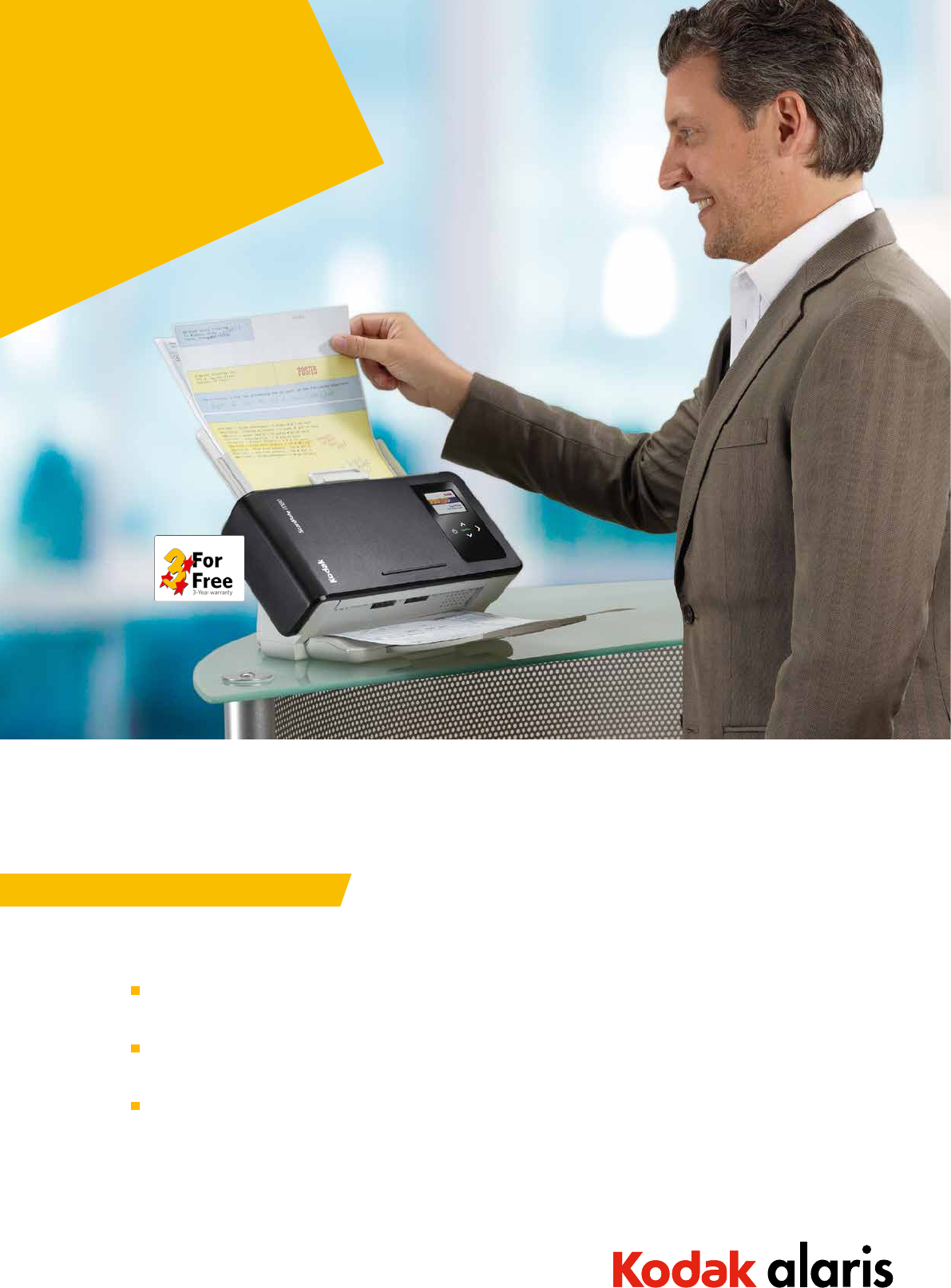
Kodak ScanMate
i1150 Scanner
FAST. HELPFUL. CUSTOMERFRIENDLY.
Capture Documents and Extract Information quickly in Customer-Facing Situations
Today, the speed of business transactions is hectic. In many customer-facing situations, businesses need to scan
documents and capture information quickly, and move on to the next transaction ... fast!
Business representatives at a registration desk may have to scan a mix of paper documents and an ID or account card.
It’s important for the representative to keep these items from getting lost or misfiled while the transaction is in process.
Scanning should not divert the representative’s attention from the customer in front of him or her. Oce managers
need their agents to stay focused on customers, completing functional tasks and increasing the number of transactions
per day: ecient imaging technology is essential.
A wide range of organizations face these common challenges including: medical oce registration desks, bank teller lines,
state and municipal government oces, and insurance agencies.
CHALLENGE
Real-World Situations Addressed and Answered
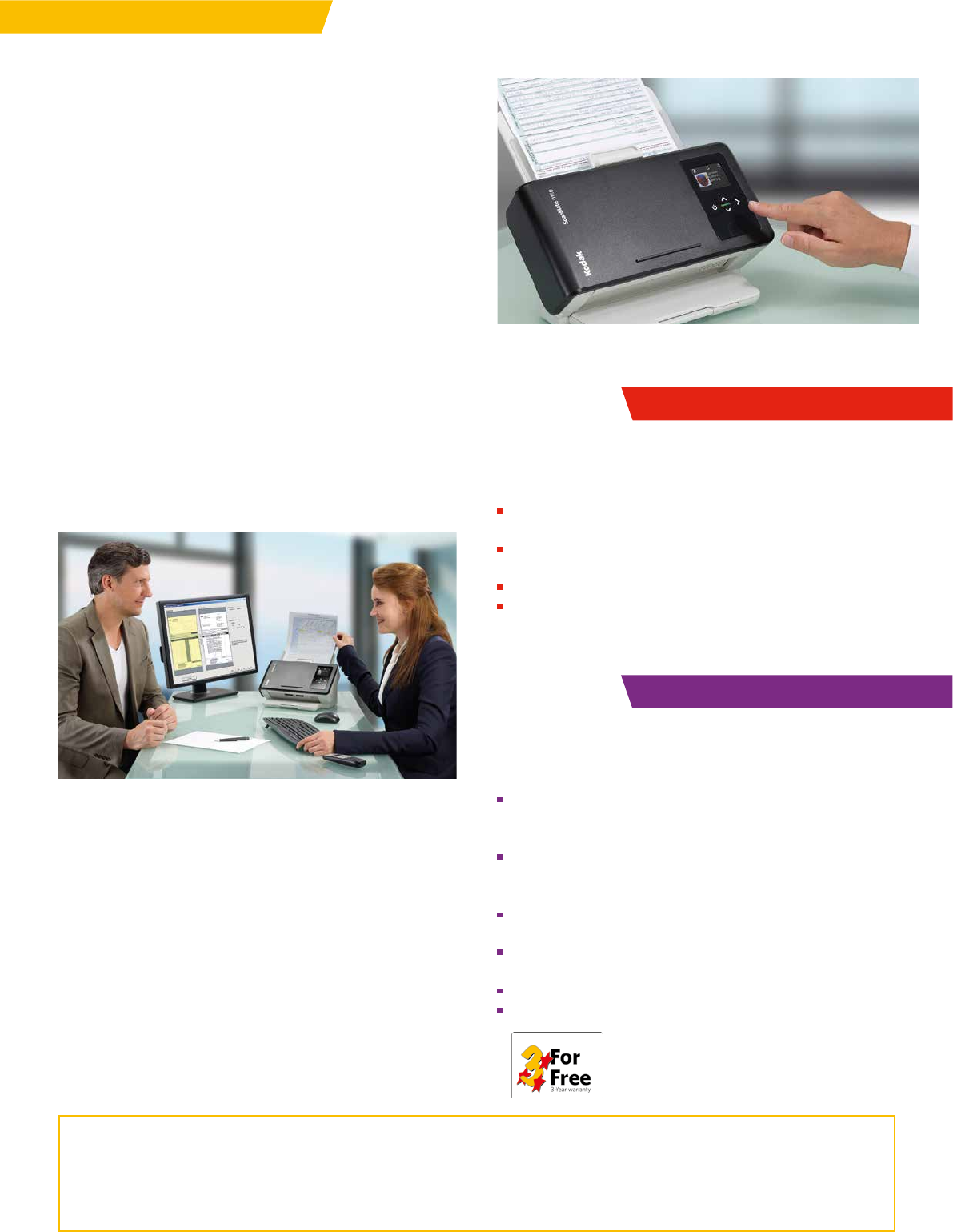
Small, quiet, quick, and intelligently designed, the Kodak ScanMate
i1150 Scanner is designed for the way you work today.
Capture speed you need
With the “transaction mode” burst speed of the ScanMate i1150
Scanner you can zip through a small stack of documents – inclu-
ding cards – in mere moments. Many transactions involve 10 or
fewer documents. The ScanMate i1150 speeds up 60% to capture
the first 10 documents in Transaction Mode and then returns to
normal speed.1
Convenient card holder
Our built-in card holder helps you keep track of cards – in your
sight and your customer’s – while you are scanning documents.
Jam-free operation and Intelligent Document Protection
Intelligent Document Protection “hears” problems and stops scan-
ning instantly to protect and preserve valuable documents. Kodak
Alaris’ renowned paper transport technology helps assure jam-
free, misfeed-free scanning.
Icon-based screen and one-push scanning/routing
You’ll love our intuitive, icon-based, color interface that lets
you quickly capture and route information to the right places
and people. And the Smart Touch feature is one button easy!
Automatic barcode reading
Barcode reading helps make Smart Touch – and other
applications – even smarter. The scanner driver reads the barcode
value and delivers data to the application for file naming or to se-
parate documents more eciently.
SOLUTION
... To Accelerate Business
The ultra-compact fits neatly on your desk. And the whisper
quiet operation means that you can carry on a conversation
with your customer or your co-workers without distraction.
Kodak Alaris’ Perfect Page technology includes convenient
enhancement functions that improve the image quality of
scanned documents
Instantly view number of documents scanned, paper-ready
status, and apply custom text or icons via display screen
Comes with productive Kodak Capture Pro Software Limited
Edition and Capture Pro Trial Edition
TWAIN, ISIS and Linux driver compatibility
3-year warranty
Kodak Asset Management Software
System administrators can manage and maintain select Kodak Scanners on their network through one easy-to-use solution.
Optional Kodak Asset Management Software, featuring a thin client dashboard, optimizes time, budgets, resources, and
eciency. Y ou’ll know more about every scanner and be able to do more across your network.
ACCELERATE SCANNING
Streamlined Processes, Better Customer Service
Seamless, quiet transaction capture lets you focus on customers
without being distracted by technology
Fast scanning and information extraction keep processes
and people moving
Better organization for fewer misplaced documents
Misfeeds and jams virtually eliminated to save time and hassles
RESULTS
Productivity. Assured.
Only Kodak Alaris oers essential services to ensure the optimal operation of your scanning solution at time of installation and
beyond. The three year worry-free warranty puts Kodak Alaris knowledge to work for you helping your Kodak ScanMate i1150
Scanner to satisfy your evolving business process needs for years to come.
Hospital Reception
Small, quick and quiet
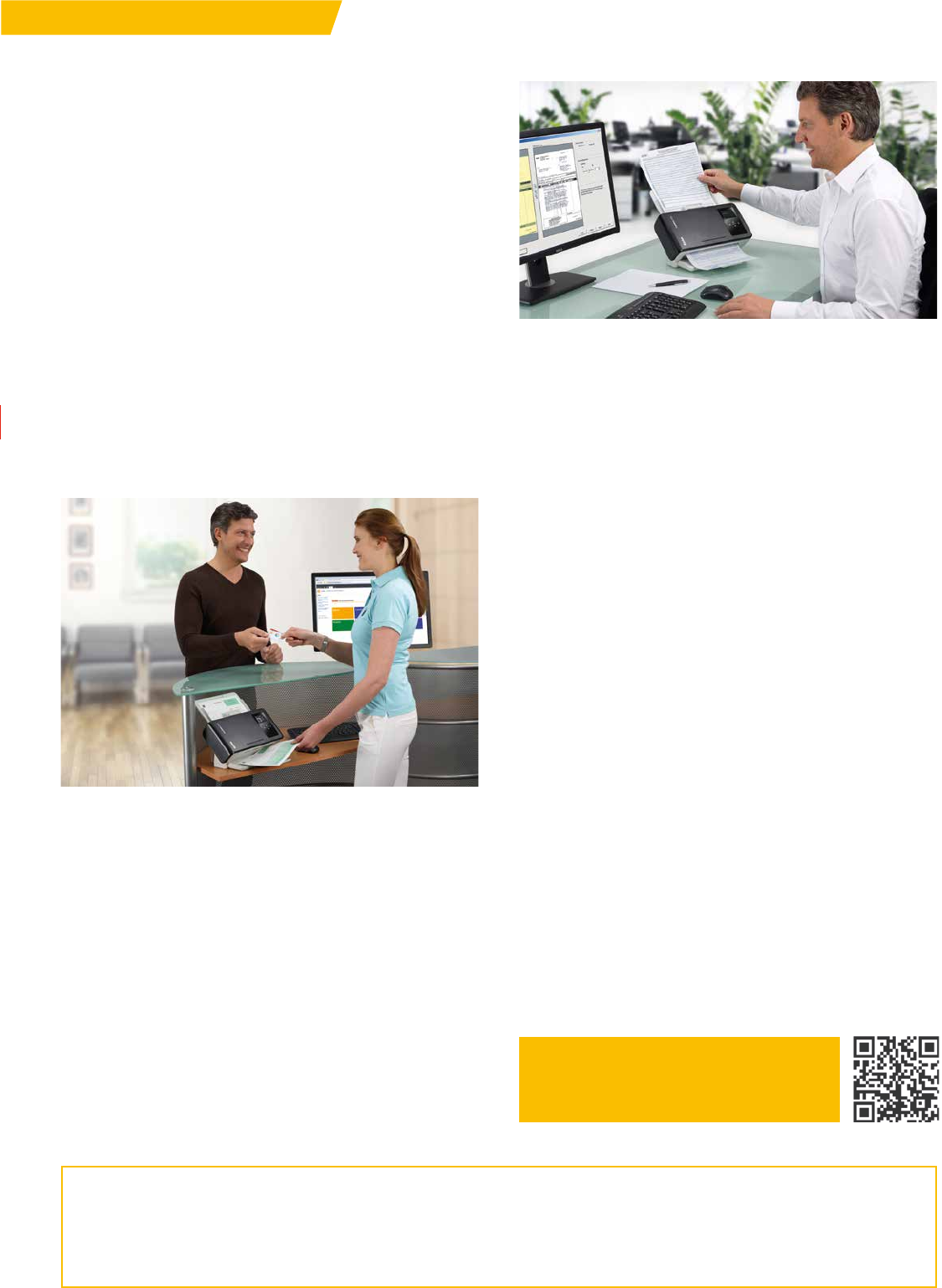
The Kodak ScanMate i1150 Scanner fits under a counter or on a
desk and is always ready to scan. Transaction mode captures the
first ten pages at turbo speed. It scans so quietly you barely hear
it, which is ideal when conversing with patients or in busy oce
environments.
Extremely easy to use
Focus more on visitors and patients and less on oce equipment.
The i1150 is intuitive and doesn’t require training. The touch
sensors are easy to navigate and press.
Scanning tasks selection
Smart Touch and the colour LCD interface deliver a new level of
user friendliness. Up to nine scanning tasks can be predefined
and associated with colour icons. Just select the image/function
desired and touch “scan.”
Barcode recognition and Perfect Page image processing
Images of scanned documents – even faint originals – look great
the first time and every time. No need for rescanning or adjust-
ments. Barcode recognition makes file naming and document
separation more ecient in your application.
Handles almost every document and size
No flatbed needed – the ScanMate i1150 captures everything from
business cards to DIN-A4 pages, even credit cards. It is excellent
for capturing visitor IDs, credentials, forms and correspondence.
General Oce
Scan small jobs super fast
Transaction scanning usually involves fewer than 10 documents.
The i1150 shines in Transaction Mode, capturing the first 10 docu-
ments at up to 40 pages per minute.
Truly easy to use
Intuitive, colourful display and sensor buttons make scanning
a breeze. Just choose a task and send documents to the right
department or process with one “push.” Send to file, Microsoft
SharePoint, anyone or anywhere with Smart Touch technology.
Barcode recognition helps applications better understand and
process documents.
So quiet
It’s whisper quiet when scanning, helping to minimize noise in
your oce.
One for all documents
A diverse mix of document sizes, types, and thicknesses isn’t a
problem for the i1150; it even handles a stack of embossed plastic
cards with ease. Optional DIN-A4 and DIN-A3-size flatbeds can
handle oversize, fragile, and bound materials, too.
Perfected images, protected documents
Intelligent Document Protection listens for any jams or misfeeds
and stops scanning to protect documents. Ultrasonic Multifeed
Detection ensures all documents are scanned correctly, while
Perfect Page image processing makes scanned images look better
than the originals.
ACCELERATE SCANNING
RESULTS
REAL WORLD APPLICATION
Visit to learn more:
www.Kodakalaris.com/go/ScanMatei1150
Kodak ScanMate i1150 Scanner
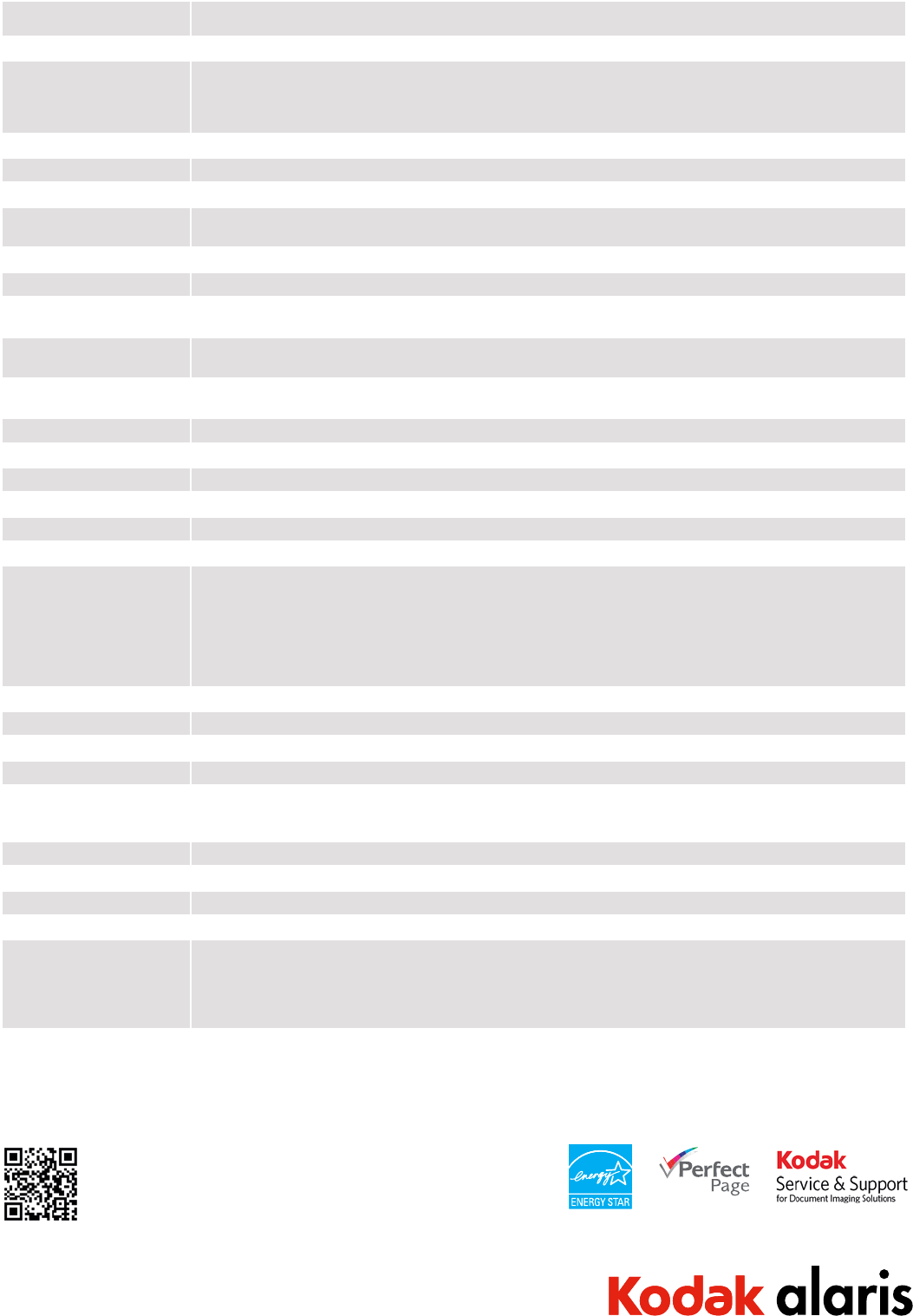
Recommended Daily Volume Up to 3,000 pages per day
Transaction Mode 1 Up to 40 ppm at 200 dpi and 300 dpi – first 10 pages
Throughput Speeds *
(portrait, letter/A4 size,
black and white/grayscale/
color)
Up to 25 ppm at 200 dpi and 300 dpi
Maximum Document Size 215 mm x 355.6 mm (8.5 in. x 14 in.); Long Document Mode: up to 2 meters (78.7 in.)
Minimum Document Size 63.5 mm x 65.0 mm (2.5 in. x 2.56 in.); Minimum width: 50.8 mm (2.0 in.) when centered using visual guides
Paper Thickness and Weight 34–413 g/m2 (9 to 110 lb.) paper
Feeder Up to 50 sheets (20 lb. / 80 g/m2) paper; handles small documents such as ID cards, embossed hard cards, business cards
and insurance cards
Document Sensing Ultrasonic multi-feed detection; Intelligent Document Protection
Connectivity USB 2.0 High Speed, USB 3.0 compatible
Bundled Software Bundled TWAIN, ISIS, and WIA Drivers; Smart Touch; Kodak Capture Pro Software Limited Edition; Kodak Capture Pro
Software Trial Edition; (Linux SANE and TWAIN Drivers available from www.Kodak.com/go/scanonlinux)
Recommended PC
Configuration
Intel Core i7 2600, 3.4 GHz, 4 GB RAM
Supported Operating Systems Windows 8 (32-bit and 64-bit); Windows 7 SP1 (32-bit); Windows XP SP3 (32-bit and 64-bit); Windows Vista SP1 (32-bit
and 64-bit); Windows Server 2008 64-bit and Server 2012 64-bit; Linux: Ubuntu 12.04
Barcode Reading One per page: Interleaved 2 of 5, Code 3 of 9, Code 128, Codabar, UPC-A, UPC-E, EAN-13, EAN-8, PDF417
File Format Outputs Single and multi-page TIFF, JPEG, RTF, BMP, PDF, searchable PDF
Optical Resolution 600 dpi
Output Resolution 100 / 150 / 200 / 240 / 250 / 300 / 400 / 600 / 1200 dpi
Illumination Dual LED
Image Sensor CMOS Based CIS Scanner
Imaging Features Perfect Page Scanning; Fixed Cropping; Relative Cropping; Multi-Lingual Auto Orientation; Orthogonal Rotation; Add
Border; Remove Border; Intelligent Image Edge Fill; Background Color Smoothing; Automatic Brightness/Contrast;
Automatic Color Balance; Round/Rectangular Hole Fill; Sharpening; Streak Filtering; Enhanced Color Adjustment; Enhanced
Color Management; Automatic Color Detection; Content or File Size Based Blank Page Removal; Fixed Thresholding;
iThresholding; L one Pixel N oise Removal; Majority Rule N oise Removal; Halftone Removal; Electronic Color Dropout (R,
G, or B); Predominate (1) Color Drop Out; Multiple (up to five) Color Dropout; Dual Stream; Compression (Group 4, JPEG);
Image Merge
Operator Control Panel Color, four-line graphical LCD display with four operator control buttons
Dimensions Height: 246 mm (9.7 in.); Width: 330 mm (13 in.); Depth: 162 mm (6.3 in.); Weight: 3.2 kg (7 lbs.)
Power Consumption O/Standby/Sleep mode: <0.5 watts; Running: <21 watts; Idle: < 14 watts
Environmental Factors Energy Star qualified scanners; Operating temperature: 15-35° C (59-95° F); Operating humidity: 15% to 80% RH
Acoustical Noise
(operator position sound
pressure level)
O or Ready mode: <20 dB(A)
Scanning: <50 dB(A)
Electrical Requirements 100-240 V (International); 50-60 Hz
Accessories (Optional) Kodak A3 Size Flatbed Accessory, Kodak Legal Size Flatbed Accessory
Software Options Fully supported by Kodak Capture Pro Software (Group A) and Kodak Asset Management Software
Limited Warranty Three years (Advanced Unit Replacement)
Approvals and Product Certi-
fications
AS/NZS CISPR 22:2009 +A1:2010; (Class B RCM mark); CAN / CSA – C22.2 N o 60950-1-07 +A1:2011 (TUV C mark);
Canada CSA-CISPR 22-10 / ICES-003 Issue 5 (Class B); China GB4943.1:2011; GB9254:2008 Class B (CCC S&E mark);
EN55022:2010 ITE Emissions (Class B); EN55024:2010 ITE Immunity (CE mark); EN60950-1:2006 +A1,+A11,+A12
(TUV GS mark); IEC60950-1:2005 +A1; Taiwan CNS 13438:2006 (Class B); CNS 14336-1 (BSMI mark);
UL 60950-1:2007 R12.11 (TUV US mark); CFR 47 Part 15 (FCC Class B); Argentina S mark
* Throughput speeds may vary depending on your choice of driver, application software, operating system, PC and selected image processing features
1 Transaction Mode: Scans 40 ppm for first 10 pages only - then resumes scanning at 25 ppm
Complete specifications are available at www.Kodakalaris.com/go/ScanMatei1150
©2014 Kodak Alaris Inc. Kodak Alaris will be the Company’s trade name for its global business.
The Kodak trademark and trade dress are used under license from Eastman Kodak Company.
TM/MC/MR: ScanMate Specifications are subject to change without notice.
06/14
For further information, please see how to contact us at:
www.Kodakalaris.com/go/dicontact
