JIRA Overview Quick Start Guide
User Manual: Pdf
Open the PDF directly: View PDF  .
.
Page Count: 3
JIRA Quick Start Guide
You may use CITnet's JIRA issues for:
• Any support question on the software or the procedure (i.e. Pilot-phase),
• bugs in VECTO-tools, or
• general ideas for discussion,
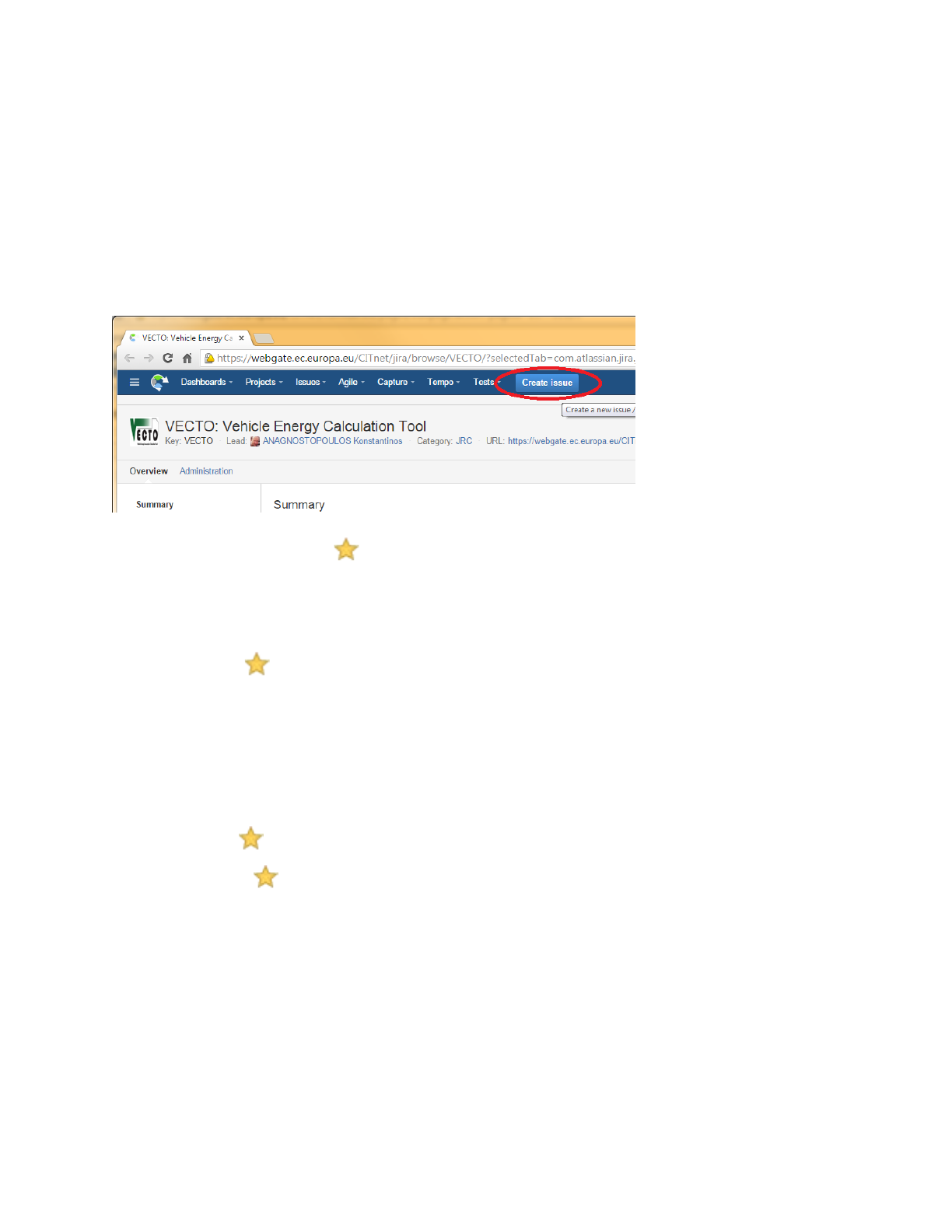
To submit a new issue, click the "Create" button at the top-bar:
Fields are needed (marked with those required when creating an issue):
• Issue-Id: Created after you save the issue, and it has the form "VECTO-13". It is appended at the
beginning of every thread-title,and it is used as a reference throughout external-systems and/or
emails.
• Issue-type : Required to select one of the following when creating an issue:
o BUG (If unsure, select this)
o Improvement
o New feature
o Support - questions about CITnet, user-permissions, administrative
o Task - non-software related activities (i.e. PilotPhase)
• Summary : A descriptive phrase giving a clear explanation the issue, to be used as Title.
• Description : Detailed description of the issue; rich text formatting maybe used.
• Components: One of: Simulator, Air Drag, Infrastructure, Administrative, ... It is used to select
automatically an Assignee.
JIRA Workflow
The following workflow elements are used to communicate the progress on an issue:
• Status: It may be: DRAFT, OPENED, IN PROGRESS, ..., RESOLVED, INVALID, CLOSED, and
others, depending on its Issue-type. Users change it to signify work-progress. For instance,
Issues are considered completed when they are Closed.
• Comments: A series of 'Comments', that describe the job performed for accomplishing the bug
and ANY user feedback. These correspond to the replies in the mailing-list analogy.
• Files and Screenshots
• The 'People' are different fields specifying users to be notified with emails for all changes and
comments on the issue.
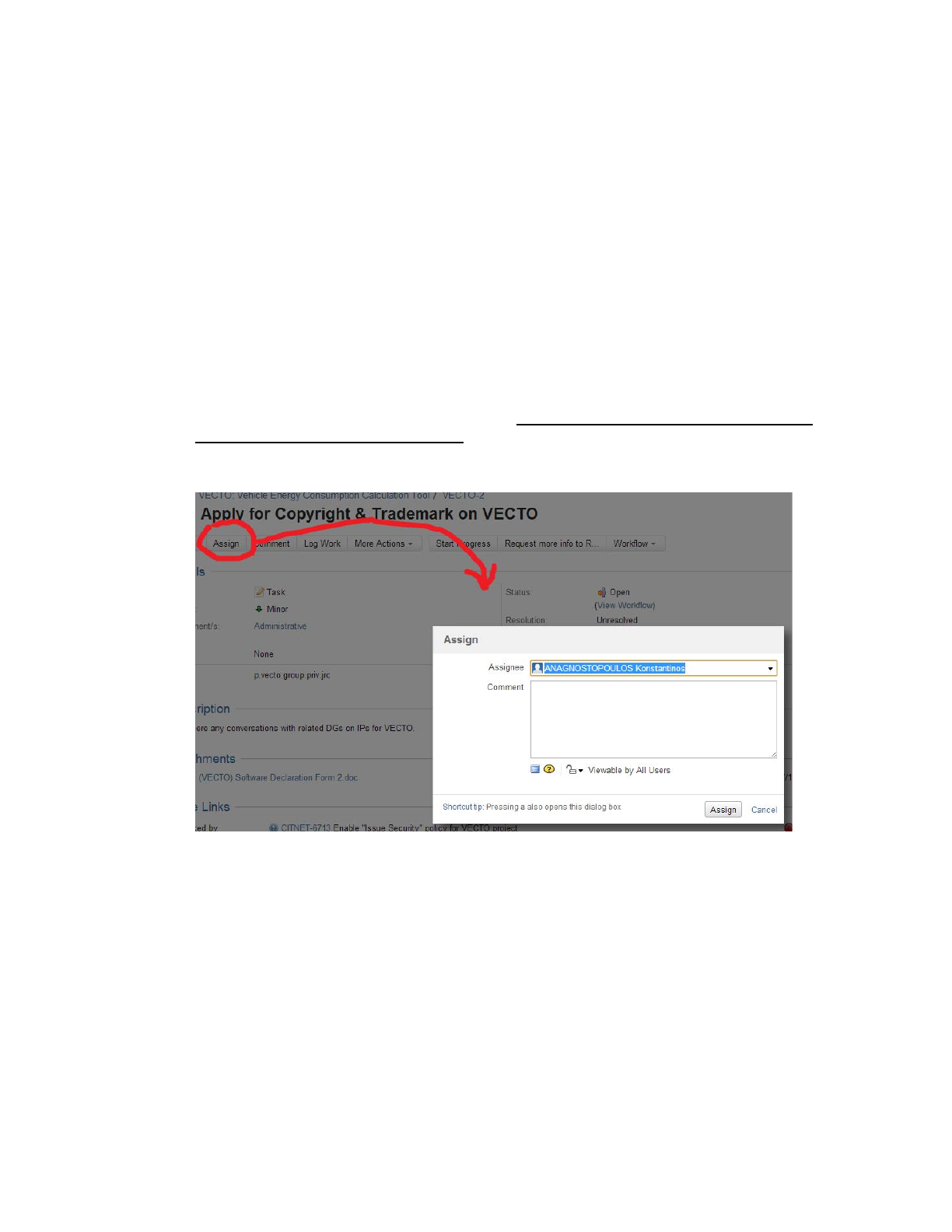
o Assignee: The person currently responsible to respond or to make some job for the issue to
proceed. After an assignee performs its tasks, he should re-assign the task to whoever
should next take charge of the issue. If unsure, assign to the component-owner or to some
manager.
o Reporter: The user that has initially created the issue.
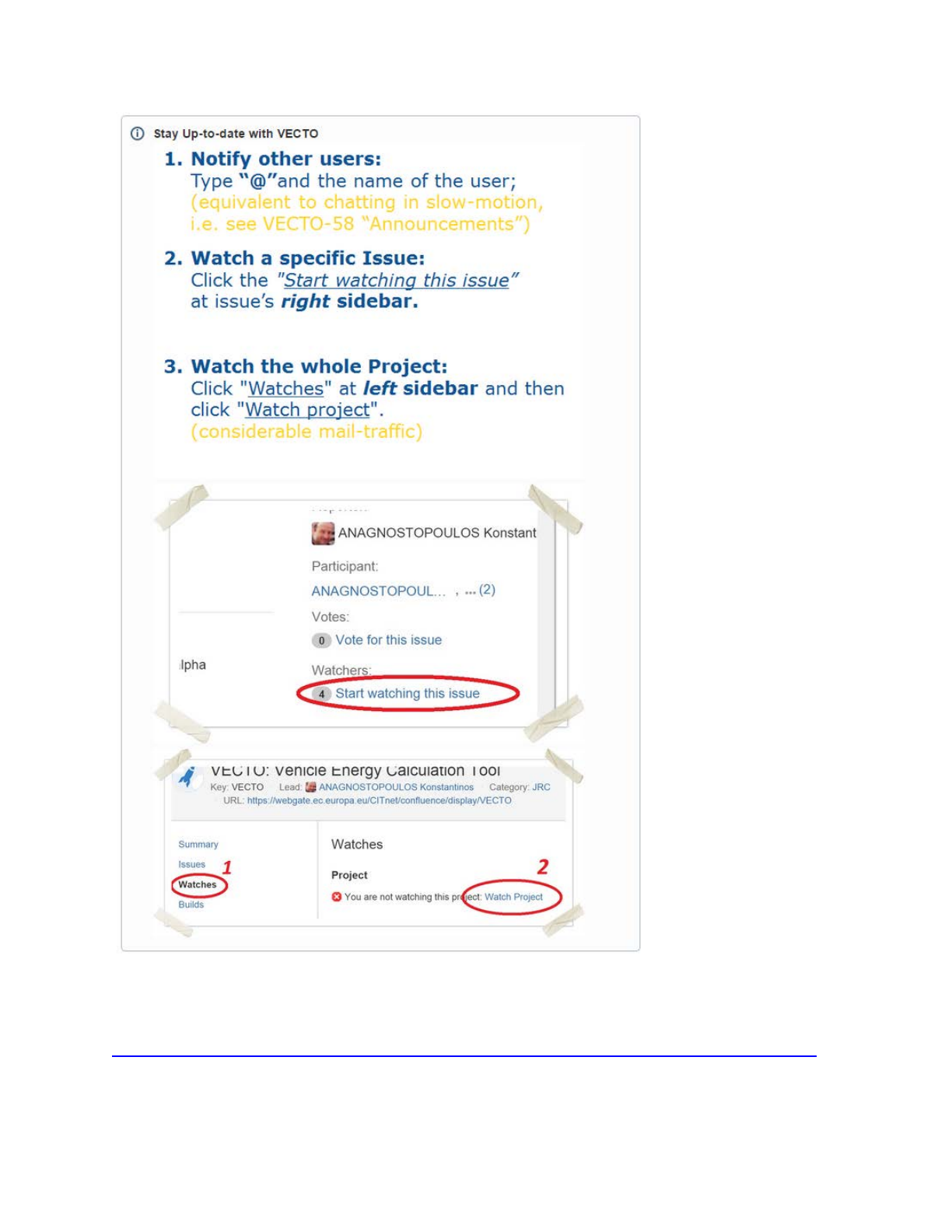
o Watchers: Users who are to receive emails on every change. You can add yourself as a
Watcher to any issue.