Quectel Android RIL Driver User Guide V1.5
User Manual: Pdf
Open the PDF directly: View PDF  .
.
Page Count: 19


GSM/GPRS/UMTS/HSPA/LTE Module Series
Android RIL Driver User Guide
Android_RIL_Driver_User_Guide Confidential / Released 1 / 18
Our aim is to provide customers with timely and comprehensive service. For any
assistance, please contact our company headquarters:
Quectel Wireless Solutions Co., Ltd.
Office 501, Building 13, No.99, Tianzhou Road, Shanghai, China, 200233
Tel: +86 21 5108 6236
Email: info@quectel.com
Or our local office. For more information, please visit:
http://www.quectel.com/support/salesupport.aspx
For technical support, or to report documentation errors, please visit:
http://www.quectel.com/support/techsupport.aspx
Or email to: Support@quectel.com
GENERAL NOTES
QUECTEL OFFERS THE INFORMATION AS A SERVICE TO ITS CUSTOMERS. THE INFORMATION
PROVIDED IS BASED UPON CUSTOMERS‟ REQUIREMENTS. QUECTEL MAKES EVERY EFFORT
TO ENSURE THE QUALITY OF THE INFORMATION IT MAKES AVAILABLE. QUECTEL DOES NOT
MAKE ANY WARRANTY AS TO THE INFORMATION CONTAINED HEREIN, AND DOES NOT ACCEPT
ANY LIABILITY FOR ANY INJURY, LOSS OR DAMAGE OF ANY KIND INCURRED BY USE OF OR
RELIANCE UPON THE INFORMATION. ALL INFORMATION SUPPLIED HEREIN IS SUBJECT TO
CHANGE WITHOUT PRIOR NOTICE.
COPYRIGHT
THE INFORMATION CONTAINED HERE IS PROPRIETARY TECHNICAL INFORMATION OF
QUECTEL CO., LTD. TRANSMITTING, REPRODUCTION, DISSEMINATION AND EDITING OF THIS
DOCUMENT AS WELL AS UTILIZATION OF THE CONTENT ARE FORBIDDEN WITHOUT
PERMISSION. OFFENDERS WILL BE HELD LIABLE FOR PAYMENT OF DAMAGES. ALL RIGHTS
ARE RESERVED IN THE EVENT OF A PATENT GRANT OR REGISTRATION OF A UTILITY MODEL
OR DESIGN.
Copyright © Quectel Wireless Solutions Co., Ltd. 2016. All rights reserved.
Quectel
Confidential
GSM/GPRS/UMTS/HSPA/LTE Module Series
Android RIL Driver User Guide
Android_RIL_Driver_User_Guide Confidential / Released 2 / 18
About the Document
History
Revision
Date
Author
Description
1.0
2015-02-27
Carl YIN
Initial
1.1
2015-03-25
Carl YIN
Updated supported products
1.2
2015-04-07
Kent XU
Added Zero Packet feature in Section 3.3.3.
1.3
2015-07-10
Kent XU
1. Added GSM modules in Supported Products
2. Added Android 5.x in Supported Android Versions
1.4
2016-06-21
Carl YIN/
Neo HOU
1. Added EC21&EC25 in Supported Products
2. Added FAQ
1.5
2016-08-23
Kent XU
Added EC20 R2.0 in Supported Products
Quectel
Confidential

GSM/GPRS/UMTS/HSPA/LTE Module Series
Android RIL Driver User Guide
Android_RIL_Driver_User_Guide Confidential / Released 3 / 18
Contents
About the Document ................................................................................................................................ 2
Contents .................................................................................................................................................... 3
Table Index ............................................................................................................................................... 4
Figure Index .............................................................................................................................................. 5
1 Introduction ....................................................................................................................................... 6
1.1. Directory Structure ..................................................................................................................... 6
2 Overview of Android RIL Driver ....................................................................................................... 7
2.1. Supported Products ................................................................................................................... 7
2.2. Supported Functions ................................................................................................................. 7
2.3. Supported Android Versions ...................................................................................................... 8
3 RIL Integration ................................................................................................................................... 9
3.1. RIL Driver Structure ................................................................................................................... 9
3.2. PPP Configuration in Linux Kernel .......................................................................................... 10
3.3. USB Drivers for UC15/UC20/UGxx/EC20/EC21/EC25/EC20 R2.0 ......................................... 10
3.4. RIL Driver Integration .............................................................................................................. 10
3.5. System Configuration ...............................................................................................................11
3.5.1. Configure "init.rc" ............................................................................................................11
3.5.2. Modify the Right of RILD ................................................................................................ 13
4 Debugging Method .......................................................................................................................... 14
4.1. Method of Catching LOG ......................................................................................................... 14
4.2. Some Common LOG Tags ...................................................................................................... 14
5 FAQ .................................................................................................................................................. 16
5.1. How to Set APN ....................................................................................................................... 16
5.2. Quectel RIL Does Not Work .................................................................................................... 17
5.3. Cannot Send or Receive Short Message ................................................................................ 17
6 Appendix .......................................................................................................................................... 18
Quectel
Confidential

GSM/GPRS/UMTS/HSPA/LTE Module Series
Android RIL Driver User Guide
Android_RIL_Driver_User_Guide Confidential / Released 4 / 18
Table Index
TABLE 1: SUPPORTED PRODUCTS ....................................................................................................... 7
TABLE 2: SUPPORTED FUNCTIONS ...................................................................................................... 7
TABLE 3: SUPPORTED ANDROID VERSIONS ....................................................................................... 8
TABLE 4: TERMS AND ABBREVIATIONS .............................................................................................. 18
Quectel
Confidential

GSM/GPRS/UMTS/HSPA/LTE Module Series
Android RIL Driver User Guide
Android_RIL_Driver_User_Guide Confidential / Released 5 / 18
Figure Index
FIGURE 1: RIL DRIVER STRUCTURE ..................................................................................................... 9
FIGURE 2: RIL FILES .............................................................................................................................. 11
FIGURE 3: EDIT ACCESS POINT .......................................................................................................... 16
Quectel
Confidential

GSM/GPRS/UMTS/HSPA/LTE Module Series
Android RIL Driver User Guide
Android_RIL_Driver_User_Guide Confidential / Released 6 / 18
1 Introduction
This document mainly introduces how to integrate RIL Driver into Android OS of your target machine and
how to modify the configuration files for starting RIL service and PPP dialling.
1.1. Directory Structure
The file structure of Quectel RIL Driver Package:
├── Android.mk
├── atchannel.c
├── atchannel.h
├── at_tok.c
├── at_tok.h
├── misc.c
├── misc.h
├── ql-pppd.c
├── gsm0710muxd_bp.c
├── quectel_ril_porting_guide.txt
└── reference-ril.c
Quectel
Confidential
GSM/GPRS/UMTS/HSPA/LTE Module Series
Android RIL Driver User Guide
Android_RIL_Driver_User_Guide Confidential / Released 7 / 18
2 Overview of Android RIL Driver
2.1. Supported Products
Table 1: Supported Products
Product
Support or Not
UC20
YES
UC15
YES
UGxx
YES
EC20/EC21/EC25/EC20 R2.0
YES
Quectel GSM Modules
YES
2.2. Supported Functions
Table 2: Supported Functions
Function
Support or Not
SMS
YES
VOICE CALL
YES
DATA SERVICE
YES
SIM TOOL KIT
NO
PHONEBOOK
YES
Quectel
Confidential
GSM/GPRS/UMTS/HSPA/LTE Module Series
Android RIL Driver User Guide
Android_RIL_Driver_User_Guide Confidential / Released 8 / 18
2.3. Supported Android Versions
Presently, Quectel RIL driver supports the following Android versions:
Table 3: Supported Android Versions
Versions
Support or not
Android 2.x
YES
Android 3.x
YES
Android 4.x
YES
Android 5.x
YES
Quectel
Confidential
GSM/GPRS/UMTS/HSPA/LTE Module Series
Android RIL Driver User Guide
Android_RIL_Driver_User_Guide Confidential / Released 9 / 18
3 RIL Integration
The first part describes the RIL driver structure. The following parts introduce how to set up Android
system with the RIL driver.
3.1. RIL Driver Structure
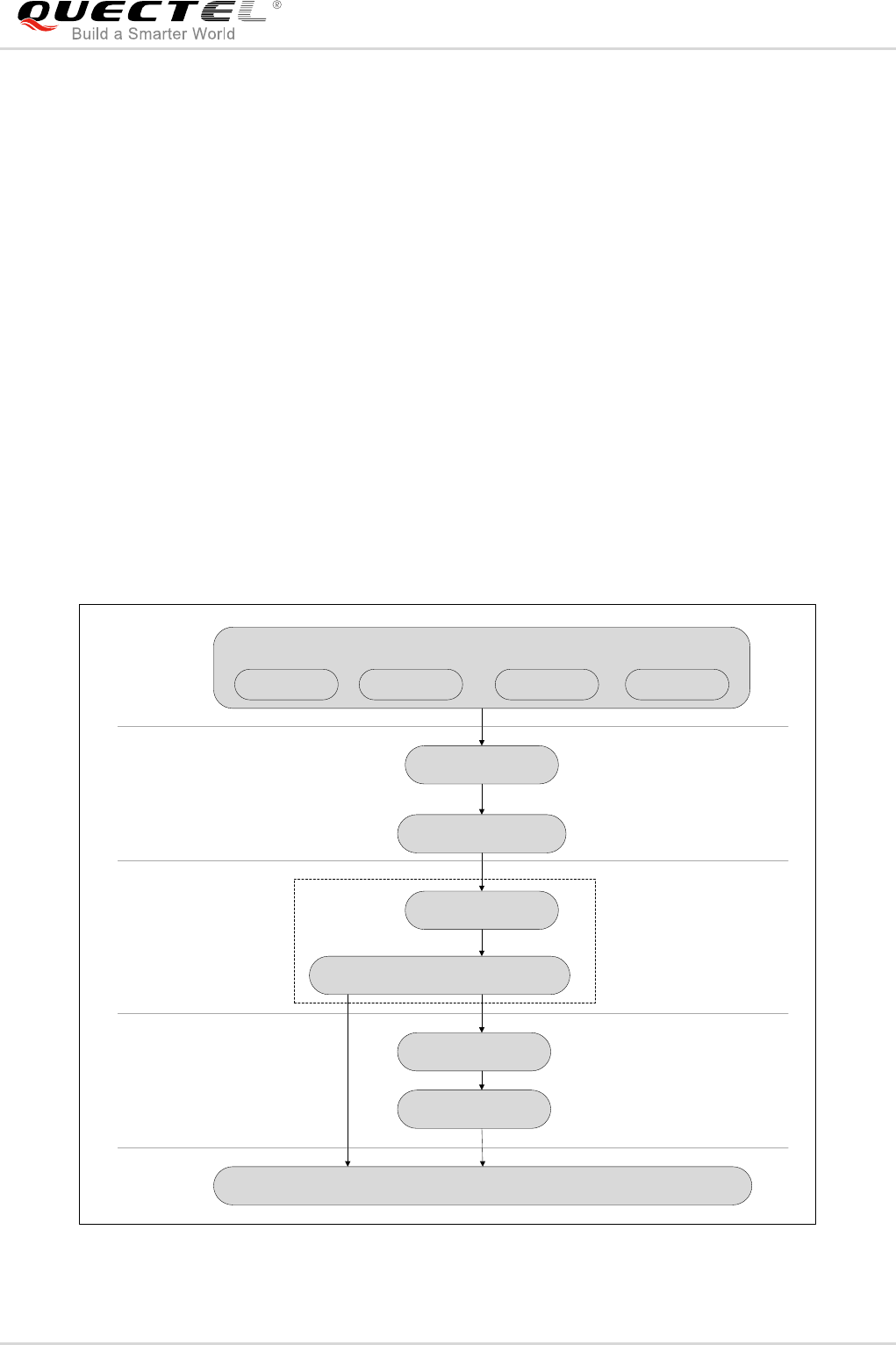
Android RIL (Radio Interface Layer) provides the abstract layer between Telephony service and Radio
hardware.
The following illustration describes the RIL‟s position in the Android architecture.
Call Tracker Service TrackerSMS Dispatch Data Tracker
Phone Application
Phone
Java/android/telephony
Vendor RIL
System/libs/libril-vendor.so
Linux IP Stack
Radio Daemon (rild)
/commands/rild
Packet Driver
PPP.for example
Baseband
RIL
Java/android/telephony/gsm
Voice and
Control
Unix
Packet Service
Applications
Application
Framework
Libraries
(User Space)
Linux Kernel
Baseband
Figure 1: RIL Driver Structure
Quectel
Confidential

GSM/GPRS/UMTS/HSPA/LTE Module Series
Android RIL Driver User Guide
Android_RIL_Driver_User_Guide Confidential / Released 10 / 18
The RIL in Android is located between Kernel and Application Framework. It is divided into two parts, one
is RILD and the other is Vendor RIL.
RILD is responsible for the communication between Socket and Application Framework.
Vendor RIL is responsible for communication with Radio via AT command channel and Packet data
channel (PDCH). AT command channel is used for communicating with Radio directly and PDCH is used
for data service.
The java framework of RIL is divided into two parts too. One is RIL module and the other is Phone module.
The RIL module is used to communicate with the lower RILD. The Phone module directly provides phone
function interfaces to application through which you can call to realize the phone functions.
3.2. PPP Configuration in Linux Kernel
You need to configure the kernel to support PPP dial up.
For detailed operation procedures, please refer to chapter 3.6 Configure Kernel to Support PPP in
Quectel WCDMA<E Linux USB Driver User Guide.
3.3. USB Drivers for UC15/UC20/UGxx/EC20/EC21/EC25/EC20 R2.0
If you are using Quectel GSM modules, please skip this section.
You need to configure the kernel to support UC15/UC20/UGxx/EC20/EC21/EC25/EC20 R2.0 modules.
For detailed operation procedures, please refer to the following chapters in Quectel WCDMA<E Linux
USB Driver User Guide:
3.2. USB Serial Driver for UC15/UC20/EC20/EC21/EC25/EC20 R2.0
3.3. CDC ACM Driver for UGxx
3.4. GobiNet Driver for UC20/EC20/EC21/EC25/EC20 R2.0
3.5. QMI WWAN Driver for UC20/EC20/EC21/EC25/EC20 R2.0
3.4. RIL Driver Integration
Presently, Quectel provides RIL driver in the form of source code. You only need to copy the RIL driver
source code files to the correct path on your project directory, and then recompile the Android system.
Quectel
Confidential
GSM/GPRS/UMTS/HSPA/LTE Module Series
Android RIL Driver User Guide
Android_RIL_Driver_User_Guide Confidential / Released 11 / 18
The source path of the RIL driver files in RIL Driver package is:
Driver package/reference-ril
The destination path in Android system is:
($Android_src)/hardware/ril/
Please use following command to update these files‟ date stamp to make sure they will be compiled.
touch hardware/ril/*
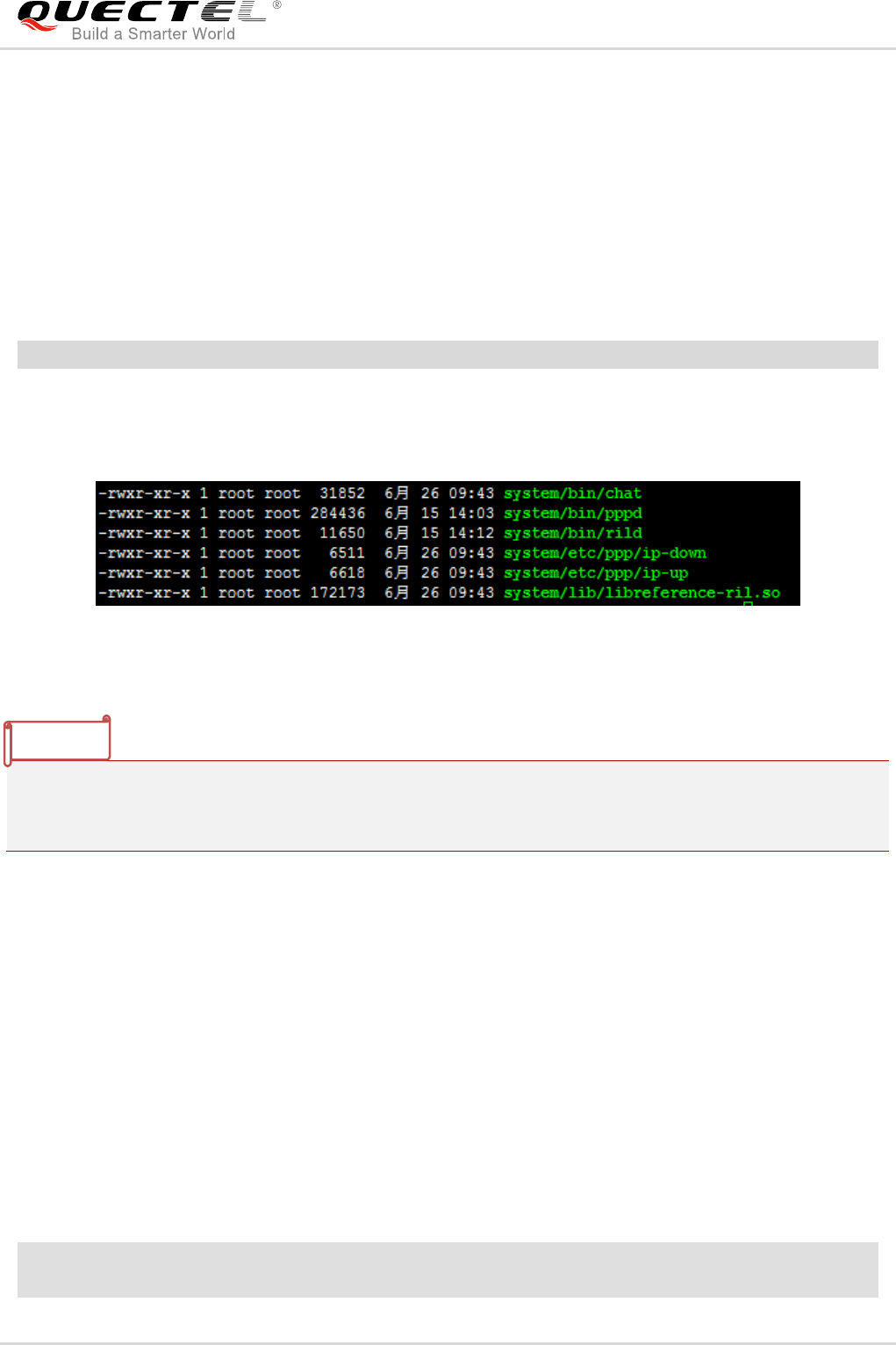
After you recompile the Android system successfully, please make sure the following files exists in folder
"out/target/product/($your_board_name)/system".
Figure 2: RIL Files
Quectel would not give the PPP script, because we have integrated the PPP script in the source code of
the RIL driver. And the chat, ip-up and ip-down would be generated when the RIL driver has been
compiled.
3.5. System Configuration
In order to use the RIL driver normally, you also have to modify some Android system configuration files.
3.5.1. Configure "init.rc"
Add service "ril-daemon" in "init.rc":
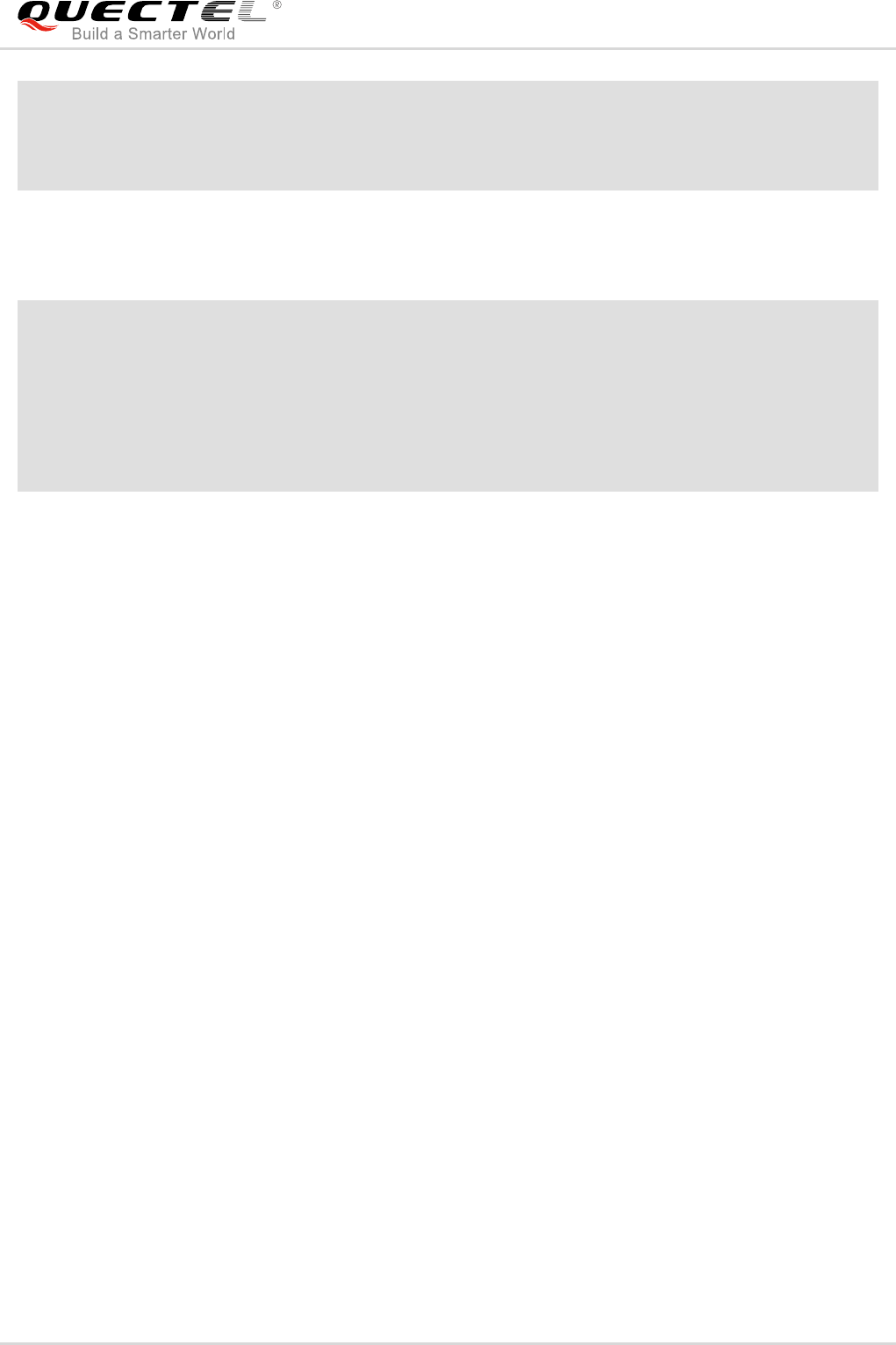
If you are using UC15/UC20/UGxx/EC20/EC21/EC25/EC20 R2.0 modules which are accessed by USB
interface, please add the following service in "init.rc":
service ril-daemon /system/bin/rild -l /system/lib/libreference-ril.so
class main
NOTE
Quectel
Confidential
GSM/GPRS/UMTS/HSPA/LTE Module Series
Android RIL Driver User Guide
Android_RIL_Driver_User_Guide Confidential / Released 12 / 18
socket rild stream 660 root radio
socket rild-debug stream 666 radio system
user root
group radio cache inet misc audio sdcard_rw log
If you are using GSM modules which are accessed by UART interface, please add the following service in
"init.rc":
service ril-daemon /system/bin/rild -l /system/lib/libreference-ril.so -- -d <UART port name> –B
<baud rate> –C <hardware flow control>
class main
socket rild stream 660 root radio
socket rild-debug stream 666 radio system
user root
group radio cache inet misc audio sdcard_rw log
The following parameter needs to be configured:
- -d <UART port name>
The name of UART port you are using. For example: /dev/ttyS1
It is optional to configure the following two parameters:
- -B <baud rate>
The speed of UART port. For example: 115200, 230400, 460800bps. The default baud rate is 115200bps.
- -C <hardware flow control>
1: open hardware flow control
0: close hardware flow control
Hardware flow control is closed by default.
The "init.rc" file may be located in different paths according to different projects, for example:
- system/core/rootdir/init.rc
- device/fsl/imx6/init.rc
- device/ti/am335xevm_sk/init.am335xevm.rc
- device/generic/x86/init.rc
- device/samsung/smdkv210/init.smdkv210_sdmmc.rc
Quectel
Confidential

GSM/GPRS/UMTS/HSPA/LTE Module Series
Android RIL Driver User Guide
Android_RIL_Driver_User_Guide Confidential / Released 13 / 18
3.5.2. Modify the Right of RILD
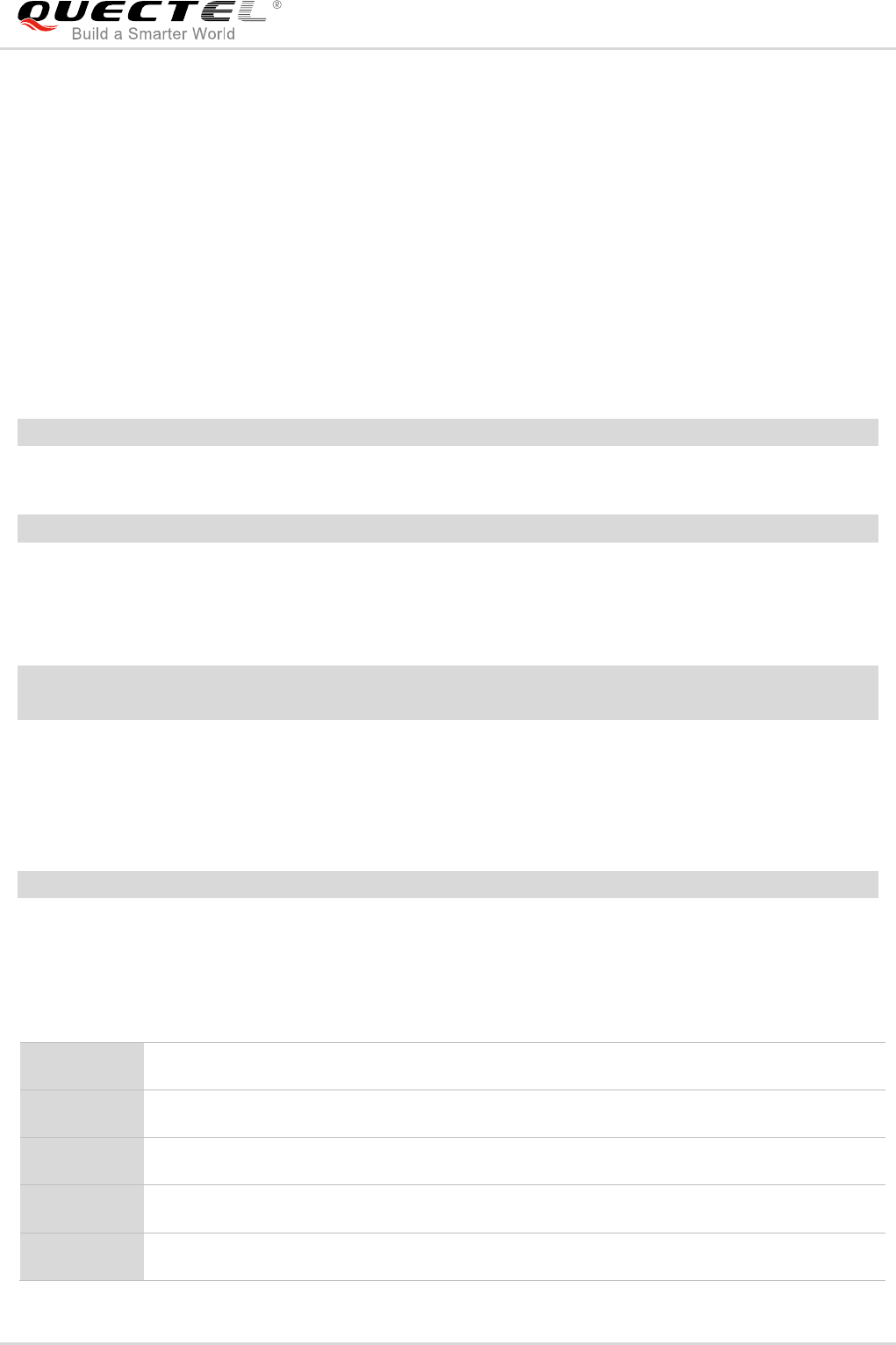
RILD (ril-daemon) requires root privilege. So you need to comment out the function switchUser() in the
file "($Android_src)/hardware/ril/rild/rild.c":
OpenLib:
#endif
//switchUser();
dlHandle = dlopen(rilLibPath, RTLD_NOW)
Quectel
Confidential
GSM/GPRS/UMTS/HSPA/LTE Module Series
Android RIL Driver User Guide
Android_RIL_Driver_User_Guide Confidential / Released 14 / 18
4 Debugging Method
4.1. Method of Catching LOG
1) Catch the log of RIL module by typing the following command in window‟s CMD tool:
adb logcat –b radio –v time
2) Catch the log of Android system by typing the following command in window‟s CMD tool:
adb logcat –v time
3) Sometimes, you may want to make tests on lots of devices or for a long time, and it is not convenient
to connect all devices with PC via USB cables. In this case, you can log file by the following
command:
adb shell
logcat –b radio –v time –f <filename> &
The character „&‟ makes the „logcat‟ process running in background, so you can disconnect your devices.
4) When you finish your tests, you can fetch log files from devices to local directory by the following
command:
adb pull <filename> <local directory>
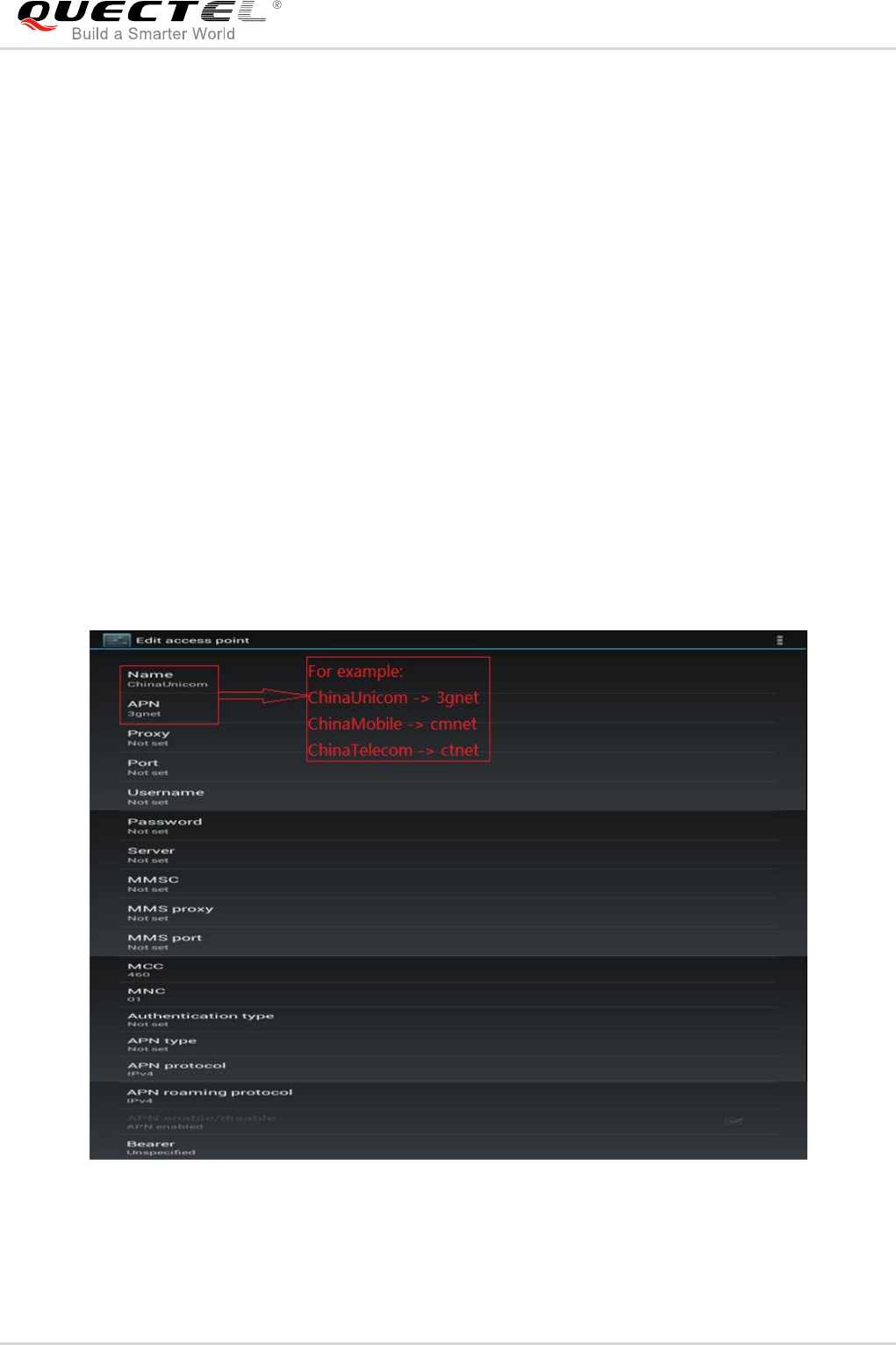
4.2. Some Common LOG Tags
RIL
/hardware/ril/reference-ril/refereince-ril.c
AT
/hardware/ril/reference-ril/atchannel.c
RILD
/hardware/ril/rild/rild.c
RILC
/hardware/ril/libril/ril.cpp
RILB
/frameworks/base/telephony/java/com/android/internal/telephony/BaseCommands.java
Quectel
Confidential

GSM/GPRS/UMTS/HSPA/LTE Module Series
Android RIL Driver User Guide
Android_RIL_Driver_User_Guide Confidential / Released 15 / 18
RILJ
/frameworks/base/telephony/java/com/android/internal/telephony/gsm/RIL.java
GSM
/frameworks/base/telephony/java/com/android/internal/telephony/gsm/GSMPhone.java
Quectel
Confidential
GSM/GPRS/UMTS/HSPA/LTE Module Series
Android RIL Driver User Guide
Android_RIL_Driver_User_Guide Confidential / Released 16 / 18
5 FAQ
5.1. How to Set APN
If the dialling process cannot go on, it is quite possible that the APN has not been set yet. The APN can be
set in Android UI:
Settings WIRELESS & NETWORKS More… Mobile Networks Access Point Names
If you see nothing in Access Point Names, it indicates that the APN has not been set. In such case, you
should add a new APN to the system. The following is an example which shows the access point editing
interface. Please note that the Access Point Name varies with the operator and SIM card.
Figure 3: Edit Access Point
Quectel
Confidential

GSM/GPRS/UMTS/HSPA/LTE Module Series
Android RIL Driver User Guide
Android_RIL_Driver_User_Guide Confidential / Released 17 / 18
5.2. Quectel RIL Does Not Work
There are many reasons why Quectel RIL does not work. The following are some common causes.
1. RIL daemon is not running
Use command “getprop init.svc.ril-daemon” to check RIL daemon status. If non-value, Stopped or
Restarting is returned, it indicates that RIL daemon is not running. The expected return value should be
Running.
2. RIL library is not loaded correctly
Check the RIL-daemon service definition in init.rc through command “cat /init.rc | grep ril-daemon”. The
expected result should be “service ril-daemon /system/bin/rild -l /system/lib/libreference-ril.so”.
Check the arguments, word spelling, blank space, etc. to make sure the RIL library is loaded correctly.
3. Cannot access USB serial port device file
- Use command “ls –l /dev/ttyUSB*” to check the access right of the device file.
- Use command “getenforce” to check whether the SELinux has been enabled.
- Command “setenforce 0” can disable the SELinux.
4. The RIL library is not provided by Quectel
Use command “getprop gsm.version.ril-impl” to check Quectel RIL version, and the return value should
start with “Quectel_Android_RIL_SR”. If not, the RIL library is not provided by Quectel.
5.3. Cannot Send or Receive Short Message
Use command “getprop telephony.sms.receive” or command “telephony.sms.send” to check whether
the system has disabled SMS receive/send function.
- If the return value is false, it indicates that the SMS receive/send function has been disabled.
- If non-value is returned, you should check frameworks\base\core\res\res\values\config.xml (first
check the manufacturer override config file) to see config_sms_capable. If the config_sms_capable
config in the config.xml is false just like <bool name="config_sms_capable">false</bool>, change it
to true.
Quectel
Confidential
GSM/GPRS/UMTS/HSPA/LTE Module Series
Android RIL Driver User Guide
Android_RIL_Driver_User_Guide Confidential / Released 18 / 18
6 Appendix
Table 4: Terms and Abbreviations
Abbreviation
Description
GSM
Global System for Mobile Communications
MS
Mobile Station
PID
Product ID
RIL
Radio Interface Layer
TA
Terminal Adapter
VID
Vendor ID
WCDMA
Wideband Code Division Multiple Access
Quectel
Confidential
