Quectel UC20 FILE AT Commands Manual V1.0
User Manual: Pdf
Open the PDF directly: View PDF  .
.
Page Count: 23
- About the document
- Contents
- 1 Introduction
- 2 Description of AT Command
- 2.1. AT+QFLDS Get the Space Information of the Storage
- 2.2. AT+QFLST List Files
- 2.3. AT+QFDEL Delete the File in the Storage
- 2.4. AT+QFMOV Move the File
- 2.5. AT+QFUPL Upload File to the Storage
- 2.6. AT+QFDWL Download the File from the Storage
- 2.7. AT+QFOPEN Open the File
- 2.8. AT+QFREAD Read the File
- 2.9. AT+QFWRITE Write the File
- 2.10. AT+QFSEEK Seek the File
- 2.11. AT+QFPOSITION Get the Offset of the File Pointer
- 2.12. AT+QFFLUSH Force to Write the Data Remaining in the Buffer
- 2.13. AT+QFTUCAT Truncate the File from the File Pointer
- 2.14. AT+QFCLOSE Close the File
- 3 Example
- 4 Appendix A Summary of <err> Code

UC20 FILE
AT Commands Manual
UMTS/HSPA Module Series
Rev. UC20_FILE_AT_Commands_Manual_V1.0
Date: 2013-07-18
www.quectel.com
UMTS/HSPA Module
UC20 FILE AT Commands Manual
UC20_FILE_AT_Commands_Manual Confidential / Released 1 / 22
Our aim is to provide customers with timely and comprehensive service. For any
assistance, please contact our company headquarter:
Quectel Wireless Solutions Co., Ltd.
Room 501, Building 13, No.99, Tianzhou Road, Shanghai, China, 200233
Tel: +86 21 5108 6236
Mail: info@quectel.com
Or our local office, for more information, please visit:
http://www.quectel.com/support/techsupport.aspx
For technical support, to report documentation errors, please visit:
http://www.quectel.com/support/salesupport.aspx
GENERAL NOTES
QUECTEL OFFERS THIS INFORMATION AS A SERVICE TO ITS CUSTOMERS. THE INFORMATION
PROVIDED IS BASED UPON CUSTOMERS‟ REQUIREMENTS. QUECTEL MAKES EVERY EFFORT
TO ENSURE THE QUALITY OF THE INFORMATION IT MAKES AVAILABLE. QUECTEL DOES NOT
MAKE ANY WARRANTY AS TO THE INFORMATION CONTAINED HEREIN, AND DOES NOT ACCEPT
ANY LIABILITY FOR ANY INJURY, LOSS OR DAMAGE OF ANY KIND INCURRED BY USE OF OR
RELIANCE UPON THE INFORMATION. ALL INFORMATION SUPPLIED HEREIN ARE SUBJECT TO
CHANGE WITHOUT PRIOR NOTICE.
COPYRIGHT
THIS INFORMATION CONTAINED HERE IS PROPRIETARY TECHNICAL INFORMATION OF
QUECTEL CO., LTD. TRANSMITTABLE, REPRODUCTION, DISSEMINATION AND EDITING OF THIS
DOCUMENT AS WELL AS UTILIZATION OF THIS CONTENTS ARE FORBIDDEN WITHOUT
PERMISSION. OFFENDERS WILL BE HELD LIABLE FOR PAYMENT OF DAMAGES. ALL RIGHTS
ARE RESERVED IN THE EVENT OF A PATENT GRANT OR REGISTRATION OF A UTILITY MODEL
OR DESIGN.
Copyright © Quectel Wireless Solutions Co., Ltd. 2013. All rights reserved.
Quectel
Confidential
UMTS/HSPA Module
UC20 FILE AT Commands Manual
UC20_FILE_AT_Commands_Manual Confidential / Released 2 / 22
About the document
History
Revision
Date
Author
Description
1.0
2013-07-18
Gibson PAN
Initial
Quectel
Confidential

UMTS/HSPA Module
UC20 FILE AT Commands Manual
UC20_FILE_AT_Commands_Manual Confidential / Released 3 / 22
Contents
About the document ................................................................................................................................... 2
Contents ....................................................................................................................................................... 3
1 Introduction .......................................................................................................................................... 4
1.1. The Process of Using File AT Commands .............................................................................. 4
2 Description of AT Command .............................................................................................................. 6
2.1. AT+QFLDS Get the Space Information of the Storage......................................................... 6
2.2. AT+QFLST List Files ............................................................................................................. 7
2.3. AT+QFDEL Delete the File in the Storage ............................................................................ 8
2.4. AT+QFMOV Move the File ................................................................................................... 8
2.5. AT+QFUPL Upload File to the Storage................................................................................. 9
2.6. AT+QFDWL Download the File from the Storage............................................................... 11
2.7. AT+QFOPEN Open the File ............................................................................................... 12
2.8. AT+QFREAD Read the File ................................................................................................ 13
2.9. AT+QFWRITE Write the File............................................................................................... 14
2.10. AT+QFSEEK Seek the File ................................................................................................. 14
2.11. AT+QFPOSITION Get the Offset of the File Pointer .......................................................... 15
2.12. AT+QFFLUSH Force to Write the Data Remaining in the Buffer ....................................... 16
2.13. AT+QFTUCAT Truncate the File from the File Pointer ....................................................... 16
2.14. AT+QFCLOSE Close the File ............................................................................................. 17
3 Example .............................................................................................................................................. 18
3.1. Upload and Download Files .................................................................................................. 18
3.1.1. Upload the File ............................................................................................................... 18
3.1.1.1. Non ACK Mode ..................................................................................................... 18
3.1.1.2. ACK Mode ............................................................................................................ 18
3.1.2. Download the File .......................................................................................................... 19
3.2. Write and Read the File ......................................................................................................... 19
3.2.1. Write and Read UFS File ............................................................................................... 19
3.2.2. Write and Read RAM File .............................................................................................. 20
3.3. Move the File ......................................................................................................................... 20
3.3.1. Move a Single File .......................................................................................................... 20
3.3.2. Move all Files of One Storage ........................................................................................ 21
4 Appendix A Summary of <err> Code ............................................................................................... 22
Quectel
Confidential

UMTS/HSPA Module
UC20 FILE AT Commands Manual
UC20_FILE_AT_Commands_Manual Confidential / Released 4 / 22
1 Introduction
Quectel Module provides AT commands to operate files on different physical storage mediums. This
document is a reference guide to these commands.
The supported storage mediums are as follows:
- UFS: User File Storage directory. It is a special directory on the flash file system.
- RAM: Random Access Memory. It is faster but much smaller than the UFS. And the files in the RAM
will lost when rebooting UC20.
The file name indicates the storage location. When the file name begins with “RAM:”, it means the file is
located in RAM. If there are no prefix characters in the file name, the file is located in UFS.
1.1. The Process of Using File AT Commands
There are two modes to create, read and write the file in the storage:
1. The file is created and all the content of the file could be uploaded to the storage by command
“AT+QFUPL”. And the content can be outputted/downloaded through the serial interface by
command “AT+QFDWL”.
2. Open the file by “AT+QFOPEN”, then the file can be written or read at any time and any location until
the file is closed by “AT+QFCLOSE”.
- When the file is opened by command “AT+QFOPEN”, you can set the file as overwrite mode or
read-only mode or others by the parameter <mode>. (For more information about <mode>, see
Section 2.7). After the file is opened, a <filehandle> is assigned to this file. Then you can operate
this file via this <filehandle>.
- After the file is opened, write the file by command “AT+QFWRITE” and read the file by
“AT+QFREAD” from the current file position.
- You can set the file position by “QFSEEK” and get the current position by “AT+QFPOSITION".
- “QFFLUSH” will save the file to the physical storage immediately.
- “QFTUCAT” will truncate the file from the current position to the end of the file.
- Close the file by “AT+QFCLOSE”. Then the <filehandle> becomes meaningless to this file.
Quectel
Confidential

UMTS/HSPA Module
UC20 FILE AT Commands Manual
UC20_FILE_AT_Commands_Manual Confidential / Released 5 / 22
There are several commands to manage files in the storage.
1. “AT+QFLDS” gets the storage size.
2. “AT+QFLST” lists files information in the storage.
3. “AT+QFDEL” deletes the file(s).
4. “AT+QFMOV” moves the file from one storage to another storage.
Quectel
Confidential
UMTS/HSPA Module
UC20 FILE AT Commands Manual
UC20_FILE_AT_Commands_Manual Confidential / Released 6 / 22
2 Description of AT Command
2.1. AT+QFLDS Get the Space Information of the Storage
AT+QFLDS responds the space information of the specified storage.
Parameter
AT+QFLDS Get the Space Information of the Storage
Test Command
AT+QFLDS=?
Response
OK
Write Command
AT+QFLDS=<namepattern>
Response
+QFLDS: <freesize>,<totalsize>
OK
+CME ERROR: <errcode>
Execution Command
AT+QFLDS
Response
+QFLDS: <ufsfilesize>,<ufsfilenumber>
OK
+CME ERROR: <errcode>
Return the UFS information
<namepattern> Pattern.
“UFS” UFS files in flash.
“RAM” RAM files in the random storage.
<freesize> The size of the free space in <namepattern>.
<totalsize> The total size of the storage <namepattern>.
<ufsfilesize> The size in bytes of all files in UFS.
<ufsfilenumber> The number of files in UFS.
<errcode> The error code from UC20 (see the Appendix A).
Quectel
Confidential
UMTS/HSPA Module
UC20 FILE AT Commands Manual
UC20_FILE_AT_Commands_Manual Confidential / Released 7 / 22
Example
AT+QFLDS="UFS"
+QFLDS: 40164800,63768576
OK
2.2. AT+QFLST List Files
AT+QFLST lists the information of a single file or all files in the required storage medium.
Parameter
AT+QFLST List Files
Test Command
AT+QFLST=?
Response
OK
Write Command
AT+QFLST=<namepattern>
Response
+QFLST: <filename>,<filesize>
[+QFLST: <filename>,<filesize>
[…]]
OK
+CME ERROR: <errcode>
Execution Command
AT+QFLST
Response
Return the information of the UFS files:
+QFLST: <filename>,<filesize>
[+QFLST: <filename>,<filesize>
[…]]
OK
+CME ERROR: <errcode>
<namepattern> The file to be listed.
“*” All the files in UFS.
“RAM:*” All the files in RAM.
“<filename>” The specified file <filename> in UFS
“RAM:<filename>” The specified file <filename> in RAM.
<filename> Name of the file.
Quectel
Confidential
UMTS/HSPA Module
UC20 FILE AT Commands Manual
UC20_FILE_AT_Commands_Manual Confidential / Released 8 / 22
Example
AT+QFLST="*"
+QFLST: "F_M12-1.bmp",562554
+QFLST: "F_M12-10.bmp",562554
+QFLST: "F_M12-11.bmp",562554
OK
2.3. AT+QFDEL Delete the File in the Storage
AT+QFDEL deletes a single file or all the files in the specified storage.
Parameter
<filename> The file to be deleted. The max length of <filename> is 80 bytes.
“*” Delete all the files in UFS (not delete the directory).
“RAM:*” Delete all the files in RAM.
“<filename>” Delete the specified file <filename> in UFS.
“RAM:<filename>” Delete the specified file <filename> in RAM.
<errcode> The error code from UC20 (see the Appendix A).
2.4. AT+QFMOV Move the File
<filesize> Size in bytes of the file.
<errcode> The error code from UC20 (see the Appendix A).
AT+QFDEL Delete the File in the Storage
Test Command
AT+QFDEL=?
Response
+QFDEL: <filename>
OK
Write Command
AT+QFDEL=<filename>
Response
OK
+CME ERROR: <errcode>
Quectel
Confidential
UMTS/HSPA Module
UC20 FILE AT Commands Manual
UC20_FILE_AT_Commands_Manual Confidential / Released 9 / 22
AT+QFMOV moves the file from one storage to another storage. It only supports moving the file from
RAM to UFS, not from UFS to RAM.
Parameter
2.5. AT+QFUPL Upload File to the Storage
1. AT+QFUPL uploads the file to UC20 directly. If there is a file in the storage which has the same name
with the file to be uploaded, it will report the error.
AT+QFMOV Move the File
Test Command
AT+QFMOV=?
Response
+QFMOV: <srcfilename>,<destfilename>,(0,1),(0,1)
OK
Write Command
AT+QFMOV=<srcfilename>,<destfilen
ame>,<copy>,<overwrite>
Move a single file:
AT+QFMOV=”RAM:filenamea”,”flienameb”,<copy>,<over
write>
Move the file named “filenamea” in RAM to UFS, and
renamed it as “filename”.
Move all files:
AT+QFMOV=“RAM: *”, “*”,<copy>,<overwrite>
Move all files in RAM to UFS.
Response
OK
+CME ERROR: <errcode>
<srcfilename> The source file. The max length is 80 bytes.
“<srcfilename>” The source file named <srcfilename> in the UFS.
“RAM:<srcfilename>” The source file named <srcfilename> in the RAM.
<destfilename> The destination file. The max length is 80 bytes.
“<destfilename>” The destination file named <destfilename> in the UFS.
“RAM:<destfilename>” The destination file named <destfilename> in the RAM.
<copy> Whether or not to delete the source file after the file is moved.
0 Delete the source file after it is moved, i.e., cut this file.
1 Do not delete the source file after it is moved, i.e., copy this file.
<overwrite> Whether or not to overwrite the file if the destination file exists.
0 Do not overwrite the destination file if it exists.
1 Overwrite the destination file if it exists.
<errcode> The error code from UC20(see the Appendix A).
Quectel
Confidential
UMTS/HSPA Module
UC20 FILE AT Commands Manual
UC20_FILE_AT_Commands_Manual Confidential / Released 10 / 22
2. There are three ways to exit the transparent transmission mode:
- The data uploaded reaches the <filesize>.
- The time without any data inputted reaches <timeout>.
- When the data is transmitted, the DTR PIN(AT&D1 should be set.) is pulled high or the valid
“+++” is inputted.
3. To prevent the “+++” from being misinterpreted as data, it should comply to the following sequence:
- No characters are entered for T1 time (1 second) before “+++”.
- “+++” characters are entered without other characters in between. The total input time of “+++”
cannot exceed 1s.
- No characters are entered for T1 time (1 second) after “+++”.
- The current result “+QFUPL: <uploadsize>, <checksum>” is outputted, and UC20 exits the
transparent access mode, return OK.
Parameter
AT+QFUPL Upload File to the Storage
Test Command
AT+QFUPL=?
Response
+QFUPL: <filename>[,(1-<freesize>)[,(1-65535)[,(0,1)]]]
OK
Write Command
AT+QFUPL=<filename>[,<filesize>
[ ,<timeout>[,<ackmode>]]]
Response
CONNECT
TA switches to the transparent access mode, and the binary
data of file can be inputted. When the total size of the inputted
data reaches <filesize> (unit: byte), TA will return to command
mode and reply the following codes:
+QFUPL: <uploadsize>,<checksum>
OK
+CME ERROR: <errcode>
<freesize> The size of the free space in <namepattern>. Please refer to the “+QFLDS”.
<filename> The name of file to be stored. The max length is 80 bytes.
“<filename>” The name of file uploaded to UFS.
“RAM:<filename>” The name of file uploaded to RAM.
<filesize> The file size expected to be uploaded.
Default is 10240. Unit is byte.
<uploadsize> The actual size of the uploaded data. Unit: byte.
<timeout> The delay time in seconds of waiting data to be inputted to USB/UART. Default is 5s.
<ackmode> Whether to use ACK mode.
0 Turn off the ACK mode by default.
1 Turn on the ACK mode.
<checksum> The checksum of the uploaded data.
Quectel
Confidential
UMTS/HSPA Module
UC20 FILE AT Commands Manual
UC20_FILE_AT_Commands_Manual Confidential / Released 11 / 22
2.6. AT+QFDWL Download the File from the Storage
AT+QFDWL downloads all file from UC20 storage.
Parameter
<errcode> The error code from UC20(see the Appendix A).
1. It is strongly recommended to use DOS 8.3 file name format for <filename>.
2. <checksum> is a 16 bit checksum based on bitwise XOR.
If the number of the characters is odd, set the last character as the high 8 bit, and the low 8 bit as 0,
and then use an XOR operator to calculate the checksum. “+++” sequence will cause TA to end the
command and switch to command mode; however, the data previously uploaded will be preserved
into the file.
3. When executing the command, the data must be entered after CONNECT appears.
4. The ACK mode is provided to avoid the loss of data when uploading large files, in case hardware flow
control doesn‟t work. The ACK mode works as follows:
1) Run AT+QFUPL=<filename>,<filesize>,<timeout>,1 command to enable the ACK mode.
2) UC20 outputs CONNECT.
3) MCU sends 1K bytes data, and then UC20 will respond with an „A‟.
4) MCU receives this „A‟ and then sends the next 1K bytes data;
5) Repeat step 3) and 4) until the transfer is completed.
AT+QFDWL Download the File from the Storage
Test Command
AT+QFDWL=?
Response
+QFDWL: <filename>
OK
Write Command
AT+QFDWL=<filename>
Response
CONNECT
TA switches to data mode, and the bin data of the file will be
outputted. When the file is read over, TA will return to
command mode and reply the following codes:
+QFDWL: <downloadsize>,<checksum>
OK
+CME ERROR: <errcode>
NOTES
Quectel
Confidential
UMTS/HSPA Module
UC20 FILE AT Commands Manual
UC20_FILE_AT_Commands_Manual Confidential / Released 12 / 22
2.7. AT+QFOPEN Open the File
Get the file handle by the “AT+QFOPEN” which is used in other commands, such as “AT+QFWRITE”,
“AT+QFREAD”, “AT+QFSEEK”, “AT+QCLOSE”, “AT+QFPOSITION”, “AT+QFFLUSH”, “AT+QFTUCAT”.
Parameter
<filename> The name of the file to be downloaded. The max length is 80 letters.
“<filename>” The downloaded file in UFS.
“RAM: <filename>” The downloaded file in RAM.
<downloadsize> The size of the downloaded data.
<checksum> The checksum of the downloaded data.
<errcode> The error code from UC20 (see the Appendix A).
1. “+++” sequence will cause TA to end the command and switch to command mode.
2. <checksum> is a 16 bit checksum based on bitwise XOR.
AT+QFOPEN Open the File
Test Command
AT+QFOPEN=?
Response
+QFOPEN: <filename>[,(0-2)]
OK
Read Command
AT+QFOPEN?
Response
+QFOPEN: <filename>,<filehandle>,<mode>
[+QFOPEN: <filename>,<filehandle>,<mode>
[…]]
OK
Write Command
AT+QFOPEN=<filename>[,<mode>]
Response
+QFOPEN: <filehandle>
OK
+CME ERROR: <errcode>
NOTES
Quectel
Confidential
UMTS/HSPA Module
UC20 FILE AT Commands Manual
UC20_FILE_AT_Commands_Manual Confidential / Released 13 / 22
2.8. AT+QFREAD Read the File
AT+QFREAD reads the data of the file related to the handle. The data starts from the current position of
the file pointer which belongs to the file handle.
Parameter
<filename> The file to be operated. The max length is 80 bytes.
“<filename>” The operated file in the UFS.
“RAM: <filename>” The operated file in the RAM.
<filehandle> The handle of the file. The data type is 4 bytes.
<mode> The open mode of the file. Default is 0.
0 If the file does not exist, it will be created; if the file exists, it will be directly
opened. And both of them can be read and written.
1 If the file does not exist, it will be created; If the file exists, the file will be
overwritten and cleared. And both of them can be read and written.
2 If the file exists, open it and it can be read only. When the file doesn‟t exist, it
will respond the error.
<errcode> The error code from UC20 (see the Appendix A).
AT+QFREAD Read the File
Test Command
AT+QFREAD=?
Response
+QFREAD: <filehandle>[,<length>]
OK
Write Command
AT+QFREAD=<filehandle>[,<length>]
Response
CONNECT <readlength>
TA switches to data mode. When the total size of the data
reaches <length> (unit: byte), TA will return to command
mode, display the result and then reply the following codes:
OK
+CME ERROR: <errcode>
<filehandle> The handle of the file to be operated.
<length> The length of the file to be read out and the default is the file length.
<readlength> The actual read length.
<errcode> The error code from UC20(see the Appendix A).
Quectel
Confidential
UMTS/HSPA Module
UC20 FILE AT Commands Manual
UC20_FILE_AT_Commands_Manual Confidential / Released 14 / 22
2.9. AT+QFWRITE Write the File
AT+QFWRITE writes the data to the file in UC20. The data starts from the current position of the file
pointer which belongs to the file handle.
Parameter
2.10. AT+QFSEEK Seek the File
Set the current position of the file pointer which belongs to the file handle. This will decide the starting
position of the “AT+QFREAD”, “AT+QFWRITE”, “AT+QFPOSITION” and “AT+QFTUCAT”.
AT+QFWRITE Write the File
Test Command
AT+QFWRITE=?
Response
+QFWRITE: <filehandle>[,<length>[,<timeout>]]
OK
Write Command
AT+QFWRITE=<filehandle>[,
<length>[,<timeout>]]
Response
CONNECT
TA switches to data mode. When the total size of the written
data reaches <length> (unit: byte) or the time, TA will return to
command mode and reply the following codes:
+QFWRITE: <writtenlength>,<totallength>
OK
+CME ERROR: <errcode>
<filehandle> The handle of the file to be operated.
<length> The length of the file to be written, the default length is 10K. The range of this
parameter is same with the <freesize> of the “AT+QFUPL”.
<timeout> The time of waiting data to be inputted to USB/UART . Default is 5s.
<writtenlength> The actual written length.
<totallength> The total length of the file.
<errcode> The error code from UC20 (see the Appendix A).
AT+QFSEEK Seek the File
Test Command
AT+QFSEEK=?
Response
+QFSEEK: <filehandle>,<offset>[,<position>]
Quectel
Confidential
UMTS/HSPA Module
UC20 FILE AT Commands Manual
UC20_FILE_AT_Commands_Manual Confidential / Released 15 / 22
Parameter
2.11. AT+QFPOSITION Get the Offset of the File Pointer
AT+QFPOSITION gets the current position of the file pointer which is relevant to the file handle.
OK
Write Command
AT+QFSEEK=<filehandle>,<offset>[,<
position>]
Response
OK
+CME ERROR: <errcode>
<filehandle> The handle of the file to be operated.
<offset> The number of bytes of the file pointer movement.
<position> Pointer movement mode. Default is 0.
0 The beginning of the file.
1 The current position of the pointer.
2 The end of the file.
<errcode> The error code from UC20 (see the Appendix A).
1. If <position> is 0, and the <offset> exceed the file size, the command will return ERROR.
2. If <position> is 1, and the total size of the <offset> with the current position of the pointer exceeds the
file size the command will return ERROR.
3. If <position> is 2, the handle will move forth.
AT+QFPOSITION Get the Offset of the File Pointer
Test Command
AT+QFPOSITION=?
Response
+QFPOSITION: <filehandle>
OK
Write Command
AT+QFPOSITION=<filehandle>
Response
+QFPOSITION: <offset>
OK
+CME ERROR: <errcode>
NOTES
Quectel
Confidential
UMTS/HSPA Module
UC20 FILE AT Commands Manual
UC20_FILE_AT_Commands_Manual Confidential / Released 16 / 22
Parameter
2.12. AT+QFFLUSH Force to Write the Data Remaining in the Buffer
AT+QFFLUSH will trigger the action to copy the data from the random access memory buffer to the
physical flash.
Parameter
2.13. AT+QFTUCAT Truncate the File from the File Pointer
AT+QFTUCAT will truncate all the data behind the position that the file pointer indicates.
<filehandle> The handle of the operated file.
<offset> The offset from the beginning of the file.
<errcode> The error code from UC20 (see the Appendix A).
AT+QFFLUSH Force to Write the Data Remaining in the Buffer
Test Command
AT+QFFLUSH=?
Response
+QFFLUSH: <filehandle>
OK
Write Command
AT+QFFLUSH=<filehandle>
Response
OK
+CME ERROR: <errcode>
<filehandle> The handle of the operated file.
<errcode> The error code from UC20 (see Appendix A).
AT+QFTUCAT Truncate the File from the File Pointer
Test Command
AT+QFTUCAT=?
Response
+QFTUCAT: <filehandle>
OK
Write Command
AT+QFTUCAT=<filehandle>
Response
OK
+CME ERROR: <errcode>
Quectel
Confidential
UMTS/HSPA Module
UC20 FILE AT Commands Manual
UC20_FILE_AT_Commands_Manual Confidential / Released 17 / 22
Parameter
2.14. AT+QFCLOSE Close the File
AT+QFCLOSE closes the file and ends the operation to the file. The file handle is released and should not
be used again, unless open the file again with “AT+QFOPEN”.
Parameter
<filehandle> The handle of the operated file.
<errcode> The error code from UC20 (see the Appendix A).
AT+QFCLOSE Close the File
Test Command
AT+QFCLOSE=?
Response
+QFCLOSE: <filehandle>
OK
Write Command
AT+QFCLOSE=<filehandle>
Response
OK
+CME ERROR: <errcode>
<filehandle> The handle of the operated file.
<errcode> The error code from UC20 (see Appendix A).
Quectel
Confidential

UMTS/HSPA Module
UC20 FILE AT Commands Manual
UC20_FILE_AT_Commands_Manual Confidential / Released 18 / 22
3 Example
3.1. Upload and Download Files
3.1.1. Upload the File
3.1.1.1. Non ACK Mode
AT+QFUPL="test1.txt",10 //Upload the text file “test1.txt” to UFS.
CONNECT
<input file bin data>
+QFUPL: 10,613e
OK
AT+QFUPL="RAM:test2.txt",4222 //Upload the text file “test2.txt” to RAM.
CONNECT
<Input Data>
+QFUPL: 4222,13E4 //Get the bytes of the uploaded data and the checksum.
OK
3.1.1.2. ACK Mode
The ACK mode can make the data transmission more reliable. When transmitting the large file without
hardware flow control, the ACK mode is used to prevent the data from being lost. About the ACK mode,
please refer to the details of “AT+QFUPL”.
AT+QFUPL="test.txt",3000 //Upload the text file “test.txt” to UFS.
CONNECT
<input file bin data of 1024bytes>
A //After receiving 1024bytes data, UC20 will respond
an “A”, then next 1024 bytes data can be inputted.
<input file bin data of 1024bytes>
A
Quectel
Confidential

UMTS/HSPA Module
UC20 FILE AT Commands Manual
UC20_FILE_AT_Commands_Manual Confidential / Released 19 / 22
<input the rest file bin data>
+QFUPL: 3000,B34A
OK
3.1.2. Download the File
AT+QFDWL="test.txt" //Download the text file “test.txt” from UFS.
CONNECT
<Output Data>
+QFDWL: 10,613e //Get the bytes of the downloaded data and the checksum.
OK
3.2. Write and Read the File
3.2.1. Write and Read UFS File
AT+QFOPEN=”test”,0 //Open the file to get the file handle.
+QFOPEN: 0
OK
AT+QFWRITE=0,10 //Write 10 bytes to the file.
CONNECT
<Write Data>
+QFWRITE: 10,10 //The actual bytes written and the size of the file are returned.
OK
AT+QFSEEK=0,0,0 //Set the file pointer to the beginning of the file.
OK
AT+QFREAD=0,10 //Read 10 bytes from the file.
CONNECT 10
<Read Data>
OK
AT+QFCLOSE=0 //Close the file.
OK
Quectel
Confidential

UMTS/HSPA Module
UC20 FILE AT Commands Manual
UC20_FILE_AT_Commands_Manual Confidential / Released 20 / 22
3.2.2. Write and Read RAM File
AT+QFLDS=”RAM” //Query the space information of RAM.
+QFLDS:2616320, 2621440
OK
AT+QFOPEN="RAM:1",0 //Open the file in the RAM.
+QFOPEN: 3000
OK
AT+QFWRITE=3000,10 //Write 10 bytes to the file.
CONNECT
<Write Data>
+QFWRITE: 10,10 //The actual written bytes and the size of the file are returned.
OK
AT+QFSEEK=3000,0,0 //Set the file pointer to the beginning of the file.
OK
AT+QFREAD=3000,10 //Read the data.
CONNECT
<Read Data>
OK
AT+QFCLOSE=3000 //Close the file.
OK
3.3. Move the File
3.3.1. Move a Single File
AT+QFLST="RAM:*" //List the files in the RAM.
+QFLST: "RAM:123.TXT",37
+QFLST: "RAM:test",12
OK
AT+QFMOV="RAM:test", "test",0,1 //Move the file in the RAM to the UFS.
OK
Quectel
Confidential

UMTS/HSPA Module
UC20 FILE AT Commands Manual
UC20_FILE_AT_Commands_Manual Confidential / Released 21 / 22
AT+QFLST="RAM:*" //The source file is deleted.
+QFLST: "RAM:123.TXT",37
OK
AT+QFLST="*" //There is a file called “test” in the UFS.
+QFLST: "test",12
OK
3.3.2. Move all Files of One Storage
AT+QFLST="RAM:*" //List the files in the RAM.
+QFLST: "RAM:1.TXT",10
+QFLST: "RAM:2.TXT",15
OK
AT+QFLST //List the files in the UFS.
OK
AT+QFMOVE=”RAM:*”,”*”,0,0 //Move all files in RAM to UFS, the first “0”means deleting all
source file after they are moved. The second “0” means do
not overwrite the destination files if exist.
OK
AT+QFLST=”RAM:*” //Source files are deleted.
OK
AT+QFLST //All files in RAM are moved to UFS.
+QFLST: " 1.TXT",10
+QFLST: "2.TXT",15
OK
Quectel
Confidential
UMTS/HSPA Module
UC20 FILE AT Commands Manual
UC20_FILE_AT_Commands_Manual Confidential / Released 22 / 22
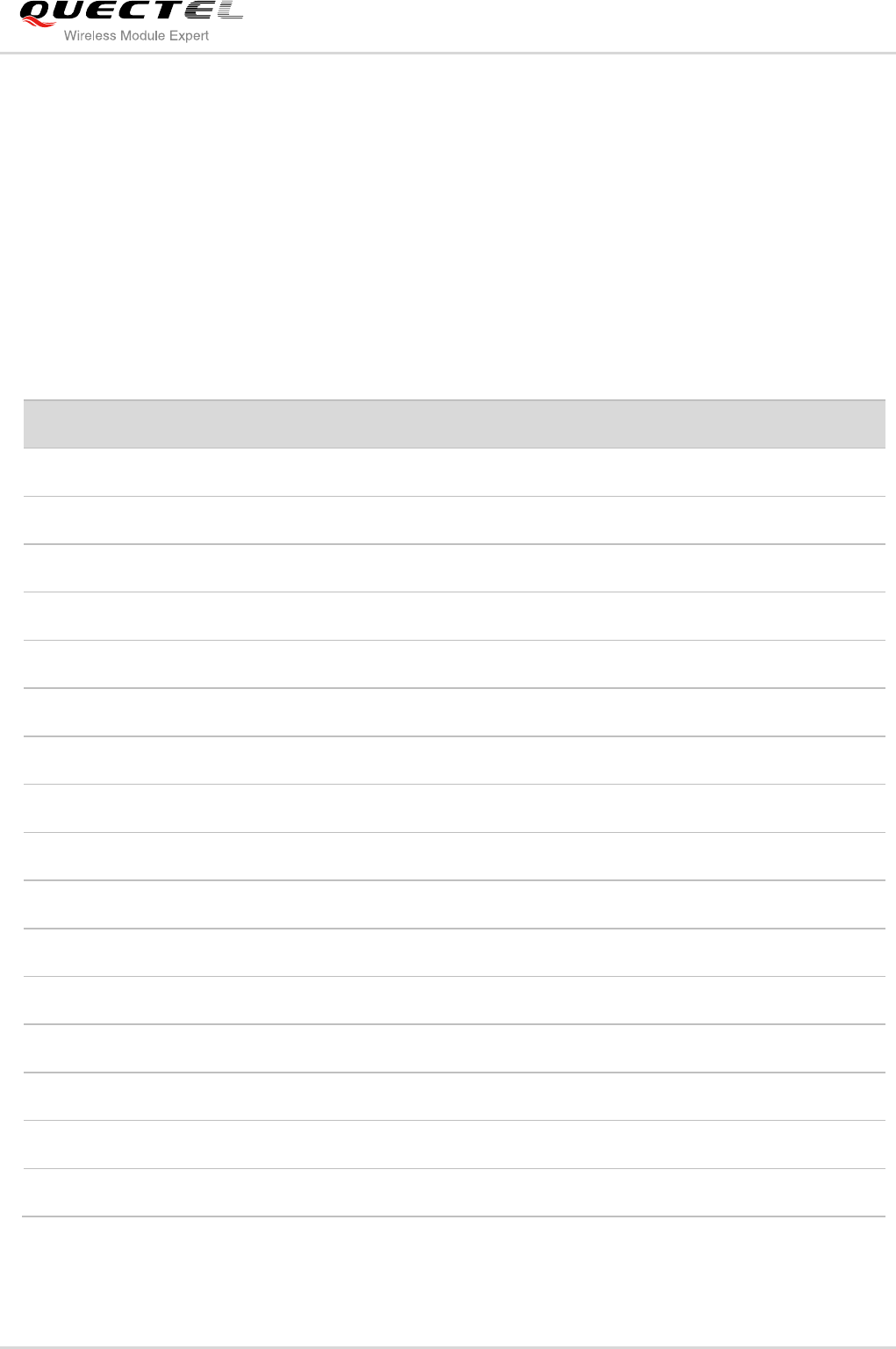
4 Appendix A Summary of <err> Code
The result of the final error code is “+CME ERROR: <err>”. <err> indicates an error relating to the ME or
Network. The operation is similar to Error result code. It will be returned when some definition error
happens. The <err> codes listed here are just related to UC20 of the File.
Codes of <err>
Meaning
400
invalid input value
403
drive full
405
file not found
406
invalid file name
407
file already exists
409
fail to write the file
410
fail to open the file
411
fail to read the file
417
fail to list the file
418
fail to delete the file
419
fail to get disk info
420
no space
421
time out
423
file too large
425
invalid parameter
426
file already opened
Quectel
Confidential
