Surface Automation Training Setup Guide
Surface%20Automation%20Training%20-%20Setup%20Guide
User Manual: Pdf
Open the PDF directly: View PDF  .
.
Page Count: 1
info@blueprism.com • +44 (0)870 879 3000 • Centrix House, Crow Lane East, Newton-le-Willows, WA12 9UY
Surface Automation Training Setup
Commercial In Confidence, © Blue Prism
The Operational Agility Software Company
Pre-Requisites
Blue Prism installed locally (version 4.2 or greater)
Valid Blue Prism license
New Blue Prism database – This can be a local SQL Express DB or an SQL Server DB. It must
not be a shared database and access must be for the trainee only.
Blue Prism access credentials for the trainee. The trainee must have full privileges within Blue
Prism. The default admin ID can be used.
Training Application
The introduction to surface automation course uses only windows calculator and hence, if only this
course is required, then there is no need to install any training application.
The main Surface Automation training course uses a windows application. It doesn’t need installing just
save the application (Surface Automation Training.exe) and the data file (Data.xml) to the default path
“C:\BluePrism\Training\Applications\Surface Automation Training”.
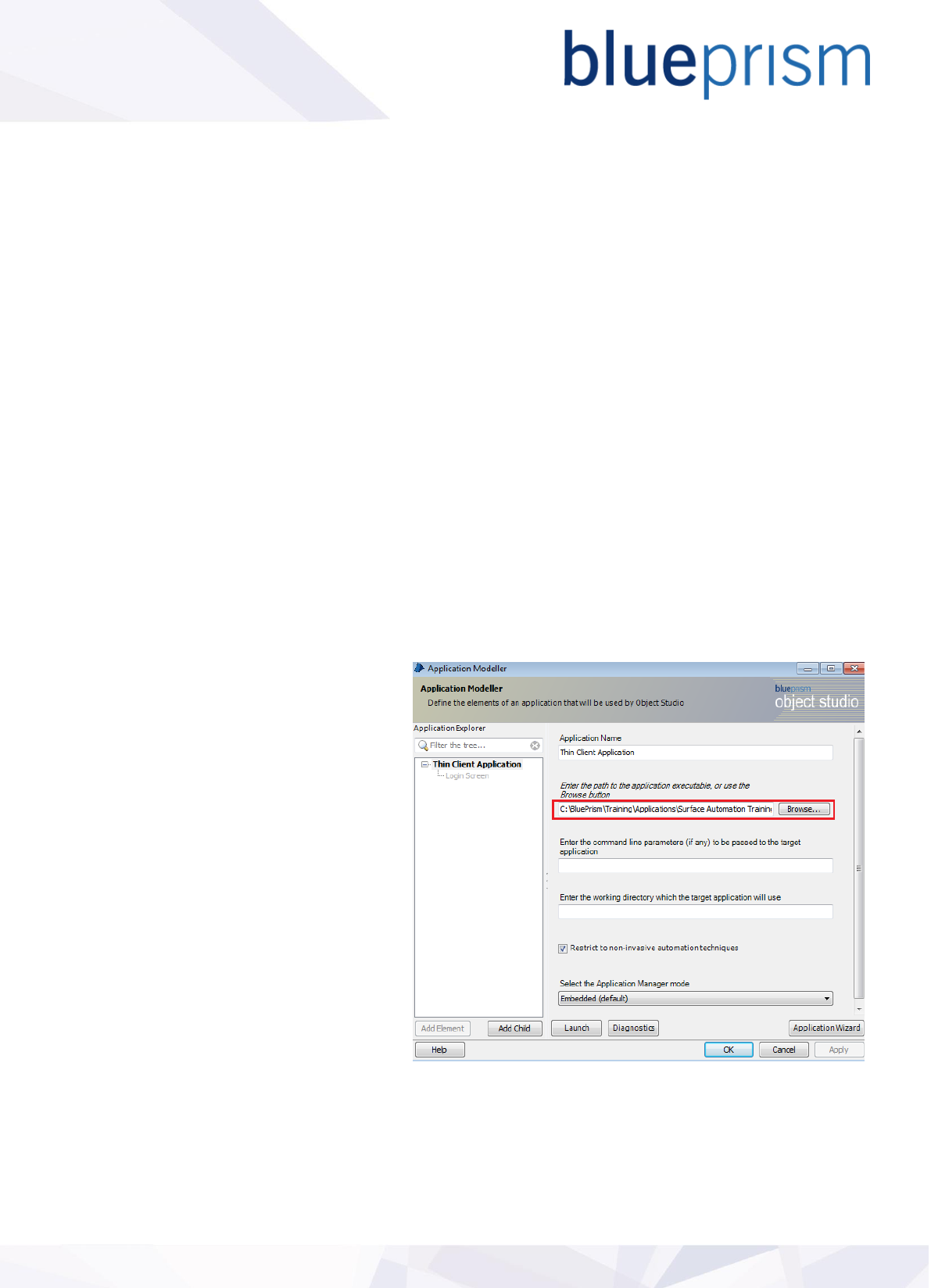
The application can be saved to an
alternative location but if doing so you must
update the file location in application
modeller. Do this by opening the object
Thin Client Application – Login, accessing
Application Modeller and providing the
alternate file path.
Base Objects.
Finally you’ll need to import the Blue Prism
base objects as these are referenced
throughout the training.
Import the release file Surface Automation
Training - Base Objects.bprelease into Blue
Prism via the File-Import menu.
