Lab1 Instructions
User Manual: Pdf
Open the PDF directly: View PDF  .
.
Page Count: 7
1.
2. a.
3.
4.
1.
7. Assignment 1 - Hello
This assignment objectives are:
Validation of the setup of development environment
Run "Hello" from Eclipse in JETTY
Or
Build using maven and deploy in tomcat
Run "Hello" from tomcat
Work space Instructions Running
rest-lab1 Web app maven project
Jersey config - pom.xml
Maven dependencies for Jersey, Servlet.
web.xml configuration
Hello from Jersery - HelloResource
Running in Jetty or Tomcat
http://localhost:8080/lab1/rest/hello
:Prerequisite
You have JDK installed
and Eclipse Mars setup with JETTY plug-in
Instructions :
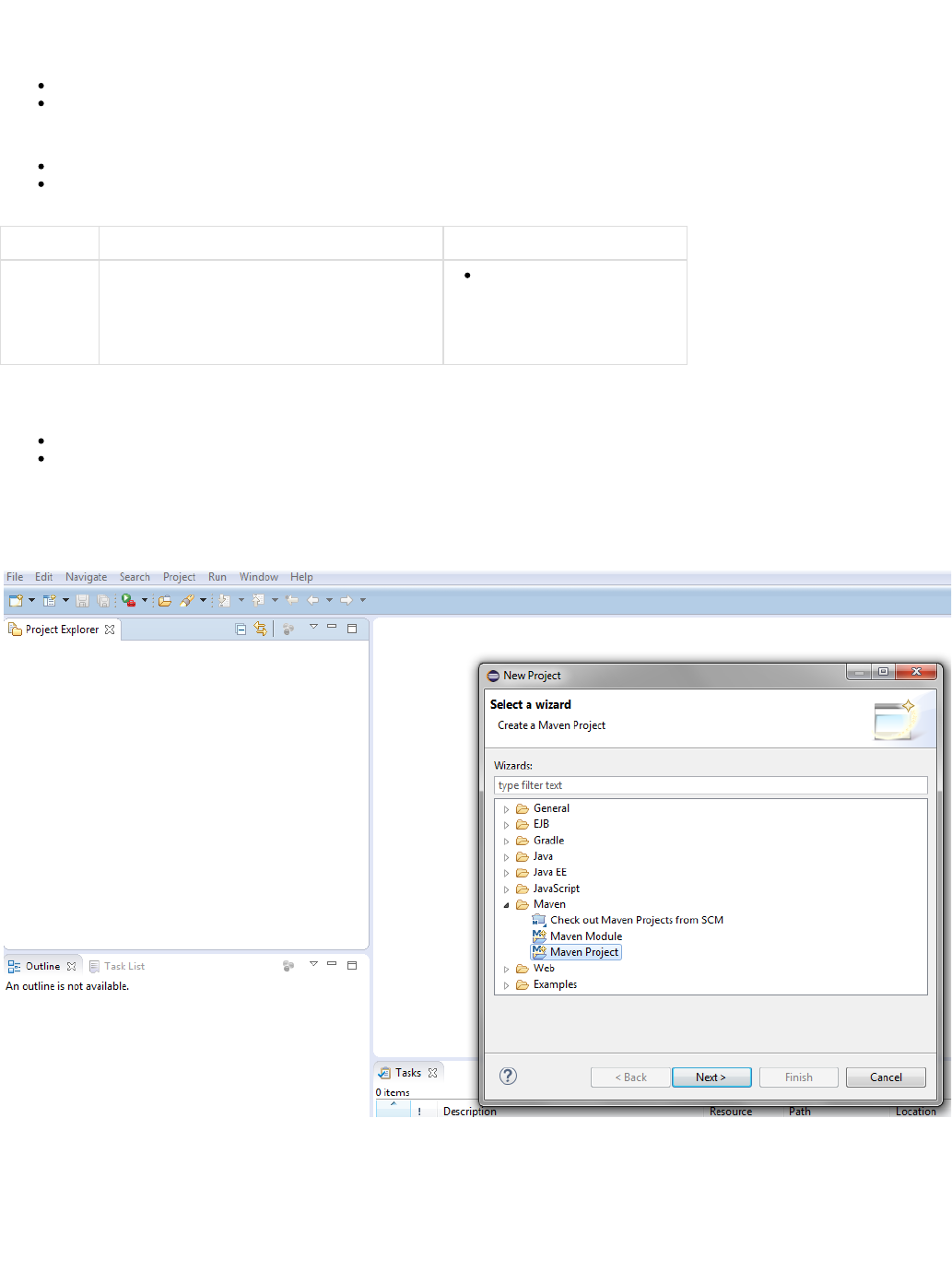
Create new project - File new -> project -> maven -> maven project
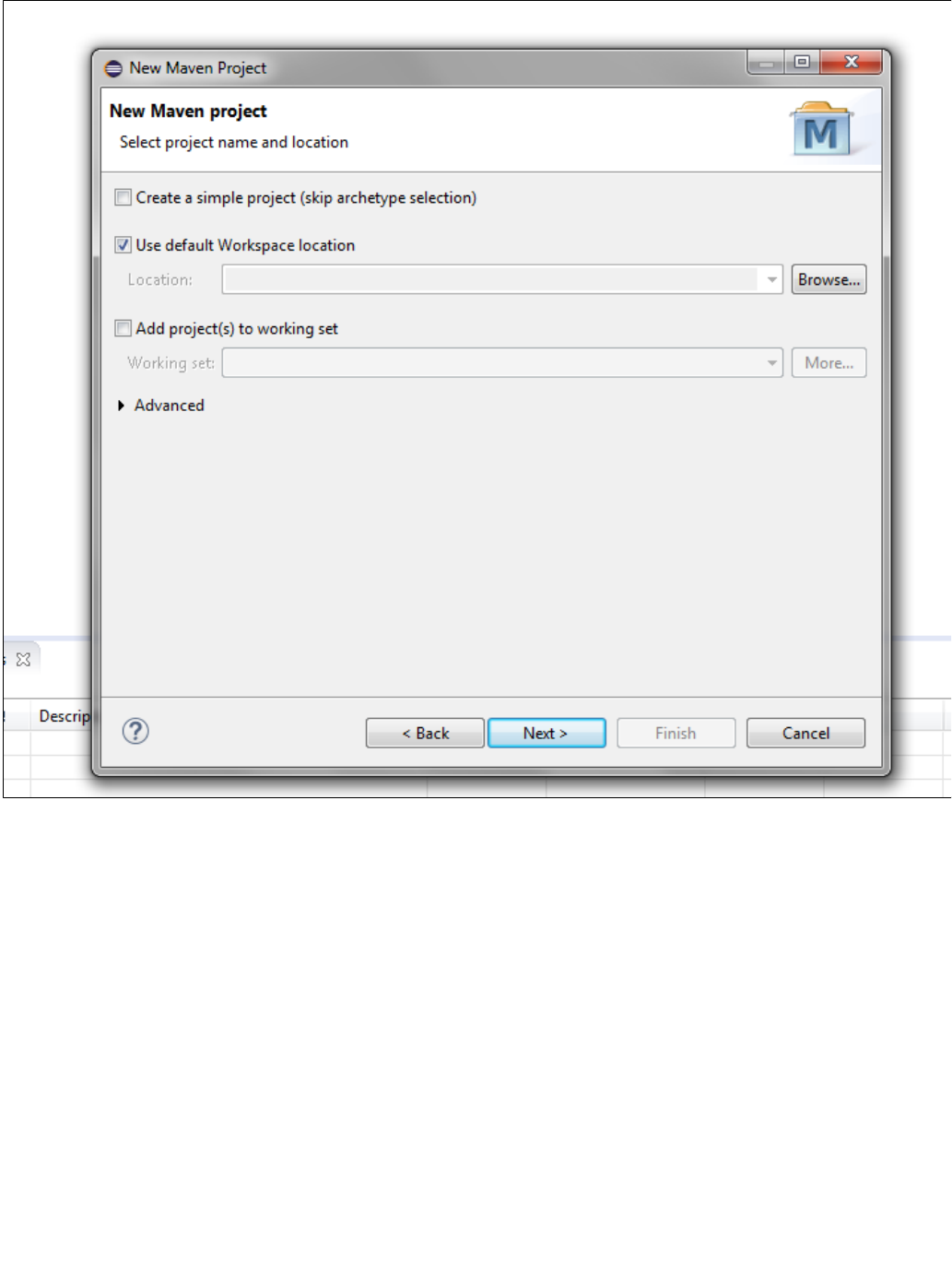
2. Press Next. It will show following screen. Skip this screen by pressing Next.
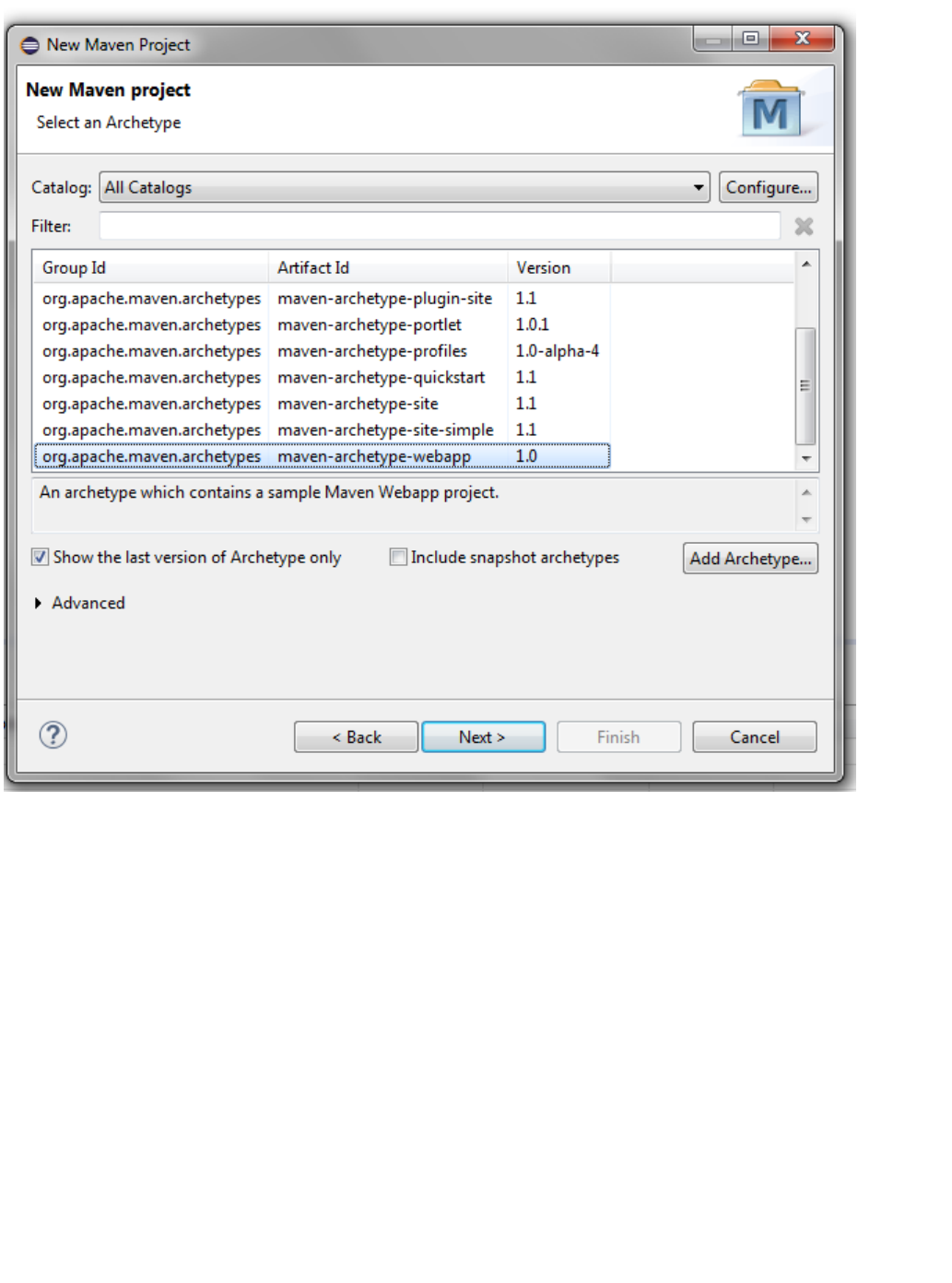
3. Select archtype as maven-archtype-webapp as below
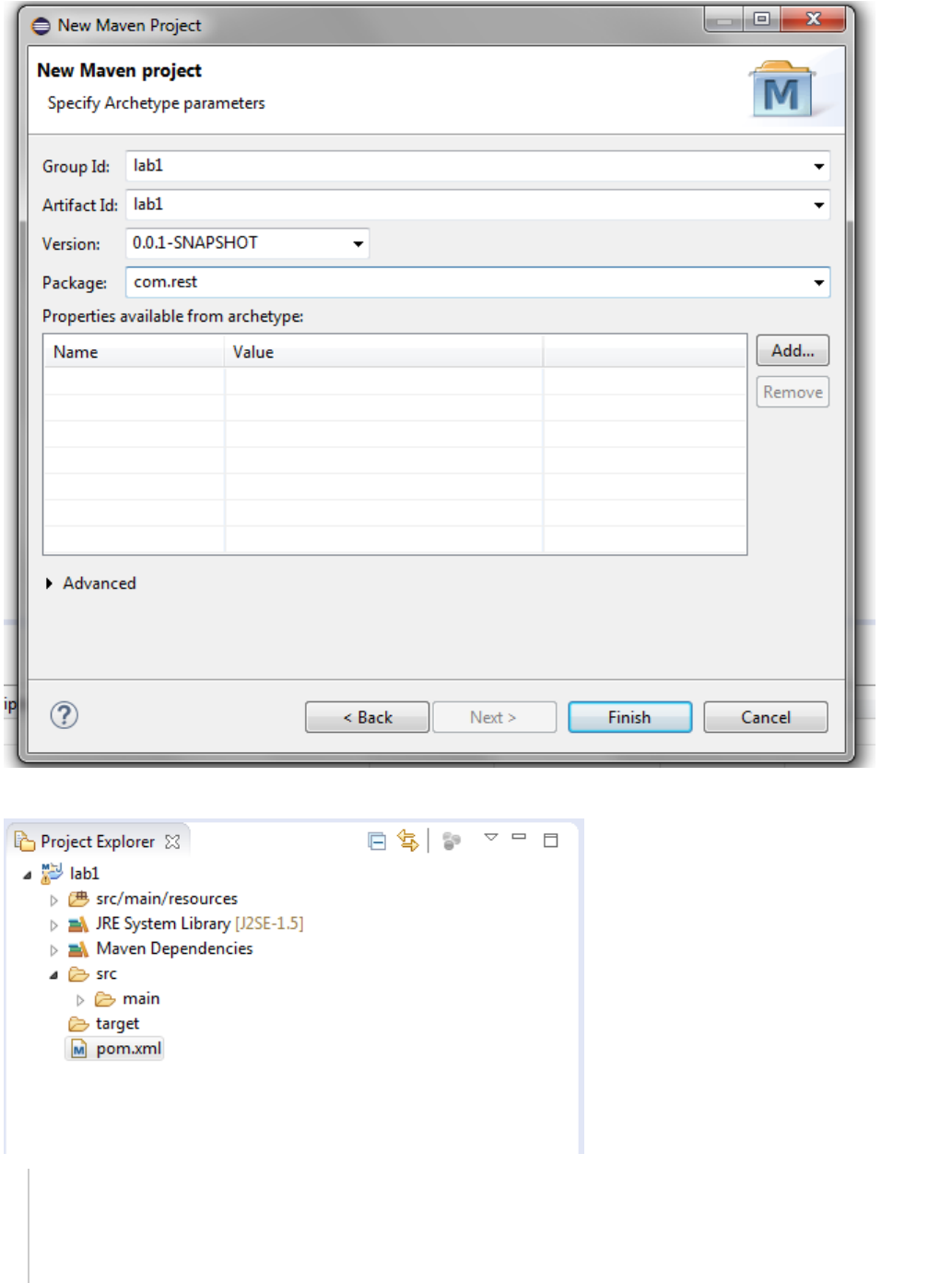
4. Fill information as below in the next screen for the maven project and press Finish.
5. Add maven dependencies in pom.xml for jersey and servlet.
<dependency>
<groupId>com.sun.jersey</groupId>
<artifactId>jersey-server</artifactId>
<version>1.19</version>
<scope>compile</scope>
</dependency>

<dependency>
<groupId>com.sun.jersey</groupId>
<artifactId>jersey-servlet</artifactId>
<version>1.19</version>
<scope>compile</scope>
</dependency>
6. Add jersey servlet configuration in web.xml
<web-app>
<display-name>Archetype Created Web Application</display-name>
<servlet>
<servlet-name>Jersey REST Service</servlet-name>
<servlet-class>com.sun.jersey.spi.container.servlet.ServletContainer</servlet-class>
<init-param>
<param-name>com.sun.jersey.config.property.packages</param-name>
<param-value>com.rest</param-value>
</init-param>
<load-on-startup>1</load-on-startup>
</servlet>
<servlet-mapping>
<servlet-name>Jersey REST Service</servlet-name>
<url-pattern>/rest/*</url-pattern>
</servlet-mapping>
</web-app>
7. Select main -> new folder -> java - src/main/java
Then new package -> com.rest
You should see following:
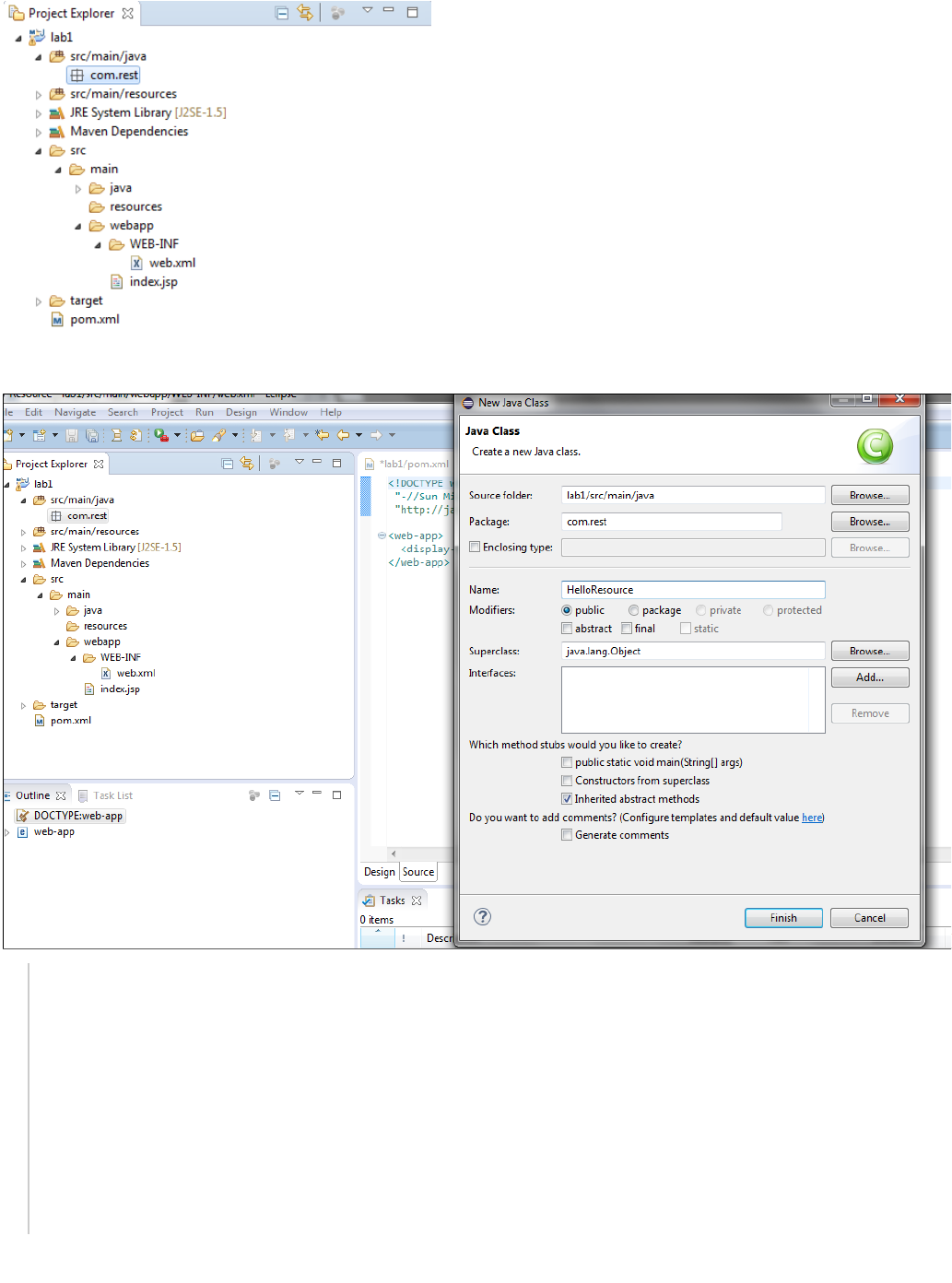
8. New class HelloResource in com.rest package
package com.rest;
import .rs.GET;javax.ws
import .rs.Path;javax.ws
import .rs.Produces;javax.ws
import .rs.core.MediaType;javax.ws
@Path("hello")
public class HelloResource {
@GET
@Produces(MediaType.TEXT_HTML)
public String sayHtmlHello() {
return "Hello from Jersey";
}
}
9. Select pom.xml and Run as JETTY