W3m Manual
User Manual: Pdf
Open the PDF directly: View PDF  .
.
Page Count: 9
9/16/2016 w3m manual
http://w3m.sourceforge.net/MANUAL#Key:orig 1/9
w3m MANUAL
Akinori Ito
aito@ei5sun.yz.yamagata-u.ac.jp
Index
Introduction
Options
Document color
Key binding
Lynx-like key binding
Mouse operation
Key customization
Local CGI
Introduction
w3m is a pager/text-based WWW browser. You can browse local documents and/or documents
on the WWW using a terminal emulator.
Options
Command line usage is
w3m [options] [file|URL]
If you specify filenames/URLs on command line, these documents are displayed. If you specify
nothing, w3m reads a document from standard input and display it. If no filename and/or URLs
are specified and standard input is tty, w3m terminates without displaying anything.
Options are as follows:
+<line number>
Move to the specified line.
-t width
Specify tab width. Default is 8.
-r
When displaying text/plain document, prohibit emphasis using backspace. If you don't
specify this option, ``A^H_'' is interpreted as underlined character and ``A^HA'' as a bold
character.
-l number
Specify line number preserved internally when reading text/plain document fron standard
input. Default is 10000.
-s
Display documents with Shift_JIS code.
-e
Display documents with EUC_JP code.
-j
Display documents with ISO-2022-JP code.
-T type
Specify document type. Without this option, document type is determined from extension
of a file. If the determination fails, the document is regarded as text/plain.

9/16/2016 w3m manual
http://w3m.sourceforge.net/MANUAL#Key:orig 2/9
Example:
Read HTML document from standard input and display it
cat hoge.html | w3m -T text/html
Display HTML source
w3m -T text/plain hoge.html
-m
Display document with Internet message mode. With this option, w3m determines
document type from header information. It is useful when reading E-mail or NetNews
messages.
-v
visual startup mode.
-B
Show the bookmark.
-bookmark file
Specify bookmark file.
-M
Monochrome display mode.
-F
Automatically render frame.
-S
Squeeze blank lines.
-X
Upon exit, do not display preserved screen.
-W
Toggle wrap search mode.
-o option=value
Specify option. The option names and values are same as that appears in ~/.w3m/config.
-cookie
Process cookies.
-no-cookie
Don't process cookies.
-pauth username:password
Set username and password for (basic) proxy authentication.
-num
Show linenumber.
-dump
Read document specified by URL and dump formatted text into standard output. The width
of the document become 80. This width can be overridden with -cols option.
-cols width
Specify document width. Used with -dump option.
-ppc count
Specify the number of pixels per character (default 8.0). Larger values will make tables
narrower.
-dump_source
Read document specified by URL and dump the source.
-dump_head
Read document specified by URL and dump headers.
-dump_both
Read document specified by URL and dump headers and the source.
-dump_extra
Read document specified by URL and dump extra informations, headers and the source.
-post file
use POST method with file content.
-header string
insert string as a header.
9/16/2016 w3m manual
http://w3m.sourceforge.net/MANUAL#Key:orig 3/9
-no-proxy
Don't use proxy server.
-no-graph
Don't use graphic character to draw frames.
-no-mouse
Don't activate mouse.
-config file
specify config file.
Document color
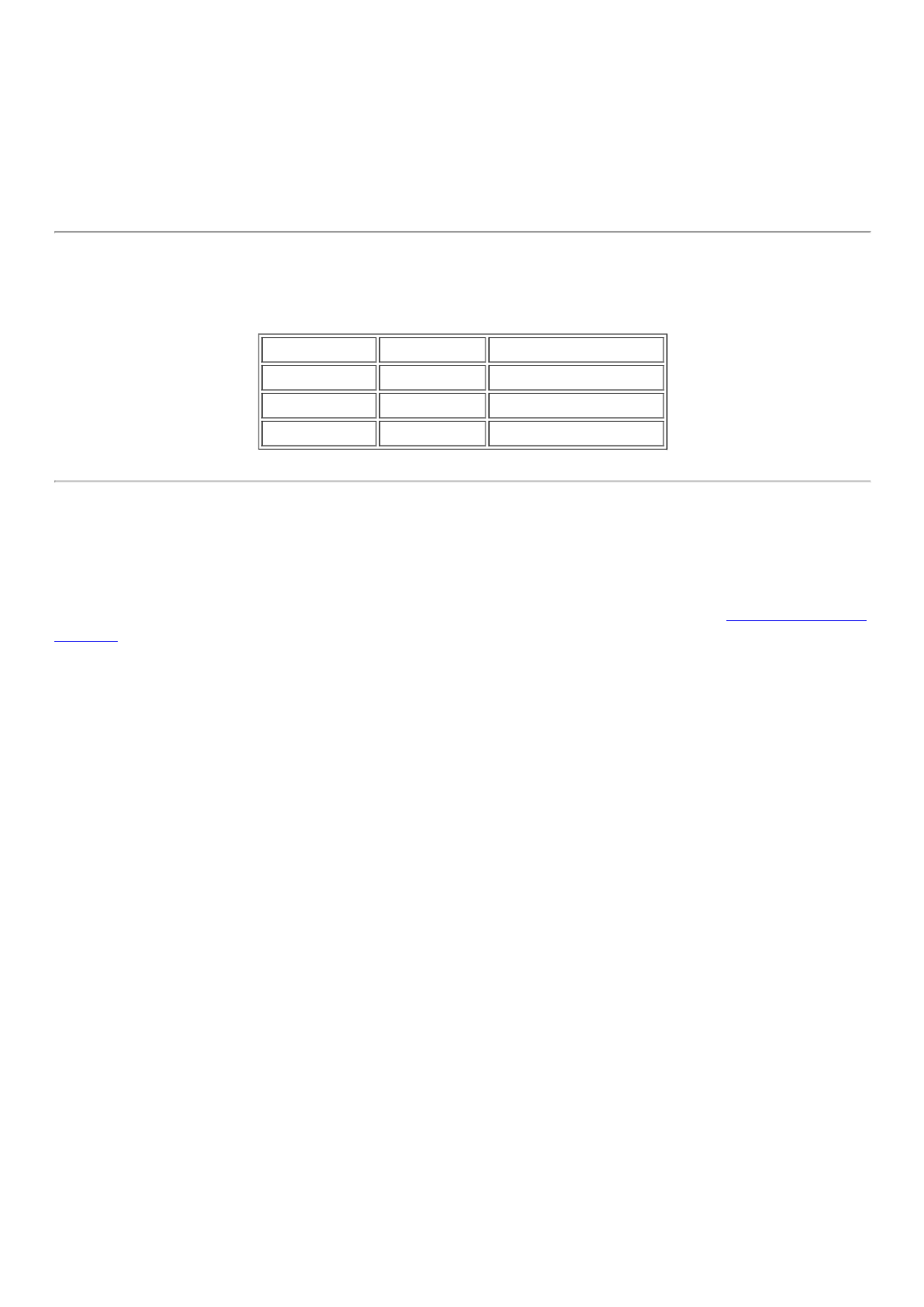
Links and images are displayed as follows.
Color mode Monochrome mode
links blue underline
inline images green reverse
form input red reverse
These colors can be customized using option setting command "o".
Key binding
After invocation, you can operate w3m by one-character commands from the keyboard.
Here's the original key-binding table. If you are using Lynx-like key bindings, see the Lynx-like key
binding.
Page/Cursor motion
SPC,C-v Forward page
b,ESC v Backward page
l,C-f Cursor right
h,C-b Cursor left
j,C-n Cursor down
k,C-p Cursor up
J Roll up one line
K Roll down one line
^,C-a Go to the beginning of line
$,C-e Go to the end of line
w Go to next word
W Go to previous word
> Shift screen right
< Shift screen left
. Shift screen one column right
, Shift screen one column left
g,M-< Go to the first line
G,M-> Go to the last line
ESC g Go to specified line
Z Move to the center line
z Move to the center column

9/16/2016 w3m manual
http://w3m.sourceforge.net/MANUAL#Key:orig 4/9
TAB Move to next hyperlink
C-u,ESC TAB Move to previous hyperlink
[ Move to the first hyperlink
] Move to the last hyperlink
Hyperlink operation
RET Follow hyperlink
a, ESC RET Save link to file
u Peek link URL
i Peek image URL
I View inline image
ESC I Save inline image to file
: Mark URL-like strings as anchors
ESC : Mark Message-ID-like strings as news anchors
c Peek current URL
= Display information about current document
C-g Show current line number
C-h View history of URL
F Render frame
MBrowse current document using external browser (use 2M and 3M to invoke
second and third browser)
ESC M Browse link using external browser (use 2ESC M and 3ESC M to invoke second and
third browser)
File/Stream operation
U Open URL
V View new file
@ Execute shell command and load
# Execute shell command and browse
Buffer operation
B Back to the previous buffer
v View HTML source
s Select buffer
E Edit buffer source
C-l Redraw screen
R Reload buffer
S Save buffer
ESC s Save source
ESC e Edit buffer image
Buffer selection mode
k, C-p Select previous buffer
j, C-n Select next buffer

9/16/2016 w3m manual
http://w3m.sourceforge.net/MANUAL#Key:orig 5/9
D Delect current buffer
RET Go to the selected buffer
Bookmark operation
ESC b Load bookmark
ESC a Add current to bookmark
Search
/,C-s Search forward
?,C-r Search backward
n Search next
N Search previous
C-w Toggle wrap search mode
Mark operation
C-SPC Set/unset mark
ESC p Go to previous mark
ESC n Go to next mark
" Mark by regular expression
Miscellany
! Execute shell command
H Help (load this file)
o Set option
C-k Show cookie jar
C-c Stop
C-z Suspend
q Quit (with confirmation, if you like)
Q Quit without confirmation
Line-edit mode
C-f Move cursor forward
C-b Move cursor backward
C-h Delete previous character
C-d Delete current character
C-k Kill everything after cursor
C-u Kill everything before cursor
C-a Move to the top of line
C-e Move to the bottom of line
C-p Fetch the previous string from the history list
C-n Fetch the next string from the history list
TAB,SPC Complete filename
RETURN Accept

9/16/2016 w3m manual
http://w3m.sourceforge.net/MANUAL#Key:orig 6/9
Lynx-like key binding
If you have chosen `Lynx-like key binding' at the compile time, you can use the following key
binding.
Page/Cursor motion
SPC,C-v,+ Forward page
b,ESC v,- Previous page
l Cursor right
h Cursor left
j Cursor down
k Cursor up
J Roll up one line
K Roll down one line
^ Go to the beginning of line
$ Go to the end of line
> Shift screen right
< Shift screen left
C-a Go to the first line
C-e Go to the last line
G Go to the specified line
Z Move to the center line
z Move to the center column
TAB,C-n,Down arrow Move to next hyperlink
ESC TAB,C-p,Up arrow Move to previous link
C-g Show current page position
Hyperlink operation
RET, C-f,
Right arrow Follow hyperlink
d, ESC RET Save link to file
u Peek link URL
i Peek image URL
I View inline image
ESC I Save inline image to file
: Mark URL-like strings as anchors
ESC : Mark Message-ID-like strings as news anchors
c Peek current URL
= Display information about current document
C-h View history of URL
F Render frame
MBrowse current document using external browser (use 2M and 3M to invoke
second and third browser)
ESC M Browse link using external browser (use 2ESC M and 3ESC M to invoke second and
third browser)

9/16/2016 w3m manual
http://w3m.sourceforge.net/MANUAL#Key:orig 7/9
File/Stream operation
g,U Open URL
V View new file
@ Execute shell command and load
# Execute shell command and browse
Buffer operation
B, C-b, Left
arrow Back to the previous buffer
\ View HTML source
s, C-h Select buffer
E Edit buffer source
C-l, C-w Redraw screen
R, C-r Reload buffer
S, p Save buffer
ESC s Save source
ESC e Edit buffer image
Buffer selection mode
k, C-p Select previous buffer
j, C-n Select next buffer
D Delect current buffer
RET Go to the selected buffer
Bookmark operation
v, ESC b Load bookmark
a, ESC a Add current to bookmark
Search
/, C-s Search forward
n Search next
w Toggle wrap search mode
Mark operation
C-SPC Set/unset mark
P Go to previous mark
N Go to next mark
" Mark by regular expression
Miscellany
9/16/2016 w3m manual
http://w3m.sourceforge.net/MANUAL#Key:orig 8/9
! Execute shell command
H, ? Help (load this file)
o Set option
C-k Show cookie jar
C-c Stop
C-z Suspend
q Quit (with confirmation, if you like)
Q Quit without confirmation
Line-edit mode
C-f Move cursor forward
C-b Move cursor backward
C-h Delete previous character
C-d Delete current character
C-k Kill everything after cursor
C-u Kill everything before cursor
C-a Move to the top of line
C-e Move to the bottom of line
C-p Fetch the previous string from the history list
C-n Fetch the next string from the history list
TAB,SPC Complete filename
RETURN Accept
Mouse operation
If w3m is compiled with mouse option and you are using xterm/kterm/rxvt (in this case, you have
to set the TERM environment variable to `xterm' or `kterm'.) or GPM environment, you can use
mouse for the navigation.
left
click
Move the cursor to the place pointed by the mouse cursor. If you click the cursor and it is
on an anchor, follow the anchor.
middle
click Back to the previous buffer.
right
click Open pop-up menu. You can choose an item by clicking it.
left
drag
Scroll document. The default behavior is to grab the document and drag it. You can
reverse the behavior (grab the window and drag it) with the option setting panel.
Key customization
You can customize the key binding (except line-editing keymap) by describing ~/.w3m/keymap.
For example,
keymap C-o NEXT_PAGE
9/16/2016 w3m manual
http://w3m.sourceforge.net/MANUAL#Key:orig 9/9
binds `NEXT_PAGE' function (normally bound to SPC and C-v) to control-o. See README.func for
list of available functions. Original and Lynx-like keymap definitions are provided
(keymap.default and keymap.lynx) as examples.
Local CGI
You can run CGI scripts using w3m, without any HTTP server. It means that w3m behaves like an
HTTP server and activates CGI script, then w3m reads the output of the script and display it. The
bookmark registration and helper-app editor are realized as local CGI scripts. Using local CGI,
w3m can be used as a general purpose form interface.
For security reason, CGI scripts invoked by w3m must be in one of these directories.
The directory where w3m-related files are stored (typically /usr/local/lib/w3m). This
directory can be referred as $LIB.
/cgi-bin/ directory. You can map /cgi-bin/ to any directory you like with option setting panel
(``Directory corresponds to /cgi-bin'' field). You can specify multiple paths separated by `:',
like /usr/local/cgi-bin:/home/aito/cgi-bin. It is not recommended to include current
directory to this path.
The CGI script can use special header `w3m-control:' to control w3m. This field can take any
function (see README.func), and the specified function is invoked after the document is
displayed. For example, The CGI output
Content-Type: text/plain
W3m-control: BACK
will display blank page and delete that buffer immediately. This is useful when you don't want to
display any page after the script is invoked. The next example
Content-Type: text/plain
W3m-control: DELETE_PREVBUF
contents.....
will override the current buffer.
One w3m-control: header have to contain only one function, but you can include more than one
w3m-control: lines in the HTTP header. In addition, you can specify an argument to GOTO
function:
Content-Type: text/plain
W3m-control: GOTO http://www.yahoo.com/
This example works exactly the same way to the Location header:
Content-Type: text/plain
Location: http://www.yahoo.com/
Note that this header has no effect when the CGI script is invoked through HTTP server.
