Petcube PP211NV5LC Petcube Play User Manual Quick Start Guide

Petcube, Inc. Petcube Play Quick Start Guide

Quick Start Guide

CONTACT Join our Petcube pack for the latest product updates, oers and moreFor support, visit www.petcube.com/supportEmail: support@petcube.com Phone: 1-844-74-PCUBE www.petcube.com
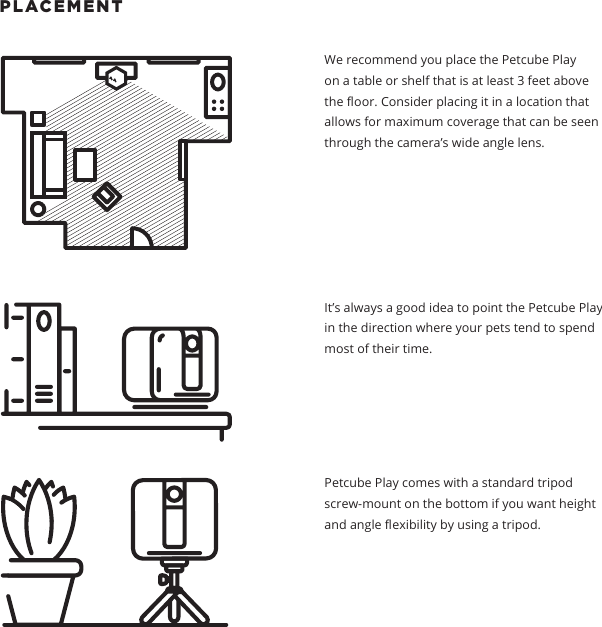
PLACEMENT We recommend you place the Petcube Play on a table or shelf that is at least 3 feet above the oor. Consider placing it in a location that allows for maximum coverage that can be seen through the camera’s wide angle lens. It’s always a good idea to point the Petcube Play in the direction where your pets tend to spend most of their time.Petcube Play comes with a standard tripod screw-mount on the bottom if you want height and angle exibility by using a tripod.
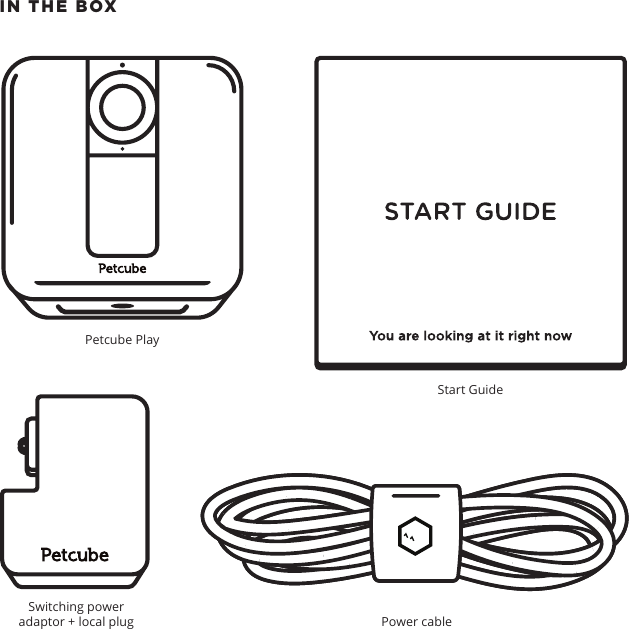
IN THE BOX Petcube PlayStart GuidePower cable Switching power adaptor + local plug
Pet Care from your PhoneSTART GUIDETM
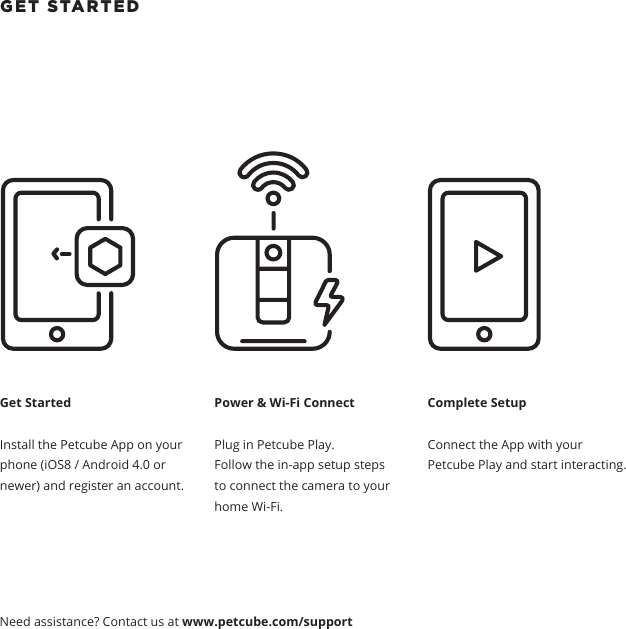
GET STARTED Get StartedInstall the Petcube App on your phone (iOS8 / Android 4.0 or newer) and register an account.Power & Wi-Fi ConnectPlug in Petcube Play. Follow the in-app setup steps to connect the camera to your home Wi-Fi.Complete SetupConnect the App with your Petcube Play and start interacting. Need assistance? Contact us at www.petcube.com/support
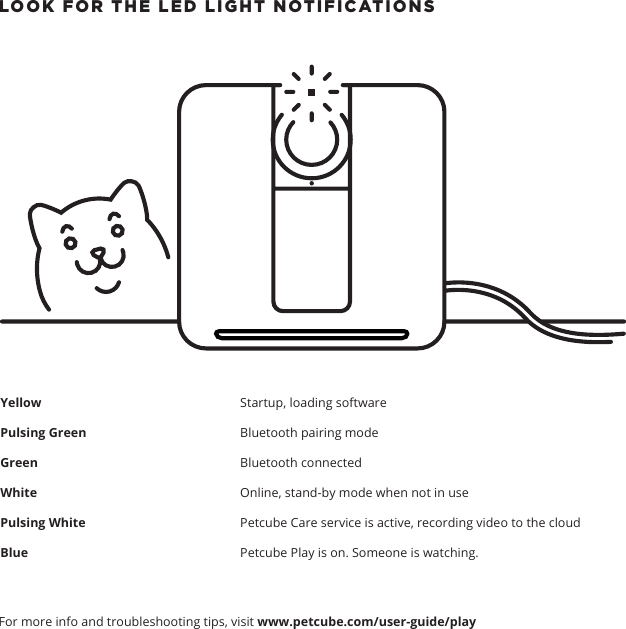
LOOK FOR THE LED LIGHT NOTIFICATIONS   YellowPulsing GreenGreenWhite Pulsing White Blue For more info and troubleshooting tips, visit www.petcube.com/user-guide/playStartup, loading softwareBluetooth pairing modeBluetooth connectedOnline, stand-by mode when not in usePetcube Care service is active, recording video to the cloudPetcube Play is on. Someone is watching.
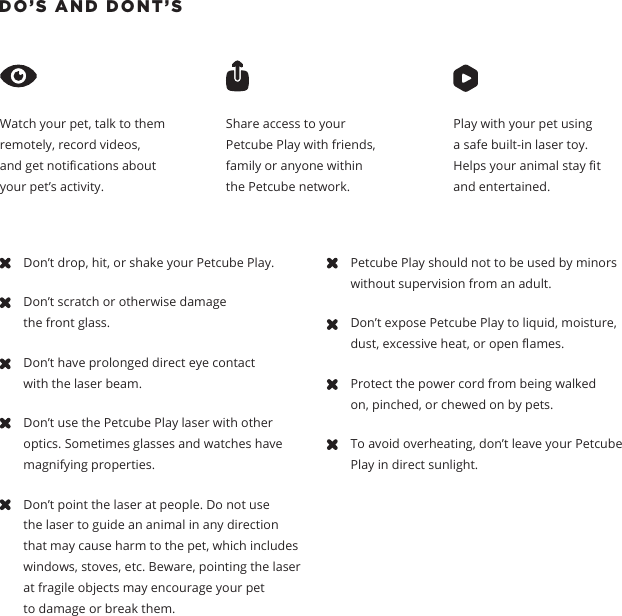
DO’S AND DONT’S Watch your pet, talk to them remotely, record videos, and get notications about your pet’s activity.  Share access to your Petcube Play with friends, family or anyone within the Petcube network.Play with your pet using a safe built-in laser toy. Helps your animal stay t and entertained.Don’t drop, hit, or shake your Petcube Play.Don’t scratch or otherwise damage the front glass. Don’t have prolonged direct eye contact with the laser beam. Don’t use the Petcube Play laser with other optics. Sometimes glasses and watches have magnifying properties. Don’t point the laser at people. Do not use the laser to guide an animal in any direction that may cause harm to the pet, which includes windows, stoves, etc. Beware, pointing the laser at fragile objects may encourage your pet to damage or break them.Petcube Play should not to be used by minors without supervision from an adult.Don’t expose Petcube Play to liquid, moisture, dust, excessive heat, or open ames.Protect the power cord from being walked on, pinched, or chewed on by pets.To avoid overheating, don’t leave your Petcube Play in direct sunlight.
PRODUCT INFOPetcube user guide The explanations provided in this guide are for informational purposes only and may be modied.The latest version of this guide can be found at www.petcube.com/user-guide/play.Software Your Petcube Play connects to Petcube’s copyrighted software to control its operation. One year limited warrantyThis Petcube Play is supplied by Petcube, Inc. and delivered new, is warranted against defects in materials and workmanship under normal use for a period of 1 year from the date of the retail purchase. Full terms can be found at www.petcube.com/docs/warranty. Safety and handling For more information about safety and handling, please see www.petcube.com/user-guide/play. To avoid injury or harm, read all safety information and operating instructions prior to using Petcube Play.Health considerationsPlease see ‘Health Considerations’ at www.petcube.com/user-guide/play.Regulations This device complies with CE, FCC, IC, RoHS and 21 CFR 1040.10. Please visit www.petcube.com/terms-of-use for more information. Petcube is a registered trademark of Petcube, Inc. Apple, iOS, App Store and iPhone are registered trademarks of Apple, Inc. Android and Google Play are registered trademarks of Google, Inc. Other brands and product names mentioned in this guide are trademarks of their respective holders. Copyright © 2016 Petcube, Inc. All rights reserved.
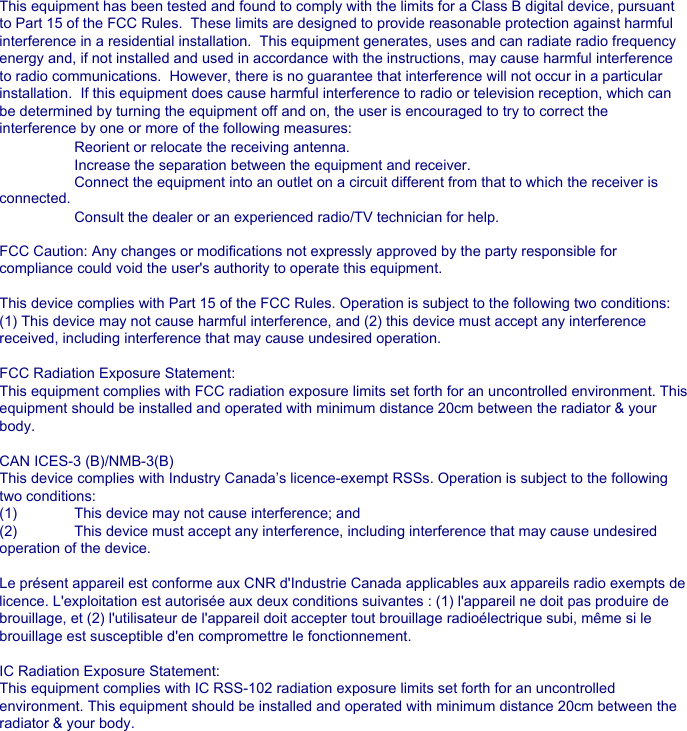
This equipment has been tested and found to comply with the limits for a Class B digital device, pursuant to Part 15 of the FCC Rules.  These limits are designed to provide reasonable protection against harmful interference in a residential installation.  This equipment generates, uses and can radiate radio frequency energy and, if not installed and used in accordance with the instructions, may cause harmful interference to radio communications.  However, there is no guarantee that interference will not occur in a particular installation.  If this equipment does cause harmful interference to radio or television reception, which can be determined by turning the equipment off and on, the user is encouraged to try to correct the interference by one or more of the following measures: Reorient or relocate the receiving antenna. Increase the separation between the equipment and receiver. Connect the equipment into an outlet on a circuit different from that to which the receiver is  connected. Consult the dealer or an experienced radio/TV technician for help.FCC Caution: Any changes or modifications not expressly approved by the party responsible for compliance could void the user's authority to operate this equipment.This device complies with Part 15 of the FCC Rules. Operation is subject to the following two conditions: (1) This device may not cause harmful interference, and (2) this device must accept any interference received, including interference that may cause undesired operation.FCC Radiation Exposure Statement:This equipment complies with FCC radiation exposure limits set forth for an uncontrolled environment. This equipment should be installed and operated with minimum distance 20cm between the radiator & your body.CAN ICES-3 (B)/NMB-3(B) This device complies with Industry Canada’s licence-exempt RSSs. Operation is subject to the following two conditions:(1)  This device may not cause interference; and (2)  This device must accept any interference, including interference that may cause undesired operation of the device.Le présent appareil est conforme aux CNR d'Industrie Canada applicables aux appareils radio exempts de licence. L'exploitation est autorisée aux deux conditions suivantes : (1) l'appareil ne doit pas produire de brouillage, et (2) l'utilisateur de l'appareil doit accepter tout brouillage radioélectrique subi, même si le brouillage est susceptible d'en compromettre le fonctionnement.IC Radiation Exposure Statement:This equipment complies with IC RSS-102 radiation exposure limits set forth for an uncontrolled environment. This equipment should be installed and operated with minimum distance 20cm between the radiator & your body.Cet équipement est conforme aux limites d’exposition aux rayonnements IC établies pour un environnement non contrôlé. Cet équipement doit être installé et utilisé avec un minimum de 20cm de distance entre la source de rayonnement et votre corps

Navigation menu