Philips NOCTN279 Object Moved User Manual Product Brochure Dura Diagnost Digital Radiography Systems 665d63ad2fa44927bbb3a77c0146c588
User Manual: Philips NOCTN279 Product Brochure Philips DuraDiagnost Digital radiography systems Philips - DuraDiagnost Digital radiography systemsNOCTN279
Open the PDF directly: View PDF  .
.
Page Count: 1

Wireless without
worries
Philips wireless DR solutions
452299105961.indd 1 10/09/14 12:49

2
Feel at ease with wireless
DR and IT
To enhance efciency, use SkyPlates – Philips wireless portable detectors – throughout your DR
department and beyond. This guide briey introduces the wireless DR application scope and key
SkyPlate advantages. It then focuses on all relevant wireless IT aspects, giving administrators a sound
overview of IT topics and presenting detailed technical information for IT specialists.
Explore wireless DR
How does wireless DR detector technology speed up your
procedures? By applying and sharing Philips wireless portable
detectors – the large and smaller-sized SkyPlates – across
the Philips DR portfolio. And by combining the large SkyPlate
with SkyFlow technology. If clinicians decide not to choose an
anti-scatter grid, SkyFlow delivers grid-like contrast without
the added effort of using a grid.
Discover IT details
If you’re an IT specialist, you might like to dig deeper
into technical specications for wireless IT. These include
supported channels, encryption standards and compliance
to specic software versions. You’ll nd this particular
information in specially marked sections at the end of this
guide.
Get the big IT picture
As an administrator, you’re likely a part of staff discussions on
wireless DR. How reliable is the connection? Will it inuence
the hospital network? How can you make sure that your high
data security requirements are met? Use this guide to gain an
IT knowledge base to support your decisions.
Wireless DR key advantages
• SkyPlates promote easy positioning for smooth
workow
• SkyPlate sharing permits a low initial investment while
providing a high level of exibility
• SkyPlate with SkyFlow provides excellent portable
chest image quality with grid-like contrast
452299105961.indd 2 10/09/14 12:49
3
Table of Contents
About this guide 2-3
SkyPlate application scope 4-5
SkyPlate sharing 6
SkyPlate with SkyFlow 7
Wireless IT 8
SkyPlate connection to X-ray system 9-10
MobileDiagnost wDR connection to hospital network 11
SkyPlate details 12
IT facts and SkyPlate gures 13-15
• Speci cations 13
• Detailed IT information 14
• SkyPlate FAQs 15
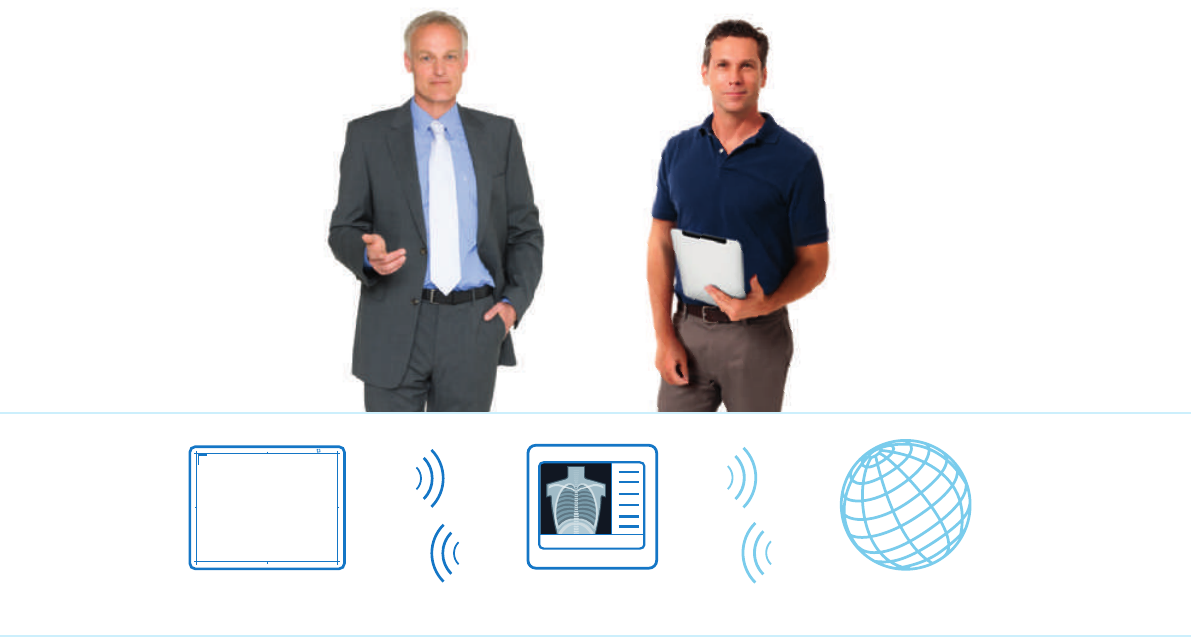
SkyPlate Hospital networkX-ray system
452299105961.indd 3 10/09/14 12:49
4
SkyPlates wherever
you need them
SkyPlate application scope
Which DR set-up matches your clinical environment to your investment strategy? Philips offers a huge
DR portfolio for every need and budget. Benet from more than 20 years of DR experience with over
6,500 installed units. The SkyPlates are an integral part of today’s DR solutions and t to your facility’s
individual workow.
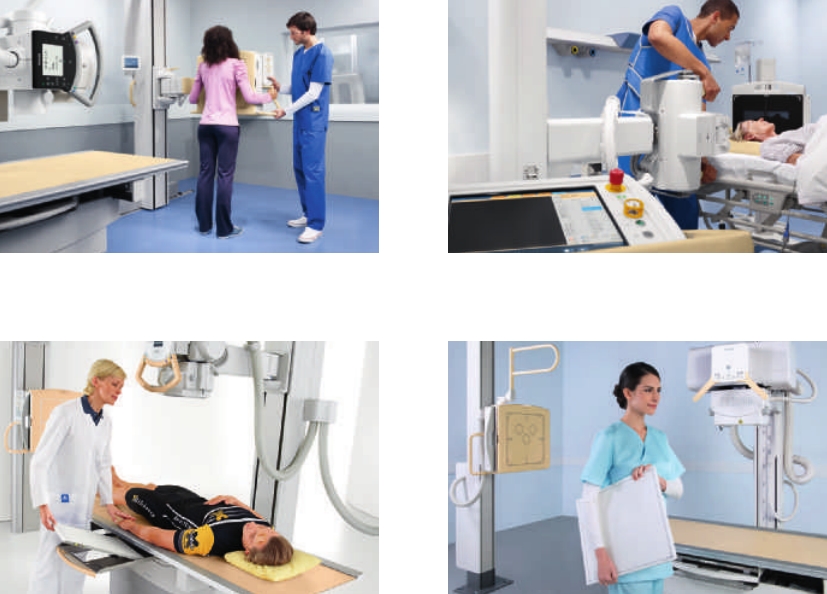
DuraDiagnost DR rooms with large SkyPlateProGrade DR upgrade with SkyPlates
MobileDiagnost wDR systems with SkyPlatesDigitalDiagnost DR rooms with SkyPlates
452299105961.indd 4 10/09/14 12:49
5
DigitalDiagnost DR rooms with SkyPlates
• Philips DigitalDiagnost offers a choice of ve premium DR
rooms: high performance, ex, value, emergency and chest
• Flexible use of the large SkyPlate in tables and vertical
stands or alternative use of large and small SkyPlates for
free exams
• Grid-like image contrast for free chest exams with
SkyFlow gridless processing
• Cost-efcient SkyPlate sharing possibility
ProGrade DR upgrade with SkyPlates
• Philips ProGrade: The budget-friendly way to upgrade
from Philips BuckyDiagnost analog systems to premium
DR without geometry replacement
• Simple addition of SkyPlates and the premium Eleva user
interface
• Staff training is according to the instructions for use,
and little additional training is required due to familiar
geometry and intuitive user interface
• Cost-efcient SkyPlate sharing possibility
MobileDiagnost wDR systems with SkyPlates
• Philips MobileDiagnost wDR, the premium DR room
to go, comes in three versions: high performance,
performance, and with SkyFlow
• Double wireless connectivity suited to acute care areas
• Small-sized SkyPlate is the mobile DR key option for
incubators, extremities and emergency situations
• Cost-efcient SkyPlate sharing possibility
DuraDiagnost DR rooms with large SkyPlate
• Philips DuraDiagnost offers three room congurations
with the large SkyPlate: efciency room HP (high
performance), value room and value room HAT (height
adjustable table)
• Personalized care within a reasonable budget
• Excellent image quality with large SkyPlate
• Cost-efcient sharing with the large SkyPlate possibility
“The freedom to image any patient,
do any exam, with no limits.”
Jim Roberts, Dartmouth-Hitchcock Medical Center, Lebanon, NH, USA
452299105961.indd 5 10/09/14 12:49
6
Share it as you like
SkyPlate sharing
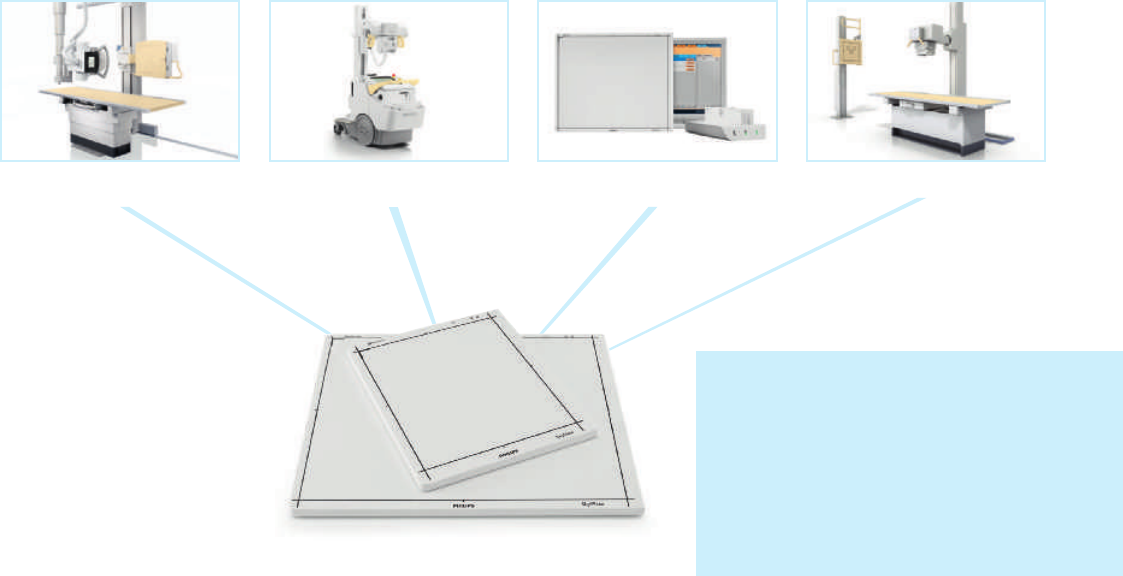
For further exibility and cost efciency, you can quickly share the SkyPlates between the latest system releases
of DigitalDiagnost rooms, MobileDiagnost wDR units, the analog to digital upgrade ProGrade, and DuraDiagnost
rooms. There are plenty of sharing options available which can enhance detector, system and room utilization. The
smaller-sized SkyPlate is particularly useful for sharing because of its specialized application range.
Sharing with ease
• Philips installs a SkyPlate to the system for you and
assigns a unique number
• During installation our customer service calibrates the
SkyPlate for each system; the calibration data stays in the
system
• You can view relevant information such as the next
recommended SkyPlate calibration date in every
assigned system
• Attach the SkyPlate to a specic system via an intuitive
infrared connection before you begin an exam routine
• Then, just insert the SkyPlate in the respective table or
vertical stand, or use it for free exams
• Since there is only one common license necessary, you
can quickly switch between large and small SkyPlates in a
single system
• Rapidly change the SkyPlate from one system to the
next
SkyPlate sharing key advantages
• Low initial investment while delivering a high
level of exibility
• Back-up solution to provide constant uptime
• Smart starting point for expansion, i.e.
adding more SkyPlates to your department
in the future
DuraDiagnost DR roomsProGrade DR upgradeMobileDiagnost wDR systems
* Small SkyPlate may not be available with all systems
DigitalDiagnost DR rooms
Use one SkyPlate
with several systems *
452299105961.indd 6 10/09/14 12:50
7
Let your work ow with SkyFlow
SkyPlate with SkyFlow *
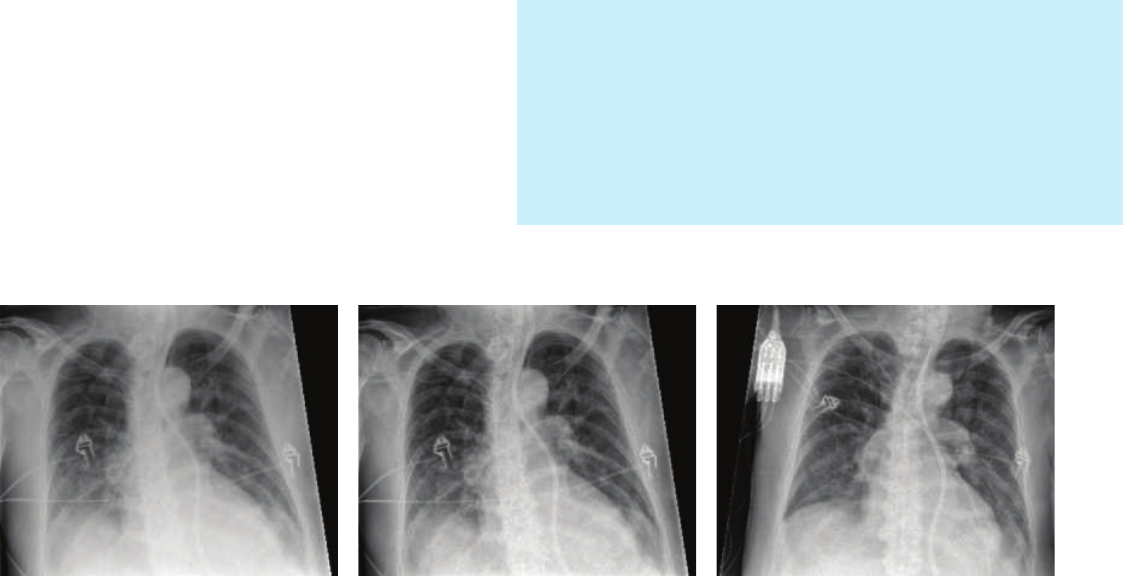
Naturally, the clinician always decides whether or not to use a grid. When working without a grid, SkyFlow
processing can enhance bedside and trolley chest exam workow. Philips’ scatter correction technology for
portable thorax X-rays provides grid-like image contrast without actually using one. By combining the large
SkyPlate with SkyFlow, your facility will be able to work quickly and conveniently by avoiding the time and effort
of attaching and detaching a grid.
SkyFlow key advantages
• Save time with gridless workow and benet from fully
automatic image contrast enhancement
• Achieve excellent image quality for all patient types,
including bariatric
• Focus fully on the patient with short exam times, and
comfortable positioning
Reference image acquired without grid Same exposure, now processed with SkyFlow Image of same patient acquired on a different day.
A grid was used, and X-ray dose was increased by a
factor of 1.6
* SkyFlow is available with DigitalDiagnost 4.0 and 4.1 and MobileDiagnost wDR 2.0
452299105961.indd 7 10/09/14 12:50
8
Wireless IT wherever
you need it
Wireless IT
Philips SkyPlates are equipped with proven IT technology. They feature a wireless connection between the
SkyPlates and the related X-ray unit. The MobileDiagnost wDR has an additional WiFi connection to the
hospital network. Count on data protection, secure point-to-point connectivity, and low electromagnetic
emissions.
Illustrating the connections
• You can compare the connection between the SkyPlates
and the system to a laptop with a single dedicated
connection to a wireless mouse
• Sending images from the mobile DR unit to the network
is similar to sending data from a laptop to a server
Low emissions and no interference
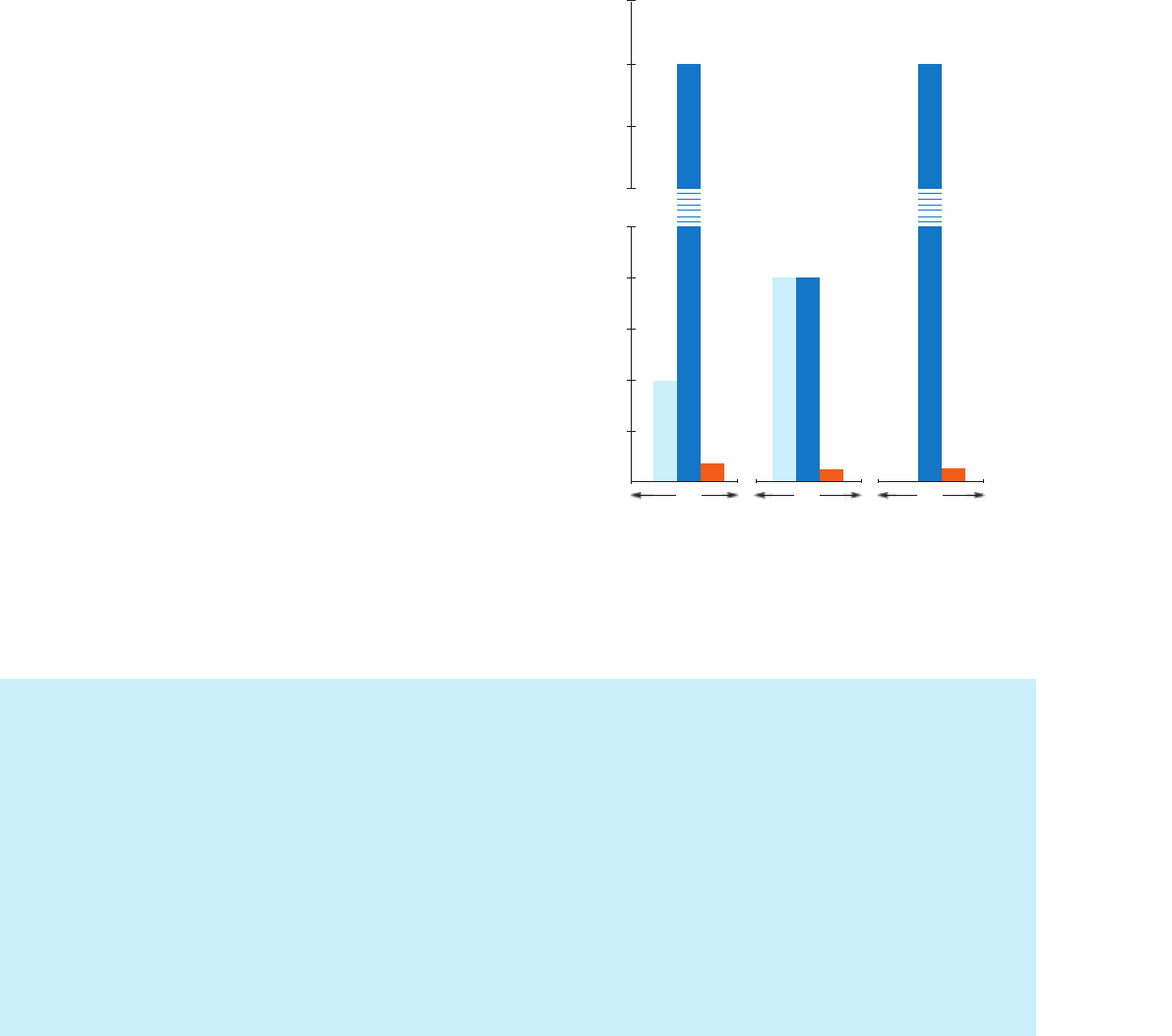
• Thanks to their low radio frequency emissions, the
SkyPlates do not interfere with mobile phones, life
support devices or pacemakers
• SkyPlate emissions are very low when compared to
wireless emissions from PCs and laptops
Key advantages of the wireless SkyPlate
connection to the X-ray system
• Wireless design promotes a tangle-free environment
• Easy and exible positioning for smooth work ow
• Real-time communication between the SkyPlates and the
X-ray system is independent of your hospital IT network
Key advantages of the wireless MobileDiagnost
wDR connection to the hospital network
• Seamless connection to IT infrastructure from all areas
• Rapid image transfer to PACS to support fast response
times
• Image transfer from any location within transmission
range since the wireless network does not require plugs
The wireless emissions from Philips SkyPlates are a fraction of the
maximum power emission limits allowed for PCs and laptops
EIRP = Equivalent isotropically radiated power
Source: www.fcc.gov
2.4 5.6 5.8
Frequency in GHz
4000
5000
3000
2000
250
200
150
100
50
0
PC/
Laptop
USA
PC/
Laptop
USA
PC/
Laptop
USA
PC/
Laptop
EU
SkyPlate
PC/
Laptop
EU
EIRP in mW
SkyPlate
8
SkyPlate
b/g/n a/n a/n
452299105961.indd 8 10/09/14 12:50
9
Count on transmission
straight to the point
SkyPlate connection to X-ray system
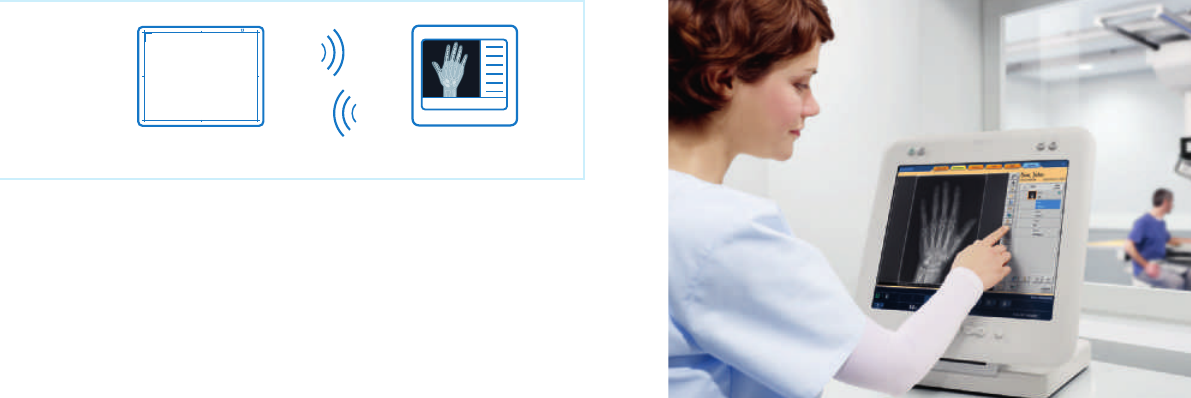
The point-to-point connection between a Philips X-ray system and a SkyPlate
provides fast and secure data transmission.
Point-to-point connection
• The SkyPlate uses a dedicated, secure point-to-point
connection to the X-ray system independent of the
hospital IT infrastructure
• X-ray generation and the SkyPlate are synchronized in
real-time
Data security
• Only raw image data is transmitted to the X-ray system –
not individually identiable patient information
• Patient information is assigned automatically at the Eleva
workspot of the host system
Find more detailed IT information on the SkyPlate to X-ray
system connection on page 14.
SkyPlate X-ray system
Image data is securely transmitted to the Eleva workspot
452299105961.indd 9 10/09/14 12:50
10
Place your trust in securely
transferred images
SkyPlate connection to X-ray system
Images taken with a SkyPlate have the same quality standards as X-rays generated with xed detectors. Certain
features are designed to help prevent double exposures and scattered radiation. After you have completed the
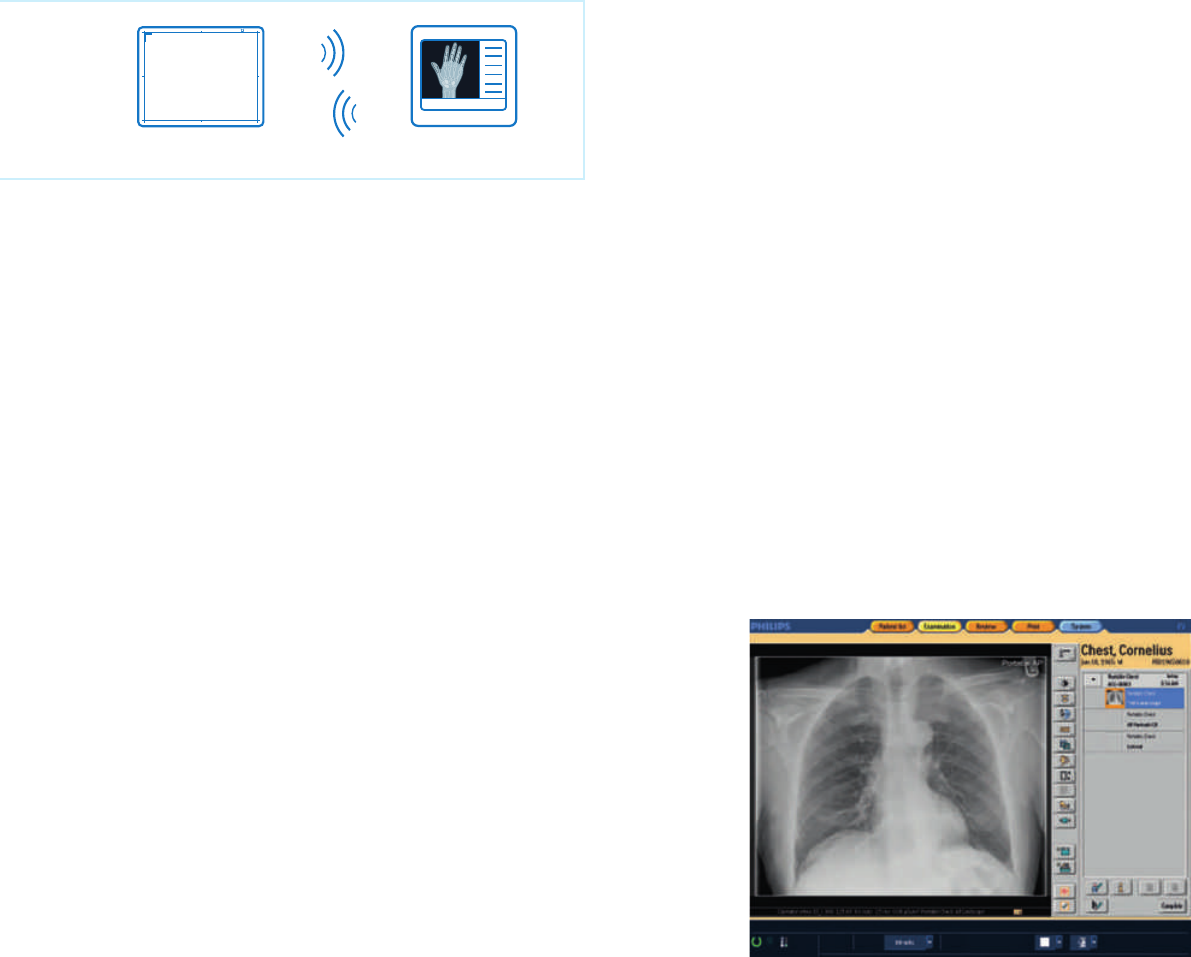
exam, the SkyPlate images are securely transferred to the Eleva workstation, ready for further analysis.
Image information
• All image information is available, including dose parameters
and exposure settings
• The Dose Area Product per image is displayed at the PACS
and reported to the RIS via DICOM Modality Performed
Procedure Step (MPPS) or to a dedicated dose management
tool using DICOM Structured Reporting format; for
MobileDiagnost wDR, as well as ProGrade with non-sensing
Bucky units, this functions with an added DAP meter
Image availability
• Every image acquired is always stored in the SkyPlate
memory until the data has been transmitted securely to
the Eleva workspot; therefore, images can’t get lost
• A pre-image is available just 3 seconds after pressing the
exposure button
• You can view the full image after several seconds depending
on your system
No double exposure
• Thanks to the connection between the generator and the
SkyPlate, you can only take an exposure when the SkyPlate
is ready; this helps to avoid double exposures
No scattered radiation
• Due to its real-time connection to the system, the SkyPlate
is ready to acquire an image just before exposure
• Therefore, the SkyPlate can remain in the DR room
because it won’t be exposed to scattered radiation from
other exams
Find more detailed IT information on the SkyPlate to X-ray
system connection on page 14.
SkyPlate X-ray system
View a full image after several seconds
452299105961.indd 10 10/09/14 12:50
11
Swiftly access your mobile
images on the network
MobileDiagnost wDR connection to hospital network
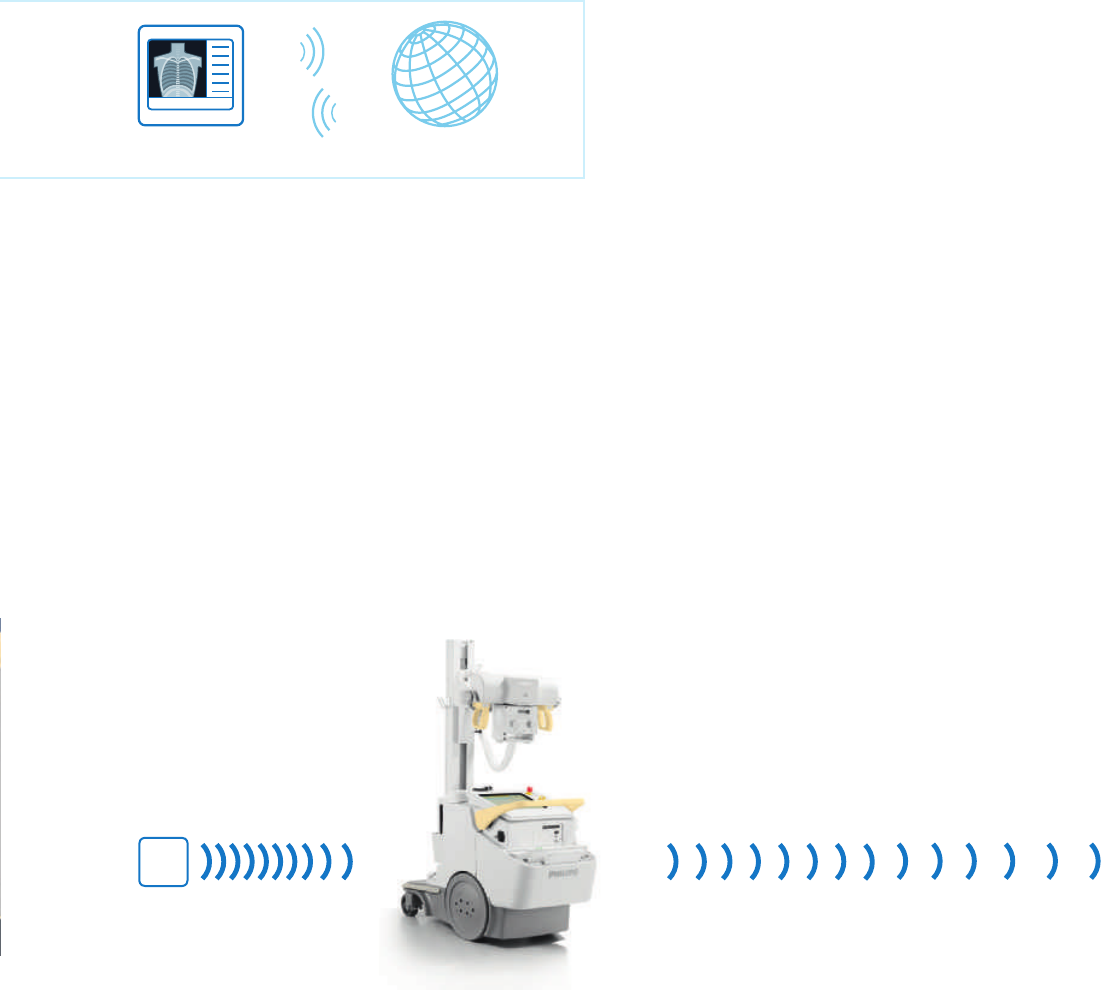
Philips MobileDiagnost wDR features a second wireless connection using standard wireless to integrate
the images into the hospital’s IT network. Alternatively, you can leave the images securely stored on the
mobile DR unit.
Economic workow
• The mobile DR unit automatically transmits the images
wirelessly to the network
• This permits rapid response times with low user
involvement
Data security
• The MobileDiagnost wDR is protected by a rewall that
blocks unwanted incoming network trafc and prevents
unintended access to patient data
• The network settings of the system are congured locally
according to your existing IT infrastructure
Connectivity
• You can update the worklist from the RIS via the wireless
connection
• Once you have completed an exam, images are
automatically sent wirelessly to the congured PACS and/
or the printer
• You can securely store up to 4,000 images on the system
• Upload speed may vary depending on your network
settings, layout and trafc
• If the network connection isn’t available or the
transmission is interrupted, the system automatically
resends the images once the connection is re-established
• If you decide to deactivate the wireless mode of the
device, the acquired images are sent automatically once
you connect the system to the hospital network using the
integrated ethernet cable
Find more detailed IT information on the MobileDiagnost
wDR to hospital network connection on page 14.
Ca. 15 m (approx. 49')
Best performance
Ca. 65 m (approx. 213')
Philips suggested operating
range for excellent workow
Ca. 90 m (approx. 295')
Wireless transmission with
limited performance
Typical wireless
MobileDiagnost wDR range
Access
point
Hospital networkMobileDiagnost wDR
452299105961.indd 11 10/09/14 12:50
12
Work reliably for hours
SkyPlate details
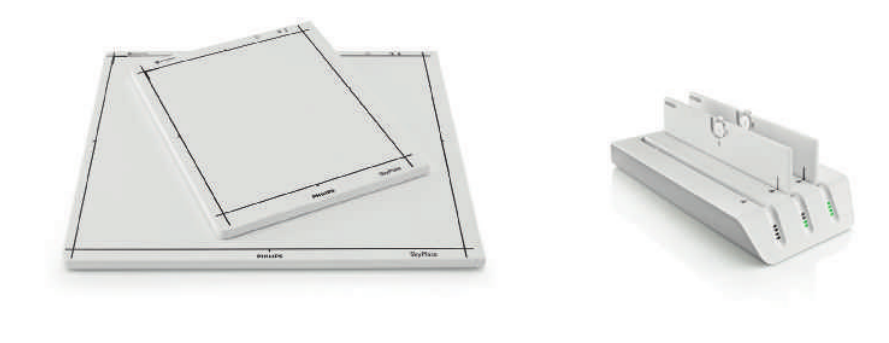
Along with each SkyPlate comes a set of two easily and quickly exchangeable batteries and a
dedicated battery charger. Optional spare batteries allow continuous uptime for your SkyPlate.
Battery charging
• When fully charged the battery lasts 3.5 hours or
525 images; this means you can take one image every
20 seconds
• Charging empty batteries takes about 4 hours
Back-up solution with back-up cables
• A 2 m (6' 6") back-up cable is delivered with every SkyPlate
system
• The SkyPlate will read out the last image in case the
wireless connection drops
• If the wireless connection is disabled, an optional 7 m (23')
back-up cable is available for continuous use of the SkyPlate
Image quality
• You’ll bene t from consistent image quality with wireless
transmission since the wireless standard 802.11 has
extensive error detection and correction mechanisms to
transmit and receive all data correctly
• Thanks to UNIQUE – Philips’ state-of-the-art image
processing algorithm – you’ll achieve high resolution,
harmonized image quality from all image sources
Accident protection agreement
• Medical staff frequently carry SkyPlates between different
systems, especially when sharing SkyPlates
• You can sign up for dedicated accident protection to
safeguard your SkyPlate investment
• For detailed information please contact your local Philips
representative
SkyPlates
452299105961.indd 12 10/09/14 12:50
13
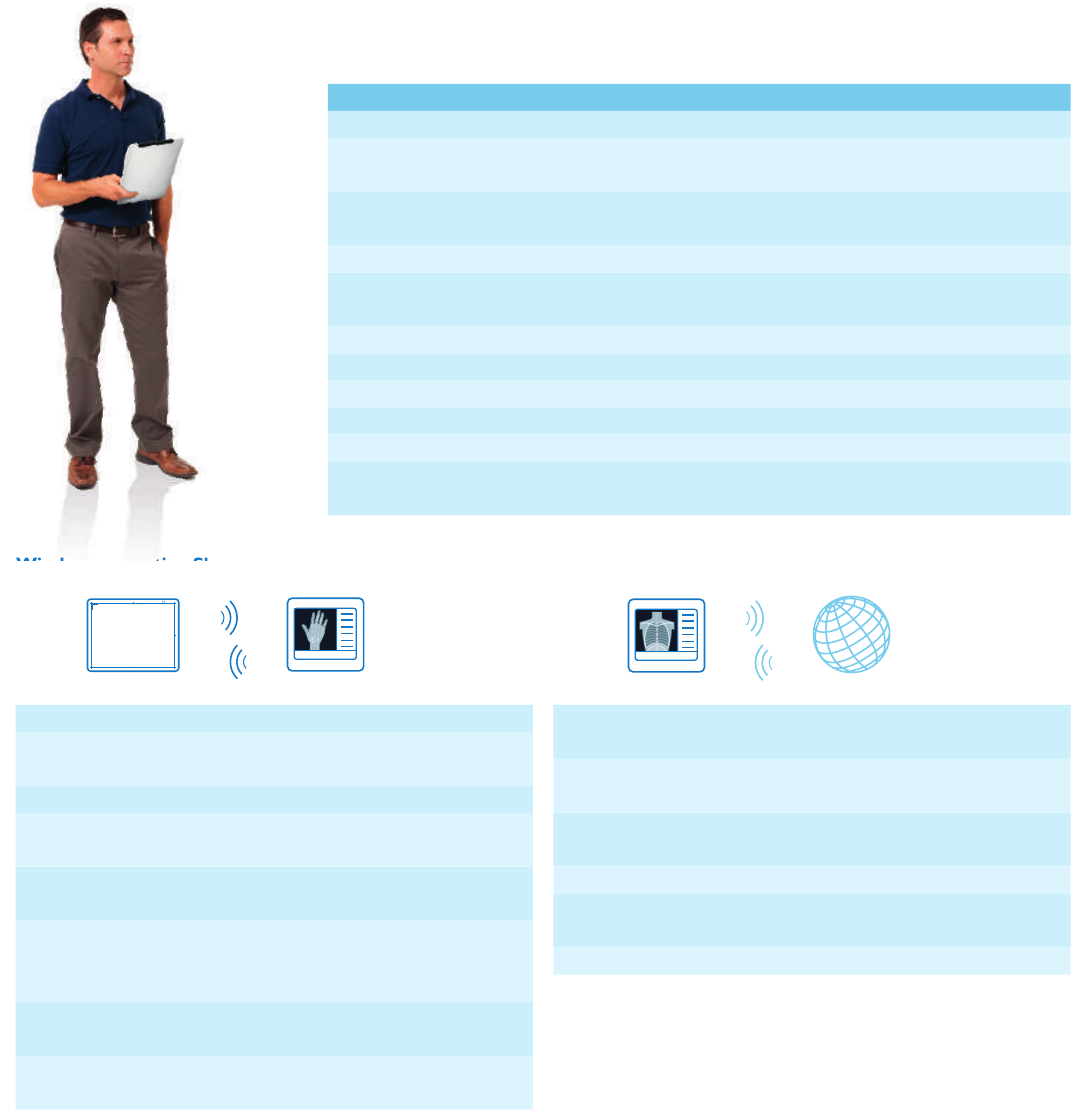
Check out these speci cations
Do you want to explore more? Find detailed IT information in the following tables and FAQs.
Small Large
Type Digital CsI (Cesium Iodide) at detector (ISO 4090)
Housing and sensor
protection material
Carbon ber
Physical dimensions 26.75 cm x 32.75 cm x 1.50 cm
(approx. 10" x 12" x 0.6")
38.35 cm x 45.95 cm x 1.50 cm
(approx. 15" x 18" x 0.6")
Detector size 24 cm x 30 cm (approx. 10" x 12") 35 cm x 43 cm (14" x 17")
Active area 22.2 cm x 28.4 cm
(approx. 8" x 11")
34.48 cm x 42.12 cm
(approx. 13" x 16")
Image matrix size 1500 x 1920 pixel 2330 x 2846 pixel
Detector pixels 2.9 Megapixel 6.6 Megapixel
Pixel size 148 μm 148 μm
Image resolution up to 3.38 Lp/mm up to 3.38 Lp/mm
Weight (with battery) 1.6 kg (3.5 lbs) 2.8 kg (6.2 lbs)
Max. patient weight 100 kg (200 lbs) for weight bearing examinations
135 kg (298 lbs) for distributed load, eg. for chest examination in bed
SkyPlate fi gures
Network type Isolated private wireless LAN
WiFi network
standard
Wireless Standard IEEE 802.11 a,b,g,n
(con gurable)
Back-up cable LAN, 7 m (23')
Encryption Con gurable up to CCMP/AES with PSK
according to WPA2 (IEEE 802.11i)
WiFi access point Included in infrastructure kit or in mobile
housing
Available channels Selectable at installation, depending on country
allowance (can be con gured according to
hospital preferences)
IP addressing Static IP-addresses will be set during
installation
Radio frequency
power
1-39mW g-band, 1-25mW a-band, power can
be con gured during installation
Wireless connection SkyPlate to X-ray system
Network type Standard wireless connection according to the
hospital infrastructure
WiFi network
standard
Wireless standard IEEE 802.11 N
System protection Protection against malware through Application
Control (whitelisting technology)
Back-up cable LAN, 2 m (6' 6")
Encryption Con gurable up to CCMP/AES
according to WPA2 (IEEE 802.11i)
Authentication With PSK or IEEE 802.1x (PEAP, EAP-TLS)
Wireless connection MobileDiagnost wDR to hospital network
Wireless connection SkyPlate to X-ray system
SkyPlate X-ray system Hospital network
MobileDiagnost wDR
452299105961.indd 13 10/09/14 12:50

Wireless connection SkyPlate to X-ray
system
• You can adjust channel and RF transmission
power of the SkyPlate and the access point
to your hospital’s needs, depending on local
requirements
• Connectivity of up to 10 m (32' 9") depends
on physical proximity (walls, doors, shielding)
• Antenna diversity always helps achieve the
optimum transmission
• Connection is based on standard WiFi
technology according to IEEE 802.11a
(5 GHz) or 11 b/g/n (2.4 GHz)
•CongurableencryptionuptoCCMP/AES
with Pre-Shared Key (PSK) according to
WPA2 (IEEE 802.11i)
• No routing, bridging or network address
translation (NAT) to/from the hospital
network
•MAClteringisactiveandallowsonlythe
attached SkyPlate to connect
•MACaddressesfortheSkyPlatecanberead
outtodenethemasfriendlydevices
• Designed according to IEC 60601-1-2
(electromagnetic compatibility)
• Compliant with life support devices
and pacemakers, designed according to
IEC (EN) 45502-2-1
Wireless connection MobileDiagnost
wDR to hospital network
•TheMobileDiagnostwDRworkspotactsas
a client on the hospital WiFi network based
on IEEE 802.11N (2.4 GHz)
• Channels 1 to 11 are supported for
worldwide compatibility with regulatory
requirements
•CongurableencryptionuptoCCMP/AES
according to WPA2 (IEEE 802.11i)
• Authentication with Pre-Shared Key (PSK)
• Enterprise authentication according to
IEEE 802.1x (supported protocols: PEAP,
EAP-TLS)
•Multiplewirelesscongurationprolesare
supported
• Ethernet and WiFi connections have
independent IP addresses; you can receive
DICOMstorage-commitoneither
connection
• IP address assignment: Static or Dynamic
HostCongurationProtocol(DHCP)
• Wireless working range (distance to access
point) depends on physical proximity (walls,
doors, shielding); please refer to Philips
suggested operating range on page 11
•Softwarerewallforwirelessandwired
hospital network connection at the Eleva
workspot
SkyPlate sharing
• System requirements: needs to be
equipped with a software release capable
of SkyPlate sharing (DigitalDiagnost 4.0,
DuraDiagnost3.0,MobileDiagnostwDR2.0,
ProGrade 1.0, or later)
• A detector needs to be set up for use with
one or more systems; this set-up only needs
to be done once on a single system to give
the detector a unique label number/name
• Before usage you need to attach the
SkyPlatetoaspecicsystem;duringthis
step, the wireless settings are automatically
exchanged between the SkyPlate and the
system; this allows each system to have
a different wireless set-up (e. g. different
channel or different wireless encryption key)
Find more general information on SkyPlate
sharing on page 6.
Find more general information on the
MobileDiagnost wDR to hospital network
connection on page 11.
Find more general information on the SkyPlate
to X-ray system connection on page 9-10.
14
SkyPlate X-ray system Hospital network
MobileDiagnostwDR SkyPlate
X-ray system MobileDiagnostwDR
More details for IT specialists
452299105961.indd 14 11/09/14 09:14

15
Frequently asked questions
How many SkyPlates can I use with one system?
One SkyPlate at a time will be recognized and supported by each system.
Does SkyPlate sharing inuence the image quality?
No, because the SkyPlates and UNIQUE image processing are the same for all
systems, you will always benet from excellent image quality.
Does SkyPlate sharing inuence battery function?
No, SkyPlate sharing does not affect the lifetime of the battery.
Will I experience interference with my hospital IT network if I carry
SkyPlates around my facility?
No, your Philips IT and Service team congures the systems during installation
so that they run smoothly right from the start.
Can I connect wireless portable detectors from other vendors to my
Philips room?
No, only Philips SkyPlates are integrated into the Philips Eleva concept which is
not supported by other vendors.
What if I don’t have a wireless hospital network?
You can still benet from a SkyPlate because it sends the images within its point-
to-point connection. To send images from the mobile DR unit to the PACS, just
forward them from an ethernet port.
SkyPlate Hospital networkX-ray system
452299105961.indd 15 10/09/14 12:50

© 2014 Koninklijke Philips N.V. All rights are reserved.
Philips Healthcare is part of Royal Philips
Philips Healthcare reserves the right to make changes in specications and/or to discontinue any product
at any time without notice or obligation and will not be liable for any consequences resulting from the use
of this publication.
Printed in The Netherlands
4522 991 05961 * SEP 2014
How to reach us
www.philips.com/healthcare
healthcare@philips.com
Product information
www.philips.com/
452299105961.indd 16 10/09/14 12:50
