Phonic Ear PEPZT003 Observer User Manual

Phonic Ear, Inc. Observer Users Manual

Users Manual

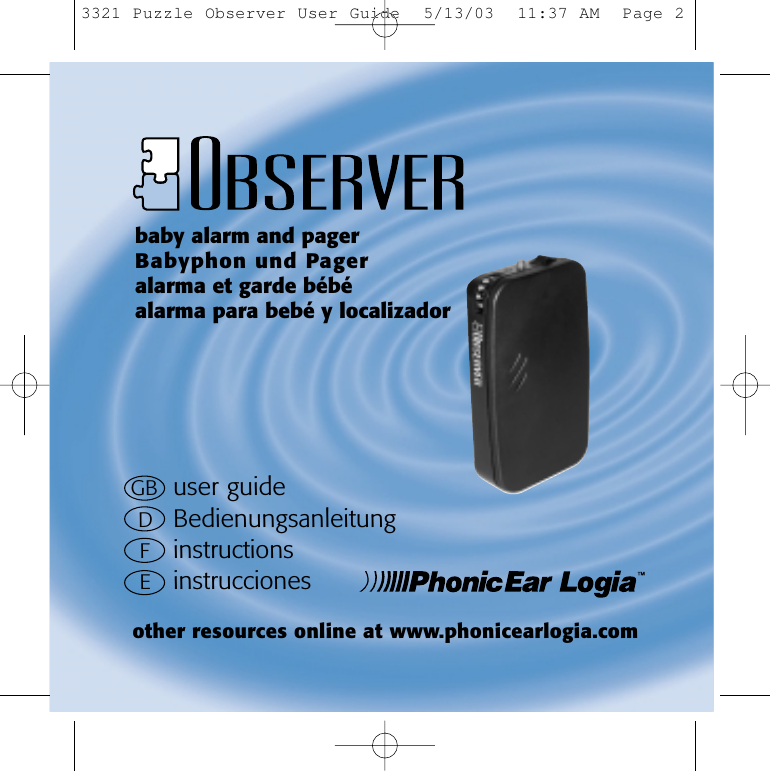
GB user guideDBedienungsanleitungFinstructionsEinstruccionesbaby alarm and pagerBabyphon und Pageralarma et garde bébéalarma para bebé y localizadorother resources online at www.phonicearlogia.com3321 Puzzle Observer User Guide  5/13/03  11:37 AM  Page 2
1OBSERVER functionOBSERVER is a wireless baby alarm and pager and one of the PUZZLEsystem’s alerting transmitters. OBSERVER detects when a baby cries,then activates a red light on top of the unit and sends an alarm signal wirelessly to the PUZZLE system’s receivers. There is also abutton on top of the unit that lets you use OBSERVER as a pager.OBSERVER sends one alarm pattern when the baby cries and a differentalarm pattern when used as a pager. It works with the followingreceivers in the PUZZLE system: CALL, FLASH, WAKE, POCKETVIB, LOOP, BEAM,and LINK.3321 Puzzle Observer User Guide  5/13/03  11:37 AM  Page 7Notice : The changes or modifications not expressly approved by the party responsiblefor compliance could void the user’s authority to operate the equipment.THIS DEVICE COMPLIES WITH PART 15 OF THE FCCRULES. OPERATIONS IS SUBJECT TO THE FOLLOWING TWO CONDITIONS: ( 1 ) THIS DEVICE MAY NOT CAUSE HARMFUL INTERFERENCE AND( 2 ) THIS DEVICE MUST ACCEPT ANY INTERFERENCE RECEIVED, INCLUDING INTERFEERENCE THAT MAYCAUSE UNDESRIED OPERATIONThe term “IC:” before the radio certification number only signifies that Industry Canada Technical specifications were met.Operation is subject to the following two conditions: (1) this device may not cause interference, and (2) this device must accept any interference, including interference that may cause undesired operation of the device.
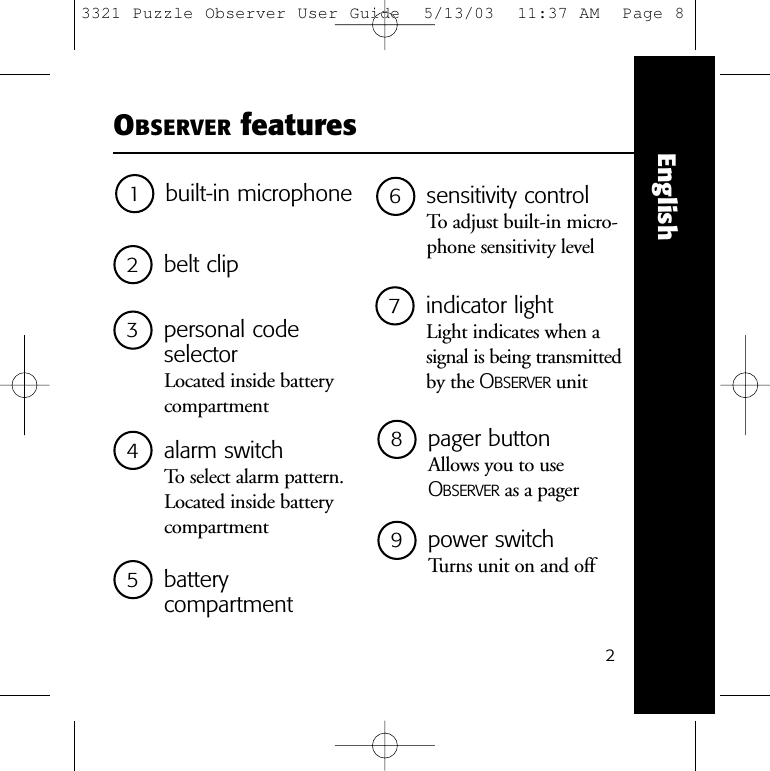
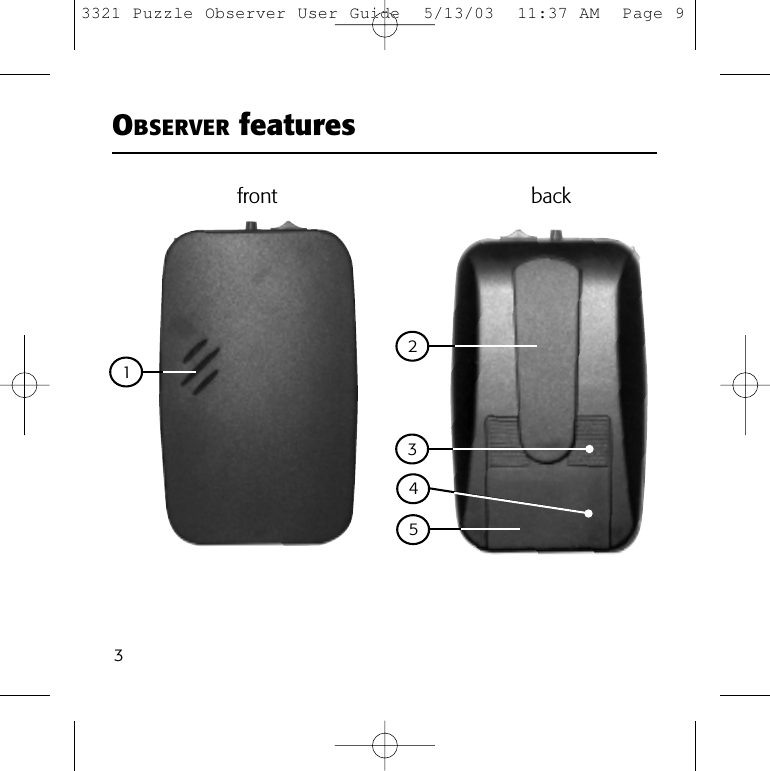
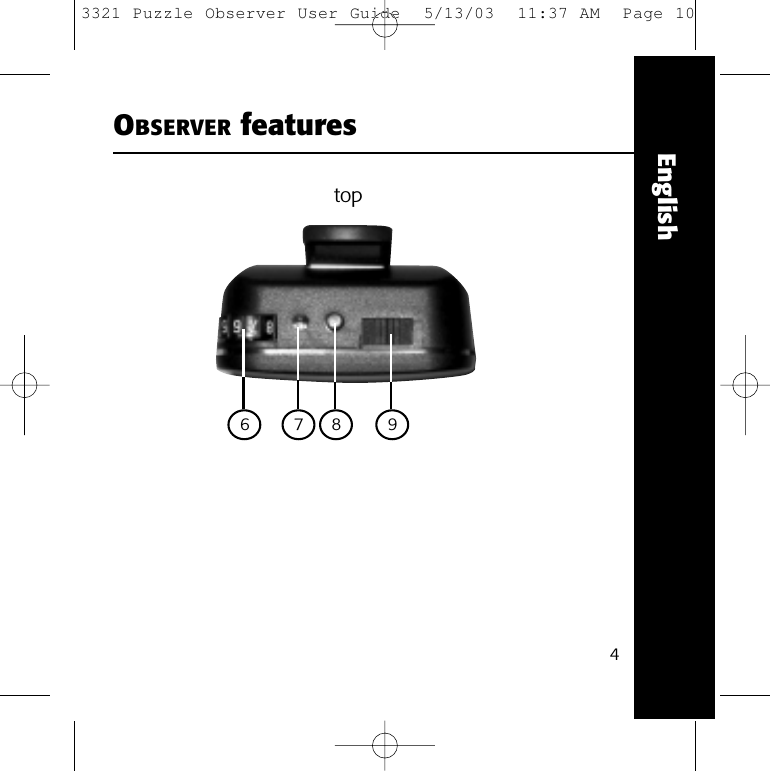
8pager buttonAllows you to useOBSERVER as a pager1built-in microphone2belt clip9power switchTurns unit on and off23personal code selectorLocated inside batterycompartment6sensitivity controlTo adjust built-in micro-phone sensitivity level7indicator lightLight indicates when asignal is being transmittedby the OBSERVER unitOBSERVER featuresEnglish5battery compartment4alarm switchTo select alarm pattern.Located inside batterycompartment3321 Puzzle Observer User Guide  5/13/03  11:37 AM  Page 8
3OBSERVER features1front back24533321 Puzzle Observer User Guide  5/13/03  11:37 AM  Page 9
4EnglishOBSERVER features6top7 8 93321 Puzzle Observer User Guide  5/13/03  11:37 AM  Page 10
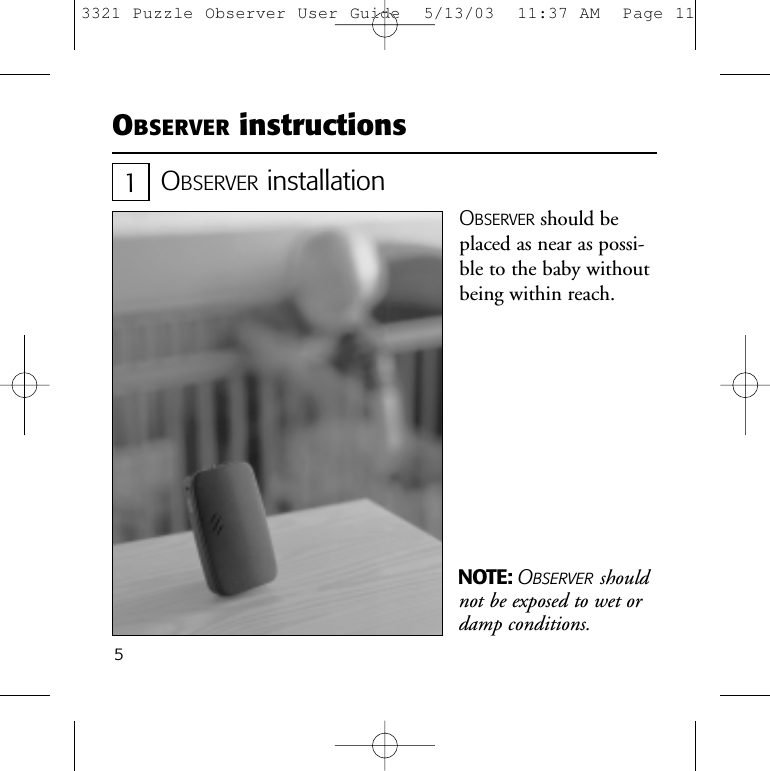
5OBSERVER instructionsOBSERVER installationOBSERVER should beplaced as near as possi-ble to the baby withoutbeing within reach.NOTE: OBSERVER shouldnot be exposed to wet ordamp conditions.13321 Puzzle Observer User Guide  5/13/03  11:37 AM  Page 11
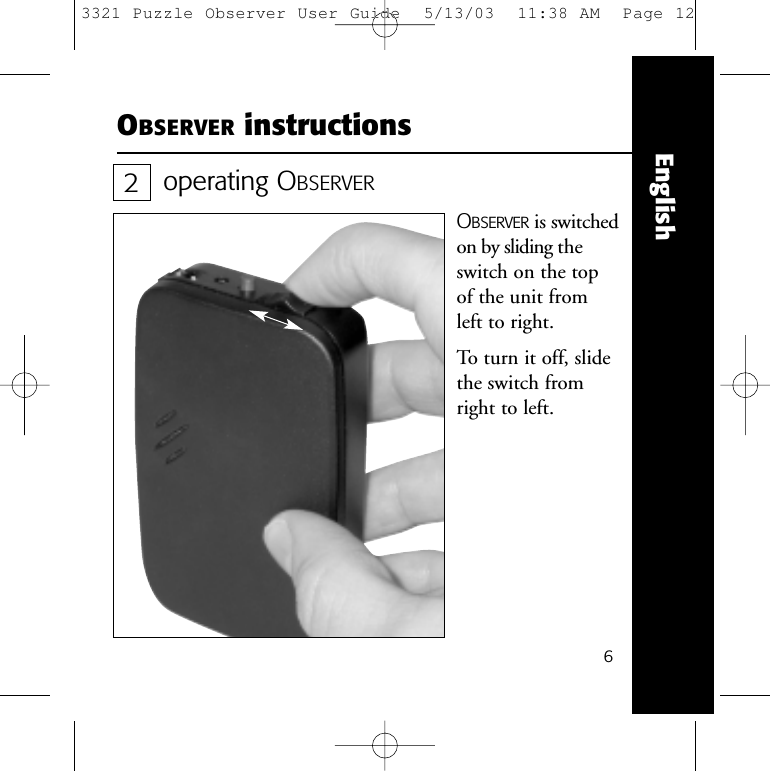
6EnglishOBSERVER instructionsoperating OBSERVEROBSERVER is switchedon by sliding theswitch on the top of the unit from left to right.To turn it off, slidethe switch fromright to left.23321 Puzzle Observer User Guide  5/13/03  11:38 AM  Page 12
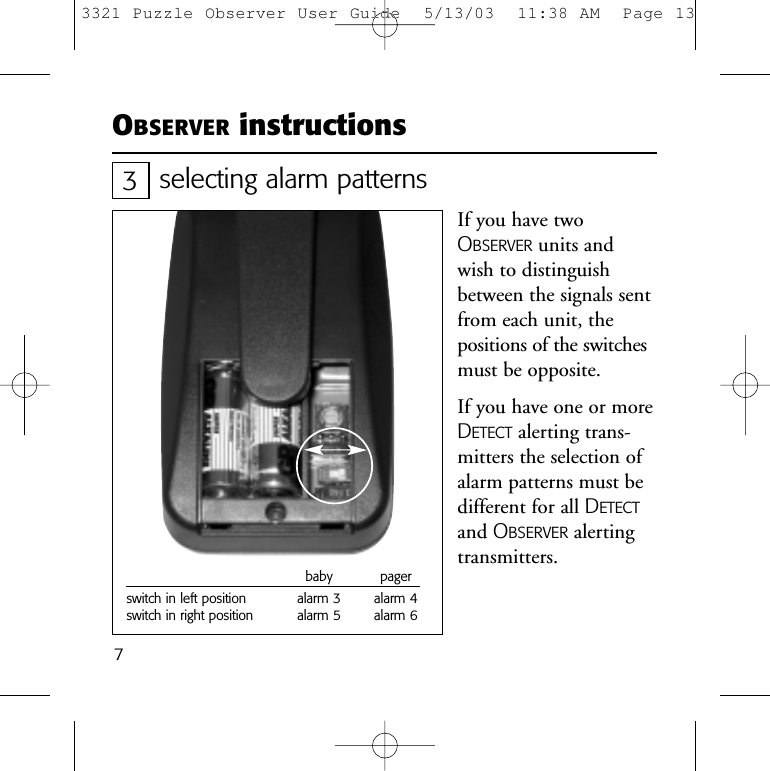
7OBSERVER instructionsselecting alarm patternsIf you have twoOBSERVER units andwish to distinguishbetween the signals sentfrom each unit, thepositions of the switchesmust be opposite.If you have one or moreDETECT alerting trans-mitters the selection ofalarm patterns must bedifferent for all DETECTand OBSERVER alertingtransmitters.3baby pagerswitch in left position alarm 3 alarm 4switch in right position alarm 5 alarm 63321 Puzzle Observer User Guide  5/13/03  11:38 AM  Page 13
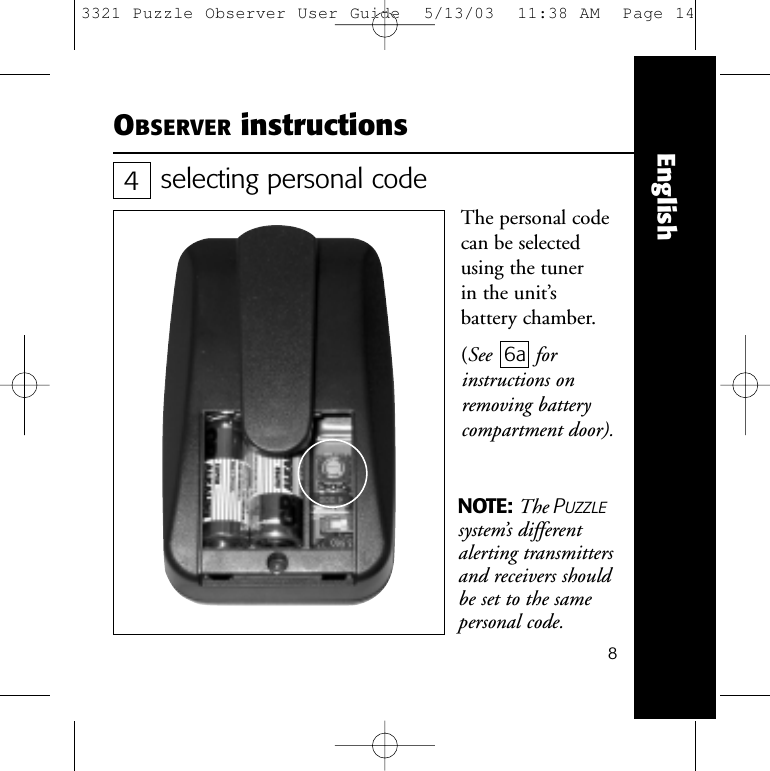
8EnglishOBSERVER instructionsselecting personal codeThe personal codecan be selectedusing the tuner in the unit’s battery chamber. (See 6a forinstructions onremoving batterycompartment door).NOTE: The PUZZLEsystem’s differentalerting transmittersand receivers shouldbe set to the samepersonal code.43321 Puzzle Observer User Guide  5/13/03  11:38 AM  Page 14
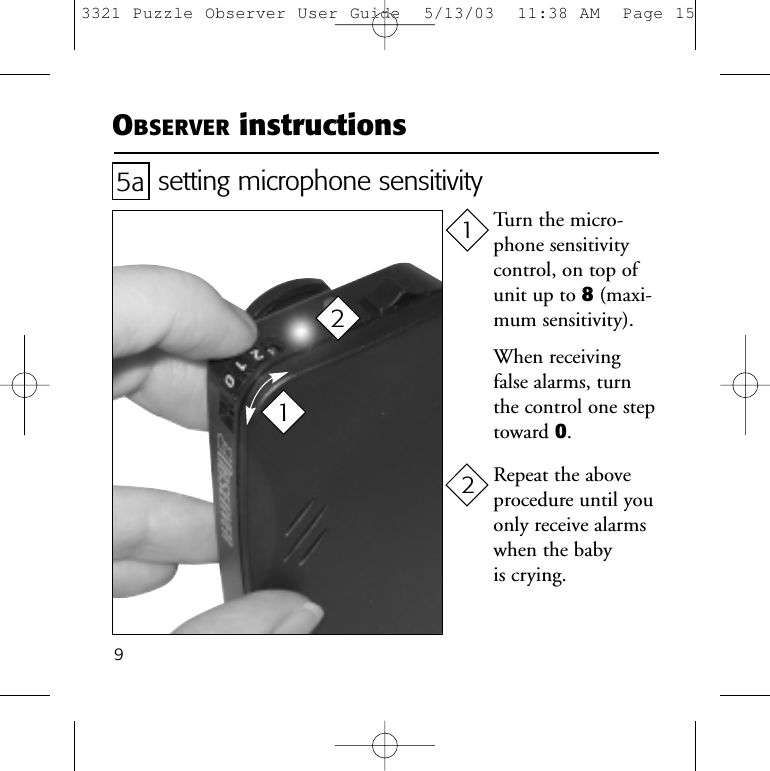
9setting microphone sensitivityTurn the micro-phone sensitivitycontrol, on top ofunit up to 8(maxi-mum sensitivity).When receivingfalse alarms, turnthe control one steptoward 0.Repeat the aboveprocedure until youonly receive alarmswhen the baby is crying.5a1122OBSERVER instructions3321 Puzzle Observer User Guide  5/13/03  11:38 AM  Page 15
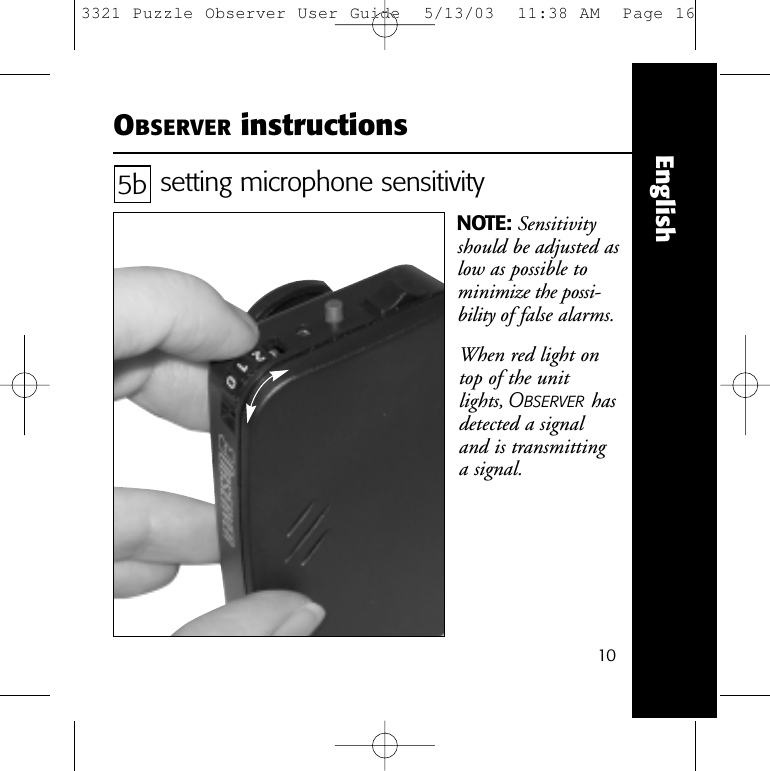
10EnglishOBSERVER instructionssetting microphone sensitivityNOTE: Sensitivityshould be adjusted aslow as possible tominimize the possi-bility of false alarms.5bWhen red light ontop of the unit lights, OBSERVER hasdetected a signal and is transmitting a signal.3321 Puzzle Observer User Guide  5/13/03  11:38 AM  Page 16
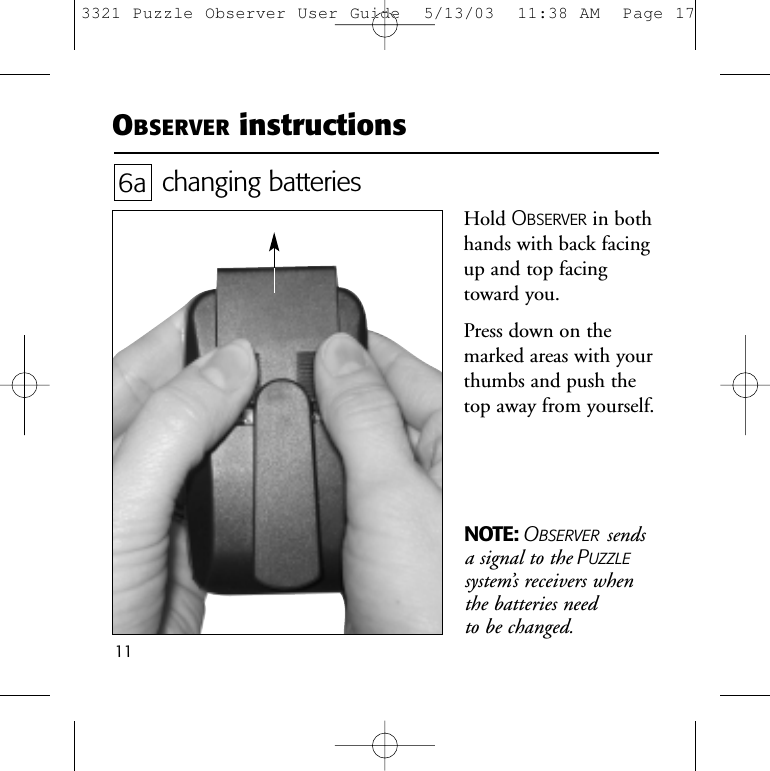
11NOTE: OBSERVER sendsa signal to the PUZZLEsystem’s receivers when the batteries need to be changed.OBSERVER instructionschanging batteriesHold OBSERVER in bothhands with back facingup and top facingtoward you. Press down on themarked areas with yourthumbs and push thetop away from yourself. 6a3321 Puzzle Observer User Guide  5/13/03  11:38 AM  Page 17
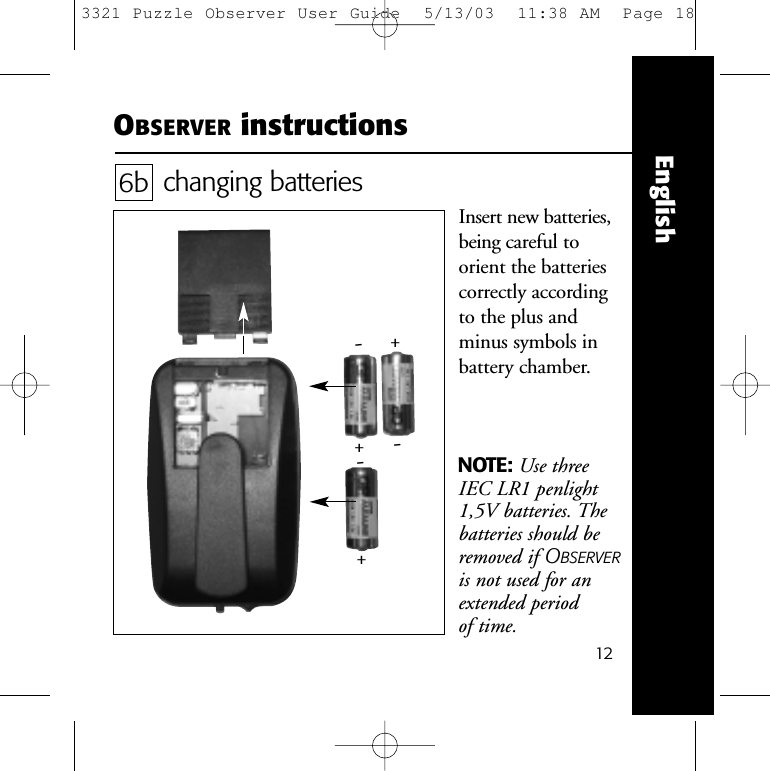
12EnglishOBSERVER instructionschanging batteriesInsert new batteries,being careful to orient the batteriescorrectly accordingto the plus andminus symbols inbattery chamber.6b-+-+-+NOTE: Use threeIEC LR1 penlight1,5V batteries. Thebatteries should beremoved if OBSERVERis not used for anextended period of time.3321 Puzzle Observer User Guide  5/13/03  11:38 AM  Page 18
13Should your OBSERVER baby alarm and pager not function satisfactorily,please check the list below.OBSERVER does not react to baby crying•  Check that the unit is turned on. See  2 .•  Check that the microphone is adjusted correctly. See  5a and 5b .OBSERVER does not react to either the baby crying orpushing the pager button•  Check that the unit is turned on. See 2 .•  Check that the batteries are correctly placed in the battery chamber.See  6b .•  Change the batteries in OBSERVER. See  6a and 6b .OBSERVER reacts to baby’s cries and to pressing thepager button, but none or only some of the PUZZLEsystem’s receivers give a signal•  Check that the personal code on OBSERVER and the PUZZLEsystem’s receivers are the same. See  4 .troubleshooting3321 Puzzle Observer User Guide  5/13/03  11:38 AM  Page 19
14EnglishOBSERVER is approved and CE marked in accordance with theR&TTE directive.tests and approvalstroubleshooting (cont’d)PUZZLE system’s receivers activate an alarmwithout apparent reason•  Change the personal code using the tuner placed in thebattery chamber.  See  4 .If you still have trouble after trying the ideas above pleasecontact your local authorized PhonicEar Logia dealer/installer.3321 Puzzle Observer User Guide  5/13/03  11:38 AM  Page 20
warrantyA one-year limited warranty is issued to the original consumer of this product(s) by PhonicEar Logia.time period of warrantyThis warranty will go into effect upon the date of original purchase of this equipment, andwill remain in effect for one calendar year from that date as long as the instrument remainsthe property of the original consumer.what is covered by this warrantyAny electronic component which, because of workmanship, manufacturing, or designdefects, fails to function properly under normal use during the life of this warranty will be replaced or repaired at no charge for parts or labor when returned to the factory service center. Transportation in is paid by the customer. If it is determined that repairis not feasible, the entire unit may be replaced with an equivalent unit upon mutual agreement of the manufacturer and customer.what is not covered by this warrantyThis one-year limited warranty does not apply to:1Malfunctions resulting from abuse, neglect, or accident.2Peripheral accessories as itemized within the product brochure, when such items arereturned after 90 days from the original purchase.3Alkaline batteries (if applicable).4Instruments connected, installed, used, or adjusted in a manner contrary to instruc-tions provided by the manufacturer.153321 Puzzle Observer User Guide  5/13/03  11:38 AM  Page 21
Englishwarranty (cont’d)5Consequential damages and damages resulting from delay or loss of this instru-ment. The exclusive remedy under this warranty is strictly limited to repair orreplacement as herein provided.6Products damaged in transit unless investigated by the shipper and returned to the warrantor with the investigation report.PhonicEar Logia reserves the right to make changes in the design or construction ofany of its instruments at any time without incurring any obligation to make anychanges whatsoever on units previously purchased. This warranty is in lieu of all otherexpressed warranties. All expressed and implied warranties will terminate upon theexpiration of this written warranty. No representative or person is authorized to repre-sent or assume for us any liability in connection with the sale or use of our productsother than as set forth above.The above warranty does not affect any legal rights that you might have under applic-able national legislation governing sale of consumer goods. Your distributor may haveissued a warranty that goes beyond the clauses of this limited warranty. Please consultyour distributor for further information.what to do if you need serviceIf you require service under the terms of this warranty, carefully package the instru-ment to prevent damage and return it to your distributor (see information on backcover). Please provide your receipt, a detailed description of the problem, your full name,billing address, and telephone number.163321 Puzzle Observer User Guide  5/13/03  11:38 AM  Page 22
© 2003 PhonicEar Logia A/S #9-001 007 002/Rev. B/3321   0503 europe: +45 3917 7101germany (kostenlose Rufnummer): 0800/1844736u.s.: 800.227.0735, then press 7 •  canada: 800.263.8700other regions: Call your local PhonicEar Logia dealerwebsite: www.phonicearlogia.comYour local dealer:3321 Puzzle Observer User Guide  5/13/03  11:37 AM  Page 1

Navigation menu