Phychips PRM90U21C UHF RFID READER HYBRID MODULE User Manual 1

Phychips Inc. UHF RFID READER HYBRID MODULE 1

Users Manual

Prepared by PHYCHIPSPRM90U21C User’s Manual
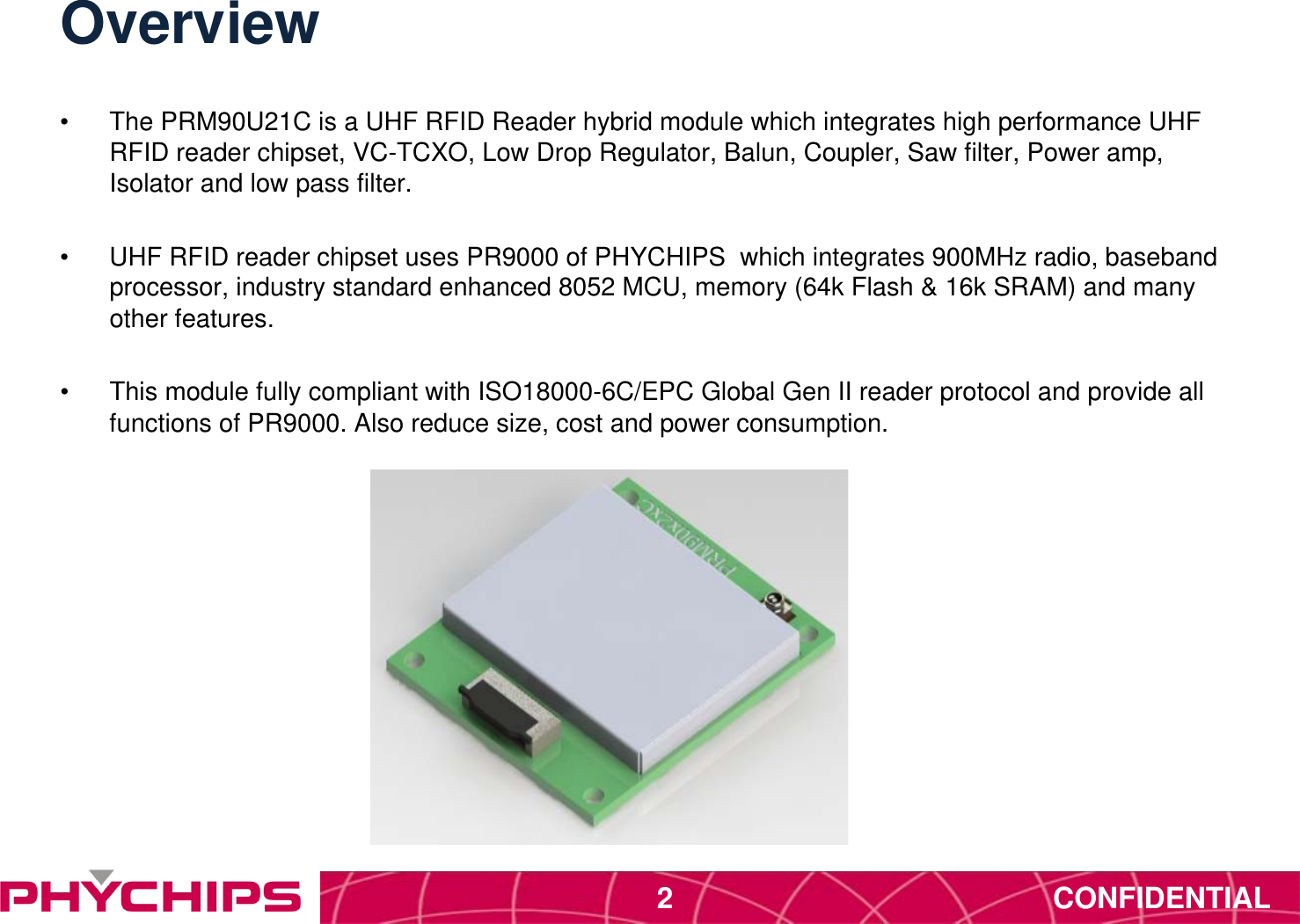
CONFIDENTIAL2Overview•  The PRM90U21C is a UHF RFID Reader hybrid module which integrates high performance UHF RFID reader chipset, VC-TCXO, Low Drop Regulator, Balun, Coupler, Saw filter, Power amp, Isolator and low pass filter.•  UHF RFID reader chipset uses PR9000 of PHYCHIPS  which integrates 900MHz radio, baseband processor, industry standard enhanced 8052 MCU, memory (64k Flash & 16k SRAM) and many other features.•  This module fully compliant with ISO18000-6C/EPC Global Gen II reader protocol and provide all functions of PR9000. Also reduce size, cost and power consumption.
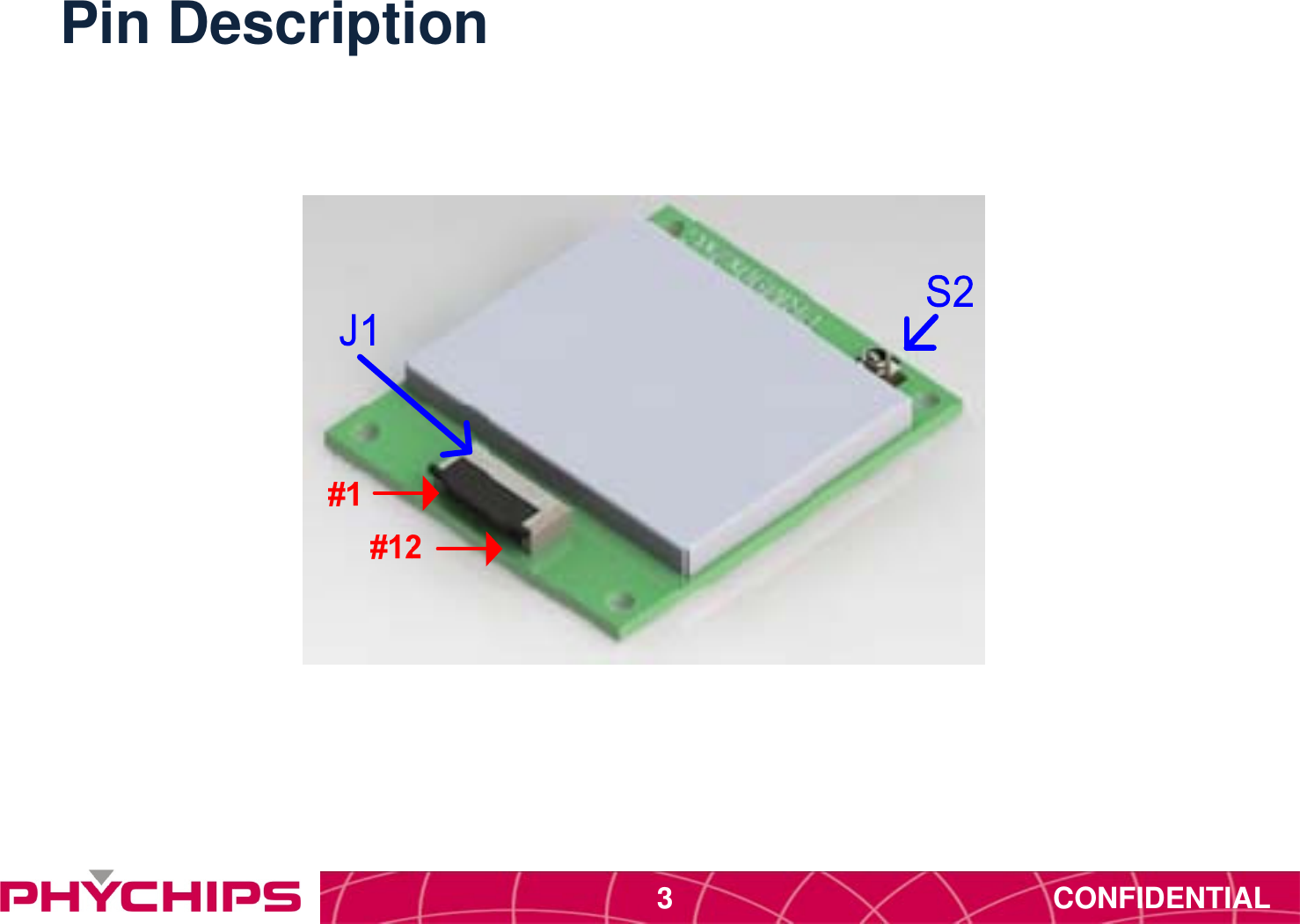
CONFIDENTIAL3Pin Description
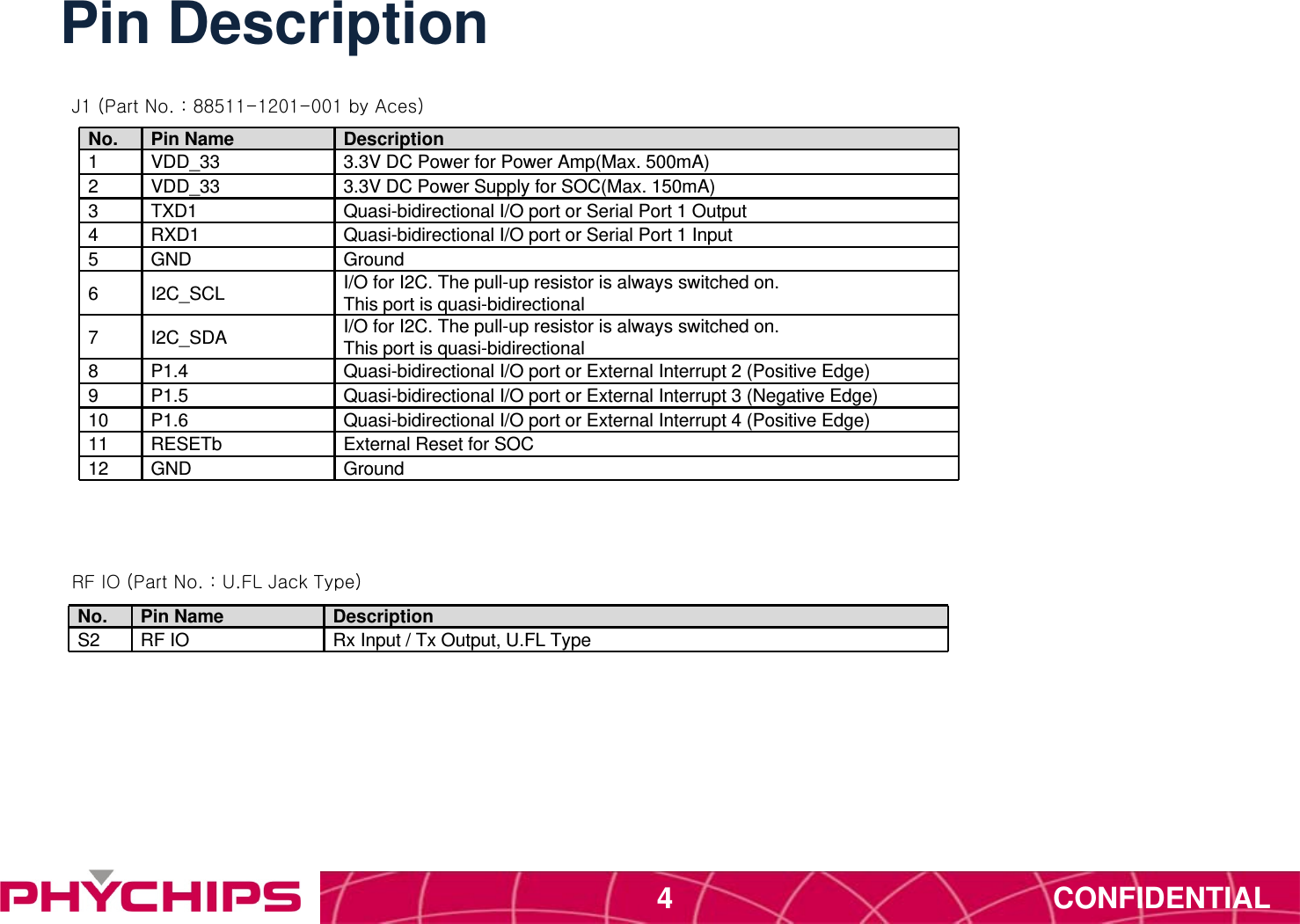
CONFIDENTIAL4Pin DescriptionNo. Pin Name Description1VDD_33 3.3V DC Power for Power Amp(Max. 500mA)2VDD_33 3.3V DC Power Supply for SOC(Max. 150mA)3TXD1 Quasi-bidirectional I/O port or Serial Port 1 Output4RXD1 Quasi-bidirectional I/O port or Serial Port 1 Input5GND Ground6I2C_SCL I/O for I2C. The pull-up resistor is always switched on. This port is quasi-bidirectional7I2C_SDA I/O for I2C. The pull-up resistor is always switched on. This port is quasi-bidirectional8P1.4 Quasi-bidirectional I/O port or External Interrupt 2 (Positive Edge)9P1.5 Quasi-bidirectional I/O port or External Interrupt 3 (Negative Edge)10 P1.6 Quasi-bidirectional I/O port or External Interrupt 4 (Positive Edge)11 RESETb External Reset for SOC12 GND GroundNo. Pin Name DescriptionS2 RF IO Rx Input / Tx Output, U.FL TypeJ1 (Part No. : 88511-1201-001 by Aces)RF IO (Part No. : U.FL Jack Type)
CONFIDENTIAL5Application Circuit
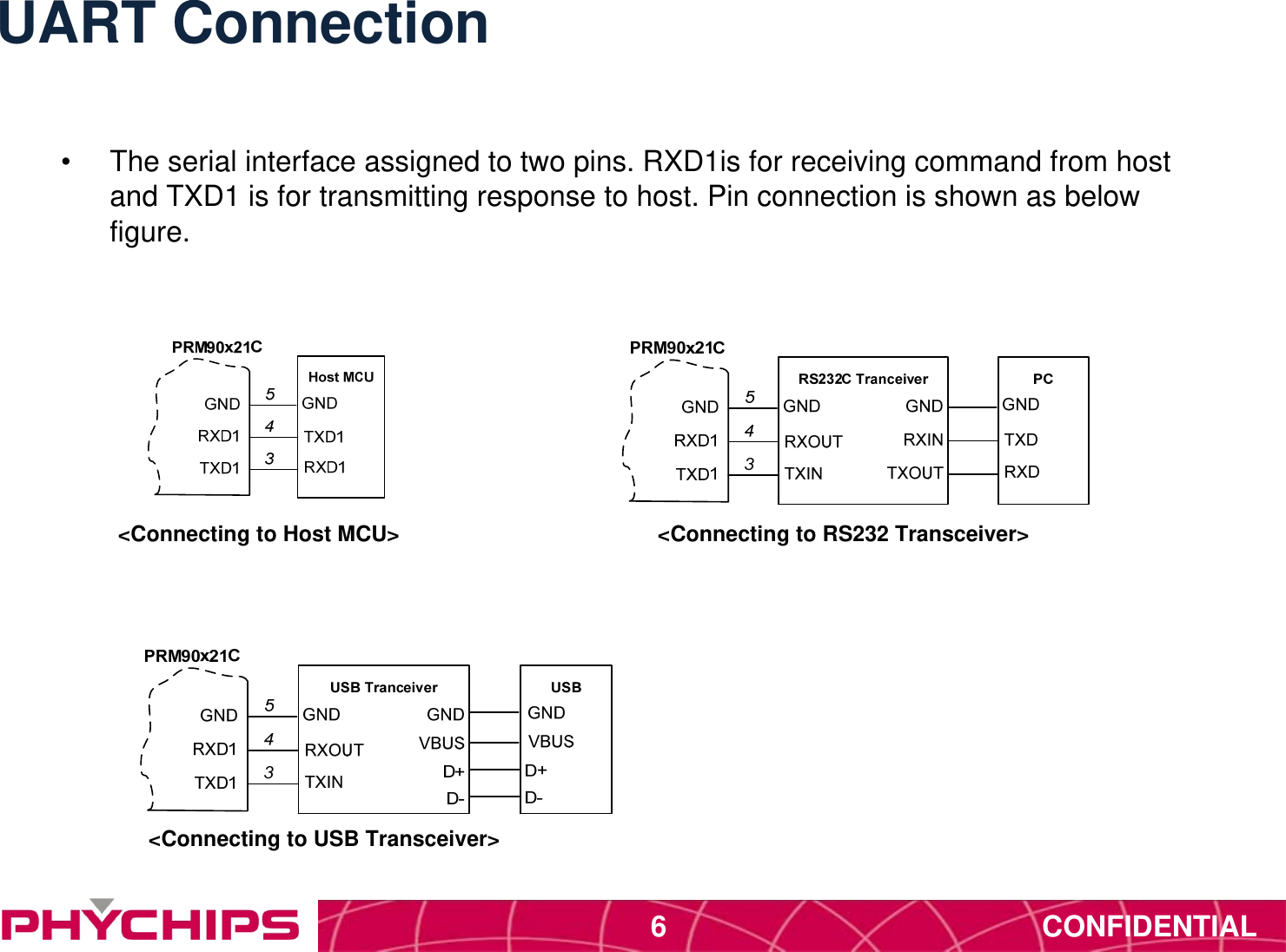
CONFIDENTIAL6UART Connection•  The serial interface assigned to two pins. RXD1is for receiving command from host and TXD1 is for transmitting response to host. Pin connection is shown as below figure.<Connecting to Host MCU> <Connecting to RS232 Transceiver><Connecting to USB Transceiver>
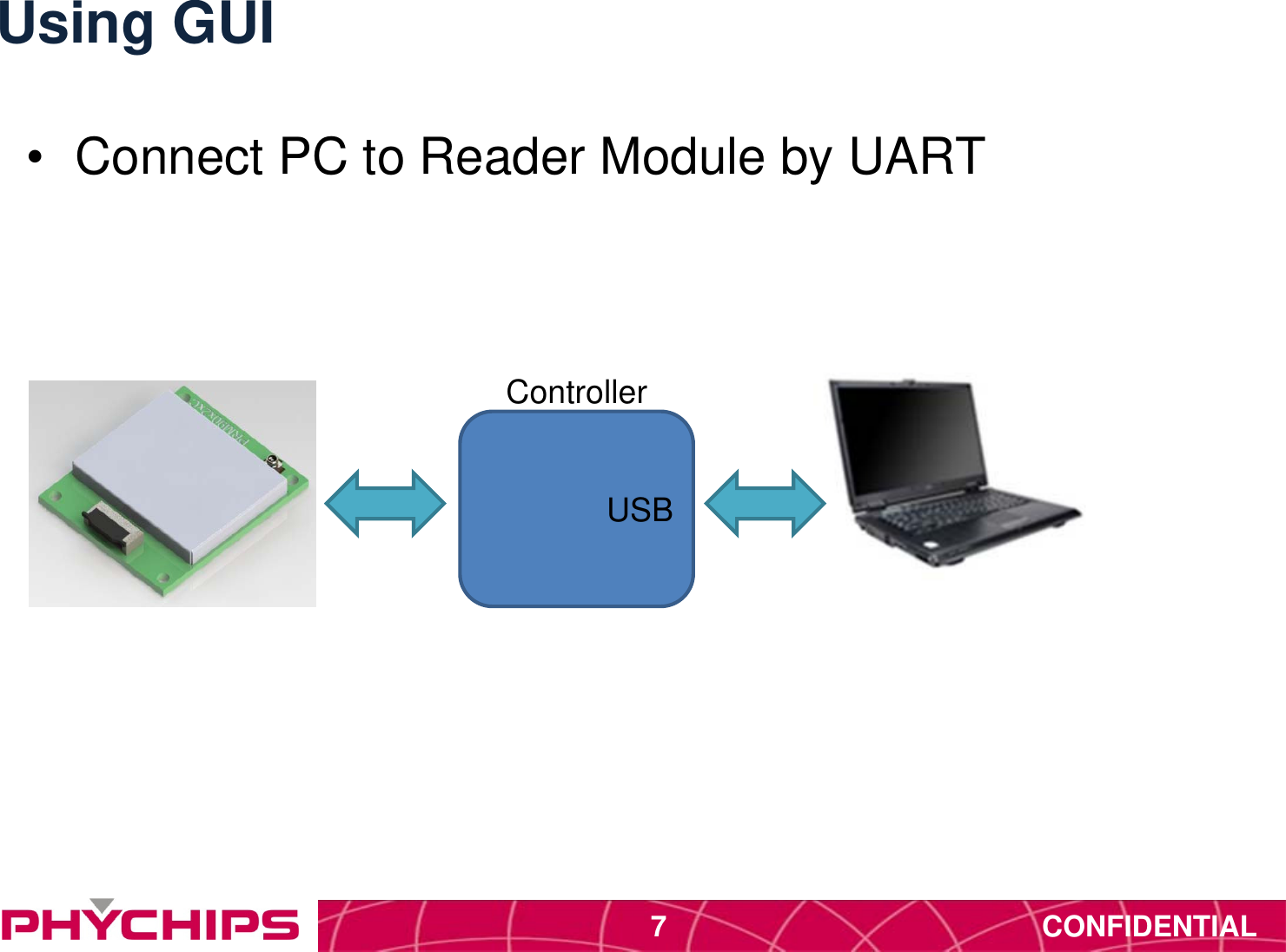
CONFIDENTIAL7Using GUI•  Connect PC to Reader Module by UARTControllerUSB
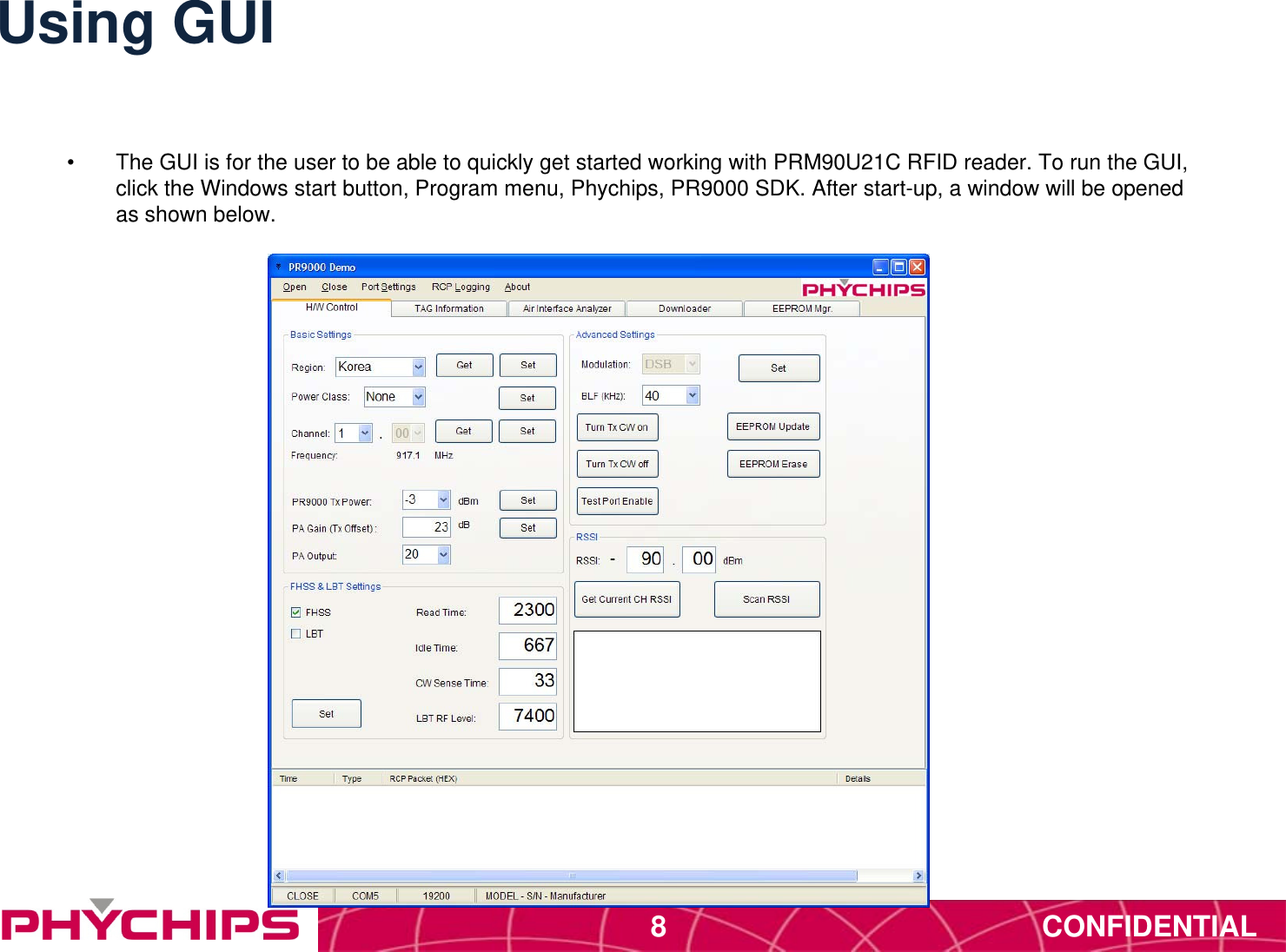
CONFIDENTIAL8Using GUI•  The GUI is for the user to be able to quickly get started working with PRM90U21C RFID reader. To run the GUI, click the Windows start button, Program menu, Phychips, PR9000 SDK. After start-up, a window will be opened as shown below.
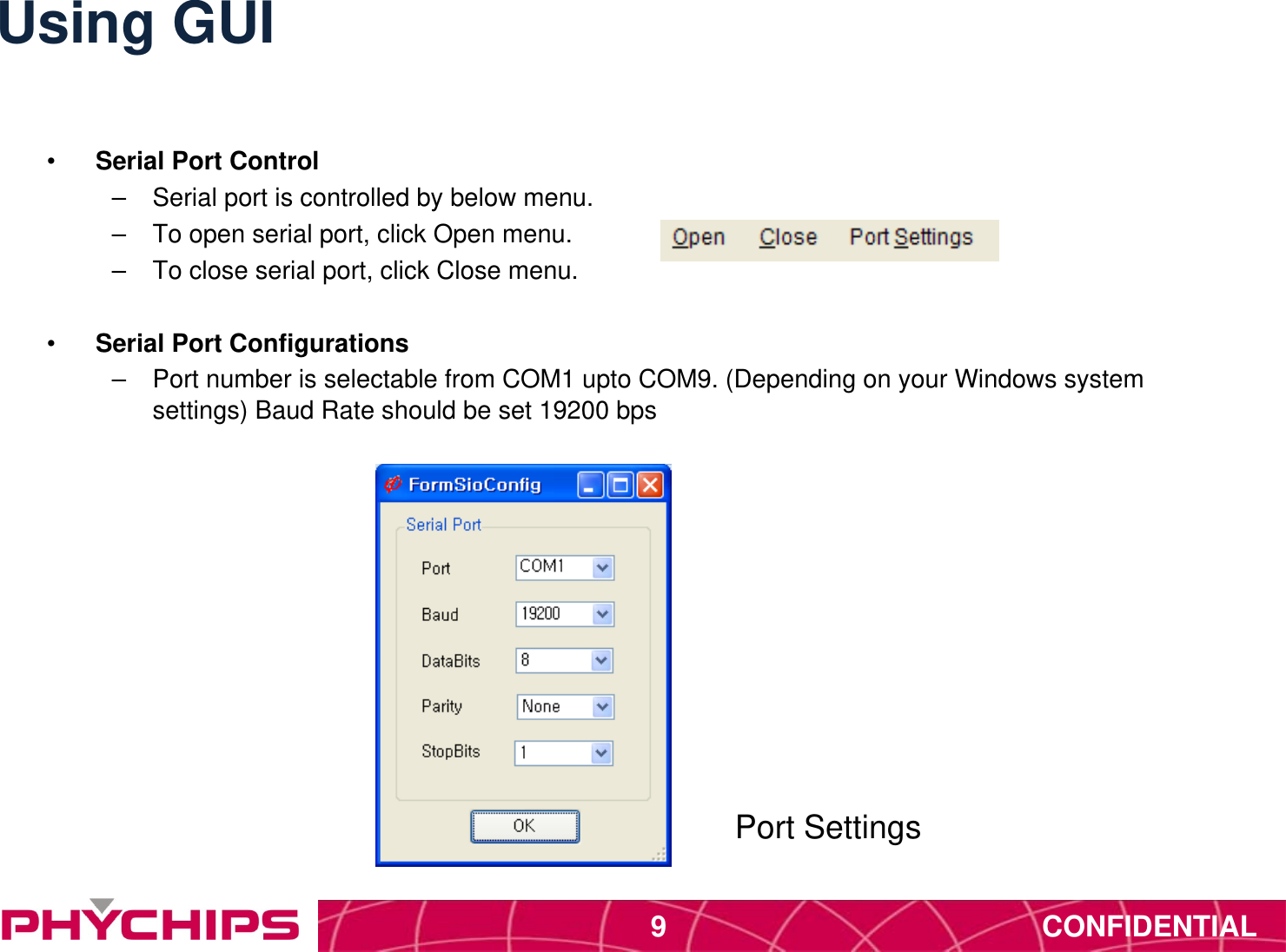
CONFIDENTIAL9Using GUI•  Serial Port Control –  Serial port is controlled by below menu. –  To open serial port, click Open menu. –  To close serial port, click Close menu. •  Serial Port Configurations –  Port number is selectable from COM1 upto COM9. (Depending on your Windows system settings) Baud Rate should be set 19200 bps Port Settings
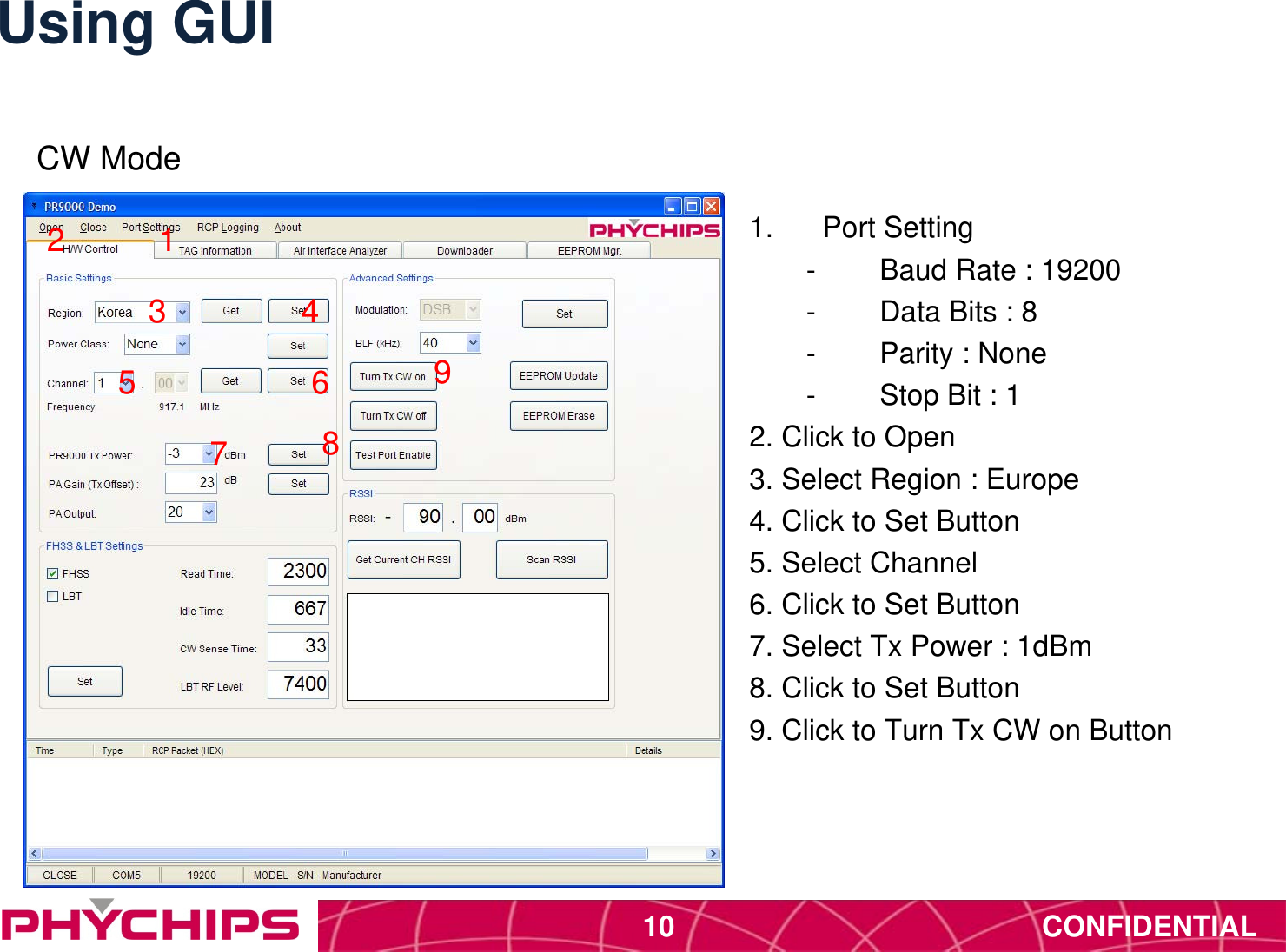
CONFIDENTIAL10Using GUI1.  Port Setting-  Baud Rate : 19200-  Data Bits : 8-  Parity : None-  Stop Bit : 12. Click to Open3. Select Region : Europe4. Click to Set Button5. Select Channel6. Click to Set Button7. Select Tx Power : 1dBm8. Click to Set Button9. Click to Turn Tx CW on Button123 45 6789CW Mode
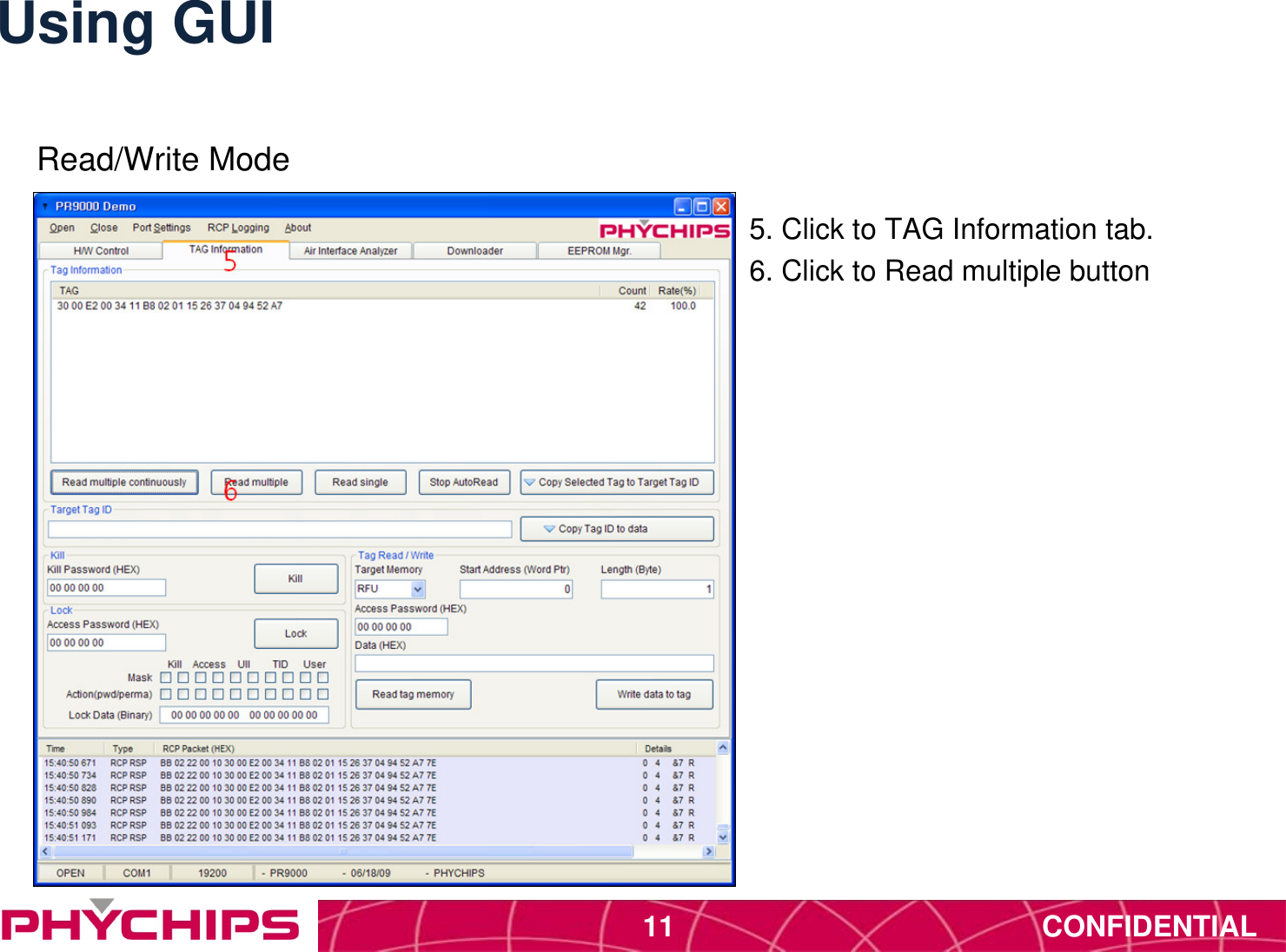
CONFIDENTIAL11Using GUIRead/Write Mode5. Click to TAG Information tab.6. Click to Read multiple button
CONFIDENTIAL12•  FCC Information to User•  This equipment has been tested and found to comply with the limits for a Class B digital device, pursuant to Part 15 of the FCC Rules. These limits are designed to provide reasonable protection against harmful interference in a residential installation. This equipment generates, uses and can radiate radio frequency energy and, if not installed and used in accordance with the instructions, may cause harmful interference to radio communications. However, there is no guarantee that interference will not occur in a particular installation. If this equipment does cause harmful interference to radio or television reception, which can be determined by turning the equipment off and on, the user is encouraged to try to correct the interference by one of the following measures:•  • Reorient or relocate the receiving antenna.•  • Increase the separation between the equipment and receiver.•  • Connect the equipment into an outlet on a circuit different from that to which the receiver is con- nected.•  • Consult the dealer or an experienced radio/TV technician for help.•  Caution•  Modifications not expressly approved by the party responsible for compliance could void the user’s authority to operate the equipment.•  FCC Compliance Information : This device complies with Part 15 of the FCC Rules. Operation is subject to the following two conditions: (1) This device may not cause harmful interference, and (2) this device must accept any interference received, including interference that may cause undesired operation•  IMPORTANT NOTE:•  FCC RF Radiation Exposure Statement:•  This equipment complies with FCC RF radiation exposure limits set forth for an uncontrolled environment. This equipment should be installed and operated with a minimum distance of 20 centimeters between the radiator and your body.This transmitter must not be co-located or operating in conjunction with any other antenna or transmitter.

Navigation menu