Planet Eclipse Ego 08 Users Manual
Planet-Eclipse-Ego-Sl8R-Users-Manual-804575 planet-eclipse-ego-sl8r-users-manual-804575
2015-09-01
: Planet-Eclipse Planet-Eclipse-Ego-08-Users-Manual-804569 planet-eclipse-ego-08-users-manual-804569 planet-eclipse pdf
Open the PDF directly: View PDF  .
.
Page Count: 80

1. The Eclipse Ego8 is not a toy.
2. Careless or improper use, including failure to follow
instructions and warnings within this User Manual and attached
to the Ego8 could cause death or serious injury.
3. Do not remove or deface any warnings attached to the Ego8.
4. Paintball industry standard eye/face/ear and head protection
designed specifically to stop paintballs and meeting ASTM
standard F1776 (USA) or CE standard (Europe) must be worn by
user and any person within range.
5. Persons under 18 years of age must have adult supervision
when using or handling the Ego8.
6. Observe all local and national laws, regulations and guidelines.
7. Use only professional paintball fields where codes of safety are
strictly enforced.
8. Use compressed air/nitrogen only. Do not use CO
2
9. Always follow instructions, warnings and guidelines given with
any first stage regulator you use with the Ego8.
10. Use 0.68 calibre paintballs only.
11. Keep the Ego8 switched off until ready to shoot.
12. Treat every marker as if it is loaded.
13. Never point the Ego8 at anything you do not intend to shoot.
14. Do not shoot at persons at close range.
15. Always measure your markers velocity before
playing paintball, using a suitable chronograph.
16. Never shoot at velocities in excess of 300 feet (91.44 meters)
per second, or at velocities greater than local or national laws
allow
17. Do not fire the Ego8 without the bolt in the breech, as high-
pressure gas will be emitted.
18. Do not fire the Ego8 without the bolt pin locked securely in
place.
19. Never look into the barrel or breech area of the Ego8 whilst
the marker is switched on and able to fire.
20. Never put your finger or any foreign objects into the
paintball feed tube of the Ego8.
21. Never allow pressurised gas to come into contact with any
part of your body.
22. Always switch off the Ego8 when not in use.
23. Always fit a barrel-blocking device to the Ego8 when not in
use on the field of play.
WARNING
ADHERE STRICTLY TO THESE AND ALL OTHER SAFETY
INSTRUCTIONS AND GUIDELINES!
2.
WARNING
24. Always remove all paintballs from the Ego8 when not in use
on the field of play.
25. Always remove the first stage regulator and relieve all
residual gas pressure from the Ego8 before disassembly.
26. The Ego8 can hold a small residual charge of gas, typically 2
shots, with the first stage regulator removed. Always discharge
the marker in a safe direction to relieve this residual gas pressure.
27. Always remove the first stage regulator and relieve all
residual gas pressure from the Ego8 for transport and storage.
28. Always follow guidelines given with your first stage regulator
for safe transportation and storage..
29. Always store the Ego8 in a secure place..
NOTE: THIS USER MANUAL MUST ACCOMPANY THE PRODUCT
IN THE EVENT OF RESALE OR NEW OWNERSHIP. SHOULD YOU BE
UNSURE AT ANY STAGE YOU MUST SEEK EXPERT ADVICE! (SEE
SERVICE CENTERS)
WARNING
ADHERE STRICTLY TO THESE AND ALL OTHER SAFETY
INSTRUCTIONS AND GUIDELINES!
THIS USERS MANUAL IS IN ENGLISH.
It contains important safety guidelines
and Instructions. Should you be unsure
at any stage, or unable to understand the
contents within this manual you must seek
expert advice.
LE MODE D’EMPLOI EST EN ANGLAIS.
Ilcontient des instructions et mesures de
sécurité importantes. En cas de doute, ou
s’il vous est impossible de comprendre le
contenu du monde d’emploi, demandez
conseil à un expert.
ESTE MANUAL DE (OPERARIOS Y)
usarios està en Inglés.
Contiene importantes normas de
seguridad e instrucciones. Si no esta
seguro de algùn punto o no entiende los
conteindos de este manual debe conultar
con un experto.
DIESE BEDIENUNGS - UND
BENUTZERANLEITUNG IST IN ENGLISCH.
Sie enthålt wichtige Sicherheitsrichtlinen
und - bestimmungen. Solten Sie sich in
irgendeiner Weise un sicher sein. Oder den
inhalte dies heftes nicht versthen, lassen
Sie siche bitte von einen Experten beraten.
CONTENTS
ORIENTATION
QUICK SET-UP
USING YOUR EGO8
ADVANCED SET-UP
MENU TREE
MAINTENANCE
FAULT FINDING
SERVICE CENTERS
PARTS LIST
SPARES & ACCESSORIES
3.
WARNING
QUICK GUIDE

ORIENTATION
Names the component parts of the Ego8 Marker. This
section is essential reading for everyone.
6 > KNOW YOUR EGO8
8 > THE EGO8 NAVIGATION
CONSOLE
QUICK SET-UP
Details on how to get up and running quickly with
your Ego8. This section is essential reading for every-
one.
9 > INSTALLING A 9V BATTERY
10 > SWITCHING ON THE EGO8
10 > SWITCHING OFF THE EGO8
10 > FIRING
10 > THE EGO8 CIRCUIT BOARD
11 > USING THE BREAK-BEAM
SENSOR SYSTEM
USING YOUR EGO8
More detailed information on how to use and interact
with the Ego8 via its user interface.
12 > SETTING UP
12 > INSTALLING A PRESET AIR
SYSTEM
13 > T-SLOT MOUNTING SYSTEM
13 > MACROLINE HOSING &
ELBOWS
14 > INSTALLING AN ADJUSTABLE
AIR SYSTEM
15 > ATTACHING A LOADER
16 > SETTING THE TRIGGER
18 > ADJUSTING THE VELOCITY
18 > ADJUSTING THE LPR
PRESSURE
19 > USER INTERFACE
19 > SWITCHING ON
19 > RUN SCREEN LAYOUT
20 > UNDERSTANDING THE BBSS
INDICATOR
21 > UNDERSTANDING THE AUX
OUT INDICATOR
22 > UNDERSTANDING THE
TRIGGER DETECTION
INDICATOR
22 > UNDERSTANDING THE LOCK
INDICATOR
22 > UNDERSTANDING THE
BATTERY INDICATOR
22 > THE GAME TIMER
22 > THE SHOT COUNTER
23 > THE AVERAGE RATE OF FIRE
23 > THE PEAK RATE OF FIRE
23 > THE MENU SYSTEM
MENU TREE
A quick reference guide to the user interface.
24 > MAIN MENU
25 > SET-UP MENU
ADVANCED SET-UP
In depth information on setting up the Ego8.
28 > ACCESSING THE MENU
SYSTEM
28 > MOVING AROUNG THE MENUS
28 > ALTERING PARAMETERS
29 > THE MAIN MENU
29 > THE DISPLAY PARAMETER
30 > THE GAME TIMER MENU
30 > GAME PARAMETER
31 > ALARM PARAMETER
31 > START PARAMETER
32 > THE SET-UP MENU
33 > THE TOURNAMENT LOCK
PRESET PARAMETER (LOCK)
33 > THE PRESET MENU
33 > THE LOAD PRESET
PARAMETER
34 > THE SAVE PRESET
PARAMETER
34 > THE FIRING MODE
4.
CONTENTS

PARAMETER
35 > RATE OF FIRE CAP
PARAMETER
35 > MAXIMUM RATE OF FIRE
PARAMETER
36 > RATE OF FIRE WITH BBSS
OFF PARAMETER
36 > THE RAMP SETTINGS MENU
37 > THE RAMP TYPE PARAMETER
37 > THE LINEAR RAMP RATE
PARAMETER
38 > THE RAMP START
PARAMETER
38 > THE RAMP KICK-IN
PARAMETER
39 > THE SUSTAIN RATE
PARAMETER
39 > THE RAMP RESTART
PARAMETER
40 > THE TIMING MENU
40 > THE DWELL PARAMETER
40 > THE FIRST SHOT DROP OFF
COMPENSATION PARAMETER
41 > THE LIGHT PARAMETER
41 > THE SLEEP PARAMETER
42 > THE FILTER MENU
43 > THE DEBOUNCE PARAMETER
43 > THE EMPTY BREECH TIME
PARAMETER
44 > THE BALL PARAMETER
44 > THE PULL PARAMETER
45 > THE RELEASE PARAMETER
45 > THE BAND HIGH PARAMETER
46 > THE BAND LO PARAMETER (
46 > BASIC TRIGGER FILTER
SET- UP
46 > ADVANCED TRIGGER FILTER
SET-UP
47 > THE TRAINING PARAMETER
48 > THE HARDWARE MENU
THE TRIGGER PARAMETER
48 > THE BBSS PARAMETER
48 > THE SOLENOID PARAMETER
48 > THE AUX OUT PARAMETER
49 MAINTENANCE
A guide to performing routine maintenance.
49 > CLEANING THE BREAK-BEAM
SENSOR SYSTEM
51 > CLEANING THE INLINE
REGULATOR
53 > CLEANING THE LPR
55 > CLEANING AND LUBRICATING
THE RAMMER
57 > HOW TO STRIP THE EGO8
59 > HOW TO ASSEMBLE THE
EGO8
61 > CLEANING THE TRIGGER
ASSEMBLY
63 > CLEANING AND LUBRICATING
THE BOLT
64 > CLEANING THE QEV BLOCK
66 > THE EGO8 SOLENOID
ASSEMBLY
67 FAULT FINDING
Information on how to resolve any problems that
might arise with your Ego8.
70 SERVICE CENTERS
Information on the location of your nearest Ego8
Service Center.
72 PARTS LIST
A table of components that make up the Ego8.
WARRANTY CARD
Tear-out product registration card to be completed
and returned. Alternatively register online at
www.planeteclipse.com
SPARES &
ACCESSORIES
Available upgrade / repair kits for your Ego8.
CONTENTS
ORIENTATION
QUICK SET-UP
USING YOUR EGO8
ADVANCED SET-UP
MENU TREE
MAINTENANCE
FAULT FINDING
SERVICE CENTERS
PARTS LIST
SPARES & ACCESSORIES
5.
CONTENTS
CONTENTS
QUICK GUIDE
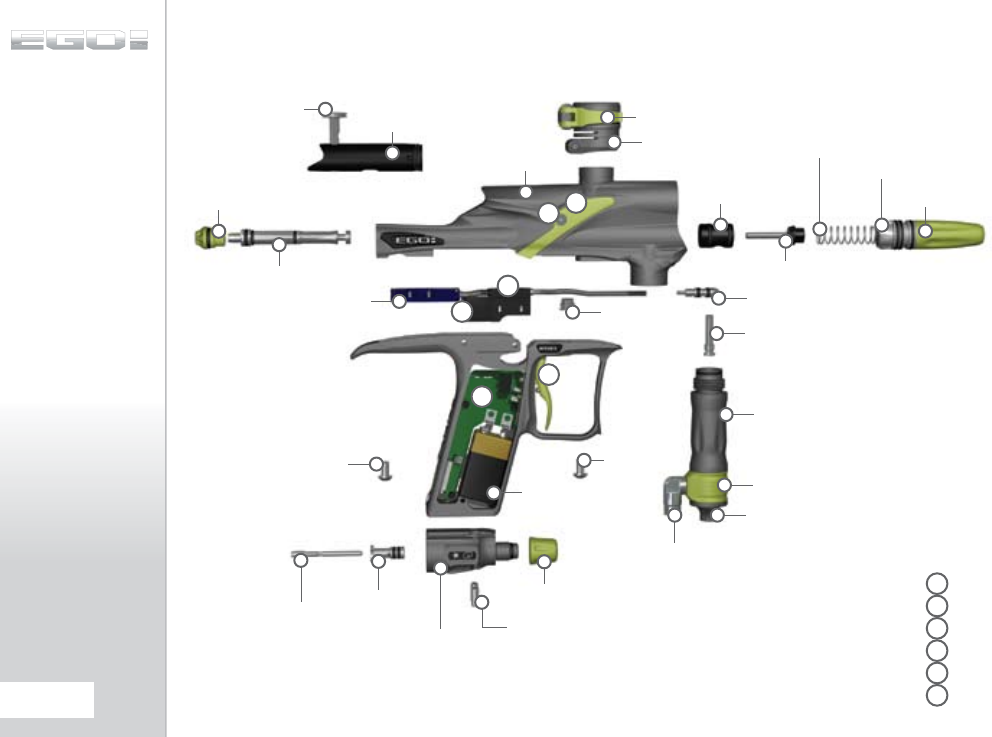
LOW PRESSURE
REGULATOR
KNOW YOUR EGO8
RAMMER CAP
RAMMER
BOLT PIN
BODY
CLAMPING LEVER
FEEDNECK
VALVE
PLUG
FRM SCREW
TORPEDO
INLINE
REG TOP
INLINE REG
SWIVEL
INLINE REG
BOTTOM
FRAME
SCREW
QEV
BLOCK
FRAME
SCREW
OOPS
OOPS
KNOB
BATTERY
VALVE
GUIDE
VALVE
LPR
BODY
LPR
CAP
VALVE
SPRING
F
TRIGGER
E
CIRCUIT BOARD
D
MINIFOLD
C
SOLENOID
B
EYE COVER
A
EYE COVER SCREW
F
E
C
D
AB
MACRO LINE
ELBOW
OOPS
INSERT
OOPS
PIN
BOLT
OOPS
SCREWS
6.
ORIENTATION
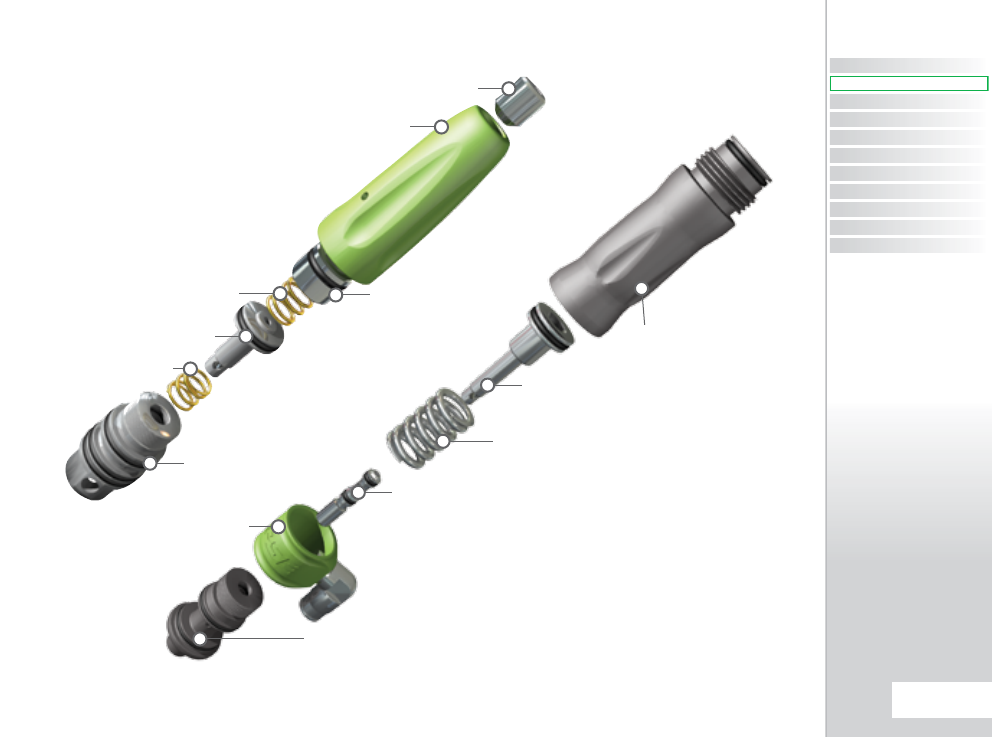
LPR ADJUSTER
SCREW
LPR CAP
LPR PISTON
LPR SPRING
LPR BODY
LPR ADJUSTER
PISTON
LPR SPRING
INLINE REGULATOR BOTTOM
INLINE REGULATOR
SPRING
INLINE
REGULATOR TOP
INLINE REGULATOR
ADJUSTER SCREW
LOW PRESSURE
REGULATOR
INLINE REGULATOR
PISTON
INLINE REGULATOR
INLINE REGULATOR
SWIVEL
CONTENTS
ORIENTATION
QUICK SET-UP
USING YOUR EGO8
ADVANCED SET-UP
MENU TREE
MAINTENANCE
FAULT FINDING
SERVICE CENTERS
PARTS LIST
SPARES & ACCESSORIES
7.
ORIENTATION
ORIENTATION
QUICK GUIDE
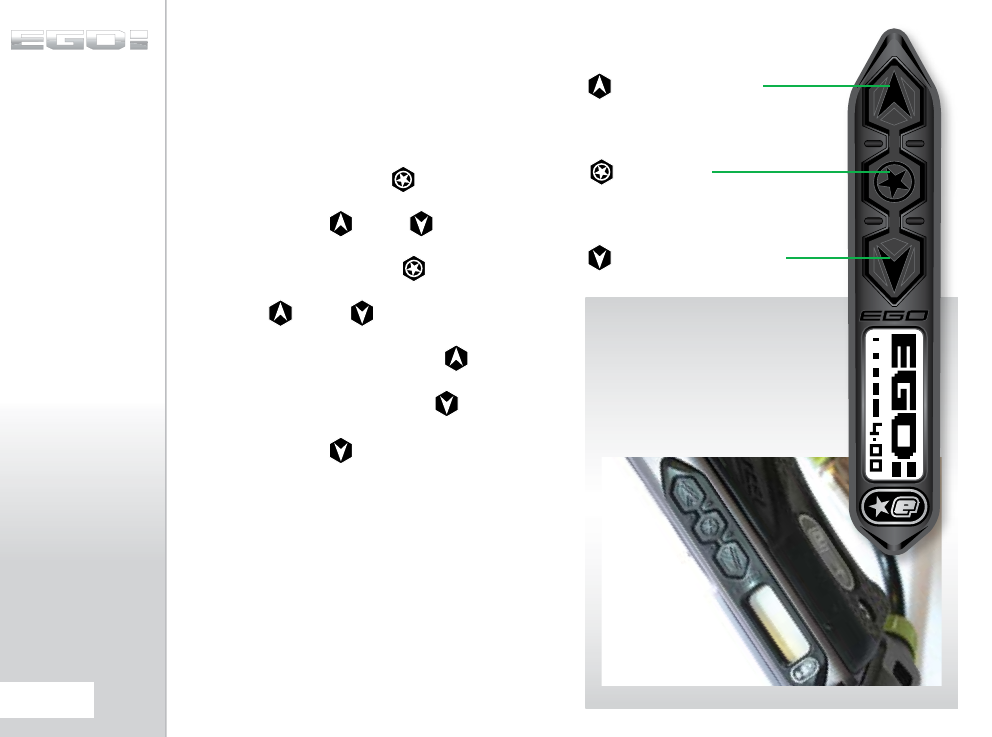
THE EGO8
NAVIGATION CONSOLE
At the rear of the Ego8 grip frame you will find the Navigation
Console. The Navigation Console is used for:
> TURNING THE EGO8 ON AND
OFF USING THE BUTTON
> SCROLLING THROUGH MENUS
WITH THE AND BUTTONS
> SELECTING PARAMETERS TO
EDIT USING THE BUTTON
> EDITING PARAMETERS USING
THE AND BUTTONS
> TURNING THE EGO8 BBSS ON
AND OFF USING THE BUTTON
> RESETTING RECORDED
VALUES USING THE BUTTON
> CONTROLLING THE GAME TIMER
WITH THE BUTTON
NEXT / LOWER
PREVIOUS /
RAISE
SELECT
8.
ORIENTATION
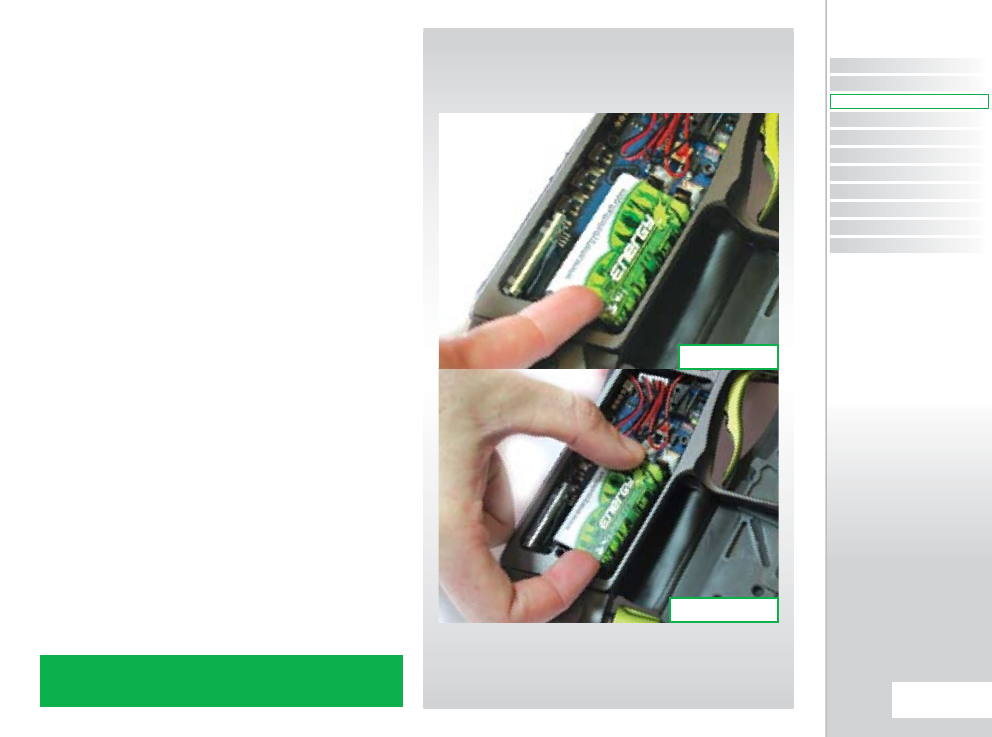
INSTALLING
A 9V BATTERY
Ensure that the Ego8 is switched off. Lay the marker on a flat
surface in front of you with the feed tube furthest away and with
the barrel pointing to the right.
Use a 5/64” (2mm) hex wrench to remove the three countersunk
screws that hold the rubber grip onto the frame. Peel the grip to
the right to expose the circuit board within the frame.
Remove any fitted battery by sliding your thumb or finger into
the recess below the battery and levering the battery out of the
frame (SEE FIGURE 2.1).
DO NOT pull on the top of the battery to remove it as this can
cause the battery terminals to bend and will result in a poor
electrical connection.
Fit a 9-volt alkaline battery (type PP3, 6LR61 or MN1604) into the
recess with the battery terminals away from you. The positive
terminal should be on the right hand side, nearest to the side of
the frame (SEE FIGURE 2.2).
Ensure that all of the wires are within the recess of the frame and
away from the trigger microswitch and opto sensors so as not
to interfere with their operation and replace the rubber grip and
replace the three countersunk screws.
DO NOT over-tighten the screws.
NOTE: BATTERY VOLTAGE MUST NOT EXCEED 10 VOLTS. SOME 9 VOLT
RECHARGEABLE BATTERIES CAN EXCEED THIS VOLTAGE IF OVER
CHARGED. IF IN DOUBT DO NOT USE RECHARGEABLE BATTERIES.
FIG 2.2
FIG 2.1
CONTENTS
ORIENTATION
QUICK SET-UP
USING YOUR EGO8
ADVANCED SET-UP
MENU TREE
MAINTENANCE
FAULT FINDING
SERVICE CENTERS
PARTS LIST
SPARES & ACCESSORIES
9.
QUICK SET-UP
QUICK SET-UP
QUICK GUIDE
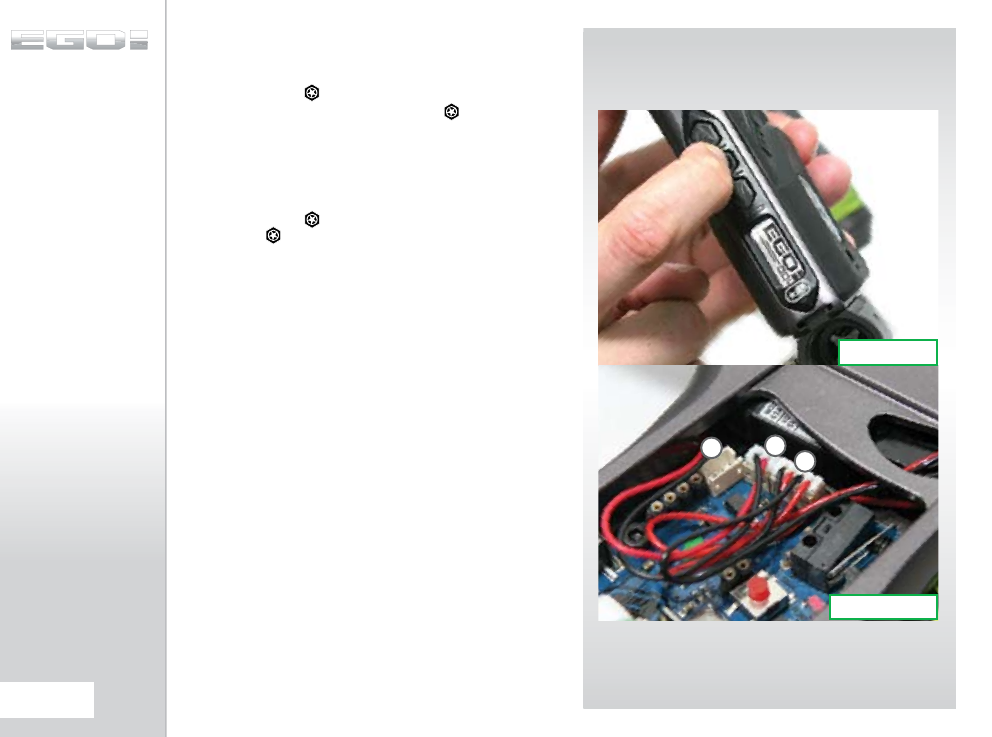
SWITCHING ON
THE EGO8
Press and hold the button (SEE FIGURE 3.1). After one second
the Ego8 logo will be displayed. Release the button and the
Run Screen will be displayed.
SWITCHING OFF
THE EGO8
Press and hold the button until the display shows OFF?
Release the button and re-press it to turn off the Ego8.
Alternatively when the display reads OFF?, you can pull the
trigger once to turn off the Ego8.
FIRING THE EGO8
Pull the trigger to fire the Ego8. The entire firing sequence is
controlled electronically by the Ego8 circuit board, enabling any
user to easily achieve high rates of fire.
THE EGO8 CIRCUIT
BOARD
There are three sockets on the Ego8 Circuit board two of which
are occupied by the BBSS Connector (A) and the Ego8 Solenoid
(B). The third socket on the board (C) is the Auxiliary socket to
which third party products such as loaders and RF transmitters
can be connected using the relevant wiring harness. (SEE FIGURE
3.2)
FIG 3.2
FIG 3.1
C
A
B
10.
QUICK SET-UP
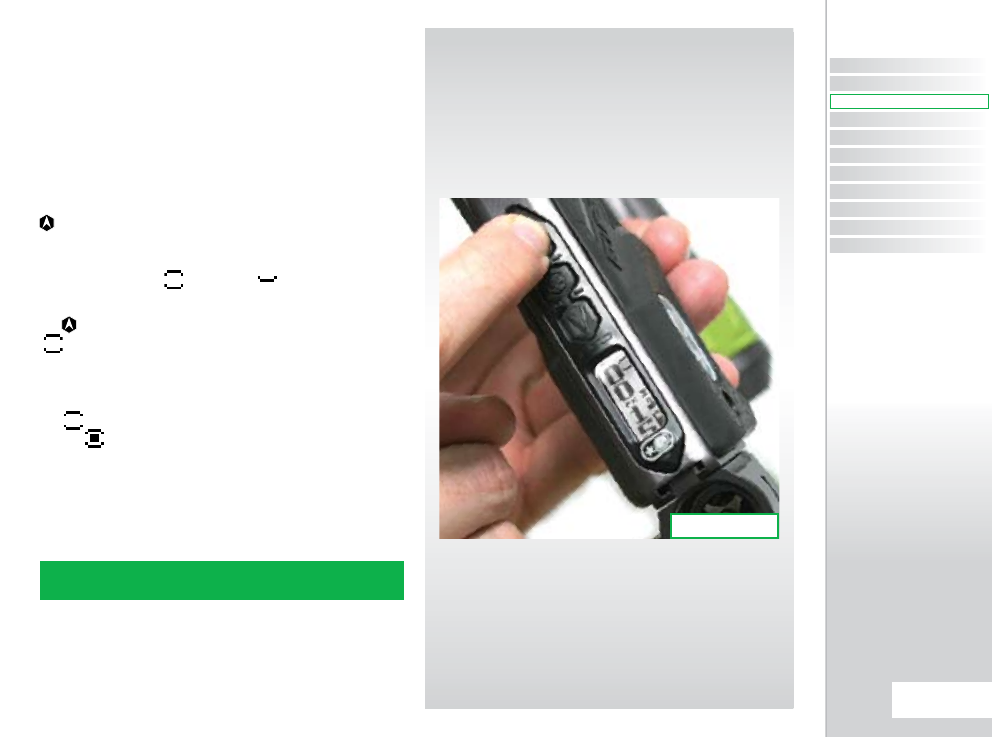
USING THE BREAK
BEAM SENSOR
SYSTEM
The Break Beam Sensor System is used to detect when a
paintball is ready to fire from the Ego8. If no paintball is ready
then the BBSS will inhibit the Ego8 from firing. This prevents the
Ego8 from ‘chopping’ paintballs that are not fully loaded into the
marker.
To switch off the Break-Beam Sensor System, press and hold the
button for 0.5 second (SEE FIGURE 3.3).
The break beam sensor system indicator on the top right of the
LCD will change from (enabled) to (disabled) .
To switch the Break-Beam Sensor System back on, press and hold
the button for one second. The indicator will change back to
.
When the Break-Beam Sensor System is enabled, the indicator
will change depending on if the system has detected a ball or
not. When no ball has been detected the indicator looks like
this when a ball has been detected the icon changes to look
like this .
Additional features of the Ego8’s Break-Beam Sensor System are
covered in full on page 20 of this user manual.
NOTE: WHEN THE EGO8 IS TURNED ON, THE BREAK-BEAM SENSOR
SYSTEM IS AUTOMATICALLY ENABLED
FIG 3.3
CONTENTS
ORIENTATION
QUICK SET-UP
USING YOUR EGO8
ADVANCED SET-UP
MENU TREE
MAINTENANCE
FAULT FINDING
SERVICE CENTERS
PARTS LIST
SPARES & ACCESSORIES
11.
QUICK SET-UP
QUICK SET-UP
QUICK GUIDE
SETTING UP
Before you can begin to use your Ego8, you will need to attach
an air-system and a paintball loader.
INSTALLING A
PRESET AIR SYSTEM
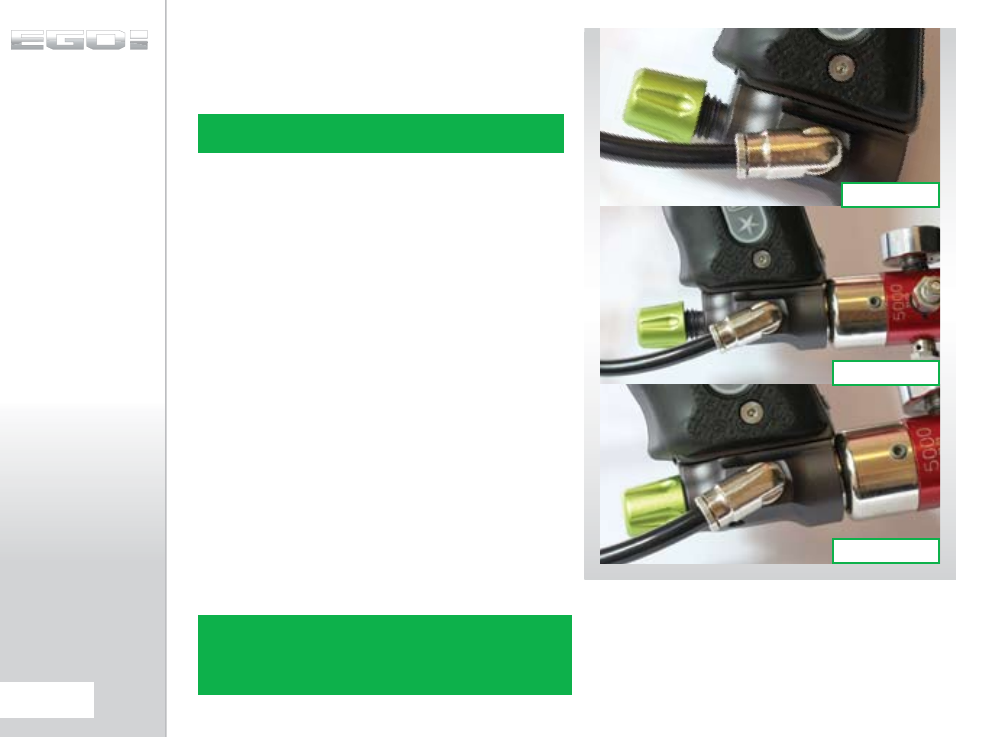
Every Ego8 comes complete with an Eclipse On/Off Purge
System (OOPS) which provides a direct connection for a preset
air system. Before screwing the air system into the OOPS ensure
that the On/Off knob is wound out approximately half way (SEE
FIGURE 4.1).
Be careful not to unscrew the On/Off knob too far as it will come
completely off the OOPS. If this happens, replace the On/Off
knob by screwing it back onto the OOPS body in a clockwise
direction.
Screw the preset air system into the OOPS (SEE FIGURE 4.2) so
that the bottle screws in all the way and is tight. Slowly turn
the On/Off knob in a clockwise direction allowing the OOPS
to depress the pin of the preset air system causing the Ego8 to
become pressurized, providing that there is sufficient air in your
tank (SEE FIGURE 4.3).
You have now installed a preset air system onto your Ego8.
NOTE: WHEN USING AN OOPS ON YOUR EGO8, THE EGO8 WILL STILL
HAVE STORED AIR IN THE VALVE CHAMBER, GAS LINE AND INLINE
REGULATOR AFTER YOU HAVE SWITCHED THE OOPS OFF. PLEASE
REMEMBER TO DISCHARGE THE STORED AIR IN A SAFE DIRECTION AS
YOU ARE UNSCREWING THE ON/OFF KNOB ON THE OOPS.
NOTE: THE EGO8 CANNOT BE USED WITH CO2, IT CAN ONLY BE
POWERED BY COMPRESSED AIR OR NITROGEN.
FIG 4.3
FIG 4.2
FIG 4.1
12.
USING YOUR EGO8
T-SLOT
MOUNTING SYSTEM
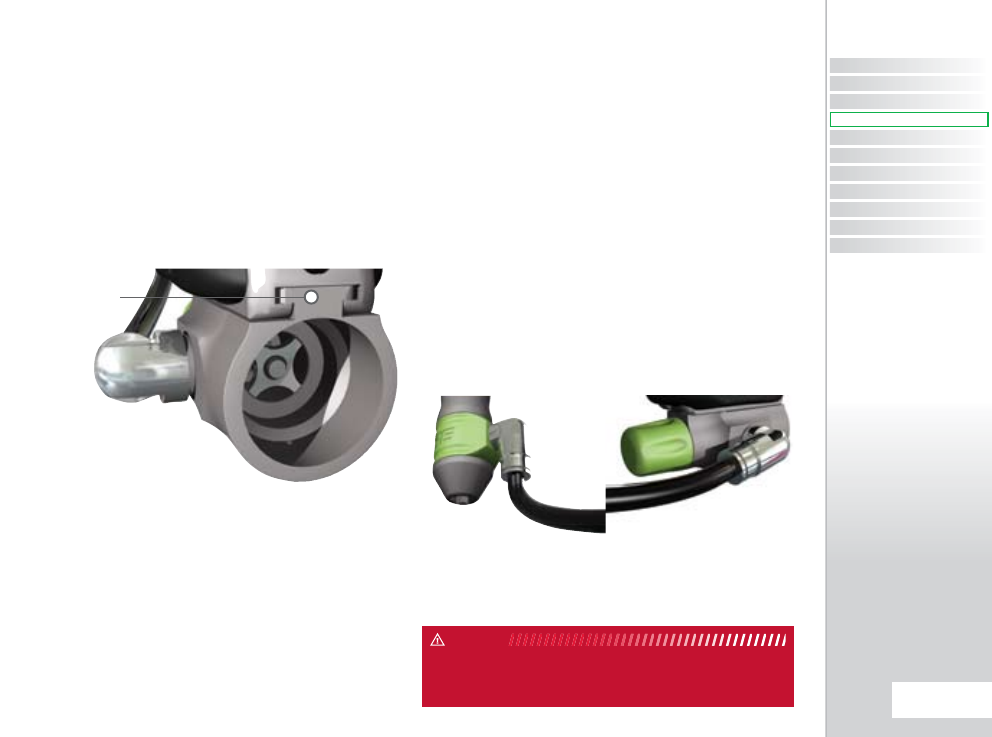
The Ego8 utilises a T-slot arrangement to mount the OOPS to
the bottom of the frame. The T-slot is an improvement over the
dovetail mounting system found on most paintball markers,
and is much more able to withstand the rigours of modern
tournament paintball.
For backwards compatibility there are industry standard
mounting holes in the base of the frame for mounting third
party air source adaptors (ASAs).
MACROLINE HOSING
AND ELBOWS
To aid the longevity of your macroline hosing, it is very important
to remove it from (and install it back into) the fittings in the
correct manner:
Pull back the collet section of the macroline fitting and keep the
collet depressed.
Pull the macroline hose out of the macroline fitting and release
the collet.
Before installing the macroline hose into the macroline fitting
ensure that the end has been trimmed correctly to ensure a tight
fit in the fitting.
IF YOU EVER REMOVE THE MACROLINE HOSE FROM THE FITTING,
ALWAYS CHECK THE CONDITION OF YOUR MACROLINE HOSING AND IF
IT IS WORN OR THE WRONG LENGTH REPLACE IT IMMEDIATELY.
WARNING
T-SLOT
MOUNT
CONTENTS
ORIENTATION
QUICK SET-UP
USING YOUR EGO8
ADVANCED SET-UP
MENU TREE
MAINTENANCE
FAULT FINDING
SERVICE CENTERS
PARTS LIST
SPARES & ACCESSORIES
13.
USING YOUR EGO8
USING YOUR EGO8
QUICK GUIDE
INSTALLING AN
ADJUSTABLE
AIR SYSTEM
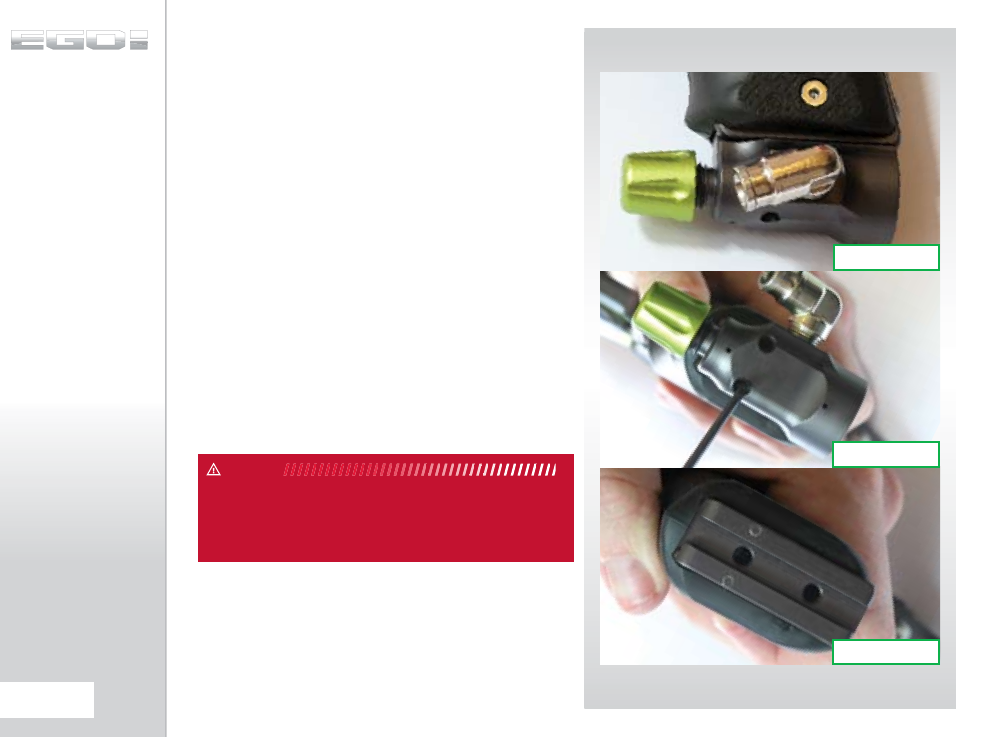
Firstly disconnect the macroline hosing from the elbow attached
to the OOPS at the base of the grip frame
(SEE FIGURE 4.4).
Unscrew the On/Off knob completely from the OOPS and
using a 3/32” hex key turn the two screws on the bottom of the
OOPS in a counter clockwise direction so that the OOPS can be
removed from the rail by sliding it backwards (SEE FIGURE 4.5).
As well as the integrated slide rail at the base of the Ego8’s grip
frame, there are also two 10-32 UNF threaded screw holes which
will accept all standard bottom line screws (SEE FIGURE 4.6).
Attach the air system of your choice, taking care to ensure that
you use the correct length and size of hosing to accommodate
your requirements.
BEFORE ATTACHING ANY FIXED AIR SYSTEM, PLACE ATTACHING SCREW
IN DESIGNATED SLIDE RAIL AND MEASURE PROTRUDING SCREW LENGTH.
SCREW LENGTH MUST NOT PROTRUDE MORE THAN 10MM/0.40”
OTHERWISE THE EGO8 CIRCUIT BOARD WILL BECOME DAMAGED.
WARNING
FIG 4.6
FIG 4.5
FIG 4.4
14.
USING YOUR EGO8
ATTACHING A LOADER
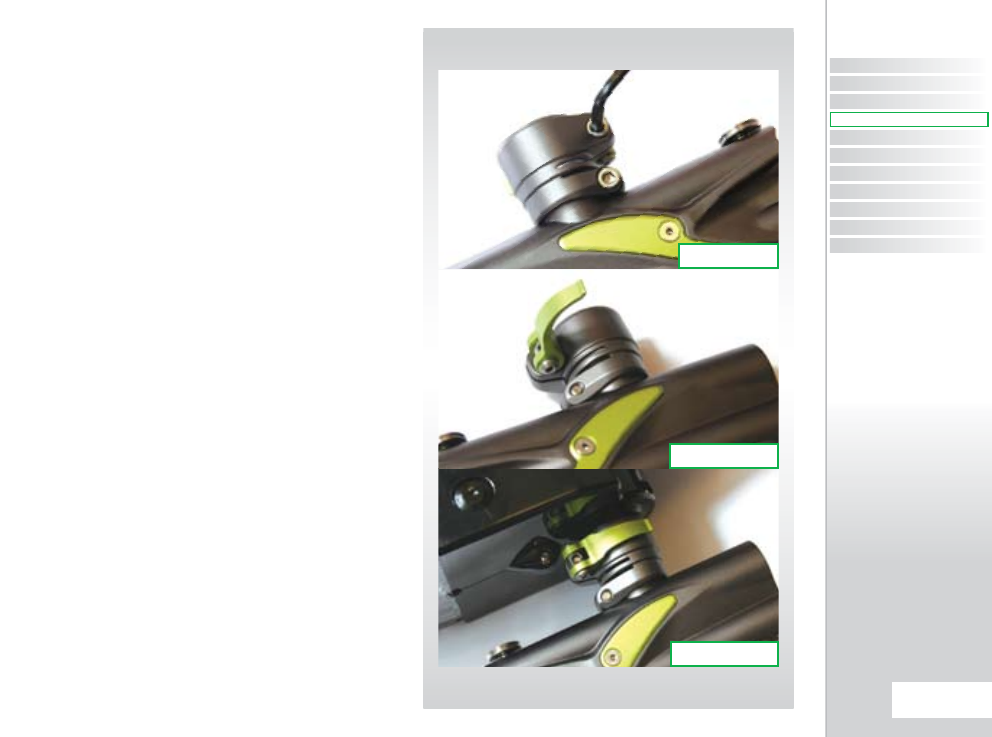
Using a 5/32” hex key, turn the top screw of the clamping feed
neck counter clockwise (SEE FIGURE 5.1).
Release the clamping lever on the feed neck (SEE FIGURE 5.2)
and test to see if your loader can easily be pushed into the top
of the feed neck. If the loader cannot easily be pushed into the
feed neck, loosen the top screw of the clamping feed neck a little
more by turning it counter clockwise using a 5/32” hex key (SEE
FIGURE 5.1).
When you have managed to push your loader into the clamping
feed neck, close the clamp to secure it firmly in place (SEE FIGURE
5.3). If the loader is loose then you will need to release the clamp,
tighten the screw slightly by turning it clockwise with a 5/32” hex
key and closing the clamp. Repeat this process as necessary to
secure your loader in place.
You have now attached a loader to your Ego8. Once you have
filled your loader and air tank you will then be ready to begin
using your Ego8.
FIG 5.3
FIG 5.2
FIG 5.1
CONTENTS
ORIENTATION
QUICK SET-UP
USING YOUR EGO8
ADVANCED SET-UP
MENU TREE
MAINTENANCE
FAULT FINDING
SERVICE CENTERS
PARTS LIST
SPARES & ACCESSORIES
15.
USING YOUR EGO8
USING YOUR EGO8
QUICK GUIDE
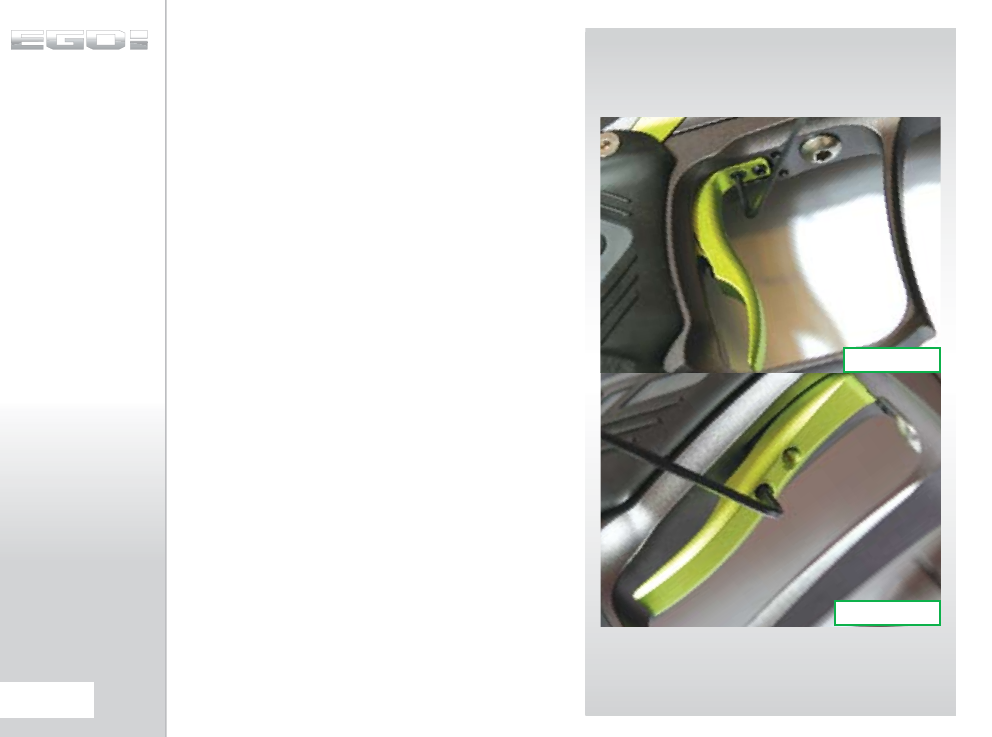
SETTING THE
TRIGGER
The Ego8 provides the user with the option to use either a Micro-
Switch or an opto sensor as the means for detecting trigger pulls.
Before you begin to adjust and set your trigger, you must first
select the method of trigger detection that you wish to use by
entering the Set-Up Menu and making your selection from the
Hardware Menu (SEE PAGE 48).
There are four adjustment points on the trigger – the Front Stop
Trigger Screw, the Rear Stop Trigger Screw, the Magnet Return
Strength Screw and the Micro Switch Activation Screw.
As standard each Ego8 comes with a factory set trigger travel
of approximately 2mm in total length; one millimeter of travel
before the firing point and one millimeter of travel after the
firing point, and the trigger detection method set to opto.
The Front Stop Trigger Screw is used to set the amount of trigger
travel prior to the marker firing. Turn this screw clockwise to
reduce the amount of travel. Do not turn the screw too far or
the trigger will be pushed past the firing point and the marker
will not work. Turn this screw counter clockwise to increase the
amount of trigger travel (SEE FIGURE 7.1).
The Rear Stop Trigger Screw is used to set the amount of travel
after the marker has fired. Turn this screw clockwise to reduce
the amount of travel. Do not turn the screw too far or the trigger
will be prevented from reaching its firing point and the marker
will not work. Turn this screw counter clockwise to increase the
amount of travel (SEE FIGURE 7.2).
FIG 7.2
FIG 7.1
16.
USING YOUR EGO8
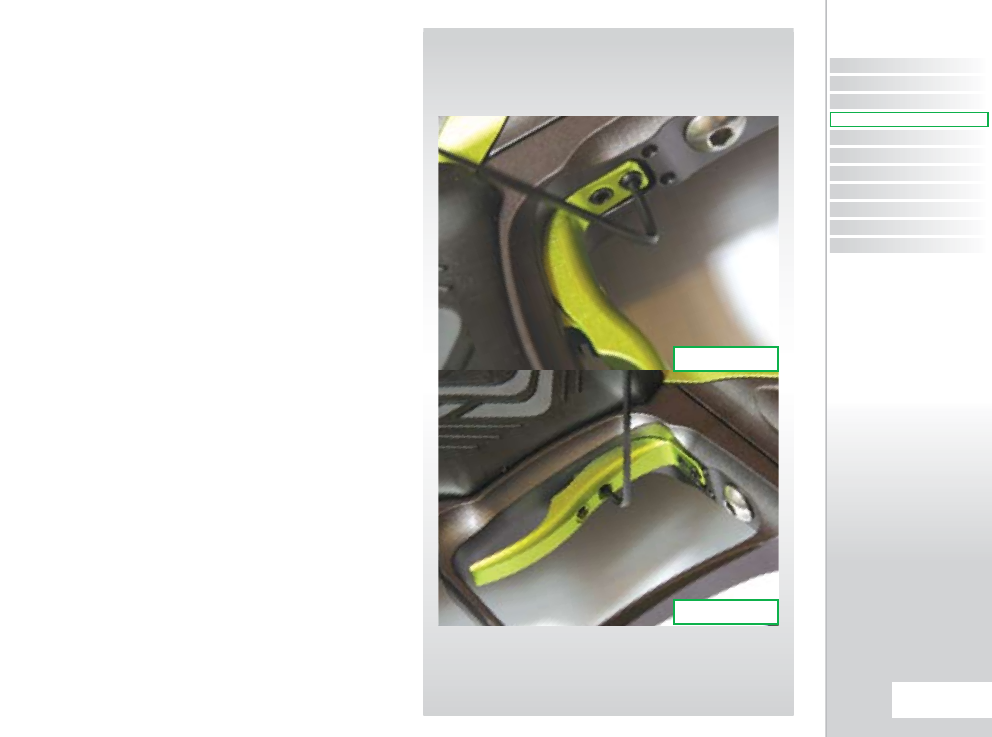
SETTING
THE TRIGGER CONT...
The Magnet Return Strength Screw is used to adjust the amount
of force with which the trigger is returned to its rest position by
the magnet. Turn the screw clockwise to increase the amount of
force. Do not turn the screw too far or it will negate the position
of the Front Stop Trigger Screw. Turn the screw counter clockwise
to reduce the amount of force. Do not turn the screw too far or
there will not be enough force to return the trigger (SEE FIGURE
7.3).
The Micro Switch Activation Screw is used to adjust the point in
the trigger pull at which the micro-switch is activated. Turn the
screw clockwise to decrease the amount of trigger travel to the
activation point. Turn the screw counter clockwise to increase
the amount of trigger travel to the activation point (SEE FIGURE
7.4).
If you have selected SWITCH from the HARDWARE Menu and are
consequently using the micro-switch as the method of trigger
detection then check that the micro-switch activates and de-
activates fully on each trigger pull and trigger release. If you have
selected OPTO from the HARDWARE Menu and are using the
OPTO sensor as the method of trigger detection, refer to setting
the BAND HI and BAND LO (SEE PAGE 45-46) as it is crucial that the
trigger pull and trigger filters are set up together for the trigger
filtering to work correctly.
FIG 7.3
FIG 7.4
CONTENTS
ORIENTATION
QUICK SET-UP
USING YOUR EGO8
ADVANCED SET-UP
MENU TREE
MAINTENANCE
FAULT FINDING
SERVICE CENTERS
PARTS LIST
SPARES & ACCESSORIES
17.
USING YOUR EGO8
USING YOUR EGO8
QUICK GUIDE
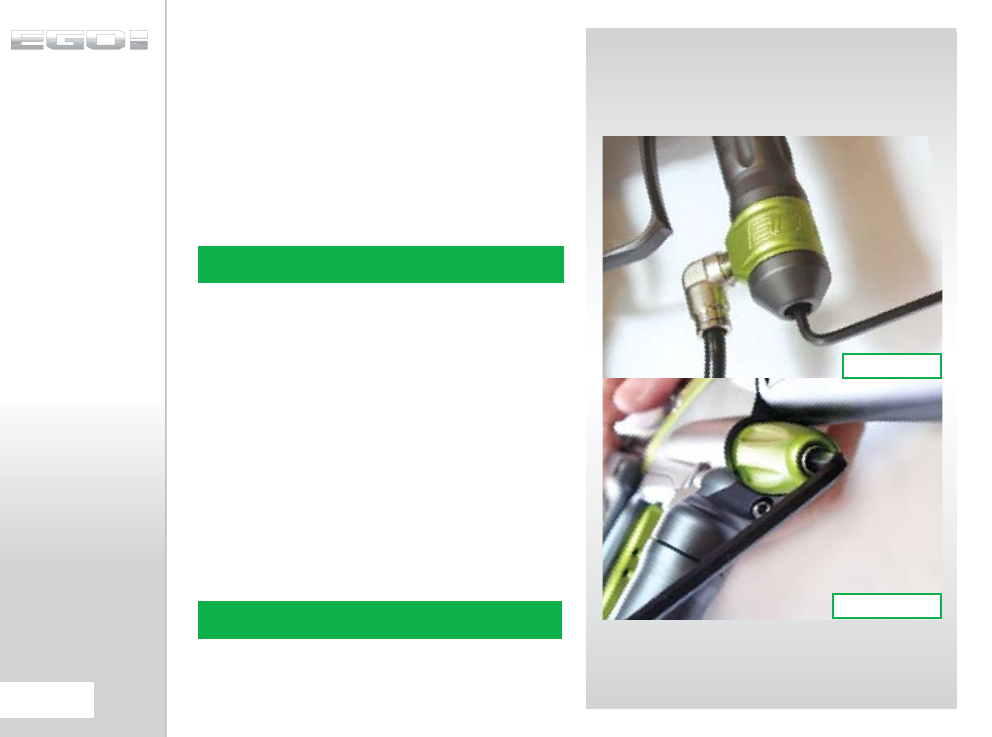
ADJUSTING
THE VELOCITY
When using your Ego8, you may wish to change the velocity
at which your Ego8 is firing. This is done by inserting a 1/8" hex
key into the adjuster screw at the bottom of your Ego8 Inline
Regulator and adjusting it accordingly (SEE FIGURE 6.1). By
turning this adjuster screw clockwise you decrease the output
pressure of the Inline Regulator and consequently the velocity,
by turning the adjuster screw counter clockwise you increase
the output pressure of the Inline Regulator and consequently
the velocity.
ADJUSTING THE LPR
PRESSURE
When using your Ego8, you may wish to change the output
pressure of your LPR. This is easily done by inserting a 5/32"
inch hex key into the adjuster screw at the front and adjusting it
accordingly (SEE FIGURE 6.2). However we recommend that the
LPR screw be left set flush with the front of the LPR cap.
By turning the adjuster screw clockwise, you decrease the output
pressure of your LPR and consequently reduce the pressure
driving your rammer back and forth. By turning the adjuster
screw counter clockwise, you increase the output pressure of
your LPR and consequently increase the pressure driving your
rammer back and forth.
NOTE: AFTER EACH ADJUSTMENT FIRE TWO CLEARING SHOTS TO
GAIN AN ACCURATE VELOCITY READING. NEVER EXCEED 300FPS.
NOTE: TURNING THE ADJUSTER SCREW OUT TOO FAR WILL CAUSE
IT TO FALL OUT.
FIG 6.1
FIG 6.2
18.
USING YOUR EGO8
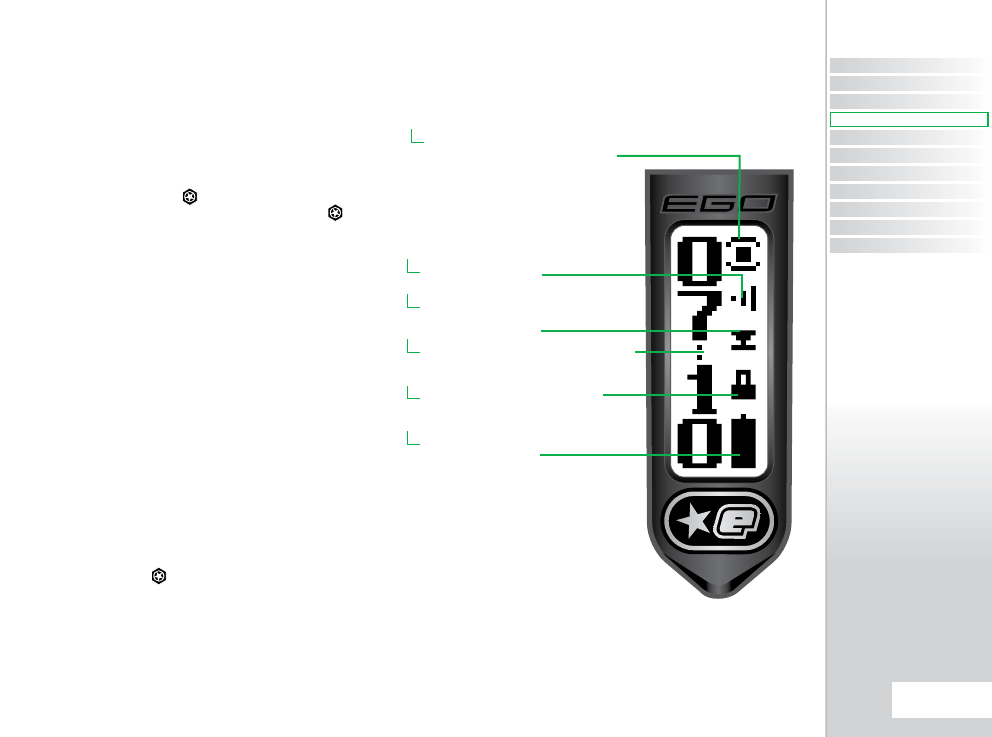
USER INTERFACE
The Ego8 has a simple user interface through which all aspects
of it’s electronic control system can be monitored and adjusted
by means of the three pushbuttons and graphical LCD which
comprise the Navigation Console.
SWITCHING ON
Pressing and holding the button will switch the Ego8 on.
The LCD display will show the Ego8 logo. When the button is
released, the LCD will show the Run Screen, which is the screen
displayed during the normal use of the Ego8.
RUN SCREEN LAYOUT
The root of the user interface is the Run Screen. This screen is the
one most often displayed and provides the user with essential
feedback on the state of the Ego8. A typical Run Screen is shown
on the right.
On the left of the screen is a display option that is user selectable
from the Main Menu (see page 29). This option can be:-
> A GAME TIMER
> A SHOT COUNTER
> AN AVERAGE RATE OF FIRE
INDICATOR
> A PEAK RATE OF FIRE
INDICATOR
Briefly pressing the button will replace the display option
with the name of the currently selected Preset (see page 33).
On the right of the screen are up to five icons, each of which
provides graphical indication on different parts of the Ego8
control electronics.
BREAK-BEAM
SENSOR SYSTEM
INDICATOR
USER SELECTABLE
DISPLAY OPTION
LOCK INDICATOR
BATTERY LEVEL
INDICATOR
TRIGGER
DETECTION
INDICATOR
AUX OUT
INDICATOR
CONTENTS
ORIENTATION
QUICK SET-UP
USING YOUR EGO8
ADVANCED SET-UP
MENU TREE
MAINTENANCE
FAULT FINDING
SERVICE CENTERS
PARTS LIST
SPARES & ACCESSORIES
19.
USING YOUR EGO8
USING YOUR EGO8
QUICK GUIDE
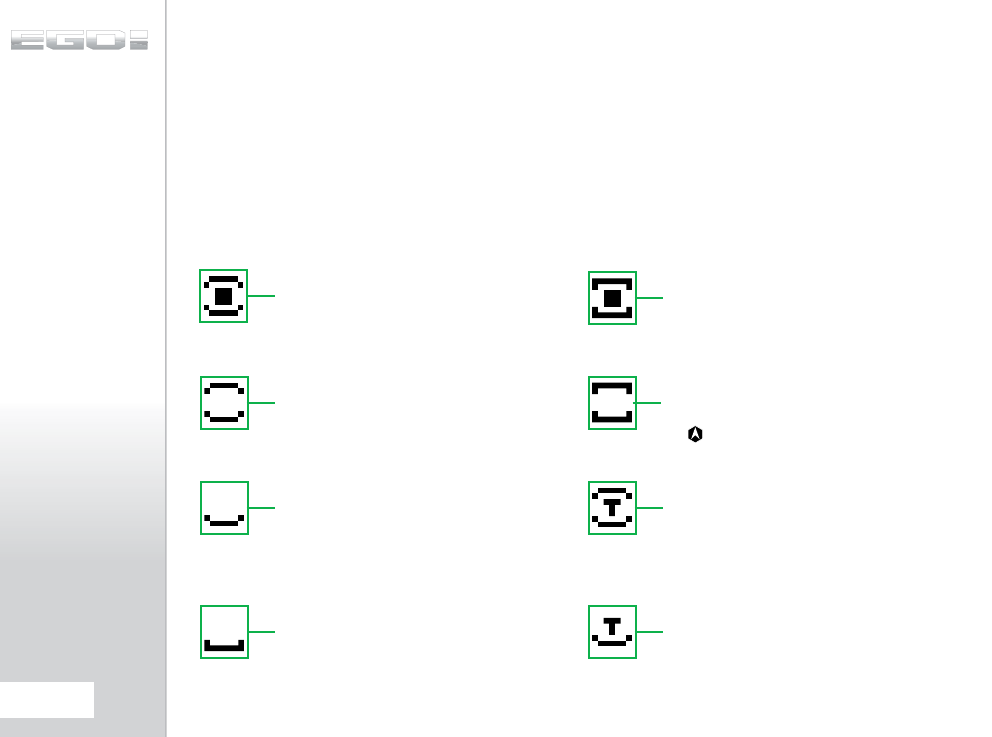
UNDERSTANDING
THE BBSS INDICATOR
(BBSS)
The BBSS is able to switch itself off in the event that a blockage
or contamination prevents it from functioning correctly. In this
instance, the BBSS will switch itself back on once the blockage is
cleared and the correct operation can be resumed.
The BBSS Indicator on the main screen is used to indicate the
eight possible states of the BBSS as follows:
BBSS ENABLED AND BALL
DETECTED
The Ego8 can be fired at the maximum rate of fire
determined by the chosen firing mode.
BBSS SENSOR FAULT HAS
BEEN CLEARED
The sensor has been re-enabled. A ball is detected
and the Ego8 can be fired at the maximum rate of
fire determined by the chosen firing mode.
BBSS ENABLED NO BALL
DETECTED
The Ego8 cannot be fired.
BBSS FAULT HAS BEEN
CLEARED
The sensor is enabled. No ball is detected so the
Ego8 cannot be fired. To reset the BBSS icon, use
the button to switch off the BBSS and then
back on again.
BBSS DISABLED
The Ego8 can be fired at a maximum rate of fire as
set by the OFF ROF
parameter (SEE PAGE 36)
BBSS ENABLED IN
TRAINING MODE
The BBSS has been over-ridden as the user has
selected training mode. As the user has chosen
to leave the BBSS on, the achievable rate of fire is
limited by the firing mode.
BBSS FAULT DETECTED
The system is disabled. The Ego8 can only be fired
at a maximum rate of fire of 10bps, regardless of
the chosen firing mode.
BBSS DISABLED IN
TRAINING MODE
The BBSS has been over-ridden as the user has
selected training mode. As the user has chosen
to turn the BBSS off, the achievable rate of fire is
limited by the OFF ROF parameter (see page 36).
20.
USING YOUR EGO8
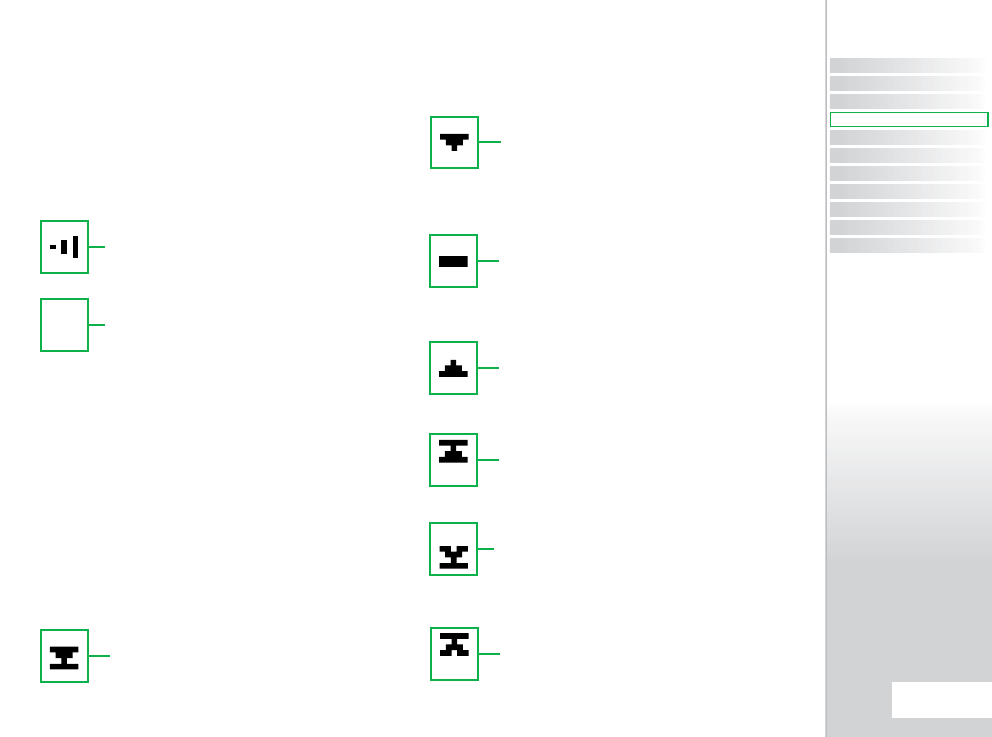
UNDERSTANDING THE
AUX OUT INDICATOR
(AOI)
The Aux Out Indicator on the main screen is used to convey if
the Aux Out parameter in the Hardware menu (AUX OUT) is
switched on or off.
There are two possible conditions that the SOI can indicate:
The Trigger Detection Indicator on the main screen is used to
convey both the method of trigger detection in use and the
current state of the trigger.
From the factory the Ego8 will have the opto sensor enabled.
The micro-switch option can be selected by referring to the
HARDWARE Menu (see page 48).
There are seven possible conditions that the TDI can indicate:
MICRO-SWITCH SELECTED,
NOT ACTUATED
The Ego8 is configured to use the micro-switch
to detect trigger pulls. The micro-switch is not
currently actuated, i.e. the trigger is released
OPTO SENSOR SELECTED,
WITHIN BAND
The Ego8 is configured to use the opto sensor to
detect trigger pulls. The opto sensor is currently
reading somewhere between the BAND LO and
BAND HI values, i.e. the trigger is half depressed.
MICRO-SWITCH SELECTED,
ACTUATED
The Ego8 is configured to use the micro-switch to
detect trigger pulls. The micro-switch is currently
actuated, i.e. the trigger is pulled.
OPTO SENSOR SELECTED,
ABOVE BAND HI
The Ego8 is configured to use the opto sensor to
detect trigger pulls. The opto sensor is currently
reading above the BAND HI value but below 100%,
i.e. the trigger has passed the activation point.
OPTO SENSOR SELECTED,
0% SIGNAL
The Ego8 is configured to use the opto sensor to
detect trigger pulls. The opto sensor is currently
reading 0%, i.e. the trigger is fully released.
OPTO SENSOR SELECTED,
100% SIGNAL
The Ego8 is configured to use the opto sensor to
detect trigger pulls. The opto sensor is currently
reading 100%, i.e. the trigger is fully depressed.
OPTO SENSOR SELECTED,
BELOW BAND LO
The Ego8 is configured to use the opto sensor to
detect trigger pulls. The opto sensor is currently
reading below the BAND LO value but above 0%,
i.e the trigger is slightly depressed.
UNDERSTANDING THE
TRIGGER DETECTION
INDICATOR (TDI)
AUX OUT ENABLED
The Aux Out parameter is enabled. Each time the
circuit board detects a valid trigger pull a signal will
be sent to the AUX connector on the circuit board
and to an expansion board (if fitted).
AUX OUT DISABLED
The Aux Out parameter is disabled. No signal will
be sent to either the AUX connector on the circuit
board or to an expansion board (if fitted).
CONTENTS
ORIENTATION
QUICK SET-UP
USING YOUR EGO8
ADVANCED SET-UP
MENU TREE
MAINTENANCE
FAULT FINDING
SERVICE CENTERS
PARTS LIST
SPARES & ACCESSORIES
21.
USING YOUR EGO8
USING YOUR EGO8
QUICK GUIDE

UNDERSTANDING THE
LOCK INDICATOR
The Ego8 has a tournament lock which prevents the user from
making changes to any parameter that affects the way in which
the Ego8 shoots, without the need for tools. This feature is
necessary in order to make the Ego8 legal for tournament play.
When the lock is enabled the lock indictor will show a
closed padlock .
When the lock is disabled the lock indictor will show an
open padlock .
UNDERSTANDING
THE BATTERY LEVEL
INDICATOR
The battery level indicator is used to show the state of the
battery within the Ego8. When the battery is fresh the indicator
will show a ‘full’ battery and as the battery is drained, so the
indicator will show the battery emptying. When the battery
reaches a point at which the Ego8 will no longer function reliably,
the indicator will start to flash. At this point the battery must be
changed immediately.
THE GAME TIMER
When the Game Timer is shown on the Run Screen then it can
be started by pressing the button and the timer will start to
count down. The Game Timer can also be configured to start on
a trigger press with the START parameter (see page 31).
When the Game Timer reaches the ALARM time the Gamer Timer
will start to flash and the audible alarm will sound every second,
provided that the optional Ego8 expansion board is fitted and
the BEEPER parameter is set to ‘on’.
When the Game Timer reaches 00:00, GAME OVER will be
displayed and the audible alarm will sound continually, provided
that the optional Ego8 expansion board is fitted and the BEEPER
parameter is set to ‘on’.
To stop the Game Timer at any time press and hold the
button for 0.5 seconds.
To reset the Game Timer to it’s preset start time, push and hold
the button for 1 second. The Game Timer will also be reset
whenever the Ego8 is switched off.
THE SHOT COUNTER
The Shot Counter increments every time that the Ego8 is fired,
regardless of whether the Shot Counter is displayed or not. When
the Shot Counter is displayed on the Run Screen it can be reset
to 0 by pressing and holding the button for 0.5 seconds.
22.
USING YOUR EGO8
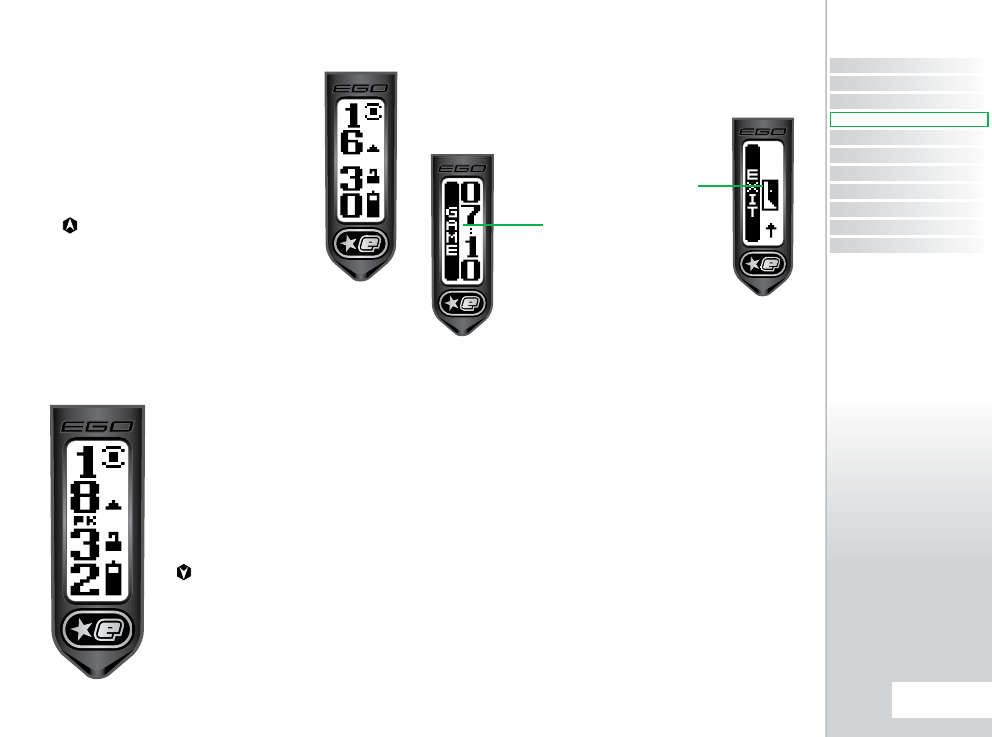
THE AVERAGE RATE
OF FIRE
When the Average ROF is selected for display the
Run Screen will look something like the screen
to the right. The value displayed in the top left of
the screen represents the number of full cycles
completed in the last second - the average rate
of fire over the second. The number below it is
the maximum average rate of fire that has been
recorded. To reset this maximum, press and hold
the button for 0.5 seconds.
THE PEAK RATE
OF FIRE
When the Peak ROF is selected for display
the Run Screen will look something like the
screen to the left, which differs from the
display of the Average ROF by the inclusion
of the indicator ‘PK’. The value displayed in
the top left of the screen represents the rate
of fire measured between the last two shots.
The number below it is the maximum peak
rate of fire that has been recorded. To reset
this maximum, press and hold
the button for 0.5seconds.
The Peak ROF is typically higher than the
Average ROF as it is much easier to fire
two shots in quick succession than it is to
maintain a string over a longer period of
time.
THE MENU SYSTEM
Behind the Run Screen is a structured menu system comprised
of multiple levels of menus. Each menu contains a number of
menu items and each menu item can either be an
editable parameter or a branch to another menu.
Branches always have an animated graphic whereas
parameters indicate their current value.
The menu structure is shown in the following pages.
The menus are ‘smart menus’ in that they will expand and
contract depending upon the state of certain parameters. For
example, the MAX ROF parameter is only visible when the ROF
CAP parameter is set to ‘on’. Smart menu items are indicated with
a * in the table below.
TYPICAL
BRANCH
TYPICAL
PARAMETER
CONTENTS
ORIENTATION
QUICK SET-UP
USING YOUR EGO8
ADVANCED SET-UP
MENU TREE
MAINTENANCE
FAULT FINDING
SERVICE CENTERS
PARTS LIST
SPARES & ACCESSORIES
23.
USING YOUR EGO8
USING YOUR EGO8
QUICK GUIDE
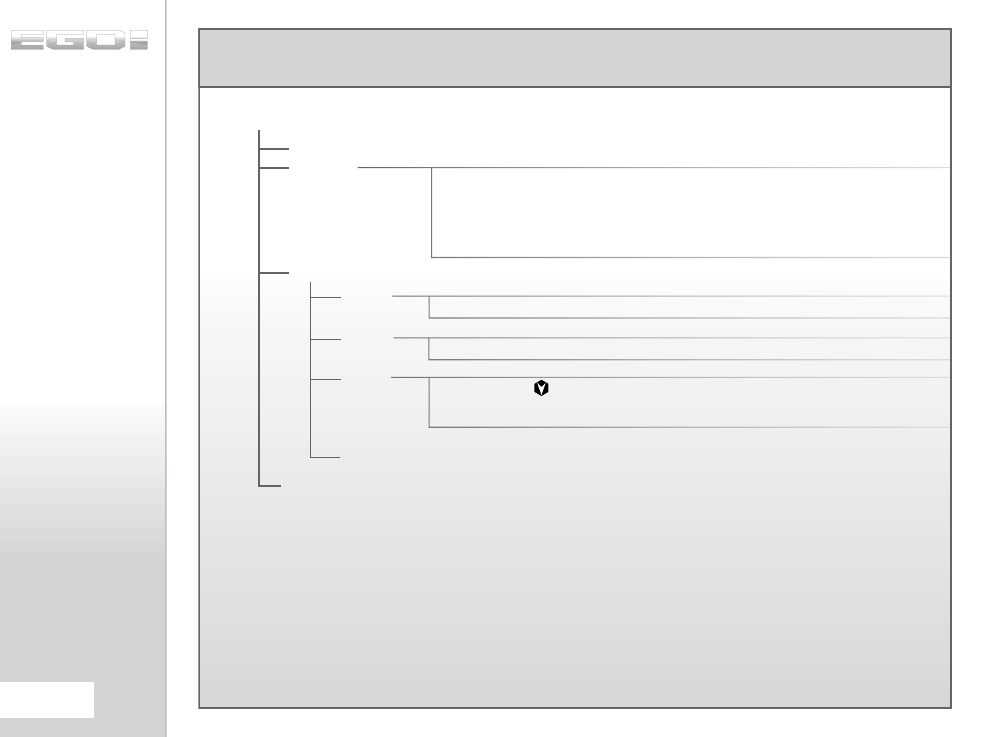
MAIN MENU
Timer
Shots
Avg ROF
Peak ROF
Cancel
00:00 - 60:00
00:00 - 10:00
Button
Trigger
Cancel
MAIN MENU
OFF?
DISPLAY
TIMER
GAME
ALARM
START
EXIT
BACK
Turn off the Ego8
Display the game timer on the Run Screen
Display the shot counter on the Run Screen
Display the average rate of fire on the Run Screen
Display the peak rate of fire on the Run Screen
Cancel the display selection
Countdown game timer start time
Alarm activation time
button starts the game timer
Trigger pull starts the game timer
Cancel game timer start event selection
Go back one menu level
Return to the Run Screen
24.
MENU TREE
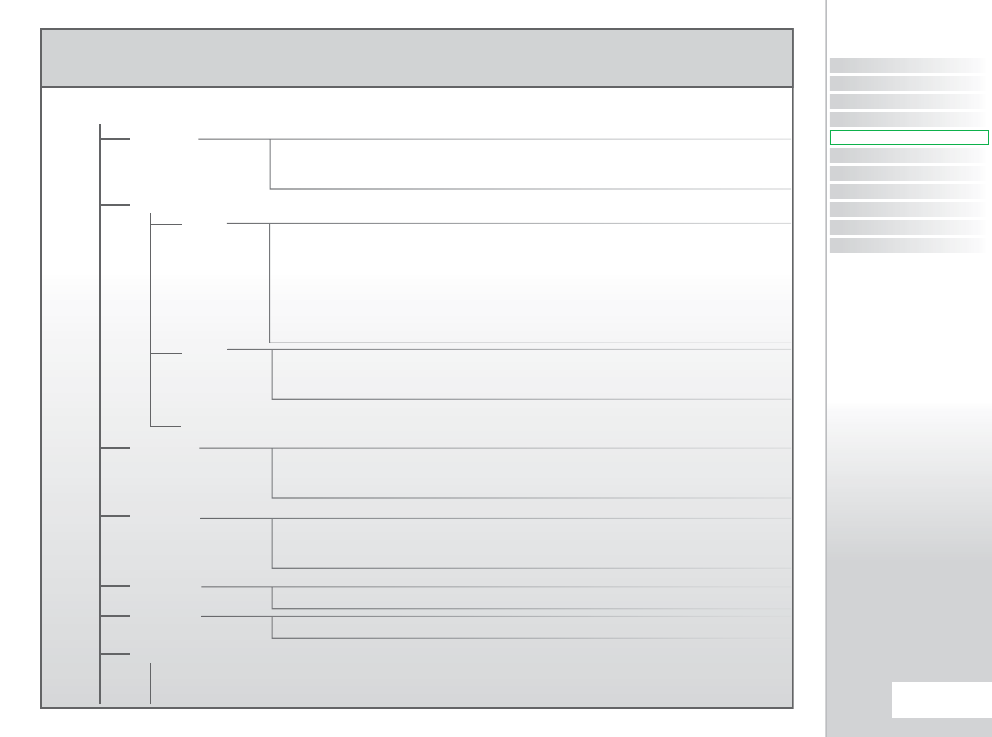
SET-UP MENU
Off
On
Cancel
User 1
User 2
Factory
NPPL
PSP
MILLEN
CFOA
Cancel
User 1
User 2
Cancel
Semi
Ramp
Cancel
Off
On
Cancel
10.0 - 30.0
4.0 - 15.0
SET-UP MENU
LOCK
PRESET
LOAD
SAVE
BACK
Turn the tournament lock off
Turn the tournament lock on
Make no changes to the tournament lock
Load the User 1 settings
Load the User 2 settings
Load the default factory settings (semi-automatic)
Load NPPL compliant settings
Load PSP compliant settings
Load Millenium Series compliant settings
Load CFOA compliant settings
Cancel the load operation
Save the current settings at the User 1 settings
Save the current settings as the User 2 settings
Cancel the save operation
Go back one menu level
Select semi-automatic mode of fire
Select ramping mode of fire
Cancel the mode selection
Turn off the rate of fire cap
Turn on the rate of fire cap
Cancel the ROF cap selection
Rate of fire cap in balls per second when BBSS is enabled
Rate of fire cap in balls per second when BBSS is disabled
MODE
ROF CAP
MAX ROF*
OFF ROF
RAMP SET*
CONTENTS
ORIENTATION
QUICK SET-UP
USING YOUR EGO8
ADVANCED SET-UP
MENU TREE
MAINTENANCE
FAULT FINDING
SERVICE CENTERS
PARTS LIST
SPARES & ACCESSORIES
25.
MENU TREE
MENU TREE
QUICK GUIDE
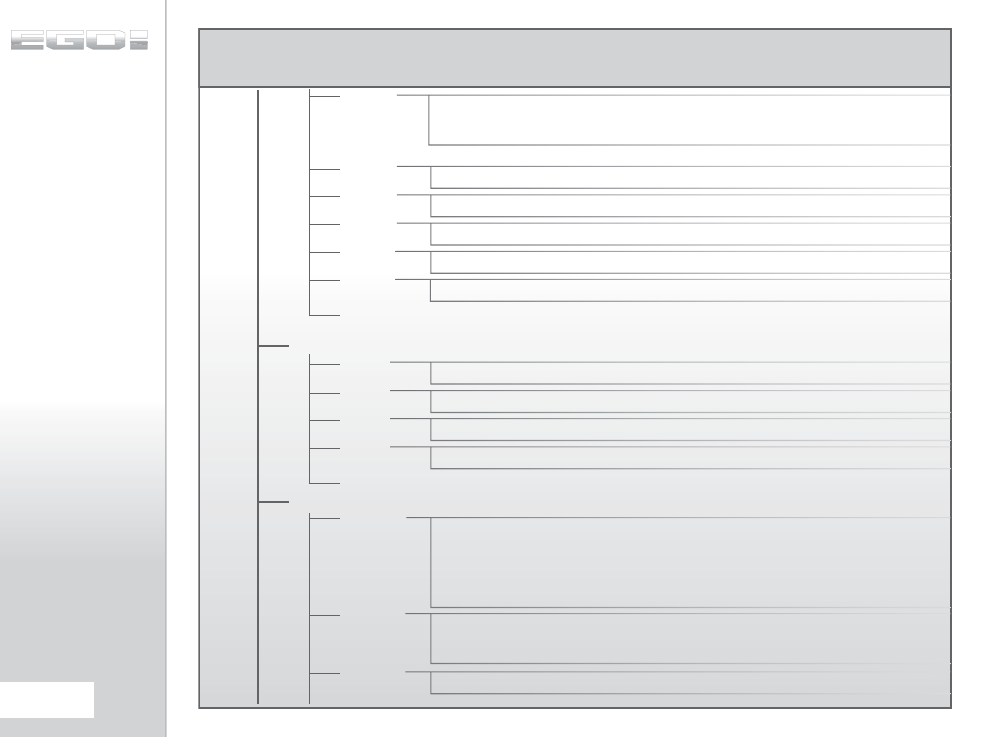
SET-UP MENU
Step
Linear
Cancel
0 - 100
4 - 9
5.0 - 15.0
5.0 - 15.0
0.0 - 1.0
0.0 - 25.0
0.0 - 3.0
0.5 - 20.0
5 - 60
TT
Level 9
.
.
Level 1
Cancel
1.0 - 20.0
1.0 - 20.0
TYPE
RATE
BACK
Select step type ramping
Select linear type ramping
Cancel the ramp type selection
Percentage linear ramp rate
Number of shots before ramping can start
Rate at which trigger has to be pulled in pulls per second before ramping can start
Rate at which trigger has to be pulled in pulls per second in order to maintain ramping
Time in seconds after last trigger pull during which ramp can be restarted
Go back one menu level
Solenoid energise time in milliseconds for each shot
First shot drop-off compensation time in milliseconds
Backlight off delay in seconds
Auto power off time in minutes
Go back one menu level
Use Trigger Transition Filter
Use trigger debounce level 9 (less bounce)
Use trigger debounce level 1 (more bounce)
Cancel debounce selection
Time in milliseconds that the breech must remain empty before the BBSS can look for a
paintball.
Time in milliseconds that a paintball must be in the breech for the Ego8 to be ready to fire
TIMING
FILTER
PULL NO
KICK IN
SUSTAIN
RESTART
DWELL
FSDO
LIGHT
SLEEP
BACK
DBOUNCE
EMPTY
BALL
26.
MENU TREE
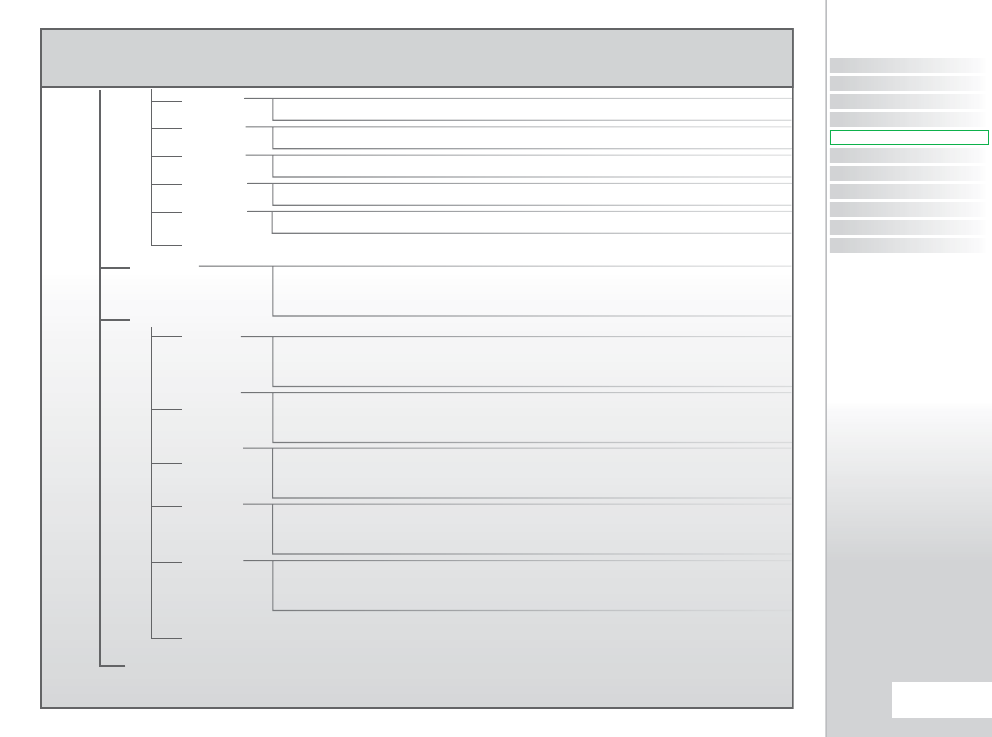
SET-UP MENU
3.0 - 25.0
3.0 - 25.0
51 - 99
1 - 49
0 - 100
Off
On
Cancel
Opto
Switch
Cancel
Lo Power
Hi Power
Cancel
Lo Power
Hi Power
Cancel
Off
On
Cancel
Off
On
Cancel
PULL
BACK
Time in milliseconds that the trigger must be pulled for a shot to be fired
Time in milliseconds that the trigger must be released before a pull can be recorded
Top limit (trigger activation point) of debounce band expressed as a percentage
Bottom limit (trigger release point) of debounce band expressed as a percentage
Percentage Trigger Transition Filter tolerance
Go back one menu level
Training mode disabled
Training mode enabled
Cancel training mode selection
Use opto sensor to detect trigger operation
Use micro-switch to detect trigger operation
Cancel trigger detection method selection
Select standard BBSS power level
Select high power level for BBSS
Cancel BBSS power level selection
Select standard solenoid power level
Select high power level for solenoid
Cancel solenoid power level selection
Turn off audible indicator
Turn on audible indicator (if expansion board fitted)
Cancel audible indicator selection
Turn off auxiliary output
Turn on auxiliary output
Cancel auxiliary output selection
Go back one menu level
Return to the Run Screen
TRAININ
RELEASE
BAND HI*
BAND LO*
TT TOL*
TRIGGER
BBSS
SOLNOID
BEEPER
BACK
HARDWRE
SIG OUT
EXIT
CONTENTS
ORIENTATION
QUICK SET-UP
USING YOUR EGO8
ADVANCED SET-UP
MENU TREE
MAINTENANCE
FAULT FINDING
SERVICE CENTERS
PARTS LIST
SPARES & ACCESSORIES
27.
MENU TREE
MENU TREE
QUICK GUIDE
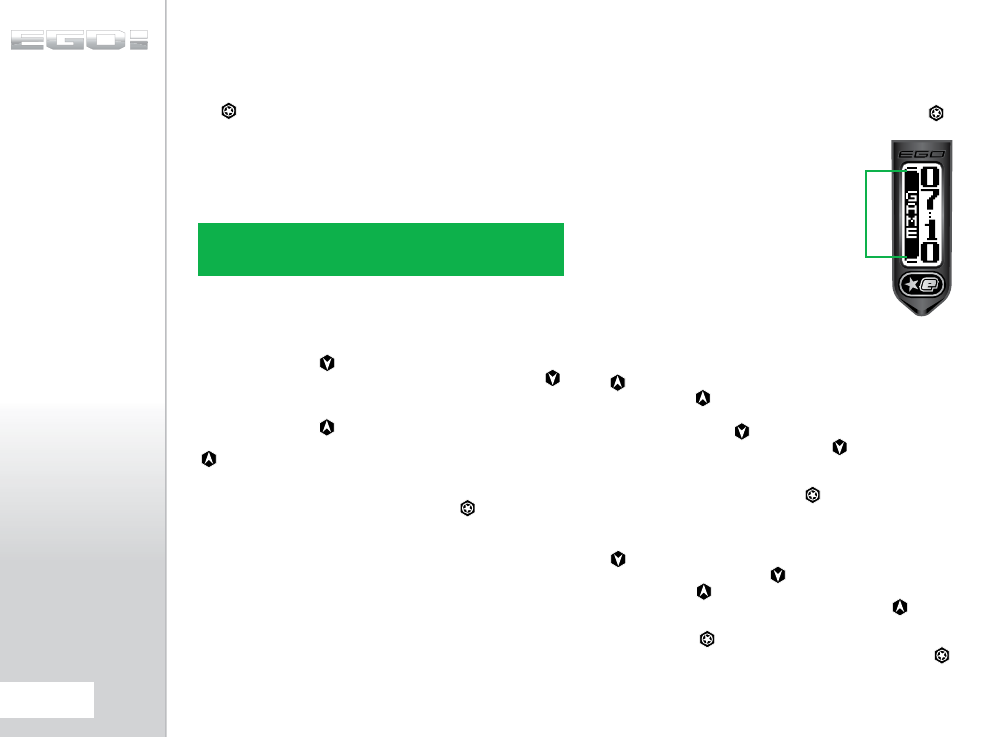
ACCESSING THE
MENU SYSTEM
To access the Main Menu from the Run Screen, push and hold
the button for 1 second. The name of the currently selected
Preset will be displayed followed by the first item on the Main
Menu.
To access the Setup Menu from the Run Screen, push and hold
the internal button for 1 second. The first item on the Setup
Menu will then be displayed.
MOVING AROUND THE
MENUS
Press and release the button to display the next item on
the menu. When the last menu item is displayed, pressing the
button will display the first item.
Press and release the button to display the previous item on
the menu. When the first menu item is displayed, pressing the
button will display the last item.
When the displayed menu item is a branch, as indicated by an
animation on the right of the screen, press the button to
move to another menu.
ALTERING
PARAMETERS
When the displayed menu item is a parameter, as indicated
by a parameter value on the right of the screen, pressing the
button will activate the EDIT mode which allows the parameter
value to be altered. When EDIT mode is active, edit
indicators appear on the left of the screen as shown
in the screen below.
There are two types of parameter, numeric
parameters and choice parameters. A numeric
parameter has a value which is a number whereas
a choice parameter is one that has a small number
of distinct choices. Altering parameter values is
essentially the same for both types of parameter.
To alter a numeric parameter, first activate the EDIT mode. Press
the button to increase the parameter value one step at a time.
Press and hold the button to increase the parameter value
rapidly. When the value reaches it’s maximum it will revert to it’s
minimum value. Press the button to decrease the parameter
value one step at a time. Press and hold the button to
decrease the parameter value rapidly. When the value reaches it’s
minimum it will revert to it’s maximum value. When the required
parameter value it displayed press the button to accept the
value and end the EDIT mode.
To alter a choice parameter, first activate the EDIT mode. Press
the button to display the next choice in the list. When the
last choice is displayed, pressing will display the first choice
in the list. Press the button to display the previous choice in
the list. When the first choice is displayed, pressing the button
will display the last choice in the list. When the required choice is
displayed press the button to accept the choice and end the
EDIT mode. If the displayed choice is Cancel then pressing the
button will end the EDIT mode and restore the parameter to the
value that is was prior to editing.
NOTE: IF THE TOURNAMENT LOCK IS SET TO ‘OFF’ THEN THE MAIN
MENU AND SETUP MENU ARE JOINED TOGETHER WHICH MEANS
THAT THEY CAN BE ACCESSED IN EITHER OF THE TWO WAYS ABOVE.
EDIT INDICATORS
28.
ADVANCED SET-UP
THE MAIN MENU
The Main Menu comprises parameters that do not affect the way
in which the Ego8 shoots and which therefore do not have to be
tournament locked.
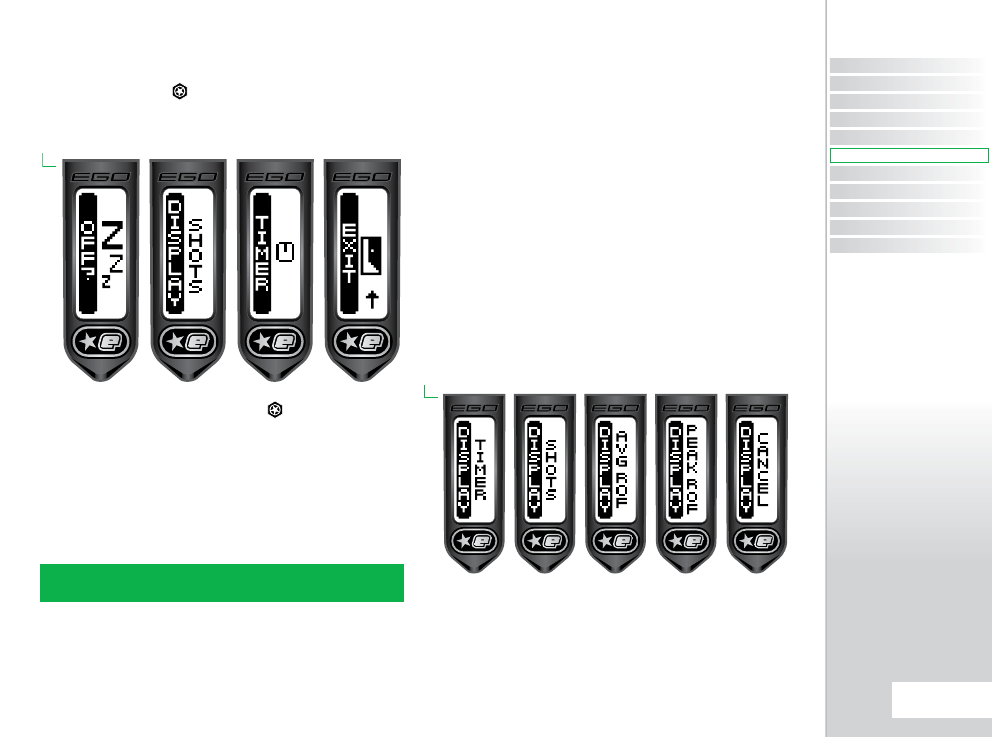
From the Run Screen push and hold the button. Initially, the
current Preset configuration will be displayed and then after one
1 second OFF? will be displayed, the first item on the Main Menu.
To turn off the Ego8, select the OFF? branch or pull the trigger
while the OFF? branch is displayed.
To return to the Run Screen, select the EXIT branch.
THE DISPLAY
PARAMETER
(DISPLAY)
This parameter is used to select the information that is displayed
on the left of the Run Screen. This parameter has the following
choices:-
> TIMER:
The Game Timer is displayed on the Run Screen
> SHOTS:
The Shot Counter is displayed on the Run
Screen
> AVG ROF:
The Average Rate of Fire is displayed on
the Run Screen
> PEAK ROF:
The Peak Rate of Fire is displayed on
the Run Screen
> CANCEL:
Editing is cancelled and the parameter
remains unchanged.
This parameter differs from most others in that once a choice has
been made then the EDIT mode it ended and the display returns
to the Run Screen.
NOTE: IF THE LOCK OPTION IS DISABLED FURTHER OPTIONS WILL
BE DISPLAYED IN THE MAIN MENU.
CONTENTS
ORIENTATION
QUICK SET-UP
USING YOUR EGO8
ADVANCED SET-UP
MENU TREE
MAINTENANCE
FAULT FINDING
SERVICE CENTERS
PARTS LIST
SPARES & ACCESSORIES
29.
ADVANCED SET-UP
ADVANCED SET-UP
QUICK GUIDE
THE GAME
TIMER MENU (TIMER)
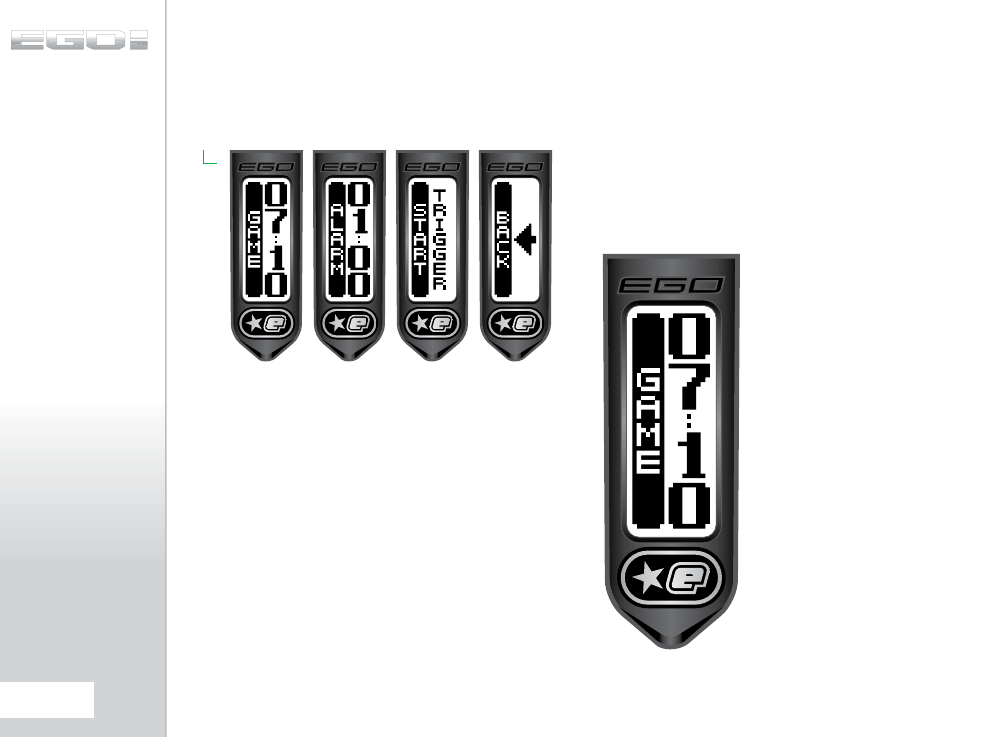
This menu is comprised of parameters that control the operation
of the Game Timer:
GAME PARAMETER
(GAME)
This parameter is used to set the game time; the time from which
the game timer counts down to zero. This parameter can be set
between 00:00 and 60:00 minutes in 10 second increments and
the factory default is 07:10 (7 minutes 10 seconds).
When the game timer reaches 00:00, GAME OVER will be
displayed and the audible alarm will sound continually, provided
that the optional Ego8 expansion board is fitted and the BEEPER
parameter is set to ‘on’.
30.
ADVANCED SET-UP
ALARM PARAMETER
(ALARM)
An alarm condition is generated whenever the game timer
counts down to a specific time set by the ALARM parameter. This
parameter can be set between 00:00 and 10:00 minutes in 10
second increments.
When the alarm condition is generated the game timer will start
to flash and the audible alarm will sound every second, provided
that the optional Ego8 expansion board is fitted and the BEEPER
parameter is set to ‘on’.
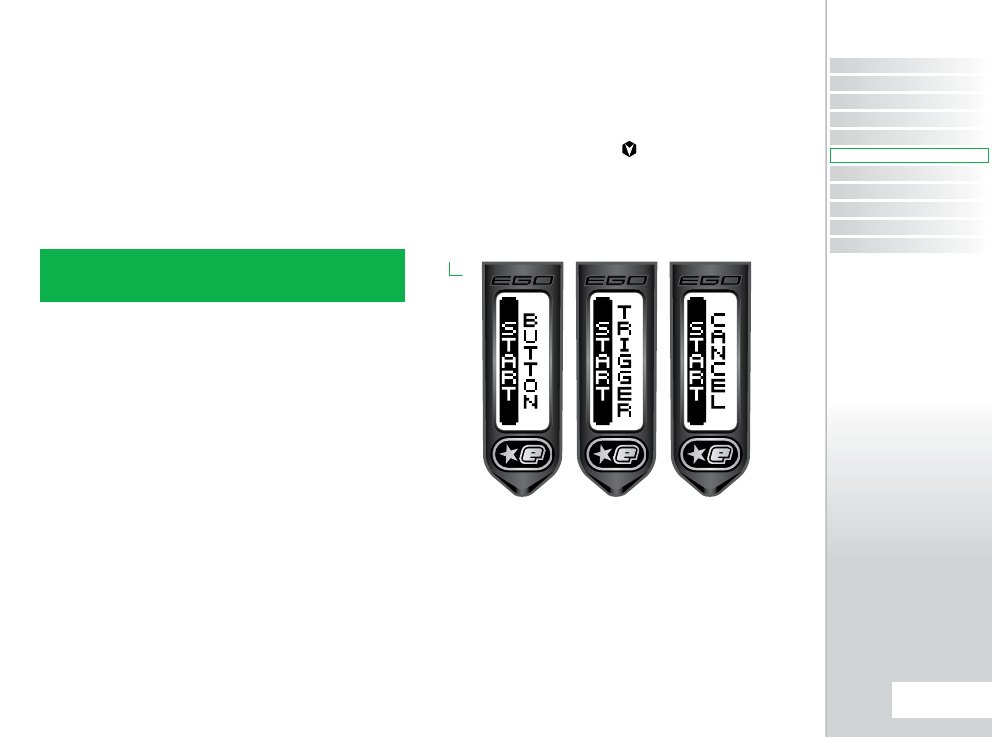
START PARAMETER
(START)
This parameter is used to select the event which will cause the
game timer to begin counting down. This parameter has the
following choices:
> BUTTON:
Pressing the button will start the game
timer.
> TRIGGER:
Pulling the trigger will start the game
timer.
> CANCEL:
Cancel editing and leave the parameter
unchanged.
NOTE: THE EGO8 HAS THE ABILITY TO BE UPGRADED WITH AN
AUDIBLE ALARM FEATURE BY INSTALLING AN ECLIPSE EXPANSION
BOARD (SOLD SEPARATELY).
CONTENTS
ORIENTATION
QUICK SET-UP
USING YOUR EGO8
ADVANCED SET-UP
MENU TREE
MAINTENANCE
FAULT FINDING
SERVICE CENTERS
PARTS LIST
SPARES & ACCESSORIES
31.
ADVANCED SET-UP
ADVANCED SET-UP
QUICK GUIDE
THE SETUP MENU
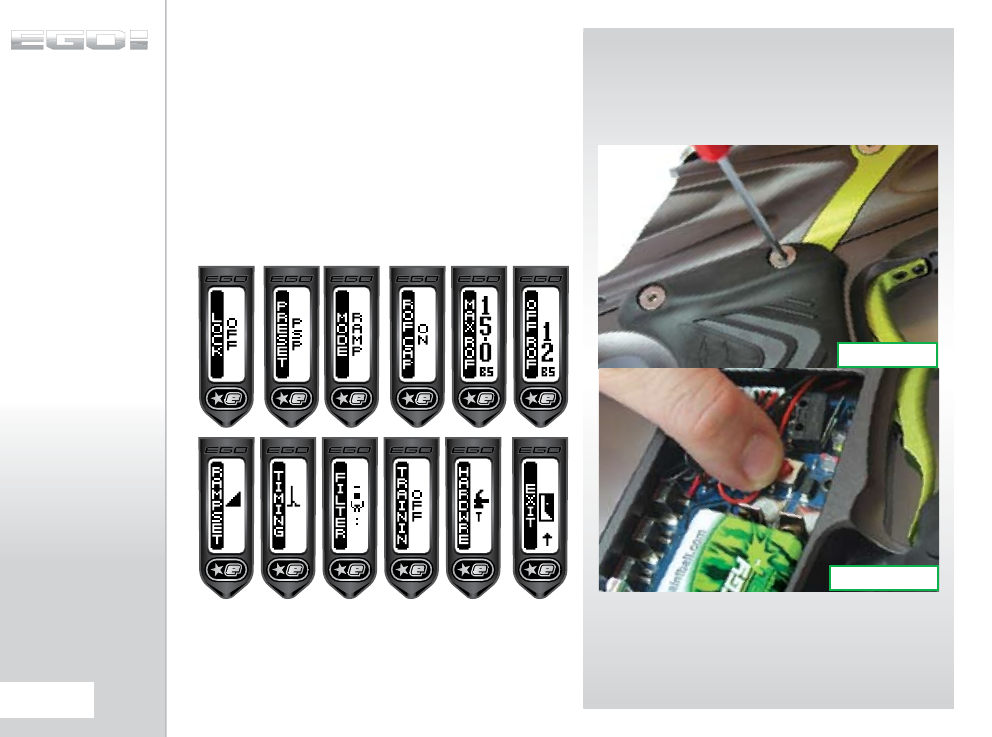
This menu is the starting point for access to all of the parameters
that control the way that the Ego8 operates. To access this menu,
first turn on the Ego8 and then remove the 3 screws holding the
right hand cheek of the rubber grips (see figure 8.1). Peeling back
the cheek will reveal a red SETUP button on the circuit board (SEE
FIGURE 8.2) which should be pushed and held for 1 second.
If the tournament lock (LOCK) is off then this menu is joined
to the end of the Main Menu and can therefore be accessed
without tools.
FIG 8.1
FIG 8.2
32.
ADVANCED SET-UP
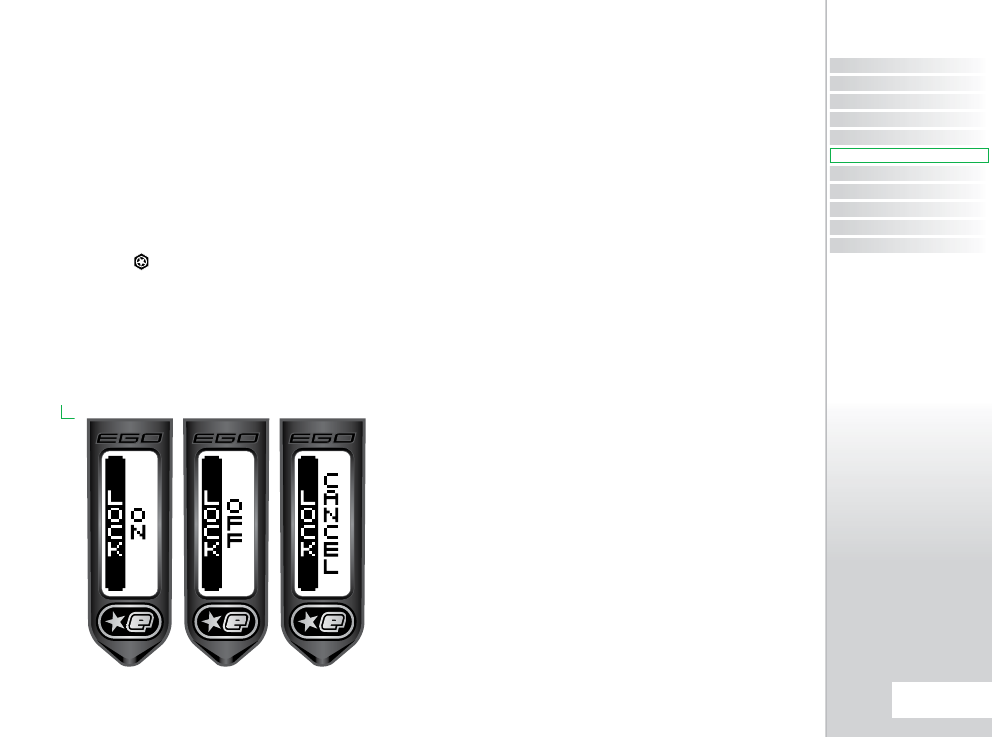
THE TOURNAMENT
LOCK PARAMETER
(LOCK)
The Ego8 has a tournament lock which prevents the user from
making changes to any parameter that affects the way in which
the Ego8 shoots without the use of tools.
This parameter is used to set the state of the tournament lock
and has the following choices:-
> OFF:
Turn on the tournament lock. The SETUP menu is
added to the MAIN menu, making it easily accessible by pressing
and holding the button.
> ON:
Turn off the tournament lock. The SETUP menu is
only accessible by removing the right hand cheek of the rubber
grips and then pressing and holding the red SETUP button on
the circuit board.
> CANCEL:
Cancel selection and leave the parameter
unchanged.
THE PRESET MENU
(PRESET)
In order to simplify the set up of the Ego8 a number of Preset
configurations are available for selection. Choosing one of these
presets will cause all of the necessary parameters to be set in
such a way as to make the Ego8 comply with the rules governing
a particular paintball league. It is also possible for the user to save
up to two Preset configurations of their own.
THE LOAD PRESET
PARAMETER (LOAD)
This parameter is used to load the required Preset configuration
and has the following choices. With the exception of FACTORY
each of the Presets changes only those parameters that control
the firing mode of the Ego8, leaving Filter, Timing and Hardware
parameters unchanged.
> FACTORY:
Reset every parameter to the factory set
defaults. The Ego8 leaves the factory set in this way and this
is also described on the Run Screen as SEMI.
> NPPL:
Load a set of parameters that configures the
Ego8 to comply with the 2007 NPPL rules governing firing
modes.
> PSP:
Load a set of parameters that configures the Ego8
to comply with the 2007 PSP governing firing modes
> MILLEN:
Load a set of parameters that configures the
Ego8 to comply with the 007 Millennium Series
rules governing firing modes.
> CFOA:
Load a set of parameters that configures the
Ego8 to comply with the 2007 CFOA rules governing firing
modes.
> CANCEL:
Editing is cancelled and the parameter
remains unchanged.
CONTENTS
ORIENTATION
QUICK SET-UP
USING YOUR EGO8
ADVANCED SET-UP
MENU TREE
MAINTENANCE
FAULT FINDING
SERVICE CENTERS
PARTS LIST
SPARES & ACCESSORIES
33.
ADVANCED SET-UP
ADVANCED SET-UP
QUICK GUIDE
THE LOAD PRESET
PARAMETER CONT...
> USER 1:
Load a set of custom firing mode parameters
that have been previously saved by the user.
> USER 2:
Load a second set of custom firing mode
parameters that have been previously saved by the user.
With the exception of FACTORY each of the Presets changes
only those parameters that control the firing mode of the Ego8,
leaving Filter, Timing and Hardware parameters unchanged.
THE SAVE PRESET
PARAMETER (SAVE)
This parameter is used to save the current set of parameters as
a user defined custom Preset configuration. This parameter has
the following choices:-
> USER 1:
Save the current parameters as the Preset
‘USER 1’
> USER 2:
Save the current parameters as the Preset
‘USER 2’
> CANCEL:
Editing is cancelled and the parameter
remains unchanged.
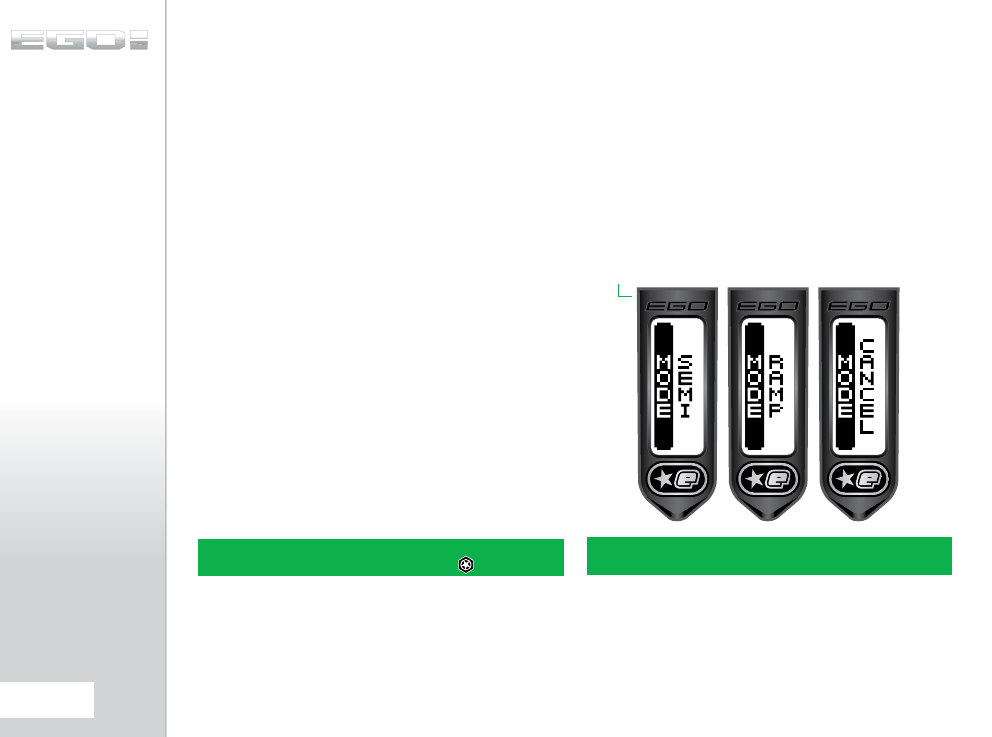
THE FIRING MODE
PARAMETER (MODE)
This parameter is used to select the firing mode of the Ego8 and
has the following choices:
> SEMI:
This is the default and in this firing mode the
Ego8 will fire one shot for every trigger pull
> RAMP:
In this firing mode, the rate of fire is increased
above the rate at which the trigger is pulled once certain
criteria have been met. These criteria are set by the
parameters on the RAMP SET menu
> CANCEL:
Editing is cancelled and the parameter is
unchanged
PLEASE NOTE: CERTAIN MODES MAY ONLY BE AVAILABLE IN
CERTAIN COUNTRIES AND ON CERTAIN MODELS OF THE EGO8.
NOTE: THE CURRENT PRESET CONFIGURATION CAN BE VIEWED
FROM THE RUN SCREEN BY PRESSING THE BUTTON.
34.
ADVANCED SET-UP
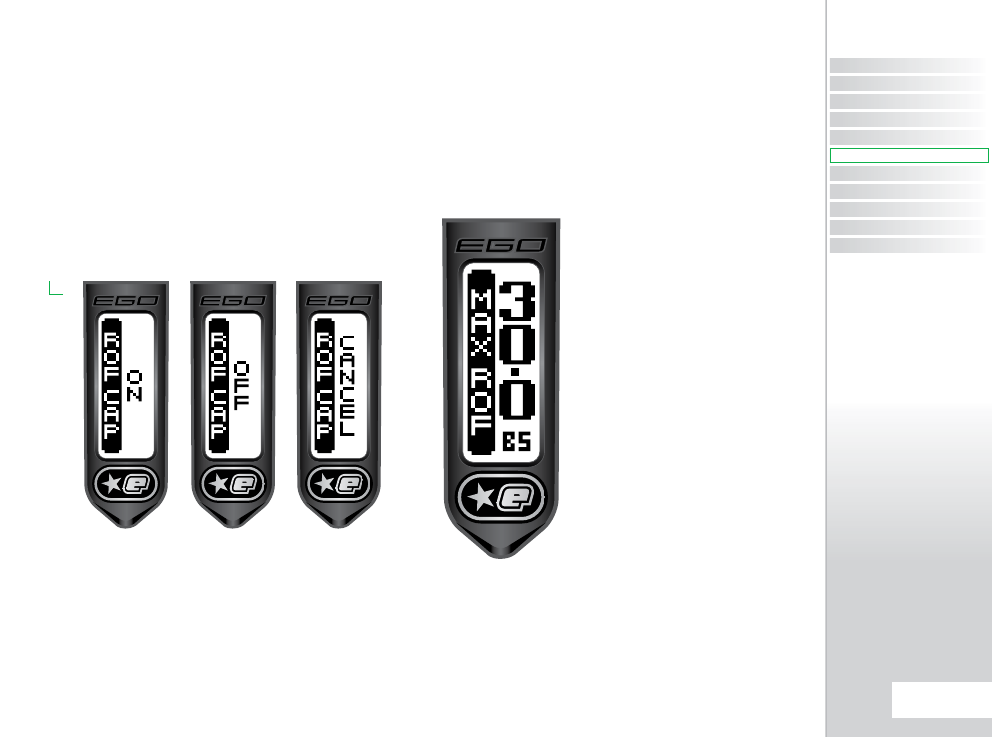
RATE OF FIRE CAP
PARAMETER
(ROF CAP)
The Rate of Fire Cap parameter is used to specify whether or not
the Ego8 should have a limited, or capped rate of fire. When the
ROF CAP is enabled, the maximum achievable rate of fire is set by
the MAX ROF parameter. Choices for the ROF CAP parameter are:-
> OFF:
Rate of Fire only limited bu the loader
> ON:
Rate of Fire limited to the MAX ROF parameter value
> CANCEL:
Cancel editing and leave the parameter
unchanged
If the ROF CAP is switched ON, then the MAX ROF parameter
will feature as an item in the SET-UP Menu. If the ROF CAP is
switched OFF, the MAX ROF parameter is redundant and omitted
from the SET-UP Menu.
MAXIMUM RATE OF
FIRE PARAMETER
(MAX ROF)
The Maximum Rate Of Fire parameter is used to set the
maximum achievable rate of fire from the Ego8. The value of
this parameter can be adjusted between 10.0 and 30.0 balls per
second in 0.1bps increments.
The MAXIMUM RATE OF FIRE parameter will only be displayed if
you have set the ROF CAP parameter to ‘on’.
CONTENTS
ORIENTATION
QUICK SET-UP
USING YOUR EGO8
ADVANCED SET-UP
MENU TREE
MAINTENANCE
FAULT FINDING
SERVICE CENTERS
PARTS LIST
SPARES & ACCESSORIES
35.
ADVANCED SET-UP
ADVANCED SET-UP
QUICK GUIDE
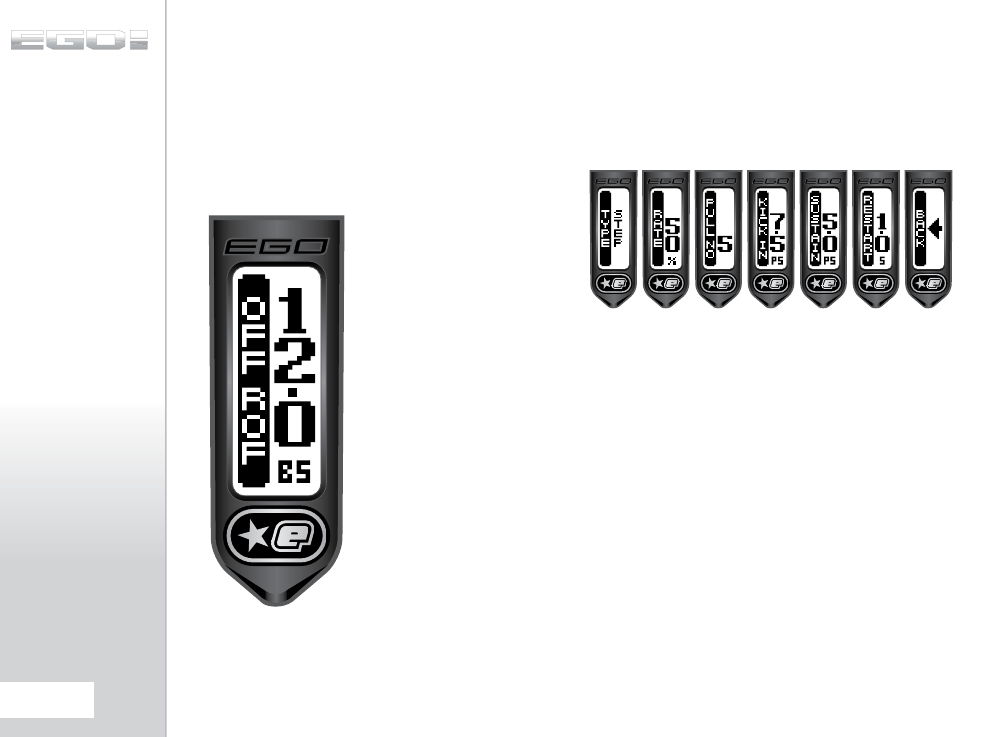
RATE OF FIRE
WHEN BBSS OFF
PARAMETER
(OFF ROF)
The OFF ROF parameter is used to control how fast the Ego8
cycles when the Break-Beam Sensor System is disabled. This
parameter can be set between 4.0 and 15.0 balls per second and
should always be set to the slowest speed of the loading system
in use.
THE RAMP SETTINGS
MENU (RMP SET)
This menu is only available when ramping has been selected
with the MODE parameter and comprises a list of parameters
that control the way in which the Ego8 ramps, as shown below:
36.
ADVANCED SET-UP
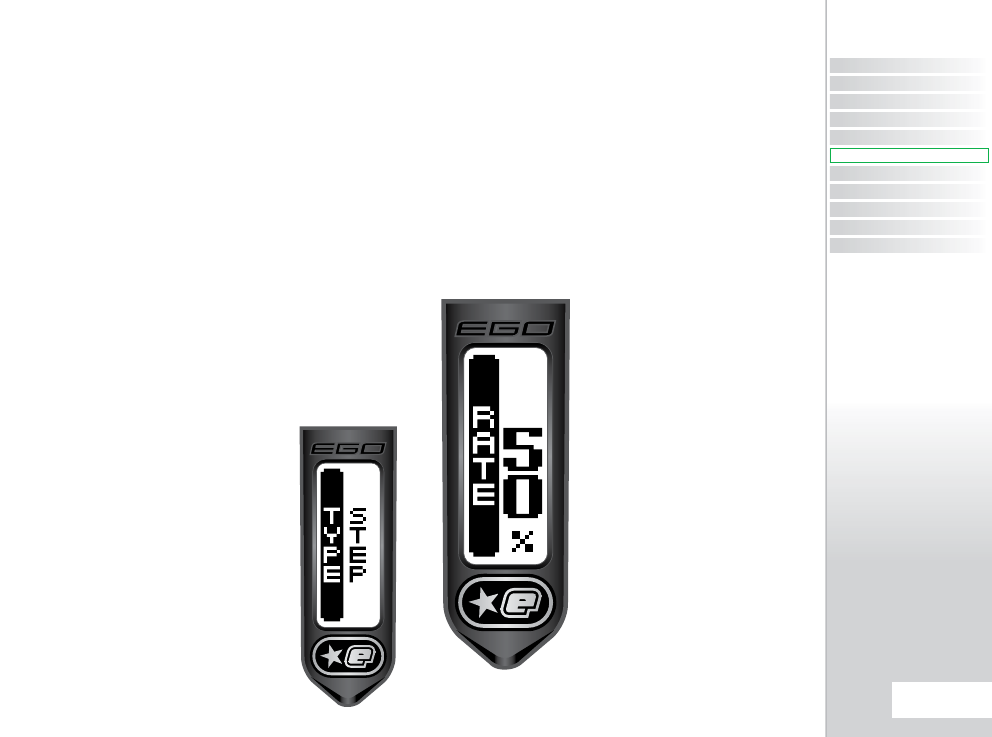
THE RAMP TYPE
PARAMETER (TYPE)
This parameter is used to select the ramping style and has the
following choices:-
> STEP:
Step ramping will cause the Ego8 to shoot in
semi-automatic until a number of trigger pulls, set by PULL
NO, have been made at a minimum pull rate, set by KICK IN.
At this point the rate of fire will step up to the maximum rate
of fire as set by MAX ROF (or the maximum loader speed
if the rate of fire cap, ROF CAP is off). Ramping is maintained
as long as the user continues to pull the trigger at a required
rate set by SUSTAIN.
> LINEAR:
Linear ramping will cause the Ego8 to shoot
in semi-automatic until a number of trigger pulls,
set by PULL NO, have been made at a minimum pull rate,
set by KICK IN. At this point the rate of fire will equal the rate
of trigger pulls increased by the percentage specified by
RATE up to a maximum rate of fire as set by MAX ROF, if the
rate of fire cap is off). Ramping is maintained as long as
the user continues to pull the trigger at a required rate set by
SUSTAIN.
> CANCEL:
Editing is cancelled and no changes are
made to the parameter.
THE LINEAR RAMP
RATE PARAMETER
(RATE)
The parameter is only available when Linear Ramping is selected
and is used to set the percentage increase in rate of fire over rate
of trigger pulls.
For example, if the user is pulling the trigger at a rate of 10 pulls
per second and the RATE parameter is set to 50% then the rate of
fire is 10 plus 50% extra which is 15 balls per second.
This parameter can be set between 0 and 100% in 10%
increments.
CONTENTS
ORIENTATION
QUICK SET-UP
USING YOUR EGO8
ADVANCED SET-UP
MENU TREE
MAINTENANCE
FAULT FINDING
SERVICE CENTERS
PARTS LIST
SPARES & ACCESSORIES
37.
ADVANCED SET-UP
ADVANCED SET-UP
QUICK GUIDE
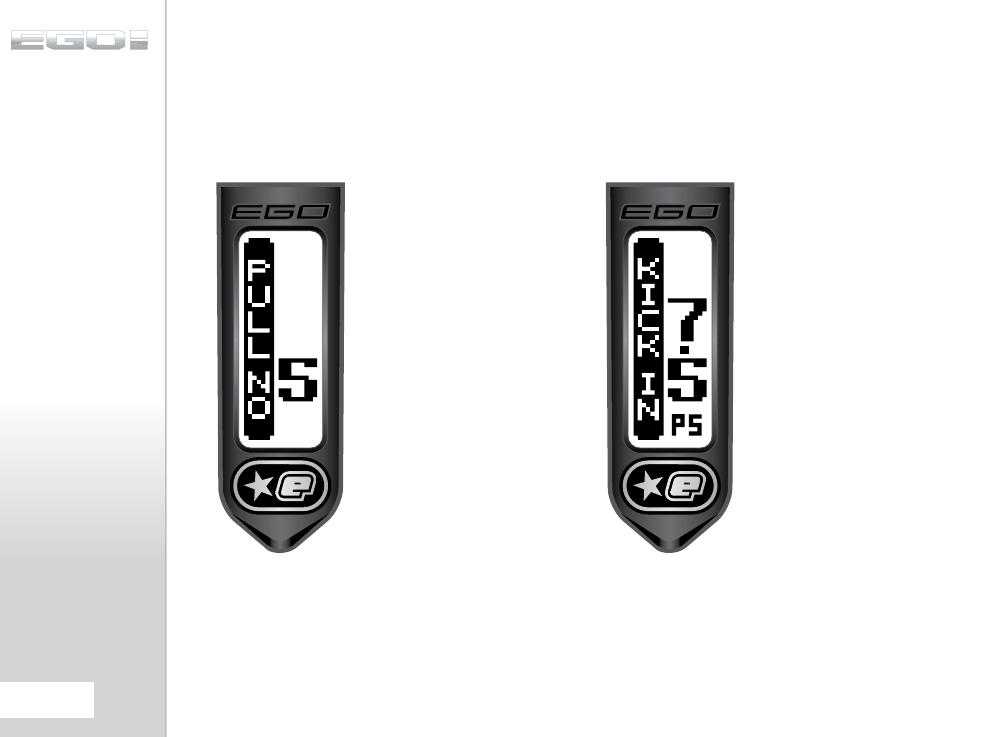
THE RAMP START
PARAMETER
(PULL NO)
The parameter sets the number of trigger pulls that are required
at the KICK IN rate before ramping will start. The parameter can
be set between 4 and 9 pulls in increments of 1.
THE RAMP KICK-IN
PARAMETER
(KICK IN)
This parameter sets the minimum rate at which the user has to
pull the trigger in order to start ramping. This parameter can be
set between 5.0 and 15.0 pulls per second in 0.1 pulls per second
increments.
38.
ADVANCED SET-UP
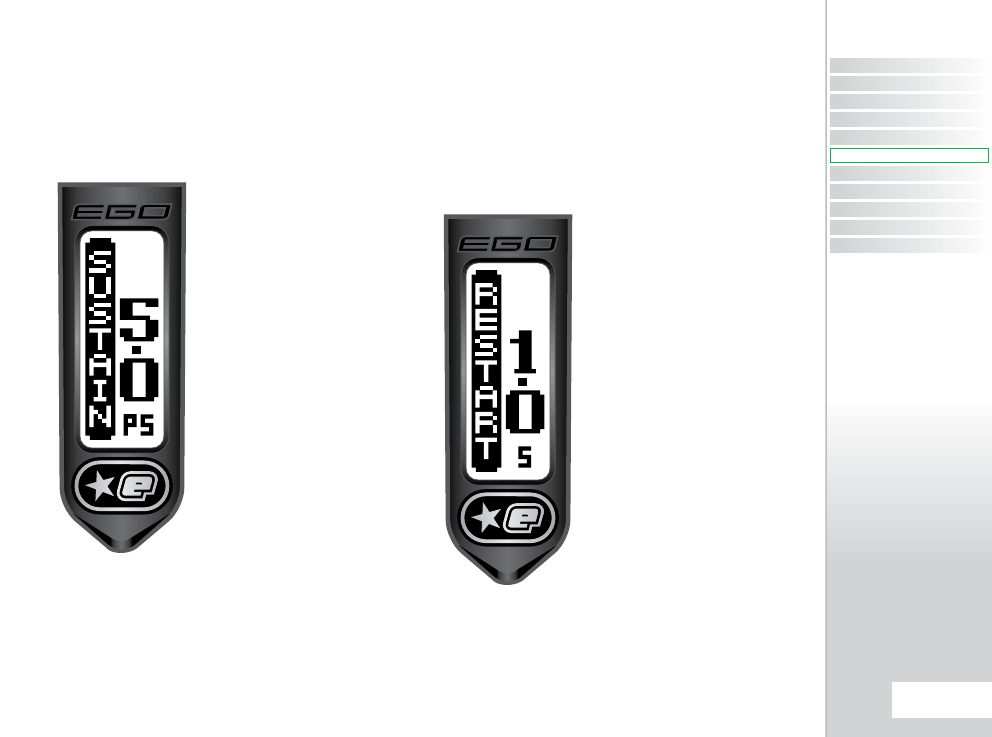
THE SUSTAIN
RATE PARAMETER
(SUSTAIN)
Once the Ego8 is ramping the user has to continue to pull the
trigger at a minimum rate in order to maintain the ramping. This
parameter sets this rate and can be between 5.0 and 15.0 pulls
per second in 0.1 pulls per second increments.
THE RAMP RESTART
PARAMETER
(RESTART)
The RESTART parameter defines the amount of time after the
last trigger pull during which the ramp can be restarted with a
single trigger pull. If a trigger pull occurs after the RESTART time
has expired, then the other ramp start conditions have to be met
before ramping will restart. This parameter can be set between
0.0 and 1.0 seconds in 0.1 second increments.
CONTENTS
ORIENTATION
QUICK SET-UP
USING YOUR EGO8
ADVANCED SET-UP
MENU TREE
MAINTENANCE
FAULT FINDING
SERVICE CENTERS
PARTS LIST
SPARES & ACCESSORIES
39.
ADVANCED SET-UP
ADVANCED SET-UP
QUICK GUIDE
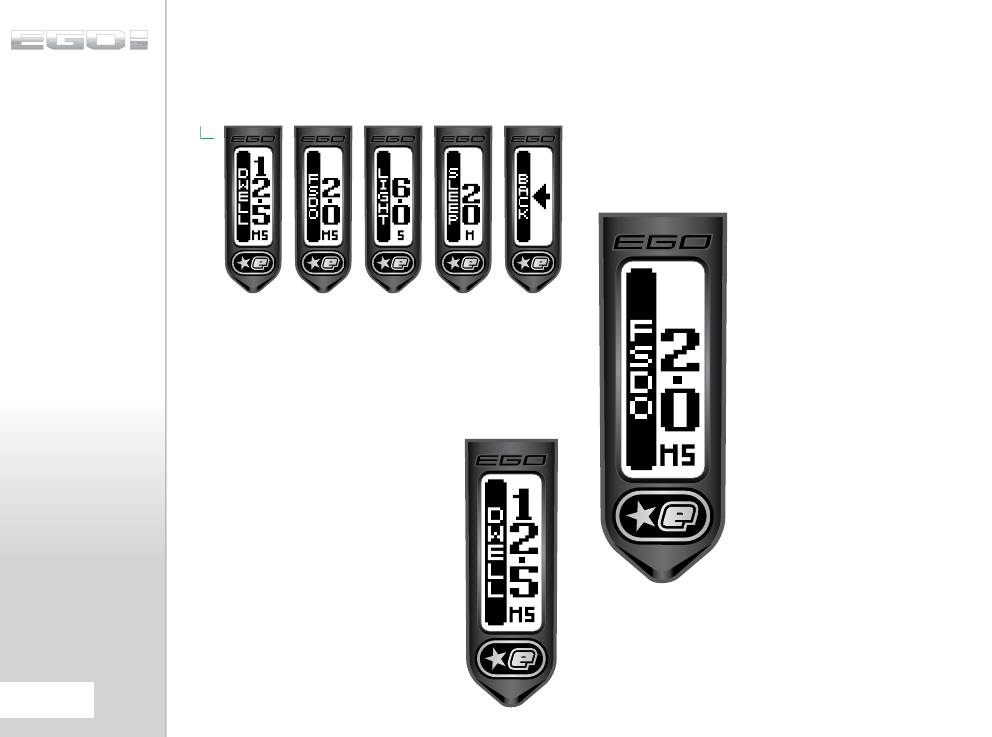
THE TIMING MENU
The parameters on the Timing menu all relate to the timing of
specific events.
THE DWELL
PARAMETER (DWELL)
The Dwell parameter sets the amount of time that the solenoid
is energized and therefore the amount of gas that is released
with each shot of the Ego8. Setting this parameter too low will
result in low velocity shots and/or excessive
shot to shot velocity fluctuations. Setting the
parameter too high will simply waste gas and
make the Ego8 louder.
The DWELL can be set between 0.0 and 25.0
milliseconds. The factory default setting can
normally be reduced after a few thousand
shots as the Ego8 ‘beds-in’.
THE FIRST SHOT
DROP-OFF
COMPENSATION
PARAMETER (FSDO)
First shot drop off is a reduction in velocity of the first shot fired
after an extended period of not firing and is caused by the
stiction between dynamic o-rings and the surfaces that they are
in contact with. In order to compensate for FSDO this parameter
can be set to add extra time to the DWELL parameter for the
first shot. This parameter can be set
between 0.0 and 3.0 milliseconds.
40.
ADVANCED SET-UP
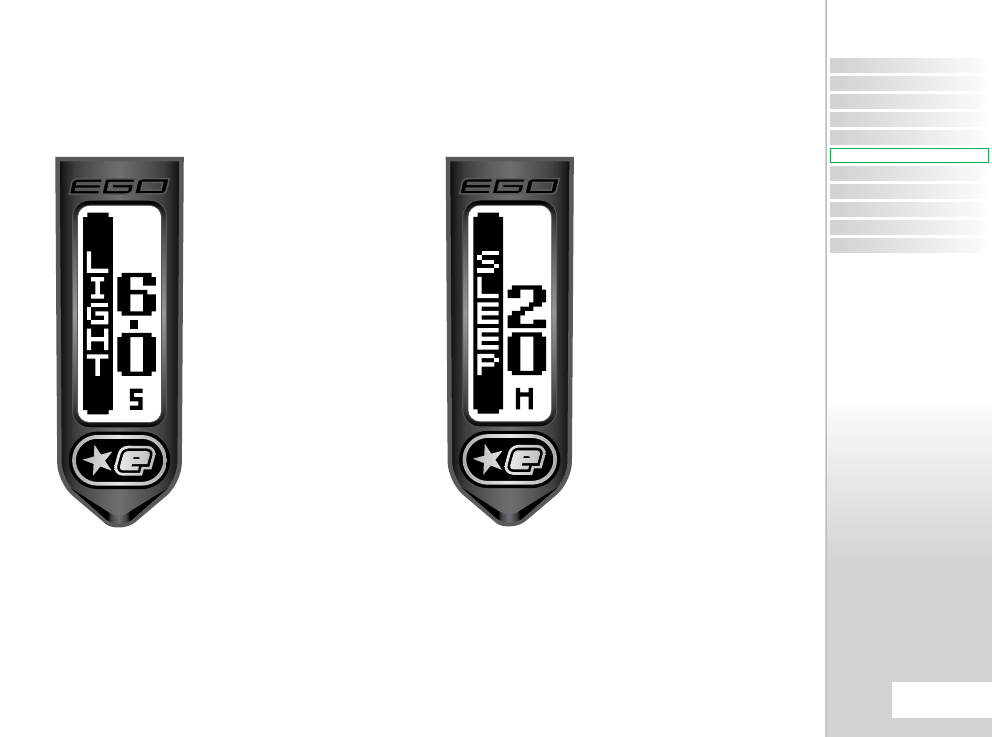
THE LIGHT
PARAMETER (LIGHT)
The LCD backlight is illuminated whenever any of the buttons
are pressed on the Ego8. The LIGHT parameter is used to set the
amount of time that the backlight stays lit between 0.0 and 20.0
seconds in 0.5 second increments.
THE SLEEP
PARAMETER (SLEEP)
If the Ego8 is inactive for a period of time then it will
automatically switch off in order to save power. The SLEEP
parameter is used to set that time between 5 and 60 minutes in
5 minute increments.
CONTENTS
ORIENTATION
QUICK SET-UP
USING YOUR EGO8
ADVANCED SET-UP
MENU TREE
MAINTENANCE
FAULT FINDING
SERVICE CENTERS
PARTS LIST
SPARES & ACCESSORIES
41.
ADVANCED SET-UP
ADVANCED SET-UP
QUICK GUIDE
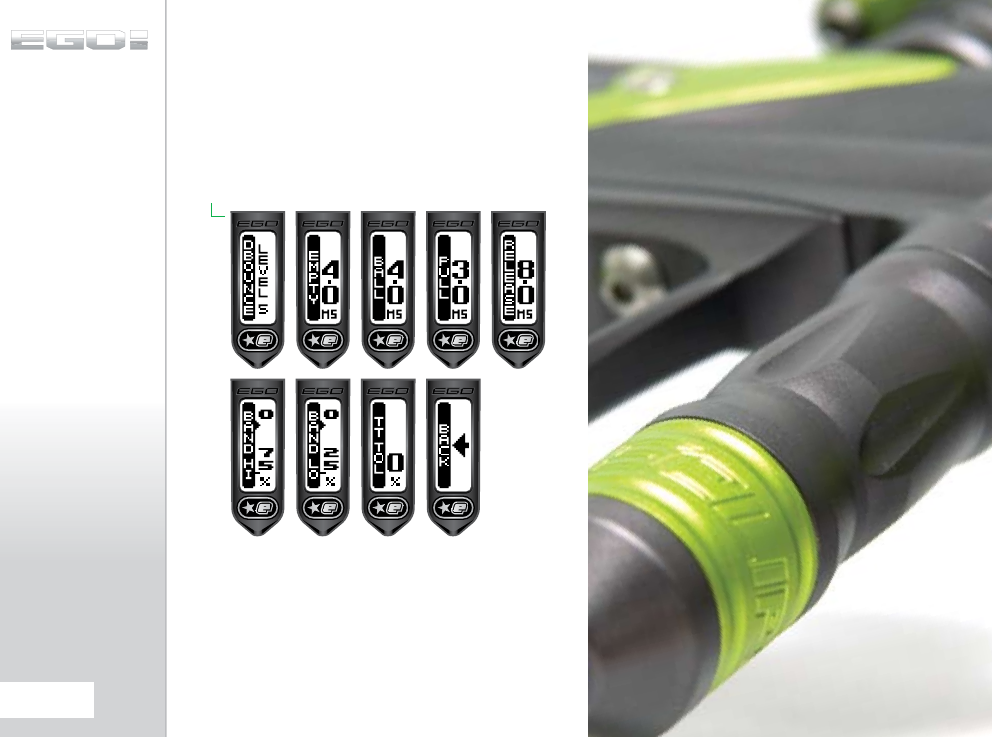
THE FILTER MENU
The parameters on the Filter menu are all used to tune the Ego8’s
software filters which prevent the Ego8 from firing unless all of
the necessary conditions are met. The factory default settings
will be suitable for most set-ups, however certain loader and
trigger set-ups may require modification of one or more of these
parameters.:
42.
ADVANCED SET-UP
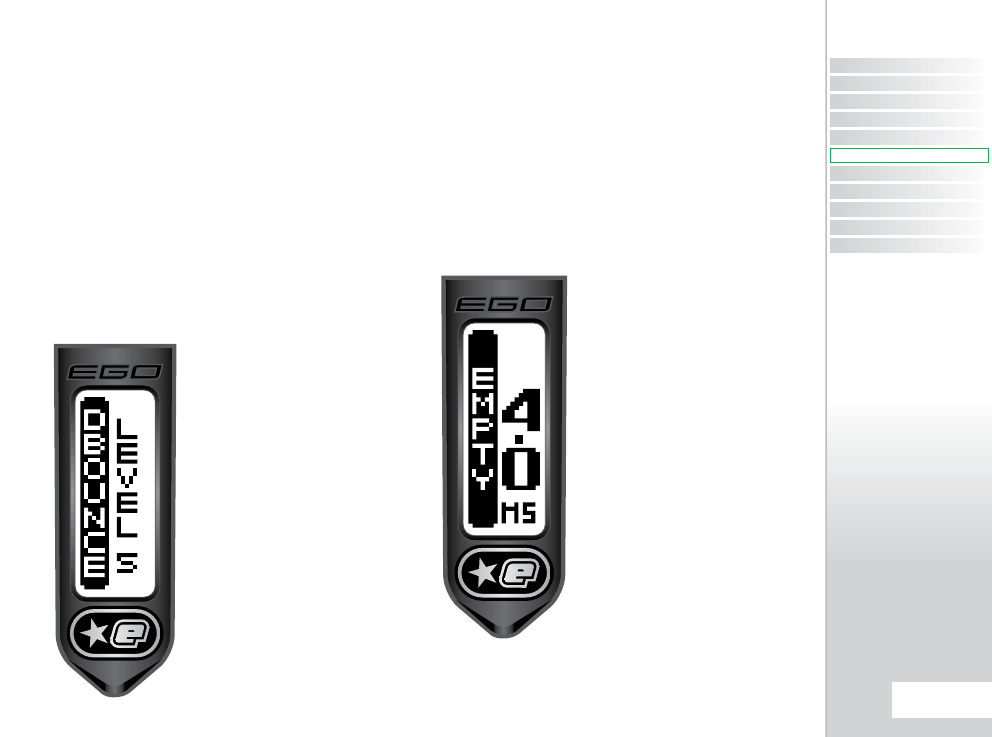
THE DEBOUNCE
PARAMETER
(DBOUNCE)
This parameter is used to combat any trigger bounce that might
occur in the Ego8.
This parameter can be set to the following choices:-
> TT:
The trigger Transition Filter is used to remove trigger
bounce
> LEVEL 9:
The debounce filter is used to remove
trigger bounce, this filter has nine levels with level 9
providing the most filtering and
> LEVEL1:
Level 1 providing the least filtering
> CANCEL:
Cancel editing and leave the parameter
unchanged
THE EMPTY BREECH
TIME PARAMETER
(EMPTY)
In order for the BBSS to function correctly it must first detect
that the bolt is fully retracted and the breech is empty, and then
detect that a paintball is loaded into the breech before the Ego8
is allowed to fire.
Slots or holes in some third party bolts can fool the BBSS and
so this parameter is used to specify a minimum time that the
breech must be empty. The parameter can be set between 1.0
and 20.0ms in 0.5ms increments.
CONTENTS
ORIENTATION
QUICK SET-UP
USING YOUR EGO8
ADVANCED SET-UP
MENU TREE
MAINTENANCE
FAULT FINDING
SERVICE CENTERS
PARTS LIST
SPARES & ACCESSORIES
43.
ADVANCED SET-UP
ADVANCED SET-UP
QUICK GUIDE
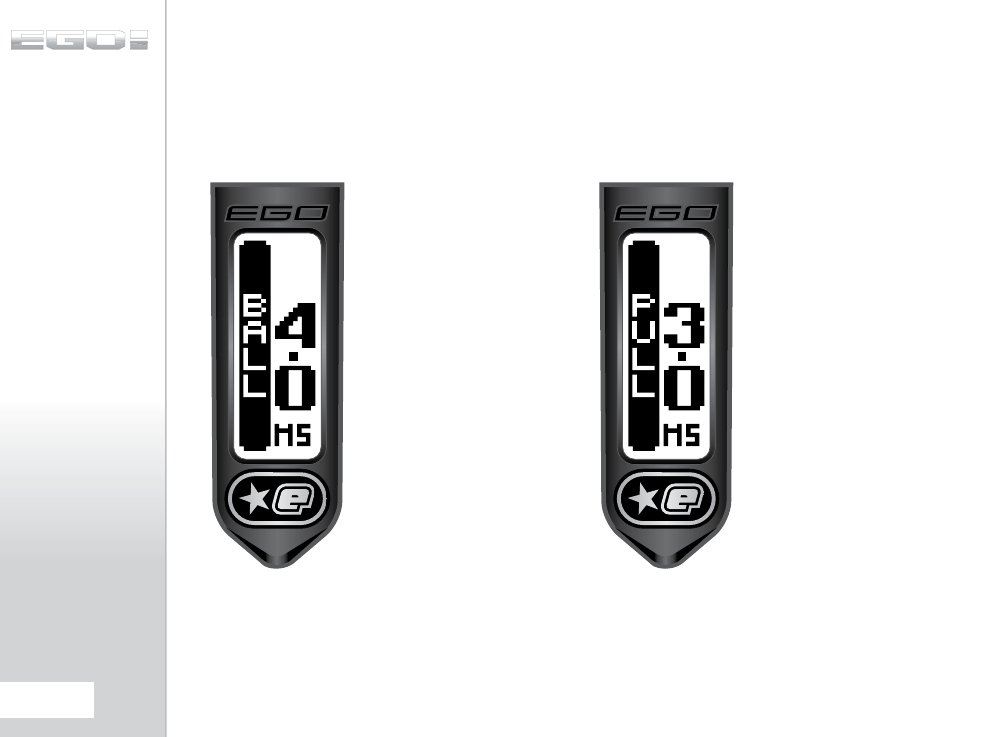
THE BALL
PARAMETER (BALL)
Tumbling paintballs can take time to settle in the breech before
they can be successfully fired. This parameter is used to set the
amount of time that a paintball has to be in the breech before
the Ego8 is allowed to fire. This parameter can be set between
1.0 and 2.0 milliseconds in 0.5ms increments.
THE PULL
PARAMETER (PULL)
The PULL parameter is used to set the minimum amount of time
that the trigger must be pulled before it is recognised as a valid
trigger pull. This parameter can be set between 1.0 and 20.0
milliseconds in 0.5 increments.
44.
ADVANCED SET-UP
THE RELEASE
PARAMETER
(RELEASE)
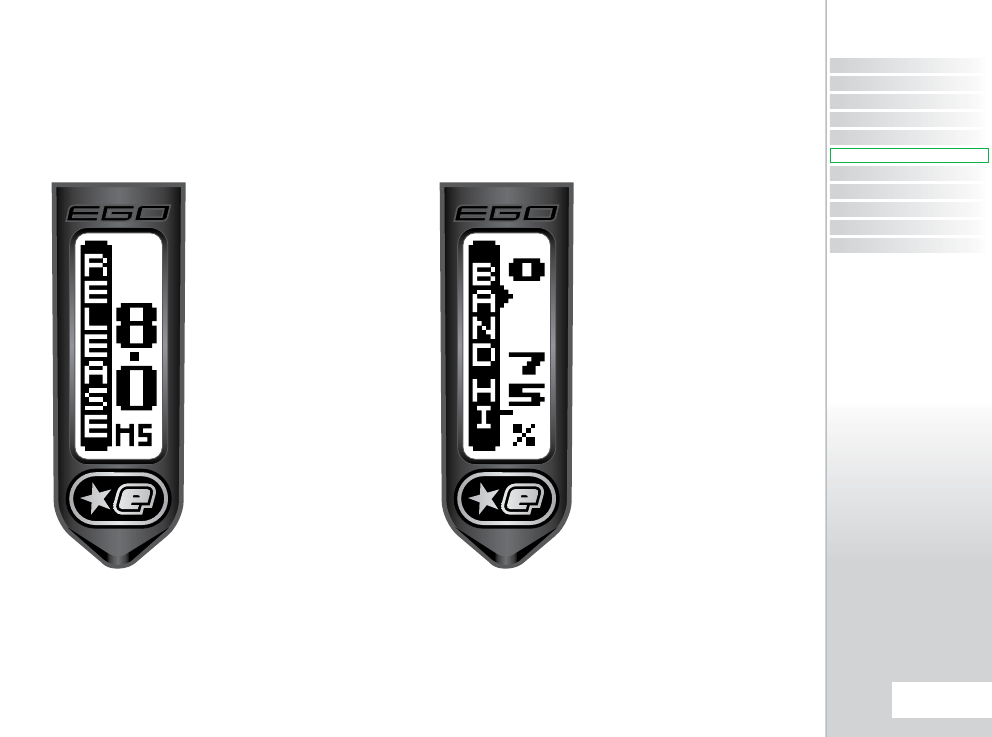
The RELEASE parameter is used to set the minimum amount of
time that the trigger must be released before it is recognised as a
valid trigger release. This parameter can be set between 3.0 and
25.0 milliseconds in 0.1 millisecond increments.
THE BAND HIGH
PARAMETER
(BAND HI)
The BAND HI parameter is only available if OPTO has been
selected in the HARDWARE menu. BAND HI defines the point at
which the trigger is considered pulled and is adjustbale between
51% and 99% in 1% increments.
CONTENTS
ORIENTATION
QUICK SET-UP
USING YOUR EGO8
ADVANCED SET-UP
MENU TREE
MAINTENANCE
FAULT FINDING
SERVICE CENTERS
PARTS LIST
SPARES & ACCESSORIES
45.
ADVANCED SET-UP
ADVANCED SET-UP
QUICK GUIDE
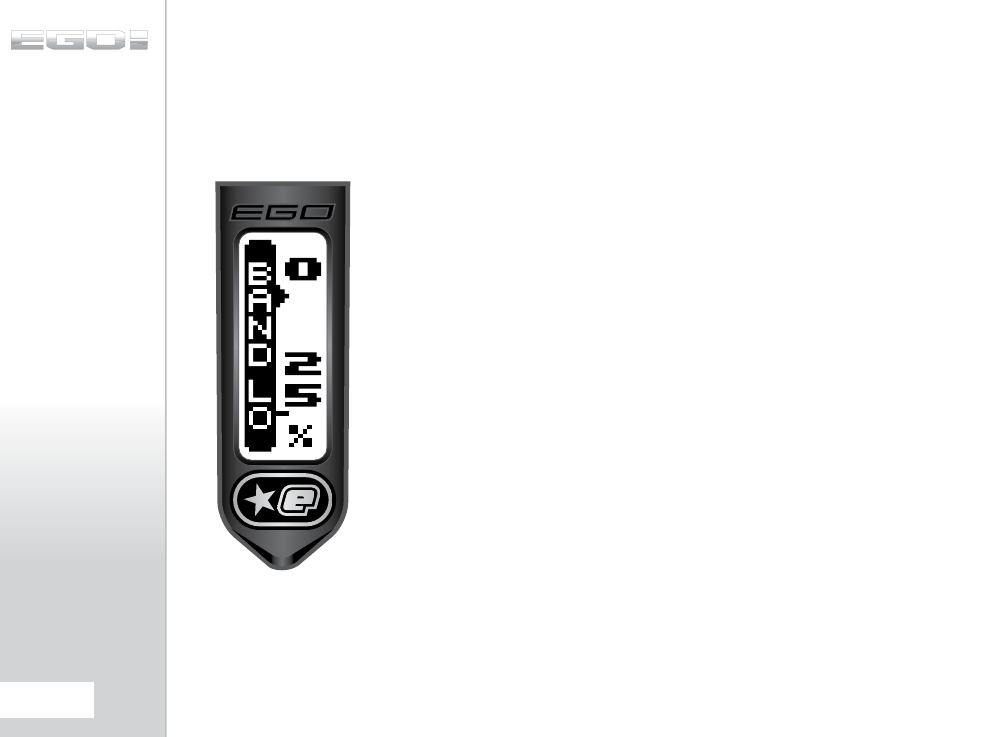
THE BAND LOW
PARAMETER
(BAND LO)
The BAND LO parameter is only available if OPTO has been
selected in the HARDWARE menu. BAND LO defines the point
at which the trigger is considered released and is adjustable
between 1% and 49% in 1% increments.
BASIC TRIGGER
FILTER SET-UP
95% of trigger bounce problems can be eliminated by utilizing
one of the nine fixed DEBOUNCE choices (LEVEL 1-9). In
attempting to eliminate trigger bounce it is advisable to try the
nine fixed DEBOUNCE choices before attempting any advanced
set up of the trigger filters.
ADVANCED TRIGGER
FILTER SET-UP
In order to optimize the Trigger Filters it is necessary to have
the BAND HI parameter set as high as possible and the BAND LO
parameter set as low as possible:
1. Select the BAND HI parameter. Observe that the graphical bar
rises and falls as the trigger is pulled and released. The actual
value of the graphical bar is displayed in the top right of the
display.
2. Set the REAR STOP TRIGGER SCREW as required, ensuring that
the bar is as close to 100% as possible when the trigger is fully
depressed against the set screw. It is advisable to allow for some
extra travel in the trigger pull once the bar has reached its
maximum value.
3. Adjust the BAND HI parameter so that when the trigger is fully
depressed the bar settles above the indicator on the left hand
side of the screen (SEE PAGE 45).
4. Select the BAND LO parameter. Observe that the graphical bar
rises and falls as the trigger is pulled and released. The actual
value of the graphical bar is displayed in the top right of the
display.
5. Set the FRONT STOP TRIGGER SCREW as equired, ensuring that
the bar is as close to 0% as possible when the trigger is fully
released against the set screw. It is advisable to allow for some
extra travel in the trigger release once the bar has reached its
minimum value.
46.
ADVANCED SET-UP
6. Adjust the BAND LO parameter so that when the trigger is fully
released the bar settles beneath the indicator on the left hand
side of the screen (SEE PAGE 43).
7. Set the MAGNET RETURN STRENGTH SCREW and the Micro
Switch Activation Screw as required, making both the spring
tension and the return force as strong as possible without
compromising the “feel” of the trigger.
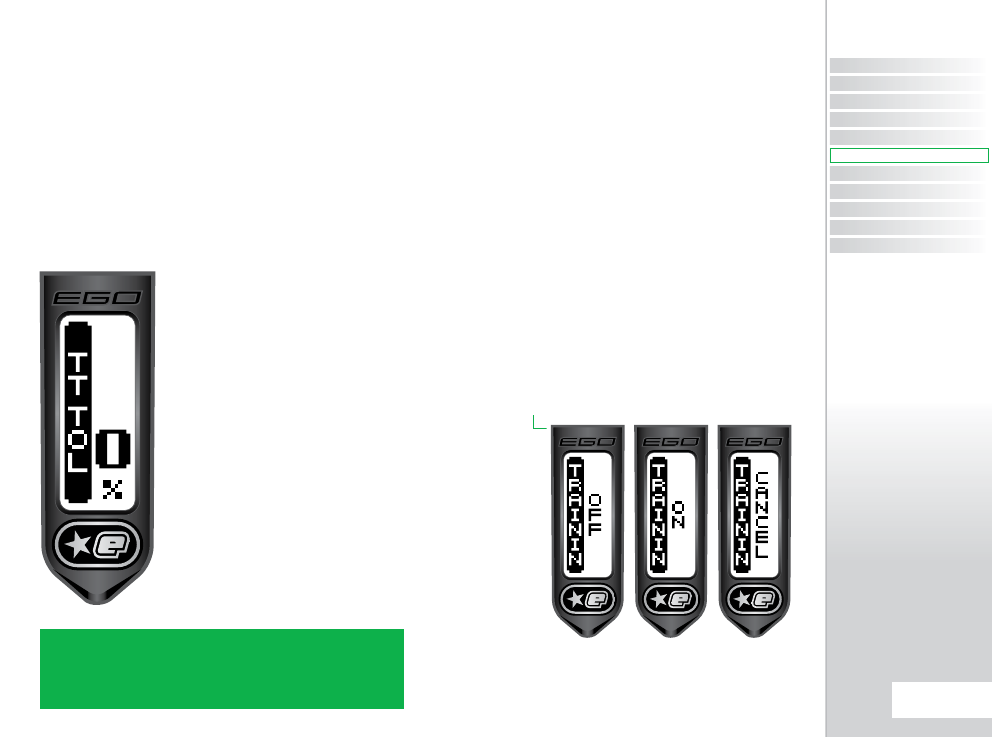
Optional (only if TT had been selected in Debounce parameter):
8. Select the TT TOL parameter. With the gun gassed up and
preferably fitted with loader and firing paint, try to get the
marker to bounce by pulling the trigger very slowly. If the
marker bounces, then reduce the TT TOL
value until it no longer does so. If the
marker does not bounce then increase
the TT TOL value until it starts to bounce
and then reduce it again until the
bouncing stops.
Whilst this set up process should
completely eliminate bounce, it may result
in a trigger pull that is not ideally suited to
the user, in which case it will be necessary
to make adjustments to the trigger and
then modify the Trigger Filter parameters
accordingly.
THE TRAINING
PARAMETER
(TRAININ)
The TRAININ parameter is used to select Training Mode. In
Training Mode the Ego8 will function exactly the same as normal
but with two important differences:-
1. The solenoid valve is under - driven so that the rammer only
moves a small amount and does not strike the exhaust valve. This
simulates the firing cycle without wasting air and generating
lots of noise.
2. The BBSS is overridden so that the Ego8 can cycle without
paint. The centre of the BBSS indicator changes to a ‘T’ to indicate
that Training Mode is enabled.
The Training parameter choices are as follows:-
> OFF:
Training Mode is disabled and the Ego8 functions
normally
> ON:
Training Mode is enabled.
> CANCEL:
Cancel editing and leave the parameter
unchanged
NOTE: THE FASTEST WAY TO SHOOT AN EGO8 IS TO WALK THE
TRIGGER WITH TWO OR MORE FINGERS. FEATHERING (NOT FULLY
RELEASING) THE TRIGGER WILL CAUSE THE FILTERING SYSTEM TO
REDUCE THE RATE OF FIRE DOWN IN ORDER TO ELIMINATE WHAT IT
PERCEIVES AS TRIGGER BOUNCE.
CONTENTS
ORIENTATION
QUICK SET-UP
USING YOUR EGO8
ADVANCED SET-UP
MENU TREE
MAINTENANCE
FAULT FINDING
SERVICE CENTERS
PARTS LIST
SPARES & ACCESSORIES
47.
ADVANCED SET-UP
ADVANCED SET-UP
QUICK GUIDE
THE HARDWARE MENU
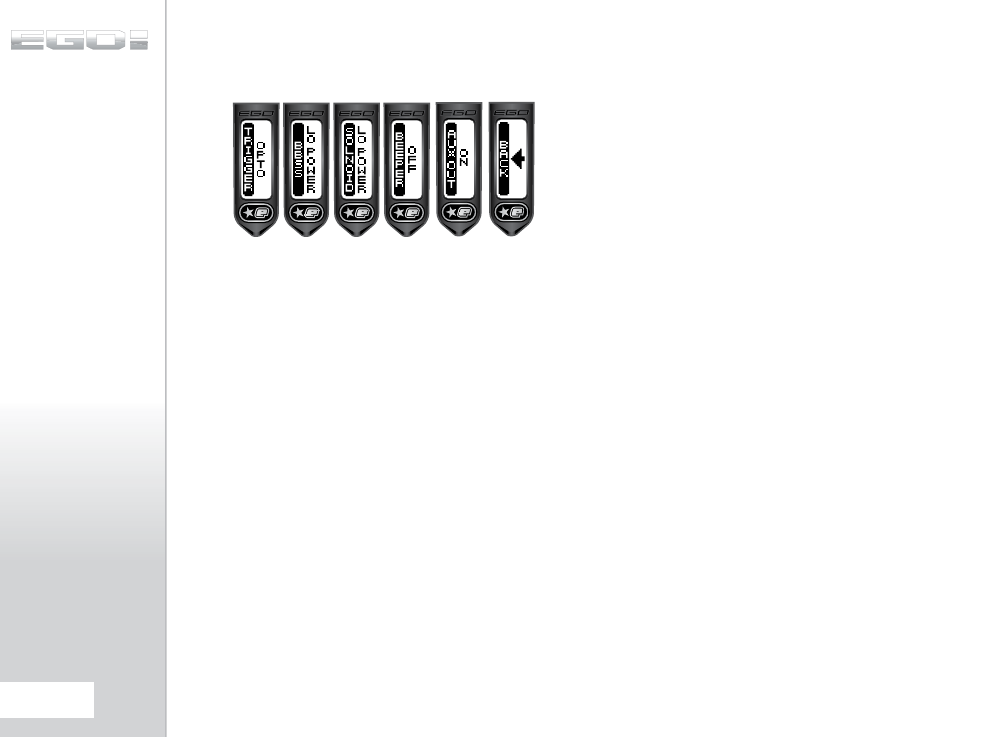
The HARDWARE Menu comprises parameters that control low
level functionality of the Ego8 electronic hardware.
THE TRIGGER
PARAMETER
(TRIGGER)
The Ego8 is fitted with a dual trigger pull detection system. A
non - contact opto-electronic trigger sensor arrangement is used
to detect trigger movement whilst a micro - switch is used to
provide a more traditional tactile feedback for the trigger. The
TRIGGER parameter is used to select which system is used. The
choices available are as follows:-
> OPTO:
Select the Opto sensor for trigger pull detection
> SWITCH:
Select the microswitch for trigger pull
detection
> CANCEL:
Cancel editing and leave the parameter
unchanged
THE BBSS
PARAMETER (BBSS)
This parameter controls the amount of power used by the Break
Beam Sensor System and should normally be left on it’s default
low power setting. However scratches on the surface of either of
the sensors, or the use of some third party sensors, may require
that the BBSS power level be increased. Higher power levels will
cause more drain on the battery. The choices available for this
parameter are:-
> LO POWER:
Low power BBSS drive
> HI POWER:
High power BBSS drive
> CANCEL:
Cancel editing and leave the parameter
unchanged
THE SOLENOID
PARAMETER
(SOLNOID)
This parameter controls the amount of power used by the
pneumatic solenoid and should normally be left at it’s default
low power setting. Cold weather (sub - zero degress Celcius)
will cause lubricants to thicken and increase stiction in the
system which may cause velocity drop - off and/or shot to shot
inconsistancy. Increasing the solenoid power will often help to
eliminate these problems however the higher power level will
cause more drain on the battery. The choices available for the
paramater are:-
> LO POWER:
Low power solenoid drive
> HI POWER:
High power solenoid drive
> CANCEL:
Cancel editing and leave the parameter
unchanged
THE AUX OUT
PARAMETER
The auxiliary output is on a three pin connector in the circuit
board and is used to provide an interface between the Ego8 and
third party equipment such as loaders. The AUX OUT parameter is
used to enable the auxiliary output which pulses every time the
Ego8 is fired. The parameter choices are:-
> OFF:
Auxiliary output off
> ON:
Auxiliary output on
> CANCEL:
Cancel editing and leave the parameter
unchanged
NOTE: If the optional Ego8 expansion board is fitted then the
output on that board is pulsed at the same time as the auxiliary
output.
48.
ADVANCED SET-UP
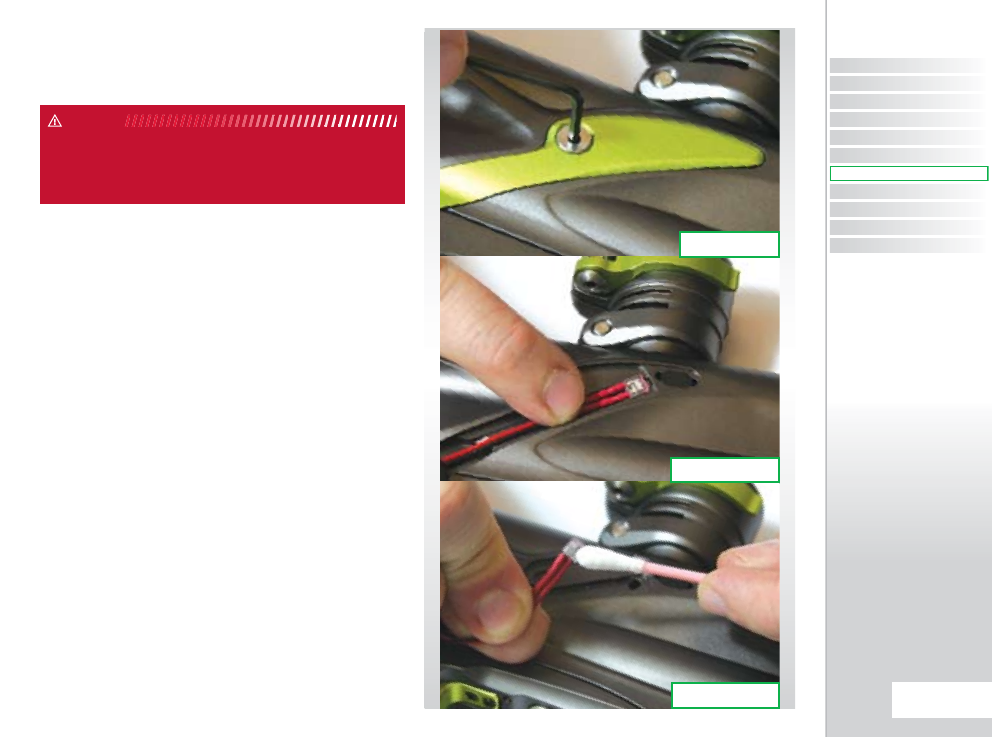
CLEANING THE
BREAK-BEAM SENSOR
SYSTEM
Undo the retaining screw for the Break-Beam Sensor Cover on
the left hand side of the Ego8 using a 5/64" (2mm) hex key (SEE
FIGURE 9.1).
Remove the Sensor Cover to expose the back of the Break-Beam
Sensor unit (SEE FIGURE 9.2). Using a dry cotton bud, carefully
remove any debris, paint or moisture from the back of the sensor
unit and from inside the Sensor Cover.
Lift the BBSS free from the Ego8 body and using another dry
cotton bud, remove any grease or debris build-up from the front
of the sensor unit (SEE FIGURE 9.3).
WARNING: DE-GAS YOUR MARKER, DISCHARGING ANY STORED GAS
IN A SAFE DIRECTION, AND REMOVE THE BARREL, LOADER AND AIR
SYSTEM TO MAKE THE MARKER EASIER TO WORK ON.
WARNING
FIG 9.2
FIG 9.1
FIG 9.3
CONTENTS
ORIENTATION
QUICK SET-UP
USING YOUR EGO8
ADVANCED SET-UP
MENU TREE
MAINTENANCE
FAULT FINDING
SERVICE CENTERS
PARTS LIST
SPARES & ACCESSORIES
49.
MAINTENANCE
MAINTENANCE
QUICK GUIDE
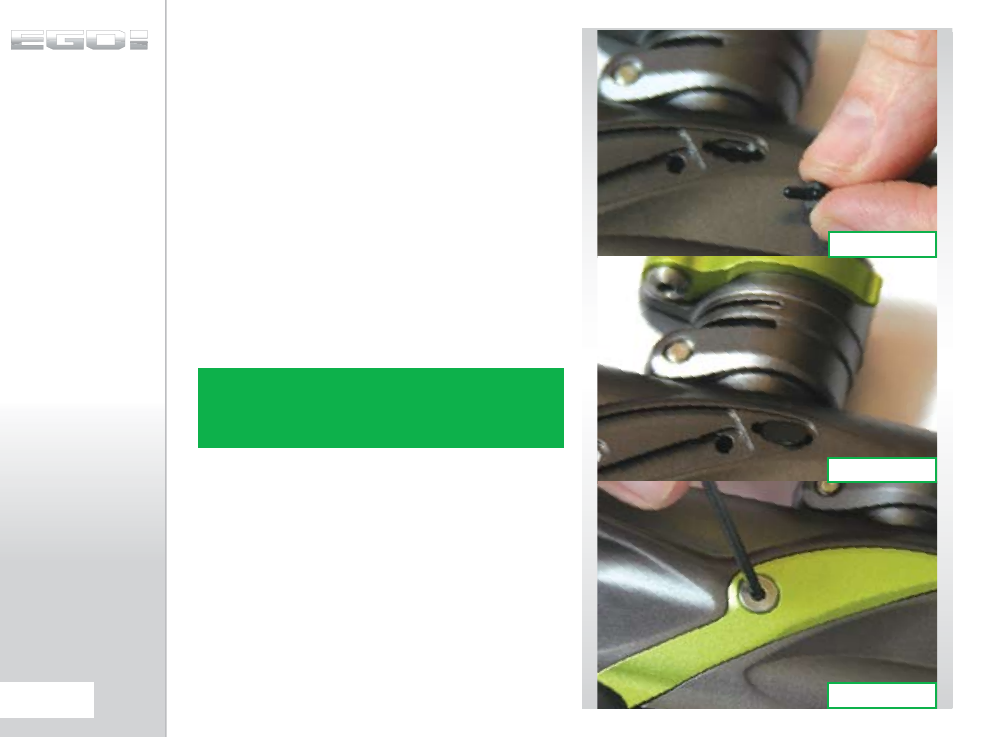
(CONTINUED)
Remove the rubber finger detent and using a dry cotton bud
clean the detent and it’s location point in the Ego8 Body. (SEE
FIGURE 9.4) Replace the detent back into the Ego8 body (SEE
FIGURE 9.5) and place the BBSS back into the designated slot in
the body (SEE FIGURE 9.2). Ensure that the sensor is face down in
the body i.e looking into the breech.
Replace the Sensor Cover and using a 5/64" hex key, replace the
Bream Beam Sensor Cover retaining screw to hold the sensor
cover in place (SEE FIGURE 9.6).
Be careful not to cross-thread the screw. Do not over tighten the
screw.
Repeat procedure for opposite side of the Ego8.
You have now cleaned your Break-Beam Sensor System.
NOTE: WHEN CLEANING BREAK-BEAM SENSOR SYSTEM INSPECT
CONDITION OF RUBBER FINGER DETENTS AND REPLACE IF
NECESSARY. ENSURE THAT THE RECEIVER SENSOR (INDICATED BY A
RED MARK & RED HEAT SHRINK) IS LOCATED ON THE RIGHT-HAND
SIDE OF THE MARKER BODY.
FIG 9.6
FIG 9.5
FIG 9.4
50.
MAINTENANCE
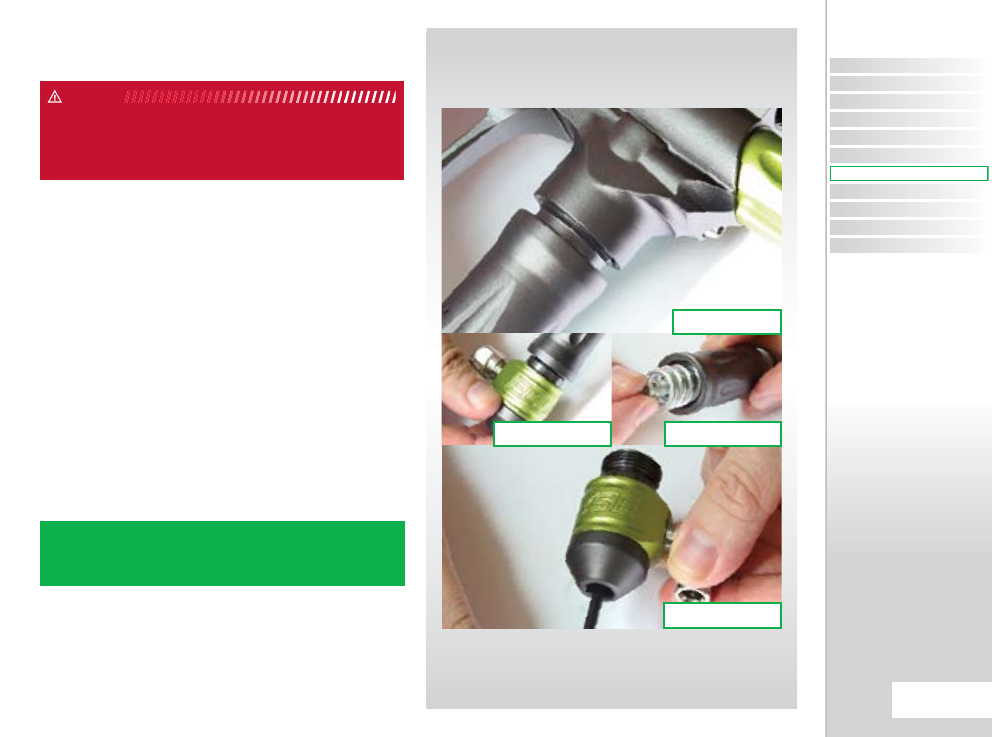
CLEANING THE
INLINE REGULATOR
Note: The internals of your Inline Regulator may vary according to
the model of Ego8 that you have.
Disconnect the macroline hosing from your Inline Regulator
allowing it to be unscrewed from the Front Regulator Mount
(FRM) (SEE FIGURE 10.1).
Turn the Inline Regulator upside down and carefully unscrew the
two sections (SEE FIGURE 10.2).
By firmly gripping the exposed end of the Inline regulator piston,
carefully remove the piston and spring in its entirety (SEE FIGURE
10.3).
Insert a 1/8” hex key into the adjuster screw in the bottom half of
the Inline Regulator, and wind the screw clockwise through the
bottom section of the regulator body (SEE FIGURE 10.4) and pull
free when it will no longer turn upwards anymore.
WARNING: DE-GAS YOUR MARKER, DISCHARGING ANY STORED GAS
IN A SAFE DIRECTION, AND REMOVE THE BARREL, LOADER AND AIR
SYSTEM TO MAKE THE MARKER EASIER TO WORK ON.
WARNING
NOTE: THE ADJUSTER SCREW CAN ONLY BE REMOVED BY TURNING
IT UPWARDS THROUGH THE BOTTOM SECTION OF THE INLINE
REGULATOR. THE REGULATOR WILL BECOME DAMAGED IT THE
ADJUSTER SCREW IS REMOVED INCORRECTLY.
FIG 10.2 FIG 10.3
FIG 10.1
FIG 10.4
CONTENTS
ORIENTATION
QUICK SET-UP
USING YOUR EGO8
ADVANCED SET-UP
MENU TREE
MAINTENANCE
FAULT FINDING
SERVICE CENTERS
PARTS LIST
SPARES & ACCESSORIES
51.
MAINTENANCE
MAINTENANCE
QUICK GUIDE
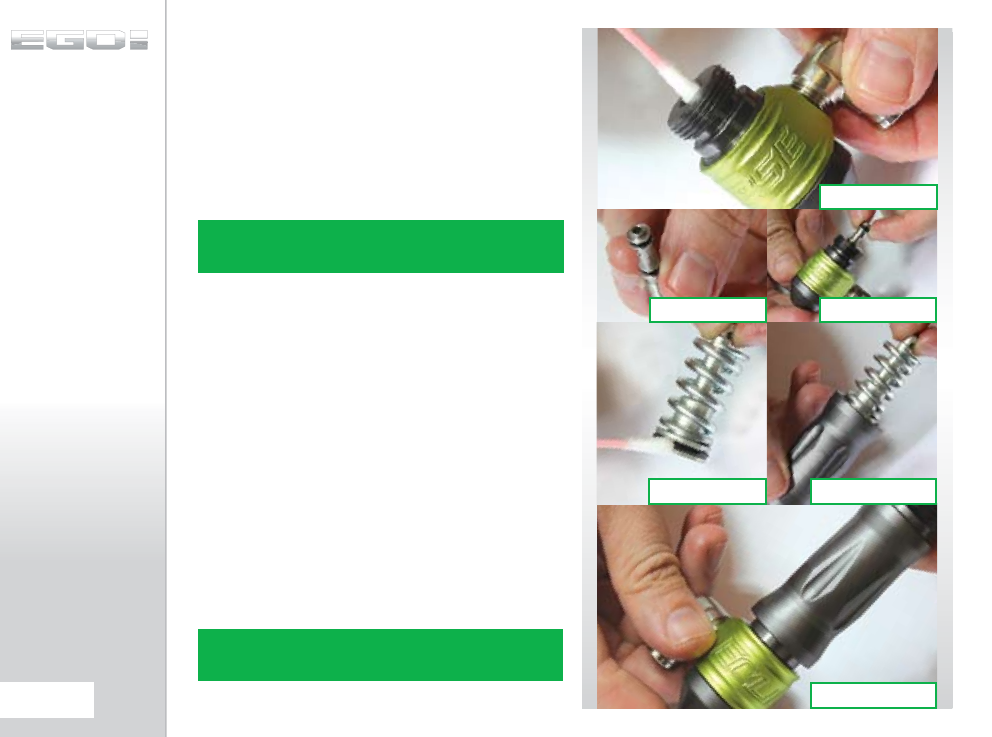
(CONTINUED)
Using a dry cotton bud, clean the seal that sits at the top of the
body of the bottom section of the Inline Regulator (SEE FIGURE
10.5). Using a light oil and a fresh cotton bud, re-lubricate the
seal ready for re-assembly.
Thoroughly clean the two o-rings on the adjuster screw and
lubricate ready for re-assembly. Inspect the top face of the
adjuster unit for any excessive wear or damage as this could
cause the Inline Regulator to creep (SEE FIGURE 10.6).
With the threaded section towards to the base of the regulator
body, re-insert the adjuster screw into the bottom half of the
regulator body (SEE FIGURE 10.7). Apply light pressure to the top
of the adjuster screw and using a 1/8" hex key wind the adjuster
screw counter-clockwise until it stops at the base of the regulator
body. Turn the adjuster screw five turns in a clockwise direction
to set the inline regulator pressure at approximately 250-260 psi.
Take the piston and spring and clean the seal at the top of the
piston, re-lubricating it with a light smear of Vaseline ready for
re-assembly (SEE FIGURE 10.8). Insert the piston and spring into
the top half of the Inline Regulator body (SEE FIGURE 10.9).
Keeping the top half of the Inline Regulator upside down, screw
the two halves of the Inline Regulator together (SEE FIGURE
10.10).
You have now stripped, cleaned, lubricated and assembled your
Inline Regulator.
NOTE: IF ANY SEALS ARE DAMAGED THEN REPLACE THEM. EXTRA
SEALS ARE AVAILABLE IN EGO8 PARTS KITS AVAILABLE ONLINE AT
WWW.PLANETECLIPSE.COM.
FIG 10.6 FIG 10.7
FIG 10.9FIG 10.8
FIG 10.5
FIG 10.10
NOTE: THE SEALING FACE ON THE INLINE REGULATOR PISTON CAN
ALSO CAUSE THE REGULATOR TO CREEP OR “SUPERCHARGE”, SO
THIS SHOULD ALSO BE CHECKED.
52.
MAINTENANCE
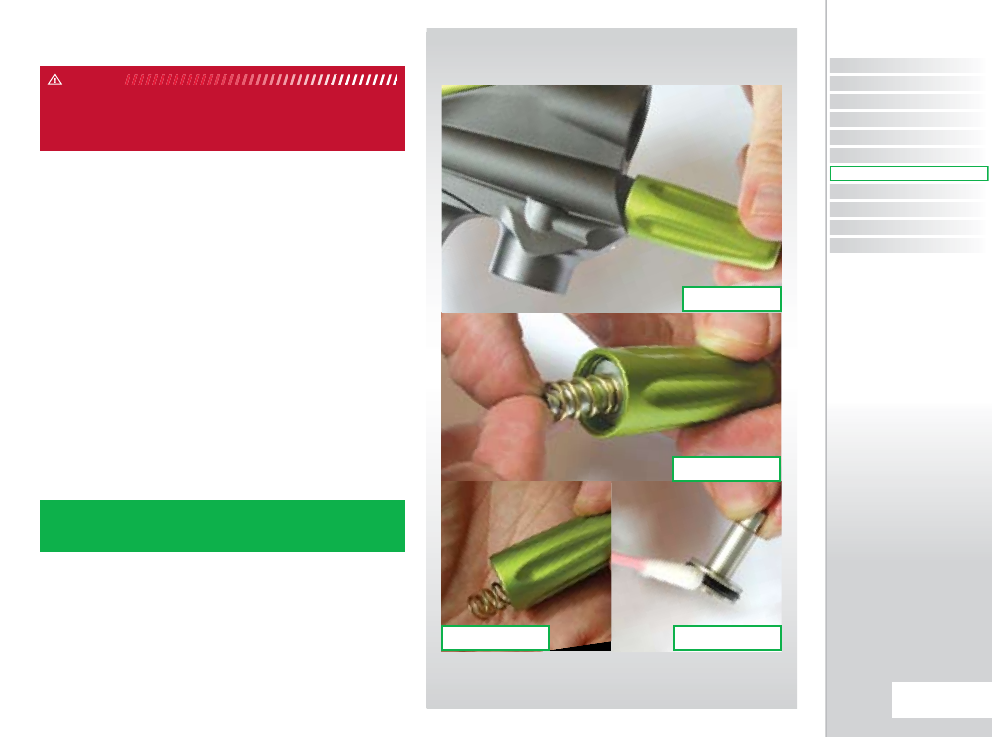
CLEANING THE LPR
Note: The internals of your LPR may vary according to the model of
Ego8 that you have.
The Inline regulator can be removed if needs be.
Unscrew the Low-Pressure Regulator cap from the marker body
(SEE FIGURE 11.1).
Remove the LPR piston and rear spring from the LPR cap (SEE
FIGURE 11.2).
Cupping the palm of one hand, turn the LPR cap upside down
and tip the front spring out into your palm (SEE FIGURE 11.3).
Remove the rear spring from the LPR piston and using a dry
cotton bud, carefully clean the seal on the LPR piston (SEE
FIGURE 11.4). If the seal is damaged then replace it. Once the seal
has been cleaned, lubricate with a light application of Eclipse
Paintball Gun Oil so that it is ready for re-assembly.
WARNING: DE-GAS YOUR MARKER, DISCHARGING ANY STORED GAS
IN A SAFE DIRECTION, AND REMOVE THE BARREL, LOADER AND AIR
SYSTEM TO MAKE THE MARKER EASIER TO WORK ON.
WARNING
NOTE: THE ADJUSTER PISTON (COLOURED CAP THAT THE FRONT
SPRING RESTS IN) DOES NOT NEED TO BE REMOVED FROM THE LPR
CAP FOR REGULAR MAINTENANCE.
FIG 11.2
FIG 11.4FIG 11.3
FIG 11.1
CONTENTS
ORIENTATION
QUICK SET-UP
USING YOUR EGO8
ADVANCED SET-UP
MENU TREE
MAINTENANCE
FAULT FINDING
SERVICE CENTERS
PARTS LIST
SPARES & ACCESSORIES
53.
MAINTENANCE
MAINTENANCE
QUICK GUIDE
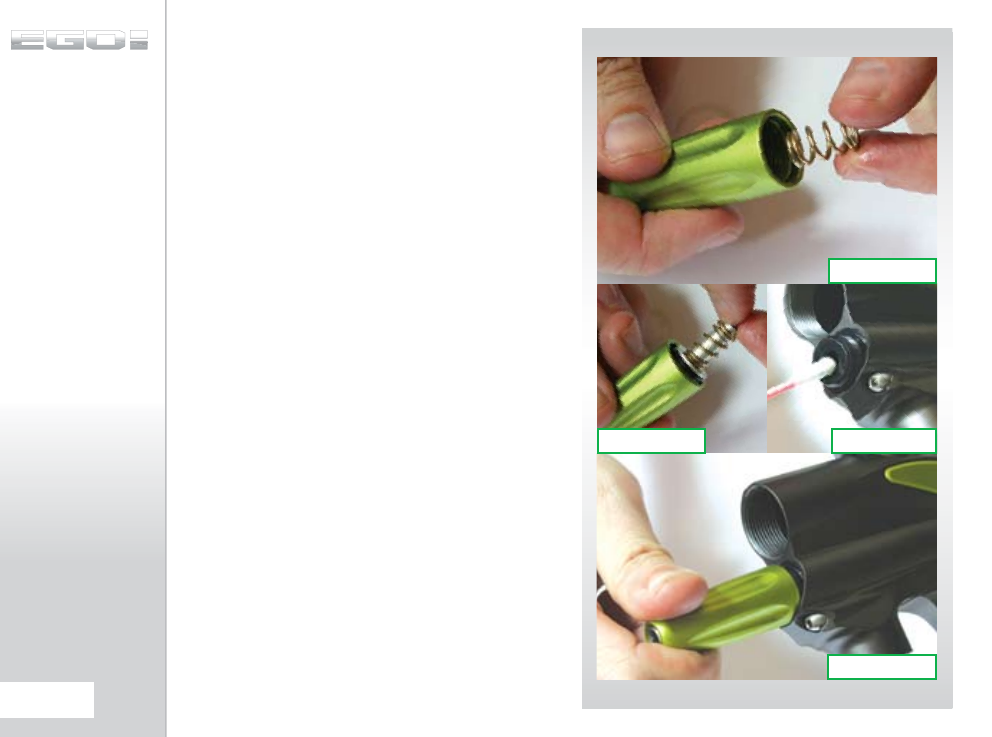
(CONTINUED)
Insert one of the gold colored springs into the LPR cap, so that it
rests neatly in the adjuster piston (SEE FIGURE 11.5).
Place the 2nd gold coloured spring onto the LPR piston and
insert piston and spring into the LPR cap, o-ring end first
(SEE FIGURE 11.6).
Before screwing the LPR cap back onto your Ego8, use a dry
cotton bud to clean the seal inside the LPR body
(SEE FIGURE 11.7). Lubricate this seal using a light 3 in 1 oil, such
as Eclipse Oil.
Replace the LPR cap by screwing it onto the LPR body in the
Ego8 (SEE FIGURE 11.8).
FIG 11.6 FIG 11.7
FIG 11.8
FIG 11.5
54.
MAINTENANCE
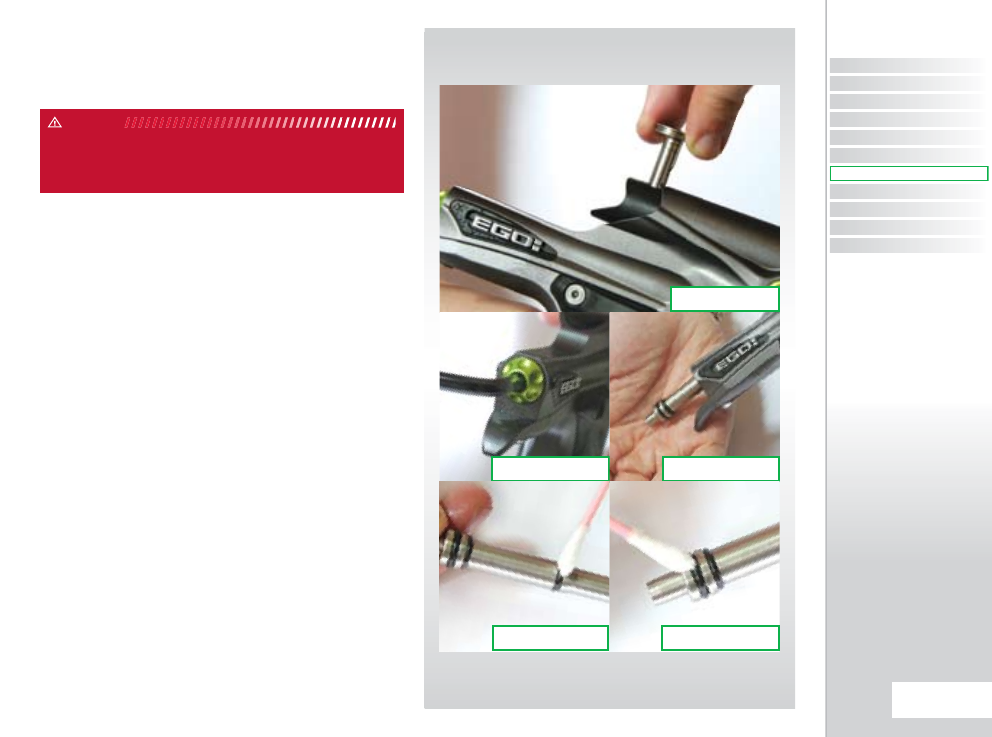
CLEANING AND
LUBRICATING THE
RAMMER
Note: The number of o-rings on the rammer may vary according to
the model of Ego8 that you have.
Pull the bolt pin upwards so that it disengages the rammer,
allowing the bolt to be removed via the rear of the Ego8 (SEE
FIGURE 12.1).
Using a 3/16" hex key, unscrew and remove the rammer cap at
the rear of the Ego8 (SEE FIGURE 12.2).
Raise the front of the Ego8 and tap the Ego8 onto your hand
until the rammer falls into the palm of your hand (SEE FIGURE
12.3).
Thoroughly clean the rammer shaft and all of its seals, paying
special attention to the seal on the middle of the shaft
(SEE FIGURE 12.4), the rear seal (SEE FIGURE 12.5) and the
condition of the bumper in the rammer cap (SEE FIGURE 12.6
overleaf).
Replace any worn seals/bumpers using authentic Eclipse Ego8
spare parts.
WARNING: DE-GAS YOUR MARKER, DISCHARGING ANY STORED GAS
IN A SAFE DIRECTION, AND REMOVE THE BARREL, LOADER AND AIR
SYSTEM TO MAKE THE MARKER EASIER TO WORK ON.
WARNING
FIG 12.2 FIG 12.3
FIG 12.5FIG 12.4
FIG 12.1
CONTENTS
ORIENTATION
QUICK SET-UP
USING YOUR EGO8
ADVANCED SET-UP
MENU TREE
MAINTENANCE
FAULT FINDING
SERVICE CENTERS
PARTS LIST
SPARES & ACCESSORIES
55.
MAINTENANCE
MAINTENANCE
QUICK GUIDE
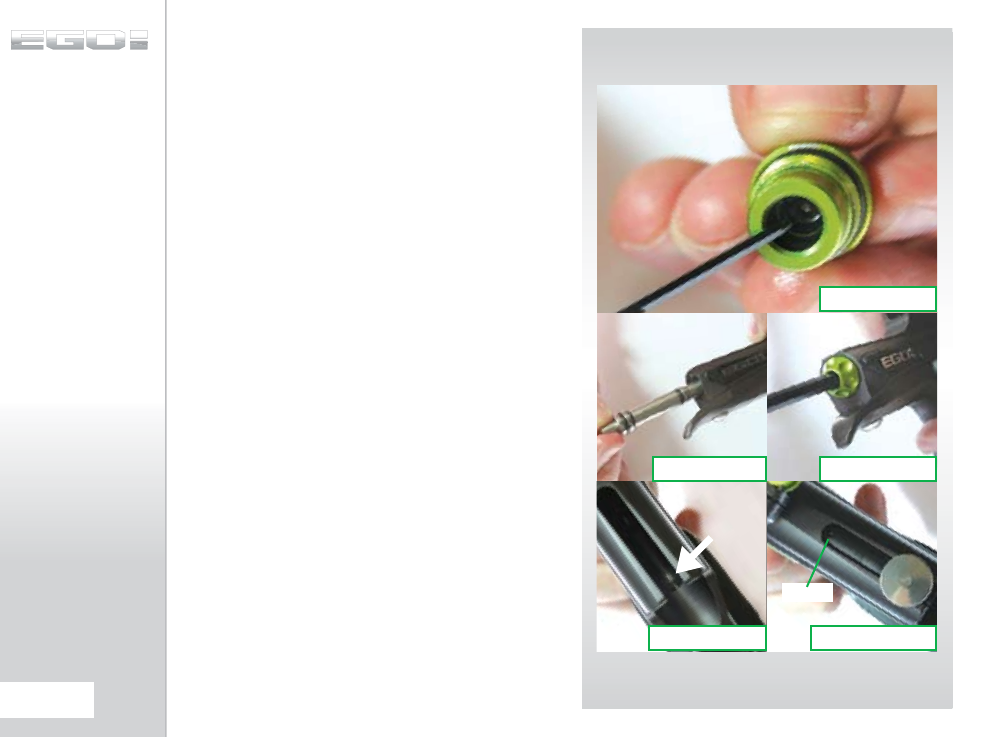
(CONTINUED)
Lubricate all of the seals on the rammer shaft and inside the
rammer cap and replace the rammer into the rear of the Ego8
body as shown in (SEE FIGURE 12.7).
DO NOT use grease or vaseline on the rammer. Only use light
paintgun oil, we recommend Eclipse Oil.
Replace the rammer cap, using the 3/16" hex key to secure it into
the Ego8 body (SEE FIGURE 12.8).
DO NOT over tighten the rammer cap screw.
Noting the position of the rammer in the Ego8 body (SEE FIGURE
12.9), replace the bolt and locate the bolt pin into the designated
groove in the rammer shaft (SEE FIGURE 12.10).
FIG 12.7 FIG 12.8
FIG 12.10FIG 12.9
FIG 12.6
DOT
56.
MAINTENANCE
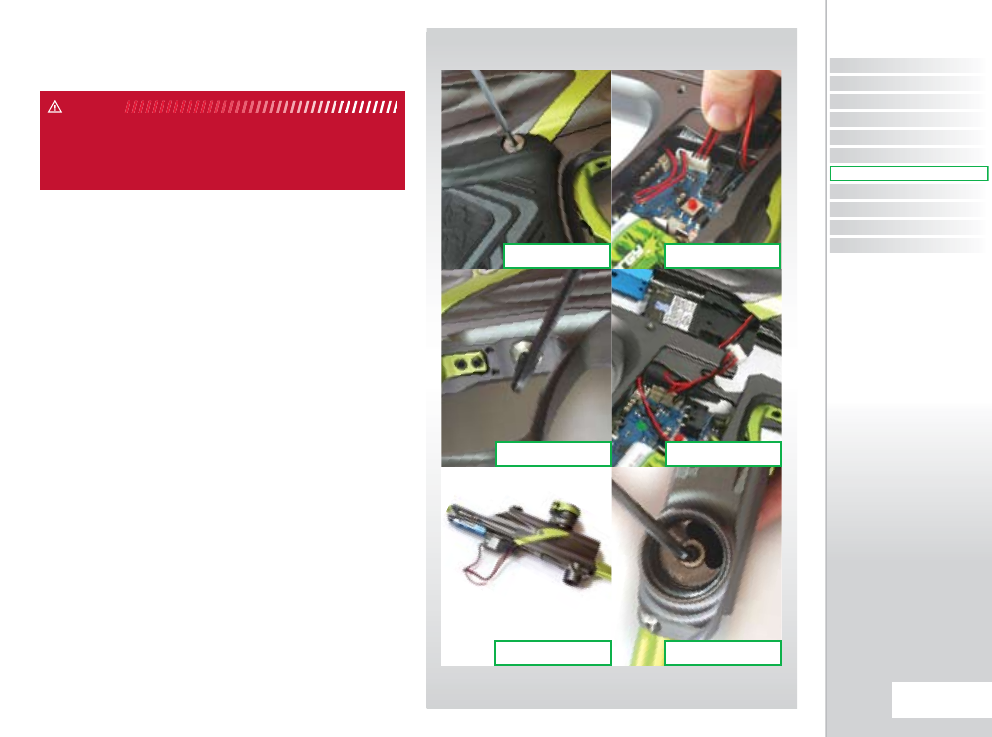
HOW TO
STRIP THE EGO8...
Lift the bolt pin and slide the bolt out of the rear of the marker.
Disconnect any hosing and unscrew the inline regulator from
the front regulator mount as detailed in the “Cleaning the Inline
Regulator” section of this Maintenance guide.
Using a 5/64” hex key remove the six screws that attach the
Ego8 rubber grips to the Ego8 grip frame (SEE FIGURE 13.1).
Unplug the solenoid and unplug the break beam sensor system
from their connections on the Ego8 circuit board
(SEE FIGURE 13.2).
Using a 1/8” hex key undo the two frame retaining screws (SEE
FIGURE 13.3) and remove the frame from the Ego8 body, taking
care not to damage any wires (SEE FIGURE 13.4). Take the Ego8
body and turn it so that the underside of the solenoid, QEV Block
and Valve plug are all be visible and accessible (SEE FIGURE 13.5).
Using a 1/8” hex key remove the screw from the front regulator
mount that holds the LPR Body into the marker body (SEE
FIGURE 13.6).
WARNING: DE-GAS YOUR MARKER, DISCHARGING ANY STORED GAS
IN A SAFE DIRECTION, AND REMOVE THE BARREL, LOADER AND AIR
SYSTEM TO MAKE THE MARKER EASIER TO WORK ON.
WARNING
FIG 13.3 FIG 13.4
FIG 13.2
FIG 13.5 FIG 13.6
FIG 13.1
CONTENTS
ORIENTATION
QUICK SET-UP
USING YOUR EGO8
ADVANCED SET-UP
MENU TREE
MAINTENANCE
FAULT FINDING
SERVICE CENTERS
PARTS LIST
SPARES & ACCESSORIES
57.
MAINTENANCE
MAINTENANCE
QUICK GUIDE
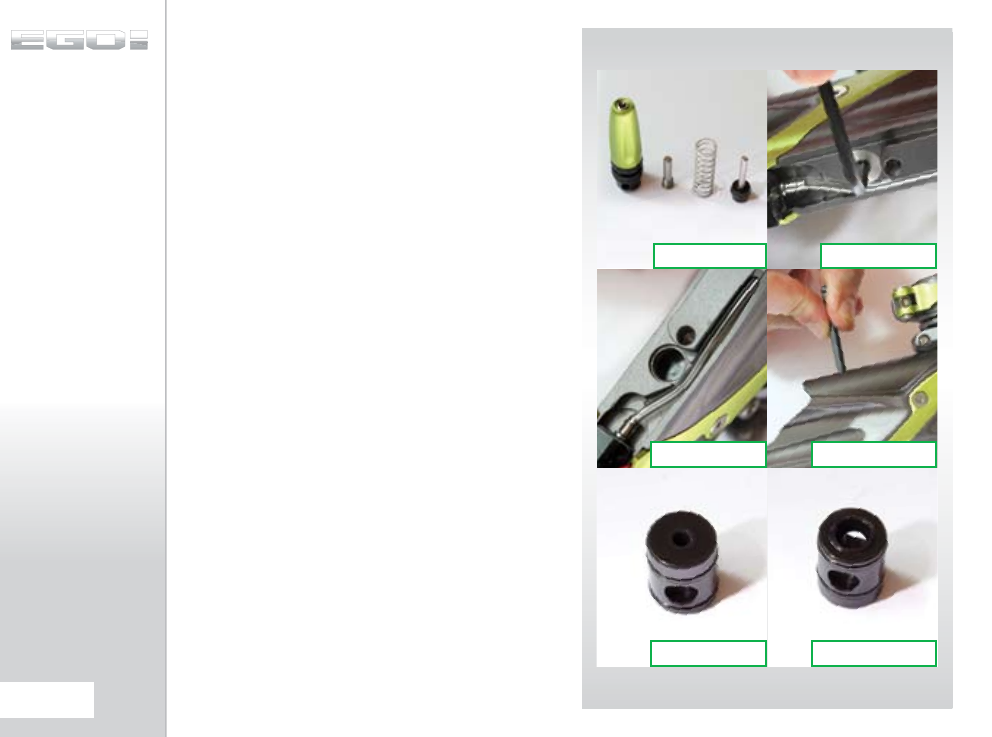
(CONTINUED)
Remove the entire LPR assembly, the valve spring and the
exhaust valve from the marker body (SEE FIGURE 13.7). Using a
1/8” hex key remove the valve plug from the underside of the
Ego8 body (SEE FIGURE 13.8). The bottom of the exhaust valve
guide should now be visible through the valve plug hole (SEE
FIGURE 13.9). Ensure that the rammer is in its rear position and
taking an L-shaped hex key, place it down through the bolt
slot in the top of the body so that you can apply light pressure
to pop the valve guide out of its place in the Ego8 body (SEE
FIGURE 13.10).
Note how one side of the exhaust valve guide is flat
(SEE FIGURE 13.11), whilst the other is raised to create the surface
that the exhaust valve seals on (SEE FIGURE 13.12). Inspect the
sealing face of both the exhaust valve guide and the exhaust
valve for any excessive wear or damage. If the exhaust valve or
the exhaust valve guide is damaged then replace with authentic
Ego8 parts.
You have now stripped the Ego8.
FIG 13.9 FIG 13.10
FIG 13.8FIG 13.7
FIG 13.11 FIG 13.12
58.
MAINTENANCE
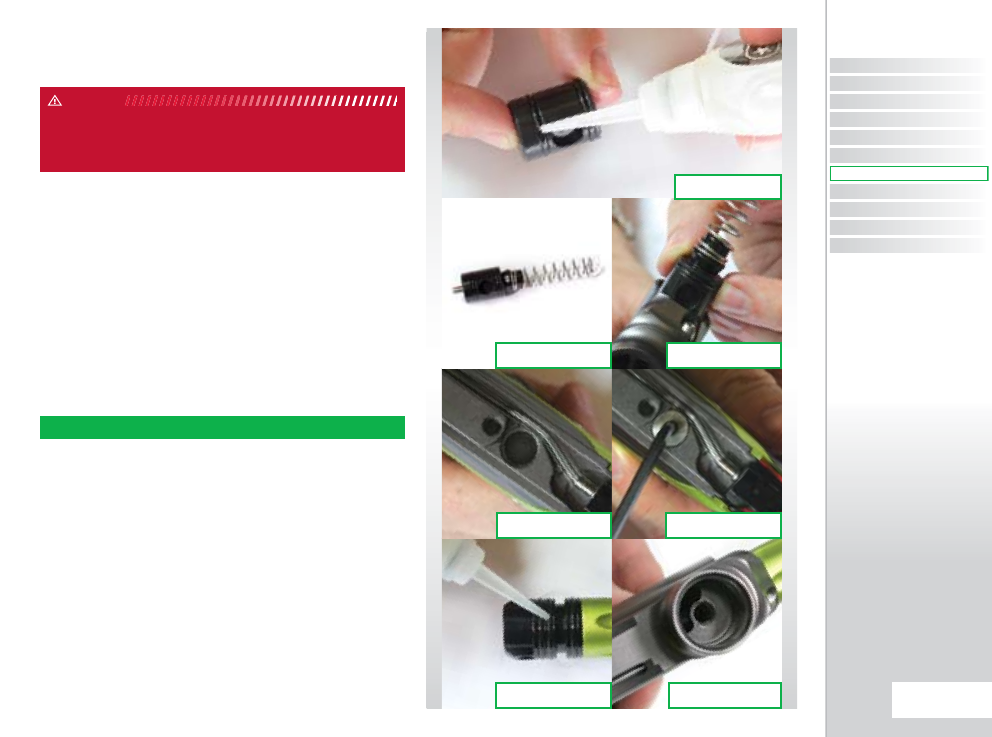
HOW TO ASSEMBLE
THE EGO8
Lubricate both of the o-rings on the exhaust valve guide with
Eclipse Oil (SEE FIGURE 14.1). Place the exhaust valve in the
exhaust valve guide, making sure that the sealing faces are
next to each other, and place the valve spring over the end of
the exhaust valve (SEE FIGURE 14.2). Holding the exhaust valve
guide so that the closed side of it is facing the bottom of the
marker body, insert the exhaust valve guide, exhaust valve and
valve spring into the front of the marker body (SEE FIGURE 14.3).
When the exhaust valve is in the correct place, you will be able
to see the closed side through the valve plug hole in the Ego8
body (SEE FIGURE 14.4). Make sure that the exhaust valve guide
is lined up correctly and then take a 1/8” hex key and replace the
valve plug (SEE FIGURE 14.5).
Lubricate the o-rings on the LPR body with Eclipse Oil (SEE
FIGURE 14.6) and slide the LPR assembly into the front of the
Ego8 marker body until the hole in the LPR body lines up with
the hole in the front regulator mount (SEE FIGURE 14.7).
WARNING: DE-GAS YOUR MARKER, DISCHARGING ANY STORED GAS
IN A SAFE DIRECTION, AND REMOVE THE BARREL, LOADER AND AIR
SYSTEM TO MAKE THE MARKER EASIER TO WORK ON.
WARNING
FIG 14.2 FIG 14.3
FIG 14.4 FIG 14.5
FIG 14.6 FIG 14.7
FIG 14.1
NOTE: DO NOT OVER TIGHTEN THE VALVE PLUG.!
CONTENTS
ORIENTATION
QUICK SET-UP
USING YOUR EGO8
ADVANCED SET-UP
MENU TREE
MAINTENANCE
FAULT FINDING
SERVICE CENTERS
PARTS LIST
SPARES & ACCESSORIES
59.
MAINTENANCE
MAINTENANCE
QUICK GUIDE
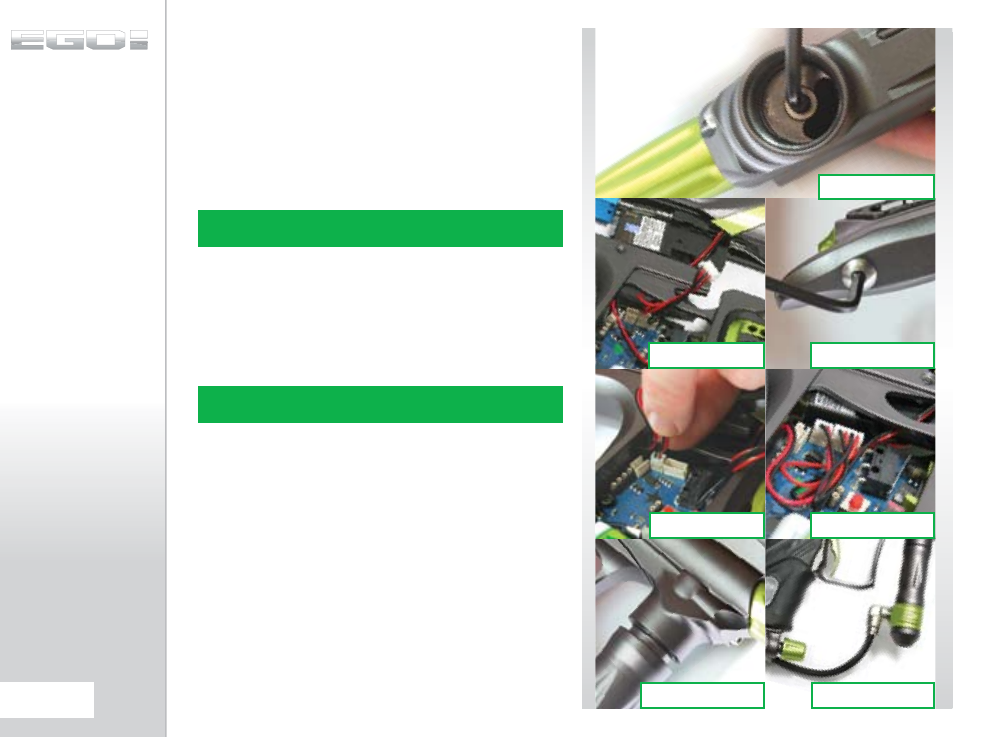
(CONTINUED)
Using a 1/8” hex key replace the screw that secures the LPR body
into the marker body (SEE FIGURE 14.8).
Carefully thread the solenoid and break beam sensor system
wires through the access holes in the top of the Ego8 grip frame
(SEE FIGURE 14.9) and re-attach the grip frame to the marker
body by tightening the two grip frame screws using a 1/8” hex
key (SEE FIGURE 14.10).
Ensure that the break beam sensor system cables lie neatly in
the slots provided for them in the Ego8 grip frame and connect
the solenoid and the break beam sensors to their relevant
connections on the Ego8 circuit board (SEE FIGURE 14.11).
Adjust both the solenoid wires and the break beam sensor
system wires so that they sit neatly within the grip frame
(SEE FIGURE 14.12).
Re-attach the Ego8 rubber grips to the frame by using a 5/64”
hex key to replace the 6 grip screws. Screw the inline regulator
back into the front regulator mount (SEE FIGURE 14.13) and
connect any hosing that was disconnected earlier (SEE FIGURE
14.14). Lift the bolt pin and slide the bolt into position, locating
the bolt pin in the designated groove in the rammer.
You have now assembled your Ego8.
FIG 14.9 FIG 14.10
FIG 14.11 FIG 14.12
FIG 14.13 FIG 14.14
FIG 14.8
NOTE: CHECK THAT NO WIRES ARE TRAPPED BEFORE TIGHTENING
DOWN THE FRAME SCREWS
NOTE: TWIST THE BBSS WIRES SO THAT THEY DO NOT OBSTRUCT
THE MOVEMENT OF THE MICRO-SWITCH LEVER.
60.
MAINTENANCE
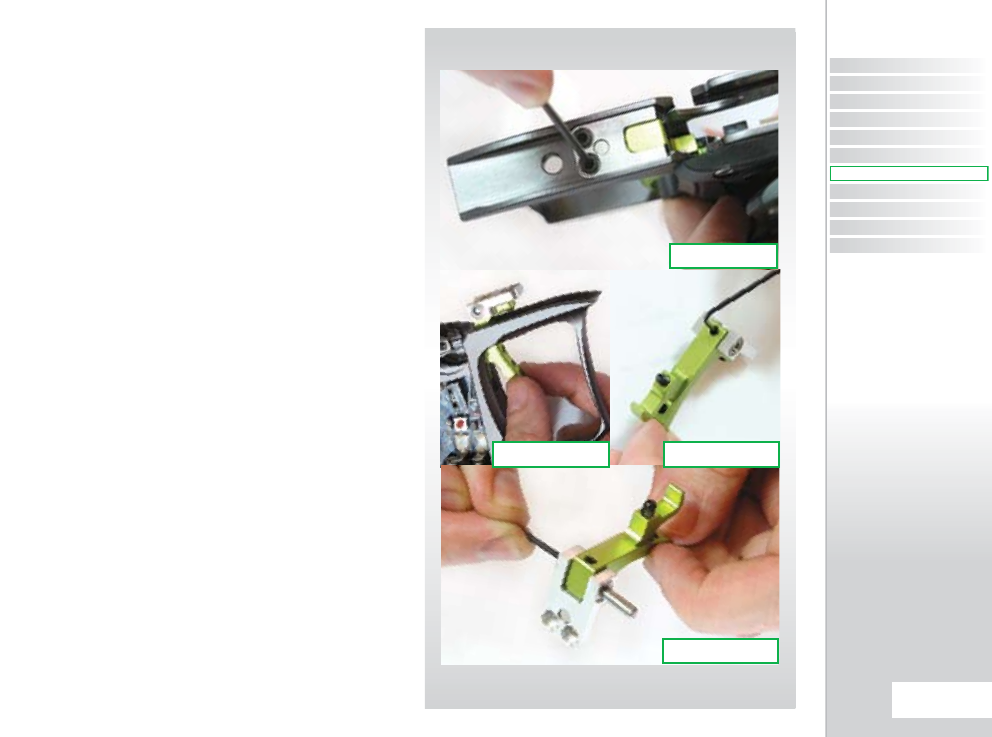
CLEANING THE
TRIGGER ASSEMBLY
Having removed the trigger frame completely from the Ego8
body, use a 5/32” hex key to remove the two screws that hold the
bearing carrier in place in the top of the frame (SEE FIGURE 15.1).
Gently lift the bearing carrier and trigger assembly free from the
trigger frame taking care not to damage the micro-switch or the
opto sensors (SEE FIGURE 15.2).
Using a 1/16” hex key, loosen the trigger pin retaining set screw
from the rear of the trigger (SEE FIGURE 15.3). Use a small hex
key to push the trigger pin out of the bearing carrier from one
side (SEE FIGURE 15.4) Clean the trigger and bearing carrier
thoroughly and also clean the space within the frame that the
trigger sits into.
FIG 15.2 FIG 15.3
FIG 15.1
FIG 15.4
CONTENTS
ORIENTATION
QUICK SET-UP
USING YOUR EGO8
ADVANCED SET-UP
MENU TREE
MAINTENANCE
FAULT FINDING
SERVICE CENTERS
PARTS LIST
SPARES & ACCESSORIES
61.
MAINTENANCE
MAINTENANCE
QUICK GUIDE
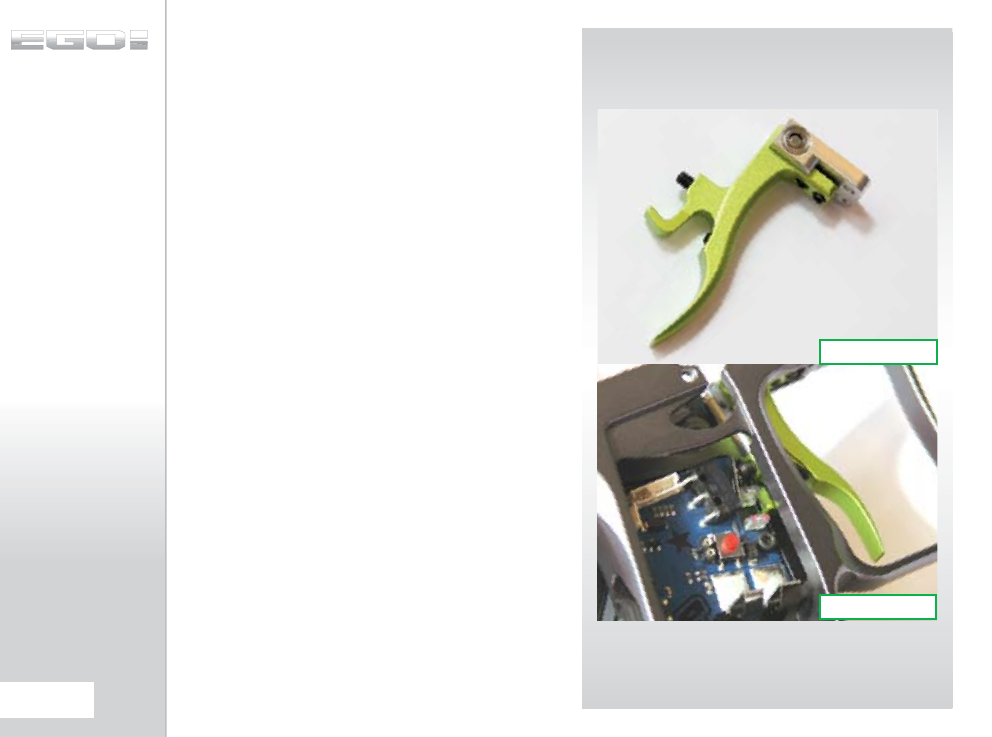
(CONTINUED)
Positioning the trigger so that the hole through the trigger lines
up with the holes in the bearing carrier, slide the trigger pin in
place and using a 1/16” hex key tighten down the trigger pin
retaining set screw to hold the assembly together (SEE FIGURE
15.5).
Gently lower the trigger assembly and bearing carrier into the
frame, taking care not to damage the micro-switch or the opto
sensor, and ensuring that the trigger is positioned correctly (SEE
FIGURE 15.6). Using a 5/32” hex key tighten the two screws that
hold the bearing carrier in place in the top of the Ego8 frame.
You have now stripped and cleaned your Ego8 trigger.
FIG 15.5
FIG 15.6
62.
MAINTENANCE
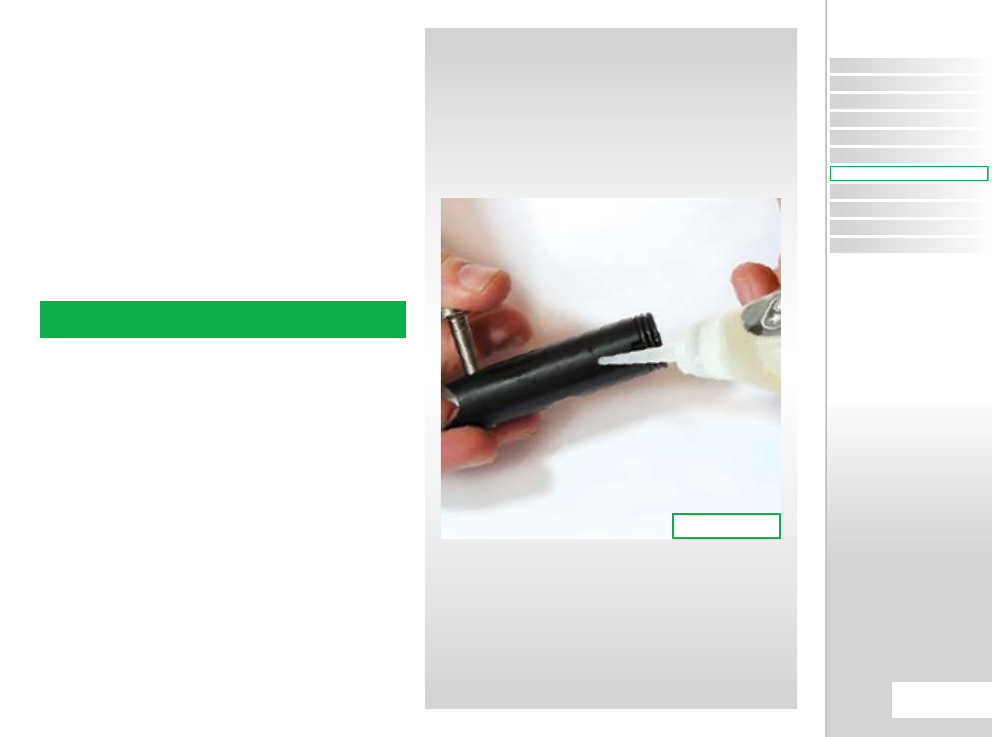
CLEANING AND
LUBRICATING THE
BOLT
This procedure can be performed with the Ego8 gassed up as
well as de-gassed.
Raise the bolt pin and remove the bolt and bolt pin from the
Ego8 marker body.
Using a dry cotton bud remove any paint or grease from the
surface of the bolt (SEE FIGURE 16.1).
Lubricate the bolt and replace the bolt, locking the bolt pin into
the designated slot in the rammer.
NOTE: WE RECOMMEND THE USE OF ECLIPSE PAINTBALL GUN OIL
ON THE EGO8 RAMMER AND BOLT.
FIG 16.1
CONTENTS
ORIENTATION
QUICK SET-UP
USING YOUR EGO8
ADVANCED SET-UP
MENU TREE
MAINTENANCE
FAULT FINDING
SERVICE CENTERS
PARTS LIST
SPARES & ACCESSORIES
63.
MAINTENANCE
MAINTENANCE
QUICK GUIDE
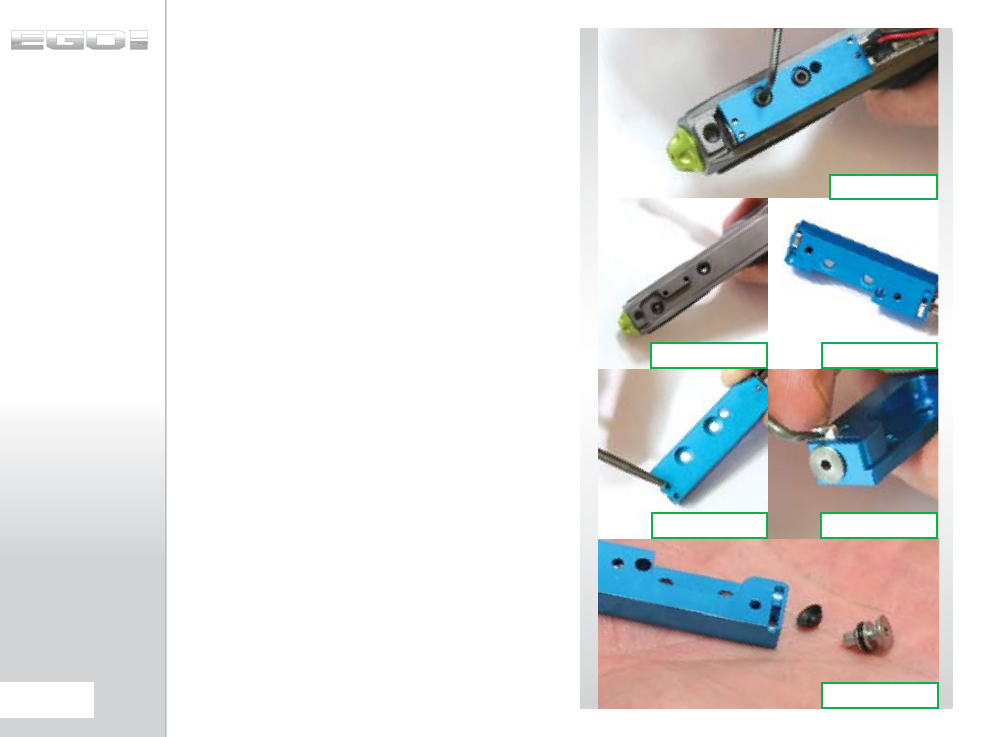
CLEANING THE QEV
BLOCK
With the frame separated from the marker body us a 5/32” hex
key to undo and remove the two screws that hold the QEV Block
onto the Ego8 body (SEE FIGURE 17.1).
With the QEV Block completely removed from the Ego8 body,
the bottom of the Ego8 body should now resemble FIGURE
17.2. Ensure that the two o-rings are located in their respective
pockets in the base of the body and check that they are free
from contamination from any dirt, debris, paint or moisture. If
either (or both) o-rings are damaged or missing replace them as
necessary.
Check the underside of the QEV Block to ensure that it is also
free from damage or debris (SEE FIGURE 17.3). To begin to strip
the QEV Block, turn it over to expose the QEV Block Retainer Clip
access holes and use a pick to gently poke both sides of the Rear
QEV Block Retainer Clip free from the QEV Block (SEE FIGURE
17.4). When the clip protrudes sufficiently from the QEV Block,
hook the pick into the hole in the clip to pull it free from the QEV
Block (SEE FIGURE 17.5). You should now be able to remove the
Rear QEV Cap and the QEV Diaphragm from the rear of the QEV
Block by tapping it onto the palm of your hand. (SEE FIGURE
17.6)
FIG 17.2 FIG 17.3
FIG 17.4 FIG 17.5
FIG 17.6
FIG 17.1
64.
MAINTENANCE
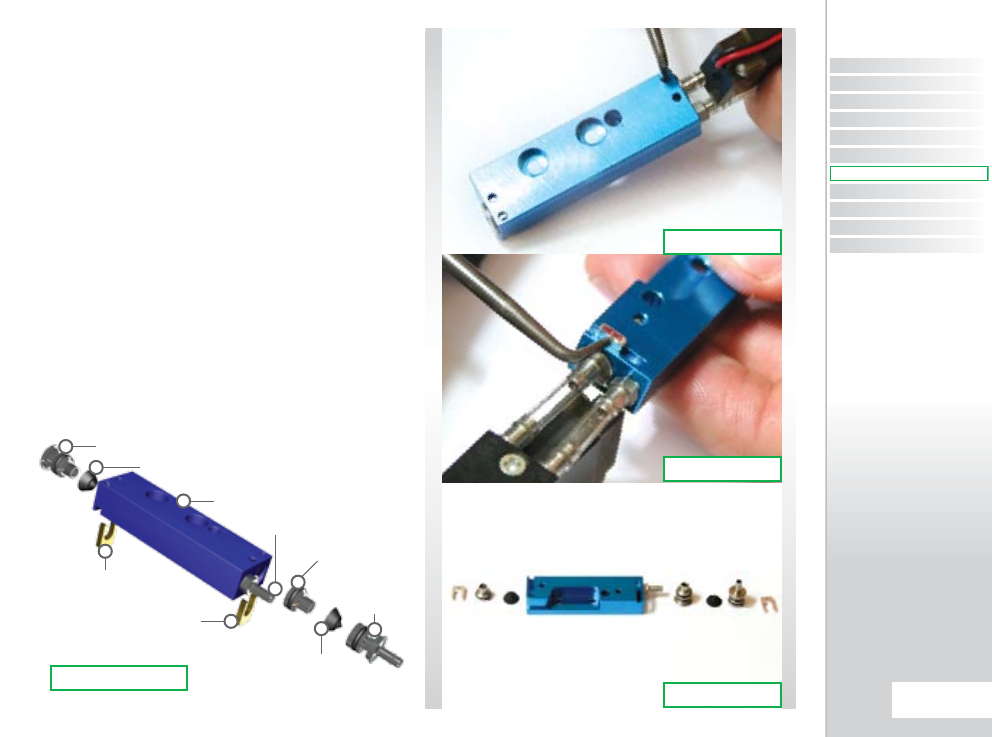
RETAINER
CLIP
FRONT
QEV
CAP
QEV
DIAPHRAGM
FRONT QEV
INSERT
RETAINER
CLIP
BARB
QEV BLOCK
QEV DIAPHRAGM
REAR QEV CAP
(CONTINUED)
Repeat the above process on the Front end of the QEV Block
assembly using a pick to push up the Front QEV Block Retainer
Clip (SEE FIGURE 17.7) and then to lift the Front QEV Block
Retainer Clip free from the QEV Block (SEE FIGURE 17.8). The
contents of the QEV Block should now look like FIGURE 17.9.
To correctly assemble the QEV Block it is essential that the
internal components are arranged in the correct order. Using a
cotton bud soaked in Eclipse Oil, lubricate the chambers at both
the back and front of the QEV Block. Referring to FIGURE 17.10,
assemble the QEV Block as shown, ensuring that once the Front
and Rear QEV Caps hold the relevant internals in place they are
secured by the Retainer Clips.
It is Important to pay attention to the orientation of the QEV
Diaphragm and to make sure that they are sat in the correct
position before inserting the end caps. Make sure they are
perfectly square and not tilted over.
You have now successfully stripped and cleaned your QEV Block.
FIG 17.7
FIG 17.8
FIG 17.9
FIG 17.10
CONTENTS
ORIENTATION
QUICK SET-UP
USING YOUR EGO8
ADVANCED SET-UP
MENU TREE
MAINTENANCE
FAULT FINDING
SERVICE CENTERS
PARTS LIST
SPARES & ACCESSORIES
65.
MAINTENANCE
MAINTENANCE
QUICK GUIDE
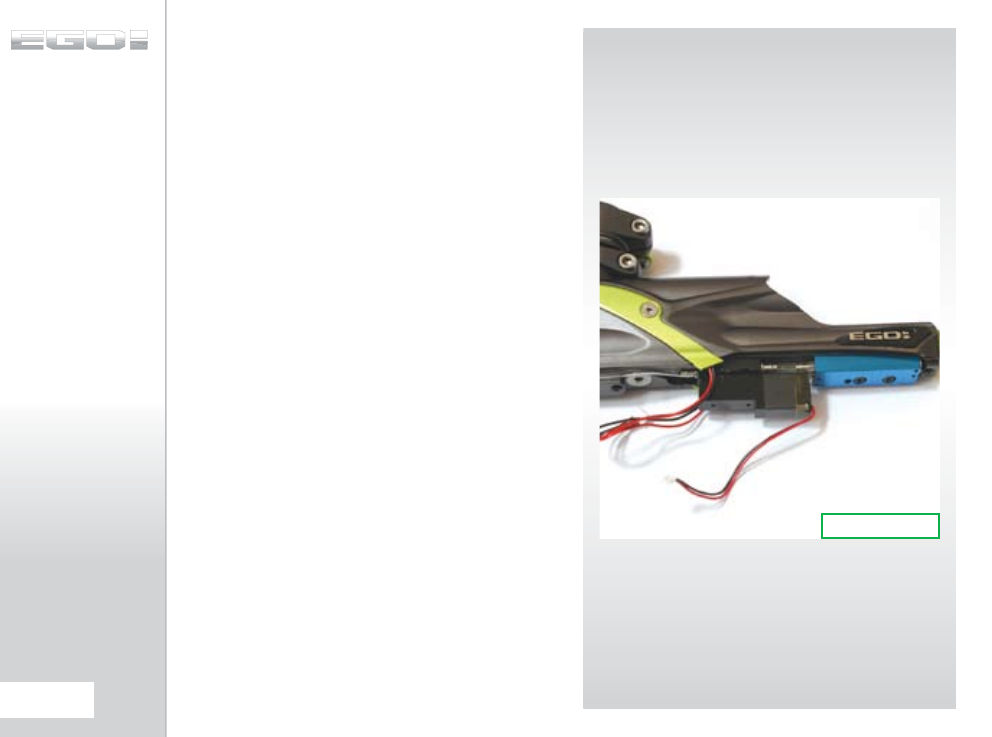
THE EGO8 SOLENOID
ASSEMBLY
Ego8 utilises a purpose built solenoid. Unlike previous Ego
solenoids - the Ego8 solenoid is NON-serviceable and as
such ANY attempt to strip or service your Ego8 solenoid will
immediately void your warranty.
If you experience any issues with your Ego8 solenoid then please
contact your nearest Eclipse Service Center for details on how
to get a replacement Ego8 solenoid. Details of Eclipse Service
Centers can be found (SEE PAGES 70-71) at the back of this
manual or in the Support section online at
www.planeteclipse.com.
FIG 18.1
66.
MAINTENANCE
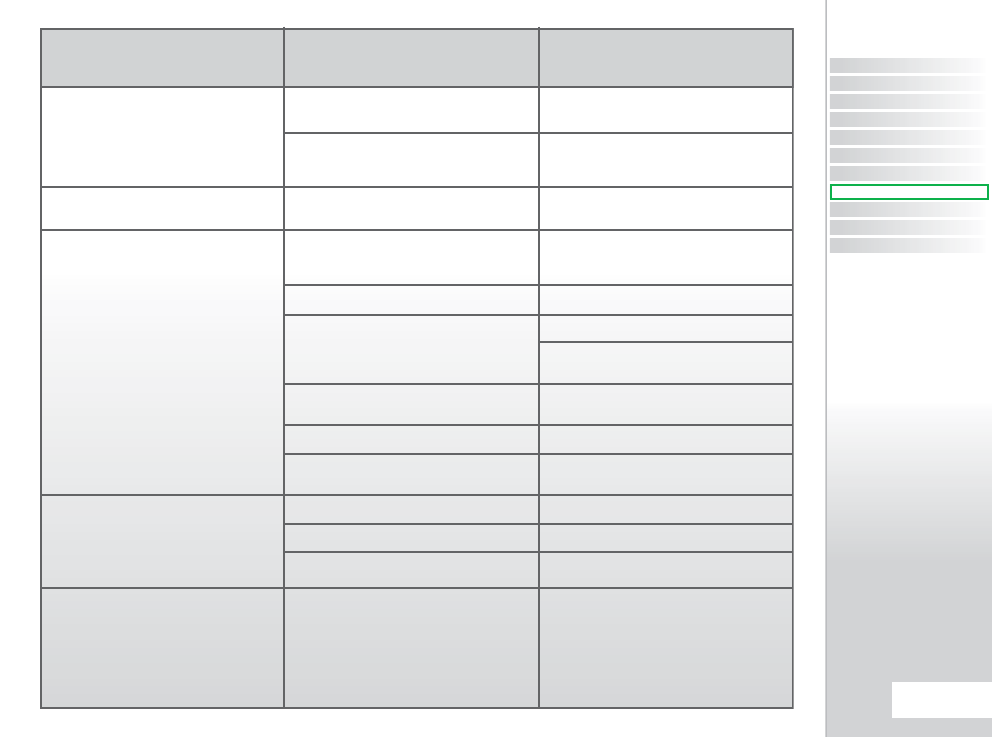
SYMPTOM POSSIBLE
CAUSE
Although a fresh battery has been fitted, the
Ego8 will not switch on.
The battery does not seem to last very long.
The Ego8 leaks from the solenoid.
The Ego8 leaks down the barrel
Gas vents quickly down barrel as soon as it is
gassed up.
The battery has been fitted incorrectly.
The battery terminals are not making proper
contact with the battery.
The battery type is of a low quality.
Check that 3 solenoid seals are intact and
seated correctly in their designated pockets in
the Minifold.
Damaged Ego8 Solenoid.
LPR is supercharging causing intermittent
leaking.
Check for damaged or incorrect seals
on Rammer.
Is it leaking from the Barbs?
Is it over-pressurizing from damaged seals on the
valve chamber?
Leaky Exhaust Valve.
Damaged Valve Seat.
Incorrect seal on front of Valve Guide.
The Exhaust Valve has become jammed in the
valve guide.
Fit the Battery correctly with the positive terminal
nearest to the side of the frame.
Remove the Battery, gently bend the terminals
towards where the Battery will sit and then
replace the Battery.
Use an alkaline or metal hydride battery. Do not
use a low quality or rechargeable battery.
Replace seals if damaged using Ego8 Parts kit.
Ensure seals are sealed correctly.
Replace Ego8 Solenoid.
Clean LPR Piston seal.
Inspect regulator seal (in LPR Piston) and
regulator seat (in LPR Body). Replace if necessary.
Replace seals.
Check hose for cuts or replace barbs.
Change Valve Chamber seals.
Replace Exhaust Valve.
Replace Valve Guide.
Replace front seals on Valve Guide with 014
NBR70.
Replace Exhaust Valve and valve guide as
necessary (see Maintenance Section).
SOLUTION
CONTENTS
ORIENTATION
QUICK SET-UP
USING YOUR EGO8
ADVANCED SET-UP
MENU TREE
MAINTENANCE
FAULT FINDING
SERVICE CENTERS
PARTS LIST
SPARES & ACCESSORIES
67.
FAULT FINDING
FAULT FINDING
QUICK GUIDE
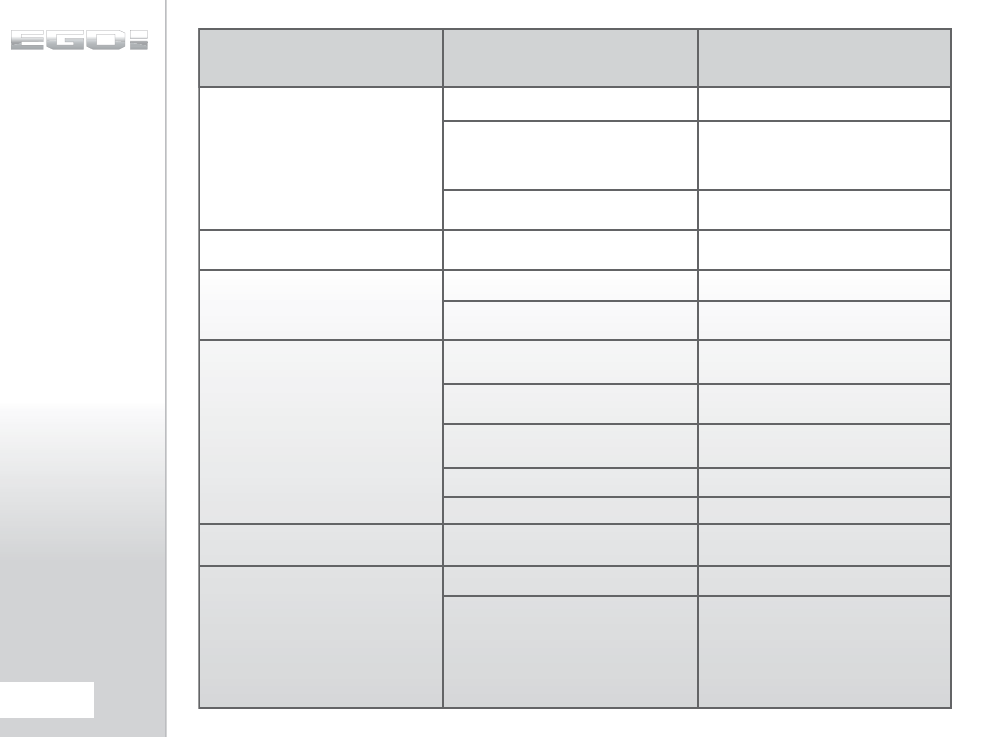
SYMPTOM POSSIBLE
CAUSE
The marker is chopping or trapping paint.
The Ego8 fires yet bolt doesn’t move.
QEV Block leaks.
The Ego8 does not fire.
Low Velocity First Shot.
High Velocity First Shot.
The Break-Beam Sensor System is switched off.
The Bolt is dirty, causing the sensor system to
incorrectly detect a paintball.
The Break-Beam Sensor System is dirty causing
the incorrect detection of paintballs.
Bolt pin is not located in Rammer correctly.
Main Rammer seal is damaged.
Faulty seals inside QEV Block.
Trigger is set up incorrectly.
Solenoid is not plugged into the Ego8 PCB.
The Break-Beam Sensor System is enabled but
there is no paint.
Microswitch is not being activated.
Microswitch is damaged.
FSDO parameter is too low to overcome stiction
on Solenoid and / or Rammer O-rings.
FSDO parameter set too high.
Inline Regulator pressure creeping.
Switch on the Break-Beam Sensor System.
Clean the Bolt.
Clean the Break-Beam Sensor System.
Lift Bolt pin and line up with position of rammer
correctly (See Maintenance Section).
Replace 011 seal on Rammer Shaft.
Strip QEV Block and inspect seals for debris or
damage.
Set trigger up correctly.
(See Advanced Set-Up Section)
Plug solenoid into port on the Ego8 PCB.
Fill loader with paint.
Adjust Microswitch activation screw accordingly.
Replace circuit board.
Increase FSDO parameter.
Reduce FSDO parameter.
Strip and clean Inline Regulator. Replace Inline
Regulator piston if necessary.
SOLUTION
68.
FAULT FINDING
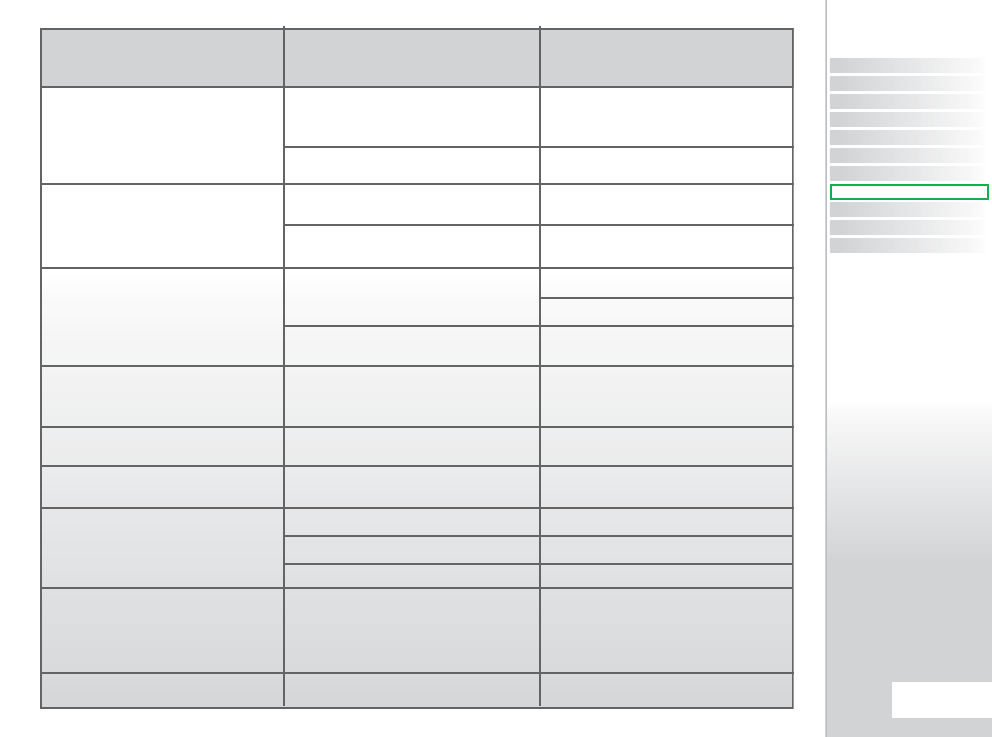
SYMPTOM POSSIBLE
CAUSE
My Trigger is very “Bouncy”, how can I
reduce it?
The Break-Beam Sensor System does not appear
to be reading correctly.
The Break-Beam Sensor System is not reading
at all.
Two or more balls are being fed into the breech.
Ego8 is inconsistent.
Leaking Rammer Assembly ( Leak gets louder
when bolt is removed ).
Eye turns itself off after firing.
When the Ego8 powers up, no game timer / shot
counter / rof indicator is displayed and the gun
will not fire.
Incorrect Filter settings.
Lengthen and strengthen your trigger pull.
The Break-Beam Sensor System is dirty.
Break-Beam Sensors are the wrong way around.
There is a broken wire or contact, or a short circuit
on either of the Breech Sensor cables.
Either sensor is back to front.
If the Ego8 is being used with a force feed loader,
it is possible that the loader is forcing balls past
the ball detent.
Inline Regulator is supercharging.
Front ram shaft seal deteriorated.
Eye is dirty.
Eye is faulty.
Eye is out of place.
The trigger is permanently depressed.
Check that your trigger pull is within the limits
of your BAND HI and BAND LO settings and that
your TT TOL suits your current set-up.
Refer to Advanced Set-Up Section for guidelines
of how to adjust your Ego8 Trigger accordingly.
Keep the Break-Beam Sensors clean to ensure
correct readings (See Maintenance Section).
Check that the red receiver is on the right-hand
side of the Breech.
Check the plug of the cables.
Check for cuts or pinches in the sensor cables.
Check that the sensors face each other when
installed.
Change the rubber finger detent.
Strip and clean Inline Regulator.
(See Maintenance Section )
Replace front Rammer Shaft seal.
Clean the eyes.
Replace the eyes.
Re-Install Eyes. Check alignment.
Turn the front stop set screw in the top of the
Trigger counter-clockwise until the display reads
correctly. If there is sufficient trigger adjustment
then turn the return force set screw counter
clockwise also.
SOLUTION
CONTENTS
ORIENTATION
QUICK SET-UP
USING YOUR EGO8
ADVANCED SET-UP
MENU TREE
MAINTENANCE
FAULT FINDING
SERVICE CENTERS
PARTS LIST
SPARES & ACCESSORIES
69.
FAULT FINDING
FAULT FINDING
QUICK GUIDE
ECLIPSE CERTIFIED SERVICE CENTERS
Are you unsure of where to send your Ego8 to be repaired or serviced? If your local Eclipse dealer can’t assist you, why not contact your
nearest Certified Eclipse Service Center and arrange to send it into them to undertake any work that you require.
UNITED KINGDOM & EUROPE
PLANET ECLIPSE LTD
ENGLAND
Call: +44(0)161 872 5572
Fax: +44(0)161 872 5972
Email: technical@planeteclipse.com
Visit: www.planeteclipse.com
ACTION PAINTBALL
GAMES
RUSSIA
Call: +7(0) 95 7851 762
Fax: +7(0) 95 7851 738
Email: info@paintball.ru
Visit: www.paintball.ru
ADRENALICIA S.L.
Spain
Call:
++34 669 011 515
Fax:
++34 986 730 131
Email:
jota@adrenalicia.com
Visit:
www.adrenalicia.com
TCB PAINTBALL
Sweden
Call: ++46 702 317 361
Email: info@tcbpaintball.com
Visit: www.tcbpaintball.com
COOLGAMES
Finland
Call:
++358 9 586 5312
Email:
mikke@aaha.fi
Visit:
www.coolgames.fi
OPM
GERMANY
Call: ++49(0) 211 210 2300
Fax: ++49(0) 211 210 2300
Email: salesforce@paintball.de
Visit: www.paintball.de
CAMP
FRANCE
Call: +33(0)1 42 68 1000
Fax: +33(0)1 42 68 1296
Email: atelier@paintballcamp.com
Visit: www.paintballcamp.com
PONTO DE MIRA
Portugal
Call:
++351 214 120 144
Fax:
++351 214 120 144
Email:
paintball@pontodemira.com
Visit:
www.pontodemira.com
WESTPORT
Norway
Call:
++47 4077 4418
Email:
post@westport.no
Visit:
www.westport.no
BREAKOUT KFT
Hungary
Call:
++36 203 563 604
Email:
info@joinpaintball.hu
Visit:
www.joinpaintball.hu
ESTRATEGO PORTUGAL
Portugal
Call: ++351 213 863 637
Fax: ++351 213 863 715
Email: info@estratego.pt
Visit: www.estratego.com
SKILL PAINTBALL
Poland
Call:
++48 22 875 2777
Fax:
++48 22 212 8018
Email:
info@skill.com.pl
Visit:
www.skill.com.pl
AGS
Czech Republic
Call:
++420 272 762 938
Fax:
++420 272 762 938
Email:
info@paintballshop.cz
Visit:
www.paintballshop.cz
70.
SERVICE CENTERS
USA & CANADA
REST OF THE WORLD
PLANET ECLIPSE LLC
Rhode Island
Call:
(401) 247 9061
Fax:
(401) 247 0931
Email:
gerry.b@planeteclipse.com
Visit:
www.planeteclipse.com
DGX PAINTBALL
West Coast and
California
Call:
(707) 255 5166
Email:
Darin@dgxpaintball.com
Visit:
www.dgxpaintball.com
PAINTBALL SHOWCASE
East Coast
Call:
(401) 353 6040
Email:
paintballsupply@aol.com
Visit:
www.paintballshowcase.com
GROUND ZERO
PAINTBALL
Southern States
Call:
(888) 759 2578
Email:
egdesigns@hughes.net
Visit:
www.gzpaintball.com
EXTREME SKATE AND
PAINT
Florida
Call:
(305) 248 3145
Email:
Mike@espxtremesportz.com
Visit:
www.espxtremesportz.com
PRO STAR PAINTBALL
Midwest
Call:
(402) 403 1880
Email:
Walt@prostarpb.com
Visit:
www.prostarpb.com
FOX PAINTBALL
Call:
(630) 585 5651
Email:
DJ@foxpaintball.com
Visit:
www.foxpaintball.com
PAINTBALL CENTRAL
Hawaii
Call:
(808) 533 0462
Email:
ron@pbchawaii.com
Visit:
www.pbchawaii.com
BADLANDS PAINTBALL
Canada
Call:
(416) 245 3856
Email:
techzone@badlandspaintball.
com
Visit:
www.badlandspaintball.com
SKIRMISH PAINTBALL
ASIA
Malaysia
Call:
++603 7722 5629
Fax:
++603 7722 1435
Email:
info@skirmishpaintballasia.com
Visit:
www.skirmishpaintballasia.com
EXTREME INDOOR
PAINTBALL
Australia
Call:
++61 1 300 972468
Email:
daniel@extremeindoorpaint
ball.com.au
Visit:
www.extremeindoorpaintball.
com.au
ACTION PAINTBALL
GAMES
Australia
Call:
++61 2 9679 0011
Fax:
++61 2 9679 0100
Email:
sales@actionpaintball.com.au
Visit:
www.actionpaintball.com.au
THE PAINTBALL SHOP
South Africa
Call:
++27 413640549
Fax:
++27 413640549
Email: info@paintballshop.co.za
Visit:
www.paintballshop.co.za
CONTENTS
ORIENTATION
QUICK SET-UP
USING YOUR EGO8
ADVANCED SET-UP
MENU TREE
MAINTENANCE
FAULT FINDING
SERVICE CENTERS
PARTS LIST
SPARES & ACCESSORIES
71.
SERVICE CENTERS
SERVICE CENTERS
QUICK GUIDE
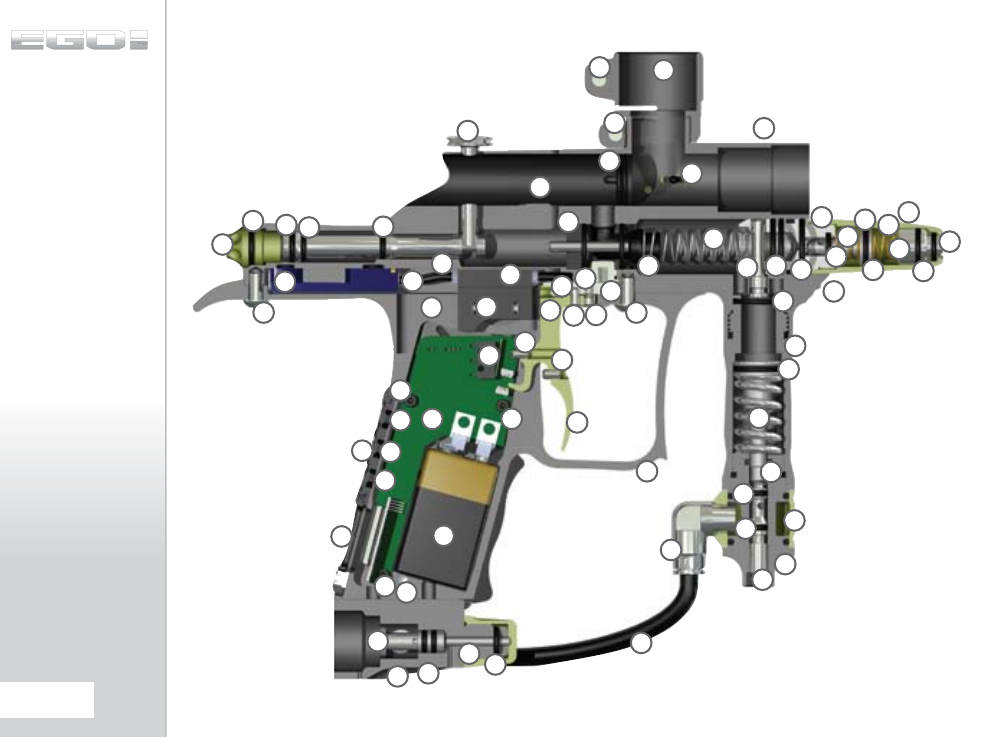
03
02
04
05
06
08 07
09
10
11
12
13
14
15
16
17
18
19
20
21
22
23
24
25 25
27
28
29
30
39
32
32
31
33
34
35
36
36
36
37
38 34
34
39 40
41
42
43
44
45
46
47
48
49
50
51
52
53
54
55
56
56 57
58
59
60
61 62
63
26
01
32
32
64
21
48
65
72.
PARTS LIST
PART NAME
Valve Guide
QEV Block
Rammer Cap
Rammer Cap O-RIng
Valve Plug
Front Rammer O-Ring
Front Rammer Bumper O-Ring
Rear Rammer O-Ring
Exhaust Valve Assembly
Solenoid
Minifold
Minifold Barb
Solenoid Retaining Screw
Low Pressure Hose
LPR Cap
LPR Adjuster Screw
LPR Piston
LPR Piston O-Ring
Adjuster Piston
Adjuster Piston O-Ring
LPR Spring Heavy (Gold)
9 Volt Battery
Torpedo
LPR Body
LPR Body O-Ring
LPR Body Groove O-Ring
FRM Bolt
Frame
Trigger
Printed Circuit Board
Magnet
Trigger Adjuster Screw
Trigger Pin Locking Screw
Push Buttons
Display Window
PCB Screw
Grip Screw
Navigation Console
Frame Screw
Trigger Pin
Swivel Collar
Inline Regulator Top
Inline Regulator Bottom
Inline Regulator Piston
Inline Regulator Piston O-Ring
Inline Regulator Spring
Inline Regulator Adjuster Screw
Inline Regulator Adjuster O-Ring
Inline Regulator Top O-Ring
Anti-Double Ball Finger
Valve Spring
Bolt
Bolt Pin
Bolt O-Ring
Clamping Feed Tube
Clamping Feed Tube Screw
Body
1/4” Elbow
1/4” Hose
OOPS Body
OOPS Pin
OOPS On/Off Knob
OOPS Insert
OOPS Adjuster Screw
Micro - Switch
01
02
03
04
05
06
07
08
09
10
11
12
13
14
15
16
17
18
19
20
21
22
23
24
25
26
27
29
28
30
31
32
33
34
35
36
37
38
55
56
39
57
64
63
62
61
60
59
58
40
41
42
43
44
45
46
47
48
49
50
51
52
53
54
65
CONTENTS
ORIENTATION
QUICK SET-UP
USING YOUR EGO8
ADVANCED SET-UP
MENU TREE
MAINTENANCE
FAULT FINDING
SERVICE CENTERS
PARTS LIST
SPARES & ACCESSORIES
73.
PARTS LIST
PARTS LIST
QUICK GUIDE
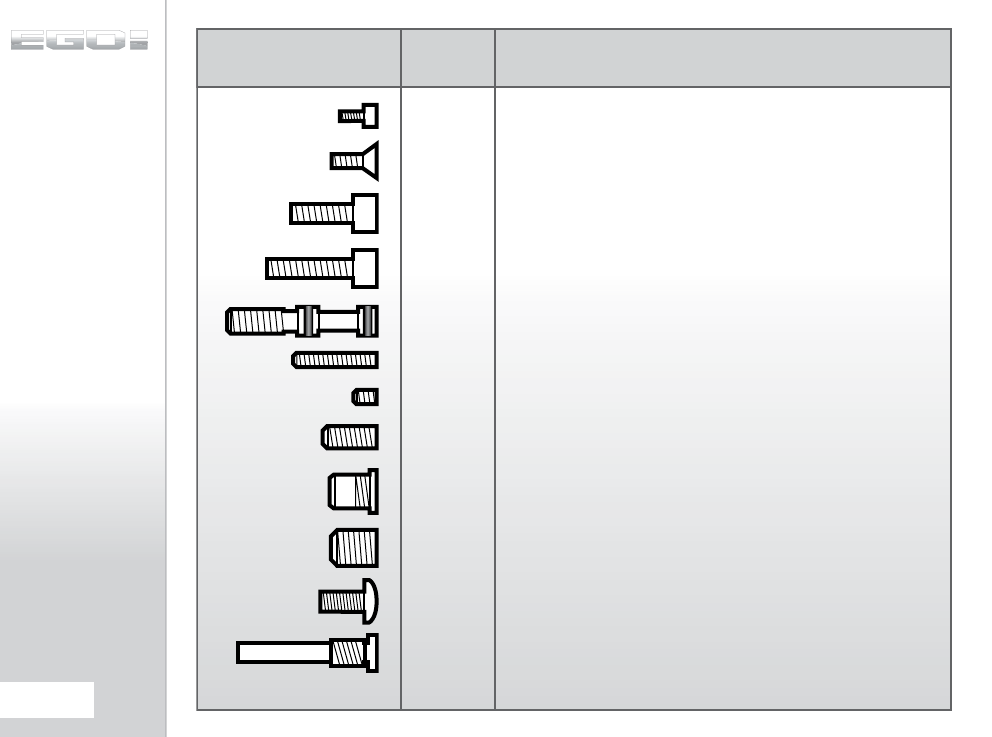
SCREW QTY DESCRIPTION
PCB SCREW (3), BEARING CARRIER (2), QEV BLOCK (2)
( M3 x5 CAP HEAD SOCKET)
RUBBER GRIP SCREW (6), BBSS COVERS SCREW (2)
( 6-32UNC x3/8 COUNTERSUNK SOCKET)
SHORT FEED NECK SCREW
( 1 x10-32UNF x1/2 CAP HEAD SOCKET)
INLINE REGULATOR ADJUSTER SCREW
( CUSTOM MANUFACTURED)
MICROSWITCH SCREW
( 6-32 UNC x1/2 SOCKET SET SCREW)
TRIGGER ADJUSTMENT SCREW
( 6-32 UNC x3/16 SOCKET SET SCREW)
T-RAIL SCREW
( 10-32 UNF x1/2 SOCKET SET SCREW)
VALVE PLUG
( CUSTOM MANUFACTURED)
LPR ADJUSTER SCREW
( 5/16UNF x3/8 SOCKET SET SCREW)
SHORT FRAME SCREW
( 10-32 UNF x3/8 SOCKET BUTTON HEAD)
7
8
1
1
1
4
2
1
1
2
LONG FEED NECK SCREW
( 1 x10-32UNF x5/8 CAP HEAD SOCKET)
FRM RETAINING SCREW
( CUSTOM MANUFACTURED)
1
1
74.
PARTS LIST
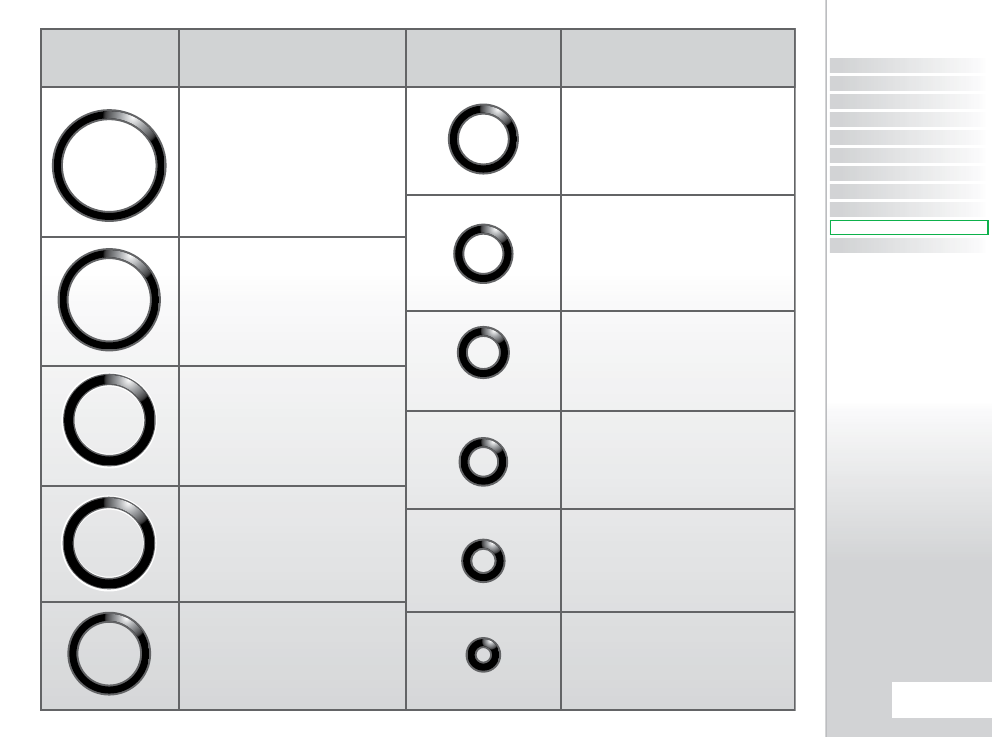
O-RING LOCATION O-RING LOCATION
Reg Swivel.
Inline Regulator Piston.
Inline Regulator Top.
LPR Piston.
Adjuster Piston.
Rear Rammer O-Ring.
Rammer Cap.
Inside LPR Body.
Inside Adjuster Section of Inline.
Inside Rammer Cap.
Inside LPR Cap.
Rammer Front Bumper.
Rammer Shaft O-Ring.
Oops Insert.
Torpedo.
Inline Adjuster Screw.
Oops Insert.
006
008
009
010
011
016
015
013
012
014X2
LPR Body.
014
Valve Guide
CONTENTS
ORIENTATION
QUICK SET-UP
USING YOUR EGO8
ADVANCED SET-UP
MENU TREE
MAINTENANCE
FAULT FINDING
SERVICE CENTERS
PARTS LIST
SPARES & ACCESSORIES
75.
PARTS LIST
PARTS LIST
QUICK GUIDE
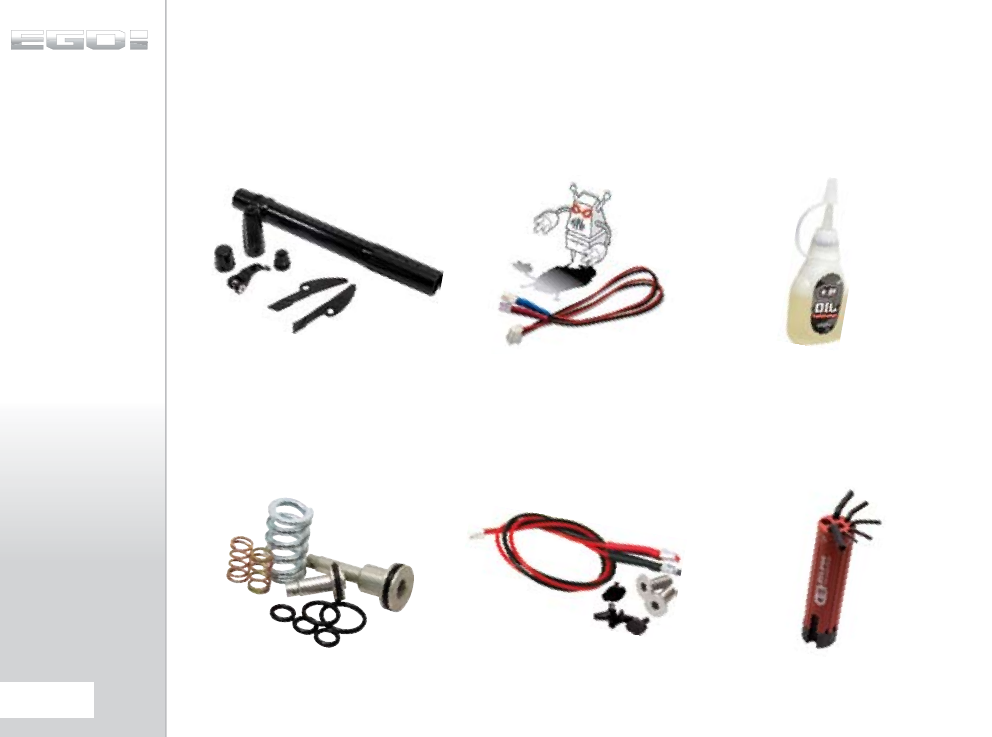
EGO8 MULTI-REG
SPARES KIT
Replacement spares to service your Inline
Regulator and Low Pressure Regulator.
EGO8 CCU UPGRADE
KIT
This unique kit allows you to swap and
customise the look of your Ego8 marker by
replacing these key components.
BBSS SPARES KIT
Replacement Break-Beam Sensor System
kit for your Ego8.
LASER EYE KIT
Add a Red Laser Beam to the breach of
your Ego8 or Etek marker with this Laser
Eye Kit! This product is not compatible with
other Egos.
ECLIPSE EGO8/ETEK
TOOL TUBE
This handy little tool tube includes all of
the hex key sizes that you will need to strip
and maintain your Ego8 or Etek marker.
ECLIPSE GUN OIL
The recommended oil to use on all
maintenance and servicing procedures.
76.
SPARES
BALL DETENTS
10 Replacement rubber Detents for your
Ego8.
ECLIPSE SHAFT 2
BARREL KIT
3 different bores size backs, 2 different
length barrel tips; a combination to suit
every occasion.
TECH FLEX MAT
Protect your Ego whilst you maintain it
with the Eclipse Tech Flex Mat.
08 STRIPE LAPTOP
BAG
Transport your Laptop in style with the
new ‘08 Laptop Bag.
08 STRIPE KITBAG
What better place to keep your Ego8?
CONTENTS
ORIENTATION
QUICK SET-UP
USING YOUR EGO8
ADVANCED SET-UP
MENU TREE
MAINTENANCE
FAULT FINDING
SERVICE CENTERS
PARTS LIST
SPARES & ACCESSORIES
77.
SPARES
QUICK GUIDE
78.
NOTES
CONTENTS
ORIENTATION
QUICK SET-UP
USING YOUR EGO8
ADVANCED SET-UP
MENU TREE
MAINTENANCE
FAULT FINDING
SERVICE CENTERS
PARTS LIST
SPARES & ACCESSORIES
79.
QUICK GUIDE

Units 5-8 Southfield Ind Est, Praed Road Trafford Park, Manchester, England, M171SJ
Call UK & Europe: +44 (0)161 872 5572 Call USA & Canada: 401 247 9061
Licensed under one or more of the following patents:
US 6311682, 6615814, 5881707, 5967133, 6035843, 6474326B1, 6637421B2 UK GB 234270, GB 2345953
© Copyright 2007-2008 Planet Eclipse Ltd. Ego8 and the Ego8 device are registered trademarks.
EG8MVOL1
