Posturite 9820102M Wireless Mouse V1 User Manual manual
Posturite LTD Wireless Mouse V1 manual
UserManual.wiki
>
Posturite
>
9820102M User Manual
Users Manual
Navigation menu
Upload a User Manual
Namespaces
Wiki Guide
HTML
PDF
Info
Views
User Manual
Discussion / Help
Navigation
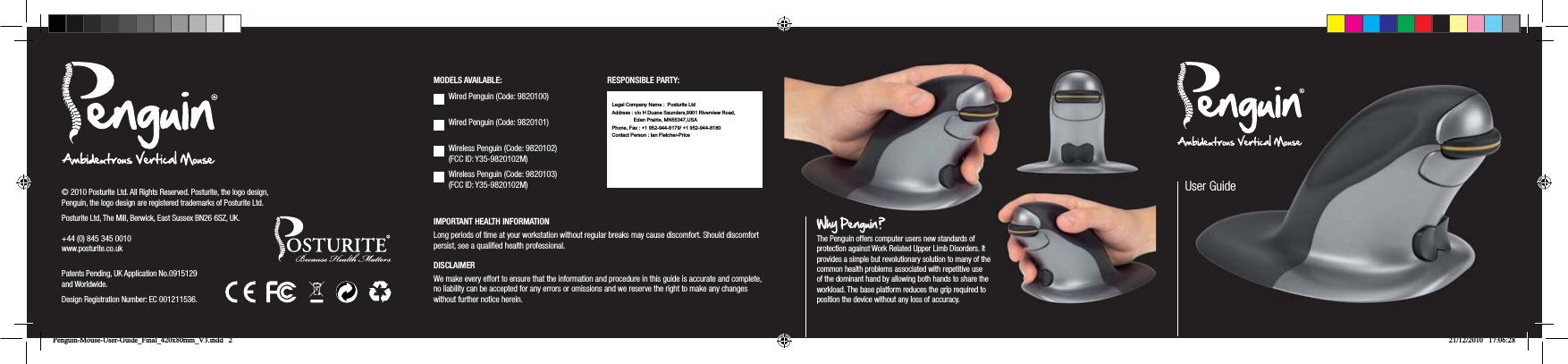
![AAAAAAA. Left ClickB. Right ClickC. Scroll WheelD. Rocker Switch - ‘Bow Tie’ (L/R Hand Switch)E. DPI ButtonF. Battery Compartment (wireless version only) G. 2 x AAA Batteries (wireless version only)H. 1 x USB Micro Receiver (wireless version only)GETTING STARTEDWired Version Plug the USB cable into an empty USB port. Wireless Version Insert the 2 x AAA batteries (G) into the underneath battery compartment (F) and close. Ensure that the batteries are inserted correctly according to polarity marks. Failure to do this correctly may damage the mouse. Then insert the USB Micro Receiver into an empty USB port. The Wireless Penguin has an auto power save management system to preserve battery power when Penguin is not being used. Operate a mouse click or scroll wheel to reactivate. Low level battery power is indicated by a continuous flashing blue light on the underside of the scroll wheel. PLUG & PLAYThe Penguin Mouse uses Plug & Play technology. No additional software is required.VARIABLE DPI [800-1200-1600]The default setting is 800 DPI. To adjust, press the DPI button (E) on the base of the Penguin. A blue light will appear on the underside of the scroll wheel and will flash for 5 seconds indicating the DPI setting has now been set to 1200 DPI. If pressed again, the blue light will appear and flash at a faster speed for 5 seconds, indicating that the DPI is now set to 1600 DPI. To return to 800 DPI, press the button again and the blue light will appear but not flash for 5 seconds indicating that the DPI setting has now returned to 800 DPI.MOUSE POINTER SENSITIVITYAdditional mouse pointer settings can be adjusted through the Control Panel or System Preferences of your computer.RIGHT OR LEFT HAND USEThe Penguin is set as a Right Handed mouse by default. To change to a Left Handed mouse, simply depress the raised section of the rocker switch - ‘Bow Tie’ (D) at the front of the Penguin. This will adjust the way the scroll wheel instructs the on-screen document scroll action for the Left Handed user. PRECISION SCROLL WHEEL WITH AUTO SCROLLAs well as a soft touch and feel Precision Scroll Wheel (C), the Penguin Mouse has an Auto Scroll feature. To activate this, click the Scroll Wheel inwards or downwards and the auto scroll is activated. Move the Penguin forwards or backwards to start auto scrolling at the desired speed. Click the scroll wheel again and the Auto Scroll is stopped.GUARANTEEThe Penguin mouse is guaranteed for a period of 12 months from the date of the purchase. This guarantee does not apply to misuse or normal wear and tear.FCC CONFORMITYThis device complies with Part 15 of the FCC Rules. Operation is subject to the following two conditions: (1) This device may not cause harmful interference, and (2) This device must accept any interference received, including interference that may cause undesired operation. Warning: Changes or modifications to this unit not expressly approved by the party responsible for compliance could void the user’s authority to operate the equipment.NOTE: This equipment has been tested and found to comply with the limits for a Class B digital device, pursuant to Part 15 of the FCC Rules. These limits are designed to provide reasonable protection against harmful interference in a residential installation. This equipment generates, uses and can radiate radio frequency energy and, if not installed and used in accordance with the instructions, may cause harmful interference to radio communications.However, there is no guarantee that interference will not occur in a particular installation. If this equipment does cause harmful interference to radio or television reception, which can be determined by turning the equipment off and on, the user is encouraged to try to correct the interference by one or more of the following measures: Reorient or relocate the receiving antenna. Increase the separation between the equipment and receiver. Connect the equipment into an outlet on a circuit different from that to which the receiver is connected. Consult the dealer or an experienced radio/TV technician for help.GHACBDEFPenguin-Mouse-User-Guide_Final_420x80mm_V3.indd 1 21/12/2010 17:05:53Shfieflded cabfles must be used wfith thfis unfit to ensure compflfiance wfith the Cflass B FCC flfimfits.Shielded cables must be used with this unit to ensure compliance with the Class B FCC limits.](https://usermanual.wiki/Posturite/9820102M/User-Guide-1433389-Page-1.png)