Power Beauty PBB-300S LED Lamp with Bluetooth Speaker User Manual

Power Beauty (Dongguan) Industrial Co., Ltd LED Lamp with Bluetooth Speaker

User Manual

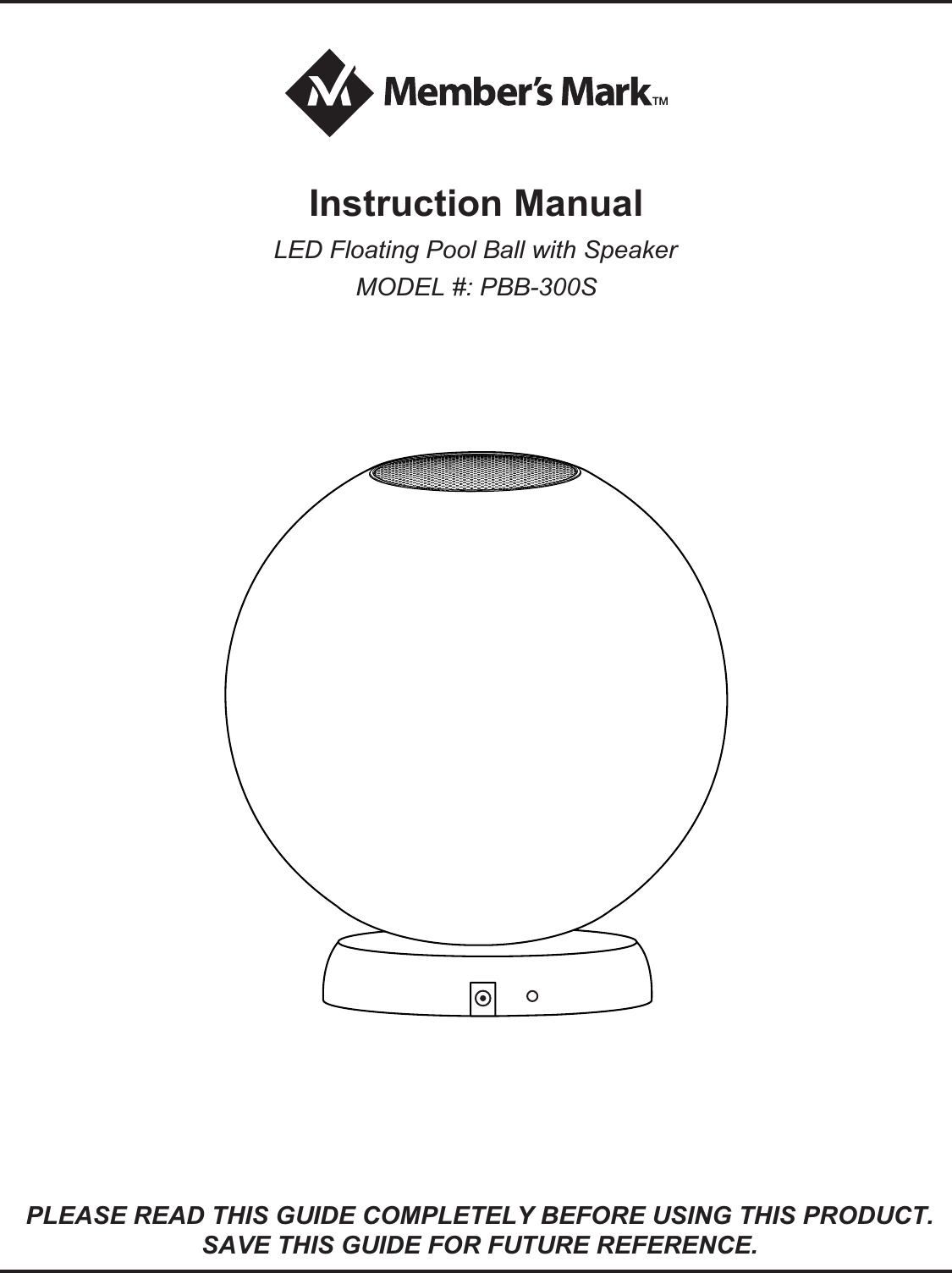
LED Floating Pool Ball with SpeakerMODEL #: PBB-300SInstruction ManualPLEASE READ THIS GUIDE COMPLETELY BEFORE USING THIS PRODUCT.SAVE THIS GUIDE FOR FUTURE REFERENCE.
This is not a toy, keep it out of the reach of children.Keep this product away from chemicals, or high heat.Regarding the adaptor:   Use the adaptor only to charge the battery of the LED floating    pool ball with speaker.   The adaptor should not be used outdoors, or exposed to rain,    humidity, liquids or heat.    Keep the adaptor and charging base out of the reach of children.   Disconnect the adaptor from power when not in use.   Never attempt to open the adaptor, the charging base or the    LED floating pool ball with speaker.Keep the remote control away from water, liquids and heat.WarningHow the LED Floating Pool Ball with Speaker WorksThe LED floating pool ball with speaker functions using bluetooth technology to wirelessly connect to a compatible device such as mobile phones, MP3 players, PCs, notebooks or tablet PCs, and other enabled devices.  If your output device you intend to connect to the LED floating pool ball with speaker is not bluetooth compatible, there are options such as a bluetooth adaptor.Please refer to the device’s operation manual for options and availabilities.Since audio is transferred by bluetooth technology, performance and sound quality will be dependent on distance from the speaker.
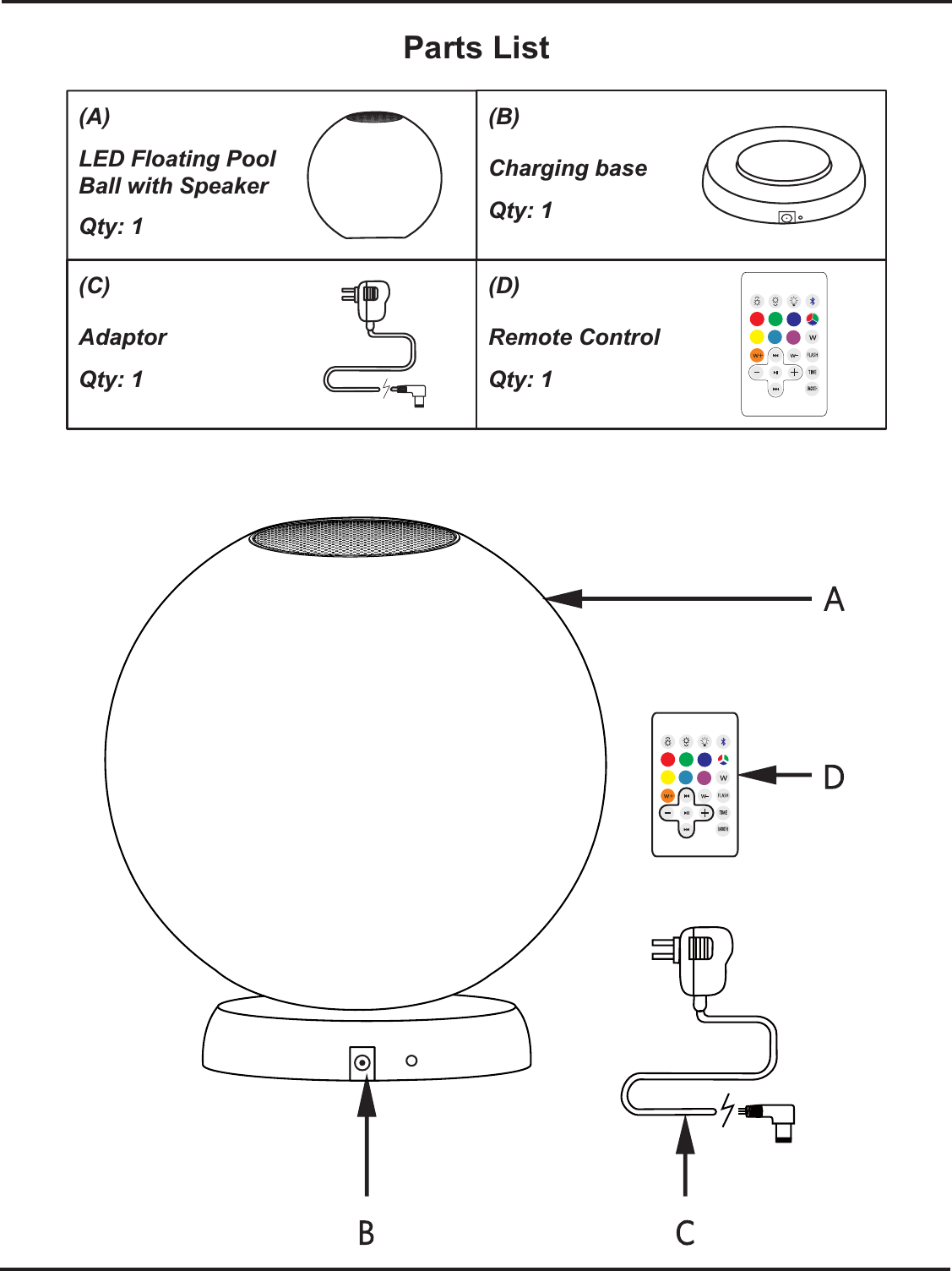
Parts List(A)LED Floating Pool Ball with SpeakerQty: 1(B)Charging baseQty: 1(C)AdaptorQty: 1(D)Remote ControlQty: 1
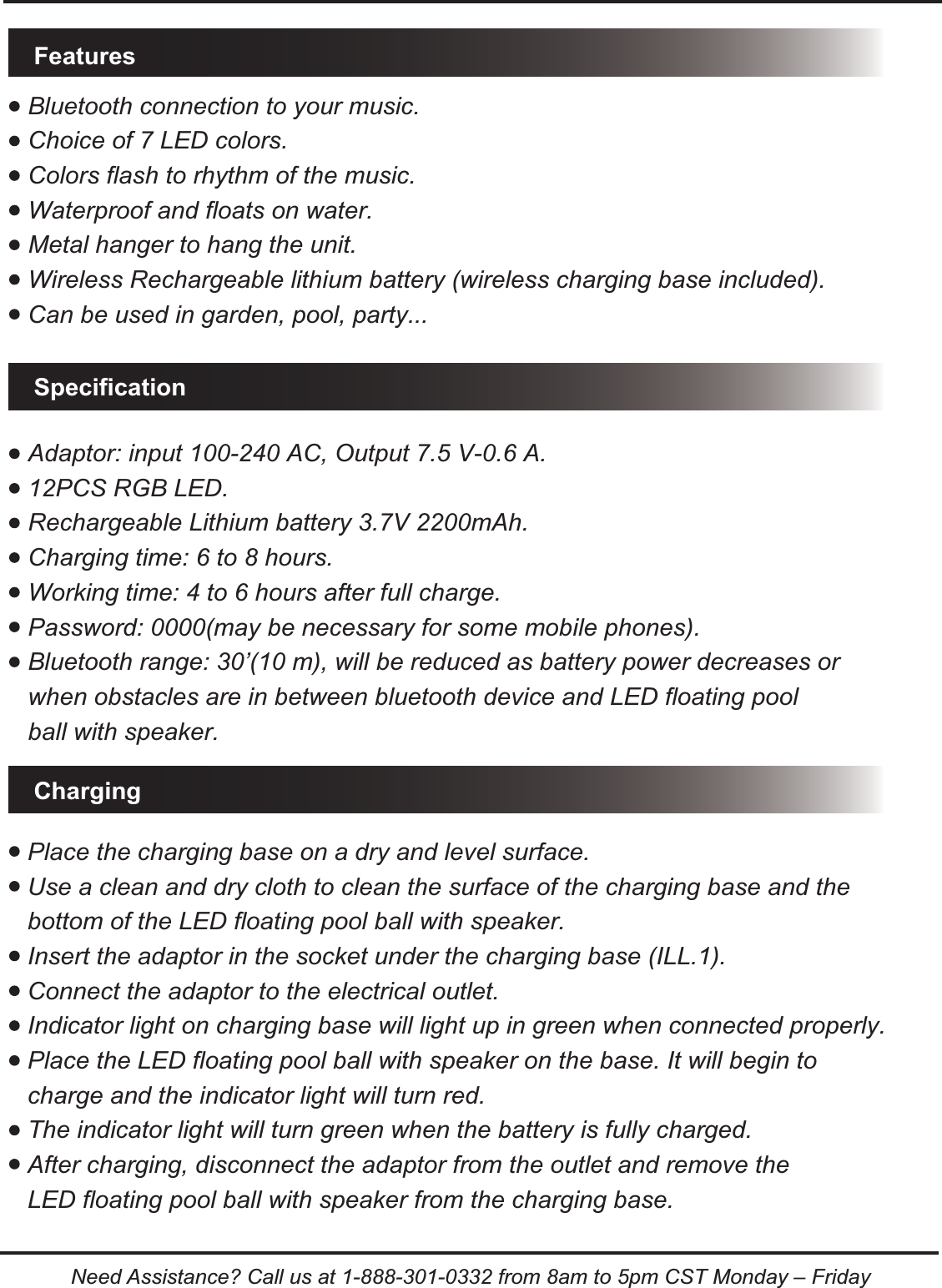
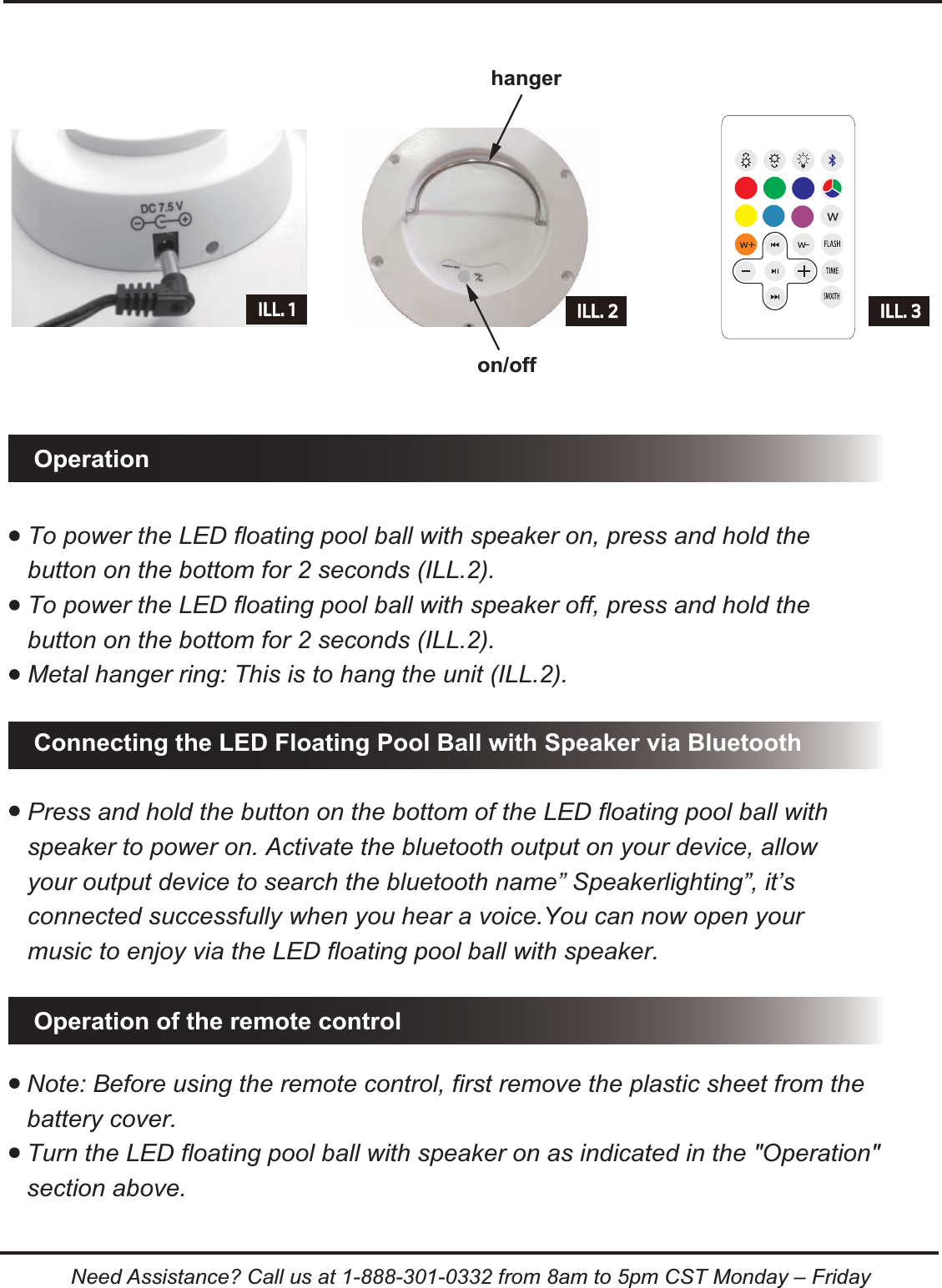
Bluetooth connection to your music.Choice of 7 LED colors.Colors flash to rhythm of the music.Waterproof and floats on water.Metal hanger to hang the unit.Wireless Rechargeable lithium battery (wireless charging base included).Can be used in garden, pool, party...Adaptor: input 100-240 AC, Output 7.5 V-0.6 A.12PCS RGB LED.Rechargeable Lithium battery 3.7V 2200mAh.Charging time: 6 to 8 hours.Working time: 4 to 6 hours after full charge.Password: 0000(may be necessary for some mobile phones).Bluetooth range: 30’(10 m), will be reduced as battery power decreases or when obstacles are in between bluetooth device and LED floating pool ball with speaker..FeaturesSpecificationChargingPlace the charging base on a dry and level surface.Use a clean and dry cloth to clean the surface of the charging base and the bottom of the LED floating pool ball with speaker. Insert the adaptor in the socket under the charging base (ILL.1).Connect the adaptor to the electrical outlet.Indicator light on charging base will light up in green when connected properly. Place the LED floating pool ball with speaker on the base. It will begin to charge and the indicator light will turn red.The indicator light will turn green when the battery is fully charged.After charging, disconnect the adaptor from the outlet and remove the LED floating pool ball with speaker from the charging base.Need Assistance? Call us at 1-888-301-0332 from 8am to 5pm CST Monday – Friday
Note: Before using the remote control, first remove the plastic sheet from the battery cover.Turn the LED floating pool ball with speaker on as indicated in the "Operation" section above. To power the LED floating pool ball with speaker on, press and hold the button on the bottom for 2 seconds (ILL.2).To power the LED floating pool ball with speaker off, press and hold the button on the bottom for 2 seconds (ILL.2).Metal hanger ring: This is to hang the unit (ILL.2).Operation of the remote controlConnecting the LED Floating Pool Ball with Speaker via BluetoothOperationILL. 2 ILL. 3hangeron/offILL. 1Press and hold the button on the bottom of the LED floating pool ball with speaker to power on. Activate the bluetooth output on your device, allow your output device to search the bluetooth name” Speakerlighting”, it’s connected successfully when you hear a voice.You can now open your music to enjoy via the LED floating pool ball with speaker.Need Assistance? Call us at 1-888-301-0332 from 8am to 5pm CST Monday – Friday
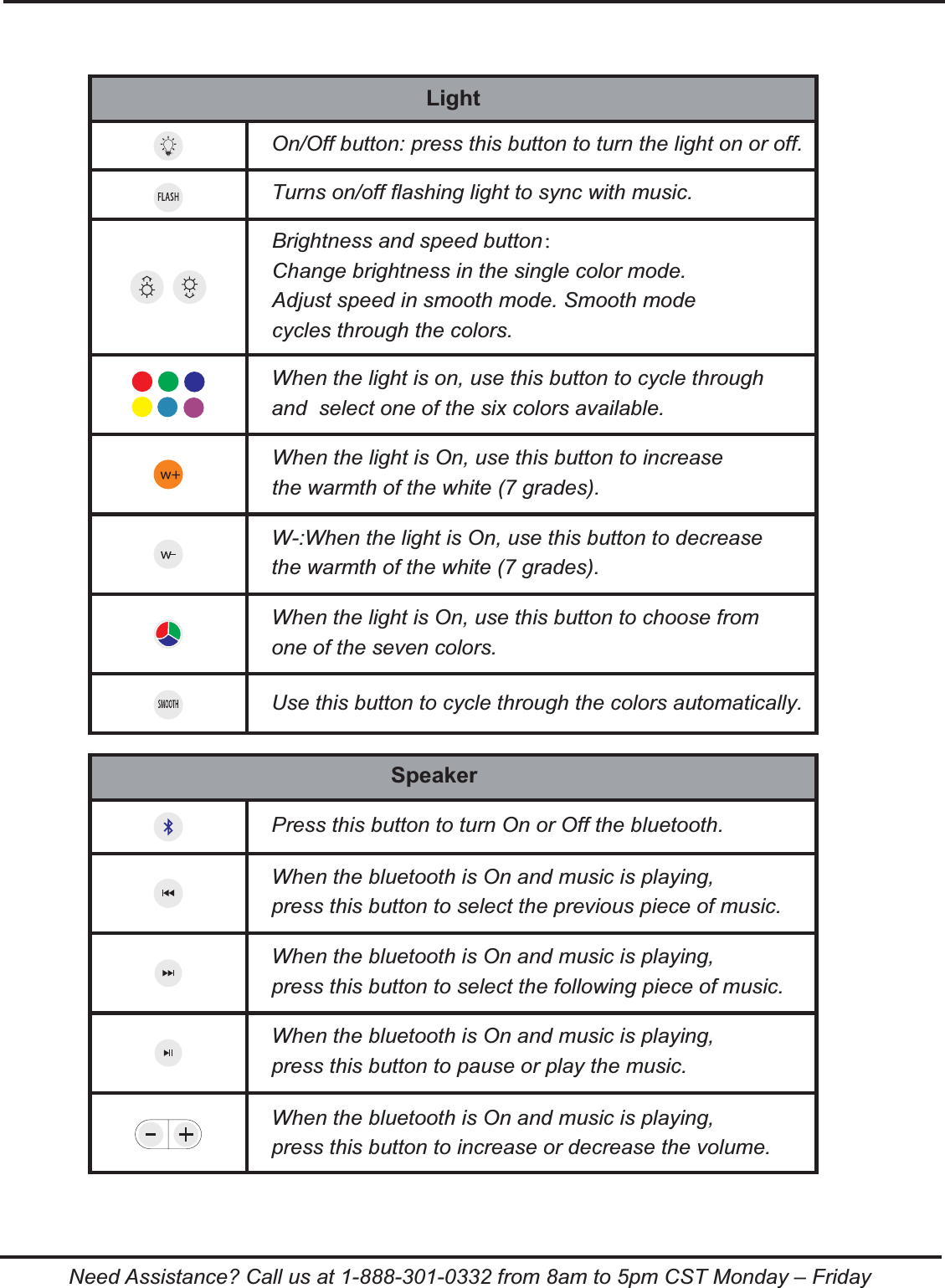
LightOn/Off button: press this button to turn the light on or off.Turns on/off flashing light to sync with music.Brightness and speed button:Change brightness in the single color mode.Adjust speed in smooth mode. Smooth mode cycles through the colors.When the light is on, use this button to cycle through and  select one of the six colors available.When the light is On, use this button to increase the warmth of the white (7 grades).W-:When the light is On, use this button to decrease the warmth of the white (7 grades).When the light is On, use this button to choose from one of the seven colors.Use this button to cycle through the colors automatically.SpeakerPress this button to turn On or Off the bluetooth.When the bluetooth is On and music is playing, press this button to select the previous piece of music.When the bluetooth is On and music is playing, press this button to select the following piece of music.When the bluetooth is On and music is playing, press this button to pause or play the music.When the bluetooth is On and music is playing, press this button to increase or decrease the volume.Need Assistance? Call us at 1-888-301-0332 from 8am to 5pm CST Monday – Friday
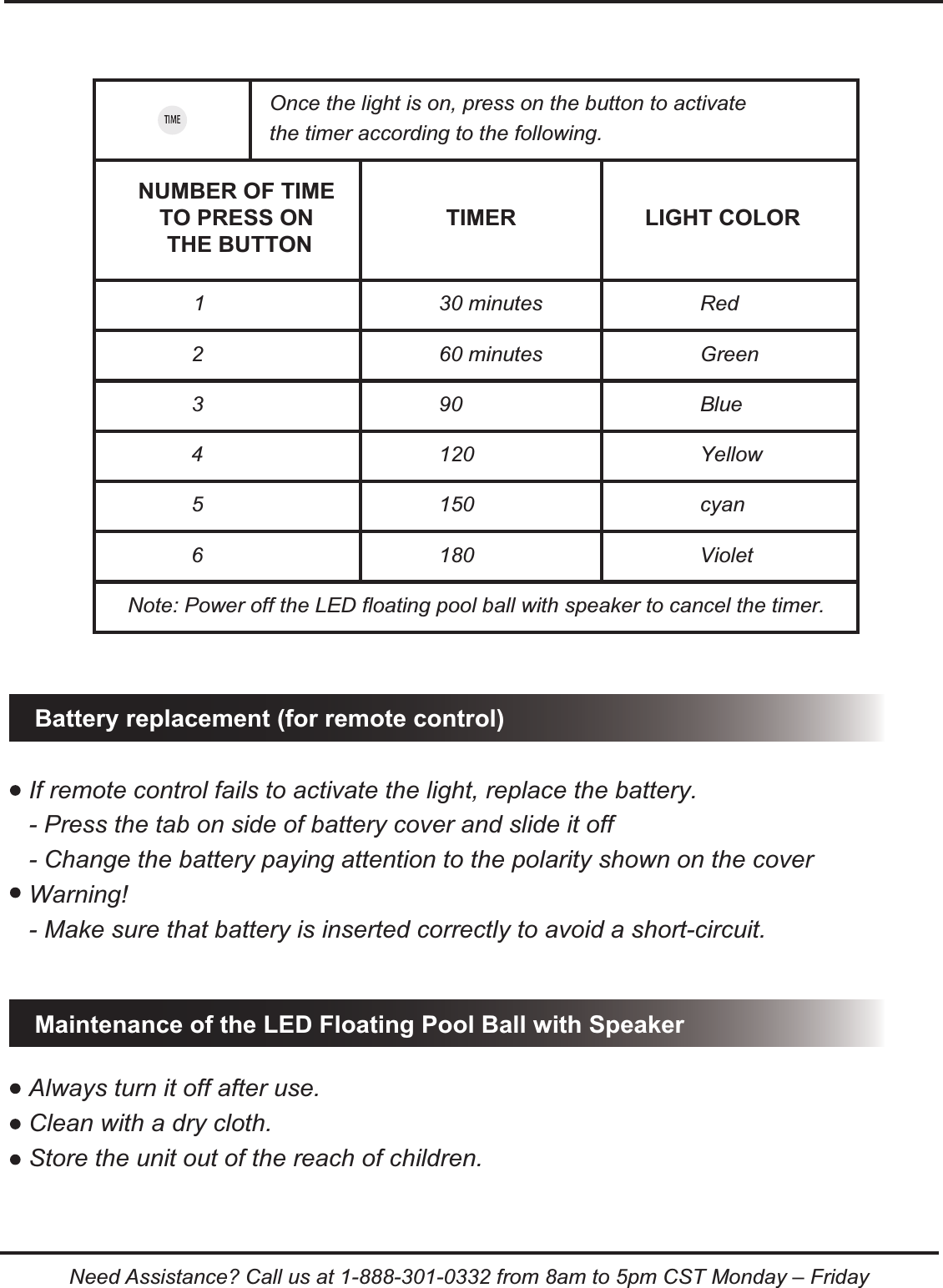
1 30 minutes Red2 60 minutes Green3 90 Blue4 120 Yellow5 150 cyan6 180 VioletBattery replacement (for remote control)Maintenance of the LED Floating Pool Ball with SpeakerIf remote control fails to activate the light, replace the battery.- Press the tab on side of battery cover and slide it off- Change the battery paying attention to the polarity shown on the coverWarning!- Make sure that battery is inserted correctly to avoid a short-circuit.Always turn it off after use.Clean with a dry cloth. Store the unit out of the reach of children.Once the light is on, press on the button to activate the timer according to the following.Note: Power off the LED floating pool ball with speaker to cancel the timer.NUMBER OF TIME TO PRESS ON THE BUTTONTIMER LIGHT COLORNeed Assistance? Call us at 1-888-301-0332 from 8am to 5pm CST Monday – Friday
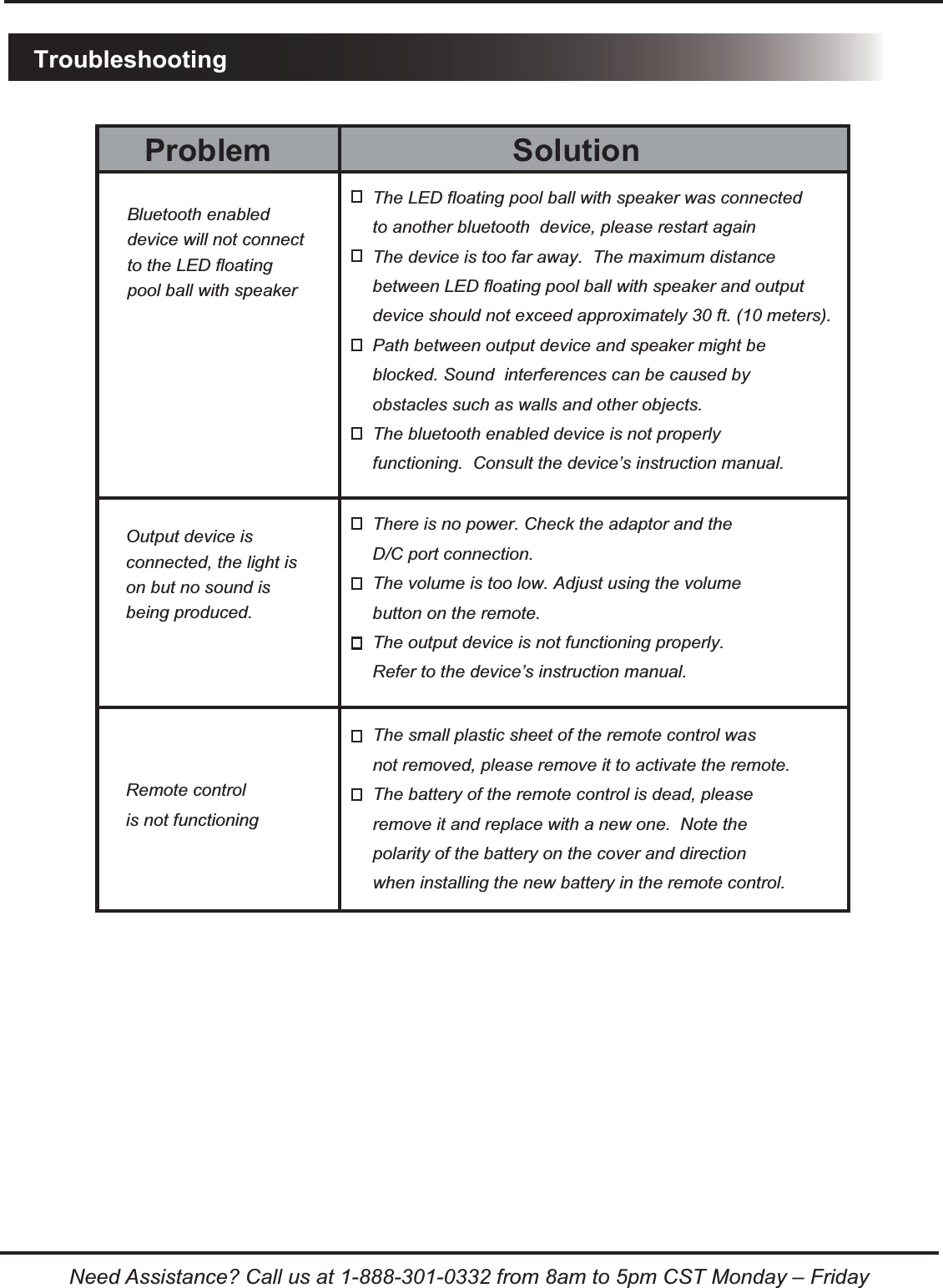
TroubleshootingNeed Assistance? Call us at 1-888-301-0332 from 8am to 5pm CST Monday – FridaySolutionProblemThe LED floating pool ball with speaker was connected to another bluetooth  device, please restart againThe device is too far away.  The maximum distance between LED floating pool ball with speaker and output device should not exceed approximately 30 ft. (10 meters).Path between output device and speaker might be blocked. Sound  interferences can be caused by obstacles such as walls and other objects.The bluetooth enabled device is not properly functioning.  Consult the device’s instruction manual.There is no power. Check the adaptor and the D/C port connection.The volume is too low. Adjust using the volume button on the remote.The output device is not functioning properly. Refer to the device’s instruction manual.Bluetooth enableddevice will not connectto the LED floating pool ball with speakerOutput device is connected, the light ison but no sound is being produced.The small plastic sheet of the remote control was not removed, please remove it to activate the remote.The battery of the remote control is dead, please remove it and replace with a new one.  Note the polarity of the battery on the cover and direction when installing the new battery in the remote control.Remote controlis not functioning
Need Assistance? Call us at 1-888-301-0332 from 8am to 5pm CST Monday – FridayFCC statementChanges or modifications not expressly approved by the party responsible for compliance could void the user’s authority to operate the equipment. This equip-ment has been tested and found to comply with the limits for a Class B digital device, pursuant to part 15 of the FCC Rules. These limits are designedto provide reasonable protection against harmful interference in a residential installation. This equipment generates, uses and can radi-ate radio frequency energy and, if not in-stalled and used in accordance with the instructions, may cause harmful interference to radio communications. However, there is no guar-antee that interference will not occur in a particular installation. If this equipment does cause harmful interference to radio or television reception, which can be determined by turning the equipment off and on, the user is encouraged to try to correct the interference by one or more of the following measures:—Reorient or relocate the receiving antenna.—Increase the separation between the equipment and receiver.—Connect the equipment into an outlet on a circuit different from that to which the receiver is connected.—Consult the dealer or an experienced radio/ TV technician for help.This equipment complies with the FCC RF radiation exposure limits set forth for an uncontrolled environment. This equipment should be installed and operated with a minimum distance of 20 centimeters between the radiator and your body.

Navigation menu