544607 3 Aquavar CPC Manual
: Pump 544607 3 Aquavar Cpc Manual 544607_3_Aquavar CPC Manual pdf
Open the PDF directly: View PDF  .
.
Page Count: 152 [warning: Documents this large are best viewed by clicking the View PDF Link!]

AQUAVAR® CPC
(Centrifugal Pump Control)
INSTALLATION AND OPERATION MANUAL
INSTRUCTION MANUAL
IM167R08
2
AQUAVAR® CPC
Centrifugal Pump Controller
Quick Start Guide
Overview
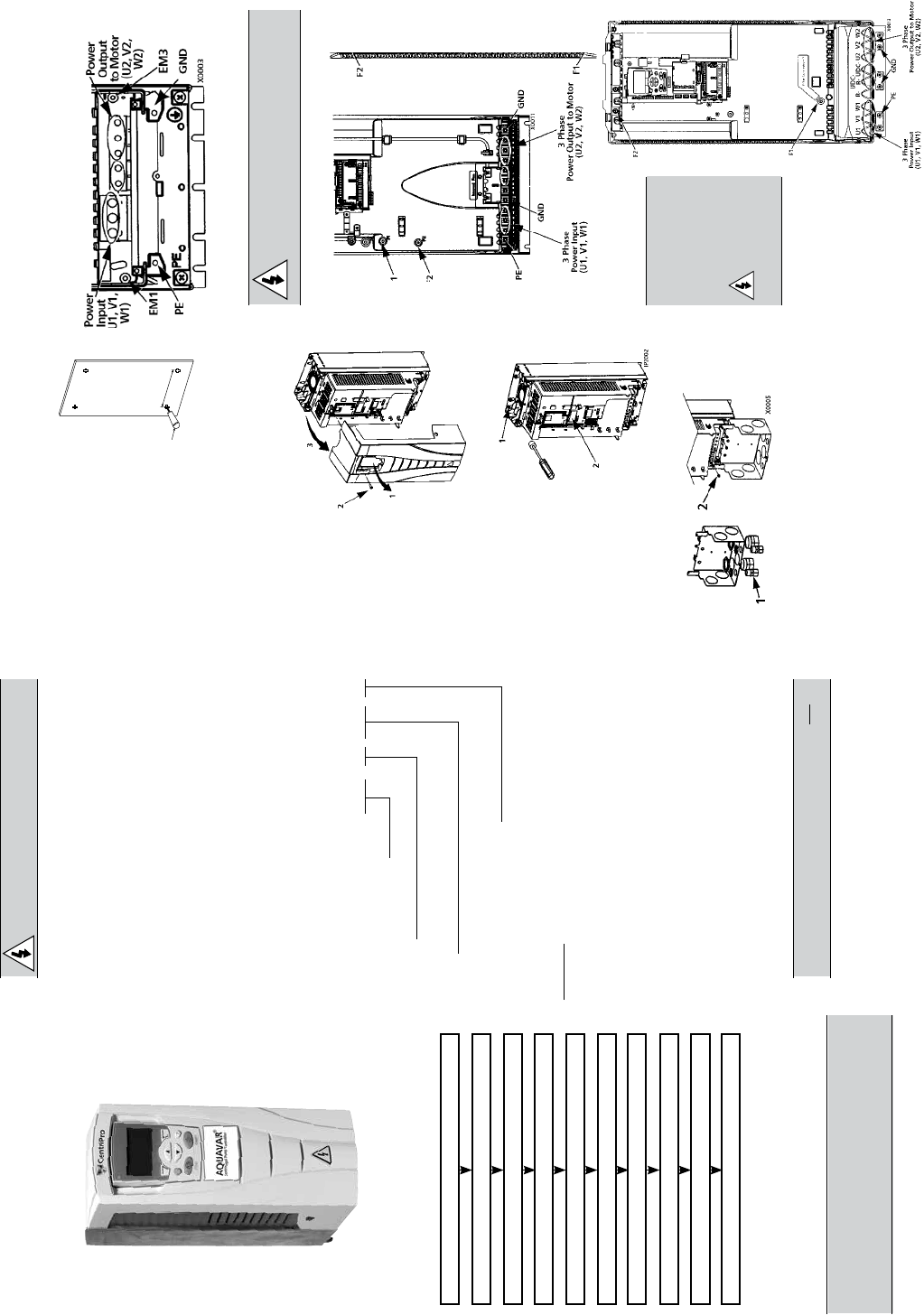
The installation of the AQUAVAR CPC adjust-
able speed drive follows the outline below.
Task
PREPARE for installation
UNPACK the drive
PREPARE mounting location
REMOVE the front cover
MOUNT the drive
INSTALL wiring
CHECK installation
REINSTALL the cover
APPLY power
START-UP Wizards
Application
This guide provides a quick reference for
installing Aquavar CPC drives having a stan-
dard enclosure (NEMA 1).
NOTE: This guide does not provide detailed
installation, safety or operational instruc-
tions. See the Installation Operation Manual
for complete information.
Prepare for Installation
WARNING! The Aquavar should ONLY
Check
• Motor Compatibility – Motor type, nominal current,
frequency and voltage range must match drive
specifications (3 phase motor only).
• Suitable Environment – Drive requires heated,
indoor controlled environment that is suitable for
the selected enclosure below 104º F.
• Wiring – Follow local codes for wiring and fusing
requirements. Refer to NEC, Local, State or Munici-
pal codes.
Refer to the Installation Operation Manual and
confirm that all preparations are complete.
Tools Required
Screwdrivers, wire stripper, tape measure, mount-
ing screws or bolts, and drill.
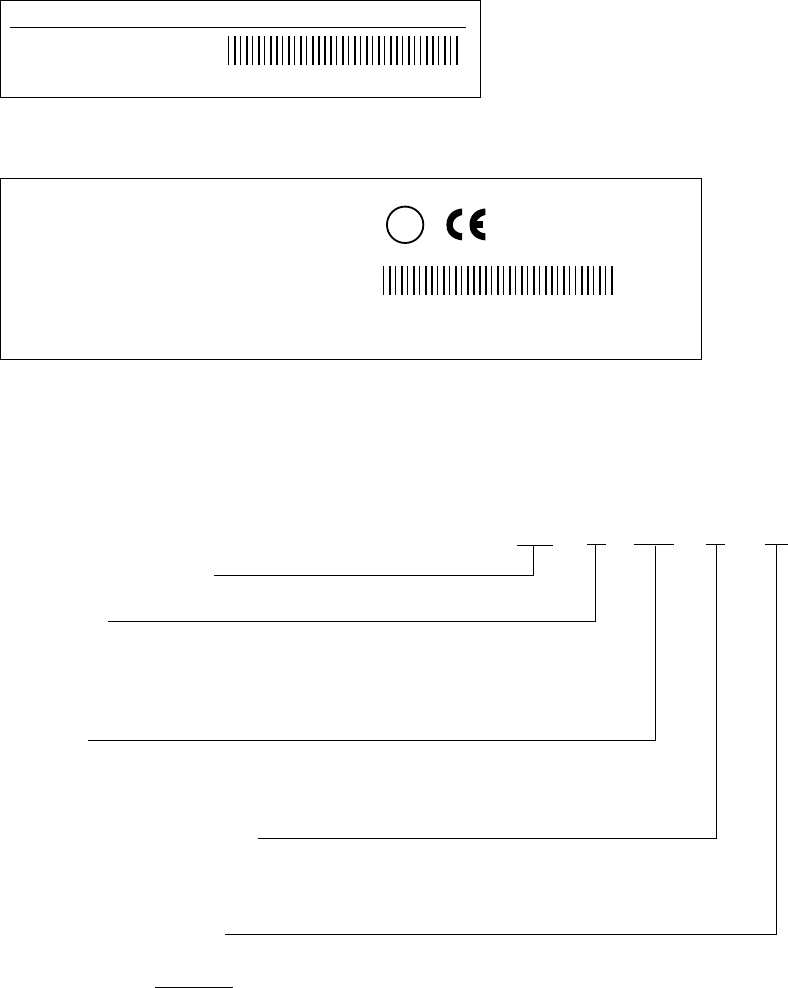
Use the following chart to interpret the type code
found on the drive label.
Collect Motor Data
Collect the following data from the motor nameplate
plate for later use in the Aquavar startup:
• Voltage ______________________________
• Nominal Motor Current _______________
• Nominal Frequency ___________________
• Nominal Speed ______________________
• Nominal Power _______________________
Unpack the Drive
NOTE: Lift the Aquavar by its chassis and not by
its cover.
1. Unpack the drive.
2. Check for any damage and notify the
shipper immediately if damaged com-
ponents are found.
3. Check the contents against the order
and the shipping label to verify that all
parts have been received.
Prepare the Mounting Location
The drive requires a smooth,
vertical, solid surface, free from
heat and moisture, with free
in.) above and below, and 25
mm (1 in.) around the sides of
the drive.
1. Mark the mounting
points.
2. Drill the mounting holes.
Remove the Front Cover
1. Remove the control panel
(display), if attached.
2. Loosen the
captive screw
at
the top.
3. Pull near the
top to remove
the cover.
Mount the Drive
1. Position the
AQUAVAR and use
screws or bolts to
securely tighten all
four corners.
2. Attach a warning
sticker in the
appropriate lan-
guage on the inside
plastic shell.
Install the Wiring (copper only)
1. Install thin-wall conduit clamps (not
supplied) in the conduit/gland box.
2. Install conduit/gland box.
Wiring Power
1. Connect conduit runs to box.
2. Route input power and motor
wiring through conduits.
1
X0002
CPC 4 370 1
AQUAVAR® (Series)
Voltage
2 – 230 Volt 4 – 460 Volt
Amps
370 Amps *See Technical Section
NEMA Enclosure Rating
1 – NEMA 1
2 – NEMA 12
Options
* Consult factory for other options, if available.
Not all combinations may be available.
3. Strip wires.
4. Connect power, motor and
ground wires to the drive terminals.
See “Power Connections”
in the instruction manual.
Frame Sizes R1…R4
* Single phase input power must use U1, W1
and PE for wiring.
WARNING!
remove screws at EM1 and EM3 on
Frame Sizes R1…R4.
Frame Size R5
Frame Size R6
WARNING!
-
works remove
screws at
F1 and F2
on Frame
Sizes R5 or R6.
3
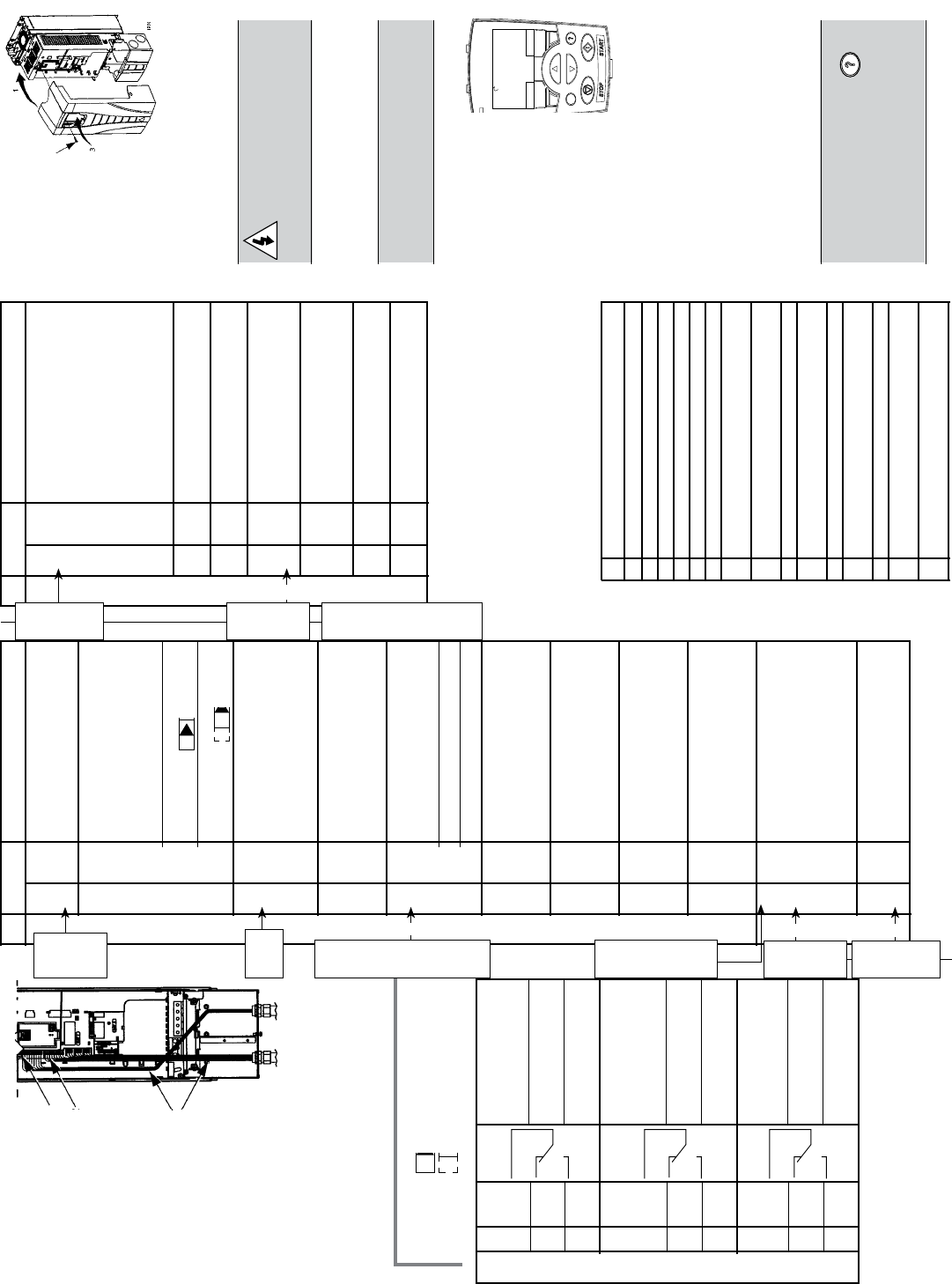
Wiring the Transducer
1. Route the
transducer
cable
through
the conduit.
2. Strip the
transducer
cable
sheathing
and twist
the screen
wire.
3. Connect the screen
wire of the
transducer to
terminal X1-1.
4. Connect the power supply wire of the
transducer (red or brown) to terminal
X1-10.
5. Connect analog output wire from the
transducer (white or black) to X1-5.
See chart in next column.
Note 1. Jumper Setting: (Analog Input)
J1 AI1: 0…10 V
AI2: 0(4)…20 mA (default)
Relay output 1, pro-
19 RO1C grammable. Default
2
= run power to drive
20 RO1A Maximum: 250 VAC/
30 VDC, 2 A
21 RO1B Minimum: 500 mW
(12 V, 10 mA)
Relay output 2, pro-
22 RO2C grammable. Default
2
= ready, pump is
running
23 RO2A Maximum: 250 VAC/
30 VDC, 2 A
24 RO2B Minimum: 500 mW
(12 V, 10 mA)
Relay output 3, pro-
25 RO3C grammable. Default
2
= not used
26 RO3A Maximum: 250 VAC/
30 VDC, 2 A
27 RO3B Minimum: 500 mW
(12 V, 10 mA)
6. Install the conduit/gland box cover (1
screw).
X1 Control Wiring
Digital input common.
To activate a digital input,
there must be ≥+10V
(or ≤-10V) between that
12
DCOM
input and DCOM. The 24V
may be provided by the
AQUAVAR (X1-10) or by
an external 12…24V
source of either polarity.
13 DI1
Digital input 1, selectable.
Default2 = run enable
14 DI2
Digital input 2, selectable.
Default2 = low water
Digital input 3,
15 DI3 selectable. Default2
= E-stop or jumper
Digital input 4,
16 DI4 selectable. Default2
= set point selection
17 DI5
Digital input 5, selectable.
Default2 = not used
18 DI6
Digital input 6, selectable.
Default2 = not used
1 Digital input impedance 1.5 kΩ. Maximum voltage
for digital inputs is 30 V.
2 Default values depend on the macro used. Values
pump.
NOTE: Jumper Wires between 3 and 11, 10 and 15,
11 and 12.
Check Installation
Before applying power, perform the follow-
ing checks.
√ Check
Environment conforms to specifications.
The drive is mounted securely.
Proper cooling space around the drive.
Motor and driven equipment are ready for start.
Floating networks: Internal RFI filter disconnected.
Drive is properly grounded, with pump/motor.
Input power (mains) voltage matches the drive
nominal input voltage.
The input power (mains) terminals, U1, V1, W1,
are connected and tightened as specified.
The input power (mains) fuses / mains switch installed.
The motor terminals, U2, V2, W2, are connected
and tightened as specified.
Motor cable is routed away from other cables.
NO power factor compensation capacitors are
connected to the motor cable.
Control terminals are wired and tightened as specified.
NO tools or foreign objects (such as drill shavings) are
inside the drive.
NO alternate power source for the motor is connected
– no input voltage is applied to the output of the drive.
Reinstall the Cover
1. Align the cover
and slide
it on.
2. Tighten
the
captive screw.
3. Reinstall the
control panel.
Apply Power
Always reinstall the front cover before
turning power on.
WARNING! The AQUAVAR
will start up automatically at
power up, if the external run
command is on.
1. Apply input power.
When power is applied to the AQ-
UAVAR, the green LED comes on.
NOTE! Before increasing motor
speed, check that the motor is run-
ning in the desired direction.
Start-Up
In Start-Up, enter motor
data (collected earlier)
and, if needed, edit pa-
the drive operates and
communicates.
Wizards
The Start-Up
Wizard steps through
typical start-up selections and runs
automatically upon the initial power
up. At other times, use the steps
below to run the Start-Up Wizard.
1. Use the MENU key to access the
Menu list.
2. Select Wizards.
3. Select Start-Up Wizards.
4. Follow the screen instructions to
configure the system.
DEFAULT PASSWORD IS “66”.
NOTE! For common parameters and
menu items, use the Help Key to
display descriptions. If you encounter
Alarms or Faults, use the Help Key or
refer to the Diagnostic section of the
instruction manual.
5
3
1
ON
ON
DIR MENU
REM 11.1%
LOC
REM
40.2 PSI sp
0.0 PSI ac
0.0 HZ
Relay Outputs
10–15
E-stop
or
Jump-
er
Jumper
Wire
ON
ON
X1 Control Wiring
Terminal for transducer
1 SCR shield. (Connected inter-
nally to chassis ground.)
Analog input channel 1,
2nd transducer. Default2
= frequency reference.
Resolution 0.1%,
2 AI1 accuracy ±1%.
J1:AI1 OFF: 0…10 V (Ri =
312 kΩ)
J1:AI1 ON: 0…20 mA (Ri
= 100 Ω)
Analog input circuit com-
mon. (Connected inter-
3
AGND
nally to chassis gnd.
through 1 MW. Jumper
wire to X1-11.)
10 V/10 mA reference
4
+10V
voltage output for analog
input potentiometer,
accuracy ±2%. (Not used.)
Analog input channel 2.
Resolution 0.1%,
5 AI2 accuracy ±1%.
Transducer input
4–20 mA
Analog input circuit com-
6
AGND
mon. (Connected inter-
nally to chassis gnd.
through 1 MΩ)
Analog output, program-
7 AO1 mable. Default2 = Not
used. Current 0…20 mA
(load < 500 Ω)
Analog output, program-
8 AO2 mable. Default2 = Not
used. 0…20 mA
(load < 500 Ω)
Analog output circuit
9
AGND
common (Connected
internally to chassis gnd.
through 1 MΩ)
Auxiliary voltage output
24 VDC / 250 mA
10
+24V
(reference to GND).
Short circuit protected.
Transducer/digital input
power supply.
Auxiliary voltage output
11 GND common. (Connected
Trans-
ducer
Screen/
Shield
(–)
Trans-
ducer
(4 -20
mA)
Conn-
ection
(White
or
Black)
Analog I/O
(–)
Trans-
ducer
Power
Supply
(Brown
or Red)
Jump-
er
Wire
11
and
12
Digital Inputs1
10–15
E-stop
or
Jump-
er
Jump-
er
Wire
11
and
12
E-stop
/start
Jump
to
+24V
for en-
able
(15
to 10
Jump-
er)
Digital Inputs1
4
FEATURES
Quick Reference Guide
Analog Output, 102
Auto Restart, 102
Energy Savings Information, 103
Fieldbus Control, 103
Keypad (Control Panel), 104
Language, 104
Locking,104
Low Water Protection, 108
Manual Override, 104
Minimum Speed Options, 105
Priming Delay, 106
Pump Protect Control, 107
Ramp Hysteresis, 113
Ramp Settings, 113
Regulation Mode, 107
Relay Outputs, 107
Restart Value, 106
Secondary Protection, 108
Setpoints, Dual, 109
System Curve Compensation, 110
Test Run, 111
Tuning, 111
Window (Regulation), 112
5
Section 1 SAFETY
Use of Warnings and Notes.........................................................................................................................................7
Section 2 POWER DISTRIBUTION SYSTEMS
Delta / Wye with grounded Wye neutral ...................................................................................................................9
Delta / Delta with grounded leg ................................................................................................................................. 9
Ungrounded secondary...............................................................................................................................................9
Resistance grounding and ground fault protection ...............................................................................................10
Open Delta ..................................................................................................................................................................10
Single Phase Connection ...........................................................................................................................................10
Section 3 INTRODUCTION
Input Power and Line Transformer Requirements ..................................................................................................11
Issues for Drive Input Isolation Transformers ..........................................................................................................11
Installation Flow Chart ...............................................................................................................................................13
Aquavar CPC Product Numbering ...........................................................................................................................14
........................................................................................................15
Section 4 INSTALLATION (Frames R1-R6)
Supply Connection .....................................................................................................................................................19
Thermal Overload and Short-Circuit Protection .....................................................................................................19
Ground Fault Protection.............................................................................................................................................19
Emergency Off Devices .............................................................................................................................................19
Selecting the Power Cables ....................................................................................................................................... 20
Motor Cable Shield ....................................................................................................................................................20
Additional US Requirements ..................................................................................................................................... 20
Installing the Drive ......................................................................................................................................................21
Wiring Connection Diagrams ...................................................................................................................................24
Single Phase Wiring / Connection Diagram ...........................................................................................................26
Wiring IP 21 / UL Type 1 Enclosure with Conduit ...................................................................................................27
Wiring IP 54 / UL Type 12 Enclosure with Conduit .................................................................................................28
Power Connections ....................................................................................................................................................29
Control Wiring.............................................................................................................................................................30
Communications .........................................................................................................................................................31
Installation Check Sheet ............................................................................................................................................32
Reinstall Cover ............................................................................................................................................................33
Section 4 INSTALLATION (Frames R7-R8)
Aquavar Drive Manuals Descriptions .......................................................................................................................34
Introduction, Planning , Moving the Unit and Mounting .......................................................................................35
Connecting Power and Control Cables ...................................................................................................................36
R7 Frame Size ..............................................................................................................................................................37
R8 Frame Size ..............................................................................................................................................................38
Maintenance ................................................................................................................................................................39
Technical Data - Extension Module R7 .....................................................................................................................41
Detail R7 ......................................................................................................................................................................42
Technical Data - Extension Module R8 .....................................................................................................................43
Detail R8 ......................................................................................................................................................................44
Section 5 START-UP
Wizards and Assistant Control Panel (Display) ........................................................................................................45
Controls / Display Overview ......................................................................................................................................45
Start-Up Wizard ...........................................................................................................................................................48
Section 6 PARAMETER LISTINGS
Aquavar CPC Parameter List .....................................................................................................................................50
Section 7 PROGRAMMING
Single Pump Programming (Pressure Transducer) .................................................................................................73
Single Pump – Submersible Pump Constant Pressure ...........................................................................................78
MultiPump – Constant Pressure Control ..................................................................................................................87
MultiPump – Slave Pump Control .............................................................................................................................94
Section 8 FEATURES
Analog Outputs ....................................................................................................................................................... 102
Auto Restart, Energy Saving Information (Group 26) .......................................................................................... 102
TABLE OF CONTENTS
6
Fieldbus Control ...................................................................................................................................................... 103
Language, Locking .................................................................................................................................................. 104
Minimum Speed Options ....................................................................................................................................... 105
Priming Delay, Pump Protect Ctrl, Regulation Mode .................................................................................. 106-107
Relay Outputs; Restart Options; Low Water (Suction) Protection .............................................................. 107-108
Keypad Failure ......................................................................................................................................................... 109
Set Points, Dual with example ................................................................................................................................ 109
System Curve Compensation ................................................................................................................................. 110
Test Run; Tuning, System Pressure ......................................................................................................................... 111
Window Setting (Reg Window) .............................................................................................................................. 112
Ramp Hysteresis....................................................................................................................................................... 113
Adjusting Ramp Rates ............................................................................................................................................. 113
Section 9 FAULTS/ALARMS
Diagnostic Displays ................................................................................................................................................. 115
Correcting Faults ..................................................................................................................................................... 116
Fault Resetting.......................................................................................................................................................... 119
Correcting Alarms ................................................................................................................................................... 120
Section 10 MAINTENANCE (Frame Sizes R1-R6)
Maintenance Intervals ............................................................................................................................................. 122
Heatsink .................................................................................................................................................................... 122
Main Fan Replacement ........................................................................................................................................... 122
Internal Enclosure Fan Replacement ..................................................................................................................... 123
Capacitors................................................................................................................................................................. 124
Control Panel ............................................................................................................................................................ 124
Section 10 MAINTENANCE (Frame Sizes R7-R8)
Layout ........................................................................................................................................................................ 125
Heatsink, Fan ............................................................................................................................................................ 126
Replacing the Fan .................................................................................................................................................... 126
Capacitors................................................................................................................................................................. 128
LEDs .......................................................................................................................................................................... 129
Control Panel ............................................................................................................................................................ 129
Section 11 TECHNICAL DATA
Sizing; Derating ....................................................................................................................................................... 130
Cable Sizing / Ratings 208-240 Volt Drives .......................................................................................................... 131
Cable Sizing / Ratings 380-480 Volt Drives .......................................................................................................... 132
Fuse Sizing / Ratings 208-240 Volt Drives ............................................................................................................ 133
Fuse Sizing / Ratings 380-480 Volt Drives ............................................................................................................ 134
Cable Terminals (frames R1-R6 and frames R7-R8) ............................................................................................. 135
Input Power (Mains) Connection ........................................................................................................................... 136
Motor Connection ................................................................................................................................................... 136
Control Connection ................................................................................................................................................. 137
.............................................................................................. 137
Cooling (frames R7-R8); Mounting Orientations a & b ....................................................................................... 138
Air Flow 380-480 Volt Drives .................................................................................................................................. 139
Air Flow 208-240 Volt Drives .................................................................................................................................. 140
Dimensions and Weights (Frames R1-R6) ............................................................................................................ 141
Units with IP 54 / UL Type 12 Enclosures .............................................................................................................. 143
Weights and Dimensions (Frames R7-R8) 460 Volt ............................................................................................. 144
Degrees of Protection ............................................................................................................................................. 144
Ambient Conditions ................................................................................................................................................ 145
Materials; Applicable Standards ............................................................................................................................ 146
UL Markings; Liability Limits ................................................................................................................................... 147
Section 12 APPENDIX
Pressure Transducer ................................................................................................................................................ 148
....................................................................................... 149
....................................................................................... 150
Spare Parts List ......................................................................................................................................................... 151
Warranty .................................................................................................................................................................... 152
TABLE OF CONTENTS
7
WARNING!-
cian.
WARNING! Even when the motor is stopped, dangerous voltage is present at the Power Circuit termi-
nals U1, V1, W1 and U2, V2, W2 and, depending on the frame size, UDC+ and UDC-, or BRK+ and BRK-.
WARNING! Dangerous voltage is present when input power is connected. After disconnecting the
supply, wait at least 5 minutes (to let the intermediate circuit capacitors discharge) before removing the
cover.
WARNING! Even when power is removed from the input terminals of the AQUAVAR, there may be dan-
gerous voltage (from external sources) on the terminals of the relay outputs R01…R03.
WARNING! When the control terminals of two or more drive units are connected in parallel, the auxiliary
voltage for these control connections must be taken from a single source which can either be one of the
units or an external supply.
WARNING!
a malfunctioning unit; contact the factory or your local Authorized Service Center for replacement.
WARNING! The AQUAVAR will start up automatically after an input voltage interruption if the external
run command is on.
WARNING! The heat sink may reach a high temperature, in excess of 200º F. Severe burns are possible.
WARNING!
R1…R4), or F1 and F2 (Frame size R5 or R6). See diagrams on pages 24 and 25 respectively.
NOTE! For more technical information, contact the factory or your local AQUAVAR representative.
WARNING! Always consult your local, state, municipal or NEC codes for proper wiring, electrical installa-
tion of inverter drives and AC motors.
USE OF WARNINGS AND NOTES
There are two types of safety instructions throughout this manual:
• Notes draw attention to a particular condition or fact, or give information on a subject.
• Warnings caution you about conditions which can result in serious injury or death and/or damage to
the equipment. They also tell you how to avoid the danger. The warning symbols are used as follows:
DANGEROUS VOLTAGE WARNING warns of high voltage which can cause physical injury and/or dam-
age to the equipment.
GENERAL WARNING warns about conditions, other than those caused by
electricity, which can result in physical injury and/or damage to the equipment.
SAFETY
8
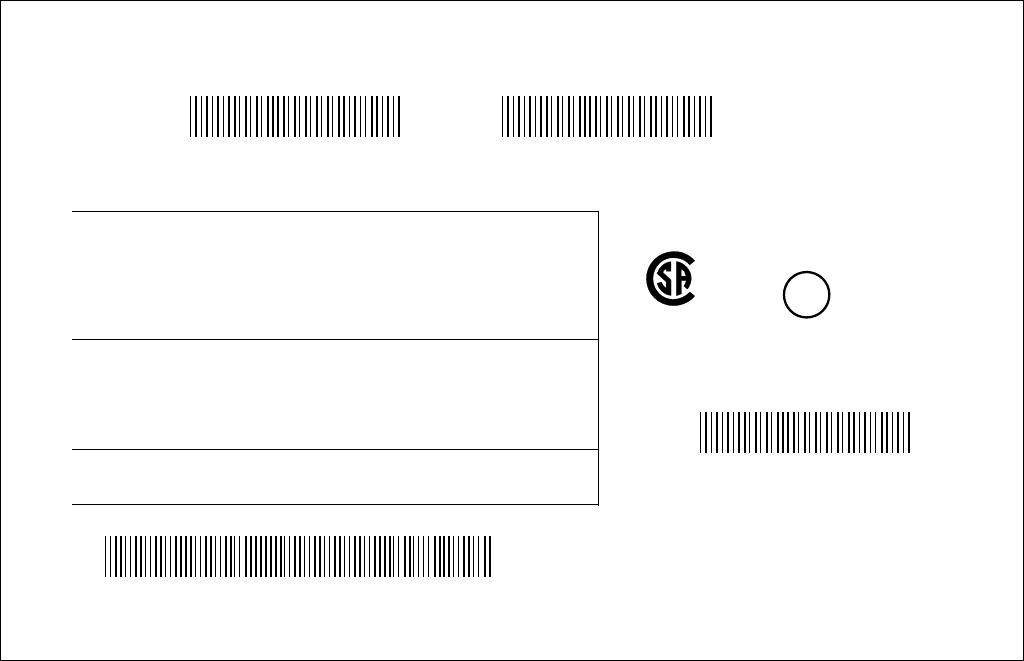
TYPICAL DRIVE LABEL
SW: ACS550-U1-046A-2 ACS550-U1-046A-2 SW:
V.2.06B V.2.06B
2053901277 2053901277
S/N2053901277 S/N2053901277
Input 3 PH 48…63 1 PH 48…63 Hz
Voltage (U1) 208…240 Vac 208…240 Vac
Current (11n) 46.2 A 46.2 A
Short Circuit 100 kAIC 100 kAIC
Output 3 PH 0…500 Hz 3 PH 0…500 Hz
Voltage (U2) 0…U1 Vac 0…U1 Vac
Current (12n) 46.2 A 22 A
Current (12hd) 30.8 A
Power (Pn) 15 HP 7.5 HP
Power (Phd)
ACS550-U1-046A-2
Made in USA of foreign parts
Mfg. Date: 31-October-2005 Orig. Firmware: V.2.06B
S/N2053901277
CUS
UL
®
IND. CONT. EQ.
LISTED 45Y1
CUS
®
159339
206578
9
POWER DISTRIBUTION SYSTEMS
role in its performance and safety. The following is a brief description of some of the more
type of power system the site has before sizing the drive.
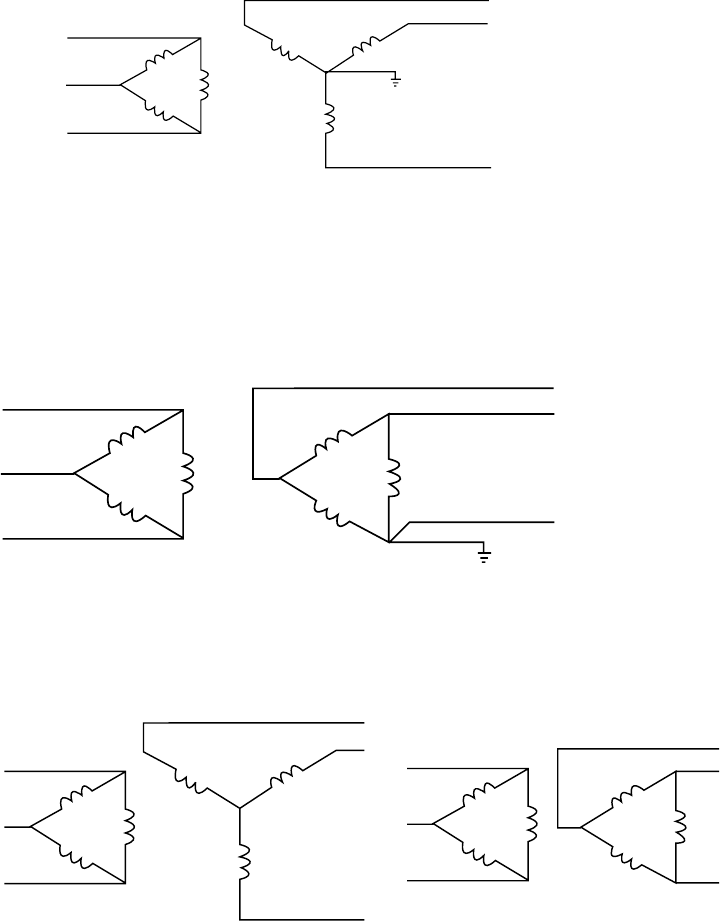
Delta / Wye with grounded Wye neutral:
voltage with a 30 degree phase shift. Depending on the output connections from the drive to
motor, the grounded neutral may be a path for common mode current caused by the drive
output.
Delta / Delta with grounded leg:
input and output. Again, depending on the output connections from the drive to motor, the
grounded neutral may be a path for common mode current caused by the drive output.
Ungrounded secondary:
Grounding of the transformer secondary is essential to the safety of personnel as well as
voltages between the chassis of the drive and the internal power structure components.
In many cases this voltage could exceed the rating of the input MOV protection devices of
the drive causing a catastrophic failure. In all cases, the input power to the drive should be
referenced to ground. If the transformer can not be grounded, then an isolation transformer
must be installed with the secondary of the transformer grounded.
10
POWER DISTRIBUTION SYSTEMS
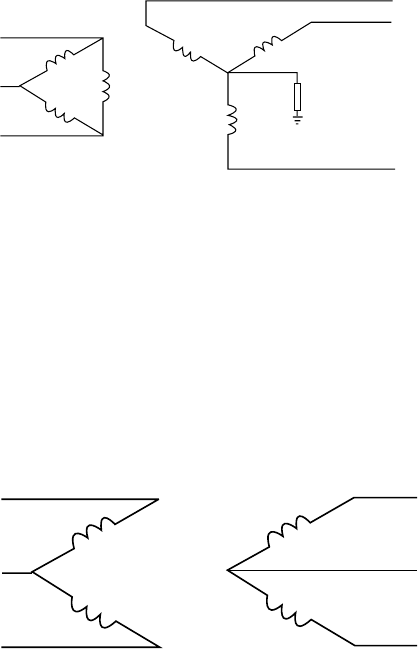
Resistance grounding and ground fault protection:
Connecting the Wye secondary neutral to ground through a resistor is an acceptable
method of grounding. Under a short circuit secondary condition, any of the output phases
to ground will not exceed the normal line to line voltage. This is within the rating of the MOV
input protection devices on the drive. The resistor is often used to detect ground current
through this resistor, care should be taken to properly connect the drive motor leads using
the recommended cables and methods. In some cases, multiple drives on one transformer
can produce a cumulative ground current that can trigger the ground fault interrupt circuit.
Open Delta (consult factory):
encountered where only single phase power is available and three-phase power is required.
The technique uses two single phase transformers to derive a third phase. When used to
one transformer. This system provides poor regulation and it is possible that only the two line
connected phases will provide power. In this case the drive must be derated to 50% of its
rating. (Ex. A 20 HP 230 volt drive now becomes a 10 HP 230 volt drive.)
Single Phase Connection:
single phase input. Only part of the three phase input bridge is used. Ripple current becomes
bank and DC choke). The result is that the drive must be derated to 50% current. Single phase
will not work with an SCR front end drive.

11
INTRODUCTION
Input Power and Line Transformer Requirements
The Aquavar CPC™ requires that the input line voltage and transformer power that meet
certain phase and balance requirements. If you or your installing electrical contractor is in
doubt of the requirements, the following provide guidelines for the Aquavar CPC. When
in doubt contact the local power utility or the factory.
Drive input isolation transformers are not generally required for the Aquavar CPC. The
needed, an input line reactor is not required.
NOTE: 60 THROUGH 550 HP UNITS PROVIDE AN ACTUAL 3% IMPEDANCE LINE REACTOR
BUILT INTO THE DRIVE CABINET.
transient protection (MOV’s and EMI capacitors) therefore earth ground potential reference is
many different power grounding schemes. The drive requires only that the steady state RMS
voltage from any input line to ground be always less than 110% of the nominal power line to
line to ground be less than 110% of the nominal power line to neutral voltage.
Drive input isolation or dry type transformers may be required for the following:
1. Step up or down: An input transformer may be required to step the local input power
line voltage up or down to the level of the drive input rating.
2. Ground Isolation: An input isolation transformer with a direct or a high impedance wye
neutral secondary ground connection may be required to establish a local power source
with a ground relationship different from the utility power source.
A. If ground isolation is required to prevent a ground fault in one section from shutting
down equipment in another section.
B. To bring local line voltages within the line to ground limits (110% balance) stated in
the opening paragraph.
C. Some ground fault protection schemes and peripheral components require a
grounded neutral power source.
D. A symmetrical wye neutral grounded power source along with proper ground wiring
techniques according to NEC (good ac grounding from motor to drive and from
drive to earth ground) provides the best means to control the ground currents that
the drive switching frequency and dv/dt rate insert into the motor frame and shaft.
3. Phase shifting delta-wye or “zig-zag” isolation transformers are used to feed 12 or 18
pulse drive inputs to provide harmonic mitigation.
If an isolation transformer is used for 6 pulse input, the best choice is ONE three phase,
six winding transformer. A delta primary is best for third harmonic cancellation. A
wye secondary avoids circulating current problems and provides the very desirable option
of grounding the secondary neutral for minimum voltage stress and ripple to ground. The
transformer should have a KVA rating at least 1.1 times the maximum connected HP. A K

12
if transformer impedance is greater than 3%. The transformer manufacturer may provide
derating for non K Factor rated transformers to operate at the drive produced K Factor levels.
Three single phase transformers can be
used if they are identical for phase to phase symmetry and balance. A wye connected
primary neutral should never be grounded. Great care should be taken with delta primary
circulating currents and unacceptable transformer heating.
WARNING! Never use phase converters with drives as nuisance tripping and possible
damage may occur. Size the drive for single phase input using 50% derate factor.
WARNING! Use of “Open Delta” 230 volt power systems should be sized using the
50% derate factor. Consult factory.
Sometimes drive input isolation transformers are specied to deal with one or more of
the following issues:
1. Short Circuit Protection: Input transformers are sometimes used to provide impedance
to reduce the available short circuit current to levels that the input clearing devices,
such as fuses or circuit breakers, are rated to handle. Line reactors can perform this
impedance function much more cost effectively.
2. Transient Protection: Input transformers are sometimes used to provide transient
surge impedance. All the Aquavar CPC drives have capacitors and MOV’s (Metal Oxide
Varistor transient protectors) providing 120 to 360 joules, line to line and line to ground
transient protection. Isolation transformers are not required for this protection within
those energy levels. Additional distribution transformer primary transient surge arrestors
levels. MOV’s are rated to handle high levels of one shot transient energy. MOV’s are not
meant to handle continuously recurring transients. A problem of continuously recurring
transients should be corrected before connecting a drive.
3. Harmonic Mitigation: Input transformers are sometimes used to provide impedance to
reduce the harmonic currents generated in the drive. Line reactors can perform this
function much more cost effectively.
4. Power Factor Capacitor Isolation: Input transformers are sometimes used to provide
impedance to isolate drives from line connected power factor correction capacitors.
PWM drive inputs do not require power factor correction capacitors as drive power
power factor correction capacitors which only correct for fundamental. However drives
should be isolated from power factor correction capacitors by about 3 to 6% additional
impedance with respect to the drives. Line reactors can perform this function much more
cost effectively than isolation transformers. ABB drives have either an internal 3% line
reactor or an equivalent 3 to 5% bus reactor.
5. RFI/EMI Mitigation: Neither input isolation transformers nor line or bus reactors provide
inside the drive should be used together with all the proper wiring and grounding
neutral. Establishing a local neutral ground may require the use of an input isolation
transformer.
INTRODUCTION
13
INTRODUCTION
Study these installation instructions carefully before proceeding. Failure to observe the
warnings and instructions may cause a malfunction or personal hazard.
WARNING! Before you begin read “Safety” on page 7.
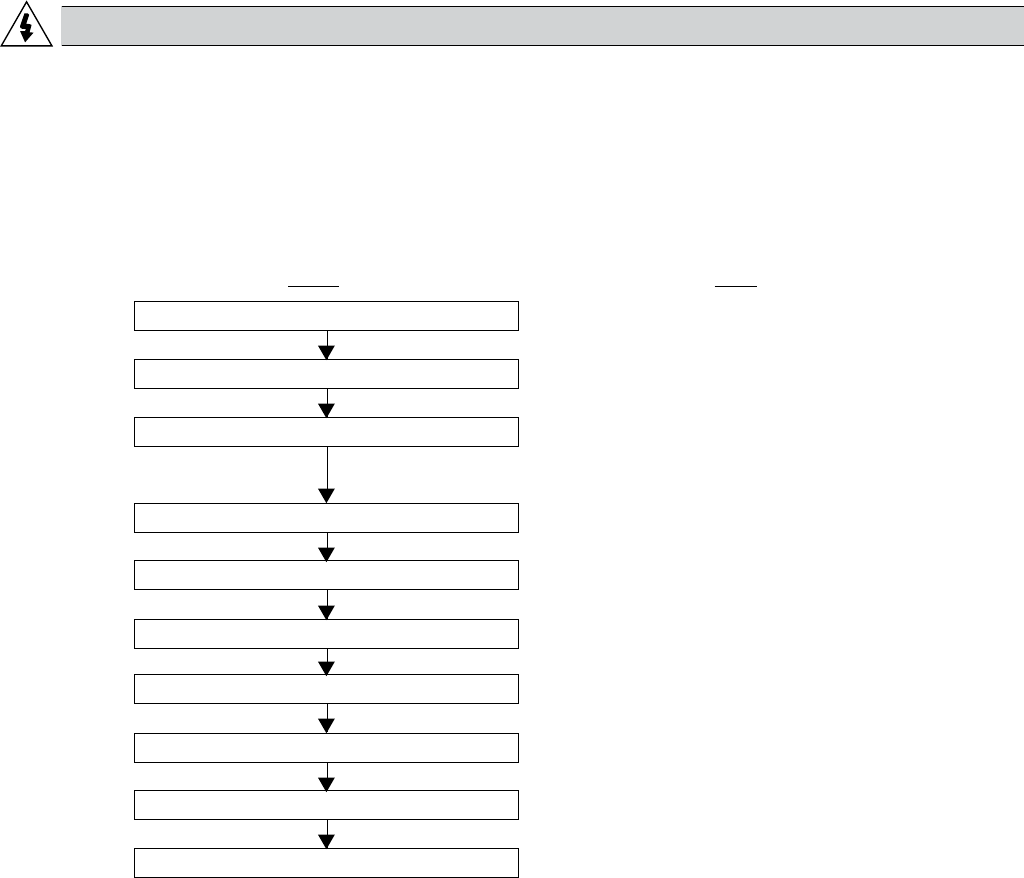
Installation Flow Chart
The installation of the AQUAVAR adjustable speed pump controller follows the outline below.
The steps must be carried out in the order shown. At the right of each step are references to
the detailed information needed for the correct installation of the unit.
Task See
PREPARE for installation “Preparing for Installation” on page 15.
UNPACK the drive “Unpack the Drive” on page 21.
PREPARE the Mounting Location “Prepare the Mounting Location”
on page 21.
REMOVE the front cover “Remove Front Cover” on page 21.
MOUNT the drive “Mount the Unit” on page 22.
INSTALL wiring “Install the Wiring” on page 23.
CHECK installation “Check Installation” on page 32.
REINSTALL the cover “Reinstall Cover” on page 33.
APPLY power “Apply Power” on page 33.
START-UP “Start-Up” on page 33.
14
INTRODUCTION
AQUAVAR CPC Product Numbering
Voltage Phase NEMA 1 Base Model Full Load Amps
Normal Duty Frame Size Normal Duty
Horsepower
230 1
CPC20071 3.7 R1 1
CPC20171 8.5 R1 2
CPC20241 12 R2 3
CPC20311 15.5 R2 5
CPC20461 23 R3 7.5
CPC20591 29.5 R3 10
CPC20881 44.0 R4 15
CPC21141 57.0 R4 20
CPC21431 71.5 R6 25
CPC21781 89.0 R6 30
CPC22481 124.0 R6 40
CPC22481 124.0 R6 50
230 3
CPC20041 4.6 R1 1
CPC20071 7.5 R1 2
CPC20121 11.8 R1 3
CPC20171 16.7 R1 5
CPC20241 24.2 R2 7.5
CPC20311 30.8 R2 10
CPC20461 46.2 R3 15
CPC20591 59.4 R3 20
CPC20751 74.8 R4 25
CPC20881 88.0 R4 30
CPC21141 114.0 R4 40
CPC21431 143.0 R6 50
CPC21781 178.0 R6 60
CPC22211 221.0 R6 75
CPC22481 248.0 R6 100
460 3
CPC40061 6.9 R1 3
CPC40081 8.8 R1 5
CPC40121 11.9 R1 7.5
CPC40151 15.4 R2 10
CPC40231 23 R2 15
CPC40311 31 R3 20
CPC40381 38 R3 25
CPC40451 45 R3 30
CPC40591 59 R4 40
CPC40721 72 R4 50
CPC40781 78 R4 60
CPC40971 97 R4 75
CPC41251 125 R5 100
CPC41571 157 R6 125
CPC41801 180 R6 150
CPC42451 245 R7 200
CPC43161 316 R7 250
CPC43681 368 R8 300
CPC44141 414 R8 350
CPC44861 486 R8 400
CPC45261 526 R8 450
CPC46021 602 R8 500
CPC46451 645 R8 550
575 3
CPC50031 2.7 R2 2
CPC50041 3.9 R2 3
CPC50061 6.1 R2 5
CPC50091 9 R2 7.5
CPC50111 11 R2 10
CPC50171 17 R2 15
CPC50221 22 R2 20
CPC50271 27 R3 25
CPC50321 32 R4 30
CPC50411 41 R4 40
CPC50521 52 R4 50
CPC50621 62 R4 60
CPC50771 77 R6 75
CPC50991 99 R6 100
CPC51251 125 R6 125
CPC51441 144 R6 150
*** - HP classications are for reference purposes only, always size the Aquavar according to the output amps and the service factor amps of the motor.
15
Preparing for Installation
Drive Identication
Drive Labels
To determine the type of drive you are installing, refer to either:
• Serial number label attached on upper part of the chokeplate between the mounting
holes.
• Type code label attached on the heat sink – on the right side of the unit cover.
Type Code
ACS550-01-08A8-4
U1 3~380…480 V
I2N / I2hd 8.8 A / 6.9 A
PN / Phd 4 / 3 kW Ser. no. *2030700001*
CPC 4 370 1 FD
AQUAVAR® (Series)
Voltage
2 – 208-240 Volt
4 – 480 Volt
5 – 575 Volt
Amps
370 Amps
*See Technical Section
NEMA Enclosure Rating
1 – NEMA 1
2 – NEMA 12
** Fused Disconnect
Options
* Consult factory for other options, if available. Not all combinations may be available.
** Standard equipment on 200 HP and above 460 volt models.
Input U1 3~380…480 V
I1N 8.8 A
f1 48…63 Hz
Input U2 3~0…U1 V
I2N / I2hd 8.8 A / 6.9 A
f2 0…500 Hz
Input PN / Phd 4 / 3 kW
ACS550-01-08A8-4
Ser. no. *2030700001*
CUS
UL
®
LISTED
INTRODUCTION
16
Ratings and Frame Size
drive’s frame size. To read the Ratings table, you need the “Output current rating” entry from
the type code. Also, when using the Ratings table, note that the table is broken into sections
based on the drive’s “Voltage rating”.
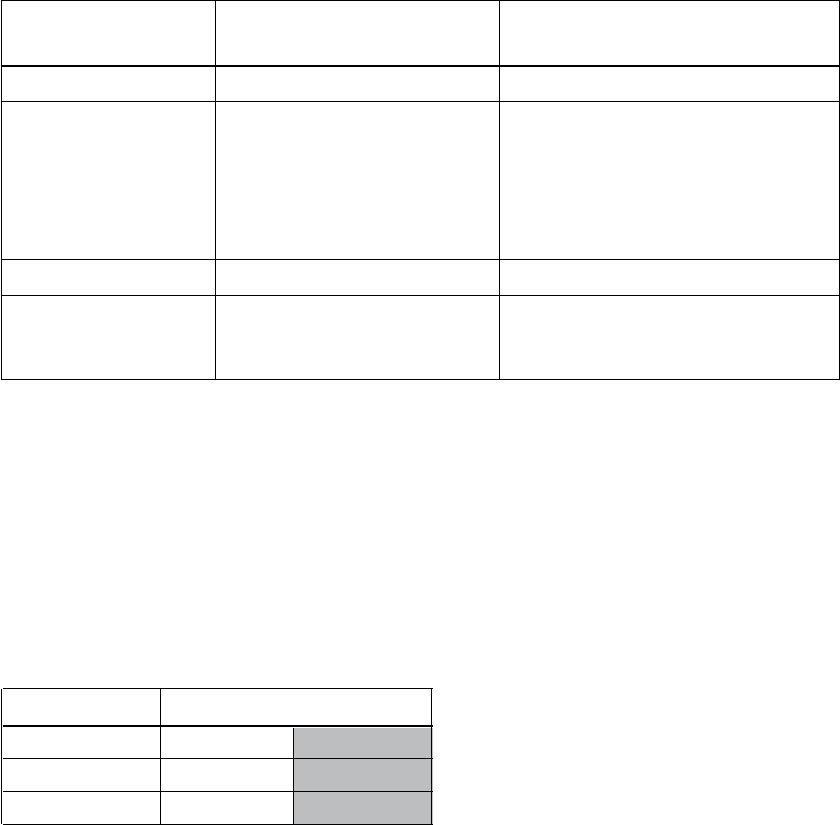
Motor Compatibility
The motor, drive and supply power must be compatible:
Motor Verify Reference
Specication
Motor type 3-phase induction motor NEMA MG1
Nominal current Motor value is within this • Type code label on drive,
range: 0.2…2.0 * I2hd entry for Output Current or
(I2hd = drive heavy duty) • Type code on drive and
rating current table in
“Technical Data” on
page 131.
Nominal frequency 50 – 70 Hz —
Voltage range Motor is compatible 208…240 V (for CPC2XXXX) or
with the AQUAVAR 380…480 V (for CPC4XXXX)
voltage range.
Tools Required
To install the AQUAVAR you need the following:
• True RMS multimeter
• Screwdrivers (as appropriate for the mounting hardware used)
• Wire stripper
• Tape measure
• Drill
• Mounting hardware: screws or nuts and bolts, four each. The type of hardware depends on
the mounting surface and the frame size:
Frame Size Mounting Hardware
R5 M6 ¼ in.
R6 M8
516 in.
Suitable Environment and Enclosure
installation, store and transport the drive according to the environmental requirements
• IP 21 / UL type 1 enclosure, indoor use only. The site must be free of airborne dust,
corrosive gases or liquids, and conductive contaminants such as condensation, carbon
dust and metallic particles.
INTRODUCTION
17
• IP 54 / UL type 12 enclosure, indoor use only. This enclosure provides protection from
airborne dust and light sprays or splashing water from all directions.
• UL Type 3R- Enclosures are intended for outdoor use to provide a degree of protection
from falling rain. Undamaged by the formation of ice on the enclosure. May be cooled by
forced air and louvers for vents.
• IP 56 / UL type 4 enclosure. Constructed for outdoor use or hose down applications.
Provides a degree of protection against falling dirt, rain, sleet, snow, windblown dust and
splashing water. Not suitable for direct sun. A sun shield or canopy may be required.
Suitable Mounting Location
• The drive must be mounted vertically on a smooth, solid surface, and in a suitable
• The minimum space requirements for the drive are the outside dimensions (see “Outside
page 137).
• The distance between the motor and the drive is limited by the maximum motor cable
length. See “Motor Connection” on page 136.
• The mounting site must support the drive’s modest weight and noise output. See
“Dimensions and Weights” on page 141.
Wiring and EMC Considerations
Determine electromagnetic compliance (EMC) requirements per local codes. In general,
always follow the NEC in the absence of a local code.
• Follow local codes for cable size, conduit, grounding and motors.
• Keep these four classes of wiring separated: input power wiring, motor wiring, control/
communications wiring. Always use separate conduit for motor/control wires.
“Cable Sizing/Rating” on page 131, “Cable Terminals” on page 135, “Input Power (Mains)
Connection” on page 136 and “Motor Connection” on page 136.
• Multiple motor wire should always be run in separate conduit. Shielded and grounded!
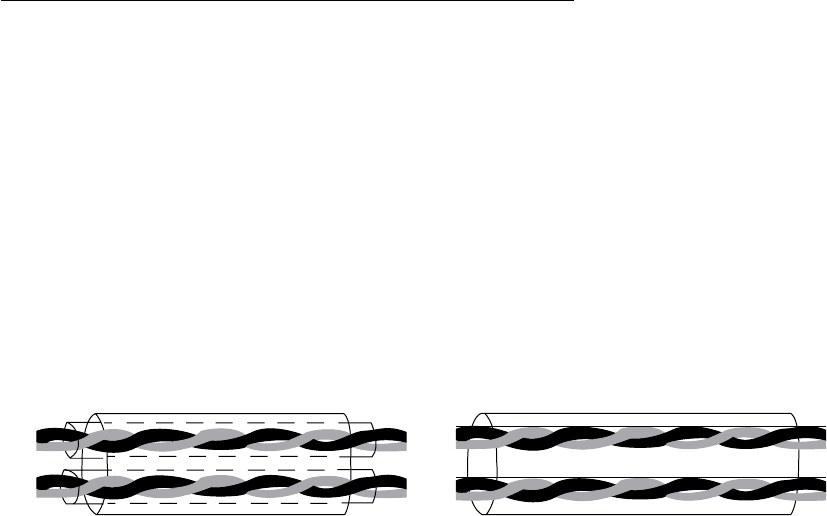
Control Cables
General Recommendations
Use shielded cables, temperature rated at 60º C (140º F) or above:
• Control cables must be multi-core cables with a braided copper wire screen.
Double Shielded Single Shielded
Example: JAMAK by Draka NK Cables Example: NOMAK by Draka NK Cables
connected to terminal X1-1 (for digital and analog I/O cables) or to either X1-28 or X1-32
(for RS485 cables).
INTRODUCTION

18
Route control cables to minimize radiation to the cable:
• Route as far away as possible from the input power and motor cables (at least 20 cm (8 in)).
• Where control cables must cross power cables make sure they are at an angle as near 90º
as possible.
• Stay at least 20 cm (8 in) from the sides of the drive.
Use care in mixing signal types on the same cable:
• Do not mix analog and digital input signals on the same cable.
• Run relay-controlled signals as twisted pairs (especially if voltage > 48 V). Relay-controlled
signals using less than 48 V can be run in the same cables as digital input signals.
NOTE! Never mix 24 VDC and AC power signals in the same cable.
Analog Cables
Recommendations for analog signal runs:
• Use double shielded, twisted pair cable
• Use one individually shielded pair for each signal.
• Do not use a common return for different analog signals.
Digital Cables
Recommendations for digital signal runs:
• A double shielded cable is the best alternative, but single shielded twisted multi-pair cable
is also usable.
Control Panel Cable
If the control panel is connected to the drive with a cable, use only Category 5 Patch ethernet
cable.
INTRODUCTION

19
Supply Connection
Disconnecting Device (Mains)
Install a hand-operated input disconnecting device between the AC power source (MCC) and
the drive. The disconnecting device must be of a type that can be locked to the open position
for installation and maintenance work. Follow all local NEC codes.
Fuses
See Technical Data: Fuse Sizing/Rating on pages 133 and 134.
Thermal Overload and Short-circuit Protection
The drive protects itself and the input and motor cables against thermal overload when the
cables are dimensioned according to the nominal current of the drive. No additional thermal
protection devices are needed.
WARNING! If the drive is connected to multiple motors, a separate thermal overload
switch or a circuit breaker must be used for protecting each cable and motor. These
devices may require a separate fuse to cut off the short-circuit current.
The drive protects the motor cable and the motor in a short-circuit situation when the motor
cable is dimensioned according to the nominal current of the drive.
Mains Cable (AC line cable) Short-circuit Protection
Always protect the input cable with fuses. Standard gG (US: T or L) very fast acting, fuses
will protect the input cable in short-circuit situations and prevent damage to adjoining
equipment in case of a short-circuit inside the drive.
Size the fuses according to local safety regulations, appropriate input voltage and the rated
current of the drive. For fuse ratings, see Technical Data, pages 133 and 134.
WARNING!
because they are inherently slower than fuses. Always use fuses with circuit breakers, if
you are not sure of the circuit braking capacity and mains short circuit power.
Ground Fault Protection
The drive is equipped with an internal ground fault protective function to protect the unit
protection feature. The ground fault protective function can be disabled with a parameter
contact factory for more information.
frame. These capacitors and long motor cables increase the ground leakage current and may
cause fault current circuit breakers to function.
Emergency Off Devices
For safety reasons, install the emergency off devices at each operator control station and at other
operating stations where emergency off may be needed. Pressing the stop key on the control
panel of the drive does not generate an emergency off of the motor or separate the drive from
dangerous potential.
INSTALLATION (Frames R1-R6)
20
Selecting the Power Cables (copper only)
General Rules
Dimension the mains (input power) and motor cables according to local regulations:
• Do not use aluminum wires.
• The cable must be able to carry the drive load current. See Technical Data for the rated
currents.
• The cable must be rated for at least 70º C (158º F) maximum permissible temperature of
conductor in continuous use. For US, follow local codes for cable size, or refer to NEC table
310.16.
• The inductance and impedance of the PE conductor/cable (grounding wire) must be rated
according to permissible touch voltage appearing under fault conditions (so that the fault
point voltage will not rise excessively when an ground fault occurs).
• 600 VAC cable is accepted for up to 500 VAC concerning the entire AQUAVAR CPC range.
four-conductor system used up to 30 kW motors cannot be used.
Compared to a four conductor system, the use of symmetrical shielded cable reduces
electromagnetic emission of the whole drive system as well as motor bearing currents and wear
of bearings.
The motor cable and its PE pigtail (twisted screen) should be kept as short as possible in order
to reduce electromagnetic emission as well as capacitive current.
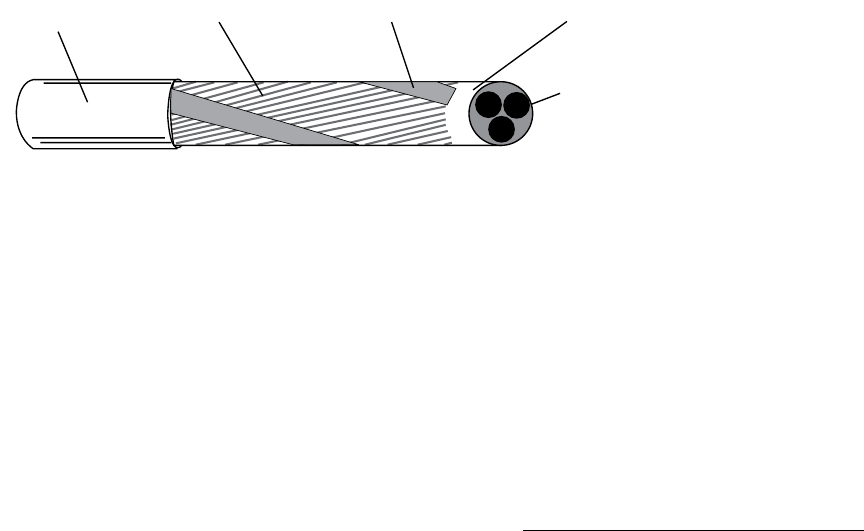
Motor Cable Shield
To effectively suppress radiated and conducted radio-frequency emissions, the shield
conductivity must be at least 1/10 of the phase conductivity. The requirements are easily met
with a copper or aluminum shield. The minimum requirement of the motor cable shield of the
drive is shown below. It consists of a concentric layer of copper wires with an open helix of
copper tape. The better and tighter the shield, the lower the emission level and the bearing
currents.
Additional US Requirements
Type MC continuous corrugated aluminum armor cable with symmetrical grounds or shielded
power cable must be used for the motor cables if metallic conduit is not used. For the North
American market, 600 VAC cable is accepted for up to 500 VAC. For drives rated over 100
amperes, the power cables must be rated for 70ºC (158ºF).
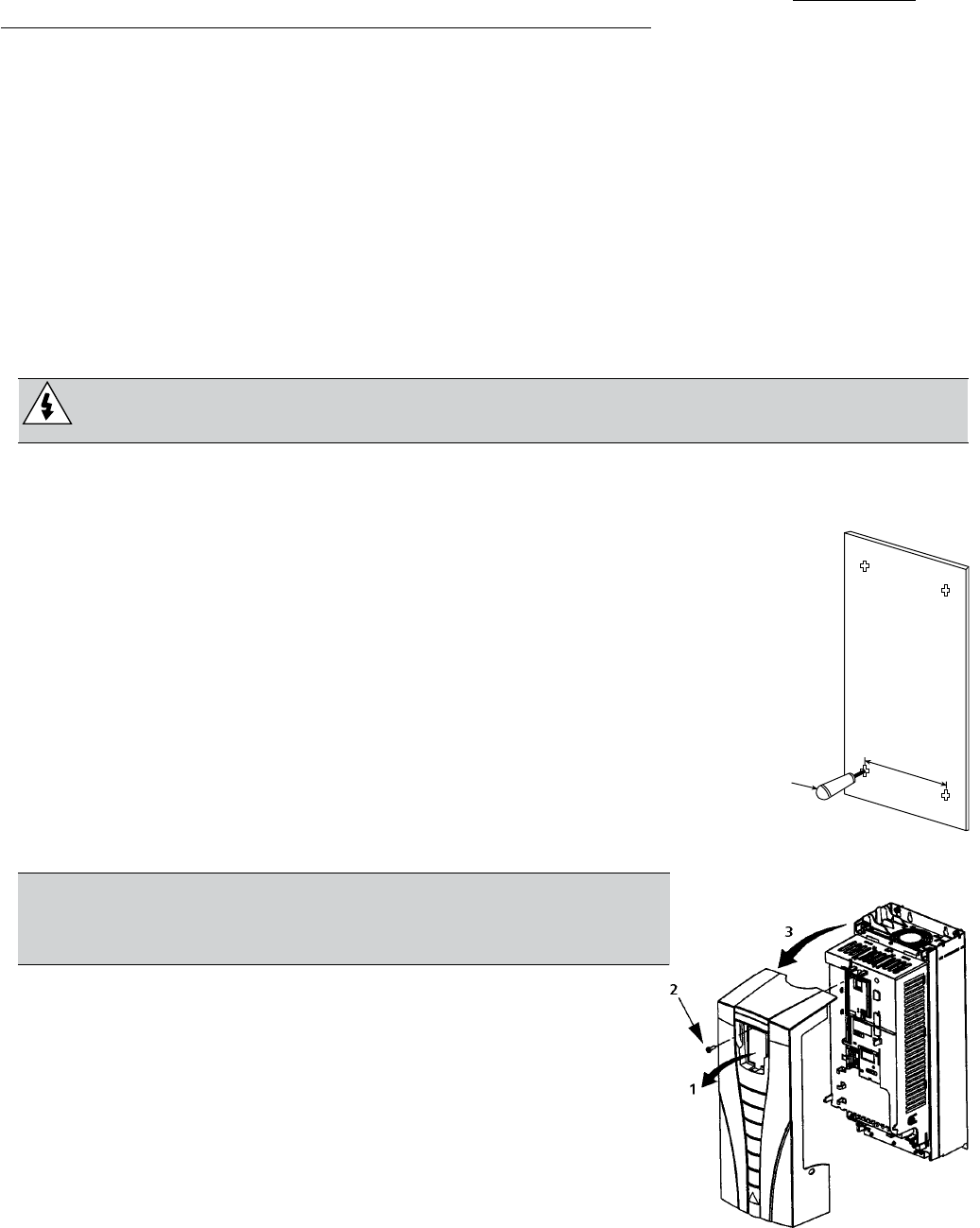
Insulation Jacket Copper Wire Screen Helix of Copper Tape Inner Insulation
Cable Core
INSTALLATION (Frames R1-R6)
21
Conduit
Where conduits must be coupled together, bridge the joint with a ground conductor bonded
to the conduit on each side of the joint. Bond the conduits also to the drive enclosure. Use
separate conduits for input power, motor, brake resistors, and control wiring. Do not run
motor wiring from more than one drive in the same conduit.
Armored cable / shielded power cable
The motor cables can be run in the same cable tray as other 460 V power wiring. Control and
signal cables must not be run in the same tray as power cables. Six conductor (3 phases and 3
ground) type MC continuous corrugated aluminum armor cable with symmetrical grounds is
available from the following suppliers (tradenames in parenthesis):
• Anixter Wire & Cable (Philsheath) • BICC General Corp (Philsheath)
• Rockbestos Co. (Gardex) • Oaknite (CLX).
Shielded power cables are available from Belden, LAPPKABEL (OLEFLEX) and Pirelli.
Installing the Drive
WARNING! Before installing the AQUAVAR, ensure the input power supply to the
drive is off.
Unpack the Drive
1. Unpack the drive.
2. Check for any damage and notify the shipper immediately if
damaged components are found.
3. Check the contents against the order and the shipping label to verify
that all parts have been received.
Prepare the Mounting Location
The AQUAVAR should only be mounted where all of the requirements
1. Mark the position of the mounting holes. Refer to page 138 for
mounting hole location.
2. Drill the holes.
NOTE! Frame sizes R3 and R4 have four holes along the top.
Use only two. If possible, use the two outside holes (to allow
room to remove the fan for maintenance).
Remove Front Cover
IP 21 / UL Type 1
1. Remove the control panel, if attached.
2. Loosen the captive screw at the top.
3. Pull near the top to remove the cover.
INSTALLATION (Frames R1-R6)
1
X0002

22
IP 54 / UL Type 12
1. If hood is present: Remove screws (2) holding hood in
place.
2. If hood is present: Slide hood up and off of the cover.
3. Loosen the captive screws around the edge of the cover.
4. Remove the cover.
Mount the Drive
IP 21 / UL Type 1
1. Position the AQUAVAR onto the mounting screws or bolts and
securely tighten in all four corners.
NOTE! Lift the AQUAVAR by its metal chassis.
2. Non-English speaking locations: Add a warning sticker in the
appropriate language over the existing warning on the top of
the module.
IP 54 / UL Type 12
For the IP54 / UL Type 12 enclosures, rubber plugs are required in
the holes provided for access to the drive mounting slots.
1. As required for access, remove the rubber plugs. Push plugs
out from the back of the drive.
2. Position the AQUAVAR onto the mounting screws or bolts and
securely tighten in all four corners.
NOTE! Lift the AQUAVAR by its metal chassis.
3. Reinstall the rubber plugs.
4. Non-English speaking locations: Add a warning sticker in the
appropriate language over the existing warning on the top of the module.
INSTALLATION (Frames R1-R6)
23
Install the Wiring
Conduit/Gland Kit
Wiring drives with the IP 21 / UL type 1 Enclosure requires a conduit/gland kit with the
following items:
• Conduit/gland box
• Screws
• Cover
The kit is included with IP 21 / UL type 1 Enclosures.
Overview
As you install the wiring, observe the following:
• There are four sets of wiring instructions – one set for each combination of drive enclosure
type (IP 21 / UL type 1 and IP 54 / UL type 12), and wiring type (conduit or cable). Be sure
to select the appropriate procedure.
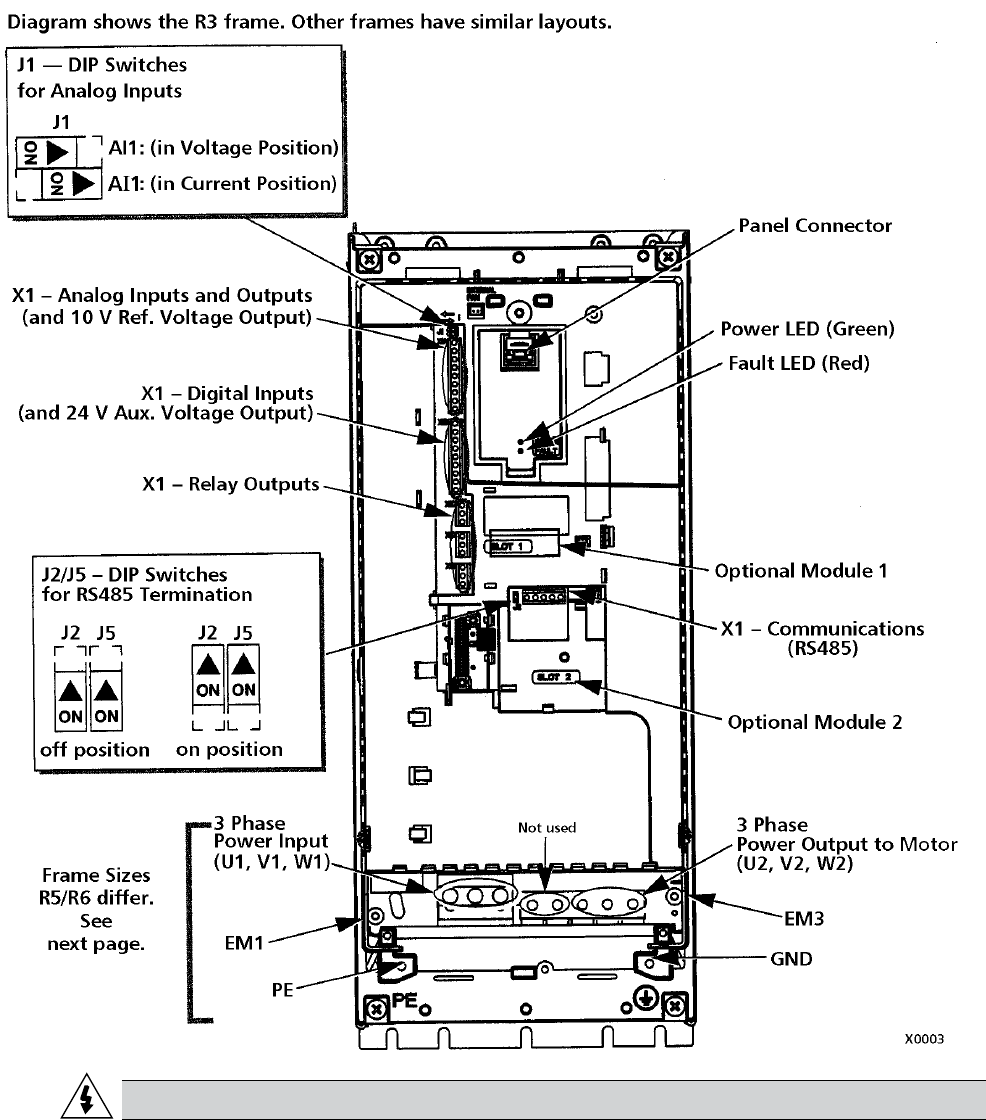
• “Connection Diagrams” on page 24 shows the connection points on the drive.
in combination with the appropriate general procedure.
Use in combination with the appropriate general procedure.
• “Cable Terminals” on page 135 list the recommended tightening torques.
• Where applicable, observe EMC recommendations. For example, properly ground the wire
screen cable shields.
INSTALLATION (Frames R1-R6)
24
Three Phase Wiring/Connection Diagrams
layout difference is in the power and ground terminals for frame sizes R5 and R6. The
following diagrams show:
• Terminal layout for frame size R3, which, in general, applies to all frame sizes except as
noted above.
• Power and ground terminal layout for frame sizes R5 and R6.
WARNING!
INSTALLATION (Frames R1-R6)

25
Not used
Three Phase Wiring/Connection Diagrams continued
WARNING!
INSTALLATION (Frames R1-R6)
26
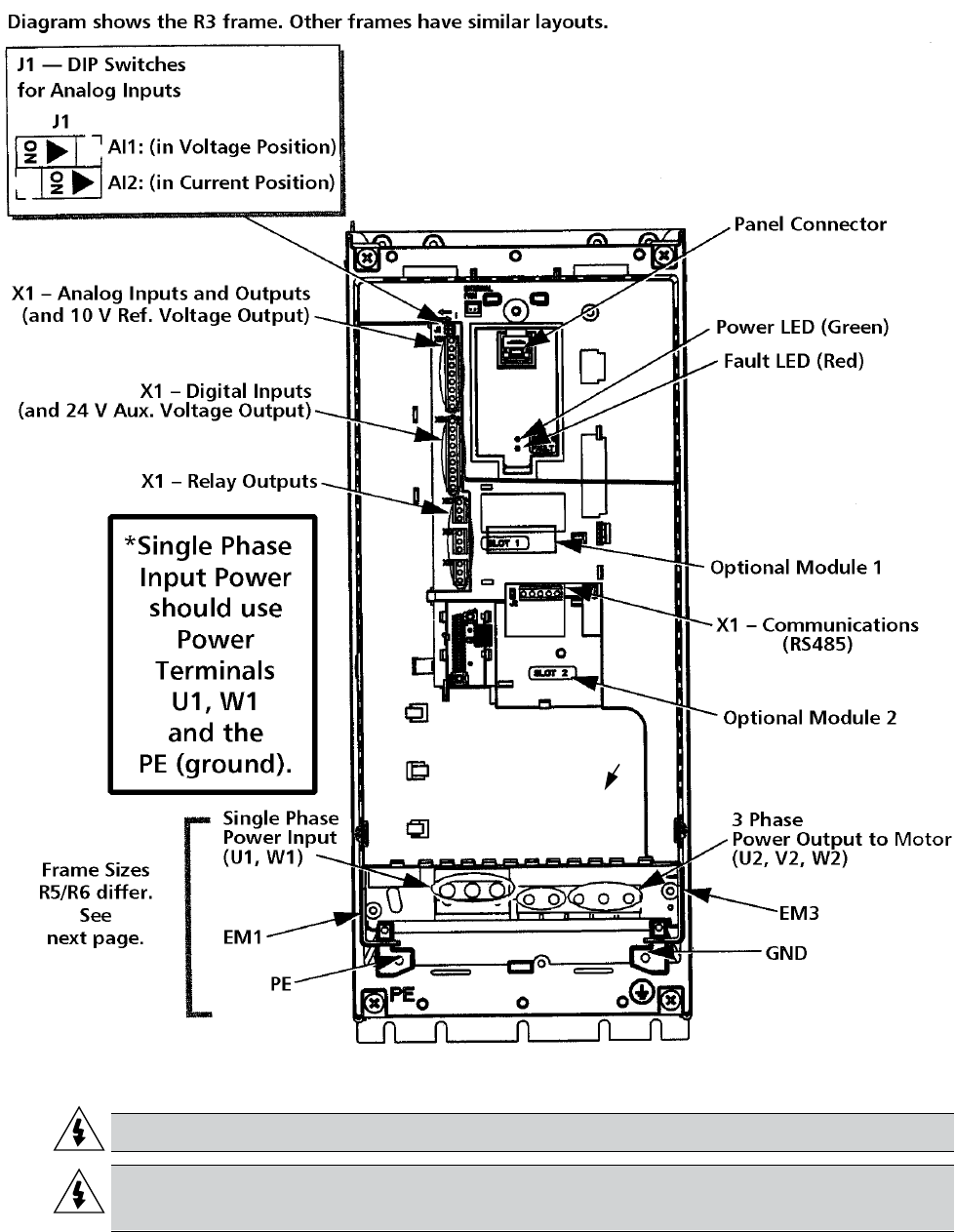
Single Phase Wiring/Connection Diagram
WARNING!
WARNING! For single phase wiring, derate the 3 phase nominal HP and
amps 50%.
INSTALLATION (Frames R1-R6)
Not used

27
Wiring IP 21 / UL Type 1 Enclosure with Conduit
1. Open the appropriate knockouts in the conduit/
gland box.
2. Install thin-wall conduit clamps (not supplied).
3. Install conduit/gland box.
4. Connect conduit runs to box. Always follow
appropriate NEC or local electrical codes for inverter
drives, motor wiring.
5. Route input power and motor wiring through
conduits. Preferably metal, grounded type.
6. Strip wires.
7. Connect power, motor, and ground wires to the drive
terminals. See “Power Connections” on page 29.
8. Route the control cable, transducer cable through the
conduit.
9. Strip the control cable sheathing and twist the copper
screen into a pigtail.
10. Connect the transducer screen pigtail for digital and
analog I/O cables at X1-1.
11. Strip and connect the individual control wires to the
drive terminals. See “Control Connections” on page
29. Including transducer.
12. Install the conduit/gland box cover (1 screw).
13. Wire transducer leads to analog 2, terminal(s) +24V,
AI2 and GND.
14. Wire positive lead of transducer to terminal 10
(+24VDC). Color is red or brown.
15. Wire analog lead (negative) to terminal 10 of X1 for
4-20mA signal. Color is white or black.
INSTALLATION (Frames R1-R6)
28
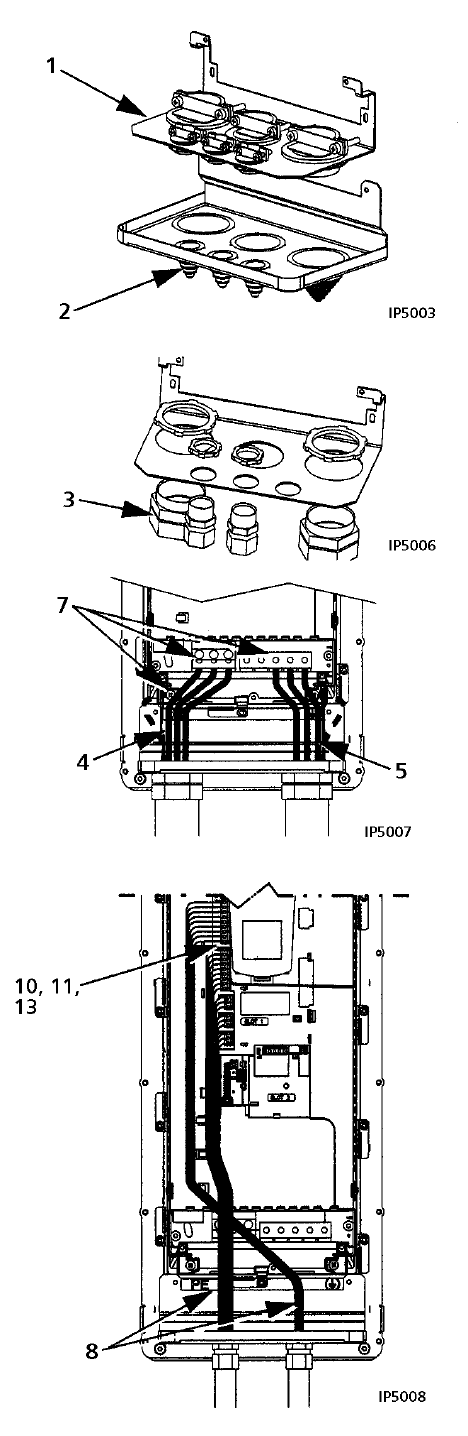
Wiring IP 54 / UL Type 12 Enclosure with Conduit
1. Remove and discard the clamping plate.
2. Remove and discard the cable seals where
conduit will be installed. (The cable seals are
cone-shaped, rubber seals on the bottom of the
drive.)
3. For each conduit run, install water tight conduit
connectors (not supplied).
4. Route the power wiring through the conduit.
5. Route the motor wiring through the conduit.
6. Strip the wires.
7. Connect the power, motor and ground wires to
the drive terminals. See “Power Connections” on
page 29.
8. Route the control wiring through the conduit.
9. Strip the control cable sheathing and twist the
copper screen into a pigtail.
10. Connect the ground screen pigtail for digital and
analog I/O cables X1-1.
11. Strip and connect the individual control wires to
the drive terminals. See “Control Connections” on
pages 29 and 30.
12. Install the conduit/gland box cover (1 screw).
13. Install and wire transducer as stated in previous
steps on pages 27 and 28.
INSTALLATION (Frames R1-R6)
29
Power Connections
WARNING! Ensure the motor is compatible for use with the AQUAVAR. The AQUAVAR
must be installed by a competent person in accordance with the considerations
• Refer to the following table to complete the power connections. If appropriate, also
Terminal Description Note
U1, V1, W1* 3-phase power supply input “Input Power (Mains) Connection”
on page 136.
PE Protective Ground Follow local rules for cable size.
U2, V2, W2 Power output to motor “Motor Connection” on
page 136.
* NOTE: The AQUAVAR (208…240V series) can be used with a single phase supply, if output current is derated by 50%.
For single phase supply voltage, connect power at U1 and W1. Refer to page 26.
Floating Networks
R1…R4, see page 24), or F1 and F2 screws (frame sizes R5…R6, see page 25).
• Where EMC requirements exist, check for excessive emission propagated to neighboring
low voltage networks. In some cases, the natural suppression in transformers and cables is
and secondary windings.
Control Connections
To complete the control connections, use:
• Following tables
• “Single/Multipump”
• “Complete Parameter Descriptions”
• Cable recommendations in “Control Cables”
INSTALLATION (Frames R1-R6)
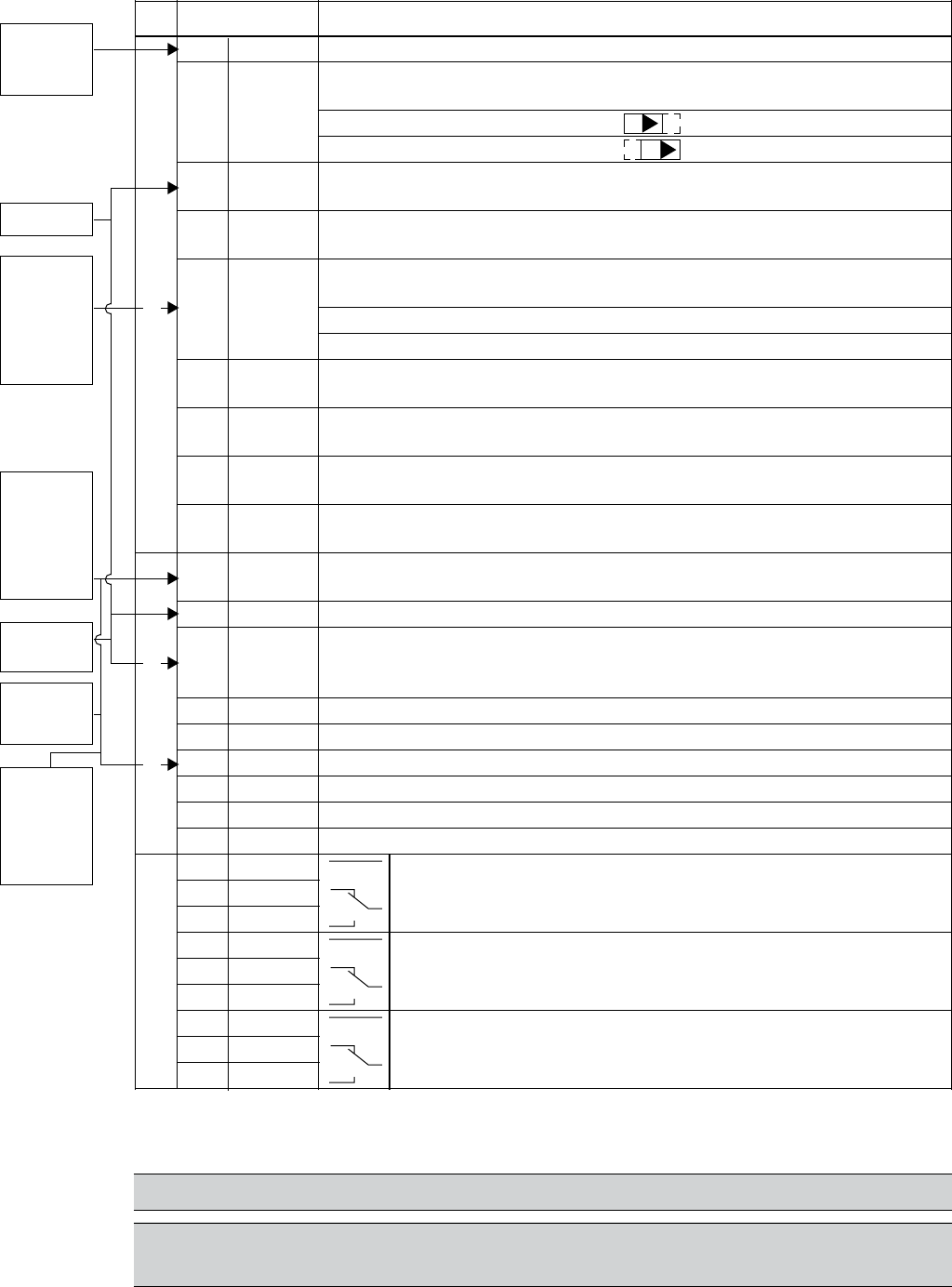
30
X1 Control Wiring
1 SCR Terminal for transducer shield. (Connected internally to chassis ground.)
Analog input channel 1, 2nd transducer. Default2 = frequency reference.
2 AI1 Resolution 0.1%, accuracy ±1%.
J1:AI1 OFF: 0…10 V (Ri = 312 kΩ)
J1:AI1 ON: 0…20 mA (Ri = 100 Ω) Switch positions listed on page 25.
3 AGND Analog input circuit common. (Connected internally to chassis gnd.
through 1 MW. Jumper wire to X1-11.)
4 +10 V 10 V/10 mA reference voltage output for analog input potentiometer,
accuracy ±2%. (Not used.)
Analog input channel 2.
5 AI2 Resolution 0.1%, accuracy ±1%.
Transducer input
4–20 mA
6 AGND Analog input circuit common. (Connected internally to chassis gnd.
through 1 MΩ)
7 AO1 Analog output, programmable. Default2 = Not used. Current 0…20 mA
(load < 500 Ω)
8 AO2 Analog output, programmable. Default2 = Not used. 0…20 mA
(load < 500 Ω)
9 AGND Analog output circuit common (Connected internally to chassis gnd.
through 1 MΩ)
10 +24V Auxiliary voltage output 24 VDC / 250 mA (reference to GND). Short
circuit protected. Transducer/digital input power supply.
Digital input common. To activate a digital input, there must be ≥+10 V
12 DCOM (or ≤-10 V) between that input and DCOM. The 24 V may be provided by
the AQUAVAR (X1-10) or by an external 12…24 V source of either polarity.
13 DI1 Digital input 1, programmable. Default2 = run enable (Group 24)
14 DI2 Digital input 2, programmable. Default2 = low water (Group 24)
15 DI3 Digital input 3, programmable. Default2 = E-stop or jumper
16 DI4 Digital input 4, programmable. Default2 = set point selection
17 DI5 Digital input 5, programmable. Default2 = HOA (Group 12)
18 DI6 Digital input 6, programmable. Default2 = not used
19 RO1C Relay output 1, programmable. Default2 = drive ready
20 RO1A Maximum: 250 VAC / 30 VDC, 2 A
21 RO1B Minimum: 500 mW (12 V, 10 mA)
22 RO2C Relay output 2, programmable. Default2 = pump run
23 RO2A Maximum: 250 VAC / 30 VDC, 2 A
24 RO2B Minimum: 500 mW (12 V, 10 mA)
25 RO3C Relay output 3, programmable. Default2 = fault
26 RO3A Maximum: 250 VAC / 30 VDC, 2 A
27 RO3B Minimum: 500 mW (12 V, 10 mA)
1 Digital input impedance 1.5 kΩ. Maximum voltage for digital inputs is 30 V.
2
NOTE: Jumper Wires between 3 and 11, 10 and 15, 11 and 12.
NOTE! Terminals 3, 6 and 9 are at the same potential.
NOTE! For safety reasons the fault relay signals a “fault” when the AQUAVAR is
powered down.
INSTALLATION (All Frames)
ON
ON
Relay Outputs
Transducer
Screen/
Shield
(–)
Transducer
(4-20mA)
Connection
(White
or Black)
(+)
Transducer
Power
Supply
(Brown
or Red)
Analog I/ODigital Inputs1
E-stop/
start Jump
to +24V for
enable
(15 to 10
Jumper)
10 – 15
E-stop
or Jumper
Jumper Wire
Jumper Wire
11 and 12
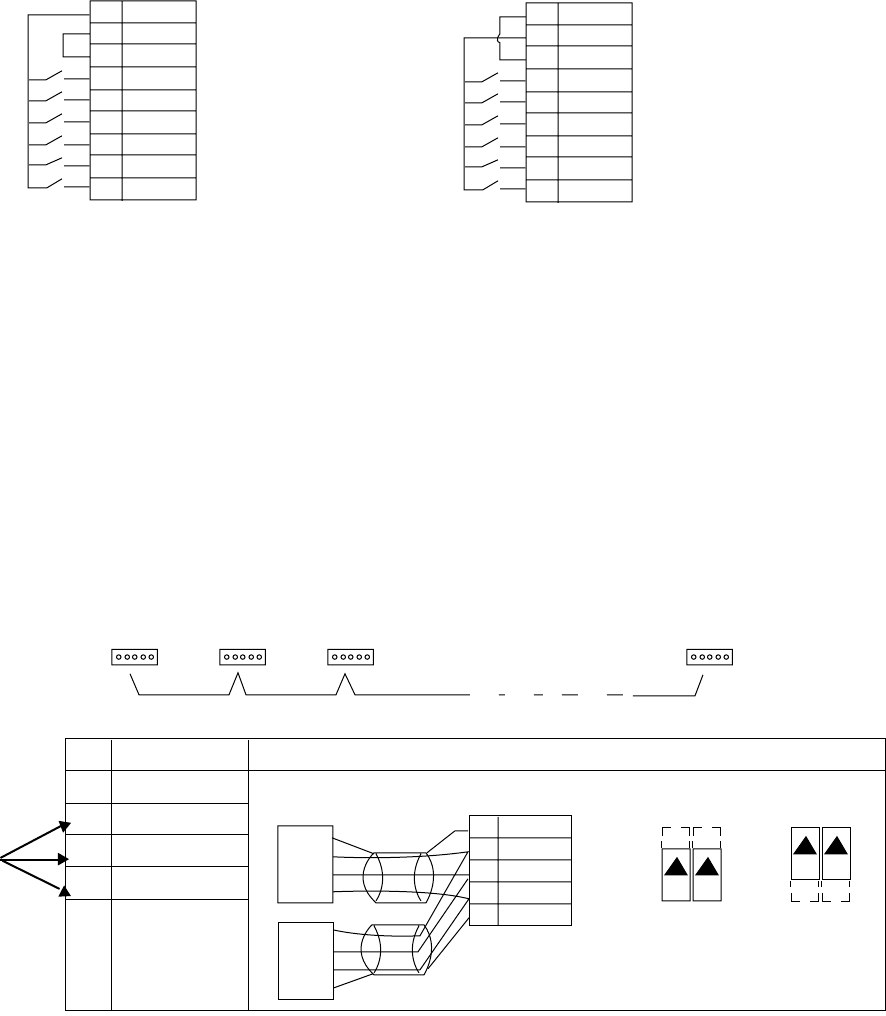
31
PNP Connection (Source) NPN Connection (Sink)
Communications
Terminals 28…32 are for RS485 or modbus communications. Use shielded cables. For lengths
of cable beyond 100 feet, use screen connections.
Do not directly ground the RS485 network at any point. Ground all devices on the network
using their corresponding earthing terminals.
As always, the grounding wires should not form any closed loops, and all the devices should
be earthed to a common ground.
Terminate the RS485 network using 120 Ω resistors at both ends of the network. Use the DIP
switch to connect or disconnect the termination resistors. See following diagram and table.
1 For functional descriptions, see “Standard Serial Communication” addendum.
INSTALLATION (Frames R1-R6)
X1
10 +24V
11 GND
12 DCOM
13 DI1
14 DI2
15 DI3
16 DI4
17 DI5
18 DI6
X1
10 +24V
11 GND
12 DCOM
13 DI1
14 DI2
15 DI3
16 DI4
17 DI5
18 DI6
Terminated
Station Station Station
Terminated
Station
X1 Identification
28 Screen
29 B
30 A
31 AGND
32 Screen
SCR
B
A
GND
B
A
GND
SCR
28 SCR
29 B
30 A
31 AGND
32 SCR
ON ON
ON ON
RS485 Multidrop Application
Other Modbus Devices
Hardware Description1
RS485 Interface
J2 J5 J2 J5
off position on position
Bus Termination
RS485
Multipump
Connections

32
Check Installation
Before applying power, perform the following checks.
√
Check
conditions.
The drive is mounted securely.
The motor and driven equipment are ready for start (3 phase motor).
The drive is properly grounded, along with the pump, motor and control panel.
The input power (mains) voltage matches the drive nominal input voltage (watch
for “open delta” power).
The input power (mains) connections at U1, V1 and W1 are connected and
The input power (mains) fuses are installed, according to NEC.
The motor connections at U2, V2 and W2 are connected and tightened as
The motor cable is routed away from other cables and in separate conduit.
NO power factor compensation capacitors are in the motor cable.
NO tools or foreign objects (such as drill shavings) are inside the drive.
NO alternate power source for the motor (such as a bypass connection) is
connected – no voltage is applied to the output of the drive.
Single phase power is connected to U1 and W1 with GND.
INSTALLATION (Frames R1-R6)
33
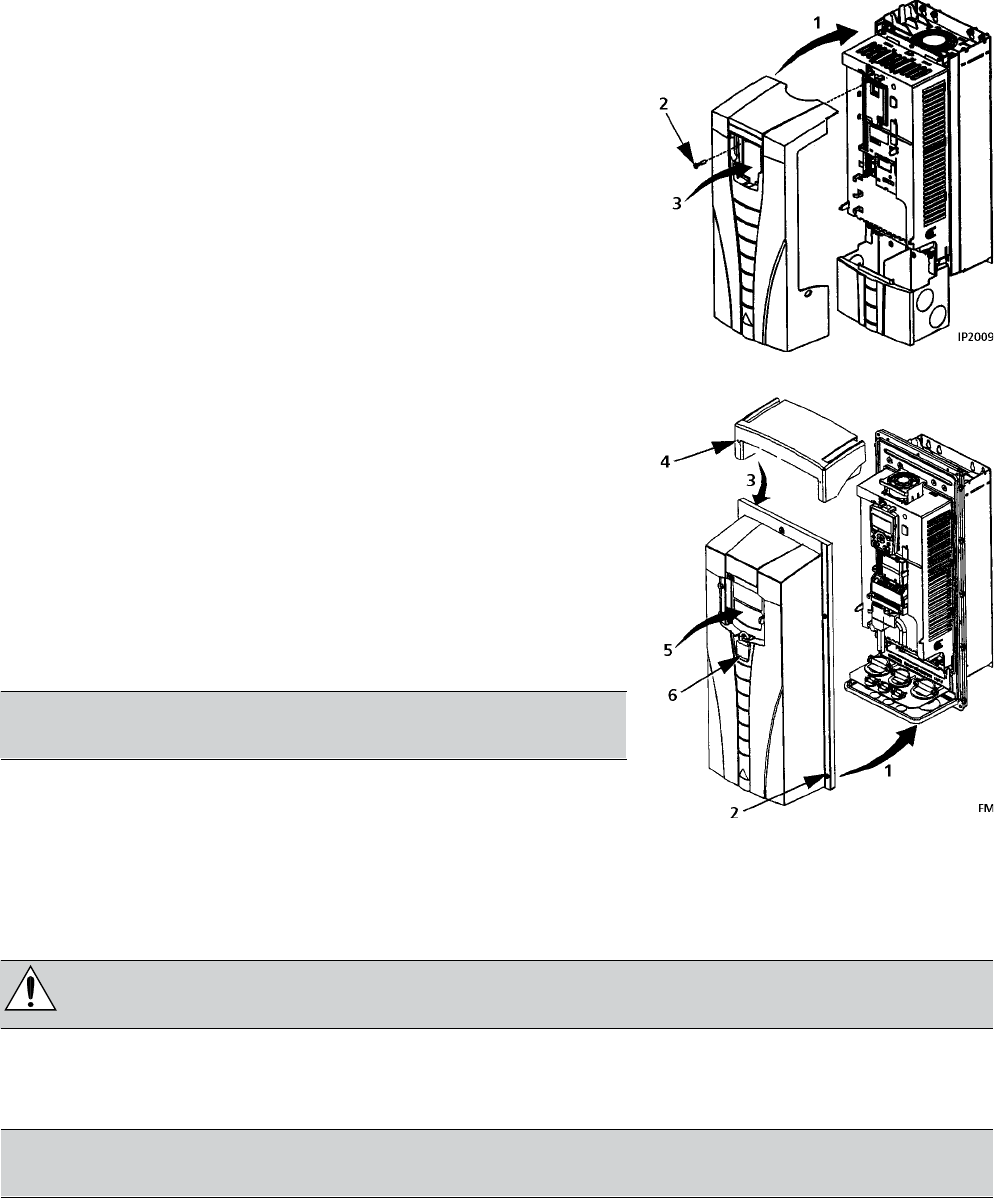
Reinstall Cover
IP 21 / UL Type 1
1. Align the cover and slide it on.
2. Tighten the captive screw.
3. Reinstall the control panel.
IP 54 / UL Type 12
1. Align the cover and slide it on.
2. Tighten the captive screws around the edge of the cover.
3. Slide the hood down over the top of the cover.
4. Install the two screws that attach the hood.
5. Reinstall the control panel.
NOTE! The control panel window must be closed to
comply with IP 54/UL type 12.
6. Optional: Add a lock (not supplied) to secure the control
panel window.
Apply Power
Always reinstall the front cover before turning power on.
WARNING! The AQUAVAR will start up automatically at power up, if the
external run command is on.
1. Apply input power.
When power is applied to the AQUAVAR, the green LED comes on.
NOTE! Before increasing motor speed, check that the motor is running in
the desired direction.
Start-Up
review the following situations. Perform the associated procedures as appropriate. Proceed to
Start-Up section of this manual.
INSTALLATION (Frames R1-R6)

34
AQUAVAR Drive Manuals
GENERAL MANUALS
AQUAVAR User’s Manual (IOM) (1…150 HP)
• Safety • Diagnostics
• Installation • Maintenance
• Start-Up • Technical Data
AQUAVAR User’s Manual (IOM) (200…550 HP)
• Safety • Diagnostics
• Installation • Maintenance
• Start-Up • Technical Data
OPTION MANUALS
(Fieldbus Adapters, I/O Extension Modules etc.,
manuals delivered with optional equipment.)
Relay Output Extension Module (typical title)
• Installation • Diagnostics
• Start-Up • Technical Data
INSTALLATION (Frames R7-R8)
35
Introduction
AQUAVAR CPC drives include an extension module that
is not covered in the AQUAVAR User’s Manual. The exten-
sion module is attached to the drive module at the factory,
which includes fusible disconnect.
This supplement provides the additional extension mod-
ule information required for AQUAVAR drives:
• Additional installation steps and considerations.
• Steps for separating the drive from the extension mod-
ule for drive service access.
• Dimensions for the extension module.
WARNING!
Ignoring the safety instructions can cause injury or death.
Planning
When planning for cable/conduit routing, refer to the AQUAVAR User’s Manual, but note that,
for the AQUAVAR, all connections are routed through the top of the extension module.
Moving the Unit
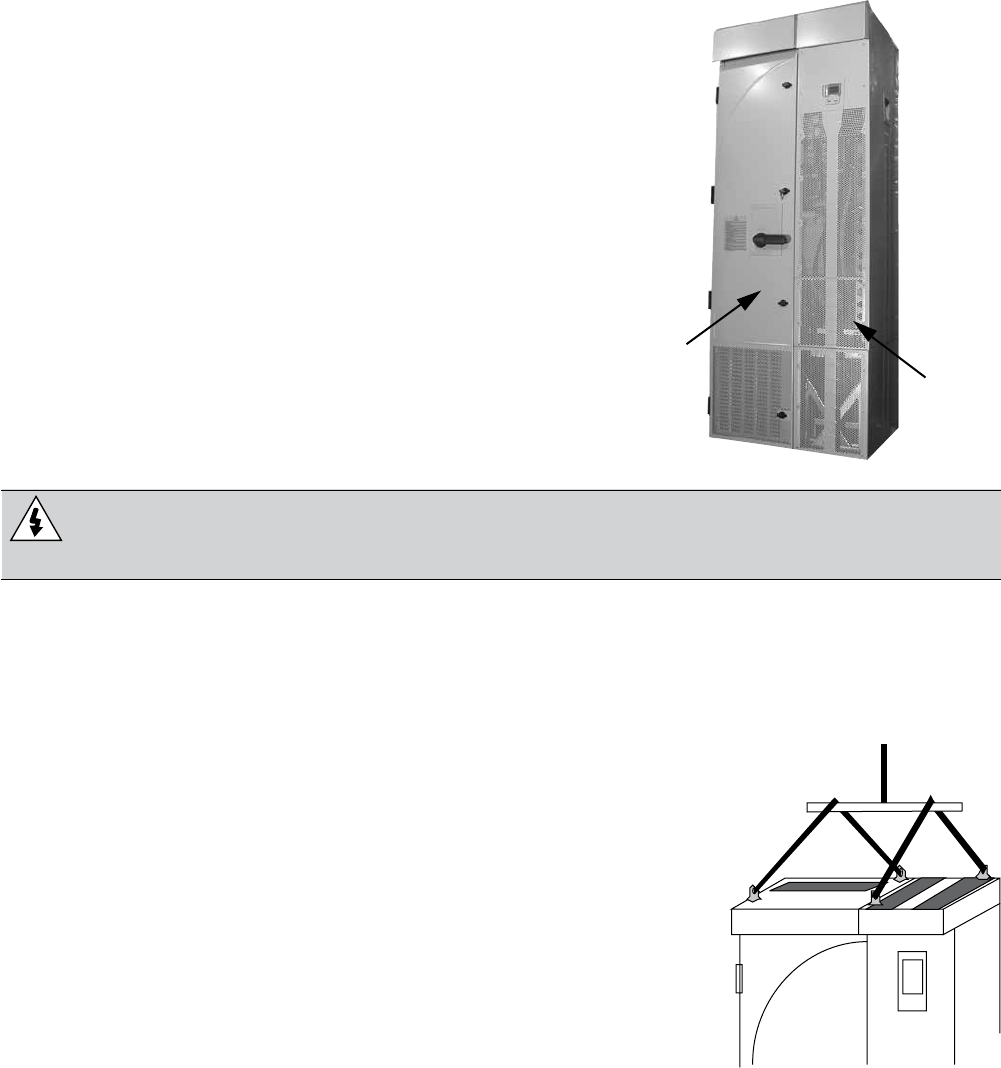
1. Move the transport package by pallet truck to the installation site.
2. Unpack the transport package.
3. To position the unit, use a lift, connected as shown.
Mounting
Fastening the Unit
See the “Dimensional Drawings” on page 41 for the exact locations
of the mounting points.
1. Use at least four screws – two at the front, two at the back – to attach the unit base plate to
2. Use at least two screws to attach the back of the enclosure to a wall.
There are two holes available at the top of each: the extension module and the drive module.
Extension
Module Drive
Module
INSTALLATION (Frames R7-R8)
36
Connecting Power and Control Cables
Additional considerations that apply with the enclosure extension:
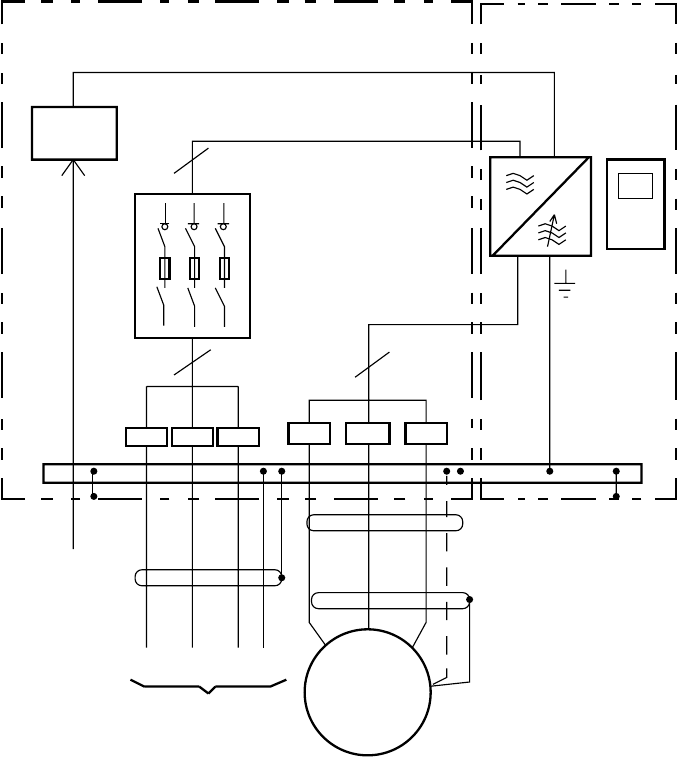
• The power cable connection diagram that applies for the AQUAVAR is:
• Temporarily remove the upper high voltage shield (clear plastic) to gain access to the
power connections in the extension module.
• To avoid metal shavings inside the cabinet, temporarily remove the gland/conduit plate
needed.
• Route all power and control wiring through the top of the extension module.
Extension Module AQUAVAR
Drive Module
Control
Panel
Switch-fuse
Disconnect
3 ~
Motor
Supply
Control
Wiring
V2U2 W2
V1U1
3
3
3
L1 L2 L3 PE U1 V1 W1
PE
PE
OMIO
W1
INSTALLATION (Frames R7-R8)
37
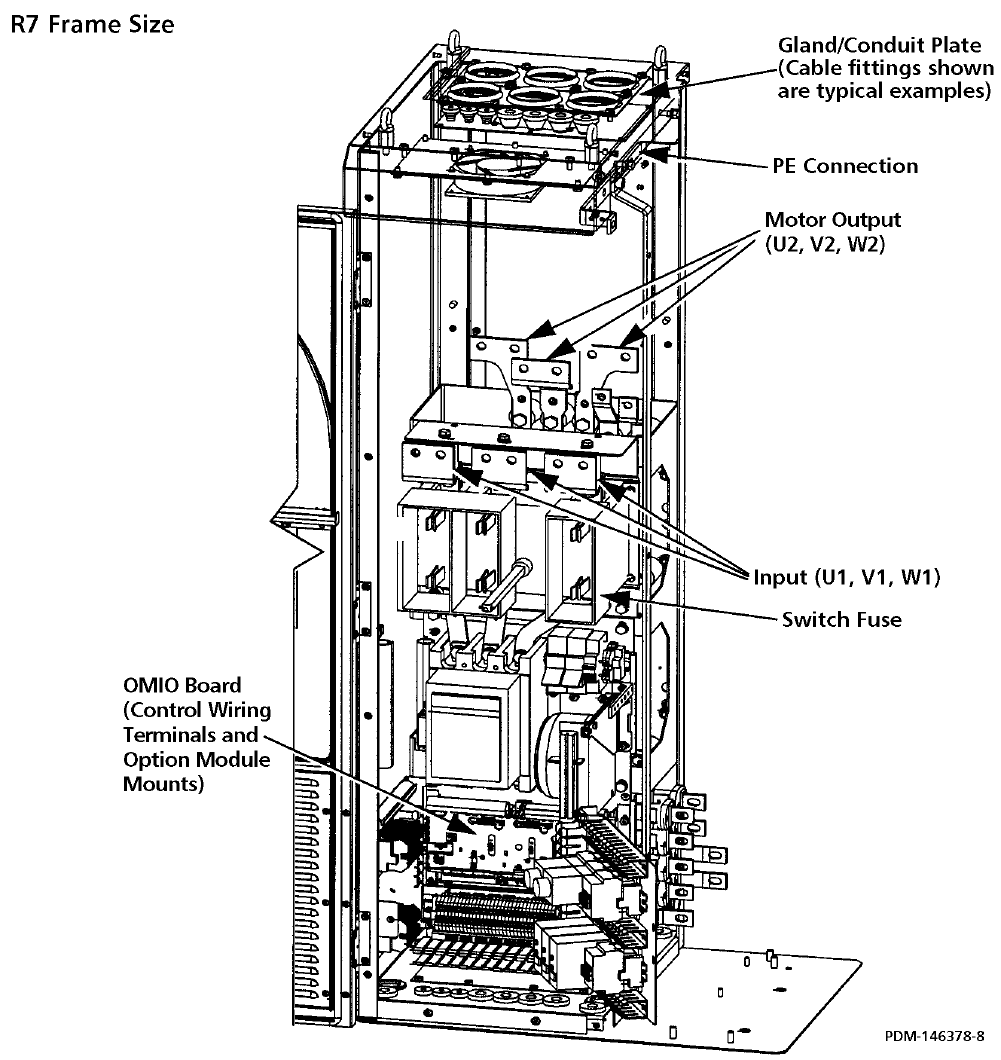
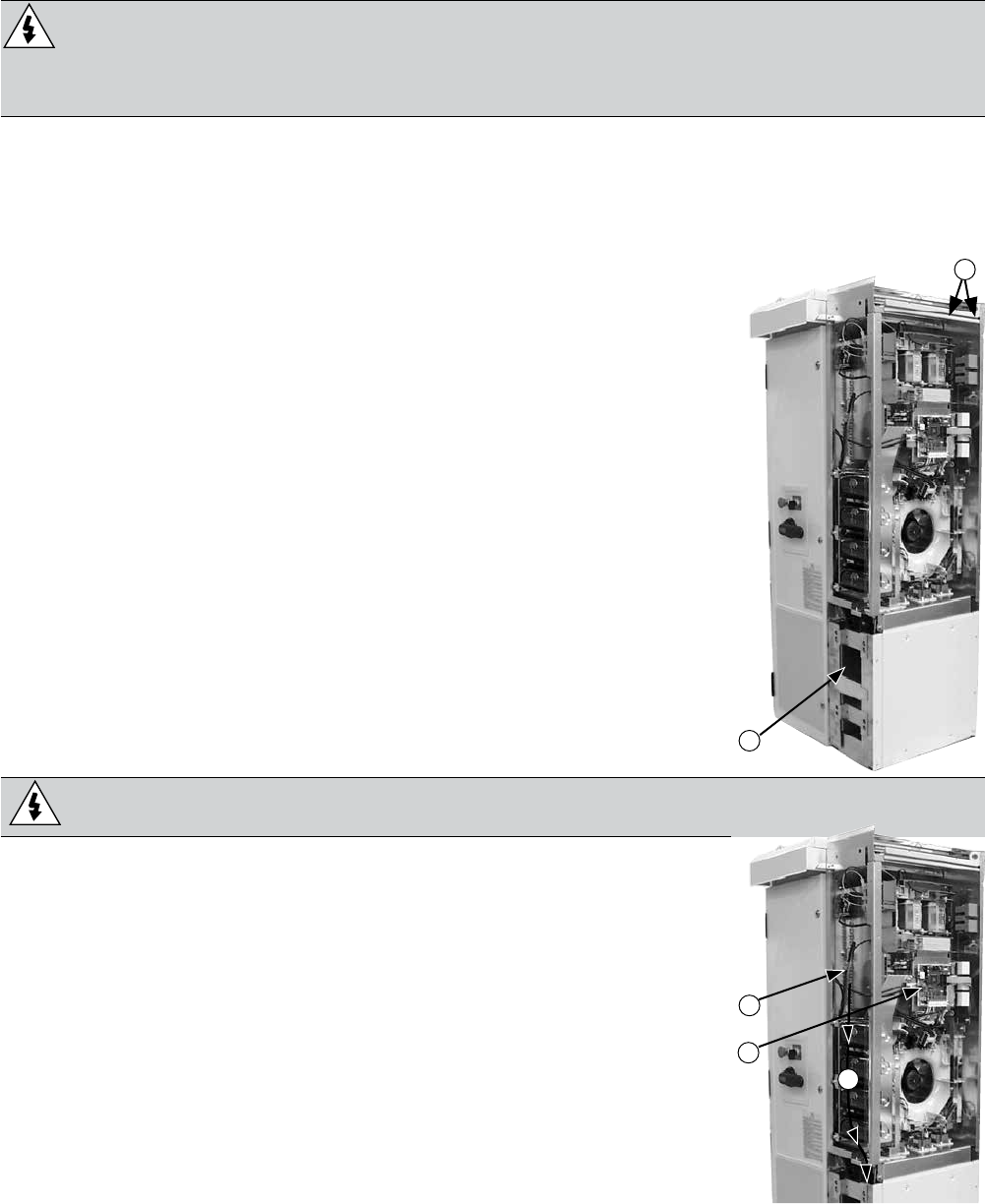
• The following diagram shows the power and control connection points in the enclosure
module supplied with the R7 drive module.
INSTALLATION (Frames R7-R8)
38
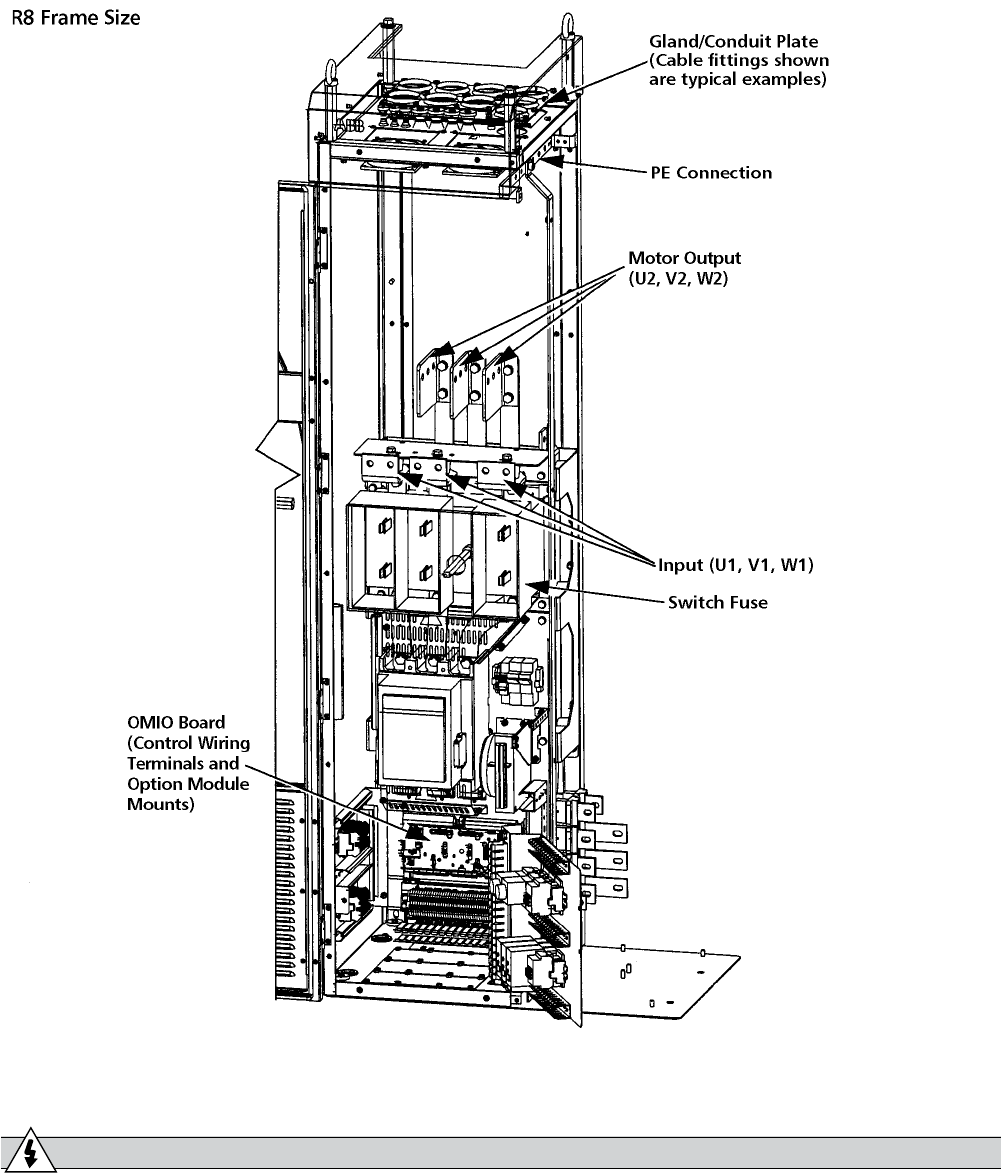
• The following diagram shows the power and control connection points in the enclosure
module supplied with the R8 drive module.
• Re-mount the high voltage shield.
WARNING! Always replace all high voltage shields before applying power.
• See the AQUAVAR User’s Manual for detailed instructions on control connections,
installation check list and drive start-up process.
INSTALLATION (Frames R7-R8)
39
Maintenance
This section describes the procedure for separating the drive and extension modules, which is
required to provide service access to the drive module.
Safety
WARNING!
maintenance on the equipment. Ignoring the safety instructions can cause injury or
death. Note: There are parts carrying dangerous voltages near the OMIO board when the
drive is powered.
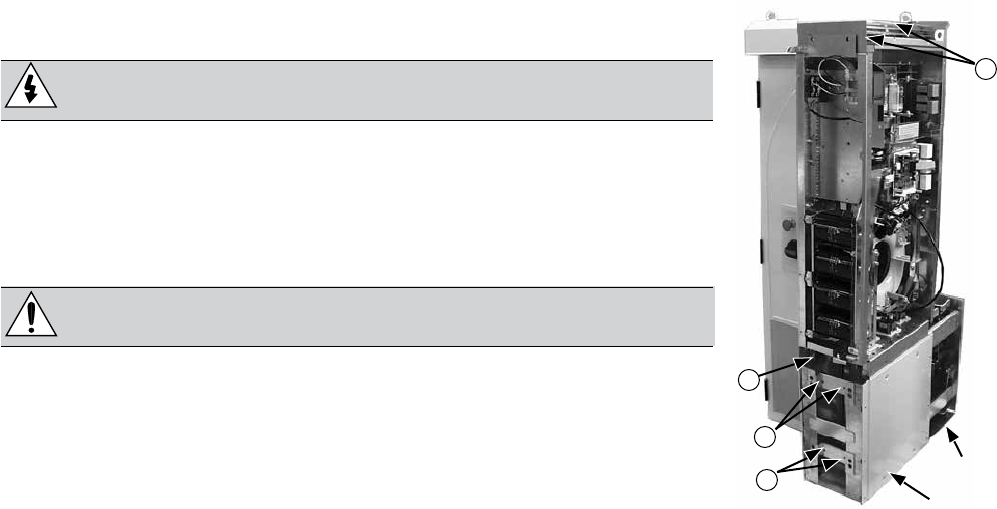
Separating the Drive and Extension Modules
The drive module is mounted on a trolley that straddles a pedestal. The following procedure
removes mechanical connections so that the drive module and trolley can roll forward for
service access.
1. Disconnect all power sources from the drive/extension modules
and wait at least 5 minutes for internal capacitors to fully
discharge.
2. Remove all front covers from the drive module.
3. Disconnect the control panel cable.
4. Remove the upper side plate from the drive module if convenient.
5. Remove screws (if any) that fasten the drive module to the wall.
6. Inside the pedestal, toward the rear are screws that attach the
drive bus bars to the pedestal bus bars. The connections are
staggered for easy access using a wrench with an extension.
Remove these screws (6).
Torque when re-assembling:
• R7: M8 (5/16 in) screws, 15…22 Nm (11…16 lb ft)
• R8: M10 (3/8 in) screws, 30…44 Nm (22…32 lb ft)
WARNING! Be careful not to drop screws inside the pedestal.
Loose metal pieces inside the unit may cause damage.
7. The following cables between the drive and the extension
module are split by a connector located at the front of the drive.
Disconnect both cables at this location.
• The power supply cable to the OMIO board.
• The power supply cable to the extensionmodule cooling fan.
note of the terminal colors for use when reconnecting.
9. Carefully remove the cables disconnected in the above steps: Pull
the cables down inside the pedestal and bundle them so that they
will not get damaged or caught in the trolley when the drive mod-
ule is wheeled out.
R7 5
6
INSTALLATION (Frames R7-R8)
R7
8
7
9
40
10. Remove screws fastening the drive module trolley to the
pedestal.
WARNING! These screws are an important step during re-
assembly – the screws are required for grounding the drive.
11. R8: The front of the trolley includes support braces that fold
out. Lift each brace slightly and fold it out.
12. Remove screws that fasten the drive module to the extension
module.
CAUTION! The drive module is now separated and could
tip over. Use care when moving the drive module.
13. Pull on the handle to wheel the drive module out.
Drive Maintenance
See the AQUAVAR User’s Manual for drive maintenance
procedures, page 34.
Re-Assembly
Re-attach the modules in reverse order to the above.
R7
12
Pedestal
Trolley
10
10
13
INSTALLATION (Frames R7-R8)
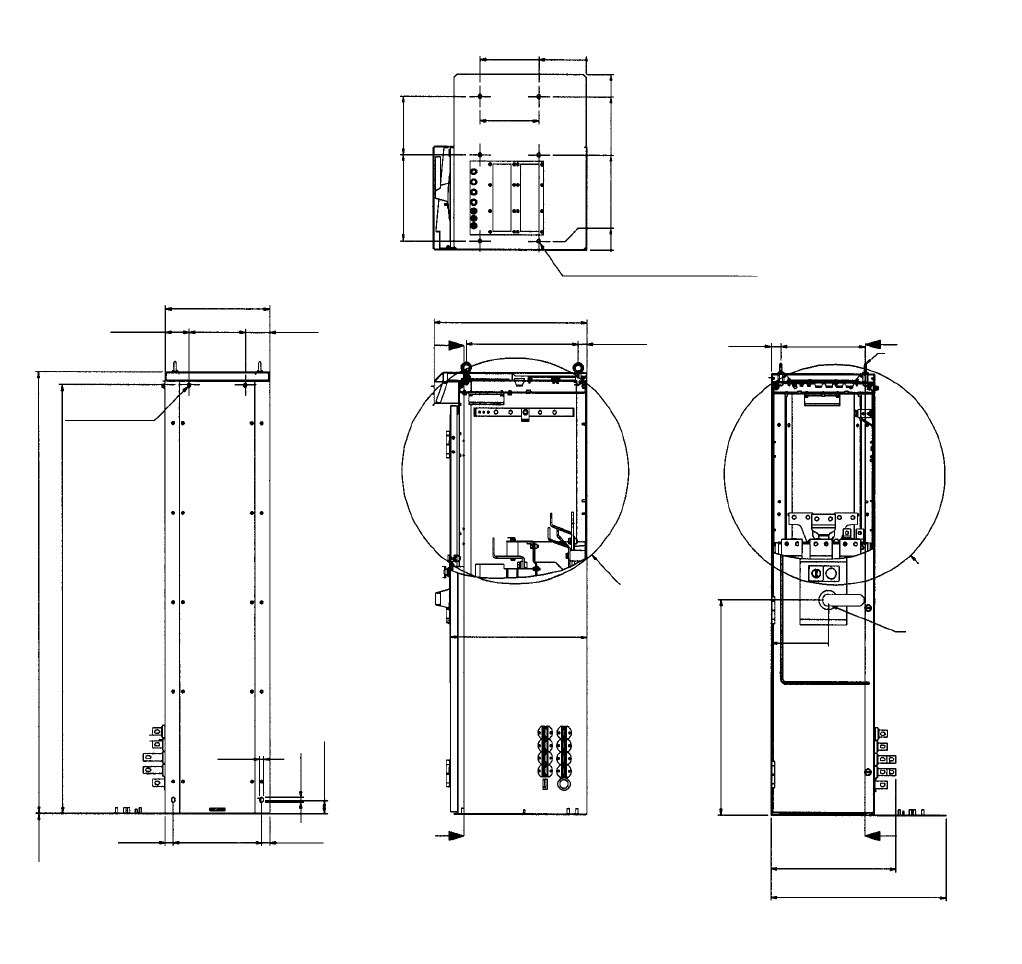
41
LIFTING LUG (4 pcs)
BOTTOM PLATE HOLE Ø14 (6 pcs)
DET. B
SEE SHEET 2
DET. A
SEE SHEET 2
MAIN
SWITCH
361.4
[14.23]
161.4
[6.35]
0
[.00]
598.9
[23.58]
523
[20.59]
323
[12.72]
29
[1.14]
0
[.00]
200
[7.87]
200
[7.87]
294
[11.57]
[.55]
520
[20]
381
[15.00] 29.55
[1.16]
465.5
[18]
A-A
C
26.5
[1.04] 298.5
[11.75] 27
[1.06]
2.5
[.10]
12
[.47]
17
[.67]
45
[1.77]
1459
[57.44]
1501
[59.1]
Ø
12 (2 pcs.)
[.47]
81
[3.19]
352
[13.86]
190
[7.48] 81
[3.19]
CA
33
[1.30] 286
[11.26]
193.7
[7.63]
734
[28.90]
C-C A
425.1
[16.74]
598.4
[23.56]
3AFE 64626264 30.04.02
Technical Data
Dimensional Drawings
See the AQUAVAR User’s Manual for drive module dimensions.
Extension Module R7
Dimensions are listed in millimeters and [inches].
INSTALLATION (Frames R7-R8)
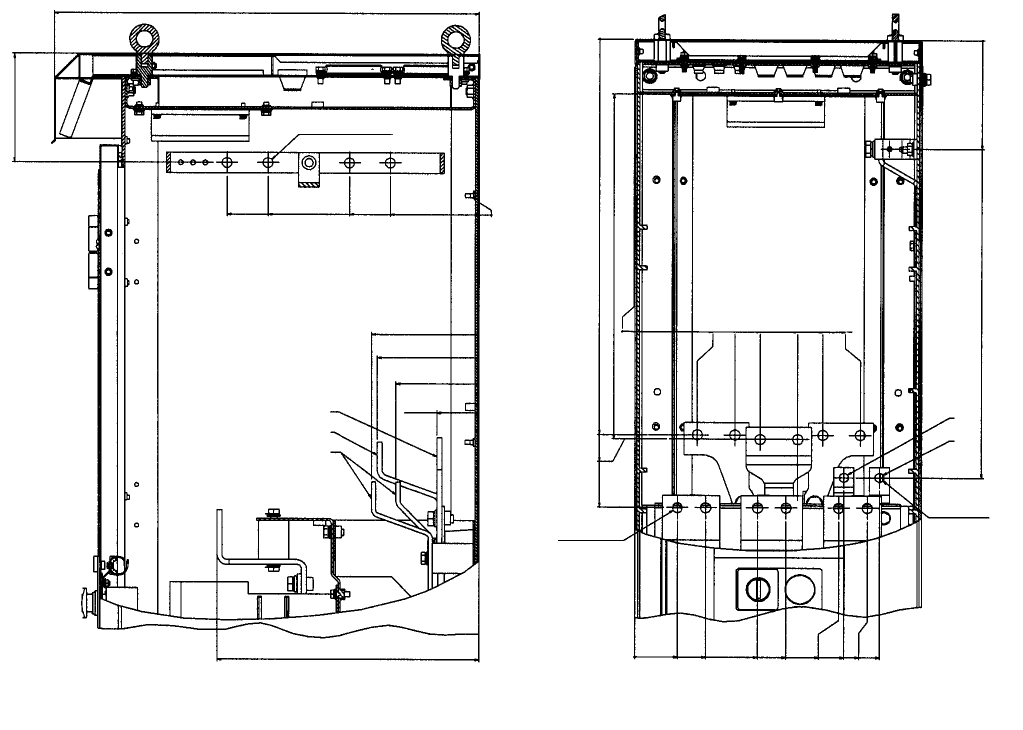
42
520
[20.47]
133.9
[5.27]
309.8
[12.19]
239.8
[10.23]
159.8
[6.29]
109.8
[4.32]
0
[0.00]
PE HOLE Ø2 (4 pcs.)
[.47]
DET.A
2.5
132.5
[3.22]
125.3
[4.93]
102.5
[4.04]
52.1
[2.05]
U2, V2
V2
R–, R+
321.7
[12.67]
DET.B
2.5
488
[19.21]
493.4
[19.43]
578
[22.76]
Ø12 .5 (12 pcs.)
[.49]
0
[0.00]
52.3
[2.07]
87.5
[3.44]
151
[5.94]
186
[7.32]
250.5
[9.86]
256.8
[10.11]
285.5
[11.24]
300.5
[11.83]
U1 V1W1
U2 V2W2
78.8
[3.10]
24.8
[4.91]
155.5
[6.12]
201.5
[7.93]
223.3
[9.15]
278.3
[10.96]
0
[0.00]
<425.9 >
[16.77]
0
[0.00] 0
[0.00]
133.9
[5.27]
540.5
[21.28]
11.1 (2 pcs.)
[0.43]
R–
R+
Detail R7
Dimensions are listed in millimeters and [inches].
INSTALLATION (Frames R7-R8)
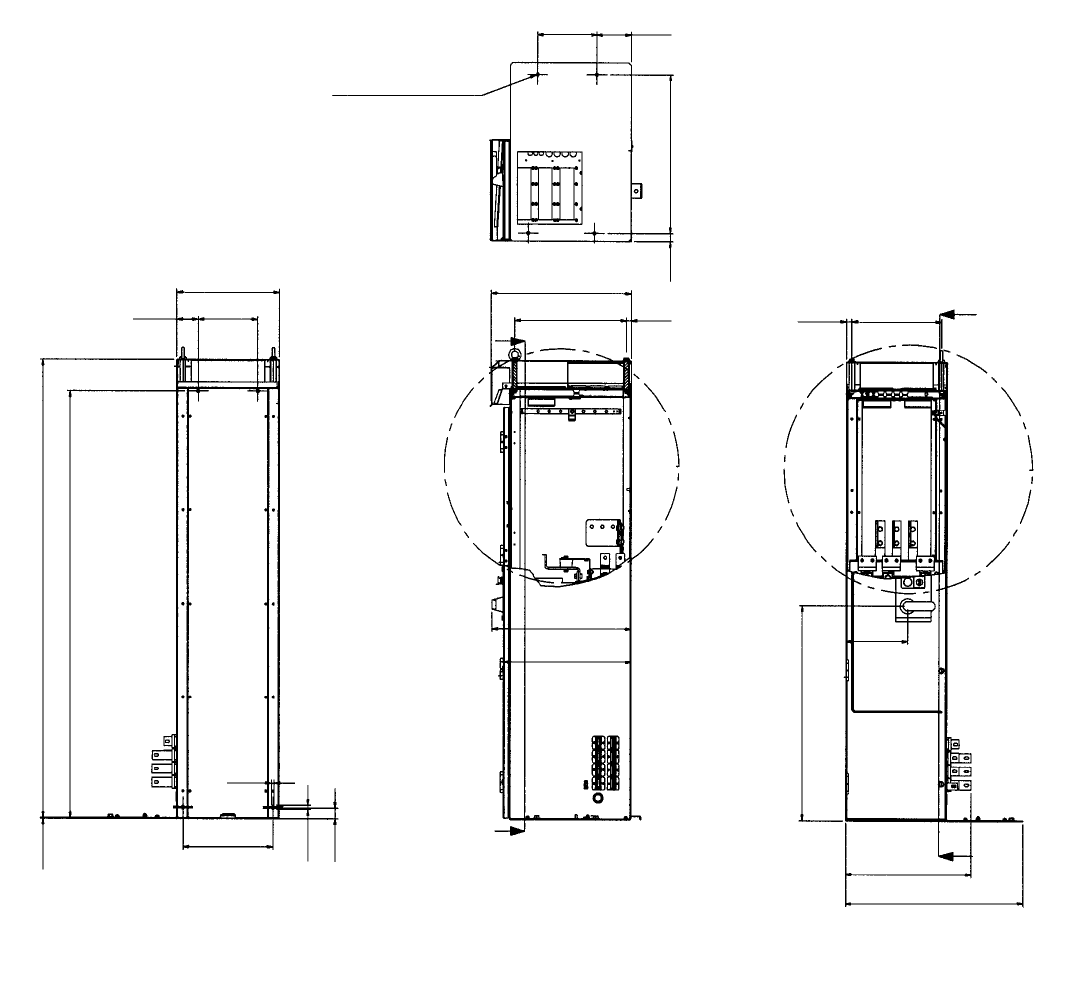
43
260
[10.24]
2018
[79.45]
BOTTOM PLATE HOLE Ø14
[.55]
152.3
[6.00]
446
[17.56]
93
[3.66] 260
[10.24]
1882.5
[74.11]
2.5
[0.10]
17
[0.67]
46
[7.81]
12
[0.47]
392.5
[15.45]
C
563.1
[22.2]
611.8
[24.09]
617
[24.3]
C
491.4
[19.35] 21.2
[0.83] 26
[1.02] 393.9
[15.51]
35.5
[1.40] 700
[27.56]
B
272.2
[10.72]
946.7
[37.27]
B
554.5
[21.83]
787
[30.98]
3AFE 64626388 30.04.02
Extension Module R8
Dimensions are listed in millimeters and [inches].
INSTALLATION (Frames R7-R8)
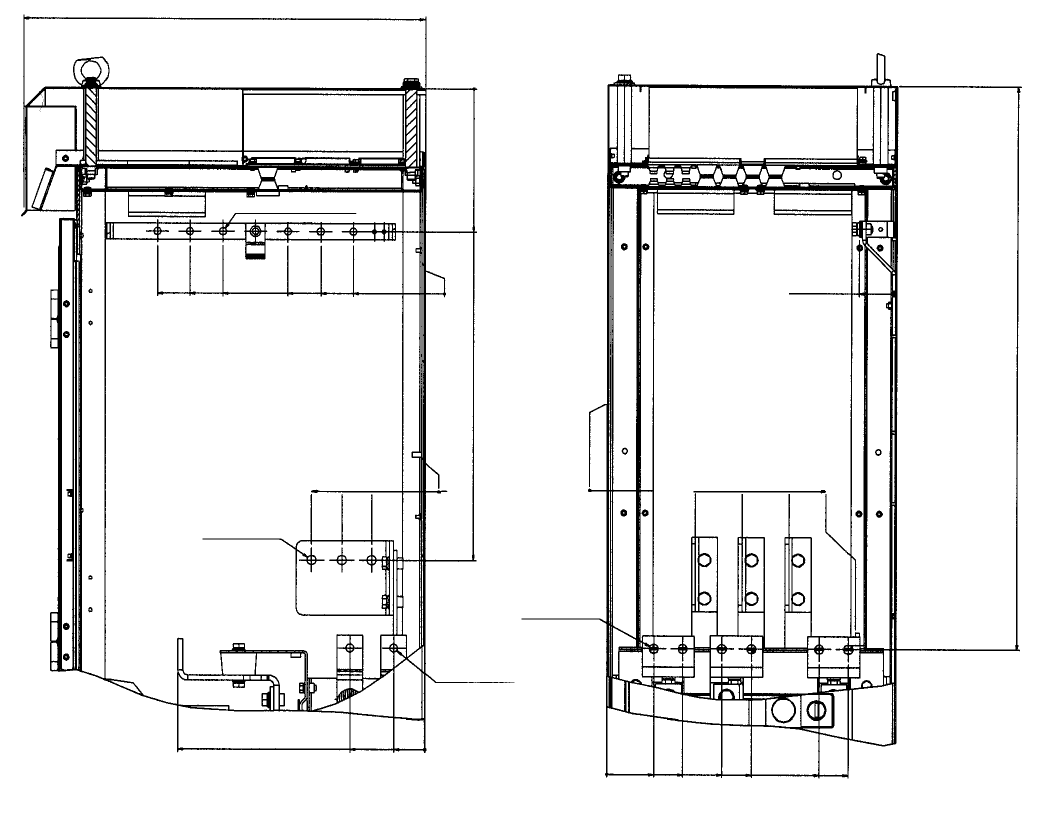
44
410.8
[16.17]
PE HOLE Ø11 (6 pcs.)
[.43]
617
[24.3]
360.8
[14.20]
310.8
[12.24]
210.8
[8.30]
160.8
[6.33]
0
[0.00]
110.8
[4.36]
0
[0.00]
222.3
[8.75]
730.9
[28.77]
0
[0.00]
82
[3.23]
128
[5.04]
174
[6.85]
Ø14 (6 pcs.)
[.55]
Ø14 (6 pcs.)
[.55]
Ø12.5 (2 pcs.)
[.49]
115.5
[4.55]
47.5
[1.87]
0
[0.00]
379.3
[14.93]
59.2
[2.33]
0
[0.00]
136.5
[5.37]
208.5
[8.21]
280.5
[11.04]
382.5
[15.06]
873.8
[34.40]
0
[0.00]
72
[2.83]
117
[4.61]
177.5
[6.99]
222.5
[8.76]
327
[12.87]
372
[14.65]
Detail R8
Dimensions are listed in millimeters and [inches].
INSTALLATION (Frames R7-R8)
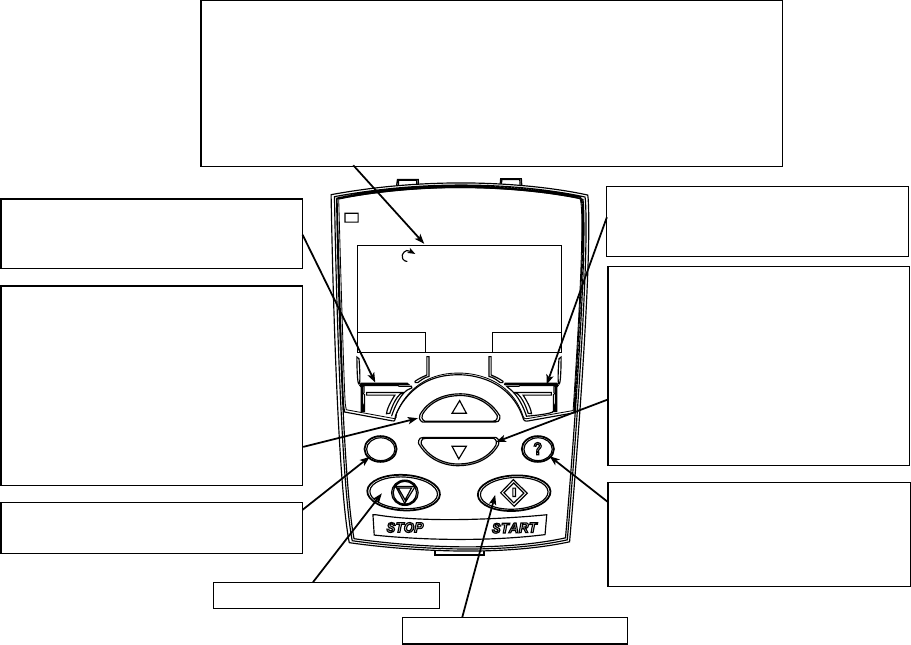
45
Wizards
-
erates and communicates. Depending on the control and communication requirements, the
start-up process may require any or all of the following:
-
ing the default settings. See “Single or Multipump Setup/Programming” on page 73.
individual parameters. See “Complete Parameter Descriptions” on page 50.
Assistant Control Panel (Display)
Features
The AQUAVAR CPC Control Panel features:
• Alphanumeric control panel with a LCD display
• Language selection for the display
• Drive connection that can be made or detached at any time
• Start-Up Wizard to ease drive commissioning
• Copy function – Parameters can be copied to the Control Panel memory for later transfer to
other drives or for backup of a particular system.
• Context sensitive help
Control Panel (Keypad)
The following table summarizes the button functions and displays on the Control Panel.
START-UP
DIRMENU
REM
40.2 PSI sp
0.0 PSI ac
0.0 HZ
12:45
50%
LOC
REM
LCD Display – Divided into three main areas:
• Top line – variable, depending on the mode of operation.
For example, see “Status Information”
• Middle area – variable, in general, shows parameter values, menus or
lists.
• Bottom line – shows current function of the two soft keys and the clock
display, if enabled.
Soft key 1 – Function varies and is
defined by the text in the lower-left
corner of the LCD display.
Soft key 2 – Function varies and is
defined by the text in the lower-right
corner of the LCD display.
Up Arrow
•Scrolls up through a menu or list
displayed in the middle of the LCD
Display.
• Increments a value if a parameter
is selected.
• Increments the reference if the
upper-right corner is highlighted
(in reverse video).
LOC/REM – Changes between local
and remote control of the AQUAVAR.
Down Arrow
•Scrolls down through a menu or list
displayed in the middle of the LCD
Display.
• Decrements a value if a parameter
is selected.
• Decrements the reference if the
upper-right corner is highlighted
(in reverse video).
Help – Displays context sensitive
information when the button is pressed.
The information displayed describes the
item currently highlighted in the middle
area of the display.
STOP – Stops the drive.
START – Starts the drive.
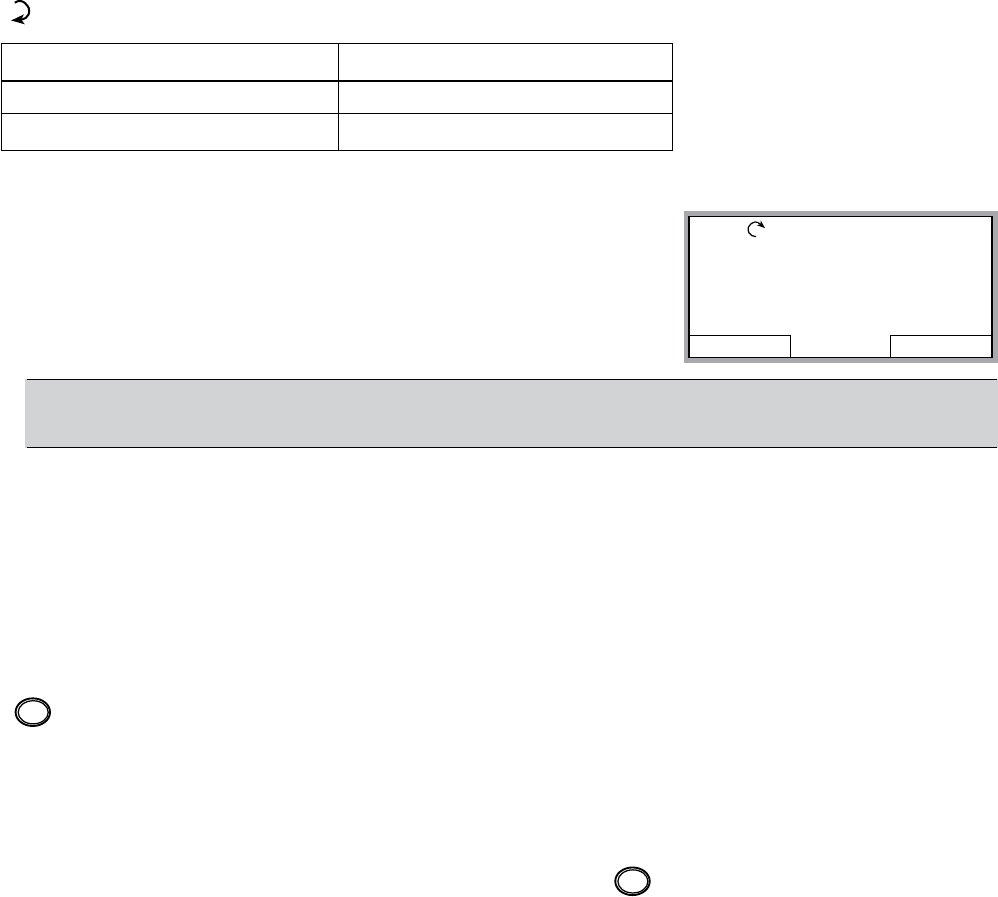
46
Output mode
Use the output mode to read information on the drive’s status and to operate the drive. To
reach the Output Mode, press EXIT until the LCD display shows status information as de-
scribed below.
Status Information
Top – The top line of the LCD display shows the basic status information of the drive.
• LOC – indicates that the drive control is local, that is, from the control panel.
• REM – indicates that the drive control is remote, which is required to operate the pump
-
ducer or PLC control)
• – indicates the drive status as follows:
Control Panel Display Signicance
Rotating arrow blinking Drive is running
Stationary arrow Drive is stopped
• Upper right (50%) – shows the percentage of full scale the transducer is operating.
Middle – The middle of the LCD display will display:
• For Single Pump
– Reference or set point. “Pressure SP”
– Actual set point. “Pressure AC”
– Frequency in HZ.
NOTE! The AQUAVAR display will show (), () and Frequency
(Hz), in single pump mode.
Bottom – The bottom of the LCD display shows:
• Lower corners – show the functions currently assigned to the two soft keys.
• Lower middle (12:45)
Operating the Drive
LOC/REM –
and is controlled from the Transducer and Control Panel.
To switch to local control (LOC) and control the drive using the Control Panel, press and hold
the button. The drive must be stopped!
• The Remote (REM) Mode uses the transducer and set point to control the speed output to
the pump.
• The Local (LOC) Mode uses the control panel for manual control of the drive output. Speed
up or down.
To switch back to remote control (REM) press and hold the button until REMOTE CON-
TROL is displayed.
Start/Stop – To start and stop the drive press the START or STOP buttons.
DIR MENU
REM 50%
40.2 PSI sp
0.0 PSI ac
0.0 HZ
12:45
LOC
REM
LOC
REM
START-UP

47
Other Modes
Besides the Output Mode, the Control Panel has:
• Other operating modes that are available through the main menu.
• A fault mode that is triggered by faults. The fault mode includes a diagnostic assistant
mode.
Access to Main Menu Modes
To reach the main menu:
1. Press EXIT, as necessary, to step back through the menus or
lists associated with a particular mode. Continue until you
are back to the Output Mode.
2. Press MENU from the Output Mode. At this point, the middle of the display is a listing of
the other modes, and the top-right text says “Main Menu”.
3. Press UP/DOWN to scroll to the desired mode.
4. Press ENTER to enter the mode that is highlighted. The following sections describe each
of the other modes.
Parameters Mode
Use the Parameters Mode to view and edit parameter values:
1. Select PARAMETERS in the main menu.
2. Press UP/DOWN to highlight the appropriate parameter
group, then press SEL.
3. Press UP/DOWN to highlight the appropriate parameter
in a group.
NOTE! The current parameter value appears below the high-
lighted parameter.
4. Press EDIT.
5. Press UP/DOWN to step to the desired parameter value.
NOTE! To view the parameter default value: In the set mode, press UP/DOWN
simultaneously.
cancelled.
• Press EXIT to return to the listing of parameter groups
and again to return to the main menu.
START-UP
EXIT ENTER
REM MAIN MENU 1
PARAMETERS
WIZARDS
CHANGED PAR
EXIT ENTER
REM MAIN MENU 1
PARAMETERS
WIZARDS
CHANGED PAR
EXIT SEL
REM PAR GROUPS 01
99 START-UP DATA
01 OPERATING DATA
04 FAULT HISTORY
10 START/STOP/DIR
11 REFERENCE SELECT
EXIT EDIT
REM PARAMETERS
1101 LANGUAGE
1102 APPLIC MACRO
SINGLE PUMP
1104 MOTOR NOM VOLT
1105 MOTOR NOM CURR
CANCEL SAVE
LOC PAR EDIT
1102 EXT1/EXT2 SEL
EXT1
48
Wizard Mode
The Start-Up Wizard is divided into tasks. You may activate the tasks one after the other, as the
Start-Up Wizard suggests, or independently. (You are not required to use the assistant, you
may use instead, the parameter mode to set the drive parameters.)
The order of the tasks presented by the Start-Up Wizard depends on your entries. The task list
in the following table (next page) is typical.
Start-Up Wizard
The start-up wizard is a tool that can be used to quickly program an Aquavar with the most
commonly used single / mult-pump parameters. The wizard will prompt the programmer to
enter the required parameters by automatically bringing them to the screen. To enable the
wizard following the steps below:
1. In the main screen select MENU. Then press enter.
2. Press the up / down arrow to select WIZARDS, then press SELECT.
3. Enter the values for the parameters as seen in the table below, and follow each entry by
pressing the SAVE key.
4. When complete, press the EXIT key until the main screen is displayed again.
5. Set the required system pressure using the up and down arrows, then start the pump
using the green START key.
Task Name Description
10.02 Pass Code Pass word setting to open the parameter lock.
10.01 Parameter Lock Enables or disables the parameters from being changed.
11.01 Language Selects the display language.
15.06 Sensor Min Adjusts the transducer to a zero reference point.
Changed Parameters Mode
Use the Changed Parameters Mode to view (and edit) a listing of all parameters that have
been changed from default values.
Procedure:
1. Select CHANGED PAR in the Main Menu. The display lists all changed parameters.
2. Press ENTER.
3. Press UP/DOWN to select a changed parameter. As each parameter is highlighted, the
parameter value appears.
4. Press EDIT to edit the parameter value.
START-UP

49
5. Press UP/DOWN to select a new value / edit the parameter value. (Pressing both keys at
the same time sets a parameter to its default value.)
6. Press SAVE to save the new parameter value. (If the new value is the default value, the pa-
rameter will no longer appear on the Changed Parameters listing.)
Par Backup Mode
The Control Panel can store a full set of drive parameters. If two sets of parameters are de-
The Par Backup Mode has three functions:
• Upload to Panel – Copies all parameters from the drive to the Control Panel. The Control
Panel memory is nonvolatile and does not depend on the panel’s battery.
• Restore All (Download To Drive All) – Restores the full parameter set(s) from the Control
Drive
must be in local mode.
NOTE! The Restore All function writes all parameters to the drive, including motor param-
eters. Only use this function to restore a drive or to transfer parameters to systems that are
identical to the original system.
• Download Application – Copies partial parameter set(s) from the Control Panel to a drive.
The partial set does not include internal motor parameters. Use this option to transfer pa-
to be the same.
1. Select COPY in the Main Menu.
2. Press UP/DOWN to step to the desired option.
3. Press SAVE. The parameter set is transferred as directed. During the transfer, the
display shows the transfer status as a percent of completion.
4. Press EXIT to step back to the Output Mode.
Clock Set Mode
Use the Clock Set Mode to:
• Enable/disable the clock function.
• Set date and time.
• Select display format.
1. Select CLOCK SET in the Main Menu.
2. Press UP/DOWN to step to the desired option.
3. Press EDIT.
4. Press UP/DOWN to select the desired setting.
5. Press SAVE to save setting.
START-UP
50
Aquavar CPC Parameter List
The Aquavar CPC parameter list contains all of the necessary pump, drive, fault and control
parameters needed for programming this unit. Each group indicates a certain function and
control for the Aquavar, in order to set up single or multipump control.
To view the available parameter list, on your keypad, press the MENU button to access the
parameter list. The parameters are write protected with a password. Please contact your
Aquavar representative for more information on this password (located in GROUP 10 LOCKS/
PASSWORDS).
Group 01, VFD SIGNALS – (READ ONLY DATA) This set of parameters sets up the drive and
motor. These parameters can only be adjusted and changed when the motor has stopped.
Monitoring of motor output, and various analog and digital outputs.
Group 02, PUMP SIGNALS – (Data output only) Provides output set points, energy savings
and wire to water power.
Group 03, STATUS WORDS – Provides status of drive and alarm condition.
Group 10, LOCKS/PASSWORDS – Provides password and parameter save information.
Keypad and set point locks.
Group 11, START UP DATA – Provides parameters used for initial start up information (e.g
language, application, voltage, motor current, motor RPM, horsepower). Used for initial motor
setup.
Group 12, START/ STOP – Determines method(s) of starting and stopping the Aquavar. i.e.
Keypad, external switch, Modbus, manual, test run and motor jog.
Group 13, RAMPS & WINDOWS – Parameters used for the acceleration and deceleration
of the pump. Window and Hysterisis contains modulation of algorithm (pressure control
regulation).
Group 14, SPD LIM/START LVL – Parameters that contain speed control, max and min
frequency, restart value, priming delay.
Group 15, TRANSDUCER VAR – Parameters used for the setup and tuning of the pressure
Group 16, REFERENCE SELECT – Parameters that control how the set point is maintained. i.e.
Modbus, keypad, analog input (transducer).
Group 18, RELAY OUTPUTS –
controlled and what delay time is actuated for each relay. Three total relays can be used (RO1,
RO2, RO3).
PARAMETER LISTINGS
51
Aquavar CPC Parameter List (continued)
Group 19, ANALOG OUTPUTS –
possible analog outputs that can be used to monitor various parameters (AO1, AO2).
Group 21, REGULATE –
Normal, Inverse modes. Friction loss compensation.
Group 22, MULTIPUMP CONTROL –
Addresses each drive. Required group for alternating each pump.
Group 24, FAULT FUNCTIONS –
enable mode (e.g. keypad failure, pump protect, low water, error reset).
Group 25, AUTOMATIC RESET –
automatic reset occurs after a particular fault is detected. The Aquavar holds for a delay time,
a variety of faults (e.g. overcurrent, over/ under voltage).
Group 26, ENERGY SAVINGS –
usage.
Group 27, CRITICAL SPEEDS –
frequencies. This mechanical resonance may occur on certain loads at certain frequencies.
Group 30, OPTION MODULES –
Group 31, FIELD BUS SETUP –
communication via the RS485 terminals.
Group 32, MODBUS SETUP –
baud rate, parity, status functions.
Group 50, MOTOR CONTROL – Provides adjustment of the switching frequency for the drive.
Group 51, MAINTENANCE TRIGGERS –
cooling fan, motor revolutions, run time, used power in Megawatts. Provides actual time run
on each component.
Group 99, INFORMATION –
PARAMETER LISTINGS
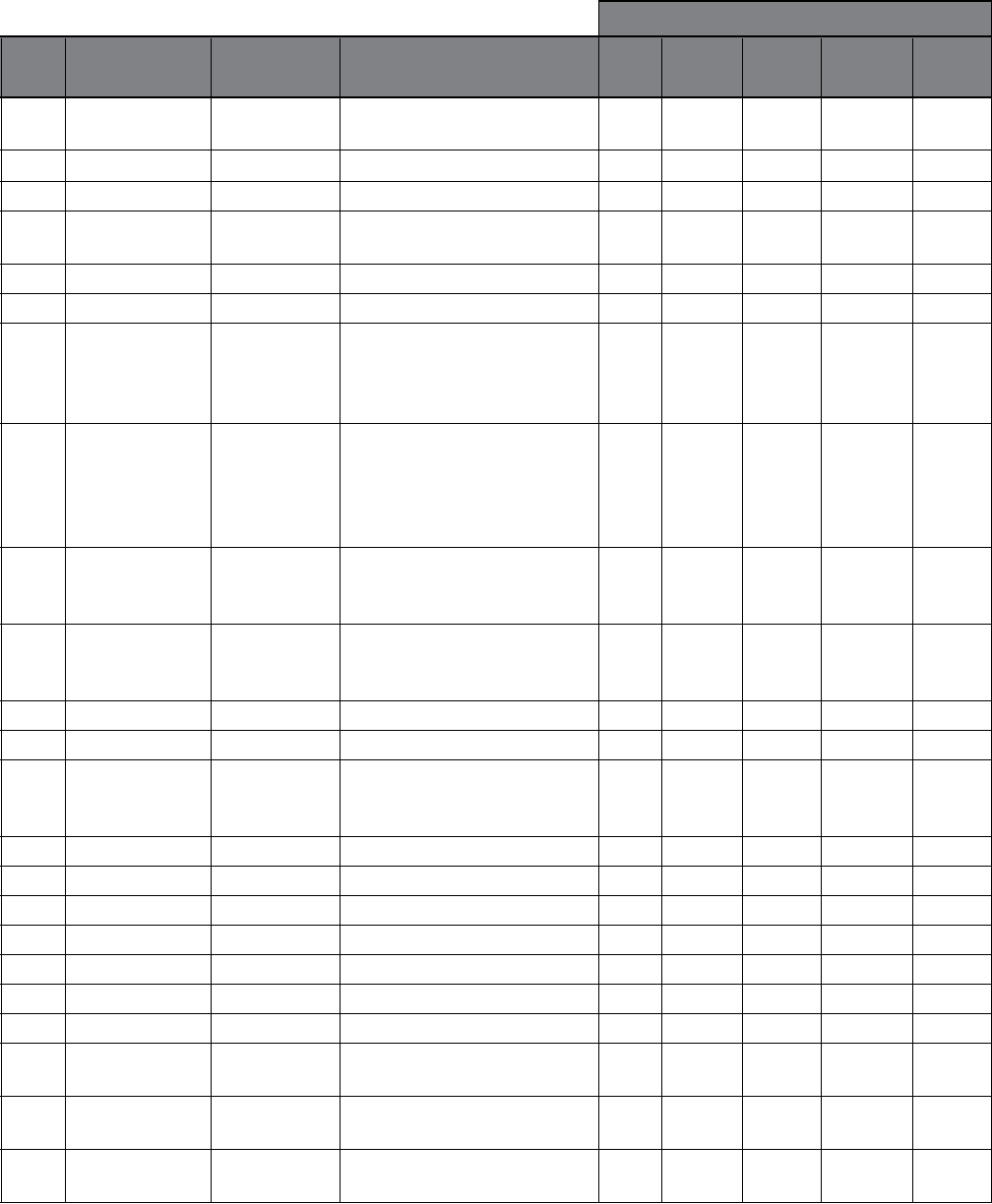
52
Defaults
Group VFD Signals Range Description Single Synch- Multi- Constant Speed
01➀ Pump ronous Control Slave Control
0101 Motor 0.0...500.0 Hz Calculated VFD output
Frequency frequency, Hz
0102 Motor Current 0...2.0*I2hd Measured Motor Current, A
0103 Motor Power -2...2*Phd Motor Power, kW
0104 DC Bus Voltage 0…2.5*Vdn Measured intermediate circuit
voltage, V
0105 Motor Voltage 0…2.0*Vdn Calculated motor voltage, V
0106 Drive Temp 0…150º C VFD Temp, Deg C
0107 VFD On Time 0…9999h Elapsed time counter; runs
when the drive is powered, Hrs
(since last reset). Re-settable by
parameter 2605.
0108 Run Time 0…9999h Motor run time counter, Hrs
(since last reset). The counter
runs when the inverter
modulates. Re-settable by
parameter 2605.
0109 KWh Counter 0…9999kWh kWh counter, kWh (since last
reset). Re-settable by parameter
2605.
0110 DI6-1 Status 000000… Status of digital inputs.
111111 Example: 0000001=DI1 is on,
DI2-DI6 off
0111 AI1 0…100 % Value of analog input 1, %
0112 AI2 Trnsdcr Fdbk 0…100 % Value of analog input 2, %
0113 RO3-1 Status 000…111 Status of relay outputs.
Example: 001=RO1 is energized,
RO2 & RO3 are de-energized.
0114 AO1[mA] 0…20 mA Value of analog output 1, mA
0115 AO2[mA] 0…20 mA Value of analog output 2, mA
0116 Last Fault Fault Codes Last fault code of the drive.
0117 Previous Fault 1 Fault Codes Previous fault code of the drive.
0118 Previous Fault 2 Fault Codes Oldest fault code of the drive.
0119 Fault Time 1
0120 Fault Time 2
0121 Speed at Flt - RPM Speed at the time of the latest
fault.
0122 Freq at Flt - Hz Frequency at the time of the
latest fault.
0123 Voltage at Flt - V DC bus voltage at the time of
the latest fault.
➀ NOTE: Group 01 is read-only. Used for monitoring.
PARAMETER LISTINGS
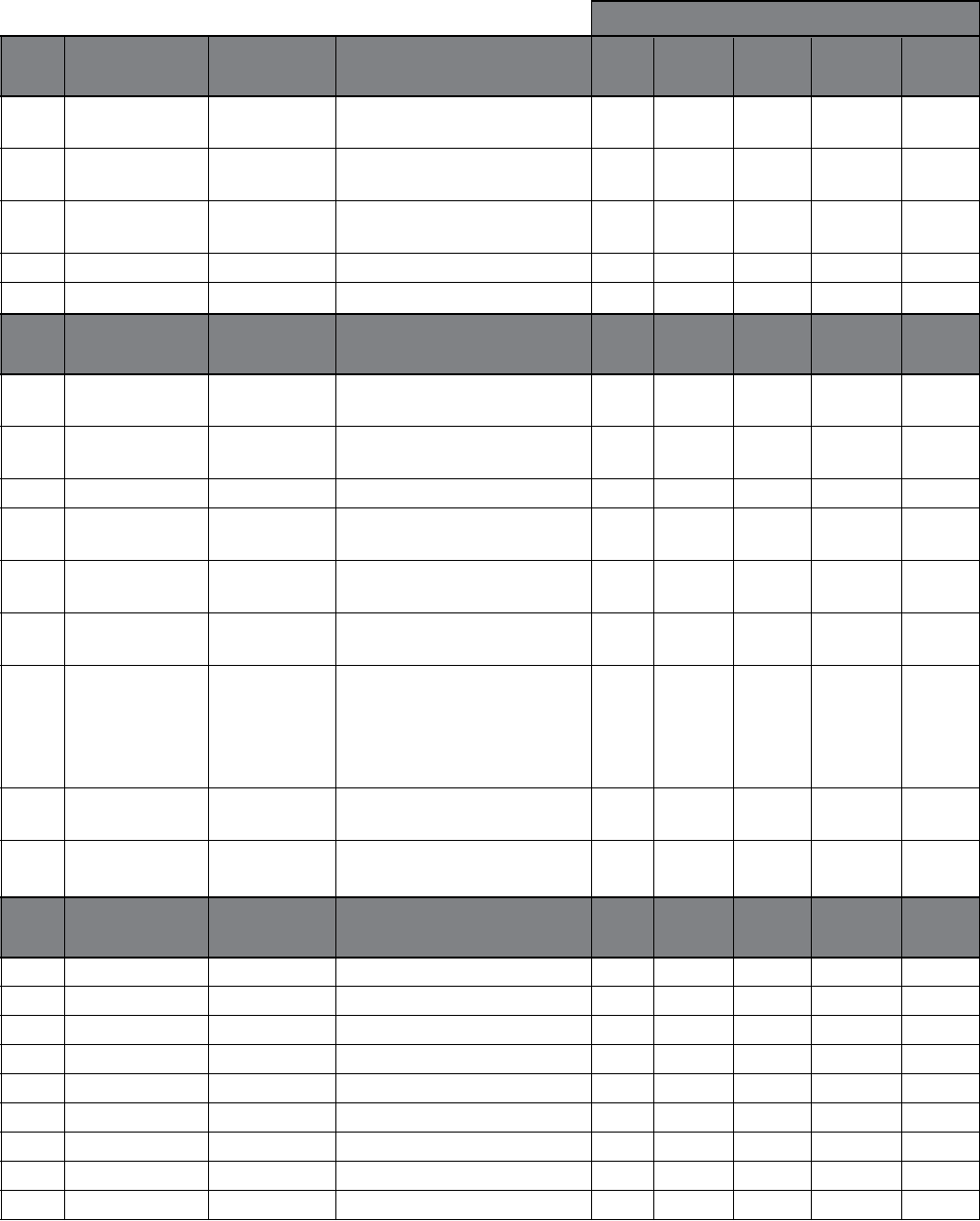
53
Defaults
Group VFD Signals Range Description Single Synch- Multi- Constant Speed
01 Pump ronous Control Slave Control
0124 Current at Flt - A Motor current at the time of
the latest fault.
0125 Status at Flt - The drive status word at the
time of the latest fault.
0126 DI 6-1 At Fault 000…111 The drive digital input status at
the time of the latest fault.
0127 Drive On Time Hi - Days Drive “on - time in days.
0128 Drive On Time Lo - Hrs : Min : Sec Drive “on - time in hrs/min/secs.
Group Pump Signals Range Description Single Synch- Multi- Constant Speed
02 Pump ronous Control Slave Control
0201 Set Point 0…max scale Controller set point; unit
determined by parameter 1501.
0202 Actual 0…max scale Actual feedback; unit
determined by parameter 1501.
0203 Pump Speed 0 – 60 Hz Actual frequency of motor, Hz.
0204 Wire to Water 0…? Hp Overall hp includes pump,
Power motor and VFD.
determined by parameter 1501.
determined by parameter 1501.
0207 Energy Savings 0…65353 USD Calculated AV savings (option 1
or 2) since last reset. Savings are
compared to conventional
system ($). Re-settable by
parameter 26.05.
0208 Pump Number Stopped, Pump Actual pump number in multi-
1…Pump 4 pump control mode.
0209 Used Set Point 0…max scale Same value as in 0205 or 0206,
depending on which is in use.
Group Status Words Range Description Single Synch- Multi- Constant Speed
03 Pump ronous Control Slave Control
0301 FB CMD Word 1 — Low word of drive’s control word
0302 FB CMD Word 2 — High word of drive’s control word
0303 FB STS Word 1 — Low word of drive’s status word
0304 FB STS Word 2 — High word of drive’s status word
0305 Fault Word 1 — Fault word 1 of the drive
0306 Fault Word 2 — Fault word 2 of the drive
0307 Fault Word 3 — Fault word 3 of the drive
0308 Alarm Word 1 — Alarm word 1 of the drive
0309 Alarm Word 2 — Alarm word 2 of the drive
PARAMETER LISTINGS
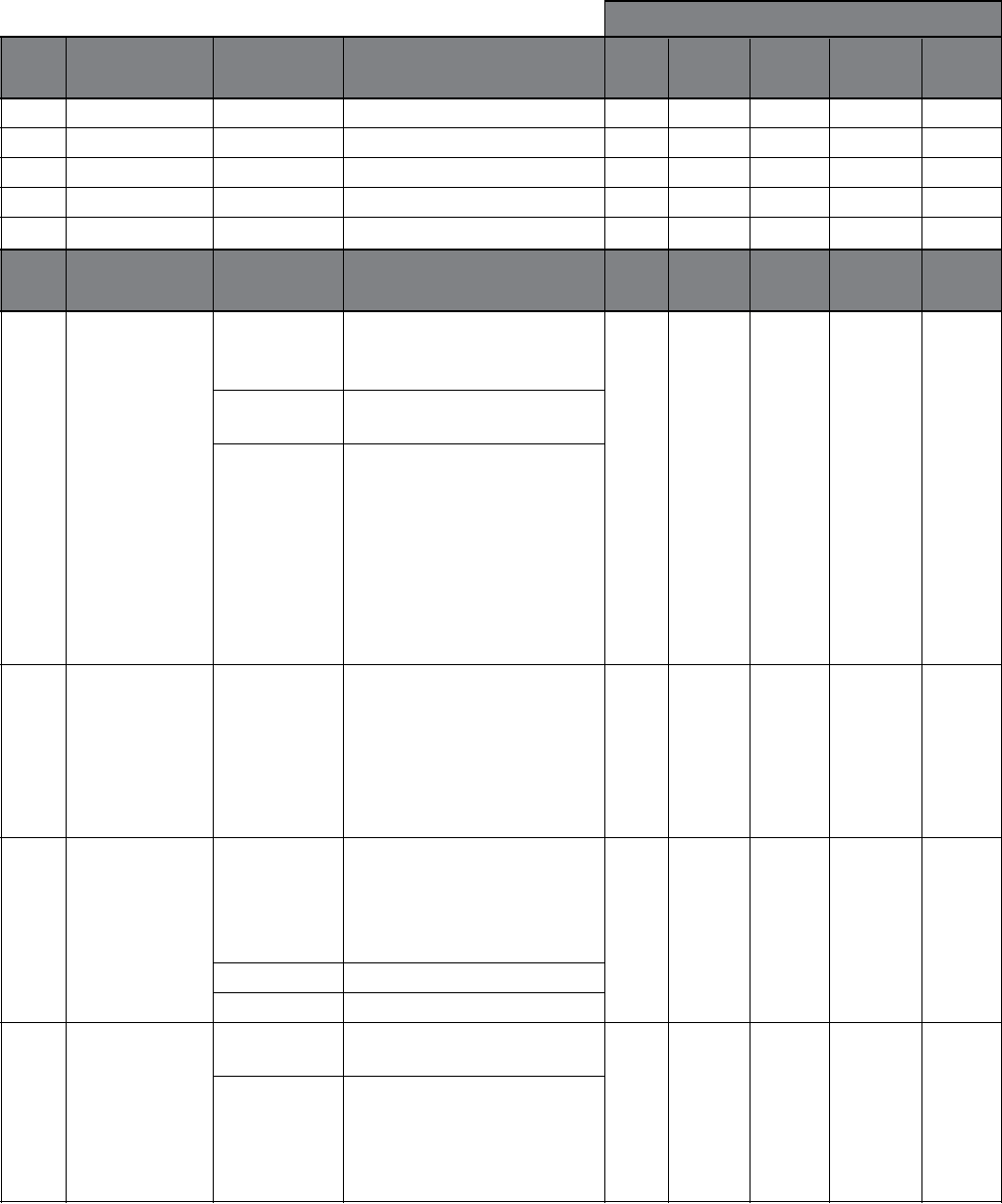
54
Defaults
Group Status Words Range Description Single Synch- Multi- Constant Speed
03 Pump ronous Control Slave Control
0310 AV Alarm Word — Aquavar Alarm word
0311 AV Fault Word — Aquavar Fault word
0312 Comm RO Word —
0313 Comm Value 1 —
0314 Comm Value 2 —
Group Locks/ Range Description Single Synch- Multi- Constant Speed
10 Passwords Pump ronous Control Slave Control
1001 Parameter Lock Selects the state of the parameter
Locked Locked Locked Locked Locked
lock. The lock prevents
parameters from being changed.
Open The lock is open. Parameter
values can be changed.
Locked Parameter values cannot be
(Default) changed from the keypad. The
lock can be opened by entering
the valid password in parameter
10.02. When the keypad is
locked the AV keypad function-
ality is limited to starting,
stopping and changing the
reference (set point).
1002 Pass Code 0…300000 Password setting 66 opens the
0 0 0 0 0
lock and returns the value to
zero on the display. The pass-
word relocks when power is
disconnected. To relock the
keypad reset parameter 1001
to “Locked”.
1003 Local Lock Disables local control on the
Off Off Off Off Off
keypad. WARNING! Before
activating, ensure that the
control panel is not needed for
stopping the drive.
Off (Default) Local control allowed.
On Local control disabled.
1004 Parameter Save Saves the parameter values to
Done Done Done Done Done
the permanent memory.
Done (Default) Parameters entered via the
keypad are automatically saved.
Parameters are not automatically
saved when altered through the
PARAMETER LISTINGS
55
Defaults
Group Locks/ Range Description Single Synch- Multi- Constant Speed
10 Passwords Pump ronous Control Slave Control
1004 Parameter Save Save Used for manually saving
Done Done Done Done Done
(continued)
parameters that have been
connection.
1005 New Pass Code 0…300000 Sets new pass code for 0 0 0 0 0
parameter lock. Returns to 0
after saving.
1006 Set Point Lock Disables set point changes Off Off Off Off Off
from the keypad.
Off (Default) Local control allowed.
On Local control allowed.
Group Start-Up Range Description Single Synch- Multi- Constant Speed
11 Data Pump ronous Control Slave Control
1101 Language Selects the display language English English English English English
English (AM) American English.
(Default)
Español Spanish (full translation)
Francais French (full translation)
1102 Application Selects the application macro ✔ ✔ ✔ ✔ ✔
Macro Single Pump One AV regulating to a set point
(Default)
Synchronous Lag pumps start as needed and
all pumps regulate to the set
point at the same speed. Note:
it is recommended that all
pumps be identical.
Multicontrol Lag pumps start as needed. The
last lag pump to start regulates
to the set point; the remaining
pumps operate at an enable
sequence speed (2203).
Constant Slave The master unit starts up to
when needed. See RO1, RO2
and RO3 settings (parameters
1801, 1804 and 1807).
Speed Control AV follows a speed reference
only. Pump protect fault
function is inactive.
1103 Application No Resets parameters to default
Restore Yes settings.
PARAMETER LISTINGS
56
Defaults
Group Start-Up Range Description Single Synch- Multi- Constant Speed
11 Data Pump ronous Control Slave Control
230/ 230/ 230/ 230/ 230/
Voltage 230…690V Equal to the value on the
460/ 460/ 460/ 460/ 460/
motor nameplate.
575 575 575 575 575
1105 Motor Nom 0.2*I2hd
1.0* 1.0* 1.0* 1.0* 1.0*
Current 2.0*I2hd Equal to the value on the
I2hd I2hd I2hd I2hd I2hd
motor nameplate.
60 60 60 60 60
frequency. Equal to the value
on the motor nameplate.
3550 3550 3550 3550 3550
RPM speed. Equal to the value on
the motor nameplate.
1108 Motor Nominal 0.2…2.0*Phd
1.0*Phd 1.0*Phd 1.0*Phd 1.0*Phd 1.0*Phd
Power Equal to the value on the
nameplate.
Group Start/Stop Range Description Single Synch- Multi- Constant Speed
12 Pump ronous Control Slave Control
Keypad Keypad Keypad Keypad Keypad
source of the start/stop
commands.
Comment -
DI1 = Enable. 0= Disable,
1 = Enable. DI2 = Low Water. 0 = Fault,
1 = OK, DI3 = Estop 0 = Estop, 1 = OK,
After Estop restart from keypad required.
Keypad Start/Stop from keypad. After a
fault reset, the drive will restart
only if auto restart (1202) is set
to on. If auto restart is off the
drive must be started from the
keypad.
1202 Auto Restart Selects whether the AV will
On On On On On
automatically restart after a
power failure or fault reset.
Off Not selected
On Selected. The AV will automatic-
ally restart if conditions permit.
1203 Test Run Selects when the drive will
Not Sel Not Sel Not Sel Not Sel Not Sel
perform a test run
Not Sel (default) Not selected
PARAMETER LISTINGS
57
Defaults
Group Start/Stop Range Description Single Synch- Multi- Constant Speed
12 Pump ronous Control Slave Control
1203 Test Run Automatic If selected and the drive has not
(continued) run for the test delay (1205) the
drive will start and run at 50%
of maximum speed (1401) for
20 seconds and shutdown.
Auto Restart 1202 must be on.
Manual Once manual is selected the
Not Sel Not Sel Not Sel Not Sel Not Sel
drive will start and run at test
speed (1204) for 20 seconds
and shutdown. Once the
manual test is complete this
parameter will return to
“Not Sel”.
1204 Test Speed % (FL) 0...100% Selects the speed the test runs
25% 25% 25% 25% 25%
at in manual test mode (1203).
1205 Test Run Delay 0...3600 Hr Selects how long after the drive
1000 1000 1000 1000 1000
is idle before it will do a test run.
1206 Motor Jog Jogs motor for 10 sec @ 60 RPM
Disabled Disabled Disabled Disabled Disabled
to check for motor rotation.
1209 Manual Disabled Drive will run at constant speed
Override (Default) as set in Parameter 1210 when
enabled and contact DI5 is active.
1210 Override 0-60 Hz Sets motor speed when manual
Freq override is active.
Group Ramps/ Range Description Single Synch- Multi- Constant Speed
13 Windows Pump ronous Control Slave Control
1301 Ramp 1 Fast Accel 0…1800 sec Defines the fast acceleration time. 5 5 5 5 5
1302 Ramp 2 Fast Decel 0…1800 sec Defines the fast deceleration time. 5 5 5 5 5
1303 Ramp 3 Slow Accel 0…1800 sec Defines the slow acceleration time. 60 60 60 60 60
1304 Ramp 4 Slow Decel 0…1800 sec Defines the slow deceleration time. 60 60 60 60 60
1305 Ramp Hysteresis 0…100 % Per cent of window set aside 80 80 80 80 80
for hysteresis error.
1306 Reg Window 0…100 % Window around the set point
which the control algorithm 8 8 8 8 8
operates.
Group Spd Lim/ Range Description Single Synch- Multi- Constant Speed
14 Strt Lvl Pump ronous Control Slave Control
Frequency/Speed Frequency… mum speed. Default setting
60 Hz is parameter 1106 Motor Nom
Freq. (May want to show RPM
or HZ.)
PARAMETER LISTINGS
58
Defaults
Group Spd Lim/ Range Description Single Synch- Multi- Constant Speed
14 Strt/Lvl Pump ronous Control Slave Control
Frequency/Speed Frequency range. Default setting is 10% of
parameter 1106 Motor Nom
Freq. (May want to show RPM
or HZ.)
Min when the AV tries to regulate at
a speed at or below minimum
frequency (1402).
0 (Default) The drive will stay at Minimum
Frequency until Stp Delay Min
Spd (1404) times out; the unit
will then shutdown.
Min Freq The AV will stay at this speed
until the transient clears or unit
is manually shutdown; unless a
fault occurs.
1404 Stp Delay 0…1800 s The time period the drive will 0 0 0 0 0
Min Spd stay at MinSpd (1402) before
stopping. Functions when 1403
is set to 0. Becomes active if set
point would result in regulation
below min spd, closed valve
condition in pressure control
and Secondary Protect A&B.
1405 Restart Value 0…150 % If the drive is shutdown by
0 0 0 0 0
no system demand (pressure
control and level control only)
the drive will sleep until the
process actual value drops
below a set restart value (1405)
for longer than the restart delay
(1406). If operating in inverse
mode (2101) the drive will sleep
until the process variable rises
above the restart value. Wake-
up level in % of set point value.
To disable the Restart Value
function in both normal and
inverse settings enter “0%”.
Auto Restart (parameter 1202)
function. Default = 0.
1406 Restart Delay 0…1800 s Time delay for restart value 0 0 0 0 0
(1405).(Default = 0 sec)
PARAMETER LISTINGS
59
Defaults
Group Spd Lim/ Range Description Single Synch- Multi- Constant Speed
14 Strt/Lvl Pump ronous Control Slave Control
1407 Priming Delay 0…6000 s When the drive is starting from 0 0 0 0 0
0 RPM this parameter delays
pump protection faults (2404
and 2407) for the setting time.
The default setting is “0”. Once
the priming delay time is
complete the protection delay
(parameter 2406) becomes
functional. During the priming
delay the pump runs at the
maximum speed setting
(parameter 1401) since it
cannot achieve the set point.
Group Transducer Range Description Single Synch- Multi- Constant Speed
15 Var Pump ronous Control Slave Control
1501 Transducer Unit Selects the units (default is Psig Psig Psig Psig Psig
pressure) for the primary process
transmitter feedback located at
AI2. In speed control macro
default unit is RPM.
%
GPM
Psig (Default)
Ft
F Deg
C Deg
1502 Transducer Max 0…6553.5 For single pump and multipump 300 300 300 300 60
the full-scale feedback (20 mA
setting) of the primary process
transmitter at AI2. This parameter
also correlates to the maximum
value of Reference (set points) 1
and 2. For the Speed Control
macro this parameter scales the
maximum (20 mA or keypad )
speed setting. Note when units
are in Ft, M, In or Cm: AI2 Max
gravity = 1 regardless of setting
for parameter 1506. Actual
pressure signals in Ft, M, In or
can be quadratic or linear.
PARAMETER LISTINGS
60
Defaults
Group Transducer Range Description Single Synch- Multi- Constant Speed
15 Var Pump ronous Control Slave Control
1503 Transducer Min 0…6553.5 For single pump and multipump 0 0 0 0 0
the value (normally zero) of the
4 mA setting for the primary
process transmitter at AI2. This
parameter also correlates to the
minimum value of Reference
(set points) 1 and 2. For the
Speed Control macro this
parameter scales the value
(normally zero) of the 4 mA or
keypad speed setting. Note
when units are in Ft, M, In or
Cm: AI2 Min is always based on
of setting for parameter 1506.
Actual pressure signals in Ft, M,
In or Cm are corrected for
Signal can be quadratic or linear.
(
Not in Software)
sensor input.
4 mA (Default) 4 mA is selected as the
minimum value.
Tuned Value Select tuned value after the tune
function has been completed.
This will select the tuned value
for the minimum value of
sensor input.
Tune This parameter sets the mini-
mum value of the signal to be
applied to sensor input. When
tune is selected and enter is
pressed the tuned value for
sensor input is set to the actual
sensor input value when the
tune function was activated.
This function is useful for zeroing
out any system hysteresis.
PARAMETER LISTINGS
61
Defaults
Group Reference Range Description Single Synch- Multi- Constant Speed
16 Select Pump ronous Control Slave Control
Ref 1 Ref 1 Ref 1 Ref 1 Ref 1
the drive reads the signal that
selects the setpoint.
Reference 1 Reference 1 (set point 1) is
(Default) being used only.
DI4 Digital Input 4 selects set point 1
or set point 2. 0pen = Set Point
1, Closed = Set Point 2.
Fieldbus The set point is sent via Fieldbus
control word.
1602 Set Point 1 Select Selects the signal source for
Keypad Keypad Keypad Keypad Keypad
Keypad The set point is selected from
(Default) the keypad.
Analog Input The set point is selected by an
Speed Control analog input (AI1).
Fieldbus The set point is selected via
Fieldbus control word.
1603 Set Point 2 Select Selects the signal source for
Keypad Keypad Keypad Keypad Keypad
Keypad The set point is selected from
(Default) the keypad.
AI 1 The set point is selected by an
analog input (AI1).
Fieldbus The set point is selected via
Fieldbus control word.
4-20 4-20 4-20 4-20 4-20
analog input AI1.
mA mA mA mA mA
0-10 VDC A 0VDC signal will activate a
Sensor Failure fault function
unless 24.01 and 24.02 are
disabled.
4 – 20 mA 4 mA is selected as the
(Default) minimum value.
Tuned Value Select tuned value after the tune
function has been completed.
This will select the tuned value
for the minimum value of AI1.
PARAMETER LISTINGS
62
Defaults
Group Reference Range Description Single Synch- Multi- Constant Speed
16 Select Pump ronous Control Slave Control
1604 AI 1 Minimum Tune This parameter sets the minimum 4-20 4-20 4-20 4-20 4-20
(continued) value of the signal to be applied mA mA mA mA mA
to AI1. When tune is selected
and enter is pressed the tuned
value for AI1 is set to the actual
AI1 value when the tune
function was activated. This
function is useful for zeroing
out any system hysteresis.
Group Relay Range Description Single Synch- Multi- Constant Speed
18 Outputs Pump ronous Control Slave Control
1801 Relay RO1 Selects the AV status to be Ready Ready Ready Start Ready
Output indicated through relay output 1 Slave
(RO1). The relay energizes when
the status meets the setting.
Relay warnings are reset
automatically, faults must be
manually reset.
Not Sel The output is not used
Run The output indicates the drive is
running.
Ready (Default) The output indicates that power
is supplied to the drive and it is
awaiting a start command.
VFD Fault The drive has faulted
Low Water The secondary protection
warning or fault function has
been activated. DI4 is low for
the protection delay setting
(2404). Closed = normal,
Open = Secondary Protect fault
function is active.
Pump Protect The pump protection warning or
fault function has been activated.
Start Slave Used in multipump macro to
start slave pump only.
Stand by Drive is in sleep mode due to no
system demand.
relay output RO1.
relay output RO1.
PARAMETER LISTINGS
63
Defaults
Group Relay Range Description Single Synch- Multi- Constant Speed
18 Outputs Pump ronous Control Slave Control
1804 Relay RO2 Selects the AV status to be Run- Run- Run- Start Run-
Output indicated through relay output 2 ning ning ning Slave ning
(RO2). The relay energizes when
the status meets the setting.
Relay warnings are reset
automatically, faults must be
manually reset.
Not Sel The output is not used
Run (Default) The output indicates the drive
is running.
VFD Fault The drive has faulted
Low Water The secondary protection
warning or fault function has
been activated. DI4 is low for
the protection delay setting
(2404). Closed = normal,
Open = Secondary Protect fault
function is active.
Pump Protect The pump protection warning or
fault function has been activated.
Start Slave Used in multipump macro to
start slave pump only.
Stand by Drive is in sleep mode due to
no system demand.
relay output RO2.
relay output RO2.
1807 Relay RO3 Selects the AV status to be Not Not Not Not Not
Output indicated through relay output 3 Used Used Used Used Used
(RO3). The relay energizes when
the status meets the setting.
Relay warnings are reset
automatically, faults must be
manually reset.
Not Sel (default) The output is not used
Run The output indicates the drive is
running.
Ready The output indicates that power
is supplied to the drive and it is
awaiting a start command.
VFD Fault The drive has faulted
PARAMETER LISTINGS
64
Defaults
Group Relay Range Description Single Synch- Multi- Constant Speed
18 Outputs Pump ronous Control Slave Control
Low Water The secondary protection
warning or fault function has
been activated. DI4 is low for
the protection delay setting
(2404). Closed = normal,
Open = Secondary Protect fault
function is active.
Pump Protect The pump protection warning or
fault function has been activated.
Start Slave Used in multipump macro to
start slave pump only.
Stand by Drive is in sleep mode due to
no system demand.
relay output RO3.
relay output RO3.
Group Analog Range Description Single Synch- Multi- Constant Speed
19 Outputs Pump ronous Control Slave Control
1901 AO 1 Content Sel Connects a AV signal to analog Not Not Not Not Not
output 1 (AO1). Used Used Used Used Used
Not Sel (default) Not in use.
Frequency Output frequency. 20 mA =
motor nominal frequency (1106).
Current Output current. 20 mA =
motor nominal current (1105).
Torque Motor torque. 20 mA = 100%
of motor nominal rating.
Power Motor Power. 20 mA = 100%
of motor power rating.
Proc Var/ Actual value of process variable
Actual AI2. 20 mA = Reference 1 Max
(1603).
Energy Saving Calculated energy savings
(option 1 or 2) over a conven-
20 mA = Savings scale (2603).
1902 AO1 Content Various Selects the minimum value of the
Min characterisitc being monitored.
1903 AO1 Content Various Selects the maximum value of the 4 4 4 4 4
Max characteristic being monitored.
PARAMETER LISTINGS
65
Defaults
Group Analog Range Description Single Synch- Multi- Constant Speed
19 Outputs Pump ronous Control Slave Control
1904 Minimum AO1 0.0…20.0 mA Defines the minimum value of 0.1 0.1 0.1 0.1 0.1
AO1. Default = 4 mA.
1905 Maximum AO1 0.0…20.0 mA Defines the maximum value of 20 20 20 20 20
AO1. Default = 20 mA.
1906 AO 2 Content Sel Connects a AV signal to analog Not Not Not Not Not
output 2 (AO2). Used Used Used Used Used
Not Sel (default) Not in use.
Frequency Output frequency. 20 mA =
motor nominal frequency (1106).
Current Output current. 20 mA =
motor nominal current (1105).
Torque Motor torque. 20 mA = 100%
of motor nominal rating.
Power Motor Power. 20 mA = 100%
of motor power rating.
Proc Var/ Actual value of process variable
Actual AI2. 20 mA = Reference 1 Max
(1603).
Energy Saving Calculated energy savings
(option 1 or 2) over a conven-
tional fixed speed system.
20 mA = Savings scale (2603).
1907 AO2 Content Various Selects the minimum value of the
Min characterisitc being monitored.
1908 AO2 Content Various Selects the maximum value of the
Max characteristic being monitored.
1909 Minimum AO2 0.0…20.0 mA Defines the minimum value of 4 4 4 4 4
AO2. Default = 4 mA
1910 Maximum AO2 0.0…20.0 mA Defines the maximum value of 20 20 20 20 20
AO2. Default = 20 mA
Group Regulate Range Description Single Synch- Multi- Constant Speed
21 Pump ronous Control Slave Control
2101 Regulation Mode Selects the type of AV control with
Normal Normal Normal Normal Normal
falling process variable signal.
Normal Increases the output speed with
(Default) falling process variable signal.
For level control applications the
tank is on the discharge side.
Inverse Decreases the output speed with
falling process variable signal.
For level control applications the
tank is on the suction side.
PARAMETER LISTINGS
66
Defaults
Group Regulate Range Description Single Synch- Multi- Constant Speed
21 Pump ronous Control Slave Control
2102 Press Incr Speed 0…60 Hz Sets the speed for which
20 20 20 20 20
additional pressure is added to
compensate for system frictional
losses at increased flow. Used for
single pump and backup modes
only. Default = 20 Hz.
2103 Press Incr 0….10000 The pressure increase in selected
0 0 0 0 0
units point which is added to the
set point pressure to compensate
for frictional losses at the pressure
increase speed. Used for single
pump and backup modes only.
Note the full set point pressure
increase (%) is achieved at
maximum speed (1401).
Group Multipump Range Description Single Synch- Multi- Constant Speed
22 Control Pump ronous Control Slave Control
can drop before the next lag
pump is started. Used for
multicontrol, synchronous
control and slave modes only.
when a lag pump starts. This
value is cumulative with each
lag pump that turns on. Used
for multicontrol, synchronous
control and slave modes only.
The default setting for 2202 is
equal to the value set in 2201.
must be at before multipump
operation is allowed.. Applies to
synchronous, multicontrol and
slave modes only. Default =
98% of 1401 Maximum Speed.
will run before a new unit is
deemed the lead unit. Note if
set to 1001 (Not SEL) the
switching function is disabled
(including switching during a
fault). Default setting is 48 hrs.
PARAMETER LISTINGS

67
Defaults
Group Multipump Range Description Single Synch- Multi- Constant Speed
22 Control Pump ronous Control Slave Control
2205 Sync Limit 0…60 Hz Selects the speed at which lag 45 45 45
should be turned off. Applies to
synchronous, multicontrol and
slave modes.
2206 Sync Window 0…60 Hz The speed step above the sync 8 8 8
limit (2206) used to turn off lag
Twice the Sync Window is the
speed step at which lag pump
off. Used for synchronous and
slave modes only.
multipump systems.
analog input connected for
second set point.
Group Fault Range Description Single Synch- Multi- Constant Speed
24 Functions Pump ronous Control Slave Control
2401 Keypad Failure Selects how the AV will react to
a keypad communication break.
Disabled Protection is inactive
Fault The drive trips on fault and
the motor coasts to a stop.
A fault message is generated
“Panel Loss”.
2402 Pump Protect Fault Actual process value is lower Dis- Dis- Dis- Dis- Dis-
Ctrl than protection limit (2403) for abled abled abled abled abled
protection delay (2404) and AV
is at max speed for the
protection delay.
Disabled Protection is disabled.
(Default)
Warning The AV generates a warning
only “Pump Protect”; no other
action is taken.
Warn and The AV generates a warning
Control “Pump Protect” and controls
according to the setting of
PARAMETER LISTINGS
68
Defaults
Group Fault Range Description Single Synch- Multi- Constant Speed
24 Functions Pump ronous Control Slave Control
2403 Protection Limit 0…6553.5 This is the protection limit in PSI 0 0 0 0 0
for the process value at which
Pump Protect Ctrl (2402)
activates when pump is at max
speed for the protection delay.
2404 Protection Delay 0…200 s This is the protection delay 0 0 0 0 0
period prior to activation of
Pump Protect Ctrl (2402).
Default setting is “0 sec”.
2405 Low Water Loss of digital input 2 (DI2) for Dis- Dis- Dis- Dis- Dis-
protection delay (2404). abled abled abled abled abled
Disabled Protection is disabled.
(Default)
Warn The AV generates a warning
only “Secondary Protect A”; no
other action is taken.
Warn and Parameter 1202 Auto Restart
Control must be set to “On” to
automatically restart once fault
has been reset.
2406 Error Reset 0…9999 Indicates number of fault resets. 0 0 0 0 0
Note parameter 1202 Auto
Restart must be set to “on”.
When set to “0” Error Reset is
disabled. Time between resets is
parameter 2407 Reset Delay.
Manual intervention is required
if fault is still active after set
number of resets has been
achieved. The drive reaction to
the fault will be according to
Min setting. Reset is applicable
to parameters 2404 and 2405.
wait after an alarm and control
condition before attempting an
error reset.
2408 Run Enable DI1 has to be closed for drive to
be able to run.
Disable Run Enable is not in use
Enable DI1 is used for Run Enable
Function.
PARAMETER LISTINGS
69
Defaults
Group Fault Range Description Single Synch- Multi- Constant Speed
24 Functions Pump ronous Control Slave Control
2409 Comm Fault Selects how the drive reacts in a Last Last Last Last Last
drive fails to receive command
word or reference. The time de-
lays is given by parameter 2410.
Not Selected No response
Fault Drive Faults and coasts to stop
Last Speed Drive displays a warning and
remains running at last speed
reference.
Time control word or reference
supervision.
Group Automatic Range Description Single Synch- Multi- Constant Speed
25 Reset Pump ronous Control Slave Control
2501 NR of Trials 0…5 Sets the number of allowed 0 0 0 0 0
automatic resets within a trial
2502.
2502 Trial Time 1.0…600.0 s Sets the time limit used for 30 s 30 s 30 s 30 s 30 s
counting and limiting the
number of resets.
2503 Delay Time 0.0…120.0 s Sets the delay between fault 0 s 0 s 0 s 0 s 0 s
detection and attempted drive
restart.
2504 AR Overcurrent Auto reset after overcurrent Enabled Enabled Enabled Enabled Enabled
Disable fault.
2505 AR Overvoltage Auto reset of overvoltage Enabled Enabled Enabled Enabled Enabled
Disable fault.
2506 AR Undervoltage Auto reset for undervoltage Enabled Enabled Enabled Enabled Enabled
Disable of drive.
2507 AR AI<Min Auto reset after transducer Enabled Enabled Enabled Enabled Enabled
Disable signal loss.
Group Energy Range Description Single Synch- Multi- Constant Speed
26 Savings Pump ronous Control Slave Control
2601 Energy Cost 0.000…1.000 Cost of energy in USD
2602 Baseline Power 0…1000 hp Baseline HP for a conventional
2603 Savings Scale 0…65535 This parameter scales the
10000 10000 10000 10000 10000
analog output when energy
savings is selected.
2604 Energy Save
Savings Savings Savings Savings Savings
Methd Savings Op 1
Op 1 Op 1 Op 1 Op 1 Op 1
Savings Op 2
PARAMETER LISTINGS
70
Defaults
Group Energy Range Description Single Synch- Multi- Constant Speed
26 Savings Pump ronous Control Slave Control
2605 Energy Save Resets energy savings counter.
Dis- Dis- Dis- Dis- Dis-
Reset After resetting, parameter 2605
abled abled abled abled abled
returns to disabled.
Disabled
Reset
Group Option Range Description Single Synch- Multi- Constant Speed
30 Modules Pump ronous Control Slave Control
3001 Comm Protocol Activates the optional external No No No No No
Select DCS and selects the interface.
Refer to the ABB IOM chapter
only with Single Pump, Constant
Slave or Speed Control modes.
(Default)
Std Modbus Drive uses Modbus protocol on
the standard RS485 port.
Protocol settings are in group 32.
Ext Fba The drive communicates with a
option slot 2 of the drive. Note
when Ext Fba is selected Param-
eter Groups 31 is unlocked.
Aquavar This protocol is used for
communication between the
drives in the Synchronous and
Multicontrol macros.
Group Fieldbus Range Description Single Synch- Multi- Constant Speed
31 Setup Pump ronous Control Slave Control
module type automatically by
is required by the user unless
changes to default settings are
manual.
3102- FBA Parameters Meaning and values of these
3133 parameters depend on the
the drive.
PARAMETER LISTINGS
71
Defaults
Group Modbus Range Description Single Synch- Multi- Constant Speed
32 Setup Pump ronous Control Slave Control
module type automatically by
is required by the user unless
changes to default settings are
manual.
3202 Station ID 0...247 1 1 1 1 1
3203 Baud Rate 1.2…57.6 9.6 9.6 9.6 9.6 9.6
kbits/s kbits/s kbits/s kbits/s kbits/s kbits/s
and stop bits.
8N1 8 data bits, no parity and one
stop bit
8N2 8 data bits, no parity and two
stop bits
8E1 8 data bits, even parity and one
stop bit.
8O1 8 data bits, odd parity and one
stop bit.
3205 Control Selects the communication ABB ABB ABB ABB ABB
ABB Drives ABB Drives control word and
Status Word.
3206 OK Messages 0…65535 Read only counter of good
Modbus messages.
3207 CRC Errors Read only counter of CRC errors.
3208 EFBUART Errors Read only counter of UART errors.
3209 EFB Status Contains the status of Modbus
protocol.
but not receiving any messages.
Exec. Init Drive is initializing Modbus.
Time Out A time-out has occurred .
Off-line Drive is receiving messages that
are NOT addressed to itself.
On-Line Drive is receiving messages that
are addressed to itself.
Reset Drive is performing hardware
reset.
Listen Only Drive is in listen only mode.
PARAMETER LISTINGS
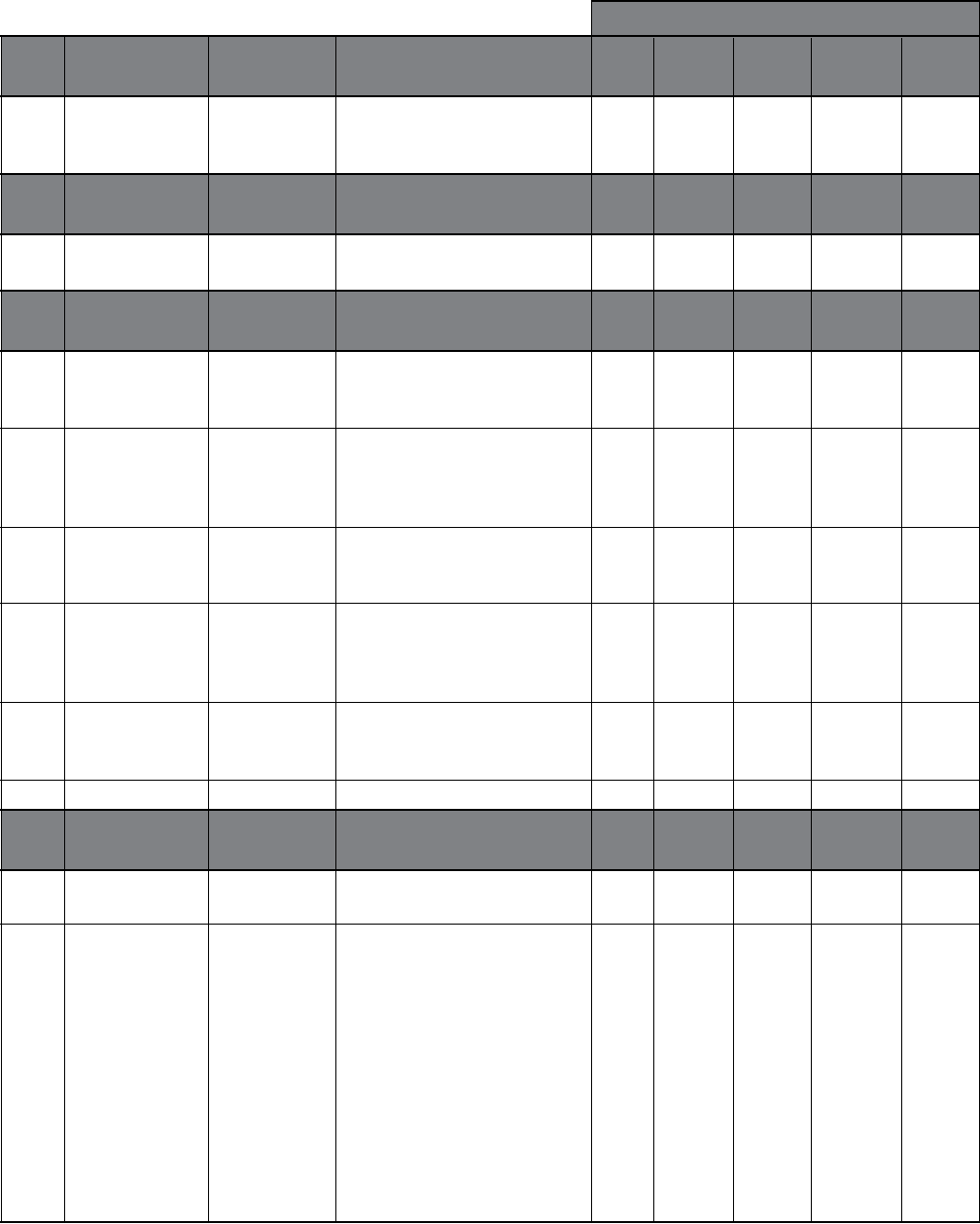
72
Defaults
Group Modbus Range Description Single Synch- Multi- Constant Speed
32 Setup Pump ronous Control Slave Control
3210- EFB Parameters Meaning and values of these
3220 parameters depend on the
Group Motor Range Description Single Synch- Multi- Constant Speed
50 Control Pump ronous Control Slave Control
5001 Switching Freq 4, 8, 12 kHz Sets the switching frequency
4 4 4 4 4
for the drive.
kHz kHz kHz kHz kHz
Group Maintenance Range Description Single Synch- Multi- Constant Speed
51 Triggers Pump ronous Control Slave Control
5101 Cooling Fan Trig 0.0…6553.5 Sets the trigger point for the 20 20 20 20 20
kh drive’s cooling fan counter.
0.0 = disabled
5102 Cooling Fan Act 0.0…6553.5 Defines the actual value of the
kh drive’s cooling fan counter. The
parameter is reset by writing
0.0 to it.
5103 Revolution Trig 0…65535 Sets the trigger point for the 32000 32000 32000 32000 32000
MRev motor’s accumulated revolutions
counter. 0.0 = disabled
5104 Revolution Act 0…65535 Defines the actual value of the
MRev motor’s accumulated revolutions
counter. The parameter is reset
by writing 0 to it.
5105 Run Time Trig 0.0…6553.5 Sets the trigger point for the 40 40 40 40 40
kh drive’s run time counter.
0.0 = disabled
5106 Run Time Act
Displays actual run time.
Group Information Range Description Single Synch- Multi- Constant Speed
99 Pump ronous Control Slave Control
to the AV.
9902 Drive Rating XXXY Indicates the drive’s current and
voltage rating. The format is
XXXY, where:
XXX = The nominal current
rating in amps. If present an “A”
indicates the decimal point in
the rating for the current.
Y = The voltage rating of the
drive, where Y=2 indicates a
208…240 Volt rating and Y=4
indicates a 380…480 Volt
rating.
PARAMETER LISTINGS
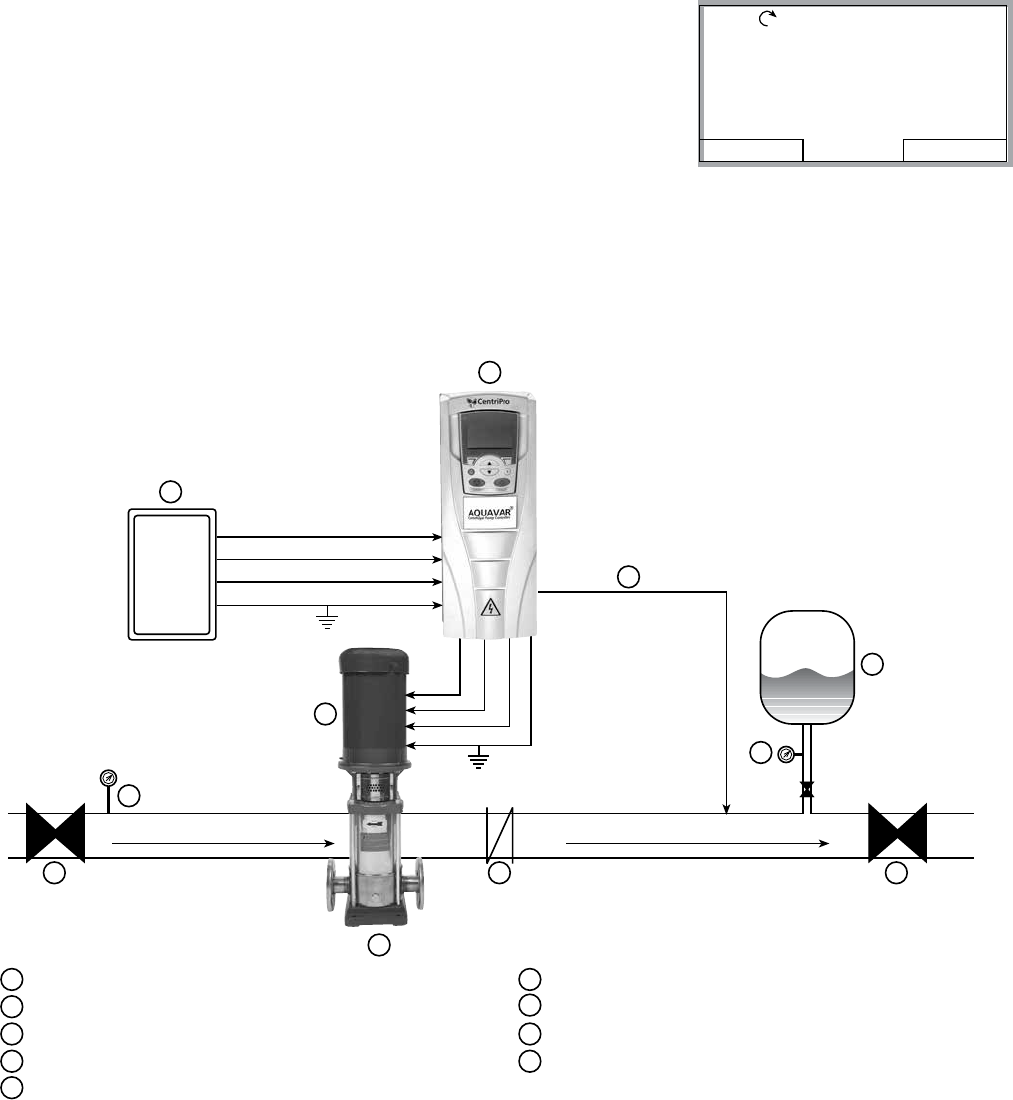
73
Single Pump Programming (Pressure transducer)
Standard view of display in REM (remote) mode. You will see
the reference pressure (REF PRESSURE), actual pressure (ACT
PRESSURE) and motor frequency in HZ.
DIR MENU
REM 0.0%
40.2 PSI
sp
0.0 PSI
ac
0.0 HZ
FLOW
AIR
48
6
3 PHASE OUTPUT
TO MOTOR
5
1
2
SUCTION
3
8
9
7
RECOMMENDED INSTALLATION LAYOUT
1AQUAVAR CPC 6AIR BLADDER TANK
2FUSIBLE DISCONNECT73 PHASE MOTOR
3CENTRIFUGAL PUMP 8GATE VALVE (BALL VALVE)
4CHECK VALVE (NON-SLAM TYPE) 9PRESSURE GAUGE
5PRESSURE TRANSDUCER (CABLE ASSEMBLY)
NOTES: A. Use of load filter (reactor) should be used between the Aquavar and motor, if motor leads exceed
60 wire feet.
B. If single phase power is supplied on 200 - 240 volt three phase units, use U1 and W1 as input terminals
from single phase supply, and de-rate unit by 50% of three phase rating.
C. Tank size should be 10-20% (total volume) of flow in system. Pre-charge tank 10-15 PSI below system
pressure.
9
U2 V2 W
U1
V1
W1
SUPPLY POWER
N D
ND
PROGRAMMING
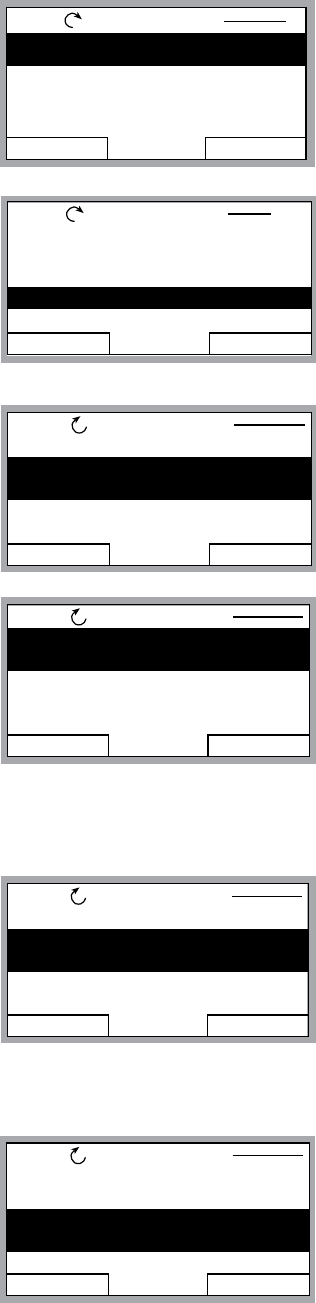
74
Single Pump Programming (Pressure transducer)
Programming Step(s)
1. Access the main menu on the keypad. Press the MENU key
once and the display will show (PARAMETERS, WIZARDS,
CHANGED PAR). Using the arrow keys, highlight the
“parameters” option, then press the “ENTER” key .
2. Once the parameters option has been chosen, the
parameter groups will be displayed. Each group will be
numbered (see parameter groups list on page 50 for
detailed information). Use the arrow keys to highlight the
parameter group 10, “LOCKS/PASSWORDS, then press the
SEL key.
3. Use the arrow keys to highlight group 1002 “PASSCODE”,
then press the EDIT key. Enter your factory password
number (Default is 66). Press the save key.
4. Use up arrow to group 1001 “PARAMETER LOCK”, then
press the EDIT key. Next, use the up arrow to select “OPEN“,
then press the SAVE key. This group should appear as
“OPEN”, if it does not you have entered the pass code
incorrectly, or it has changed. Contact your local CentriPro
representative for the master code. Once your group 1001
is showing “OPEN”, you can access all of the pump and
drive parameters in the Aquavar.
5. After the SAVE key is pressed in the above group, press
the EXIT key, then the down arrow to highlight the group
11 “START UP DATA”, then Press the SEL key once. Using
the arrows, highlight 1102 “APPLIC MACRO”, then press
the EDIT key. Default is set for SINGLE PUMP. Change
this group whether your system is Single Pump, Multi-
Pump, Slave Pump etc. To exit press CANCEL, to save this
parameter, press the SAVE key once.
6. Use down arrow until group parameter 1104 “MOTOR
NOM VOLTAGE” is highlighted, then press EDIT. Use the
arrows to enter your motors nameplate voltage, then press
the SAVE key.
EXIT EDIT
REM PARAMETERS
1101 LANGUAGE
1102 APPLIC MACRO
SINGLE PUMP
1104 MOTOR NOM VOLT
1105 MOTOR NOM CURR
EXIT SEL
REM PAR GROUPS 10
01 VFD SIGNALS
02 PUMP SIGNALS
03 FB ACTUAL SIGNALS
10 LOCKS/PASSWORDS
11 START-UP DATA
EXIT EDIT
REM PARAMETERS
1001 PARAMETER LOCK
1002 PASS CODE
0
1003 LOCAL LOCK
1004 PARAM SAVE
EXIT EDIT
REM PARAMETERS
1001 PARAMETER LOCK
OPEN
1002 PASS CODE
1003 LOCAL LOCK
1004 PARAM SAVE
EXIT ENTER
REM MAIN MENU 1
PARAMETERS
WIZARDS
CHANGED PAR
PROGRAMMING
EXIT EDIT
REM PARAMETERS
1101 LANGUAGE
1102 APPLIC MACRO
1104 MOTOR NOM VOLT
230V
1105 MOTOR NOM CURR
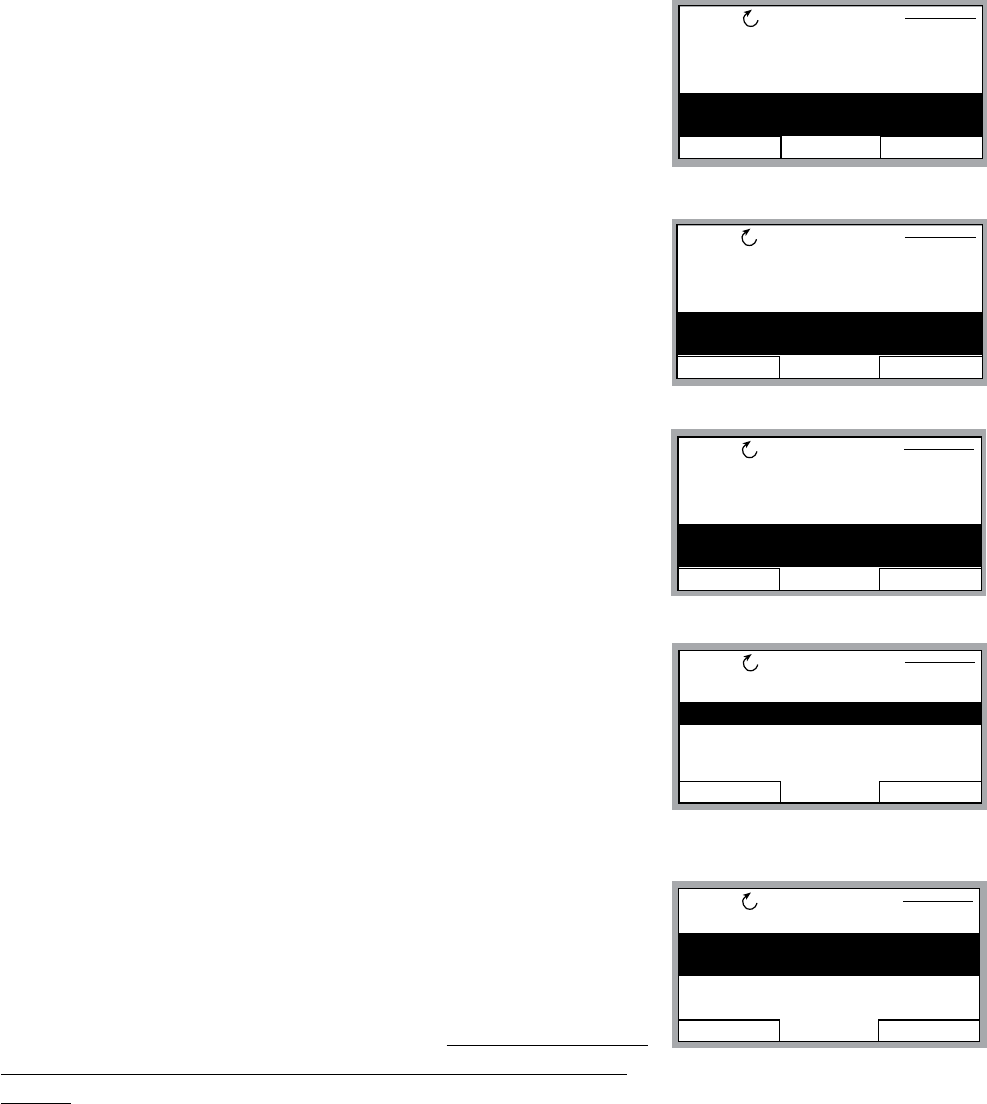
75
Single Pump Programming (Pressure transducer)
7. Use the down arrow until group parameter 1105 “MOTOR
NOM CURRENT” is highlighted, then press EDIT. Using the
arrows, enter your motor’s maximum allowed amp draw at full
speed, or Service Factor Amps. NOTE: Enter motors service
factor from nameplate or motor manual. Once you have
entered the amps, press the SAVE key.
8. Use down arrow until you highlight group parameter 1107
“MOTOR NOM RPM”, then press the EDIT key. Use arrows
to enter the RPM from the motor nameplate, default is 3550
RPM. Press the SAVE key to store setting.
9. Use down arrow until you highlight group parameter 1108
“MOTOR NOM POW”, then press the EDIT key. Use arrows to
enter the motors Horsepower rating from nameplate, then
press the SAVE key.
10. Once you have saved parameter 1108, use the down
arrow until you highlight group parameter 1201 “START/
STOP”, then press EDIT. Default is “KEYPAD”. This parameter
determines how the operator will control the Aquavar; via
the keypad or via MODBUS communication. If no changes
are required, press the CANCEL key then EXIT and go to the
next step.
11. From group 12, press the down arrow until group 14 “SPD
LIM/STRT LVL” is highlighted, then press EDIT. Use down
arrows to highlight group 1402 “MINIMUM FREQ”, then
press EDIT. Using the arrow keys select the appropriate
minimum speed in HZ. Default is 10% of the parameter
1106 MOTOR NOM FREQ which is 6 HZ. For a submersible
motor or suction lift situation, this would be set to at least
30 HZ. For a positive suction booster system, leave at the default setting. Once changed,
press the SAVE key to store the setting.
EXIT EDIT
REM PARAMETERS
1101 LANGUAGE
1102 APPLIC MACRO
1104 MOTOR NOM VOLT
1105 MOTOR NOM CURR
3.4A
EXIT EDIT
REM PARAMETERS
1104 MOTOR NOM VOLT
1105 MOTOR NOM CURR
1106 MOTOR NOM FREQ
1107 MOTOR NOM RPM
3550 RPM
EXIT EDIT
REM PARAMETERS
1105 MOTOR NOM CURR
1106 MOTOR NOM FREQ
1107 MOTOR NOM RPM
1108 MOTOR NOM POW
1.0 HP
EXIT EDIT
REM PARAMETERS
1111 MOTOR ID RUN
1201 START/STOP KEYPAD
1202 AUTO RESTART
1203 TEST RUN
PROGRAMMING
EXIT EDIT
REM PARAMETERS
1401 MAXIMUM FREQ
1402 MINIMUM FREQ
30.0 HZ
1403 CONFIG SPEED MIN
1404 STP DELY MIN SPD
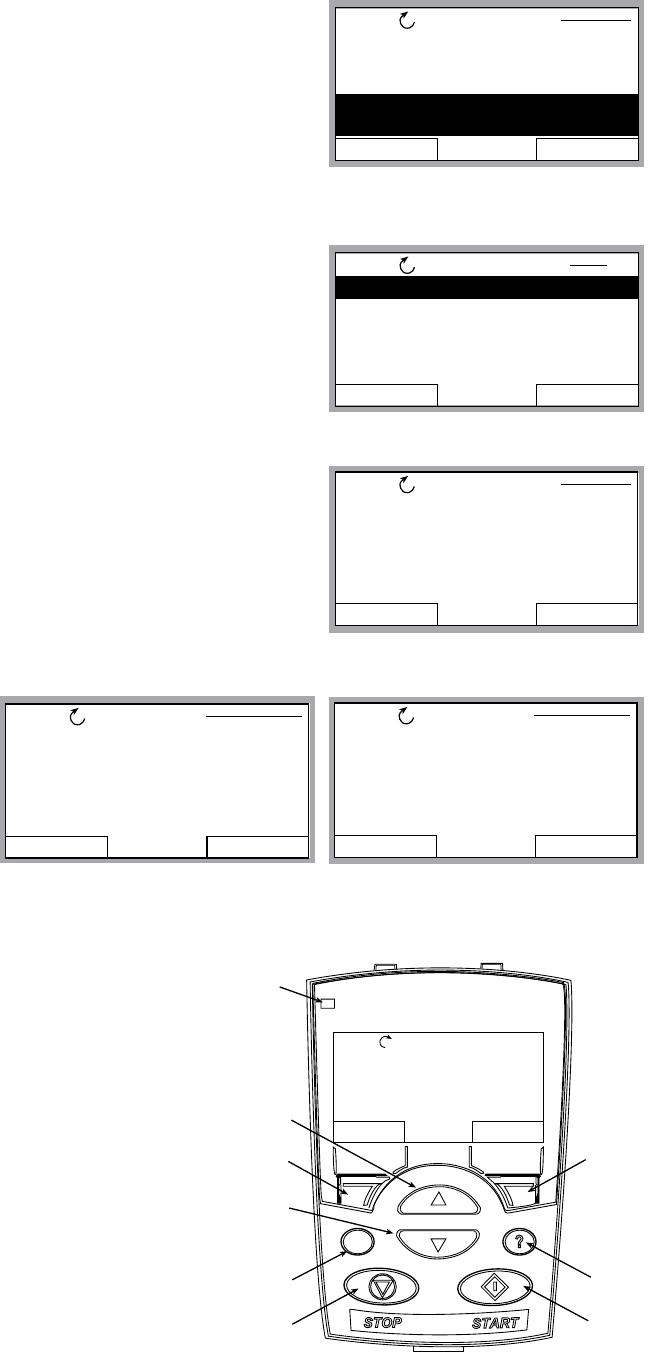
76
Single Pump Programming (Pressure transducer)
12. From group 1402, press the down arrow until group 1502
TRANSDUCER MAX is highlighted, then press EDIT. Default
pressure transducer setting is 300 psi. Adjust this based on
your maximum rating for a new transducer. NOTE: CentriPro
provides a 0 -300 psi transducer as standard. Select the
appropriate range, then press SAVE. If no changes are
necessary, press CANCEL.
13. Use the down arrow to highlight 1503 “TRANSDUCER MIN”
0.0 , then press EDIT. Default should be 0 psi. Press CANCEL
to advance to the next step. If this group needs to be
changed based on another type of transducer value, press
SAVE to store.
14. Use the down arrow to highlight 1506 “SENSOR MIN”,
then press EDIT. Use the up arrow until the “TUNE” value is
displayed, press the SAVE key. This provides the transducer
a tune value of 0 (ZERO) psi. NOTE: Make sure that your
transducer is wired to the Aquavar but free from any
pressure in the system. The transducer must be exposed to
0 psi only when this step is performed. Press the SAVE key to
tune your transducer.
15. Final step is to enter your required pressure in
the system. After above programming has been
completed, press the EXIT key three (3) times, until
Then press the UP or DOWN arrow to select the
required system pressure. Once pressure has
been selected, press the green START key on the
keypad.
EXIT EDIT
REM PARAMETERS
1504 SENSOR
1505 K-DP FLOW METER
1506 SENSOR MIN
4 mA
CANCEL SAVE
REM PAR EDIT
1506 SENSOR MIN
4 mA
EXIT EDIT
REM PARAMETERS
1410 UNDERVOLT CTRL
1411 PRIMING DELAY
1501 TRANSDUCER UNIT
1502 TRANSDUCER MAX
300.0
EXIT SEL
REM
15 XDUCER VARIABLES
16 REFERENCE SELECT
18 RELAY OUTPUTS
19 ANALOG OUTPUTS
21 REGULATE
PAR GROUPS 15
CANCEL SAVE
REM PAR EDIT
1506 SENSOR MIN
TUNED VALUE
DIR MENU
REM 11.1%
LOC
REM
Status
LED
UP
SOFT
KEY 1
DOWN
LOC/REM
STOP START
HELP
SOFT
KEY 2
40.2 PSI sp
0.0 PSI ac
0.0 HZ
PROGRAMMING

77
Single Pump Programming (Pressure transducer)
16. Optional Step: To lock out access to the control panel (keypad), refer to page 109. This
will prevent unauthorized users from changing programming.
NOTE: If an error or fault occurs, refer to the troubleshooting/faults section of this
manual, page 116. When troubleshooting an Aquavar system, always break down into the
following components:
1. Aquavar programming — check default settings recommended for single pump, multi-
pump, slave pump etc.
2. Electrical supply/ motor/ wiring/grounding — check your supply voltage, motor
wiring, transducer wiring, and grounding.
3. Mechanical/Pump/ Rotation — check your pump rotation, rubbing or other mechanical
problems. Pump “run out”.
4. Hydraulic System/ Piping — check to ensure proper suction and discharge piping
layout, proper NPSHa, air entrainment, vortex, friction loss, system curve compensation
etc.
5. Environment — protect from high temperatures, direct sun, freezing temperatures, high
PROGRAMMING
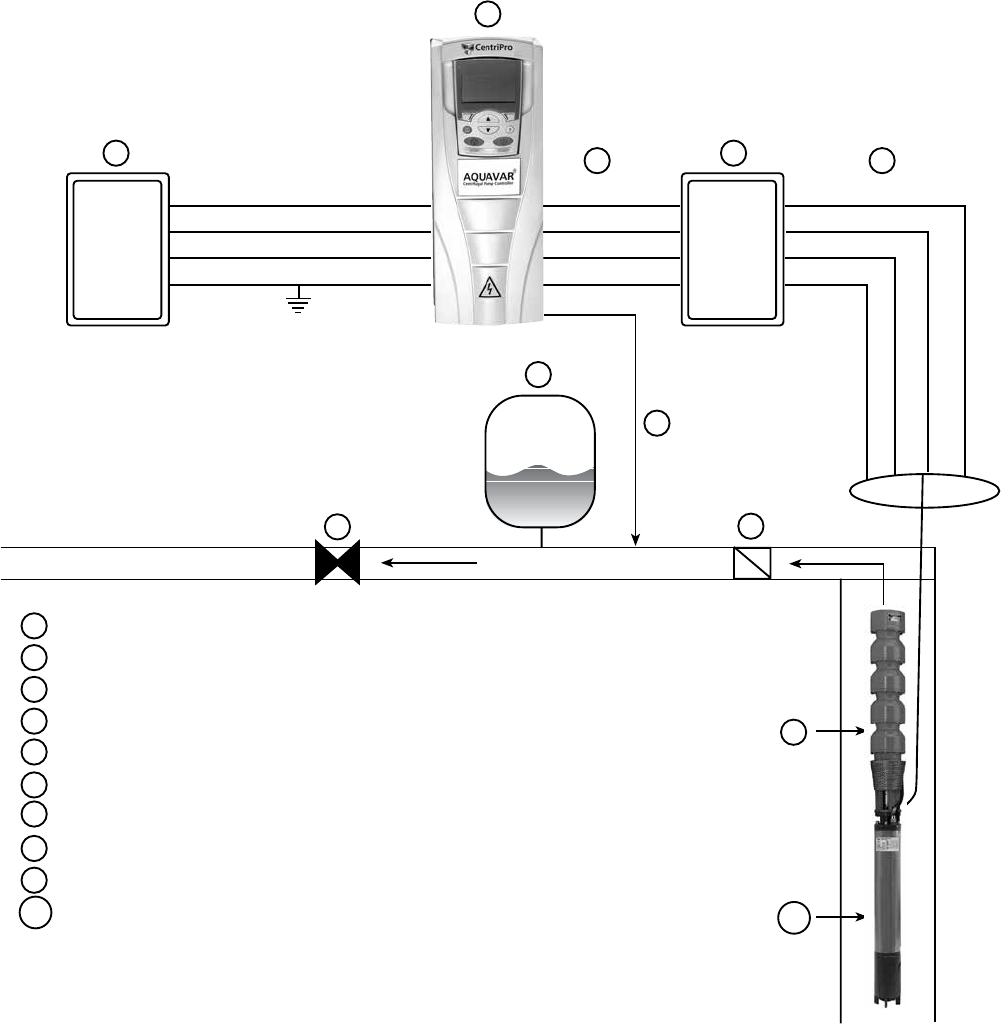
78
Single Pump – Submersible Pump Constant Pressure
3
FLOW
4
6
5
1
2
8
9
7
SINGLE PUMP SUBMERSIBLE
CONSTANT PRESSURE LAYOUT
1AQUAVAR CPC
2FUSIBLE DISCONNECT
3LOAD REACTOR
4AIR DIAPHRAGM TANK
5PRESSURE TRANSDUCER
63 PHASE OUTPUT (ALWAYS)
7DISCHARGE CHECK VALVE
8GATE VALVE (HIGHLY RECOMMENDED)
9SUBMERSIBLE PUMP END
10 SUBMERSIBLE MOTOR (3 PHASE)
U1
V1
W1
GND
U2
V2
W2
GND
U2
V2
W2
GND
6
10
PROGRAMMING
79
Single Pump – Submersible Pump Constant Pressure
It is possible to utilize the Aquavar® Centrifugal Pump Controller on commercial/industrial
installation, programming and pipe layout compared to above ground booster pump
set forth by the motor manufacturer (i.e. Franklin Electric). Always consult with the appropriate
motor technical manual for motor compatibility and requirements when using a Variable
Frequency type drives.
NOTE: THE AQUAVAR IS NOT RECOMMENDED FOR RESIDENTIAL WELL APPLICATIONS.
CONSULT CENTRIPRO FOR SUITABLE VARIABLE SPEED CONTROLLERS DESIGNED FOR
RESIDENTIAL WELL PUMPS (e.g. BF15 series).
Service Factor Amps
The submersible pump will sometimes utilize the motor service factor or MAX AMPS.
Therefore, during peak use times, it is recommended to select the appropriate Aquavar based
on the MOTOR MAXIMUM AMPS or service factor amps. Normally, this can be found on
the motor nameplate or the AIM (application, installation manual). This will avoid nuisance
tripping or current overload by the Aquavar. The Aquavar is designed to protect the motor on
overcurrent! Compare the motor max amps with the list of Aquavar models.
NOTE: ALL MOTORS MUST BE THREE PHASE.
Minimum Frequency
Submersible pump motors require a minimum speed or frequency to operate properly.
Because submersible motors use the water to lubricate and cool, they require this minimum
frequency when controlled by a Variable Speed Drive. Franklin has suggested that the
Minimum Frequency is set to at least 30 HZ in the Aquavar. Therefore, it is recommended
to set the Aquavar Minimum Frequency to 30 to 35 HZ (depending on static head) in
programming group 1402. See programming section.
WARNING: FAILURE TO SET THE MINIMUM FREQUENCY FOR SUBMERSIBLE
TURBINE INSTALLATION COULD RESULT IN DAMAGE TO THE PUMP AND/OR
MOTOR.
Tank Sizing
An appropriate size diaphragm tank must be sized for smooth operation. The tank will also
volume in GPM would be recommended.
PROGRAMMING
80
Single Pump – Submersible Pump Constant Pressure
Load Reactor (Filter)
“spikes” and switching frequencies found in IGBT type drives, especially when the motor leads
exceed 50 ft. Therefore, a load reactor is required when all of the following conditions are met
for ANY type of AC induction motor (above ground or submersible type):
1. Motor cable length from the Aquavar to the motor is more than 50 wire feet.
2. Drive uses IGBT type of switching (which is industry standard and is used by the Aquavar).
If all of the conditions are present above, then it is recommended to wire a LOAD REACTOR
between the Aquavar output (U2, V2, W2) and the motor. Keep the load reactor as close to
the output of the Aquavar for best results. NOTE: See suggested layout drawing and always
Grounding
NOTE: Always follow local codes for wiring and grounding or refer to the National
Electrical Codes.
Submersible installations are susceptible to stray voltage or grounding problems. It is
recommended to ground the transducer shield to the chassis of the Aquavar cabinet and to
check with a meter for any stray voltage from the three phase motor. Each component of the
electrical Aquavar system should have the same grounding point or reference. Always follow
the submersible motor manufacturer’s recommended installation procedures.
NOTES:
✔ Motors used must be three phase, equal to input voltage.
✔ Standard enclosure is rated for NEMA 1 INDOOR USE ONLY. Consult Factory/ Price
pages for outdoor rated enclosures.
✔ Aquavar CPC not for use on RESIDENTIAL WELL PUMP applications. Consult with factory
for appropriate variable speed controller like the BF15.
✔ Input voltage for the Aquavar can be single phase. Use the U1 , W1 and Ground
connections, and derate the drive by 50% from the three phase rating. Example: 230 volt,
three phase 10 HP Aquavar becomes a 5 HP, 230 volt, single phase rated drive.
PROGRAMMING
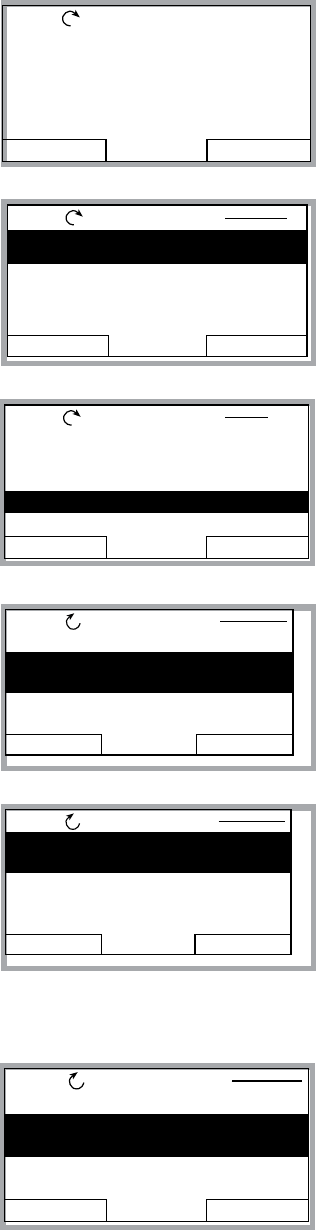
81
Single Pump – Submersible Pump Constant Pressure
Each component of the electrical Aquavar system should have the same grounding point or
reference.
Programming Step(s)
Standard view of the display in REM (remote) mode. You will see
the reference pressure (REF PRESSURE), actual pressure (ACT
PRESSURE) and motor frequency in HZ.
1. Access the main menu on the keypad. Press the MENU key
once and the display will show (PARAMETERS, WIZARDS,
CHANGED PAR). Using the arrow keys, highlight the
“parameters” option, then press the “ENTER” key.
2. Once the parameters option has been chosen, the
parameter groups will be displayed. Each group will be
numbered (see parameter groups list on page 51 for
detailed information). Use the arrow keys to highlight the
parameter group 10, “LOCKS/PASSWORDS”, then press the
SEL key.
3. Use the arrow keys to highlight group 1002 “PASSCODE”,
then press the EDIT key. Using the up arrow, enter your
factory password number (Default is 66). Press the save key.
4. Use up arrow to group 1001 “PARAMETER LOCK”, then
press the EDIT key. Next, use the up arrow to select “OPEN“,
then press the SAVE key. This group should appear as
“OPEN”, if it does not you have entered the pass code
incorrectly, or it has changed. Contact your local CentriPro
representative for the master code. Once your group 1001
is showing “OPEN”, you can access the entire pump and
drive parameters in the Aquavar.
5. After the SAVE key is pressed in the above group, press the
EXIT key, then the down arrow to highlight the group 11
“START UP DATA”, then Press the SEL key once. Using the
arrows, highlight 1102 “APPLIC MACRO”, then press the
EDIT key. Default is set for SINGLE PUMP. Change this group
whether your system is Single Pump, Multi-Pump, Slave
Pump etc. To exit press CANCEL, to save this parameter,
press the SAVE key once.
DIR MENU
REM 0.0%
40.2 PSI
sp
0.0 PSI
ac
0.0 HZ
EXIT ENTER
REM MAIN MENU 1
PARAMETERS
WIZARDS
CHANGED PAR
EXIT SEL
REM PAR GROUPS 10
01 VFD SIGNALS
02 PUMP SIGNALS
03 FB ACTUAL SIGNALS
10 LOCKS/PASSWORDS
11 START-UP DATA
EXIT EDIT
REM PARAMETERS
1001 PARAMETER LOCK
1002 PASS CODE
0
1003 LOCAL LOCK
1004 PARAM SAVE
EXIT EDIT
REM PARAMETERS
1001 PARAMETER LOCK
OPEN
1002 PASS CODE
1003 LOCAL LOCK
1004 PARAM SAVE
PROGRAMMING
EXIT EDIT
REM PARAMETERS
1101 LANGUAGE
1102 APPLIC MACRO
SINGLE PUMP
1104 MOTOR NOM VOLT
1105 MOTOR NOM CURR
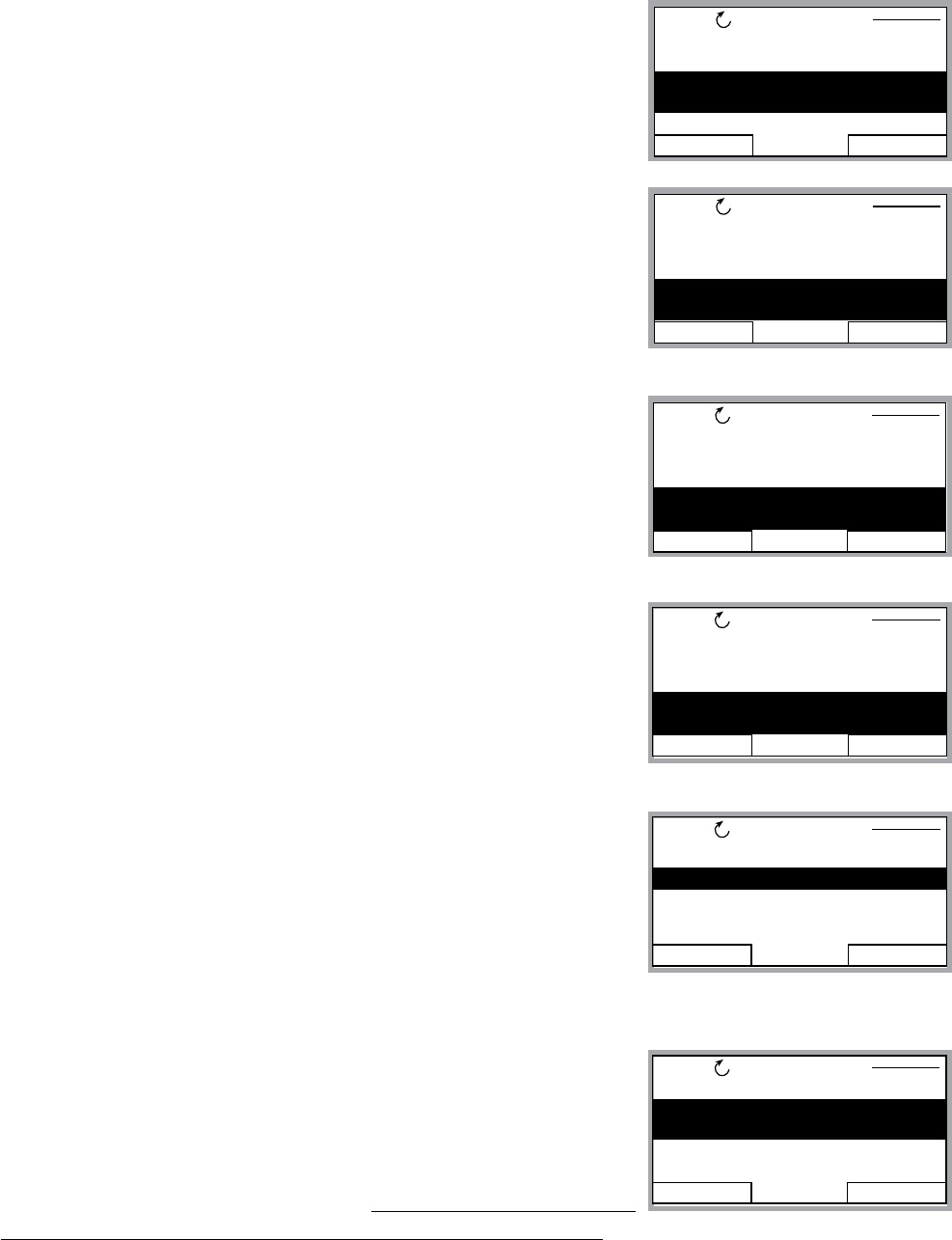
82
Single Pump – Submersible Pump Constant Pressure
6. Use down arrow until group parameter 1104 “MOTOR NOM
VOLTAGE” is highlighted, then press EDIT. Use the arrows to
enter your motors nameplate voltage, then press the SAVE
key.
7. Use the down arrow until group parameter 1105 “MOTOR
NOM CURRENT” is highlighted, then press EDIT. Using the
arrows, enter your motor’s maximum allowed amp draw at full
speed, or Service Factor Amps. NOTE: Enter motor service
factor from nameplate or motor manual. Once you have
entered the amps, press the SAVE key.
8. Use down arrow until you highlight group parameter 1107
“MOTOR NOM RPM”, then press the EDIT key. Use arrows
to enter the RPM from the motor nameplate, default is 3550
RPM. Press the SAVE key to store setting.
9. Use down arrow until you highlight group parameter 1108
“MOTOR NOM POW”, then press the EDIT key. Use arrows to
enter the motors Horsepower rating from nameplate, then
press the SAVE key.
10. Once you have saved parameter 1108, use the down
arrow until you highlight group parameter 1201 “START/
STOP”, then press EDIT. Default is “KEYPAD”. This parameter
determines how the operator will control the Aquavar; via
the keypad or via MODBUS communication. If no changes
are required, press the CANCEL key then EXIT and go to the
next step.
11. From group 12, press the down arrow until group 14 “SPD
LIM/STRT LVL” is highlighted, and then press SEL. Use down
arrows to highlight group 1402 “MINIMUM FREQ”, then
press EDIT. Using the arrow keys select the appropriate
minimum speed in HZ. Default is 10% of the parameter 1106
MOTOR NOM FREQ which is 6 HZ. For a submersible motor
or suction lift situation, this would be set to at least 30 HZ.
Depending upon the static water level, and pipe distance to the transducer, you may have
to increase this setting up to 40HZ. Once changed, press the SAVE key to store the setting.
EXIT EDIT
REM PARAMETERS
1101 LANGUAGE
1102 APPLIC MACRO
1104 MOTOR NOM VOLT
230V
1105 MOTOR NOM CURR
EXIT EDIT
REM PARAMETERS
1104 MOTOR NOM VOLT
1105 MOTOR NOM CURR
1106 MOTOR NOM FREQ
1107 MOTOR NOM RPM
3550 RPM
EXIT EDIT
REM PARAMETERS
1105 MOTOR NOM CURR
1106 MOTOR NOM FREQ
1107 MOTOR NOM RPM
1108 MOTOR NOM POW
1.0 HP
EXIT EDIT
REM PARAMETERS
1101 LANGUAGE
1102 APPLIC MACRO
1104 MOTOR NOM VOLT
1105 MOTOR NOM CURR
3.4A
PROGRAMMING
EXIT EDIT
REM PARAMETERS
1111 MOTOR ID RUN
1201 START/STOP KEYPAD
1202 AUTO RESTART
1203 TEST RUN
EXIT EDIT
REM PARAMETERS
1401 MAXIMUM FREQ
1402 MINIMUM FREQ
30.0 HZ
1403 CONFIG SPEED MIN
1404 STP DELY MIN SPD
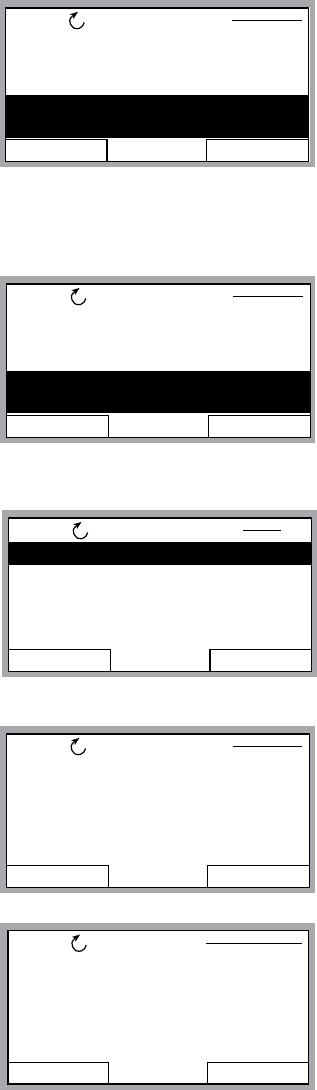
83
Single Pump – Submersible Pump Constant Pressure
12. Next step will set the appropriate time delay in seconds at
the MINIMUM FREQUENCY. Use the down arrow until you
highlight parameter 1404 STP DELY MIN SPD, and then
press the EDIT key. Use the UP ARROW to select a time in
seconds. A suggested delay time is 5 seconds. When the
pump reaches the minimum frequency, it will have a delay
of 5 seconds before shutting down. Once entered, then
press the SAVE key.
13. From group 1404, press the down arrow until group 1502
TRANSDUCER MAX is highlighted, then press EDIT. Default
pressure transducer setting is 300 psi. Adjust this based on
your maximum rating for a new transducer. NOTE: CentriPro
provides a 0 -300 psi transducer as standard. Select the
appropriate range, then press SAVE. If no changes are
necessary, press CANCEL.
14. Use the down arrow to highlight 1503 “TRANSDUCER MIN”
0.0 , then press EDIT. Default should be 0 psi. Press CANCEL
to advance to the next step. If this group needs to be
changed based on another type of transducer valve, press
SAVE to store.
15. Use the down arrow to highlight 1506 “SENSOR MIN”,
then press EDIT. Use the up arrow until the “TUNE” value is
displayed, press the SAVE key. This provides the transducer
a tune value of 0 (ZERO) psi.
NOTE: Make sure that your transducer is wired to the
Aquavar but free from any pressure in the system. The
transducer must be exposed to 0 psi when this step is
performed. Press the SAVE key to tune your transducer.
EXIT EDIT
REM PARAMETERS
1401 MAXIMUM FREQ
1402 MINIMUM FREQ
1403 CONFIG SPEED MIN
1404 STP DELY MIN SPD
5 s
PROGRAMMING
EXIT EDIT
REM PARAMETERS
1504 SENSOR
1505 K-DP FLOW METER
1506 SENSOR MIN
4 mA
CANCEL SAVE
REM PAR EDIT
1506 SENSOR MIN
TUNED VALUE
EXIT SEL
REM
15 XDUCER VARIABLES
16 REFERENCE SELECT
18 RELAY OUTPUTS
19 ANALOG OUTPUTS
21 REGULATE
PAR GROUPS 15
EXIT EDIT
REM PARAMETERS
1410 UNDERVOLT CTRL
1411 PRIMING DELAY
1501 TRANSDUCER UNIT
1502 TRANSDUCER MAX
300.0
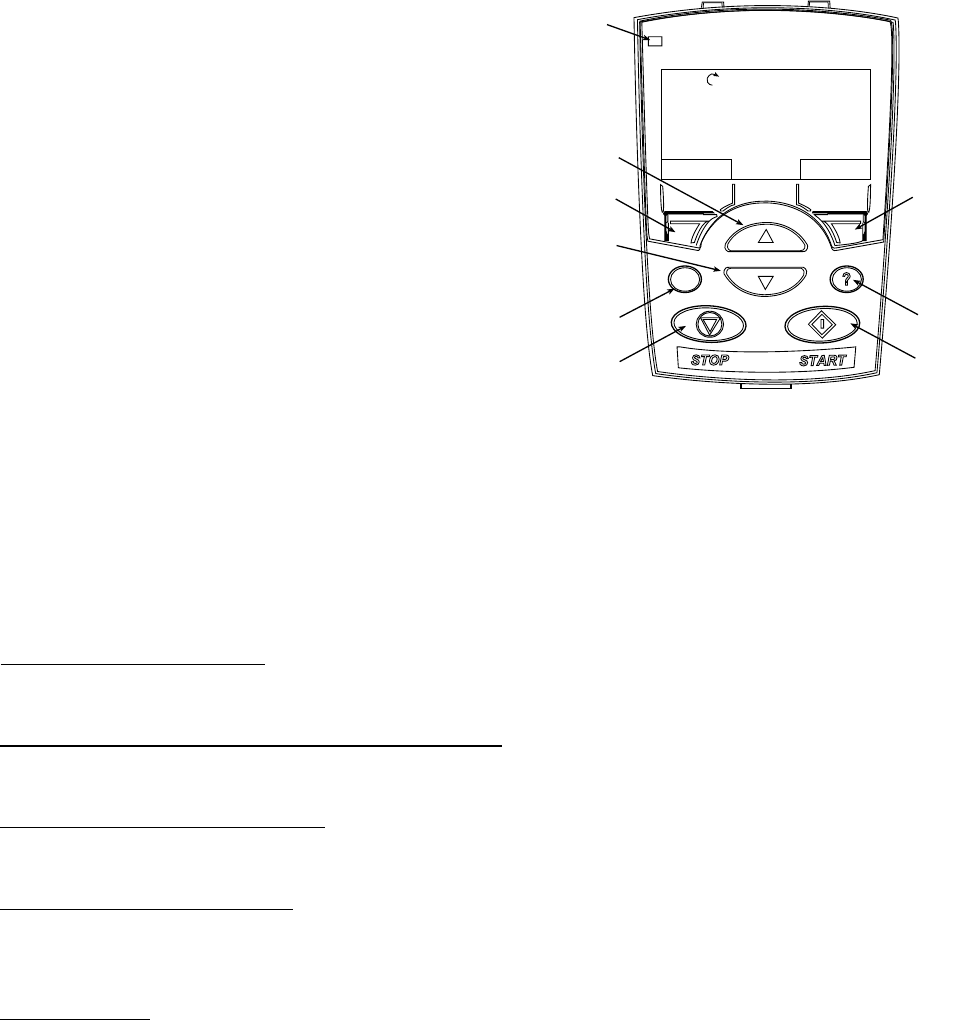
84
Single Pump – Submersible Pump Constant Pressure
16. Final step is to enter your required pressure in
the system. After above programming has been
completed, press the EXIT key three (3) times, until
Then press the UP or DOWN arrow to select the
required system pressure. Once pressure has been
selected, press the green START key on the keypad.
17. Optional Step: To lock out access to the control panel (keypad), refer to page 109. This
will prevent unauthorized users from changing programming.
NOTE: If an error or fault occurs, refer to the troubleshooting/faults section of this
manual, page 116. When troubleshooting an Aquavar system, always break down into the
following components:
1. Aquavar programming — check default settings recommended for single pump, multi-
pump, slave pump etc.
2. Electrical supply/ motor/ wiring/grounding — check your supply voltage, motor
wiring, transducer wiring, and grounding.
3. Mechanical/Pump/ Rotation — check your pump rotation, rubbing or other mechanical
problems. Pump “run out”.
4. Hydraulic System/ Piping — check to ensure proper suction and discharge piping
layout, proper NPSHa, air entrainment, vortex, friction loss, system curve compensation
etc.
5. Environment — protect from high temperatures, direct sun, freezing temperatures, high
DIR MENU
REM 11.1%
LOC
REM
Status
LED
UP
SOFT
KEY 1
DOWN
LOC/REM
STOP START
HELP
SOFT
KEY 2
40.2 PSI
sp
0.0 PSI
ac
0.0 HZ
PROGRAMMING

85
PROGRAMMING
SINGLE-PUMP LEVEL CONTROL
Submersible Transducer Setup
PARAMETER SETTINGS QUICK LIST
1002 — Pass Code = 66
1001 — Parameter Lock = OPEN
1102 — Application Macro = SINGLE PUMP
1104 — Motor Nom. Volt.
1105 — Motor Nom. Current
1106 — Motor Nom. Freq.
1107 — Motor Nom. RPM
1108 — Motor Nom. Pow.
2101 — Regulation Mode = INVERSE
1501 — Transducer Unit = FT
SYSTEM TUNING
Group 13 — Ramps allow for tuning of the system response. Ramps 1 and 2 provide control
of start and stop ramps and can be used to produce smooth operation throughout pumping
system operation when needed (reference pages 107-111).
NOTE:
rate and pump selection. An oversized pump may produce on/off type system operation,
similar to a level switch. This condition might not be fully correctable with ramp control.

86
MULTI-PUMP LEVEL CONTROL
Submersible Transducer Setup
PARAMETER SETTINGS QUICK LIST
1002 — Pass Code = 66
1001 — Parameter Lock = OPEN
1102 — Application Macro = MULTIPUMP
1104 — Motor Nom. Volt.
1105 — Motor Nom. Current
1106 — Motor Nom. Freq.
1107 — Motor Nom. RPM
1108 — Motor Nom. Pow.
2101 — Regulation Mode = INVERSE
1501 — Transducer Unit = FT
2207 — Pump Address = 1, 2, 3 or 4
SYSTEM TUNING
Group 13 — Ramps allow for tuning of the system response. Ramps 1 and 2 provide control
of start and stop ramps and can be used to produce smooth operation throughout pumping
system operation when needed (reference pages 112-114).
NOTE:
rate and pump selection. An oversized pump may produce on/off type system operation,
similar to a level switch. This condition might not be fully correctable with ramp control.
PROGRAMMING
87
MultiPump – Constant Pressure Control
Overview
The Aquavar CPC has the ability to connect and control up to four centrifugal pumps, to
form a Multi-Pump, lead-lag and alternating pumping system. This will allow the operator to
the pumps and motors. The Aquavar units will be hard wired together via the RS485 terminals
(29,30,31), and provide communication to maintain a constant pressure to the system. Once
the lead pump cannot maintain a certain pressure and allows a slight pressure drop, the next
a pump or controller fails, the next pump will automatically turn on in its place. Each Aquavar
controlled pump will provide a fully functional lead/lag and automatic alternation system, with
automatic back up control when required.
System Curve - Friction Compensation
It is possible to program the Aquavar to maintain a constant pressure, and compensate for
the friction loss will increase as well. The Aquavar can compensate for this friction loss with
the simple adjustment of the parameter 2202 “VALUE INCREASE”. When each Aquavar unit
enables the pump, it will increase the system pressure by the programmed amount. This
pressure is additive with each additional pump. Therefore, if you set this parameter for 3 psi,
and you initial constant pressure is 50 psi, and you have 4 pumps total: (50 psi + 3 psi + 3
should be enough to overcome your calculated head and friction loss, and to provide constant
pressure at the end of the pipe run. NOTE: This program function is not intended for
substitution of proper pipe layout and sizing according to Hydraulic Institute Standards.
This feature may not work for excessive friction losses!
Pump Sequencing
The Aquavar CPC has the ability to operate in a multiple pump with lead and lag pumps.
Each Aquavar will be given an address then operate as Pump 1, Pump 2, Pump 3 or Pump 4.
When Pump 1 cannot maintain the required system pressure and the speed reaches 60 Hz,
then that will trigger the lag pump to come on and help maintain the set pressure. In order
for the lag pump to turn on, the lead pump must be at full speed (Maximum Frequency)
and programmed system pressure drop must be met (VALUE DECREASE). Each Aquavar
controlled pump will vary its speed according to the demand on the entire system. In a
Duplex System, you could have Pump 1 running at full speed 60 Hz, and Pump 2 running at 50
sequential mode, when called.
PROGRAMMING
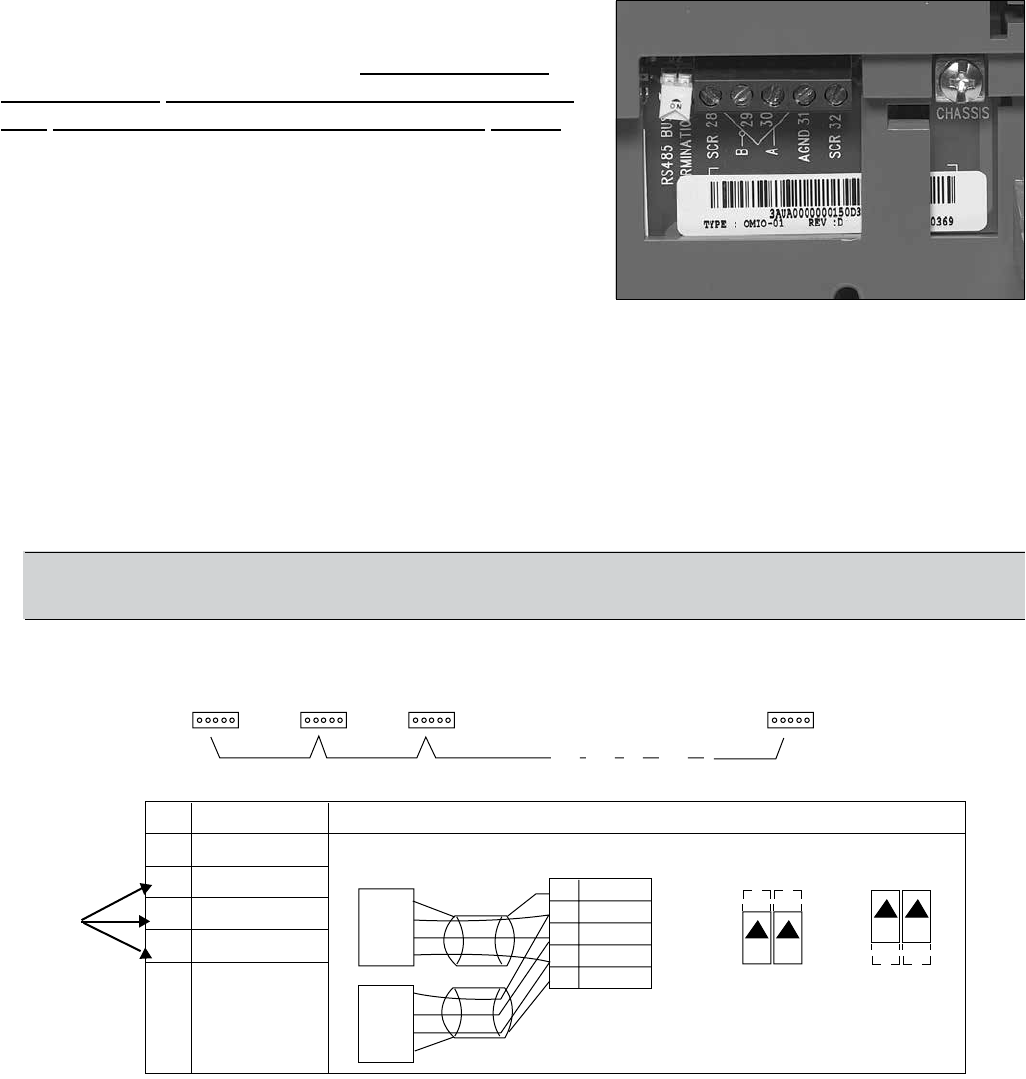
88
Terminated
Station Station Station
Terminated
Station
X1 Identification
28 Screen
29 B
30 A
31 AGND
32 Screen
SCR
B
A
GND
B
A
GND
SCR
28 SCR
29 B
30 A
31 AGND
32 SCR
ON ON
ON ON
RS485 Multidrop Application
Other Modbus Devices
Hardware Description1
RS485 Interface
J2 J5 J2 J5
off position on position
Bus Termination
1 For functional descriptions, see “Standard Serial Communication” addendum.
MultiPump – Constant Pressure Control
Wiring/Connection RS485
Each Aquavar unit must be connected via terminals
29, 30 and 31. Using a three wire shielded cable
between each Aquavar terminal. Suggested wire
specications would be 3 or 4 wire, 22AWG, one
pair shielded, TYPE CM or CL3, 75 degree C(UL).
Remember to keep the color coded wires the same
to each terminal connection, and inspect for loose or
bad connections.
When using all the same Aquavar CPC units, you must
provide a BUS TERMINATION for the last drives in the
multi-pump system. The RS485 has two yellow DIP
and Aquavar address 4 would have their DIP SWITCHES in the ON position (see diagram). If
you have a DUPLEX system, then Aquavar address 1 and Aquavar address 2 would have the
switches in the ON position.
necessary wiring.
NOTE: Fieldbus cannot be used with RS485 multipump (Modbus, Devicenet,
Multipump
Connections
for each
Aquavar
PROGRAMMING
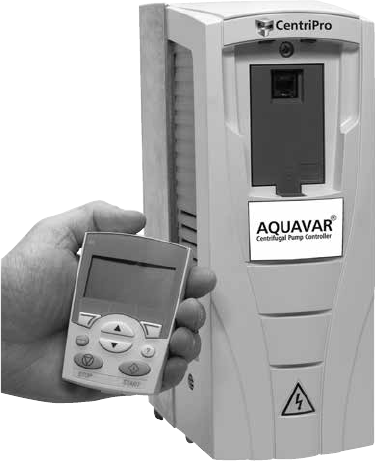
89
MultiPump – Constant Pressure Control
Pump Sizing
recommended to select a TRIPLEX system, with each pump capable of a maximum of 167
GPM at the required TDH. (167 GPM x 3 pumps = 501 GPM ) A smaller sized pump is more
Tank Sizing
Similar to the single pump constant pressure system, the multi-pump system should have
a diaphragm or bladder type tank for system cushion. The tank should be rated for the
maximum system pressure, and be sized for 10-25% of the single pump capacity. This is total
tank volume, not drawdown. If you have a triplex system of 167 GPM per pump capacity,
then your tank size should be a minimum of 17 Gallon capacity. Go to the next higher
tank volume if you have a suction lift or ooded suction. The tank provides small
drawdown capacities on drive start up and provides a “cushion” for the entire system at
normal operation and will provide compressibility at shut-down. The tank pressure will greatly
improve system operation. A larger tank is acceptable and sometimes required, just do not
Programming
The following steps are for multi-pump, constant pressure systems, with up to four (4) Aquavar
CPC. Each Aquavar CPC will have to be programmed according to this parameter guide. The
parameters will not transfer over to each unit. There are two options for downloading the
parameters into each Aquavar:
A) Manually entering each parameter into the Aquava
control panel/display with the following steps.
B)
download the software to each additional Aquavar
via the control panel. Take the programmed control
automatically download saved parameters into the other
Aquavar units. See diagram to the left.
PROGRAMMING
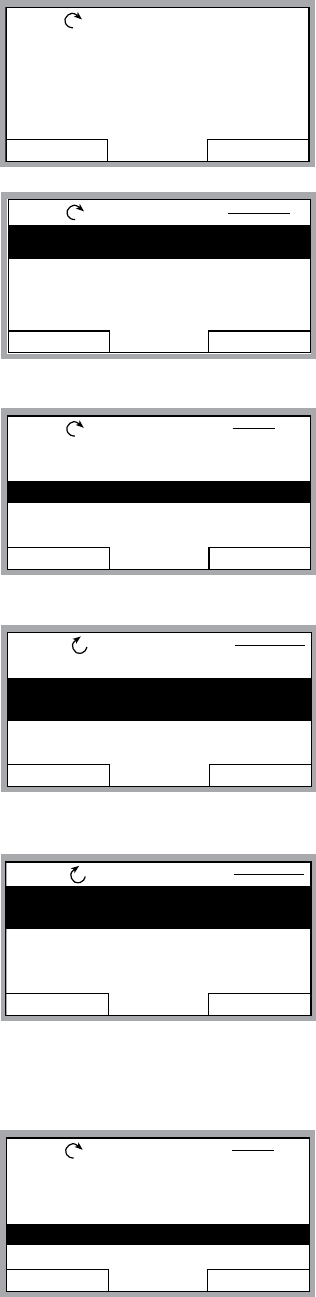
90
MultiPump – Constant Pressure Control
Programming Step(s)
Standard view of the display in REM (remote) mode. You will see
the reference pressure (REF PRESSURE), actual pressure (ACT
PRESSURE) and motor frequency in HZ.
1. Access the main menu on the keypad. Press the MENU key
once and the display will show (PARAMETERS, WIZARDS,
CHANGED PAR). Using the arrow keys, highlight the
“parameters” option, then press the “ENTER” key.
2. Once the parameters option has been chosen, the
parameter groups will be displayed. Each group will be
numbered (see parameter groups list on page 51 for
detailed information). Use the arrow keys to highlight the
parameter group 10, “LOCKS/PASSWORDS”, then press the
SEL key.
3. Use the arrow keys to highlight group 1002 “PASSCODE”,
then press the EDIT key. Using the up arrow, enter your
factory password number (Default is 66). Press the save key.
4. Use up arrow to group 1001 “PARAMETER LOCK”, then
press the EDIT key. Next, use the up arrow to select “OPEN“,
then press the SAVE key. This group should appear as
“OPEN”, if it does not you have entered the pass code
incorrectly, or it has changed. Contact your local CentriPro
representative for the master code. Once your group 1001
is showing “OPEN”, you can access the entire pump and
drive parameters in the Aquavar.
5. After the SAVE key is pressed in the above group, press the
EXIT key, then the down arrow to highlight the group 11
“START UP DATA”, then Press the SEL key once. Using the
arrows, highlight 1102 “APPLIC MACRO”, then press the
EDIT key. Using the UP arrow, highlight “MULTICONTROL”
option, then press the SAVE key.
DIR MENU
REM 0.0%
40.2 PSI
sp
0.0 PSI
ac
0.0 HZ
EXIT ENTER
REM MAIN MENU 1
PARAMETERS
WIZARDS
CHANGED PAR
EXIT SEL
REM PAR GROUPS 10
02 PUMP SIGNALS
03 FB ACTUAL SIGNALS
10 LOCKS/PASSWORDS
11 START-UP DATA
12 START/STOP
EXIT EDIT
REM PARAMETERS
1001 PARAMETER LOCK
1002 PASS CODE
0
1003 LOCAL LOCK
1004 PARAM SAVE
EXIT EDIT
REM PARAMETERS
1001 PARAMETER LOCK
OPEN
1002 PASS CODE
1003 LOCAL LOCK
1004 PARAM SAVE
PROGRAMMING
EXIT SEL
REM PAR GROUPS 11
02 PUMP SIGNALS
03 FB ACTUAL SIGNALS
10 LOCKS/PASSWORDS
11 START-UP DATA
12 START/STOP
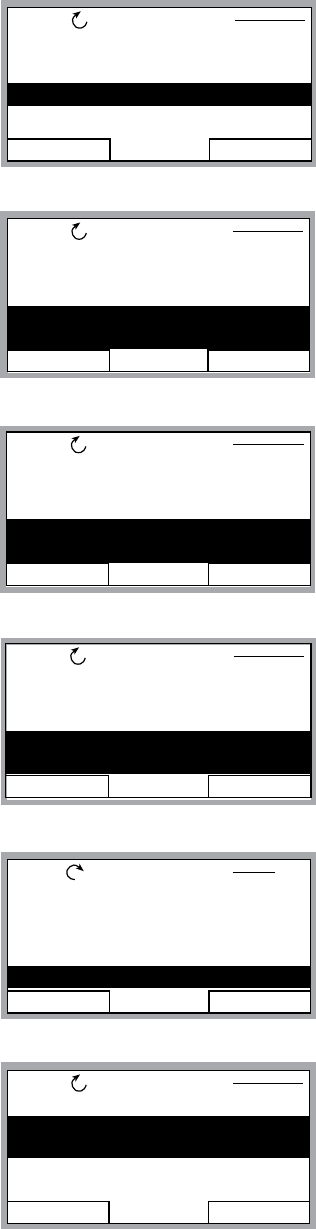
91
MultiPump – Constant Pressure Control
6. Use down arrow until group parameter 1104 “MOTOR
NOM VOLTAGE” is highlighted, then press EDIT. Use the
arrows to enter your motors nameplate voltage, then press
the SAVE key.
7. Use the down arrow until group parameter 1105 “MOTOR
NOM CURRENT” is highlighted, then press EDIT. Using the
arrows, enter your motor’s maximum allowed amp draw
at full speed, or Service Factor Amps. NOTE: Enter motors
service factor from nameplate or motor manual. Once you
have entered the amps, press the SAVE key.
8. Use down arrow until you highlight group parameter 1107
“MOTOR NOM RPM”, then press the EDIT key. Use arrows
to enter the RPM from the motor nameplate, default is 3550
RPM. Press the SAVE key to store setting.
9. Use down arrow until you highlight group parameter 1108
“MOTOR NOM POW”, then press the EDIT key. Use arrows to
enter the motors Horsepower rating from nameplate, then
press the SAVE key.
10. After saving your motor horsepower, press the EXIT key. Use
the down arrow until you highlight the Group 15 “XDUCER
VARIABLES”, then press SEL.
11. Press the down arrow until parameter 1502 “TRANSDUCER
MAX” is highlighted, then press EDIT. Default pressure
transducer setting is 300 psi. Adjust this based on your
maximum rating for a new transducer. NOTE: CentriPro
provides a 0-300 psi transducer as standard. Always check
the maximum range of your transducer before proceeding.
Select the appropriate range, then press SAVE. If no changes
are necessary, press CANCEL.
EXIT EDIT
REM PARAMETERS
1101 LANGUAGE
1102 APPLIC MACRO
1104 MOTOR NOM VOLT
1105 MOTOR NOM CURR
EXIT EDIT
REM PARAMETERS
1104 MOTOR NOM VOLT
1105 MOTOR NOM CURR
1106 MOTOR NOM FREQ
1107 MOTOR NOM RPM
3550 RPM
EXIT EDIT
REM PARAMETERS
1105 MOTOR NOM CURR
1106 MOTOR NOM FREQ
1107 MOTOR NOM RPM
1108 MOTOR NOM POW
1.0 HP
EXIT EDIT
REM PARAMETERS
1101 LANGUAGE
1102 APPLIC MACRO
1104 MOTOR NOM VOLT
1105 MOTOR NOM CURR
3.5A
EXIT SEL
REM PAR GROUPS 15
11 START-UP DATA
12 START/STOP
13 RAMPS/WINDOWS
14 SPD LIM/STRT LEVL
15 XDUCER VARIABLES
PROGRAMMING
EXIT EDIT
REM PARAMETERS
1501 TRANSDUCER UNIT
1502 TRANSDUCER MAX
300.0 PSI
1503 TRANSDUCER MIN
1504 SENSOR
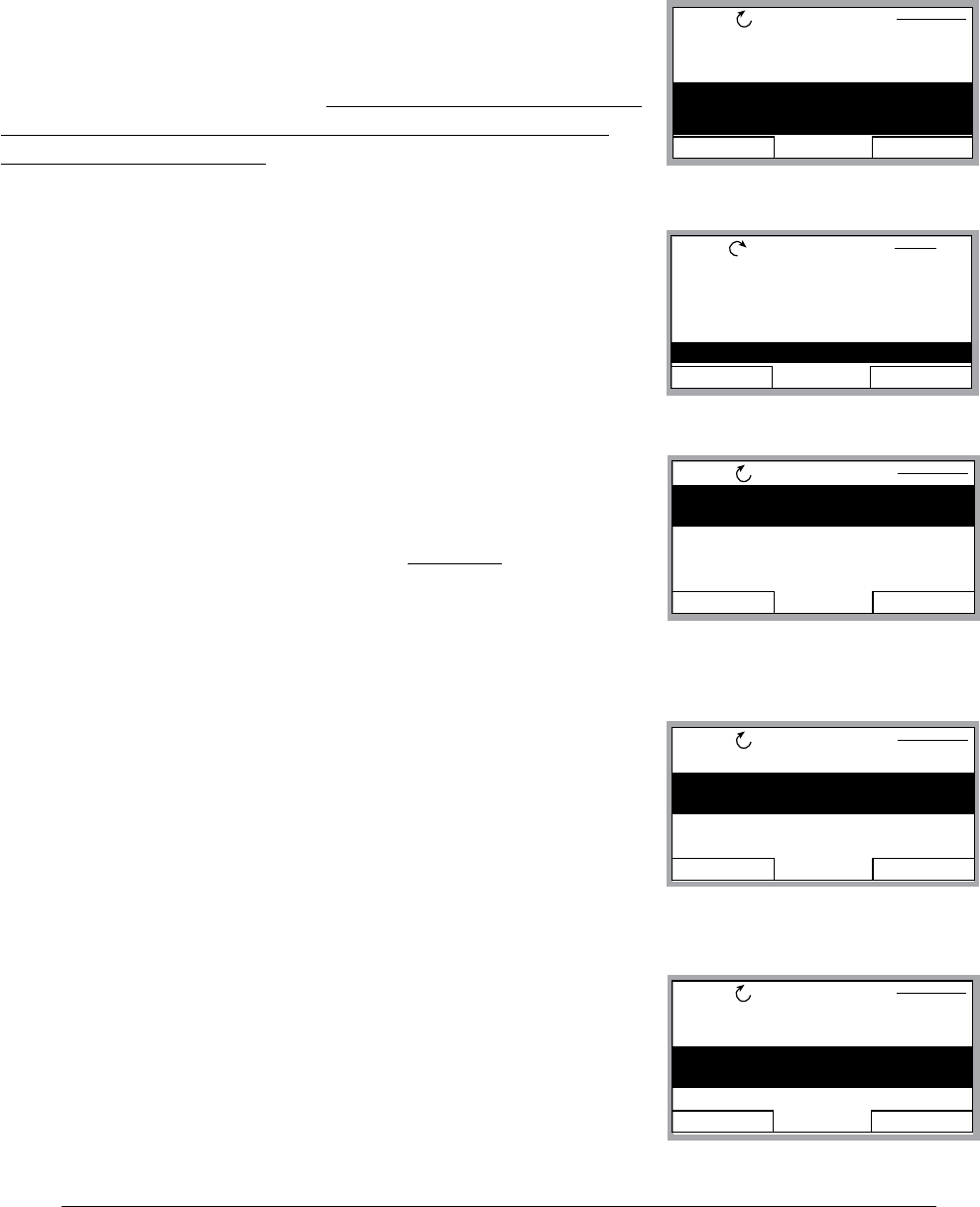
92
MultiPump – Constant Pressure Control
12. Use the down arrow to highlight 1503 “TRANSDUCER MIN” 0.0 , then press EDIT. Default
should be 0 psi. Press CANCEL to advance to the next step. If this group needs to be
changed based on another type of transducer value, press SAVE to store.
13. Use the down arrow to highlight 1506 “SENSOR MIN”,
then press EDIT. Use the up arrow until the “TUNE” value is
displayed, press the SAVE key. This provides the transducer
a tuned value of 0 (ZERO) psi. NOTE: Make sure that your
transducer is wired to the Aquavar but free from any
pressure in the system. The transducer must be exposed
to 0 psi when this step is performed. Press the SAVE key to
tune your transducer.
14. Once you have saved the parameter 1506, press the EXIT
key. Use down arrow until you highlight parameter Group 22
“MULTIPUMP CTRL” Then press the SEL key.
15. After above step, you should have parameter 2201 “VALUE
DECREASE” highlighted. Press the EDIT once. Uses the
up or down arrow to select the allowable pressure drop
before the next lag pump comes on. (Example
pump reaches maximum frequency, and the pressure drop
allowed before the lag pump turns on is 3 psi, you would
set this parameter for 3.0 psi). Once a pressure is set in
2201, then press the SAVE key.
16. Use the down arrow to highlight parameter 2202 ”VALUE
INCREASE” then press EDIT. Use the UP or DOWN arrow to
set your system pressure curve compensation. If you do not
require friction loss compensation at maximum frequency,
then enter 0 psi. Then press the SAVE key. (NOTE: System
friction loss or overcoming head loss, can be compensated
by setting this parameter for each pump. This value increase
is additive for each lag pump).
17. Once parameter 2202 has been saved, use the DOWN
arrow to highlight parameter 2203 “ENABLE SEQUENCE”
then press the EDIT key. Using the up or down arrows
select the frequency in HZ that will turn the next lag pump
on, when the lead pump has reached this frequency.
Normal setting is 59 HZ, which allows the lag pump to start
when the frequency has reached 59HZ on the lead pump, plus value decrease has been
met). NOTE: Always set this parameter at or BELOW the MAXIMUM FREQUENCY). If
no changes from default are required, press the CANCEL key.
EXIT EDIT
REM PARAMETERS
1504 SENSOR
1505 K-DP FLOW METER
1506 SENSOR MIN
4mA
EXIT SEL
REM PAR GROUPS 22
16 REFERENCE SELECT
18 RELAY OUTPUTS
19 ANALOG OUTPUTS
21 REGULATE
22 MULTIPUMP CTRL
EXIT EDIT
REM PARAMETERS
2201 VALUE DECREASE
3.0 PSI
2202 VALUE INCREASE
2203 ENABLE SEQUENCE
2204 SWITCH LEAD/LAG
PROGRAMMING
EXIT EDIT
REM PARAMETERS
2201 VALUE DECREASE
2202 VALUE INCREASE
5.0 PSI
2203 ENABLE SEQUENCE
2204 SWITCH LEAD/LAG
EXIT EDIT
REM PARAMETERS
2201 VALUE DECREASE
2202 VALUE INCREASE
2203 ENABLE SEQUENCE
59.00 HZ
2204 SWITCH LEAD/LAG
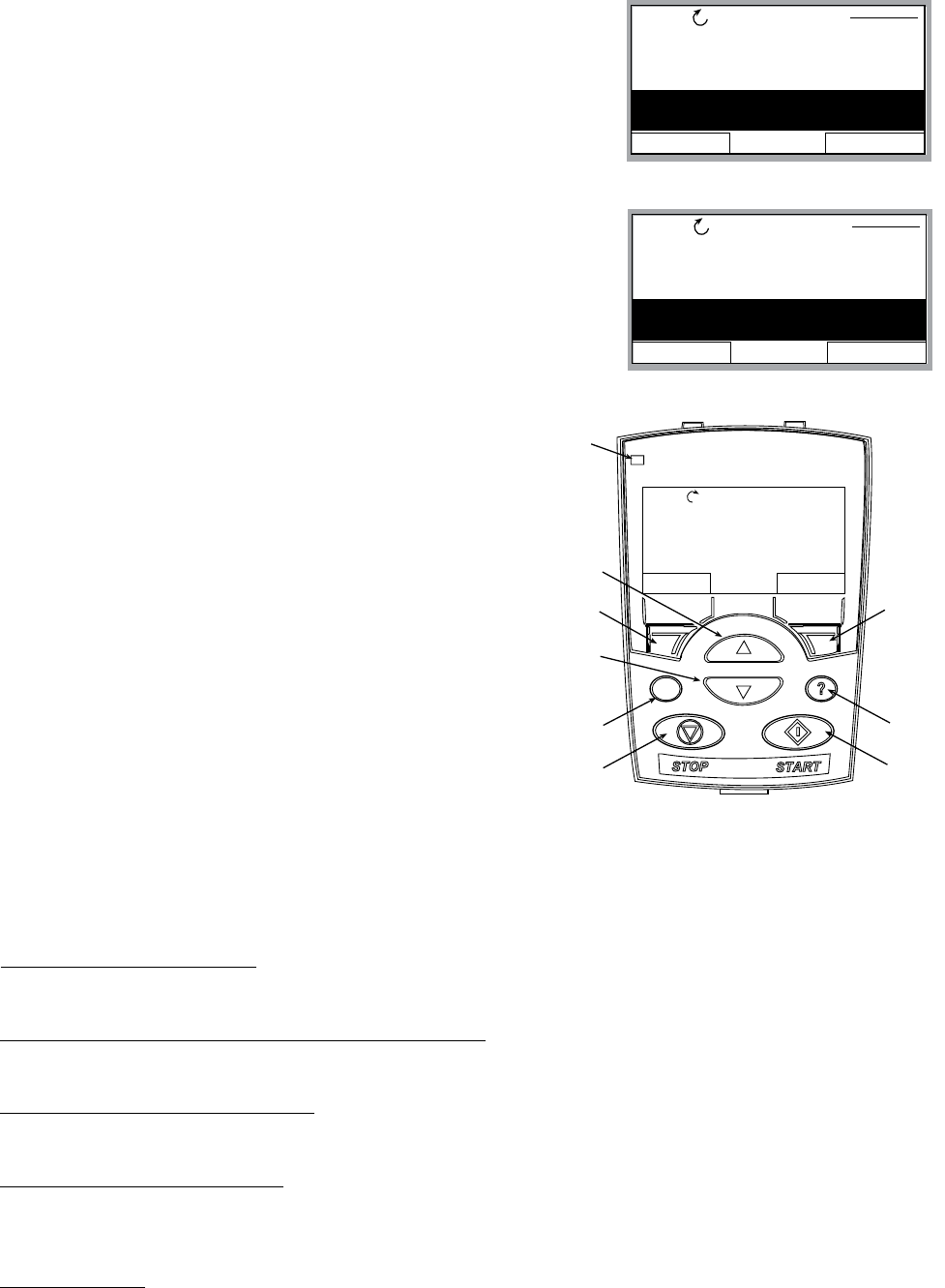
93
MultiPump – Constant Pressure Control
18. After 2203 has been selected, press the down arrow to
highlight parameter 2204 “SWITCH LEAD LAG”. Press
the EDIT key once. Using the up or down arrows, select
the alternating time between lead and lag pumps. Once
selected, press the SAVE key.
19. Once 2204 has been saved, press the down arrow to
highlight “2207 PUMP ADDRESS”. Press the EDIT key once.
Use the up arrow to select your appropriate address for
each pump. Always start with address one. Once each
pump has a different address, press the SAVE key.
20. Final step is to enter your required system
pressure. After above programming has been
completed for each Aquavar controlled pump,
press the EXIT key two (2) or three (3) times, until
(SEE DIAGRAM.) Then press the UP or DOWN
arrow to select the required system pressure for
your Aquavar controlled pump. Once pressure has
been selected, press the green START key on the
keypad.
21. Optional Step: To lock out access to the control
panel (keypad), refer to page 104. This will prevent
unauthorized users from changing programming.
NOTE: If an error or fault occurs, refer to the troubleshooting/faults section of this
manual. When troubleshooting an Aquavar system, always break down into the following
components:
1. Aquavar programming — check default settings recommended for single pump, multi-
pump, slave pump etc.
2. Electrical supply/ motor/ wiring/grounding — check your supply voltage, motor
wiring, transducer wiring, and grounding.
3. Mechanical/Pump/ Rotation — check your pump rotation, rubbing or other mechanical
problems. Pump “ run out”.
4. Hydraulic System/ Piping — check to ensure proper suction and discharge piping
layout, proper NPSHa, air entrainment, vortex, friction loss, system curve compensation
etc.
5. Environment — protect from high temperatures, direct sun, freezing temperatures, high
EXIT EDIT
REM PARAMETERS
2201 VALUE DECREASE
2202 VALUE INCREASE
2203 ENABLE SEQUENCE
2204 SWITCH LEAD/LAG
12 H
EXIT EDIT
REM PARAMETERS
2204 SWITCH LEAD/LAG
2205 SYNC LIMIT
2206 SYNC WINDOW
2207 PUMP ADDRESS
0
PROGRAMMING
DIR MENU
REM 11.1%
LOC
REM
Status
LED
UP
SOFT
KEY 1
DOWN
LOC/REM
STOP START
HELP
SOFT
KEY 2
40.2 PSI sp
0.0 PSI ac
0.0 HZ
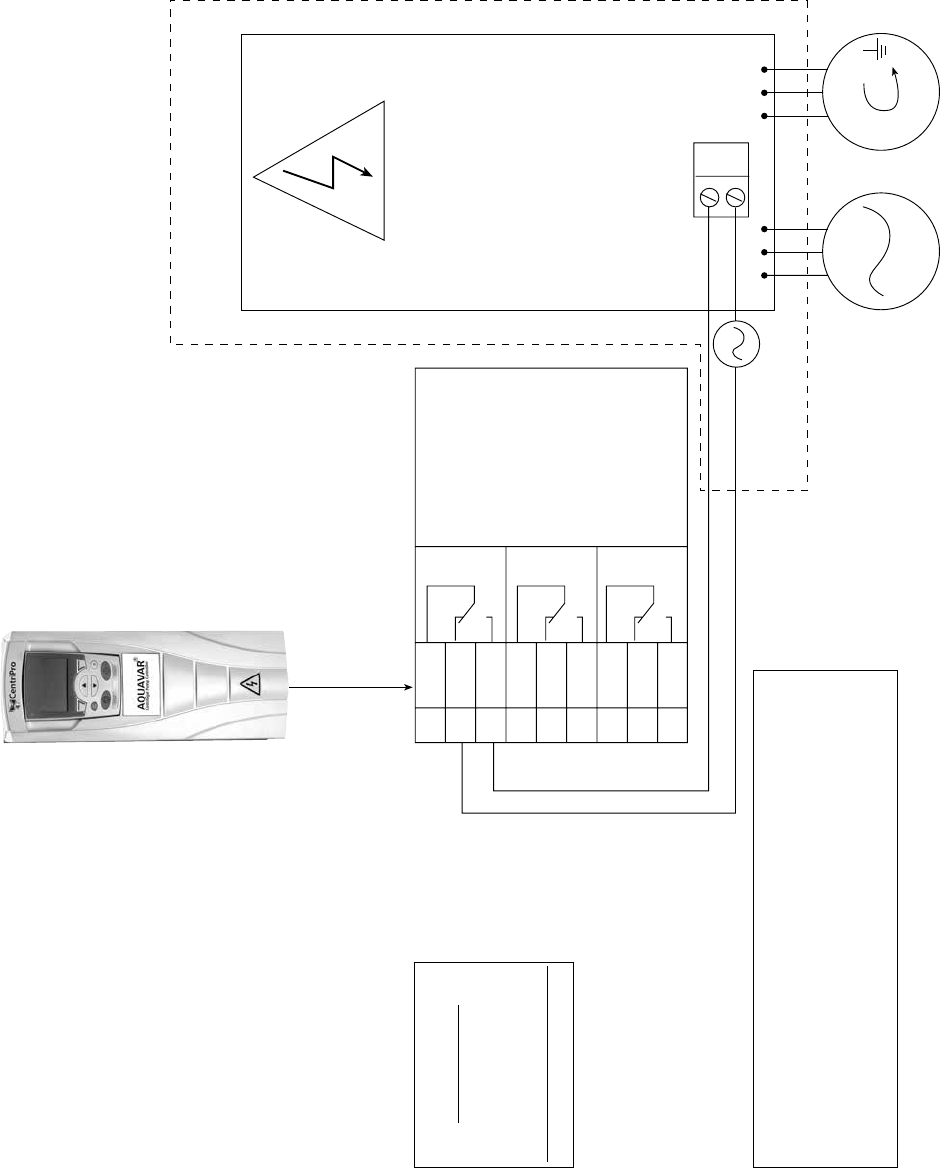
94
START/STOP
SLAVE PUMP
STARTER
RELAY OUTPUTS
CAN BE ASSIGNED
IN GROUP 18.
SET TO
“START SLV”
X1 TERMINAL BOARD
AQUAVAR
RELAY OUTPUTS
CUSTOMER SUPPLIED
CONTROL PANEL
19 R01C
20 R01A
21 R01B
22 R02C
23 R02A
24 R02B
25 R03C
26 R03A
27 R03B
CONTROL LOOP
POWER SOURCE
T1 T2 T3
AC
POWER
SUPPLY SLAVE PUMP
MOTOR
NOTE:
AQUAVAR ISSUES RUN COMMANDS TO
CONSTANT SPEED (SLAVE PUMP) VIA RELAY
OUTPUTS (R01, R02, R03)
CONTROL LOOP MUST BE POWERED (EG. 120 AC) BY
SEPARATE SOURCE OR CONTROL PANEL.
NOTE:
RELAY STATE
R01C = NC
R01A = CC
R01B = NO
RELAY OUTPUT SPECS
250 VAC MAX, 2 AMP
AQUAVAR CPC (SLAVE PUMP) DIAGRAM
MultiPump – Slave Pump Control
PROGRAMMING

95
MultiPump – Slave Pump Control
Overview
The Aquavar CPC has the ability to use up to three “dry” relay contacts for constant speed
pumps. When the required demand increases beyond capacity of the variable speed
controlled lead pump, then the FULL SPEED lag pump will turn on. Each relay will be wired
to your constant speed pump starter, sized for the appropriate horsepower and voltage. The
relay outputs located on the terminal control board X1 (SEE DIAGRAM FROM PREVIOUS
PAGE) will actuate when programmed according to the operators desired output. The lag
pumps will turn on when the Aquavar controlled pump cannot keep up to the required
demand. The lag pumps will be operated by across the line starters, and signaled to start
via the Aquavar relays located on terminal’s 19 through 27 of the X1 terminal block. The lag
pumps are referred to as “SLAVE” pumps, because they operate with commands from the
Aquavar controlled “LEAD” pump. The Aquavar controller will actuate the relays, and provide
a time delay for ON/ OFF on each relay.
Pump 1 + lag pump 2 will operate as a lead and lag system. If Pump 1 + 2 cannot maintain
operating in the system. You can operate up to 3 slave pumps, with 1 Aquavar controlled
pump.
NOTE: Each lag pump is controlled by the speed of the lead Aquavar pump, system
pressure drop (value decrease), and a delay time in seconds. Do not set the pressure drop
too close to operating system pressure, or pump cycling will occur!
Lag Pump
Starts Lag Pump
Starts
Value Decrease
Pump 1 Pump
1+2 Pump
1+2+3
Capacity (GPM)
Head
PROGRAMMING
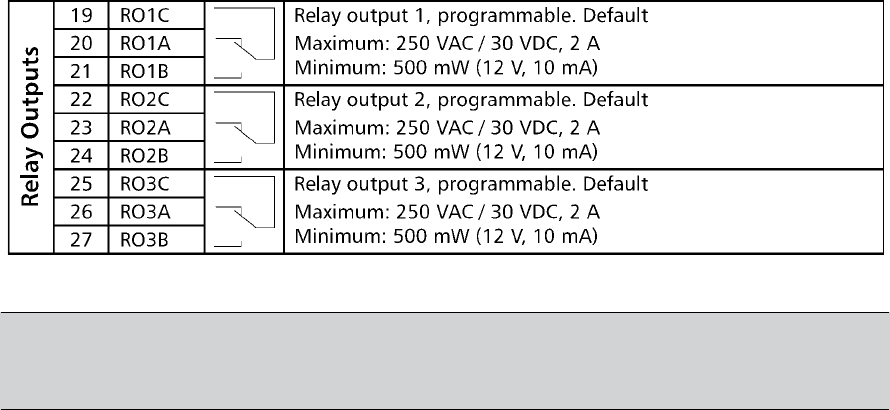
96
MultiPump – Slave Pump Control
Lead vs. Lag
the system sequence. The constant speed pumps will always be the “SLAVE “or “LAG “pumps
in the system. When the Aquavar controlled pump, starts to “run out “or cannot meet the
time delay. The Aquavar CPC has up to three contacts that can be used for “SLAVE” operation.
Wiring/ Connection
The relays used for the SLAVE pump control are dry relay contacts, rated for a MAXIMUM
250 VAC or 30VDC, 2 Amps free from inductivity. Minimum is 500 mW (12V, 10mA). Refer to
diagram below, or in APPENDIX section.
Each relay will be wired to a voltage starter DO NOT EXCEED 250 VOLTS AC through each
relay. Each relay is designed for control power only. It is up to the operator to provide
necessary starters, overloads or fuses for each SLAVE pump motor control. Always follow your
NOTE: Normally Closed (NC) = R01A, R02A, R03A
Common Connection (CC) = R01C, R02C, R03C
Normally Open (NO) = R01B, R02B, R03B
SLAVE Pump Sizing/ Piping
It is recommended that each slave pump be sized the same and with the same performance
curve. All necessary check valves, ball valves, or gate valves should be installed in the system
to limit or “choke” each SLAVE pump discharge in order to maintain proper head conditions
and to prevent pressure oscillations or system “hunting”. Follow all recommended Hydraulic
Institute standards for piping size and pipe layout.
= Run power to drive
= Ready pump is running
= not used
PROGRAMMING

97
MultiPump – Slave Pump Control
Programming Steps
Default settings for each relay are set for NOT USED. Therefore,
the operator will have to access the programming, and go to
GROUP 18 “RELAY OUTPUTS” and set each relay to START
SLAVE. (SEE BELOW FOR DETAILED PROGRAMMING
STEPS.) Each relay is labeled (R01, R02, R03) and can be
programmed to respond based on a drop in system pressure
and delay time in seconds. Therefore, you can control the relay
when the system pressure starts to drop, and you allow a certain time delay in seconds to
respond. When the demand stops, each LAG pump will stop after a time delay, and operation
will return solely to the Aquavar controlled pump.
1. Access the main menu on the keypad. Press the MENU key
once and the display will show (PARAMETERS, WIZARDS,
CHANGED PAR). Using the arrow keys, highlight the
“parameters” option, then press the “ENTER” key.
2. Once the parameters option has been chosen, the
parameter groups will be displayed. Each group will be
numbered (see parameter groups list on page 50 for
detailed information). Use the arrow keys to highlight the
parameter group 10, “LOCKS/PASSWORDS”, then press the
SEL key.
3. Use the arrow keys to highlight group 1002 “PASSCODE”,
then press the EDIT key. Enter your factory password number
(Default is 66). Press the save key.
4. Use up arrow to group 1001 “PARAMETER LOCK”, then
press the EDIT key. Next, use the up arrow to select
“OPEN“, then press the SAVE key. This group should
appear as “OPEN”, if it does not you have entered the pass
code incorrectly, or it has changed. Contact your local
CentriPro representative for the master code. Once your
group 1001 is showing “OPEN”, you can access the entire
pump and drive parameters in the Aquavar.
DIR MENU
REM 27.0%
40.2 PSI
sp
0.0 PSI
ac
0.0 HZ
EXIT ENTER
REM MAIN MENU 1
PARAMETERS
WIZARDS
CHANGED PAR
EXIT SEL
REM PAR GROUPS 10
01 VFD SIGNALS
02 PUMP SIGNALS
03 FB ACTUAL SIGNALS
10 LOCKS/PASSWORDS
11 START-UP DATA
EXIT EDIT
REM PARAMETERS
1001 PARAMETER LOCK
1002 PASS CODE
0
1003 LOCAL LOCK
1004 PARAM SAVE
EXIT EDIT
REM PARAMETERS
1001 PARAMETER LOCK
OPEN
1002 PASS CODE
1003 LOCAL LOCK
1004 PARAM SAVE
PROGRAMMING
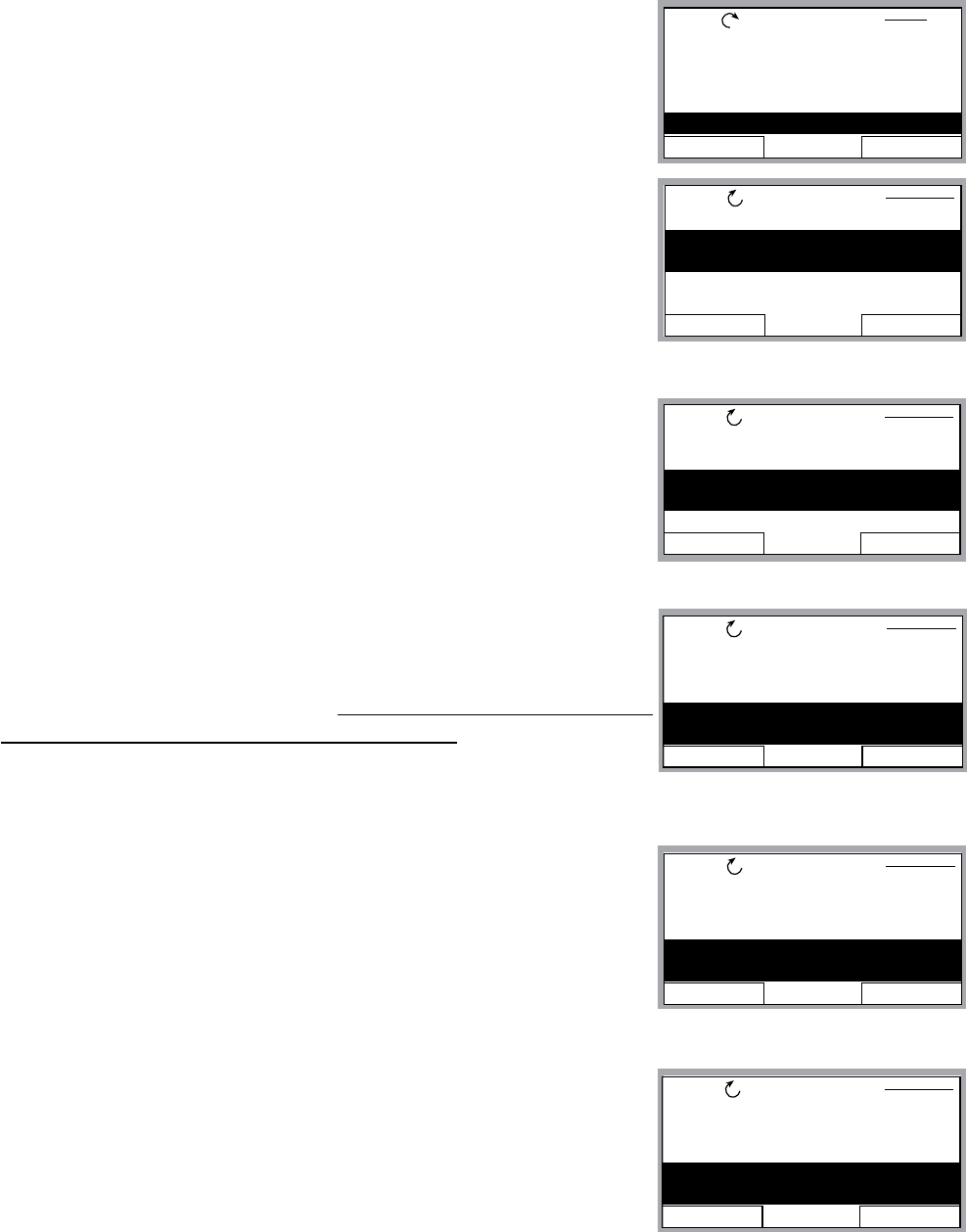
98
MultiPump – Slave Pump Control
5. After the SAVE key is pressed in the above group, press the
EXIT key, then the down arrow to highlight the group 11
“START UP DATA”, then Press the SEL key once. Using the
arrows, highlight 1102 “APPLIC MACRO”, then press the
EDIT key. Using the UP arrow, highlight “CONSTANT SLV”
option, then press SAVE key.
6. Use down arrow until group parameter 1104 “MOTOR NOM
VOLTAGE” is highlighted, then press EDIT. Use the arrows to
enter your motors nameplate voltage, then press the SAVE
key.
7. Use the down arrow until group parameter 1105 “MOTOR
NOM CURRENT” is highlighted, then press EDIT. Using the
arrows, enter your motor’s maximum allowed amp draw at full
speed, or Service Factor Amps. NOTE: Enter motors service
factor from nameplate or motor manual. Once you have
entered the amps, press the SAVE key.
8. Use down arrow until you highlight group parameter 1107
“MOTOR NOM RPM”, then press the EDIT key. Use arrows
to enter the RPM from the motor nameplate, default is 3450
RPM. Press the SAVE key to store setting.
9. Use down arrow until you highlight group parameter 1108
“MOTOR NOM POW”, then press the EDIT key. Use arrows
to enter the otors Horsepower rating from nameplate, then
press the SAVE key.
EXIT EDIT
REM PARAMETERS
1101 LANGUAGE
1102 APPLIC MACRO
1104 MOTOR NOM VOLT
230V
1105 MOTOR NOM CURR
EXIT EDIT
REM PARAMETERS
1101 LANGUAGE
1102 APPLIC MACRO
1104 MOTOR NOM VOLT
1105 MOTOR NOM CURR
1.8A
EXIT EDIT
REM PARAMETERS
1101 LANGUAGE
1102 APPLIC MACRO
CONSTANT SLV
1104 MOTOR NOM VOLT
1105 MOTOR NOM CURR
EXIT EDIT
REM PARAMETERS
1104 MOTOR NOM VOLT
1105 MOTOR NOM CURR
1106 MOTOR NOM FREQ
1107 MOTOR NOM RPM
3550 RPM
PROGRAMMING
EXIT SEL
REM PAR GROUPS 11
01 VFD SIGNALS
02 PUMP SIGNALS
03 FB ACTUAL SIGNALS
10 LOCKS/PASSWORDS
11 START-UP DATA
EXIT EDIT
REM PARAMETERS
1105 MOTOR NOM CURR
1106 MOTOR NOM FREQ
1107 MOTOR NOM RPM
1108 MOTOR NOM POW
1.0 HP
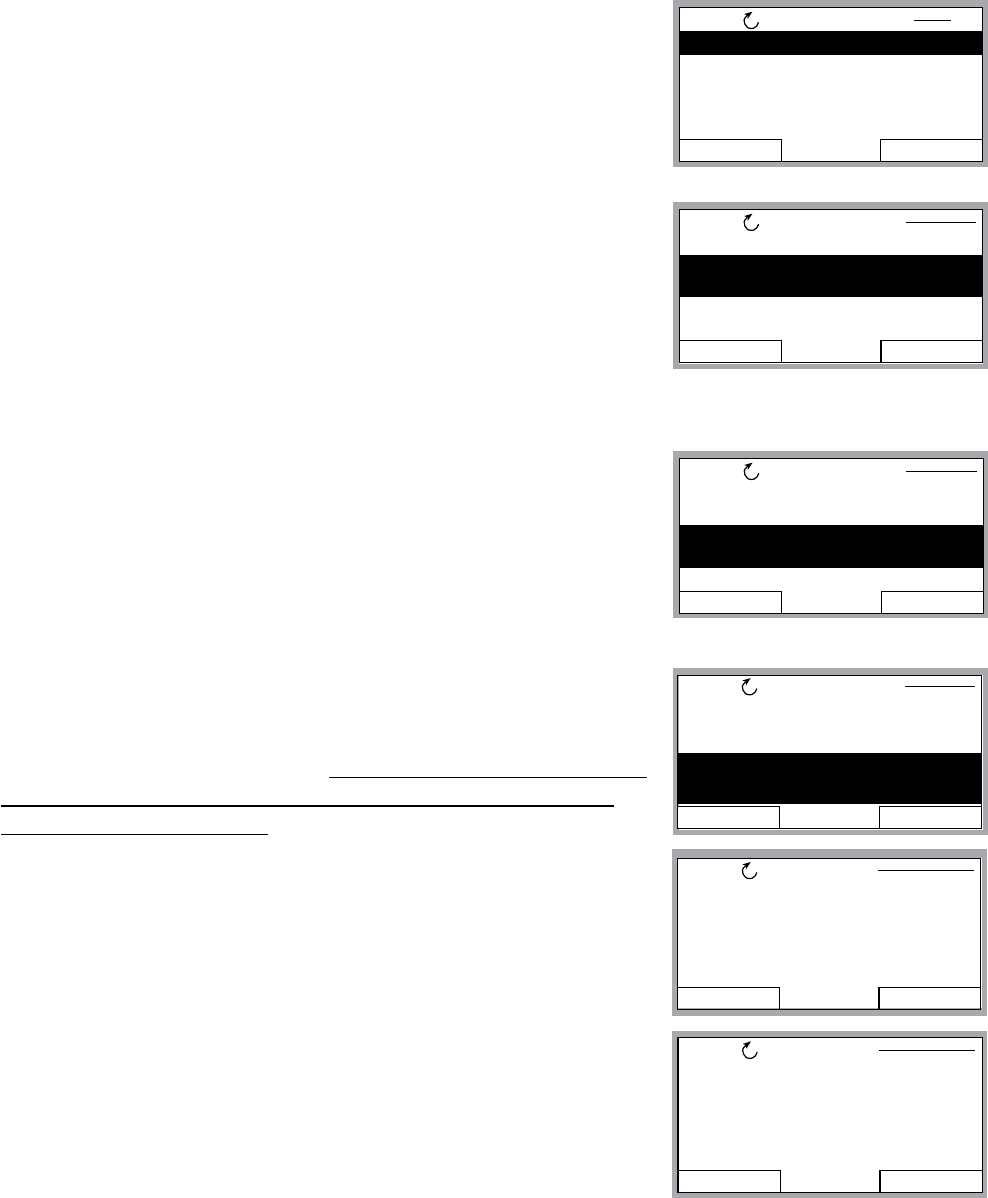
99
MultiPump – Slave Pump Control
10. After saving your motor horsepower, press the EXIT key. Use
the down arrow until you highlight the group 15 “XDUCER
VARIABLES”, then press EDIT.
11. Press the down arrow until parameter 1502 TRANSDUCER
MAX is highlighted, then press EDIT. Default pressure
transducer setting is 300 psi. Adjust this based on your
maximum rating for a new transducer. NOTE: CentriPro
provides a 0 -300 psi transducer as standard. Select the
appropriate range, then press SAVE. If no changes are
necessary, press CANCEL.
12. Use the down arrow to highlight 1503 “TRANSDUCER MIN”
0.0, then press EDIT. Default should be 0 psi. Press CANCEL
to advance to the next step. If this group needs to be
changed based on another type of transducer value, press
SAVE to store.
13. Use the down arrow to highlight 1506 “SENSOR MIN”,
then press EDIT. Use the up arrow until the “TUNE” value is
displayed, press the SAVE key. This provides the transducer
a tuned value of 0 (ZERO) psi. NOTE: Make sure that your
transducer is wired to the Aquavar but free from any
pressure in the system. The transducer must be exposed
to 0 psi when this step is performed. Press the SAVE key to
tune your transducer.
EXIT SEL
REM
15 XDUCER VARIABLES
16 REFERENCE SELECT
18 RELAY OUTPUTS
19 ANALOG OUTPUTS
21 REGULATE
PAR GROUPS 15
EXIT EDIT
REM PARAMETERS
1501 TRANSDUCER UNIT
1502 TRANSDUCER MAX
300.0
1503 TRANSDUCER MIN
1504 SENSOR
EXIT EDIT
REM PARAMETERS
1501 TRANSDUCER UNIT
1502 TRANSDUCER MAX
1503 TRANSDUCER MIN
0.0
1504 SENSOR
PROGRAMMING
EXIT EDIT
REM PARAMETERS
1504 SENSOR
1505 K-DP FLOW METER
1506 SENSOR MIN
TUNE
CANCEL SAVE
REM PAR EDIT
1506 SENSOR MIN
4 mA
CANCEL SAVE
REM PAR EDIT
1506 SENSOR MIN
TUNED VALUE
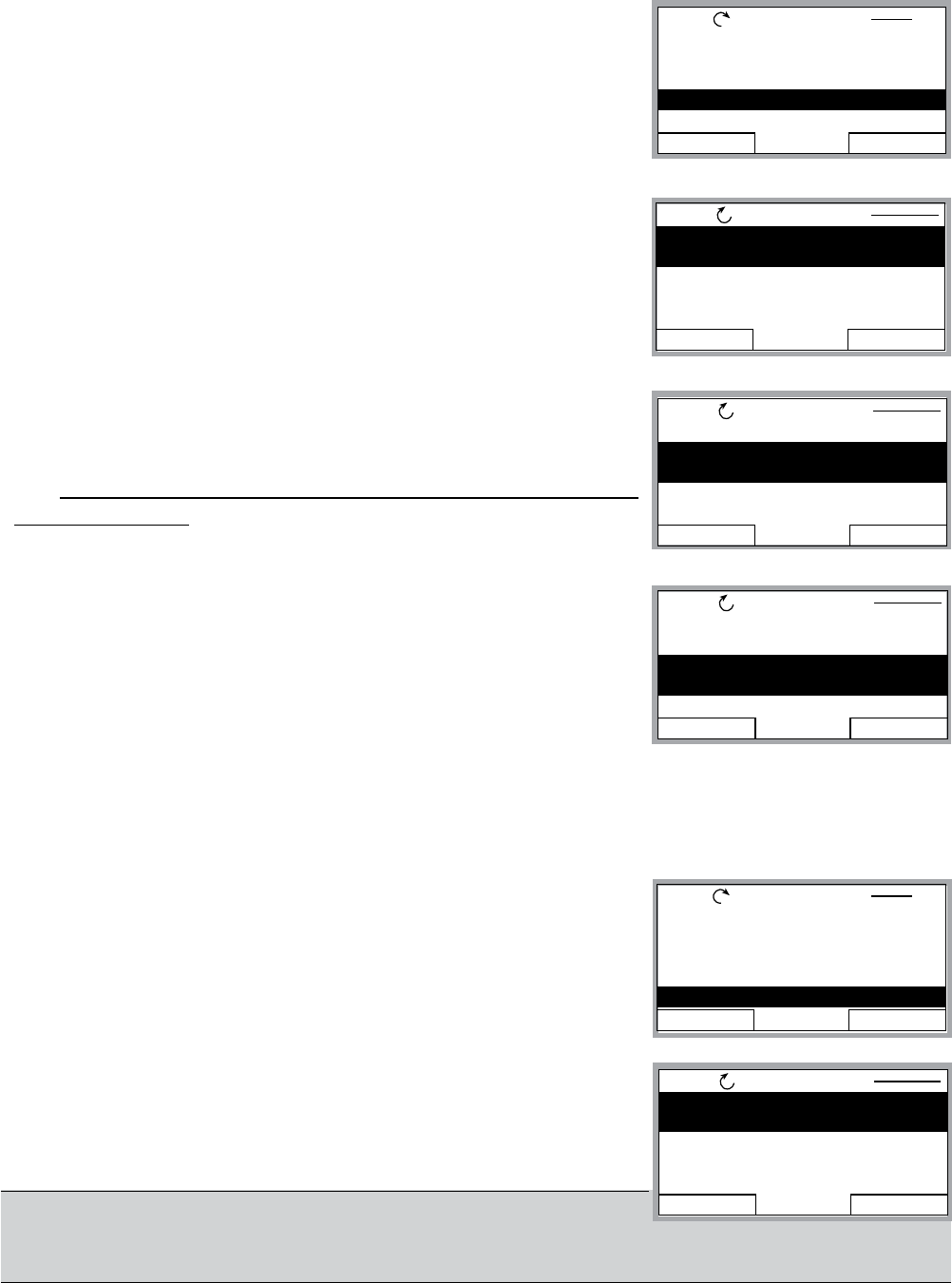
100
MultiPump – Slave Pump Control
14. Once you have saved the parameter 1506, press the EXIT
key. Use down arrow until you highlight parameter group 18
“RELAY OUTPUTS”. Then press the SEL key.
15. After above step, you should have parameter 1801 “RELAY
OUTPUT 1” highlighted. Press the EDIT once. Uses the up
arrow to highlight “START SLV”, then press SAVE.
16. Use the down arrow to highlight parameter 1802 “RO 1 ON
DELAY”, then press EDIT. Use the UP arrow to set your time
delay to TURN ON RELAY 1 in seconds. Then press the SAVE
key. NOTE: You may have to adjust this time delay based
on your system.
17. Once parameter 1802 has been saved, use the DOWN
arrow to highlight parameter “1803 RO 1 OFF DELAY”, then
press the EDIT key. Use the UP arrow to select the OFF
DELAY for relay 1 in seconds. Press the SAVE key. This will
pump.
18. If you do not require other SLAVE relays, then proceed to the next step MULTIPUMP
CONTROL. If more relays are required, repeat steps above for RELAY 2 and RELAY 3,
parameters 1804, 1805, 1806, 1807, 1808.
19. Once you have saved your last relay output, press the EXIT
key once. Use the down arrow until you highlight parameter
group 22 “MULTIPUMP CTRL”, then press SEL key.
20. After above step, highlight parameter 2201 VALUE
DECREASE, then press EDIT. Use arrows to program the
required pressure drop allowed by the Aquavar pump,
NOTE: Keep this pressure low enough from the Aquavar
pressure setting and adjust your relay ON TIME DELAY to
PREVENT PUMP “CYCLING”!
EXIT SEL
REM PAR GROUPS 18
14 SPD LIM/STRT LEVL
15 XDUCER VARIABLES
16 REFERENCE SELECT
18 RELAY OUTPUTS
19 ANALOG OUTPUTS
EXIT EDIT
REM PARAMETERS
1801 RELAY OUTPUT 1
NOT SEL
1802 R01 ON DELAY
1803 R01 OFF DELAY
1804 RELAY OUTPUT 2
EXIT EDIT
REM PARAMETERS
1801 RELAY OUTPUT 1
1802 R01 ON DELAY
10.0 s
1803 R01 OFF DELAY
1804 RELAY OUTPUT 2
EXIT EDIT
REM PARAMETERS
1801 RELAY OUTPUT 1
1802 R01 ON DELAY
1803 R01 OFF DELAY
5.0 s
1804 RELAY OUTPUT 2
PROGRAMMING
EXIT SEL
REM PAR GROUPS 22
16 REFERENCE SELECT
18 RELAY OUTPUTS
19 ANALOG OUTPUTS
21 REGULATE
22 MULTIPUMP CTRL
EXIT EDIT
REM PARAMETERS
2201 VALUE DECREASE
2.1 PSI
2202 VALUE INCREASE
2203 ENABLE SEQUENCE
2204 SWITCH LEAD/LAG
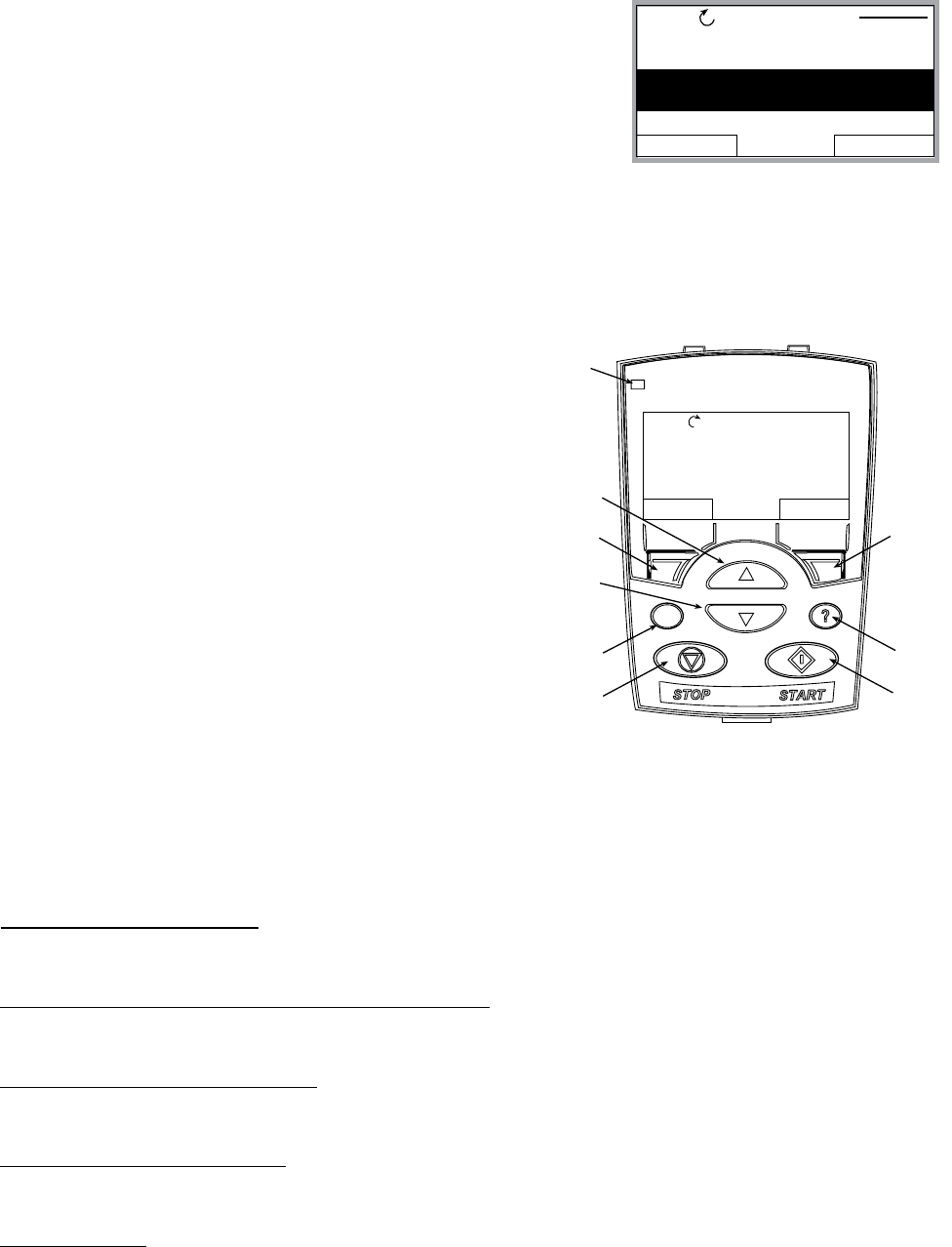
101
MultiPump – Slave Pump Control
21. Once previous step has been saved, use the Down Arrow
and highlight parameter “2203 ENABLE SEQUENCE”, then
press EDIT. Using the up or down arrow, enter the frequency
in Hertz (HZ) that you wish the SLAVE pump will turn on once
the lead pump reaches this speed. Default is set for 59 HZ
and is typical for 60HZ systems. If you change this setting,
press the SAVE key. If no changes are required, then press
the EXIT key.
22. Group 2205 – Enter frequency for slave pump to be turned off.
23. Final step is to enter your required pressure in
the system. After above programming has been
completed, press the EXIT key two (2) or three
display screen. (SEE DIAGRAM) Then press the
UP or DOWN arrow to select the required system
pressure for your Aquavar controlled pump. Once
pressure has been selected, press the green
START key on the keypad.
24. Optional Step: To lock out access to the control
panel (keypad), refer to page 104. This will prevent
unauthorized users from changing programming.
NOTE: If an error or fault occurs, refer to the faults/alarms section of this manual, page
115. When troubleshooting an Aquavar system, always break down into the following
components:
1. Aquavar programming — check default settings recommended for single pump, multi-
pump, slave pump etc.
2. Electrical supply/ motor/ wiring/grounding — check your supply voltage, motor
wiring, transducer wiring, and grounding.
3. Mechanical/Pump/ Rotation — check your pump rotation, rubbing or other mechanical
problems. Pump “ run out”.
4. Hydraulic System/ Piping — check to ensure proper suction and ischarge piping layout,
proper NPSHa, air entrainment, vortex, friction loss, system curve compensation etc.
5. Environment — protect from high temperatures, direct sun, freezing temperatures, high
EXIT EDIT
REM PARAMETERS
2201 VALUE DECREASE
2202 VALUE INCREASE
2203 ENABLE SEQUENCE
59.00 HZ
2204 SWITCH LEAD/LAG
PROGRAMMING
DIR MENU
REM 27.8%
LOC
REM
Status
LED
UP
SOFT
KEY 1
DOWN
LOC/REM
STOP START
HELP
SOFT
KEY 2
40.2 PSI
sp
0.0 PSI
ac
0.0 HZ
102
Analog Outputs
The Aquavar CPC has two 4-20 mA analog outputs as standard. These outputs may be
pages 24-31 for detailed wiring
connections.
Parameter Name Value/Range Note(s)
19.01 AO 1 Not SEL (default) CONNECTS an ANALOG SIGNAL TO
Content Sel MOTOR FREQUENCY THE ANALOG OUTPUT. RANGE IS
MOTOR CURRENT 0-20mA input.
MOTOR POWER
MOTOR PROC VAR
MOTOR ENERGY
SAVNGS
19.06 AO 2 Not SEL (default) CONNECTS an ANALOG SIGNAL TO
Content Sel MOTOR FREQUENCY THE ANALOG OUTPUT. RANGE IS
MOTOR CURRENT 0 – 20mA input.
MOTOR POWER THIS IS THE DEFAULT PRESSURE
MOTOR PROC VAR TRANSDUCER INPUT. 4 – 20Ma.
MOTOR ENERGY
SAVNGS
21.01 REGULATION NORMAL (DEFAULT) SELECTS THE TYPE OF AQUAVAR
MODE INVERSE CONTROL AS THE ANALOG SIGNAL
RISES OR FALLS. SET TO INVERSE FOR
DECREASED MOTOR SPEED BASED ON
SUCTION LEVEL TRANSDUCER.
26.03 SAVINGS 0-65535 If ENERGY SAVNG is selected as an
SCALE Default – 10,000 output, this parameter must be set to
scale the signal. 4 mA = $0.00 and
20 mA equals this amount. For example
20 mA = $10,000.
Auto Restart
Changing the value to ON will enable auto-restart. Selecting OFF disables the auto-restart.
AUTO RESTART is also used with ERROR RESET for automatic restarts following a shutdown
due to a pump fault. AUTO RESTART will also restart the pump once a secondary protection
fault is reset.
Parameter Name Value/Range Note(s)
12.02 AUTO OFF When this is set to “ON “, the Aquavar
RESTART ON (DEFAULT) will automatically re-start after a power
failure or fault reset.
25.04 AR OVER- ENABLE Allows the drive to restart after a motor
CURRENT overcurrent error.
25.05 AR OVER- ENABLE Allows the drive to restart after an
VOLTAGE INPUT OVERVOLTAGE error.
25.06 AR UNDER- ENABLE Allows the drive to restart after an
VOLTAGE INPUT UNDERVOLTAGE error.
25.07 AR AI < ENABLE Allows the drive to restart after a
MIN transducer or analog signal loss.
FEATURES
103
Energy Savings Information [Group 26]
Aquavar can calculate the energy savings as compared to a constant speed pump application.
To enable this function to perform properly, local energy costs and comparative application
information must be entered.
Enter the local energy cost in $ (local currency) per kWh into parameter 26.01($/KWhr) and
impeller combination.
Example - If your power cost is $0.06 per kWh, enter a value of .06 into parameter 26.01.
Parameter Name Value/Range Note(s)
26.01 $/kWh 0-1.00 Default is zero.
26.02 BASELINE 0-1000 HP Default is zero.
POWER
26.03 SAVINGS 0…65535 Scales the analog output when energy
SCALE savings is selected.
26.04 ENERGY SAVINGS OP 1 Calculates energy savings with the Aquavar
METHOD ON and OFF when not required.
SAVINGS OP 2 Calculates energy savings with the
that operates 24 hrs a day. Does not
turn off.
26.05 ENERGY DISABLED (Default) Allows resetting of savings to zero.
SAVE RESET RESET
unit that is designed to run continuously 24 hrs a day, 7 days a week.
NOTE: This is an estimated comparative data used for ideal situations, CentriPro cannot
guarantee savings will be exactly as stated. Many system variables
may increase or decrease estimated savings.
Fieldbus Control
The Aquavar CPC may be integrated into BMS (Building Management Systems) or existing
Distributive Control Systems (DCS) via optional Fieldbus control modules. The use of Fieldbus
control modules allows selected Aquavar parameters and operating signals to be accessed
Fieldbus control modules are available in numerous communication protocols, including:
Modbus® is the DEFAULT protocol for the Aquavar CPC.
With the control module installed (See INSTALLATION manual), set parameter 30.01
FIELDBUS to YES. This will open up parameter groups 90 D SET REC ADDR and 92 D SET
between Aquavar and the DCS.
FEATURES
104
Parameter Name Value/Range Note(s)
PROTOCOL (Default)
SELECT STD MODBUS Drive uses MODBUS protocol on the
standard RS485 port. Protocol settings
are in group 32.
adapter module in option slot 2 of the
drive. NOTE: When EXT. FBA is selected
parameter group 31 is unlocked.
Any parameter changes that are made using a Fieldbus control system must be saved to the
drive.
Parameter Name Value/Range Note(s)
10.04 PARAMETER DONE (Default) Parameters that are manually entered through
SAVE SAVE the keypad are automatically saved, only
parameters entered through a Fieldbus
connection must be saved. To save, select SAVE
and press the ENTER key.
Language
The Aquavar CPC system fully supports 3 languages; English(AM), French, and Spanish.
English(AM) refers to American English and is the default language. Units of power are in HP.
Parameter Name Value/Range Note(s)
11.01 LANGUAGE ENGLISH (AM) ENGLISH (AM) is the default setting.
ESPANOL
FRANCAIS
Locking
The AQUAVAR CPC has three levels of control panel (keypad) locking; LOCAL LOCK,
PARAMETER LOCK and SET POINT LOCK.
• PARAMETER LOCK - In parameter lock, parameters may be viewed, however they cannot
be changed. Starting, Stopping, set point changes and drive fault resets may still be
performed using the keypad. A valid password must be entered in parameter group 10.02.
• LOCAL LOCK - In local lock, starting and stopping, and setpoint changes are prevented.
Resetting of drive faults is still possible and ON and OFF control.
• SET POINT LOCK – When in the “ON“ position, the set-point cannot be changed from the
control panel. This prevents unwanted changes to Aquavar settings.
To change the drive parameters, including 10.03 LOCAL LOCK, the parameter lock must be
opened. To open the parameter lock, go to parameter 10.02 PASS CODE and scroll to the
number 66 and press ENTER. Parameter 10.01 PARAMETER LOCK will read OPEN.
NOTE: If power to the drive is lost [power failure, disconnect, etc…] parameter 10.01
PARAMETER LOCK will automatically reset to LOCKED.
FEATURES
105
Parameter Name Value/Range Note(s)
10.01 PARAMETER LOCKED (Default) This parameter displays the status of the
OPEN parameter lock and can be used to lock
the parameters when necessary. To OPEN
the parameter lock, use parameter 10.02.
10.02 PASS CODE -Not Displayed- Using the arrow keys, scroll to the
number “66” and press enter. This will
open the parameter lock. Note - The
number entry will disappear once
ENTER has been pressed.
10.03 LOCAL LOCK OFF (Default) This parameter disables local control of
ON the drive (Start/Stop/setpoint changes).
10.06 SET POINT OFF (Default) This lock prevents the set point from
LOCK ON being changed on the control panel.
WARNING! It is not possible to stop the drive through the keypad with LOCAL LOCK
set to ON.
• Use LOCAL LOCK only with a remote (external) stop/start method.
• Keypad must be set in REMOTE before enabling LOCAL LOCK.
Minimum Speed Options
When the Aquavar CPC reaches the minimum speed that is set in parameter 14.02, it can be
This reaction applies to conditions where Aquavar is trying to regulate to a setpoint, when it
faults due to a secondary protect condition, or there is little or no process demand.
If the parameter 14.03 CONFIG SPEED MIN is set to MINIMUM FREQ the drive will stay at
a fault occurs forcing it to shutdown. If it is operating at minimum speed due to a Secondary
Protect fault, it will stay at minimum speed until the fault is reset.
If a Pump Protect condition exists and CONFIG SPEED MIN is set to MINIMUM FREQ, Aquavar
will try to reset the fault while at minimum speed if parameter 12.02 AUTO RESTART is set to
“ON” and parameter 24.06 ERROR RESET is set for the desired number of attempts. If the fault
has not cleared after the selected number of resets has been attempted, the pump will be
shut down. If parameter 24.06 ERROR RESET = 0, the pump will be shut down upon a Pump
Protect fault.
If parameter 14.03 CONFIG SPEED MIN is set to ZERO “0” (DEFAULT), the drive will stop the
pump for Pump Protect and Secondary Protect faults. The reaction to stop the pump when at
minimum speed can be delayed for up to 1800 seconds by programming parameter 14.04
(Stp Delay Min Spd).
For example, if the MINIMUM FREQ. is set for 35 HZ, and the Stp. Delay Min Spd is
set for 5 seconds, the pump will ramp down to 35HZ and remain at that speed for 5
seconds, then turn off. This is dependent upon the demand decreasing in the system.
Leaks will keep the pump running at slow speeds. Also check for properly seated check
valves and bladder tank pressure.
WARNING! It is not possible to manually set speed or frequency below the
MINIMUM SPEED setting in parameter 14.02
FEATURES
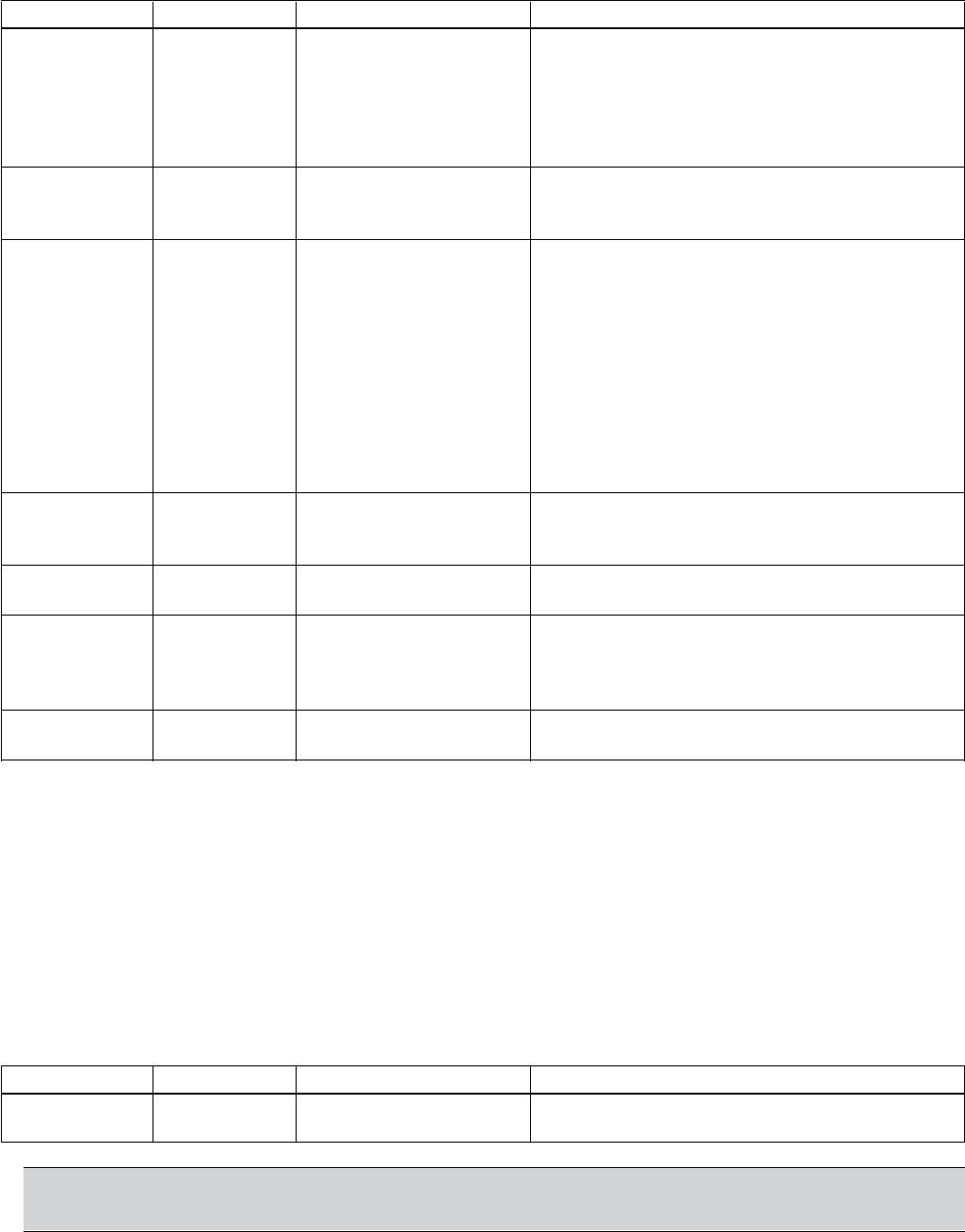
106
Minimum Speed Options (continued)
Parameter Name Value/Range Note(s)
14.03 CONFIG SPD=MINSPD Selecting SPD=MINSPD will result in the drive
SPEED MIN SPD=0 [default] staying at minimum speed until it is manually
shut-off, process demand increases, a secondary
protection fault is cleared, or a pump protection
fault forces it to shutdown.If SPD=0 is selected,
the drive will stop.
14.04 STP DELAY 0-1800 sec This parameter enables the drive to remain at
MIN SPD 0 (default) minimum speed for a period (up to 1800
seconds) before shutting down.
14.05 RESTART 0.0-150% If the drive is shutdown by CONFIG SPEED MIN
VALUE 0 (default) (14.03) due to no system demand (pressure
control and level control modes only) the drive
will sleep until the process actual value drops
below a set restart value (14.05) for longer than
the restart delay (14.06). If operating in inverse
mode (21.01) the drive will sleep until the
process variable rises above the restart value.
Wake-up level in % of setpoint value = 0 – 150%.
Default is 0%. To disable the Restart Value
function enter “0%”.
14.06 RESTART 0-3600 Sec This is the length of time the drive waits
DELAY 0 (default) between starting the pump according to
1405 value.
12.02 AUTO OFF (default) This enables the drive to restart on its own
RESTART ON following a power failure or ERROR RESET.
24.06 ERROR 0 (Default) If the Aquavar unit faults on Pump Protection,
RESET 1-9999 this parameter will reset the fault up to the
selected number of times before completely
shutting off the drive.
24.07 RESET 0-250 seconds The automatic reset of protection faults can be
DELAY 60 seconds (Default) delayed. Default value is 60 seconds.
Restart Value
Allows a pressure or value drop before the Aquavar starts to maintain system pressure. Units
are in % of set value. (e.g. If set pressure is 100 PSI and 14.05 is set for 90%, then the Aquavar
will wait until system pressure drops to 90 PSI before starting.)
Priming Delay
This feature will override the PUMP PROTECT feature and is designed to allow self-priming
The delay period is applied only if the pump is being started from a zero-speed condition.
Once the priming delay is complete, the PROTECTION DELAY (24.06) becomes active, if set.
Parameter Name Value/Range Note(s)
14.07 PRIMING 0-6000 Seconds The priming delay time is added to the
DELAY 0 (Default) pump protection delay time.
NOTE:
Refer to pump manufacturer for maximum allowed priming times before shutdown.
FEATURES
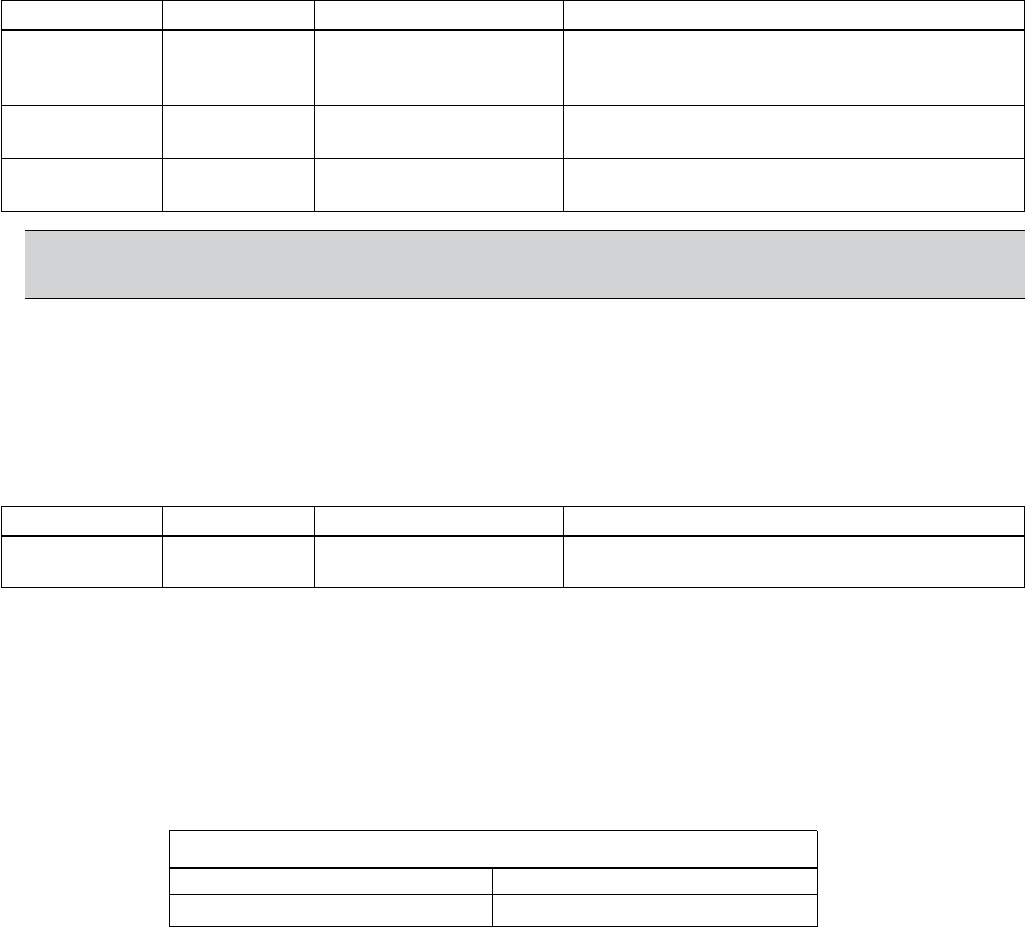
107
Pump Protect Ctrl
This feature is designed to protect the pump from lack of available NPSH, loss of or low
suction, pump run-out. This pump protection feature is exclusive to the Aquavar® and
measures the discharge pressure of the pump via the transducer, and compares it with the
minimum allowed system pressure as entered into parameter (2403) PROTECTION LIMIT. If
this parameter is set, then a time delay will need to be set in number of seconds allowed to
run at or below this limit, before shutting down on a fault.
Parameter Name Value/Range Note(s)
24.02 PUMP Disabled (Default) Provides no warning, warning or
PROTECT WARN warning and then shut off.
CTRL WARN & CTRL.
24.03 PROTECTION 0 – 6553.5 Actual value units.
LIMIT
24.04 PROTECTION 0 -200 seconds Provides a time delay for 24.03.
DELAY
NOTE: It is recommended to set this pump protection according to
suggested minimum allowed system requirements. (i.e. pump run-out limits)
Regulation Mode
The regulation mode can either be NORMAL or INVERSE. The default and more common
selection is NORMAL, where the Aquavar software anticipates an increase in system pressure,
and will decrease speed of the pump based on a rising system pressure. If the regulation
mode is set to INVERSE, the process condition is expected to increase with a decrease in
pump speed.
Parameter Name Value/Range Note(s)
21.01 REGULATION NORMAL (Default) Inverse is normally used for control of
MODE INVERSE suction side systems.
EXAMPLE – If an Aquavar unit is trying to control the level in a suction-side tank or sump, the regulation mode
would be set to INVERSE. As the level in the sump increased, Aquavar would respond by increasing pump speed
to maintain a constant level.
Relay Outputs
and fault conditions. Relays will revert to original states once warnings or faults are reset or
cleared.
Comment(s)
Maximum Contact Voltage 30 VDC, 250 VAC
Maximum Continuous Current 2 A RMS
Maximum Contact current/ power = 6A, 30 VDC, 1500 VA, 250 VAC
FEATURES
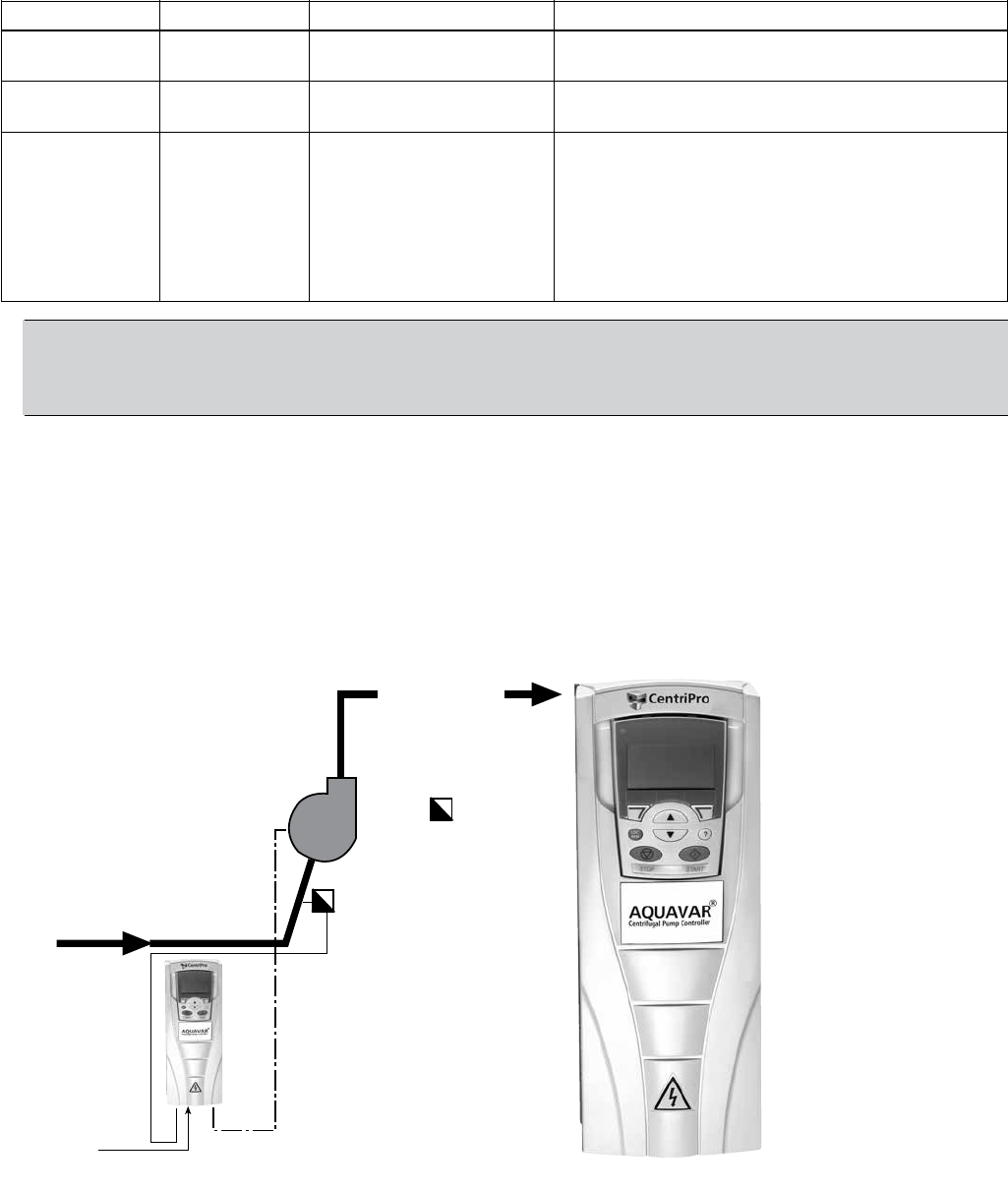
108
Discharge Header
Flow Switch
Speed Signal
1
Parameter Name Value/Range Note(s)
18.01 RELAY R0 NOT USED Default for RO1
OUTPUT
18.04 RELAY R02 RUNNING Default for RO2
OUTPUT
18.07 RELAY R03 READY Default for RO3
OUTPUT
VFD FAULT
SECND PRTECT A Secondary Protect A activation.
PUMP PROTECT Pump protection activation.
START SLAVE Used with multi-pump macro only.
STAND BY
NOTE: When using relay outputs to activate constant speed pumps in a multi-pump
application, the slave pumps 1, 2 and 3 should utilize relay outputs RO1, RO2, and RO3
accordingly (Slave 1 → RO1). Sequence logic is affected by these selections.
Restart Options
Parameter 14.05 — See MINIMUM SPEED OPTIONS
Low Water (Suction) Protection
The Aquavar provides protection from “dry-run” conditons in pressure, level, temperature and
speed control modes. This feature may also be used to provide inter-lock capabilities. In these
are used to alert Aquavar of conditions that require protection of the pump.
Once wired, parameter 24.05 LOW WATER must be set to WARNING or WARN AND
OPEN, the response being:
1. WARN & CONTROL – In this response, Aquavar will issue a warning and then either shut
down or reduce speed depending on your settings. At this point the pump will behave
similar to the description in MINIMUM SPEED. Alarm & Control is the recommended
setting.
FEATURES

109
2. WARNING ONLY – In this response, Aquavar will simply issue an alarm/warning displayed
on the keypad screen, but continues to operate.
NOTE: The WARNING ONLY mode may result in damage to the pump if a low water
condition occurs. It is recommended to set this for WARN & CONTROL.
Keypad Failure
Parameter Name Value/Range Note(s)
24.01 KEYPAD DISABLED (default) Fault message - “PANEL LOSS”
FAILURE FAULT
Set Points, Dual
set point. The alternating between set points may be accomplished using a digital switch or
through a Fieldbus command.
Parameter Name Value/Range Note(s)
SELECT DI4 toggles the Aquavar unit between
FIELDBUS Set Point 1 or Set Point 2.
• SET POINT 1 (Default) indicates that
only set point 1 is being used.
• DI4 is a digital input where “0”
(Open) selects Set Point 1 and “1”
(Closed) selects Set Point 2.
16.02 SET POINT 1 KEYPAD (Default) This selects where the value for
SEL AI 1 Set Point-1or 2 is coming from.
FIELDBUS • KEYPAD - a number [e.g. 100] will
be manually entered via the keypad.
Selecting ANALOG INPUT will require
entry of parameters 16.03-16.04.
16.03 SET POINT 2 KEYPAD (Default) This selects where the value for
SEL ANALOG INPUT Set Point-1or 2 is coming from.
FIELDBUS • KEYPAD - a number [e.g. 100] will
be manually entered via the keypad.
Selecting ANALOG INPUT will require
entry of parameters 16.03-16.04.
22.08 SET POINT 2 OFF, 1…4 Must select source.
SOURCE
EXAMPLE for 16.02 and 16.03 – An irrigation system requires 110 psi for watering all zones, then
during the daytime normal water pressure is set for 60 psi.
FEATURES

110
Parameter Value Notes
16.01 DI4 A switch would be wired into DI4 and the DCOM on the X1 terminal to
toggle between set point 1 and set point 2.
16.02 KEYPAD The setpoint would be manually entered using the Aquavar keypad.
When the switch [DI4] is set to “0” (Open), the set point would be entered
as “110 psi” using the keypad “REF” button.
16.03 KEYPAD The set point would be manually entered using the Aquavar keypad.
When the switch [DI4] is set to “1” (Closed), the set point would be entered
as “60 psi” using the keypad “REF” button.
WARNING! Parameter 16.01, 16.02 and 16.05 can only be changed when the motor
is not running. Most parameters require you to stop the pump, before programming.
System Curve Compensation
The AQUAVAR CPC system can automatically compensate for system friction losses due to
most pump catalogs to assist in determining the amount of friction loss that can be expected
loss!
The diagram below illustrates a typical system curve in relation to pump speed.
EXAMPLE - If the set point is 150 Ft [65 PSIG
@ 1.0 SG] and the system resistance increase 10 Ft at the maximum ow rate, or roughly 7%
of the set point, parameter 21.08 would be set as “7”.
FEATURES
Constant Pressure Line
Pressure Increase
Resulting System Curve Compensation
System Curve
Set
Pressure
Head /
Pressure
Flow
N=100%
%N
%N
%N
%N
0
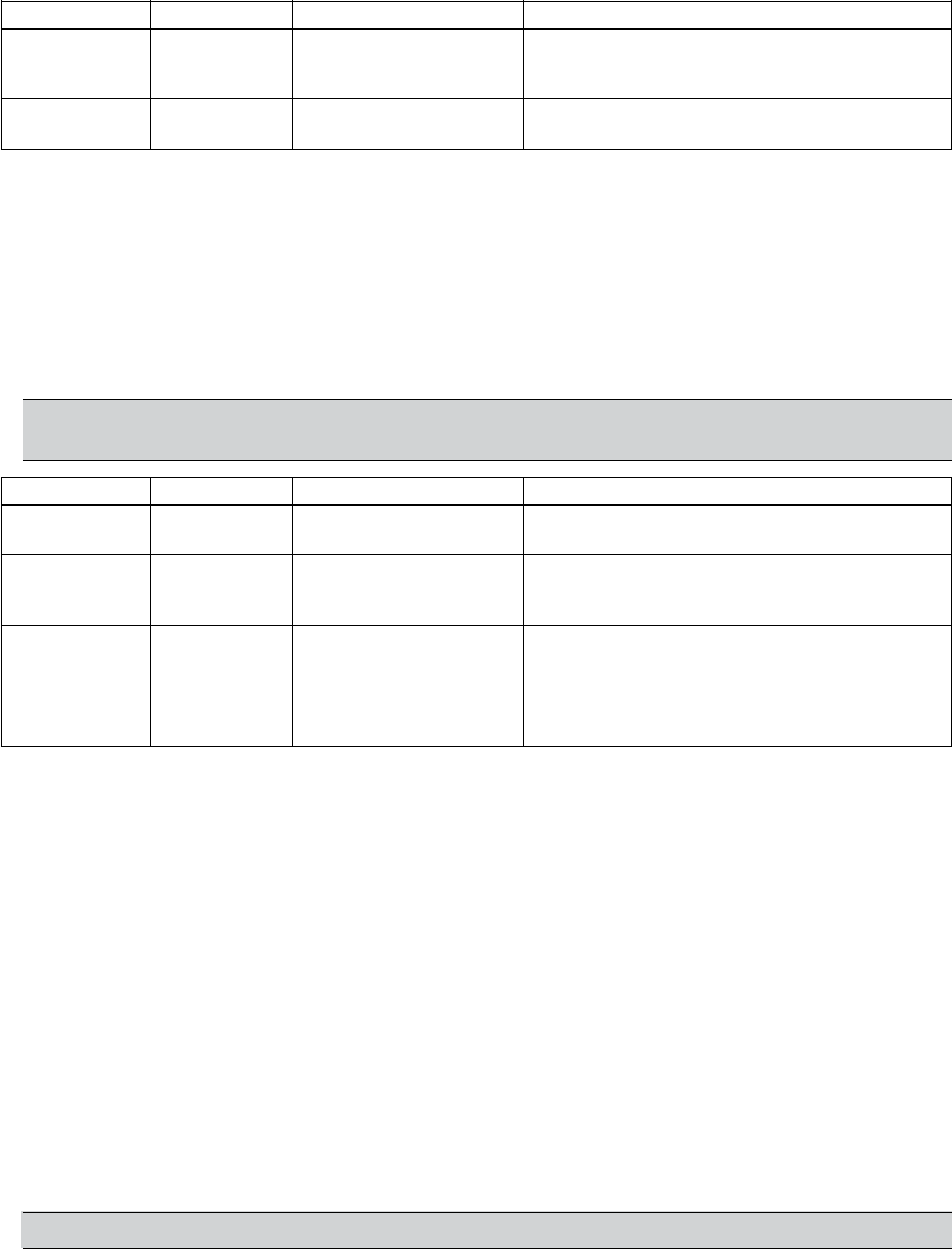
111
Parameter Name Value/Range Note(s)
21.02 PRESS INCR 0- 60 HZ This is the frequency at which system curve
SPEED 20 HZ (Default) compensation begins. At speeds below this, no
compensation for increased resistance is made.
21.03 PRESS INCR 0-100% This is the amount that Aquavar will have
0.0 % 0% (Default) increased the set point at maximum speed.
Test Run
The TEST RUN capability allows the Aquavar system to run periodically if it has been inactive.
The most common circumstance for which Test Run would be applied is when a standby
pump is infrequently used; the test run would allow lubrication of bearings and help verify if
the unit is ready for operation. The TEST RUN DELAY sets the interval that automatic test runs
will occur at.
Test runs are factory programmed for 20 seconds. This duration cannot be changed. If
Automatic test run is selected, the test run is at 50% of maximum speed.
NOTE: Once manual test is selected and the test is complete, parameter 12.03 will return
to NOT SEL.
Parameter Name Value/Range Note(s)
12.02 AUTO OFF (Default) Must be set to ON for test run function to
RESTART ON operate.
12.03 TEST RUN NOT SEL (default)
AUTOMATIC
MANUAL
12.04 TEST SPEED 0-100% The speed, as a percent of maximum speed,
% (FL) 50% (Default) which the test run will occur at if MANUAL is
selected.
12.05 TEST RUN 0-3600 hours This is the period of pump inactivity before the
DELAY 1000 Hrs (Default) test run will begin, based on power up time.
Tuning, System Pressure
If the pump appears to oscillate in speed [e.g. Hunting], cannot maintain a uniform set point,
or shuts off too quickly or too slowly, the ramp rates and regulation window settings may need
When an operating mode is selected [i.e. Flow, Pressure, Level, etc…], Aquavar engages
factory default settings for the rate that the drive adjusts at to meet the set point demand.
In most cases these settings will not require adjustment. The most common exceptions are
1], or in
temperature/level control applications, where variables such as tank size is unknown. HVAC
When the Aquavar system is adjusting speed to meet the set-point demand, it does so using
four ramp rates; fast acceleration, fast deceleration, slow acceleration, and slow deceleration.
Aquavar characterizes these rates in terms of seconds to meet the set point hysteresis window
maximum value (described later).
NOTE: In speed control mode, there is only fast acceleration and fast deceleration [R1, R2].
1An insertion-type owmeter uses a magnetic ux/Coriolis effect to measure uid ow. This should not be confused with magnet ow meters
or differential pressure ow meters.
FEATURES
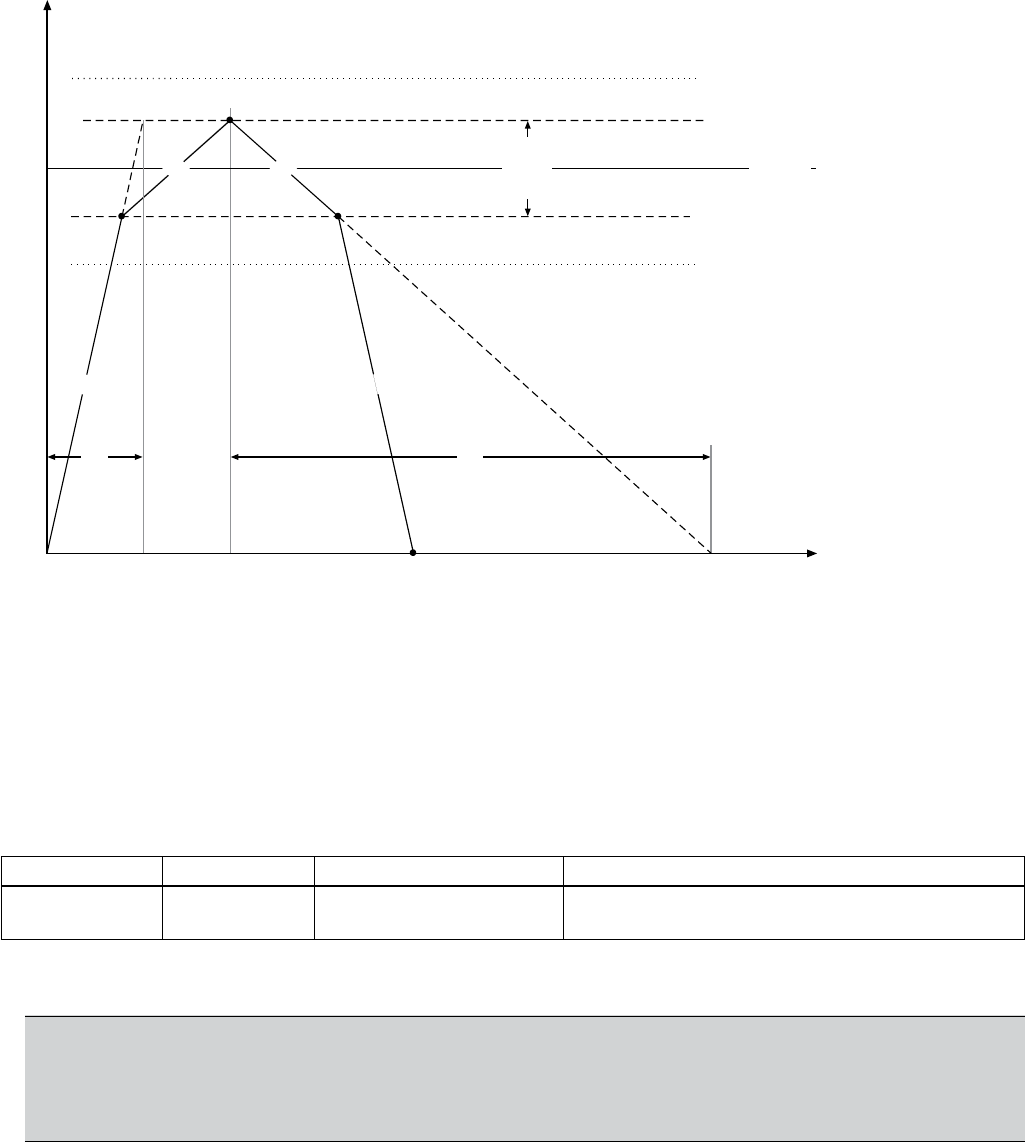
112
Window Setting (Reg Window)
Window [Parameter 13.06 REG WINDOW] is automatically set based upon the operating
modes and instrument type selected during programming. Values may be adjusted in
parameter 13.06.
EXAMPLE: if the Aquavar unit was in pressure control with the set point at 100 psig, the regulation window
would be factory preset at 8% of the set point. This would result in an 8 PSIG window; 4 PSIG above the set point
and 4 PSIG below the set point.
Parameter Name Value/Range Note(s)
13.06 REG 0-100% Constant Pressure = 8%
WINDOW Flow [Direct] = 30%
Suggested settings are above in the notes. Sometimes the REGULATION WINDOW will have to be adjusted to
smooth out the system pressure. Default setting is 8%.
NOTE: If the system pressure drops below or goes above the hysteresis limits (DASHED
lines), then the Aquavar control software will adjust the speed with the fast ramps. This
would occur if you have a rapid demand of water in your system. Normally it takes a few
seconds to level off.
FEATURES
Set Point
R1 R2
R3 R4
Set Point Scale
[e.g. Pressure - PSIG, Flow - GPM, etc.]
Time
R1 - Ramp 1, Fast Acceleration
R2 - Ramp 2, Fast Deceleration
R3 - Ramp 3, Slow Acceleration
R4 - Ramp 4, Slow Deceleration
10s 50s
Set Point
Hysteresis
Window

113
RAMP HYSTERESIS
Ramp hysteresis is the point at which the Aquavar controller changes over from the fast
ramp to the slow ramp. Default values of Ramp Hysteresis are in % of the regulation window.
The values for RAMP HYSTERESIS are automatically selected based upon the control mode
selection made during programming.
EXAMPLE: Using the same example above, the Regulation Window was 8 psig. An 80% ramp hysteresis would
be 3.2 PSIG. Note from the graph, this is 1.6 PSIG on the upper half of the regulation window, and 1.6 PSIG on
the lower half of the regulation window.
Parameter Name Value/Range Note(s)
13.05 RAMP 0-100% Pressure = 80%
HYSTERESIS Flow [Direct] = 5%
Hysteresis Window using the slow acceleration and deceleration ramp rates. When the
process reading exceeds this window, it will compensate using the fast acceleration or
deceleration ramp rates.
Adjusting Ramp Rates
Ramp 1 - Fast Acceleration
starts and is trying to reach the setpoint. A setting too fast may overshoot the set-point, while
a setting too slow may cause the drive to respond too slowly to set point changes. NOTE:
FOR AQUAVAR UNITS ABOVE 10 HP, SET RAMP 1 AND RAMP 2 TO AT LEAST 8 – 10
SECONDS.
Parameter Name Value/Range Note(s)
13.01 RAMP 1 0-1800s Pressure default = 5 seconds
FAST ACCEL Level, Temperature default = 20 seconds
FEATURES
Set Point
R1
R3
R4
Set Point Scale
[e.g. Pressure - PSIG, Flow - GPM, etc.]
Time
R1 - Ramp 1, Fast Acceleration
R2 - Ramp 2, Fast Deceleration
R3 - Ramp 3, Slow Acceleration
R4 - Ramp 4, Slow Deceleration
Set Point
Hysteresis
Window
R4
R3
Window Setting
% of Set Point
Hysteresis -%
Hysteresis -%
R1
114
Ramp 2 - Fast Deceleration: This ramp is the fast run down time used when the pump is
shutting down. If the setting R2 setting is too fast, the pump may oscillate, or “hunt” while it
tries to attain the set point. If it is too slow, the actual process value may rise well above the
set point. NOTE: AQUAVAR UNITS ABOVE 10 HP, RAMP 1 AND RAMP 2 SHOULD BE SET
FOR AT LEAST 8 – 10 SECONDS.
NOTE: Air in the pump system may cause a condition that looks like oscillation or hunting.
Make sure all the air is purged from the system before trying to change the Ramp 2 setting.
Parameter Name Value/Range Note(s)
13.02 RAMP 2 0-1800s Pressure default = 5 sec
FAST DECEL Level, Temperature default = 20 seconds
Ramp 3, Slow Acceleration: This ramp is the slow run up time used when the pump is
slow to respond to the set point as demand varies. A setting too fast may lead to oscillation.
Parameter Name Value/Range Note(s)
13.03 RAMP 3 0-1800s Pressure default = 60 seconds
Level, Temperature default = 200 seconds
Ramp 4, Slow Deceleration: This ramp is the slow run down time used when the pump is
operating within its set point window. If the R4 setting is too slow, it will lead to oscillation. A
setting too fast may delay the motor shut-down when demand is reduced.
Parameter Name Value/Range Note(s)
13.04 RAMP 4 0-1800s Pressure default = 60 seconds
Level, Temperature default = 200 seconds
FEATURES
115
FAULTS/ALARMS
Warning! Do not attempt any measurement, parts replacement or other service
procedure not described in this manual. Such action will void the warranty, may
endanger correct operation, and increase downtime and expense.
Warning! All electrical installation and maintenance work described in this chapter
Diagnostic Displays
The drive detects error situations and reports them using:
• The green and red LED on the body of the drive.
• The status LED on the control panel (if a control panel is attached to the drive).
• The control panel display (if a control panel is attached to the drive).
• The Fault Word and Alarm Word parameter bits (parameters 0310 to 0311).
The form of the display depends on the severity of the error. You can specify the severity for
many errors by directing the drive to:
• Ignore the error situation.
• Report the situation as an alarm.
• Report the situation as a fault.
Red – Faults
The drive signals that it has detected a severe error, or fault, by:
• Enabling the red LED on the drive (LED is either steady on or blinking).
• Setting an appropriate bit in a Fault Word parameter (0305 to 0307).
• Overriding the control panel display with the display of a fault code.
• Stopping the motor (if it was on).
The fault code on the control panel display is temporary. Pressing any of the following buttons
removes the fault message: MENU, ENTER, UP button or DOWN button. The message reap-
pears after a few seconds if the control panel is not touched and the fault is still active.
Flashing Green – Alarms
For less severe errors, called alarms, the diagnostic display is advisory. For these situations,
the drive is simply reporting that it had detected something “unusual.”
The drive signals that it has detected an alarm, by:
• Flashing the green LED on the drive – does not apply to alarms that arise from control
panel operation errors (Alarms 1 to 7).
• Setting an appropriate bit in an Alarm Word parameter (0308 or 0309).
• Overriding the control panel display with the display of an alarm code and/or name.
The alarm messages disappears from the control panel display if/when any of the following
are pressed on the control panel: MENU, ENTER, UP button, or DOWN button.

116
Correcting Faults
The recommended corrective action for faults is:
• Reset the drive. See “Fault Resetting” on page 119.
* Drive not ready fault. Check supply voltage / DC Bus = 1.35 x input voltage.
* Comm fault drive not responding. Internal communication lost.
• Cycle Power • Remove and reinstall panel • Replace panel
Fault Listing
Fault Fault Name Description and Recommended Corrective Action
Code In Panel
1 OVERCURRENT Output current is excessive. Check for and correct:
• Excessive motor load, pump overload.
• Faulty motor, motor cables or connections.
2 DC OVERVOLT Intermediate circuit DC voltage is excessive. Check for and correct:
• Static or transient overvoltages in the input power supply.
8 seconds).
3 DEV OVERTEMP Drive heatsink is overheated. Temperature is at or above 115º C (239º F).
Check for and correct:
• Fan failure • Excessive ambient temperature
• Dirt or dust coating • Ambient temperature
on the heat sink • Altitude
4 SHORT CIRC Fault current. Check for and correct:
• A short-circuit in the motor cable(s) or motor
• Supply disturbances
5 OVERLOAD Inverter overload condition. The drive output current exceeds the ratings given
in “Ratings” on pages 131-134 of this manual.
6 DC UNDERVOLT
• Missing phase in the input power supply
• Blown fuse/check input wiring
• Undervoltage on mains
7 AI1 LOSS Analog input 1 loss. Analog input value is less than AI1 MIN (1604).
Check for and correct:
• Source and connection for analog input.
• Parameter settings for AI1 MIN (1604).
8 AI2 LOSS Analog input 2 loss. Analog input value is less than SENSOR MIN (1506).
Check for and correct:
• Source and connection for analog input.
• Parameter settings for SENSOR MIN (1506) and (1503) TRANSDUCER MIN.
9 MOT OVERTEMP Motor is too hot, based on either the drive’s estimate or on temperature
feedback device.
• Check for overloaded motor.
• Adjust the parameters used for the estimate (1104…1109).
• Check the temperature sensors and Group 11 parameters.
• Check motor wiring and connections. Possible MOTOR phase loss.
FAULTS/ALARMS

117
Fault Fault Name Description and Recommended Corrective Action
Code In Panel
10 PANEL LOSS Panel communication is lost and either:
• Drive is in local control mode (the control panel displays LOC) or
• Drive is in remote control mode (REM) and is parameterized to accept start/
stop, direction or reference from the control panel.
To correct check:
• Communication lines and connections for control panel.
• Parameter 2401 KEYPAD FAILURE.
• Parameters in Group 10: Command Inputs and Group 11:
Reference Select (if drive operation is REM).
11 ID RUN FAIL The motor ID run was not completed successfully. Check for and correct:
• Motor connections, wiring.
12 MOTOR STALL Motor or process stall. Motor is operating in the stall region.
Check for and correct:
• Excessive load
• Blocked pump
13 RESERVED Not used
14 PUMP PROTECT Pressure has fallen below value in Group 2403
15 LOW WATER DI12 has been activated. Check for proper suction supply.
16 EARTH FAULT The load on the input power system is out of balance.
• Check for/correct faults in the motor or motor cable.
17 UNDERLOAD Motor load is lower than expected. Check for and correct:
• Disconnected load
• Drive oversized
18 THERM FAIL Internal fault. The thermistor measuring the internal temperature of the drive is
open or shorted. Contact your local factory representative.
19 OPEX LINK Internal fault. A communication-related problem has been detected on the
representative.
20 OPEX PWR Internal fault. Low voltage condition detected on OINT power supply.
Contact your local factory representative.
21 CURR MEAS Internal fault. Current measurement is out of range. Contact your local factory
representative.
• Replace drive
22 SUPPLY PHASE Ripple voltage in the DC link is too high. Check for and correct:
• Missing mains phase
• Blown fuse
• Input wiring/connections
23 RESERVED Not used
24 OVERSPEED Motor speed is greater than 120% of the larger (in magnitude) of 1402
MINIMUM SPEED or 1401 MAXIMUM SPEED. Check for and correct:
• Parameter settings for 1401 and 1402
• Adequacy of motor braking torque
• Applicability of torque control
25 RESERVED Not used
26 DRIVE ID
Contact your local factory representative.
FAULTS/ALARMS
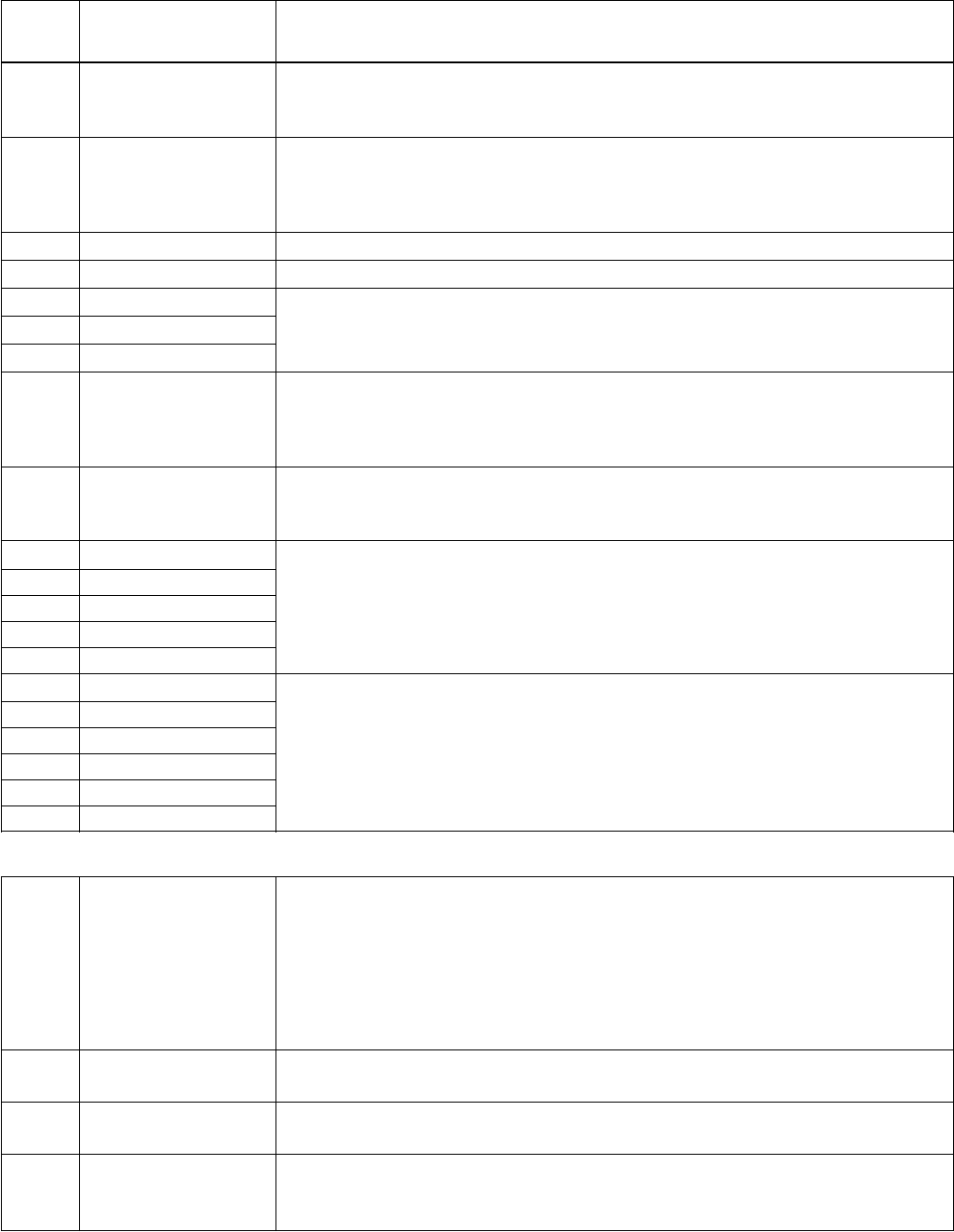
118
Fault Fault Name Description and Recommended Corrective Action
Code In Panel
27 CONFIG FILE
representative.
• Cycle power • Check Group 9902 / Drive Size Type
28 SERIAL 1 ERR Fieldbus communication has timed out. Check for and correct:
• Fault setup (2409 COMM FAULT FUNC and 2410 COMM FAULT TIME).
• Communication settings (Group 31 or 32 as appropriate).
• Poor connections and/or noise on line.
29 EFB CON FILE
30 FORCE TRIP
31 EFB 1 Fault code reserved for the EFB protocol application.
32 EFB 2 The meaning is protocol dependent.
33 EFB 3
34 MOTOR PHASE Fault in the motor circuit. One of the motor phases is lost.
Check for and correct:
• Motor fault • Motor wiring, connections
• Motor cable fault • Internal fault
35 OUTP WIRING Error in power wiring suspected. Check for and correct:
• Input power wired to drive output
• Ground faults
101 SERF CORRUPT Error internal to the drive. Contact your local factory
102 SERF IITFILE representative and report the error number.
103 SERF MACRO
104 SERF EFBPROT
105 SERF BPFILE
201 DSP T1 OVERLOAD Error internal to the drive. Contact your local factory
202 DSP T2 OVERLOAD representative and report the error number.
203 DSP T3 OVERLOAD
204 DSP STACK ERROR
205 DSP REV ERROR
206 OMIO ID ERROR
1000 PAR HZRPM Parameter values are inconsistent. Check for any of the following:
• 2001 MINIMUM SPEED > 2002 MAXIMUM SPEED.
• 2007 MINIMUM FREQ > 2008 MAXIMUM FREQ.
• 2001 MINIMUM SPEED / 9908 MOTOR NOM SPEED > 128 (or < -128).
• 2002 MAXIMUM SPEED / 9908 MOTOR NOM SPEED > 128 (or < -128).
• 2007 MINIMUM FREQ / 9907 MOTOR NOM FREQ > 128 (or < -128).
• 2008 MAXIMUM FREQ / 9907 MOTOR NOM FREQ > 128 (or < -128).
1001 PAR PFCREFNG Parameter values are inconsistent. Check for the following:
• 2007 MINIMUM FREQ is negative.
1003 PAR AI SCALE Parameter values are inconsistent. Check for any of the following:
• 1503 TRANSDUCER MIN > 1502 TRANSDUCER MAX.
1004 PAR AO SCALE Parameter values are inconsistent. Check for any of the following:
• 1904 AO 1 MIN > 1905 AO 1 MAX.
• 1909 AO 2 MIN > 1910 AO 2 MAX.
FAULTS/ALARMS
119
Fault Fault Name Description and Recommended Corrective Action
Code In Panel
1005 PAR PCU 2 Parameter values for power control are inconsistent: Improper motor nominal
kVA or motor nominal power. Check for the following:
• 1.1 ≤ (1104 MOTOR NOM CURR * 1103 MOTOR NOM VOLT * 1.73 / PN) ≤ 2.6
• Where: PN = 1000 * 1107 MOTOR NOM POWER (if units are kW)
or PN = 746 * 1107 MOTOR NOM POWER (if units are HP, e.g. in US)
1007 PAR FBUS Parameter values are inconsistent. Check for and correct:
START/STOP = Fieldbus),
but 3001 COMM PROT SEL = 0.
1009 PAR PCU 1 Parameter values for power control are inconsistent: Improper motor nominal
frequency or speed. Check for both of the following:
• 1 ≤ (60 * 1105 MOTOR NOM FREQ / 1106 MOTOR NOM SPEED ≤ 16
• 0.8 ≤ 1106 MOTOR NOM SPEED / (120 * 1105 MOTOR NOM FREQ / Motor Poles)
≤ 0.992
Fault Resetting
Group 24: Fault Functions and Group 25: Automatic Reset.
Warning! If an external source for start command is selected and it is active, the
AQUAVAR may start immediately after fault reset.
Flashing Red LED
• Turn the power off for 5 minutes.
Red LED
do one of the following:
• From the control panel: Press RESET
• Turn the power off for 5 minutes.
NOTE: In some cases a fault reset “soft key” will appear on the display. Press this button to
reset, then press the start key.
• When the fault has been removed, the motor can be started.
Fault History
-
rameters 0116…0118. The Aquavar CPC stores additional fault data, which helps the operator
identify operating conditions at the time of fault. (Parameters 0119…0126).
To clear the fault history, go to PAR GROUPS 01, VFD SIGNALS. Press the SEL key. Down arrow
to 0116 LAST FAULT, then press the EDIT key. Next press the UP and DOWN arrow at the
same time until NO RECORD shows on the display. This clears all the faults in the history.
FAULTS/ALARMS

120
Correcting Alarms
The recommended corrective action for alarms is:
• Determine if the Alarm requires any corrective action (action is not always required).
• Press the reset key (when available) or turn the power off for at least 5 minutes.
Alarm Listing
The following table lists the alarms by code number and describes each.
Alarm Display Description
Code
2001 Reserved
2002
2003
2004 DIR LOCK The change in direction being attempted is not allowed. Either:
• Do not attempt to change the direction of motor rotation.
2005 I/O COMM Fieldbus communication has timed out. Check for and correct:
• Fault setup (2411 COMM FAULT FUNC and 2412 COMM FAULT TIME).
• Communication settings (Group 31 or 32 as appropriate).
• Poor connections and/or noise on the line.
2006 AI1 LOSS Analog Input 1 is lost, or value is less than the minimum setting.
Check:
• Input source and connections
• Parameter that sets the minimum (1604)
2007 TRANSDUCER Analog Input 2 is lost, or value is less than the minimum setting.
LOSS Check:
• Transducer, connection and wiring
• Input source and connections
• Parameter that sets the minimum (1506)
2008 PANEL LOSS Panel communication is lost and either:
• Drive is in local control mode (the control panel displays LOC), or
• Drive is in remote control mode (REM) and is parameterized to accept
start/stop, direction or reference from the control panel.
To correct check:
• Communication lines and connections
• Parameter 2401 KEYPAD FAILURE
2009 RESERVED
FAULTS/ALARMS

121
Alarm Display Description
Code
2010 MOT Motor is hot, based on either the drive’s estimate or on temperature feedback.
OVERTEMP This alarm warns that a Motor Underload fault trip may be near. Check:
• Check for overloaded motor, pump.
2011 UNDERLOAD Motor load is lower than expected. This alarm warns that a Motor Underload
fault trip may be near. Check:
• Motor and drive ratings match (motor is NOT undersized for the drive).
2012 MOTOR STALL Motor is operating in the stall region. This alarm warns that a Motor Stall fault
trip may be near. Check motor connections.
2013 AUTORESET This alarm warns that the drive is about to perform an automatic fault reset,
(note 1) which may start the motor.
• To control automatic reset, use parameter Group 12 AUTOMATIC RESET.
2015 ALARM 2015 Pump protection has been triggered via parameter 2403 (protection limit)
PUMP and 2404 (protection delay). This protection is enabled when the pump
PROTECT reaches maximum frequency and cannot maintain system set point for the
suction, lack of NPSHa, pump run-out.
2016 LOW WATER Check DI2 contact or suction switch continuity.
2017 NOT USED
2023 E-STOP Check jumper / connection, between Terminal 10 and 15 (DI3).
FAULT
FAULTS/ALARMS
122
WARNING! Read “Safety” on page 7 before performing any maintenance on
the equipment. Ignoring the safety instructions can cause injury or death.
Maintenance Intervals
If installed in an appropriate environment, the drive requires very little maintenance. This table
lists the routine maintenance intervals recommended by CentriPro.
Maintenance Interval Instruction
Heatsink Temperature Depends on the dustiness of the See “Heatsink” on page 122
Check and Cleaning environment (every 6…12 months).
Fan Replacement on pages 122, 123, 126 and 127
Internal Enclosure Every three years See “Internal Enclosure Fan
Cooling Fan Replacement Replacement” on page 123
(IP 54/UL Type 12 units)
Capacitor Change Every ten years See “Capacitors” on page 124
(Frame size R5 and R6)
Replace Battery in Advanced Every ten years See “Battery” on page 124
Control Panel
Heatsink
at cooling the drive, overtemperature faults become more likely. In a “normal” environment
(not dusty, clean) check the heatsink annually, in a dusty environment check more often.
Clean the heatsink as follows (when necessary):
1. Remove power from drive
2. Remove the cooling fan (see section “Main Fan Replacement” below)
3. Blow clean compressed air (not humid) from bottom to top and simultaneously use a
vacuum cleaner at the air outlet to trap the dust.
Note: If there is a risk of the dust entering adjoining equipment, perform the cleaning in
another room.
4. Replace the cooling fan
5. Restore power
Main Fan Replacement
The drive’s main cooling fan has a life span of about 60,000 operating hours at maximum
rated operating temperature and drive load. The expected life span doubles for each 10º C
(18º F) drop in the fan temperature (fan temperature is a function of ambient temperatures
and drive loads).
Fan failure can be predicted by the increasing noise from fan bearings and the gradual rise
in the heatsink temperature in spite of heatsink cleaning. If the drive is operated in a critical
part of a process, fan replacement is recommended once these symptoms start appearing.
parts.
MAINTENANCE (Frame Sizes R1-R6)
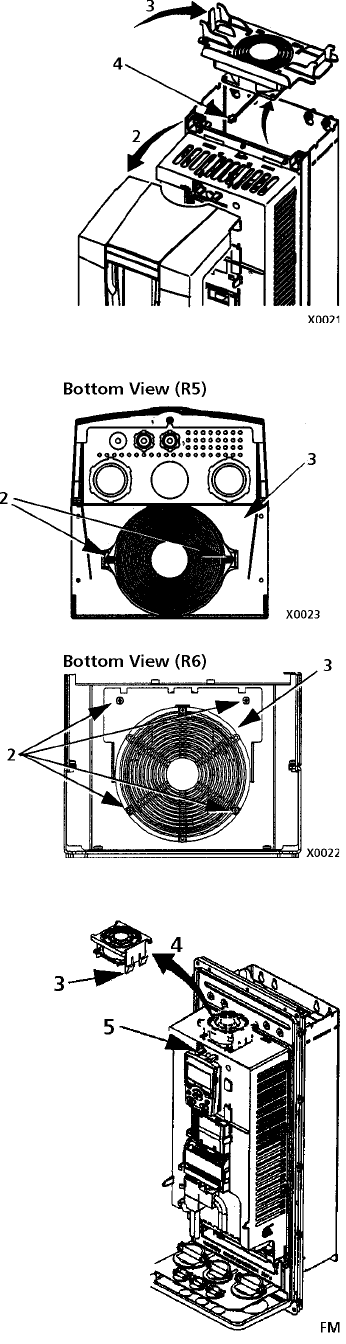
123
Frame Size R1…R4
To replace the fan:
1. Remove power from drive
2. Remove drive cover
3. For Frame Size:
• R1, R2: Press together the retaining clips on the fan cover sides
and lift.
• R3, R4: Press in on the lever located on the left side of the fan
mount and rotate the fan up and out.
4. Disconnect the fan cable.
5. Install the fan in reverse order
6. Restore power
Frame Size R5 and R6
To replace the fan:
1. Remove power from drive
2. Remove the screws attaching the fan
3. Disconnect the fan cable.
4. Install the fan in reverse order
5. Restore power
Internal Enclosure Fan Replacement
IP 54 / UL Type 12 enclosures have an additional internal fan
to circulate air inside the enclosure.
Frame Size R1 to R4
To replace the internal enclosure fan in frame sizes R1 to R4:
1. Remove power from drive
2. Remove the front cover
3. The housing that holds the fan in place has barbed retaining
clips at each corner. Press all four clips toward the center to
release the barbs.
4. When the clips/barbs are free, pull the housing up to remove
from the drive.
5. Disconnect the fan cable
6. Install the fan in reverse order
• The fan wire harness is toward the front
• The notched housing barb is located in the right-rear corner
• The fan cable connects just forward of the fan at the top of
the drive
MAINTENANCE (Frame Sizes R1-R6)
124
Frame Size R5 and R6
To replace the internal enclosure fan in frame sizes R5 or R6:
1. Remove power from drive
2. Remove the front cover
3. Lift the fan out and disconnect the cable
4. Install the fan in reverse order
5. Restore power
Capacitors
The drive intermediate circuit employs several electrolytic capacitors. Their life span is from
35,000…90,000 hours depending on drive loading and ambient temperature. Capacitor life
can be prolonged by lowering the ambient temperature.
It is not possible to predict a capacitor failure. Capacitor failure is usually followed by a input
power fuse failure or a fault trip. Contact factory if capacitor failure is suspected. Replace-
ments for frame size R5 and R6 are available from the factory. Do not use other than factory
Control Panel
Cleaning
Use a soft damp cloth to clean the control panel. Avoid harsh cleaners which could scratch the
display window.
Battery
A battery is only used in control panels that have the clock function available and enabled.
The battery keeps the clock operating in memory during power interruptions. To remove the
battery, use a coin to rotate the battery holder on the back of the control panel. Replace the
battery with type CR2032.
MAINTENANCE (Frame Sizes R1-R6)
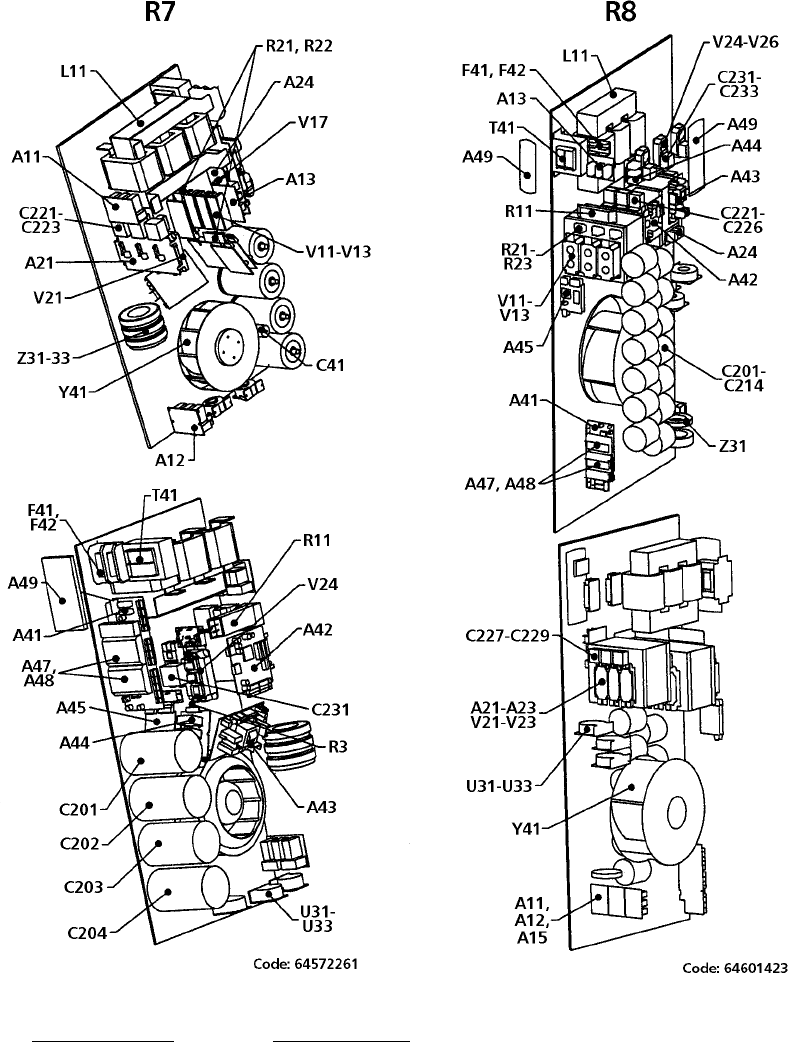
125
MAINTENANCE (Frame Sizes R7-R8)
Layout
The layout stickers of the drive are shown below. The stickers show all possible components
concerning maintenance activities. Not all of them are present in each delivery.
Designation Component
A49 Control Panel
A41 Motor Control and I/O Board (OMIO)
Y41 Cooling Fan
C_ Capacitors
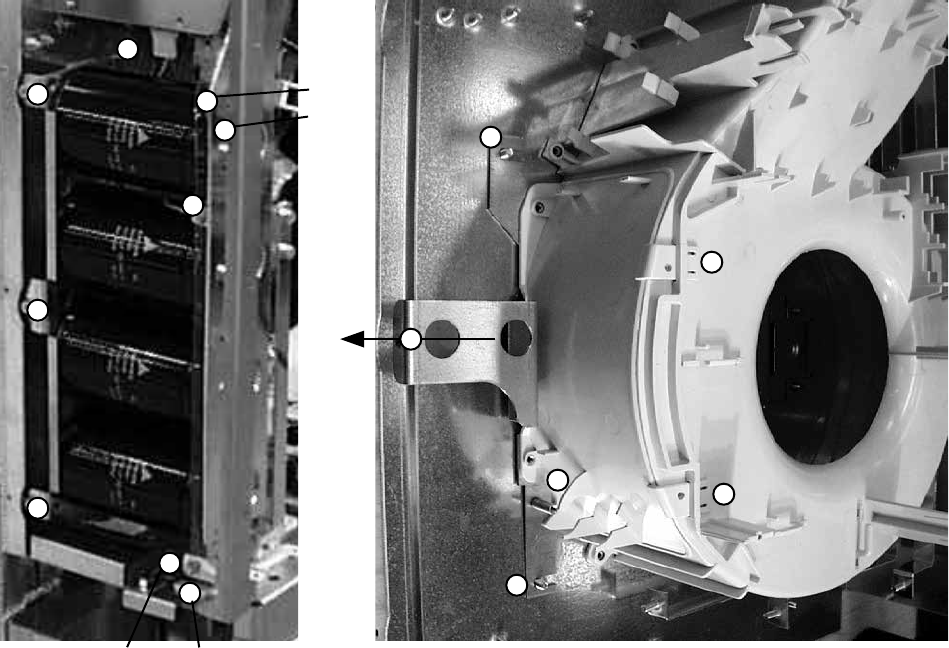
126
Heatsink
-
ings and faults if the heatsink is not clean. In a “normal” environment (not dusty, not clean) the
heatsink should be checked annually, in a dusty environment more often.
Clean the heatsink as follows (when necessary):
1. Remove the cooling fan (see section “Fan” below).
2. Blow dry clean compressed air from bottom to top and simultaneously use a vacuum
cleaner at the air outlet to trap the dust. Note: Prevent dust from entering adjoining
equipment.
3. Replace the cooling fan
Fan
The life span of the cooling fan of the drive is about 50,000 (R7) and 60,000 (R8) hours. The
actual life span depends on the running time of the fan, ambient temperature and dust con-
centration. See the appropriate Aquavar CPC User Manual for the actual signal which indi-
cates the running time of the cooling fan.
parts.
Replacing the Fan (R7)
1. Remove the upper front cover and disconnect the control panel cables.
2. Disconnect the discharging resistor wire.
4
3
3
3
3
3
DC+ DC-
3
3DC+
DC-
2
6
6
7
7
5
8
MAINTENANCE (Frame Sizes R1-R6)
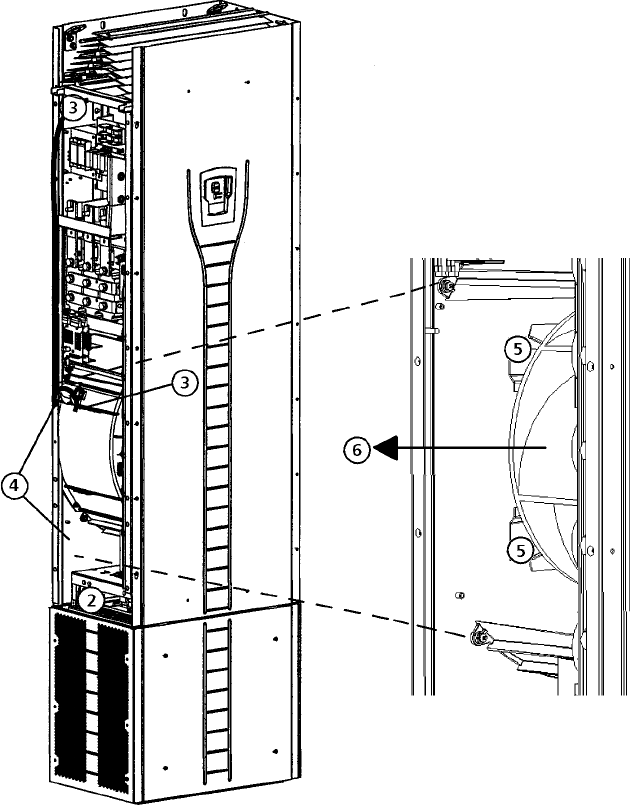
127
4. Disconnect the fan supply wires (detachable terminal).
5. Disconnect the fan capacitor wires.
7. Press the snap-on holders to release the side cover.
8. Lift from the handle and pull the fan cassette out.
9. Install the fan in reverse order to the above and replace the fan capacitor.
Replacing the Fan (R8)
1. Remove the upper front cover.
2. Remove the OMIO board.
3. Disconnect the fan capacitor and power supply wires. Replace the starting capacitor.
4. Undo the black fastening screws of the plastic side cover of the fan and lift the cover off.
5. Undo the black fastening screws of the fan.
6. Lift the fan out of the cabinet.
7. Install the fan in reverse order to the above.
MAINTENANCE (Frame Sizes R7-R8)
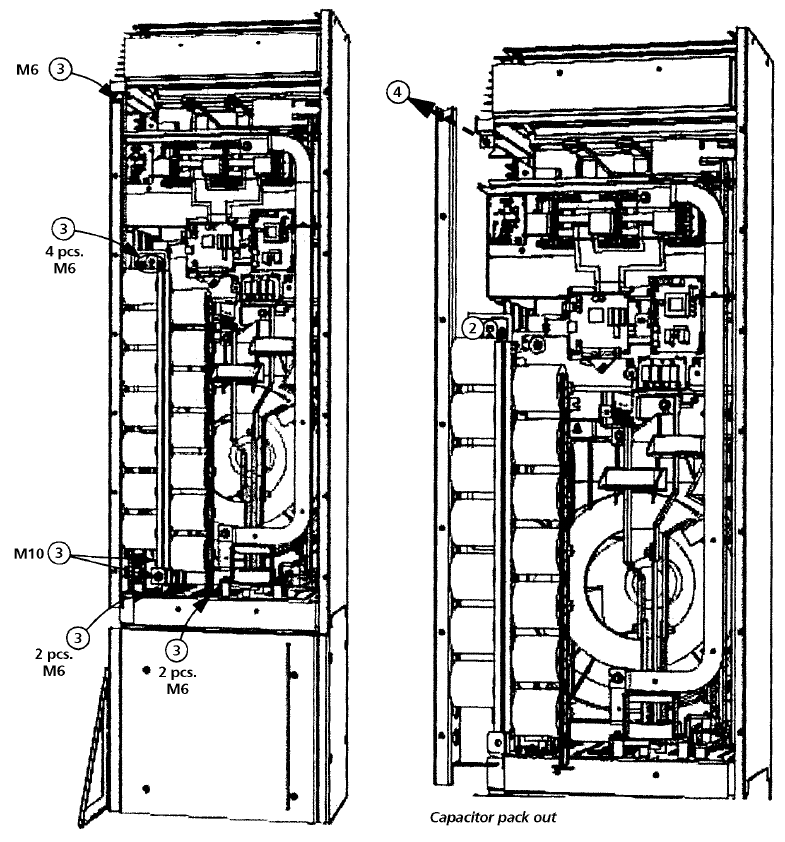
128
Capacitors
The drive intermediate circuit employs several electrolytic capacitors. Their life span is at
least 90,000 hours depending on the operating time of the drive, loading and ambient
temperature. Capacitor life can be prolonged by lowering the ambient temperature.
It is not possible to predict a capacitor failure. Capacitor failure is usually followed by damage
to the unit and an input cable fuse failure or a fault trip. Contact your CentriPro authorized
Aquavar CPC distributor or the factory.
Replacing the Capacitor Pack (R7)
Replace the capacitor pack as described in section “Replacing the Fan (R7)” on page 126.
Replacing the Capacitor Pack (R8)
1. Remove the upper front cover and the side plate equipped with control panel mounting slot.
2. Disconnect the discharging resistor wire.
3. Undo the fastening screws.
4. Lift the capacitor pack out.
5. Install the capacitor pack in reverse order to the above.
MAINTENANCE (Frame Sizes R1-R6)
129
LEDs
This table describes LEDs of the drive.
Where LED When the LED is lit
OMIO Board Red (blinking) Drive in fault state.
Green The power supply on the board is OK.
Control Panel Red Drive in fault state.
Mounting Platform Green The main +24 V power supply for the control
panel and the OMIO board is OK.
OITF Board V204 (green) +5 V voltage of the board is OK.
V309 (red) Prevention of unexpected start is ON.
V310 (green) IGBT control signal transmission to the gate
driver control boards is enabled.
Control Panel
Cleaning
Use a soft damp cloth to clean the control panel. Avoid harsh cleaners which could scratch the
display window.
Battery
A battery is only used in Assistant Control Panels that have the clock function available and
enabled. The battery keeps the clock operating in memory during power interruptions.
The expected life for the battery is greater than ten years. To remove the battery, use a coin
to rotate the battery holder on the back of the control panel. Replace the battery with type
CR2032.
MAINTENANCE (Frame Sizes R7-R8)
130
Sizing
The current ratings are the same regardless of the supply voltage within one voltage range.
To achieve the rated motor power given in the table, the rated current of the drive must be
higher than or equal to the rated motor current.
Note 1: The maximum allowed motor shaft power is limited to 1.5 · ATimes Rated HP. If
the limit is exceeded, motor torque and current are automatically restricted. The function
protects the input bridge of the drive against overload.
Note 2: The ratings apply in ambient temperature of 40º C (104º F).
Derating
The load capacity (current and power) decreases if the installation site altitude exceeds 1000
meters (3300 ft), or if the ambient temperature exceeds 40º C (104º F) or if 8 kHz switching
frequency (parameter 5001) is used.
Temperature Derating
In the temperature range +40º C…50º C (+104º F…122º F) the rated output current is de-
creased 1% for every 1º C (1.8º F) above +40º C (+104º F). The output current is calculated by
multiplying the current given in the rating table by the derating factor.
Example: If the ambient temperature is 50º C (+122º F) the derating factor is
100% - 1%/ºC x 10º C = 90% or 0.90.
The output current is then 0.90 x I2N or 0.90 x I2hd.
Altitude Derating
The derating is 1% for every 100 m (330 feet) above 3300 feet. If the installation site is higher
than 2000 m (6600 feet) above sea level, please contact the factory for assistance.
Single Phase Supply Derating
For 208…240 Volt series drives, a single phase supply can be used. In that case, the derating
is 50%, for the maximum amps and corresponding power rating of the three phase drive at
208-230 Volt input.
Switching Frequency Derating
If the 8 kHz switching frequency (parameter 5001) is used, derate HP and current output to
80%.
TECHNICAL DATA

131
Cable Sizing/Ratings
208…240 Volt Drives
The following tables provide current, horsepower, frame size and recommended cable sizes
for the Aquavar CPC.
CENTRIPRO AQUAVAR CPC
NEMA 1 Full NORMAL Frame Output Input
Voltage Phase Base Load DUTY Size2 Cable Size Cable Size
Model Amps HORSEPOWER Min. AWG1 Min. AWG1
CPC20171 8.5 2 R1 14 10
CPC20241 12 3 R2 12 8
CPC20311 15.5 5 R2 12 8
CPC20461 23 7.5 R3 10 6
CPC20591 29.5 10 R3 8 4
230 1 CPC20881 44.0 15 R4 6 2
CPC21141 57.0 20 R4 4 1/0
CPC21431 71.5 25 R6 3 3/0
CPC21781 89.0 30 R6 2 4/0
CPC22211 110.5 40 R6 1/0 300MCM
CPC22481 124.0 50 R6 2/0 350MCM
CPC20121 11.8 3 R1 14 14
CPC20171 16.7 5 R1 10 10
CPC20241 24.2 7.5 R2 8 8
CPC20311 30.8 10 R2 8 8
CPC20461 46.2 15 R3 6 6
CPC20591 59.4 20 R3 4 4
230 3 CPC20751 74.8 25 R4 3 3
CPC20881 88.0 30 R4 2 2
CPC21141 114.0 40 R4 1/0 1/0
CPC21431 143.0 50 R6 3/0 3/0
CPC21781 178.0 60 R6 4/0 4/0
CPC22211 221.0 75 R6 300MCM 300MCM
CPC22481 248.0 100 R6 350MCM 350MCM
(1) Recommended AWG Size based on NEC table 310.16, 40º C ambient, 90º C, UL type copper wire. For other
wire sizes or types, consult local, state or NEC codes.
(2) Frame sizes R7 and R8, the Aquavar CPC will have multiple conductor terminals for each phase. Consult
technical section (CABLE TERMINALS).
TECHNICAL DATA
132
Cable Sizing/Ratings
380…480 Volt Drives
The following table provides Aquavar CPC rating information and
recommended wire sizing for the input and output cables.
CENTRIPRO AQUAVAR CPC
NEMA 1 Full NORMAL Frame Output Input
Voltage Phase Base Load DUTY Size2 Cable Size Cable Size
Model Amps HORSEPOWER Min. AWG1 Min. AWG1
CPC40061 6.9 3 R1 14 14
CPC40081 8.8 5 R1 14 14
CPC40121 11.9 7.5 R1 14 14
CPC40151 15.4 10 R2 12 12
CPC40231 23 15 R2 12 12
CPC40311 31 20 R3 10 8
CPC40381 38 25 R3 8 8
CPC40451 45 30 R3 8 6
CPC40591 59 40 R4 6 4
CPC40721 72 50 R4 4 3
CPC40771 77 60 R4 4 3
460 3 CPC40971 97 75 R4 3 1
CPC41251 125 100 R5 1 2/0
CPC41571 157 125 R6 2/0 3/0
CPC41801 180 150 R6 3/0 4/0
CPC42451 245 200 R7 350MCM 350MCM
CPC43161 316 250 R7 2 X 250MCM 2 X 250MCM
CPC43681 368 300 R8 2 X 300MCM 2 X 300MCM
CPC44141 414 350 R8 2 X 400MCM 2 X 400MCM
CPC44861 486 400 R8 2 X 500MCM 2 X 500MCM
CPC45261 526 450 R8 2 X 350MCM 2 X 350MCM
CPC46021 602 500 R8 2 X 500MCM 2 X 500MCM
CPC46451 645 550 R8 2 X 500MCM 2 X 500MCM
(1) Recommended AWG Size based on NEC table 310.16, 40º C ambient, 90º C, UL type copper wire. For other
wire sizes or types, consult local, state or NEC codes.
(2) Frame sizes R7 and R8, the Aquavar CPC will have multiple conductor terminals for each phase. Consult
technical section (CABLE TERMINALS) for maximum wire diameter and torque values.
TECHNICAL DATA
133
Fuse Sizing/Ratings
208…240 Volt Drives
Branch circuit protection must be provided by the end user, electrical contractor or distribu-
tor, sized per local, state or local National Electrical Codes. Recommendations for fused
circuit protection are in the following tables.
CENTRIPRO AQUAVAR CPC
NEMA 1 Full NORMAL Frame Input Fuse Type3
Voltage Phase Base Load DUTY Size Current JJN
Model Amps HORSEPOWER Amps
CPC20171 8.5 2 R1 17.3 20
CPC20241 12 3 R2 24.5 30
CPC20311 15.5 5 R2 31.6 40
CPC20461 23 7.5 R3 46.9 60
CPC20591 29.5 10 R3 60.2 70
230 1 CPC20881 44.0 15 R4 89.8 110
CPC21141 57.0 20 R4 116.3 150
CPC21431 71.5 25 R6 145.9 175
CPC21781 89.0 30 R6 181.6 225
CPC22211 110.5 40 R6 225.4 300
CPC22481 124.0 50 R6 252.9 300
CPC20121 11.8 3 R1 12.0 15
CPC20171 16.7 5 R1 17.0 25
CPC20241 24.2 7.5 R2 24.7 30
CPC20311 30.8 10 R2 31.4 40
CPC20461 46.2 15 R3 47.1 60
CPC20591 59.4 20 R3 60.6 70
230 3 CPC20751 74.8 25 R4 76.3 90
CPC20881 88.0 30 R4 89.8 110
CPC21141 114.0 40 R4 116.3 150
CPC21431 143.0 50 R6 145.9 175
CPC21781 178.0 60 R6 181.6 225
CPC22211 221.0 75 R6 225.4 300
CPC22481 248.0 100 R6 252.9 300
(3) UL Class T fuses are recommended for short circuit protection. Very fast acting Bussmann* T-tron type
JJN and JJS are shown in the Aquavar CPC tables. Other manufaturers are acceptable if they meet fuse
requirements.
* Bussmann is a registered trademark of Cooper Industries Inc.
TECHNICAL DATA
134
Fuse Sizing/Ratings
380…480 Volt Drives
The following table provides Aquavar CPC rating information and recommended fuse sizing
for the input short circuit protection. Branch circuit protection must be provided by the end
user, contractor or distributor. Sized according to local or applicable NEC codes.
CENTRIPRO AQUAVAR CPC
NEMA 1 Full NORMAL Frame Input Fuse Type3
Voltage Phase Base Load DUTY Size Current JJN
Model Amps HORSEPOWER Amps
CPC40061 6.9 3 R1 7.0 10
CPC40081 8.8 5 R1 9.0 15
CPC40121 11.9 7.5 R1 12.1 15
CPC40151 15.4 10 R2 15.7 20
CPC40231 23 15 R2 23.5 30
CPC40311 31 20 R3 31.6 40
CPC40381 38 25 R3 38.8 45
CPC40451 45 30 R3 44.9 60
CPC40591 59 40 R4 60.2 70
CPC40721 72 50 R4 73.4 90
CPC40771 77 60 R4 78.5 90
460 3 CPC40971 97 75 R4 98.0 125
CPC41251 125 100 R5 126.5 150
CPC41571 157 125 R6 160.1 200
CPC41801 180 150 R6 183.6 225
CPC42451 245 200 R7 250.0 300
CPC43161 316 250 R7 322.3 400
CPC43681 368 300 R8 375.4 450
CPC44141 414 350 R8 422.3 500
CPC44861 486 400 R8 495.8 600
CPC45261 526 450 R8 536.5 800
CPC46021 602 500 R8 614.0 800
CPC46451 645 550 R8 658.0 800
(3) UL Class T fuses are recommended for short circuit protection. Very fast acting Bussmann* T-tron type
JJN and JJS are shown in the Aquavar CPC tables. Other manufaturers are acceptable if they meet fuse
requirements.
TECHNICAL DATA
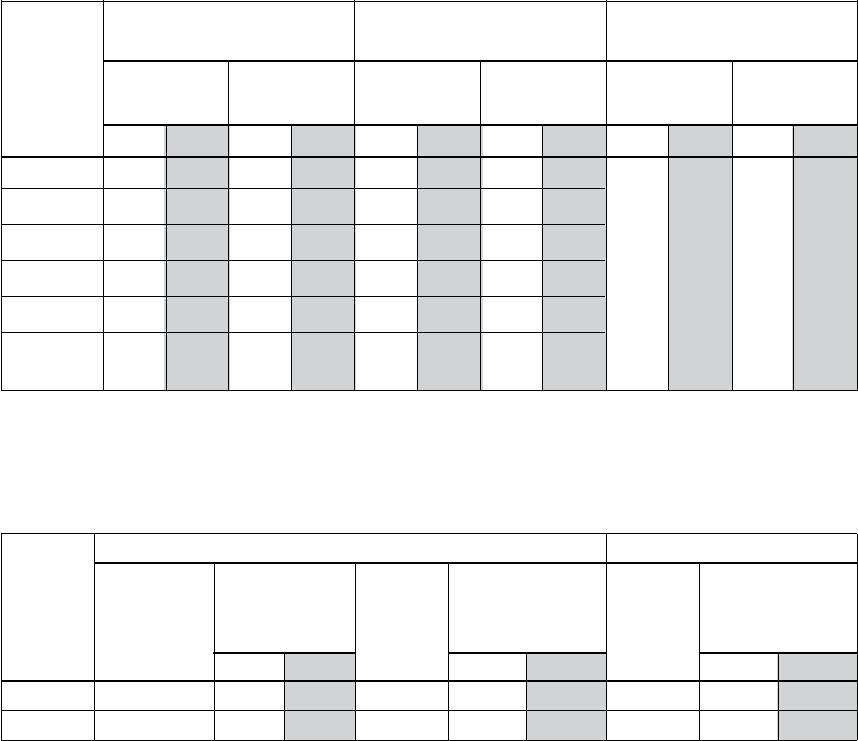
135
Cable Terminals (Frames R1-R6)
Mains and motor cable maximum sizes (per phase) accepted at the cable
terminals and the tightening torques are listed below.
U1, V1, W1 Earthing PE Control Wire
Frame U2, V2, W2 “Ground”
Size Maximum
Torque Maximum Torque Maximum Torque
Wire Size Wire Size Wire Size
mm2 AWG Nm lb-ft mm2 AWG Nm lb-ft mm2 AWG Nm lb-ft
R1 6 8 1.4 1.0 4 10 1.4 1.0
R2 10 6 1.4 1.0 10 8 1.4 1.0
R3 25 3 1.8 1.3 16 6 1.8 1.3
R4 50 1/0 2.0 1.5 35 2 2.0 1.5 1.5 16 0.4 0.3
R5 70 2/0 15 11.1 70 2/0 15 11.1
R6 185 350 40 29.5 95 4/0 8 5.9
MCM
Cable Terminals (Frames R7-R8)
Mains and motor cable maximum sizes (per phase) accepted at the cable terminals and the
tightening torques are listed below.
U1, V1, W1, U2, V2, W2 Earthing PE
Frame Number Cable
Tightening Tightening
Size of holes Diameter Torque Torque
per
Screw Screw
phase mm in Nm lb-ft Nm lb-ft
R7➀ 2 58 2.28 M12 50…75 35…55 M8 15…22 10…16
R8➀ 3 58 2.28 M12 50…75 35…55 M8 15…22 10…16
➀ NOTE: Maximum AWG size for R7 Frame is (2) x 500MCM.
Maximum AWG size for R8 Frame is (3) x 500MCM.
TECHNICAL DATA
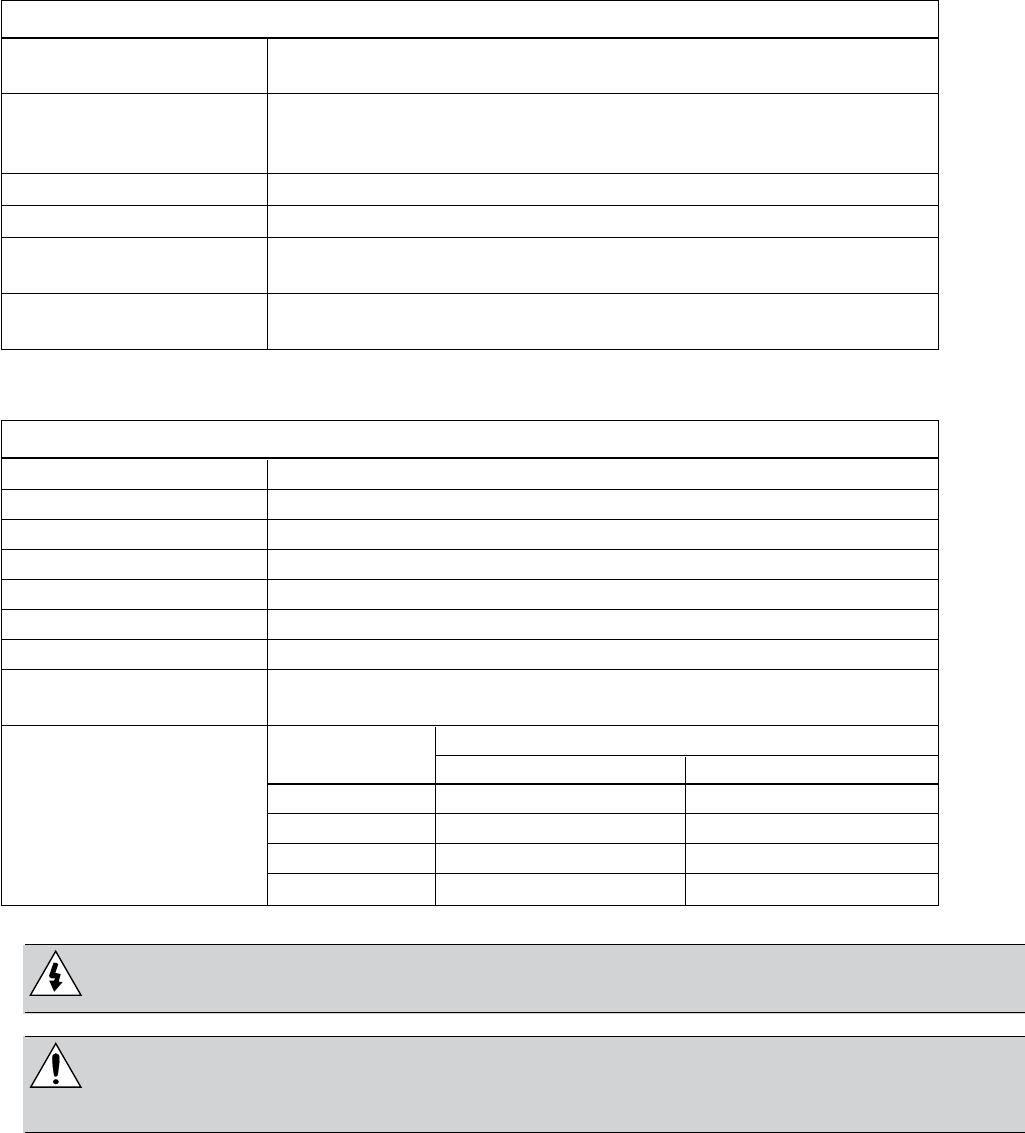
136
Input Power (Mains) Connection
Input Power (Mains) Connection Specications
Voltage (U1) 208/220/230/240 VAC 3-phase (1-phase) +10%-15% for CPC2XXXX.
400/415/440/460/480 VAC 3-phase +10%-15% for CPC4XXXX.
Prospective Short-Circuit Maximum allowed prospective short-circuit current in the supply is
Current (IEC 629) 65 kA in a second providing that the mains cable of the drive is
protected with appropriate fuses. US: 65,000 AIC.
Frequency 48…63 Hz
Imbalance Max. ±3% of nominal phase to phase input voltage.
Fundamental Power 0.98 (at nominal load)
Factor (cos phi1)
Cable Temperature 90º C (194º F) rating minimum
Rating
Motor Connection
Motor Connection Specications
Voltage (U2) 0…U1, 3-phase symmetrical, Umax
Frequency 0…500 Hz
Frequency Resolution 0.01 Hz
Current See “Ratings” on pages 131-134
Power Limit 1.5 x Rated HP
Field Weakening Point 10…60 Hz
Switching Frequency Selectable: 1, 4 or 8 kHz
Cable Temperature 90º C (194º F) rating minimum
Rating
Frame Size Maximum Motor Cable Length
fsw = 1 or 4 kHz fsw = 8 kHz
Maximum Motor R1 100 m 50 m
Cable Length R2 - R4 200 m 100 m
R5 - R6 300 m 150 m
R7 - R8 300 m NA
WARNING!
permanent damage to the drive or motor.
WARNING!
exceed the above recommendations. Consult motor manufacturer on required use
of inverter drives.
TECHNICAL DATA
137
Control Connection
Control Connection Specications
Analog Inputs See table heading “Hardware Description” on page 29.
and Outputs
Digital Inputs Digital input impedance 1.5 kΩ. Maximum voltage for digital
inputs is 30 V.
• Maximum contact voltage: 30 V DC, 250 V AC
• Maximum contact current / power: 6 A, 30 V DC; 1500 VA, 250 V AC
• Maximum. continuous current: 2 A rms (cos ϕ = 1), 1 A rms
Relays (cos ϕ = 0.4)
(Digital Outputs) • Minimum load: 500 mW (12 V, 10 mA)
• Contact material: Silver-nickel (AgN)
• Isolation between relay digital outputs, test voltage:
2.5 kV rms, 1 minute
Cable Specications See “Control Cables” on page 17.
Efciency (Frames R1-R8)
Approximately 98% at nominal power level.
Cooling (Frames R1-R6)
Cooling Specications
Method
Free space around the unit:
Requirement • 200 mm (8 in) above and below the unit.
• 25 mm (1 in) along each side of the unit.
TECHNICAL DATA
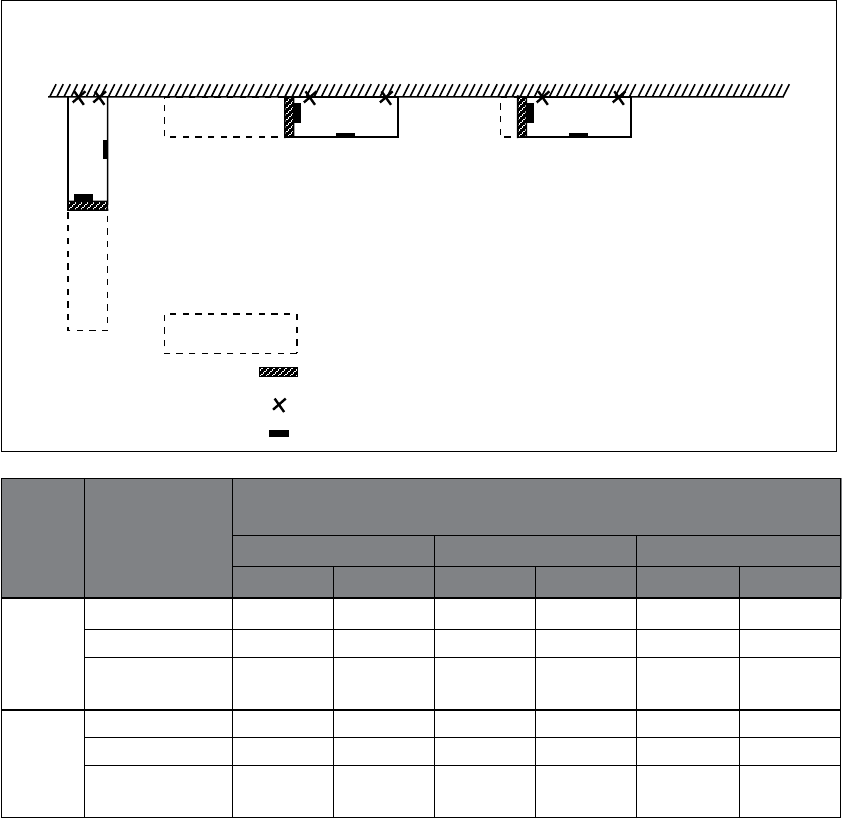
138
Cooling (Frames R7-R8)
Installation Procedure
Choose the mounting orientation (a, b, c or d).
Required Free Space Around the Unit for
Frame Mounting Mounting, Maintenance, Service and Cooling*
Size Orientation Front Side Above
mm in mm in mm in
a,d 500 20 – – 200 7.9
R7 b – – 500 20 200 7.9
c – – 200** 7.9** lifting lifting
space space
a,d 600 24 – – 300 12
R8 b – – 600 24 300 12
c – – 300** 12** lifting lifting
space space
* Space for the installer not included.
** Space for the fan and capacitor replacement not included.
Mounting orientations a and b
Make holes in the wall (recommended):
1. Lift the unit against the wall into the mounting place.
a) b) c)
Lifted from above
Symbols:
required free space
air inlet surface
wall fixing point (recommended)
control panel mounting slot
TECHNICAL DATA
139
Air Flow, 380…480 Volt Drives
CENTRIPRO AQUAVAR CPC
NEMA 1 Full NORMAL Frame Heat Loss Air
Voltage Phase Base Load DUTY Size Flow
Model Amps HORSEPOWER Watts BTU/HR CFM
CPC40061 6.9 3 R1 97 331 26
CPC40081 8.8 5 R1 127 433 26
CPC40121 11.9 7.5 R1 172 587 26
CPC40151 15.4 10 R2 232 792 52
CPC40231 23 15 R2 337 1150 52
CPC40311 31 20 R3 457 1560 79
CPC40381 38 25 R3 562 1918 79
CPC40451 45 30 R3 667 2276 165
CPC40591 59 40 R4 907 3096 165
CPC40721 72 50 R4 1120 3820 165
CPC40771 77 60 R4 1295 4420 168
460 3 CPC40971 97 75 R4 1440 4915 168
CPC41251 125 100 R5 1940 6621 239
CPC41571 157 125 R6 2310 7884 239
CPC41801 180 150 R6 2810 9590 239
CPC42451 245 200 R7 3850 13144 319
CPC43161 316 250 R7 6850 23386 319
CPC43681 368 300 R8 6850 23386 721
CPC44141 414 350 R8 7850 26800 721
CPC44861 486 400 R8 7850 26800 721
CPC45261 526 450 R8 7600 25946 721
CPC46021 602 500 R8 8100 27653 721
CPC46451 645 550 R8 9100 31067 721
TECHNICAL DATA
140
Air Flow, 208…240 Volt Drives
CENTRIPRO AQUAVAR CPC
NEMA 1 Full NORMAL Frame Heat Loss Air
Voltage Phase Base Load DUTY Size Flow
Model Amps HORSEPOWER Watts BTU/HR CFM
CPC20171 8.5 2 R1 161 551 26
CPC20241 12 3 R2 227 776 52
CPC20311 15.5 5 R2 285 373 52
CPC20461 23 7.5 R3 420 1434 79
CPC20591 29.5 10 R3 536 1829 79
230 1 CPC20881 44.0 15 R4 786 2685 165
CPC21141 57.0 20 R4 1014 3463 165
CPC21431 71.5 25 R6 1268 4431 238
CPC21781 89.0 30 R6 1575 5379 238
CPC22211 110.5 40 R6 1952 6666 238
CPC22481 124.0 50 R6 2189 7474 238
CPC20121 11.8 3 R1 116 404 26
CPC20171 16.7 5 R1 161 551 26
CPC20241 24.2 7.5 R2 227 776 52
CPC20311 30.8 10 R2 285 373 52
CPC20461 46.2 15 R3 420 1434 79
CPC20591 59.4 20 R3 536 1829 79
230 3 CPC20751 74.8 25 R4 671 2290 165
CPC20881 88.0 30 R4 786 2685 165
CPC21141 114.0 40 R4 1014 3463 165
CPC21431 143.0 50 R6 1268 4431 238
CPC21781 178.0 60 R6 1575 5379 238
CPC22211 221.0 75 R6 1952 6666 238
CPC22481 248.0 100 R6 2189 7474 238
TECHNICAL DATA
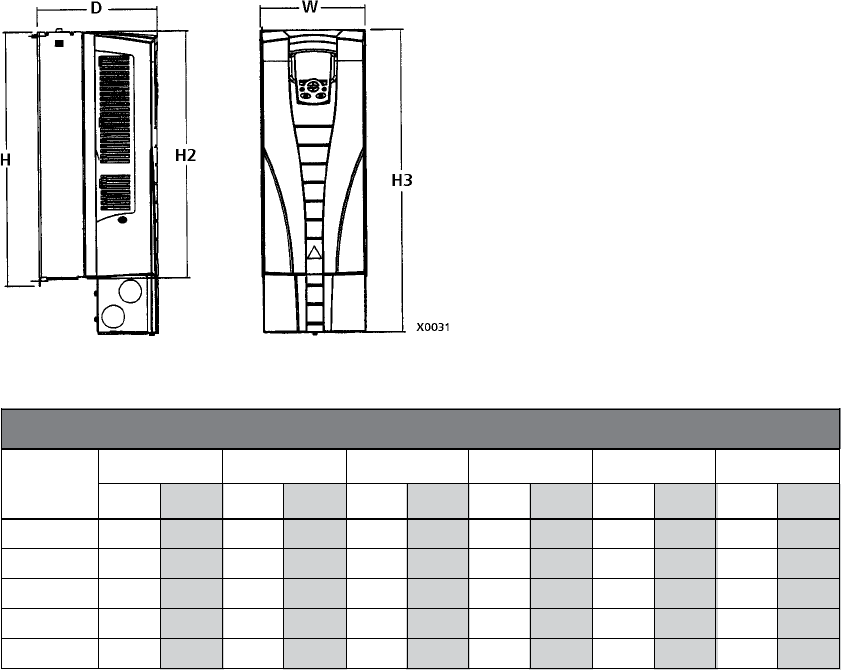
141
Dimensions and Weights
Frames R1-R6
The dimensions and mass for the AQUAVAR depend on the frame size and enclosure type.
code in the “Technical Data” on page 142, to determine the frame size. A complete set of di-
mensional drawings for AQUAVAR drives is located in the Technical Data section.
Units with UL Type 1 Enclosures
Outside Dimensions
UL Type 1 – Dimensions for each Frame Size
Ref. R1 R2 R3 R4 R5 R6
mm in mm in mm in mm in mm in mm in
W 125 4.9 125 4.9 203 8.0 203 8.0 265 10.4 300 11.8
H 330 13.0 430 16.9 490 19.3 596 23.4 602 23.7 700 27.6
H2 315 12.4 415 16.3 478 18.8 583 23.0 578 22.8 698 27.5
H3 369 14.5 469 18.5 583 23.0 689 27.1 739 29.1 880 34.6
D 212 8.3 222 8.7 231 9.1 262 10.3 286 11.3 400 15.8
NOTE: Enclosures are standard NEMA 1, indoor use only.
TECHNICAL DATA

142
Frames R1-R6
Mounting Dimensions
UL Type 1 – Dimensions for each Frame Size
Ref. R1 R2 R3 R4 R5 R6
mm in mm in mm in mm in mm in mm in
W1* 98.0 3.9 98.0 3.9 160 6.3 160 6.3 238 9.4 263 10.4
W2* — — — — 98.0 3.9 98.0 3.9 — — — —
H1* 318 12.5 418 16.4 473 18.6 578 22.8 588 23.2 675 26.6
a 5.5 0.2 5.5 0.2 6.5 0.25 6.5 0.25 6.5 0.25 9.0 0.35
b 10.0 0.4 10.0 0.4 13.0 0.5 13.0 0.5 14.0 0.55 14.0 0.55
c 5.5 0.2 5.5 0.2 8.0 0.3 8.0 0.3 8.5 0.3 8.5 0.3
d 5.5 0.2 5.5 0.2 6.5 0.25 6.5 0.25 6.5 0.25 9.0 0.35
* Center to center dimension.
Weight
UL Type 1 – Weight for each Frame Size
R1 R2 R3 R4 R5 R6
kg lb. kg lb. kg lb. kg lb. kg lb. kg lb.
6.1 13.4 8.9 19.5 14.7 32.4 22.8 50.2 37 82 78 176
TECHNICAL DATA
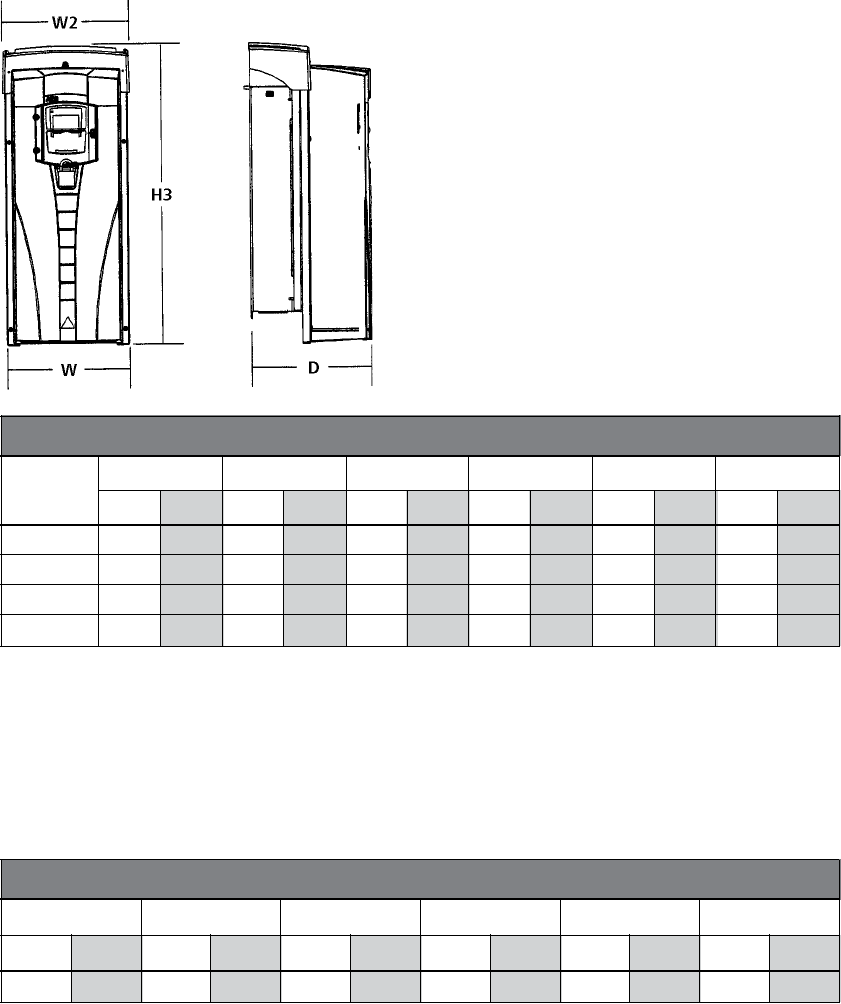
143
Units with IP 54 / UL Type 12 Enclosures
Outside Dimensions
IP 54 / UL Type 12 – Dimensions for each Frame Size
Ref. R1 R2 R3 R4 R5 R6
mm in mm in mm in mm in mm in mm in
W 215 8.5 215 8.5 257 10.1 257 10.1 369 14.5 410 16.1
W2 225 8.9 225 8.9 267 10.5 267 10.5 369 14.5 410 16.1
H3 441 17.4 541 21.3 604 23.8 723 28.5 776 30.5 924 36.4
D 238 9.37 245 9.6 276 10.9 306 12.0 309 12.2 423 16.6
Mounting Dimensions
Mounting dimensions are the same as for the IP 21 / UL Type 1 Enclosure. See “Mounting
Dimensions” on page 144.
Weight
IP 54 / UL Type 12 – Weight for each Frame Size
R1 R2 R3 R4 R5 R6
kg lb. kg lb. kg lb. kg lb. kg lb. kg lb.
8.4 18.6 11.5 25.4 18.1 40.0 26.6 58.7 42 93 86 190
TECHNICAL DATA
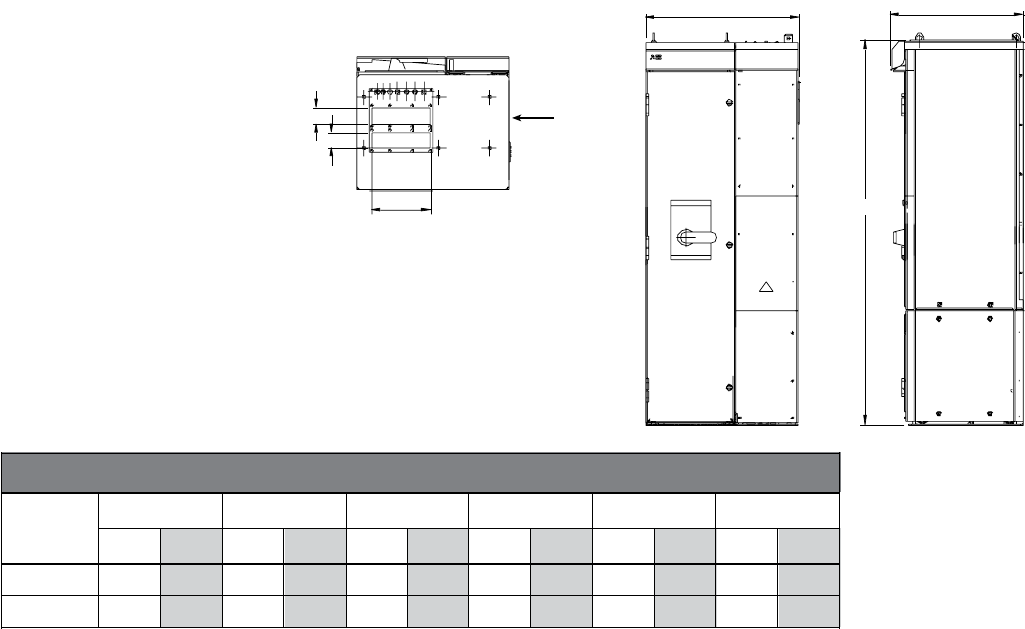
144
E1
E1
E2
X2
W2
H1
D
Top View
Weights and Dimensions
Frames R7-R8
NEMA 1 Enclosure
Frame H1 W2 Depth Weight E1 E2
mm in mm in mm in kg lb. mm in mm in
R7 1503 59.17 609 23.98 495 19.49 195 430 92 3.62 250 9.84
R8 2130 83.86 800 31.5 585 23.03 375 827 92 3.62 250 9.84
Drawing is not for engineering purposes.
Degrees of Protection
Available enclosures:
• IP 21 / UL Type 1 Enclosure. The site must be free of airborne dust, corrosive gases or
liquids, and conductive contaminants such as condensation, carbon dust and metallic par-
ticles. Indoor use only.
• IP 54 / UL Type 12 Enclosure. This enclosure provides protection from airborne dust and
light sprays or splashing water from all directions. Indoor use only.
• UL Type 3R- Enclosures are intended for outdoor use to provide a degree of protection
from falling rain. Undamaged by the formation of ice on the enclosure. May be cooled
by forced air and louvers for vents. This rating is met by placing the drive into a NEMA 3R
Enclosure.
Compared to the IP 21 / UL Type 1 Enclosure, the IP 54 / UL Type 12 Enclosure has:
• The same internal plastic shell as the IP 21 Enclosure.
• A different outer plastic cover.
• An additional internal fan to improve cooling.
• Larger dimensions.
• The same rating (does not require a derating).
• Plastic gasketed cover for keypad.
TECHNICAL DATA
E1
E1
E2
X2
W2
H1
D
Top View

145
Ambient Conditions
The following table lists the AQUAVAR environmental requirements.
Ambient Environment Requirements
Installation Site Storage and Transportation
in the protective package
• 0…1000 m (0…3,300 ft)
• 1000…2000 m (3,300…6,600 ft)
Altitude1 if PN and I2 derated 1% every
100 m above 1000 m
(300 ft above 3,300 ft).
Ambient • -15…40º C (5…104º F) -40…70º C (-40…158º F)
Temperature2 • Max. 50º C (122º F) if PN and I2
derated to 90%.
Relative humidity < 95% (non-condensing)
• No conductive dust allowed. Storage
• The ACS550 should be installed • No conductive dust allowed.
in clean air according to • Chemical gases: Class 1C2
Contamination
levels • Cooling air must be clean, free Transportation
(IEC 721-3-3) from corrosive materials and free • No conductive dust allowed.
from electrically conductive dust. • Chemical gases: Class 2C2
• Chemical gases: Class 3C2 • Solid particles: Class 2S2
• Solid particles: Class 3S2
• Mechanical conditions: Class 3M4 In accordance with ISTA-1A and 1B
Sinusoidal
Vibration • 2…9 Hz 3.0 mm (0.12 in)
• 9…200 Hz 10 m/s2 (33 ft/s2)
Shock Not allowed Maximum 100 m/s2 (330 ft/s2),
(IEC 68-2-29) 11ms (36 ft)
• 76 cm (30 in), frame size R1
• 61cm (24 in), frame size R2
Free Fall3 Not allowed • 46 cm (18 in), frame size R3
• 31 cm (12 in), frame size R4
• 25 cm (10 in), frame size R5
• 15 cm (6 in), frame size R6
(1) Consult factory above 6600’ altitude.
(2) Derate drive one HP size from motor for higher temperatures (e.g. motor HP = 10 HP; use 15 HP Aquavar in
temperature up to 122º F).
(3) R7-R8 not allowed for free fall any distance.
TECHNICAL DATA
146
Materials
Materials Specications
• PC/ABS 2.5 mm, color NCS 1502-Y (RAL 90021 / PMS 420 C and 425 C)
Drive • Hot-dip zinc coated steel sheet 1.5…2 mm, thickness of coating 100 micrometers.
Enclosure • Cast aluminium AlSi
• Extruded aluminium AlSi
Package Corrugated board (drives and option modules), expanded polystyrene.
Plastic covering of the package: PE-LD, bands PP or steel.
The drive contains raw materials that should be recycled to preserve energy and natural
resources. The package materials are environmentally compatible and recyclable. All
metal parts can be recycled. The plastic parts can either be recycled or burned under
controlled circumstances, according to local regulations. Most recyclable parts are
marked with recycling marks.
Disposal If recycling is not feasible, all parts excluding electrolytic capacitors and printed circuit
They must be removed and handled according to local regulations.
For further information on environmental aspects and more detailed recycling
instructions, please contact your local recycler.
Applicable Standards
The drive complies with the following standards. The compliance with the European Low Volt-
Applicable Standards
EN 50178 (1997) Electronic equipment for use in power installations.
EN 60204-1 Safety of machinery. Electrical equipment of machines. Part 1: General requirements.
(1997)
installing:
• An emergency-stop device
• A supply disconnecting device
EN 60529: 1991 Degrees of protection provided by enclosures (IP code).
(IEC 529), IEC
60664-1 (1992)
EN 61800-3
(1996) +
Amendment
A11 (2000)
UL 508C UL Standard for Safety, Power Conversion Equipment, second edition.
TECHNICAL DATA

147
UL Markings
The AQUAVAR is suitable for use on a circuit capable of delivering not more than 65,000 RMS
symmetrical amperes, 480 V maximum. The AQUAVAR has an electronic motor protection
feature that complies with the requirements of UL 508C. When this feature is selected and
properly adjusted, additional overload protection is not required unless more than one motor
is connected to the drive or unless additional protection is required by applicable safety
regulations.
The drives are to be used in a controlled environment. See section “Ambient Conditions” on
Liability Limits
The manufacturer is not responsible for:
• Any costs resulting from a failure if the installation, commissioning, repair, alteration
documentation delivered with the unit and other relevant documentation.
• Units subjected to mususe, negligence or accident.
• Units comprised of materials provided or designs stipulated by the purchaser.
In no event shall the manufacturer, its suppliers or subcontractors be liable for special,
indirect, incidental or consequential damages, losses or penalties.
If you have any questions concerning your product, please contact the local distributor or
TECHNICAL DATA

148
3.25
0.875” HEX
Snubber
added
1/4 MNPT
LABEL
Packard 3-pin
Metri-Pack
Series 150
23
1
Output
White +Supply
Brown
No
Connection
3/16” Dia
sphere of
silicon
grease at
base of
terminals
CentriPro
www.centripro.com
PART#: 9K515
PRESSURE: 0-300PSI
INPUT: 10-28VDC MADE IN USA
OUTPUT: 4-20mA
SERIAL #: AXXXXXX YYMMDD
CUS
LISTED
79BN
UL
0300SB
PRESSURE TRANSDUCER
300 PSI 4-20 mA
P/N 9K515
(To order sensor with 200 inch (16 ft.) cable, use P/N 9K391)
SPECIFICATIONS
Parameter Value
Pressure Range 300 PSI
Output (0 - 100%) 4-20 mA
Supply Voltage 10-28 VDC
Burst Pressure Minimum 5x rated
Pressure Overload Maximum 2x rated
Supply Current Maximum <22mA
Pressure Cycles Minimum 100 million
Accuracy (combined lin/hyst/rep) < 0.5% BFSL
Zero Offset Maximum < 1% of FS / ºC
Span Tolerance Maximum < 2% of FS / ºC
Parameter Value
Operating Temp. Range -40 to 85°C
Compensation Temp. Range 0 to 55°C
Zero Thermal Error Maximum < .035% of FS
Span Thermal Error Maximum < .035% of FS
Pressure Port Material 17-4 PH
Housing Material 304 stainless steel
Isolation Voltage Minimum 500VDC
Seal Material N/A
Listings UL cUL 508
CE ENG/326
APPENDIX
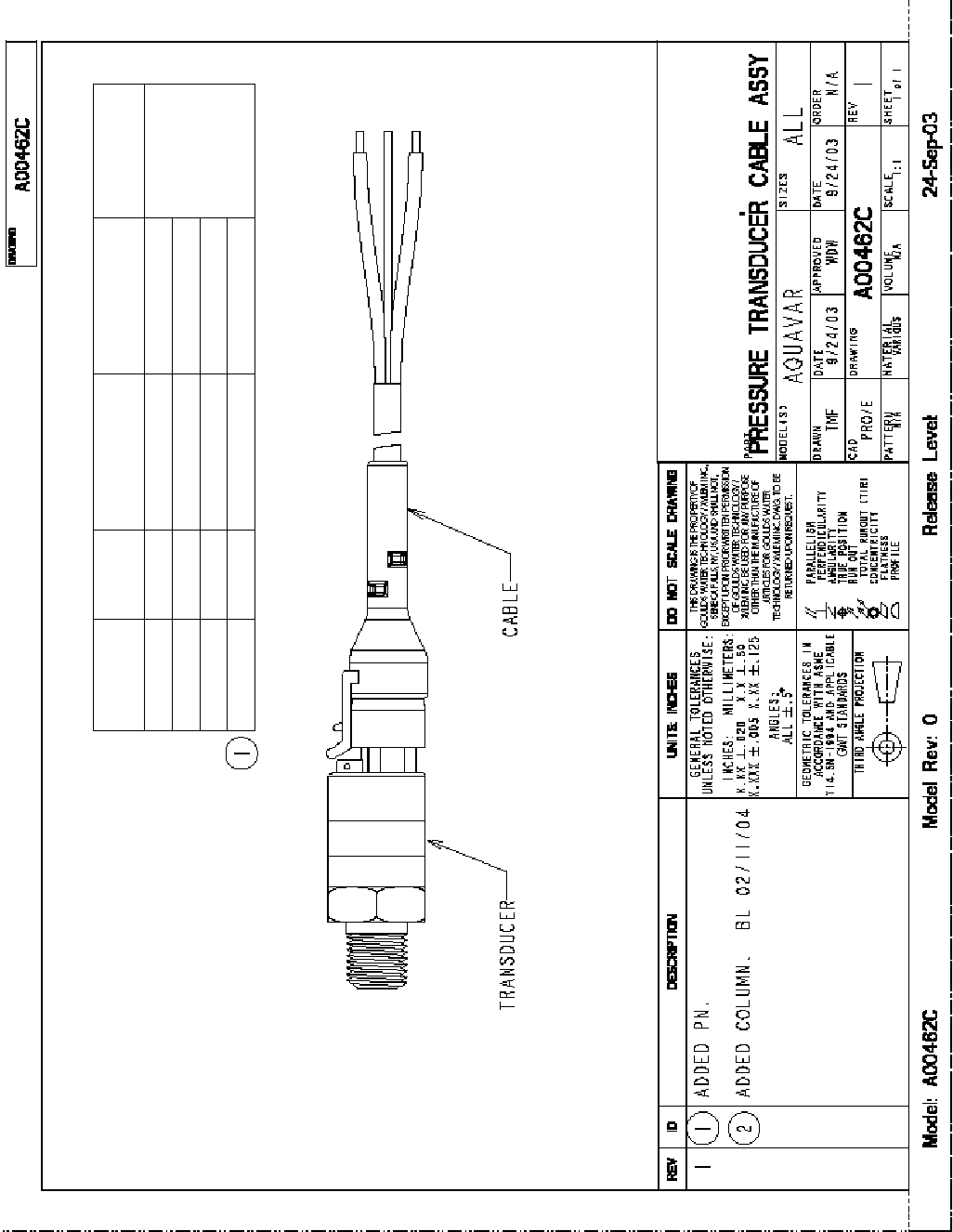
149
Transducer Data/Specications
APPENDIX
Part No. K No. Transducer Part
No. Pressure Range Cable Part
No.
A00462C 1 9K514 A00439C 1 0-150 PSI
A00436C 360
A00462C 2 9K515 A00439C 2 0-300 PSI
A00462C 3 9K516 A00439C 3 0-500 PSI
A00462C 4 9K517 A00439C 4 0-1000 PSI
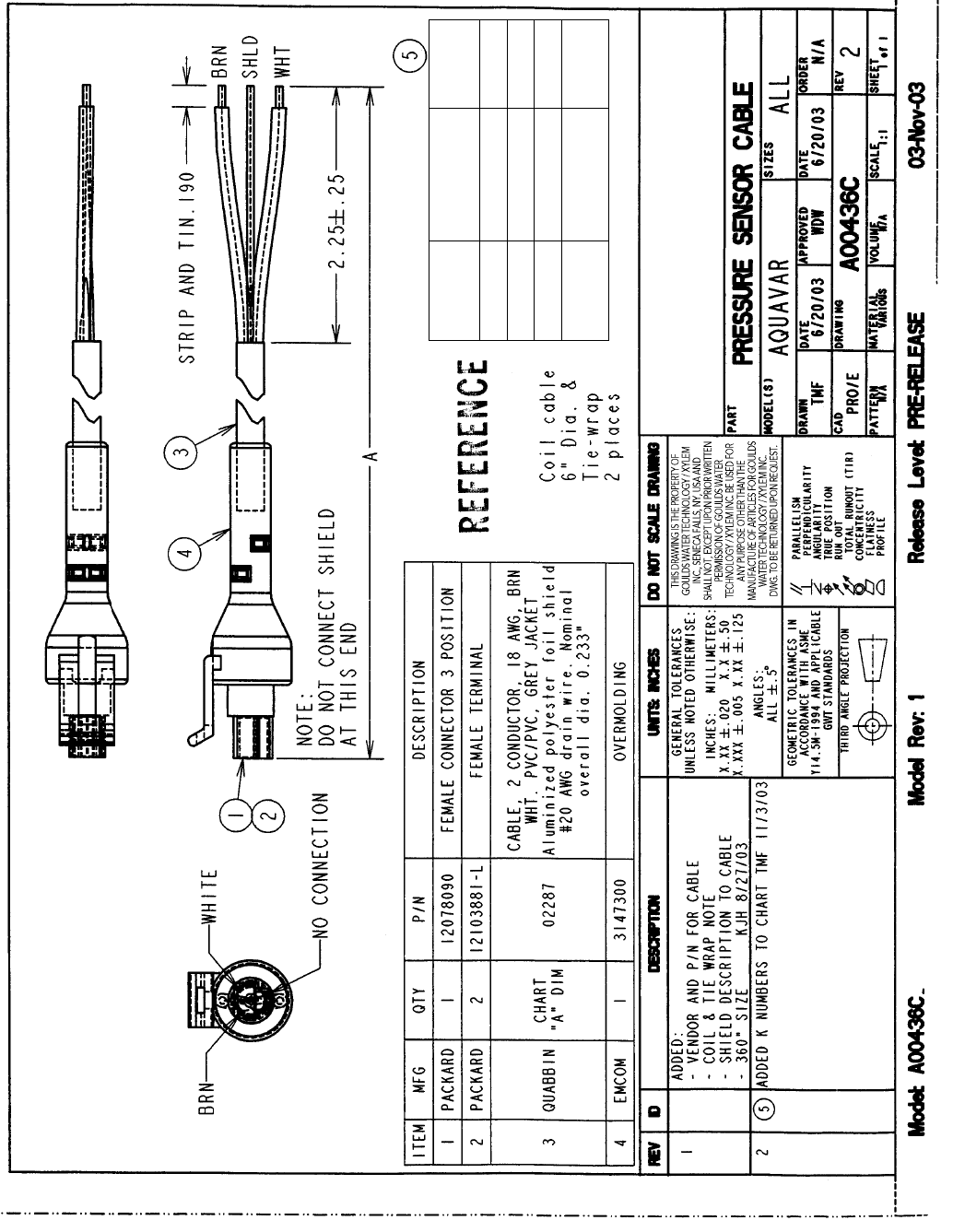
150
Transducer Cable Specication
APPENDIX
A (ft) Drawing
Number K No.
100 A00436C 100 9K397
50 A00436C 50 9K398
30 A00436C 30 9K399
16
(standard) A00436C 16 9K400
NOTE: Not available in 200 feet.
151
Spare Parts List
APPENDIX
Part Number Description
64732048 Control Panel (Keypad) Connector
CPCCPA Control Panel (Keypad)
0CAT01 Control Panel Extension Cable 8 ft.
CPCB01
0FANR1 Fan Kit, R1 Frame Size, Aquavar CPC
0FANR2 Fan Kit, R2 Frame Size, Aquavar CPC
0FANR3 Fan Kit, R3 Frame Size, Aquavar CPC
0FANR4 Fan Kit, R4 Frame Size, Aquavar CPC
0FANR5 Fan Kit, R5 Frame Size, Aquavar CPC
0FANR6 Fan Kit, R6 Frame Size, Aquavar CPC
0FANR7 Fan Kit, R7 Frame Size, Aquavar CPC
64391658 Fan Kit, R8 Frame Size, Aquavar CPC
CPCEXTKIT Control Panel Mounting Kit
CENTRIPRO LIMITED WARRANTY
This warranty applies to all Aquavar CPC controllers manufactured by Xylem, Inc.
Any part or parts found to be defective within the warranty period shall be replaced at no charge to the dealer during the warranty period. The warranty period shall exist
for a period of twenty-four (24) months from date of installation or thirty (30) months from date of manufacture, whichever period is shorter.
A dealer who believes that a warranty claim exists must contact the authorized CentriPro distributor from whom the controller was purchased and furnish complete details
regarding the claim. The distributor is authorized to adjust any warranty claims utilizing the CentriPro Customer Service Department.
The warranty excludes:
(a) Labor, transportation and related costs incurred by the dealer;
(b) Reinstallation costs of repaired equipment;
(c) Reinstallation costs of replacement equipment;
(d) Consequential damages of any kind; and,
(e) Reimbursement for loss caused by interruption of service.
For purposes of this warranty, the following terms have these definitions:
(1) “Distributor” means any individual, partnership, corporation, association, or other legal relationship that stands between CentriPro and the dealer in purchases,
consignments or contracts for sale of the subject controllers.
(2) “Dealer” means any individual, partnership, corporation, association, or other legal relationship which engages in the business of selling or leasing controllers to
customers.
(3) “Customer” means any entity who buys or leases the subject controllers from a dealer. The “customer” may mean an individual, partnership, corporation, limited
liability company, association or other legal entity which may engage in any type of business.
THIS WARRANTY EXTENDS TO THE DEALER ONLY.
CentriPro and Aquavar are trademarks of Xylem Inc. or one of its subsidiaries.
© 2014 Xylem Inc. IM167 Revision 8 December 2014
Xylem Inc.
2881 East Bayard Street Ext., Suite A
Seneca Falls, NY 13148
Phone: (800) 453-6777
Fax: (888) 322-5877
www.centripro.com
