Q See 1827 Capture Snapshot Remote Qs New User Manual
2015-04-22
User Manual: Q-See 1827-Capture Snapshot Remote Qs-New
Open the PDF directly: View PDF  .
.
Page Count: 1
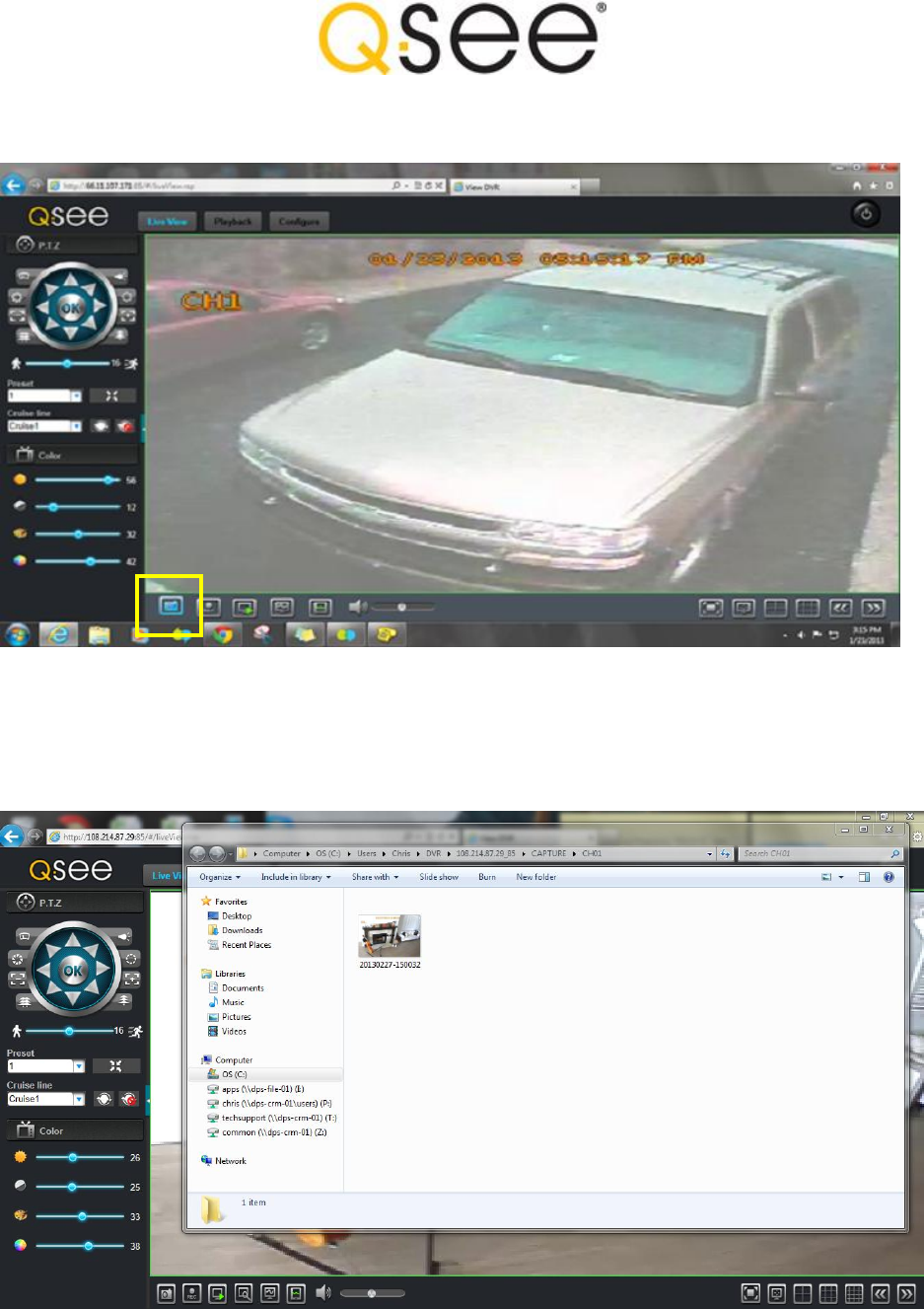
How to take a snapshot of the live feed using remote software for the QS458, QS494,
QS524, QS558, QS4716, and QS4816 DVRs
As you can see in the image above the BLUE ICON in the BOTTOM LEFT CORNER of the DVR interface is
shaped like a camera. The CAPTURE ICON is what you click on to save the image of your LIVE VIEWING
SCREEN onto your remote or local PC. After the Snapshot is taken your PC will display the location were
the snapshot is being stored on your PC’s hard drive.
Above picture shows the name of the file and that it is being saved on the C drive.
