Q See C Setting Up Myq Ddns User Manual
2015-04-22
User Manual: Q-See C-Setting Up Myq-See Ddns
Open the PDF directly: View PDF  .
.
Page Count: 17
H OW TO SE T UP MYQ -SEE D DN S
F
O
R
M
O
D
E
L
NU
M
B
E
RS
:
Q
C
-Series
DV R
S
Y
S
T
E
M
S
1
|
P a g
e
Prior
to s
e
tt
i
n
g
up
DDN S
for your
DV R,
your
DV R
must be set up for remote
v
i
e
w
i
n
g
.
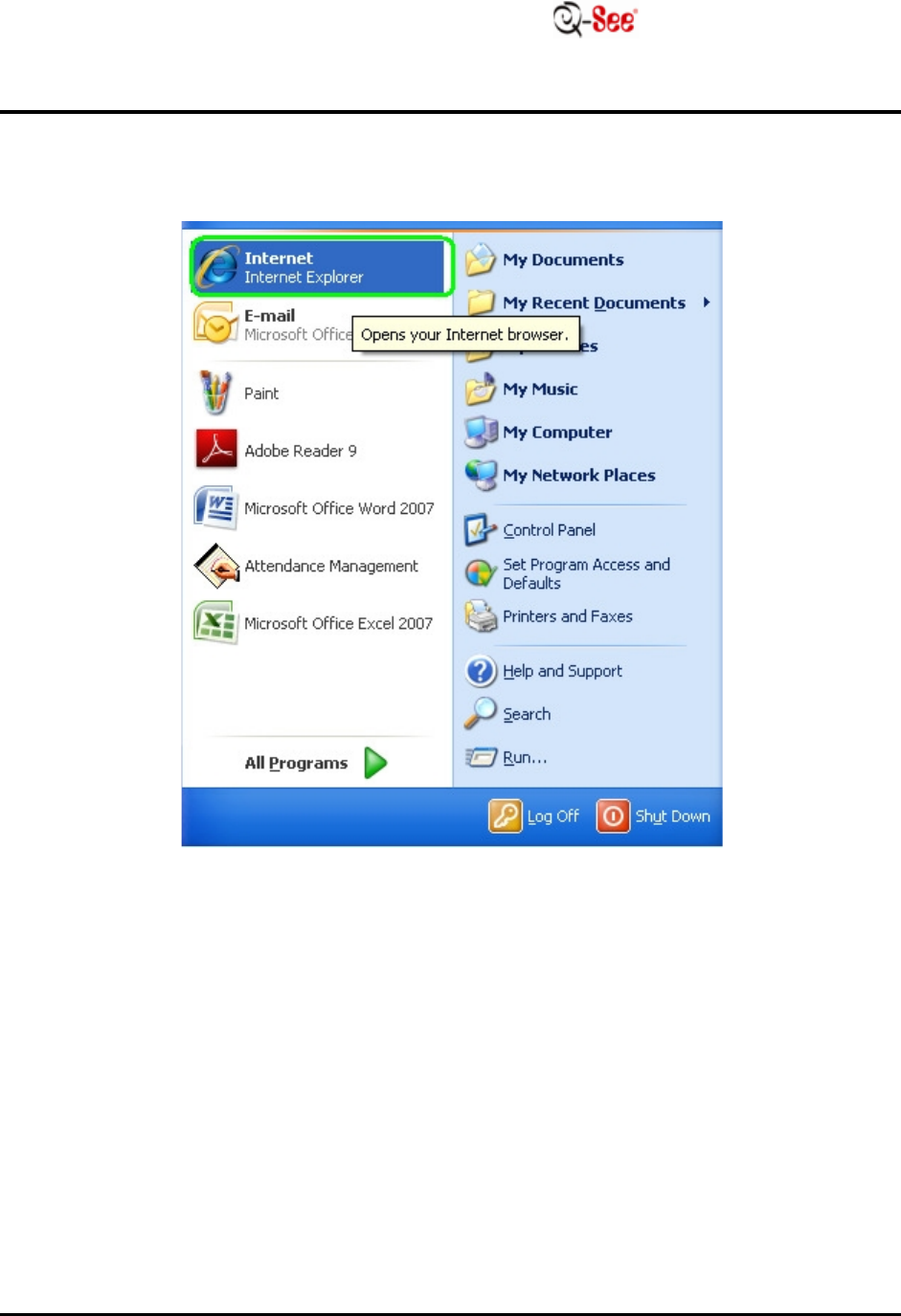
STEP
1: Go to your desktop computer and go to
I
n
t
e
r
n
e
t
E
x
p
l
o
r
e
r
.
H OW TO SE T UP MYQ -SEE D DN S
F
O
R
M
O
D
E
L
NU
M
B
E
RS
:
Q
C
-Series
DV R
S
Y
S
T
E
M
S
3
|
P a g
e
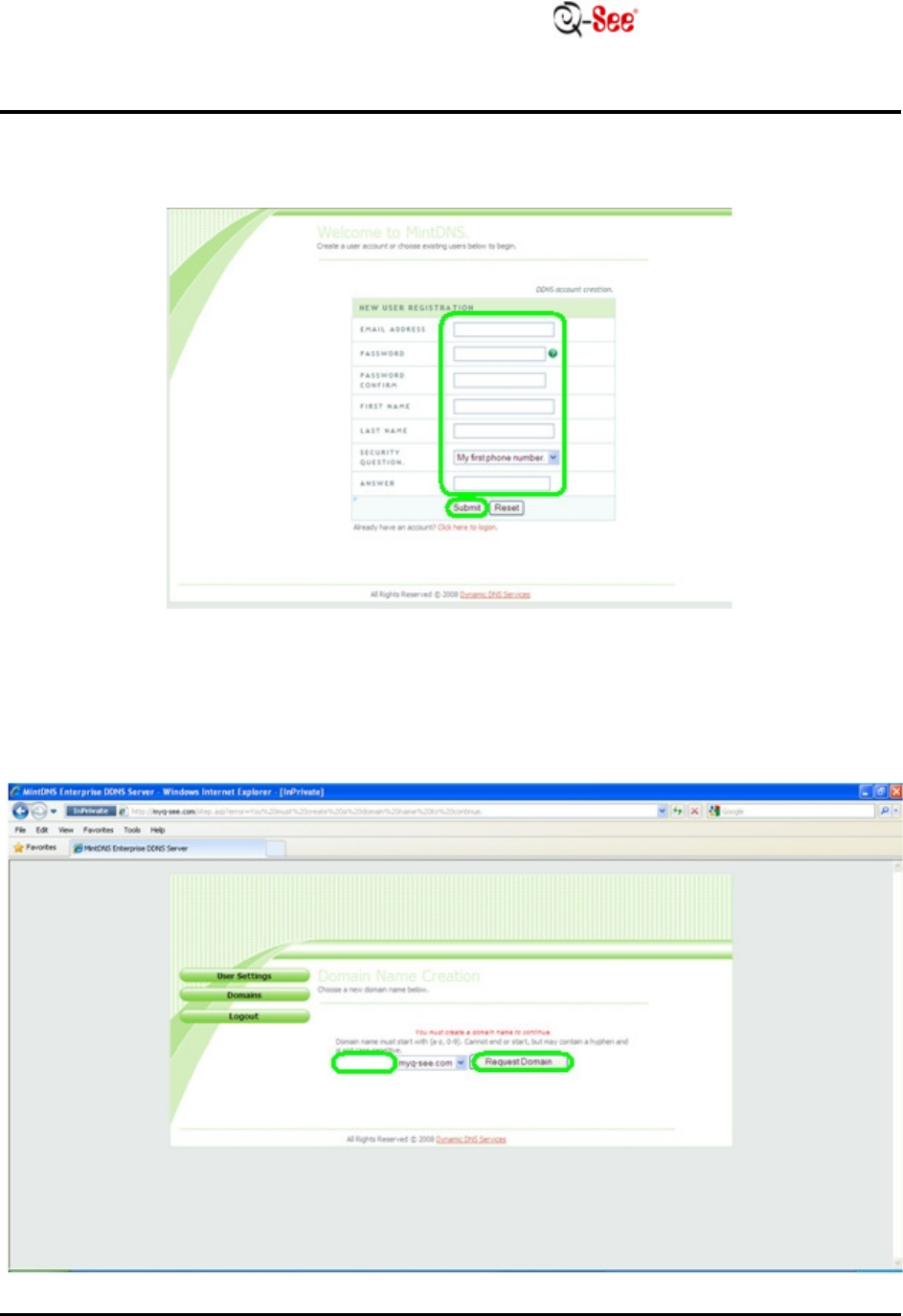
STEP
4:
E
n
t
e
r
in
the
r
e
qu
i
r
e
d
i
n
f
o
r
m
a
t
i
on
i
n
t
o
t
h
e
i
r r
e
s
p
e
c
t
i
v
e
fields
and
t
h
e
n
click
“
S
ub
m
i
t
”
.
STEP
5:
E
n
t
e
r
a
do
m
a
i
n
name
in
the
r
e
qu
i
r
e
d
field
and then
click
“
R
e
qu
e
s
t
D
o
m
a
i
n
”
.
H OW TO SE T UP MYQ -SEE D DN S
F
O
R
M
O
D
E
L
NU
M
B
E
RS
:
Q
C
-Series
DV R
S
Y
S
T
E
M
S
4
|
P a g
e
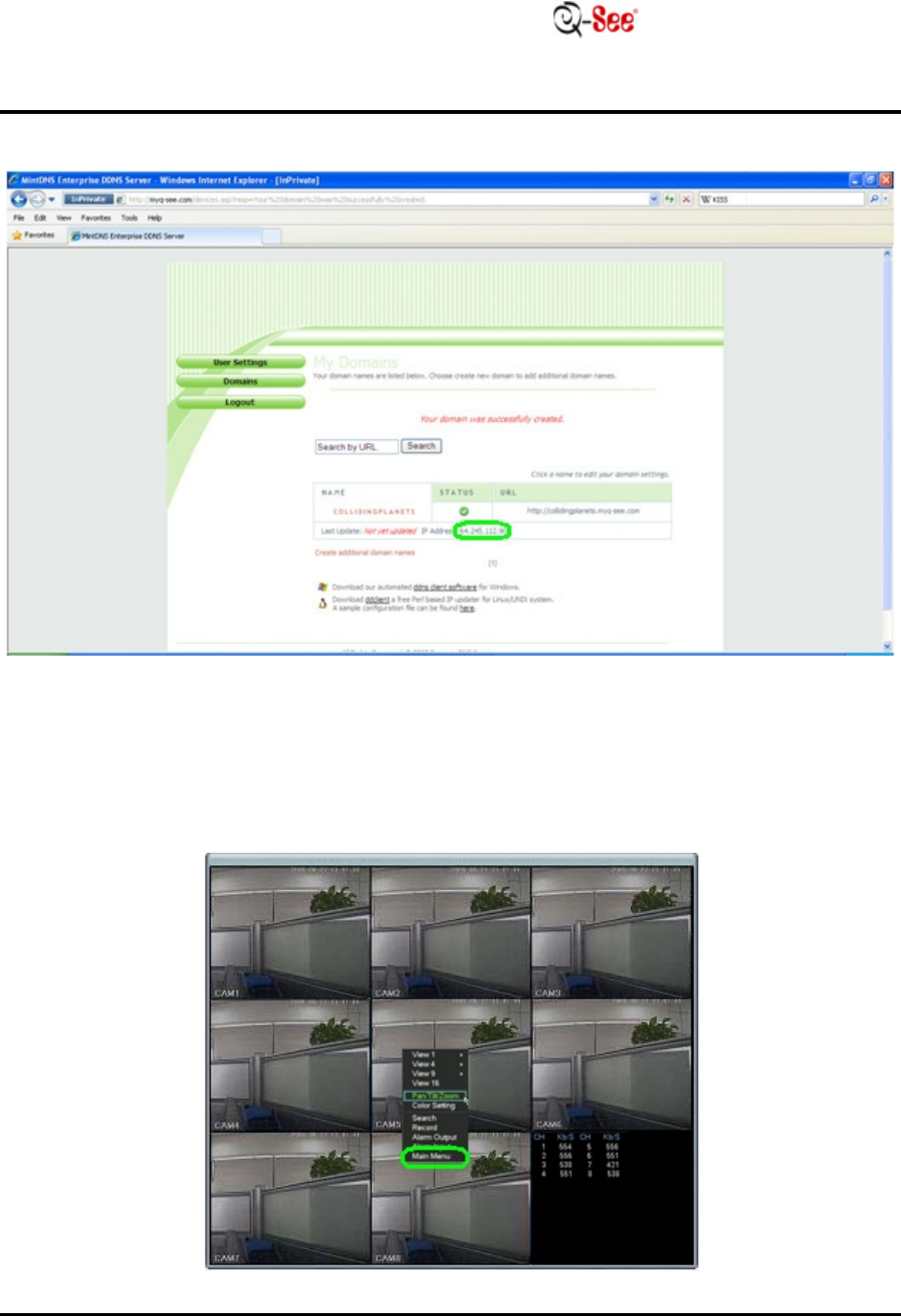
STEP
6:
Y
ou
r
do
m
a
i
n
name has been set up;
w
r
i
t
e
down your
IP
a
dd
r
e
ss.
STEP
7: On the
c
h
a
nn
e
l
display,
r
i
g
h
t
click
and s
e
l
e
c
t
“Main M
e
nu
”
.
H OW TO SE T UP MYQ -SEE D DN S
F
O
R
M
O
D
E
L
NU
M
B
E
RS
:
Q
C
-Series
DV R
S
Y
S
T
E
M
S
5
|
P a g
e
STEP
8:
Y
ou
will
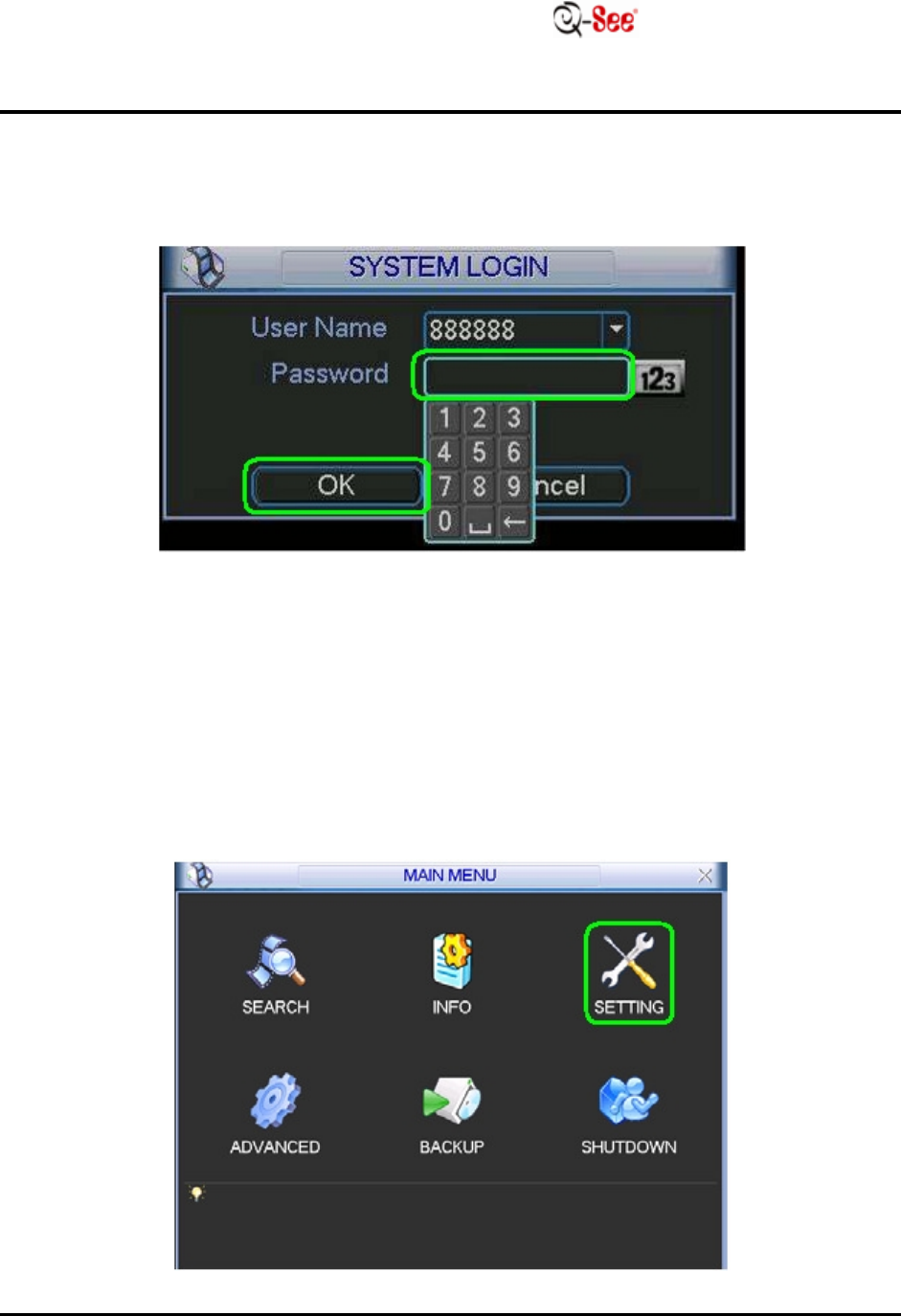
be prompted to enter your
log in
i
n
f
o
r
m
a
t
i
on
.
D
e
f
a
u
l
t
user
name
is
“888888” and
d
e
f
a
u
l
t
Password
is
“888888”. Once you have entered your
log
i
n
i
n
f
o
r
m
a
t
i
on
,
move the cursor to
“OK”
and
c
li
c
k
.
STEP
9: Move the cursor to
“SETT IN G”
and
c
li
c
k
.
H OW TO SE T UP MYQ -SEE D DN S
F
O
R
M
O
D
E
L
NU
M
B
E
RS
:
Q
C
-Series
DV R
S
Y
S
T
E
M
S
6
|
P a g
e
STEP
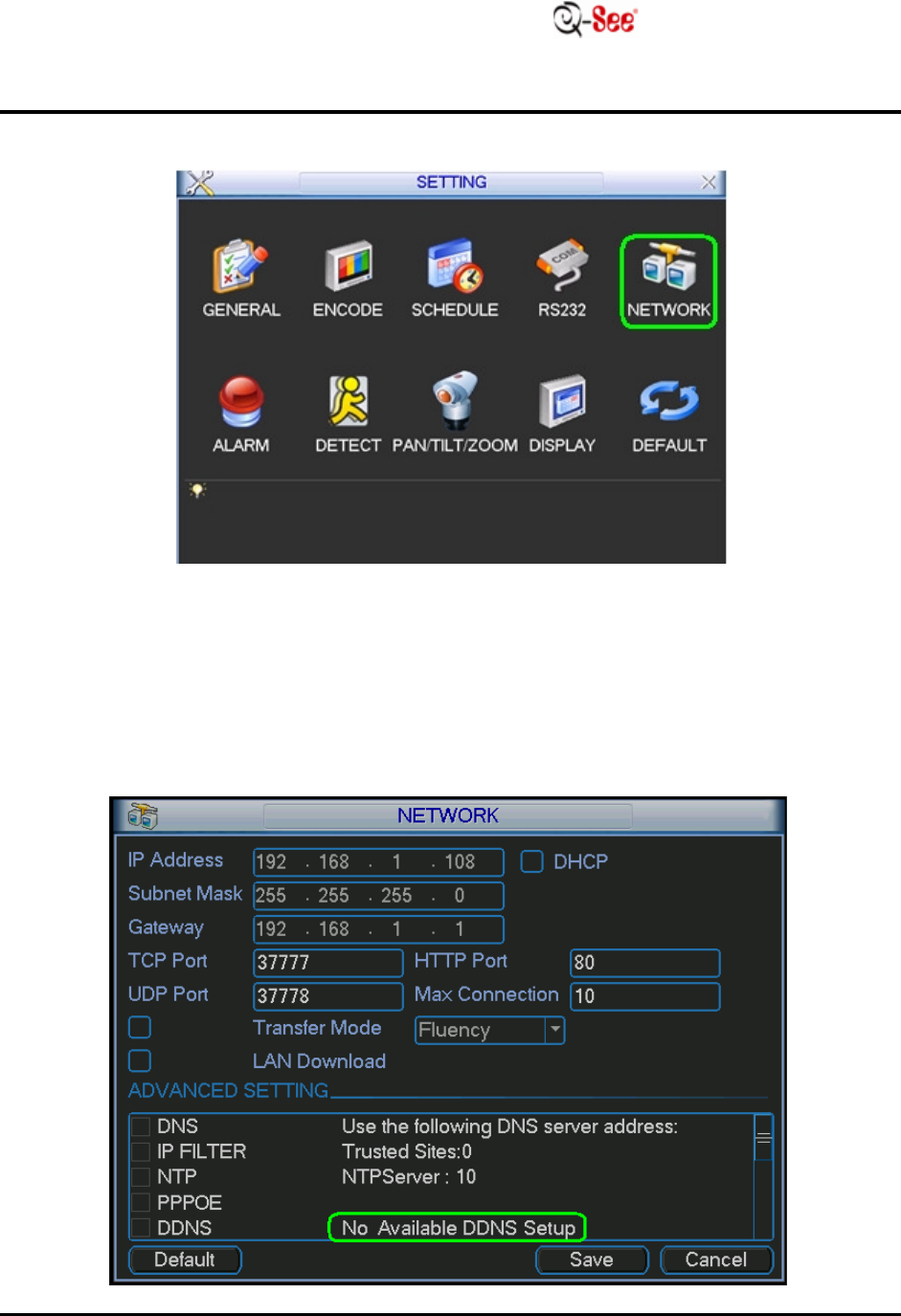
10: Move the cursor to
“N ETW OR K ”
and
c
li
c
k
.
STEP
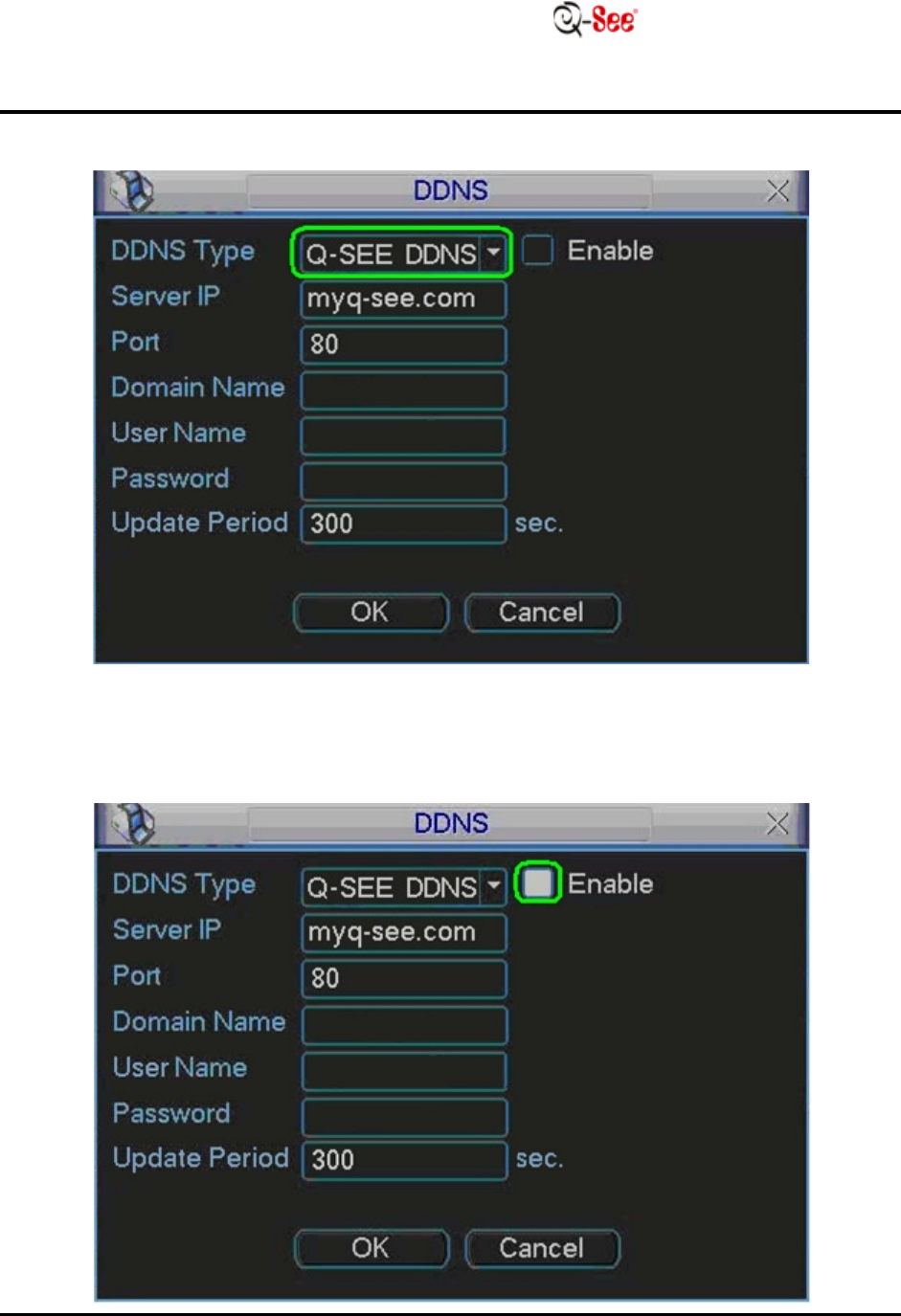
11: Move the cursor to the area next to
“DD N S”
and
doub
l
e
click
(it
w
ill
usually
say
“No Available
DD N S
S
e
t
up
”
)
.
H OW TO SE T UP MYQ -SEE D DN S
F
O
R
M
O
D
E
L
NU
M
B
E
RS
:
Q
C
-Series
DV R
S
Y
S
T
E
M
S
7
|
P a g
e
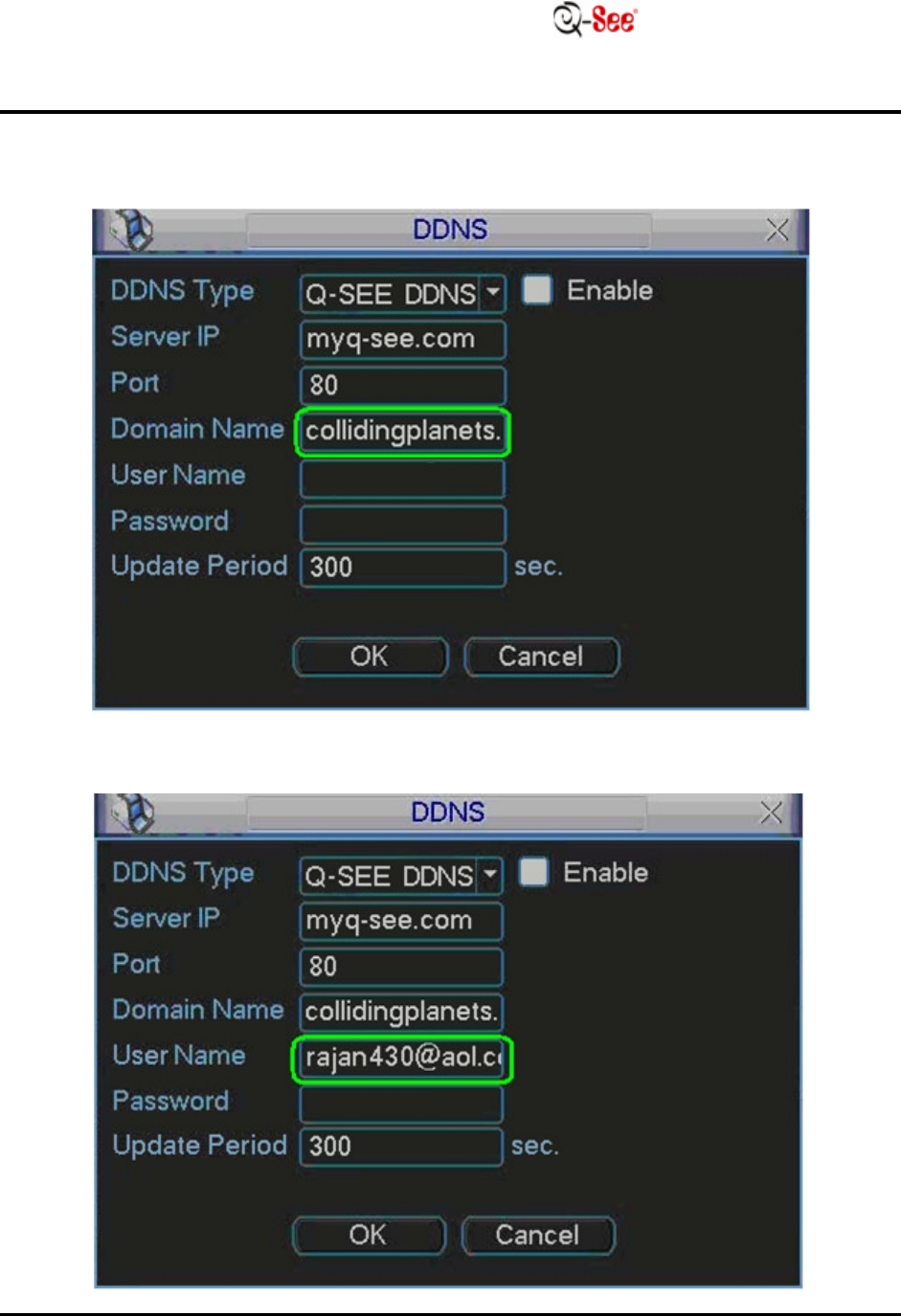
STEP
12:
S
e
t
DD N S
type to
“Q-SEE
DD
N
S
”
.
STEP
13:
Fill in
the box next to
“
E
n
a
b
l
e
”
.
H OW TO SE T UP MYQ -SEE D DN S
F
O
R
M
O
D
E
L
NU
M
B
E
RS
:
Q
C
-Series
DV R
S
Y
S
T
E
M
S
8
|
P a g
e
STEP
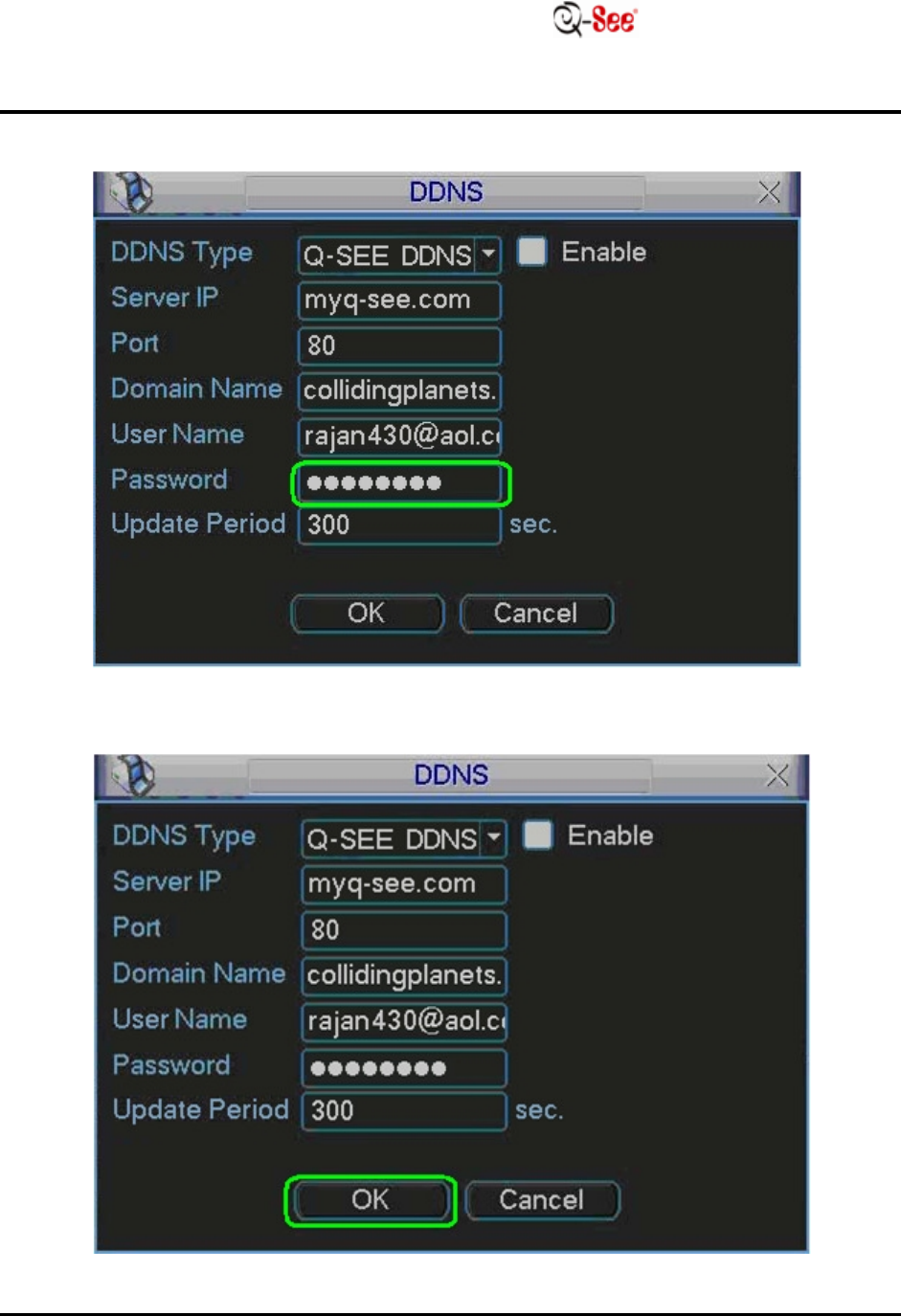
14:
I
npu
t
the
do
m
a
i
n
name you set up
in
S
t
e
p
5 (for
e
x
a
m
p
l
e
:
c
o
lli
d
i
n
g
p
l
a
n
e
t
s.m
y
q
-
s
ee
.
c
o
m
)
.
ST EP
15:
I
npu
t
your
e
m
a
il
address that you
r
e
g
i
s
t
e
r
e
d
in
S
t
e
p
4.
H OW TO SE T UP MYQ -SEE D DN S
F
O
R
M
O
D
E
L
NU
M
B
E
RS
:
Q
C
-Series
DV R
S
Y
S
T
E
M
S
9
|
P a g
e
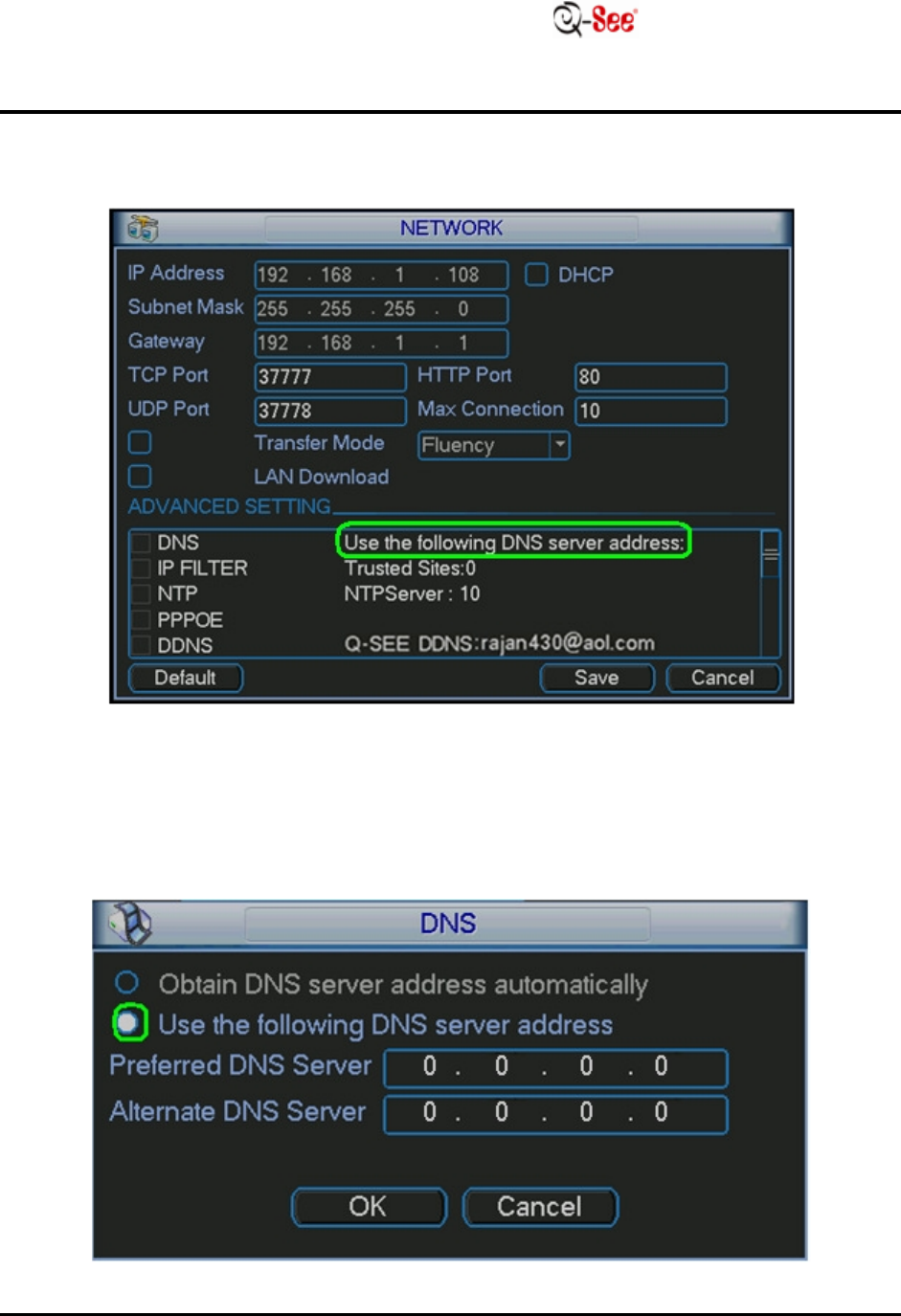
STEP
16:
I
npu
t
your password that you
r
e
g
i
s
t
e
r
e
d
in
S
t
e
p
4.
STEP
17: Move the cursor to
“OK”
and
c
li
c
k
.
H OW TO SE T UP MYQ -SEE D DN S
F
O
R
M
O
D
E
L
NU
M
B
E
RS
:
Q
C
-Series
DV R
S
Y
S
T
E
M
S
10
|
P a g
e
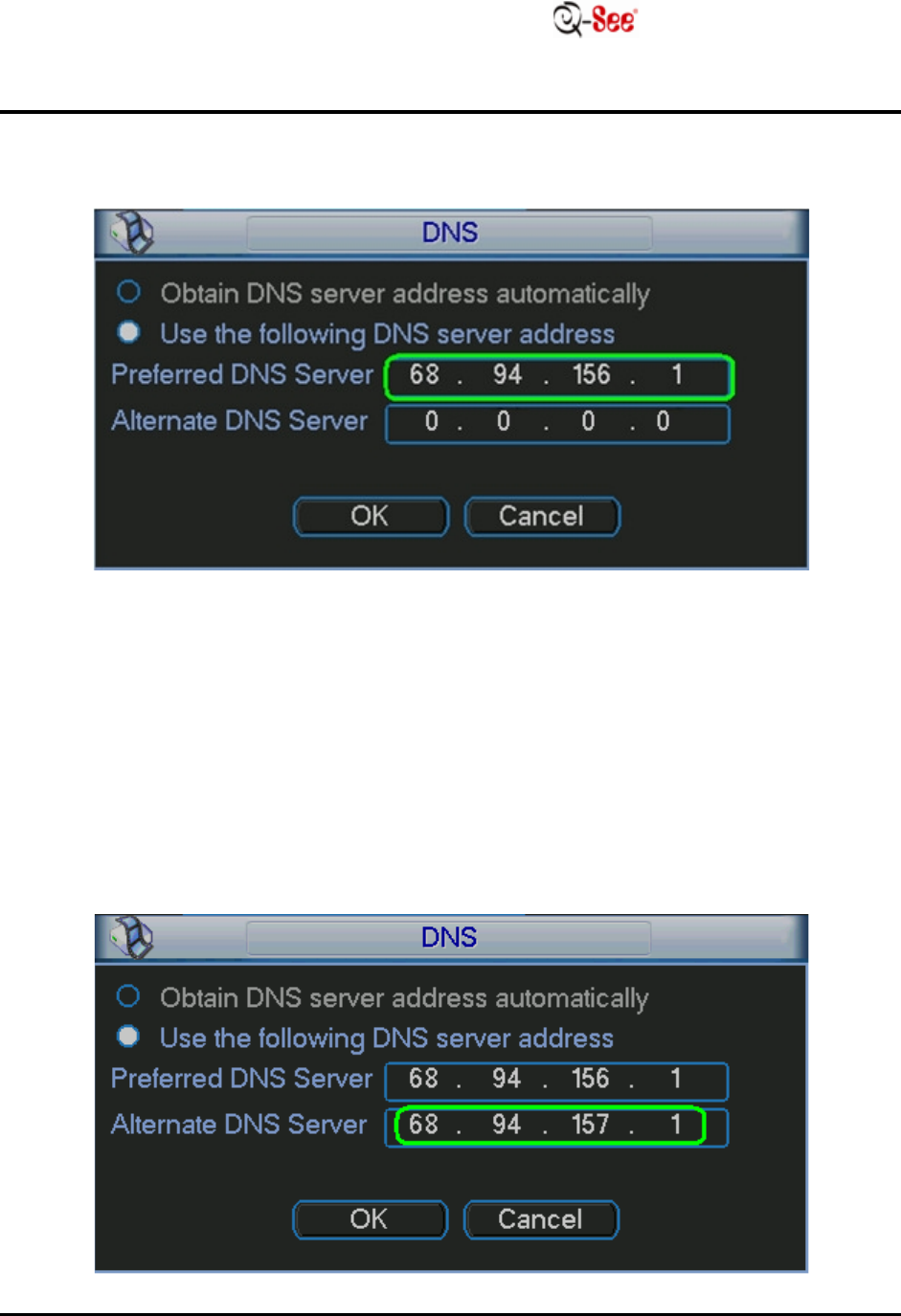
STEP
18: Move the cursor to the area next to
“D NS”
and
doub
l
e
click
(it
w
ill
usually
say “Use the
following DNS
server
a
dd
r
e
ss
”
)
.
STEP
19:
S
e
l
e
c
t
Use the
following DNS
server
a
dd
r
e
ss.
H OW TO SE T UP MYQ -SEE D DN S
F
O
R
M
O
D
E
L
NU
M
B
E
RS
:
Q
C
-Series
DV R
S
Y
S
T
E
M
S
11
|
P a g
e
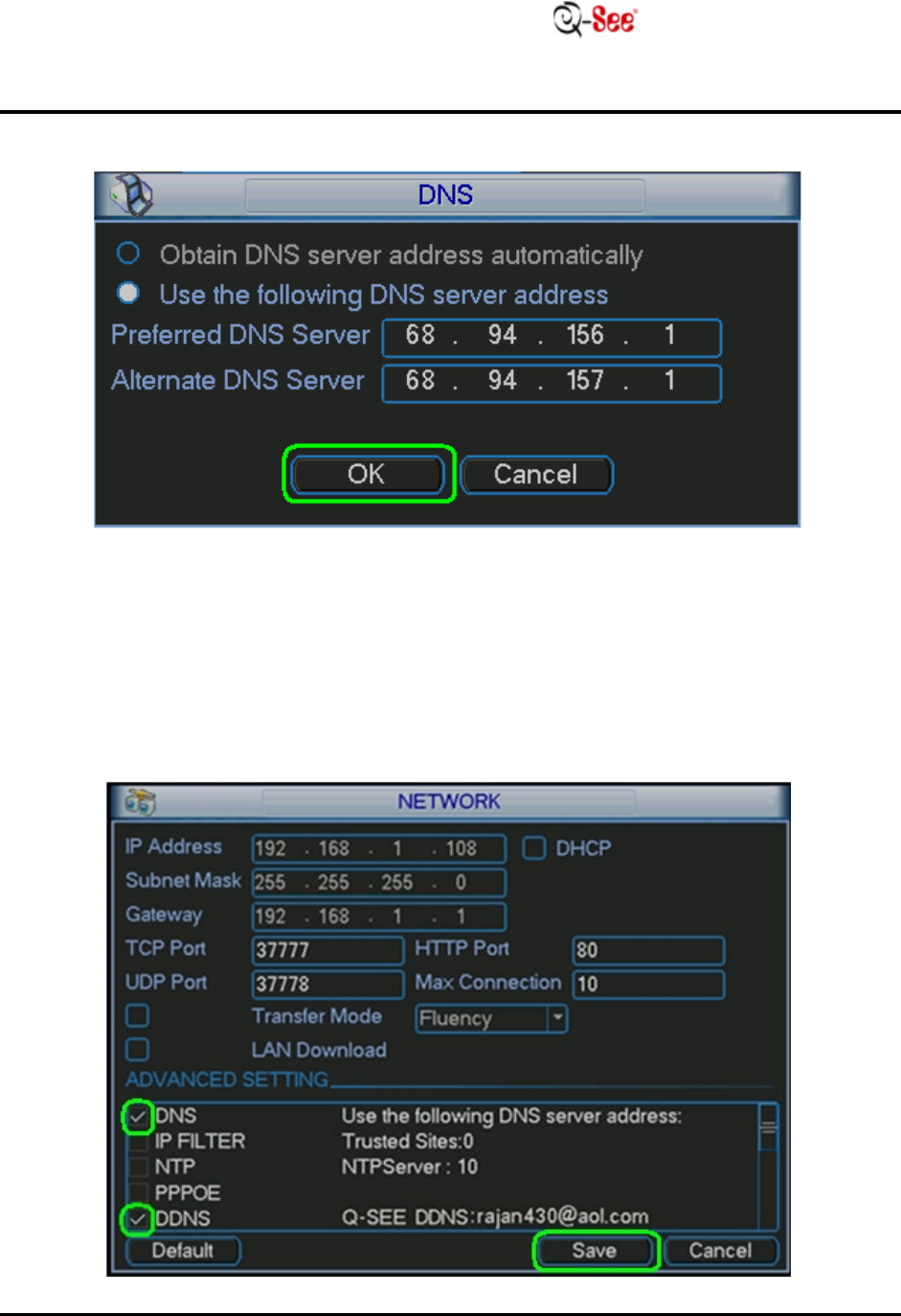
STEP
20:
E
n
t
e
r
in
the preferred
D N S
(you can
find
t
h
i
s on your router
und
e
r
Primary Domain
Name
S
e
r
v
e
r
/
D
N
S
on the status
t
a
b
)
.
STEP
21:
E
n
t
e
r
in
the
D N S
(you can
find
t
h
i
s on your router under
Primary
D
o
m
a
i
n
Name
S
e
r
v
e
r
/
D
N
S
on the status
t
a
b
)
.
H OW TO SE T UP MYQ -SEE D DN S
F
O
R
M
O
D
E
L
NU
M
B
E
RS
:
Q
C
-Series
DV R
S
Y
S
T
E
M
S
12
|
P a g
e
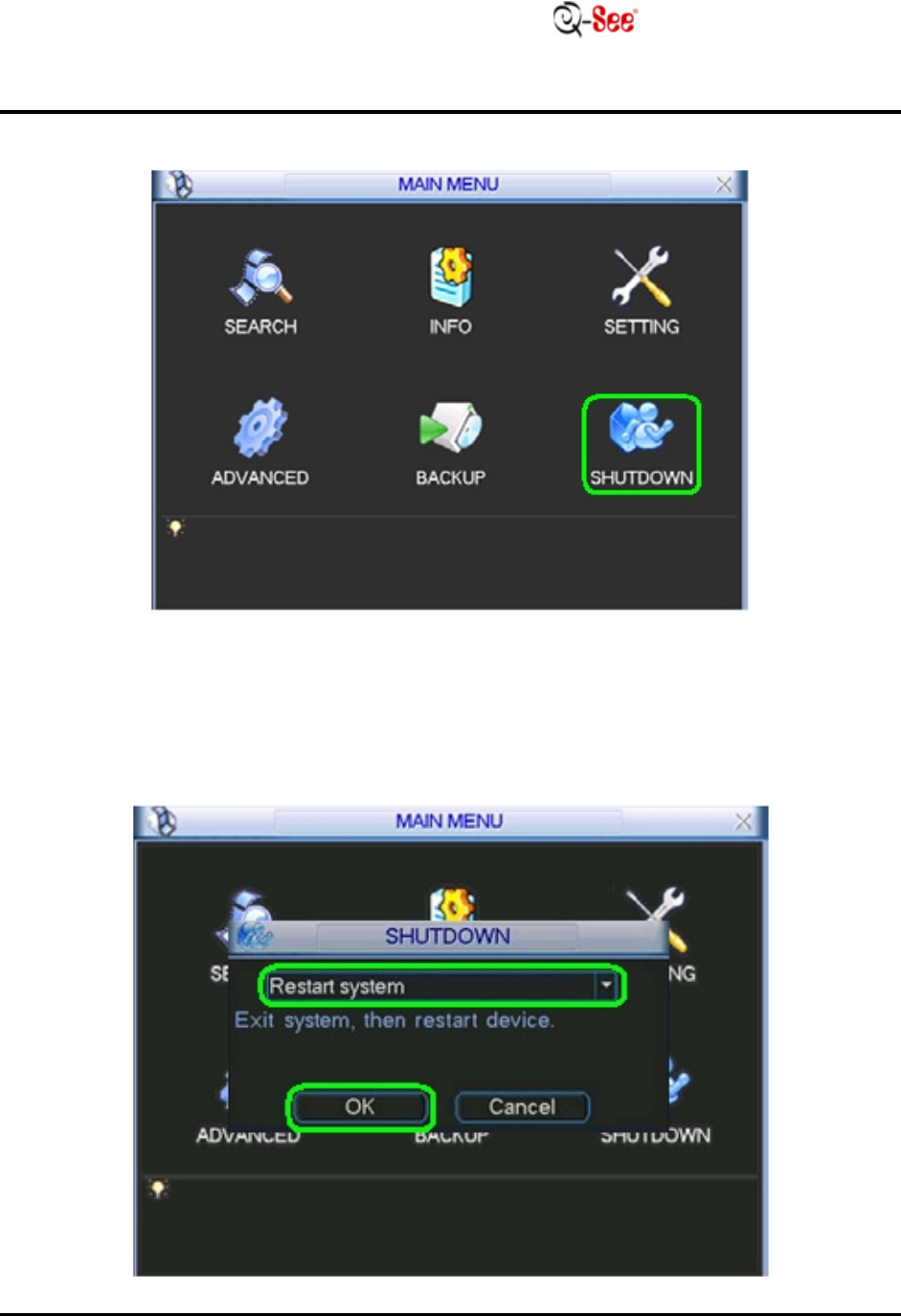
STEP
22: Move the cursor to
“OK”
and
c
li
c
k
.
STEP
23: Put checks
in
the boxes next to
“DD NS”
and
“D NS”
and then
click
“
S
a
v
e
”
.
H OW TO SE T UP MYQ -SEE D DN S
F
O
R
M
O
D
E
L
NU
M
B
E
RS
:
Q
C
-Series
DV R
S
Y
S
T
E
M
S
13
|
P a g
e
STEP
24:
R i
g
h
t
click
out of the
“SETT IN G ”
menu and
click
“
S
H
U
T
D
O
W
N
”
.
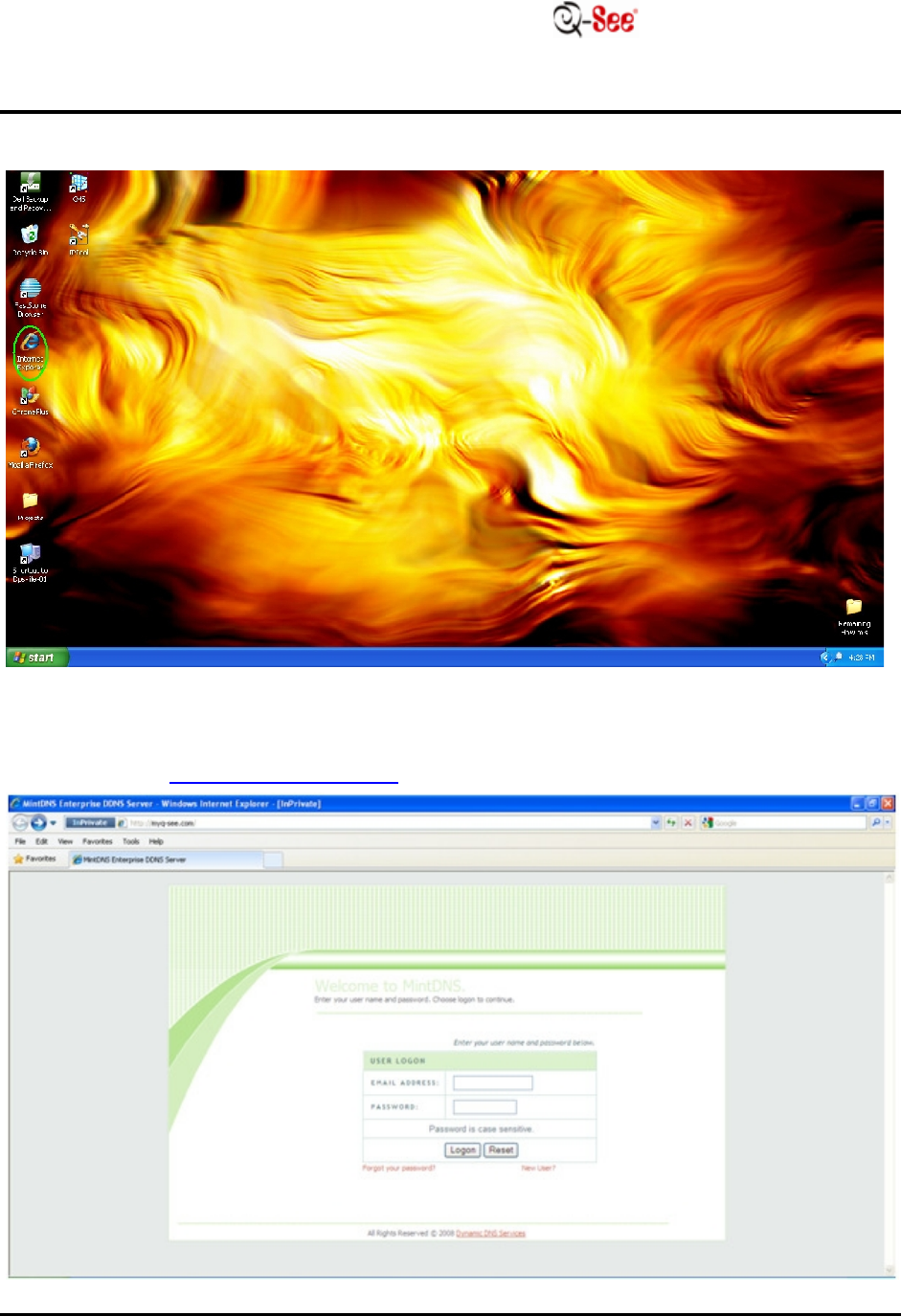
STEP
25:
S
e
t
to
“
R
e
s
t
a
r
t
system”and
click
“
O
K
”
.
H OW TO SE T UP MYQ -SEE D DN S
F
O
R
M
O
D
E
L
NU
M
B
E
RS
:
Q
C
-Series
DV R
S
Y
S
T
E
M
S
14
|
P a g
e
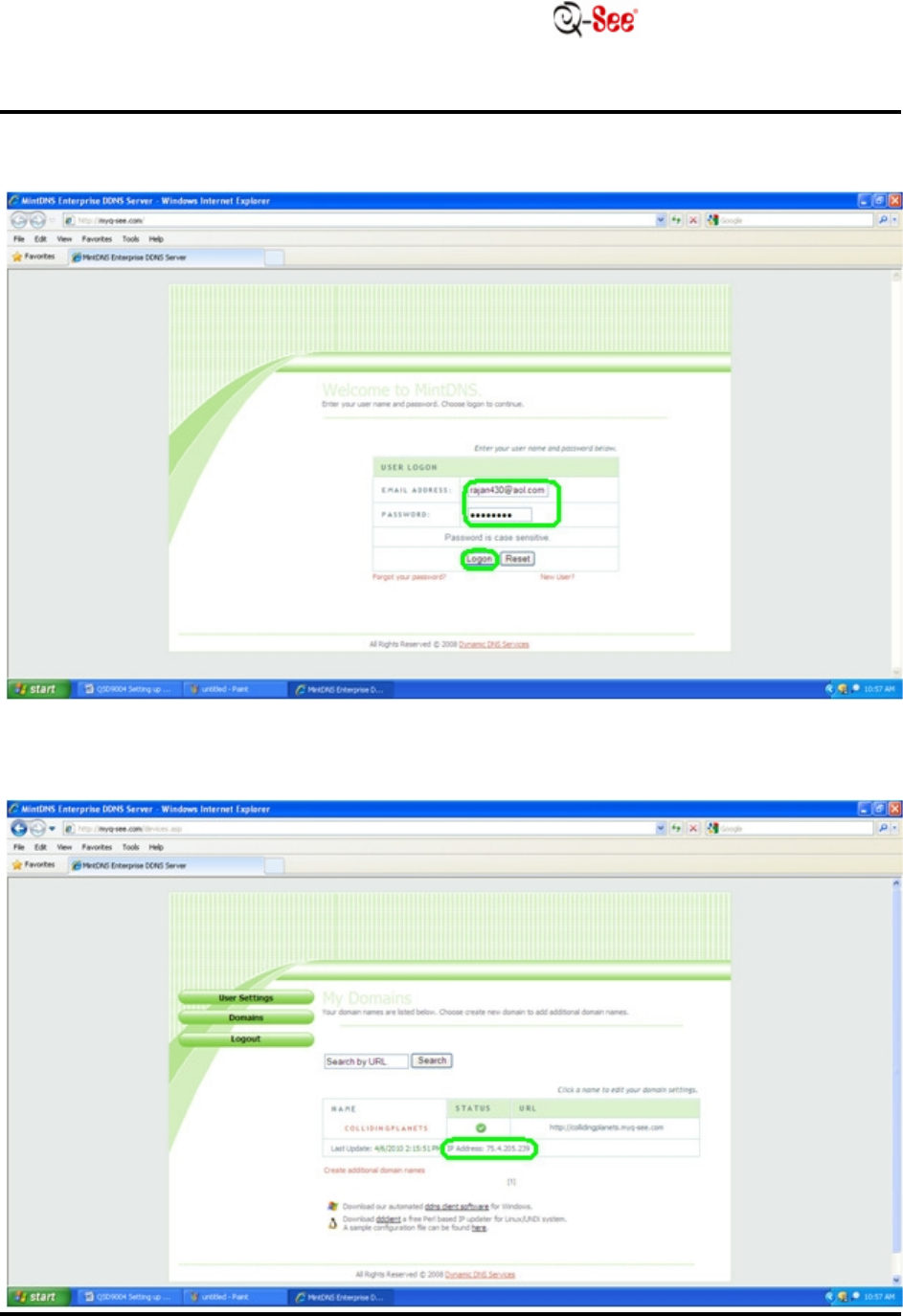
STEP
26: Go to your desktop computer and go to
I
n
t
e
r
n
e
t
E
x
p
l
o
r
e
r
.
STEP
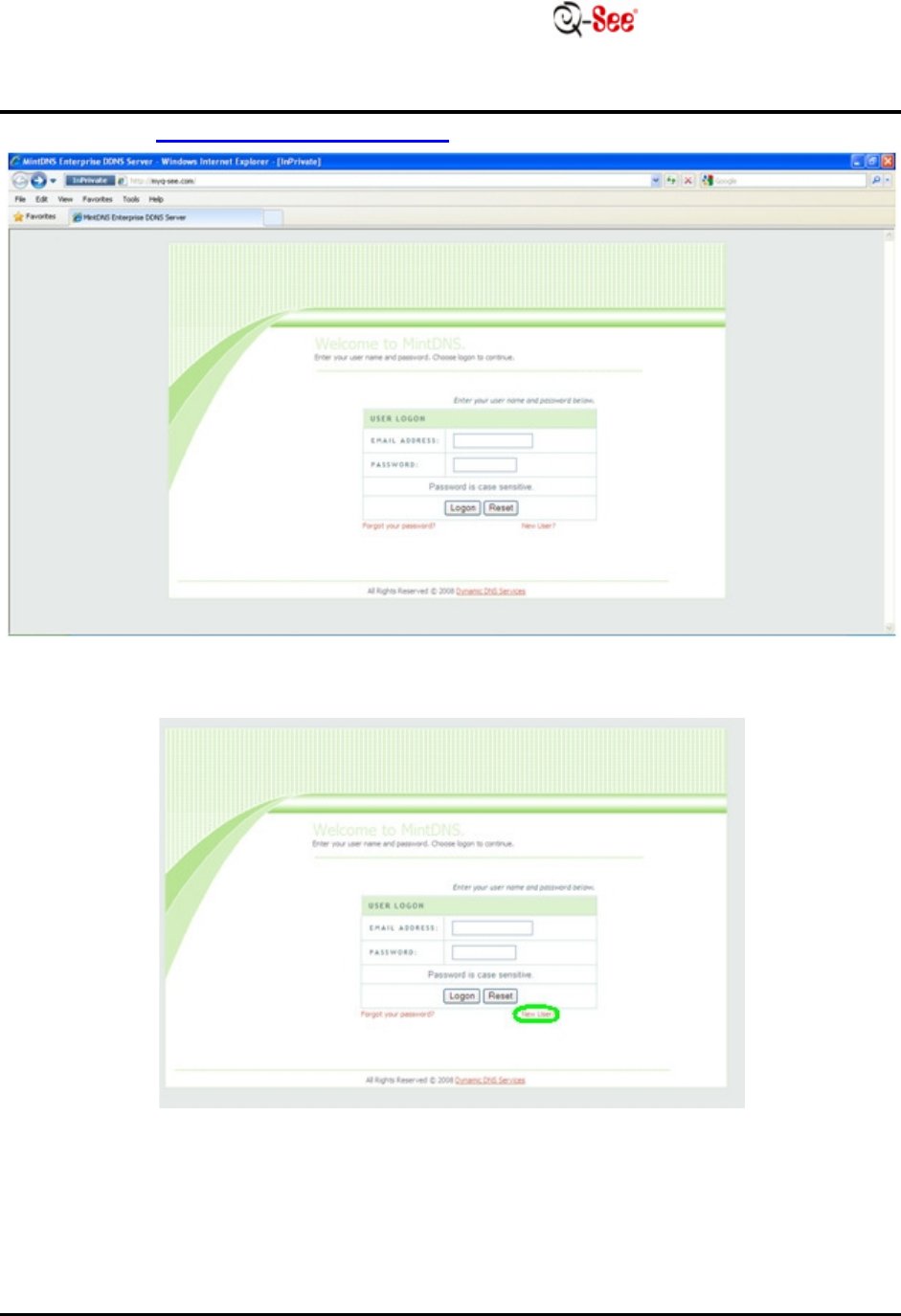
27: Go to h
tt
p
:
//
m
y
q
-
s
ee
.
c
o
m
/
.
H OW TO SE T UP MYQ -SEE D DN S
F
O
R
M
O
D
E
L
NU
M
B
E
RS
:
Q
C
-Series
DV R
S
Y
S
T
E
M
S
16
|
P a g
e
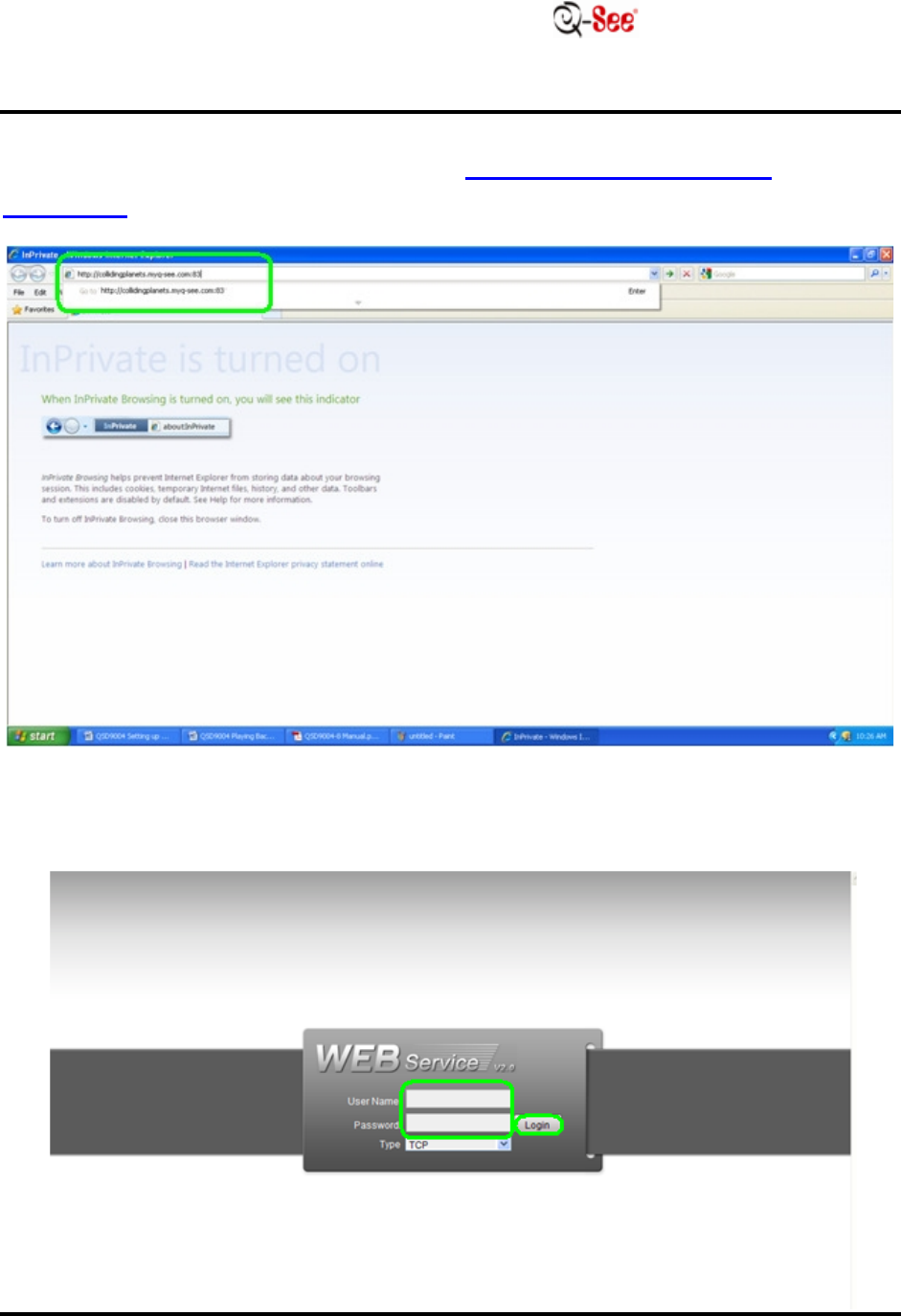
STEP
30: On the address bar, enter
in
the
do
m
a
i
n
name you created
f
o
ll
o
w
e
d
by
the port that you forwarded (for
e
x
a
m
p
l
e
:
h
tt
p
:
//
c
o
lli
d
i
n
g
p
l
a
n
e
t
s.m
y
q
-
s
ee
.
c
o
m
:
88
)
.
STEP
31:
A silver
screen
will
appear.
E
n
t
e
r
your
login
i
n
f
o
r
m
a
t
i
on
from your
D
V
R
(
d
e
f
a
u
l
t
username
is
a
d
m
i
n
and the
d
e
f
a
u
l
t
password
is
a
d
m
i
n
)
.
H OW TO SE T UP MYQ -SEE D DN S
F
O
R
M
O
D
E
L
NU
M
B
E
RS
:
Q
C
-Series
DV R
S
Y
S
T
E
M
S
17
|
P a g
e
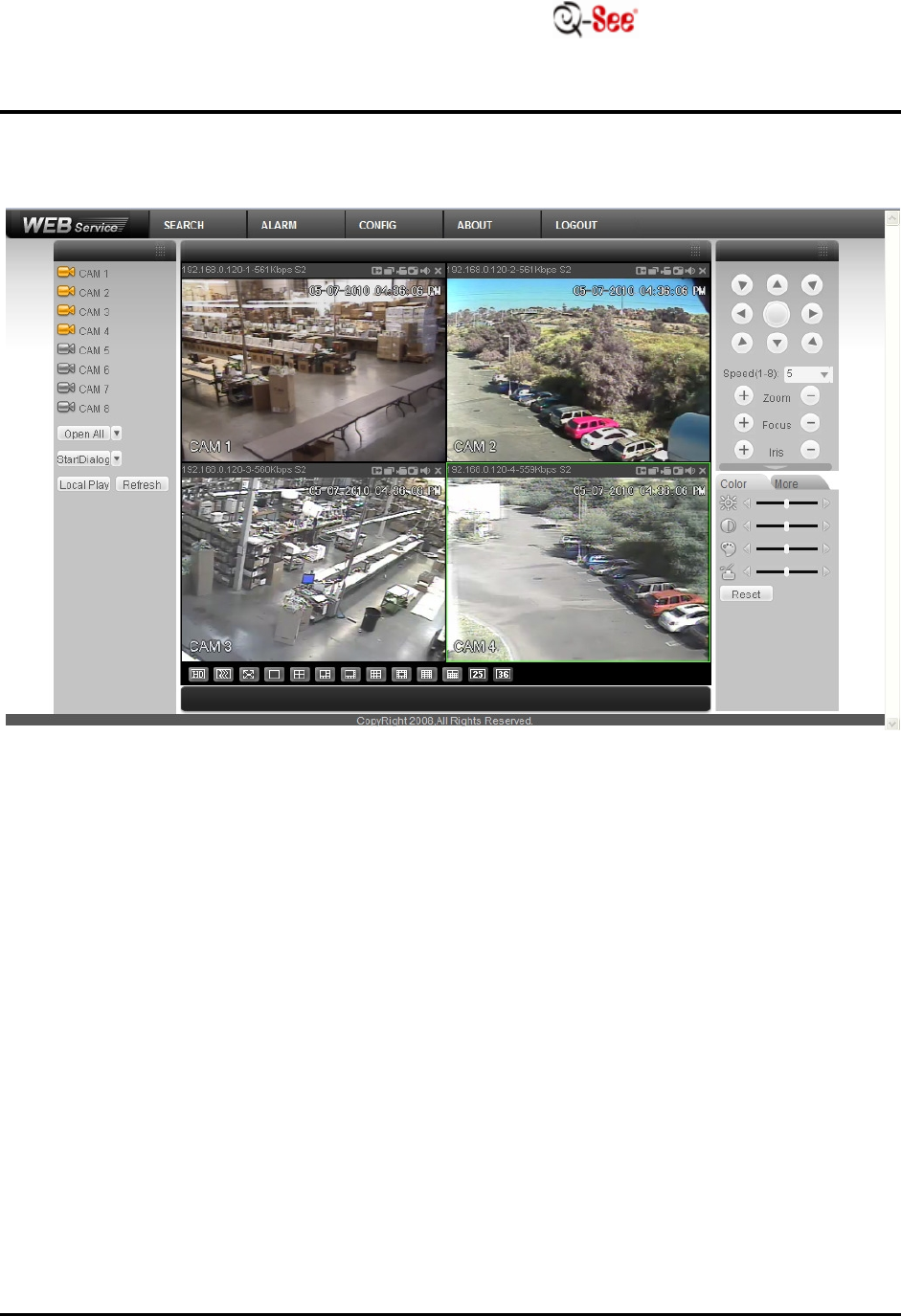
STEP
32:
T
h
e
following
a
pp
li
c
a
t
i
on
will
appear so that you may
view
y
ou
r
c
a
m
e
r
a
s.
