QI SHENGLONG IST BK011 Bluetooth Retro Phone User Manual

SHENZHEN QI SHENGLONG INDUSTRIALIST CO.,LTD. Bluetooth Retro Phone

User Manual

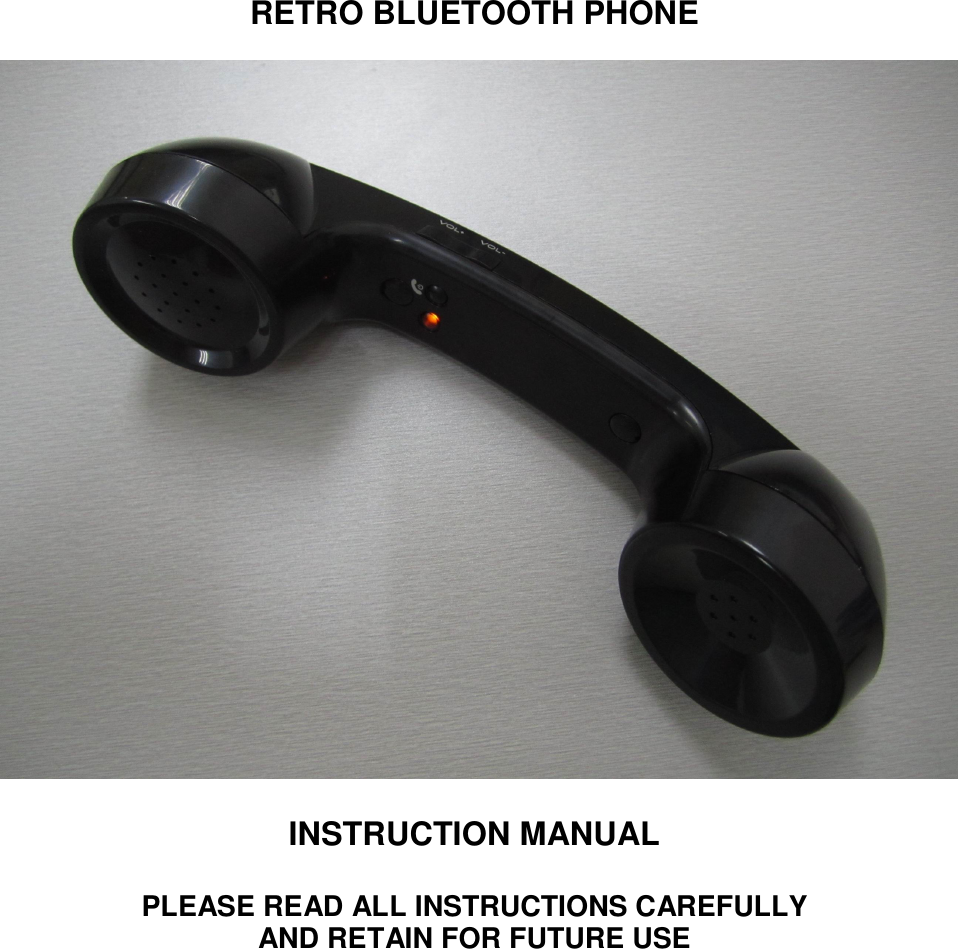
       RETRO BLUETOOTH PHONE                      INSTRUCTION MANUAL    PLEASE READ ALL INSTRUCTIONS CAREFULLY   AND RETAIN FOR FUTURE USE
 PRODUCT DESCRIPTION The Retro Bluetooth Phone combines high style with high functionality. This device unites comfort and safety of a  telephone  with  the  convenience  of  a  mobile  phone,  making  use  of  mobile  phones  at  home  and  work,  in non-mobile environments, more practical. The design combines classic style with modern elegance, resulting in a fashionable and comfortable Phone finished with a soft luxurious texture.   GETTING STARTED •  Remove the Bluetooth Retro Phone from the box. •  Remove any packaging from the product. •  Please read all instructions and retain all packaging until you have checked and counted all of the parts.  PACKAGE CONTENTS •  Bluetooth Retro Phone •  USB Cable •  Instruction Manual  KEY FEATURES •  Compatible with most Bluetooth enabled mobile phones. •  Noise-reducing technology for crisp and polished sound. •  Reduces the impact of radiation emitted by mobile phones (on direct contact). •  Luxurious soft-touch finish, for ultimate comfort and feel.  UNPARALLELED CONVERSATION COMFORT The  Bluetooth  Retro  Phone  is  specially  designed  to  transform  any  type  of  smart/mobile  phone  into  a comfortable  and  convenient  conversational  device.  The  ergonomic  design  provides  incomparable  comfort, making the mobile phone practical for any type of conversation in any type of environment.  The  ability  to  leave  the  mobile  phone  untouched  while  talking  allows  the  user  to  enjoy  the  convenience  of utilizing all other functions of the mobile device mid-conversation, making plans, access emails, browsing the internet and access to calendars easier than ever.    Compatible with most Bluetooth Enabled Mobile Phones.  REDUCES RADIATION While the debate about potentially harmful mobile phone radiation and the health-related consequences rages on,  our Bluetooth Retro  Phone  offers  state of  the  art technology,  with  high  quality  speaker  and microphone ensures polished sound while the design helps to reduce the impact of harmful mobile phone radiation.
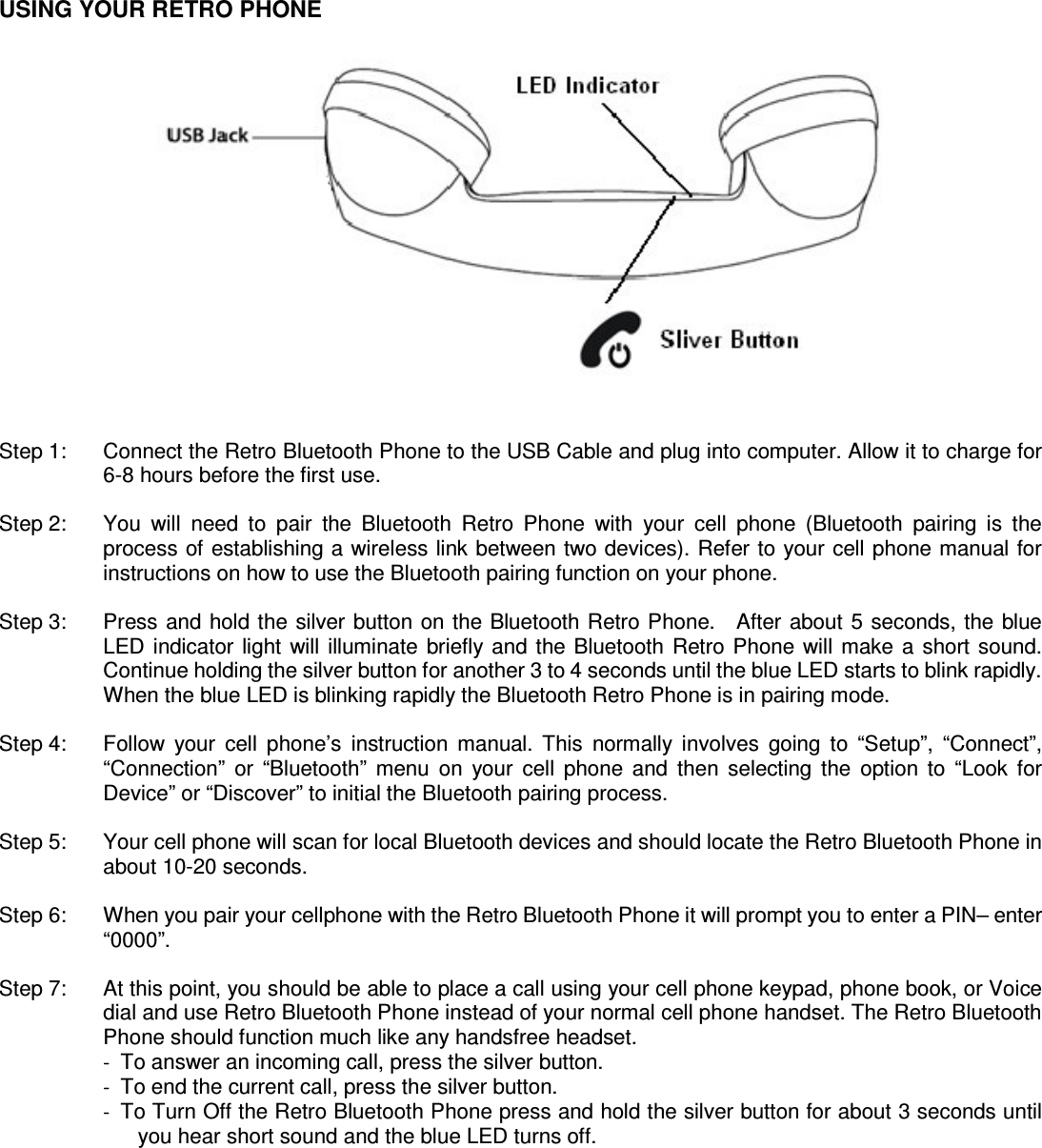
  USING YOUR RETRO PHONE                  Step 1:    Connect the Retro Bluetooth Phone to the USB Cable and plug into computer. Allow it to charge for 6-8 hours before the first use.  Step 2:    You  will  need  to  pair  the  Bluetooth  Retro  Phone  with  your  cell  phone  (Bluetooth  pairing  is  the process of establishing a wireless link between two devices). Refer to your cell phone manual for instructions on how to use the Bluetooth pairing function on your phone.  Step 3:    Press and hold the silver button on the Bluetooth Retro Phone.    After  about  5  seconds, the blue LED  indicator  light  will  illuminate  briefly  and the  Bluetooth Retro Phone  will  make  a  short sound. Continue holding the silver button for another 3 to 4 seconds until the blue LED starts to blink rapidly. When the blue LED is blinking rapidly the Bluetooth Retro Phone is in pairing mode.    Step 4:    Follow  your  cell  phone’s  instruction  manual.  This  normally  involves  going  to  “Setup”,  “Connect”, “Connection”  or  “Bluetooth”  menu  on  your  cell  phone  and  then  selecting  the  option  to  “Look  for Device” or “Discover” to initial the Bluetooth pairing process.  Step 5:    Your cell phone will scan for local Bluetooth devices and should locate the Retro Bluetooth Phone in about 10-20 seconds.  Step 6:    When you pair your cellphone with the Retro Bluetooth Phone it will prompt you to enter a PIN– enter “0000”.  Step 7:    At this point, you should be able to place a call using your cell phone keypad, phone book, or Voice dial and use Retro Bluetooth Phone instead of your normal cell phone handset. The Retro Bluetooth Phone should function much like any handsfree headset. -  To answer an incoming call, press the silver button. -  To end the current call, press the silver button. -  To Turn Off the Retro Bluetooth Phone press and hold the silver button for about 3 seconds until you hear short sound and the blue LED turns off.
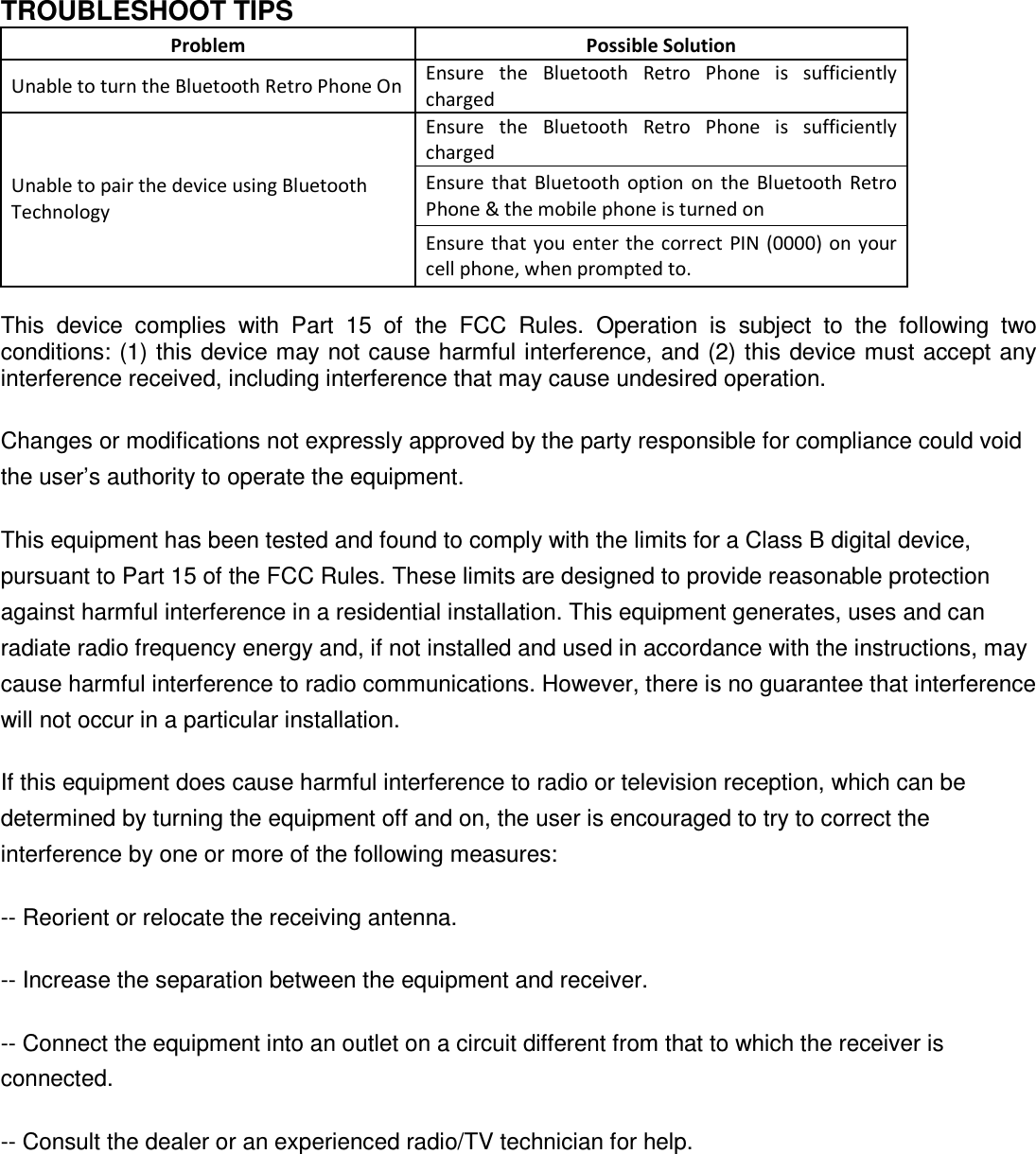
  TROUBLESHOOT TIPS Problem  Possible Solution Unable to turn the Bluetooth Retro Phone On Ensure  the  Bluetooth  Retro  Phone  is  sufficiently charged Ensure  the  Bluetooth  Retro  Phone  is  sufficiently charged Ensure  that  Bluetooth  option  on the  Bluetooth  Retro Phone & the mobile phone is turned on Unable to pair the device using Bluetooth Technology Ensure that  you  enter the correct  PIN (0000) on your cell phone, when prompted to.  This  device  complies  with  Part  15  of  the  FCC  Rules.  Operation  is  subject  to  the  following  two conditions: (1) this device may not cause harmful interference, and (2) this device must accept any interference received, including interference that may cause undesired operation. Changes or modifications not expressly approved by the party responsible for compliance could void the user’s authority to operate the equipment. This equipment has been tested and found to comply with the limits for a Class B digital device, pursuant to Part 15 of the FCC Rules. These limits are designed to provide reasonable protection against harmful interference in a residential installation. This equipment generates, uses and can radiate radio frequency energy and, if not installed and used in accordance with the instructions, may cause harmful interference to radio communications. However, there is no guarantee that interference will not occur in a particular installation. If this equipment does cause harmful interference to radio or television reception, which can be determined by turning the equipment off and on, the user is encouraged to try to correct the interference by one or more of the following measures: -- Reorient or relocate the receiving antenna. -- Increase the separation between the equipment and receiver. -- Connect the equipment into an outlet on a circuit different from that to which the receiver is connected. -- Consult the dealer or an experienced radio/TV technician for help.

Navigation menu