QI SHENGLONG IST QSLHD042A Wireless Gun TV Game Console User Manual HD 042
SHENZHEN QI SHENGLONG INDUSTRIALIST CO.,LTD. Wireless Gun TV Game Console HD 042
Users Manual
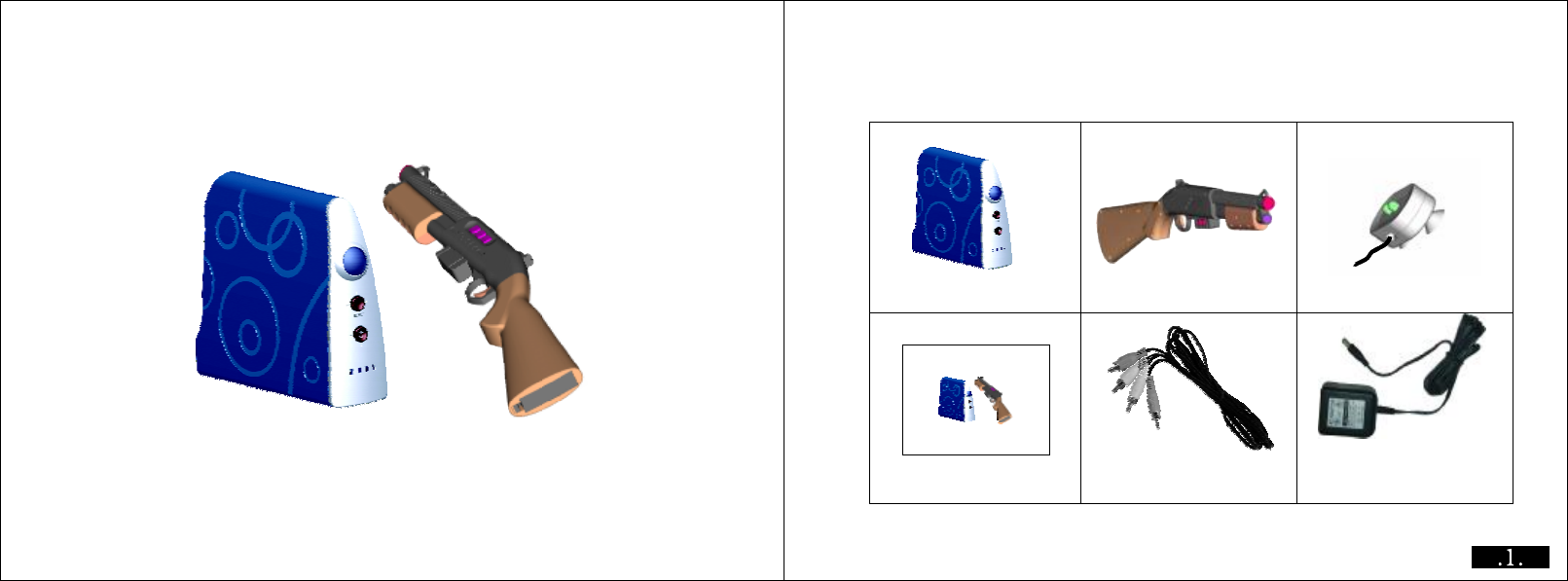
Console Gun
Launcher
AVCable UserManual ACAdaptor
UserManual Yourpackageincludefollowingaccessories
UserManual
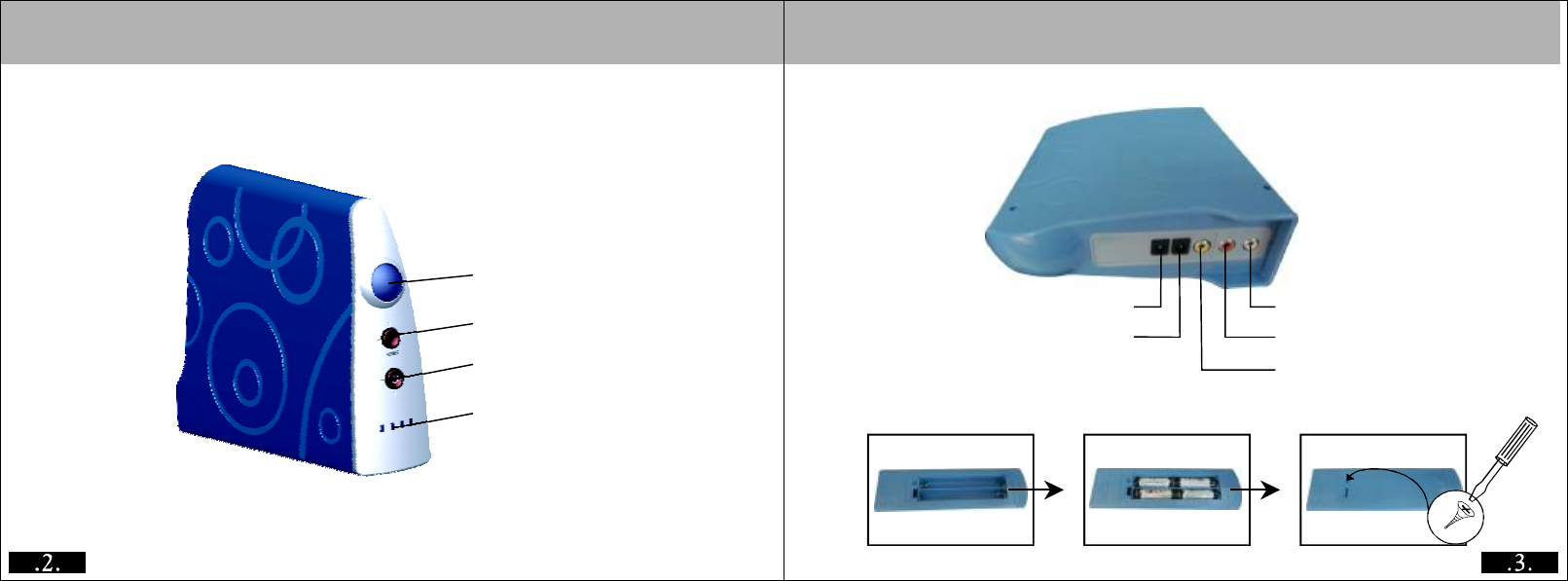
(15V*4AA).
Reset
Built-in IR Launcher
Power
Power LED
Light BAR port
DC Jack
Console Batteries Case TV Video
TV Audio(Left)
TV Audio(Right)
Main Unit Front View Main Unit Rear View
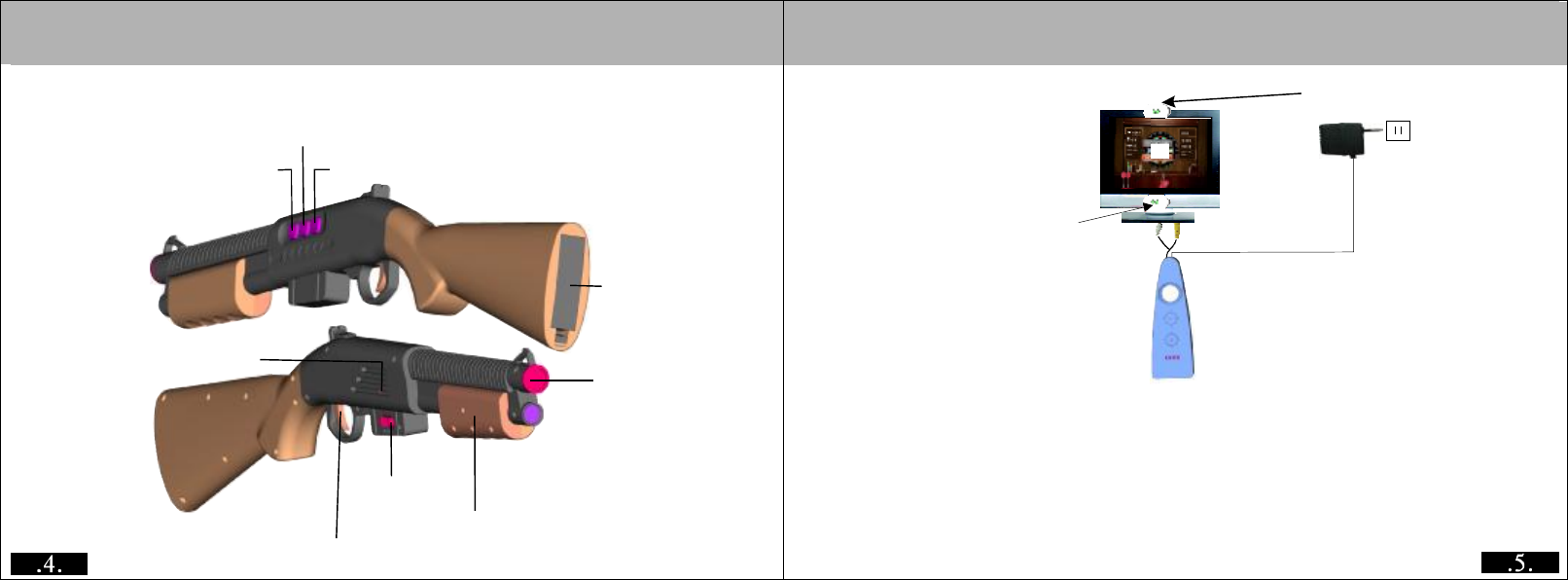
Gun Key Functions
Back to Main Menu
Communication Reset Gun Special Function Keys
Battery Box(1.5V*
4AA Batteries)
Power LED
Shooting Switch
PowerSwitch
Switch for Magazine
Console Connected to the TV Launcher Location
Launcher Location
1 Connect the console with TV via the AV cable with 6 color joint respectively
2 Power the console with the AC adaptor.
3 Put the launcher on the up or down frame of the TV and connect to the light BAR port
, please note that there shouldn’t have barrier before the launcher.
4 When it inconvenient for use the launcher, ensure the console in the middle
place before the TV in order for the veracity of the light gun.
5 Put 4*AA batteries on the gun and turn on the switch, the red LED light.
6 It would be perfect by stand 1.5 meters away from launcher, angel should be 25
degree from the middle of the TV.
±
sencer
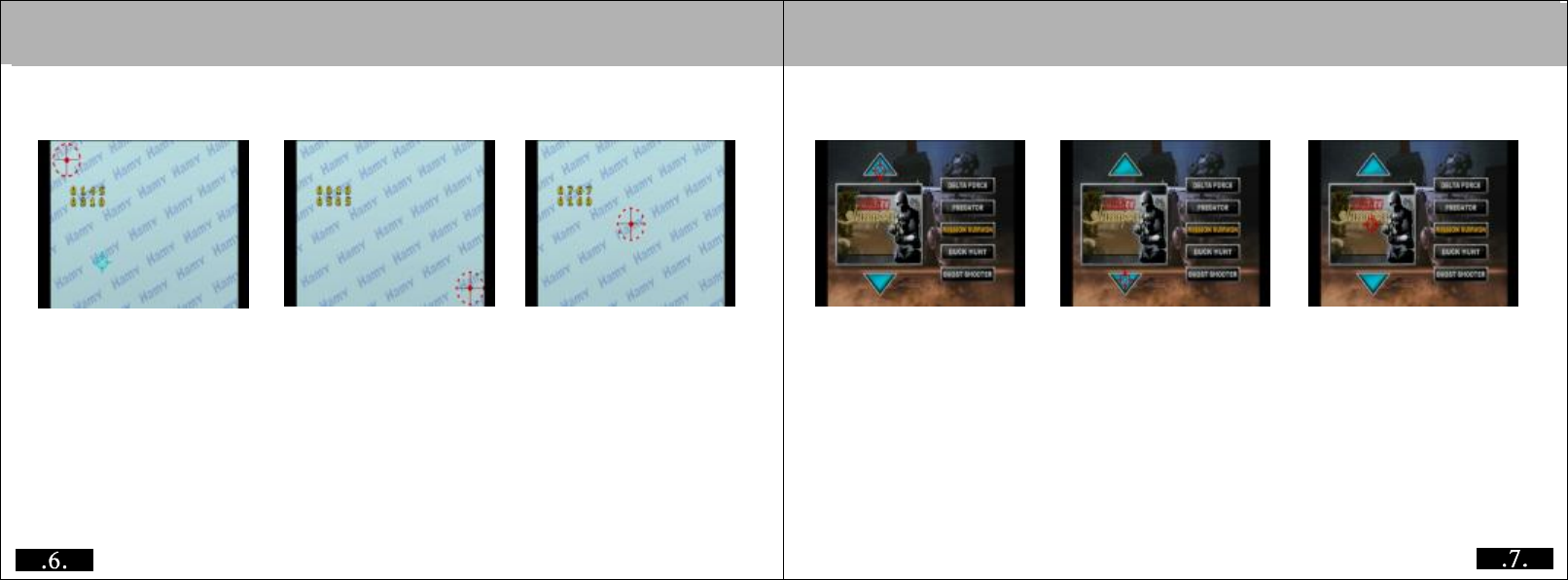
1Aim at the Red area on the upper left, shoot and go to the next frame
2Enter into next frame and aim at the red area ,shoot and go to the mext frame
3In the third picture, aim at the point in the middle and shoot, until now, calibration
completed, it will enter into the menu section.
、
、
、
1Itwillenterintothemenuselectionmodeafteryoucompletedcalibration. Yon
can find the game picture on the left screen
while on the right will show the game name.
2After you select the game, enter it by aim at the picture and shoot.
、
、
Menu selection modeLight gun calibration mode
First Second Third
10
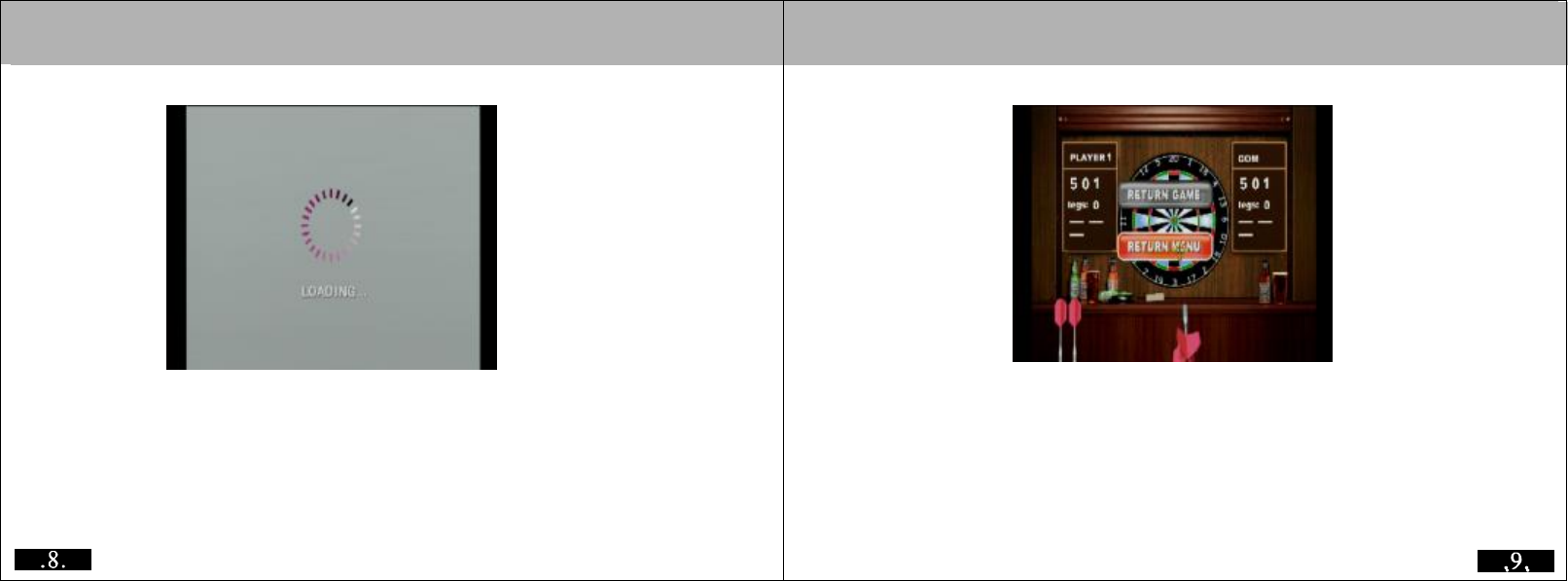
1It will show the “LOADING” on the screen after you selected the game, just wait
for a while you can start the exciting game.
、DuringplayingprocessPressexitontheguntoquitthegameandreturn back
to menu. it will go to select mode for you to choose continue or exit the menu.
,
Any Changes or modifications not expressly approved by the party responsible for compliance could void the user's authority to operate the equipment.
This device complies with part 15 of the FCC Rules. Operation is subject to the following two conditions: (1) This device may not cause harmful
interference, and (2) this device must accept any interference received, including interference that may cause undesired operation.
Caution: