RFRemotech RF1K2 RF1K2 User Manual User s Guide Of Firing Module RF1K2

RFRemotech Company RF1K2 User s Guide Of Firing Module RF1K2

15_RF1K2 UserMan.pdf

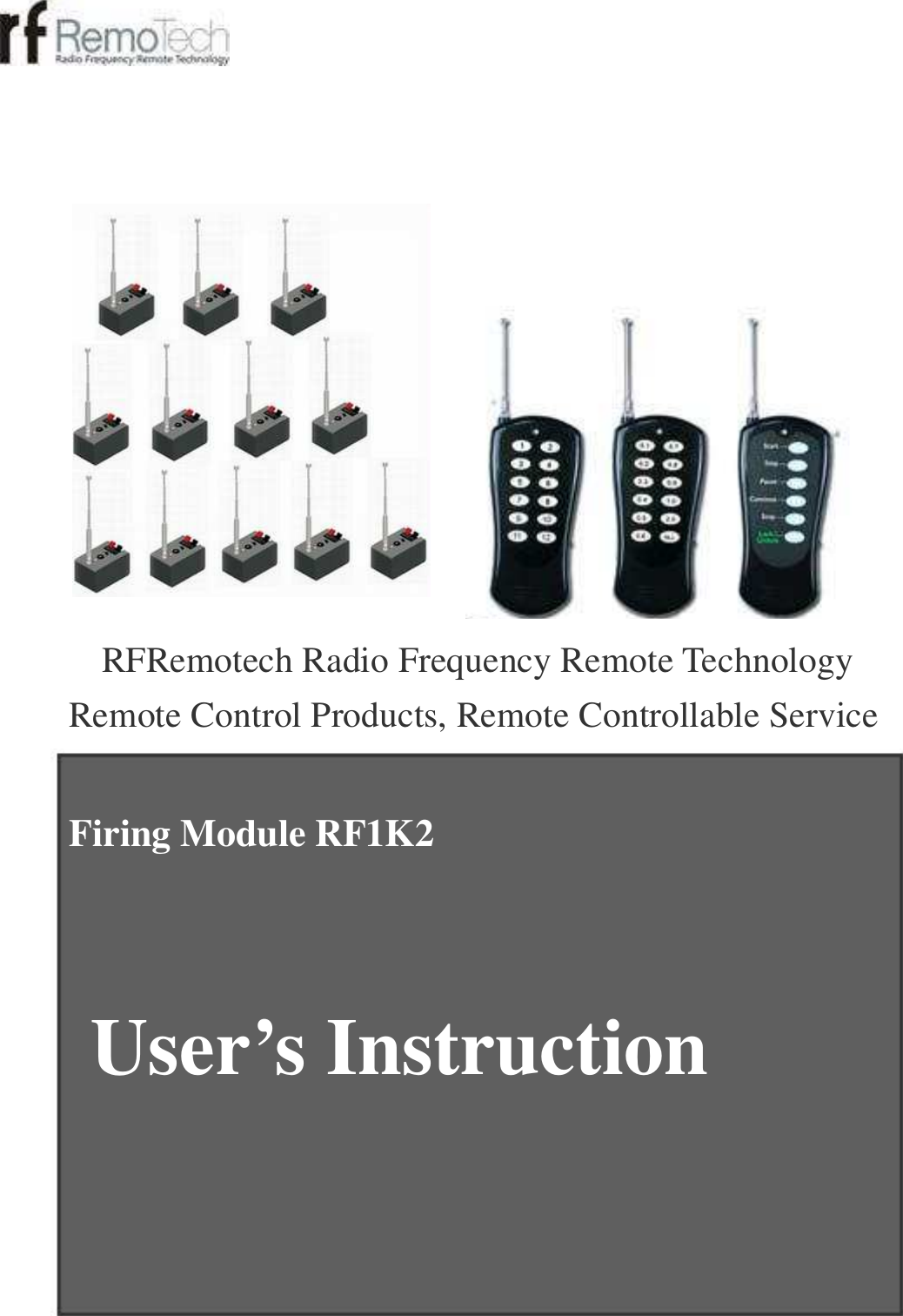
 RFRemotech Radio Frequency Remote Technology  Remote Control Products, Remote Controllable Service Firing Module RF1K2    User’s Instruction
Contents   Warning !!!------------------------------------------------------------  A. Firing Module------------------------------------------------------  Two Working Modes----------------------------------------------  Specifications------------------------------------------------------  Parts----------------------------------------------------------------  B. Test-----------------------------------------------------------------  C. Matchable Transmitters------------------------------------------  D. Two Learning Modes---------------------------------------------  Before Learning---------------------------------------------------  Mode 1: Normal Learning---------------------------------------  Learn the code of Transmitter A---------------------------  Learn the code of Transmitter B---------------------------  Learn the code of Transmitter C---------------------------  Mode 2: Group Sequence Learning----------------------------  Clear codes of transmitters--------------------------------------  E. Three Firing Modes-----------------------------------------------  Mode 1: Dividual Firing-------------------------------------------  Mode 2: Interval Firing-------------------------------------------  Mode 3: Stepper Firing-------------------------------------------  1  1  1  1  2  2  3  3  3  4  4  4  4  4  5  5  6  6  6
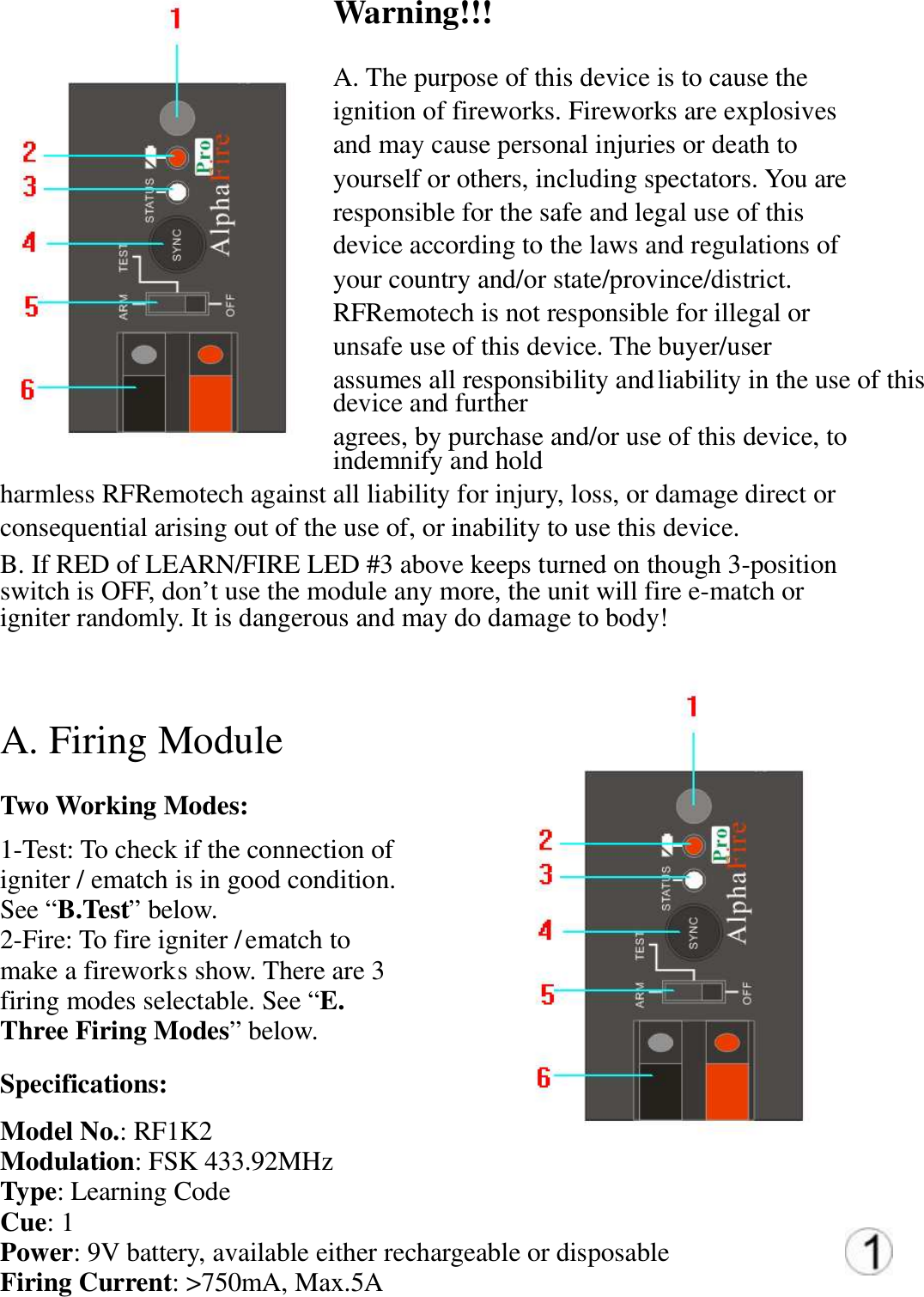
Warning!!!   A. The purpose of this device is to cause the  ignition of fireworks. Fireworks are explosives  and may cause personal injuries or death to  yourself or others, including spectators. You are  responsible for the safe and legal use of this  device according to the laws and regulations of  your country and/or state/province/district.  RFRemotech is not responsible for illegal or  unsafe use of this device. The buyer/user  assumes all responsibility and liability in the use of this device and further  agrees, by purchase and/or use of this device, to indemnify and hold  harmless RFRemotech against all liability for injury, loss, or damage direct or  consequential arising out of the use of, or inability to use this device.  B. If RED of LEARN/FIRE LED #3 above keeps turned on though 3-position  switch is OFF, don’t use the module any more, the unit will fire e-match or  igniter randomly. It is dangerous and may do damage to body!   A. Firing Module   Two Working Modes:  1-Test: To check if the connection of  igniter / ematch is in good condition.  See “B.Test” below.  2-Fire: To fire igniter / ematch to  make a firework s show. There are 3  firing modes selectable. See “E.  Three Firing Modes” below.  Specifications:  Model No.: RF1K2 Modulation: FSK 433.92MHz  Type: Learning Code  Cue: 1  Power: 9V battery, available either rechargeable or disposable  Firing Current: >750mA, Max.5A
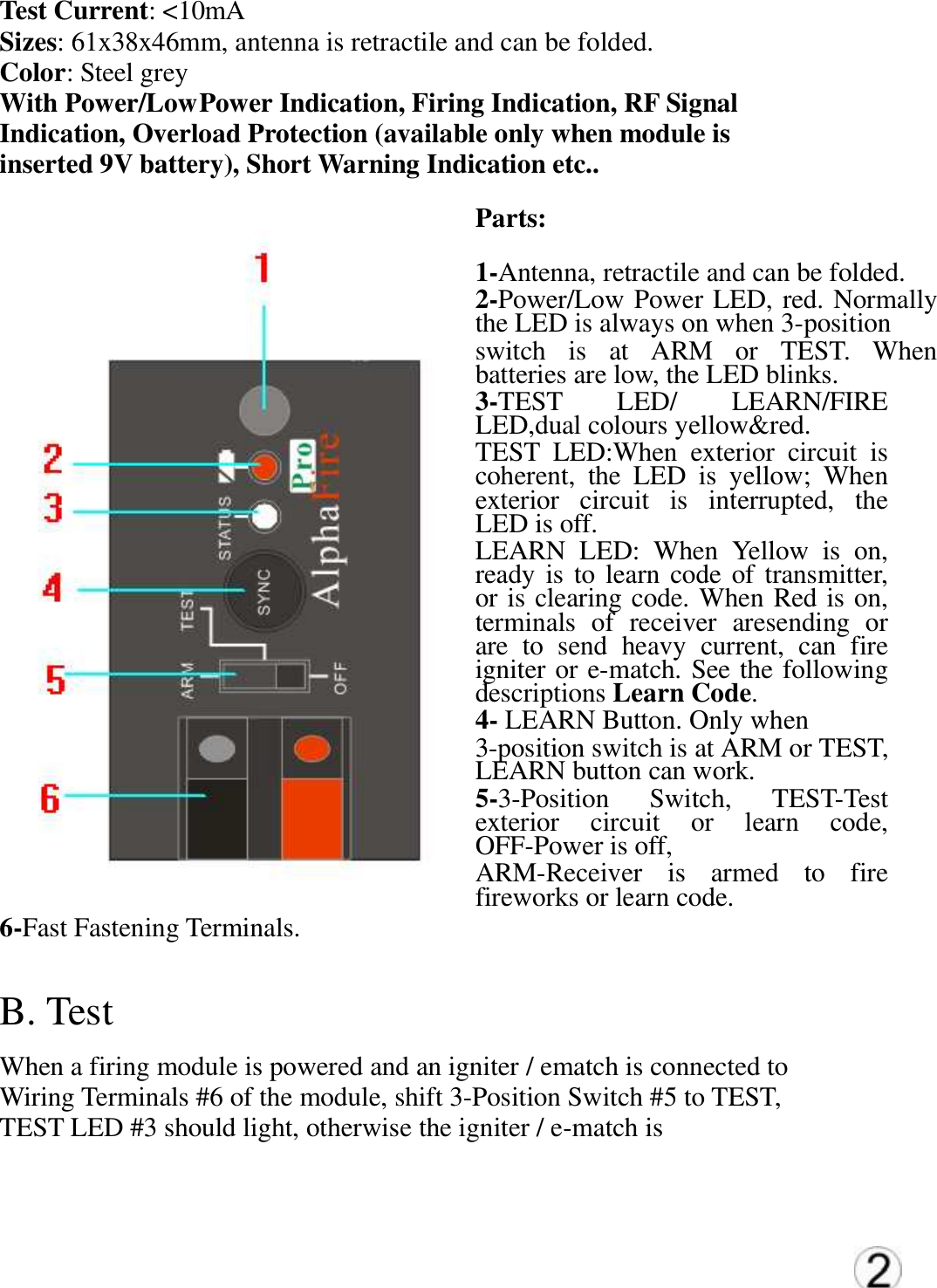
Test Current: <10mA  Sizes: 61x38x46mm, antenna is retractile and can be folded.  Color: Steel grey  With Power/Low Power Indication, Firing Indication, RF Signal  Indication, Overload Protection (available only when module is  inserted 9V battery), Short Warning Indication etc..  Parts:  1-Antenna, retractile and can be folded.  2-Power/Low Power LED, red. Normally the LED is always on when 3-position  switch  is  at  ARM  or  TEST.  When batteries are low, the LED blinks.  3-TEST  LED/  LEARN/FIRE LED,dual colours yellow&red. TEST  LED:When  exterior  circuit  is coherent,  the  LED  is  yellow;  When exterior  circuit  is  interrupted,  the LED is off.   LEARN  LED:  When  Yellow  is  on, ready is to learn code of  transmitter, or is clearing code. When Red is on, terminals  of  receiver  aresending  or are  to  send  heavy  current,  can  fire igniter or e-match. See the following descriptions Learn Code. 4- LEARN Button. Only when  3-position switch is at ARM or TEST, LEARN button can work. 5-3-Position  Switch,  TEST-Test exterior  circuit  or  learn  code, OFF-Power is off,  ARM-Receiver  is  armed  to  fire fireworks or learn code. 6-Fast Fastening Terminals.  B. Test   When a firing module is powered and an igniter / ematch is connected to  Wiring Terminals #6 of the module, shift 3-Position Switch #5 to TEST,  TEST LED #3 should light, otherwise the igniter / e-match is
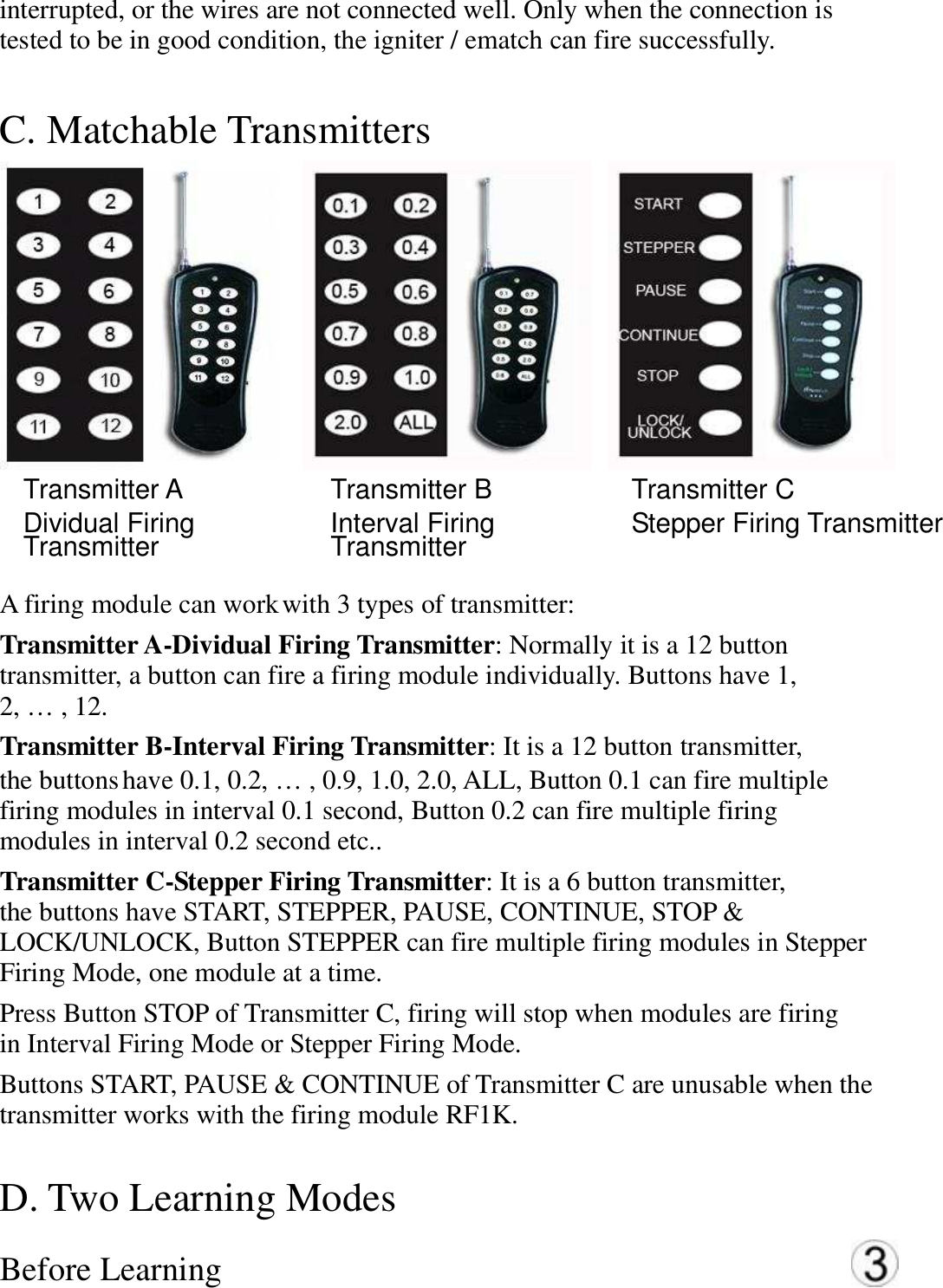
interrupted, or the wires are not connected well. Only when the connection is   tested to be in good condition, the igniter / ematch can fire successfully. C. Matchable Transmitters    Transmitter A   Dividual Firing Transmitter   Transmitter B   Interval Firing Transmitter   Transmitter C   Stepper Firing Transmitter  A firing module can work with 3 types of transmitter:   Transmitter A-Dividual Firing Transmitter: Normally it is a 12 button   transmitter, a button can fire a firing module individually. Buttons have 1,   2, … , 12.   Transmitter B-Interval Firing Transmitter: It is a 12 button transmitter,   the buttons have 0.1, 0.2, … , 0.9, 1.0, 2.0, ALL, Button 0.1 can fire multiple   firing modules in interval 0.1 second, Button 0.2 can fire multiple firing   modules in interval 0.2 second etc..   Transmitter C-Stepper Firing Transmitter: It is a 6 button transmitter,   the buttons have START, STEPPER, PAUSE, CONTINUE, STOP &   LOCK/UNLOCK, Button STEPPER can fire multiple firing modules in Stepper   Firing Mode, one module at a time.   Press Button STOP of Transmitter C, firing will stop when modules are firing   in Interval Firing Mode or Stepper Firing Mode. Buttons START, PAUSE & CONTINUE of Transmitter C are unusable when the   transmitter works with the firing module RF1K.   D. Two Learning Modes   Before Learning
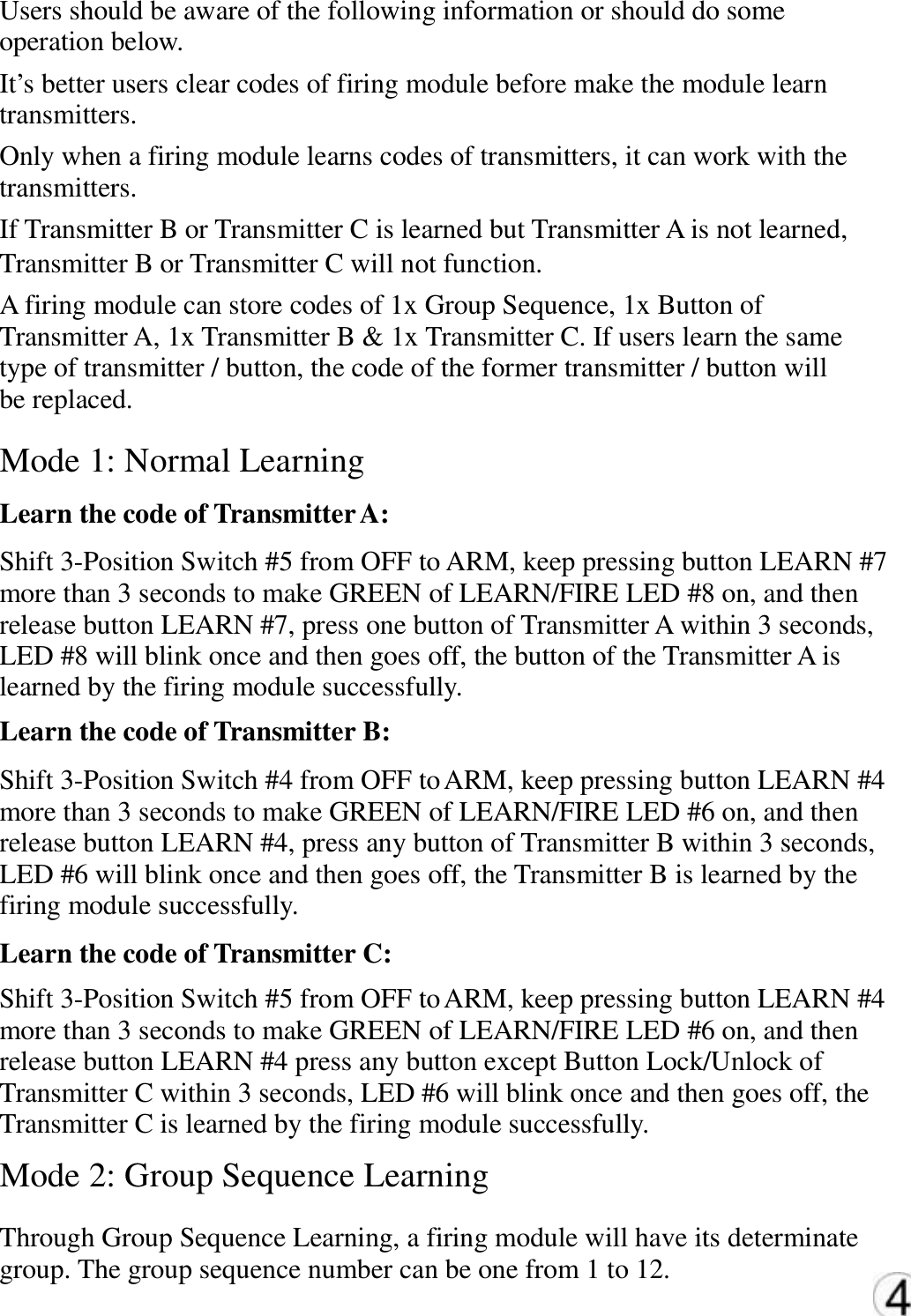
Users should be aware of the following information or should do some  operation below.  It’s better users clear codes of firing module before make the module learn  transmitters.  Only when a firing module learns codes of transmitters, it can work with the  transmitters.  If Transmitter B or Transmitter C is learned but Transmitter A is not learned,  Transmitter B or Transmitter C will not function.  A firing module can store codes of 1x Group Sequence, 1x Button of  Transmitter A, 1x Transmitter B & 1x Transmitter C. If users learn the same  type of transmitter / button, the code of the former transmitter / button will  be replaced. Mode 1: Normal Learning  Learn the code of Transmitter A: Shift 3-Position Switch #5 from OFF to ARM, keep pressing button LEARN #7  more than 3 seconds to make GREEN of LEARN/FIRE LED #8 on, and then  release button LEARN #7, press one button of Transmitter A within 3 seconds,  LED #8 will blink once and then goes off, the button of the Transmitter A is  learned by the firing module successfully.  Learn the code of Transmitter B:  Shift 3-Position Switch #4 from OFF to ARM, keep pressing button LEARN #4  more than 3 seconds to make GREEN of LEARN/FIRE LED #6 on, and then  release button LEARN #4, press any button of Transmitter B within 3 seconds,  LED #6 will blink once and then goes off, the Transmitter B is learned by the  firing module successfully.  Learn the code of Transmitter C:  Shift 3-Position Switch #5 from OFF to ARM, keep pressing button LEARN #4  more than 3 seconds to make GREEN of LEARN/FIRE LED #6 on, and then  release button LEARN #4 press any button except Button Lock/Unlock of  Transmitter C within 3 seconds, LED #6 will blink once and then goes off, the Transmitter C is learned by the firing module successfully.  Mode 2: Group Sequence Learning  Through Group Sequence Learning, a firing module will have its determinate  group. The group sequence number can be one from 1 to 12.
Use Transmitter A to learn Group Sequence.   Keep pressing button LEARN #4 and don’t release until the 3-Position Switch   #5is shifted from OFF to ARM, GREEN of LEARN/FIRE LED #6 blinks   continuously, the firing module is in the mode Group Sequence Learning.   Keep pressing button LEARN #4 again more than 3 seconds to make GREEN   of LEARN/FIRE LED #6on, and then release button LEARN #4, press one   button of Transmitter A within 3 seconds, LED #6 will blink once and then   goes off, after 8 seconds the LED #6 will blink continuously again, the firing module will remember the group sequence as the number of the learned   button of Transmitter A.   How to know which group sequence the firing module belongs to  and what the sequence of the module is in the group.  Shift 3-Position Switch #5 from OFF to ARM, press the learned button of the   Transmitter A, GREEN of LEARN/FIRE LED #6 should blink once, it indicates   the code of the button is stored in the module.   Keep pressing button LEARN #4and don’t release until the 3-Position Switch   #5 is shifted from OFF to ARM, GREEN of LEARN/FIRE LED #6 blinks, press   the learned group sequence number button of any Transmitter A, GREEN of   LEARN/FIRE LED #6 turns from blink ing to solid green light, it indicates the   group sequence is remembered by the firing module.   Clear codes of transmitters  Shift 3-Position Switch #5 from OFF to ARM, keep pressing button LEARN #4   for more than 6 seconds, GREEN of LEARN/FIRE LED #6 will be on and don’t   release yet until the LED blinks three times and then goes off, all codes are   cleared.   Warning: Only when no igniter / ematch   is connected, you can learn codes or   clear codes!   E. Three Firing Modes   A firing module must learn codes of   transmitters before the transmitters are able   to fire the module.   When a firing module receives a
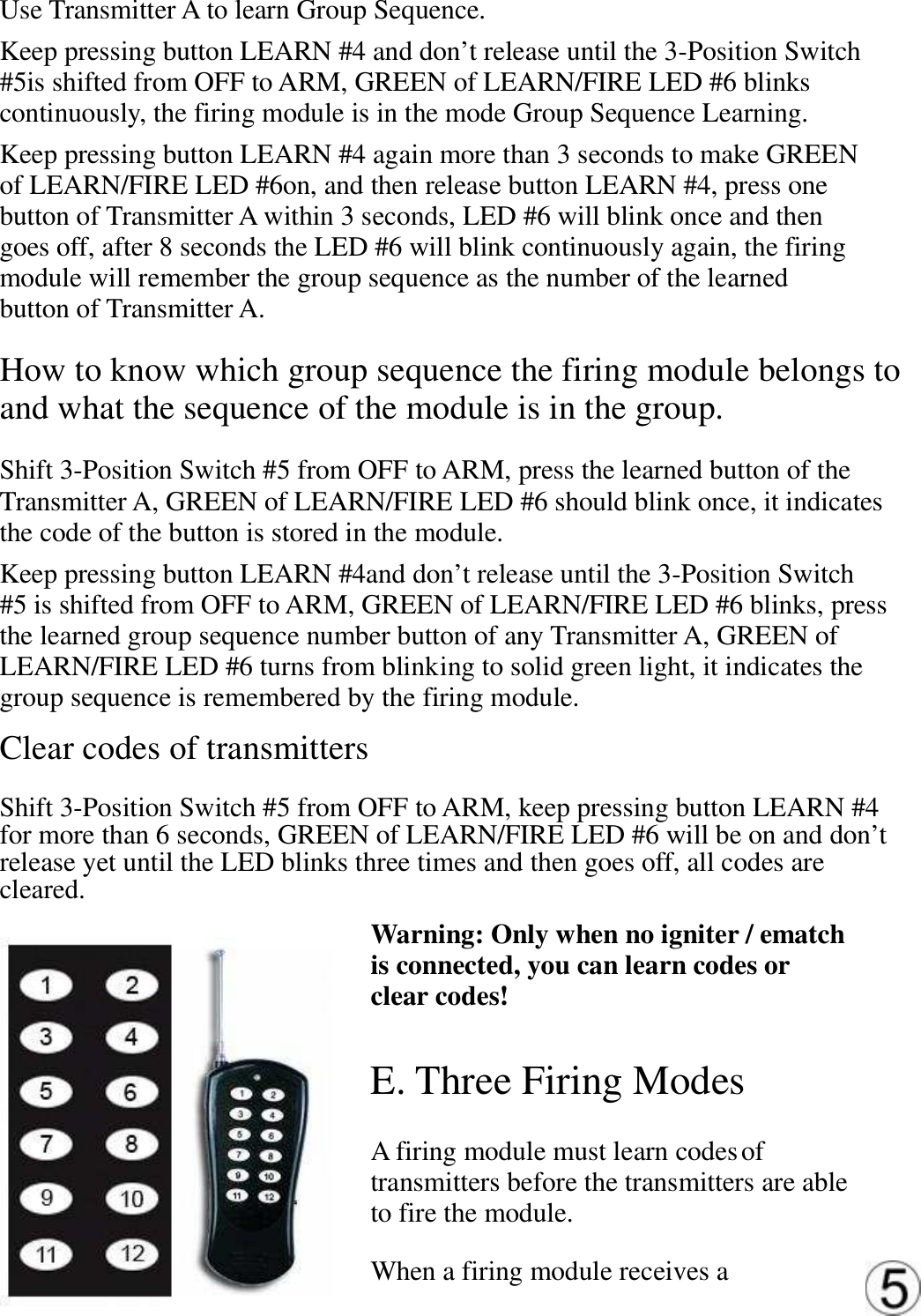
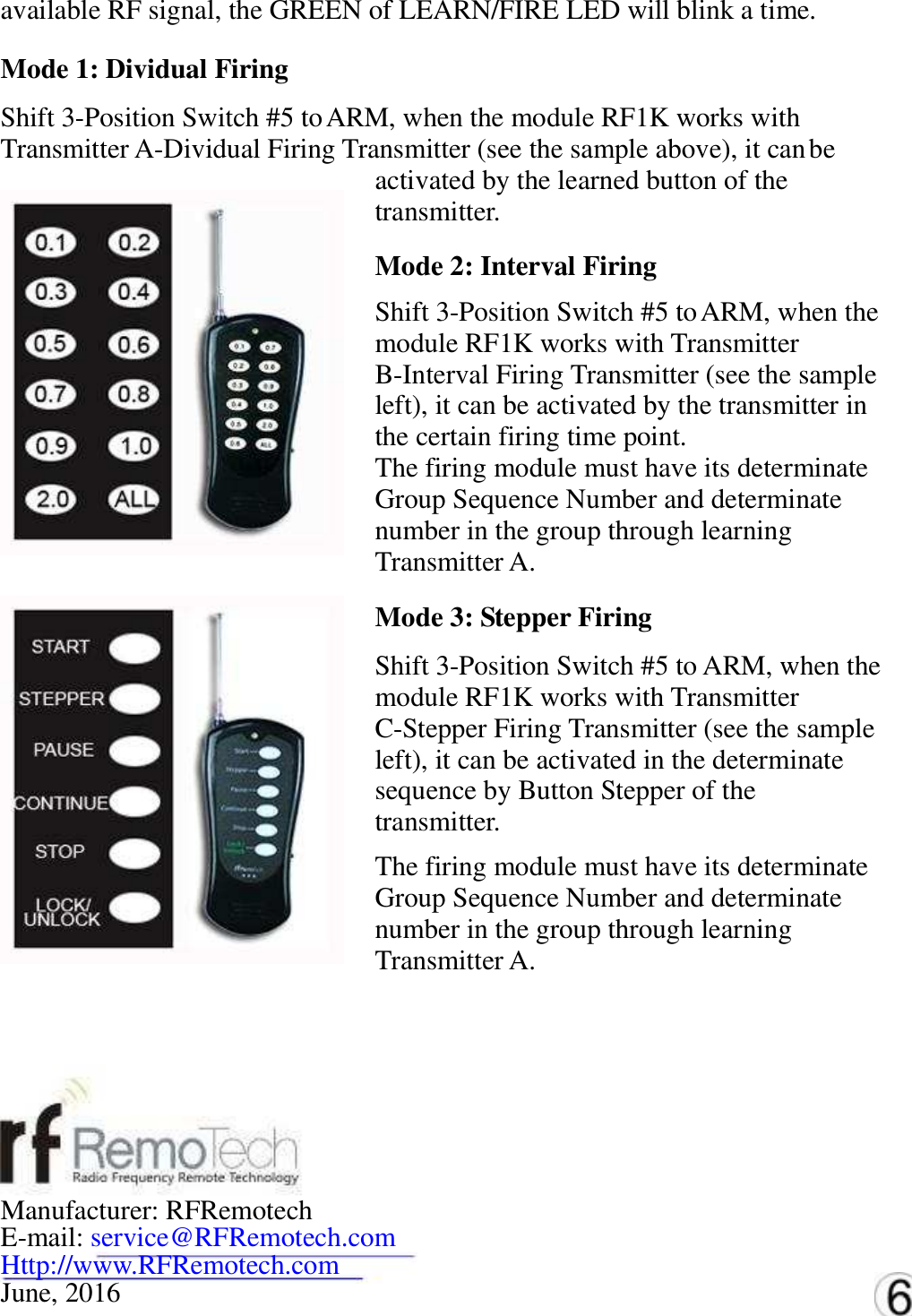
available RF signal, the GREEN of LEARN/FIRE LED will blink a time.   Mode 1: Dividual Firing   Shift 3-Position Switch #5 to ARM, when the module RF1K works with   Transmitter A-Dividual Firing Transmitter (see the sample above), it can be   activated by the learned button of the   transmitter. Mode 2: Interval Firing   Shift 3-Position Switch #5 to ARM, when the   module RF1K works with Transmitter   B-Interval Firing Transmitter (see the sample   left), it can be activated by the transmitter in   the certain firing time point. The firing module must have its determinate   Group Sequence Number and determinate   number in the group through learning   Transmitter A. Mode 3: Stepper Firing   Shift 3-Position Switch #5 to ARM, when the   module RF1K works with Transmitter   C-Stepper Firing Transmitter (see the sample   left), it can be activated in the determinate   sequence by Button Stepper of the   transmitter. The firing module must have its determinate   Group Sequence Number and determinate   number in the group through learning   Transmitter A.  Manufacturer: RFRemotech   E-mail: service@RFRemotech.com  Http://www.RFRemotech.com  June, 2016
NOTE: This equipment has been tested and found to comply with the limits for a Class B digital device, pursuant to part 15 of the FCC Rules. These limits are designed to provide reasonable protection against harmful interference in a residential installation. This equipment generates, uses and can radiate radio frequency energy and, if not installed and used in accordance with the instructions, may cause harmful interference to radio communications. However, there is no guarantee that interference will not occur in a particular installation. If this equipment does cause harmful interference to radio or television reception, which can be determined by turning the equipment off and on, the user is encouraged to try to correct the interference by one or more of the following measures: —Reorient or relocate the receiving antenna. —Increase the separation between the equipment and receiver. —Connect the equipment into an outlet on a circuit different from that to which the receiver is connected. —Consult the dealer or an experienced radio/TV technician for help. Thisdevicecomplieswithpart15oftheFCCrules.Operationissubjecttothefollowingtwoconditions:(1)thisdevicemaynotcauseharmfulinterference,and(2)thisdevicemustacceptanyinterferencereceived,includinginterferencethatmaycauseundesiredoperation.Changesormodificationstothisunitnotexpresslyapprovedbythepartyresponsibleforcompliancecouldvoidtheuser'sauthoritytooperatetheequipment.

Navigation menu